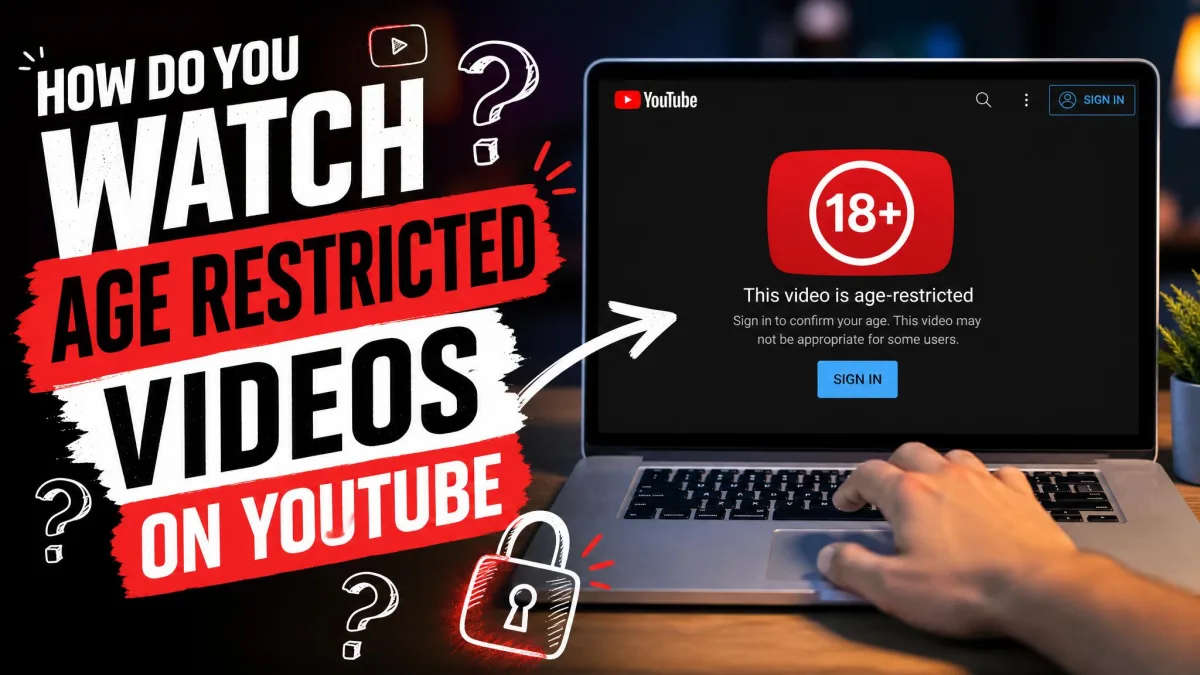
Have you clicked a video, waited for it to load, and been told the content is age-restricted instead? The video is not broken, and your connection is fine. YouTube has simply decided the content needs a signed-in adult account before it will play.
That single fact explains why most of the old tricks people still recommend now fail. We went back through every method circulating online, checked each one against YouTube's current rules, and sorted the ones that still work from the ones that only waste your time. Below are the seven routes worth knowing, in the order we would try them.
Why YouTube Age-Restricts Videos
Age restriction is not the same as removal. A creator, or YouTube's own review systems, can flag an upload as adult viewing without taking it down, which keeps the video online but narrows who can watch it.
Content gets age-restricted for reasons including violence, nudity or adult scenes, dangerous or illegal activity, and crude language. Music videos, game footage, documentary clips and comedy sets all land in this bucket regularly, so the label says very little about whether the video is genuinely shocking. YouTube's age-restricted content guidelines set out the categories, and creators can check whether their own upload was flagged using the Age-Restriction filter in YouTube Studio or the Viewable by 18+ notice on the Content page. Graphic material sits under a separate violent or graphic content policy.
What Happens When You Hit an Age-Restricted Video
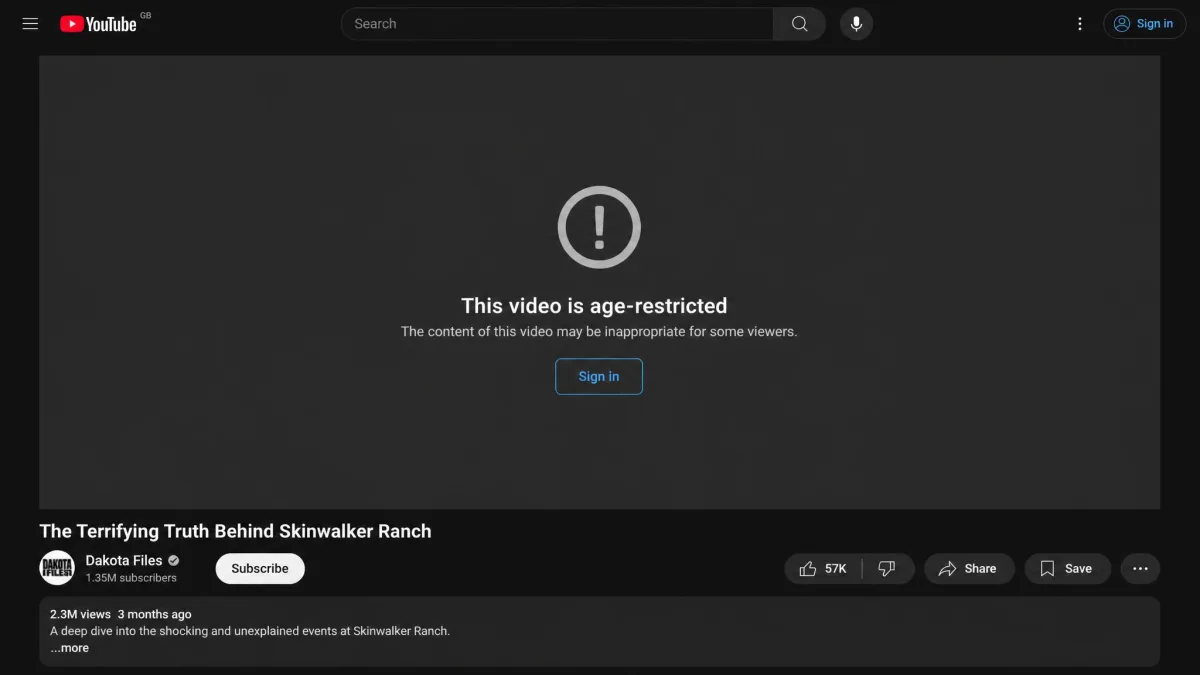
According to YouTube's age-restricted video rules, an age-restricted video will not play if you are signed out, if you are under 18 years of age, or if you are watching it embedded on most third-party sites. Those three conditions cover almost every complaint we see.
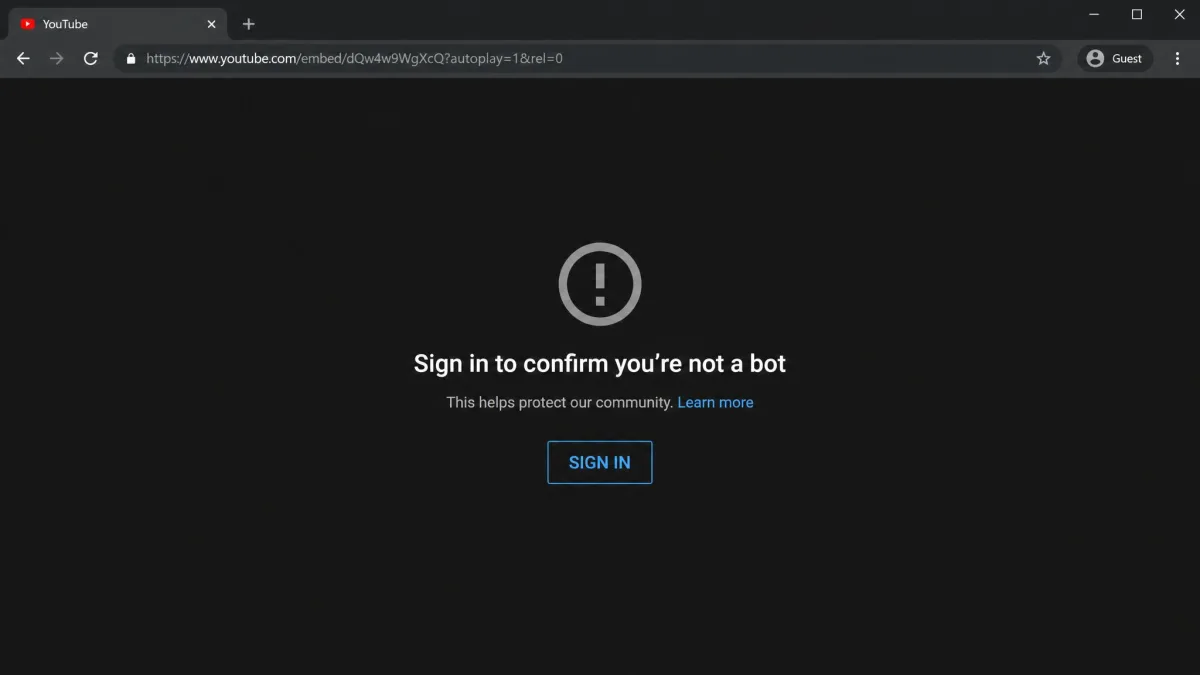
The important detail is what the block looks like. A signed-out visit shows a sign-in wall rather than an error page, which means the fix is usually one sign-in away and not a broken video at all. If you are seeing an actual playback error instead, that is a different problem and none of the methods below will help.
The 7 Ways to Watch Age-Restricted YouTube Videos
We have ranked these by how reliably they work, not by how clever they are. The first three are the routes YouTube actually supports.
1. Sign in with an 18+ Google account (the reliable fix)
Signing in with an account whose birthday puts it at 18 or over is the only route that plays the video every time, on desktop and in the mobile apps alike. There is no official signed-out route, so everything else on this list is either a partial fix or a dead end.
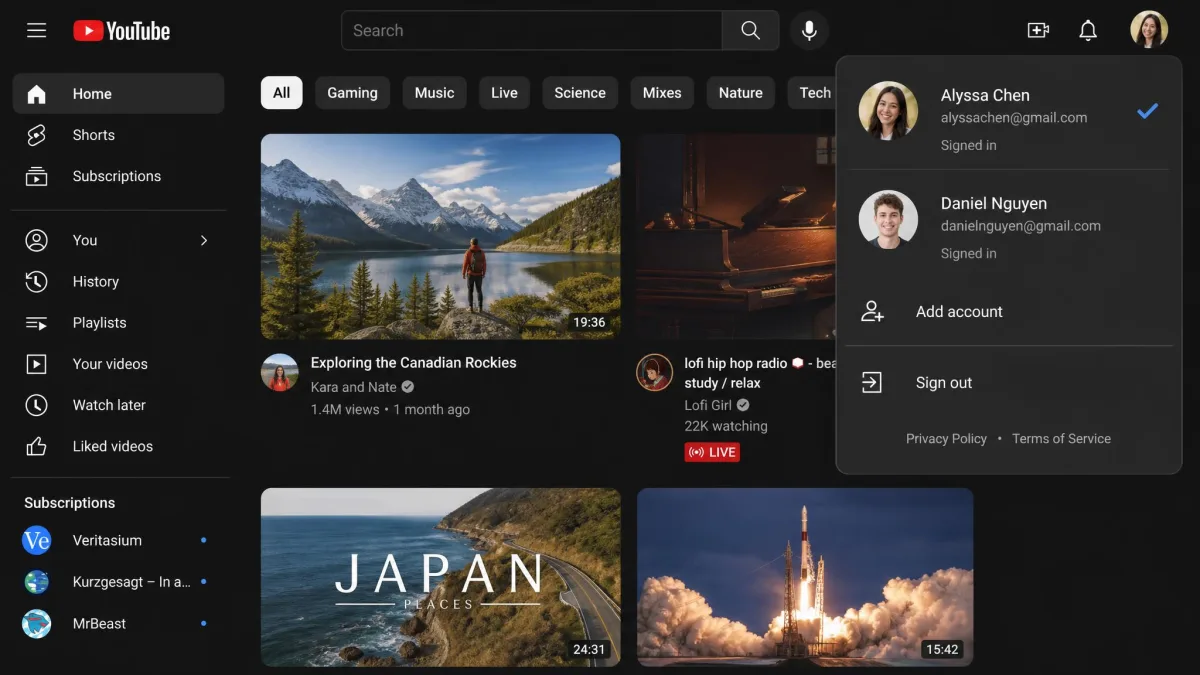
Click Sign in at the top right of YouTube, choose the Google account you want to use, and reload the video page. If you have several accounts, check the profile picture in the corner before you assume the sign-in failed, because a browser will often restore the wrong one after an update.
2. Correct the birthday on your existing Google account
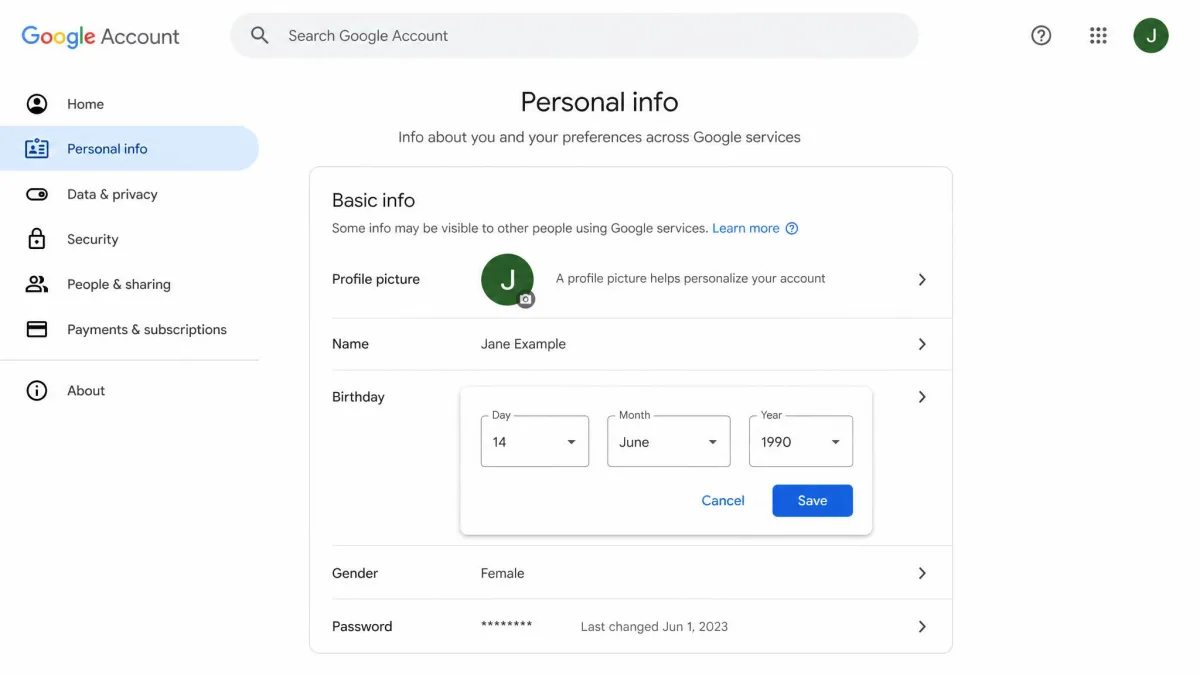
If you are already signed in and still blocked, the birthday on the account is the usual culprit. Plenty of accounts were created years ago with a rounded-off or deliberately vague date, and YouTube reads that date literally.
Open your Google Account, go to Personal info, select Birthday, and set the correct date. The change propagates to YouTube on the same sign-in. You do not need a second account to fix this. Google's minimum age to manage your own account ranges from 13 to 16 depending on the country. An account flagged as under that local minimum gets 14 days to update it before it is disabled.
Fix the birthday on the account you already use rather than opening a fresh one. A brand new account carries no watch history, and YouTube's age systems read history as one signal of who owns the account.
3. Complete YouTube age verification (ID, selfie, or card)
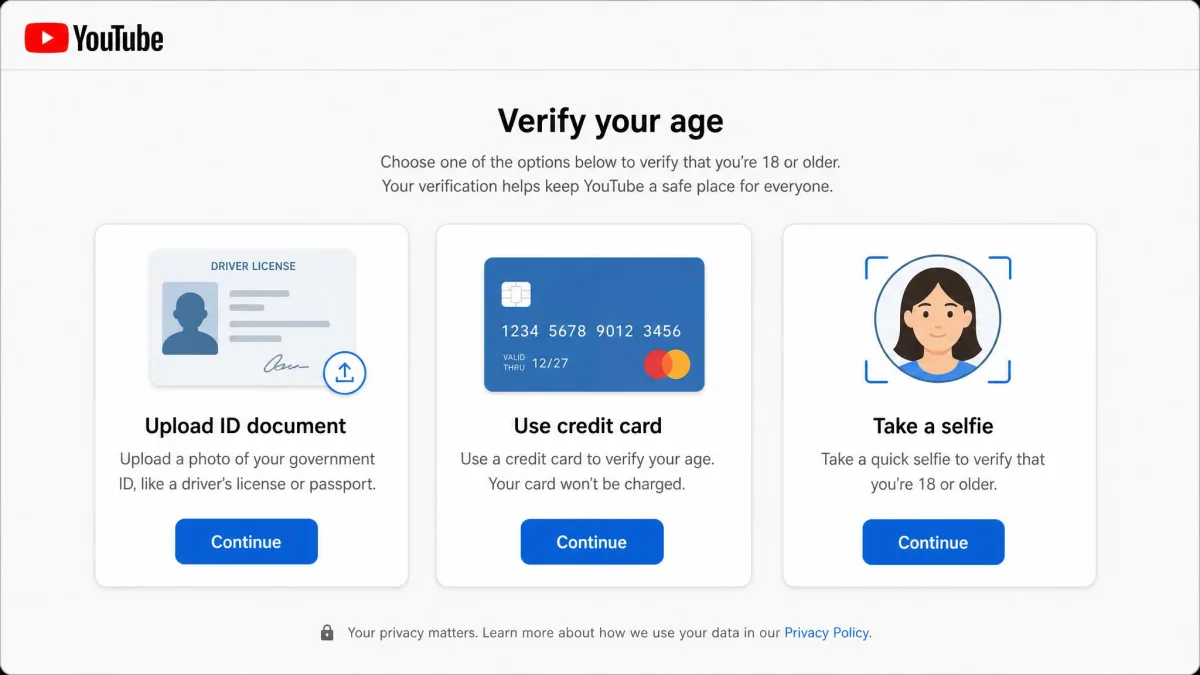
Sometimes the birthday is correct and the block stays. That is when YouTube asks you to prove it, and Google's age verification process walks you through the check for your country.
In the EU, EEA, Switzerland and the UK, YouTube accepts an image of a valid ID or of a credit card. In Australia, it accepts an image of a driver licence, a Proof of Age card, or a passport. The card check clears fastest. An ID upload takes longest, because the document goes through a review queue. A card check confirms your age from the card details and does not charge you. A temporary authorisation hold can still appear on some cards before it drops off.
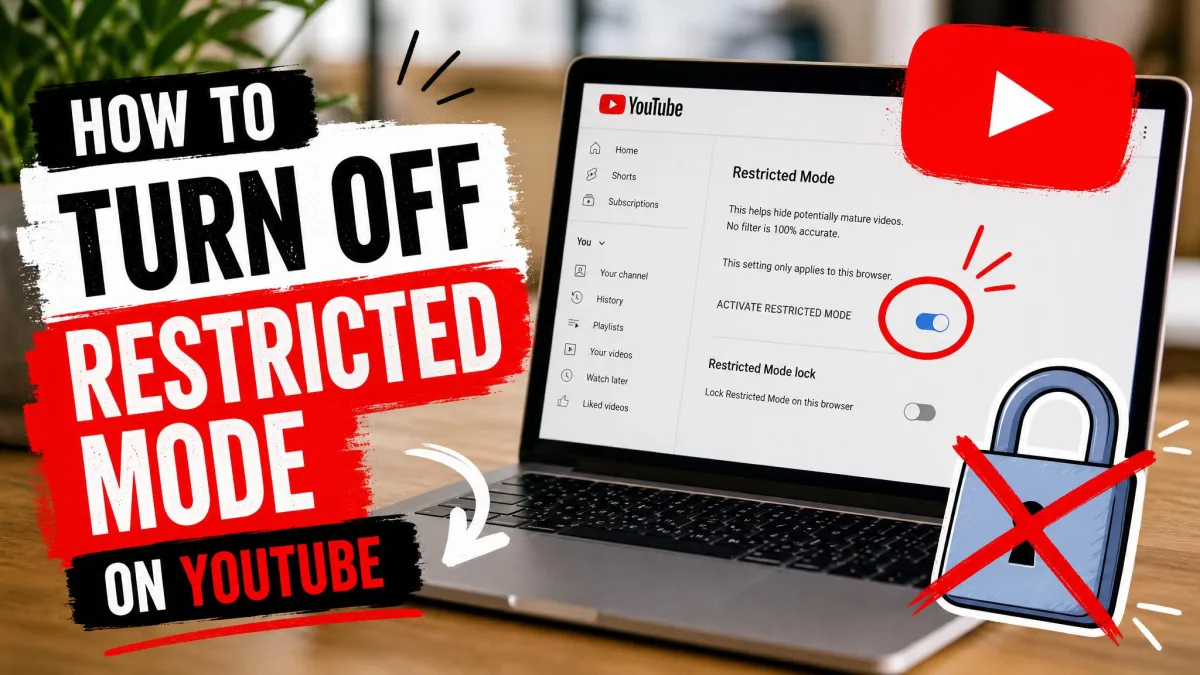
4. Turn off Restricted Mode on your account or network
Restricted Mode is the setting most often confused with age restriction, and the two do different jobs. Restricted Mode filters mature content on your account or network, so switching it off does not let a signed-out viewer play an age-restricted video.
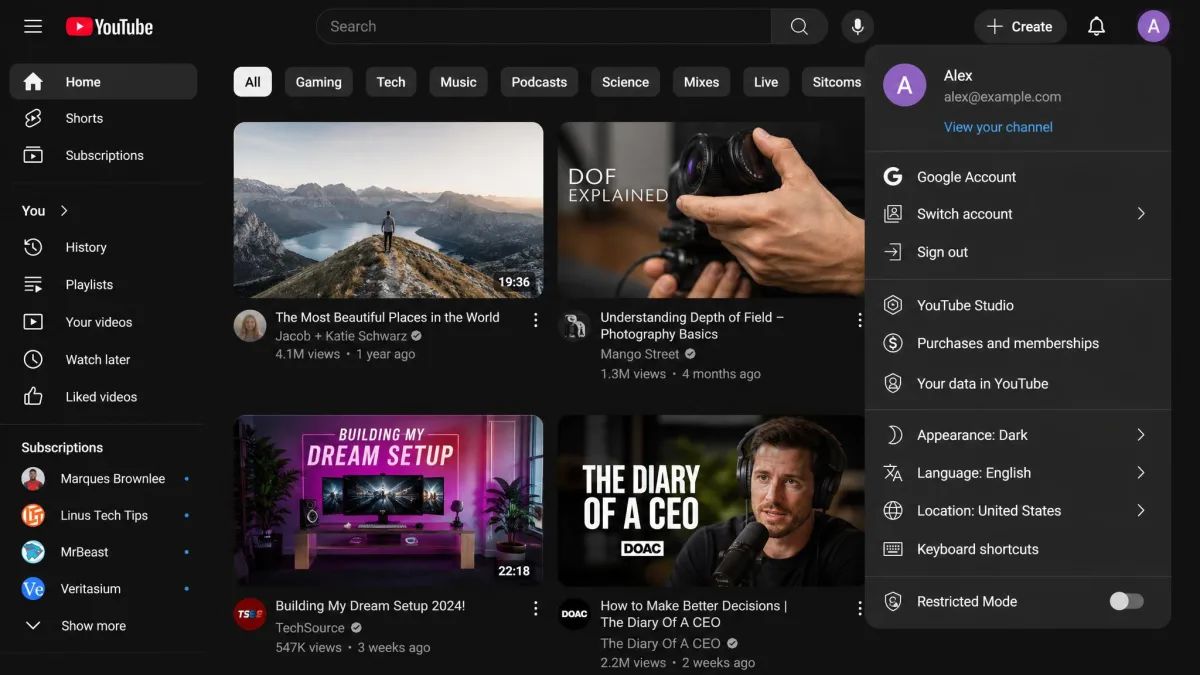
It is still worth checking, because a school or workplace network can force it on and hide videos you would otherwise see. Click your profile picture, open the Restricted Mode panel at the bottom of the menu, and switch it off. Our guide to how to turn off Restricted Mode on YouTube covers the network-level version. Turning it off is quick, but it only changes what your account filters, and an age-restricted video stays just as locked when you are signed out.
5. Watch on Android or iPhone with the right account settings
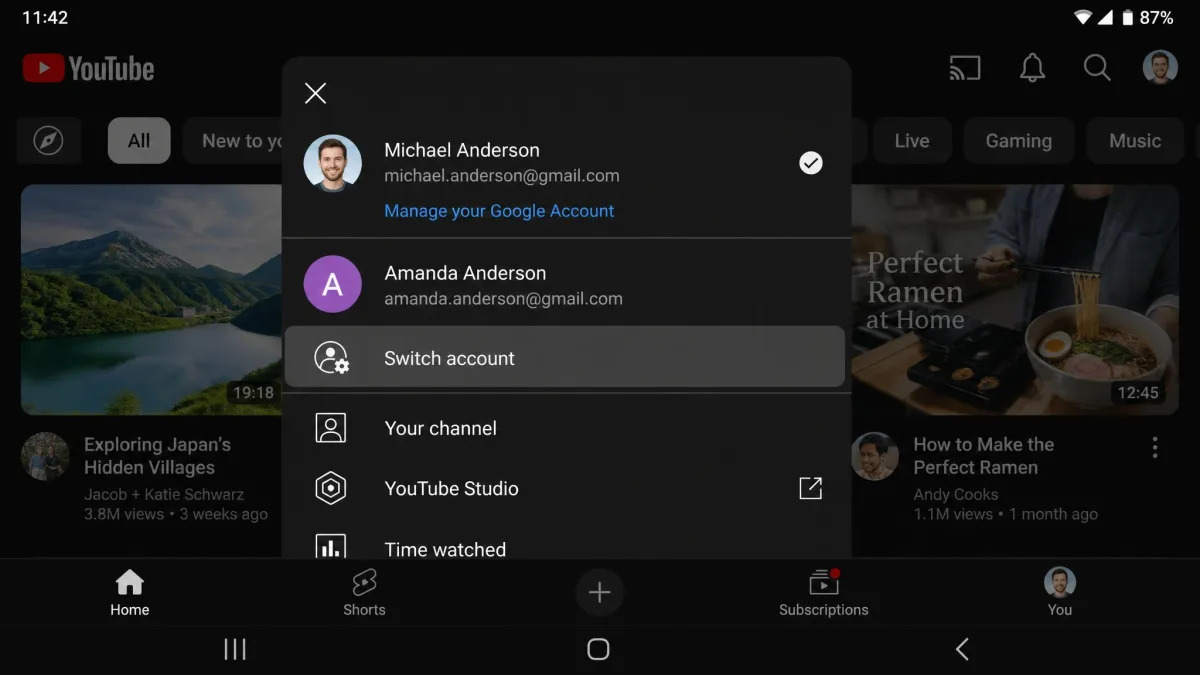
The mobile apps use exactly the same rules as the website, which trips people up when a video plays on a laptop and not on a phone. In almost every case the phone is signed in to a different Google account.
Tap your profile picture in the top right of the app, check which account is active, and switch if it is the wrong one. Signed in to an account aged 18 or over, the app plays age-restricted content without any extra step. Signing out of the app does not unlock anything, and neither does clearing the app cache.
6. Use an alternative front-end or third-party client (and why we don't recommend it)
Alternative front-ends and third-party players are the workaround people ask about most, and they are the shakiest thing on this list. They are not an authorised exception, and YouTube blocks or redirects them. Front-ends and userscripts also break whenever YouTube changes its player, so what plays today can stop within days.
There is a second problem beyond reliability. Playback quality on alternative front-end instances is inconsistent, with some public instances serving noticeably lower resolutions than others. Installing an unfamiliar client or userscript also means trusting whoever maintains it with your browsing. Using these tools sits outside YouTube's Terms of Service, which matters if the account you care about is one you use every day.
7. Download the video (and why this usually fails now)
Downloading was the last resort for years, and it has quietly stopped working on this content. Downloader shortcuts such as the ss URL prefix that once pulled age-restricted files now fail on that content, because the file itself sits behind the same sign-in wall the player does.
The sites still promising it are the ones you should avoid hardest. That is the category where a click most often ends in a bundled installer rather than a video file.
Which Workarounds Still Work in 2026
We rechecked every method in this guide, including the workarounds covered further down, against YouTube's current behaviour, and the table below records where each one landed. Read the risk column as carefully as the first one, because a couple of these cost you more than a wasted afternoon.
| Method | Does it still work in 2026? | What it costs you (sign-in, ID, install) | Risk level |
|---|---|---|---|
| 18+ Google account | Yes | Sign-in required | Low |
| Fix your birthday | Yes, when the real date is 18 or over | Sign-in, plus a possible 14 days window to correct the account | Low |
| Age verification | Yes, and required in the EU, EEA, Switzerland, UK and Australia | Government ID, selfie or credit card | Medium, on privacy |
| Restricted Mode toggle | No, it filters rather than unlocks | Sign-in or network access | Low |
| Embed or NSFW URL trick | No | Nothing, and nothing plays either | Low |
| Proxy or VPN | No | Install or subscription | Medium |
| Third-party client | Sometimes, and it breaks often | Install, and it sits outside YouTube's Terms of Service | Medium |
| Download tool | No | Install or a visit to an untrusted site | High, malware |
Older URL-trick guides now carry a blanket note at the top saying none of their listed methods work any more after YouTube changed its policy and player. We treated that as the starting point for this guide rather than the finish line, and worked through every method again against YouTube's current documentation.
Watching Without Signing In: What Actually Happens
Every question about watching without signing in comes back to the same wall. Signing in is the condition, so a method that leaves you signed out has to defeat the check rather than route around it.
The embed and "NSFW" URL tricks
Swapping watch?v= for embed/ in the URL does not unlock the video, because the embedded player redirects back to YouTube's sign-in. The trick also opens the video full-screen with no visible way back, so the tab has to be closed to escape it.
The NSFW prefix trick is in the same state and no longer plays age-restricted videos. It relies on a URL redirect that YouTube can close off at any time, so any apparent success is short-lived.
Proxies and VPNs
A proxy or VPN changes your apparent location, and it does not remove the sign-in requirement. Setting a VPN to a country with looser rules still lands on the same sign-in prompt, because location is not what the block is checking.
A VPN is still a reasonable privacy tool, just not an unlock. If you want the full picture of what a VPN does and does not do, we have covered that separately.
Browser userscripts and extensions
A browser userscript run through a script manager can play an age-restricted video while signed out, and it keeps working only until the next player change. That is the honest version of the claim, and it is why we do not build advice around it.
Scripts also run with wide access to the pages you visit. Weigh that against a route that involves nothing more than signing in.
Where Age Verification Is Required (EU, UK, Australia, US States)
Verification is not a punishment, and in several regions it is a legal requirement. Age verification is required in the EU, EEA, Switzerland and the United Kingdom under the Audiovisual Media Services Directive, and in Australia under the Online Safety Restricted Access Systems Declaration.
In the United States the pressure comes from state law rather than a single federal rule. Texas HB1181 requires age verification for sites publishing sexual material harmful to minors. It is one of several state laws pushing verification onto large platforms. Those statutes cover commercial adult-content sites, and the count sits between 26 and 27 states depending on which tracker you read. Four states go further. Utah, Texas, Louisiana and Alabama have passed App Store Accountability laws. Those put the age check and the parental consent on Apple and Google's stores rather than on YouTube.
What none of them do is name YouTube as the party that must run its own verification, as far as the current statutes go. The prompt you see on a YouTube account in the US comes from YouTube's own age-estimation rollout rather than from a law in your state, which is why it can appear anywhere in the country.
YouTube also uses machine-learning age estimation in the US. It reads what you search for and watch, plus how long the account has existed, to decide whether to treat you as under 18. The estimate can flag a long-standing adult account as a teen. The only way out is a verification check. You can prove your age with a government ID, a selfie, or a credit card, though the accepted proofs vary by country and by which check YouTube presents on the account.
For Parents: Supervised Accounts Instead of Workarounds
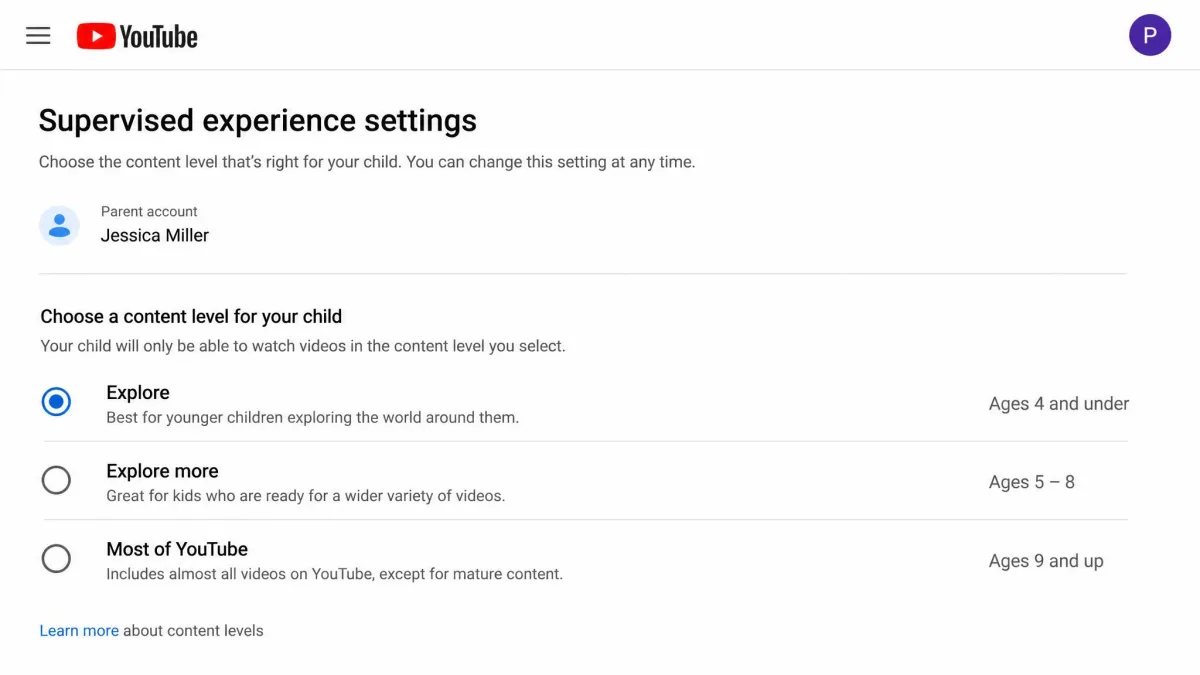
If you arrived here because a child in your house keeps hitting these blocks, the workarounds are the wrong tool. A supervised experience lets you set what a younger viewer can reach and then adjust it as they grow, which beats sharing an adult sign-in and hoping for the best.
Accounts estimated as under 18 lose personalised advertising and gain digital wellbeing reminders. They also get limits on repeated recommendations of some content, as YouTube's teen protection update describes. Combine that with parental controls on the account itself. You end up with a setup you can explain to a teenager without a fight, and that matters more than how strict the settings are.
Age-Verification Scams and Privacy Risks to Avoid
Search for an unlocker and you will find dozens of sites offering one. Sites and apps promising to bypass YouTube's age checks are largely scams. Some distribute malware. Others push you into uploading a fake ID. There is no reliable way to tell a working unlocker from a data-harvesting one before you have already handed something over.
Never upload an ID document, a selfie, or card details to any site other than YouTube's own verification flow. Third-party unlocker sites frequently end in a malware download or an ID-upload form rather than a playing video. Hand a document to an unknown service and you lose track of where it is stored and who can reach it afterwards.
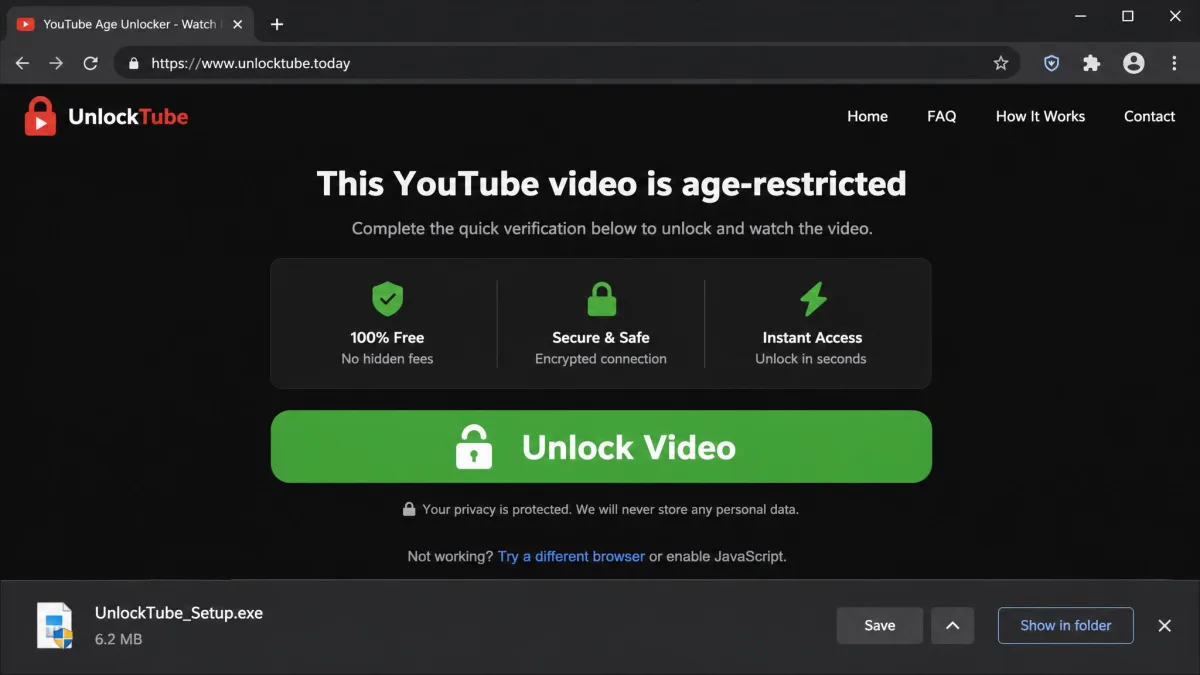
Even legitimate verification deserves a moment's thought. Selfie age estimation is handled by Yoti, and Google does not receive or keep a copy of the selfie. Retention terms sit with that vendor rather than with YouTube, so they can change independently. If the trade-off bothers you, the card check is the lighter option.
Frequently Asked Questions
Can you watch age-restricted YouTube videos without signing in?
How do I change my age on YouTube?
Does the "NSFW YouTube" trick still work?
Will a VPN change which age check I am offered?
How does YouTube verify your age?
Why is YouTube asking for my ID?
The Bottom Line
There is one dependable way to watch an age-restricted video, and it is the plainest one: sign in with a Google account whose birthday is accurate and 18 or over. If that account is still blocked, correct the birthday, and if the block survives that, run the verification check YouTube offers you.
Everything else on this page failed, broke, or carried a risk we would not accept. The embed and NSFW URL tricks are dead, a proxy or VPN does not touch the sign-in wall, third-party clients work sometimes and stop without warning, and downloader sites are the fastest route to malware on this whole list. If you are here on behalf of a younger viewer, skip the workarounds entirely and set up a supervised account instead.