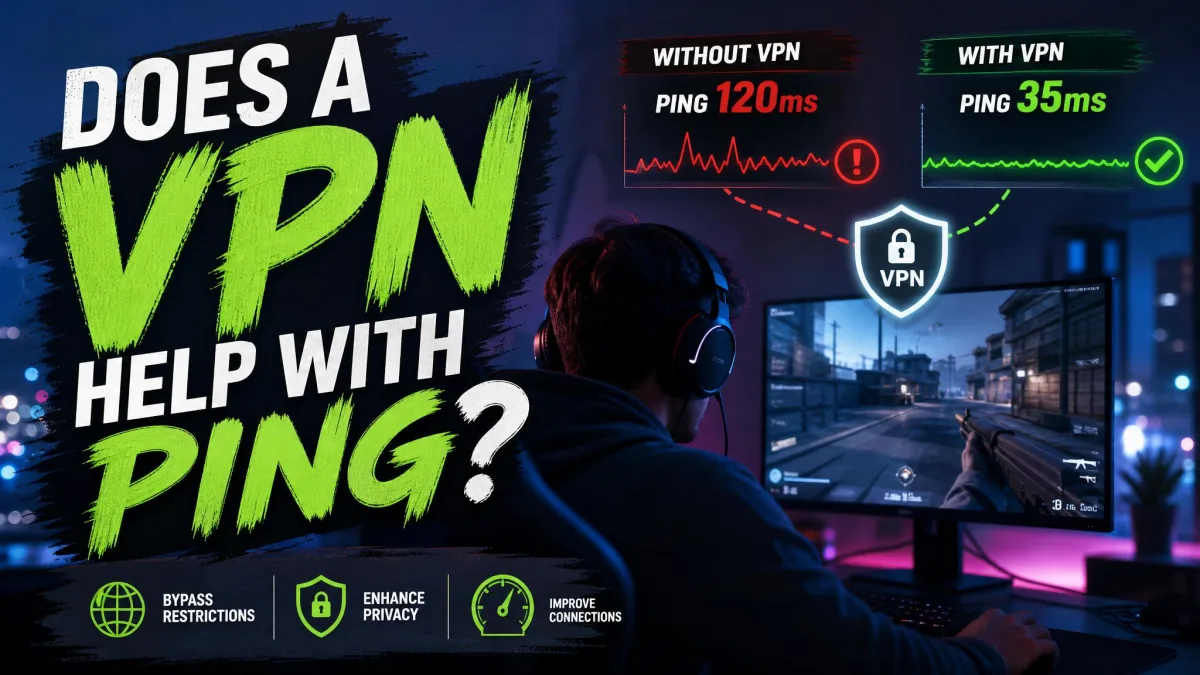
A VPN usually adds a few milliseconds to your ping, because your game traffic makes an extra stop at the VPN server before it reaches the game. It lowers ping only in a few specific situations. If your ping spikes at peak hours, or your ISP throttles or badly routes game traffic, a VPN can help.
On a clean, fast connection, though, it only makes things worse. Below, we explain why that happens, show you how to test your own connection with and without a VPN, and cover the settings that keep the penalty small. Read on before you pay for a VPN just to fix lag.
Does a VPN Lower Ping? The Short Answer
On a nearby server, expect a VPN to add roughly 2 to 20 ms. The exact overhead varies with server distance, protocol, provider and time of day, so treat that as a typical range rather than a fixed figure. On a distant server the cost climbs quickly, and overseas VPN connections can push ping to 200 ms or more.
Our own comparisons point the same way. When we ran five VPNs against game servers in four regions, three runs each, a VPN lowered ping in just 2 of 60 scenarios, or 3.3%. In the other 58, ping rose by 5 to 40 ms.
The two wins both came on long routes. Chicago to Frankfurt dropped 2 ms and Chicago to Tokyo dropped 4 ms, because the VPN provider's backbone took a more direct path than the ISP did. That is the whole story in miniature: a VPN is a routing tool, not a speed boost, and it pays off only when your ISP's path to the game is the bottleneck.
What Ping Is and What Counts as Good Ping
Ping is the round-trip time for a small packet to travel from your device to a server and back, measured in milliseconds (ms). In games, it stands in for latency, the delay between your click and the server registering it. Cloudflare has a clear explainer on how network latency builds up over distance and hops, and the short version is that every extra mile and every extra router adds a little delay.
Here is how gamers usually read the number:
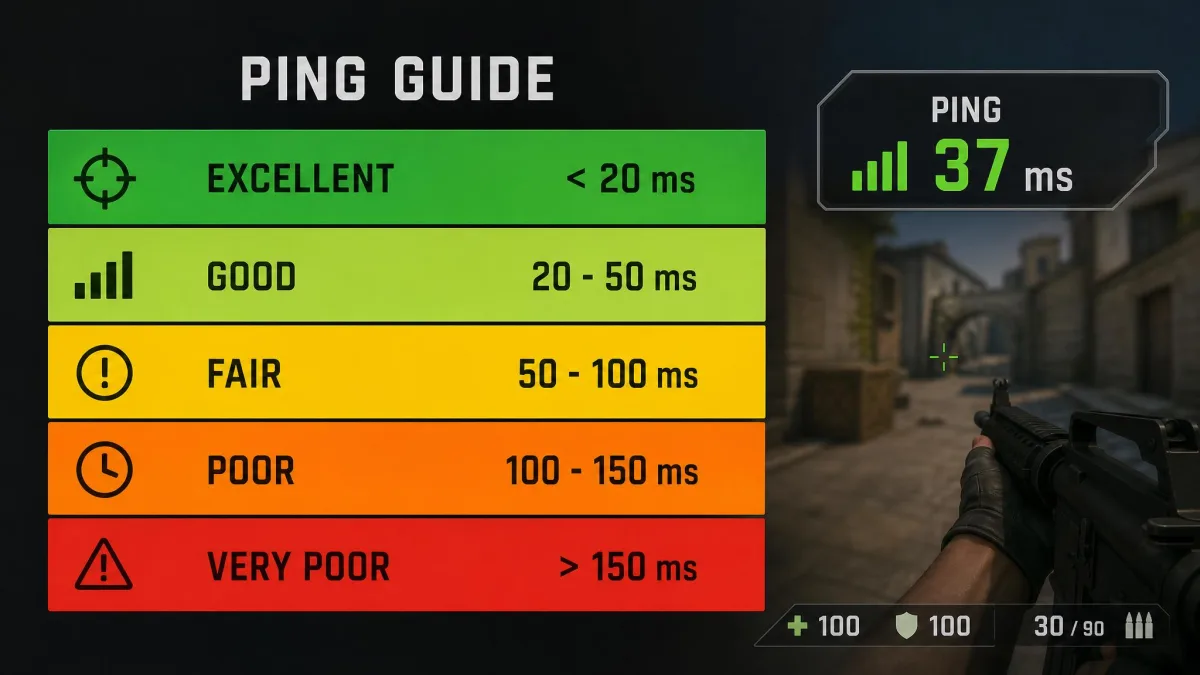
- Under 20 ms: excellent, the range competitive players want.
- 20-50 ms: very good for any game.
- 50-100 ms: playable and acceptable for most titles.
- 100-150 ms: noticeably laggy in fast shooters.
- 150 ms and up: poor, with visible rubber-banding and late hit registration.
Most people are fine with ping below 100 ms. Jitter is how much your ping swings from moment to moment, and packet loss is the share of packets that never arrive at all. A steady 60 ms often feels better than a ping that bounces between 30 and 90.
Why a VPN Usually Increases Ping
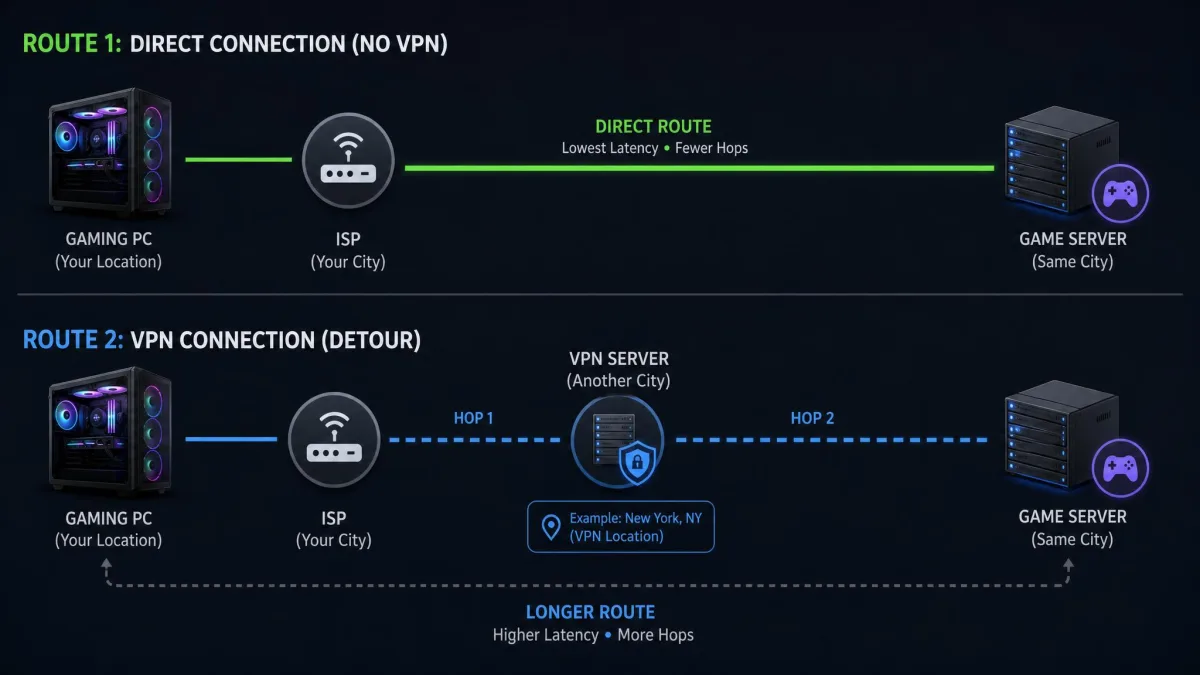
Without a VPN, your packets travel from your router through your ISP's network to the game server. With a VPN, they first go through an encrypted tunnel to the VPN server, and only then continue to the game. Three things add delay along that detour. We cover the bandwidth side of the same trade-off in our guide on whether a VPN slows down your internet speed.
Extra Distance to the VPN Server
Distance is the biggest factor by far. On a local connection, a latency of around 4 ms rose to about 20 ms once a VPN was switched on, simply because the traffic had an extra stop to make.
No tunnel can shorten a genuinely long physical path, and in our testing a distant exit from Dallas to Tokyo added around 60 ms on its own.
Encryption Overhead
Your device encrypts every packet before it leaves, and the VPN server decrypts it before passing it on. Encryption itself adds only a few milliseconds of processing time, but the cost depends on your device's CPU and the protocol's cipher, so it stays small but is not a fixed figure.
The protocol matters more than the cipher. Older protocols such as OpenVPN run in user space, which adds scheduling overhead to every packet. Obfuscation or "stealth" modes wrap your traffic in yet another layer, and they add the most latency of all.
Overloaded Servers and Free VPNs
A crowded VPN server queues packets while it works through everyone else's traffic, and your ping rises and wobbles as a result. Congestion peaks in the evening, when most people play.
Free VPNs are a poor fit for gaming. Crowded servers and only a few locations make latency both higher and less predictable, and slowdown on a free VPN swings widely with how busy the server is at that moment.
When a VPN Can Lower Your Ping
A VPN can still win, though, when the delay comes from inside your ISP's network rather than from distance itself. These are the four cases where the mechanism holds up.
Your ISP Throttles Gaming Traffic
Some ISPs slow down certain kinds of traffic, and the effect usually shows up during evening peak hours, roughly 7 pm to 11 pm. Throttling by app is documented. The researchers behind Wehe, a tool that detects ISP traffic throttling, analyzed more than 620,000 crowd-sourced US measurements and found wireless carriers throttling video apps such as Netflix and YouTube.
That evidence covers video, not games. We found no measured proof of ISPs singling out game traffic, so treat gaming throttling as a possibility rather than a certainty. In the US, the Sixth Circuit vacated the FCC's net neutrality rules on January 2, 2025, so no federal rule stops it either.
If your ISP does throttle by app, a VPN helps because it encrypts your traffic. The ISP can no longer see that the packets belong to a game, so it cannot target them.
Your ISP Routes Traffic Inefficiently
Sometimes the ISP's route is simply bad. Poor peering between networks can send your packets through a distant city before they reach the game. A VPN provider with a well-connected backbone can take a more direct path, which is how the Chicago-to-Frankfurt and Chicago-to-Tokyo routes came out ahead in our comparisons.
Expect modest gains even here. Larger drops are possible only when the ISP's own route or throttling is the real problem, so any gain depends entirely on your connection.
You Play on a Game Server in Another Region
If you join friends on a server abroad, a VPN server close to that game region can sometimes beat your ISP's international route.
It does not always work: on Apex Legends' Singapore server, ping sat at 74 ms direct and 93 ms through a Singapore VPN server, a 19 ms penalty for the same destination.
Unstable Ping and DDoS Attacks
A VPN can also steady a connection whose ping keeps spiking. When the spikes come from congestion on your ISP's route, moving your traffic onto the VPN provider's network can smooth them out, even if the average barely changes.
DDoS protection is the other stability benefit. A VPN hides your real IP address, so anyone trying to flood you offline hits the VPN server instead of your home connection.
How to Test Whether a VPN Helps Your Ping
All you need is your usual game and a VPN with a choice of servers. Follow these steps in order:
- Record a baseline. Plug in with Ethernet, close downloads and streams, and note your in-game ping and jitter on your usual server across a few matches.
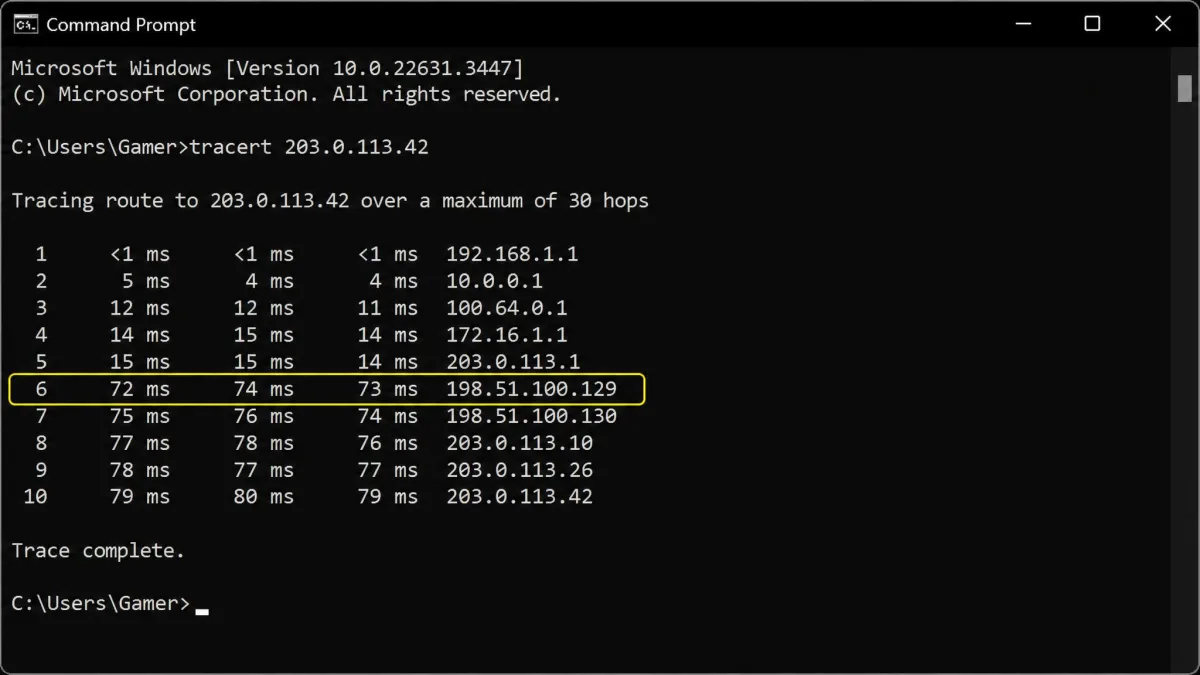
- Trace the route. Run
tracert(Windows) ortraceroute(macOS and Linux) to the game server's IP address. A hop where latency suddenly jumps, or a route that detours far away, points to an ISP routing problem. - Connect to a nearby VPN server. Repeat the same matches and write down the new numbers.
- Try two or three server distances. Test a server near you, one between you and the game server, and one near the game server.
- Test at peak time. Run the comparison again between 7 pm and 11 pm, not just at midday.
- Compare in-game numbers. Keep the VPN only if it lowers ping or visibly reduces spikes.
Step 5 matters more than it looks. Throttling and congestion problems mostly appear at evening peak hours, so a midday comparison can miss the one case where a VPN actually helps.
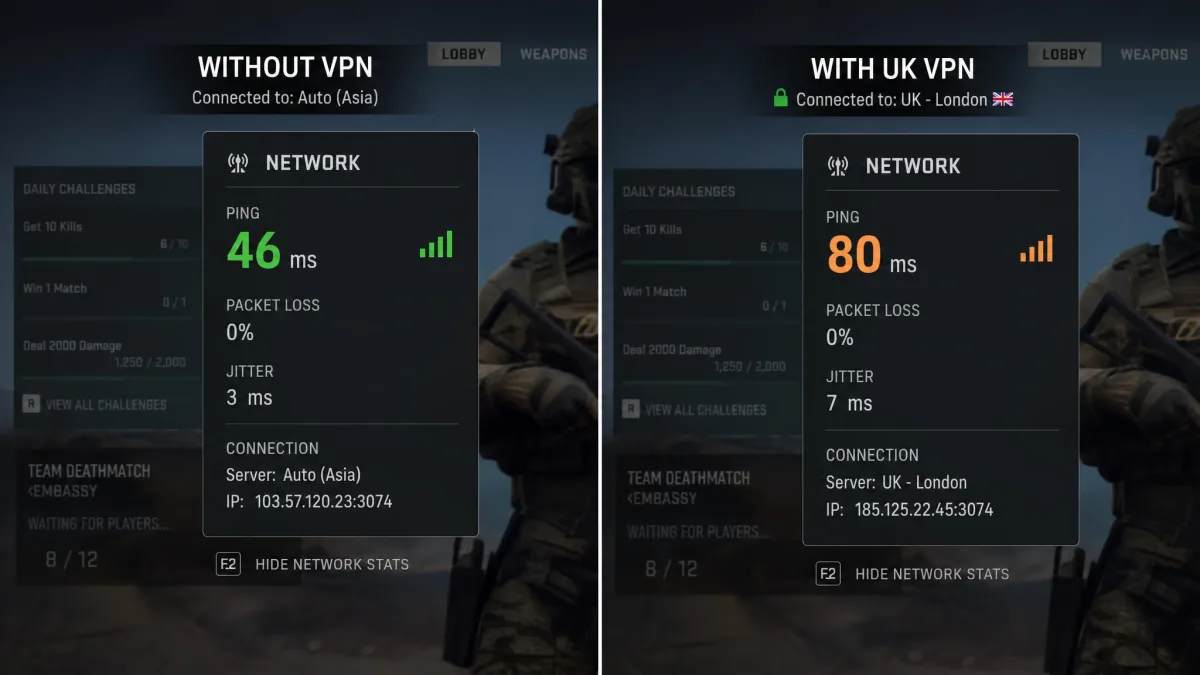
Step 6 matters too, because a plain speed test can understate the in-game cost. In our comparison, speed-test pings rose only 4 to 9 ms with a VPN, with a UK server adding 7 ms. Overwatch 2 told a different story on that same UK server, jumping from 46 ms to 80 ms in-game.
The ping counter inside a game can mislead you with a VPN on. It may show only the leg from the VPN server to the game, while your total latency is higher because the trip to the VPN server is an extra stop the counter does not display.
How to Keep Ping Low When Using a VPN
If your test shows a VPN is worth keeping, or you need one on for privacy while you play, three settings do most of the work.
Pick a Server Between You and the Game Server
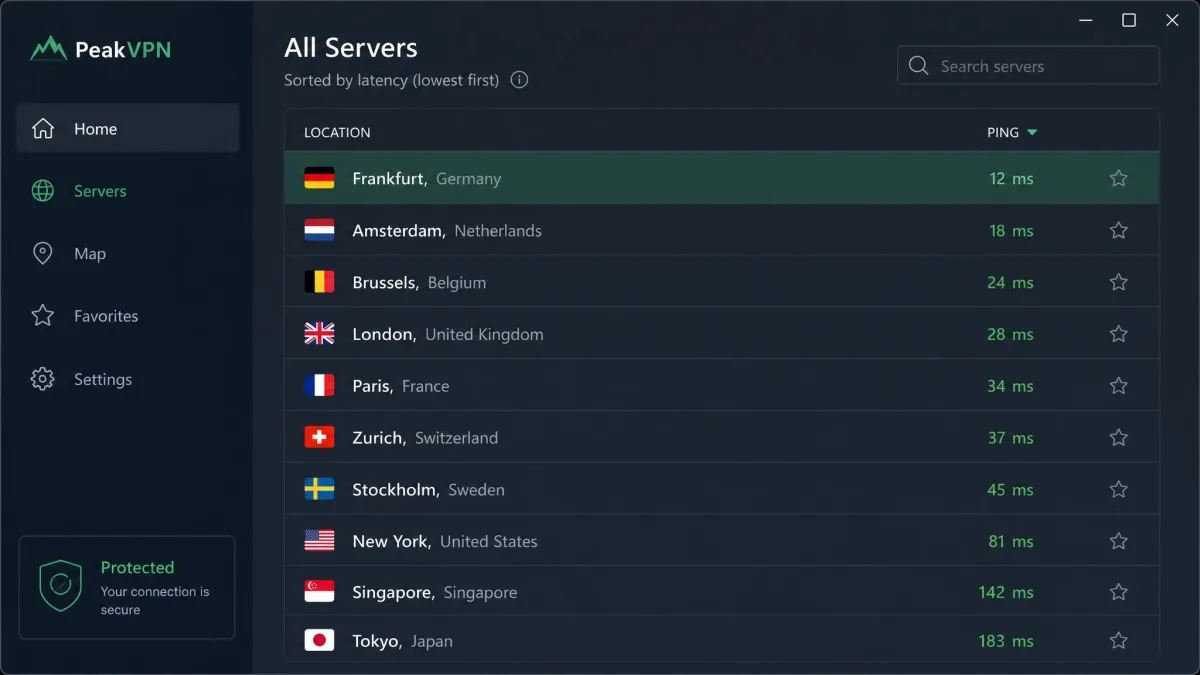
The best server sits on the straight line between you and the game, or in the game server's region. In our testing, Valorant on EU West held 28-32 ms through a Frankfurt VPN server, only about 9 ms above the bare connection.
Choosing an exit slightly closer to the game server than the app's default trimmed a few extra milliseconds, and a Chicago player switching to a Kansas City exit saved 3 ms.
If the first server does not help, try two or three other nearby servers before giving up. Each one takes a different route, and the result often changes from server to server.
Use WireGuard or a Lightweight Protocol
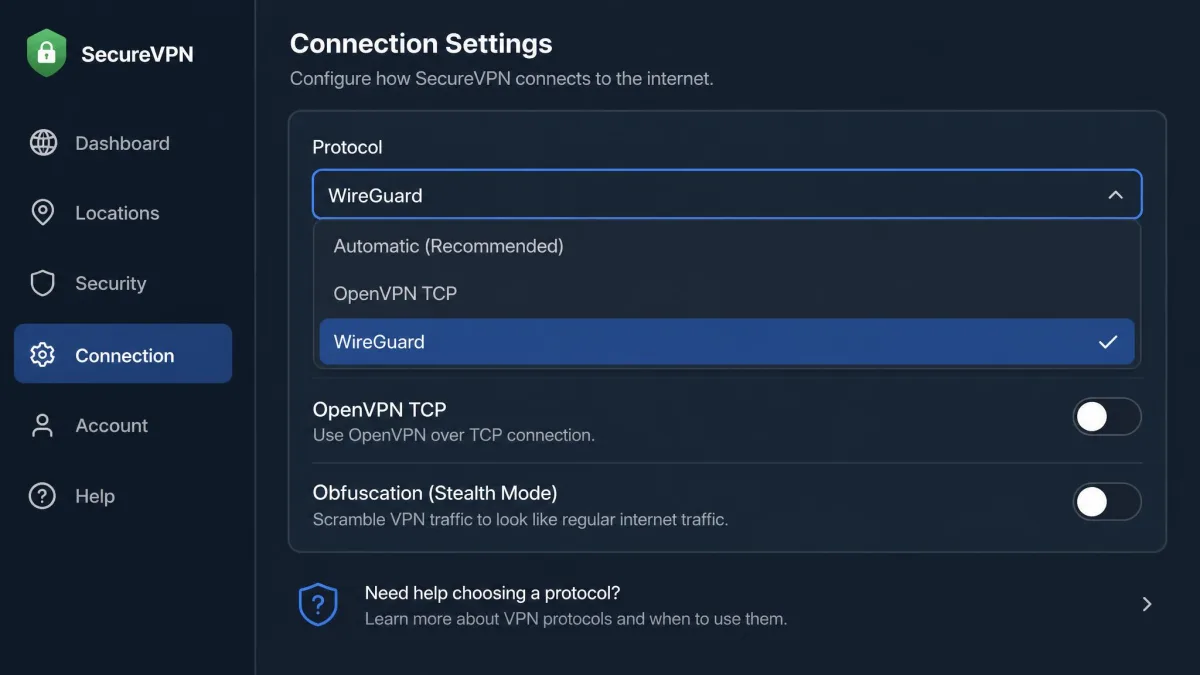
WireGuard is the protocol to pick for gaming. It is implemented in less than 4,000 lines of code and runs inside the operating system kernel over UDP, which keeps processing overhead low. The project's own notes on WireGuard's lower protocol overhead describe its published benchmarks as old and a work in progress, so read them as a relative ranking.
In the benchmark from WireGuard's original paper, ping time was 0.403 ms for WireGuard against 1.541 ms for OpenVPN, and throughput reached 1,011 Mbps against 258 Mbps. For a plain-English walkthrough, see our explainer on how WireGuard works.
The real-world difference shows up on nearby servers. On a home connection with a 10-25 ms baseline, NordVPN's NordLynx and a Surfshark WireGuard server both measured 12 ms, and ExpressVPN's Lightway UDP measured 13 ms. Obfuscation and OpenVPN TCP noticeably raise latency, so switch them off for gaming unless your network blocks VPNs.
Turn On Split Tunneling
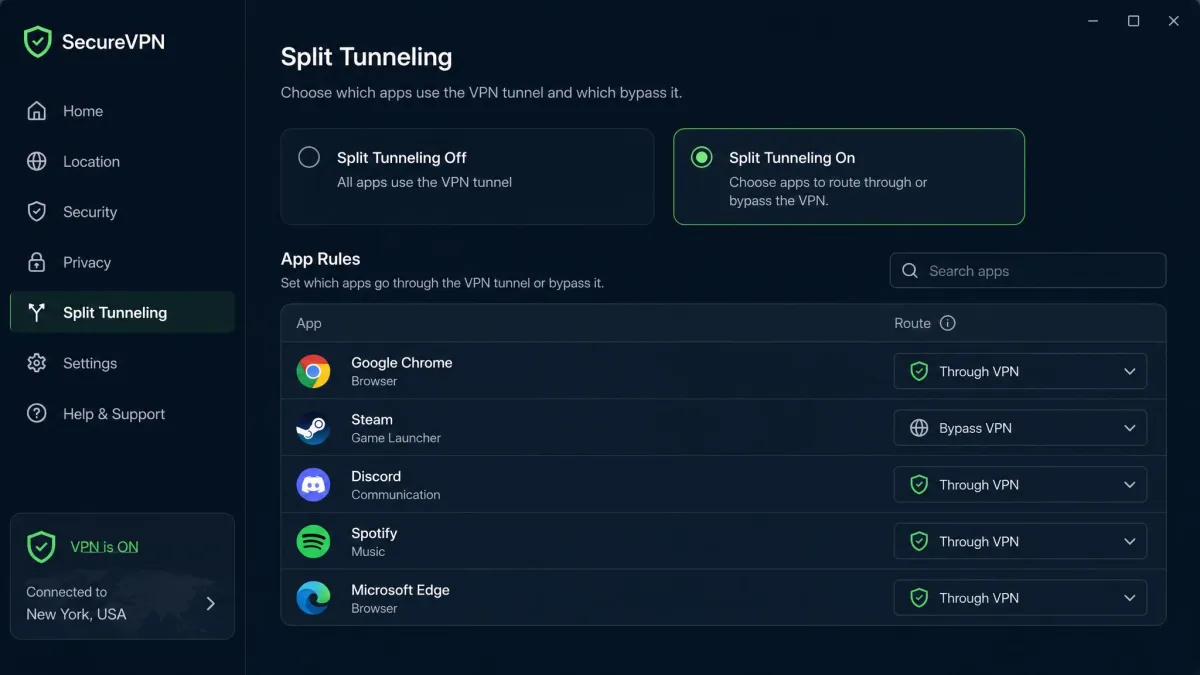
Split tunneling lets you decide which apps use the VPN and which go straight to the internet. For gaming, it works in two directions. You can send only the game through the tunnel when the VPN fixes a routing or throttling problem, or send everything except the game through it when you want privacy for browsing without a latency cost. Our guide to VPN split tunneling covers where to find the setting in common apps.
VPN Protocols Compared for Gaming Latency
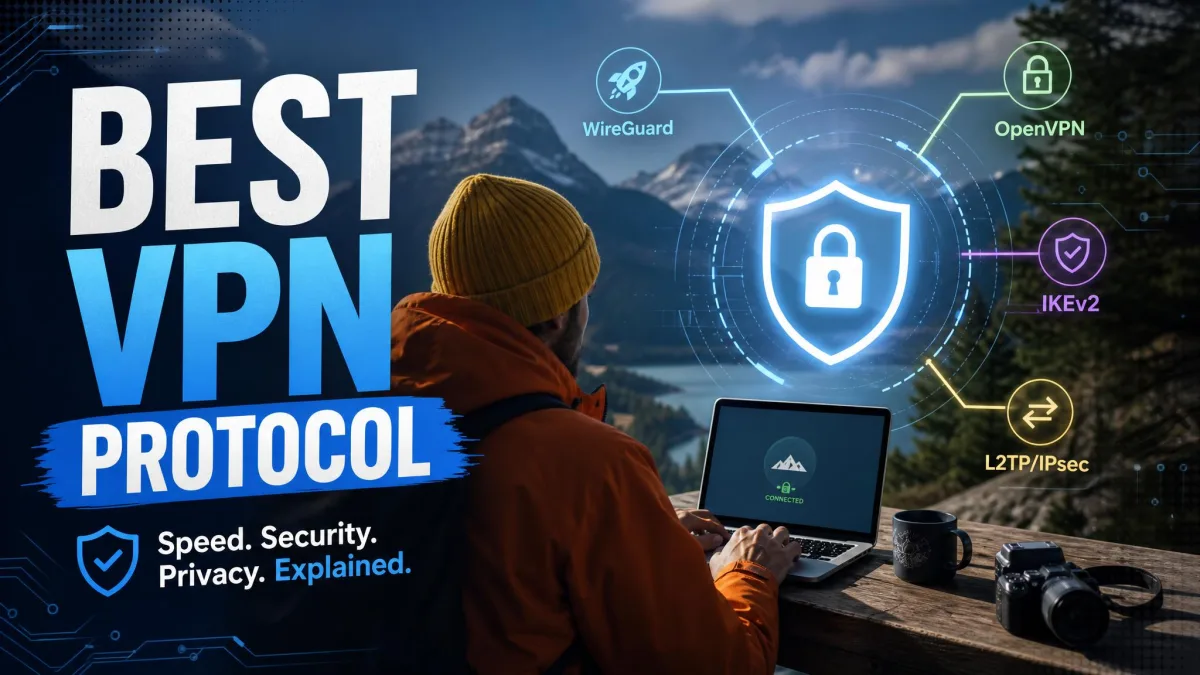
Your VPN protocol sets a floor on how much latency the tunnel adds. For a ranking that also weighs security, see our guide to the best VPN protocol.
| Protocol | Relative added latency | Encryption/protocol overhead | Best for |
|---|---|---|---|
 |
Low | Low (small codebase, kernel-level, UDP) | Gaming, streaming and everyday use |
 |
Low | Low (lightweight, built on wolfSSL, written in Rust) | Gaming on ExpressVPN, fast reconnects |
 |
Low to moderate | Moderate (IPsec) | Mobile gaming when switching between Wi-Fi and cellular |
 |
Moderate | Moderate to high (runs in user space) | Privacy-first use when WireGuard is unavailable |
 |
High | High (TCP-over-TCP meltdown risk) | Networks that block UDP; avoid for gaming |
Two rows deserve a note. IKEv2's MOBIKE extension, defined in RFC 4555, keeps the tunnel alive when your phone jumps from Wi-Fi to mobile data, which avoids a reconnect in the middle of a match. OpenVPN TCP wraps TCP inside TCP, so when a packet is lost, both layers retransmit it and both slow down. That "TCP meltdown" is why TCP mode belongs only on networks that block UDP.
Other Ways to Reduce Ping Without a VPN
For most players, these fixes do more for ping than any VPN:
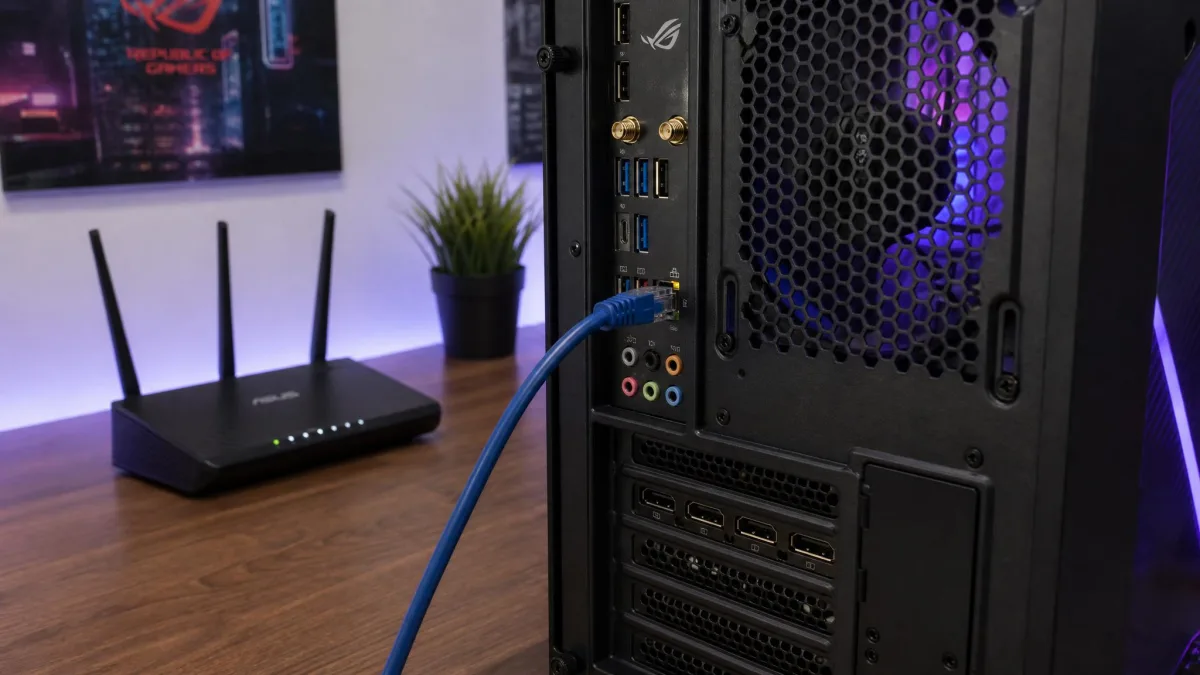
- Use a wired connection. Ethernet removes Wi-Fi interference and the spikes that come with it.
- Pick the nearest official game region. The right in-game server beats any tunnel.
- Pause bandwidth-heavy apps. Close downloads, cloud backups, game updates and streams on every device while you play.
- Turn on router QoS. Quality of Service settings let your router put game traffic ahead of other devices.
- Check whether your ISP is the bottleneck. If a traceroute shows a bad hop inside your ISP's network, send it to your ISP's support team, or consider switching providers.
- Consider a gaming private network. Services such as WTFast route only game traffic and skip full encryption, unlike a VPN.
Bottom Line: Should You Use a VPN for Ping?
Use a VPN for ping only after a test shows your ISP is the problem. When your connection is already fast and stable, with low ping and low jitter, a VPN only makes ping worse.
You should try one if your ping climbs every evening, a traceroute shows a bad hop inside your ISP, or you need to hide your IP from DDoS attacks. If that's you, pick a WireGuard-based VPN, choose a server on the path to the game, and keep it only if your in-game numbers improve.
FAQ
Does a VPN increase or decrease ping?
How much ping does a VPN add?
Will a free VPN help with gaming ping?
What is the best VPN protocol for low ping?
Can a VPN fix packet loss?
Does a VPN lower ping in Fortnite, Valorant, CS2 or PUBG?
How do I know if a VPN is helping my ping?
Related reading