Two different problems get lumped together under "a VPN for Spain." If you live in or visit Spain, you want encryption on hotel, café and airport Wi-Fi, plus a way to reach the streaming services you pay for at home. If you are abroad and want RTVE Play or other Spanish services, you need a Spanish IP address, which only a server located in Spain can give you.
NordVPN is our top pick for both jobs. It gives you Madrid and Barcelona servers, 10 simultaneous devices, a 30-day money-back guarantee, and strong access to major streaming services in our testing. Surfshark, ExpressVPN, Proton VPN, IPVanish, CyberGhost and Private Internet Access each beat it on one point, such as device limits, refund length or Valencia coverage.
We judged the seven providers on Spanish city coverage, device allowance, refund terms, privacy features and streaming behavior, checking vendor documentation and the findings reported for each provider. Prices are shown as the vendors displayed them on the day we checked, and they change by region and promotion.
Best VPNs for Spain at a glance
Here is the short version before the detail. The table compares what each provider offers for Spain specifically, and the sections after it explain how each one behaved.
| Product | Buy | Spanish cities | Devices | Streaming in our testing | Refund | Main limitation |
|---|---|---|---|---|---|---|
 | Check price → | Madrid, Barcelona | 10 | Strong access, occasional slower server | 30-day | Busy interface |
 | Madrid, Barcelona, Valencia | Unlimited | Good access, occasional failures | 30-day | SmartDNS discontinued | |
 | Madrid, Barcelona, Valencia | 10 Basic, 12 Advanced, 14 Pro | Good access, no streaming labels | 30-day | Allowance depends on tier | |
 | Madrid, Barcelona | 10 paid, 1 free | Netflix works, Disney Plus can fail | 30-day | Free plan cannot pick Spain | |
 | Madrid, Valencia (Barcelona unconfirmed) | Unlimited | Mixed Netflix and Hulu results | 30-day on new annual plans | Inconsistent streaming | |
 | Madrid, Barcelona, Valencia | 7 | Easy setup, smooth streams | 45-day long plans, 14-day monthly | Few advanced settings | |
 | Madrid, Valencia | Unlimited | Netflix US and BBC iPlayer work | 30-day | Manual router setup |
How we evaluate VPNs for Spain
We judged each provider as a Spain user would: which Spanish cities it lists, how its connections behaved, what its plan covers and what the vendor's published terms promise. Where the evidence for a claim was thin, we left it out rather than guessing. The order of the reviews below is editorial. We put NordVPN first because it balanced coverage, streaming and ease of use best, and no provider paid for its position. No independent speed test across all seven in Spain supports a numerical ranking, so we have not invented one.
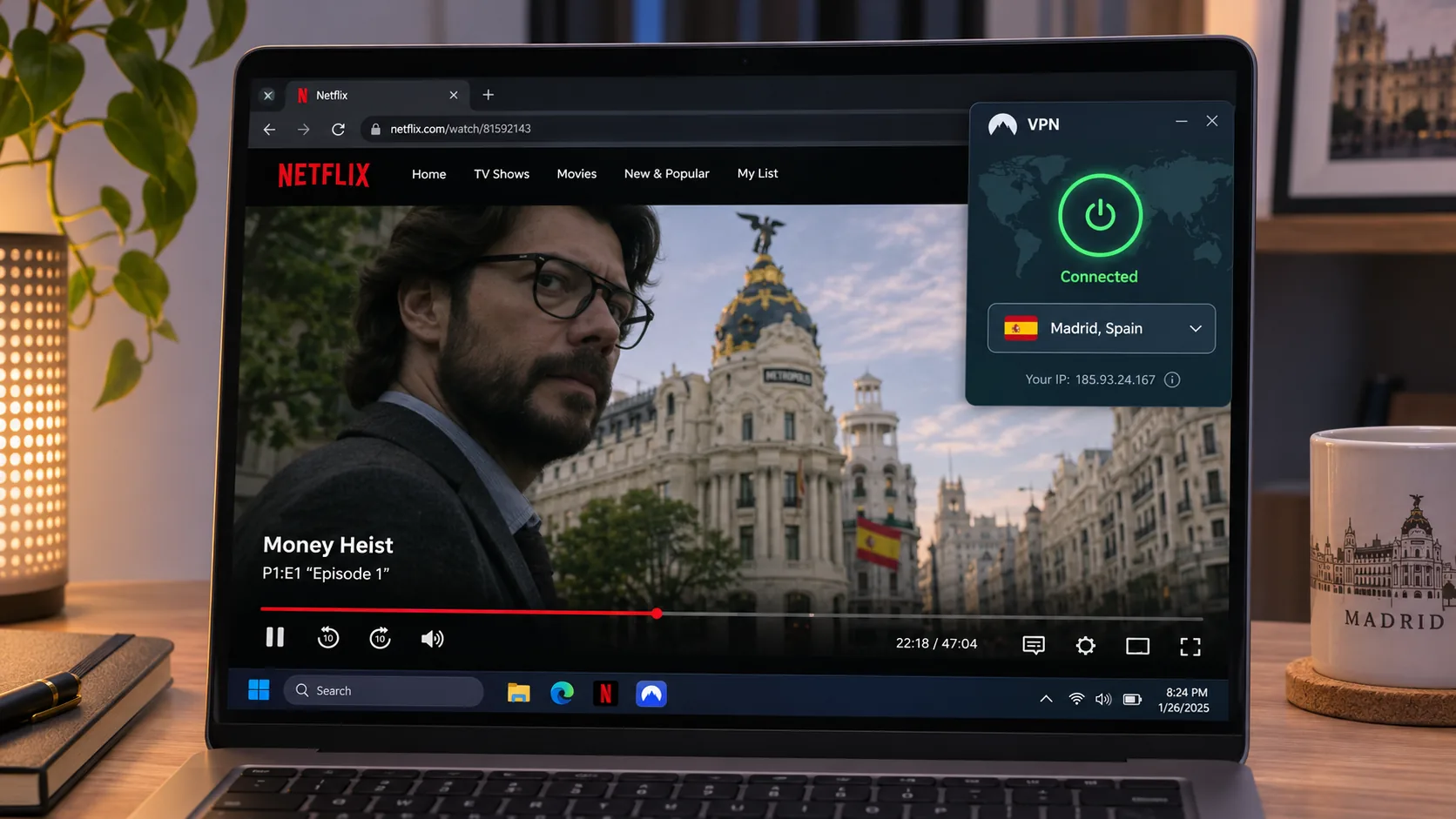
Spanish server locations and connection performance
We looked first at which Spanish cities each provider lists, then at how those connections behaved. Some connections were better than others even inside one service, which is why we suggest switching server rather than abandoning a provider after one slow session.
Privacy, security and device support
A VPN is only useful if the privacy claims behind it are specific. We checked for a kill switch, leak protection and modern protocols such as WireGuard, as well as independent verification of no-logs claims where the vendor provides it. We also counted the devices each plan covers, because a six-person household can run into a cap quickly.
Streaming support and total subscription cost
Streaming behavior changes most between sessions and services, so treat our findings as a snapshot. For cost we looked past the headline monthly figure to the renewal price and refund terms.
The 7 best VPNs for Spain
Each review below leads with what separates that provider from the one before it.
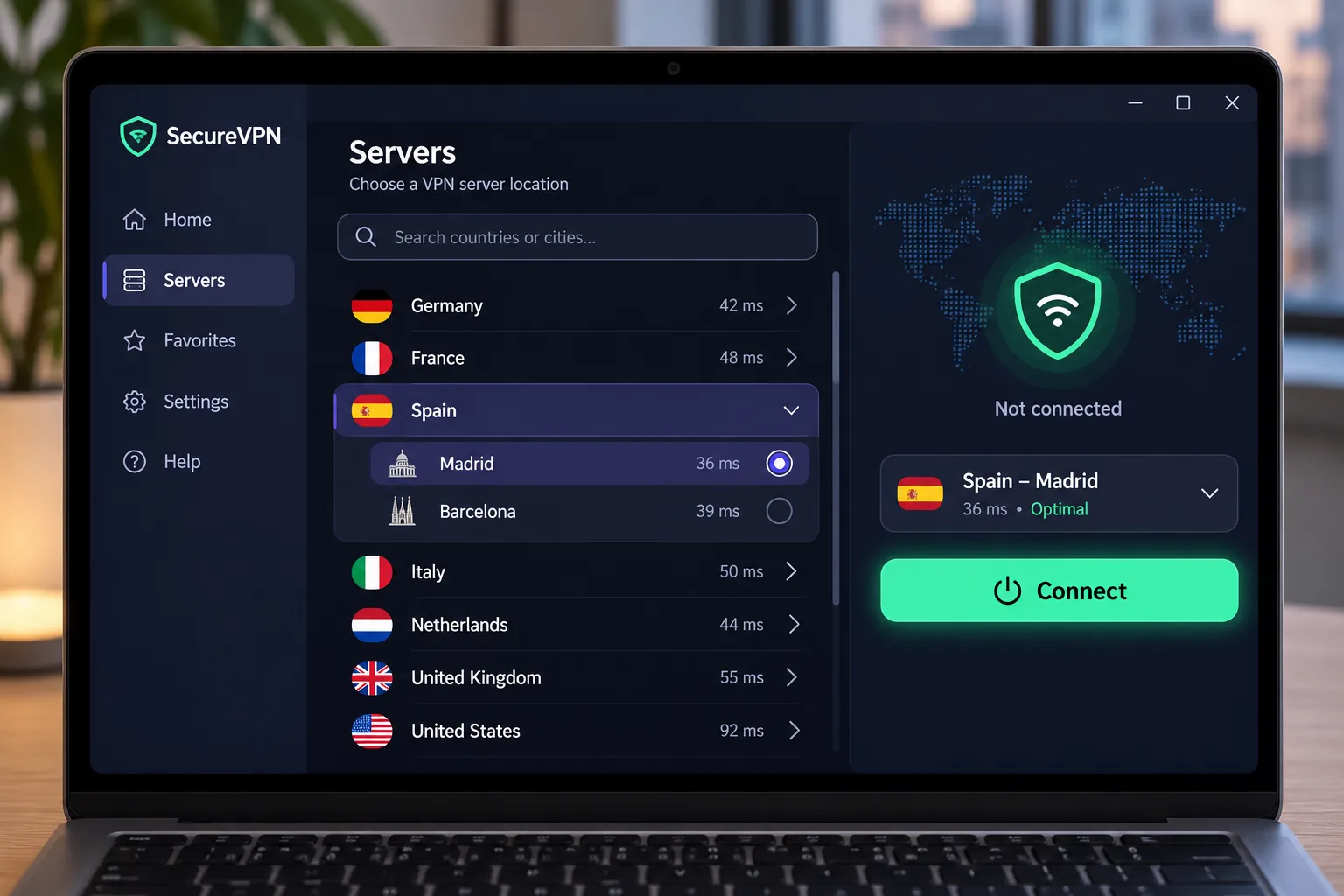
1. NordVPN
NordVPN is the one we would hand to most readers. If one server drags, try another before you judge the service.
The app is approachable for beginners, but the interface is busier than ExpressVPN's, with more panels and map controls competing for attention. Under the hood you get NordLynx, unlimited bandwidth, Double VPN, Onion Over VPN and obfuscated servers, which matter if a network tries to block VPN traffic. A dedicated IP is optional. Apps cover Windows, macOS, Linux, Android, iOS and Android TV.
On privacy, NordVPN announced its sixth no-logs assurance engagement in 2025. The work ran from November to December 2025 and is a point-in-time assessment, with the full report available through your Nord Account. It is the vendor's account of the work, not an audit we performed.
The price you see depends on where you check out. The Basic offer displayed to us was a Polish-currency promotion of PLN 11.99 per month equivalent, with a renewal of PLN 451.08 per year. That is not a verified Spain checkout price, so treat it as an example of how a long-term promotion renews, and check the euro price at checkout. The higher Complete tier adds antivirus, ad and tracker blocking, password management and cloud storage, none of which you need for a basic VPN.
Pros
- Madrid and Barcelona servers
- Strong streaming access
- 10 devices and a 30-day money-back guarantee
- Obfuscated servers and Double VPN
Cons
- Busier interface than ExpressVPN
- Occasional slower server
- Spain checkout price not verified
2. Surfshark
Surfshark adds Valencia to NordVPN's pair and places no cap on simultaneous connections. That makes it the easiest pick for a family or a shared flat in Spain with phones, laptops and a TV all online at once.
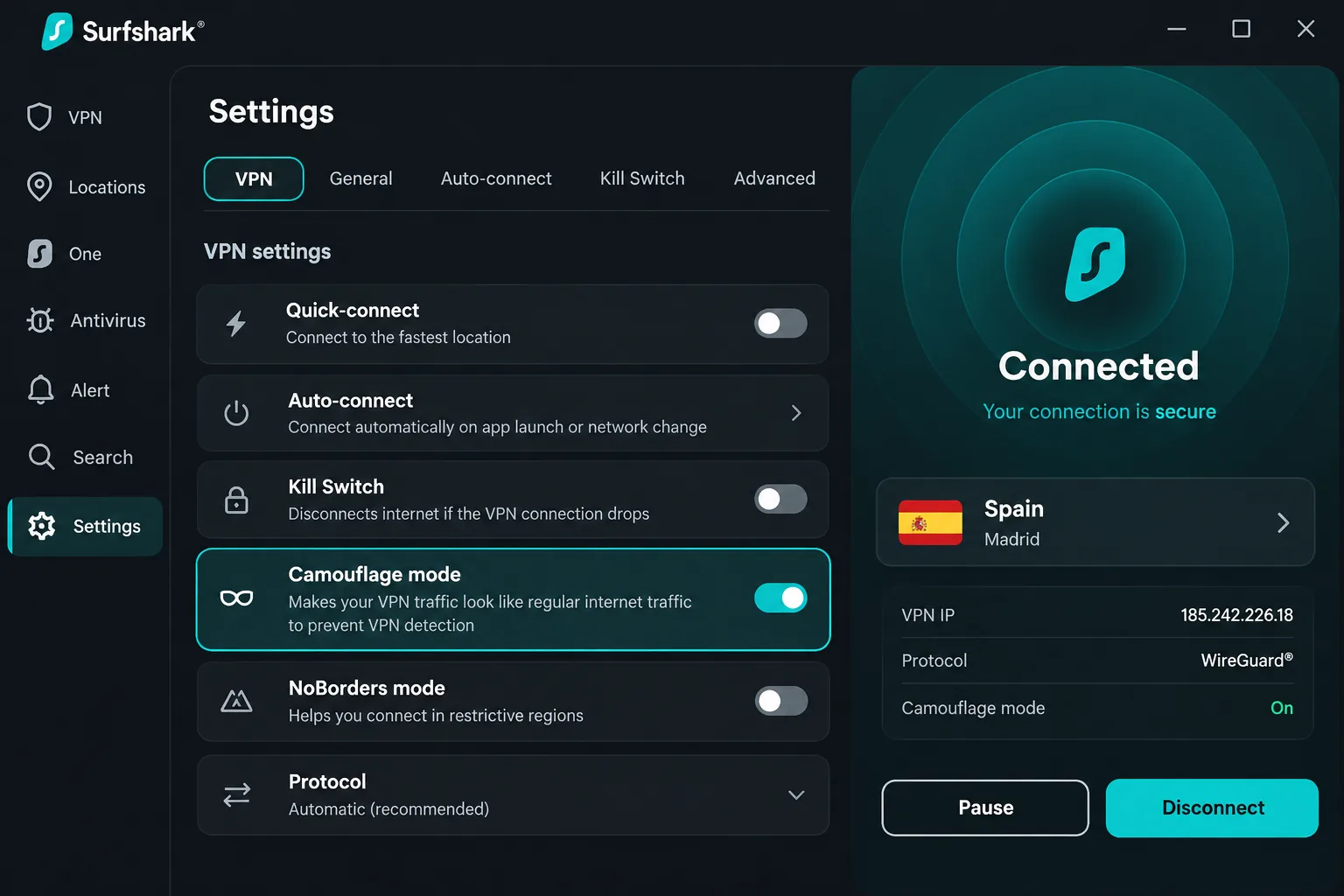
It opens BBC iPlayer and Amazon Prime Video without much friction in our testing. It is also easy to use, but streaming access can still fail on some services, so do not assume every server connection will work on every platform. Its camouflage mode helped on a network that detected its ordinary connection, which is useful on hotel or campus Wi-Fi that filters VPN traffic.
The feature set includes RAM-only servers, private DNS, a kill switch, ad blocking and an Alternative ID tool. Antivirus, breach monitoring and Incogni depend on the tier you buy. One change matters for living-room use. Surfshark discontinued SmartDNS on February 2, 2026, and stale manual SmartDNS settings can stop a TV from reaching the internet. Use a supported TV app, a compatible router or a Windows VPN hotspot instead. Restore automatic DNS on any TV that still uses the old setting.
The Starter promotion we saw was priced in Danish kronor, DKK 14.89 per month equivalent, and the renewal total was not shown. It carries a 30-day money-back guarantee.
Pros
- Madrid, Barcelona and Valencia
- Unlimited simultaneous connections
- Camouflage mode for networks that detect VPNs
- 30-day money-back guarantee
Cons
- Streaming access can fail on some services
- SmartDNS is gone, so TVs need an app or router
- Renewal price not confirmed
3. ExpressVPN
Where Surfshark wins on connection count, ExpressVPN wins on calm. It lists the same three Spanish cities. Its simple app feels calmer to use than NordVPN's, making it a comfortable choice for beginners.
In our testing it accessed Hulu, BBC iPlayer and Prime Video, but it does not label servers by streaming service. That means you pick a Spanish city and test, rather than choosing a server marked for a particular platform. Automatic protocol selection normally uses Lightway, and split tunneling lets chosen apps skip the VPN, depending on your platform. Apps cover desktop, mobile and supported TVs, with router support and an optional dedicated IP.
Read the device allowance closely. Basic permits 10 simultaneous devices, Advanced 12 and Pro 14, so the top-tier number does not apply to the cheapest plan. The displayed USD Basic offer was $3 per month equivalent, or $84 for the first 28 months, then $99.95 annually, and the introductory monthly figure is not the renewal rate. First-time customers can request a refund under the 30-day guarantee through support. For iOS and Android in-app purchases, Apple and Google refund rules apply.
Pros
- Madrid, Barcelona and Valencia
- Simple, beginner-friendly app
- Router support and optional dedicated IP
Cons
- No streaming labels on servers
- Device allowance rises only with higher tiers
- Renewal costs more than the introductory rate
4. Proton VPN
Proton VPN steps away from the streaming-first pitch of the three above. Its official inventory lists Madrid and Barcelona. A paid VPN Plus plan supports 10 simultaneous devices, while the free plan protects 1 device at a time.
In our testing it loaded Spanish sites promptly and played Netflix in HD without buffering on the Spain connections we tried. It opens Netflix and Prime Video, but Disney Plus can stay blocked even after you change servers, so do not buy it mainly for Disney. It offers extensive controls, though it feels more complex than NordVPN, ExpressVPN and Surfshark. Our Proton VPN review covers the full feature set.
The paid feature list includes open-source audited apps, WireGuard, VPN Accelerator, Secure Core, Tor over VPN, NetShield blocking of ads, trackers and malicious sites, and P2P on Plus servers. The displayed USD VPN Plus offer was equivalent to $3.49 per month: $83.76 for the first 24 months, then $83.88 every 12 months. Promotions at checkout can differ. Paid plans advertise a 30-day money-back guarantee.
Pros
- Madrid and Barcelona
- Open-source audited apps and Secure Core
- Netflix HD played without buffering
- 30-day money-back guarantee on paid plans
Cons
- Disney Plus can stay blocked
- More complex than the top three
- Free plan cannot select Spain
5. IPVanish
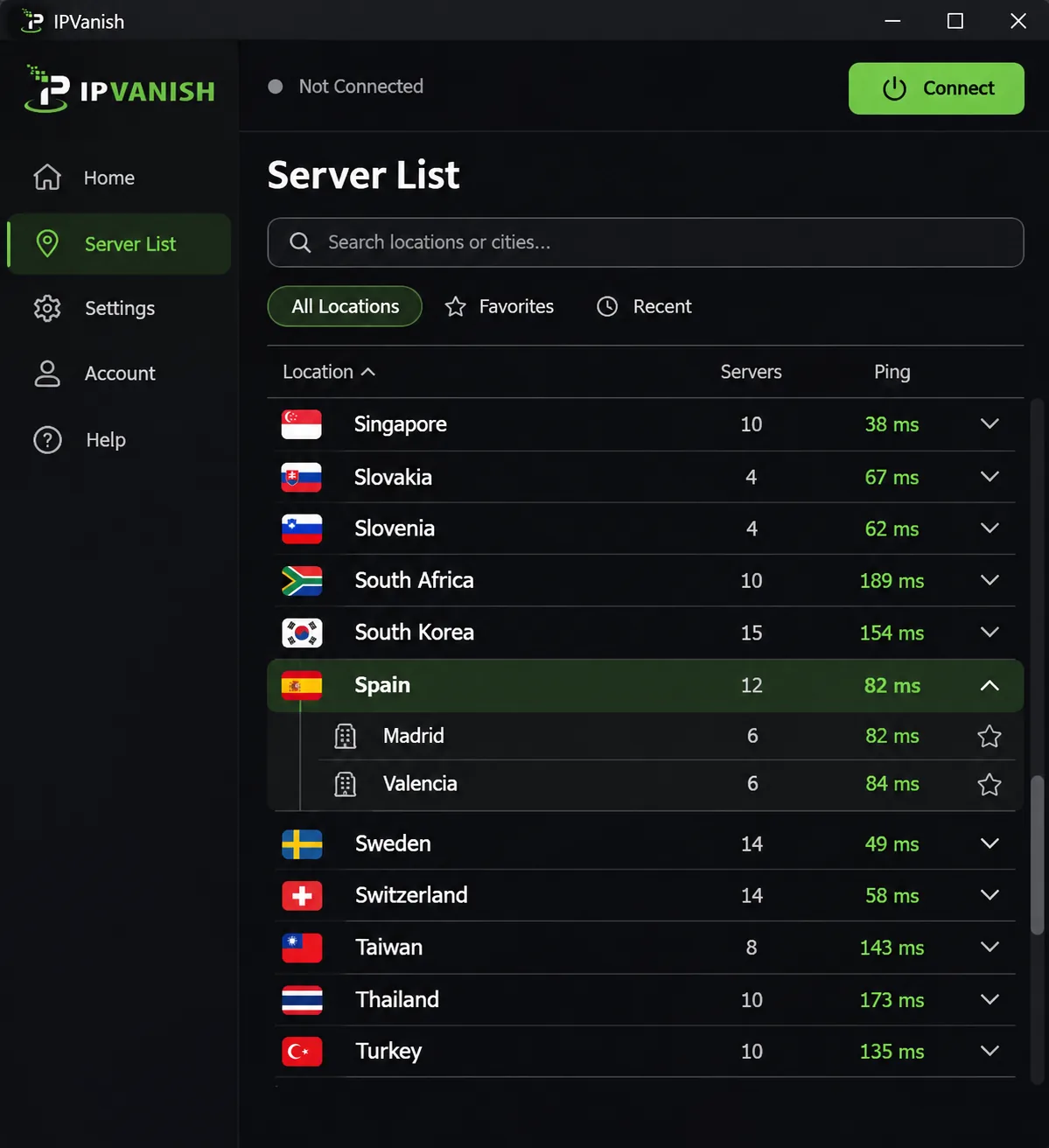
After Proton's tidy inventory, IPVanish's Spanish coverage is the least settled of the seven. Madrid and Valencia are consistently documented, and Barcelona appears in its network inventory and maintenance status, but we could not confirm that Barcelona is selectable in the app. If you need Barcelona specifically, check the app's server list before you pay.
On the connection side it allows unlimited simultaneous connections and offers WireGuard, OpenVPN, a kill switch, split tunneling, multihop and optional Threat Protection. Availability varies with operating system and protocol. Our IPVanish review goes further into those apps.
Streaming was the weak spot. IPVanish can play Netflix and Hulu on working connections, but you may need to change servers after those services block access. Speeds also fluctuate. Disney Plus can need repeated server changes too. Its Spanish connections can still deliver smooth streams despite trailing faster competitors.
The refund is narrower than most. The 30-day guarantee applies to new one-year or two-year subscriptions, not monthly plans or renewals, and buying direct matters. We are not quoting a price because published promotions for the two-year plan disagree. Neither advertised figure establishes the current direct checkout charge or renewal total.
Pros
- Unlimited simultaneous connections
- Kill switch, split tunneling and multihop
- Smooth streams on working connections
Cons
- Barcelona availability unconfirmed
- Streaming needs server changes
- Refund only on new annual or two-year plans
6. CyberGhost
Unlike IPVanish, CyberGhost documents all three cities plainly. Its 7-device limit is the lowest of the seven, though, which matters for a larger household.
It is easy to set up and streams smoothly in our testing, but it offers fewer configuration choices for advanced users. Its Madrid connection can slow under load, and moving to Valencia can improve performance, a trick worth trying before blaming the whole service. Streaming-specific servers and P2P servers are built in, along with a kill switch, IP and DNS leak protection, WireGuard, OpenVPN and IKEv2, a no-logs policy and unlimited bandwidth. Apps cover Windows, macOS, Linux, mobile, Android TV and Fire TV. Our CyberGhost VPN review covers the interface in more detail.
CyberGhost has the longest refund window here: 45 days on the displayed six-month and long-term plans, and 14 days on the monthly plan. The displayed USD promotion was $2.19 per month equivalent, $56.94 for the first 26 months, then $56.94 annually, with a $12.99 monthly option and $41.94 for six months. These offers vary by campaign and region, and the long-term plan's total covers a shorter period at renewal than at the start.
Pros
- Madrid, Barcelona and Valencia
- 45-day refund on long plans
- Streaming and P2P servers
Cons
- Only 7 devices
- Madrid can slow under load
- Limited advanced configuration
7. Private Internet Access
Private Internet Access is the budget-minded counterpart to CyberGhost, with Madrid and Valencia and no device cap. Its Madrid connection performs well over long distance, which suits someone connecting from North America or elsewhere abroad, though uploads can be inconsistent.
Its streaming-optimized connections work with Netflix US and BBC iPlayer. Router installation requires manual setup, so it is a weaker choice if you want a quick plug-and-play router. The detailed settings can overwhelm beginners, even though simply connecting to the VPN is straightforward.
Privacy tools are strong for the price: an advanced kill switch, IP, DNS and WebRTC leak protection, RAM-only servers, open-source apps and an audited no-logs policy, with optional antivirus and a dedicated IP. The 30-day guarantee is for new subscribers, and purchases through app stores follow those stores' refund rules. The USD early-access promotion was $2.03 per month equivalent for three years plus four extra months, renewing at $81.20 every three years. An annual option was $47.88 for the first year and annually after that, and the monthly plan was $11.95. Promotional duration and price can change, and the renewal excludes the introductory bonus months. Anyone who wants the strictest privacy features should also read our guide to the best VPNs for privacy.
Pros
- Unlimited simultaneous connections
- RAM-only servers and open-source apps
- Audited no-logs policy
Cons
- Only Madrid and Valencia
- Manual router setup
- Uploads can be inconsistent
Compare the best VPNs for Spain
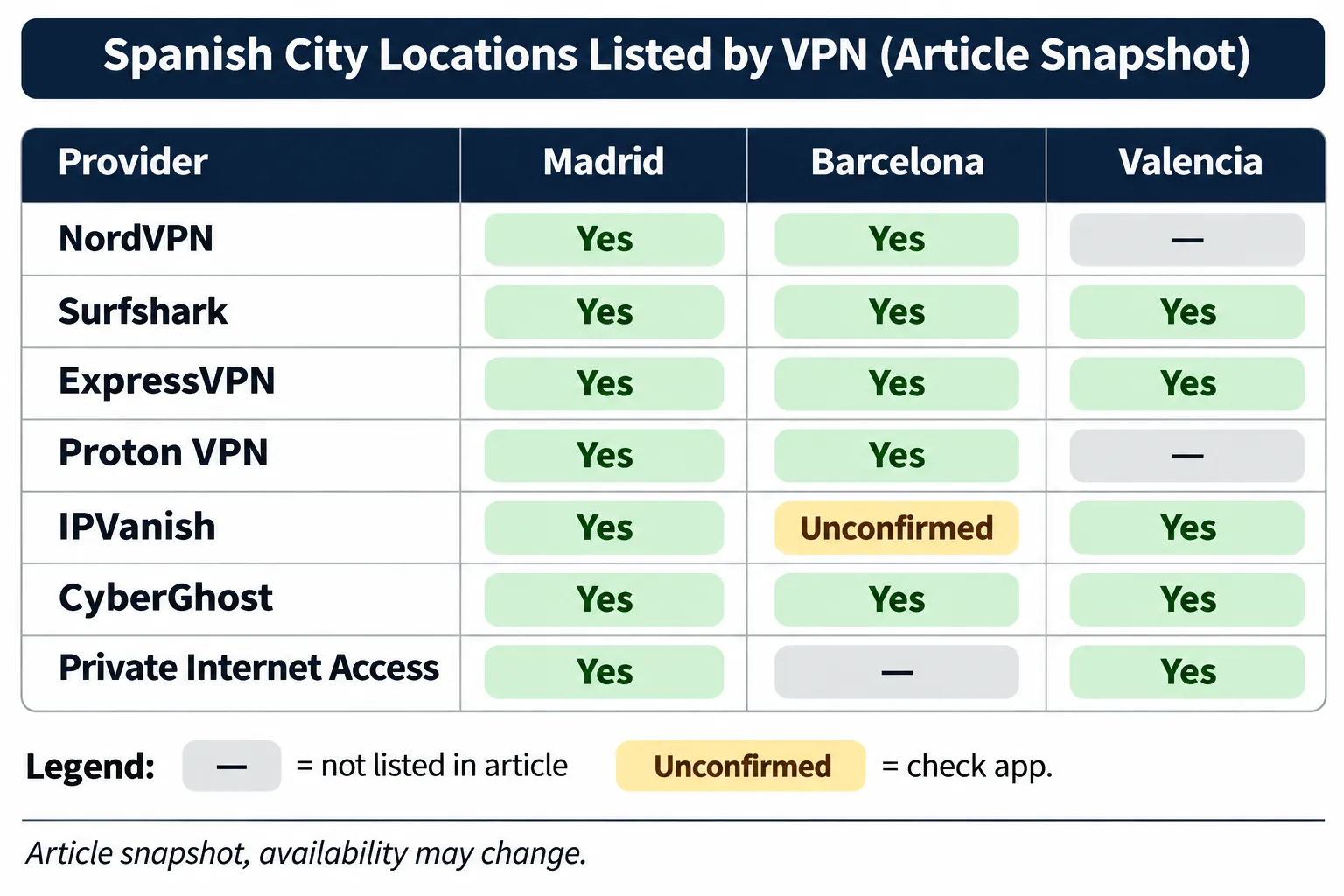
The table above is the quickest way to compare cities and device limits, so we will not repeat it here. Two points it cannot show are worth adding. More cities do not automatically mean a better connection, because published server totals drift between sources and say little about capacity or speed. We gave more weight to connection performance than to the length of a server list.
Price is the hardest comparison. NordVPN displayed Polish zloty and Surfshark displayed Danish kroner when we checked, while the others displayed dollars, so we cannot rank the seven on a Spanish euro price. The renewal rate is what you pay for years after the promotion, so compare it before you commit.
Introductory prices are not renewal prices. Every provider here advertises a long-term promotion that renews at a different rate. Check the renewal amount, the refund conditions and whether the guarantee applies to your plan length before you pay.
Why use a VPN in Spain?
A VPN encrypts the connection between your device and a server, so someone on the same network cannot read what you send. It also gives websites a public IP address associated with the server's location. Those two effects explain nearly every reason people use one in Spain.
Public Wi-Fi, travel and remote work
Shared networks in hotels, airports and cafés are the common case. INCIBE, Spain's national cybersecurity institute, recommends VPN encryption alongside HTTPS, according to INCIBE's guidance on risks and advice for Wi-Fi networks. It also advises checking that the hotspot is genuine, avoiding sensitive transactions on unknown networks and disabling automatic reconnection. A VPN does not replace those habits. It adds a layer on top of them.
Remote work needs a distinction. A company VPN gives you authorized access to internal resources, while a consumer VPN covers your ordinary internet traffic. INCIBE's guidance on using Wi-Fi and external networks separates the two, and your employer's access policy decides which software and outside connections are permitted. Ask your IT team before putting a consumer VPN on a work laptop.
Accessing Spanish services while abroad
If you live or travel outside Spain, connecting to a Spanish server makes websites see a Spanish IP address. Connecting to a server in another country gives you that country's IP instead. That sounds simple, but a Spanish IP alone is not enough, even though you need one. Services can still detect and block VPN traffic. We could not independently confirm current per-provider success on RTVE Play, Atresplayer, Mitele or Movistar Plus+, so we will not promise access to any of them.
How to set up a VPN and get a Spanish IP address
Install the provider's app on your device, sign in, choose Spain from the server list, and connect. Pick a specific city when the app offers one. Then check your IP address on any lookup site to confirm it shows Spain.
Turn on the kill switch before you start streaming or banking. If the VPN drops, the kill switch blocks traffic instead of letting your real IP leak through. Test it once by disconnecting Wi-Fi and reconnecting.
If you are in Spain and just want protection, you do not need to pick a Spanish server at all. The nearest server is usually the fastest, which keeps your connection quick for everyday browsing. Choose Spain only when you want a Spanish IP address.
Can you use a free VPN for Spain?
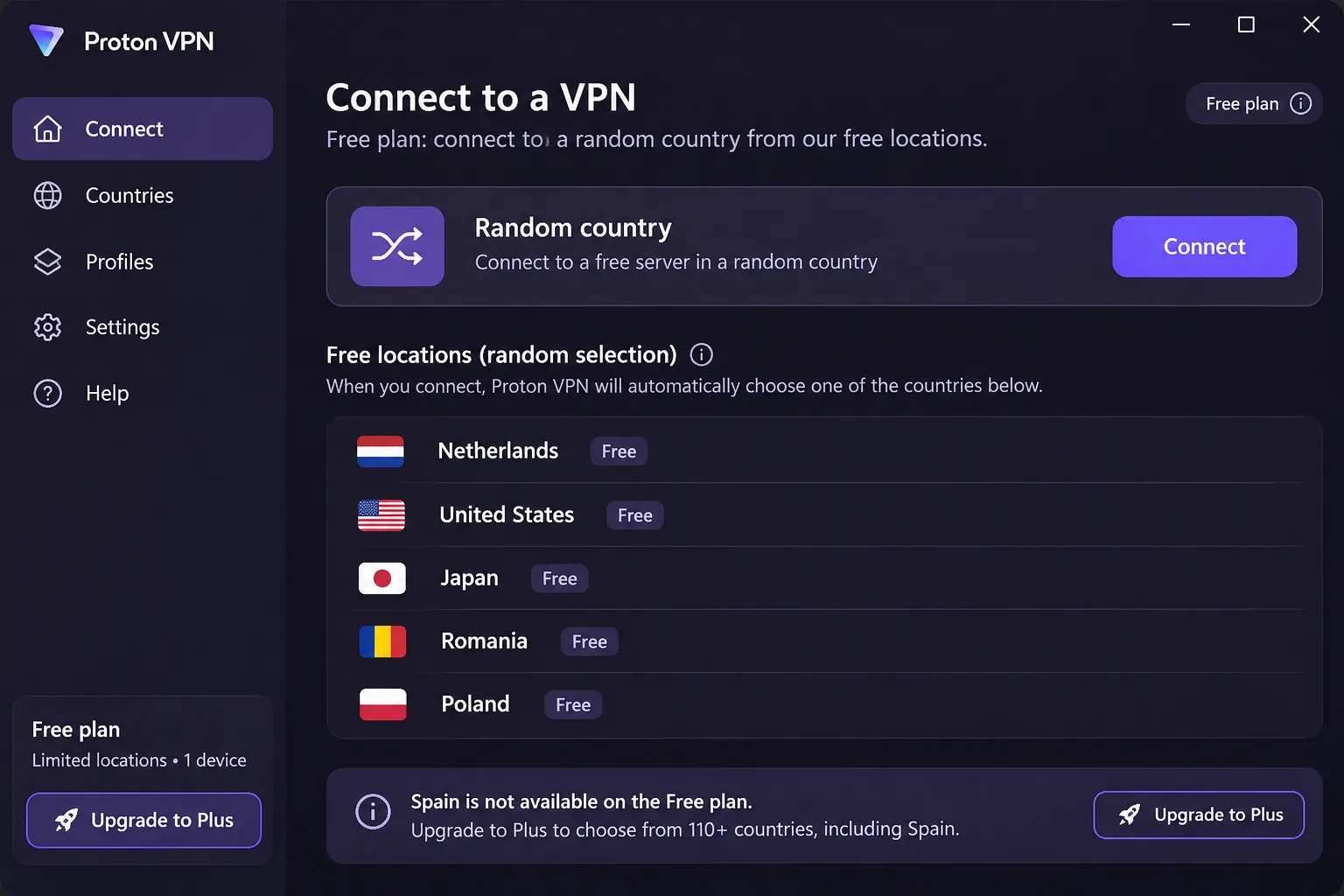
You can use a free VPN for protection, but a free Spanish IP address is far harder to get. A free VPN plan requires no payment, while a paid plan with a money-back guarantee lets you cancel for a refund. They are different things, and people often confuse them.
Free privacy protection versus a free Spanish IP address
Proton's free plan is the clearest example. It protects 1 device at a time and includes unlimited browsing without ads or activity logs, but free server country selection is random and Spain is absent from the documented free-country list. Paid service adds streaming and P2P support. You can encrypt your connection on a café network for free and still never get a Spanish IP.
We did not verify a permanently free Spanish-exit option from any trustworthy provider, though that does not prove none exists. Free tiers elsewhere often impose speed caps, data caps or advertising in exchange for charging nothing, and free VPN apps have a mixed record on data handling. If you need Spanish content, a paid plan with a refund guarantee is the safer route. The 30-day and 45-day windows above let you test streaming first, and the conditions differ by provider.
Streaming with a Spain VPN
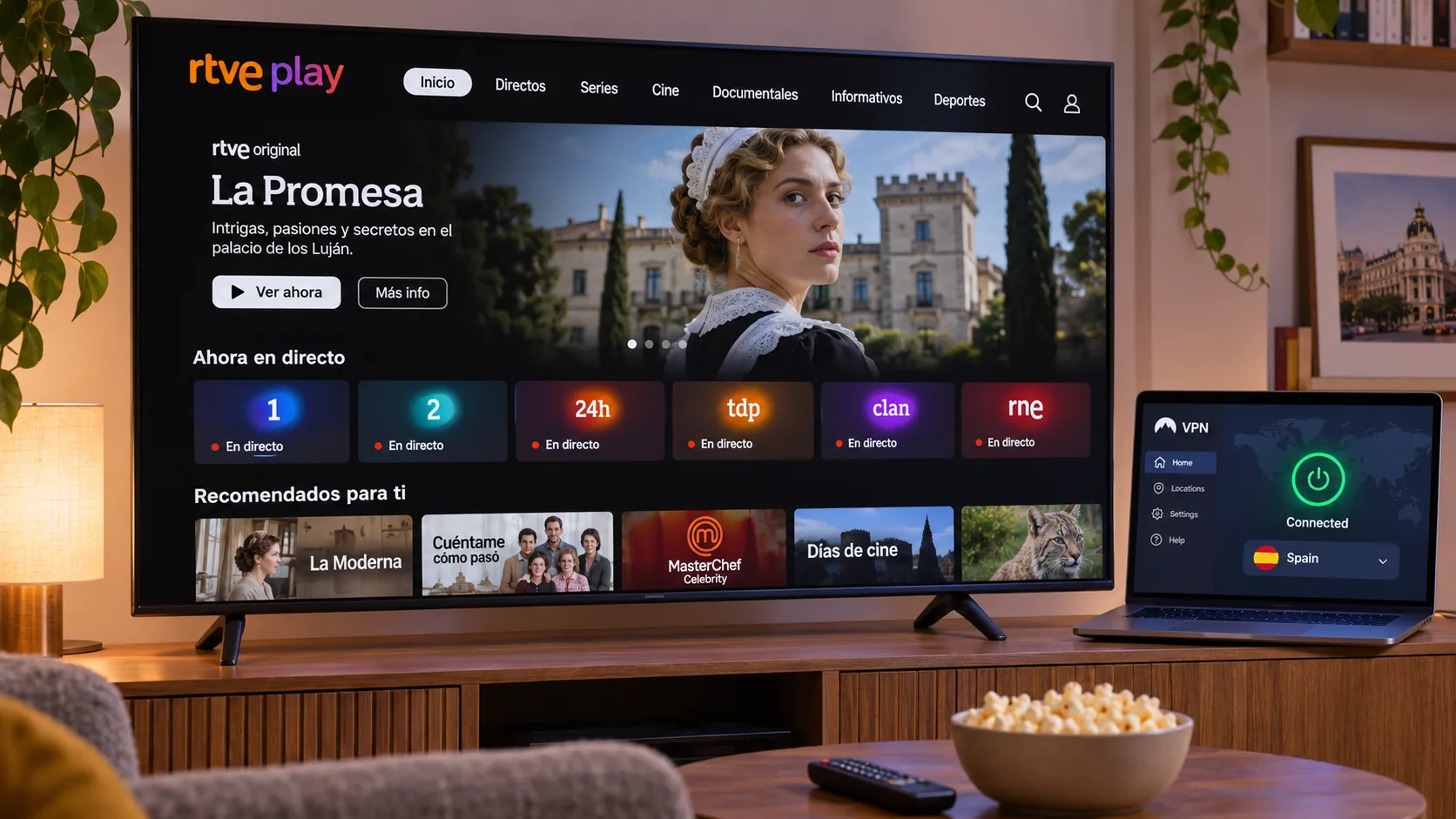
Streaming is where VPNs most often disappoint, because services work to detect them. Treat any provider's success as conditional on the server, the time and the service.
Spanish TV and streaming services abroad
RTVE Play includes on-demand video and live channels, but some titles are territorially restricted by rights. That means a Spanish IP may unlock some programs and not others. If a stream refuses to load, change to another Spanish city and reload before concluding it is blocked. Our best VPN for Amazon Prime Video guide is a useful companion if you also watch that service.
International services while visiting Spain
Visiting Spain with a home streaming account is the opposite case. You connect to a server in your home country to see your usual catalog. Netflix's VPN help page explains that VPN detection can restrict viewing to globally licensed titles, and that ad-supported plans and live events do not support VPN viewing. Turning the VPN off may restore the actual regional catalog. In our testing, Netflix and Prime Video worked on several providers, while Disney Plus was the service most likely to need repeated server changes.
What to do if your Spain VPN is not working
Start with the simple fixes, in this order: try another server, then another protocol. Check that your subscription is active, that your firewall or antivirus is not blocking the app, that your system time is correct and that your underlying internet connection works without the VPN. The Proton VPN troubleshooting guide for connection problems covers these checks, and a server can also be temporarily removed for maintenance.
If a streaming service blocks you, switch to a different Spanish city rather than trying the same server twice. On Surfshark, camouflage mode may help on networks that detect VPN traffic, and on NordVPN an obfuscated server serves a similar purpose. If a TV stopped loading after Surfshark retired SmartDNS, restore automatic DNS on the TV.
Are VPNs legal in Spain?
Ordinary VPN use is generally legal in Spain. The caveat is that permission to use a VPN does not legalize the underlying activity. Copyright law and streaming-service terms still apply, so using a VPN to download pirated content stays unlawful, and bypassing a service's regional restrictions can breach its terms of service even where it is not a crime.
This is general information, not legal advice. The statement that VPN use is generally fine comes from a vendor's Spain page and is not a legal finding on any particular use. INCIBE does recommend VPN encryption for communications security, but that recommendation is not a statute authorizing every use. If your situation is unusual, ask a Spanish lawyer.
Final recommendation
NordVPN stays our default, as the intro says. The runner-up picks split by what you need most. Choose Surfshark if you have many devices or want Valencia as well, ExpressVPN if you value the simplest app, and CyberGhost if you want the longest refund window.
Proton VPN suits privacy-focused users who can live without reliable Disney Plus, while IPVanish fits people who check Barcelona availability first and accept some server changes. Private Internet Access suits budget buyers connecting from far away who do not need quick router setup. Whichever you pick, test streaming inside the refund window before you decide.
Spain VPN FAQs
Can I use a consumer VPN on a work laptop in Spain?
Will a VPN work on Spanish mobile data?
Is a VPN worth using on a train or AVE Wi-Fi?
Can I use a VPN for torrenting in Spain?