Brunei filters some websites, and its regulators actively monitor content shared over the internet and social media. A VPN encrypts your traffic and swaps your IP address for one of its own, so your provider sees only a connection to a VPN server rather than every site you open. It also lets you reach your home streaming catalogue and keeps your logins safe on hotel and airport Wi-Fi.
We compared six providers on the things that matter from Brunei: how close their servers are, how fast they run through Singapore, how well they protect your privacy, and what they cost. Our quick answer is NordVPN, which earned our top score of 9.0/10 and offers a Bruneian IP address. Proton VPN ties it on score and is the stronger choice if privacy comes first. Surfshark, Private Internet Access, CyberGhost and ExpressVPN round out the list, each for a different kind of user.
Best VPNs for Brunei: Quick Summary
Here are the six picks in order, with the job each one does best:
- NordVPN (9.0/10): best overall, with a Brunei location and fast NordLynx speeds.
- Proton VPN (9.0/10): best for privacy, with a Swiss base and five annual no-logs audits.
- Surfshark (8.6/10): best budget pick, with unlimited devices.
- Private Internet Access (8.4/10): best for customization and open-source apps.
- CyberGhost (8.4/10): best for streaming, with servers labelled by service.
- ExpressVPN (8.2/10): best for reliable connections, with the simplest apps of the group.
None of the six runs a confirmed physical server inside Brunei, so the nearby Singapore and Malaysia servers matter more than the headline server count. Speeds below are ballpark averages that depend on your base connection and the server you pick.
| Product | Buy | Brunei location | Nearby servers | Speed (ballpark) | Devices | Streaming | No-logs audit | Price (long plan) | Money-back |
|---|---|---|---|---|---|---|---|---|---|
 |
Check price → | Yes (virtual, hosted in Singapore) | Singapore, Malaysia, Indonesia | ~196 Mbps average | 10 | Netflix US, BBC iPlayer, Disney+ | Deloitte, Dec 2025 (6th) | From about $3.49/mo (2-yr) | 30-day |
 |
Check price | Yes (via Singapore, paid plans only) | Singapore, Malaysia | ~320 Mbps average (Plus) | 10 (Free: 1) | Netflix, Prime Video, Disney+ | May 2026 (5th) | From about $3.49/mo (2-yr) | 30-day (prorated) |
 |
Check price | Yes (4 servers, hosting not stated) | Singapore, Malaysia, Indonesia, Philippines | ~80% of a 100 Mbps line | Unlimited | Netflix, RTB1 | Deloitte, Jun 2025 | $2.49/mo (2-yr) | 30-day |
 |
Check price | Yes (virtual, hosted in Singapore) | Singapore, Indonesia (via Singapore) | ~5% download loss | Unlimited | Streaming servers only | Deloitte, Dec 2025 (3rd) | $2.03/mo (3-yr) | 30-day |
 |
Check price | No | Singapore (24), Malaysia (37, virtual), Indonesia (44, virtual) | ~296 Mbps average | 7 | Labelled streaming servers | Deloitte Romania, 2025 (3rd) | From about $2/mo (2-yr) | 45-day (14-day monthly) |
 |
Check price | Yes (virtual, via Singapore) | Singapore, Malaysia, Indonesia (via Singapore) | ~90% of a 100 Mbps line | 10 / 12 / 14 by tier | Netflix, BBC iPlayer, RTB | KPMG, Feb 2025 | $2.99/mo (2-yr) | 30-day |
Do You Need a VPN in Brunei?
Most people in Brunei don't need a VPN to get online, but many will want one. Internet penetration sits at about 99%, and messaging apps, VoIP calls, news sites and streaming services all work normally on Bruneian connections. A VPN earns its place for three other reasons: privacy, public Wi-Fi and content access.
Privacy comes first. Without a VPN, your internet provider can see every domain you visit. With one, it sees only that you're connected to a VPN server, while AES-256 encryption keeps the sites you open hidden from prying eyes.
Public Wi-Fi is the second reason. Hotel, cafe, airport and compound networks are shared with strangers, and a VPN adds a layer of protection to your logins and banking sessions on those networks.
Content is the third. Streaming services show the Bruneian catalogue by default, so expats and travelers lose their home library. BBC iPlayer, ITVX and Channel 4 won't play from a Bruneian connection at all. In our testing, a UK server usually got them working, though not always.
1. NordVPN - Best Overall VPN for Brunei
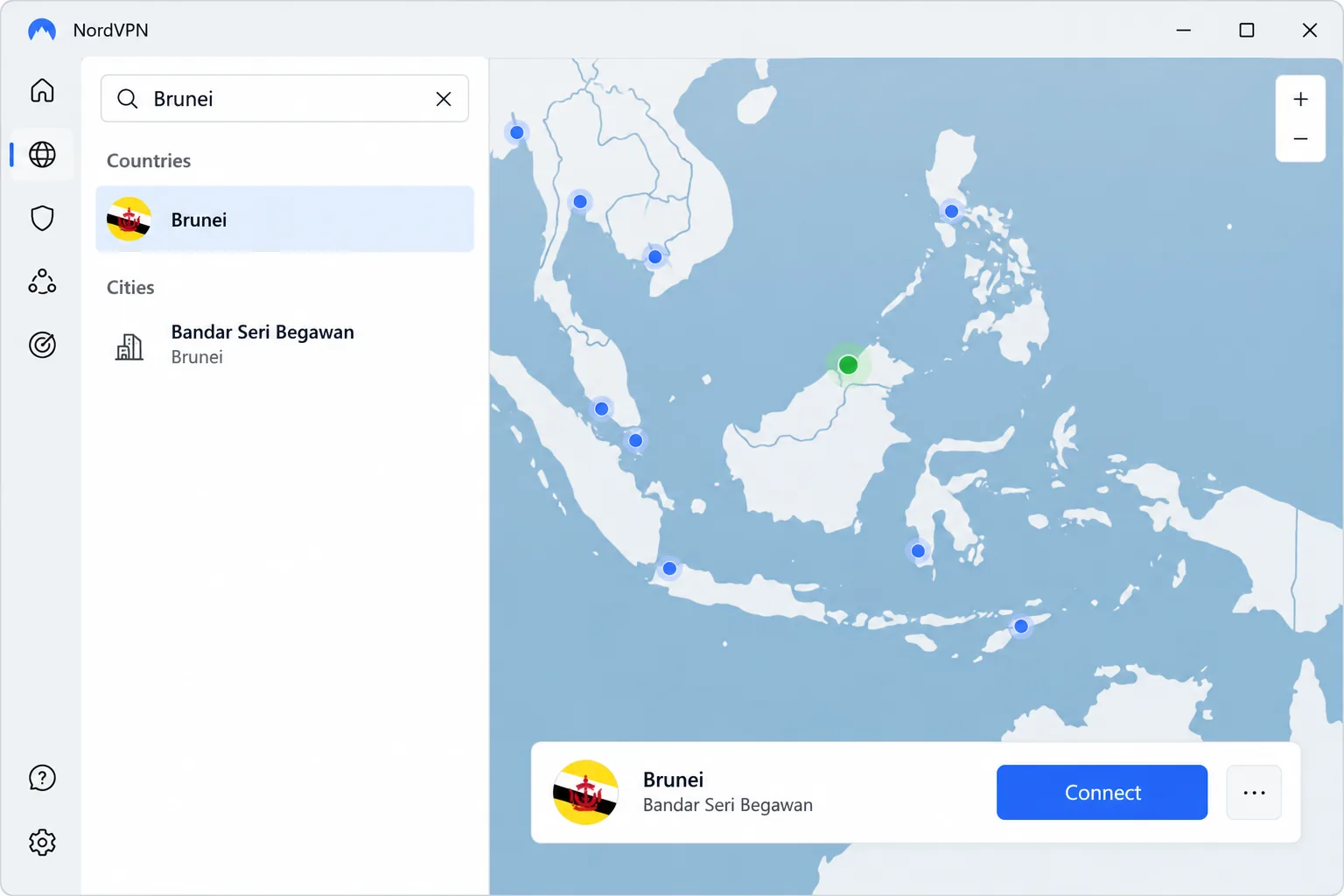
NordVPN is our top pick because it combines a Brunei location with some of the fastest speeds on the market and a long audit record. Its Brunei location appears in the app as Bandar Seri Begawan. It is a virtual location, which means the IP address is Bruneian but the dedicated physical server sits in Singapore.
When we connected to that Brunei location, the app handed us a Bruneian IP address straight away. The traffic actually exits in Singapore, so the Brunei location brought no speed advantage over choosing Singapore directly. We used Singapore for everyday browsing and kept the Brunei server for local sites. On NordLynx, its WireGuard-based protocol, NordVPN was consistently among the fastest VPNs we compared, averaging roughly 196 Mbps. An occasional server ran noticeably slower than the rest, so it pays to try a second server before blaming your connection. We also noticed the desktop apps took longer to connect than the mobile apps.
Setup was quick on Windows and on mobile. The map-based interface can feel cluttered for first-time users. NordVPN's features include military-grade AES-256 encryption, a kill switch, DNS and IP leak protection, obfuscated servers, Double VPN and Threat Protection, which blocks ads, malware and trackers. All servers run in RAM only, and Meshnet lets you link your own devices privately.
For streaming, NordVPN unblocks US Netflix, Hulu, HBO Max, Prime Video, Disney+ and BBC iPlayer. Deloitte completed NordVPN's sixth independent no-logs assurance engagement and issued its report on 12 December 2025. The network covers well over 100 countries, including servers in Singapore, Malaysia and Indonesia.
Basic starts from about $3.49 a month on the 2-year plan, while the month-to-month plan runs around $13 to $15 a month. One account covers 10 devices, and the 30-day money-back guarantee lets you try it risk-free.
Pros and Cons
Pros
- Bruneian IP address through a Singapore-hosted server
- Fast NordLynx speeds on most servers
- Six independent no-logs audits since 2018
Cons
- Desktop apps connect more slowly than mobile ones
- Map interface can feel busy for beginners
- Monthly plan is expensive
2. Proton VPN - Best for Privacy
Proton VPN matches NordVPN's score but wins on privacy, which is why it's our pick for anyone who cares most about who can see their data. Proton AG is based in Switzerland, and Proton VPN's apps are open source. The service's fifth consecutive annual no-logs audit ran from 20 to 27 May 2026. That audit found no logging of browsing, DNS requests, destinations, traffic content or connection metadata.
Like NordVPN, Proton offers Brunei servers (advertised at 10 Gbps) through its Smart Routing system, which hosts them in Singapore. When we connected to the Brunei location on a paid plan, we got a Bruneian IP address right away. Proton's physical servers in Singapore and Malaysia are the better pick for raw speed, and its paid Plus servers averaged roughly 320 Mbps, the fastest figure of our six picks. The apps took more getting used to than NordVPN's or ExpressVPN's, so beginners should expect a short learning curve.
The extra settings are worth learning. The Stealth protocol disguises VPN traffic as ordinary web traffic, Secure Core routes you through privacy-friendly countries first, and NetShield blocks ads, malware and trackers. You also get a kill switch with a permanent mode, split tunneling, P2P servers with port forwarding and Tor over VPN. Proton says its VPN Accelerator can raise speeds by over 400%, mainly on unstable or long-distance connections. The network spans 149 countries and 21,202 servers.
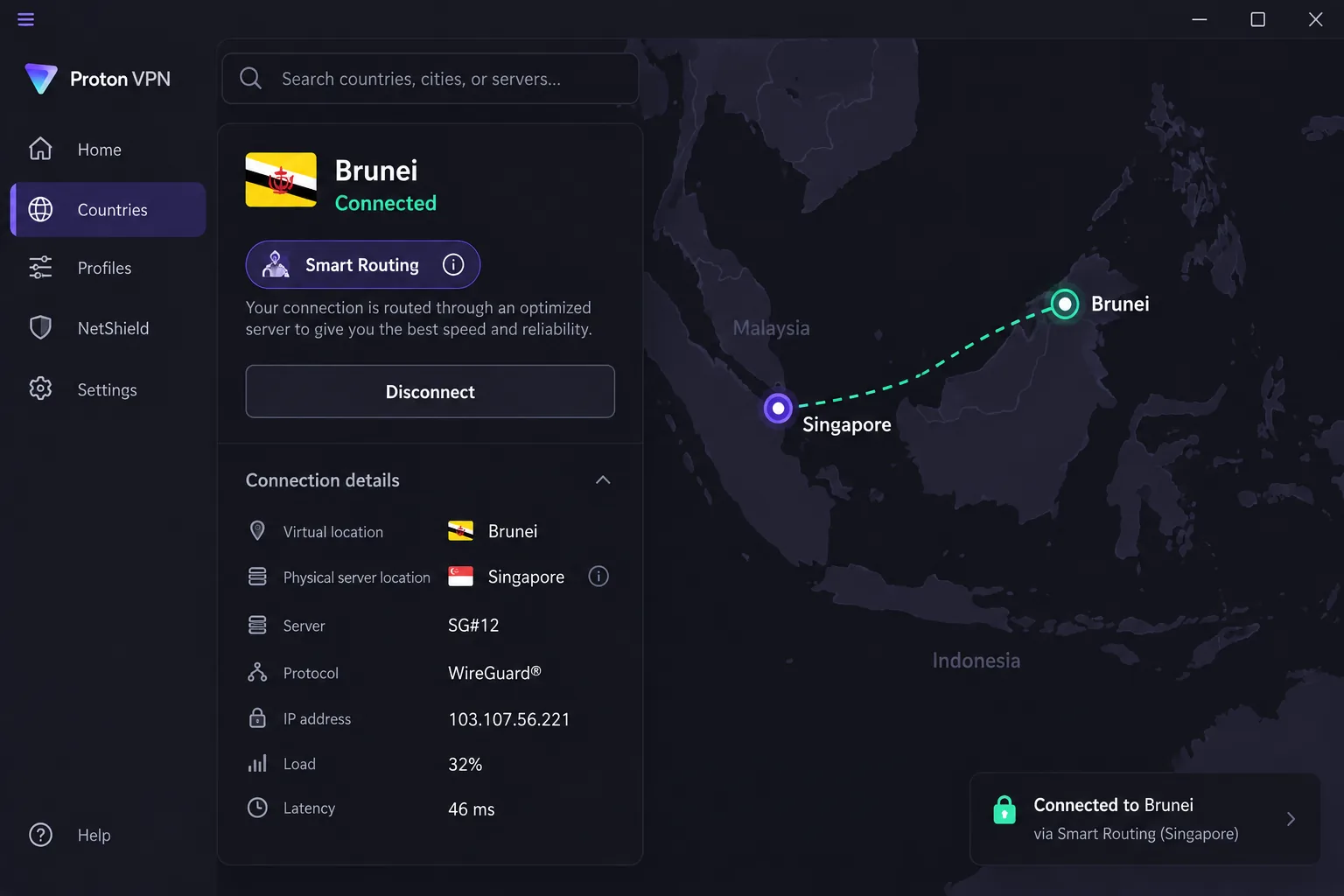
Brunei servers are not on the Free plan, so you need a paid plan for a Bruneian IP. VPN Plus costs $9.99 month to month or from about $3.49 a month on the 2-year plan, and it covers 10 devices. The 30-day money-back guarantee is prorated, so it refunds only the time you haven't used.
Pros and Cons
Pros
- Swiss jurisdiction and open-source apps
- Five consecutive annual no-logs audits
- Stealth protocol for networks that block VPNs
Cons
- Apps take time for beginners to learn
- Refund is prorated, not full
3. Surfshark - Best Budget VPN for Brunei
Surfshark is our budget pick because it pairs a low price and unlimited devices with Brunei servers that held up well for streaming. That makes it the easiest value choice for families and shared homes. It lists 4 Brunei servers in one location, though it doesn't say where they are hosted. Every plan allows unlimited simultaneous connections.
When we connected to Surfshark's Brunei servers, the connection kept around 80% of a 100 Mbps line. DNS leak tests came back clean, and RTB1 sports streamed without stutter. Surfshark can buffer occasionally, though, and finding the best server sometimes took a little trial and error. MultiHop routes you through two servers, and turning it on cut speed noticeably. Leave it off unless you need it.
The rest of the feature list is generous for the price. You get WireGuard, CleanWeb ad and tracker blocking, a kill switch, auto-connect and Bypasser split tunneling. Camouflage Mode hides the fact that you're using a VPN, NoBorders helps on restrictive networks, and a rotating IP option changes your address while you stay connected. Servers run in RAM only, and the network has 10 Gbps servers throughout. There's no port forwarding. The network covers 100 countries and 4,500+ servers, with locations in Singapore, Malaysia, Indonesia and the Philippines. Deloitte completed Surfshark's second no-logs assurance, announced on 20 June 2025.
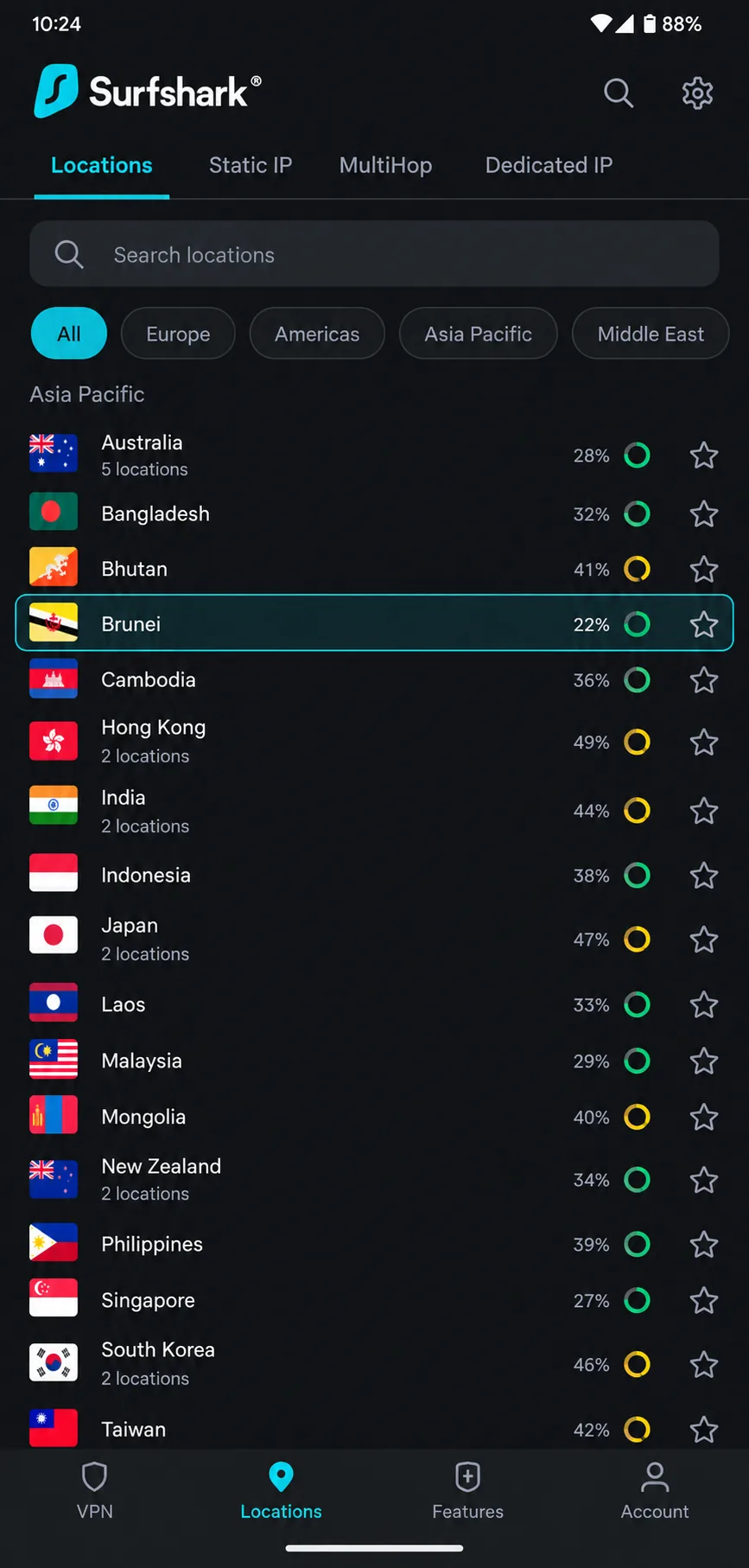
Surfshark's customer support is less dependable than its apps. Starter costs $2.49 a month on the 2-year plan ($67.23 for the first 27 months) or $16.45 month to month, with a 30-day money-back guarantee.
Pros and Cons
Pros
- Unlimited devices on every plan
- Low long-term price
- Clean DNS leak results on Brunei servers
Cons
- Occasional buffering on some servers
- MultiHop slows connections noticeably
- Support is weaker than the apps
4. Private Internet Access - Best for Customization
Where Surfshark keeps things simple, Private Internet Access (PIA) hands you the controls. Its autumn 2026 expansion added Brunei as a virtual location hosted in Singapore. The new location sits alongside physical Singapore servers and a virtual Jakarta location. The network now covers more than 110 countries.
PIA's apps are intuitive and explain each setting in plain language, which is rare for a VPN this configurable. In our testing it barely dented download speed, which ran about 5% slower. Upload speed fell by as much as 85%, though, so large uploads dragged. When a server dropped, the kill switch cut traffic reliably, and no IPv6, DNS or WebRTC leaks showed up. Streaming worked only through PIA's dedicated streaming servers, because its regular servers got blocked. Turning on Shadowsocks obfuscation cost about a quarter of our speed, and the MACE blocker removed most ads but not YouTube ads.
The settings list is the longest of our six picks. You can choose WireGuard or OpenVPN with AES-256 or AES-128. You also get a standard or Advanced Kill Switch, split tunneling, port forwarding, a SOCKS5 proxy and multi-hop. Smart DNS and a dedicated IP add-on are available. The apps are open source and run on most major platforms, including Windows, macOS, Linux, iOS, Android, Android TV, Fire TV and Apple TV.
PIA is US-based and owned by Kape Technologies. Deloitte completed PIA's third no-logs assessment on 19 December 2025. The company's Q4 2025 transparency report lists 30 legal requests with no user data produced. Live chat sometimes failed to load for us, while email support usually answered accurately within 24 hours.
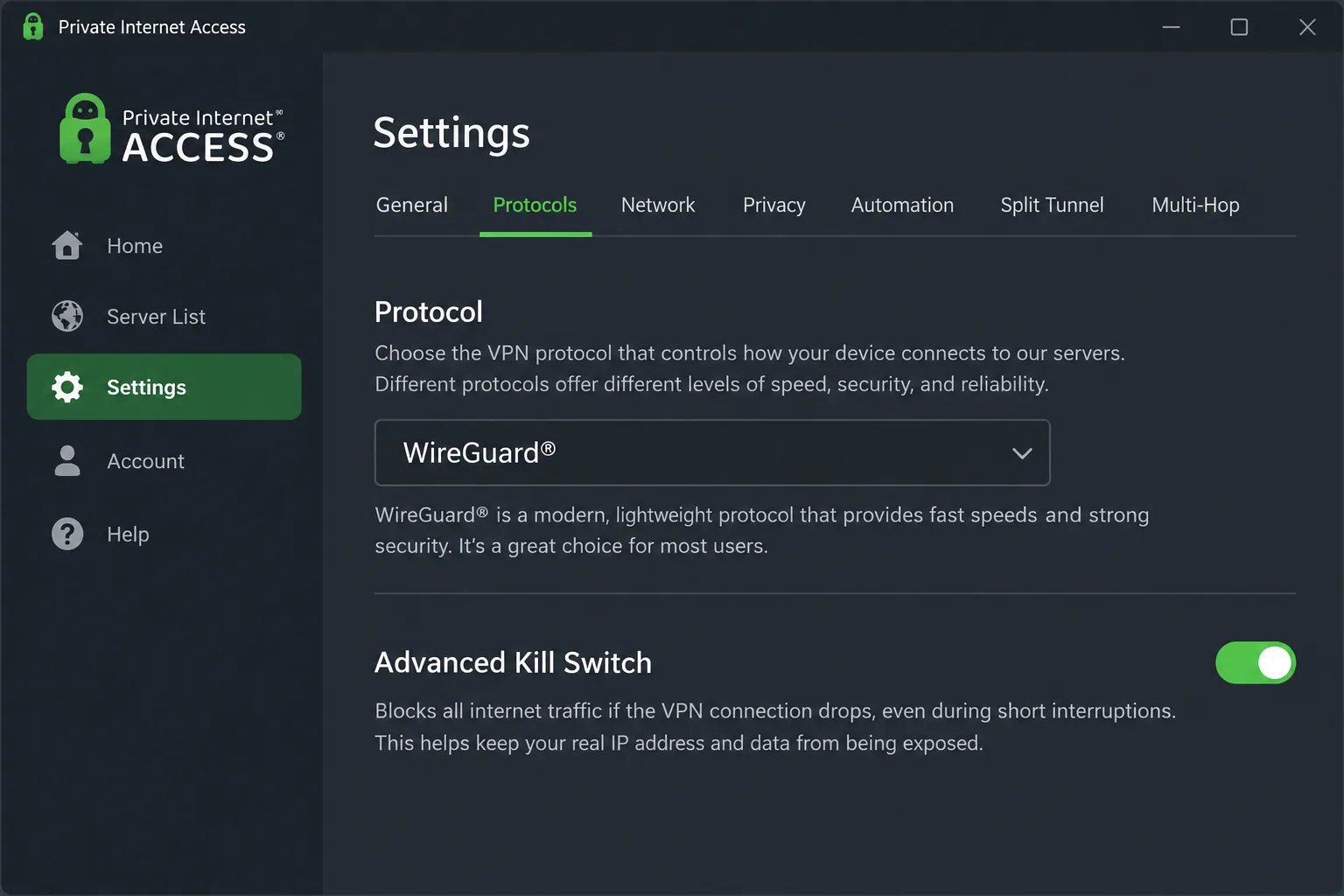
It's the cheapest pick here, at $2.03 a month on the 3 years + 3 months plan ($79 billed). The 1-year plan costs $3.99 a month, and month to month runs $11.95. It allows unlimited devices, and direct purchases carry a 30-day money-back guarantee.
Pros and Cons
Pros
- Deepest settings of our six picks
- Lowest long-term price
- Reliable kill switch with no leaks
Cons
- Upload speeds drop sharply
- Streaming needs dedicated servers
- Live chat doesn't always load
5. CyberGhost - Best for Streaming
CyberGhost is the only pick without a Brunei location, but it makes up for that with the easiest streaming setup of the group. Its server list includes 24 physical servers in Singapore, 37 virtual servers in Kuala Lumpur and 44 virtual servers in Jakarta, out of about 9,500 servers across 100 countries.
Its streaming servers are labelled by service, which took the guesswork out of picking a server for us. Instead of testing locations one by one, we chose the server named for the platform we wanted. When we joined unfamiliar Wi-Fi networks, CyberGhost auto-connected before we opened a browser, which is handy in hotels and airports. Its average speed is around 296 Mbps, fast enough for 4K. CyberGhost did trigger Google CAPTCHAs while we were connected.
CyberGhost suits beginners more than power users. It has WireGuard, a kill switch, a Content Blocker, split tunneling, NoSpy servers, torrenting-optimized servers and a dedicated IP add-on. It lacks obfuscation, though, so it struggles on networks that actively block VPNs. There's also no native router app. The 7-device cap runs out quickly in a big household. Deloitte Audit Romania completed CyberGhost's third no-logs review in 2025.
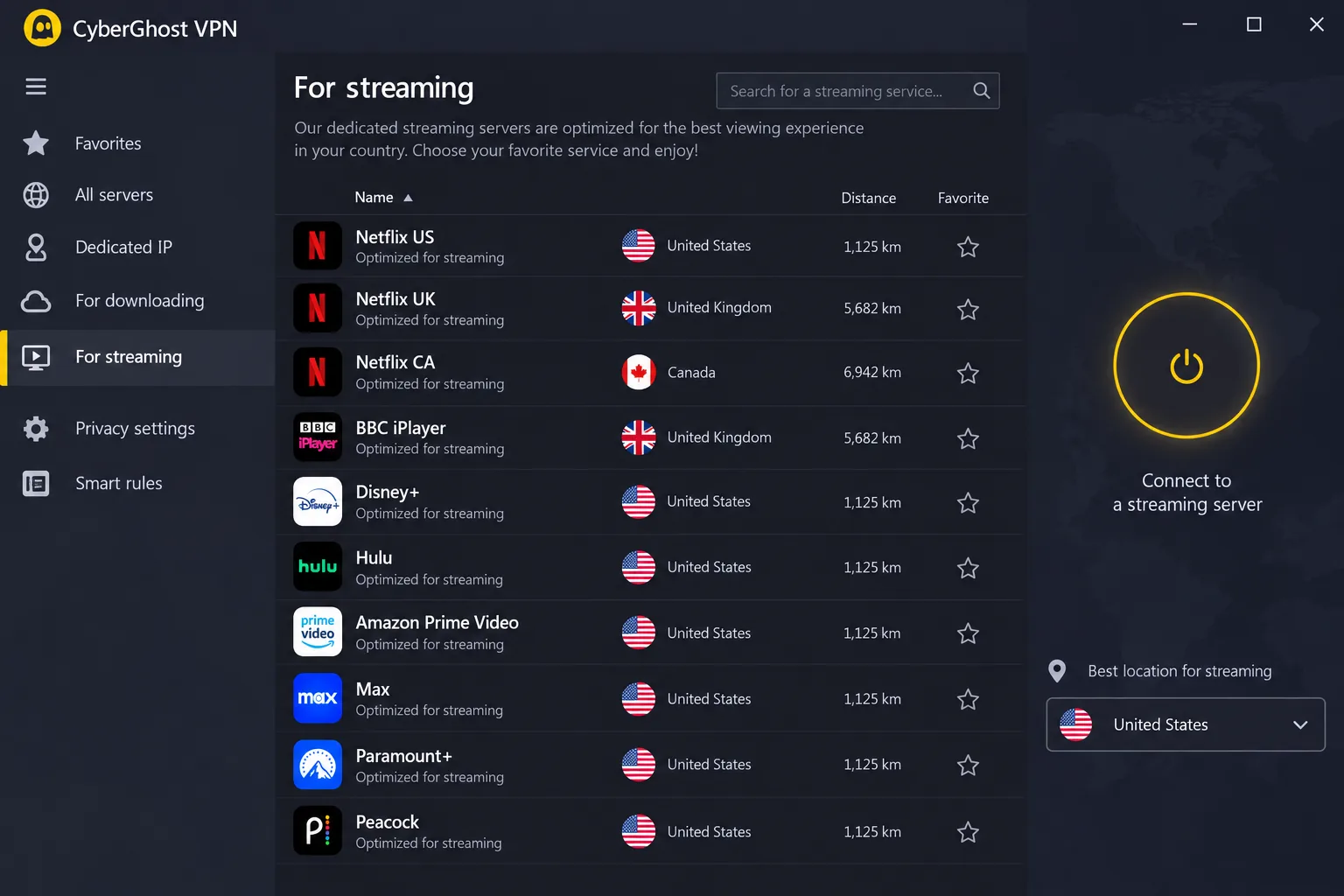
CyberGhost has the longest refund window here, which makes it the most risk-free way to try a VPN. You get 45 days on the 6-month and 2-year plans, and 14 days on the monthly plan. The 2-year plan starts from about $2 a month, while the monthly plan costs $12.99.
Pros and Cons
Pros
- Streaming servers labelled by service
- Auto-connects on unfamiliar Wi-Fi
- 45-day money-back guarantee on long plans
Cons
- No Brunei location
- No obfuscation for VPN-blocking networks
- 7-device limit
6. ExpressVPN - Best for Reliable Connections From Brunei
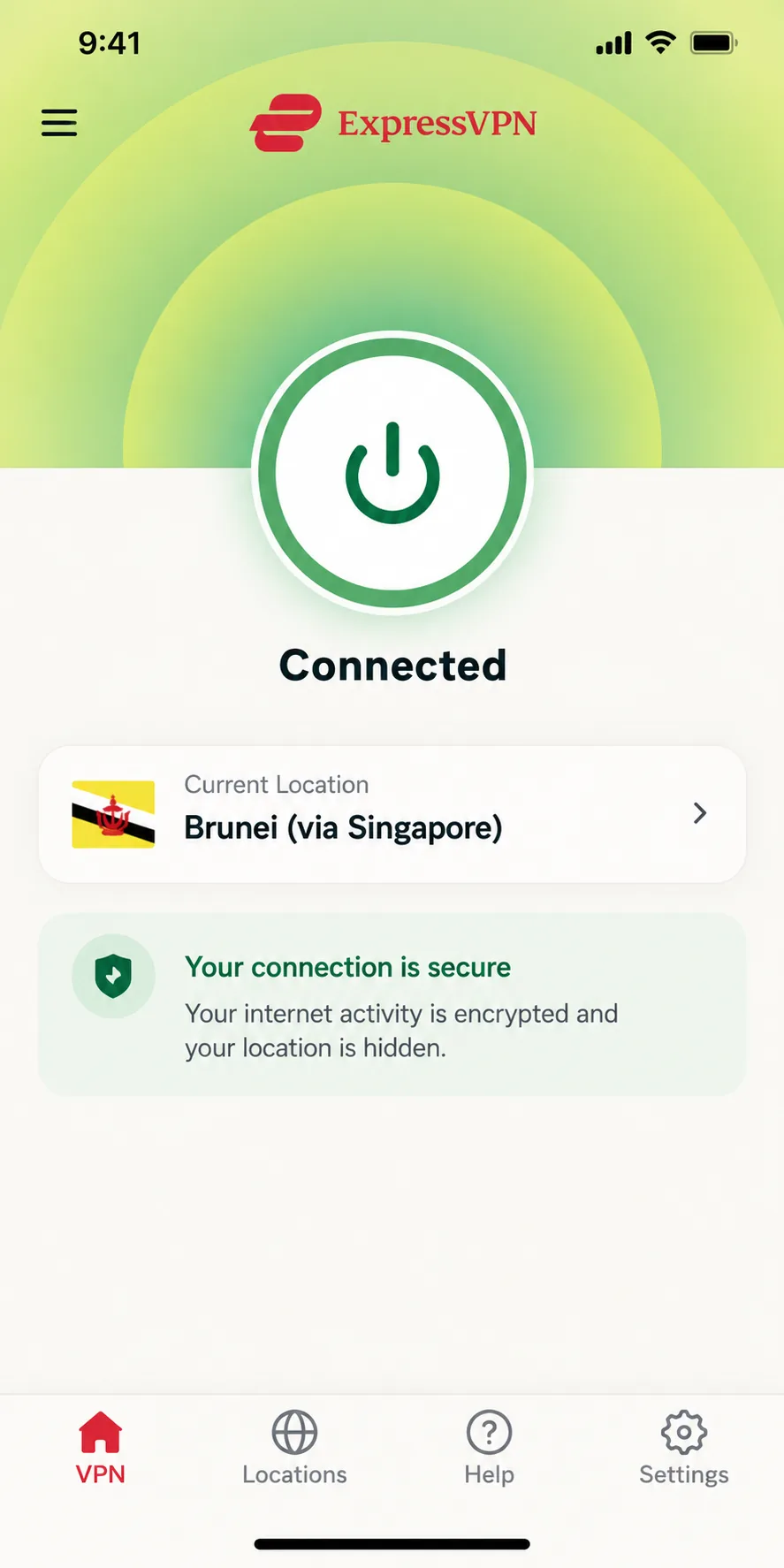
ExpressVPN is the one that simply connects and stays connected. Its Brunei location is listed as "Brunei (via Singapore)", which tells you up front where the server sits.
When we tapped that Brunei location, ExpressVPN connected within seconds and kept roughly 90% of a 100 Mbps line. The apps are simple to use, though they offer few advanced settings to tweak. When we contacted ExpressVPN's 24/7 live chat, it answered quickly. ExpressVPN's average speed on the Lightway protocol sits around 175 Mbps.
Its features focus on reliability, and that shows in how steadily it performs. TrustedServer runs every server in RAM only, Network Lock is the kill switch, and every server runs its own private DNS. Obfuscation turns on automatically, Threat Manager blocks trackers and malware, and MediaStreamer smart DNS helps on devices that can't run a VPN app. There's a router app too. ExpressVPN covers 113 countries, with physical servers in Singapore, a Malaysia location and a virtual Indonesia location routed through Singapore. KPMG examined its TrustedServer system and no-logs claims as of 28 February 2025 and gave reasonable assurance that no activity logs are collected.
ExpressVPN costs more than rivals with a similar core feature set, especially once it renews. Basic is $2.99 a month on the 2-year plan ($83.72 for the first 28 months), then renews at $99.95 a year. Advanced costs $4.49 a month and Pro costs $7.49 a month. The device limit rises from 10 on Basic to 12 on Advanced and 14 on Pro. New users get a 30-day money-back guarantee.
Pros and Cons
Pros
- Connects to its Brunei location within seconds
- Simple apps that suit beginners
- Fast, helpful 24/7 live chat
- Router app and MediaStreamer for smart TVs
Cons
- Few advanced settings to adjust
- Pricey on renewal compared with rivals
How We Chose the Best VPNs for Brunei
We judged every VPN on how it performs for someone connecting from Brunei, not on headline server counts. That meant starting with location. Since no provider we looked at runs a confirmed physical server inside Brunei, we checked whether each one offers a Bruneian IP address and where that traffic really exits. Every Brunei location we connected to on NordVPN, ExpressVPN, Proton VPN and PIA exited in Singapore. A "Brunei" server therefore gave us a local IP but no speed advantage over picking Singapore directly.
From there we scored each provider on five more areas:
- Speed, performance and connection stability on nearby Singapore and Malaysia servers, including how much an obfuscation mode or multi-hop slowed things down.
- Privacy and security, including encryption, kill switch behavior, leak protection and independent no-logs audits.
- Streaming access, including whether home-country catalogues and UK services like BBC iPlayer worked from a Bruneian connection.
- Ease of use across Windows, macOS, Android and iOS apps.
- Price, device limits and money-back terms, including what each plan costs on renewal.
Our final rankings follow our scores for this page. Where two providers tied, as NordVPN and Proton VPN did at 9.0, we gave the top spot to the one that suits the most people.
How to Set Up a VPN in Brunei (and Get a Brunei IP Address)
Setting up a VPN in Brunei takes a few minutes on any device. If you're flying in, do it at home on trusted Wi-Fi first. A VPN won't make slow hotel or compound Wi-Fi any faster, and logging in from a new country can add extra steps.
- Pick a provider from our list and sign up on its website. A 30-day or longer money-back window gives you time to check it works on your connection.
- Install the app on each device. All six picks have apps for Windows, macOS, Android and iOS.
- Log in and turn on the kill switch. Open the app, then go to Settings and switch on the kill switch (ExpressVPN calls it Network Lock). Turn on auto-connect while you're there.
- Choose a server. Pick Singapore for everyday browsing, or your home country for banking and streaming.
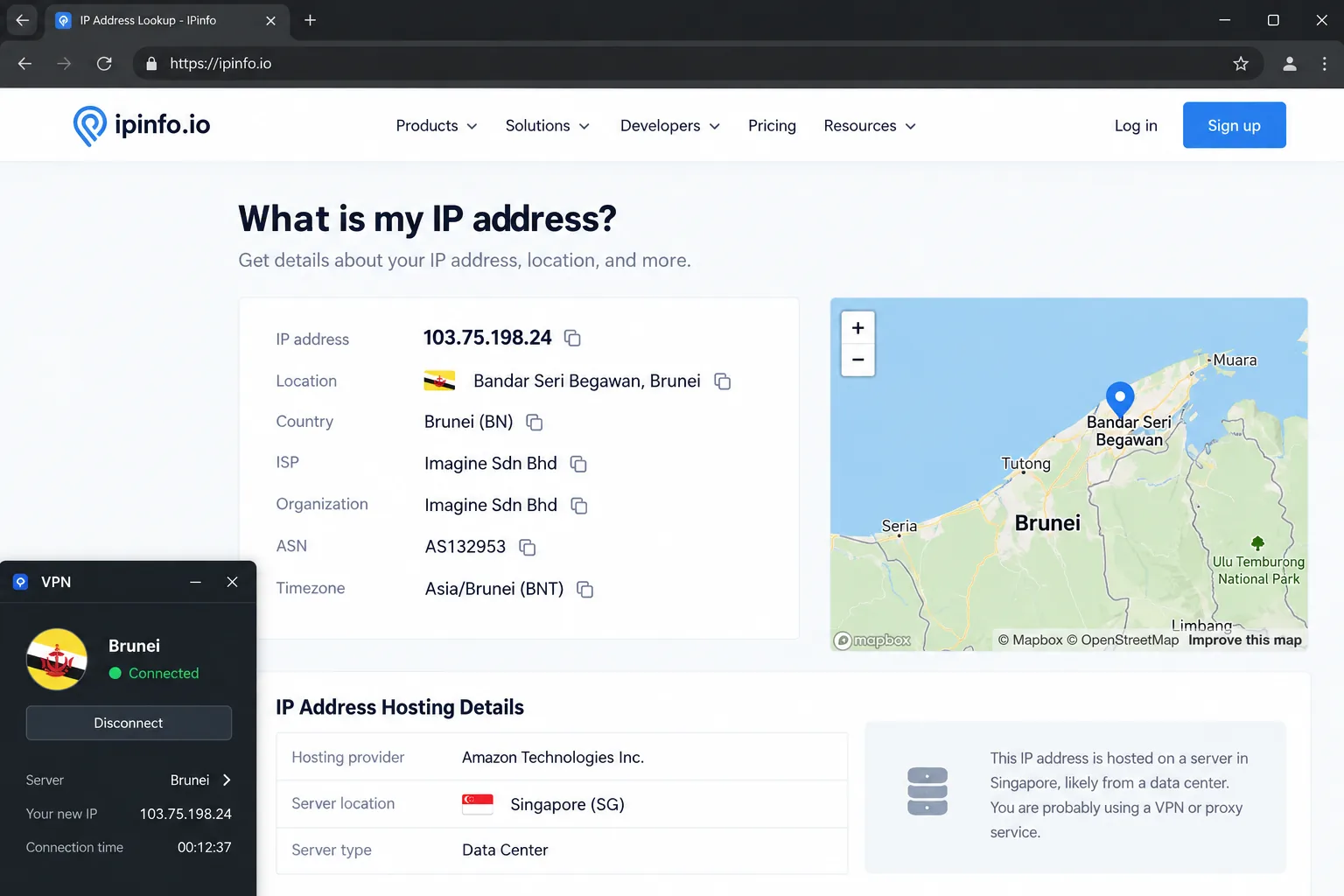
- Connect and check your IP address with any IP lookup site to confirm the new location.
For the lowest latency from Brunei, connect to Singapore first. If Singapore feels slow at peak times, Malaysia works well as a fallback.
To get a Brunei IP address from abroad, choose the Brunei location in NordVPN, ExpressVPN, Proton VPN (paid plans), PIA or Surfshark. Local sites check where your IP is registered, and it's registered to Brunei even when the server sits in Singapore. It's useful for Bruneian sites and services that expect a local visitor while you travel. When we connected to a Brunei location from abroad, broadcaster RTB's streams loaded normally. If a geo-blocked site still won't load after you connect, clear your browser cookies and reload the page, which usually sorts it out.
Can You Use a Free VPN in Brunei?
You can, but we don't recommend relying on one. Free VPNs need to make money somehow, and many do it by tracking and selling your browsing data or injecting ads and tracking cookies into your sessions. That defeats the whole point of using a VPN for privacy. Even the honest ones make you wait for server slots, offer few locations, cut speed sharply and cap your data.
A free VPN that logs and sells your activity can leave you less private than no VPN at all. Check who runs the service and how it pays for itself before you install it.
Proton VPN Free is the one free service we're comfortable with. It connects to servers in 10 countries chosen for you, Singapore among them, on 1 device with no data limit. Its free tier is noticeably slower than the paid servers, though. It also won't let you pick a country, and it has no Brunei option. If you want a no-cost option to test the idea, we cover more truly free VPN options in a separate guide. For streaming or a Bruneian IP address, a paid plan with a money-back window is the better route.
Are VPNs Legal in Brunei?
Yes. No Brunei law or regulator notice bans or restricts VPN use, and VPN providers sell to Bruneian customers openly. A VPN is a normal privacy tool there, just as it is for remote workers and travelers elsewhere.
What a VPN doesn't do is change what's lawful. The Computer Misuse Act (2007) criminalises unauthorised access to or interception of a computer service, and that applies with or without a VPN. Rules on online speech apply too, and public criticism of the Sultan or the royal family can still lead to legal action.
A VPN protects your privacy, but it doesn't change what is legal to post or access. Use it for security and privacy, and follow local law as you would without one.
Does Brunei Monitor or Censor the Internet?
Brunei does both, though in a limited and targeted way. Freedom House rates Brunei as Not Free in its 2025 report, with a score of 27/100. It also notes that authorities monitor online speech, but people still express their views on many topics. On the indicator for free expression without fear of surveillance or retribution, Brunei scores 2/4.
Content rules come from the Internet Code of Practice, issued in 2001 under the Broadcasting Act. ISPs and internet content providers licensed under the Broadcasting (Class Licence) Notification must comply with the Code, and the Minister can fine licensees who breach it. The Authority for Info-communications Technology Industry (AITI) co-runs the Content Advisory Council with the Prime Minister's Office, and its working groups actively monitor content distributed through the internet and social media.
Filtering focuses on specific categories. In March 2025, the Minister of Transport and Info-communications told the Legislative Council that 135 websites had been legally blocked over the previous five years for containing immoral elements and breaching the Internet Code of Practice. Gambling and adult sites are blocked, while foreign news is generally reachable. Since 2024, the government has also blocked 82 fraudulent websites and 557 phone numbers as part of an anti-scam drive.
Newer laws focus on infrastructure rather than individuals. The Cybersecurity Act (Chapter 272) began as an order passed on 20 May 2023 and became an Act in 2024. It creates a Commissioner of Cybersecurity and regulates owners of critical information infrastructure in sectors such as energy, banking and healthcare. Nothing we found describes it as regulating VPN use.
Frequently Asked Questions
Will a VPN slow down my internet in Brunei?
Why does my bank app ask for extra verification when I use a VPN?
Can I use a VPN for torrenting in Brunei?
Is public Wi-Fi safe to use in Brunei without a VPN?
Will my ISP know I'm using a VPN?
Who enforces Brunei's internet content rules?
Final Verdict: The Best VPN for Brunei
The one decision our Quick Summary can't settle for you is the budget choice, because Surfshark and PIA both allow unlimited devices and both cost less than NordVPN, Proton VPN and ExpressVPN. PIA is the cheaper of the two over its long plan and gives you the deepest settings, but it cut our upload speed sharply and streams only through dedicated servers. Surfshark costs a little more, yet it streamed RTB1 without stutter on its Brunei servers and keeps its apps simpler. If your household mostly streams and browses, choose Surfshark. If you rarely upload large files and want port forwarding or full control over protocols, PIA is the better buy.