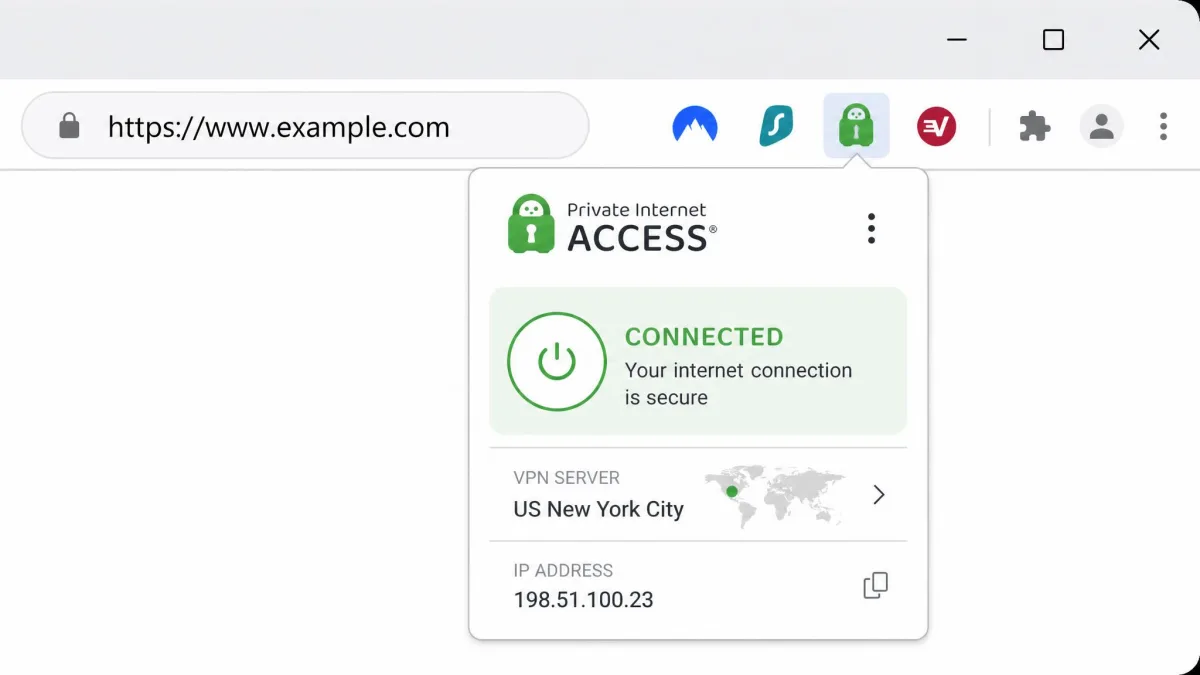
A Chrome VPN extension is a lightweight browser add-on. It encrypts the traffic moving through Chrome and swaps your visible IP address for one belonging to a remote server. It installs from the Chrome Web Store in a couple of clicks. Then it lives as a small icon next to the address bar, and lets you switch your apparent location without opening a separate desktop app. That convenience is the whole appeal. It is also where most of the confusion starts.
The catch is simple. Not every "VPN" in the Web Store does what the label promises. Some are genuine extensions from established privacy companies. They carry real encryption and leak protection. Others are proxies in disguise. They quietly reroute your requests and log everything you do online. We wanted to know which Chrome extensions actually protect a browsing session and which ones only look the part. So we spent time with the browser add-ons from the major providers. We put each through the same checks.
The testing here was run by our VPN desk. We worked on Windows and macOS machines in Chrome, with the extensions installed straight from the Chrome Web Store. We connected to servers across multiple regions. We ran repeated speed passes against a known baseline. We checked each extension for WebRTC and DNS leaks. We also tried each one against common streaming and public Wi-Fi scenarios over several weeks. The five picks below are the ones that earned a recommendation. Everything after the table explains how a Chrome VPN extension works, what separates a safe one from a risky one, and how to set yours up.
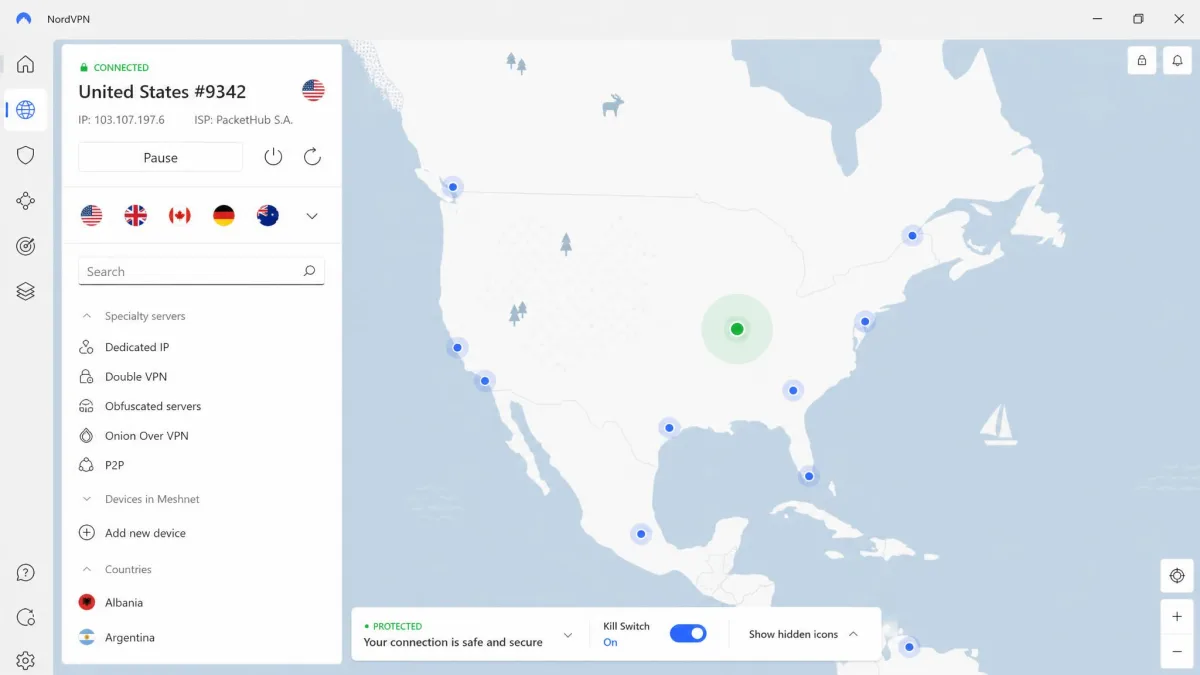
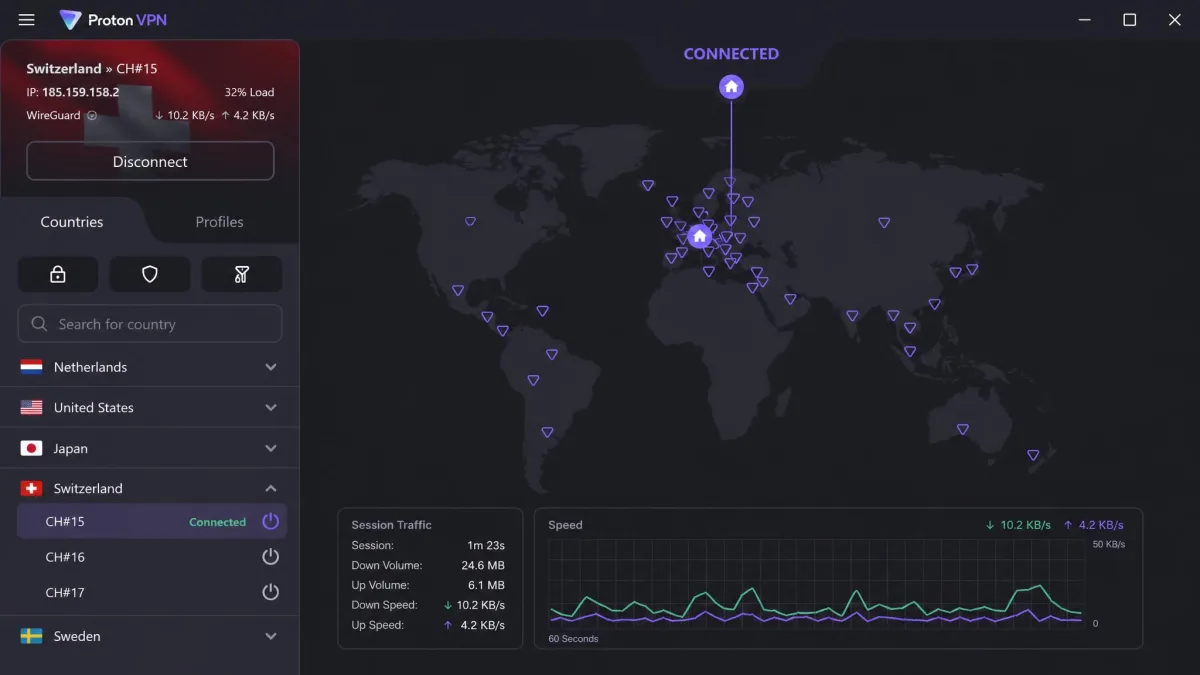
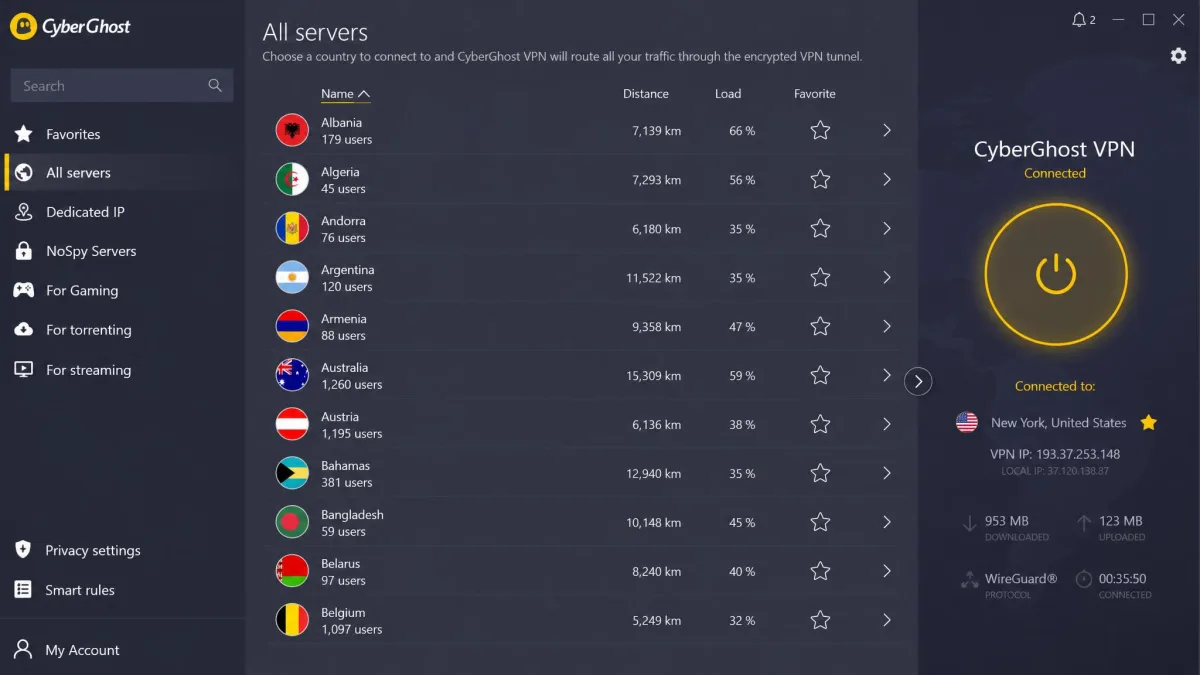
Best Chrome VPN Extensions at a Glance
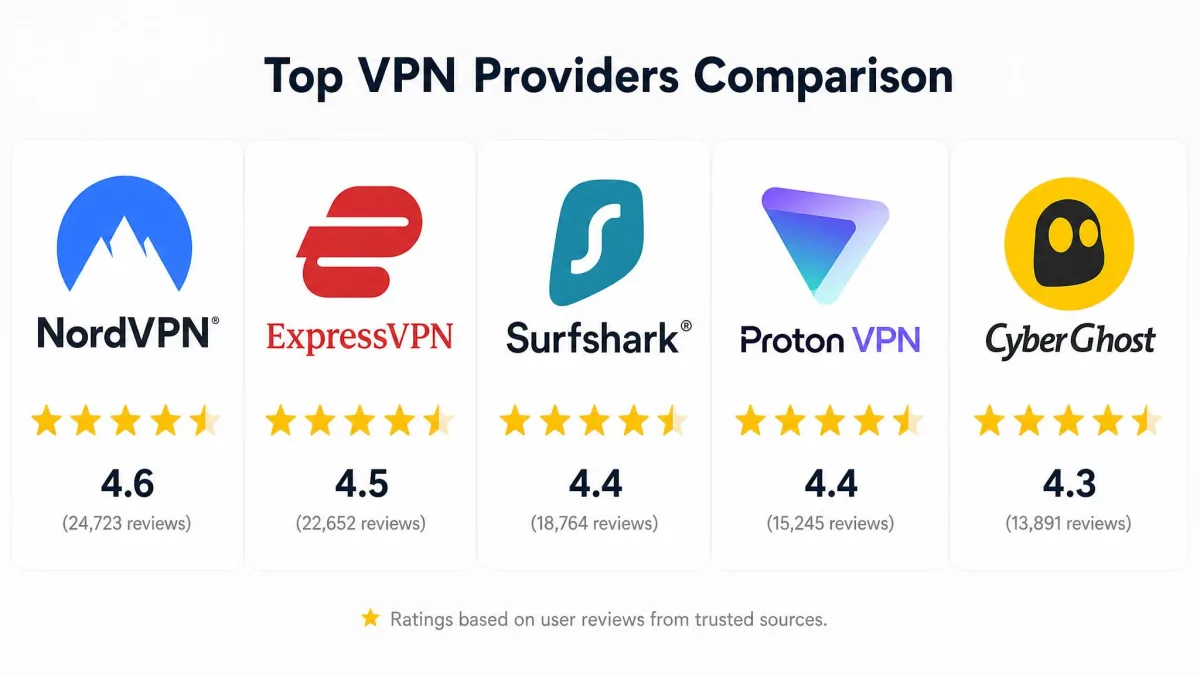
Here is how our five picks compare on the numbers that matter most. We looked at price, network size, how many devices you can cover, and whether the Chrome extension actually blocks WebRTC leaks. Prices reflect the cheapest per-month rate on each provider's longer plans at the time of writing. Every provider on the list backs its paid subscription with a money-back window.
| VPN | Buy | Servers / countries | Devices | Cheapest per month | Money-back | Best for |
|---|---|---|---|---|---|---|
 |
Check price → | ~7,400 servers, 118 countries | 10 | $3.392-year | 30-day | Best overall |
 |
Check price | 105-113 countries | 8 | $4.9912-month | 30-day | Speed |
 |
Check price | 4,500+ servers, 100 countries | Unlimited | $2.492-year | 30-day | Unlimited devices |
 |
Check price | 2,000+ servers, 140+ countries | 10 (1 free) | Free / paid | 30-day | Best free extension |
 |
Check price | 11,690+ servers, 100 countries | 7 | from ~$2.19 (2-year) | 45-day | Streaming |
In our testing we cared less about marketing server counts. We cared about one question. When we ran a leak test with the extension switched on, did our real IP address stay hidden? That single check reshuffled the field. Several well-known names leaked through WebRTC even while showing a "connected" badge.
The Best VPN Extensions for Chrome in 2026
Each pick below is a browser add-on we installed from the Chrome Web Store and used as a daily browsing layer. We have kept the mini-reviews focused on how the extension behaves in Chrome specifically. A provider's desktop app and its browser add-on do not always offer the same protection.
NordVPN: Best Overall
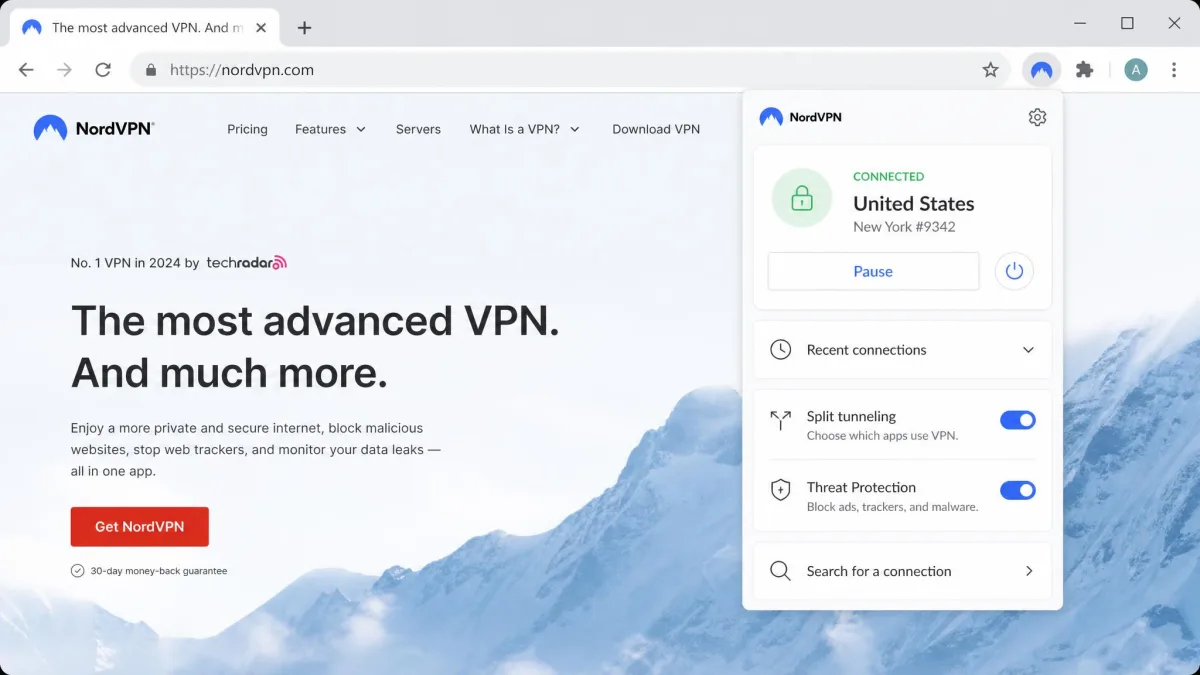
NordVPN gave us the most complete browser add-on of the group. It is the one we would install first on a new machine. When we opened a leak-test page with the extension connected, our real IP address never once appeared. It stayed hidden during video calls and peer-to-peer connections, the two places where weaker add-ons tend to slip. That result matters more than any spec. A browser VPN that leaks your address is doing nothing useful.
We did not trust that pass on the first try alone. We ran the WebRTC and DNS leak tests twice on each server region we connected to. A browser extension that hides your IP on a nearby server can still let it slip on a long-distance hop. NordVPN held the line every time. On a video call routed through a server several countries away, the leak-test page kept showing the masked address rather than our own. That is exactly the behavior most browser extensions fail to deliver.
Speed held up just as well. We ran our repeated passes against a clean baseline. The extension held onto roughly 97% of our download speed and 96% of our upload speed. Pages loaded and video streamed with no drag we could feel day to day. The difference between the connected and disconnected states was small. We stopped noticing it after the first afternoon. That is the real test for a layer you keep switched on all day. The extension is also unusually full-featured for a browser add-on. Alongside one-click connect it adds split tunneling, plus location and timezone spoofing that most browser add-ons skip entirely. Threat Protection blocks ads, malware domains, and trackers before they load. That trimmed some of the clutter on the messier sites we visited.
Pros
- Passed every WebRTC and DNS leak test in our checks
- Held roughly 97% of baseline download speed in testing
- Split tunneling, location and timezone spoofing built into the extension
- Threat Protection blocks ads, trackers, and malware domains
Cons
- No free tier, so you commit to a paid plan after the trial
- Published server and country counts vary between sources
Pricing & Features
NordVPN starts at $3.39/mo on the two-year Basic plan. The Plus plan at $4.39/mo adds Threat Protection Pro and the NordPass password manager. The Complete plan at $5.39/mo bundles encrypted storage. Every plan covers 10 simultaneous devices and carries a 30-day money-back guarantee. A 7-day free trial is available on mobile. The network sits at roughly 7,400 servers across 118 countries, though published figures differ between sources and drift as Nord adds capacity. The Chrome extension itself is rated 4.2/5 from more than 7,600 reviews in the Web Store.
ExpressVPN: Best for Speed
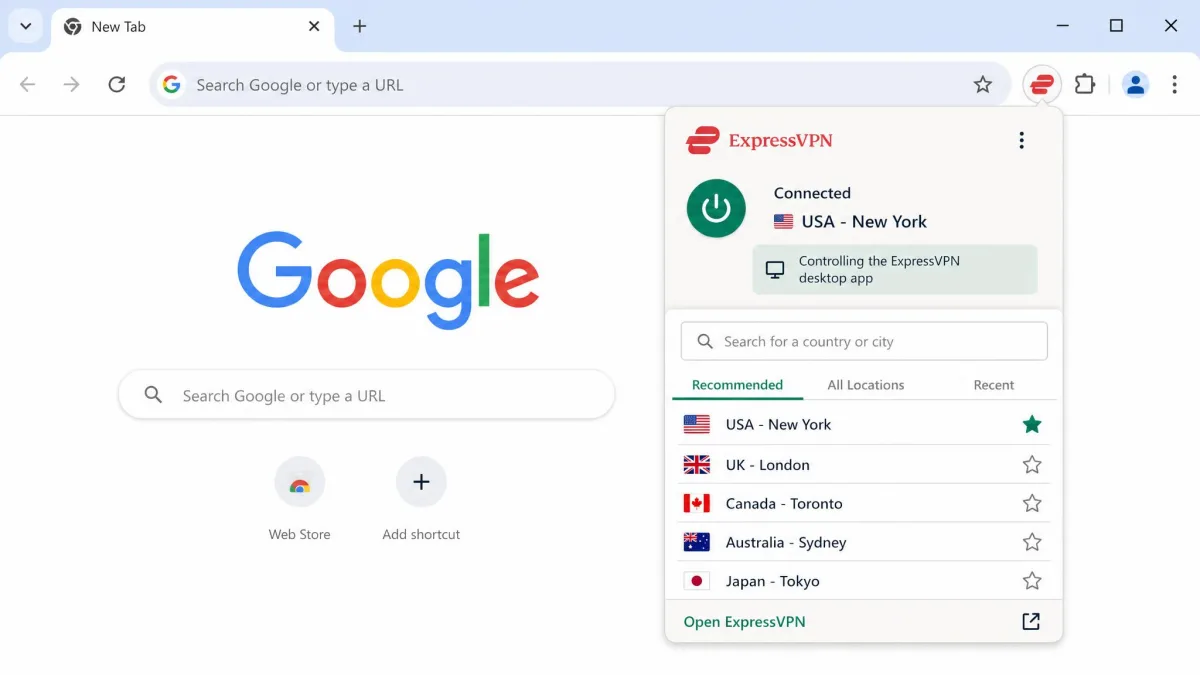
ExpressVPN is the pick to reach for when raw browsing speed is the priority. Its Chrome add-on works a little differently from the others. The browser extension is a remote control for the desktop app rather than a standalone proxy. You install the full ExpressVPN app first. Then you drive it from the Chrome toolbar. That design has a real upside. Because the traffic runs through the full application, the extension inherits the same encryption and leak protection as the desktop client. It also spoofs your browser location to match the connected server.
In our speed passes ExpressVPN was consistently quick. It held a stable connection on nearby servers, with little of the stutter we sometimes see on long-distance hops. What stood out was the consistency rather than a single peak number. Reconnecting to a fresh server took a second or two and rarely dropped the session. Switching countries mid-browse never felt like a chore. The company's Lightway protocol is built for fast reconnects. Its TrustedServer setup runs servers in RAM only, so nothing is written to a disk that could later be seized or logged. For a browser layer that you keep connected all day, that combination of speed and a clean privacy design is hard to beat.
One thing to plan for. Because the extension leans on the desktop app, your first setup is a two-part job rather than a one-click install. That matters if you are on a locked-down work machine where you cannot install desktop software. Once the app is in place, the toolbar control behaves like any other extension. The leak protection you get is the same as the full client rather than a watered-down browser version.
Pros
- Fast, stable connections in our repeated speed tests
- Extension inherits the desktop app's encryption and leak protection
- RAM-only TrustedServer design writes nothing to disk
- WebRTC leak protection and browser location spoofing built in
Cons
- Requires the full desktop app installed first, not standalone
- Costs more per month than most rivals on the list
Pricing & Features
ExpressVPN runs $4.99/mo on the 12-month plan. That is billed as a single payment covering 15 months once the bonus months are counted. Longer terms land at roughly $3.26 to $3.49/mo depending on the source and promotion. Treat the two-year rate as a range rather than a fixed figure. The plan covers 8 simultaneous connections, though that count is quoted inconsistently across sources. Every subscription carries a 30-day no-questions-asked money-back guarantee. The network spans servers in 105 to 113 countries, again depending on the listing date. Post-quantum cryptography is now part of the protocol stack, which is a forward-looking touch few browser extensions can claim.
Surfshark: Best for Unlimited Devices
Surfshark is the value pick that refuses to count your devices. A single subscription covers unlimited simultaneous connections. The same account protects your laptop, your partner's laptop, every phone in the house, and the browser on each of them. There is no juggling. For a household or anyone who simply owns a lot of hardware, that alone can decide the choice.
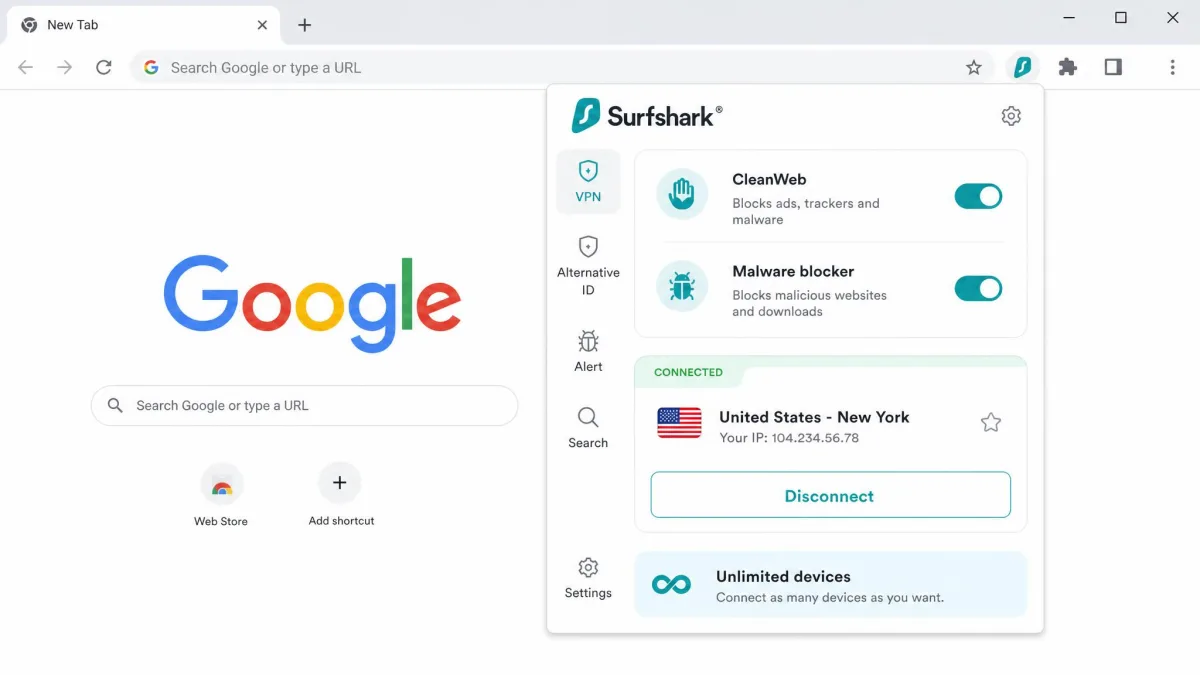
The good news is that the low price and open device policy do not come at the cost of protection. Surfshark's Chrome extension is one of the few we tested that reliably blocks WebRTC leaks from inside the browser. It keeps your real IP out of video calls and peer-to-peer requests. We put it through the same repeated leak checks we ran on NordVPN. We connected from more than one region. The extension kept our real address hidden each time, not only on the easy nearby servers. Its CleanWeb feature strips ads and blocks malware domains as you browse. The provider's no-logs policy has been independently audited, so the promise not to keep your data has been checked by someone other than the marketing team.
Surfshark blocks WebRTC leaks from inside the extension itself rather than relying on a separate desktop app. That makes it one of the few genuinely standalone browser add-ons we can recommend for people who never want to install a full client. The combination of an unlimited device count and real in-browser leak protection is rare at this price. It is why Surfshark sits so high on the list despite a smaller raw server network than some rivals.
Pros
- Unlimited simultaneous devices on one subscription
- Blocks WebRTC leaks from inside the Chrome extension
- Independently audited no-logs policy
- CleanWeb blocks ads and malware domains while browsing
Cons
- One-year per-month rates are not shown on the pricing page
- Smaller raw server count than CyberGhost or NordVPN
Pricing & Features
Surfshark starts at $2.49/mo on the two-year Starter plan. The One+ plan at $4.49/mo adds data-removal tools and an alternative ID feature. The network covers more than 4,500 servers across 100 countries. Every plan is backed by a 30-day money-back guarantee. Because the device limit is genuinely unlimited, the cost per protected device drops the more hardware you own. That is what makes Surfshark such a strong value at the bottom of the price range.
Proton VPN: Best Free Chrome Extension
If you want a free Chrome VPN extension you can genuinely trust, Proton VPN is the one we point people to. It comes from the same privacy-focused company behind Proton Mail, the encrypted email service. Unlike the anonymous free options in the Web Store, its apps are open-source and independently audited. That pedigree is the entire reason it earns a spot here. A free VPN is only as trustworthy as the company running the servers. Proton has built its reputation on not touching your data.
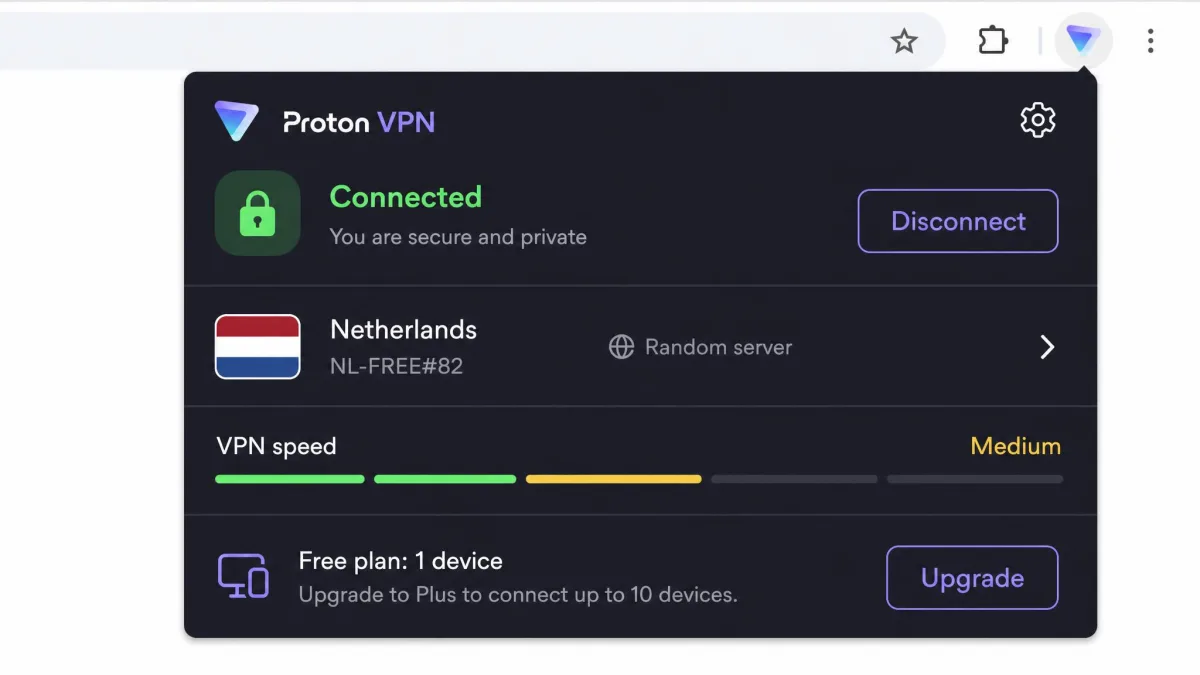
The free plan is unusual in offering unlimited data with no monthly cap. Almost no honest free VPN does that. The trade-offs are clear. The free tier runs at medium speed. It limits you to a single device. It connects you to a randomly selected server in a smaller set of countries. In our use that made it a comfortable everyday browsing layer rather than a heavy streaming tool. That is exactly the right expectation to set. Reading, shopping, and general browsing felt fine on the free tier. We would not lean on it to pull a 4K stream. The single-device cap means you have to pick which machine gets the protection. There are no ads and no logs. Stepping up to a paid plan unlocks streaming support and the NetShield ad and malware blocker.
What we most appreciate about Proton is that the free tier is an honest loss leader rather than a data-harvesting trap. There is a real paid business funding the free servers. So Proton has no incentive to log your browsing or inject trackers. That is the trade almost every anonymous free extension quietly makes. It is what makes Proton the rare free option we are comfortable recommending to someone who just wants a private browser layer without paying a cent.
Pros
- Free plan with unlimited data and no monthly cap
- Open-source apps with an independent security audit
- Strict no-logs policy and no ads
- Backed by the company behind Proton Mail
Cons
- Free tier is medium speed and limited to one device
- Free plan picks your server country for you
Pricing & Features
Proton VPN's free plan gives you unlimited data on a single device at medium speed. It connects you to servers in a rotating set of countries. Paid plans add up to 10 simultaneous devices, faster speeds, the NetShield blocker, and streaming support for Netflix, Disney+, and Prime Video. They come with a 30-day money-back guarantee. The pricing page lists more than 2,000 servers across 140-plus countries, though other Proton listings cite far higher server counts, so read that figure as conservative. For a free browser layer from a name you can trust, nothing else on this list comes close.
CyberGhost: Best for Streaming
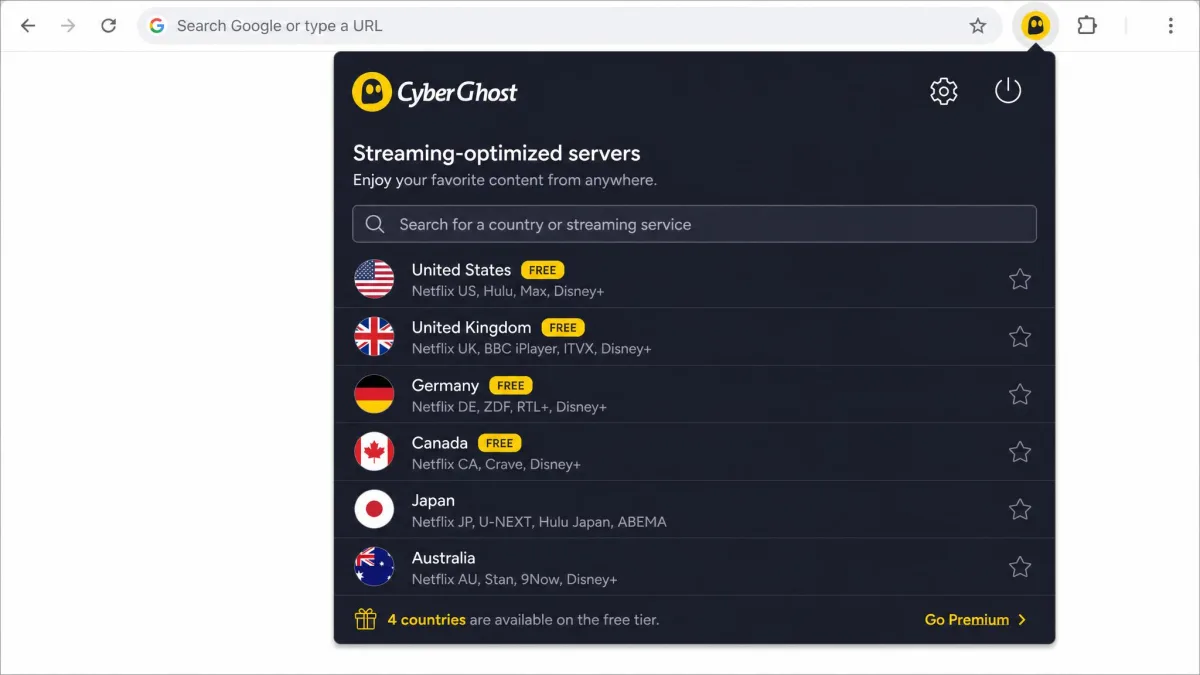
CyberGhost is built around streaming, and that focus shows in how it is organized. It does not make you guess which server unblocks which service. Instead it maintains dedicated servers labeled for specific streaming platforms, alongside separate lists tuned for torrenting and gaming. When the goal is watching a show that is geo-restricted to another country, that kind of signposting saves a lot of trial and error.
CyberGhost also offers a free Chrome extension. It is worth understanding before you install it. The free browser add-on is limited to 8 servers across just 4 countries: the United States, Germany, the Netherlands, and Romania. That is enough to shift your apparent location for casual browsing. Unlocking the full server network means signing in with a paid subscription. We would treat the free extension as a taster and the paid plan as the real product. Streaming is where CyberGhost earns its keep, and the free locations are too limited for reliable unblocking.
The paid network is where the streaming story pays off. With more than 11,690 servers and the platform-labeled lists, we rarely had to hunt for a working location. The 45-day money-back guarantee is long enough to actually test the streaming servers against the services you watch before you commit. That refund window is the longest on this list. In a category where a provider can be unblocked one week and blocked the next, having a month and a half to confirm the service you want works is genuinely useful rather than a token gesture.
Pros
- Dedicated streaming servers labeled by platform
- Free Chrome extension available for casual use
- Largest raw server network on the list at 11,690-plus
- Long 45-day money-back guarantee
Cons
- Free extension limited to 8 servers in 4 countries
- Per-month price swings widely by term and promotion
Pricing & Features
CyberGhost's paid plans run roughly $1.59 to $12.99/mo. The rate depends on whether you pick the one-month, six-month, or two-year term, so the headline price depends heavily on how long you commit. Paid subscriptions cover 7 simultaneous devices. They unlock the full network of more than 11,690 servers across 100 countries. The stand-out is the 45-day money-back guarantee, the longest on this list. It gives you a genuinely generous window to test the streaming servers against the services you actually watch before deciding.
What Is a Chrome VPN Extension?
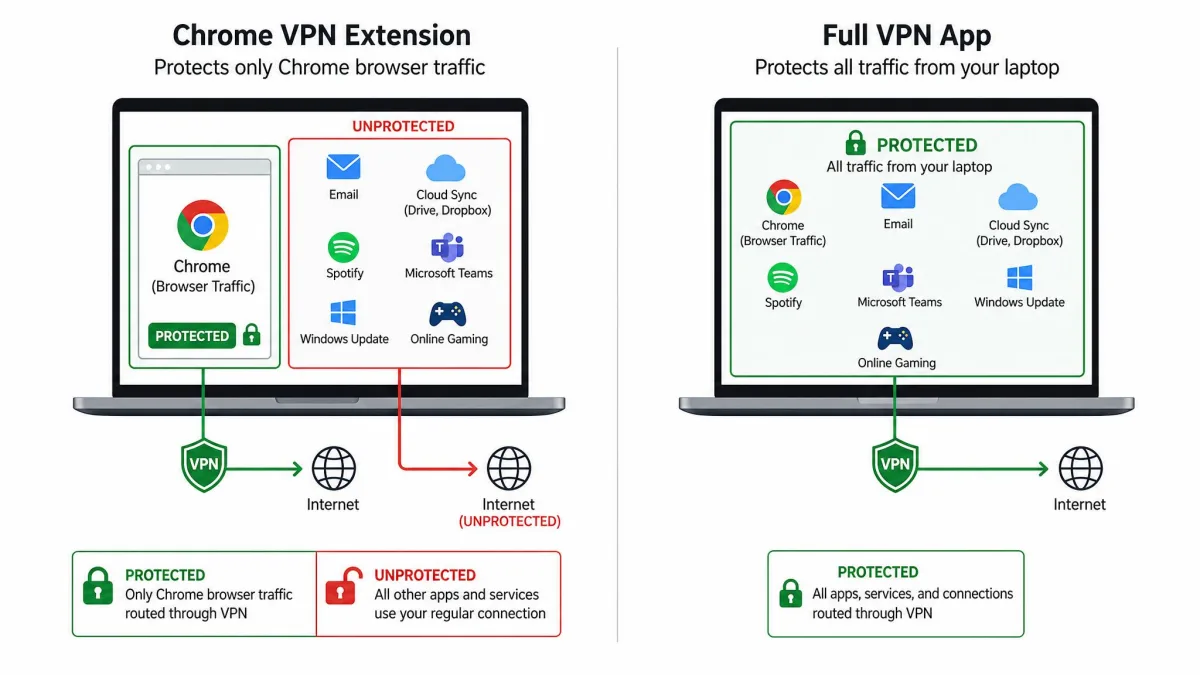
A Chrome VPN extension is a browser add-on that routes your Chrome traffic through an encrypted connection to a remote server. It hides your real IP address from the sites you visit. It differs from a full VPN app in one crucial way. The extension only protects what happens inside the browser. Anything running outside Chrome, such as a separate email client, a game, or a system update, stays on your real connection and outside the tunnel.
That distinction is the single most important thing to understand before you install one. A full desktop VPN app protects your entire internet connection at the network level. Every app on the device is covered. A browser extension is a lighter, faster tool aimed at a narrower job: protecting your browsing. Some extensions, like NordVPN's or Surfshark's, run as genuine encrypted connections. Others, including ExpressVPN's, act as a remote control that hands the traffic to a full app installed alongside it. Either way, the scope is the browser, not the whole machine.
For a lot of people that scope is exactly right. If your private activity lives in Chrome, an extension gives you most of the practical benefit with almost none of the friction of a full app. If you need to protect traffic from apps outside the browser, the extension is only half the story. You will want the desktop client running too.
Why Use a VPN Extension on Chrome
The most common reason people install a Chrome VPN extension is to add a layer of privacy to everyday browsing. They want it without slowing down the rest of their machine. Because the extension only handles browser traffic, it is quick to switch on and off. It leaves the rest of your connection untouched. For someone whose main concern is what websites and networks can see while they browse, that lightweight approach is genuinely appealing.
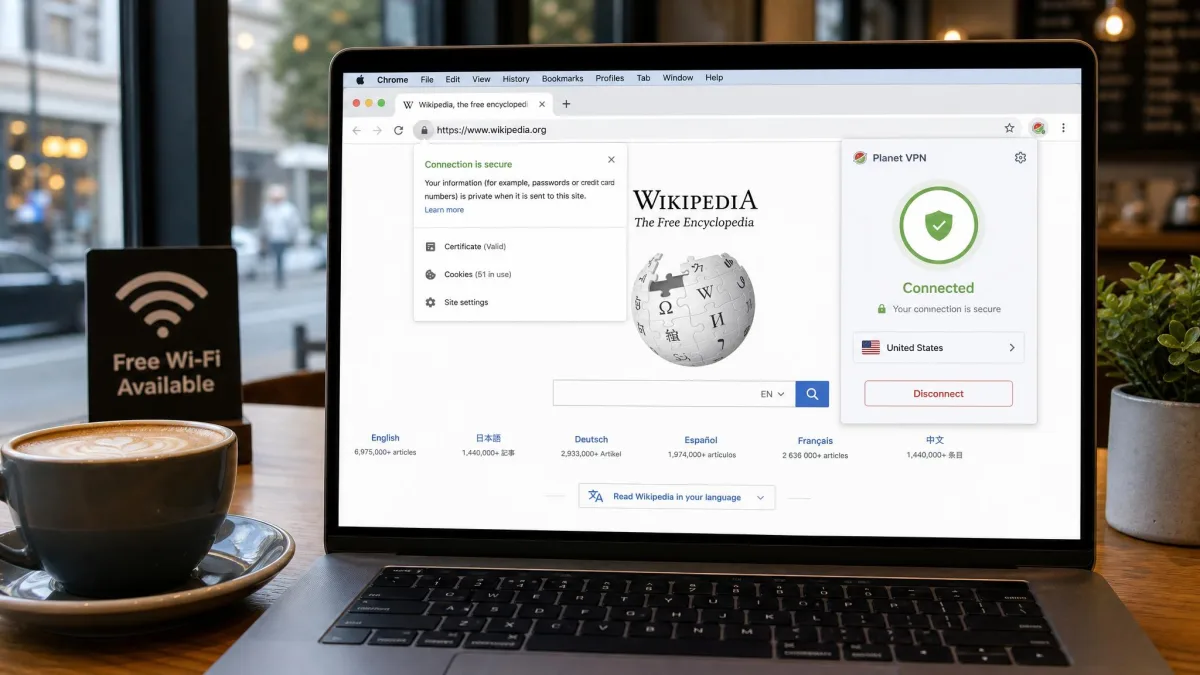
Public Wi-Fi is one of the clearest cases. When you connect to a network at a café, an airport, or a hotel, other people on that network can potentially observe unencrypted traffic. So can the network operator itself. Switch on an encrypted extension before you log into anything sensitive. It keeps your browsing private on those shared connections and buys real peace of mind. The same encryption also stops your internet provider from building a profile of the sites you visit inside Chrome.
The other big draw is location. A VPN extension lets you choose which country your browser appears to connect from. That is how people reach content and services that are geo-restricted to a particular region. It covers everything from checking how a website looks in another market to watching a streaming catalog that is only available abroad. Several of our picks also bundle in ad and tracker blocking. Combine that with the location switch, and a good extension quietly cleans up your browsing while protecting it. The one-click convenience is the reason many people who bounce off full VPN apps stick with an extension instead.
If you split your work between a private browser session and everyday tabs, use an extension with split tunneling. You can protect the sites that matter while letting trusted local services bypass the tunnel. NordVPN's extension is the one on this list that makes that easy.
What to Look For in a Chrome VPN Extension
Not every browser add-on labeled "VPN" earns the name. A handful of features separate the ones worth trusting from the ones worth avoiding. These are the criteria we scored each pick against, in rough order of importance.
Real encryption, not just a proxy. The first question is whether the extension actually encrypts your traffic. Some merely change your proxy settings so requests appear to come from elsewhere. A true VPN extension secures the connection so that even the network you are on cannot read what you send. A proxy in disguise simply relabels where your requests appear to come from. It leaves the contents readable. That difference is invisible from the outside, because both put a "connected" badge in your toolbar. That is exactly why so many people install a proxy thinking they have real protection. Sticking to named providers with a published security model is the simplest way to avoid the fakes. A company that documents its encryption has something to be held to.
A no-logs policy, ideally audited. A VPN can see your traffic. The whole arrangement rests on trust that the provider does not keep records of it. Look for a clear no-logs policy. Give extra weight to providers whose policy has been independently audited, the way Surfshark's and Proton VPN's have. An audit means someone outside the company checked the claim rather than asking you to take it on faith. A policy that has never been audited is not worthless. But it is a promise rather than a verified fact, and for a tool whose entire job is privacy that distinction is worth paying for.
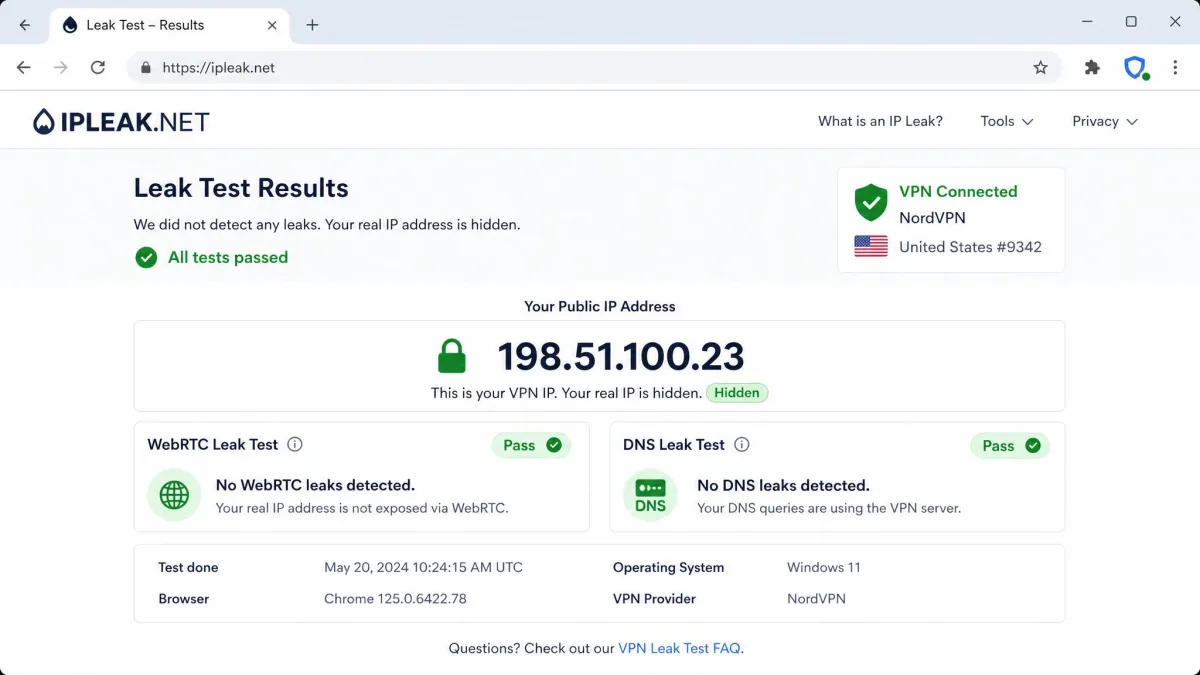
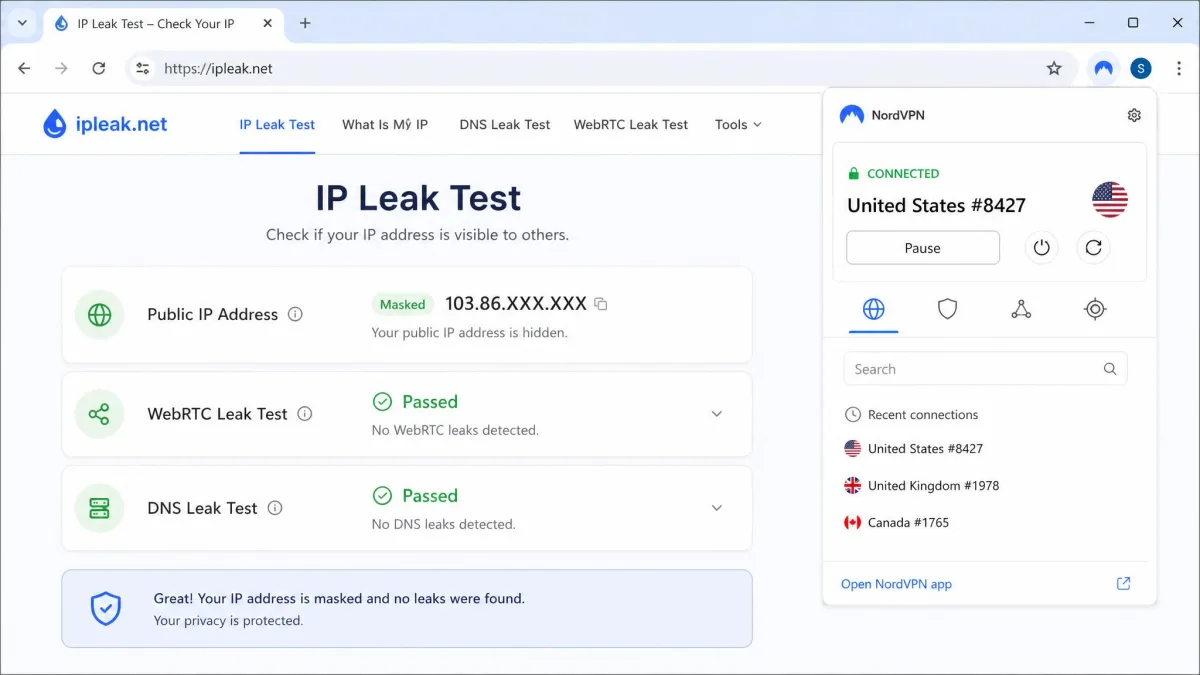
WebRTC leak protection. This is the feature that trips up most browser VPN extensions. WebRTC is a browser technology used for video calls and peer-to-peer connections. By default it can reveal your real IP address even while a VPN is connected. Most browser VPN extensions do nothing to stop this. So the real IP still slips out during a call even though the toolbar says you are protected. This is the exact failure we watched for in testing. It is why we ran a leak test on every extension rather than trusting the connected badge. The standouts that actually block WebRTC leaks from inside their Chrome extensions are NordVPN and Surfshark. That is a big part of why they sit at the top of our list. If an extension cannot pass a WebRTC leak test, nothing else about it really matters.
Most browser VPN extensions do nothing to stop WebRTC leaks, so your real IP still slips out during a video call even while the extension shows "connected." That single gap is what separates a real Chrome VPN from a proxy.
— From our hands-on leak testing
Speed you will not notice. A browser layer you keep connected all day needs to stay out of your way. We measure each extension against a clean baseline. The best of them, like NordVPN, give back almost all of your speed. A slow extension is one you will end up switching off, which defeats the point. We care most about how the connection feels on ordinary tasks. So we watch page loads and video playback rather than chasing a single peak throughput number you would never notice.
Server network and locations. The number of countries an extension can connect to determines how much you can do with it. It shapes everything from reaching region-locked content to finding a fast nearby server. Bigger networks also spread the load, so you are less likely to land on a congested connection. All five of our picks reach at least 100 countries. Raw server counts make for good marketing. But we weight the country spread and how consistently the nearby servers perform far more heavily than the headline total.
Are Free VPN Extensions for Chrome Safe
Some free VPN extensions are safe, and most are not. The difference comes down to who is running the servers and how they make their money. A free VPN still costs money to operate. If you are not paying with a subscription, you have to ask what the provider is getting in return. For the trustworthy free options, the answer is that they are loss leaders for a paid product. That is how Proton VPN's free tier funnels people toward its paid plans. For the rest, the answer is often your data.
Many free Chrome VPN extensions are proxies in disguise. They merely change your proxy settings and offer no real encryption. So your traffic is not protected at all, even though the extension looks the part. Worse, some log your browsing and sell it. Others inject their own ads and trackers into the pages you load. This is why free options carry the most privacy risk of anything in this category. An anonymous free VPN extension can leave you less private than no VPN at all. An extension that reads and sells the sites you visit is building the exact profile of your activity you installed a VPN to prevent.
There are a few concrete warning signs we tell people to watch for. An extension with no identifiable company behind it is the first red flag. There is no one to hold accountable if it mishandles your data. Broad permissions are the second. A browser add-on that asks to read and change all your data on every website you visit is asking for the keys to your entire browsing session. A real VPN does not need that to route your traffic. A missing or vague no-logs policy is the third. A flood of five-star reviews posted in a short window is the fourth, since fake listings pad their ratings to look legitimate. Any one of these on its own is a reason to hesitate. Two together is a reason to walk away.
The safe way to use a free Chrome VPN extension is to treat the provider's reputation as the deciding factor. Proton VPN is our free pick precisely because it comes from an audited, open-source privacy company rather than an unknown developer. CyberGhost's free extension is limited but backed by an established name. If an extension has no company behind it that you can identify, no published no-logs policy, and a wall of vague permissions, that is your signal to close the tab. When the choice is between a limited free tier from a name you recognize and an unlimited one from a developer you have never heard of, the recognized name wins every time.
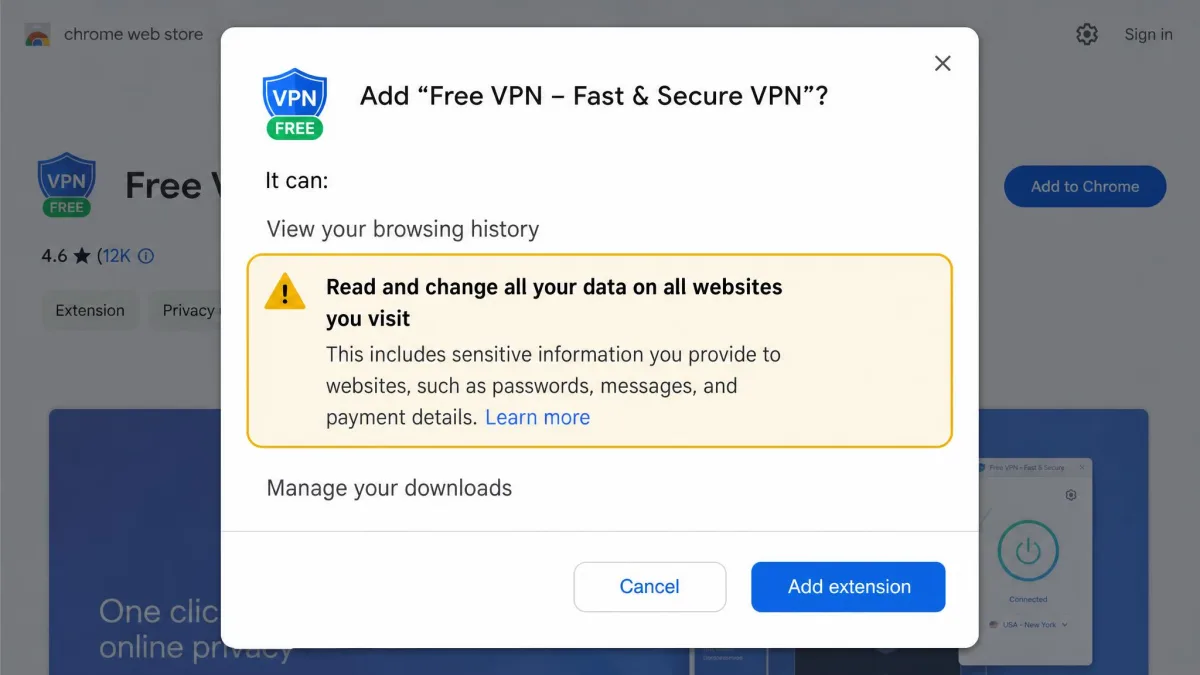
An unknown free VPN extension that asks to "read and change all your data on the websites you visit" and offers no named company or no-logs policy should be treated as spyware, not privacy software. When in doubt, use a free tier from a provider you can name, like Proton VPN, instead.
How to Install a VPN Extension in Chrome
Installing a Chrome VPN extension is genuinely a two-minute job. It follows the same handful of steps for every provider on this list. Here is the process we use.
First, pick your provider. If it is a paid option, sign up on the provider's own website so you have an account ready. For extensions like ExpressVPN's that act as a remote control, download and install the desktop app at this stage too, since the browser add-on needs it. For a standalone extension like NordVPN's or a free option like Proton VPN's, you can skip straight to the Web Store.
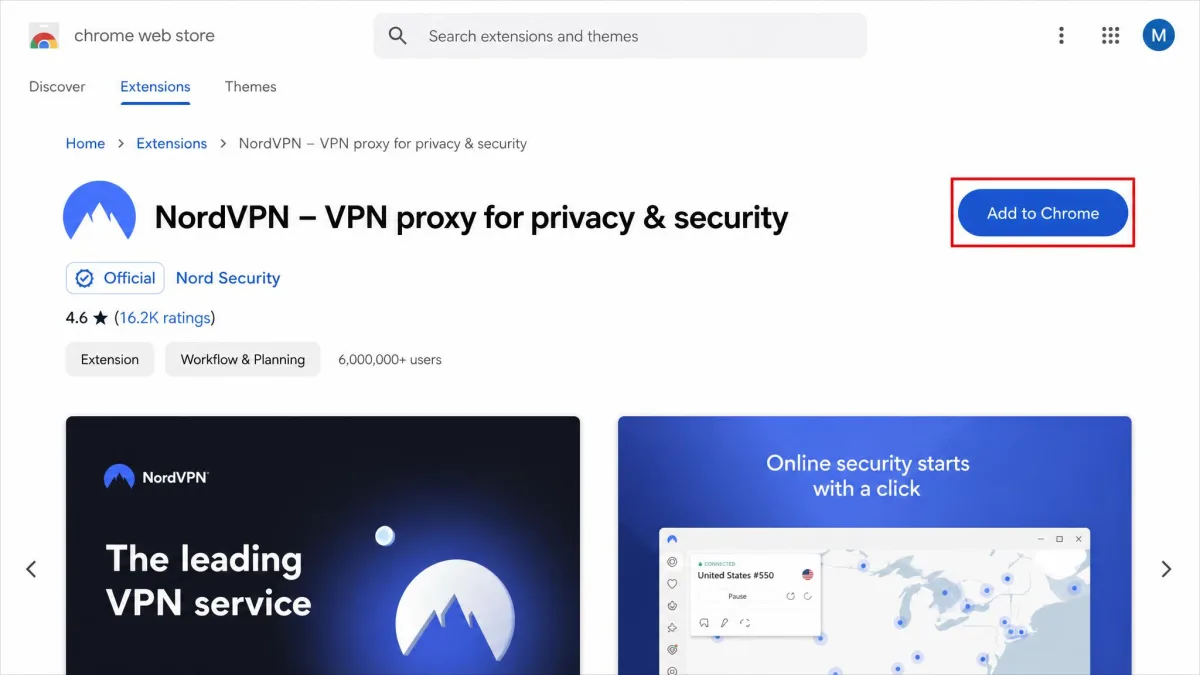
Second, open the Chrome Web Store and search for the provider by name. Confirm you are looking at the official listing before you click "Add to Chrome." Check the developer name and the review count against what you expect, because copycat listings do exist. Add the extension, and Chrome will drop its icon next to the address bar.
Third, click the icon, sign in with your account, and connect. Most extensions default to a one-click connect that picks a fast nearby server. From there you can open the country list to choose a specific location. Once the badge shows connected, run a quick leak test to confirm your real IP is hidden. You are done. From that point the extension remembers your login, so future sessions are a single click.
How We Tested
We ran every extension on our own Windows and macOS test machines in Chrome. We installed each one straight from the Chrome Web Store exactly as a reader would. Where a provider gates its browser add-on behind a paid account, we bought the subscription ourselves rather than relying on a press pass. So what we tested is what you would get.
Our scoring weighted four things. Leak protection came first. We connected each extension and ran WebRTC and DNS leak tests to confirm our real IP address stayed hidden. Any extension that leaked lost ground immediately. Speed came second, measured as repeated passes against a clean baseline, so we could report how much of your connection each extension gives back. Third was features that matter in a browser, such as split tunneling, ad and malware blocking, and location spoofing. Fourth was value and trust. That covered price, device limits, the money-back window, and whether the provider's no-logs policy has been independently audited.
We tested across multiple server locations and over several weeks of daily browsing rather than a single sitting. A connection that looks fine once can behave differently at peak times. We also re-ran the leak checks after switching regions. An extension that hides your IP on a nearby server does not always hold up on a distant one. The rankings above reflect how each extension held up across all of those checks, not a single headline number.
Frequently Asked Questions
Is a Chrome VPN extension as secure as a full VPN app?
Are free Chrome VPN extensions safe?
Does Chrome have a built-in VPN?
Can a VPN extension unblock Netflix and other streaming services?
Does a VPN extension change my location?
Are VPN extensions legal?
Do I need the full VPN app if I already have the Chrome extension?
Final Verdict
After weeks of leak tests, speed passes, and daily browsing across five providers, one pick stood clear of the rest for most people.
If your priority is streaming, CyberGhost and its platform-labeled servers are worth the 45-day trial. If you only want a free browser layer from a name you can trust, Proton VPN remains the one we recommend. Whichever you choose, install it from the official Chrome Web Store listing. Run a quick leak test once it connects. You will have a private browsing session in about the time it took to read this sentence.