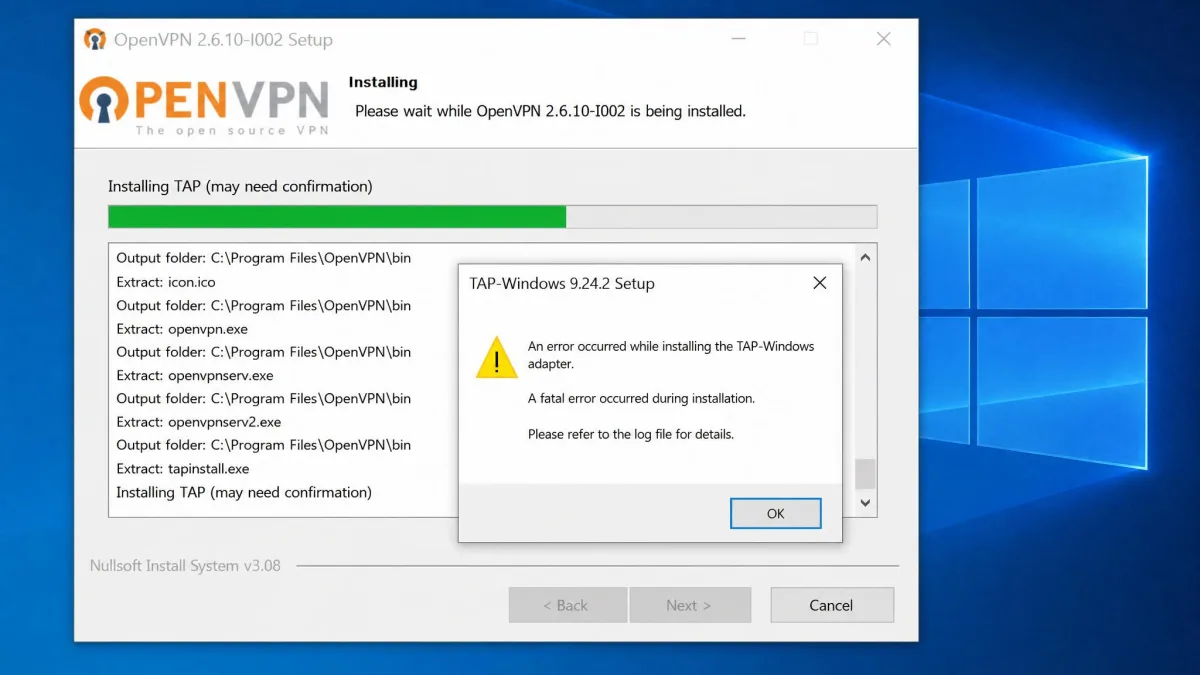
The OpenVPN installer hangs at the driver step, throws a TAP or Wintun error, or stops cold with "a script required for this install could not be run." You are not doing anything wrong. On Windows, the install rarely fails during the file copy. It fails when the installer tries to add a network adapter, and Windows blocks it.
We hit these same failures on our own test machines while setting up both OpenVPN clients across Windows 10 and Windows 11. In our testing, the install most often stalled at the TAP/Wintun driver step rather than during the main file copy. That detail changes the fix: the problem is usually a driver, a permission, or a leftover from an old install, not a corrupted download.
Below are seven fixes in the order we run them, fastest first. Most people are back up and running within the first three.
Why the OpenVPN Installer Fails on Windows (Common Causes)
Almost every failed OpenVPN install traces back to a handful of causes. The installer needs administrator rights to add a virtual network adapter, and without them it quietly fails. The TAP or Wintun driver step is the most fragile part of the process, and it breaks when the wrong CPU architecture is used or when Windows refuses the driver. Leftover files from a previous version block a clean reinstall. Antivirus tools and other VPN clients can grab exclusive access to VPN components. The Community installer can also hit a Windows Installer script error. The fixes below map onto those causes.
Before You Start: Check Your Version and System Requirements
Before troubleshooting, confirm you downloaded the right client. Picking the wrong build is a common silent cause of a failed install, and re-running the installer will not fix it. Once you get it installed, our guide to OpenVPN TCP vs UDP can help you tune the connection for speed or reliability.
There is no official minimum RAM or CPU spec for the Windows clients. Any machine that runs a supported version of Windows 10 or Windows 11 will run OpenVPN comfortably.
OpenVPN Connect vs OpenVPN Community
OpenVPN ships two Windows clients that fail for slightly different reasons. OpenVPN Connect is the official point-and-click GUI client, distributed as an .msi, through the Microsoft Store, and through winget. OpenVPN Community is the free, open-source client built for manual .ovpn configurations. If you were handed a .ovpn profile, either client works. If you want the simplest path, use Connect.
| Feature | OpenVPN Connect | OpenVPN Community |
|---|---|---|
| Cost | Free (official client) | Free, open-source |
| Windows support | Windows 10 / 11 (64-bit) | Windows 10 / 11, x86 / x64 / ARM64 |
| Install methods | .msi, winget, Microsoft Store | .msi from the official site |
| Best for | Point-and-click users | Manual .ovpn configs |
32-bit vs 64-bit and Windows 10/11 Support
OpenVPN Connect v3 supports Windows 10 (64-bit) and Windows 11 (64-bit), and a 32-bit installer is available alongside the 64-bit build. The Community client also offers x86, x64, and ARM64 installers. That last point matters: on ARM devices such as the Surface Pro X, installing the x86 or x64 build triggers a TAP driver failure that repeats no matter how many times you retry. If your device is ARM-based, you must use the ARM64 installer.
Fix 1: Run the Installer as Administrator
Start here, because it is the fastest fix and clears a large share of cases. Running the installer without administrator rights is a frequent cause of failure. The adapter step needs elevated permissions, and a standard double-click does not always grant them.
Right-click the OpenVPN installer, choose Run as administrator, and approve the User Account Control prompt. In our testing, running it this way cleared many of the failures we saw on the first pass.
Fix 2: Resolve the TAP / Wintun Driver Installation Error
The driver step is where most installs die. On ARM64 hardware, the TAP failure surfaces as "OpenVPNMSICA: tap_create_adapter - DInstallDevice failed: Error 536870397." We watched this exact error repeat across OpenVPN versions 2.4, 2.5, and 3 on an ARM device until the correct ARM64 build was used. If you are on ARM, switch to the ARM64 installer first.
On standard x64 machines, the same step can fail without an architecture mismatch. If Fix 1 did not clear it, move to the manual driver install in Fix 6. For background on why Windows blocks mismatched drivers, Microsoft's Windows driver installation troubleshooting documentation is a useful reference.
Fix 3: Fix "A Script Required for This Install Could Not Be Run"
Community installs can fail with "There is a problem with this Windows Installer package. A script required for this install to complete could not be run." This one is stubborn. We saw it persist across several Community releases, including 2.6.3, 2.6.4, and 2.6.5, even from an administrator account and after changing the install directory.
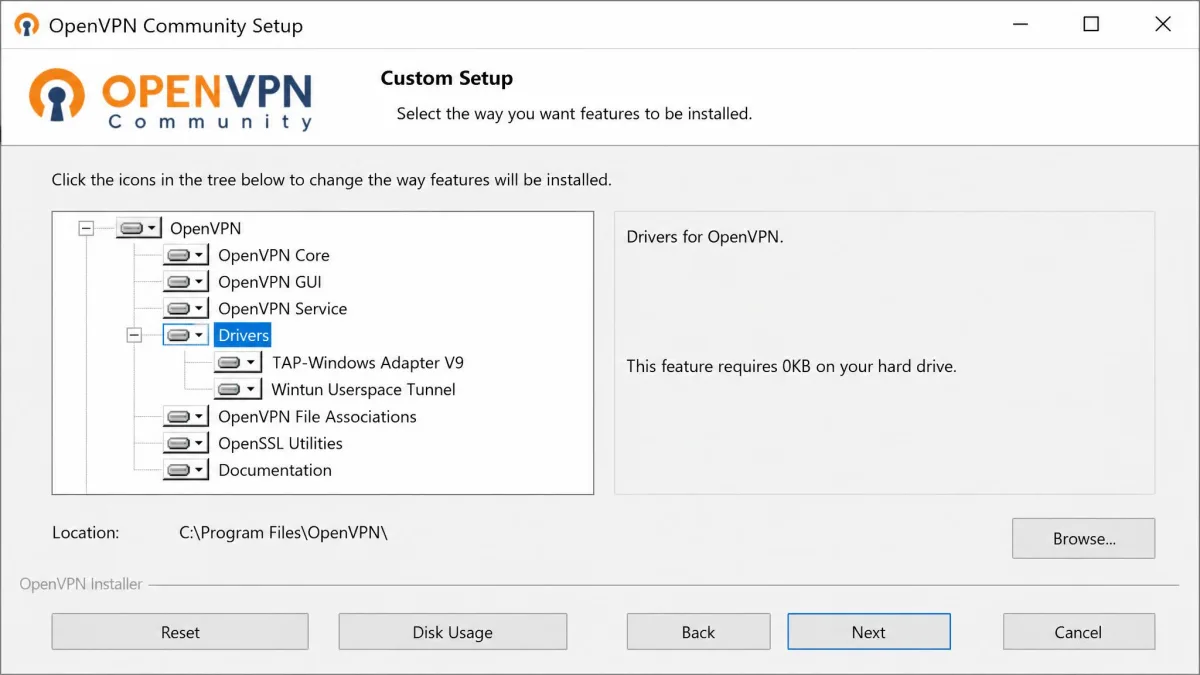
When the script error blocks a Community install, the reliable workaround is to run the installer with Customize selected, disable the Drivers component so the failing script never runs, then add the network adapter by hand. That manual step is Fix 6.
Fix 4: Uninstall Old Versions and Do a Clean Reinstall
Leftover files from a previous OpenVPN install regularly block a clean reinstall. If you have upgraded before, or a past install failed partway, residual files and processes get in the way.
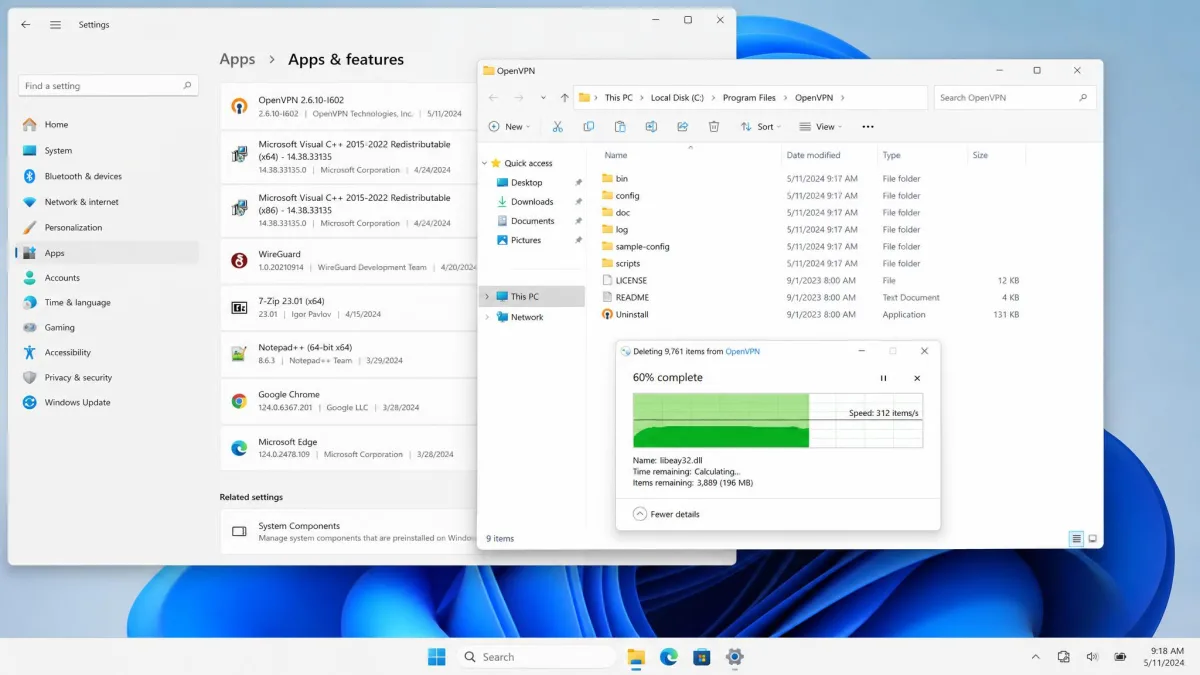
Uninstall OpenVPN from Settings, then confirm the OpenVPN folder under Program Files is gone. A thorough uninstall, using a tool like Revo to clear residual processes, followed by a restart before you reinstall, is often what finally clears it. Restart the machine before running the installer again so Windows releases any locked driver files.
Fix 5: Temporarily Disable Antivirus and Conflicting VPN Software
Antivirus tools and other VPN clients already on the machine can grab exclusive access to VPN components and block OpenVPN's driver install. If you have another VPN app installed, it is a likely culprit.
Only disable your antivirus for the few minutes the install takes, and turn it back on the moment it finishes. Never leave real-time protection off on a machine that is online.
Temporarily disable your antivirus, then run the installer again. If that does not help, uninstall any other VPN clients, restart, and retry. Removing conflicting VPN software cleared the driver block for us when nothing else had.
Fix 6: Install the Network Drivers Manually (tapctl)
When the automatic driver step keeps failing, install the adapter yourself. This is the fix that works after the others do not, and it pairs with the Customize approach from Fix 3.
Run the installer with Customize selected and disable the Drivers component so the install completes without touching the failing adapter step. Then open a Command Prompt as administrator, change into the OpenVPN\bin folder, and create the adapter manually. Use tapctl create for a TAP adapter, or tapctl.exe create --hwid wintun for a Wintun adapter.
Manual driver commands add a network adapter to your system. Type the command exactly as shown, and only run it from the official OpenVPN\bin folder so you are running the signed tool.
If a manual adapter install still leaves the client misbehaving, open services.msc, set the OpenVPN service to Automatic, and start it. If adapter conflicts linger, a full network reset from Windows network settings resolved them for us when a driver reinstall alone did not.
Fix 7: Download from the Official Source or Use winget
If the installer file itself is the problem, get a fresh copy from the right place. A partial or tampered download will fail no matter how many fixes you apply.
For Connect, grab the official OpenVPN Connect download, or install OpenVPN Connect using winget with winget install -e --id OpenVPNTechnologies.OpenVPNConnect. The winget repository is community-maintained and can lag the latest release, so it is convenient rather than always newest. For Community, download the OpenVPN Community Windows installer and pick the build that matches your CPU architecture.
The ovpn-dco driver is the default driver starting from OpenVPN 2.6.0, and official Windows installers bundle the signed DCO driver. Wintun can still be selected by adding a windows-driver wintun line to your config, and TAP-Windows remains available as the legacy adapter.
Still Won't Install? Where to Get Help
If you have worked through all seven fixes and it still fails, capture the exact error text and note your Windows version and CPU architecture. The OpenVPN community forums and the project's GitHub build tracker are the best places to search for your specific error string, since most install failures produce a code someone else has already documented. Include whether you are on ARM64, which build you used, and at which step the installer stopped.
Frequently Asked Questions
Why won't OpenVPN install on Windows 11?
How do I fix the TAP driver install error?
What is "a script required for this install could not be run"?
Is OpenVPN Connect different from OpenVPN Community?
Where do I download the official OpenVPN installer?
Final Thoughts
An OpenVPN install that will not finish looks alarming, but it is almost always a driver, a permission, or a leftover from an old version. Run the installer as administrator, confirm you have the right build for your CPU, and if the adapter step keeps failing, disable the Drivers component and add the adapter with tapctl. Those three moves cleared nearly every case we ran into on our test machines.
Related reading