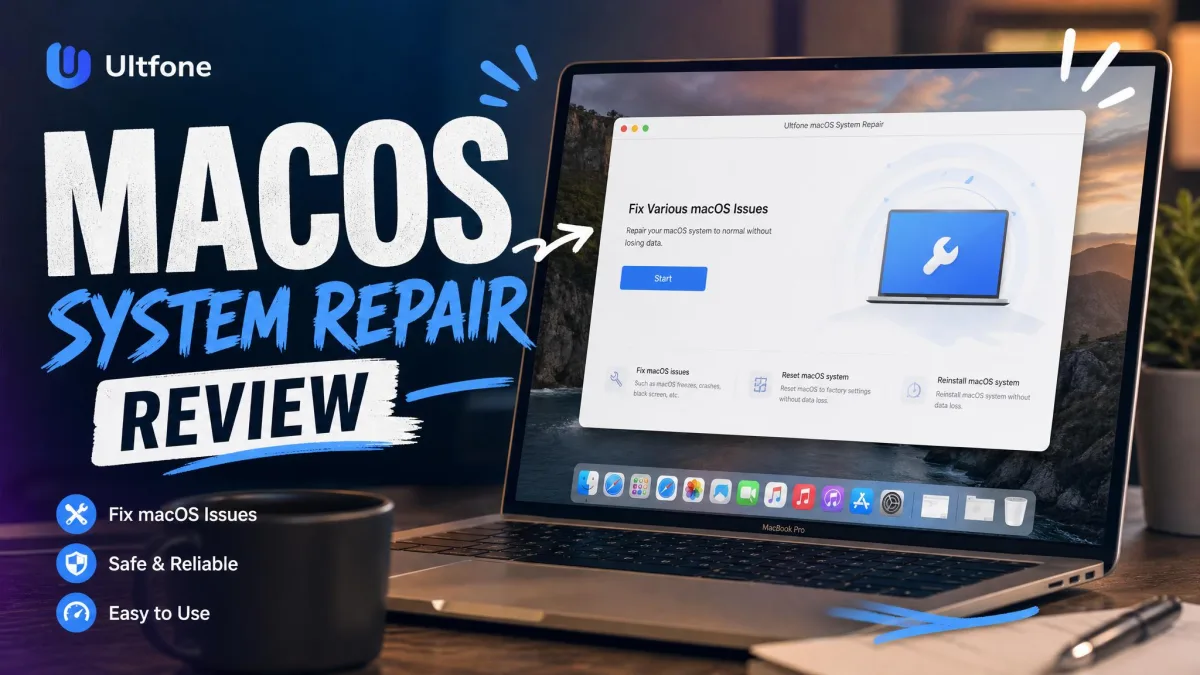
Wondering whether UltFone macOS System Repair can fix a Mac stuck on the Apple logo? And whether it is safe to trust with your data? A Mac that will not boot is one of the worst spots a computer can be in. We ran it through Standard Repair, Deep Repair, an upgrade, a downgrade, and recovery-mode entry on a 2022 MacBook Pro.
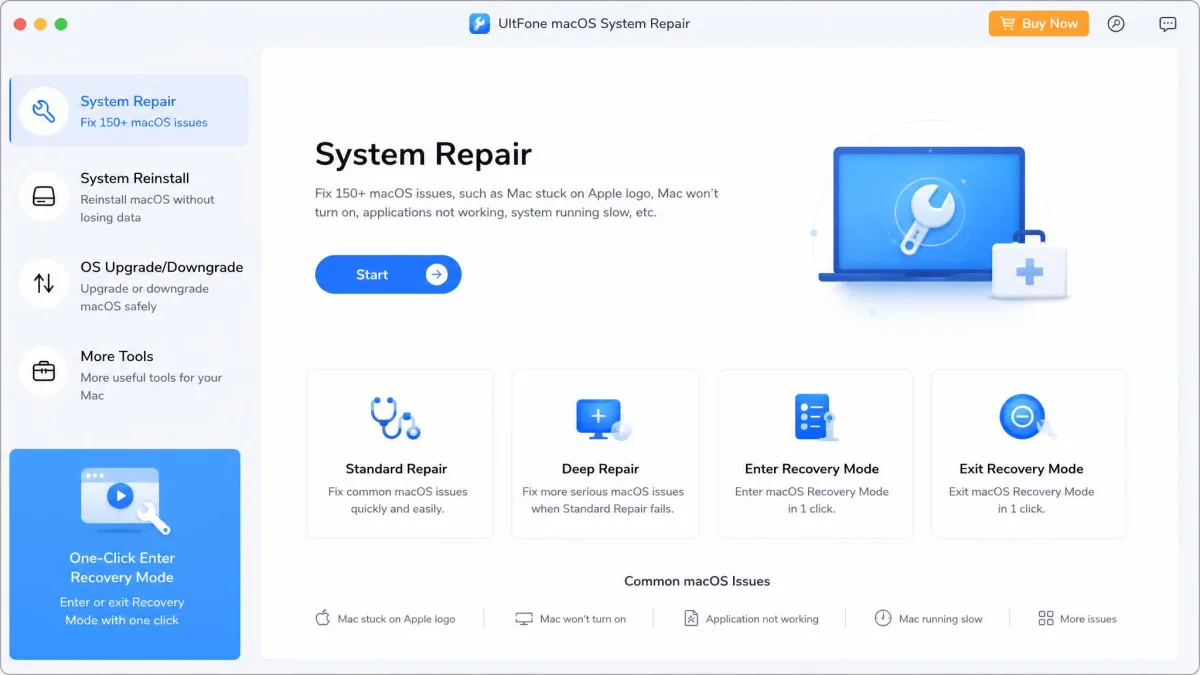
Hands-On Testing: How UltFone macOS System Repair Works
We test repair tools on real hardware. The installer would not install cleanly at first, and the app froze on close. Once running, we judged each mode on whether it fixed the problem, whether files survived, and how long it took.
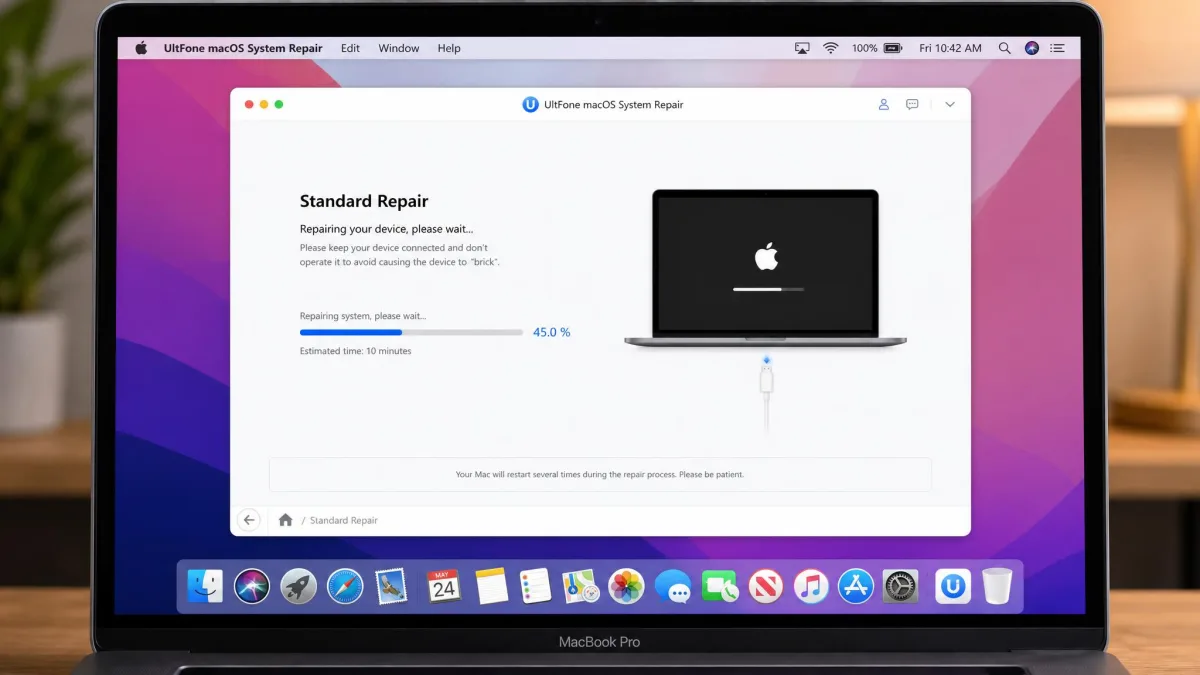
Standard Repair vs Deep Repair: Which Mode Should You Use?
Start with Standard Repair. It targets common issues like a black screen, a boot loop, or a slow Mac, and leaves your files alone. In our run on a frozen, slow device, photos, apps, and messages came through intact. Deep Repair targets complex issues and claims a higher success rate; treat it as a last resort. We saw its limits on a green-screen device that came out of both modes unrepaired.
Deep Repair and macOS downgrades erase everything on the drive. Do not start either until you have a full backup.
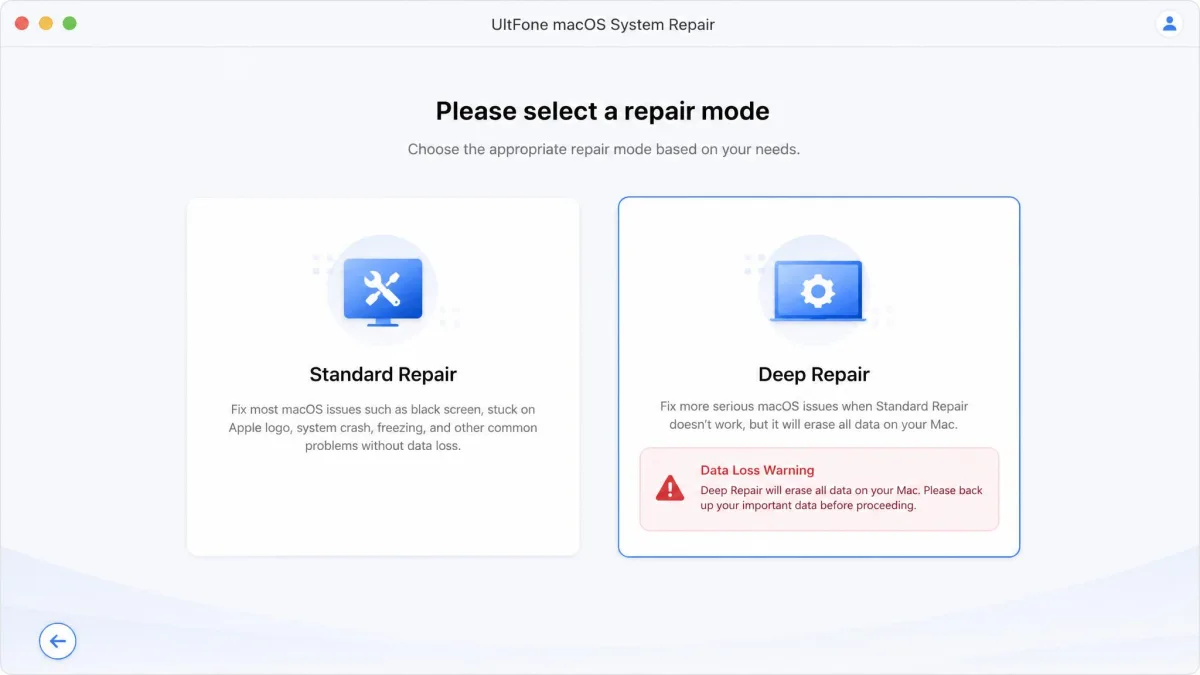
Fixing Common macOS Issues (Black Screen, Stuck on Logo, Slow)
UltFone targets 200+ macOS problems, from black screen and stuck-on-logo to boot loops and slow performance. The macOS firmware package runs about 12GB and can fail on a flaky connection. It falls back to a browser download or an imported file. UltFone's official setup and usage guide covers both.
In our testing, running the repair was the easy part, while the firmware download was where the time went.
— From our hands-on review
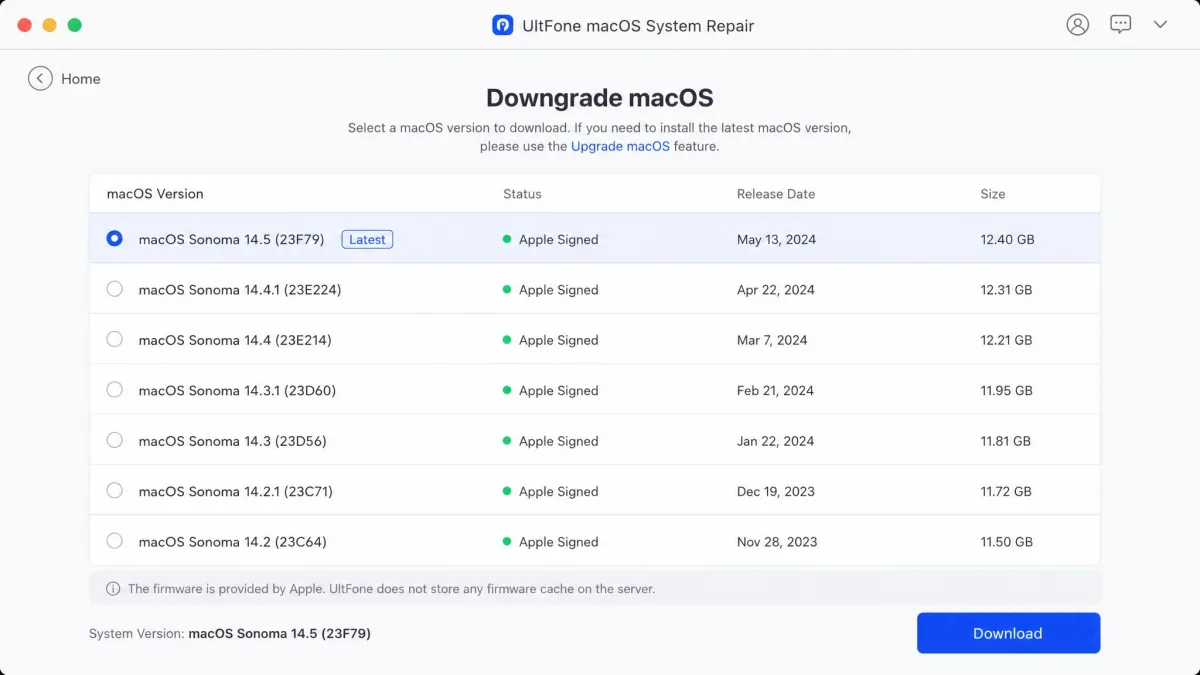
Downgrading and Upgrading macOS Step by Step
Upgrading and downgrading macOS are where the tool goes beyond Apple's free baseline. Upgrades preserve your files; a downgrade erases the drive, so back up first and expect a clean state.
Entering and Exiting DFU Mode
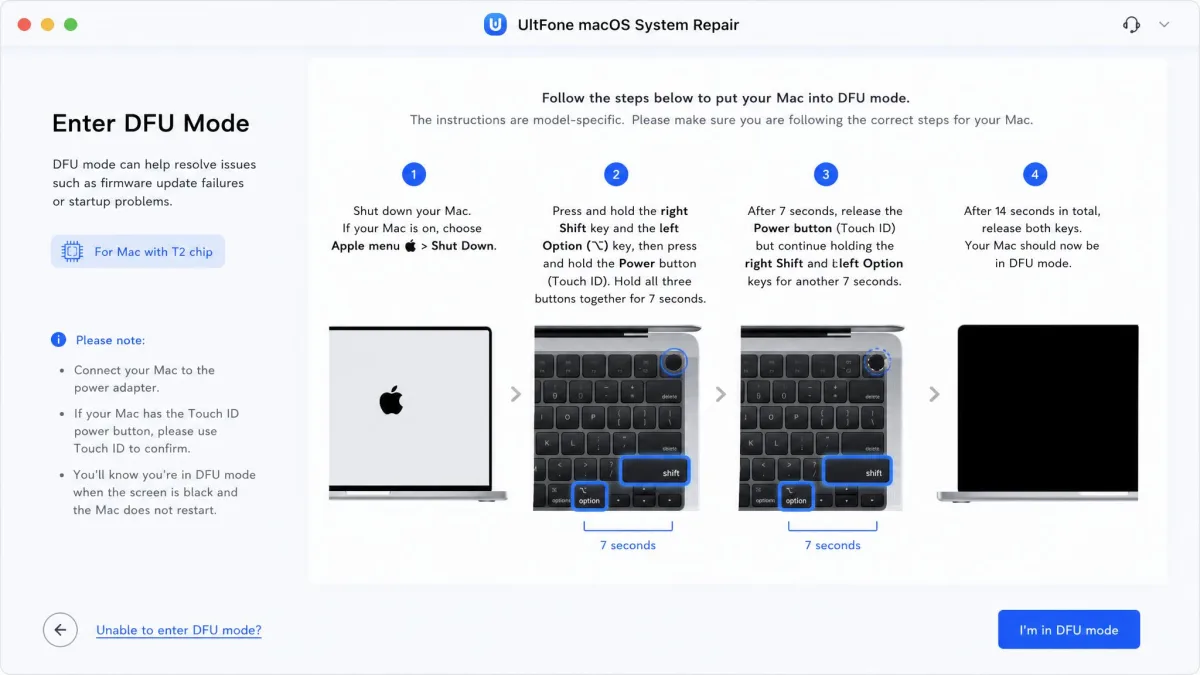
A Mac that will not talk to the software has to enter DFU mode, the step most people get wrong. The tool shows on-screen instructions matched to your model, with extra steps for T2-chip Macs. Entering and exiting recovery mode took about 10 seconds each in our run.
Use Apple's original cable for DFU mode and repair runs.
What Is UltFone macOS System Repair?
UltFone macOS System Repair is a desktop utility that repairs a Mac's system software from a Windows or Mac host. The company says it covers all macOS versions and Mac models from 2017 to 2023. Its site claims 5 million+ customers and a decade in Apple software.
UltFone macOS System Repair Pricing: Is It Worth the Cost?
The software downloads free and runs in trial form. The paid license unlocks full repair; individual licenses cover 5 mobile devices plus 1 Mac. The 1-month license is $39.95 after a time-limited 75% discount off a $155.95 anchor. Promo pricing shifts constantly. A $35.95/month figure you may see elsewhere belongs to the bundled iOS Data Manager add-on, not the repair license. The 1-year license is $59.95 (regular $166.50), and lifetime costs $89.95 (regular $233.17); both include free upgrades.
Against Apple's free tools, any paid price needs a justification. The honest one is time: guided steps, firmware control, and a downgrade workflow in one window.

UltFone macOS System Repair vs Apple Tools vs Alternatives (BuhoRepair, Tenorshare ReiBoot)
Where UltFone repairs macOS itself, BuhoRepair and ReiBoot are iOS tools. Apple's free recovery tooling is built into the platform. Apple's official macOS recovery documentation is the best place to start before you pay anyone. BuhoRepair is Apple-notarized and fixes 50+ basic iOS issues with a data-safe standard repair. ReiBoot's free tier only enters and exits recovery mode. In our testing, its standard repair cleared an Apple-logo loop in well under half an hour with files intact. Its deep repair finished in about 20 minutes and erased everything not backed up to iCloud.
| Product | Buy | Primary target | Entry price | Data-loss behavior | Downgrade / upgrade |
|---|---|---|---|---|---|
|
Check price → | macOS system repair (downgrade/upgrade macOS) | $39.95/month (promo) | Standard keeps data; Deep erases | macOS downgrade + upgrade, signed IPSW only |
 |
iOS/iPadOS device repair run from a Mac | $29.99one-time (3 devices) | Standard keeps data; Advanced erases | iOS upgrade + downgrade | |
 |
iOS device recovery run from Mac or Windows | $35.95/month | Standard keeps data; Deep erases | iOS upgrade + downgrade, signed only |
Is UltFone Safe and Legitimate? Addressing the Scam Concerns
UltFone is legitimate, with caveats. It runs a real storefront with a valid SSL certificate and real traffic. Buyers generally praise responsive support but flag slow responses and refund friction. SmartCustomer's community rates the brand 2.2/5 from 26 reviews. ComplaintsBoard gives it a 28% trustworthiness score, with none of its 8 complaints resolved. The starkest case is the user complaints on Reddit thread, where a refund stalled until the buyer proved the device was not faulty.
The scam question comes from a Reddit discussion of whether Ultfone is a scam. There, a user could not safely verify a one-click activation removal pitch. Across the complaint records we reviewed, nobody alleged malware or data theft. The 30-day guarantee is real on paper, but refund attempts frequently stall.
The Pros and Cons of UltFone macOS System Repair
Pros
- Targets 200+ macOS problems, from black screen to boot loop to slow performance
- Guided on-screen DFU steps with model-specific and T2-chip instructions
- Upgrade and downgrade workflows with a live list of signed firmware versions
- Runs from a Windows or Mac host
Cons
- Installer misbehaved on one of our test machines, and the app froze when closed
- No published success-rate statistics for the macOS product
- The tool can report a device as unsupported even when the ads claim it is supported
- Refund requests are the most common complaint in the review trail