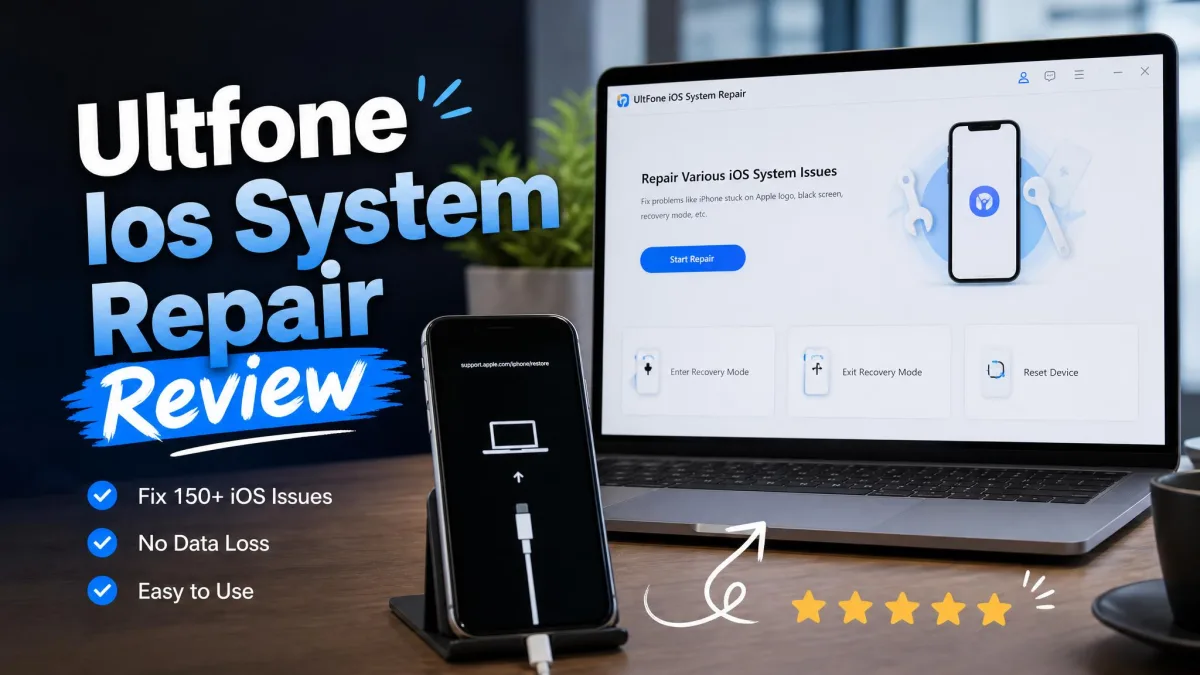
When an iPhone is stuck on the Apple logo, caught in a boot loop, or frozen in recovery mode, the standard fix is an iTunes or Finder restore that wipes the device. That is the last thing you want when your photos and messages are not backed up.
UltFone iOS System Repair is built for this exact moment. It promises to fix the fault behind the freeze without erasing your data, and this review answers whether that promise holds in 2026.
We tested it on our own machines, timing the Recovery Mode controls and running a Standard Repair against a frozen iPhone.
What Is UltFone iOS System Repair?
UltFone iOS System Repair is a desktop app for Windows and Mac. You connect a frozen iPhone, iPad, or Apple TV with a cable, and it reinstalls matching firmware to clear the fault.
According to the official UltFone iOS System Repair page, it fixes 150+ iOS system issues, 200+ iTunes errors, and 36+ Apple TV tvOS problems. It runs on Windows 11/10/8.1/8/7 and macOS 10.10 and above. UltFone, shipping software since 2010, says the tool covers every iPhone model through the iPhone 17 series, with iOS 27 and iPadOS 27 supported.
Key Features of UltFone iOS System Repair
Four tools do most of the work.
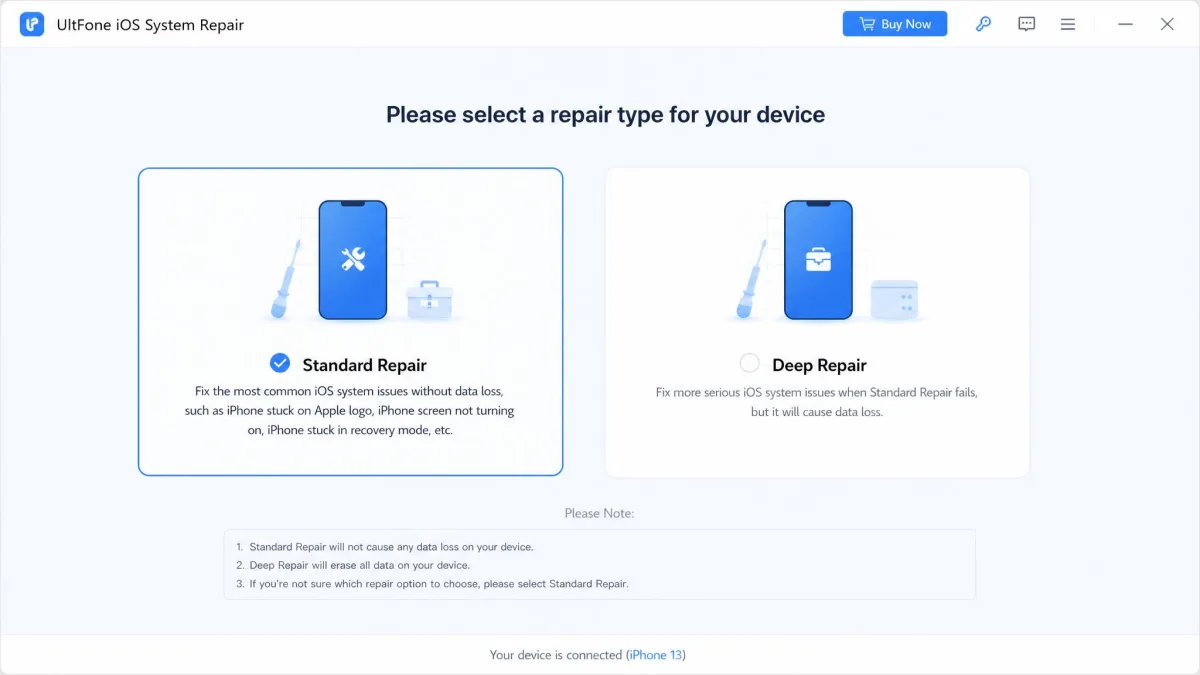
Fix Common iOS Issues Without Data Loss (Standard Repair)
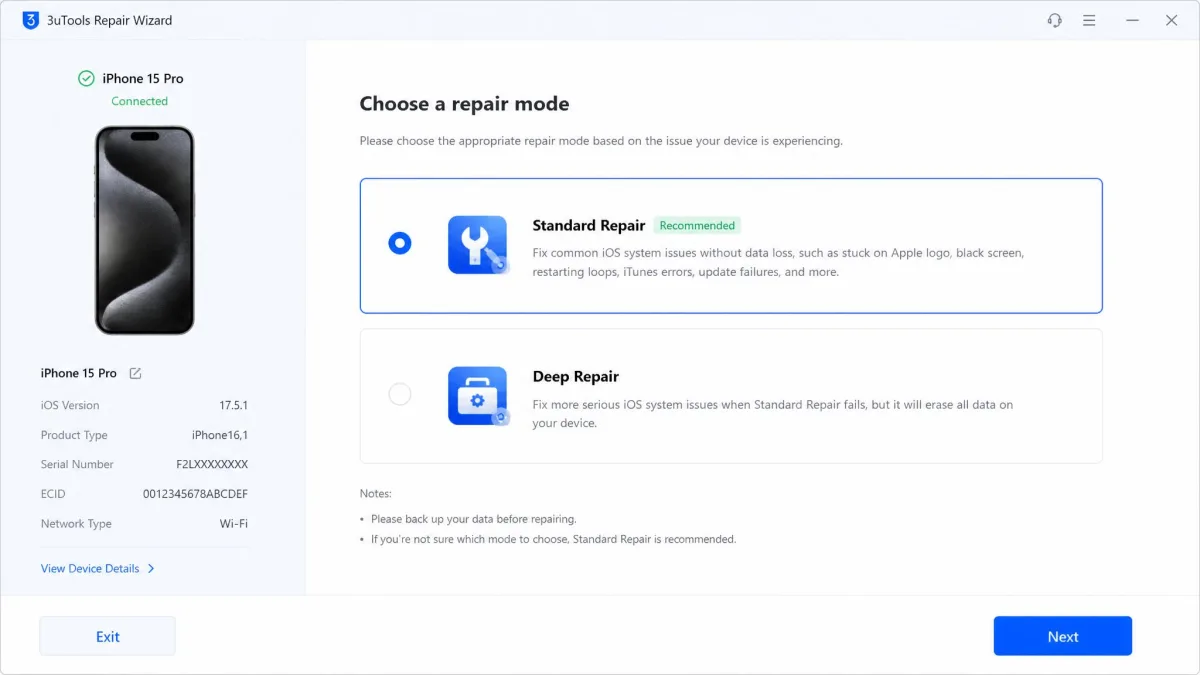
Standard Repair keeps your data, and it is the mode we would recommend for a stuck logo, boot loop, or frozen screen. It reinstalls the system firmware while leaving your photos, apps, and messages in place.
Enter/Exit Recovery Mode with One Click
The Recovery Mode controls are the free part of the tool. Entry is free and unlimited, and exit is free up to 5 times. One click enters, one click exits. You can also do it by hand; Apple documents when and how in Apple's Recovery Mode guide.
Upgrade or Downgrade iOS Without iTunes
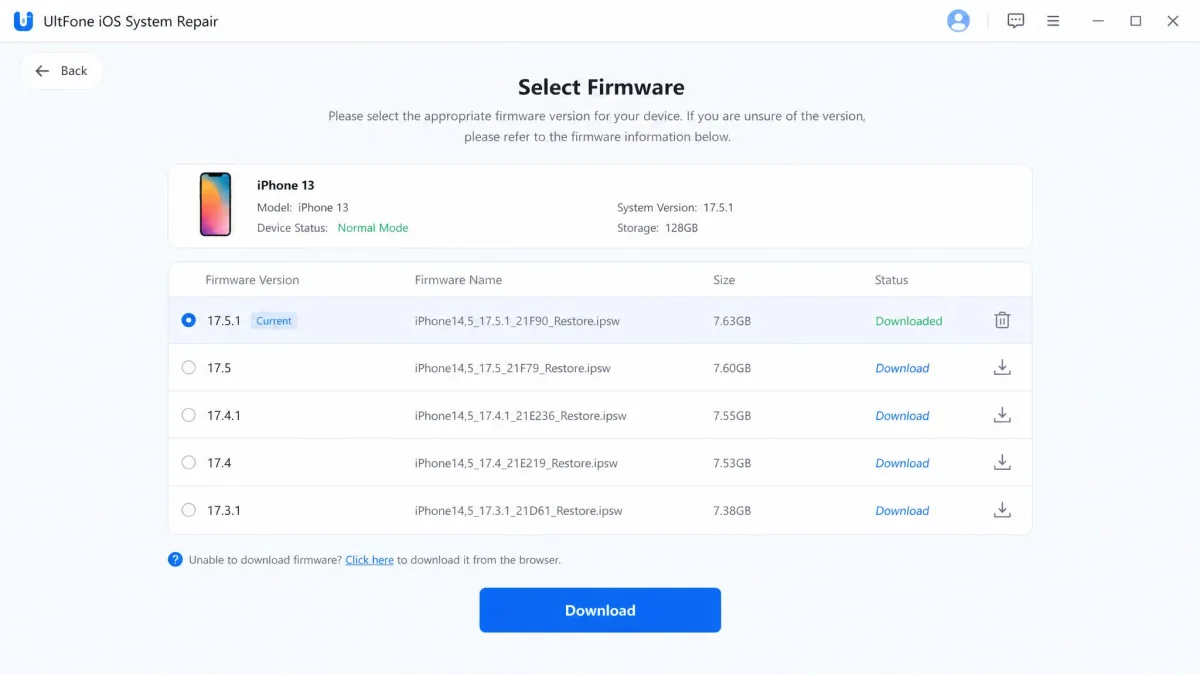
Upgrading or downgrading the iOS version normally means iTunes or Finder, and a failed attempt can make things worse. This tool handles both directions without iTunes: it lists the available firmware, downloads the one you pick, and installs it.
Anti-Data Recovery Reset (Deep Repair)
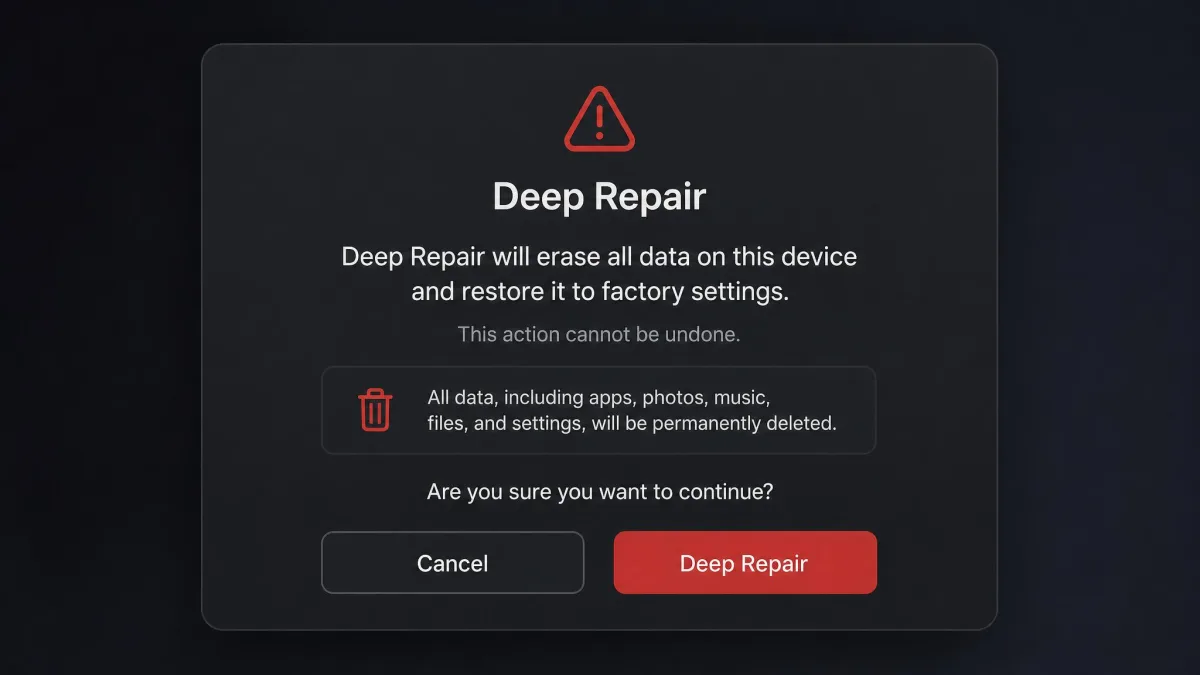
Deep Repair, on the other hand, wipes the device entirely. It performs a factory reset with anti-data-recovery erasure, so wiped data cannot be recovered, and doubles as a passcode-less factory reset.
How We Tested UltFone iOS System Repair
We ran the tool against the scenarios its product page promises to fix. On a frozen iPhone, Standard Repair completed and left photos, apps, and messages intact, the outcome that matters most. Entering and exiting Recovery Mode each took about 10 seconds.
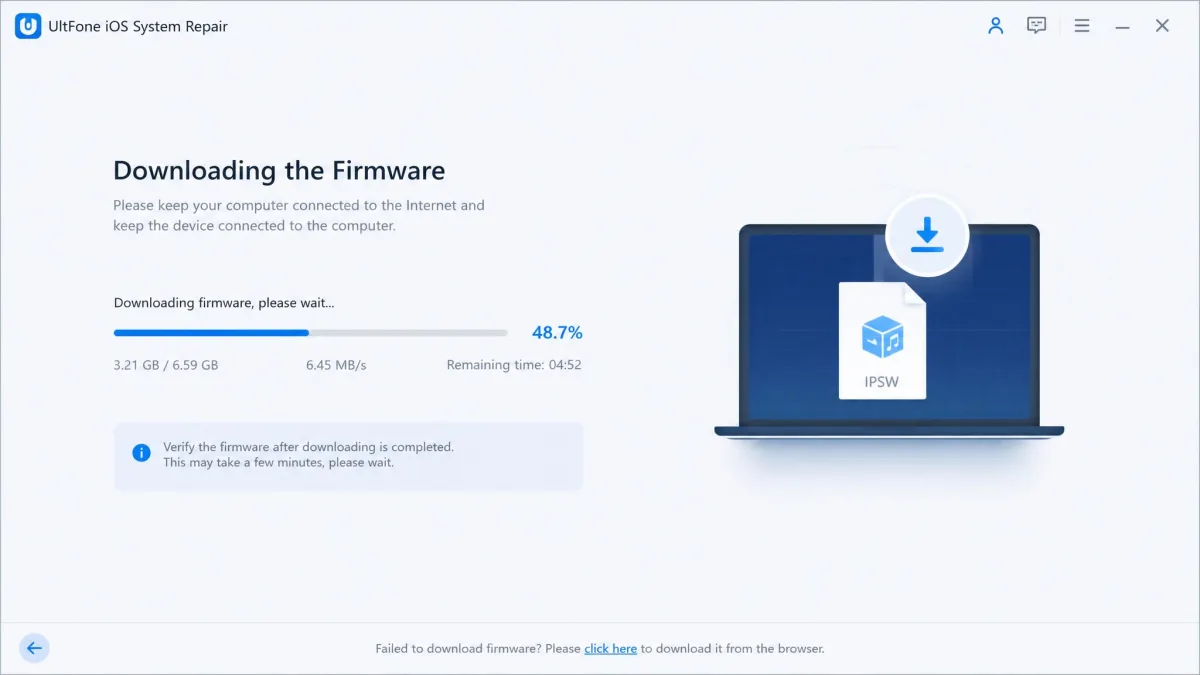
Repairs download the full IPSW firmware, up to about 2.5 GB, so repair time is set by download speed. The downgrade path installed the chosen firmware within minutes.
Two rough edges showed up. The Mac build could fail to install cleanly and could freeze when closing on our MacBook Pro 2022, and device detection ran slower than competing tools. The free tier unlocks only the Recovery Mode toggles; every repair needs a paid license.
UltFone iOS System Repair: Pros and Cons
Here is how the tool stacks up after our testing.
Pros
- Standard Repair fixes common issues without data loss.
- Recovery Mode entry is free and unlimited, with exit free up to 5 times.
- Upgrades and downgrades iOS without iTunes.
- Deep Repair adds anti-data-recovery erasure.
- 30-day money-back guarantee.
Cons
- Every actual repair requires a paid license.
- Deep Repair erases everything on the device.
- Success is not guaranteed on severe faults.
- Device detection and repairs run slower than competing tools.
- Cannot fix hardware faults or bypass Activation Lock.
UltFone iOS System Repair Pricing and Plans
UltFone sells iOS System Repair in three Windows plans, with the sale figures below from the official buy page.
- 1-month license: $24.95 (list $99.95), 5 devices, 1 PC.
- 1-year license: $49.95 (list $119.00), 5 devices, 1 PC.
- Lifetime license: $79.95 (list $199.95), 5 devices, 1 PC, with permanent free upgrades.
Business plans run from $79.95 a year for 10 devices to $299 for unlimited devices. Every plan includes a 30-day money-back guarantee. Mac pricing varies by source and rotates with promotions, so confirm current figures before buying.

How to Use UltFone iOS System Repair (Step-by-Step)
The repair flow takes four steps.
- Install the app on a Windows PC or Mac, then connect the iPhone with a USB cable.
- Confirm the device is detected, then choose Standard Repair to keep your data or Deep Repair to erase it.
- Let the tool download the matching firmware. This is the longest step, so keep the connection stable.
- Click Repair and wait for the iPhone to reboot. With Standard Repair, your data stays in place.
If the iPhone is only stuck in Recovery Mode, the one-click controls handle it without a full repair.
What Real Users Say: Trustpilot Score and Reddit Feedback
Trustpilot is the independent rating source that matters. The www.ultfone.com profile rates 4.2 out of 5 across roughly 727 reviews at the time of writing. UltFone's own product page claims 4.5 stars across more than 2,700 hosted reviews, but that wall is not the Trustpilot aggregate.
The positives are consistent: support replies arrive within a day, and successful repairs leave data intact. The negatives cluster around billing and failed repairs. Refund requests under the 30-day guarantee have been refused or dragged out, with money recovered only after consumer-protection action was threatened. Some repair attempts never complete, with one iPad stuck in Recovery Mode for over three weeks.
Reddit is harsher still. A 2022 r/iphone thread warns "Avoid Ultfone at all costs", describing a surprise recurring-subscription charge and a repair flow the poster said iTunes already does. Buyers on r/ios question whether UltFone and ReiBoot are essentially the same software.
UltFone iOS System Repair vs the Top Alternatives
Three tools dominate the category: iToolab FixGo, iMyFone Fixppo, and Tenorshare ReiBoot. FixGo is the closest match to UltFone.
| Feature | UltFone iOS System Repair | iToolab FixGo |
|---|---|---|
| Data-preserving repair | Standard Repair, no data loss | Standard Mode, no data loss |
| Enter/exit recovery mode | Free; exit free up to 5 times | Free |
| Upgrade/downgrade iOS | Yes, without iTunes | Yes, without jailbreak |
| Factory reset without passcode | Yes, via Deep Repair | Yes, about 5 minutes |
| Anti-recovery erasure | Yes, in Deep Repair | Not advertised |
| Pricing (sale) | $24.95/mo, $49.95/yr, $79.95 lifetime | $35.95/mo, $39.95/yr, $49.95 lifetime* |
| Ratings | Trustpilot 4.2/5 (~727 reviews) | 4.8/5 (6 verified purchasers) |
(*FixGo pricing comes from a dated third-party review, not the current store.)
FixGo mirrors UltFone's structure, and on a frozen iPhone it worked as advertised in our testing. Our iToolab FixGo review has the details. Sale pricing favors UltFone, Deep Repair's anti-recovery erasure has no FixGo equivalent, and a FixGo repair updates the device to the latest iOS, ending any jailbreak.
iMyFone Fixppo takes the same shape: Standard Mode, Advanced Mode, and a free Recovery Mode toggle. A Standard Mode repair took about 10 to 20 minutes in our testing. In our iMyFone Fixppo review, the tool earned its license only when Finder failed at the firmware-verify stage; on ordinary loops, a free Finder restore did the same job.
Tenorshare ReiBoot is the other name you will see; our ReiBoot review covers it. Outcomes varied by issue and device: a tool that cleared one boot loop failed on another, though setup requires almost no learning.
FAQ About UltFone iOS System Repair
Is UltFone iOS System Repair safe and legit?
What is the difference between Standard Repair and Deep Repair?
Can it fix hardware issues?
Does it work without a computer?
The Verdict: Is UltFone iOS System Repair Worth It?
For a one-off software fault, yes, at the sale price. The lifetime license at $79.95 is the sensible buy, because it costs little more than the yearly plan. Standard Repair does the important thing well: it cleared a frozen iPhone in our testing and kept the data intact.
The caveats matter. Repairs are not guaranteed on severe faults, refunds can drag even under the 30-day guarantee, some purchases have activated a recurring subscription, and the Mac build had quirks. If your iPhone is stuck and a Finder restore would cost you your data, this is a reasonable buy. If the fault is hardware, no software will help.