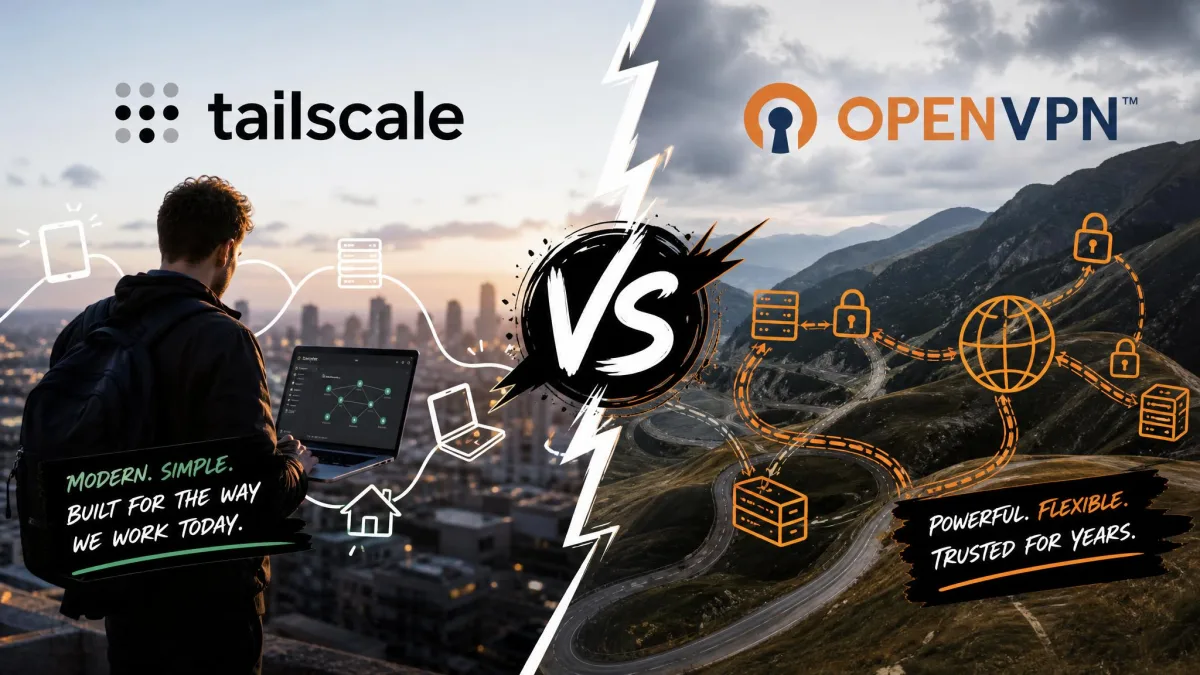
You want secure remote access to a NAS, a home lab, or a handful of machines for a small team, and you have landed on two very different answers. Tailscale promises a mesh overlay that connects your devices directly with almost no configuration. OpenVPN offers a traditional gateway VPN you host yourself, with full control over every route and certificate.
Both solve the same core problem, but they get there in opposite ways, and that difference shapes everything downstream: how fast the link runs, how much it costs, how hard it is to set up, and how much of your network you hand to a third party. We have run both across laptops, a self-hosted NAS, and phones to see where each one earns its place.
This comparison walks through architecture, security, performance, ease of setup, and pricing, then points you to the right pick for your situation. Neither is strictly better. The right answer depends on whether you value convenience or control.
Tailscale vs OpenVPN comparison table
Here is the short version before we go deep. The table below lines up the two tools on the factors that actually change your decision.
| Product | Buy | Underlying protocol | Architecture | Ease of setup | Performance | Pricing | Self-hosting | Best for |
|---|---|---|---|---|---|---|---|---|
 |
Visit Tailscale → | WireGuard (ChaCha20/Poly1305) | Mesh overlay, peer-to-peer, NAT traversal | Zero-config: install, sign in, auto-join | Near-native WireGuard on direct peers | Free for up to 6 users; $8/user/mo Standard | Coordination and relay servers are Tailscale-hosted | Individuals, families, homelabs, small teams |
 |
Visit OpenVPN | OpenVPN over TLS/SSL (OpenSSL) | Hub-and-spoke gateway, self-hostable | Server setup, certificates, port forwarding | Lower due to TLS overhead | Free for 2 connections; $7/connection/mo Growth | Fully self-hostable with full control | Organizations needing central gateways and custom routing |
Quick verdict: Tailscale vs OpenVPN at a glance
For most people setting up personal or small-team remote access in 2026, Tailscale is the easier choice. You install it, sign in, and your devices join a private network on their own. As the table above shows, it also holds a speed and setup edge for typical home and small-team use, and in our testing it ran quietly in the background without any fuss.
OpenVPN earns its keep when you need control. Because you host the Access Server yourself, nothing about your traffic depends on a third party's coordination servers. That suits organizations with legacy appliances, custom routing needs, or strict data-residency rules. The trade is real setup work and lower raw throughput.
If you only need to reach a home NAS from your phone, Tailscale removes the single hardest step: port forwarding. If you already run infrastructure and want the VPN endpoint fully under your roof, OpenVPN is built for that.
What is Tailscale?
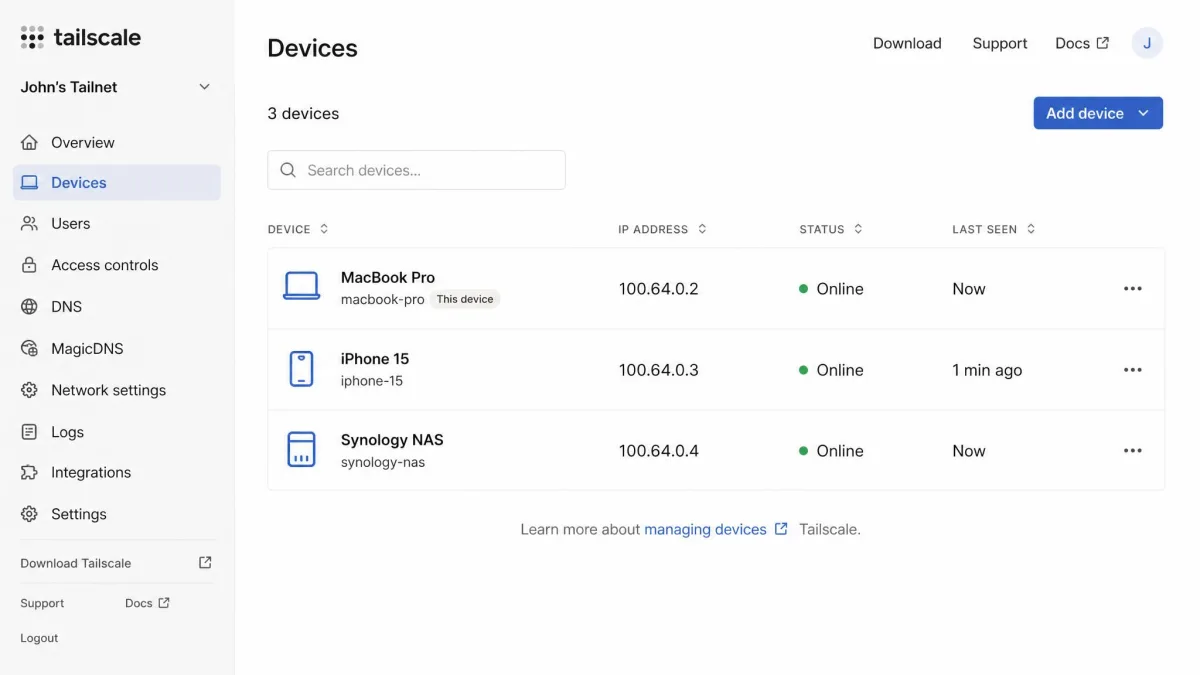
Tailscale is a mesh VPN built on the WireGuard protocol. Instead of routing all your traffic through one central server, it connects each device directly to every other device you own, forming a private overlay network on top of the public internet. Its data plane uses WireGuard with ChaCha20 encryption and Poly1305 authentication, while a separate Noise-based control plane handles coordination.
The appeal is how little you have to do. You install the client, sign in with an existing identity provider, and the device joins your network automatically. Tailscale handles NAT traversal for you, so there is no firewall surgery waiting on the other side. Features like MagicDNS, exit nodes, subnet routers, and access-control lists round out what is otherwise a very hands-off tool.
There is one nuance worth stating plainly. Your traffic moves peer-to-peer, but the coordination and relay servers that broker those connections are operated by Tailscale. You trade a measure of control for that convenience.
What is OpenVPN?
OpenVPN is a mature, widely deployed VPN that builds encrypted TLS/SSL tunnels using OpenSSL. It supports a broad range of ciphers and authentication methods, which is part of why it has become a default in corporate and self-hosted environments for two decades. The Access Server packages the protocol with an admin interface, and CloudConnexa offers a managed option for teams that do not want to run their own box.
Architecturally it follows the classic hub-and-spoke model. Clients connect to a central gateway you control, and that gateway decides what each client can reach. You handle server setup, certificate generation, and client profile distribution yourself, which means more work up front but also complete authority over the deployment.
That control is the whole point. OpenVPN supports certificate-based authentication, MFA, LDAP and SAML integration, custom routing, and compatibility with legacy appliances that newer tools ignore.
Architecture: mesh vs hub-and-spoke
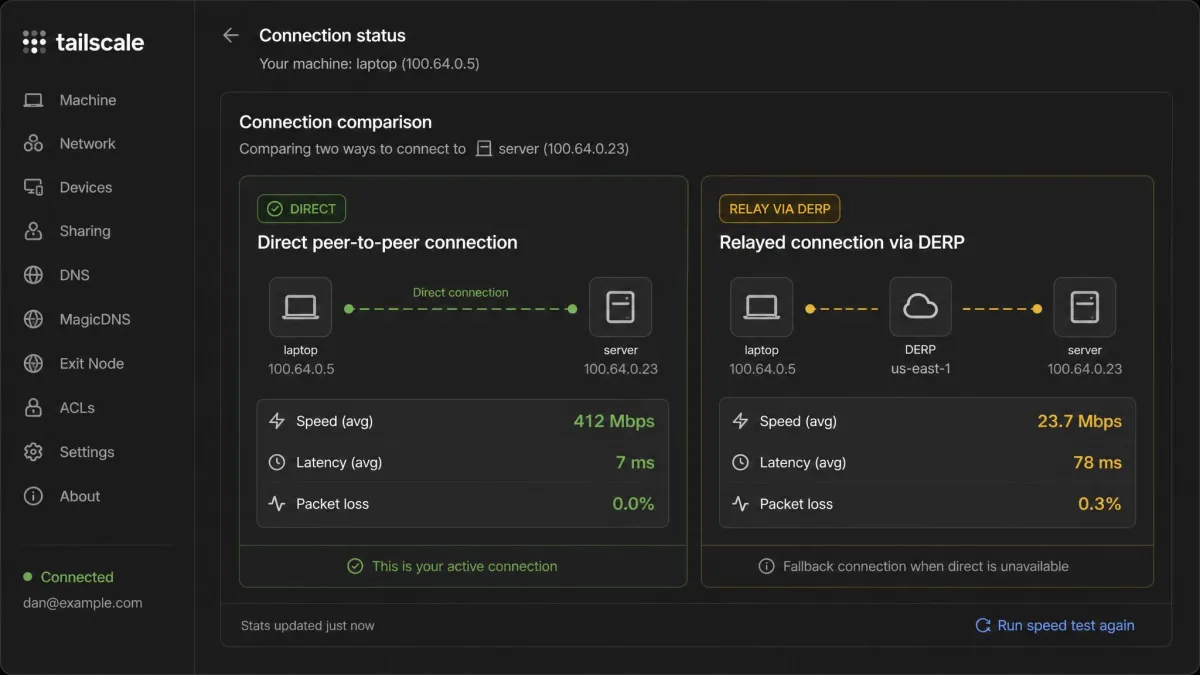
This is the fork in the road, and it explains most of the other differences. Tailscale builds a mesh: every authorized device can reach every other device directly, peer-to-peer, without a central chokepoint. When two devices cannot connect directly, Tailscale falls back to a relay, but the default path is the shortest one between the two machines.
OpenVPN builds a hub-and-spoke network. All traffic flows through the gateway you host, which acts as the single entry point to your protected resources. That design is predictable and easy to reason about, and it gives you one place to enforce policy. It also means the gateway is a bottleneck and a single point you must keep running and patched.
For remote NAS access the gap is stark. OpenVPN needs manual port forwarding to expose the gateway, which is a genuine barrier for non-technical users. Tailscale eliminates that step entirely through NAT traversal, so the NAS simply appears on your private network wherever you are.
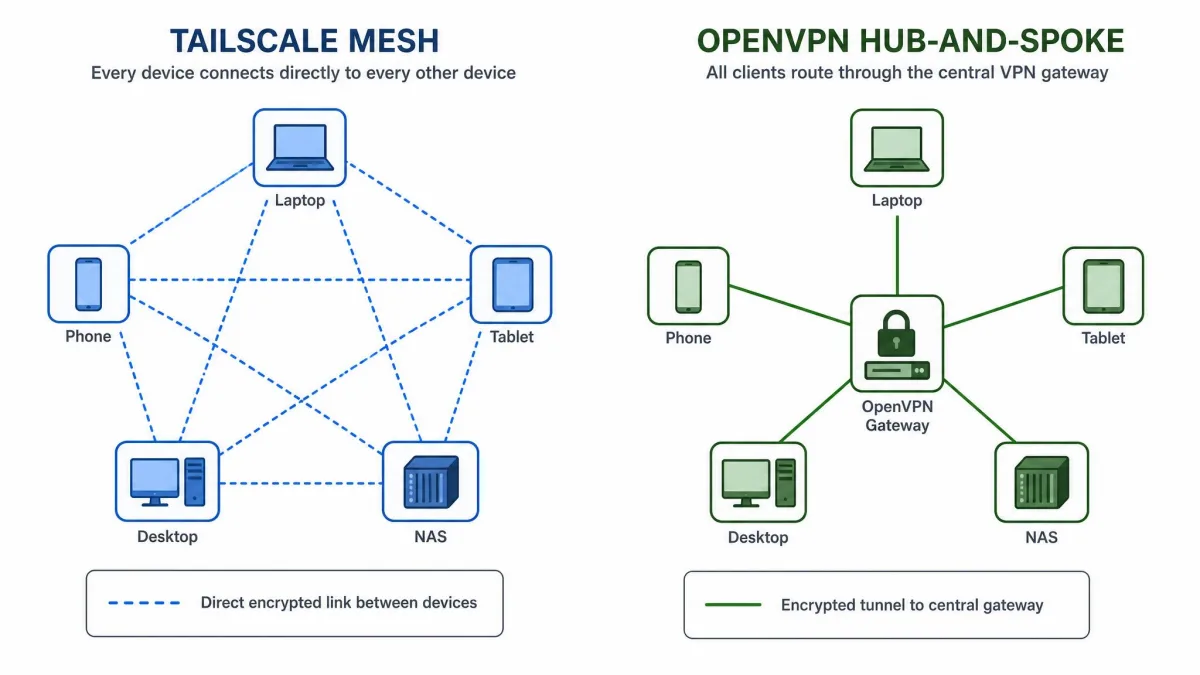
The mesh-versus-gateway choice decides almost everything else: speed, setup friction, and how much of your network depends on someone else's servers.
— From our hands-on testing
Security and encryption
Both tools encrypt traffic to a modern standard, so neither is a weak link on the wire. Tailscale inherits WireGuard's ChaCha20/Poly1305 cryptography, a lean and well-audited design. OpenVPN leans on OpenSSL and TLS, which gives it enormous flexibility in ciphers and authentication at the cost of a heavier, more configurable stack.
The meaningful difference is the security posture out of the box. Tailscale defaults to a deny-by-default access model, where nothing can talk to anything until an access rule allows it. OpenVPN supports the same kind of control, but it does not default to a strict deny-by-default stance, so an admin must deliberately configure access rules or risk leaving resources exposed.
For background on the protocol under Tailscale, the WireGuard protocol whitepaper is the primary source on its cryptographic design and goals.
Authentication and access control (Zero Trust)
Tailscale is built around Zero Trust principles. Its ACLs and Grants let you define access at the application layer, so a user or device only reaches the specific services you permit, not the whole subnet. Identity ties in through SSO and SCIM provisioning, and paid tiers add device posture checks and network flow logs.
OpenVPN can deliver identity-based ZTNA too, with network segmentation, role and attribute-based access control, device identity checks, and IDS/IPS. The difference is effort: you assemble and maintain that posture yourself rather than inheriting it.
OpenVPN does not ship with a locked-down default. If you stand up an Access Server and skip the access-rule configuration, you can leave more of your network reachable than you intended.
Performance and speed
How fast is each one in practice? On a direct peer connection, Tailscale performs best and reaches close to native WireGuard speeds, often several hundred Mbps on modern hardware in our testing. That is fast enough to stream, back up, and move large files without noticing the tunnel is there. The catch is the fallback: when direct peering fails and traffic routes through a relay, bandwidth is capped and latency climbs noticeably.
There is also a hardware wrinkle. Tailscale runs its WireGuard implementation in userspace, while OpenVPN does its crypto in kernelspace. On low-power hardware like a small router or a single-board computer, Tailscale throughput can be bottlenecked by CPU capacity.
OpenVPN throughput is typically lower because of TLS overhead, and that penalty is most obvious on routers and low-power devices. A self-hosted OpenVPN setup delivers consistent performance, but it is capped by the host network's upload speed, since the NAS or server is the VPN endpoint and everything flows back through it.
Ease of use and setup
This is where the two tools feel most different in daily use. Tailscale setup is essentially install, sign in, done. Devices join the network automatically, and the client then runs quietly in the background with minimal interaction. We had a laptop, a phone, and a NAS on the same private network within minutes, with nothing forwarded at the router.
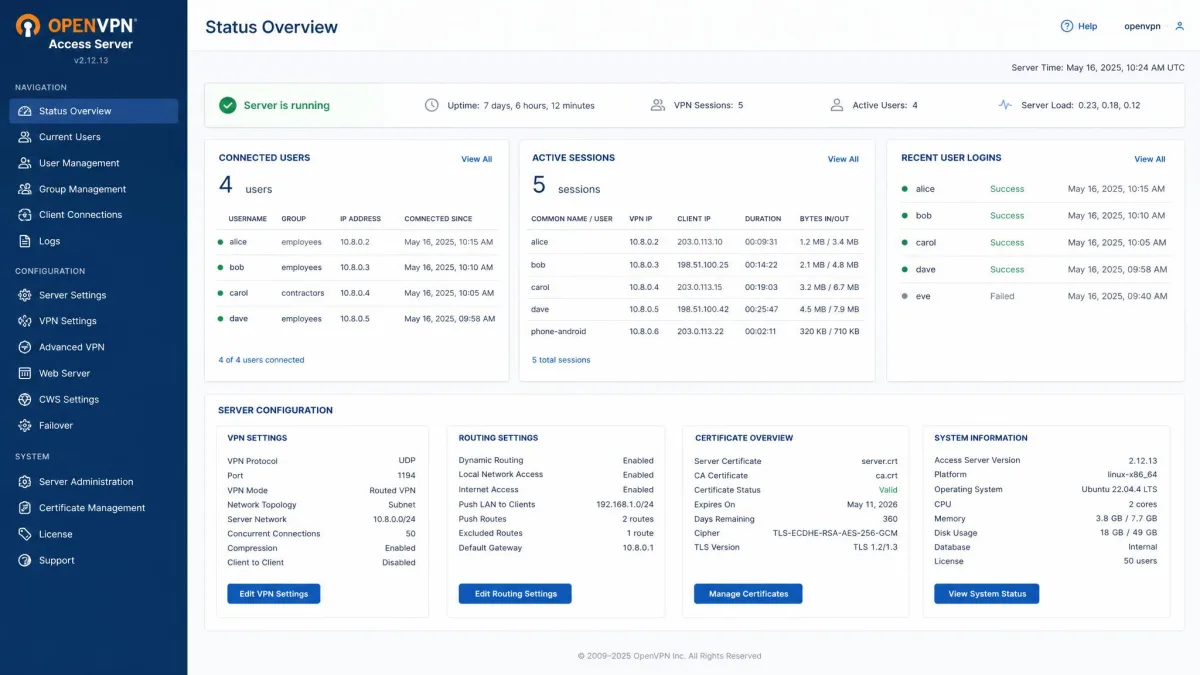
OpenVPN asks for real work before anything connects. You set up the server, generate certificates, and distribute client profiles to each device. None of that is exotic for an admin, but it is a learning curve for anyone who is not. In our experience OpenVPN connectivity also tends to break from the predictable culprits: misconfigured routes and expired certificates that need renewing on a schedule.
That maintenance tail matters over months, not just on day one. Tailscale hides most of it; OpenVPN hands it to you, which is either a burden or a feature depending on how much control you want.
If you manage OpenVPN yourself, put certificate expiry dates on a calendar. An expired certificate is the most common reason a working tunnel suddenly stops, and it is entirely avoidable.
Pricing and cost
The two tools price along different axes, so compare the model, not just the number. Tailscale charges per user. Its free personal tier covers up to 6 users with unlimited devices and 3 ACL groups, which is generous enough for a household or a homelab. The Standard plan is $8 per user per month, and Premium is $18 per user per month, with Enterprise quoted custom.
OpenVPN charges per simultaneous connection rather than per user. The Access Server free tier allows up to 2 simultaneous connections, free forever, which is enough to test or to cover a single remote user. The Growth plan is $7 per connection per month on annual billing for 3 or more connections, with a 14-day free trial that requires a credit card. The Enterprise and IoT plan is custom and targets deployments of 2,000 or more connections.
The practical takeaway: Tailscale's free tier stretches further for personal and small-team use, while OpenVPN's per-connection model can become a frequent point of friction as a deployment scales.
Pros and cons
No tool wins on every axis. Here is how each one's strengths and weaknesses shook out across our testing.
Tailscale pros and cons
Pros
- Zero-config setup: install, sign in, and devices join on their own
- No port forwarding thanks to built-in NAT traversal
- Near-native WireGuard speed on direct peer connections
- Deny-by-default Zero Trust access model out of the box
- Generous free tier: up to 6 users with unlimited devices
Cons
- Coordination and relay servers are third-party hosted, so you trade some control
- Relay fallback caps bandwidth and adds latency when direct peering fails
- Userspace WireGuard can be CPU-bound on low-power hardware
- Reported rough edges in the mobile app and some missing advanced features
OpenVPN pros and cons
Pros
- Fully self-hostable, so the VPN endpoint stays entirely under your control
- Mature, flexible OpenSSL/TLS stack with broad cipher and auth support
- Strong fit for central gateways, custom routing, and legacy appliances
- Consistent performance from a self-hosted endpoint
Cons
- Real setup work: server config, certificates, and client profiles
- Manual port forwarding required for remote access
- Lower throughput from TLS overhead, especially on low-power devices
- Per-connection pricing becomes a common complaint as deployments scale
- No strict deny-by-default; access rules must be configured deliberately
The community sentiment tracks with what we found. G2's community rates Tailscale 4.7 out of 5 and OpenVPN 4.5 out of 5, which reflects Tailscale's edge on ease of use without dismissing OpenVPN's depth.
Which should you use? Best use cases
The honest answer is that these tools suit different readers, so match the tool to your situation rather than chasing a single winner.
Choose Tailscale if...
You want secure access to a NAS, a home lab, or a small team's machines without learning certificate management or touching your router. You value speed and quiet, hands-off operation, and you are comfortable that Tailscale's coordination servers broker your connections. For individuals, families, and small teams, this is the path of least resistance, and the free tier likely covers you.
Choose OpenVPN if...
You need the VPN endpoint fully under your control for compliance, data residency, or policy reasons. You are running central gateways, custom routing, or legacy appliances that expect a traditional tunnel. You have the skills to stand up and maintain a server, and you would rather own every part of the stack than depend on a third party, even at the cost of more setup and lower raw throughput.
Frequently asked questions
Is OpenVPN or Tailscale better?
What are Tailscale and OpenVPN used for?
Do unused devices count against Tailscale's free-user limit, and what happens if I exceed it?
Is Tailscale a real VPN?
Can you self-host Tailscale?
The bottom line
If we were setting up a new tailnet for a household or small team today, we would start on Tailscale's free tier and only move to the $8 Standard plan once we outgrew six users, since that covers most homelab and family cases without spending anything. The one thing we would do differently in hindsight is plan the connection math before committing to OpenVPN: a team that adds remote users steadily tends to hit the per-connection cost wall faster than expected, so size the plan for where the deployment is headed, not where it starts.