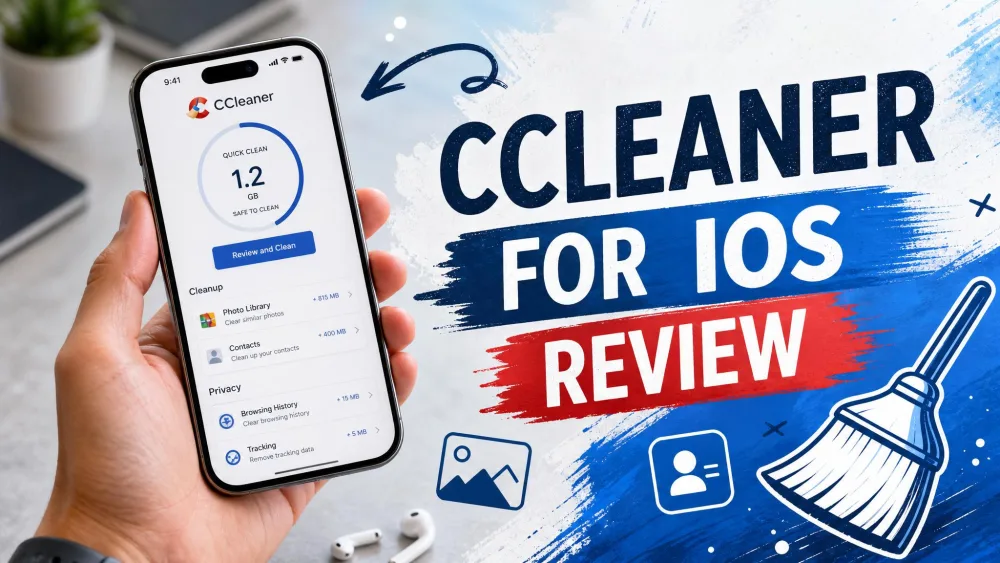
Your iPhone flashes the "Storage Almost Full" warning, and the first instinct is to reach for a cleaner app. CCleaner is one of the biggest names on the desktop, so a version on the App Store feels like a safe bet. But does it actually free up space on an iPhone, or is it selling a job that iOS already does on its own?
We wanted a straight answer, so we downloaded CCleaner for iOS, ran it through repeated real cleanup passes, and watched what it did to our available storage. We also lined it up against free and paid alternatives to see whether any cleaner app is worth your money. This review covers what CCleaner genuinely cleans, whether it is safe and legit, what the subscriptions cost, and which app we would actually keep on the home screen.
What Is CCleaner for iOS?
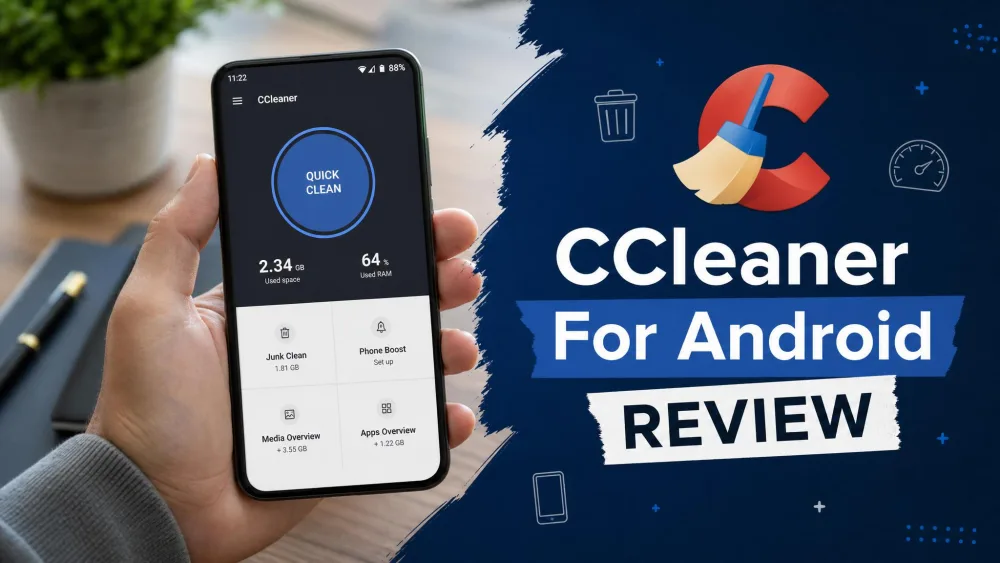
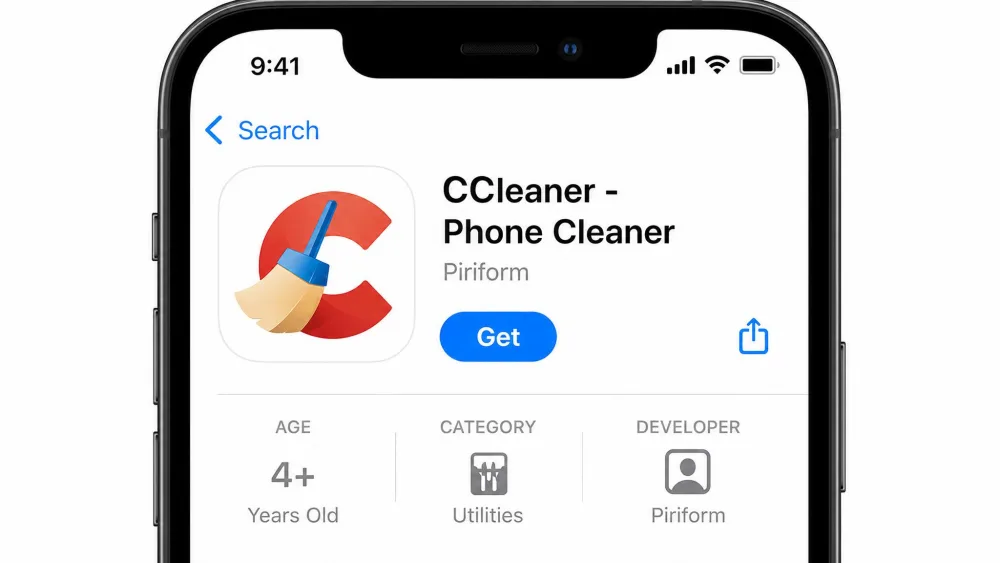
CCleaner for iOS, listed on the App Store as CCleaner - Phone Cleaner, is a storage cleanup app for iPhone. It is published by Piriform, the same team behind the long-running desktop CCleaner, which is now part of the Avast and Gen family of brands. If you have used CCleaner for Android or CCleaner for Mac, the branding will look familiar, but the iOS version is a very different animal because of how Apple locks down the platform.
The app is free to download and requires iOS 16.0 or later. According to the pricing shown at download, the real functionality lives behind in-app purchases.
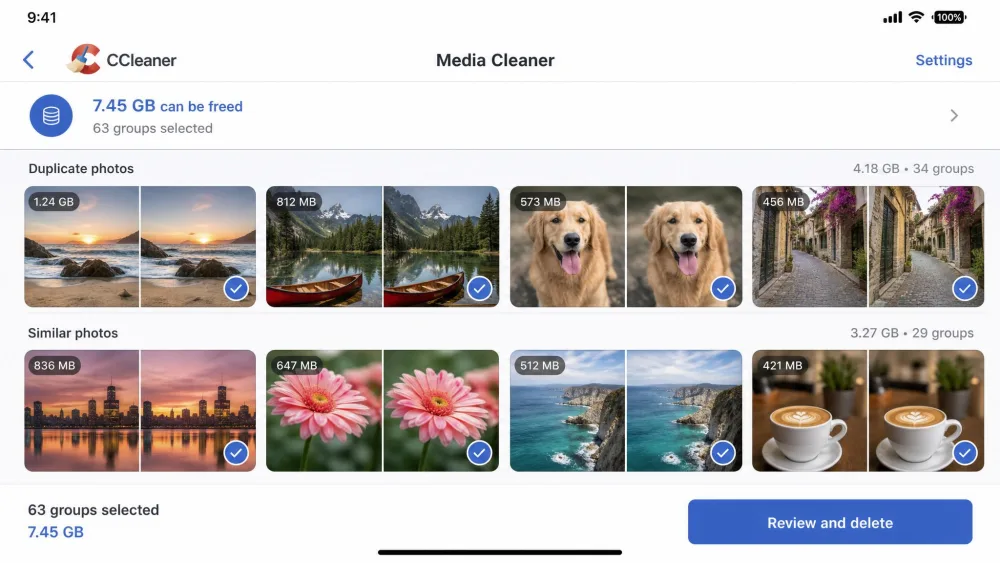
On paper, CCleaner promises a Media Cleaner for duplicate, similar, and large photos, screenshots, and videos, plus AI gallery grouping, a Contact Cleaner, a private vault for hidden media, a one-tap Quick Clean scan, and photo and video compression. That is a long feature list. The important question is how much of it does anything meaningful once iOS is in the way.
How We Tested CCleaner for iPhone
We installed CCleaner on an iPhone with a photo library large enough to give the scanner something real to chew on, then ran it the way an ordinary user would. We checked the available storage in Settings before starting, ran the Quick Clean scan, worked through the Media Cleaner sections, and measured how much space we actually got back afterward. We repeated the process several times rather than trusting a single pass.
Across those runs the pattern held every time: we ran several scans and saw barely any change in available storage until we manually deleted our own photos and videos. That is the tell with iOS cleaners, and we will explain why below.
The Media Cleaner was the weak spot. On more than one pass it reported finding no duplicates in a library we knew was full of them, and a couple of sessions froze on open with an unresponsive screen. The upshot is that a full Media Cleaner pass reclaimed little to nothing beyond the photos and videos we could just as easily have deleted by hand. Because iOS sandboxing limits real cleaning to your own media, the practical space any pass recovers is roughly the size of the duplicate and large files you confirm and delete, which is the same set you can remove yourself in the Photos app for free.
We also tested each alternative on the same device with the same library so the comparison would be fair, scoring every app on how much space it genuinely recovered, how honest its free tier was, how aggressive its upsells felt, and how it handled our data.
We paid our own way through every paywall in this test rather than accepting a press comp, because the checkout flow and the auto-renew screens are exactly where these apps earn or lose your trust. What we kept coming back to: the scanning is only half the story, and the subscription is the other half.
What CCleaner for iOS Actually Cleans
Here is the honest version. On iOS, the only genuinely useful thing CCleaner and apps like it do is find duplicate and similar photos. Almost everything else on the feature list either overlaps with something your iPhone already does or cannot happen at all because of how Apple sandboxes apps.
Photos and Videos
Photos and videos are where any real space savings come from. CCleaner scans your library for duplicates, near-identical shots, large files, screenshots, and old videos, then lets you review and delete them in batches. Its compression tools can shrink photos and videos to claw back a little more room. This part works, and it is the reason to open the app at all. It is also worth being clear about what is happening: you are deleting your own media, not clearing hidden junk.
Duplicate and Similar Media
Duplicate detection is the feature people actually want, and it is where CCleaner was least convincing in our testing. On more than one pass the scanner failed to flag duplicate photos we knew were sitting in the library, a recurring weakness with this app. When the one job an app exists to do is unreliable, the rest of the feature list stops mattering. The free version also caps how much you can clean, limiting you to roughly 10 images or videos and to finding large images and screenshots, while the duplicate and similar cleanup that makes the app worthwhile is paid-only.
Contacts and Mail
The Contact Cleaner sounds handy until you remember that modern iOS already merges duplicate contacts natively, and hiding photos is a built-in feature too. Worse, the app has a track record of deleting or losing contacts and notes that were never meant to go. A tool that touches your address book and occasionally takes the wrong records with it is a tool we would keep away from your contacts entirely.
Does CCleaner Really Work on iPhone? (iOS Sandboxing Limits)
This is the part the marketing does not want to dwell on. Because of iOS sandboxing, third-party cleaners cannot reach the system caches or temporary files that Android cleaners can. On Android, a cleaner can sweep app caches across the system. On iOS, that door is locked. So the promised "storage cleaning" mostly comes down to deleting your own photos and videos, which you can do yourself in the Photos app for free.
That is why our scans barely moved the storage number until we deleted media by hand. There is no pile of hidden junk for the app to sweep away, because Apple already manages caches for you and clears them when space runs low.
Any iPhone cleaner that promises to clear system junk, cache, or "other" storage is overselling. iOS does not let apps touch those files. The only space you can reliably reclaim is from your own photos, videos, and unused apps.
On iOS there is no hidden junk to sweep. A cleaner app can only help you delete your own photos and videos faster, and your iPhone will do that part for free.
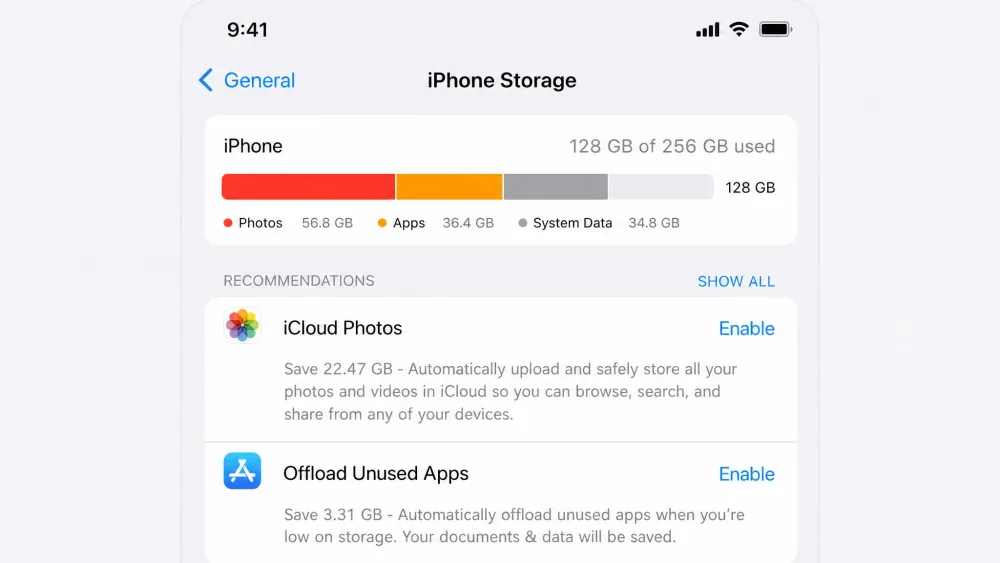
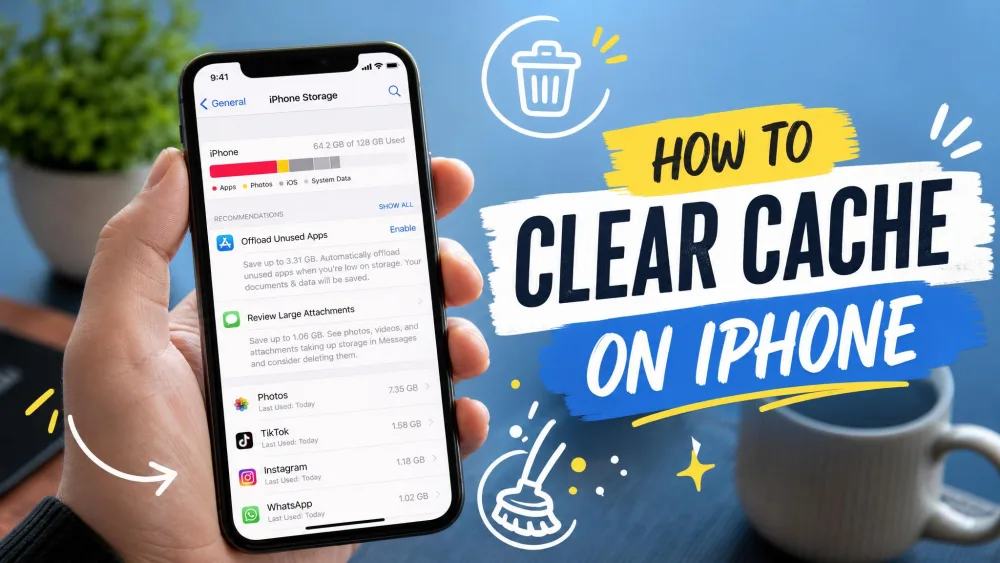
If you want to reclaim space without paying anyone, open Settings, tap General, then iPhone Storage. Apple's own manage-your-iPhone-storage guidance walks you through offloading unused apps, reviewing large attachments, and clearing big videos. It will not scrub junk either, because there is little junk to scrub, but it shows you exactly where your gigabytes went.
Is CCleaner for iOS Safe and Legit?
CCleaner for iOS is a legitimate app from an established developer, not a scam or malware. It will not damage your phone. But "legit" and "worth trusting with your data and your credit card" are two different questions, and on the second one we have real reservations.
The App Store rating looks reassuring at around 4.6 out of 5 from roughly 3,000 ratings, but that star average alone overstates the typical experience. On consumer-complaint aggregators the picture is far darker, with satisfaction scores a fraction of the App Store figure. The recurring themes are billing surprises, weak support, and features that do not deliver.
Privacy and Data Handling
Privacy is where we would slow down. CCleaner's App Store privacy label discloses data used to track you across other companies' apps and sites, including identifiers, purchases, and usage data for third-party advertising and analytics. In plain terms, a utility whose whole pitch is tidying up your phone is also feeding an ad-and-analytics pipeline. Even paid subscribers see extensive tracking through multiple third-party SDKs, with payloads that can include user IDs and photo counts. If reducing your data exposure is part of why you clean up your phone, that is an uncomfortable trade.
Pricing and Subscriptions
CCleaner for iOS is free to download, and the meaningful cleaning sits behind a subscription. Prices shift by promotion and region, so treat every figure here as offer-dependent rather than fixed. In our checks the weekly plan ran around $4.99, the annual plan fell somewhere between roughly $22.99 on a limited offer and $27.99 at full price, and a lifetime unlock appeared anywhere from $39.99 to $59.99 depending on the screen we saw.
The subscriptions, not the app itself, are the real problem. Auto-renew is hard to manage, and unexpected billing is the failure that comes up most: charges of around $46 landing roughly six weeks after cancellation, before the stated trial was even due to end. Paid subscriptions have also gone dead for months with no reply from support. The common advice from people who have been burned is blunt: if you install it at all, stay on the free version and avoid the trial.
Free trials on iOS cleaners quietly convert to recurring charges. If you start a CCleaner trial, cancel it in Settings, tap your name, then Subscriptions, the same day you subscribe, and set a reminder before the renewal date.

What Real Users Say (App Store Ratings Roundup)
The App Store score of about 4.6 out of 5 across roughly 3,000 ratings suggests a well-liked utility, and plenty of quick reviews praise the clean interface and the one-tap scan. Taken alone, that number reads like a recommendation.
The fuller picture is more divided. On consumer-complaint sites the same app scores dramatically lower, with a large majority of reviews unfavorable. The gap between a 4.6 star average and a sub-2 satisfaction score elsewhere is the story: casual users who tap through a quick scan rate it well, while anyone who hits the billing or the missed-duplicate problems rates it poorly. We land closer to the second group, because the failures cluster exactly where the app asks for your money.
CCleaner for iOS: Pros and Cons
Pros
- Legitimate app from an established developer, with a clean and simple interface
- Media Cleaner finds large files, screenshots, and old videos to review in batches
- Free to download so you can try the basic scan before paying
- Photo and video compression can squeeze out a little extra space
Cons
- Duplicate detection was unreliable and missed photos we knew were there
- Aggressive subscriptions with auto-renew and a pattern of surprise charges
- Privacy label discloses cross-app tracking for advertising and analytics
- Reports of the app deleting contacts and notes users did not intend to remove
- iOS sandboxing means it cannot clean system junk, only your own media
Now to the more useful question. If CCleaner is not the answer, what is?
CCleaner Alternatives for iPhone and iPad
We tested the leading alternatives on the same iPhone and the same library, and two stood out. Clever Cleaner was the app we would actually keep: it is genuinely free, with no in-app purchases and no ads, and its AI duplicate and similar photo detection did the core job CCleaner fumbled. Slidebox suits people who prefer to review photos by hand, with a swipe-to-sort workflow that syncs every change back through the native Photos app and iCloud.
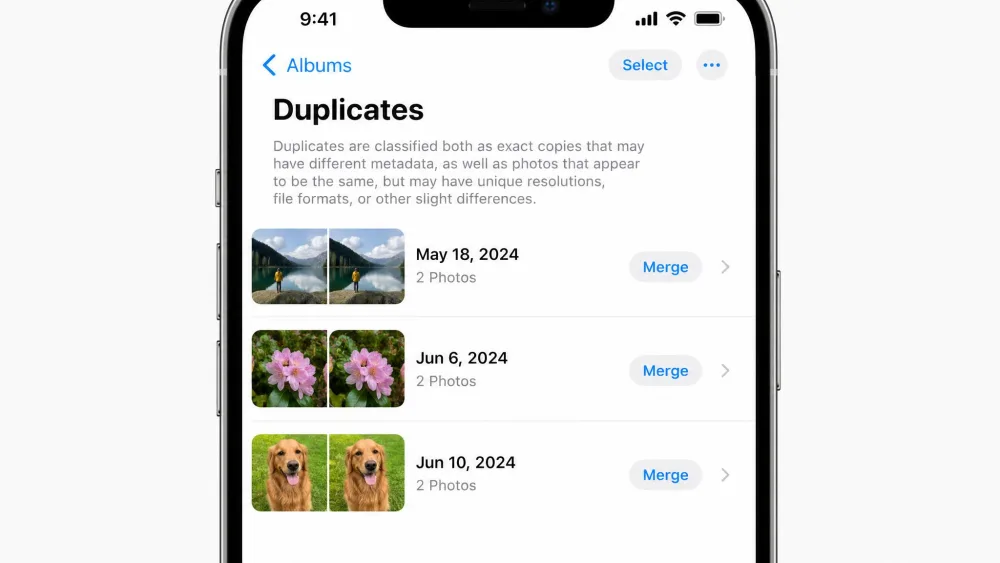
Before installing anything, check the native Photos app, which now surfaces a Duplicates album on its own. For the desktop side of the range, our roundup of CCleaner alternatives for Windows and Mac compares the full field.
Our Verdict: Should You Use CCleaner for iOS?
CCleaner for iOS is safe in the sense that it will not harm your phone, and it is a legitimate app from a known developer. But that is a low bar. In our testing the duplicate detection was unreliable, the subscriptions and auto-renew are the kind that produce surprise charges, and the privacy label points to cross-app tracking that sits awkwardly with a clean-up tool. Most of what it promises to clean, iOS will not let any app touch anyway.
If you want to clear photo clutter for free, install Clever Cleaner. If you like sorting by hand, Slidebox is a pleasure. And if you would rather not add an app at all, open Settings, tap General, then iPhone Storage, and let the native Photos duplicates album do the same work at no cost.
Common Mistakes People Make With iPhone Cleaner Apps
The biggest mistake is expecting a cleaner to find hidden junk. On iOS there is almost none to find, so the only real space savings come from deleting your own media. The second mistake is starting a free trial and forgetting it. That is how a $46 charge lands six weeks later. The third is trusting the App Store star average without reading the one-star reviews, where the billing and reliability problems live. And the fourth is paying at all before checking Settings, which will show you exactly which photos, videos, and unused apps are eating your storage.
Frequently Asked Questions
Is CCleaner for iOS safe and legit?
Is CCleaner for iOS free?
Does CCleaner actually free up storage on an iPhone?
What are good CCleaner alternatives for iPhone?
How do I free up iPhone storage without an app?
For more on the wider CCleaner range, see our CCleaner vs BleachBit comparison on the desktop side.