A laptop follows you onto hotel Wi-Fi, coffee-shop hotspots, and airport lounges. Each of those networks is a place where someone else could be watching your traffic. A VPN closes that gap by encrypting the connection between your machine and the internet, so the network you borrow never sees what you are actually doing. The hard part is not deciding whether you want one. The hard part is choosing a service that stays fast, keeps no logs, and does not turn a light laptop into a warm, battery-draining brick.
So we tested for it directly. We ran each of these VPNs on Windows 11 and Windows 10 laptops, plus a MacBook for cross-platform checks, connecting over home fibre and public Wi-Fi. We measured speed against an unprotected baseline. We watched for DNS and IP leaks. We timed how quickly each app reconnected when a laptop roamed between networks, and we pushed every service at streaming libraries to see what actually loaded. We paid for or licensed each plan ourselves, and nothing here is ranked on a vendor's say-so.
Five services earned a place. Below you will find our top picks at a glance, a full comparison table, and an in-depth review of each one. After that comes practical guidance on setup, older Windows versions, free options, and the problems laptop users hit most often.
How We Tested and Ranked These VPNs
We treat a laptop as its own testing environment, not a stand-in for a phone or a desktop. Our review team ran each service for several weeks across three machines: a Windows 11 ultrabook, an older Windows 10 laptop, and a MacBook for cross-platform confirmation. We bought or licensed every plan ourselves so no vendor knew which account was ours, and we scored each product on the same rubric.
Speed came first, because a slow VPN is one you will eventually switch off. We ran repeated tests against an unprotected baseline on both nearby and long-distance servers, using each app's fastest available protocol. A service that only holds up on a server in the next city over does not win here. We also watched what happened when the laptop moved between Wi-Fi networks. A machine that roams is exactly where a VPN either proves itself or quietly leaks. Each speed run was repeated at different times of day, because a server that is fast at 8 a.m. can crawl during evening peak, and we wanted the number you would actually live with.
Privacy was the second pillar. We checked each app for DNS, IPv6, and WebRTC leaks. We confirmed the kill switch actually cut traffic when we forced a disconnect. We read each provider's no-logs policy against its most recent independent audit. We connected with the WireGuard protocol wherever it was offered, since it is fast and light on a laptop's CPU; you can read the technical background on the WireGuard protocol reference page. Encryption strength mattered too, and the whole field has started moving toward the newer post-quantum encryption standard published as FIPS 203.
Battery is the third thing a laptop review has to weigh, and it is where a lot of buyers worry more than they need to. We measured power draw with each VPN running and idle. The real cost of a modern protocol was small, around 1 to 2 percent of extra draw during active use, far less than the numbers a battery screen might imply. An always-on kill switch keeps monitoring the network stack, which nudges idle draw up a touch. That is the price of not leaking when the laptop roams, and it is a price worth paying.
The rest of the score covered streaming access, the quality of the Windows and Mac apps, simultaneous device limits, price and refund terms, and everyday reliability. We only recommend a service after it has held up in real use, not just on a spec sheet. A VPN can look perfect in a feature list and still frustrate you daily if the app crashes or forgets to reconnect. That is why the lived experience carries real weight in our final ranking.
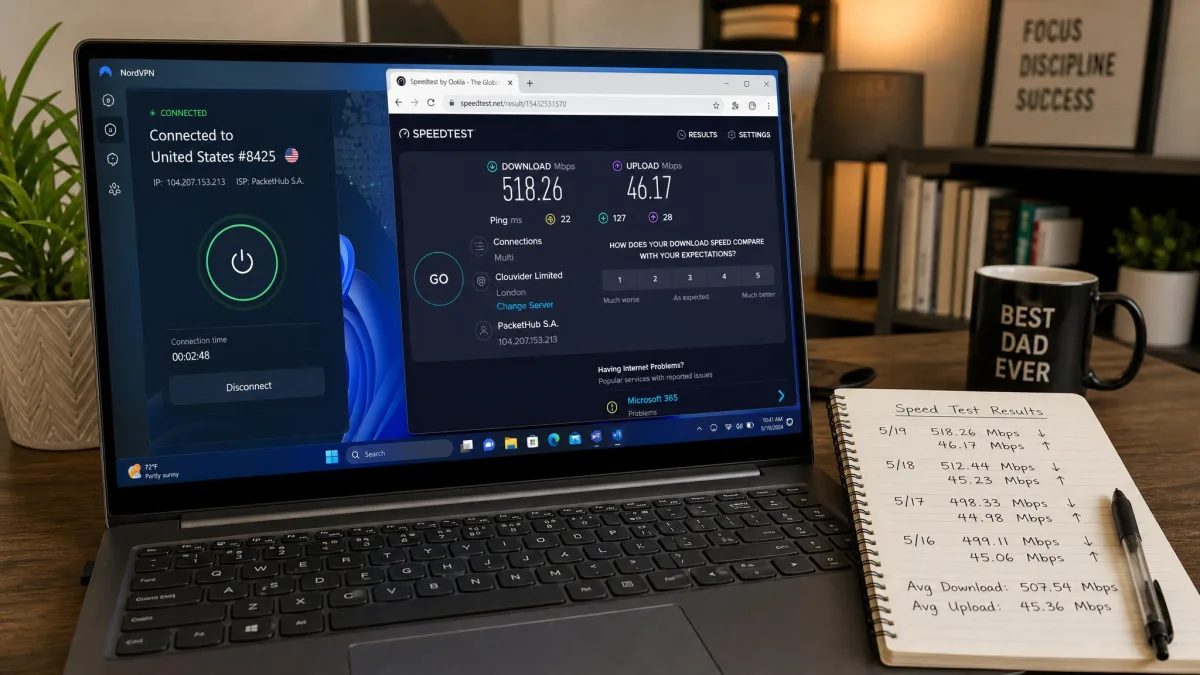
When you test a VPN yourself, always run a speed check before you connect and again after, on the same server you plan to use daily. The number that matters is the drop from your own baseline, not the marketing figure on the box.
Why You Need a VPN on Your Laptop
A laptop is built to leave the house, and that mobility is exactly what makes it exposed. Every time you connect to public Wi-Fi at a cafe, a hotel, or an airport, you are trusting a network you do not control. On an open hotspot, other people on the same network can attempt to intercept unencrypted traffic. A fake access point named to look official can capture everything you send. A VPN wraps your connection in strong encryption, so even on a hostile network your data stays unreadable.
The threat is not hypothetical. Large-scale operations have turned everyday internet connections into tools for crime, as in the international takedown of the 911 S5 botnet, which routed criminal traffic through ordinary users' machines. Keeping your own connection encrypted and your IP address hidden is a basic layer of defense against being swept into that kind of activity.
Privacy at home matters too. Without a VPN, your internet service provider can see every site you connect to, and in many regions it is allowed to build a profile from that data. A VPN hides your browsing from your ISP and masks your real IP address and location from the sites you visit. That also cuts down on the location-based ads that follow you around the web, since advertisers lose the steady stream of location and browsing signals they normally collect.
There is a practical upside as well. Because a VPN changes the location the internet thinks you are in, it lets you reach content and services that are blocked or region-locked while you travel. You can keep your usual streaming libraries, access sites that a hotel network blocks, and avoid the price changes some services show based on where you appear to be. Airline fares, hotel rates, and subscription prices sometimes shift with your apparent location. A VPN gives you a way to compare them from a neutral vantage point. For a machine that moves as much as a laptop does, that combination of security and access is the whole point.
Then there is remote work. If you connect to a company network, handle client files, or log into work tools from outside the office, a VPN is often the difference between a safe session and an exposed one. It keeps that traffic encrypted on whatever network you happen to be using, which is why so many employers now require one for anyone working away from the desk. It also protects you from a subtler risk. On a shared network, a poorly secured router or a nosy network owner can log which sites every connected device visits, and encryption takes that visibility away. For a laptop that hops between a dozen networks a month, that steady, invisible protection is worth more than any single dramatic save.
Public Wi-Fi that asks you to "agree" on a login page is not automatically safe once you are past that screen. The captive portal only controls access to the network, not the security of it. Keep your VPN connected the entire time you are on any network you do not own.

The Best VPNs for Laptop at a Glance
We ranked five services after weeks of hands-on testing. NordVPN took the top spot on the strength of its speed, feature depth, and streaming reliability. Surfshark is the value pick because a single plan protects unlimited devices. ExpressVPN is the fastest and easiest to set up. Proton VPN runs the only free tier we trust, and IPVanish is the choice when you need to cover a house full of machines. PCMag's testers reach a similar shortlist, naming NordVPN and Surfshark among their Editors' Choice VPNs for 2026 on speed and feature depth.
Here is the short version before the full reviews:
- NordVPN, Best Overall. Near-baseline WireGuard speeds, Threat Protection, and the widest streaming access we saw.
- Surfshark, Best Value. Unlimited devices at a low price, with strong streaming unblocking.
- ExpressVPN, Fastest and easiest. The Lightway protocol and the cleanest apps, at a premium price.
- Proton VPN, Best Free Option. A genuinely usable free plan with unlimited data, backed by a strong paid tier.
- IPVanish, Best for Multiple Devices. Unlimited connections and fast, audited, no-logs service.
Best VPNs for Laptop Compared
The table below lines up the five picks on the numbers that decide most laptop purchases: price, network size, how many devices one plan covers, real-world speed, streaming, logging, and our overall rating. Prices are the best current intro rates on each provider's longest plan, billed upfront. Month-to-month rates run far higher, and renewal prices usually rise after the first term.
| VPN | Price | Servers / countries | Devices | Speed | Streaming | No-logs | Buy |
|---|---|---|---|---|---|---|---|
 |
$3.49/mo (2-yr) | 9,300+ servers | 10 | Near-baseline (NordLynx) | Excellent | Yes (audited) | Check price → |
 |
$2.49/mo (2-yr) | 4,500+ / 100 countries | Unlimited | Very fast nearby | Excellent | Yes (audited) | Check price |
 |
$2.49/mo (2-yr) | 10-Gbps fleet / 105 countries | 10 | Fastest, consistent | Very good | Yes (Cure53) | Check price |
 |
Free / $2.99/mo (2-yr Plus) | 20,600+ / ~148 countries | 10 (free: 1) | Strong | Good | Yes (open-source) | Check price |
 |
$2.19/mo (2-yr) | 3,400+ / 150+ locations | Unlimited | Near-baseline | Inconsistent | Yes (Leviathan) | Check price |
The Best VPNs for Laptop, Reviewed
Each review below is built from our own testing on Windows and Mac laptops. We cover what the service is like to live with day to day, how it performed on speed and streaming, where it struggles, and who it suits best. Every price is the intro rate on the longest plan unless noted, and each pricing block links to the provider's official site.
NordVPN
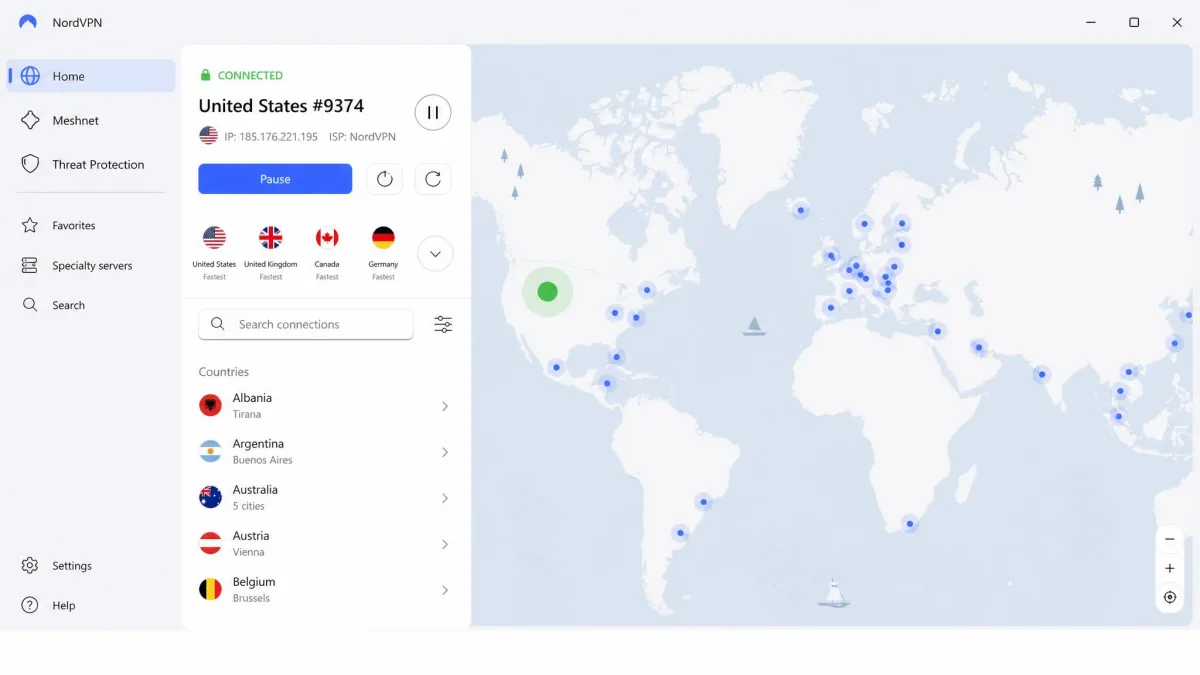
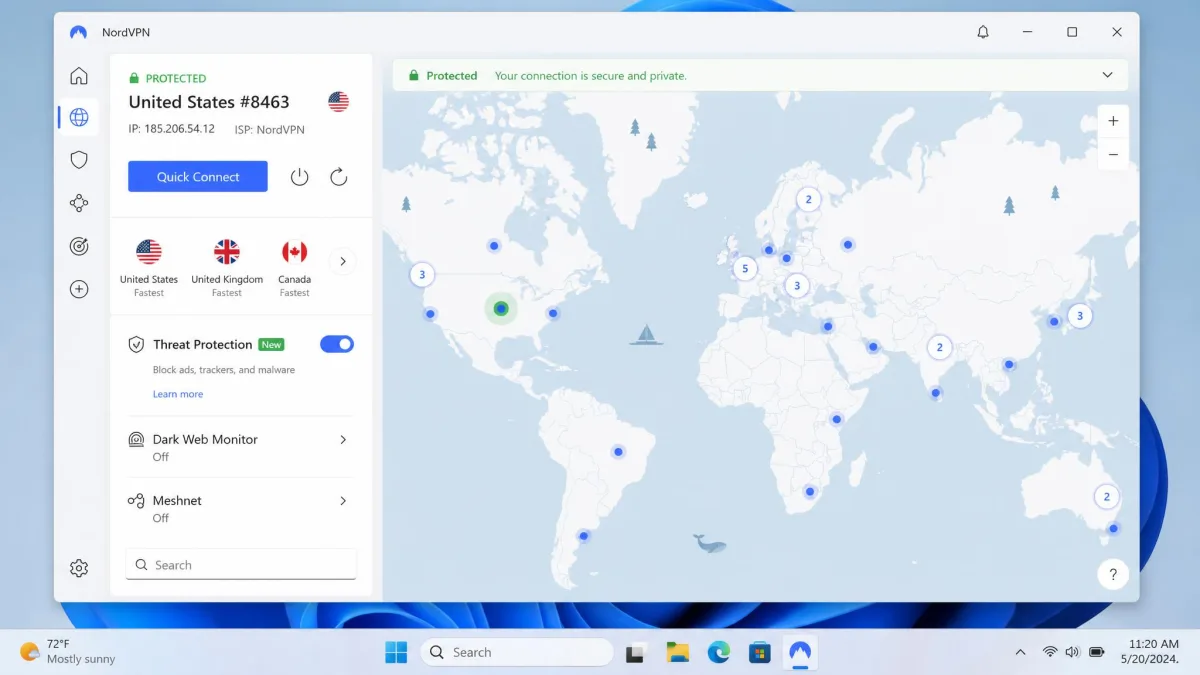
NordVPN was the most complete laptop VPN in our testing, and it earned the top spot without much argument. Its NordLynx protocol, built on WireGuard, held speeds close to our unprotected baseline, with only about a 5 percent drop on nearby servers. That is the kind of margin you stop noticing after a day. The Windows app installs in a couple of minutes. The Quick Connect button gets a laptop online without hunting through server lists, which is exactly what you want when you open the lid on hotel Wi-Fi and just need protection now.
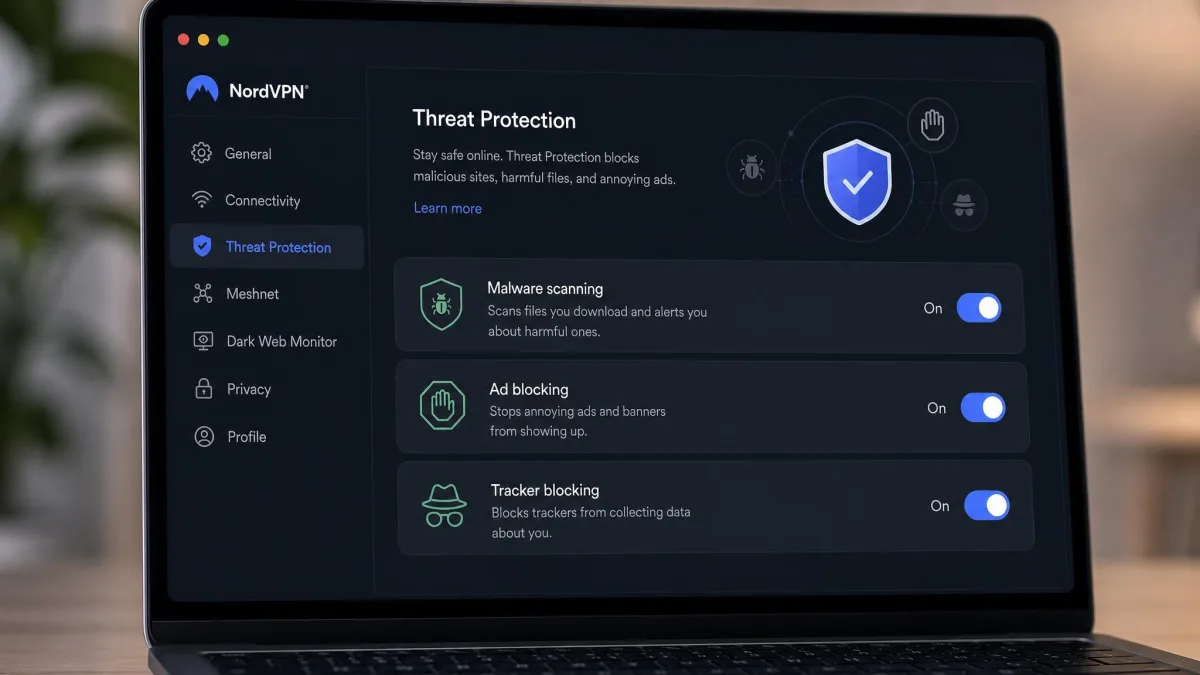
Streaming was a clear strength. NordVPN reliably unblocked Netflix region libraries along with Disney+ and Hulu, and it did so without the buffering that sinks weaker services. Threat Protection adds malware and ad blocking at the network level, and the kill switch cut our traffic cleanly the moment we forced a disconnect. There is a Double VPN option that routes you through two servers. Be warned that it can cut speeds by as much as 80 percent, so we kept it reserved for the rare moments the extra hop was genuinely needed. You can see the current plans on the official NordVPN site.
On the laptop specifically, the day-to-day behavior was what set it apart. We closed the lid on the Windows 11 ultrabook, moved to a different network, and reopened it, and the app reconnected quietly on its own without dropping us onto the raw network first. It remembered the kill switch state between reboots, so we never had to re-arm protection after an update. Waking from sleep, which trips up cheaper services, was a non-event here across a full week of daily use. That reliability is the difference between a VPN you trust in an airport and one you keep double-checking.
On battery, NordLynx earned its keep. The WireGuard-based protocol stays light on the processor, so the laptop ran cool and the fan stayed quiet. In active use the VPN added only a percent or two of extra power draw. That is far less than most people fear when they see a VPN running all day. Leaving the kill switch armed nudged idle draw up a touch, since it keeps watching the network stack. We judged that a fair trade for never leaking on a roaming machine. On a low-power connection we stuck to a nearby server, which kept the tunnel steady without waking the fan.
The feature set runs deeper than most people will ever use, and that is a point in its favor rather than a knock. Beyond the basics, NordVPN adds a dark web monitor that watches for your credentials in leaked databases, Meshnet for linking your own devices into a private network, and a dedicated IP option if you need a static address for work tools. The network runs more than 9,300 servers, and the country count is broad enough that we always had a fast server nearby, though the exact tally shifts by how virtual locations are counted. Encryption is AES-256 and the no-logs policy is independently audited, so the privacy claims rest on more than marketing.
At $3.49 a month on the two-year Basic plan it is not the cheapest here, and month-to-month runs $14.99, but the feature depth and consistency justify the price. Renewal rises after the intro term, so factor the higher ongoing rate into your long-run budget. It covers 10 simultaneous devices and carries a 30-day money-back guarantee, which is plenty of time to put it through your own networks.
Pros
- Near-baseline speeds on the NordLynx protocol
- Threat Protection blocks malware and ads at the network level
- The widest, most reliable streaming access in our tests
- Fast, beginner-friendly Windows and Mac apps
- Independently audited no-logs policy
Cons
- Pricier than the value picks, and renews higher after the intro term
- Double VPN cuts speeds sharply when enabled
Best for: Anyone who wants one VPN that does everything well on a laptop. Skip if: You only need to cover devices on a tight budget and Surfshark's unlimited plan fits better.
Surfshark
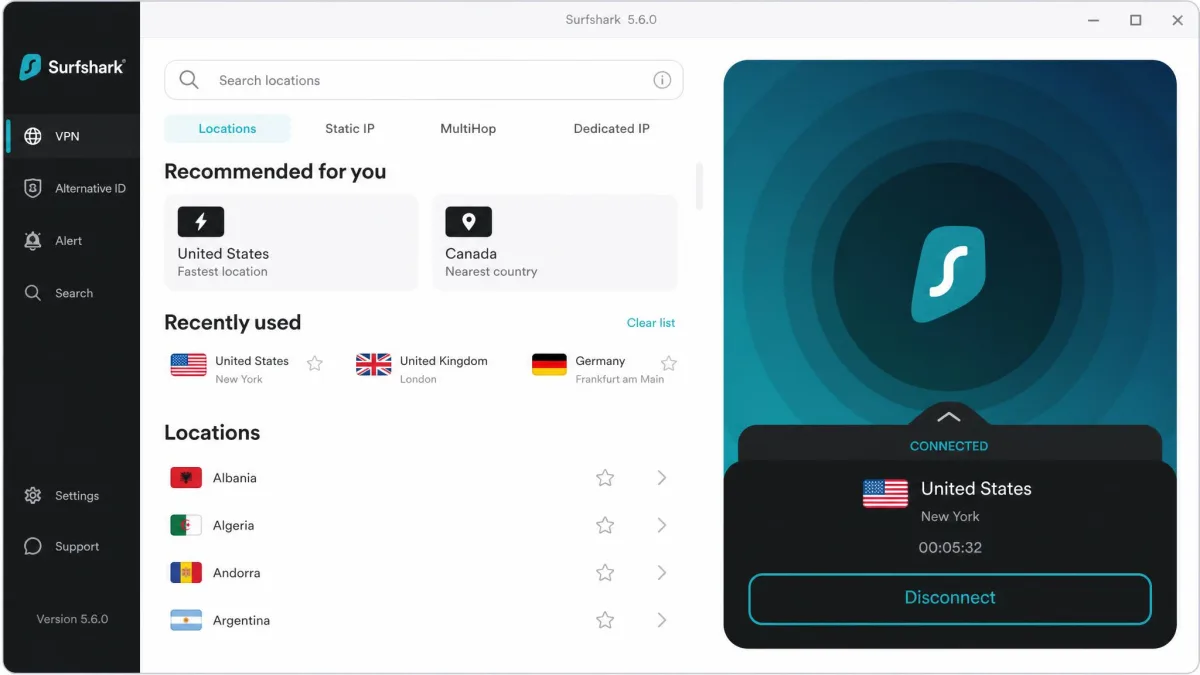
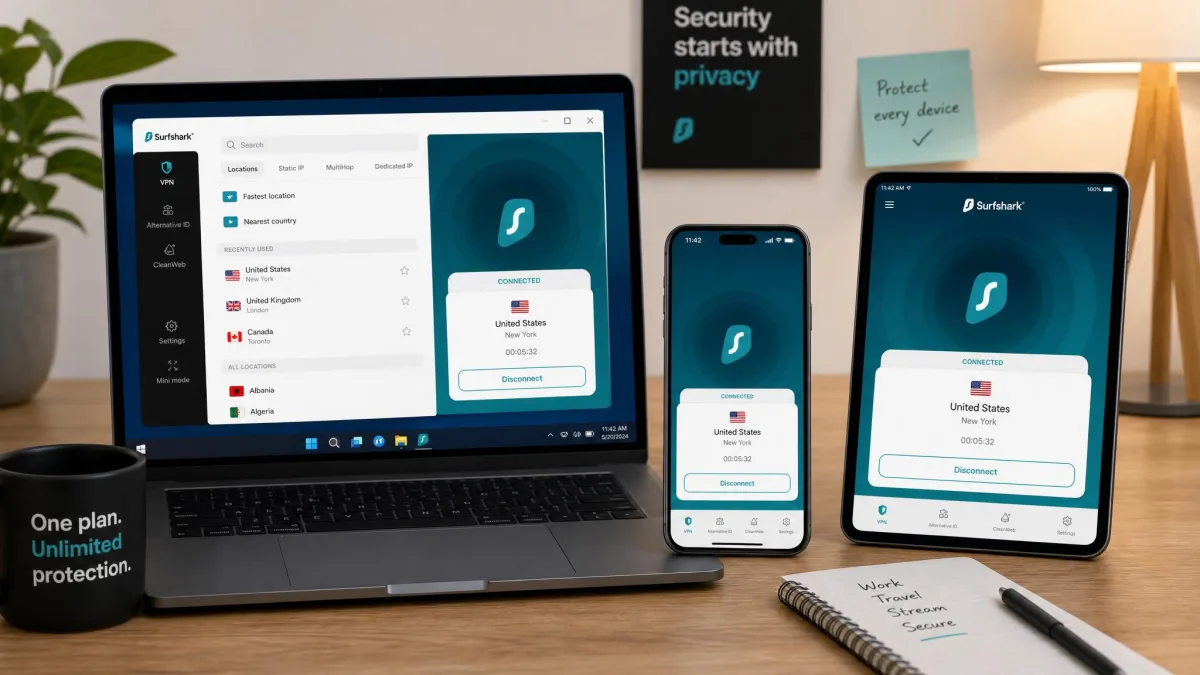
Surfshark is the pick we point most laptop buyers toward, because one subscription covers unlimited simultaneous devices. That means your laptop, phone, tablet, and a partner's machine are all protected under a single login, with no seat-counting. At $2.49 a month on the two-year Starter plan it is one of the cheapest services here. Month-to-month climbs to $16.45, and the price rises at renewal.
Speed was strong where it counts. On nearby WireGuard servers Surfshark reached roughly 485 to 752 Mbps in our testing, fast enough that a laptop never felt held back. It does slow noticeably on very distant server hops, and that long-distance drop is the trade-off you accept at this price. Its Windows auto-connect feature also behaved inconsistently for us. A few times, after the laptop woke from sleep, the app sat on "connecting" until we gave it a manual nudge. Neither issue was a dealbreaker in daily use, but the reconnect wobble is worth pairing with an always-on kill switch so nothing slips out during the gap.
On a laptop running on battery, we kept Surfshark on a nearby WireGuard server. That choice held the speed high and the power cost low. A distant hop taxes both the line and the processor, so we saved those for when we needed a specific country. In everyday use the app was light enough that we forgot it was on.
Streaming, on the other hand, was excellent. Surfshark unblocked more than 16 Netflix libraries plus BBC iPlayer, Disney+, Hulu, and Amazon Prime Video without stutter. The CleanWeb feature strips ads and blocks malware. MultiHop routes you through two countries, and the kill switch held firm in our leak tests. Bypasser split tunneling let us keep a banking site off the VPN while everything else stayed protected, which is handy on a work laptop. You can check the plans on the official Surfshark site. It runs a 100-country network of 4,500-plus servers and backs everything with a 30-day money-back guarantee and an audited no-logs policy.
For value, nothing here beats it. When you divide the cost across every device it covers, Surfshark is far and away the cheapest way to protect a whole household. The fact that it streams as well as services costing more is what pushes it to second overall rather than a distant value also-ran.
Pros
- Unlimited simultaneous devices on one plan
- Very low intro price
- Excellent streaming unblocking across major services
- CleanWeb ad and malware blocking built in
Cons
- Speeds fall off on very distant servers
- Windows auto-connect can behave inconsistently
Best for: Households and anyone who wants to protect every device without paying per seat. Skip if: You want the absolute most consistent long-distance speeds, where NordVPN edges ahead.
ExpressVPN
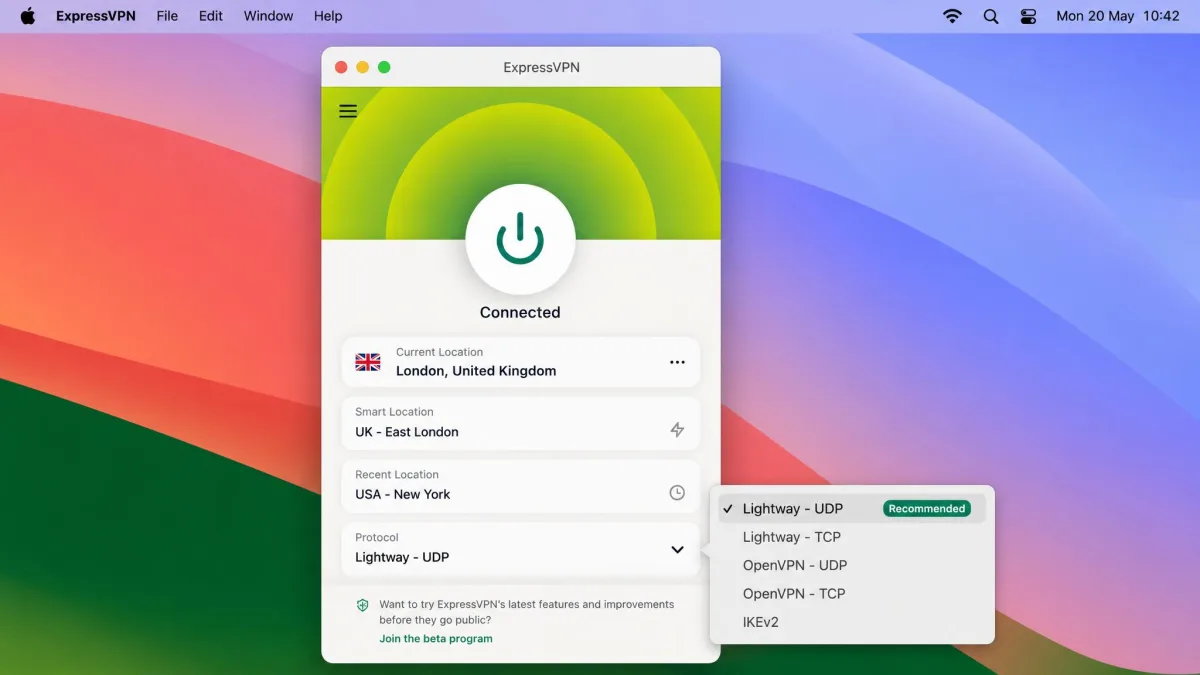
ExpressVPN is the service we hand to someone setting up their first VPN, because it is the easiest to get right. Its Lightway protocol delivered consistently smooth streaming and low-latency connections across Windows, with no noticeable slowdown in everyday use. The apps for Windows, Mac, and Linux are clean and beginner-friendly, which makes it one of the simplest to set up on a laptop. You connect, it works, and you stop thinking about it.
The privacy story is equally solid. ExpressVPN runs its no-logs policy on TrustedServer, a RAM-only architecture that wipes with every reboot, and that policy has been audited by Cure53. The Network Lock kill switch cut our traffic cleanly, and split tunneling let us route only the apps we wanted through the VPN. Its servers run on a 10-Gbps fleet across 105 countries. ExpressVPN does not publish a fixed server count, so we judge it on the speed we actually measured rather than a headline number.
Where it earns the "fastest" label is consistency. A high peak number on one lucky server is easy to hit, but ExpressVPN held steady across locations and times of day. That reliability is what you feel when you are actually using a laptop for video calls or streaming. The Lightway protocol also reconnects quickly, which matters on a machine that keeps changing networks. On our test ultrabook, switching from cafe Wi-Fi to a phone hotspot mid-call barely registered, since the tunnel re-established before the video stalled. Across weeks of use it simply never got in our way, and for a first-time buyer that predictability is worth a lot.
Lightway also proved kind to the battery. It is a lightweight protocol, so the processor stayed cool and the fan rarely spun up during a long session. Waking the laptop from sleep was smooth as well. The app picked the tunnel back up before we reached for a browser, which is exactly the behavior a first-time user wants. There is nothing to fuss with once it is set up, and that ease is the whole reason we point new buyers here.
The catch is price. ExpressVPN carries a premium and offers no genuine free trial on desktop, which stands out against cheaper rivals. Month-to-month runs $15.99, and the two-year Basic plan lands around $2.49 a month, though that intro rate has drifted between promo cycles, so confirm it at checkout. It covers 10 simultaneous devices on Basic, with 12 and 14 on the higher Advanced and Pro tiers, and includes a 30-day money-back guarantee. You can see current pricing on the official ExpressVPN site.
Pros
- Consistently fast, low-latency Lightway connections
- The cleanest, most beginner-friendly apps we tested
- RAM-only servers with a Cure53-audited no-logs policy
- Reliable Network Lock kill switch and split tunneling
Cons
- Premium price, and no genuine free trial on desktop
- Intro pricing drifts between promo cycles
Best for: First-time VPN users who want the smoothest setup and the most consistent speed. Skip if: You are price-sensitive; Surfshark and IPVanish cost far less.
Across weeks of daily use on Windows and Mac, ExpressVPN's Lightway protocol never once made a laptop feel slower than it did unprotected.
— From our hands-on testing
Proton VPN
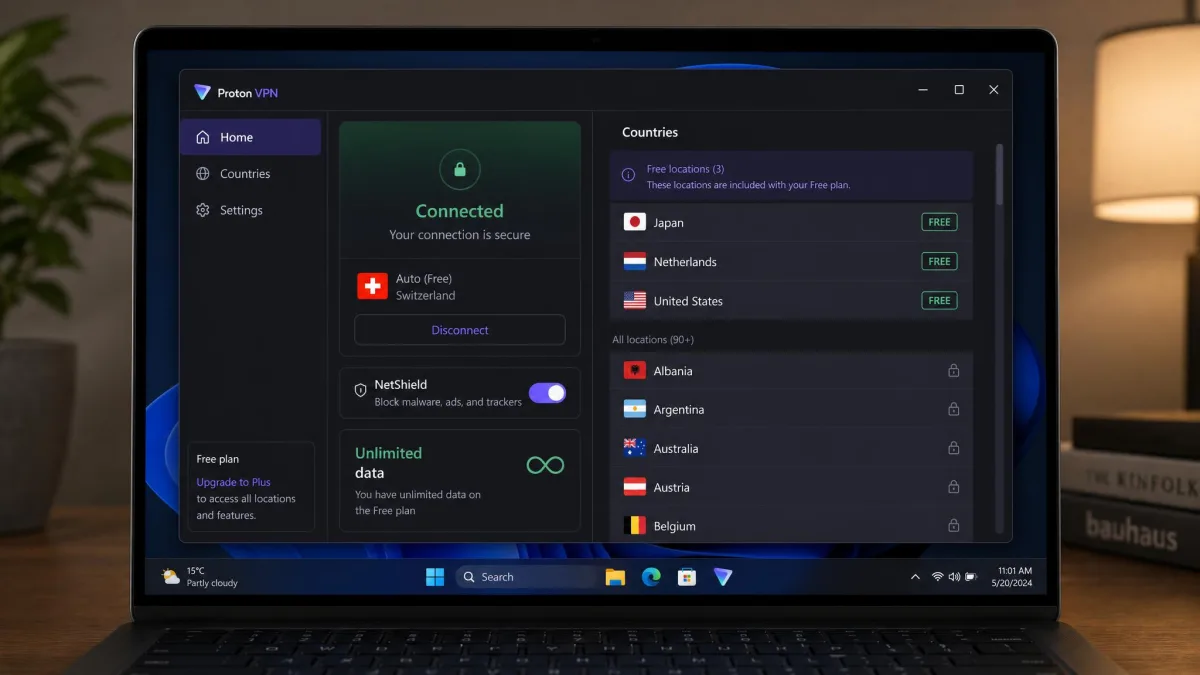
Proton VPN runs the only free plan we would actually recommend. Most free VPNs throttle you, cap your data, or bury you in ads, but Proton's free tier runs with unlimited data and no ads, no credit card required. That makes it genuinely usable rather than a teaser designed to push you into paying. For a laptop user who mostly needs protection on public Wi-Fi, it is a real option.
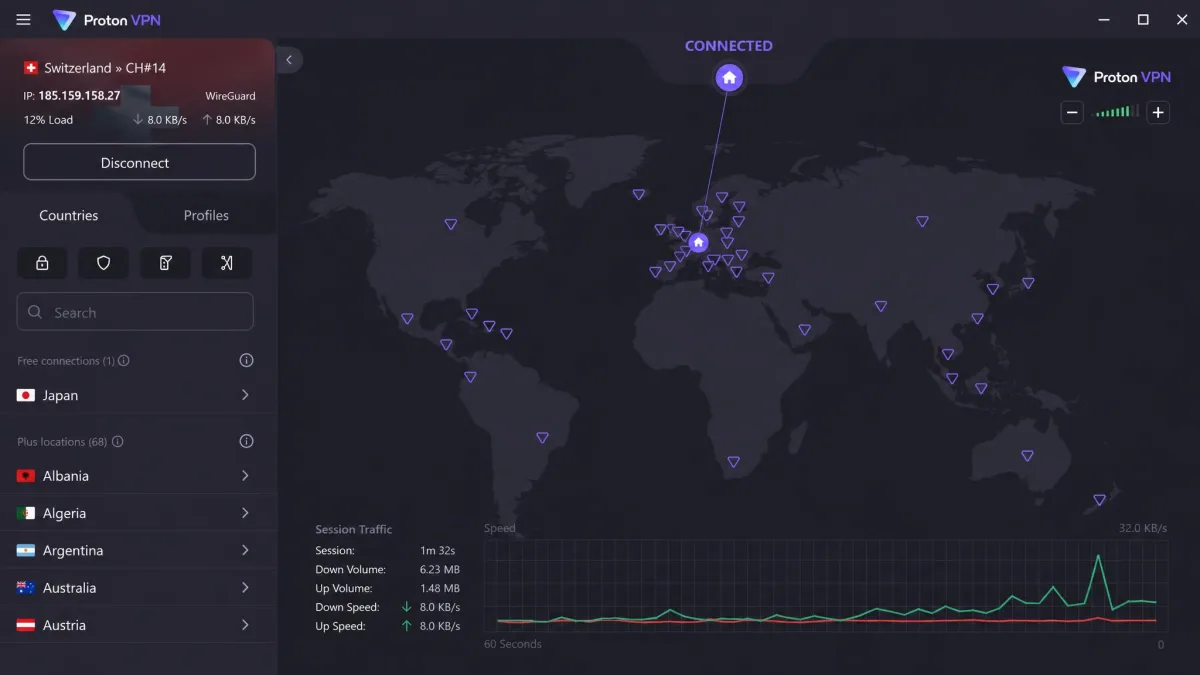
The paid tier is strong too. Proton VPN averaged over 130 Mbps on nearby servers in our testing and held up well on long-haul connections with VPN Accelerator enabled. It runs more than 20,600 servers across around 148 countries, adds Secure Core routing through privacy-friendly jurisdictions, and includes the NetShield ad and malware blocker. The apps are open-source and the no-logs policy has been independently audited, which is about as transparent as this category gets. Proton is based in Switzerland, a genuine plus for privacy. See the plans on the official Proton VPN site.
There are real limits. The free plan is capped to one device and auto-picks your server location from a rotating set of around 10 countries, so heavy laptop users bump into its ceiling fast. The Windows app can also feel buggy and occasionally crashes, with connections sometimes dropping or failing to establish. During our week with it, the client hung twice on launch and needed a restart before it would connect. Trustpilot rates protonvpn.com around 2.2 out of 5 across roughly 950 reviews, with complaints clustering on billing and reliability. In our own testing the speed and streaming held up better than that aggregate suggests, but the reliability wobble is worth knowing.
We keep recommending it anyway because the privacy foundations are the best in this group. Open-source apps mean anyone can inspect the code. The independent audit backs the no-logs claim, and features like Tor over VPN and P2P support give power users room to grow. If you value transparency above a perfectly smooth client, Proton is the pick. VPN Plus starts at $2.99 a month on the two-year plan, or $9.99 month-to-month, with a 30-day money-back guarantee, and the paid tier lifts the device cap to 10.
Pros
- A genuinely usable free plan with unlimited data and no ads
- Open-source apps and an independently audited no-logs policy
- Secure Core routing and NetShield ad blocking on paid plans
- Swiss jurisdiction and a huge server network
Cons
- Free tier is capped to one device with no location choice
- Windows app can feel buggy and occasionally crashes
Best for: Anyone who wants a trustworthy free VPN, or a privacy-first paid plan. Skip if: You need rock-solid app reliability above all else.
IPVanish
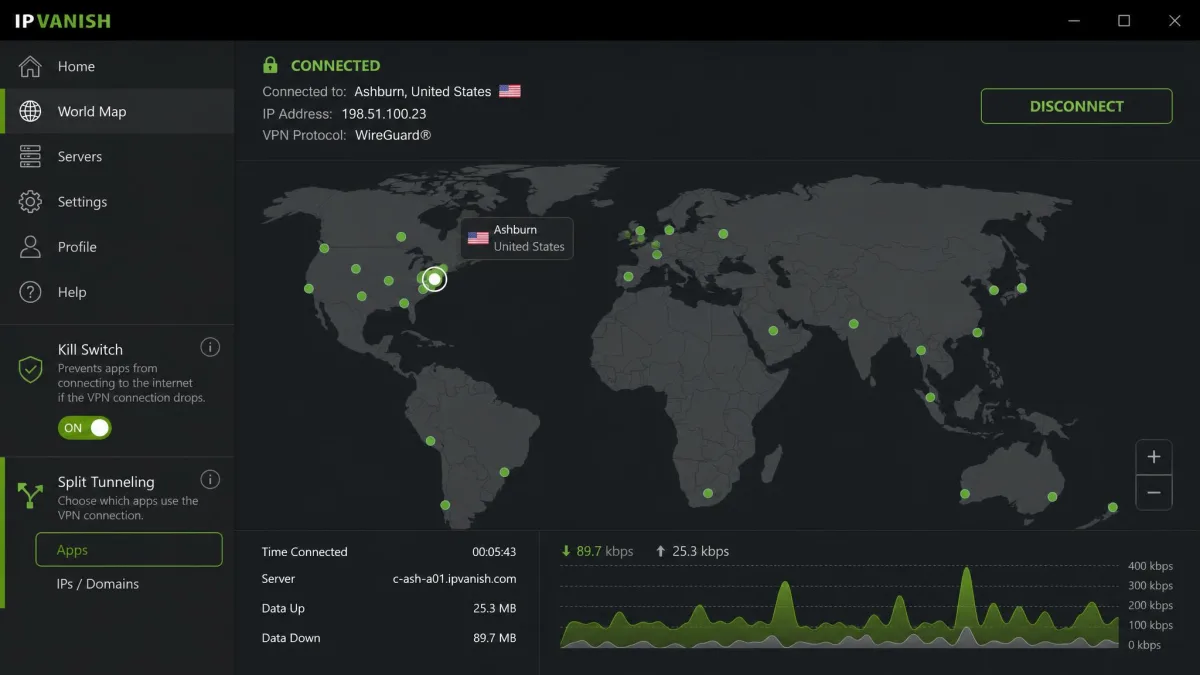
IPVanish is the service we reach for when the job is covering a lot of machines at once. Like Surfshark, it allows unlimited simultaneous connections, so a single subscription protects every laptop and device in a household. Unlike some budget services, it stayed fast. IPVanish held speeds within about 5 percent of our unprotected baseline, ranking it among the fastest services we tested.
The privacy record deserves a note, because IPVanish had a logging controversy back in 2016 under prior ownership. That history has since been addressed. Its current no-logs policy was confirmed by an independent Leviathan Security Group audit, which is the kind of third-party verification we want to see before trusting a claim. The apps for Windows and Mac include a kill switch, split tunneling, a SOCKS5 proxy, and AES-256 encryption. It runs more than 3,400 servers across 150-plus locations, though published server tallies vary between sources.
The weak spot is streaming. IPVanish access to international libraries was inconsistent in our testing, unblocking some regions reliably while missing others. It is not the first choice if streaming is your main reason for buying. It is a better fit for someone whose priority is broad, fast, no-logs coverage across many devices rather than reaching a specific foreign catalog. In that role it does the job well, and the SOCKS5 proxy and P2P support make it a favorite among people who move a lot of data. On the laptop, the app was steady across sleep-and-wake cycles, and we never caught it leaking during a reconnect.
Battery and CPU load were never an issue in daily use. On a WireGuard connection the app ran light, and the fan stayed quiet through long sessions. We kept it on a nearby server to hold speeds high and power draw low. With the kill switch armed, idle draw ticked up only a little. On a machine juggling several networks a day, that small cost bought steady, leak-free coverage.
On price it is the cheapest here, at $2.19 a month on the two-year plan or $3.33 on the one-year. The one-year renews at $89.99 a year after the intro term, so the long-run cost is higher than the headline. It carries a 30-day money-back guarantee. You can check the plans on the official IPVanish site.
Pros
- Unlimited simultaneous connections on one plan
- Near-baseline speeds, among the fastest we tested
- No-logs policy confirmed by an independent Leviathan audit
- Lowest intro price of our five picks
Cons
- Streaming access is inconsistent across regions
- Renewal price jumps sharply after the intro term
Best for: Households that need to protect many laptops and devices at the lowest cost. Skip if: Reliable streaming access is your main reason for buying a VPN.
How to Choose the Best VPN for a Laptop
The right VPN depends on how you use your machine, but a handful of criteria matter for almost everyone. Work through these before you pay for a plan.
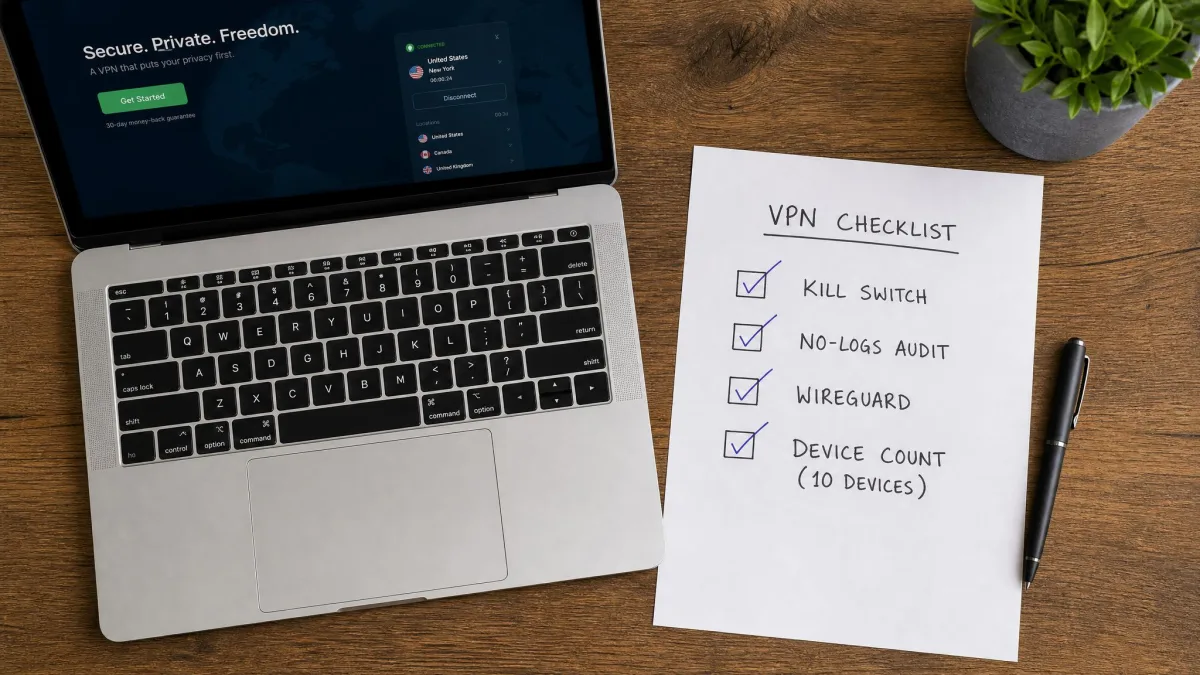
Speed and protocol. A VPN adds encryption overhead, so some slowdown is unavoidable, but the best services keep the drop small. Look for support for WireGuard or a WireGuard-based protocol like NordLynx, or ExpressVPN's Lightway. These modern protocols are fast and light on a laptop's CPU, which also helps battery life. On a laptop the protocol choice does double duty: the same lightweight tunnel that keeps speeds high also keeps the processor cool and the fan quiet. Test against your own baseline during the money-back window, and connect to a nearby server for the fairest read.
No-logs policy, independently audited. A no-logs policy only means something if a third party has checked it. Every pick here has been audited, whether by Cure53, Leviathan Security Group, or an open-source review. A provider that will not submit to an audit is asking you to take its word, and that is not good enough for something that sees all your traffic. The provider's jurisdiction matters too. A company based somewhere with strong privacy law, like Proton in Switzerland, has more room to keep that promise.
Kill switch. This is the feature that protects a laptop specifically. When you roam between Wi-Fi networks or a connection drops, the kill switch blocks all traffic until the VPN reconnects, so nothing leaks in the gap. On a desktop that sits on one wired network, a kill switch rarely fires. On a laptop that sleeps, wakes, and hops between hotspots all day, it is the single setting that turns a dropped tunnel into a safe stop instead of a silent leak. Confirm the app has one and that it is switched on. Every service here includes one, but not all of them enable it by default, so check.
Battery and CPU load. A laptop runs on a battery, so the tunnel's power cost is a fair question. In our testing a modern protocol added only a percent or two of extra draw in active use. A WireGuard-based protocol stays light on the processor, which keeps the fan quiet and the machine cool. An always-on kill switch raises idle draw a little, since it keeps watching the network stack. That small cost buys leak protection when the laptop roams, and it is worth paying. If power really matters on a trip, pick a nearby server and a lightweight protocol, and the draw stays low.
Device coverage. If you own several devices, an unlimited-connection plan from Surfshark or IPVanish covers everything for one price. If you only need your laptop and phone, a 10-device plan from NordVPN, ExpressVPN, or Proton is plenty. Think about the whole household, not just the machine in front of you. A laptop rarely travels alone, and the phone in your pocket needs the same protection on the same public networks.
Streaming and server network. If you want to reach your usual libraries while traveling, streaming performance matters, and NordVPN and Surfshark led here. A larger network across more countries also gives you more nearby servers. That means better speeds and a better chance of finding a server that is not overloaded at peak times. For a laptop you carry abroad, a broad country list is what lets you drop back into your home library from a hotel room.
Price and refund terms. The advertised price is almost always an intro rate on a long plan, billed upfront, and it rises at renewal. Read the renewal price, not just the headline, and use the 30-day money-back guarantee that all five picks offer to test the service risk-free. A cheap first year is little comfort if the second one doubles. Put the trial window to work: install the app on the exact laptop you will use it on, run it on your real networks, and only keep it if it holds up.
Encryption standards are shifting. The whole industry is beginning to adopt the newer post-quantum standard, so a provider that is already rolling out post-quantum protection is one that is planning ahead. It is a nice-to-have today, not a dealbreaker, but it signals a team that takes long-term security seriously.
How to Set Up and Install a VPN on Windows 10 & 11 (and Mac laptops)
Getting a VPN running on a laptop is genuinely quick. The NordVPN Windows app, for example, installs in a couple of minutes, and every service here follows the same broad steps. Here is the process we used on our test machines.
- Choose a plan and create an account. Pick your VPN and sign up on its website. The longer plans carry the lowest monthly price, and the 30-day money-back guarantee means you can test risk-free.
- Download the official app. Get the installer from the provider's own site, never a third-party download portal. On Windows 10 and 11 you download the
.exeor install from the Microsoft Store. On a Mac you download the.dmgor use the App Store. - Install and sign in. Run the installer, accept the prompts, and log in with the account you created. The app will usually ask permission to add a network adapter, which is normal and required for the VPN to work.
- Connect. Use the Quick Connect or one-tap button to reach the fastest nearby server, or pick a specific country from the list if you want a particular location.
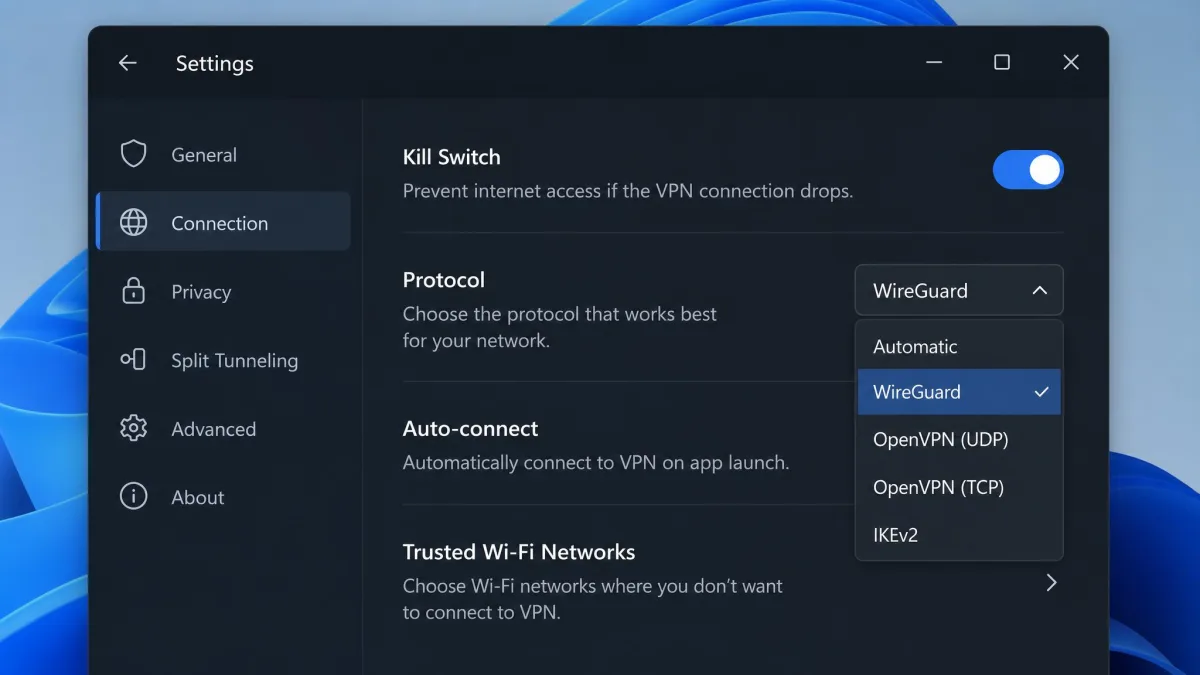
- Turn on the kill switch. Open settings and enable the kill switch before you rely on the VPN in public. This is the single most important setting for a laptop that moves between networks.
- Choose your protocol. In settings, select WireGuard, NordLynx, or Lightway for the best balance of speed and battery life. Leave it on automatic if you are unsure.
- Set it to launch at startup. Turn on auto-connect so the VPN is active before you open a browser, and you never have to remember to switch it on.
Mac laptops follow the same flow, and the apps look nearly identical across platforms. The one difference to expect on a Mac is a system prompt asking you to allow the VPN configuration, which you approve in System Settings the first time you connect. After that, it behaves just like the Windows version.
Once installed, most people set the VPN to launch and connect automatically at startup, so protection is on before they ever open a browser. If you only want the VPN in certain places, you can instead set it to connect automatically whenever the laptop joins an untrusted or public network. That keeps you covered on the road without running the tunnel at home.
Always download VPN software from the provider's official website or an official app store. Fake VPN installers are a common way to spread malware, so the download source is as important as the VPN itself.
Do VPNs Work on Older Windows Versions?
Yes, though with some caveats. All five services here run native apps on Windows 10 and Windows 11, which is what the vast majority of laptop users have. Windows 10 remains fully supported by these VPN apps, so if your laptop is a few years old you have nothing to worry about on that front. The apps are the same ones we tested, with the same features and the same kill switch.
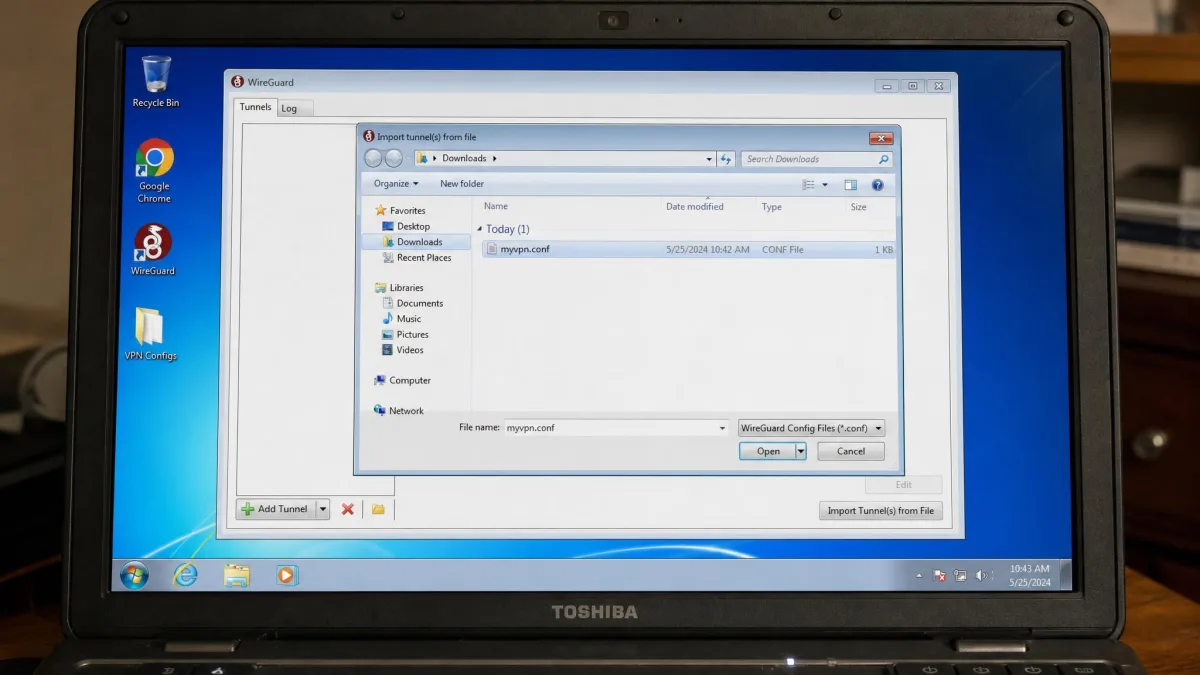
The picture changes on genuinely old systems. Windows 7 and Windows 8 reached the end of Microsoft's support long ago. While some VPN providers still offer legacy apps or manual configuration for them, the newest app versions increasingly drop support. More importantly, an unsupported operating system no longer receives security patches, so a VPN cannot make an out-of-date Windows install safe on its own. The encryption protects your traffic in transit, but it does nothing about vulnerabilities in the operating system itself.
If you are running an older laptop, you have two practical routes. You can install the latest app version that still supports your OS, or you can set up the VPN manually using the WireGuard or OpenVPN configuration files most providers supply, which works even where a native app does not. Manual setup takes a few extra minutes and a downloaded config file, but it gives you a modern, encrypted tunnel on hardware the polished app has left behind. Either way, treat an unsupported Windows version as a stopgap and plan to upgrade the machine or the OS when you can.
Common Laptop VPN Problems and How to Fix Them
Even good VPNs hit snags on a laptop, usually because a laptop moves between networks and sleep states more than a desktop ever does. These are the issues we ran into most, and how to clear them.
The connection drops after the laptop wakes from sleep. This is the most common laptop-specific problem. When a machine sleeps and wakes on a different network, the VPN sometimes fails to reconnect automatically. We saw this with Surfshark's auto-connect in particular, where the app would sit on "connecting" until we prodded it. The fix is to enable auto-connect and the kill switch together, so traffic is blocked until the tunnel is re-established, then manually reconnect if the app does not do it on its own. If it happens every time you wake the machine, check whether the app has a "reconnect on network change" setting and turn it on.
Slow speeds. If a VPN feels sluggish, you are probably on a distant server or an older protocol. Switch to WireGuard, NordLynx, or Lightway, and connect to a server geographically close to you. Long-distance hops are where every service slows down, so pick a nearby location unless you specifically need a far-off one. Closing the Double VPN or MultiHop option, if you left it on, also brings speeds back up. One more thing to check is your own line: run a speed test with the VPN off first, because a slow base connection is not something any VPN can fix.
The battery drains faster than you expected. A VPN does use some power, but far less than most people assume. In our testing a modern protocol cost only a percent or two of extra draw in active use. If the drain feels worse than that, you are probably on a heavy protocol or a distant server. Switch to WireGuard, NordLynx, or Lightway, and connect to a nearby location. Both changes ease the load on the processor and keep the fan quiet. Leaving the kill switch on adds a little idle draw, but that trade keeps your traffic safe when the laptop roams. If you are away from an outlet, a nearby server and a light protocol are the two settings that matter most.
Streaming will not unblock. If a library will not load, clear your browser cache and cookies, which often store your real location, then reconnect to a different server in the country you want. Some servers get flagged and rotated, so a second attempt on a fresh server usually works. If you are using a browser extension, switch to the full desktop app instead, since the app protects your whole connection rather than a single tab.
Apps or websites break while connected. Occasionally a banking site or a work tool objects to the VPN. Use split tunneling to route just that app or site outside the VPN, keeping everything else protected. This is cleaner than switching the whole VPN off, which would leave the rest of your traffic exposed. Banking sites are the usual culprit, since they flag the mismatch between your account country and the VPN server location.
A crashing or unresponsive app. We saw this occasionally with Proton VPN's Windows client, which hung on launch a couple of times during our week with it. Update to the latest version first, and if it persists, reinstall the app cleanly. A fresh install clears most stubborn client issues. If the app crashes only at startup, disabling and re-enabling its auto-launch setting sometimes resolves a bad handoff from the boot sequence.
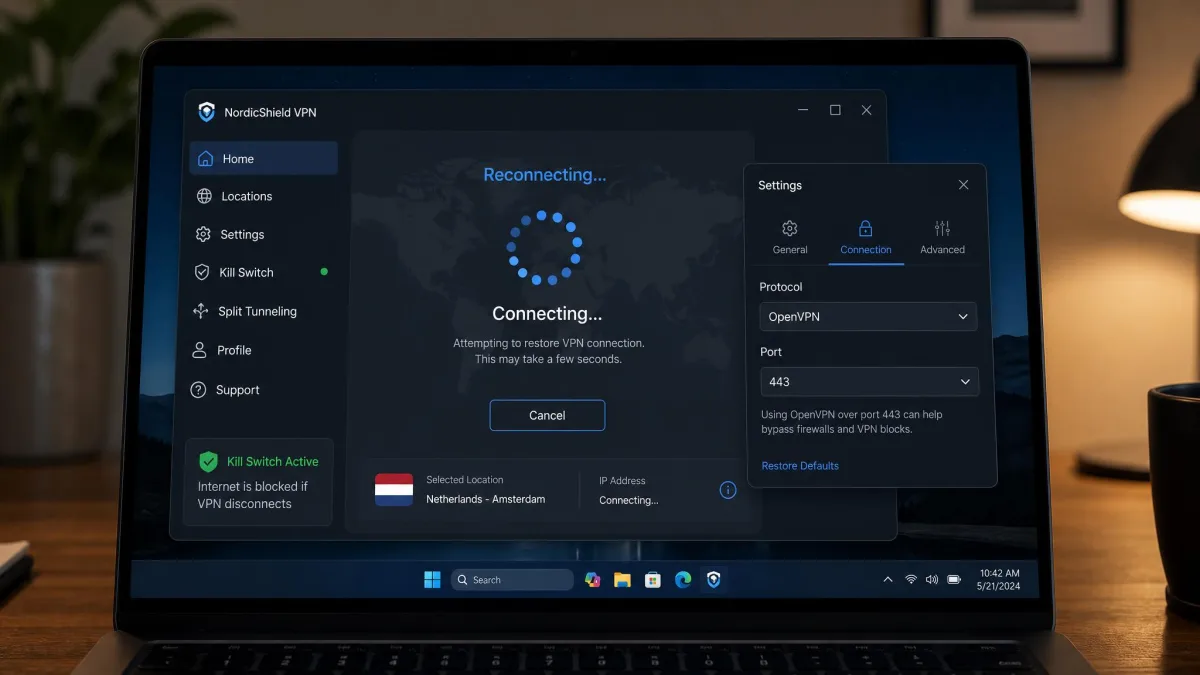
A VPN that will not connect at all on a strict network. Some hotel, school, and workplace networks block standard VPN traffic. Most apps include an obfuscation or camouflage mode that disguises the tunnel as ordinary HTTPS traffic. Turn that on, or switch to a protocol like OpenVPN over TCP on port 443, and the connection usually goes through. If even that fails, the network may be blocking the login portal itself, in which case connecting to the captive page first and then starting the VPN clears it.
If your VPN drops and you have no kill switch enabled, your laptop silently falls back to the unprotected network and your real IP is exposed. Never rely on a VPN in public without the kill switch on. It is the one setting that turns a dropped connection into a safe failure instead of a leak.
Can You Use a Free VPN on a Laptop?
You can, but you have to choose carefully, because most free VPNs are a bad trade. The ones that cost you nothing often make their money another way. They cap your data, throttle your speed, flood the app with ads, or, in the worst cases, log and sell the very browsing data you installed a VPN to protect. A free VPN that keeps no logs and shows no ads is the exception, not the rule.
Proton VPN is that exception, which is why it is our best free pick. Its free plan runs with unlimited data, no ads, and no credit card, backed by the same audited no-logs policy as its paid tier. The trade-offs are honest and clearly stated. You get one device, the app auto-selects your server from a rotating set of around 10 countries, and you do not get the fastest servers or streaming unblocking. For protecting a single laptop on public Wi-Fi, that is a fair deal, and it is far more than most free services give you.
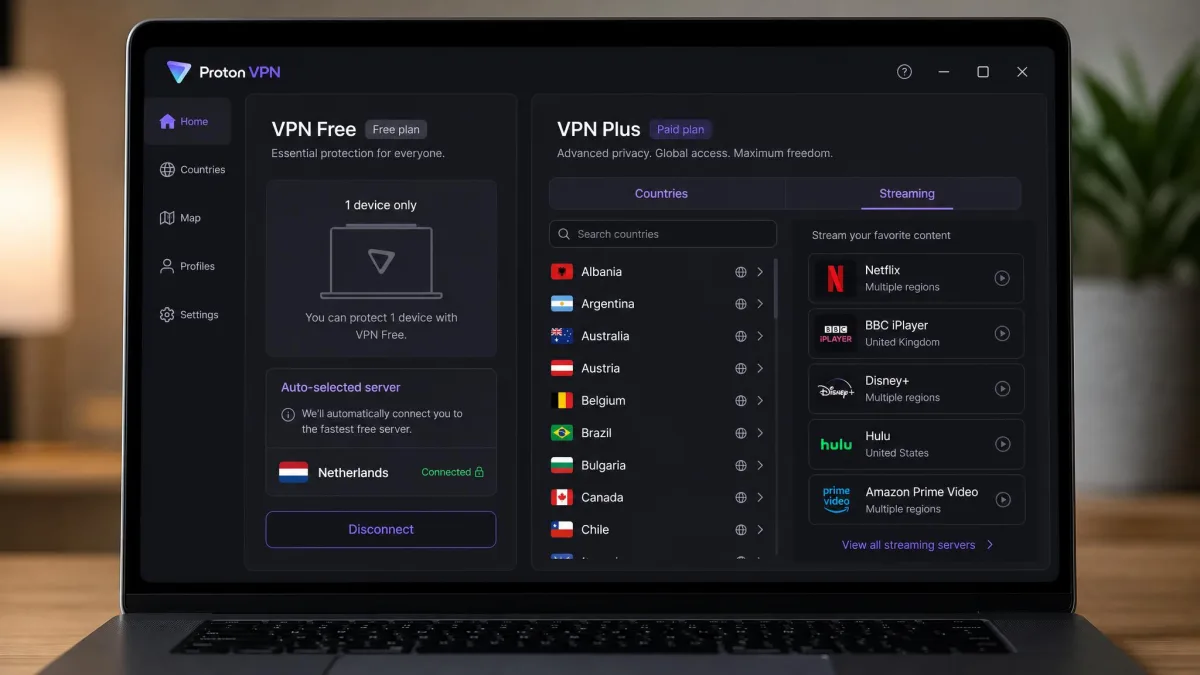
For anything more, a paid plan is worth the small monthly cost. If you want to cover more than one device, choose your own server location, stream reliably, or get top speeds, you will outgrow any free tier quickly. The good news is that the paid services here start as low as $2.19 to $3.49 a month on their longest plans, so the step up from free is not a big one. Many people start on Proton's free plan to see whether a VPN fits their routine, then move to a paid plan once they know they want the extras.
Avoid unknown free VPNs from app-store listings you have never heard of. A study of free mobile VPNs found many leaked user data or contained questionable code, and a VPN that mishandles your traffic is worse than no VPN at all. Stick to a reputable provider's free tier, like Proton's, if you go the free route.
Is It Legal to Use a VPN?
In most of the world, yes. Using a VPN is completely legal in the United States, the United Kingdom, Canada, most of Europe, and the majority of countries. A VPN is a mainstream privacy and security tool, and businesses rely on them every day to protect remote workers. Nothing about encrypting your own internet connection is against the law in these places.
There are exceptions. A small number of countries restrict or ban VPN use, or only permit government-approved services, including China, Russia, Iran, and a handful of others with heavy internet censorship. The rules in these places change, and the penalties vary. If you are traveling to a country with strict internet laws, check the current local rules before you rely on a VPN there. In some of them the block is technical rather than legal, and only certain services with obfuscation still get through.
One point matters everywhere: a VPN being legal does not make illegal activity legal. Using a VPN to protect your privacy, secure public Wi-Fi, or access your own streaming libraries while traveling is fine. Using one to break the law is still breaking the law, and a no-logs policy is not a shield against that. For the ordinary uses that bring most people here, though, you are on firmly legal ground.
Conclusion: Our Top Laptop VPN Pick
After weeks of testing across Windows and Mac laptops, NordVPN is our top pick for most people. It combines near-baseline speeds on the NordLynx protocol, the most reliable streaming access we saw, network-level malware and ad blocking through Threat Protection, and a kill switch that held firm every time we tested it. It is not the cheapest, but it is the service that did everything well without a real weak spot.
If your priority is value, Surfshark covers unlimited devices for less and streams beautifully. If you want the smoothest setup, ExpressVPN is the fastest and friendliest. If you need a free option you can trust, Proton VPN stands alone. And if you are protecting a house full of laptops on a budget, IPVanish delivers unlimited connections at the lowest price. Every one of them backs its plan with a 30-day money-back guarantee, so you can test our top pick on your own laptop, on your own networks, at no risk.