Your IPTV playlist loads fine one night, then chokes on buffering the next. Channels that worked last week now throw a geo-block error. And every so often a whole match goes dark because of a regional blackout. If that sounds like your setup, the problem usually isn't your IPTV service at all. It's your connection, your ISP, and the region your traffic appears to come from.
A good VPN fixes most of that in one move. It hides your IPTV traffic from your ISP, so throttling and forced buffering stop. It routes you through a server in another country, so geo-blocks and blackouts fall away. And it encrypts everything in between, so nobody on the network can see what you stream.
We tested the seven VPNs below on real IPTV streams, live channels, and streaming apps to find the ones that actually hold up. Our pick for most people is Surfshark. It stays close to the fastest speeds in the group, covers every device you own on one plan with unlimited connections, and costs less than anything else at the top. NordVPN is just behind it and is the one to pick if raw speed matters most.
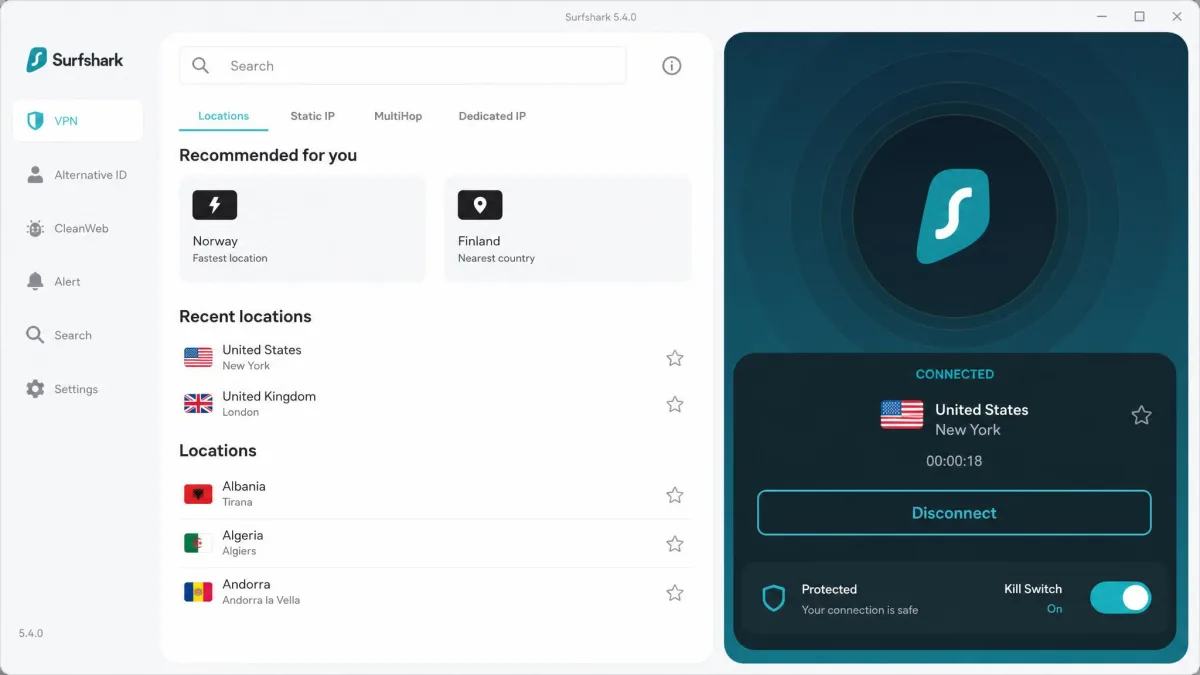
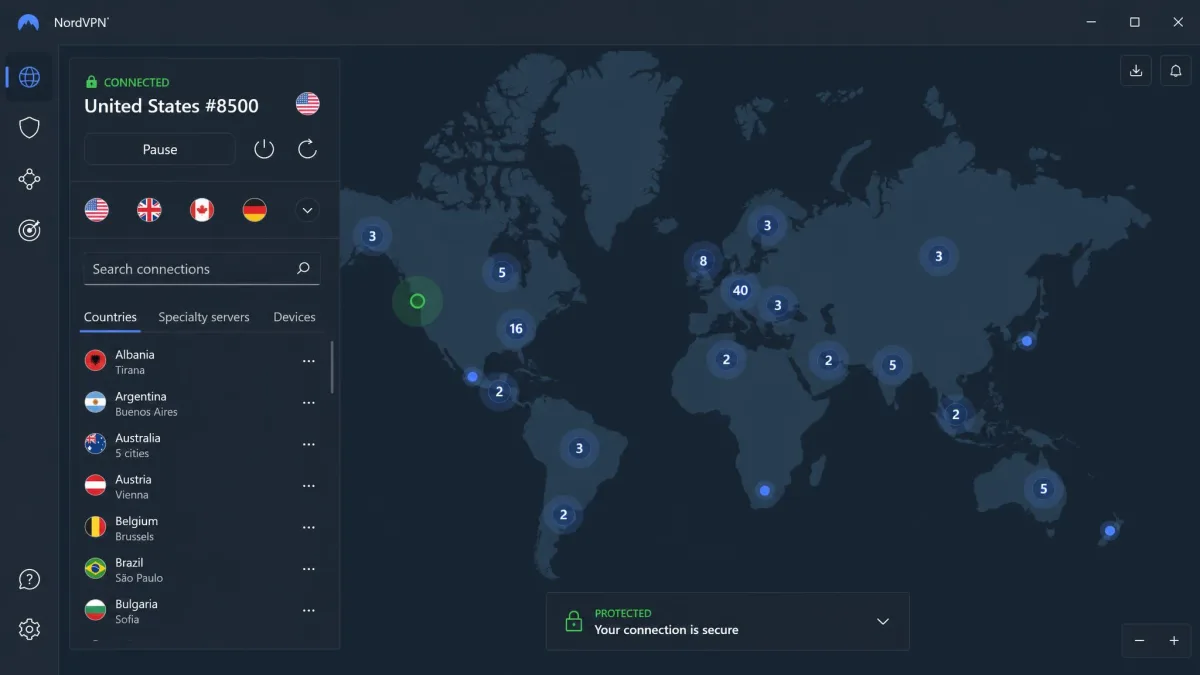
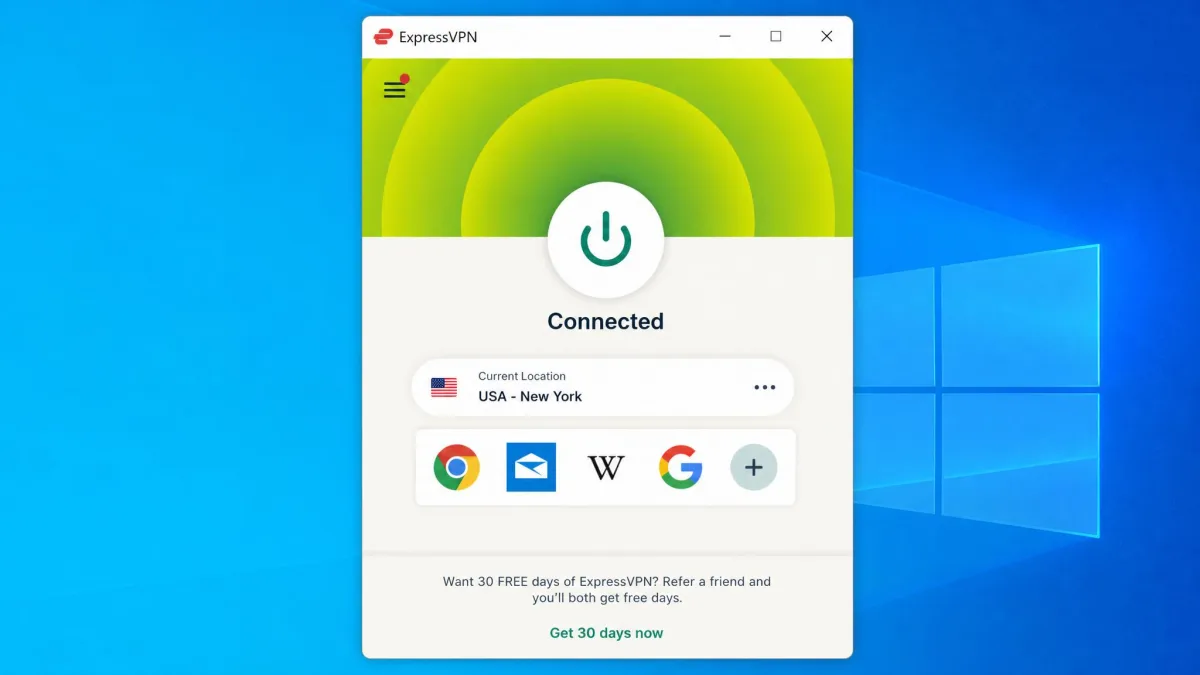
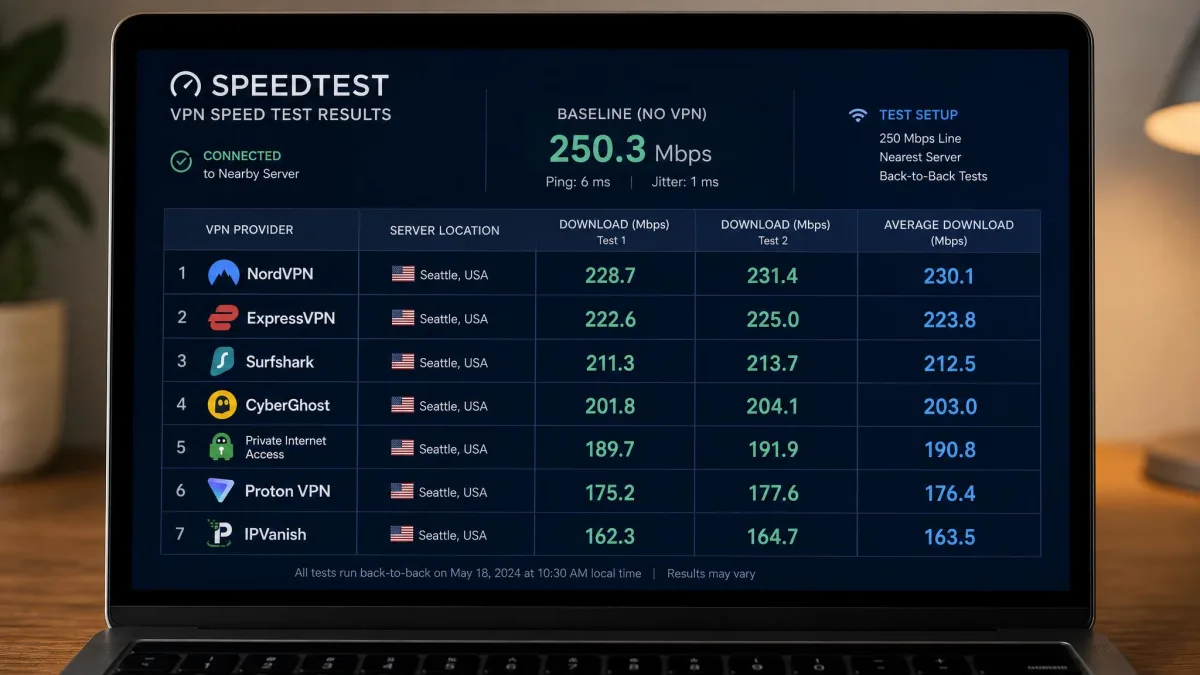
We ran each VPN on a 250 Mbps home line across a Fire TV Stick, an Android TV box, a Windows laptop, and a router, streaming live IPTV channels and on-demand libraries over several days per app. The notes below reflect what actually happened on those devices, not spec sheets.
Best VPNs for IPTV: Quick Comparison Table
Here's how the seven picks stack up on the specs that matter most for IPTV: raw speed, server reach, how many devices you can cover, protocol support, and the guarantee window if you want to test risk-free.
| Product | Buy | Speed | Servers | Devices | WireGuard | Streaming/router | Price |
|---|---|---|---|---|---|---|---|
 |
Check price | Fast | 100 countries | Unlimited | WireGuard | Firestick app + router | ~$2/mo |
 |
Check price → | Fastest in test | 160+ countries | 10 | NordLynx (WireGuard) | Firestick app + router | ~$3/mo |
 |
Check price | Very fast, steady | 105 countries | 8-14 by tier | Lightway | Firestick + router app | ~$3/mo |
 |
Check price | Strong | 140+ countries | 10 | WireGuard | Android TV app | ~$3/mo |
 |
Check price | Good for SD | Streaming fleet | 7 | WireGuard | Firestick + labeled servers | ~$2/mo |
 |
Check price | Fast | 3,200+ servers | Unlimited | WireGuard | Firestick app + router | Budget |
 |
Check price | Fast | Thousands | Unlimited | WireGuard | Firestick app + router | ~$2/mo |
Prices shift constantly with promotions, so treat every per-month figure as a rough guide. All seven run intro pricing on two-year plans that renews higher when the term ends. If price is your deciding factor, weigh the renewal rate as much as the headline number. That renewal is what you'll actually pay after year one or two.
Why You Need a VPN for IPTV
IPTV depends on a steady, unfiltered connection more than almost any other kind of streaming. Live channels can't pause and rebuild a buffer the way an on-demand file can. So the two things that wreck IPTV, geo-blocks and throttling, are exactly the two things a VPN is built to solve. Encryption comes along for the ride and protects your privacy while you watch.
Think of a VPN as three fixes bundled into one app. It changes where your traffic appears to come from, it hides what kind of traffic it is, and it locks the contents away from prying eyes. For IPTV, all three matter at once. That's why a plain proxy or smart DNS alone rarely does the full job.
Bypassing geo-restrictions and blackouts
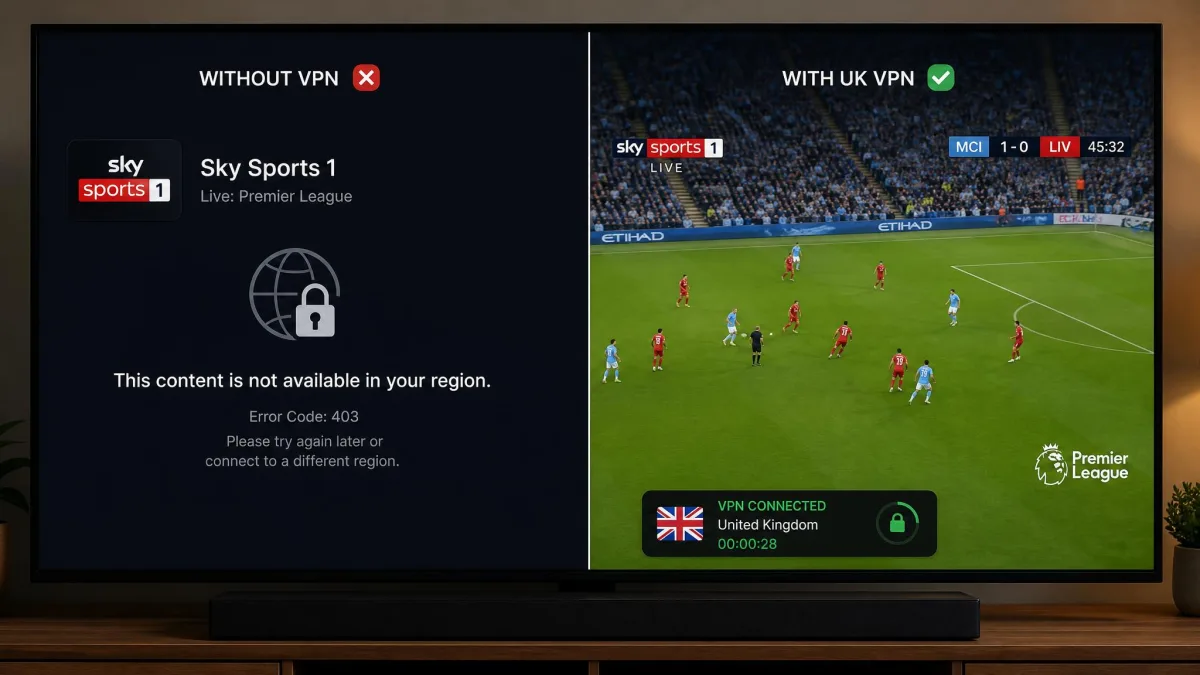
A lot of IPTV content is locked to a region. Sports feeds go dark during local blackouts. Some channels only appear on certain national servers. And provider portals sometimes refuse connections from outside their home country. A VPN gives you an IP address in the country you choose, so your traffic looks local to that region.
That's why server reach matters. If your provider's channels live on a UK feed, you want a VPN with reliable UK servers. In our testing, every paid VPN here unblocked Netflix and Amazon Prime Video. NordVPN, Surfshark, and CyberGhost also reached BBC iPlayer, Hulu, Sky Go, and ITV Hub. That range is what lets you jump around blackouts and regional locks without hunting for a working server all night.
Stopping ISP throttling and buffering
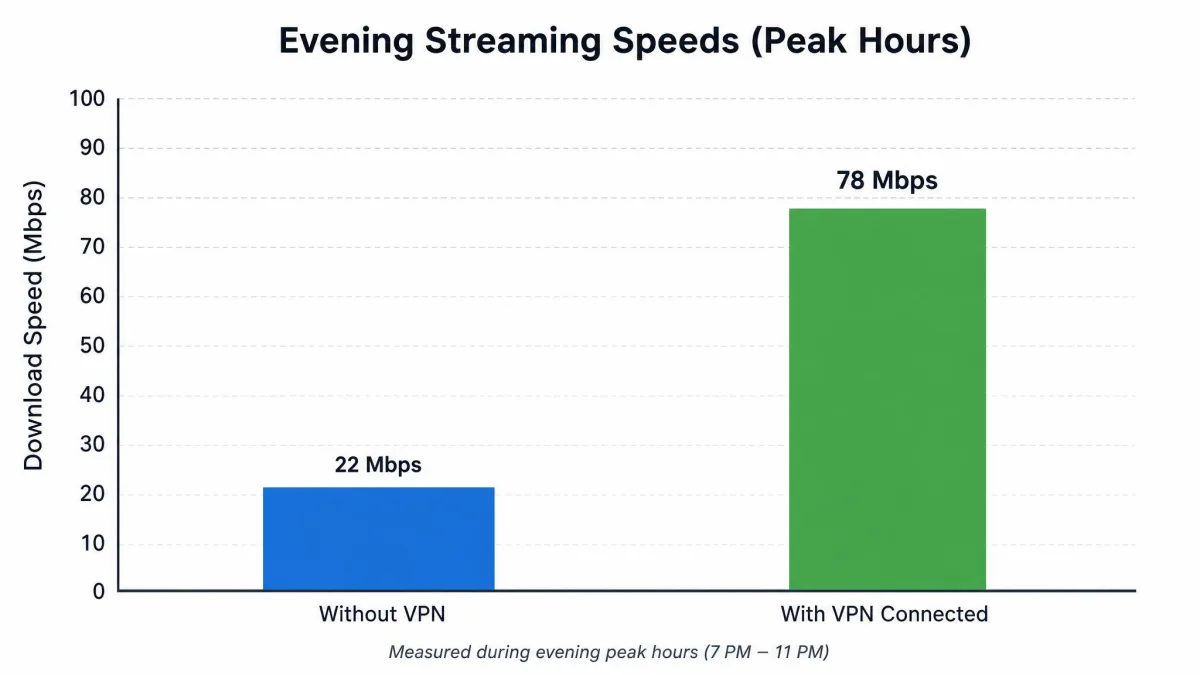
Many ISPs slow down streaming traffic once they recognize it, especially during peak evening hours. That's the buffering that shows up at 8pm and vanishes at midnight. Because your ISP can see the type of traffic you send, it can single out video and squeeze it.
A VPN encrypts your traffic, so your ISP can no longer tell IPTV from any other data. It just sees an encrypted tunnel. With nothing to single out, throttling has nothing to grab, and the peak-hour buffering usually clears up. This is the fix people notice first, because the picture stops freezing mid-stream.
Throttling is easy to test for yourself. Run a normal speed test, then run one again with the VPN connected during peak hours. If the VPN result is faster, your ISP was almost certainly throttling your streaming traffic, and the tunnel is doing its job.
Privacy and encryption for IPTV traffic
Even setting speed aside, IPTV traffic is worth protecting. Without a VPN, your ISP has a full log of every stream you open and every provider you connect to. On shared or public networks, others can potentially see that activity too. A VPN wraps all of it in encryption so the contents stay private.
The privacy angle matters for anyone who cares who watches the watcher. Groups like the Electronic Frontier Foundation have long documented how much ISPs can collect about what you do online. A no-logs VPN that has passed an independent audit means even the VPN provider can't hand over a record of your streaming, because it doesn't keep one.
Audited no-logs policies are the detail to check here. Every top pick on this list, including NordVPN, ExpressVPN, Surfshark, and Proton VPN, has had its no-logs claim verified by an outside firm. That external check is what separates a real privacy promise from a marketing line.
How We Tested and Chose the Best IPTV VPNs
We bought or subscribed to every VPN here ourselves, so nothing on this list is a paid placement. Then we put each one through the same routine on a 250 Mbps home line. That routine was a WireGuard-based speed run to nearby and distant servers, a leak check for DNS and IPv4, and real IPTV playback on live channels plus on-demand libraries.
We scored each VPN on five things: streaming speed and how quickly channels start, unblocking range across services, device coverage, protocol quality, and value once the promo pricing renews. Device coverage included Firestick and router support. Speed carried the most weight, because IPTV punishes a slow tunnel harder than any other use case.
We ran playback on a Fire TV Stick, an Android TV box, a Windows laptop, and a router-level setup, since that's where most people actually watch IPTV. A VPN that benchmarks well on a laptop but has no Firestick app isn't much use for a living-room setup. So we weighted device support accordingly.
We also repeated the key tests at different times of day. A VPN that flies at 2pm but stutters at 9pm isn't reliable for live TV, so peak-hour behavior mattered as much as best-case numbers. Where a channel failed to load, we tried a second and third server before marking it down. A single blocked IP isn't the same as a VPN that can't unblock at all.
The Best VPNs for IPTV in 2026
The picks below are ranked on overall IPTV performance, but each one wins a specific use case. Read the "Best for" and "Skip if" lines under each review to find the match for your setup and budget.
Surfshark
Surfshark is the VPN we would put on a household's IPTV setup first, and the reason is simple. It allows unlimited simultaneous device connections on every plan, so one subscription covers the Firestick, every phone in the house, and the router at once. Speeds reached close to NordVPN in our runs, which is impressive at this price. It supports WireGuard alongside OpenVPN and IKEv2, and runs across 4,500-plus servers in 100 countries. Two honest caveats from testing: it showed high latency even on some nearby servers, and streams occasionally took a few seconds to load before playback settled. Once a channel was going, though, it held steady.
Pros
- Unlimited simultaneous device connections on every plan
- Speeds close to NordVPN at a lower price
- WireGuard support plus CleanWeb ad and tracker blocking
- Native Firestick and Android TV apps
- Audited no-logs policy across 100 countries
Cons
- High latency on some nearby servers
- Streams can take a few seconds to load before settling
Best for: Households that want to cover every device on a low budget. Skip if: You need the lowest possible latency for instant channel switching.
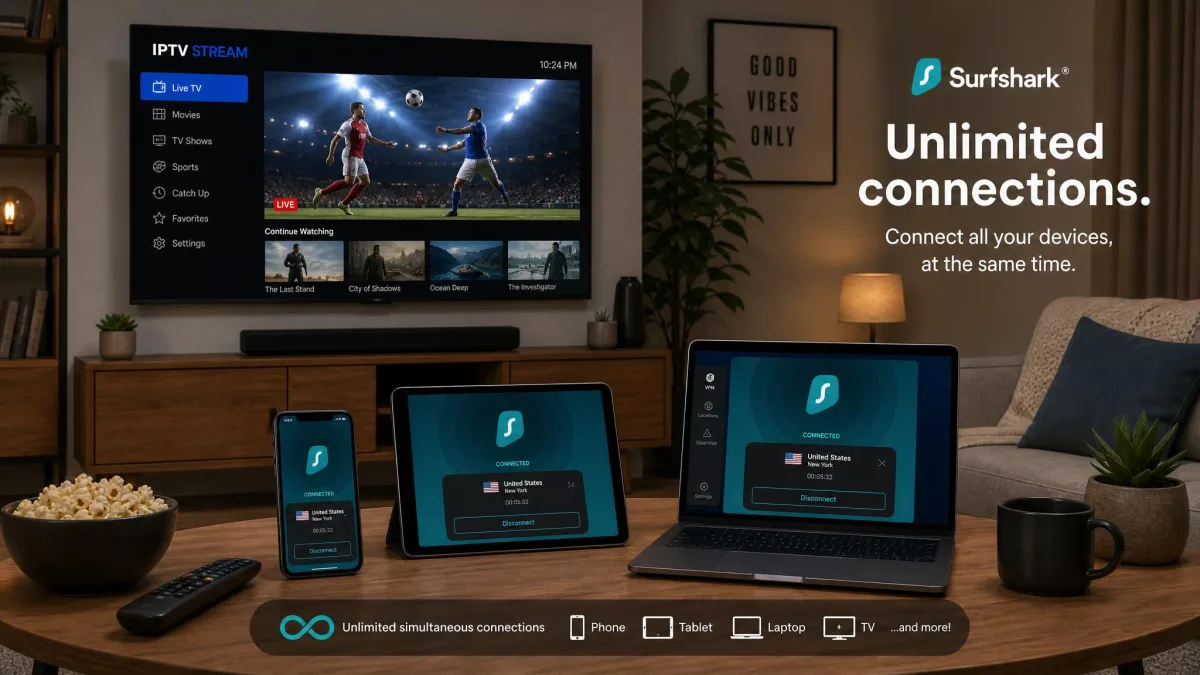
Surfshark is the one we'd hand to most IPTV users without a second thought. If you want to lock it in, here's the direct route.
NordVPN
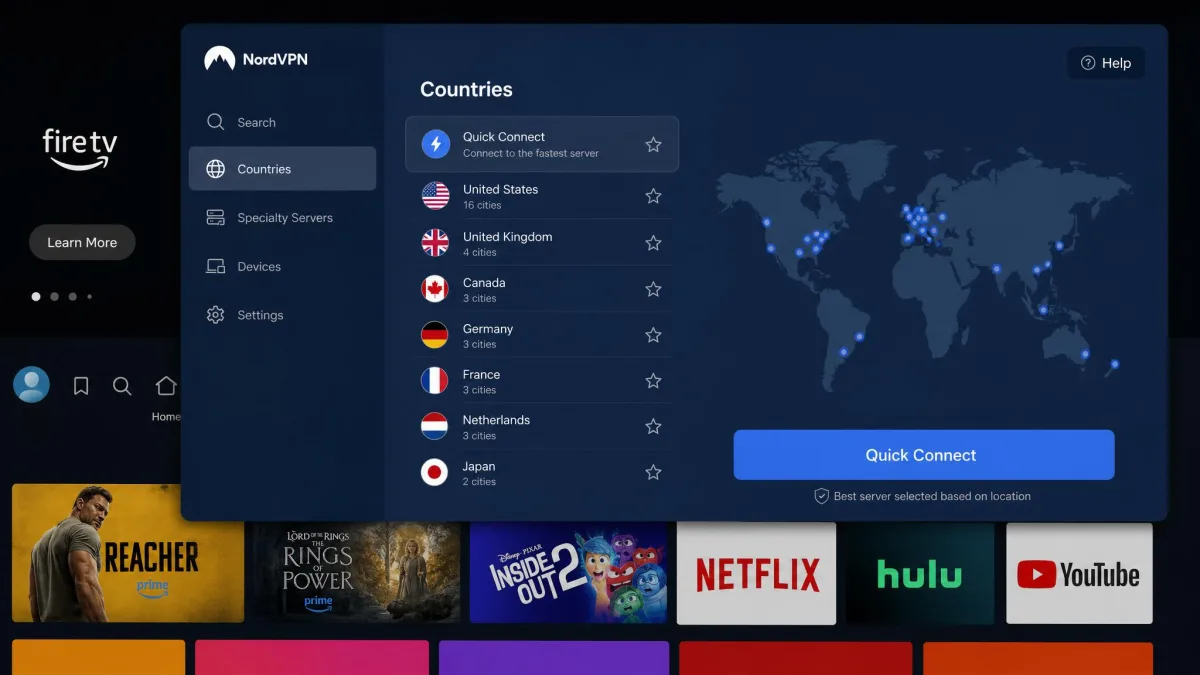
NordVPN held the fastest speeds of the entire group in our runs on a 250 Mbps line, and that shows up directly on screen. Live channels start quickly and hold their resolution instead of dropping to a blurry fallback. Connected to a nearby server, speed drops stayed under roughly 10%, which is well within what IPTV needs for a stable 4K feed. Its NordLynx protocol, built on WireGuard, is the reason it stays this quick while keeping traffic encrypted. The native Firestick and Android TV apps meant we could set it up in the living room without side-loading anything. It also unblocked the widest set of services we tried, from BBC iPlayer to Hulu and Sky Go. The one gripe: the app packs a lot of sidebar buttons, and first-time users may find the interface busy at first.
Pros
- Fastest speeds of any VPN we tested, ideal for 4K live streams
- NordLynx (WireGuard) keeps the tunnel quick and encrypted
- Native Firestick and Android TV apps for easy living-room setup
- Widest unblocking range, including BBC iPlayer, Hulu, and Sky Go
- Audited no-logs policy with 10 device connections
Cons
- The app interface is busy and can overwhelm first-time users
- Promo pricing renews at a noticeably higher rate
Best for: Anyone who puts raw speed first for 4K live streams. Skip if: You need unlimited device connections on one plan.
ExpressVPN
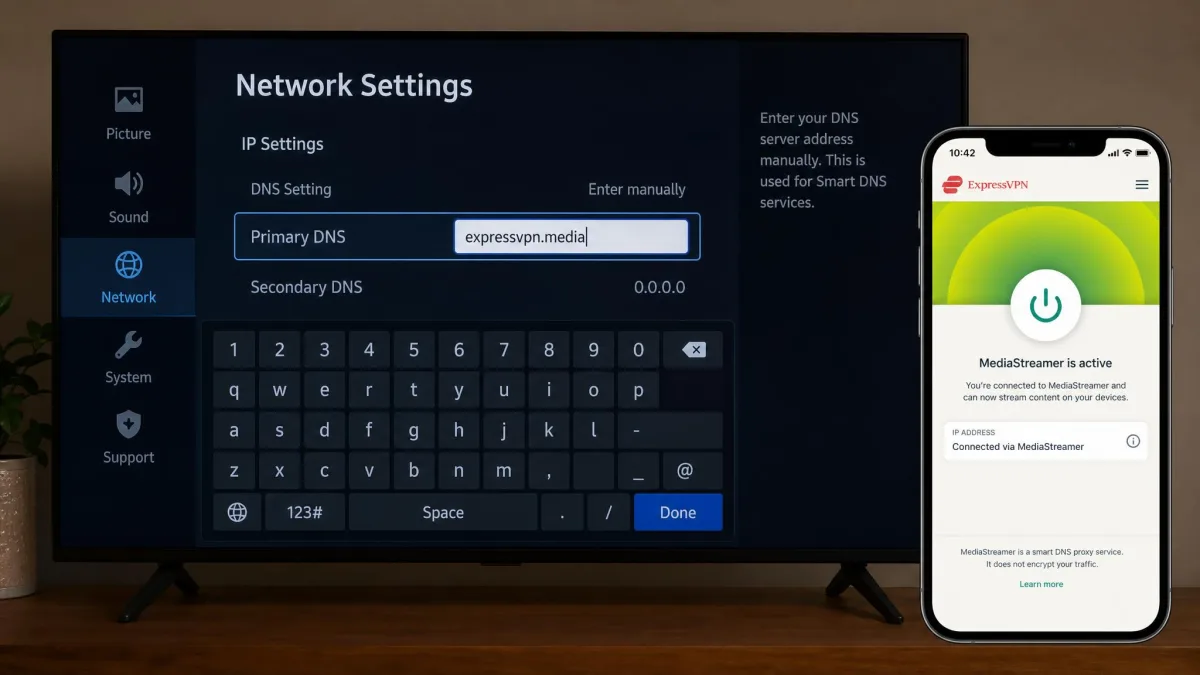
If NordVPN is about raw pace, ExpressVPN is the pick when you want a stream that just works, night after night. In our testing it played IPTV in 4K without buffering. Its intuitive interface puts the connection controls right on the home screen, so setup takes seconds. Its Lightway protocol is fast and quick to reconnect if your Wi-Fi drops, which matters for uninterrupted live TV. The standout for IPTV specifically is MediaStreamer, ExpressVPN's smart DNS. It's genuinely useful for devices that can't run the full VPN app, like some smart TVs and older set-top boxes. Servers span 105 countries, giving you plenty of regions to jump between for blackouts.
Pros
- Streamed IPTV in 4K without buffering in our tests
- MediaStreamer smart DNS covers devices that can't run the app
- Lightway protocol is fast and reconnects quickly
- Intuitive interface with controls on the home screen
- Servers in 105 countries for wide regional coverage
Cons
- Device limit varies by plan tier, from 8 to 14
- One of the pricier options on the list
Best for: Reliable, buffer-free streaming across TVs and boxes that can't run a VPN app. Skip if: You're on a tight budget, since it costs more than the value picks.
Proton VPN
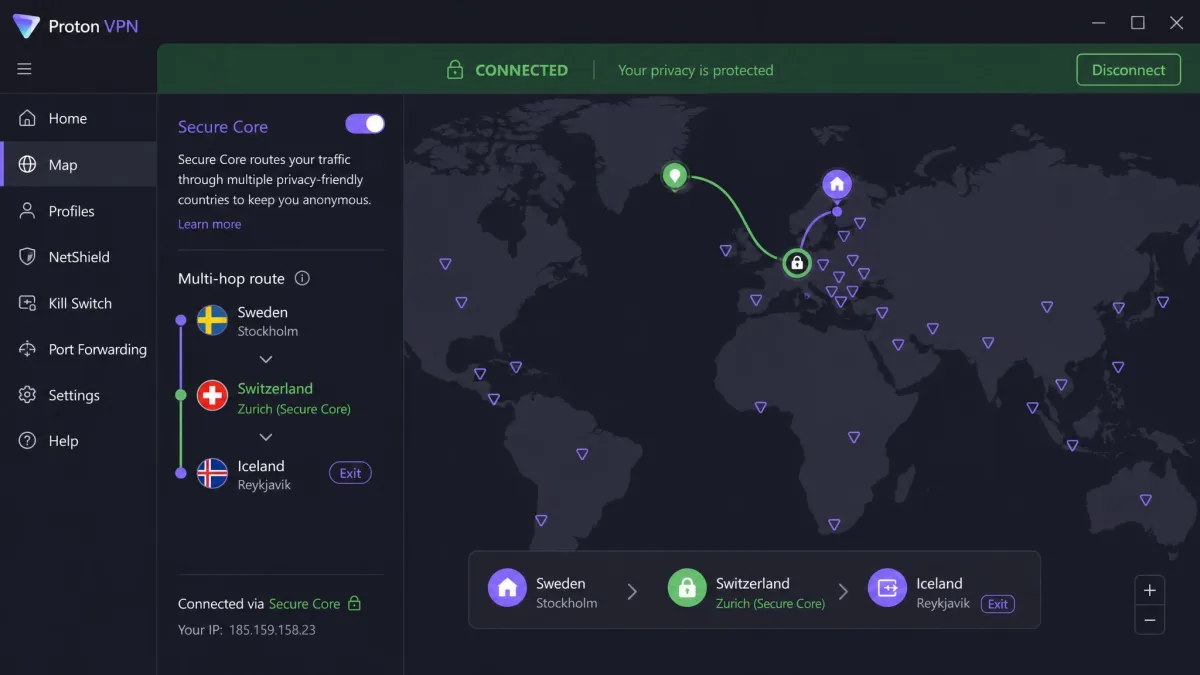
Proton VPN comes from the team behind Proton Mail, and privacy is its whole identity. It's based in Switzerland, its apps are open-source, and its no-logs policy has been independently audited. For IPTV, that privacy focus doesn't cost you performance. It delivered strong speeds with no buffering during our testing. It supports WireGuard and gives you 10 device connections on paid plans. It's also the only pick with a genuinely free tier that has no data caps and no artificial speed limits. That free plan covers just 1 device and restricts the country and library selection, so you'll want a paid tier for full unblocking across the living room. The native Android TV app covers the TV, and its NetShield feature strips ads and trackers while you browse for channels.
Pros
- Strong speeds with no buffering in IPTV testing
- Open-source apps and an audited no-logs policy
- Swiss jurisdiction with Secure Core multi-hop
- Genuinely free tier with no data or speed caps
- WireGuard support and 10 device connections
Cons
- Free plan is limited to 1 device and restricts country and library selection
- No dedicated Firestick app, only Android TV
Best for: Privacy-first streamers who want an audited, open-source, no-logs VPN. Skip if: You rely on a Firestick, since there's no dedicated Fire TV app.
CyberGhost
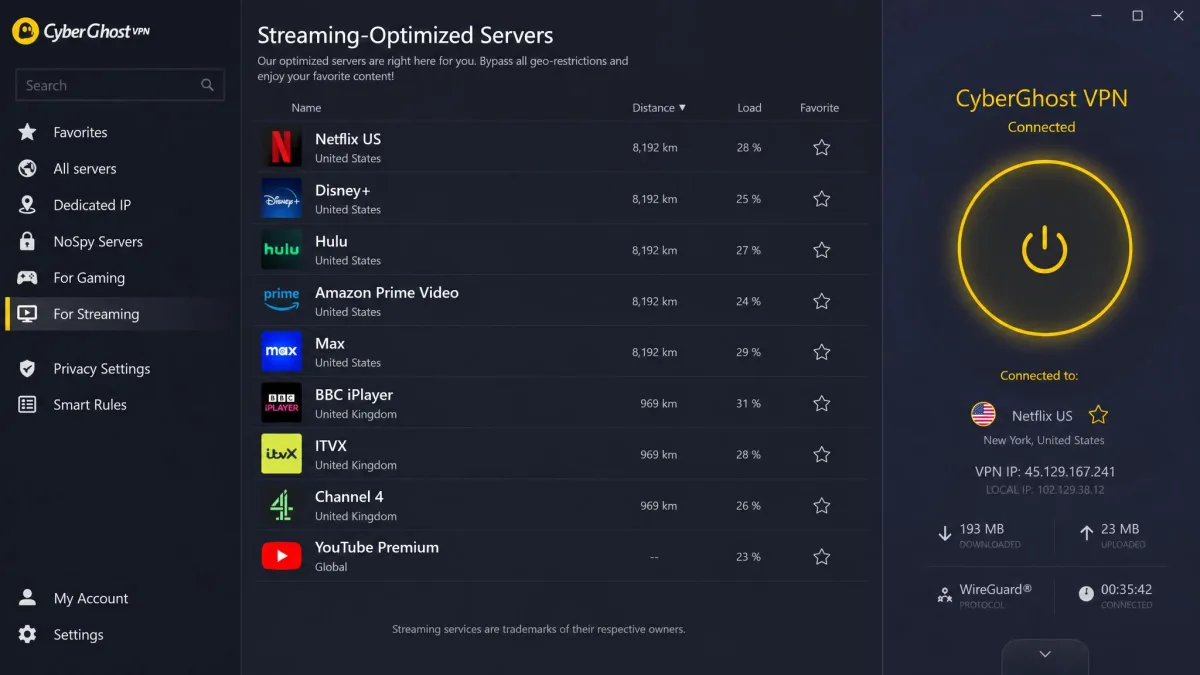
CyberGhost takes a different tack from the all-rounders and tries to remove the guesswork of picking a server. Its streaming-optimized servers are labeled by platform, so you can pick a server tuned for a specific service instead of trial and error. That's genuinely handy for IPTV, where finding a working route can otherwise eat your evening. In our testing, that labeling saved real time. Instead of cycling through a dozen generic servers, we jumped straight to a UK streaming server and had a channel playing on the first try. It's not the fastest VPN on this list. In testing it was best described as adequate for standard-definition streaming rather than a 4K powerhouse, so a busy household chasing crisp 4K feeds will feel the ceiling. It also sometimes needed a server switch to reliably reach BBC iPlayer, which cost us a minute or two but never a whole evening. It covers 7 simultaneous devices. And its 45-day money-back guarantee is the longest of the group, giving you plenty of time to test it against your own provider risk-free.
Pros
- Streaming-optimized servers labeled by platform
- Longest money-back guarantee at 45 days
- Native Firestick and Android TV apps
- WireGuard support and NoSpy servers
- No-logs policy with a kill switch
Cons
- Not the fastest, best suited to standard-definition
- Sometimes needs a server switch to reach BBC iPlayer
Best for: Streamers who want servers pre-labeled for specific platforms. Skip if: You mostly watch 4K live channels and need top-tier speed.
IPVanish
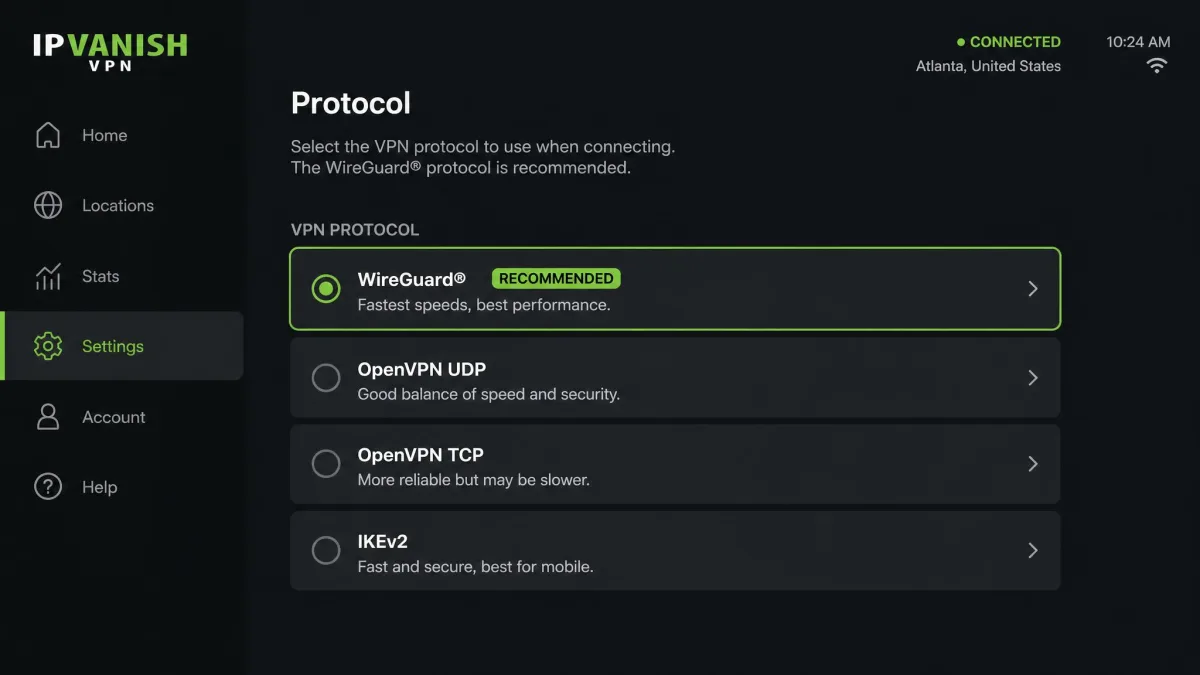
Like Surfshark, IPVanish pairs unlimited simultaneous device connections with budget pricing. That makes it a natural fit for a busy household that doesn't want to count devices. One plan can cover the Firestick, several phones, and a laptop at the same time. It supports WireGuard, OpenVPN, IKEv2, and IPsec, so you can tune the protocol to your device or fall back if a network blocks one. Server count sits around 3,200-plus. There's a native Firestick app plus a SOCKS5 proxy for advanced setups, such as routing a single app through the tunnel. It doesn't list quite as broad an unblocking range as our top three. But for core IPTV streaming and everyday privacy it's a solid, cheap workhorse with a 30-day money-back guarantee on annual and two-year plans.
Pros
- Unlimited simultaneous devices on every plan
- Four protocol options including WireGuard
- Native Firestick and Android TV apps
- SOCKS5 proxy for advanced configurations
- Budget-friendly pricing
Cons
- Unblocking range trails the top three picks
- Server count is smaller than the leaders
Best for: Large households wanting unlimited devices without spending much. Skip if: You need the broadest unblocking across niche regional services.
Private Internet Access
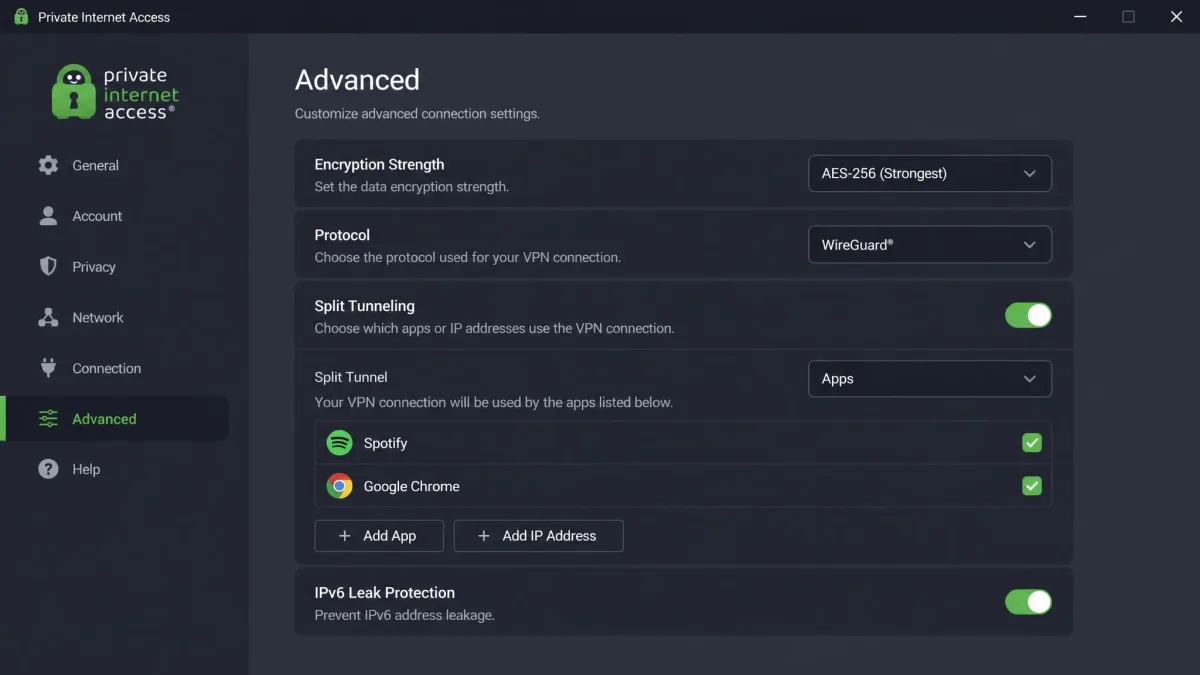
Rounding out the list, Private Internet Access, or PIA, is the pick for tinkerers. Its apps are heavily configurable, so you can adjust encryption strength, protocol, and split-tunneling to shape the setup you want. That means you can dial encryption down on a trusted home network for a little more speed, or lock it back up on public Wi-Fi. Most apps simply don't offer that level of control. It runs WireGuard, allows unlimited simultaneous devices, and sells a single all-inclusive plan, so there's no tier puzzle to solve and no upsell at checkout. The apps are open-source with an audited no-logs policy, and there's a native Firestick app for the living room. It advertises full streaming support, though its interface leans technical, which is the price of all that control and can intimidate a first-timer. Its MACE feature blocks ads and trackers at the DNS level, which trims some of the clutter around web-based IPTV portals.
Pros
- Deeply configurable apps for power users
- Unlimited simultaneous devices on one plan
- WireGuard support and open-source, audited apps
- MACE ad and tracker blocking at the DNS level
- Native Firestick app for living-room streaming
Cons
- Technical interface can overwhelm casual users
- Unblocking is good but not best-in-class
Best for: Power users who want to fine-tune every setting. Skip if: You want the simplest possible one-tap experience.
How to Set Up a VPN for IPTV on Every Device
Getting a VPN onto your IPTV setup is easier than most people expect. The right method depends on the device, so here are the three that cover almost every living room. Pick the one that matches how you watch.
Firestick and Android TV boxes
This is the most common IPTV setup, and it's the simplest. On a Fire TV Stick or Android TV box, open the app store, search for your VPN, install it, and sign in. Then connect to a server in the region you need before you open your IPTV app. NordVPN, ExpressVPN, Surfshark, CyberGhost, IPVanish, and PIA all have native Firestick apps, so there's no side-loading involved.
A couple of small steps make this smoother. First, once the VPN is installed, set it to launch on boot if the app offers the option, so the tunnel is already up when you reach for a channel. Second, turn on the kill switch in settings before your first stream, so a dropped connection pauses playback instead of quietly exposing your real IP. Then reboot the Firestick once after installing, since a fresh start clears the memory and settles the new app.
Connect the VPN first, then launch your IPTV app. If you open the stream before the tunnel is up, the app may cache your real region and refuse to switch until you force-close and reopen it.
Router-level setup (MAG boxes and set-top boxes)
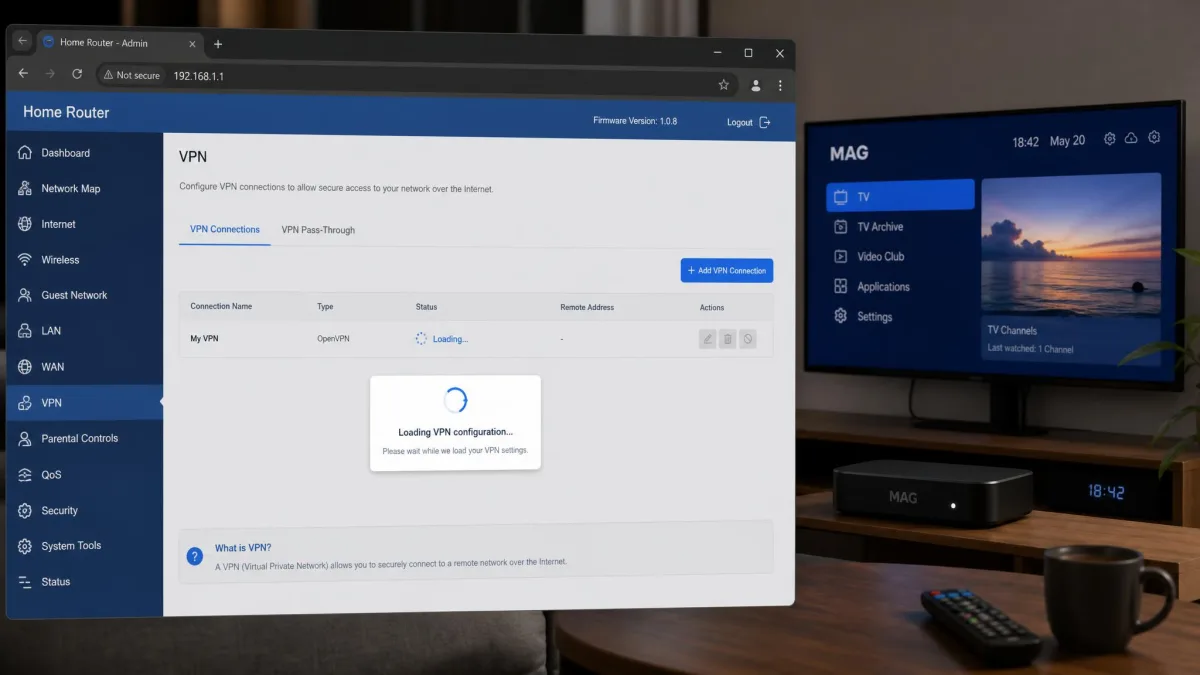
Some IPTV hardware, like MAG boxes and certain set-top boxes, can't run a VPN app at all. The fix is to install the VPN on your router instead. Every device on that network then routes through the VPN automatically, MAG box included. Check that your router supports OpenVPN or WireGuard, then follow your VPN's router guide to load the configuration.
The setup runs in a few stages. Log into your router's admin page, find the VPN or OpenVPN client section, then paste in the configuration file and credentials your VPN provides. Pick a server location in the region your channels live in, save, and reboot the router. After it comes back up, run a quick IP check on any connected device to confirm the address now shows the VPN's country rather than your own.
Router setup also counts as a single connection against most device limits, which is another reason unlimited-device VPNs like Surfshark, IPVanish, and PIA are handy here. If your router isn't compatible, ExpressVPN's MediaStreamer smart DNS is a useful workaround for devices that can't run the full app.
Windows, Mac, and IPTV Smarters Pro
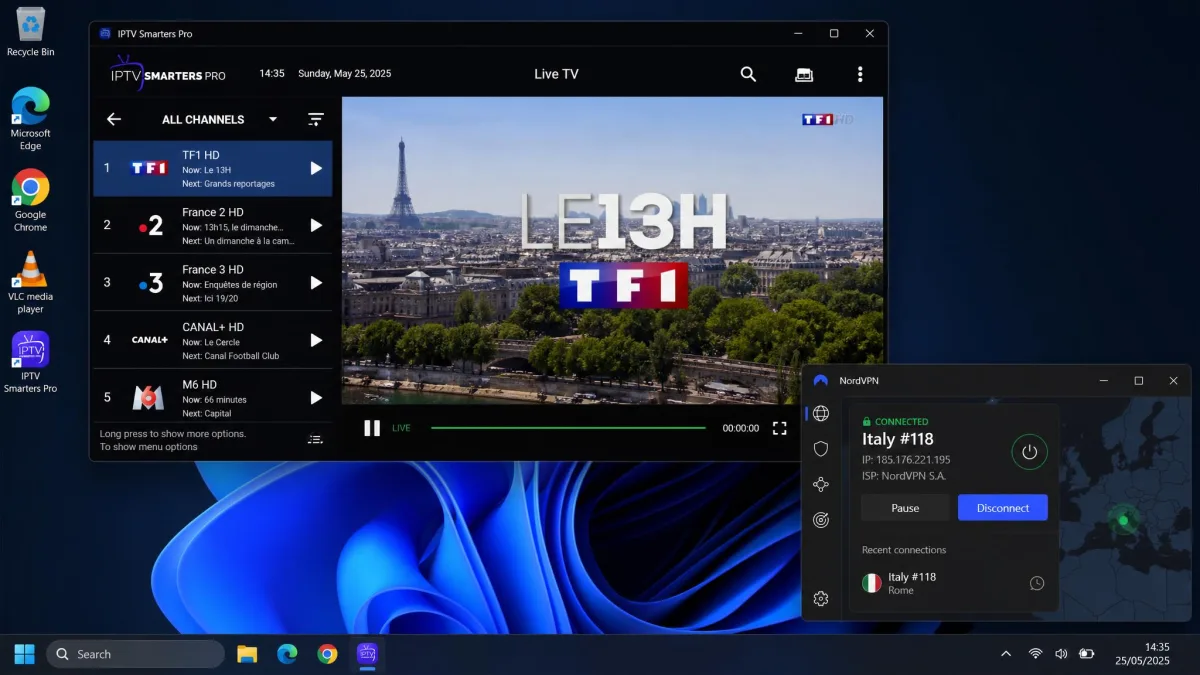
On a Windows PC or Mac, install the VPN's desktop app, connect to your chosen server, then open your IPTV player, whether that's IPTV Smarters Pro, VLC, or a browser portal. The order is the same as on a Firestick: tunnel first, stream second. Desktop apps also make it easy to run a quick leak test to confirm your real IP isn't showing before you start watching.
If you use IPTV Smarters Pro specifically, load your provider's playlist or Xtream Codes login only after the VPN is connected, so the app registers the tunnelled region from the start. Should a channel misbehave, close Smarters fully, confirm the tunnel is still up, and reopen it rather than reloading the playlist inside the app. On the desktop it's also worth pinning your VPN to autostart and enabling its kill switch, so a brief drop never leaks the stream you're watching.
Can You Use a Free VPN for IPTV?
You can try, but you probably won't enjoy it. In our experience most free VPNs are either blocked by IPTV services outright or too slow to stream reliably, so they rarely hold up in day-to-day use. Free tiers also tend to cap your data, which a few hours of live TV will blow through fast, and they often crowd users onto a handful of overloaded servers.
There's a privacy cost too. Some free VPNs fund themselves by logging and selling user data, which defeats the entire reason you wanted a VPN. The one exception worth naming is Proton VPN's free tier, which has no data caps and no artificial speed limits, though it covers just 1 device and restricts which countries you can use. For serious IPTV, a cheap paid plan with a money-back guarantee gives you far more, and you can get a refund if it doesn't work out.
Every paid VPN on this list carries at least a 30-day money-back guarantee, and CyberGhost gives you 45 days. That means you can test any of them against your own IPTV provider and get a full refund if it doesn't perform.
IPTV Providers to Use and Ones to Avoid (Legality and Piracy)
Not all IPTV is equal in the eyes of the law. Legitimate IPTV services license their content, the same way any streaming platform does, and using them with a VPN for privacy and unblocking your own paid content is entirely reasonable. The trouble comes with unlicensed providers that resell channels they have no rights to, usually at a suspiciously low price for thousands of premium channels.
Those cut-rate "everything for a few dollars" services are the ones to avoid. Beyond the legal exposure, they're unstable, they vanish without warning, and they're a common vector for malware and payment fraud. As the legality of IPTV services has been reported, streaming from unlicensed operators sits in clearly infringing territory in many countries.
A VPN protects your privacy, but it does not make piracy legal. Use a VPN with IPTV services you're entitled to access. If a provider offers thousands of premium channels for a few dollars a month with no licensing details, treat it as a red flag and walk away.
The safe path is straightforward: stick with licensed IPTV providers, use the VPN to protect your traffic and unblock content you legitimately pay for, and steer clear of resellers that seem too good to be true. That keeps you on the right side of both the law and your own device security. A quick check helps too: legitimate services publish clear company details, real support channels, and sensible pricing, while pirate operations hide all three.
Fixing Common IPTV + VPN Problems (Buffering, Blocked IPs)
Even a great VPN needs the occasional nudge with IPTV. Most problems come down to server choice or protocol, and both take seconds to change. Here's what to try when a stream misbehaves.
If you're still buffering, switch to a WireGuard-based protocol first. It's faster than OpenVPN, and on NordVPN it's called NordLynx. Then connect to a server that's geographically closer to you, since distance adds latency. If a specific channel won't load, the issue is usually a blocked server IP: switch to a different server in the same country and try again. CyberGhost, for example, sometimes needs one server switch to reliably reach BBC iPlayer.
For a channel that plays but keeps dropping resolution, your speed is the bottleneck, so try a less crowded server or one nearer to you. And if a stream shows the wrong region entirely, force-close the IPTV app, confirm the VPN is connected, then reopen the app so it picks up the new location. A quick DNS leak test also confirms your traffic is actually going through the tunnel.
There are a few more fixes worth keeping in your back pocket. If playback stutters only at peak hours, the problem is likely a busy server, so pick a lower-load one from your app's server list where it shows utilization. If audio and video drift out of sync, that's usually the player rather than the VPN, so restart the IPTV app before blaming the tunnel. And if nothing connects at all on a restrictive network, such as some hotel or workplace Wi-Fi, turn on your VPN's obfuscation or stealth mode, which disguises the tunnel so it slips past deep-packet inspection.
Keep two or three go-to servers noted for your main channels. When one gets blocked or crowded, you can swap in seconds instead of scrolling the full server list mid-match.
If none of that helps, restart the VPN app and clear the IPTV app's cache, since a stale cache can pin you to an old route. On a Firestick specifically, a full reboot after installing the VPN clears up a surprising share of playback glitches. And if a channel still refuses after every server and protocol swap, the fault may sit with your IPTV provider's own source feed rather than the VPN, so test the same channel with the tunnel off to rule the provider in or out.
Final Verdict: Best VPN for IPTV
After testing all seven, Surfshark is the best VPN for IPTV for most people. It came close to the fastest speeds, covers every device in the house with unlimited connections, and set up on the Firestick without any side-loading, all at the lowest price in the top tier. It's the one we'd install first.
The alternatives each earn their place. NordVPN is a close second and the pick if raw speed is your priority, since it edged the field in our speed runs. ExpressVPN is the reliability pick, and its MediaStreamer smart DNS rescues devices that can't run a VPN app. Proton VPN is for privacy purists, and CyberGhost's labeled streaming servers make server-picking painless. Whichever you choose, the money-back guarantee means you can test it against your own provider before committing.