A Chrome VPN extension is a small add-on that installs directly in your browser and routes your Chrome traffic through an encrypted proxy server. It is not the same thing as a full VPN app. A full app protects every connection your device makes, from your email client to your torrent software, while a browser extension protects only what happens inside Chrome. That distinction matters more than most buying guides admit, and it shapes almost everything we cover below.
So why bother with the extension at all? Because it is fast to reach, easy to toggle, and it puts location switching, ad blocking, and leak protection one click away in your toolbar. Chrome is the most popular browser in the world, according to StatCounter's browser market share data, so it is no surprise that most people want their privacy tool to live right where they already work. For anyone who mostly wants to change their apparent country, unblock a website, or add privacy to everyday browsing, a good Chrome extension is the most convenient way to do it. The trick is choosing one that actually protects you rather than a free add-on that quietly logs and sells your data.
We are the HTS review team, and this roundup reflects hands-on testing rather than spec-sheet copying. We installed each extension in a clean Chrome profile, ran repeated speed tests against a no-VPN baseline, checked for WebRTC and DNS leaks, and tried to stream from region-locked libraries. Where our findings come from controlled browser-extension benchmarks, we say so. Our goal was simple: figure out which Chrome VPN we would keep installed after the testing was done, and which we would uninstall the moment the review wrapped.
The Best VPNs for Chrome at a Glance (Comparison Table)
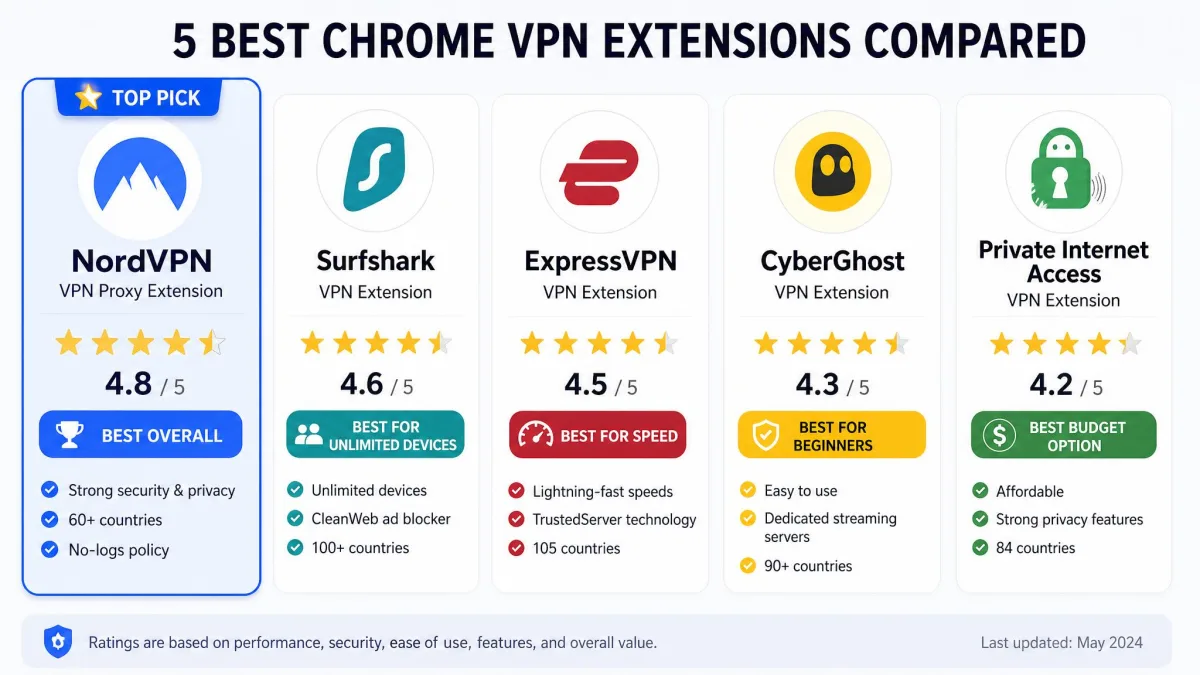
Before we get into each review, here is how the five extensions stack up on the things people ask about most: price, network size, whether there is a genuine free plan, browser speed, streaming, no-logs auditing, and how many devices you can connect at once. Prices are the introductory two-year rates unless noted, and a review reflects the pricing at the time of writing.
| Product | Price | Servers / countries | Free plan | Speed (browser test) | Streaming | No-logs audit | Connections | Buy |
|---|---|---|---|---|---|---|---|---|
 |
$3.49/mo (2-yr) | 9,300+ / 137 | No | ~33% drop | Netflix, multi-region | Yes (audited) | 10 | Check price → |
 |
$2.49/mo (2-yr) | 4,500+ / 100 | No | ~17-30% drop | Netflix | Yes | Unlimited | Check price |
 |
$3.49/mo (2-yr) | 3,000+ / 113 | No | ~37-39% drop | Yes | Yes (TrustedServer) | 10-12 | Check price |
 |
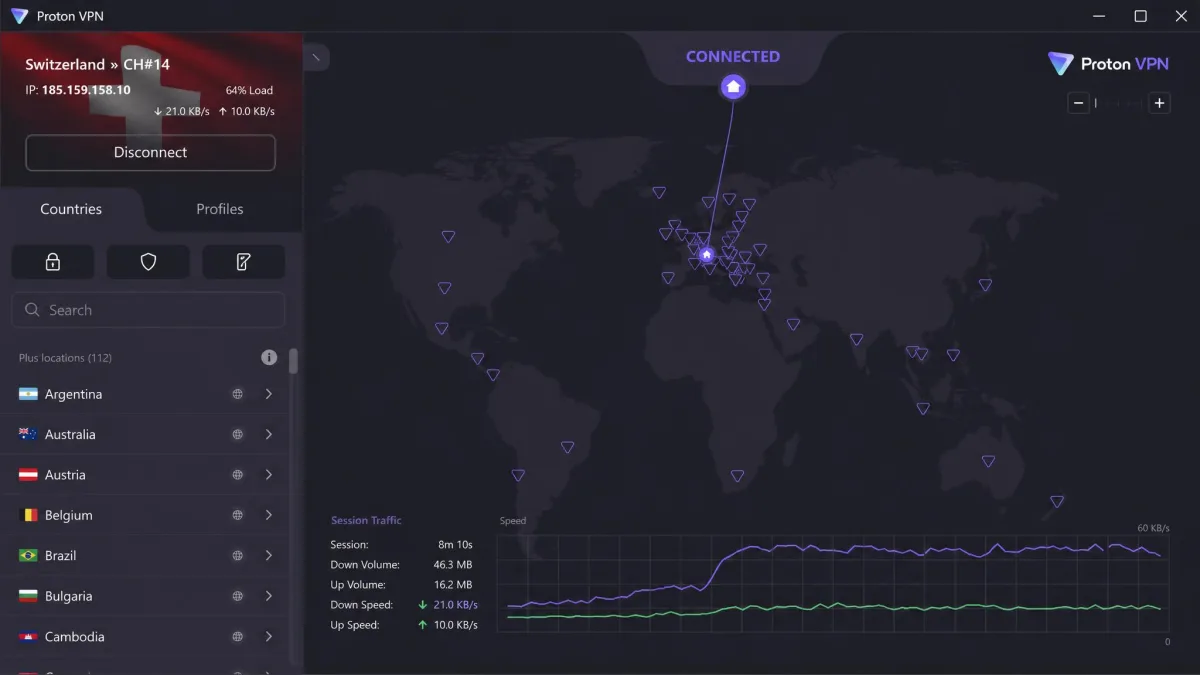
Free / paid plans | 13,000+ / 117 | Yes (unlimited data) | Under 8% drop | Netflix, iPlayer, Max, Disney+ | Yes (open-source, audited) | 10 paid / 1 free | Check price |
 |
Free; Pro $69/yr | 69 countries (approx) | Yes (10GB/mo) | Not measured | Limited by data cap | Yes | Unlimited | Check price |
The Best VPN Extensions for Chrome in 2026
Every extension here comes from an audited, no-logs provider, and each one earned its spot through browser-level testing rather than reputation alone. We ranked them on speed, privacy protection, streaming access, ease of use, and value. Here is where each one lands and why.
1. NordVPN, Best Overall Chrome VPN
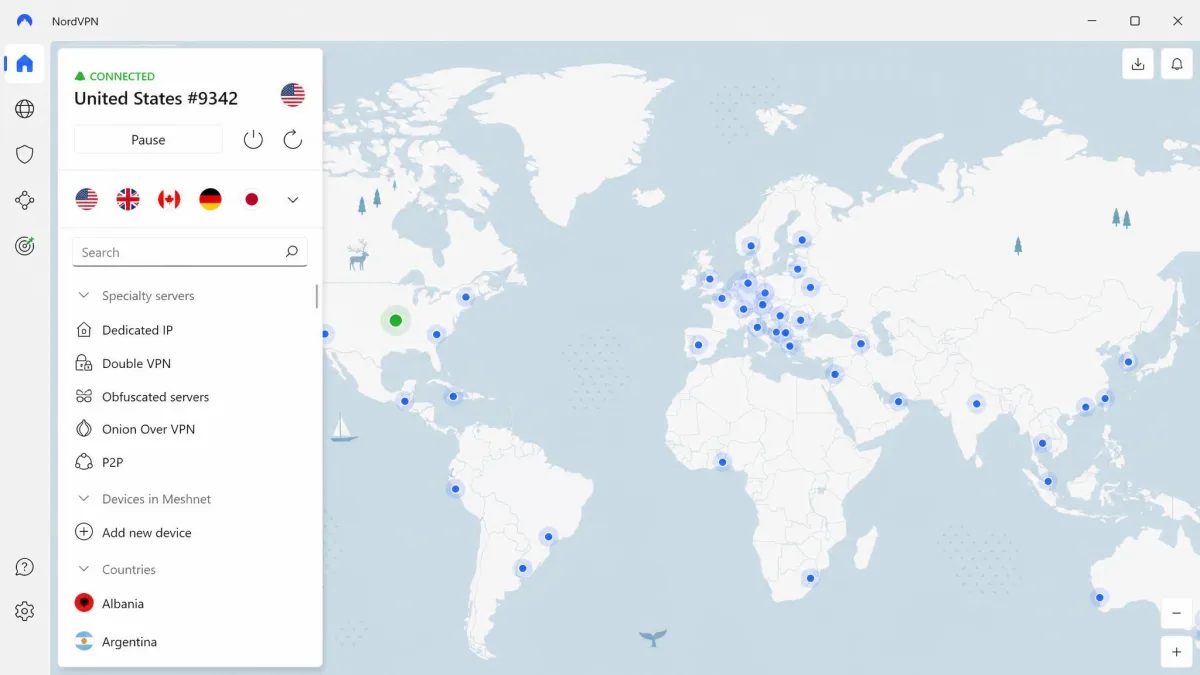
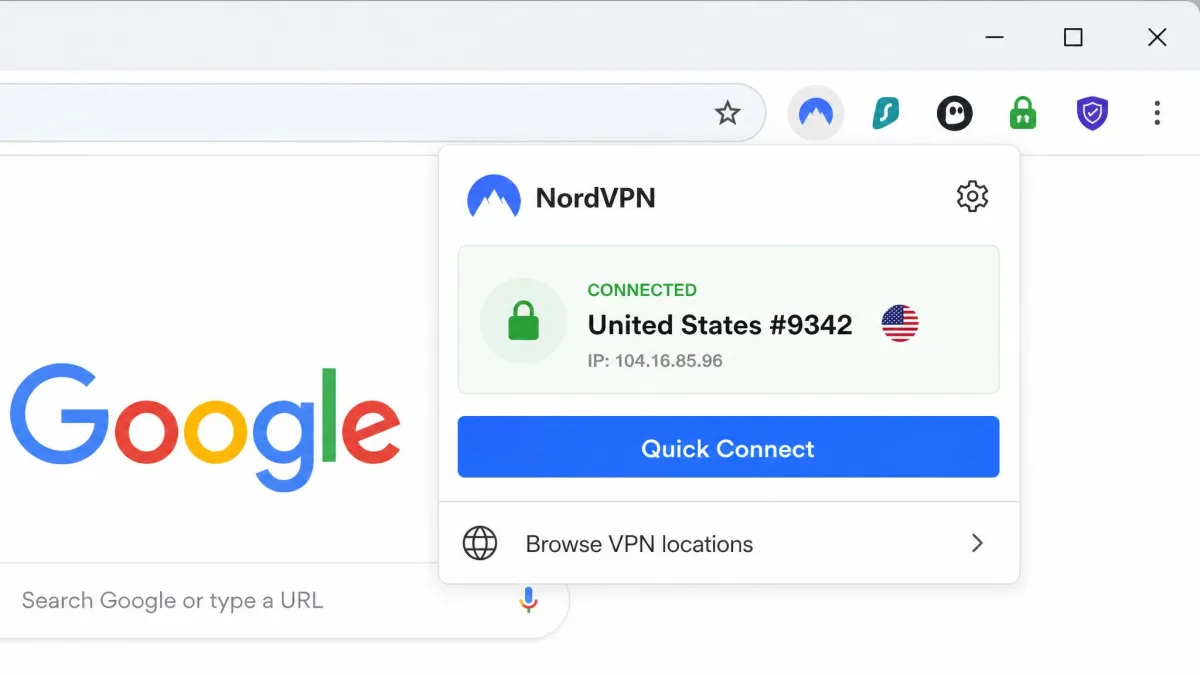
NordVPN is the extension we would install first, and it is the one we kept using after testing wrapped. In our hands-on time the Chrome add-on installed with a single click and connected through Quick Connect without any fiddling, so you go from installed to protected in seconds. That low-friction start matters when the whole point of a browser extension is convenience, and it is one reason the extension is rated 4.2/5 from more than 7,600 reviews.
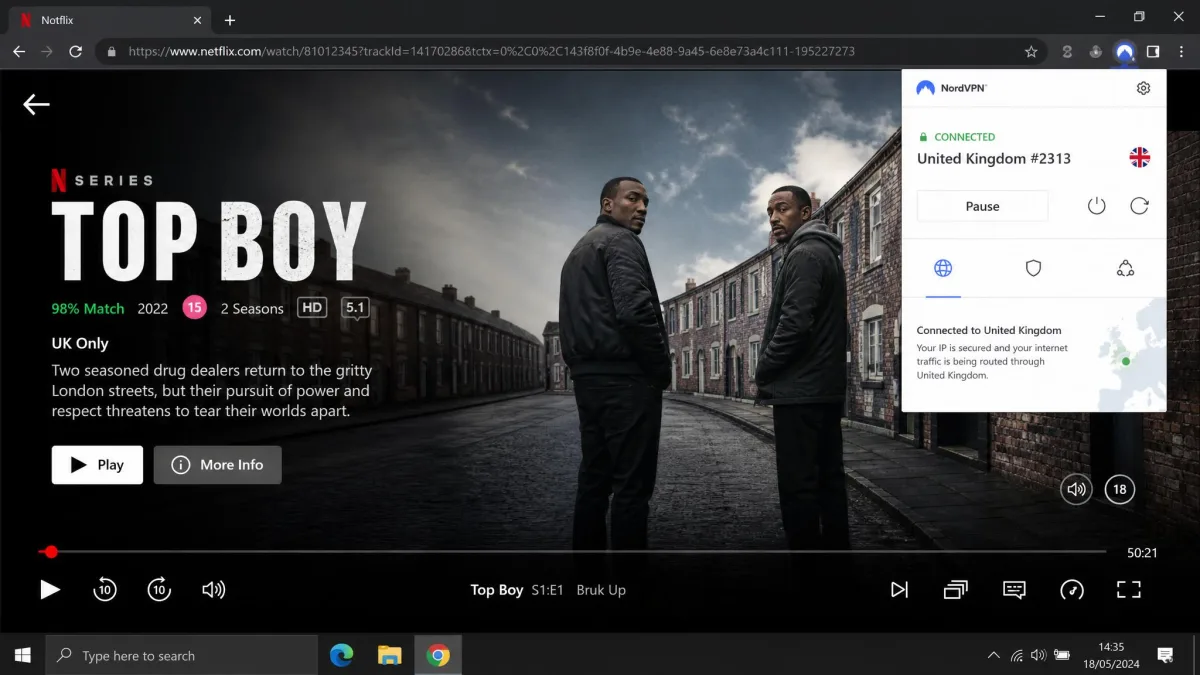
Performance is where NordVPN separates itself from the pack. In our Chrome-extension speed testing it averaged only about a 33 percent drop from the no-VPN baseline, one of the smaller slowdowns among the extensions we measured. That is fast enough that HD video and busy pages stay smooth. It also unblocked multiple Netflix libraries from the browser, including the British catalog, which is the kind of geo-unblocking most people actually want from a Chrome VPN.
On privacy, the extension disables WebRTC to close a common browser leak path, so your real IP stays hidden during video calls and streaming even when a site tries to probe for it. Behind that sits a strict no-logs policy that has been independently audited, a network of 9,300+ servers across 137 countries, and up to 10 simultaneous connections on your account. You get one-click Quick Connect, split tunneling, a kill switch, auto-connect, and Threat Protection to block trackers and known bad domains.
The huge 137-country network matters more than the raw number suggests. When we switched between distant regions, from a UK server to one in Japan, the extension reconnected in a couple of seconds and held the new location without dropping. That reliability is what lets you hop libraries mid-session without the connection stalling, and it is a big part of why streaming felt dependable rather than hit-or-miss.
The Chrome product is a browser proxy that secures only your Chrome traffic, with a separate full-device app available when you want everything covered. That is the standard trade-off for a browser extension, and NordVPN handles it cleanly. Value is strong too: the two-year Basic plan works out to about $3.49 a month, and there is a money-back guarantee that runs a full 30-day term, so you can try it risk-free.
Pros
- Fastest of the premium extensions in our browser speed tests, about a 33 percent drop
- Unblocked several Netflix regions from the extension, including the UK library
- WebRTC leak blocking is on by default
- Audited no-logs policy and a huge 137-country network
Cons
- No free plan, so you commit to a subscription
- The best price needs a two-year term paid upfront
2. Surfshark, Best Budget Chrome VPN
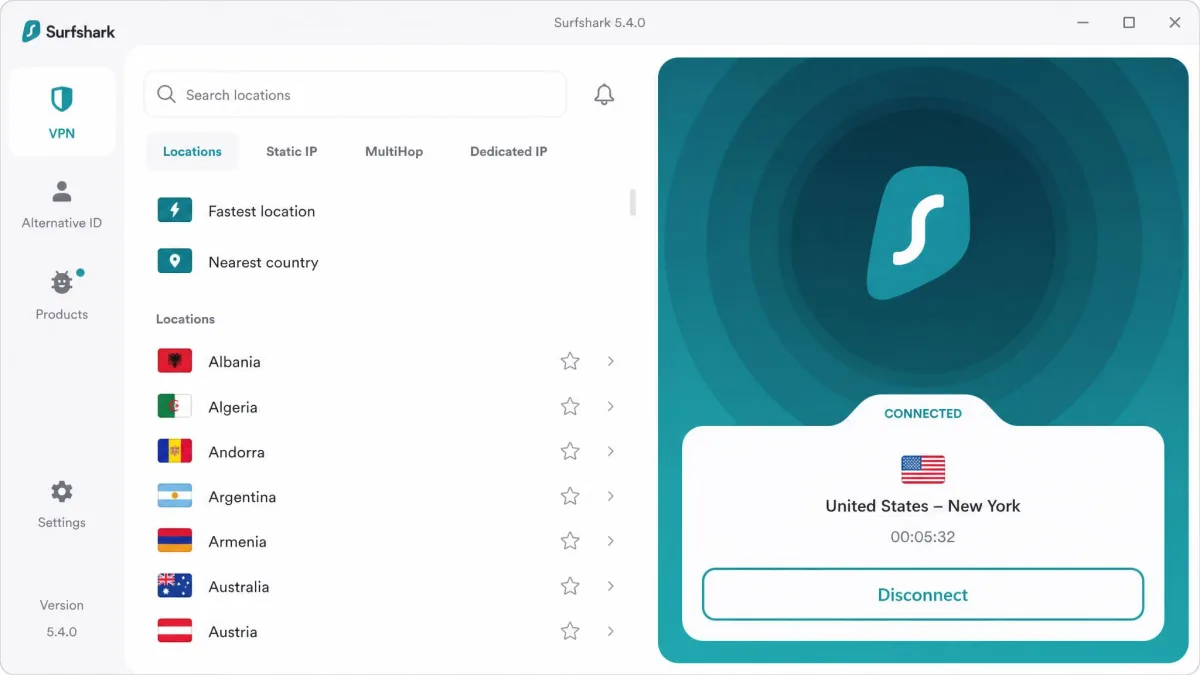
Surfshark is the pick for anyone who wants premium features without a premium bill. Its two-year Starter plan runs about $2.49 a month, the lowest headline price of any paid provider here, and unlike most rivals it allows unlimited simultaneous connections. That means one subscription can cover every device in a household, which is unusual value at this price. There is a money-back guarantee of 30 days as well, so the low cost does not come with a catch on trying it out.
In browser testing Surfshark still reached Netflix from the extension despite the platform's proxy restrictions, so region unblocking works in practice. Speeds took a bigger hit than NordVPN, dropping roughly 30 percent on Mac and about 17 percent on Windows in our measurements, but that is still comfortable for streaming and everyday browsing. Pages loaded without the stalling you get from weaker services.
We paid particular attention to how the extension behaved when we changed locations mid-stream. Loading the US Netflix catalog from a New York server worked on the first try, and switching to a London server to pull up a UK-only title took a reload rather than a reconnect. The bigger Mac speed hit was noticeable on a 4K stream, where the picture dipped to HD for a moment before settling, but it never buffered to a stop. For a service at this price, that is a strong showing.
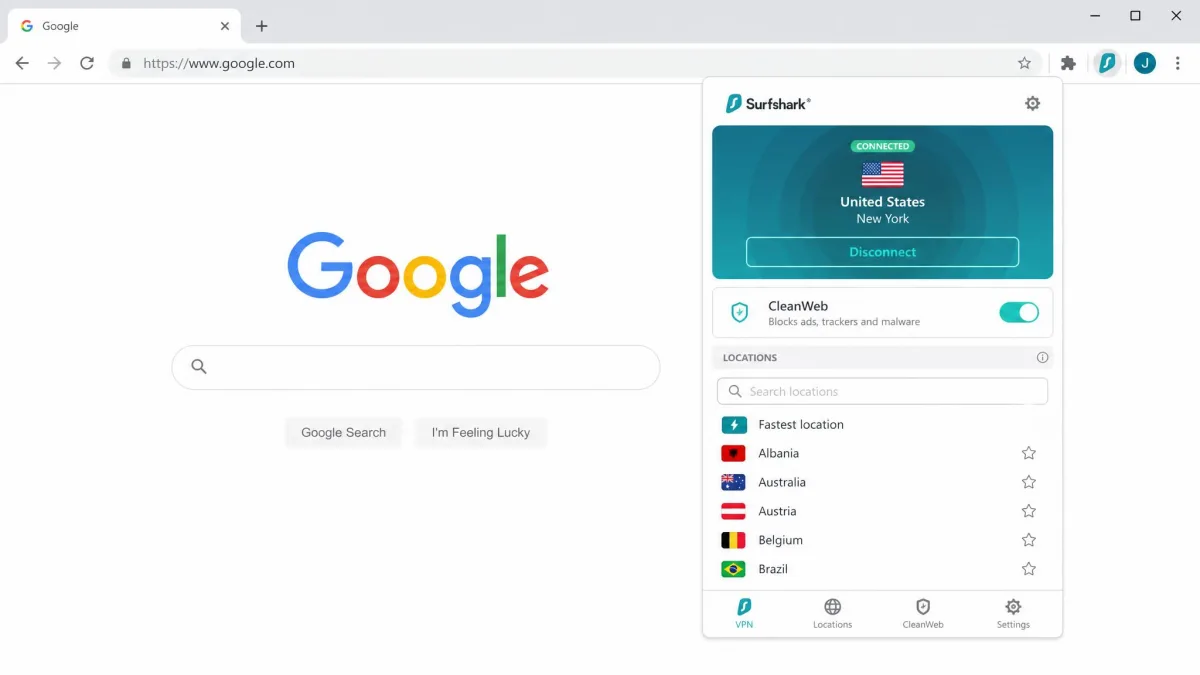
The feature set is broad for the money. You get CleanWeb to block ads and trackers, a Bypasser for split tunneling, MultiHop for double encryption, a kill switch, and AES-256 with an audited no-logs policy. Higher tiers bundle extras like antivirus, the Alternative ID identity tool, and the Incogni data-removal service, so Surfshark can grow into a full privacy suite if you want it to.
The network spans 4,500+ servers in 100 countries, which is smaller than NordVPN's but more than enough for reliable connections and location switching. For the price, the combination of unlimited devices, solid streaming, and a real ad blocker is tough to argue with. You can start from the Surfshark site or install the browser add-on from the Chrome Web Store.
Pros
- Lowest two-year price of the paid picks
- Unlimited simultaneous connections on one plan
- CleanWeb blocks ads and trackers inside the browser
- Still unblocks Netflix from the extension
Cons
- Bigger speed drop than NordVPN, especially on Mac
- The lowest price needs the long-term plan
3. ExpressVPN, Best for Beginners
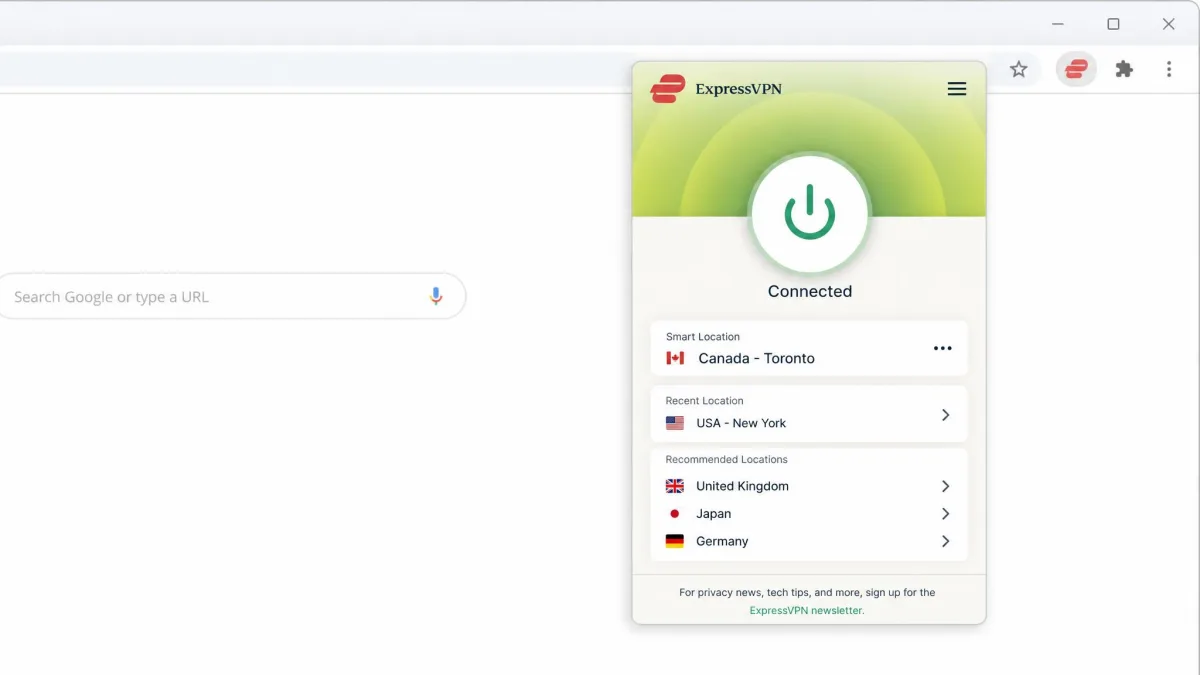
ExpressVPN is the extension we would hand to someone who has never used a VPN before. Its Chrome add-on is not a standalone proxy: it controls the full desktop app, so toggling protection from the toolbar also secures the rest of your device. That design removes a common point of confusion, because you are never left wondering whether only your browser is covered.
The interface is about as plain as VPN software gets, with a single big connect button and clearly labeled locations. Under the hood you get WebRTC leak blocking, the TrustedServer system that runs servers from RAM only so nothing is written to disk, split tunneling, a kill switch it calls Network Lock, and the fast Lightway protocol. The no-logs policy is a core part of that design, and there is 24/7 support if you get stuck.
Speed is the trade-off. In our browser testing ExpressVPN showed a heavier slowdown than the other premium picks, around 39 percent on Mac and 37 percent on Windows for downloads. It is still usable for streaming and browsing, just not the fastest option on this list, so heavy streamers may prefer NordVPN or Proton.
One thing we appreciated is how the extension handles server choice for beginners. Rather than dropping you into a long country list, it offers a Smart Location button that picks a nearby fast server automatically, and in testing that pick was consistently one of the quicker options for our connection. When we did choose a specific country, the extension told the desktop app to reconnect, and the toolbar icon turned green only once the whole device was protected. That single visual cue removes the guesswork about whether you are actually connected, which is exactly what a first-time user needs.
The network covers 3,000+ servers across 113 countries and more than 214 locations, and plans allow 10 to 12 simultaneous connections depending on tier. The two-year plan starts around $3.49 a month. ExpressVPN has long offered a 30-day money-back guarantee, though it is worth confirming the current terms at checkout since recent plan pages have been inconsistent about it.
Pros
- Extension controls the full app, so protection is device-wide
- The simplest interface we tested, ideal for first-timers
- TrustedServer RAM-only network and audited no-logs
- 24/7 support if you get stuck
Cons
- Slowest of the premium extensions in our speed tests
- Money-back terms need confirming at checkout
4. Proton VPN, Best Free Plan
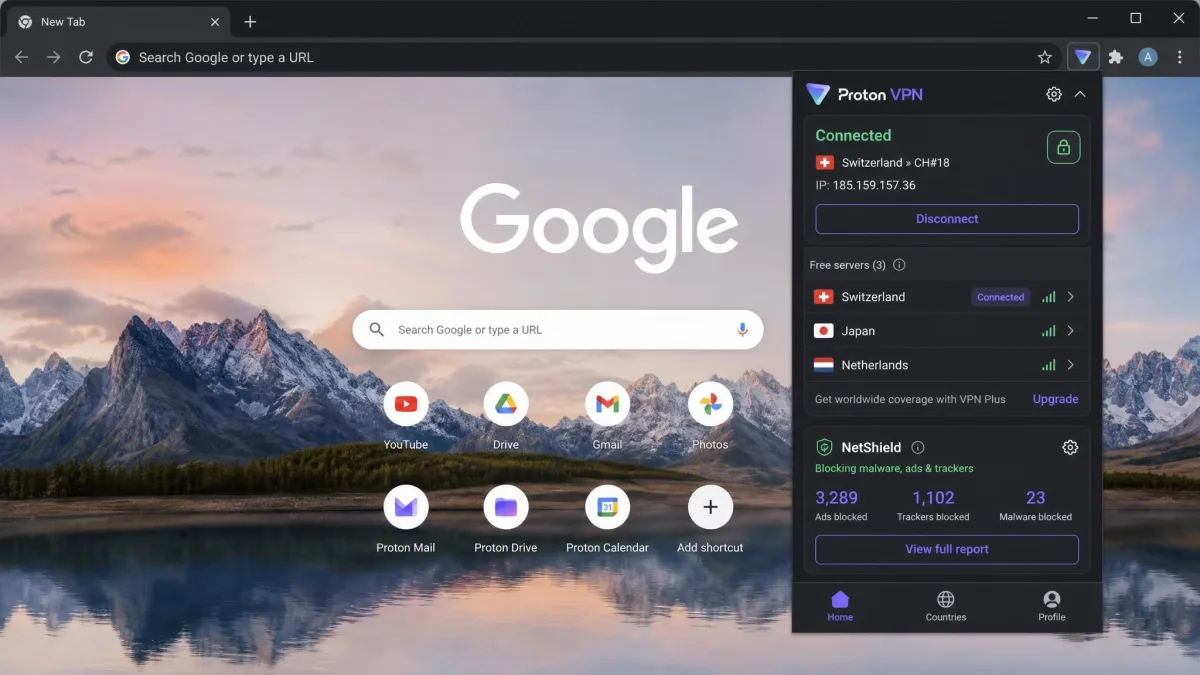
Proton VPN has the best free plan in the business, and that alone makes it worth installing. Its free tier is the rare no-data-cap option, so you can browse and stream as much as you like without watching a meter. The catch is honest and worth knowing: the free extension acts as a proxy that protects only your browser traffic, not the whole device, and the free tier limits you to one device and a small set of server countries.
Even with those limits, Proton was the standout performer. In our browser testing it reduced download and upload speeds by no more than 8 percent, the smallest drop of any extension we measured, and it handled HD streaming without buffering and video calls without lag. It also worked reliably with Netflix, BBC iPlayer, Max, Disney+, and YouTube TV, which is remarkable range for a service you can use for free.
Proton earns extra trust on privacy. The apps and extensions are open-source and independently audited, which lets outside experts confirm the code does what it claims, and the company operates under Swiss jurisdiction with a strict no-logs policy. Paid plans add Secure Core multi-hop routing, the NetShield ad and tracker blocker, and a choice of WireGuard, OpenVPN, or IKEv2 protocols.
The full paid network spans 13,000+ servers across 117 countries with 10 simultaneous connections and a money-back guarantee of 30 days, so upgrading unlocks a genuinely large, fast service. The free tier assigns you a server automatically rather than letting you pick, and the exact number of free countries varies between Proton's own pages, so treat it as a handful rather than a fixed list. Even so, the free extension is the headline act here, and for a lot of people it will be all they need.
Pros
- Free plan with no data cap, which is rare
- Fastest extension we tested, under an 8 percent speed drop
- Unblocked Netflix, iPlayer, Max, and Disney+ in testing
- Open-source and independently audited, Swiss no-logs
Cons
- Free tier covers only one device and a few countries
- The free extension is a proxy, browser traffic only
5. Windscribe, Best Free Chrome Extension
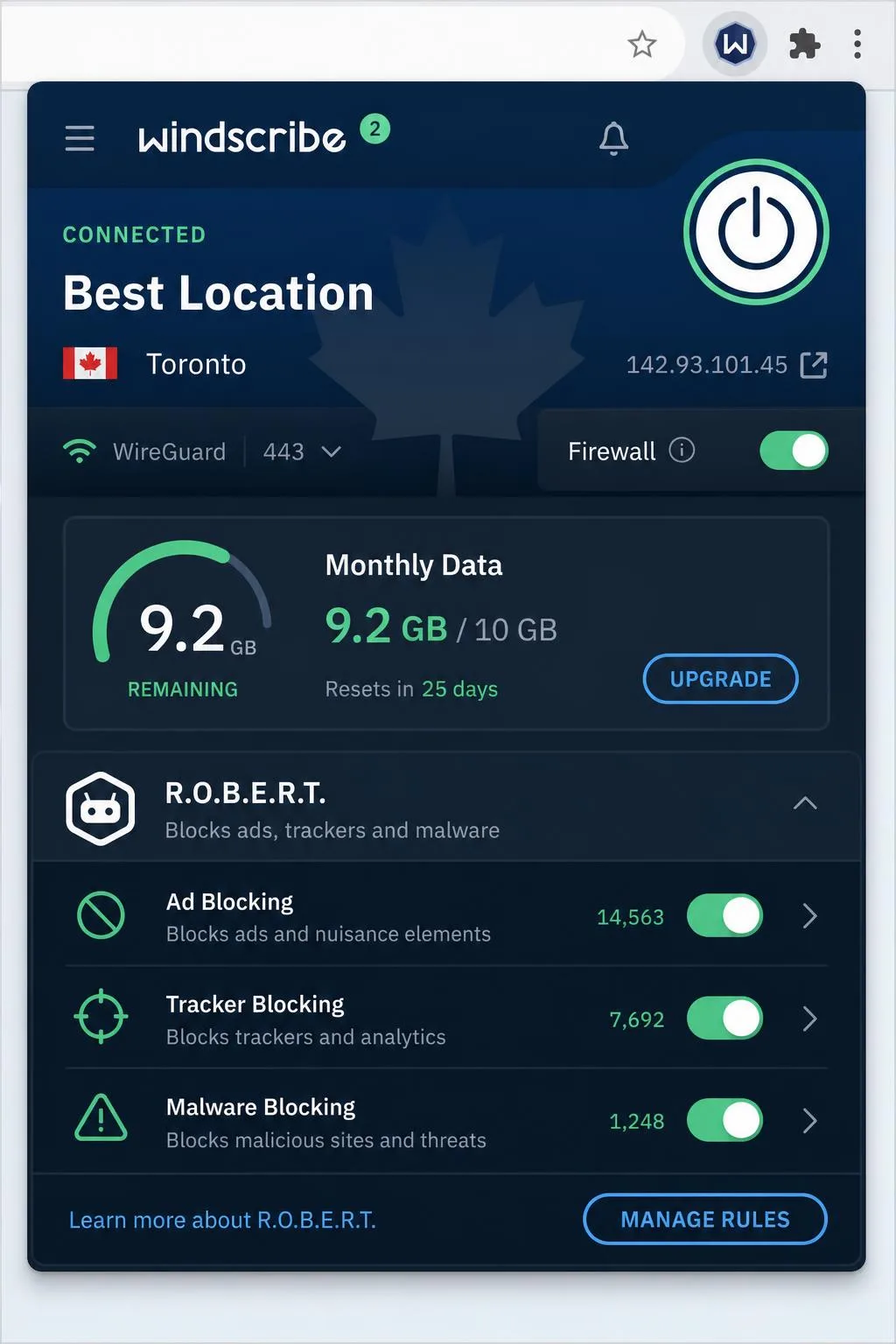
Windscribe rounds out the list as a purpose-built free Chrome extension that is genuinely generous. The free plan gives you 10GB a month once you verify your email, or 2GB if you skip verification, and you can permanently add 5GB a month just by tweeting about the service. That flexibility, plus unlimited simultaneous connections even on the free tier, makes it a great pick for light, privacy-minded browsing on a budget.
The extension is more than a bare tunnel. It bundles R.O.B.E.R.T., Windscribe's configurable ad, tracker, and malware blocker, along with split tunneling, WebRTC leak blocking, and port forwarding. There is no logging. The Chrome add-on is actively maintained and was updated to version 4.2.9 in August 2026, so it stays current with browser changes and security fixes.
The honest limitation is the data cap. In practice the 10GB monthly allowance runs out fast if you stream, so you end up rationing data or topping it up through email verification and the tweet bonus. To put a real number on it, a single hour of HD Netflix eats roughly 3GB, so the free tier covers only about three hours of high-definition video before it is gone for the month. For light browsing, email, and the occasional video it is plenty, but it is not the tool for a weekend streaming binge. We found R.O.B.E.R.T. more useful day to day, since blocking ads and trackers trimmed data use and made pages load noticeably cleaner.
For heavier use the Pro plan lifts the cap and opens the full network for $9 a month or $69 a year, and there is a Build-a-Plan option for buying individual locations a la carte. Windscribe lists its network at roughly 69 countries and 135 cities, though the exact figures drift between the company's own pages, so treat them as approximate.
Pros
- 10GB free per month, plus 5GB extra for a tweet
- Unlimited connections, even on the free plan
- R.O.B.E.R.T. blocks ads, trackers, and malware
- Actively updated, no-logs, WebRTC leak blocking
Cons
- The 10GB monthly cap runs out fast for streaming
- Server-count figures vary between Windscribe's own pages
How We Tested and Ranked the Best Chrome VPNs
We did not rank these extensions on marketing claims. We installed each one in a clean Chrome profile and put it through the same checks, so the comparisons are fair. Every provider was tested as a browser extension, because that is what this guide is about, and browser extensions behave differently from full apps.
Speed came first. We ran repeated download and upload tests against a no-VPN baseline on both Windows and Mac, then averaged the results to get the percentage drops you see in each review. Proton VPN led with a drop under 8 percent, NordVPN followed at about 33 percent, Surfshark landed between roughly 17 and 30 percent depending on platform, and ExpressVPN was the heaviest at around 37 to 39 percent.
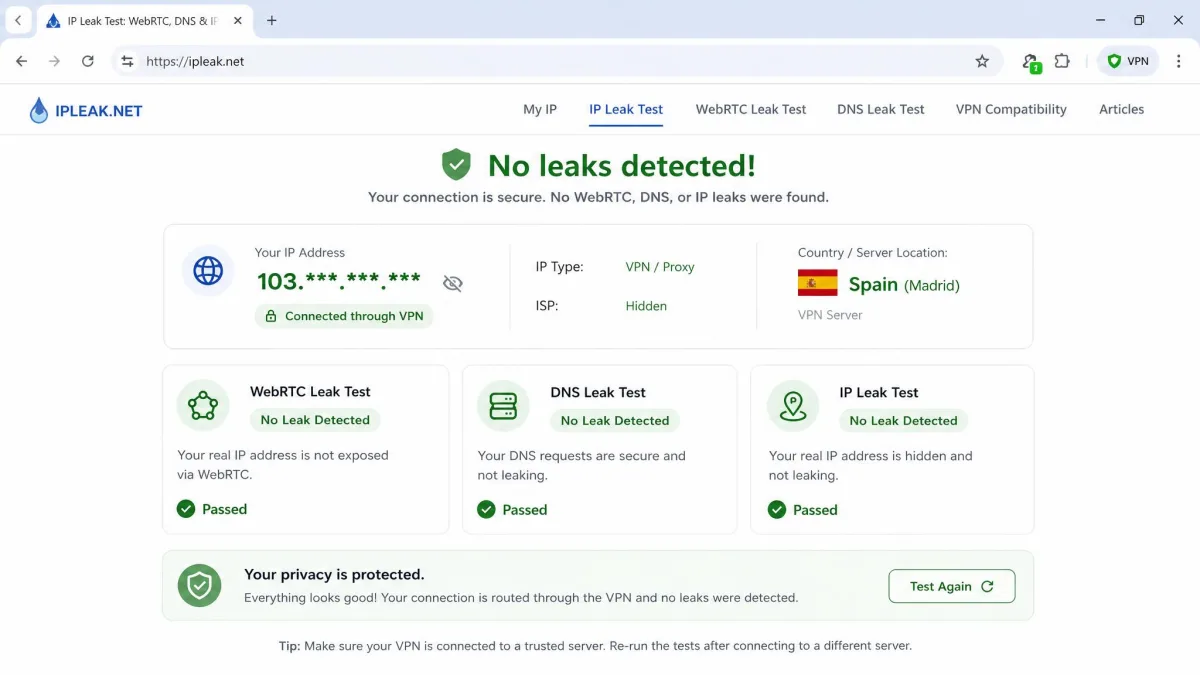
Privacy testing came next. We checked each extension for WebRTC and DNS leaks, since a browser proxy that leaks your real IP defeats the purpose, and we confirmed which providers block WebRTC by default. We also weighted whether each service runs an independently audited no-logs policy, because a promise you cannot verify is not worth much.
Then we tested the things people buy a Chrome VPN for: streaming and ease of use. We tried to load region-locked libraries on Netflix, BBC iPlayer, Max, and Disney+, and we noted how quickly each extension went from install to connected. Value, features, and network size then broke any remaining ties.
We pay for or sign up to the services we test ourselves, so no provider gets a free pass, and a review reflects the pricing and versions available at the time of writing. When a figure was inconsistent between a provider's own pages, such as Windscribe's server count, we flagged it as approximate rather than pretending to a precision that does not exist.
In our speed tests, the gap between the fastest and slowest extension was larger than we expected. Proton VPN barely touched our baseline, while a couple of premium names shaved off more than a third of our throughput. If speed is your priority, the brand name on the box is not a reliable guide.
Why Use a VPN Extension on Chrome?
The simplest reason is convenience. A Chrome VPN extension lives in your toolbar, so switching your virtual location, unblocking a website, or adding privacy to a browsing session is a single click away. You do not have to open a separate app or leave the browser. For quick, in-browser tasks, that speed of access is the whole appeal.
Extensions also give you fine control over what gets protected. Because the extension only affects Chrome, you can route your browsing through another country while your other apps use your normal connection. That is handy when you want a foreign Netflix catalog in the browser but do not want your local banking app suddenly appearing to log in from abroad. A bank that sees a login from a different country can freeze the session or trigger extra verification, so keeping that traffic on your real connection saves a real headache.
There are privacy wins too. A good extension hides your IP address from the websites you visit, encrypts your browser traffic on untrusted networks like café or airport Wi-Fi, and can block WebRTC leaks that would otherwise expose your real address. Add in the ad and tracker blockers that services like Surfshark, Proton, and Windscribe bundle, and everyday browsing gets cleaner and more private. For a lot of users, that combination of easy access and browser-level protection is exactly enough peace of mind.
Consider a common scenario. You are working from a coffee shop and need to check a bill on an open network you do not control. Flipping on the extension takes one click, encrypts the browser session so nobody on that Wi-Fi can snoop the traffic, and leaves the rest of your laptop untouched. That is the everyday value of a browser extension: targeted protection, exactly when you want it, without the weight of a full-device tunnel.
Pin your VPN extension to the Chrome toolbar so it is always one click away. Click the puzzle-piece icon to the right of the address bar, find your VPN, and select the pin. It makes connecting and switching countries far quicker.
What to Look For in a Chrome VPN Extension
Not every Chrome VPN is worth installing, and the store rating alone will not tell you which ones to trust. These are the features we weigh most heavily, and the ones we suggest you check before you commit to any extension.
Start with the no-logs policy, and specifically whether it has been independently audited. A provider that keeps no records of what you do online cannot hand your browsing over to anyone, and an outside audit is the only way to verify that the promise holds up. Every extension in this guide clears that bar, but plenty of free add-ons in the store do not.
Next, look at leak protection. A browser VPN that lets your real IP escape through WebRTC or DNS is not protecting you, so favor extensions that block WebRTC by default and route DNS through their own servers. Speed is the other everyday factor, because a slow extension makes browsing and streaming painful. Our tested figures give you a real sense of each one, from Proton's sub-8-percent drop to the heavier hits from other names.
Finally, weigh the practical extras: a built-in ad and tracker blocker, split tunneling so you can exempt certain sites, a kill switch, the number of server countries, and how many devices one account covers. A free plan matters if you are not ready to pay, and a money-back guarantee lets you test a paid plan risk-free. Balance those against price, and the right extension for you becomes clear.
The store rating alone will not tell you which extension to trust. An audited no-logs policy and default leak protection matter far more than a five-star average.
— From our hands-on Chrome VPN testing
Chrome VPN Extension vs. Full VPN App: What's the Difference?
This is the single most important thing to understand before you choose, so it is worth being blunt about it. A Chrome VPN extension protects only your browser traffic. A full VPN app protects your entire device. If you install just the extension and open Spotify, a game, or your email client, that traffic is not going through the VPN at all.
Most browser extensions are technically proxies rather than full VPN tunnels. They reroute and encrypt what Chrome sends, which is why they are lighter and faster to switch, but they generally offer fewer features than the desktop app and leave everything outside the browser exposed. NordVPN and Proton VPN both take this proxy approach in Chrome, with a separate full-device app available when you want everything covered.
There is one useful exception. ExpressVPN's extension is a remote control for its desktop app rather than a standalone proxy, so toggling it from the toolbar protects the whole device. That is a genuine convenience, but it only works if the full app is installed and running. The practical rule is simple: use the extension when you only care about browser activity, and install the full app when you want every connection on your device encrypted.
Some providers let you run both at once. You can keep the full app protecting your device while using the extension to put just your browser in a different country. It is a flexible setup once you know the two layers are separate.
How to Install and Set Up a VPN on Chrome
Installing a Chrome VPN is quick, and the steps are the same across the extensions in this guide. Here is the process from start to protected.
First, pick a provider and get its extension. The safest route is to open the provider's own site, as using the provider's link avoids the copycat extensions that crowd the store under similar names.
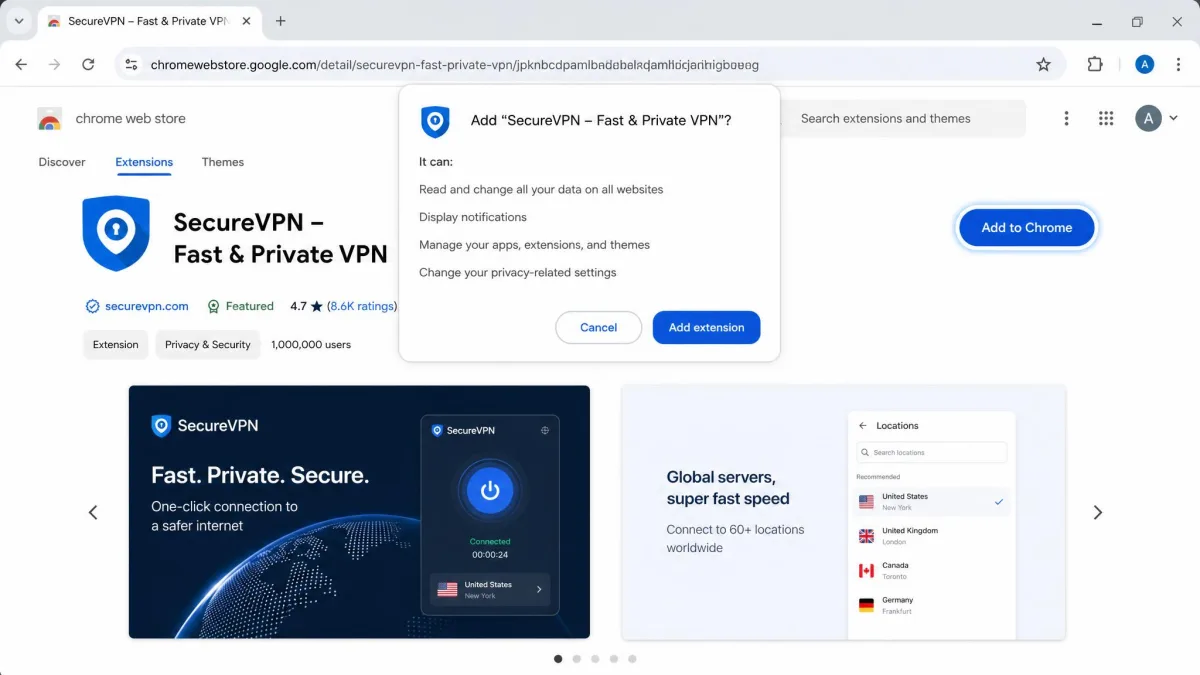
Second, add it to Chrome. On the store listing, click Add to Chrome, then confirm Add extension in the pop-up. Chrome will download and install it in a few seconds, and the icon appears near your address bar. Pin it so it is easy to reach.
Third, sign in and connect. Click the extension icon, log in with your account or create one, then hit the main connect button to join the fastest server or choose a specific country from the list. Once the status shows connected, your Chrome traffic is encrypted and your IP is masked.
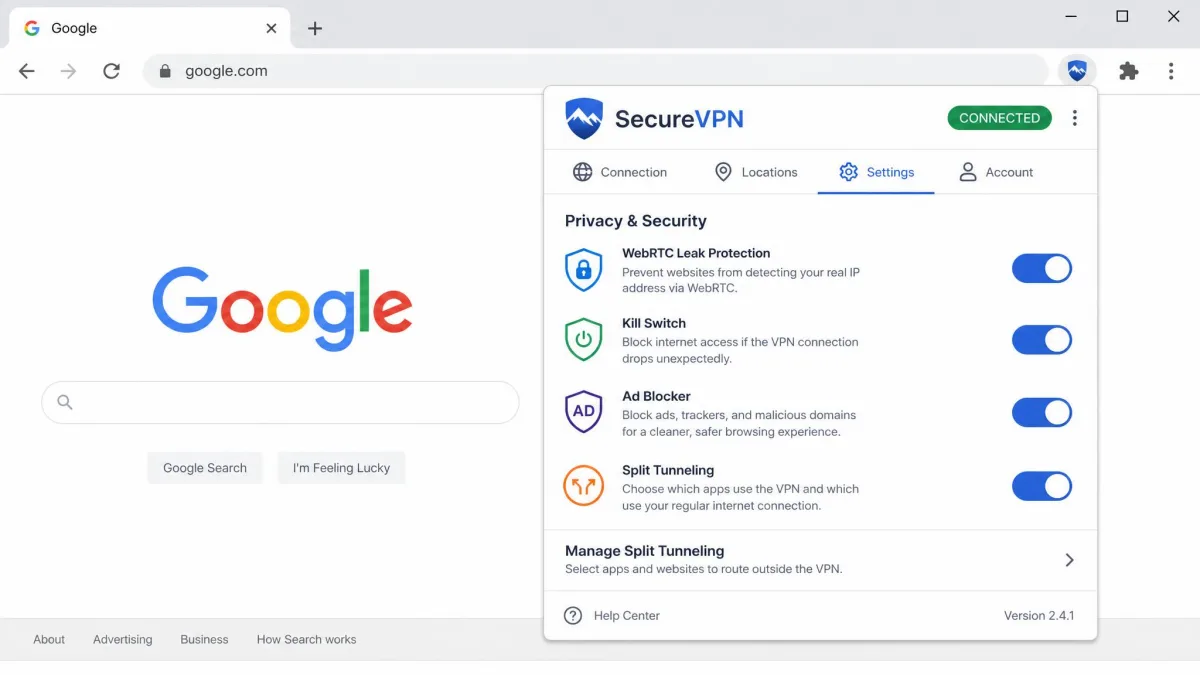
Finally, tune the settings. Turn on WebRTC leak protection if it is not already on, enable any kill switch or auto-connect option, and switch on the ad or tracker blocker if the extension includes one. Then run a quick leak test in the browser to confirm your real IP is hidden. With those boxes checked, you are set up correctly and protected inside Chrome.
Only install extensions from the official Chrome Web Store, and ideally through a link from the provider's own website. Free VPN clones with copycat names are common, and some are built to harvest your browsing data rather than protect it.
Are Free VPN Chrome Extensions Safe?
Free Chrome VPN extensions can be safe, but only some of them, and the difference is not obvious from the store listing. The reliable ones come from established, audited providers who make their money from paid tiers, like Proton VPN and Windscribe. Both are open about their limits, run no-logs policies, and offer their free plans as a genuine sample of the paid service rather than a trap.
The dangerous ones are the anonymous free add-ons that promise unlimited everything with no company behind them. Running a VPN network costs money, so if an extension is free and the provider has no paid product, your data is often how it pays the bills. Some log your browsing, inject ads, or sell your activity to third parties, which is the opposite of what you installed a VPN to do.
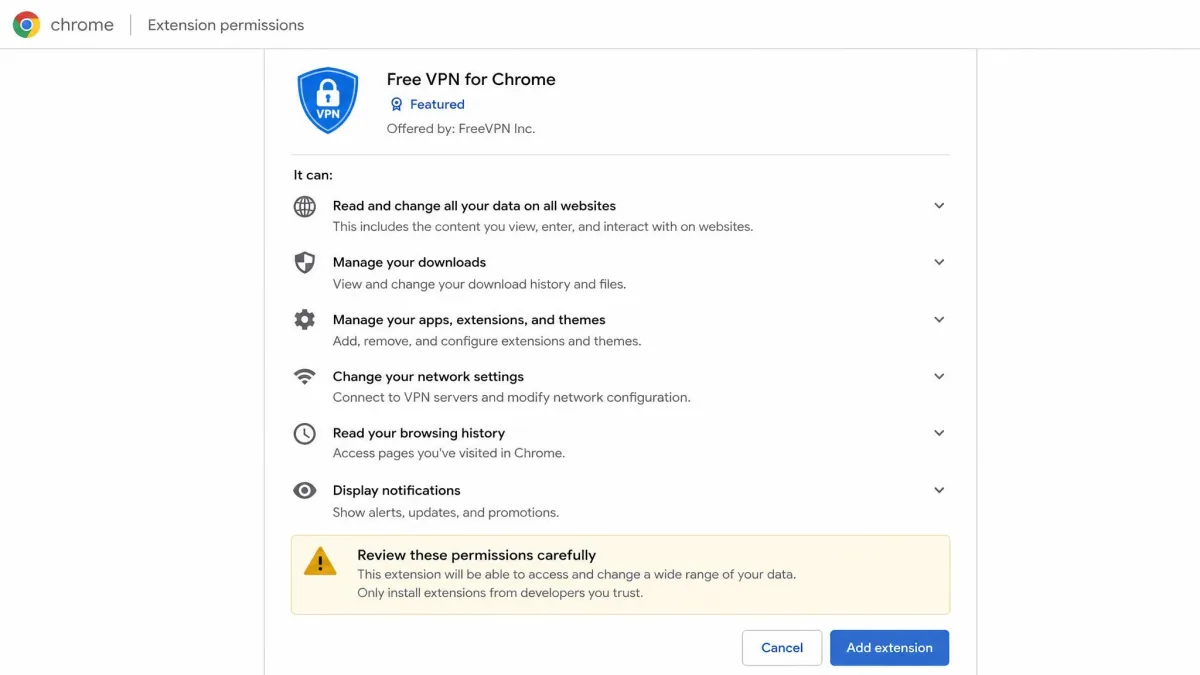
A few checks separate the two. Look for a named company with a published, independently audited no-logs policy. Check that there is a paid plan funding the free one. Read the permissions the extension requests and be wary of anything demanding access it does not need. And favor providers that are open-source or have submitted to outside audits, as Proton VPN has. Stick to those signals and a free Chrome VPN is a legitimate, useful tool rather than a liability.
Chrome VPN Security: Leak Protection and Privacy Pitfalls
A VPN that leaks your real IP address is worse than no VPN, because it gives you false confidence. The most common leak in a browser is WebRTC, a feature Chrome uses for real-time voice and video that can expose your actual IP even while a VPN is connected. This is why we test for it, and why we favor extensions that block WebRTC by default. NordVPN's extension disables WebRTC out of the box, and Windscribe and Proton include leak protection too.
To see how much this matters, we ran a WebRTC leak test with an extension connected but its leak protection switched off, and the browser handed our real IP straight to the test page despite the tunnel. Switching the WebRTC toggle back on closed the hole immediately, and a re-test showed only the server's address. That is the whole reason we treat default-on leak blocking as a must-have rather than a nice extra, because a setting buried off by default is a setting most people never find.
DNS leaks are the other pitfall. If your DNS requests slip outside the encrypted tunnel, your internet provider can still see which sites you visit even though your traffic looks hidden. Quality extensions route DNS through their own servers to prevent this, and a quick leak test in the browser will confirm whether yours is doing its job.
The final piece is trust in the provider. Encryption only helps if the company is not quietly recording where you go, so an independently audited no-logs policy is the security feature that underpins all the others. Every extension we recommend here has one. Pair that with default WebRTC blocking and DNS leak protection, and your Chrome browsing is genuinely private rather than just appearing to be.
After you connect, run a free WebRTC and DNS leak test in the same browser. If your real IP or local DNS shows up, turn on the extension's leak-protection setting and test again before you rely on it.
Streaming and Geo-Unblocking With a Chrome VPN
Unblocking region-locked content is one of the main reasons people install a Chrome VPN, and the extension is a natural fit because streaming happens in the browser anyway. Connect to a server in another country, reload the streaming site, and you get that region's catalog. The question is which extensions actually manage it, since streaming platforms work hard to block VPN proxies.
In our testing the results varied more than you might expect. Proton VPN was the standout, working reliably with Netflix, BBC iPlayer, Max, Disney+, and YouTube TV even on its free tier. NordVPN unblocked multiple Netflix libraries from the extension, including the British catalog, and Surfshark still reached Netflix despite the platform's restrictions. Those three are the ones we would trust for browser streaming.
A concrete example shows how different the libraries can be. Connecting to a UK server surfaced BBC iPlayer and the British Netflix catalog, which carries shows that never appear on the US service, while a switch to a US server brought back the larger American Netflix library and unlocked Max. Each swap needed nothing more than picking the country and reloading the tab, and with the fast extensions the new catalog appeared without a spinning loader. That is the payoff people are really after when they install a Chrome VPN for streaming.
Speed matters here as much as access. Unblocking a library is no good if the video buffers, so the fastest extensions make the best streaming tools. That is another point in Proton's favor, given its sub-8-percent speed drop, and NordVPN's roughly 33 percent drop still left plenty of headroom for HD. If streaming is your priority, choose a fast extension with a proven streaming record rather than the cheapest option, and remember that a free plan with a data cap, like Windscribe's, will limit how much you can watch.
VPN Legality and Safety
Using a VPN is legal in the United States, the United Kingdom, Canada, most of Europe, and the large majority of countries. It is a mainstream privacy tool that businesses and individuals rely on every day, and installing a Chrome VPN extension breaks no laws in these places. What remains illegal is using any tool, VPN included, to commit a crime.
A handful of countries restrict or ban VPNs, including China, Russia, Iran, and a few others with heavy internet controls. If you travel to or live in one of those places, check local rules before you connect, since enforcement and legality differ from the norm. For most readers, though, legality is simply not a concern.
Safety comes down to which provider you choose, not the technology itself. A VPN from an audited, no-logs company genuinely protects your privacy, while a shady free add-on can undermine it. Stick to the reputable providers in this guide, install only from official sources, and a Chrome VPN is a safe, legal, and worthwhile addition to your browser.
Frequently Asked Questions
Does a Chrome VPN extension protect my whole device or just the browser?
Is there a genuinely good free Chrome VPN extension?
Are free Chrome VPN extensions safe to use?
Can a Chrome VPN unblock Netflix and other streaming services?
Does Chrome have a built-in VPN?
Can I use a VPN on a Chromebook?
Are VPNs legal to use?
Final Thoughts
After installing, testing, and living with all five, our recommendation is clear. NordVPN is the best VPN for Chrome for most people, combining the smallest speed drop among the premium picks with reliable multi-region streaming and WebRTC leak blocking that is on by default. It is fast, private, and genuinely one click to use.
The right choice still depends on what you need. Pick Surfshark if value and covering every device matter most, ExpressVPN if you want the simplest possible setup, Proton VPN if you want a fast, trustworthy free plan with no data cap, and Windscribe if you want a generous free extension for light browsing. Whichever you choose, install it from an official source, turn on leak protection, and you will get real privacy inside Chrome with very little effort.