Your phone says there is no space left for a system update, the camera stalls before it opens, and the gallery takes a few seconds to draw thumbnails it used to show instantly. That is the point where most people go looking for a cleaner app. A good one finds the junk files, cached data, duplicate photos and forgotten downloads that quietly fill a device, then shows you what is safe to delete before it deletes anything.
We spent this round working through the nine free Android cleaners below, comparing what each app actually removes against what its store listing promises. Our test devices ran stock Android, unrooted, the way most phones ship. We looked at storage reclaimed, how much of the cleaning happens without a paywall, how heavy the advertising is, what permissions each app asks for, and whether the performance claims survive contact with modern Android. Some of these apps earned a permanent slot on our phones. Others are best understood as an ad network with a broom attached.
One finding shaped everything that follows. Since Android 8.0, third-party apps lost the CLEAR_APP_CACHE permission, so a cleaner cannot reach inside your other apps and wipe their cache for you. That single platform change explains most of the gap between marketing copy and real results in this category.
How We Picked and Tested These Cleaners
We started from the apps people actually install, then cut anything that could not explain what it deletes. Every app on this list was installed on a normal unrooted phone, granted only the permissions it needed to run, and pointed at a device carrying a realistic mess: months of app cache, downloaded memes, duplicate photos, obsolete APK installers and the residual folders left behind by apps removed long ago.
Four things decided the ranking. First, does the cleaning work reach real files rather than a progress animation? Second, how much of the useful toolset survives in the free tier? Third, how intrusive are the ads and the permission requests? Fourth, does the app tell you the truth about performance, or does it sell a speed boost the operating system will not let it deliver?
We deliberately do not publish a megabytes-freed figure for each app. The number depends entirely on how cluttered the device was that morning, and any single result would read as more precise than it is. Where an app makes a measurable difference we say what it does; where it does not, we say that too.
Quick Comparison: Best Free Android Cleaners
| App | Best for | Free-tier limits | Key cleaning features | Ads | Get |
|---|---|---|---|---|---|
 |
Everyday storage cleanup with zero ads | None: fully free, no in-app purchases | Junk suggestions, duplicates, large files, unused apps, offline sharing | None | Get it → |
 |
Familiar one-sweep junk cleaning | Ads throughout; scheduling is Pro-only | Junk and cache, browser history, clipboard, call logs, storage analyzer | Yes, in the free tier | Get it |
 |
Deep, granular cleaning on Android 8 and newer | Base app free; several tools need the Pro unlock | CorpseFinder, AppCleaner, duplicates, filters, storage analyzer | None | Get it |
 |
Photo-heavy libraries and app hibernation | Deep Clean, scheduling and full photo compression are Premium | Junk clean, hibernate apps, photo optimizer, bloatware removal | Yes, in the free tier | Get it |
 |
The same toolset under the AVG brand | Deep Clean, Browser Cleaner and Sleep Mode are Premium after 30 days | Deep Clean, photo cleanup, Sleep Mode, browser cleaner | Yes, in the free tier | Get it |
The 9 Best Free Phone Cleaner Apps for Android
1. Files by Google
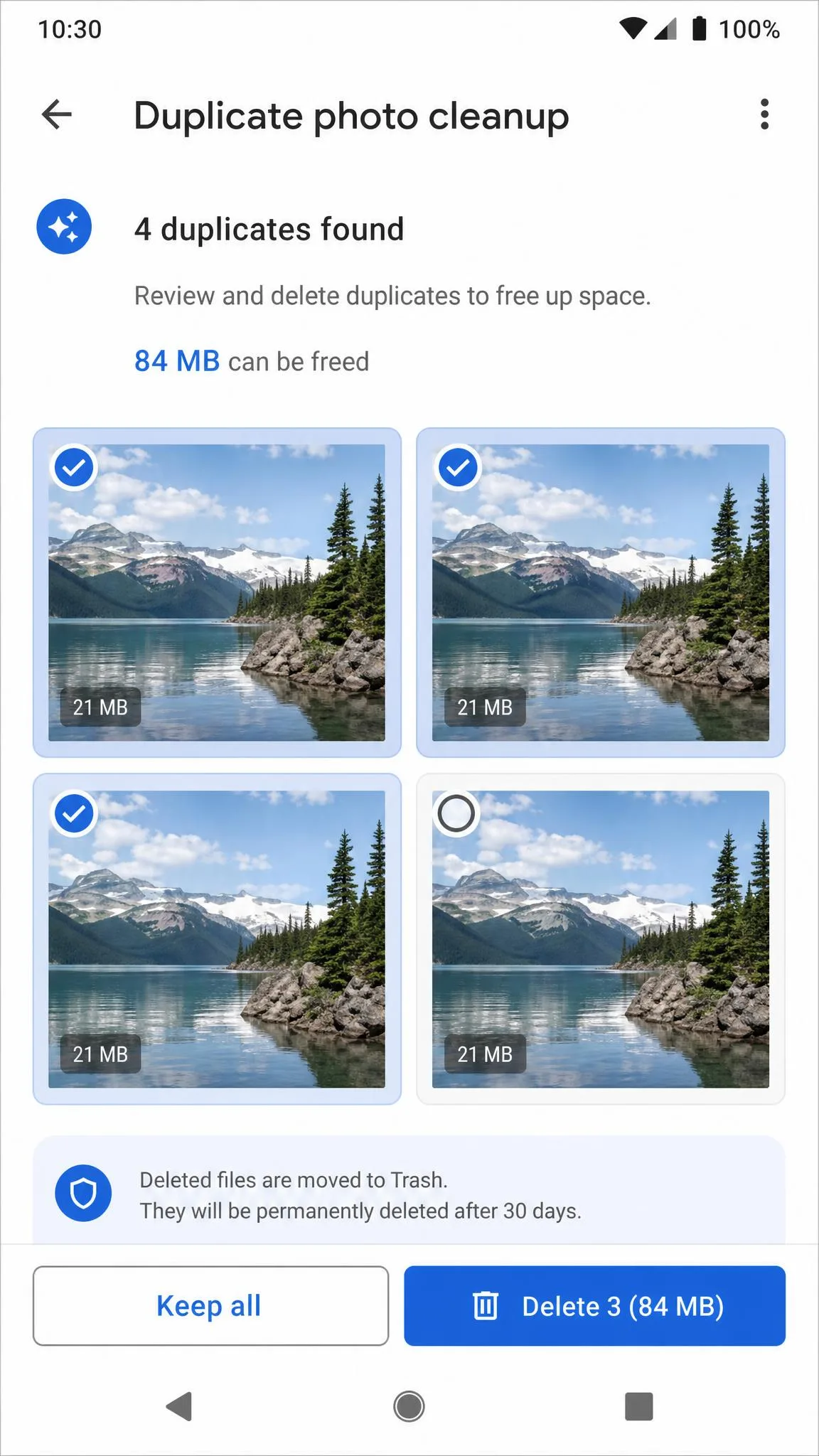
Google's own file manager is the app we would install first on any Android phone, and the one we would tell most readers to stop at. Its cleaning tab works from suggestion cards rather than a blanket purge, so it surfaces duplicate photos, downloaded memes, large videos and apps you have not opened in months. On our cluttered test phone the flow was the same every time: open the Clean tab, read the stack of cards it had already prepared, tap into the one offering to remove duplicate photos, and look at the actual thumbnails before confirming. Nothing left the device until we agreed to it, and a card we ignored simply stayed on the list for next time.
The scale is worth knowing. Google says 100 million people use Files every month to free up space, that it frees up 8 GB of space every second across those users, and that it deletes more than 300 duplicates and 150 memes every second. The app has passed 5 billion Play Store downloads and holds a 4.50 out of 5 rating from about 8.7 million ratings. The install is small, though reported figures vary by device architecture and app version, so treat any single number as approximate.
It does more than clean. Offline Quick Share moves files between phones at speeds up to 480 Mbps with end-to-end encryption, there is a Secure Folder for private documents, and the browsing and media playback tools mean you can usually delete whatever file manager your manufacturer preinstalled. If you want a single free app that improves both storage and your day-to-day file experience, this is it.
Pros
- Completely free with no ads and no in-app purchases
- Suggestion cards let you approve each deletion
- Strong duplicate photo and large-file detection
- Doubles as a capable file manager and offline transfer tool
Cons
- No scheduling or automatic cleaning
- Cannot reach other apps' caches, like every third-party cleaner
- Fewer power tools than SD Maid
Best for: almost everyone. Download Files by Google and read Google's own note on how the app reached 100 million monthly users if you want the scale behind it.
2. CCleaner for Android
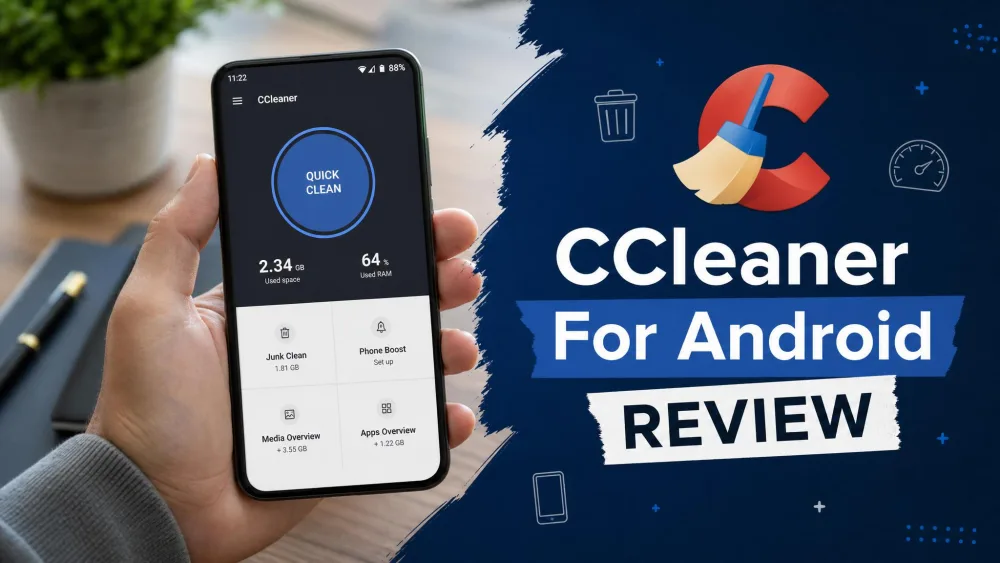
Where Files by Google asks you to approve each deletion, CCleaner is built around the opposite instinct: one sweep, one number, done. It is the name most people already trust from Windows, and the Android build carries that recognition across intact. It sits above 100M+ installs on Google Play with a 4.54 out of 5 rating from roughly 2.8 million reviews, and it requires Android 10 or higher. Its junk and cache sweep genuinely reclaims space, pulling app cache, browser history, clipboard contents and old call logs in a single pass, and the storage analyzer is a useful map of where your space went.
Running that sweep end to end on the free tier is the part worth describing, because the cleaning is not what slows you down. We opened the app, waited out an ad, tapped the analyze button, and watched it enumerate cache, browser history, clipboard and call logs into a tidy checklist. Choosing what to keep meant scrolling that list past another promoted panel, and confirming the clean produced a further interruption before the result screen appeared. The sweep itself reclaimed real space each time. Getting to it took more taps on advertising than on cleaning, and that friction is the single most common complaint we hear about the app.
The RAM-boost and task-killer tools are the weakest part of the package, because they do not deliver durable gains on modern Android, and the background monitor can cancel out whatever speed benefit the clean produced. Pro adds no new cleaning tools at all: the upgrade buys ad removal and unattended scheduled cleaning, nothing the free app cannot already do by hand.
Pricing is the other soft spot. CCleaner does not publish an Android Pro price and promotional pricing changes often, so check the in-app upgrade price before you buy. Our full CCleaner for Android review goes deeper on what the paid tier changes.
Pros
- Fast, familiar junk and cache cleaning that reclaims real space
- Clears browser history, clipboard and old call logs in one sweep
- Useful storage analyzer and batch app uninstaller
Cons
- Heavy advertising in the free tier
- RAM boost and task killing do not help modern Android
- Pro adds only ad removal and scheduling, no new cleaning tools
- No published Android Pro price
Best for: people who want one recognizable sweep and can tolerate ads. Get CCleaner on Google Play.
3. SD Maid
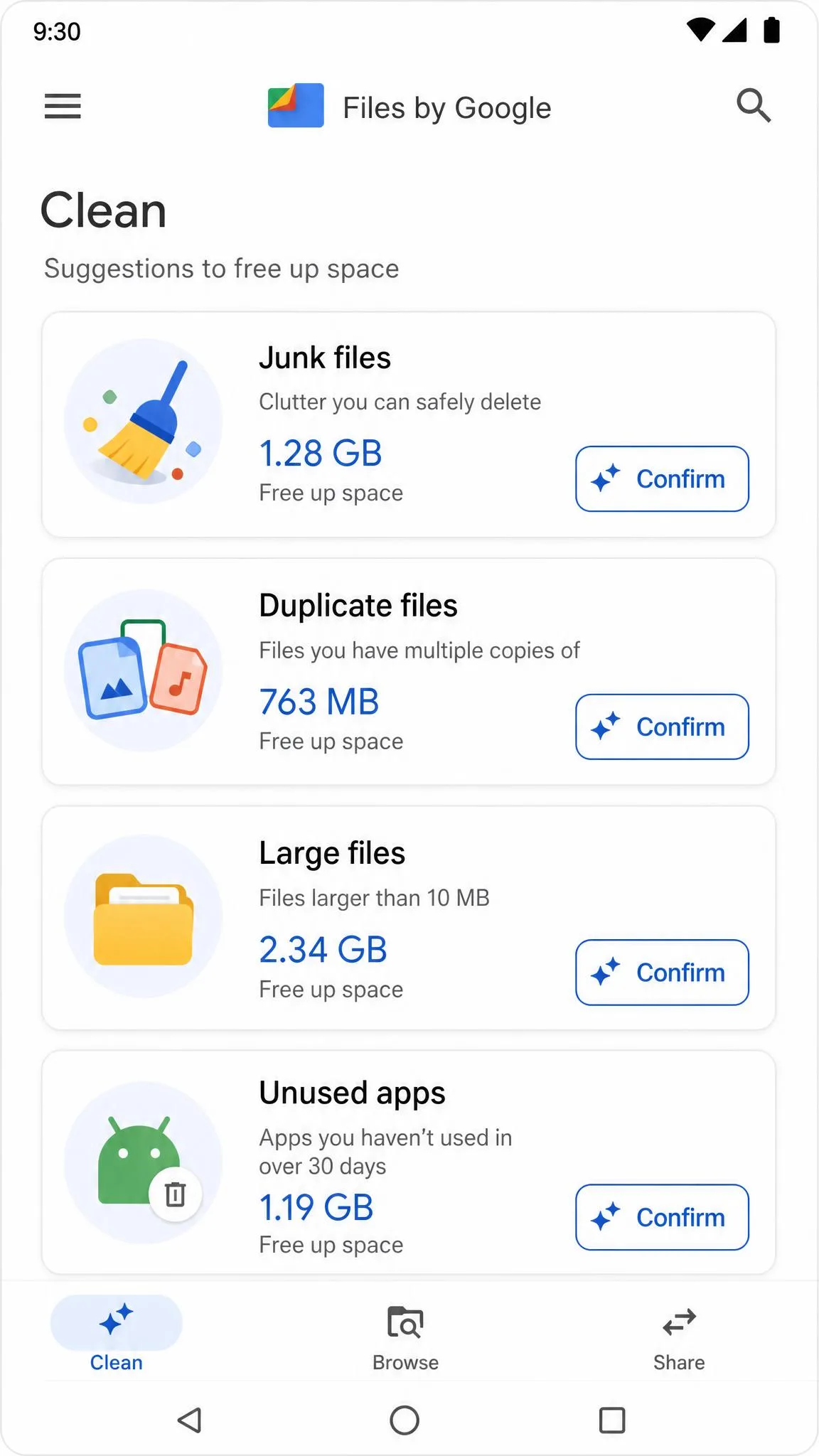
If CCleaner's single sweep feels too blunt, SD Maid is the answer at the other extreme, and it is the app that finds things nothing else on this list reports. Its CorpseFinder turns up leftover folders from apps uninstalled long ago, the kind of residue a one-tap cleaner never mentions. AppCleaner targets expendable caches, and the customizable filters, scheduling, app control, storage analyzer, duplicate finder and image compression give you a level of control the mainstream apps do not attempt. There are no ads, and SD Maid SE's code is published under the GPL v3 licence.
The CorpseFinder run is where the app justifies itself. We pointed it at our cluttered test phone after the other cleaners had already had their turn, and it returned a list of folder paths on internal storage belonging to apps that were no longer installed, several of them from games and messaging apps removed long enough ago that we had to think about what they were. That is also the moment the app asks something of you: each row is a raw path rather than a friendly app name, so you decide whether a folder is genuinely orphaned before you tick it. Nothing else in this roundup surfaced that material at all.
Installing it means picking the right build first. The developer's guidance is to stay on SD Maid 1 for Android 7 or older and use SD Maid 2/SE on Android 8 or newer. SD Maid 1 keeps working but receives security fixes only, while SE is the actively developed successor. Installing the wrong one is the most common first-run stumble, so check your Android version before you download.
The catch for everyone else is access. SD Maid's deeper functions need root or a Shizuku setup, which is real friction on a stock unrooted phone. The base app is free and ad-free, but several tools sit behind a one-time Pro unlock.
Pros
- CorpseFinder locates residual data no other cleaner reports
- No ads and no data selling
- Granular filters, scheduling and storage analysis
- Open source under GPL v3
Cons
- The best tools need root or Shizuku
- Two separate builds confuse first-time installs
- Several features require the Pro unlock
- Interface assumes you know what you are deleting
Best for: technical users on Android 8 and above. Grab SD Maid if you are on Android 7 or older, and the SD Maid 2/SE listing if you are on anything newer.
4. Avast Cleanup
Avast Cleanup is the most feature-dense of the security-brand cleaners, with more than 50,000,000+ downloads on Google Play and a 4.59 out of 5 rating from about 1.4 million ratings. The free tier gives you scanning and cleaning, moderate photo optimization, the Tips, Media and Apps views, bloatware removal, and app hibernation. That hibernate feature is the part of the free tier that measurably helps, because stopping background apps is one of the few performance actions Android still permits a third-party app to take.
The paywall sits in predictable places. Deep Clean, scheduled automatic cleaning, advanced photo compression, battery-saver profiles, direct support and ad removal are all Premium. The free photo optimizer is locked to the moderate compression level, so heavy savings on a large photo library need the paid tier, and the free version shows third-party ads throughout. Avast lists a 30-day money-back guarantee on its Cleanup plans if you do upgrade.
One caution on compatibility: Avast's own pages disagree on the minimum Android version, so confirm your device on the store listing before installing.
Pros
- App hibernation delivers a genuine background-usage reduction
- Clear breakdown of media, apps and junk
- Bloatware removal in the free tier
- 30-day money-back guarantee on paid plans
Cons
- Ads throughout the free version
- Deep Clean and scheduling are Premium only
- Photo compression capped at moderate unless you pay
- Conflicting minimum Android version information
Best for: photo-heavy phones and people who want app hibernation. Install Avast Cleanup from Google Play.
5. AVG Cleaner
AVG Cleaner is developed by Avast Software, the same company behind Avast Cleanup, and the two share a codebase. In use they behave almost identically, down to the same Deep Clean and scheduled-cleaning paywall. If you already prefer the AVG brand, nothing is lost by choosing this one instead.
Pro features are included free for 30 days, after which they become an in-app purchase. Premium adds Deep Clean for hidden cache, automatic scheduled cleaning, Browser Cleaner, Sleep Mode for force-stopping unused apps, a custom dashboard, notification frequency control, ad blocking and direct support. The free version carries third-party ads. AVG does not publish a fixed Android Premium price and the in-app cost varies by region and promotion, so read the upgrade screen rather than a third-party figure.
Pros
- Full Pro toolset free for 30 days
- Sleep Mode stops unused apps from waking
- Photo cleanup finds bad and duplicate shots
- Familiar layout if you already use AVG security
Cons
- Effectively the same app as Avast Cleanup
- Ads in the free tier
- Deep Clean and Browser Cleaner expire after the trial
- No published Android price
Best for: anyone standardized on AVG. Download AVG Cleaner on Google Play.
6. Norton Clean
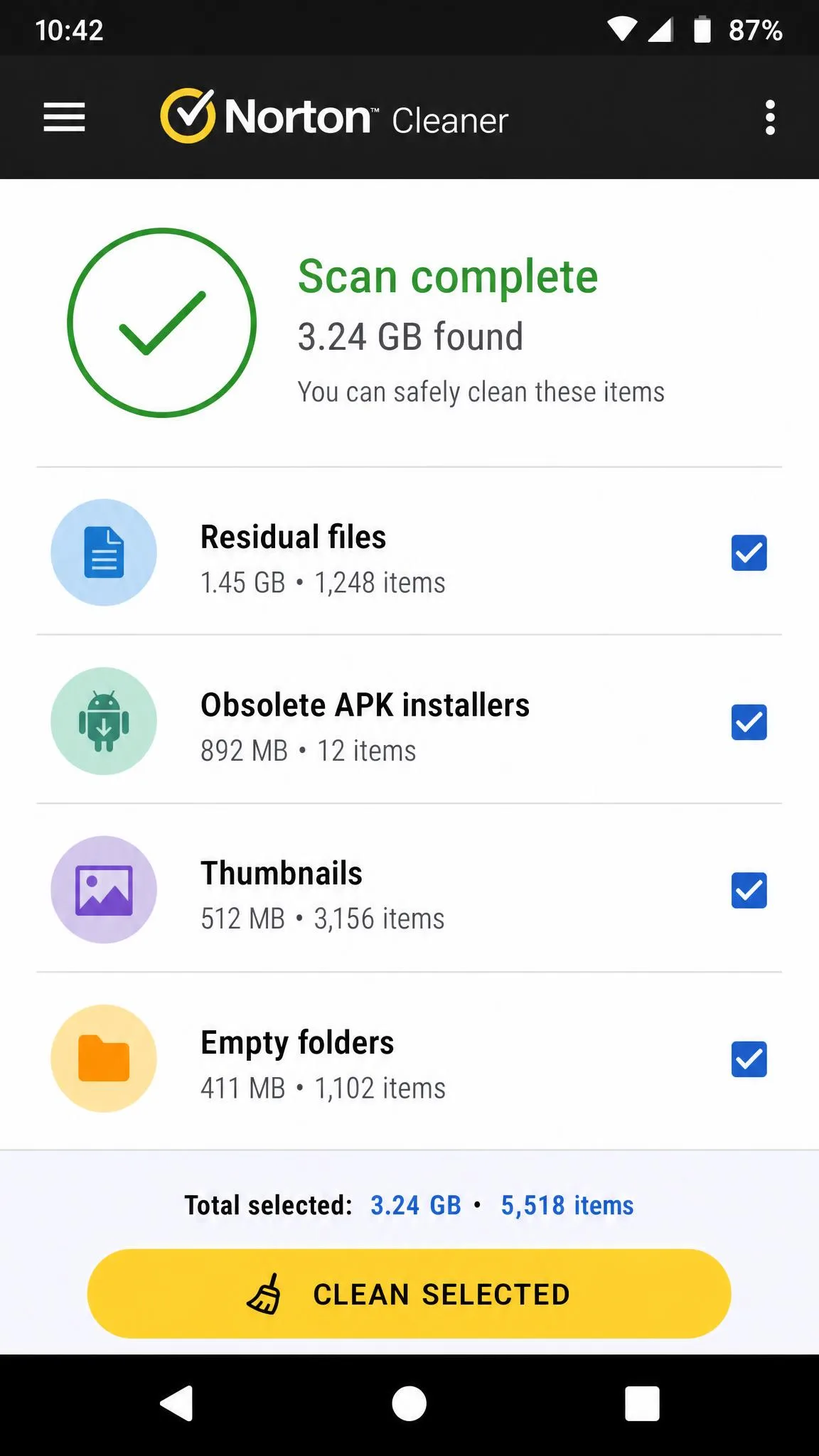
Norton's cleaner, now listed as Norton Cleaner - Junk removal, is the most restrained app here, and that restraint is the reason we like it. It keeps a narrow scope, targeting residual files from uninstalled apps, junk files, obsolete APK installers, app cache, thumbnails, empty folders and hidden cache, and it optimizes device memory without promising a transformative speed boost. It is the mobile counterpart of Norton Utilities Ultimate, and it is free to download with no advertising called out in Norton's own description.
The listing reports roughly 8.9 million downloads, though totals for this listing are published only in broad bands and move over time. Norton also does not state a minimum Android version on its support page or in the readable store data, so check the compatibility note on the listing for your device. As a second-opinion sweep after a bigger cleaner has run, it consistently finds obsolete installers and thumbnail caches worth deleting.
Pros
- Narrow, honest scope with no inflated speed claims
- Strong at residual files and obsolete APK installers
- No advertising in Norton's description
- Free with no upgrade pressure
Cons
- Fewer tools than the security-brand rivals
- No published minimum Android version
- No scheduling or automation
Best for: a clean second pass. Try Norton Clean if you want cleanup without the marketing.
7. 1Tap Cleaner
Norton keeps its scope narrow by choice; 1Tap Cleaner keeps it narrow by design, and it is the most minimal app on this list. Its interface is spare and quick to learn, and its home-screen widget puts a cache clear one tap from the launcher while showing current cache size and free space. Beyond the one-tap cache clearing it handles per-app cache and history clearing, lists and clears default apps, and can trigger an automatic clean when free memory drops below a threshold you set.
Using it on the free tier goes like this. We tapped the widget from the home screen, where it was already displaying a cache figure and the free space remaining, and the app opened straight into an advertisement we had to sit through before anything cleaned. Then Clear All Cache ran against the list of apps it had just shown us, and the list it displayed did not match what it managed to remove, with several entries left standing afterwards. That gap is the Android 8.0 restriction showing through rather than a bug in the app, but the widget does not explain it, so a first-time user is left wondering whether the clean worked. The ads have been the other problem, with inventory that has included gambling and adult creative.
A Pro version has been priced around $2.49 and removes ads while adding automatic cleaning, though the unlock price is regional and has changed across releases, so the in-app figure is the one that governs.
Pros
- Simple, fast, and easy to learn
- Home-screen widget shows cache and free space at a glance
- Per-app cache and history clearing
- Threshold-based automatic cleaning
Cons
- Clear All Cache is inconsistent across Android versions
- An ad plays before every free clean
- Ad content has included gambling and adult material
- Dated interface
Best for: a launcher widget rather than a full suite. See 1Tap Cleaner on Google Play.
8. All-In-One Toolbox
If 1Tap Cleaner is the smallest thing in this roundup, All-In-One Toolbox is the largest, bundling more than 29 Android system tools into one package: one-tap junk cleaning, memory boost and process killing, batch uninstall, moving apps to SD card, disabling apps at boot, a file manager, app lock, ad detector, permission checker, device info, quick settings and a battery saver. The batch uninstall is the genuinely time-saving part, because removing a stack of apps takes a fraction of the taps the system settings need.
The headline boost feature is harder to defend, and one run explains why. We noted the free memory the app itself reported on its dashboard, tapped the boost button, and watched an animation play out behind advertising while it worked through a list of running processes. When the animation finished and the ad cleared, the free-memory figure on the same dashboard was no different from the one we had started with. Repeating the run produced the same result. Below all of that sits a suggested apps panel, which reads as a recommendation feature and behaves as another ad slot.
The newest widely mirrored release is v8.3.0 from 2023, though mirror sites lag the store, so the published version may be more current than the mirrors show. Verify the listing is live before you commit to it.
Pros
- Batch uninstall saves genuine time
- Permission checker and ad detector are useful extras
- Quick settings and device info in one place
Cons
- Heavy advertising around every action
- Memory boost produces no measurable change
- Suggested apps panel is an ad slot
- Update currency is uncertain
Best for: tinkerers who want a toolbox, not a cleaner. Check the All-In-One Toolbox listing first.
9. Droid Optimizer
Droid Optimizer earned its reputation on a 1-Touch Speed Up widget, cache and junk cleaning, background app termination, a Privacy Advisor for app permissions, an app manager, scheduled automatic cleaning and a Good Night scheduler that disables WLAN or mobile data on a timer. Ashampoo stated the app is and will remain free to use and without ads, though that describes the last shipped build rather than a current product.
We include it because you will still see it recommended, and because you should know why not to chase it. Ashampoo's Droid Optimizer was removed from Google Play on April 1, 2023 and can no longer be installed there. The APK mirrors that still carry it ship a build that stopped receiving updates, which is exactly the sideloading risk we tell readers to avoid. Treat this entry as a historical note and install Files by Google instead.
Pros
- Ad-free in its final released build
- Privacy Advisor surfaced permission overreach clearly
- Good Night scheduler was genuinely useful
Cons
- Removed from Google Play in April 2023
- No longer maintained or updated
- Only available through unofficial mirrors
What a Phone Cleaner App Actually Does
Junk and Cache Files
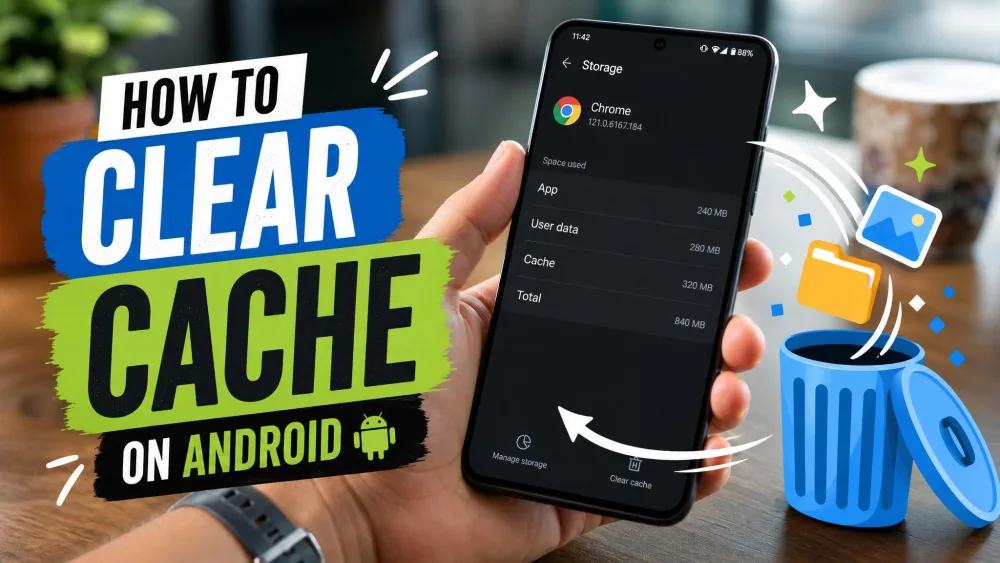
Cache is the working copy an app keeps so it does not have to download the same thumbnail, map tile or feed image twice. Junk is what is left when that system loses track: orphaned temporary files, leftover log data, empty folders. Clearing both frees space immediately, and both come back, because cache clearing is temporary by design and apps refill their caches within minutes of normal use. Clearing cache too often actually backfires, since apps rebuild what you deleted and load more slowly afterwards. If you want to do it precisely, our guide on how to clear cache on Android walks through the per-app route.
Residual Files and Obsolete APKs
This is where a cleaner earns its place. When you uninstall an app, Android removes the app but frequently leaves its folders on internal storage, and those folders accumulate across years of installs. Downloaded APK installer files are the same story: once the app is installed, the installer is dead weight. SD Maid and Norton Clean are the two best at finding this material, and it is the category of clutter you cannot easily locate by hand.
RAM, Memory and Background App Cleanup
Treat every RAM booster with suspicion. Android is designed to keep recently used apps warm in memory so they relaunch fast, and free RAM is idle RAM rather than a benefit. Killing those processes does not produce lasting gains and can slow a phone down, because the system simply reloads what you closed. Google's own documentation on how Android handles app performance explains why a warm start beats a cold one. Hibernating a specific app you never use is a reasonable action. Sweeping all processes off the CPU every hour is not.
Duplicate Photos and Large Files
For most people this is where the real space hides. Four near-identical shots of the same view, a downloaded video watched once, a folder of memes from a group chat. Files by Google's duplicate detection is the strongest free implementation of this, and SD Maid's duplicate finder gives you more control over what counts as a match. This is also the safest cleaning you can do, because you are deleting your own data knowingly rather than trusting an automated sweep.
Free vs Paid: What the Free Tier Really Gets You
The pattern across this category is consistent and worth internalizing before you spend anything. Paid tiers almost never unlock better cleaning. They unlock convenience and quiet.
CCleaner Pro is the clearest example: it adds no new cleaning tools whatsoever, only ad removal and unattended scheduled cleaning. Avast Cleanup gates Deep Clean, scheduling, advanced photo compression and battery profiles behind Premium. AVG Cleaner gives you the same Pro set free for 30 days and then asks for it back. SD Maid takes the most honest approach, with an ad-free base app and a one-time Pro unlock for specific tools rather than a subscription.
So the question is not whether the free version cleans less. It is whether you want cleaning to happen automatically while you ignore it, and whether the ads in the free tier are annoying enough to pay to remove.
Run any cleaner manually for two weeks before you consider paying. If you never once wished it had run by itself, scheduling is not worth a subscription to you.
Ads, Permissions and Privacy: What to Watch For
Advertising is how most of these apps make money, and the intensity varies enormously. CCleaner, Avast, AVG, 1Tap Cleaner and All-In-One Toolbox all serve ads in their free tiers, ranging from a single interstitial before a clean to advertising wrapped around every action. Only three of the nine keep the experience clear of it entirely, and those three are the ones we return to.
Permissions are the more important signal. A cleaner needs storage access, and on newer Android it needs the all-files permission to see everything. It does not need Contacts, Location, SMS or Phone access, and an app that asks for those has no cleaning reason to want them. Check the permission list before you tap accept, not after.
The other tell is tone. A pop-up saying your phone is infected, or a red warning badge that appears the moment you open the app, is marketing rather than a diagnosis. Good cleaners show you a number and a list. Bad ones show you an emergency.
Fake Optimizers and Cleaner Apps to Avoid
Cleaner apps are one of the most reliably abused categories on Google Play, because the promise is vague enough that nobody can prove the app failed to deliver. This is a persistent problem rather than a rare event, with takedowns landing repeatedly through 2025.
The numbers give a sense of the volume. Google blocked 1.75 million policy-violating apps in 2025 and identified 27 million new malicious apps outside the ecosystem. A fake phone-cleaner and PDF app campaign reached 150,000 downloads in February 2024 before removal. In September 2025, 224 apps were pulled from Google Play after an ad-fraud campaign was uncovered.
Skip any cleaner with a generic name, a developer with no other apps, a review pattern of short five-star bursts, or a screenshot showing a giant percentage and a red warning triangle. Stick to apps from companies with a security or utility track record you can verify.
How to Clean Your Android Without Installing Any App
You may not need a cleaner at all. Android ships with the tools to do most of this, and using them avoids adding another app that runs in the background. That matters, because many third-party cache cleaners run continuously, and the resources they consume tend to outweigh the speed-up they advertise.
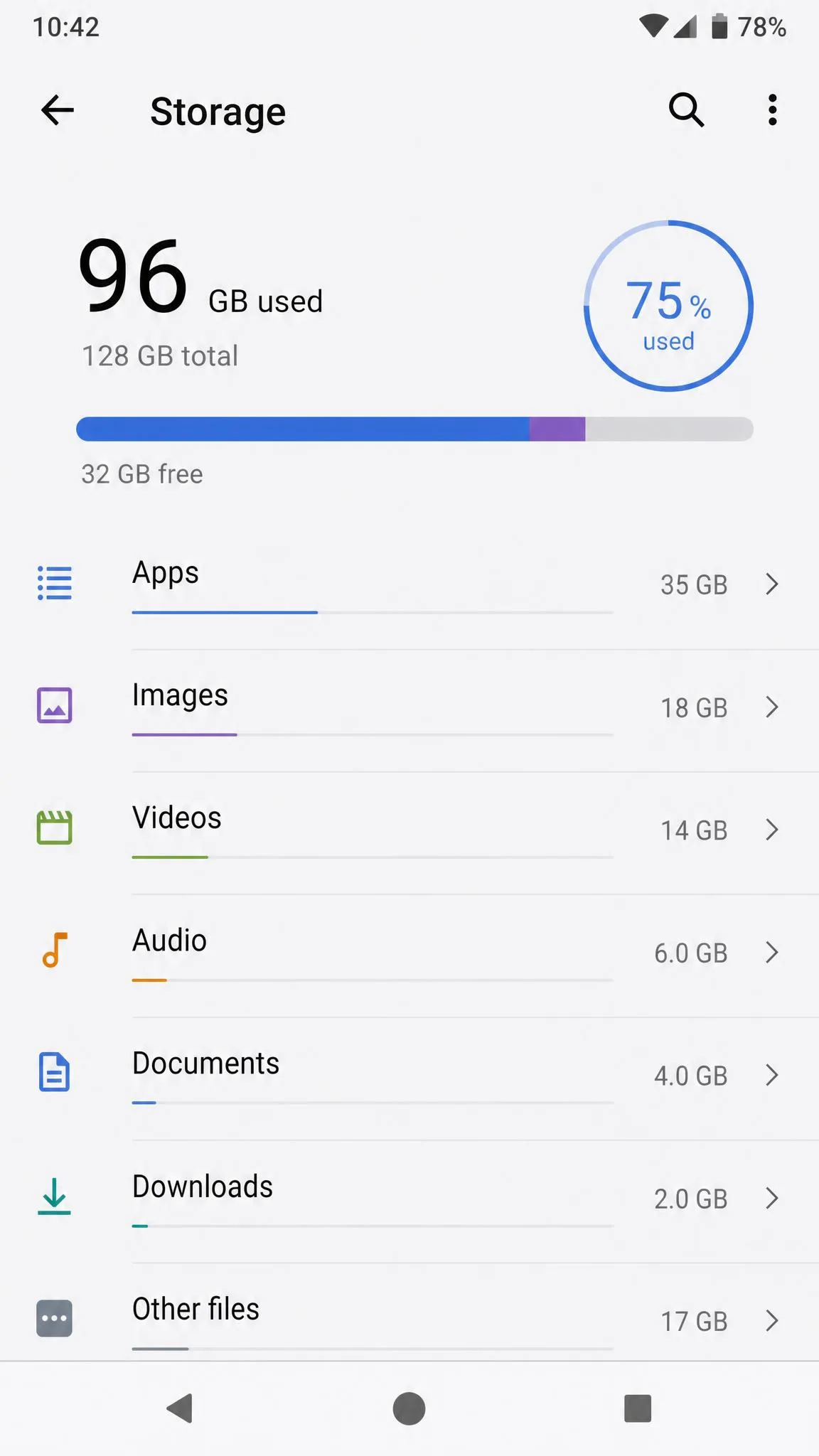
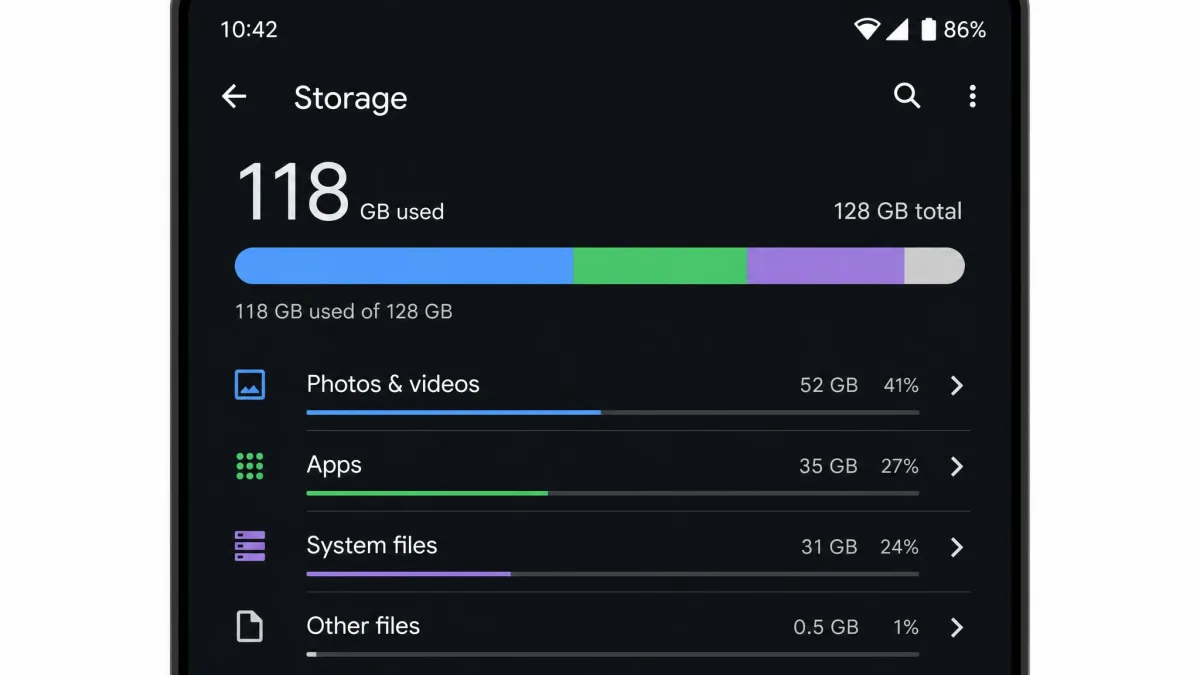
Open Settings, then Storage, and read the breakdown by category. Tap into each one and delete what you recognize as disposable. For a single misbehaving app, go to Settings, then Apps, then the app, then Storage and cache, then Clear cache. Android's built-in storage management covers the smart storage options that delete backed-up photos automatically. Uninstall apps you have not opened in three months, and let Google Photos back up and remove local copies.
Do that once a month and a cleaner app becomes a convenience rather than a necessity.
Does a Cleaner App Actually Improve Battery Life and Speed?
Partly, and less than the marketing suggests. Freeing storage genuinely helps when a device is close to full, because a nearly full phone has less room for the temporary files the system needs, and everything from photo saving to app updates gets slower. Reclaiming several gigabytes on a device sitting at 98 percent full produces a change you can feel.
Battery life is a weaker story. Stopping an app that wakes constantly in the background does reduce drain, which is why Avast's hibernate and AVG's Sleep Mode are the most defensible performance features in this roundup. But a periodic sweep that kills every process does not extend battery, and a cleaner running its own real-time monitor all day spends power to save it.
The honest summary: a cleaner is a storage tool with a modest performance side effect, not a speed upgrade. If your phone is slow with plenty of free space, the cause is more likely an aging battery, a heavy launcher, or a specific misbehaving app.
Frequently Asked Questions
Are free Android cleaner apps safe to use?
How often should you run a phone cleaner?
What is the best free phone cleaner for Android without ads?
Is a cache cleaner different from a junk cleaner?
My phone is slow but I have plenty of free space. What should I check first?
Settings shows a huge "Other" or "System" storage segment. What is in it?
Do I need to grant a cleaner the all-files access permission?
The Bottom Line: Which Free Cleaner Should You Install?
For almost everyone reading this, install Files by Google and stop there. It is the only app here that shows you exactly what it wants to delete and waits for your answer, which is the difference between reclaiming space and hoping something useful was not swept away.
If you are technical, on Android 8 or newer, and willing to set up Shizuku, add SD Maid for the residual data nothing else finds. If you want a familiar one-sweep clean and can live with ads, CCleaner still does the job. If your phone is full of photos, Avast Cleanup's free tier is worth a look for its hibernation and photo tools. And whichever you choose, remember that the most valuable thing any of these apps does is show you your storage clearly, so you can make the decision yourself.