Losing photos, messages, or contacts on an iPhone is a frustrating experience, and the fix is rarely obvious. Recovery software seems like the natural answer. Every vendor claims the best results, which makes choosing one hard.
UltFone iOS Data Recovery is one of the most promoted names in this space, so we put it through hands-on testing before forming a verdict. In this review, we'll cover what UltFone iOS Data Recovery is, what it costs, its pros and cons, its success rate, and how it compares to alternatives.
We tested UltFone iOS Data Recovery on an iPhone with deleted photos, messages, and contacts, and we ran every recovery mode the tool offers. This is what we found.
What Is UltFone iOS Data Recovery?
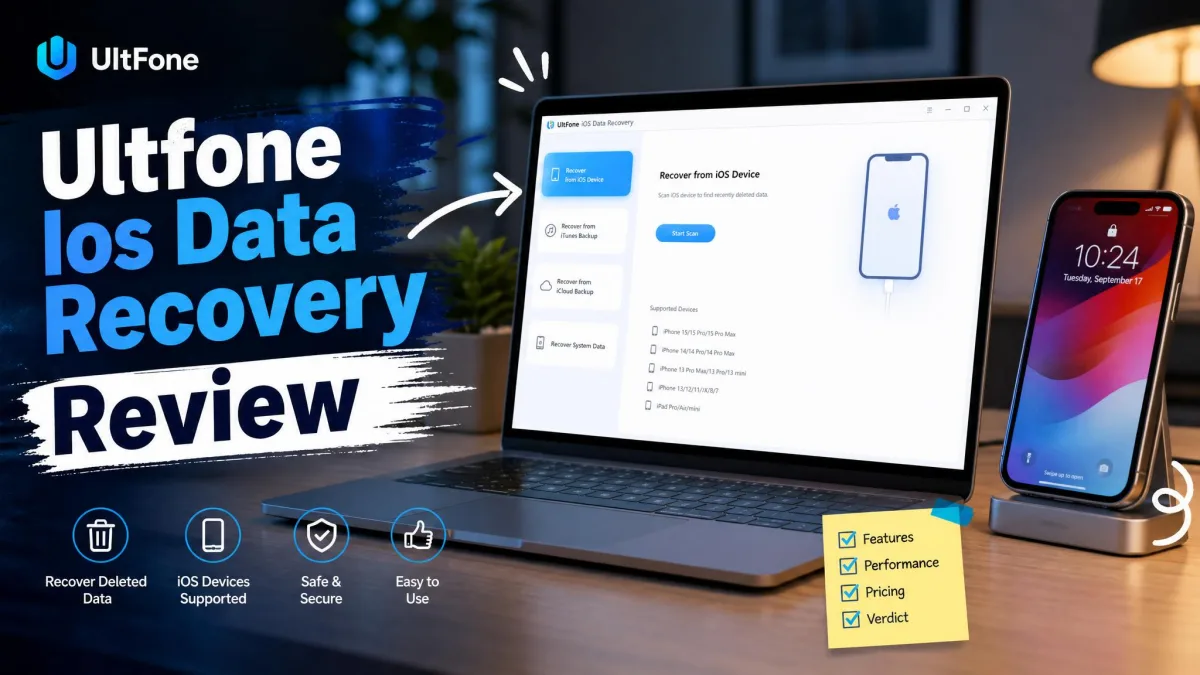
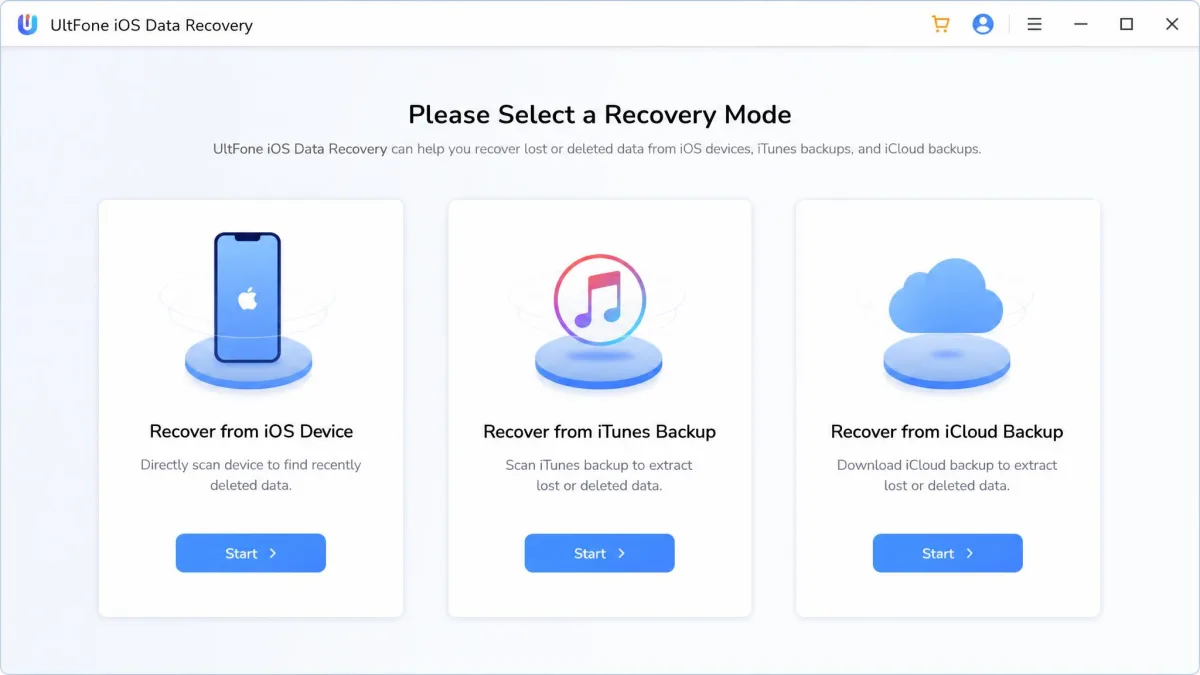
UltFone iOS Data Recovery is a Windows and macOS application for restoring lost data from iPhones, iPads, and iPods. It works in three modes: scanning the device directly with no backup needed, extracting from an iTunes backup, and recovering from an iCloud backup. Encrypted iTunes backups are supported, which is a feature not every rival handles.
The tool covers 35+ file types, from photos and videos to messages, contacts, notes, voice memos, and WhatsApp or WeChat data. Ten loss scenarios are covered, from accidental deletion to a failed iOS update or a factory reset. A built-in iOS system repair mode handles problems like the Apple logo loop and the "iPhone is Disabled" lock.
Key Features
- Three recovery modes: device, iTunes backup, and iCloud backup
- Preview-before-recover and selective restore
- 35+ supported file types, from photos to WhatsApp chats
- Works offline, with no internet connection required
- Runs on Windows 11/10/8.1/8/7 and macOS 10.10 and above
Hands-On Testing: We Tested UltFone iOS Data Recovery
1. Device Detection and Setup
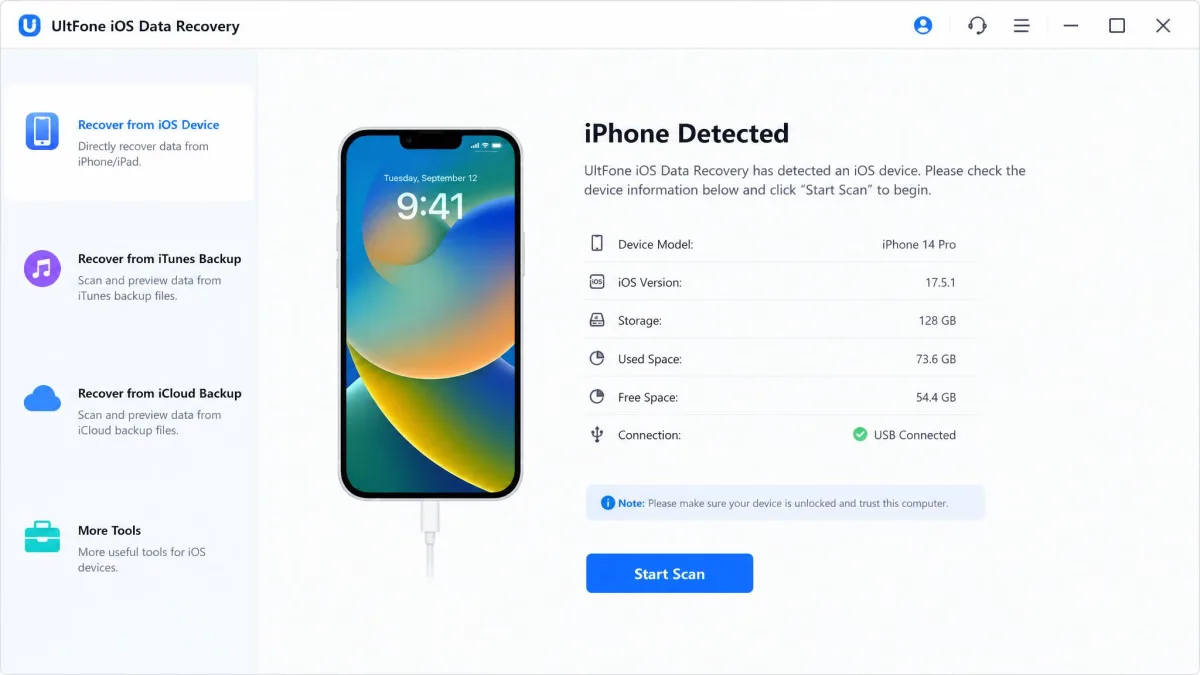
Setting the tool up is simple. We connected an iPhone over USB. The app detected it quickly once the cable was seated properly. Antivirus and firewall settings can block the software from running, so check those before a long scan. A stable cable and power source also matter. Disconnecting the device mid-recovery risks further corruption.
2. Recovery Success Rate
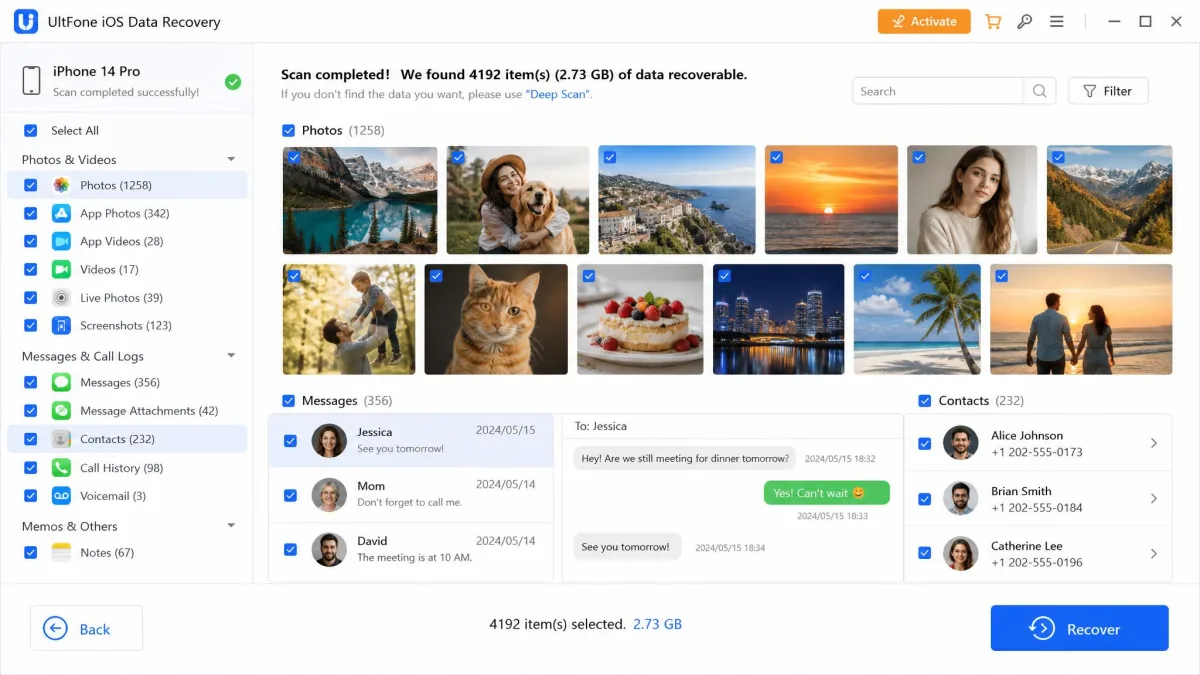
Recently deleted files came back easily in our tests. Photos, messages, and contacts we removed minutes earlier reappeared in the scan preview. Older deletions are a different story. The tool offers no deeper scanning pass. Files deleted weeks or months ago are often missed entirely.
Recovery is not all-or-nothing either. Some files come back corrupted, and UltFone's own material warns against expecting a perfect result. The nature of the loss matters. A failed iOS update recovers differently than an accidental deletion. The first scan does not always surface the data. A second scan or a switch between recovery modes helped in our testing.
3. Speed of Data Recovery
Fast recovery of large files took roughly 30 minutes to one hour at best. Scans can stretch to hours on large libraries. The app can hang or slow down badly when a device holds a lot of data. Clearing space on the phone helps. The progress bar can appear to be scanning while the app is actually stuck in the background.
4. Ease of Use
The interface is clean and intuitive. First-time users move through it slowly at first. Recovery follows a simple three-step process: connect, scan and preview, then recover. The free trial scans fully but previews only the first four items. That is enough to confirm the tool sees your data before you pay.
5. Customer Support
Customer support is the most complicated part of the experience. The team is responsive and usually replies within a day, which is a genuine strength. The weak spot is refund handling. Refund requests can go unanswered until the customer escalates. Auto-renewal charges can continue after a license code expires.
Pricing: How Much Does UltFone iOS Data Recovery Cost?
Pricing is always an important factor when evaluating a tool. UltFone sells one-month, one-year, and lifetime licenses. The one-month plan costs $45.95, the one-year plan $49.95, and a lifetime license $59.95, with all three covering 5 devices on 1 PC. The one-month plan also bundles UltFone Windows Data Recovery. Business plans for 10, 15, or unlimited devices start at $62.95.
The 3-day free trial auto-renews at $45.95 per month unless you cancel. It scans and previews the first 4 items free. Full preview and recovery need a paid license, and every paid plan includes a 30-day money-back guarantee. Read the trial terms before entering payment details. Auto-renewal surprises are the most common complaint.
Pros and Cons
Pros
- Recovers recently deleted photos, messages, and contacts easily
- Three recovery modes, including encrypted iTunes backups
- Preview before you pay, even on the free trial
- No internet connection needed, so data stays on your machine
- 30-day money-back guarantee on paid plans
Cons
- No deep-scan mode, so older deletions are often missed
- Slow on large libraries, with occasional hangs
- Progress bar can mislead during long scans
- Trial auto-renews and needs careful attention
What Users Are Saying: UltFone Reviews on Reddit and Trustpilot
Independent feedback splits in an instructive way. Most buyers are satisfied, but the negative theme is just as consistent. Refund requests can go unanswered until a customer escalates, and auto-renewal charges can keep landing after a license expires.
There is a critical Reddit users' experience with UltFone thread on r/iphone. Read it before you commit and weigh it against the broader record.
UltFone iOS Data Recovery Alternatives
If UltFone is not the right fit, a few comparable tools are worth knowing. iMyFone D-Back covers the same three recovery modes. It starts at $49.99 for a one-month license on 3 devices and 2 PCs. Tenorshare UltData offers a free scan and unlimited preview, but its prices vary heavily with promotions. For a full ranking of every tool we tested, see our best iPhone data recovery software roundup, and best data recovery software covers desktop drives as well.
Verdict: Is UltFone iOS Data Recovery Worth It?
UltFone iOS Data Recovery is a legitimate and capable tool for a specific job: restoring data on an iPhone that still works, soon after the loss. It is easy to use, and the 30-day guarantee limits your risk. It is not a miracle worker. Older deletions, factory-reset devices without backups, and overwritten data are outside its reach. If your loss is recent and your phone still runs, we think it is worth the price. For everything else, look at alternatives first.
FAQ
Does UltFone iOS Data Recovery work?
Is UltFone legit?
Is UltFone safe?
Can it recover data without a backup?
Conclusion
Our advice is to act fast. Install the trial and scan your device. Preview the first four items to confirm the tool sees your data before you pay. Keep the auto-renewal date on your calendar and treat the 30-day money-back guarantee as your safety net. For older files, no scanner can replace a working backup. A regular iCloud or iTunes backup remains the most reliable protection for iPhone data.