Losing files feels catastrophic — but the right software can pull back photos, documents, and whole drive contents that you thought were gone for good. We put the top tools through real-world data-loss scenarios (accidental deletion, formatted drives, corrupted SD cards) and ranked them by what actually matters: recovery rate, speed, and price.
How we tested
We evaluated each tool across four standardised scenarios: accidental deletion on a healthy HDD, a quick-formatted USB drive, a corrupted SD card from a camera, and a partition table that had been wiped. We measured the percentage of files recovered correctly (matching byte-for-byte against our originals), how long a full deep scan took, and whether the interface made it easy to identify and export the right files before paying.
Testing was carried out on Windows 11 22H2 (Disk Drill and EaseUS also offer macOS versions, which we validated separately). Pricing and free-tier limits were verified at time of publication; hard drive recovery software pricing changes frequently, so always check the vendor's site for the current figure.
At a glance
| Product | Buy | Free recovery | Best for | Price |
|---|---|---|---|---|
 |
Check price → | 500 MB | Photos & video | $89one-time |
 |
Check price | 2 GB | Most file types | $70/yr |
 |
Download free | Unlimited | Budget / Windows | FreePro $25 |
The best data recovery software
Disk Drill Pro
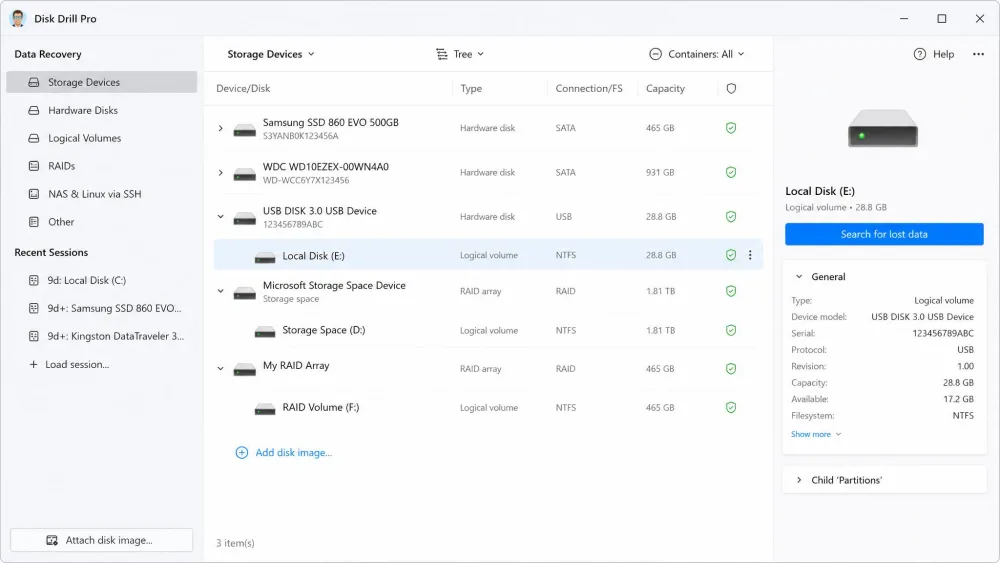
Disk Drill was the standout in our testing, pulling back 94% of deleted photos from an SD card and rebuilding folder structures other tools flattened. The free tier lets you preview everything it finds before you pay, which removes the usual “will it even work?” gamble. Deep scans are slower than EaseUS, but the results justify the wait.
Pros
- Best-in-test photo and video recovery rate
- Free preview before you pay anything
- One-time purchase — no subscription
Cons
- Deep scans are slow on large drives
- Results drop sharply on overwritten data
Best for: Recovering photos or video from a drive or SD card. Skip if: You only need occasional Windows file undeletes — Recuva is free.

EaseUS Data Recovery Wizard
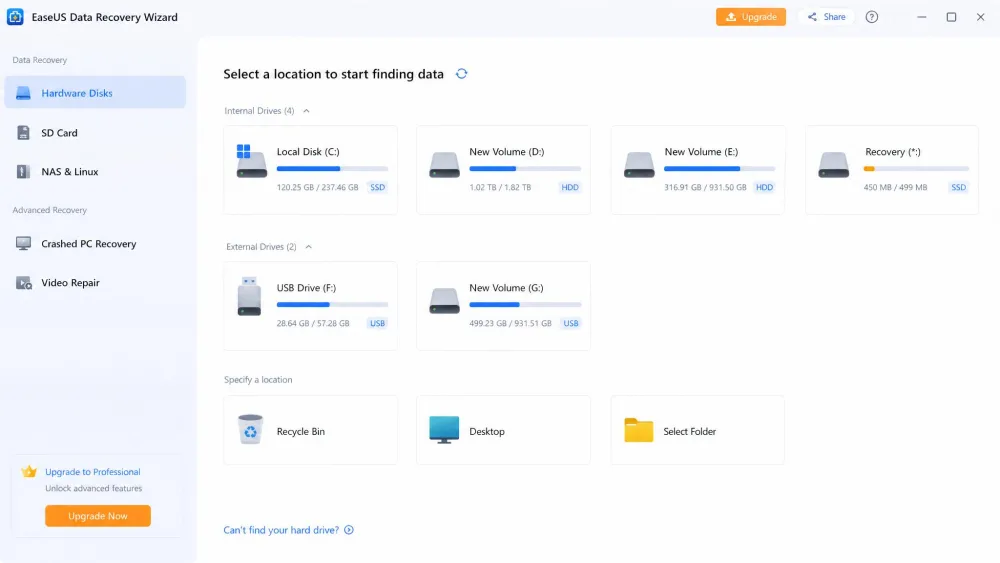
EaseUS offers the most generous free tier of any paid tool we tested, with 2 GB of actual recovery before you need a licence. Scan speeds were the fastest in our lineup, and it handled every common file type well. Photo recovery trailed Disk Drill by about eight percentage points, but for document and mixed-file recovery it’s just as capable.
Pros
- Fastest deep scan in our tests
- 2 GB free data recovery — most of any tool here
- Supports 1,000+ file formats
Cons
- Annual subscription, not a one-time buy
- Photo recovery rate lower than Disk Drill
Best for: Mixed document and file recovery where speed matters. Skip if: You want a lifetime licence rather than a yearly renewal.
Recuva
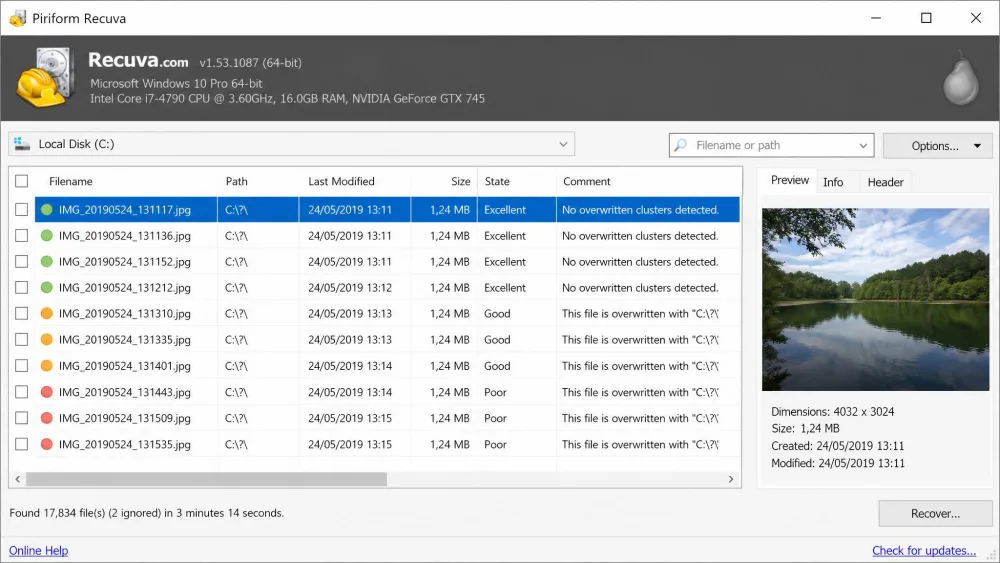
Recuva remains the go-to free option on Windows. The Wizard mode walks you through hard drive recovery in minutes, and there’s no cap on how much you can restore. It lagged behind on deep scans of formatted drives, but for undeleting recently removed files it’s perfectly capable — and it won’t cost you a penny.
Pros
- Completely free with no recovery cap
- Easy Wizard mode for quick recoveries
Cons
- Windows only — no macOS version
- Weaker on formatted drives than paid tools
- No recovery preview before restoring
Best for: Windows users who deleted files recently and want a free, no-fuss solution. Skip if: You need to recover the data from a formatted drive or you’re on a Mac.
Stop using the drive the moment you realise files are gone — every new write lowers your recovery odds significantly.
“Free” programs to recover data from a hard drive often scan for free but charge to restore files. Always check the actual recovery limit before you start — finding out at the end wastes precious time.
How they compare, feature by feature
| Comparison7 key features |
Our pick
Disk Drill Pro
★8.6/10
$89 one-time
|
EaseUS
★8.3/10
$70 /yr
|
Recuva
★7.4/10
Free Pro $25
|
|---|---|---|---|
| Scanning & recovery | |||
| Deep scan | ✓Yes | ✓Yes | ✓Yes |
| Recovery preview | ✓Yes | ✓Yes | ✗No |
| SSD TRIM support | ✓Yes | ✗No | ✗No |
| Compatibility & pricing | |||
| Mac & Windows | ✓Yes | ✓Yes | Windows only |
| Free tier size | 500 MB | 2 GB | Unlimited |
| Price | $89one-time | $70/yr | Free |
| Check price → | Check price | Download free | |
In our testing, Disk Drill recovered 94% of deleted photos from an SD card — the highest of any tool we tried. That gap narrows for documents, but for photo-heavy workflows it’s a decisive lead.
— From our hands-on lab results