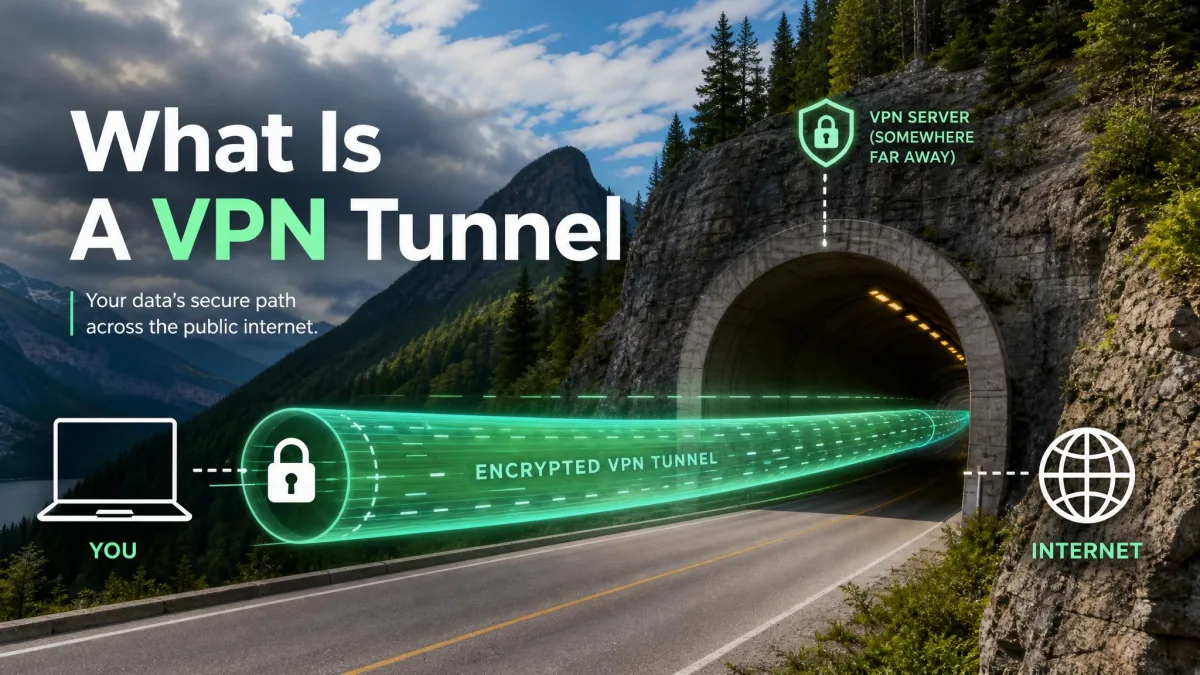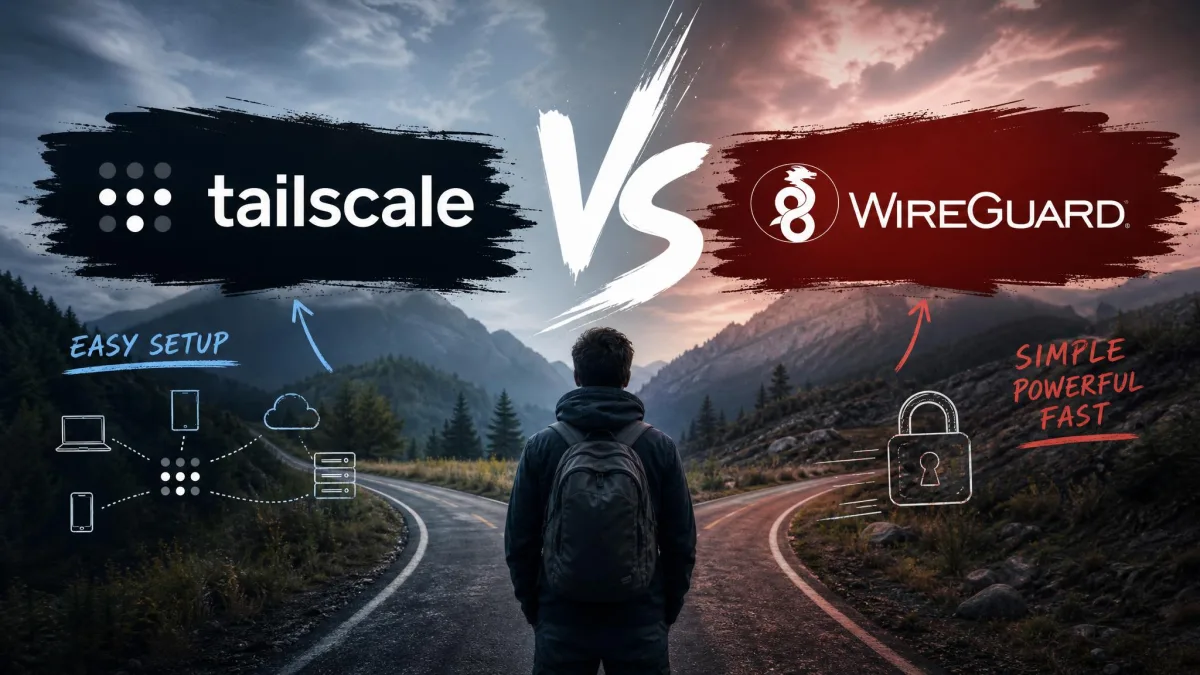
If you want to reach your NAS, home lab, or work server from anywhere, you eventually land on the same two names. WireGuard is the fast, modern VPN protocol that everything else now builds around. Tailscale is the managed mesh network that sits on top of it and hides the hard parts. Both use the same encryption. The real question is how much of the plumbing you want to own.
We spent time with both across home and mobile networks, and the split is cleaner than most head-to-heads. One asks you to run and secure your own infrastructure. The other trades some control for connections that just work, even behind carrier-grade NAT. Your answer depends on whether you enjoy owning every packet or you just need remote access to work by dinner.
Here is our short verdict, then the full breakdown below.
What Is WireGuard?
WireGuard is a VPN protocol, not a service. It was created by Jason A. Donenfeld and merged into the mainline Linux kernel, shipping in Linux 5.6 in 2020. That kernel-resident design is the whole point: WireGuard runs as a kernel module rather than in userspace, which is a big part of why it is so fast.
The cryptography is modern and fixed, built on the Noise protocol framework with Curve25519, ChaCha20, and Poly1305. There are no cipher menus to misconfigure. You define peers by public key, list the IP ranges each peer is allowed to use, and the tunnel comes up. It is cross-platform too, running on Windows, macOS, Linux, BSD, iOS, and Android.
What WireGuard does not give you is any control plane. There is no directory, no key distribution, and no NAT traversal. You wire all of that yourself, which is exactly what people mean when they say WireGuard is a protocol and Tailscale is a product.
![A WireGuard wg0.conf file open in a terminal showing the [Interface] and [Peer] sections with PrivateKey, PublicKey, Endpoint, and AllowedIPs lines highlighted.](wireguard-config-file-peer-keys.webp)
What Is Tailscale?
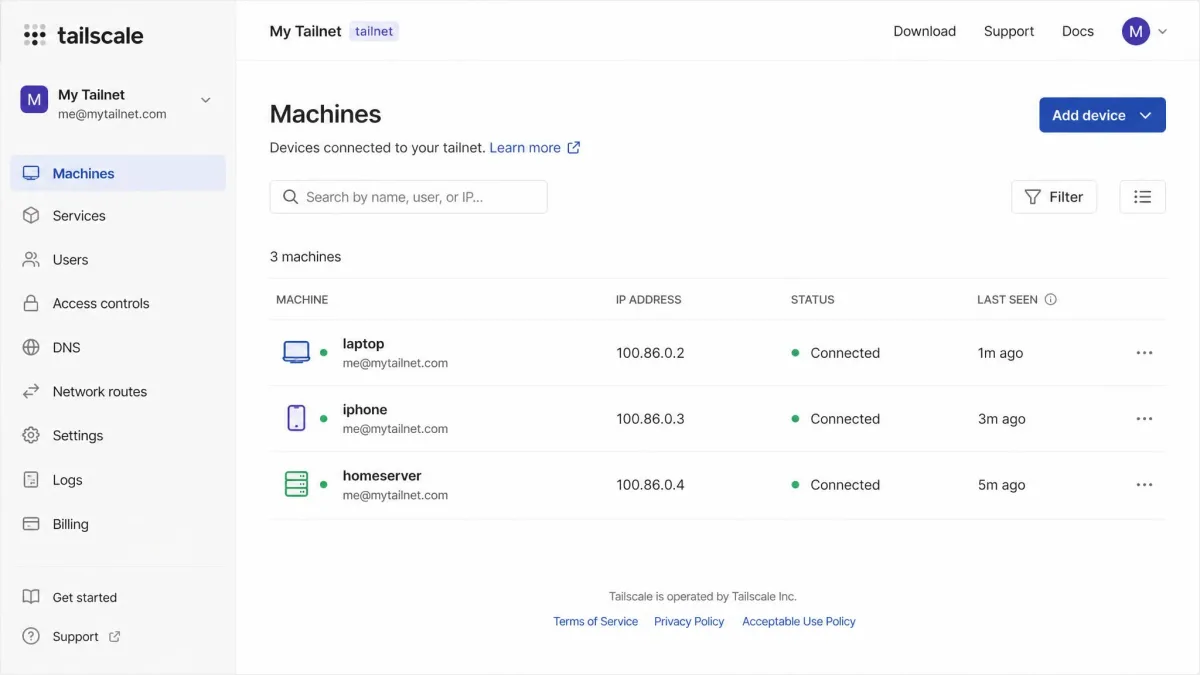
Tailscale is a managed mesh VPN layered on top of WireGuard. It runs as a userspace implementation and adds the entire control plane that raw WireGuard leaves to you: automatic key distribution, automatic NAT traversal, a naming system called MagicDNS, and access control by user, group, or tag.
Instead of editing config files, you install the client, log in with an identity provider, and your devices find each other. Tailscale calls this a tailnet. It adds conveniences like Shields Up mode, subnet routing, exit nodes, and a centralized admin console, so a small team can manage access without touching a firewall.
The trade is a dependency. Your control plane lives on Tailscale's servers, which coordinate connections and hand out keys. Your actual traffic still flows peer to peer over WireGuard and stays end-to-end encrypted, but the coordination is theirs unless you self-host it.
Key Differences at a Glance
Here is the side-by-side we kept coming back to during testing. Both ends of the table are valid choices; they just serve different priorities.
| Feature | WireGuard (self-hosted) | Tailscale |
|---|---|---|
| What it is | Kernel-level VPN protocol you configure yourself | Managed mesh overlay built on top of WireGuard |
| Setup time | ~30-60 minutes initial, manual | ~15 minutes, install and log in |
| Works behind CGNAT / no port-forward | No, needs a public endpoint | Yes, automatic NAT traversal plus DERP relays |
| Key management | Manual key pairs per peer | Automatic key distribution |
| Naming | Manual IPs or your own DNS | MagicDNS |
| Access control | Firewall and AllowedIPs by hand | ACLs by user, group, or tag, plus Shields Up |
| Third-party dependency | None, fully self-hosted | Tailscale control plane, or self-host Headscale |
| Peak throughput | Kernel-speed, multi-gigabit | Same as WireGuard on direct links, modestly slower above 1 Gbps |
| Free tier | Free, unlimited peers | Free Personal: up to 6 users, unlimited devices |
| Best for | Full control, own every packet | Fast mesh, teams, CGNAT and remote access |
Setup and Ease of Use
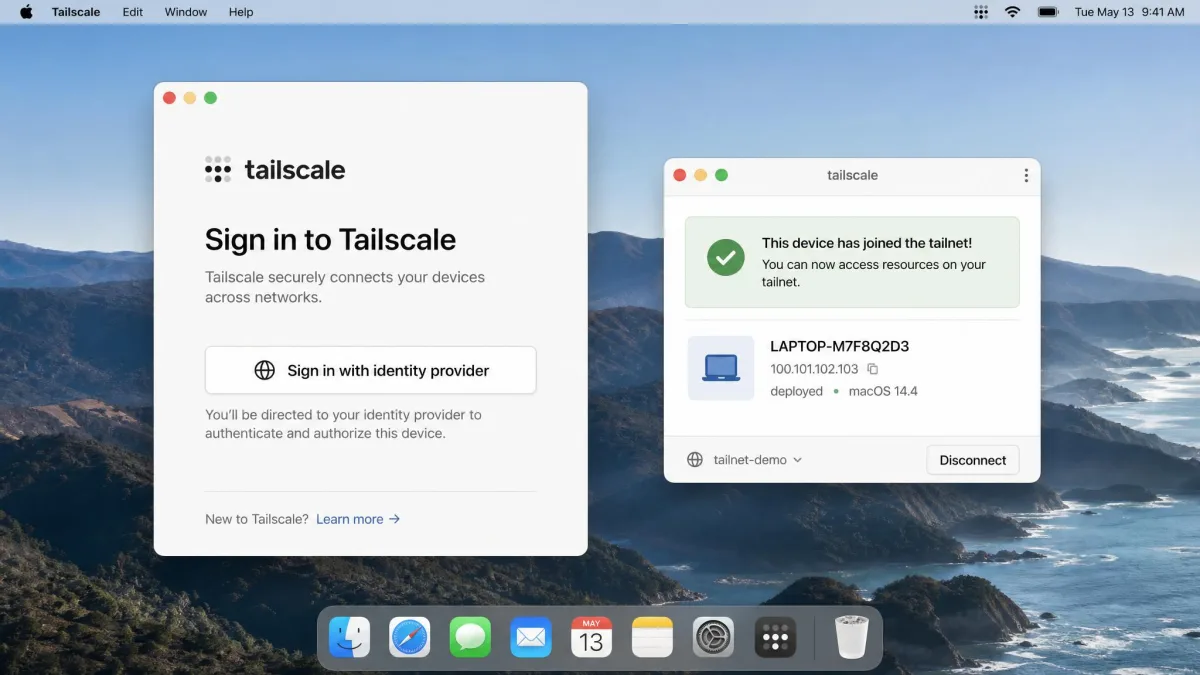
This is where the two feel least alike. With Tailscale, install-to-working-connection took us roughly 15 minutes: install the client on each device, sign in, done. Raw WireGuard was closer to 30 to 60 minutes for a first setup, because every step is manual.
The friction with WireGuard is not the concepts, it is the lack of guardrails. Every peer needs its own key pair, endpoint, and AllowedIPs entry added to the hub by hand. Key-based peer configuration is genuinely confusing the first time, even though it becomes straightforward once it clicks. Get a public key wrong and the handshake simply fails with no error message, so you sit there wondering why nothing connects.
There are sharper edges too. The SaveConfig flag can wipe peer information during a restart, quietly breaking a setup that worked yesterday. None of this is a dealbreaker, but it is real work, and it scales into a chore past 20 or so roaming devices.
If you only ever connect two or three fixed devices, raw WireGuard's setup cost is a one-time hour. The manual work only becomes a burden when devices come and go often.
Tailscale removes that whole category of problem. Keys are distributed for you, devices get names through MagicDNS, and adding a laptop is a login rather than a config edit. For a mixed fleet of phones, laptops, and servers, that convenience is the entire pitch.
The moment that sold us on Tailscale was watching a phone on cellular reach a home server without touching the router once. With raw WireGuard, that same phone needed a reachable endpoint before it could connect at all.
Performance and Throughput
Speed is where WireGuard's reputation comes from, and the nuance here matters more than the headline.
WireGuard
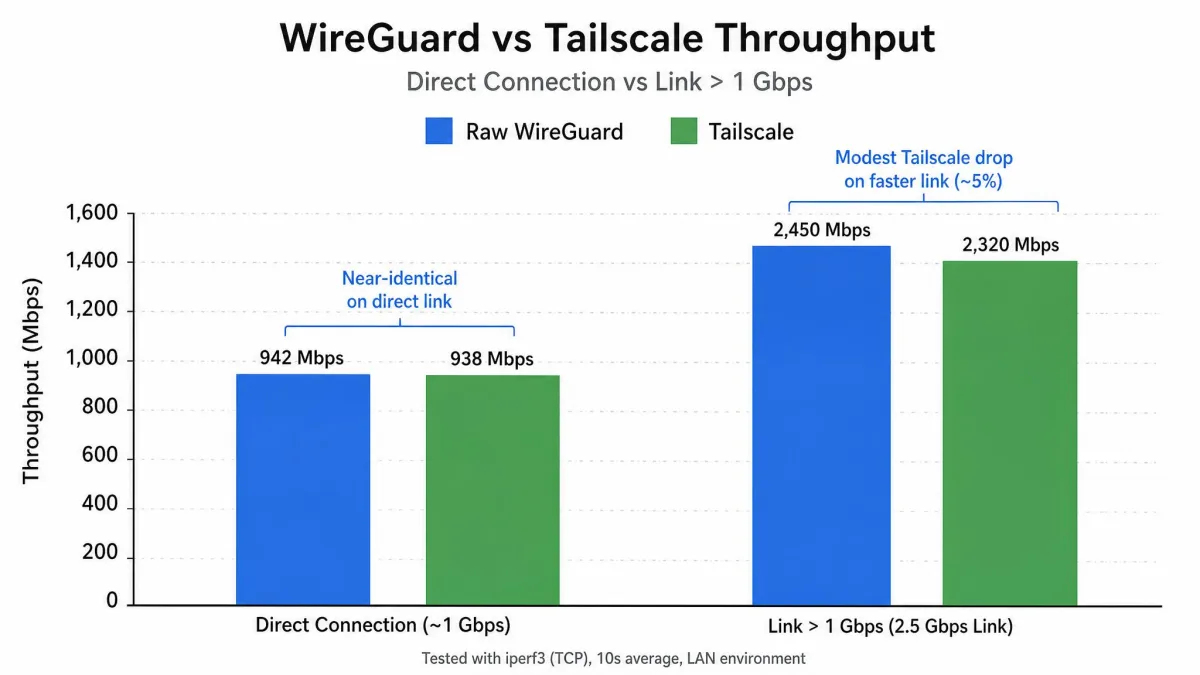
Because WireGuard lives in the kernel, it carries very little overhead and can push multi-gigabit throughput on capable hardware. If you are moving large files across a fast local or fiber link, raw WireGuard is the ceiling everything else is measured against. Even Tailscale acknowledges that using WireGuard directly offers better performance than routing through Tailscale.
Tailscale
In practice the gap is smaller than that sounds. When Tailscale establishes a direct peer-to-peer connection, throughput and latency are essentially the same as raw WireGuard, because it is using WireGuard underneath. The userspace cost only shows up as modestly slower speeds on very fast links above roughly 1 Gbps.
We did notice Tailscale slow down for heavy file transfers and media streaming, even while it felt fine for web interfaces and light file access in a home lab. So if your day is remote desktop, a dashboard, or grabbing the odd document, you will not feel the difference. If you are saturating a 10 Gbps link, raw WireGuard keeps its edge.
On a direct connection, Tailscale is WireGuard. The performance gap only appears when your link is faster than most home internet will ever be.
— From our hands-on testing
NAT Traversal, CGNAT, and Port Forwarding
This is the single biggest practical divide, and for many people it decides the whole thing.
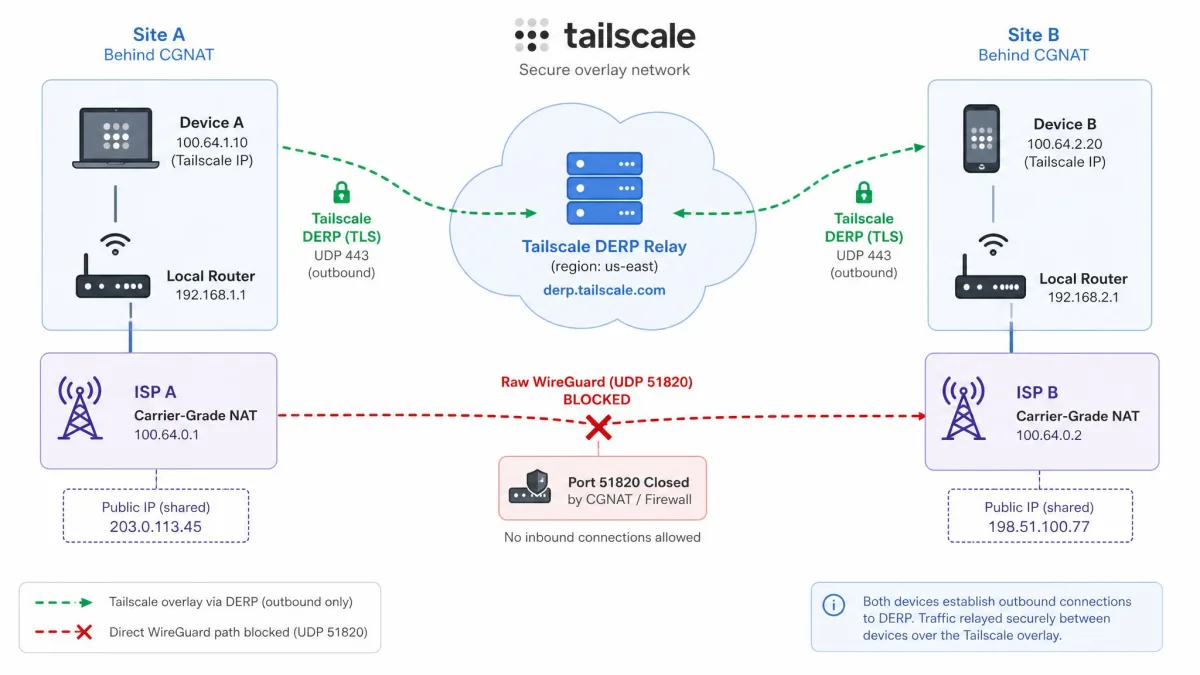
Raw WireGuard needs at least one publicly reachable endpoint. It expects an inbound UDP port open on your router or firewall so peers have something to connect to. If your ISP puts you behind carrier-grade NAT, which is common on Starlink, 5G home internet, and a lot of apartment fiber, you cannot open that port at all. The usual fix is to stand up a public-IP VPS, such as a small Hetzner box, just to give your devices a meeting point. That works, but now you are running and paying for another server.
Tailscale handles this transparently. Its automatic NAT traversal punches through most networks, and when a direct connection genuinely cannot be made, it falls back to relaying encrypted traffic through DERP relay servers. Devices always reach each other, even if a relayed path is slower. Behind CGNAT, that is the difference between connecting instantly and not connecting at all.
Carrier-grade NAT (CGNAT) means your ISP shares one public IP across many customers, so nothing outside can initiate a connection to you. It is why port forwarding often does nothing on Starlink or 5G plans.
Security, Privacy, and Control
Both tools use the same WireGuard encryption, so the security question is really about the trust model and who holds the keys.
WireGuard
With raw WireGuard, no third party sits in the path. You generate the keys, you hold them, and there is no control plane logging which device talked to which. Access control is whatever your firewall and AllowedIPs rules enforce. That is the maximum-control, minimum-dependency position, and it is why privacy-focused and infrastructure-minded users reach for it. The license is clean too: the kernel components are GPLv2, free and open source.
Tailscale
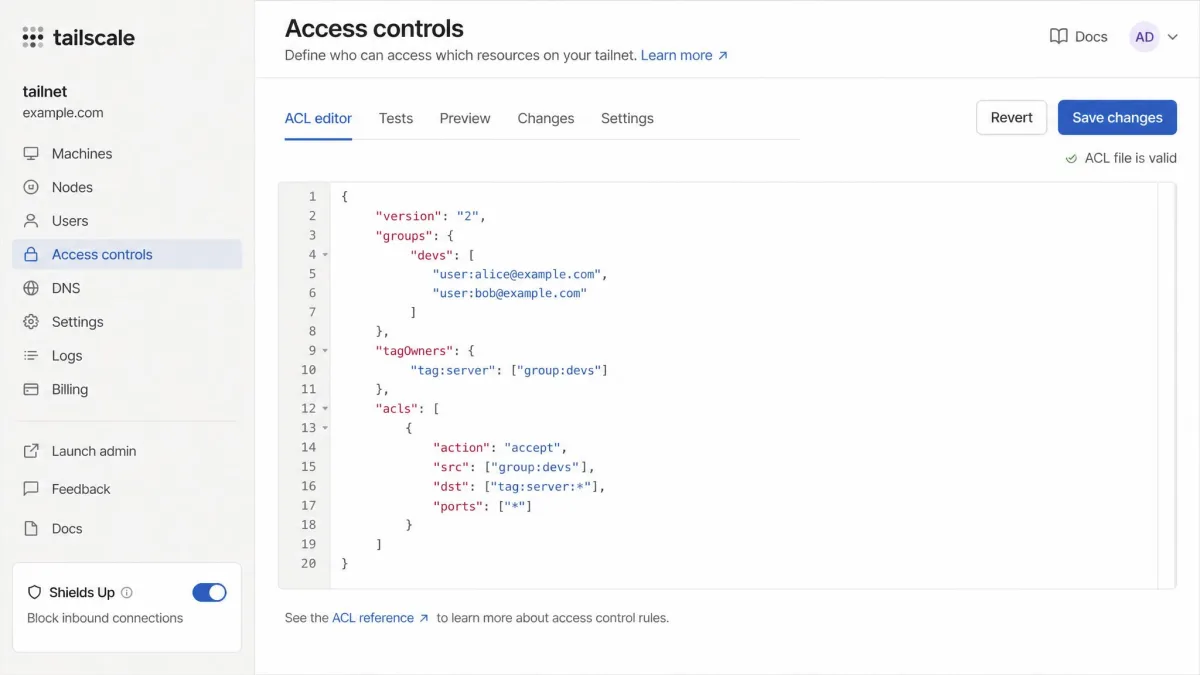
Tailscale's traffic is still end-to-end encrypted peer to peer, but its control plane coordinates connections and distributes keys, so you are trusting that service. In exchange you get access control that raw WireGuard cannot match easily: ACLs by user, group, or tag, SSO integration, and Shields Up mode to lock a device down. For a team that needs to grant and revoke access cleanly, that centralized model is a security feature, not just a convenience.
Tailscale's mobile client can show noticeable battery draw, and on Linux the daemon occasionally tangles with the local networking stack. Neither is a showstopper, but plan for a little tuning on always-on devices.
Cost and Licensing
The pricing story is short on one side and simple on the other.
WireGuard is free, open source, and has no per-device or per-user cost. You can run unlimited peers and the only bill is whatever hardware or VPS you choose to host it on. There is nothing to license and no plan to outgrow.
Tailscale's free Personal plan supports up to 6 users on one tailnet with unlimited user devices, which covers most homes and solo setups outright. There is also a 14-day free trial of the business product with no user limit. The Standard plan runs $8 per user per month, and Premium sits at $18 per user per month. Pricing does change over time, so confirm the current figure before you commit a team.
When to Choose WireGuard
Reach for raw WireGuard when control is the priority. It is the right call if you want zero third-party dependency, you are chasing every last bit of throughput on a multi-gigabit link, and you are comfortable managing keys and firewall rules by hand. It also suits fixed, small setups where you configure a handful of peers once and rarely touch them again. If you can open an inbound port or already run a public server, most of WireGuard's friction disappears.
When to Choose Tailscale
Choose Tailscale when you just need remote access to work without becoming a part-time network admin. It is the clear pick behind CGNAT, for fleets of devices that come and go, and for teams that need clean access control. If you are connecting phones on cellular, a Starlink or 5G home, or laptops that roam between networks, Tailscale's automatic traversal and relay fallback save you real time and a second server you would otherwise rent.
The Middle Path: Headscale and Self-Hosted Alternatives
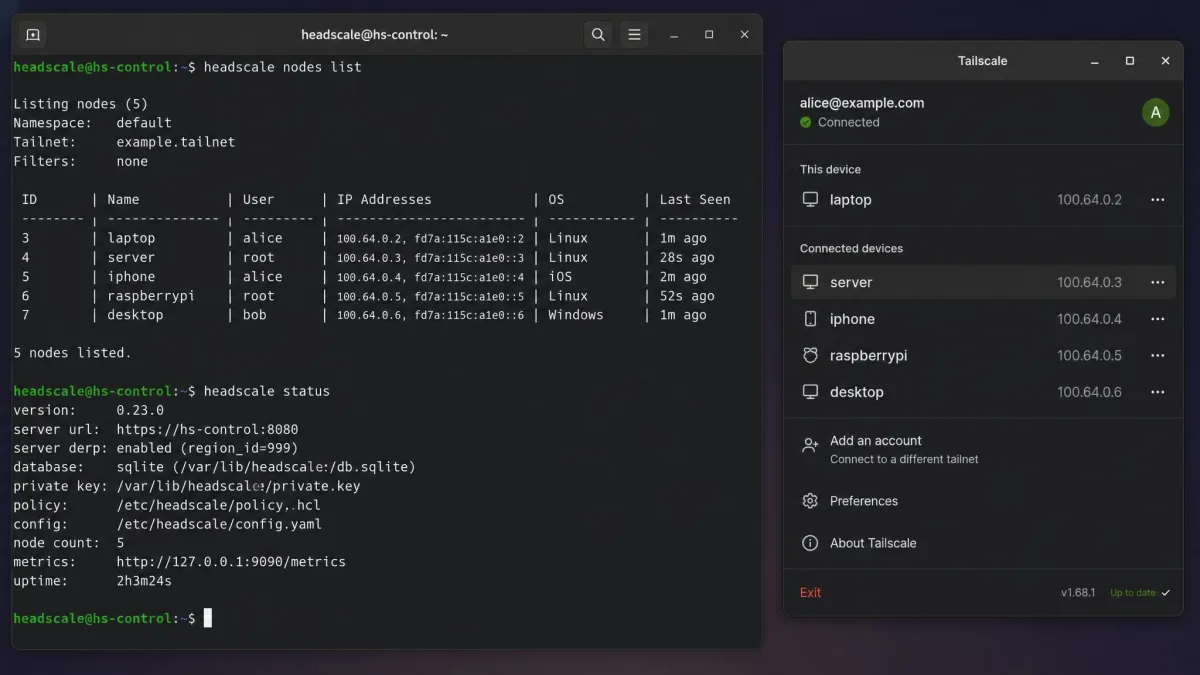
You do not have to pick between convenience and independence. Headscale is an open-source, self-hosted implementation of the Tailscale control server, released under a BSD-3-Clause license. You run the standard Tailscale clients on your devices, but they check in with your own control plane instead of Tailscale's.
That gets you MagicDNS-style naming, key distribution, and mesh convenience without depending on Tailscale's servers. The scope is deliberately narrow: Headscale manages a single tailnet, which suits personal use or a small organization rather than a large enterprise. It is more work than plain Tailscale, but far less than wiring raw WireGuard by hand, and you own the whole stack.
Final Verdict: Which Should You Run?
For most people, Tailscale is the better default. It gets you from install to a working connection in about 15 minutes, works behind CGNAT where raw WireGuard cannot, and matches WireGuard's speed on direct connections. The convenience is worth the dependency for anyone who wants remote access to work rather than to be a project.
Raw WireGuard stays the right choice when you want to own every packet, need top throughput on very fast links, or refuse a third party in your control plane. And if you want both, run Headscale and get the mesh experience on infrastructure you control. Try Tailscale first; if the dependency bothers you, you already know where the middle path is.