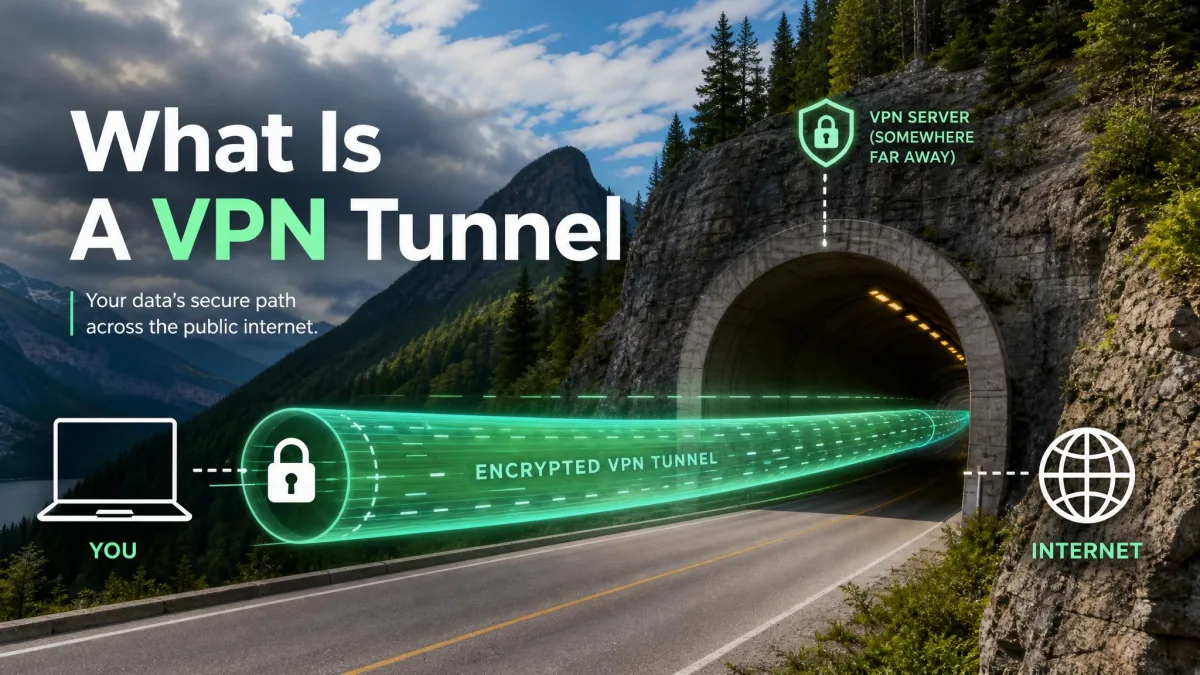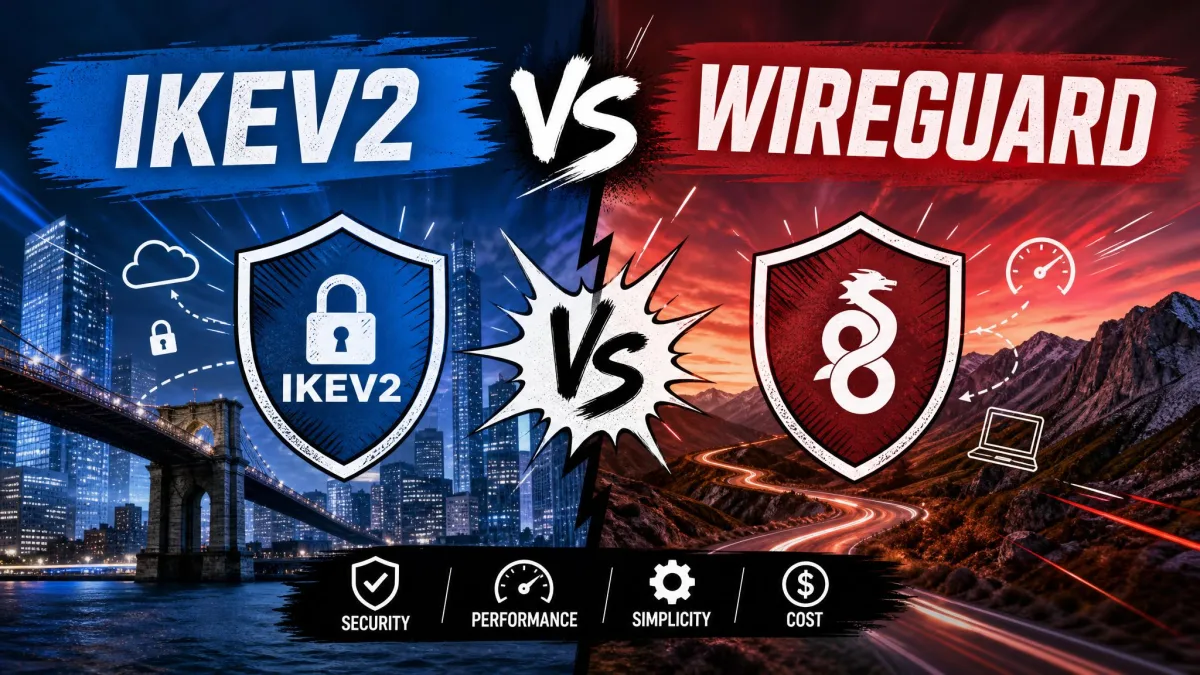
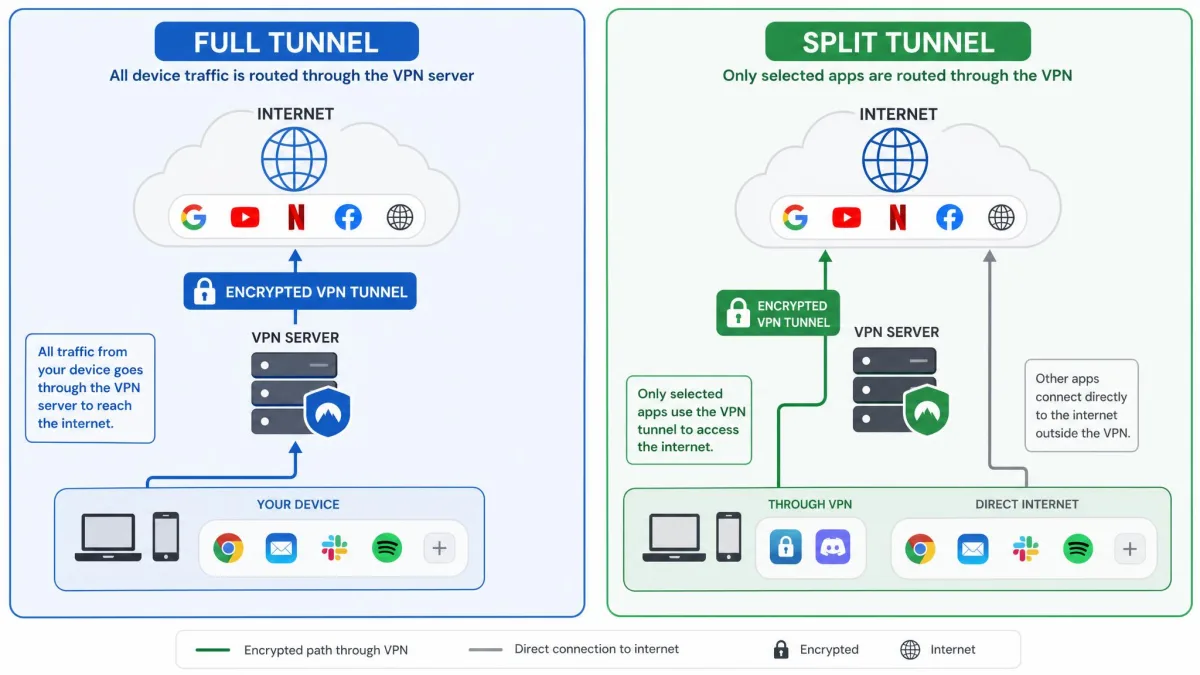
A full tunnel VPN routes every bit of your internet traffic through the encrypted VPN server. A split tunnel sends only the apps or sites you choose through the tunnel and lets everything else reach the internet directly. That single routing choice decides how much of your device is protected, how fast the connection feels, and whether you can still reach the printer down the hall. Both modes use the same underlying VPN. They just draw the line between "secure" and "direct" in different places.
We have configured both modes across Windows, macOS, and router-level setups. The same tunnel can behave very differently depending on where that line sits. The tricky part is that neither mode is universally "better." Full tunnel trades speed and local access for complete coverage. Split tunnel trades complete coverage for speed and flexibility. This guide walks through how each one works, the honest trade-offs we have seen, and a clear way to decide which fits your situation.
Split Tunnel vs Full Tunnel: Quick Answer
Here is the short version. Use a full tunnel when security is the priority. Use a split tunnel when speed and local access matter more than protecting every last packet.
A full tunnel is the safer default. It encrypts all traffic, needs no per-app setup, and gives IT complete visibility on managed devices. That is why regulated industries lean on it. The cost is speed, plus the loss of local-network access while the tunnel is active.
A split tunnel is the flexible option. You pick which apps or addresses use the VPN, so a video call can stay encrypted while a large download runs at full local speed. The catch is that only the traffic you route is protected. One wrong setting can quietly leave sensitive data outside the tunnel.
Key Takeaways: Full tunnel encrypts everything and is best for public Wi-Fi, banking, and compliance work. Split tunnel encrypts only what you select and is best on trusted networks where speed, streaming, or local-device access matters.
What Is a Full Tunnel VPN?
A full tunnel VPN is the mode most people picture when they think of a VPN at all. Once you connect, the client captures every outbound connection on the device and pushes it through the encrypted VPN server before it reaches the wider internet. Nothing routes around the tunnel by default. That is exactly why it is the standard configuration for corporate and privacy-focused setups. The formal definition lines up with the way standards bodies describe a virtual private network in the NIST glossary: a protected channel carrying traffic across an untrusted network.
How a Full Tunnel VPN Works
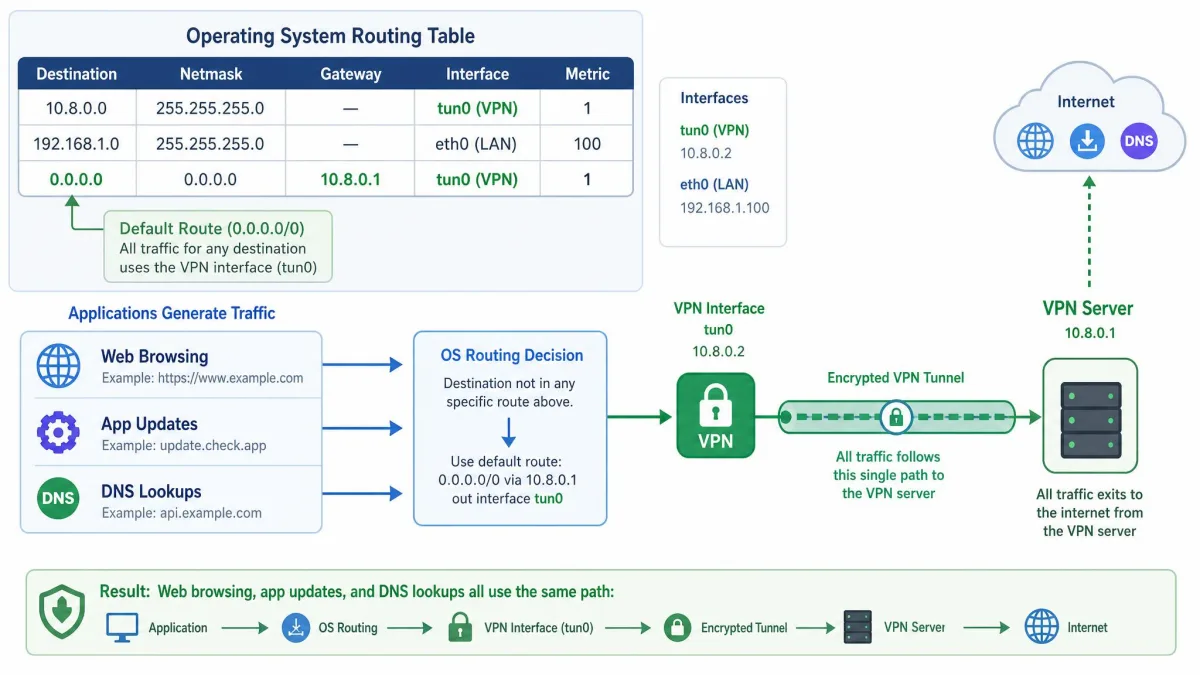
When the connection comes up, the operating system's routing table is rewritten. The default route now points at the VPN interface. Your browsing, background app updates, DNS lookups, and any intranet requests all follow that single path to the VPN server, which decrypts them and forwards them on. The websites you reach see the VPN server's address rather than your own.
Because the whole device sits behind one encrypted path, there is no per-app configuration to manage and no gap to forget about. That simplicity is the point. The trade-off is that the VPN server becomes the sole gateway for everything, so its capacity and location shape your entire connection.
Pros of a Full Tunnel VPN
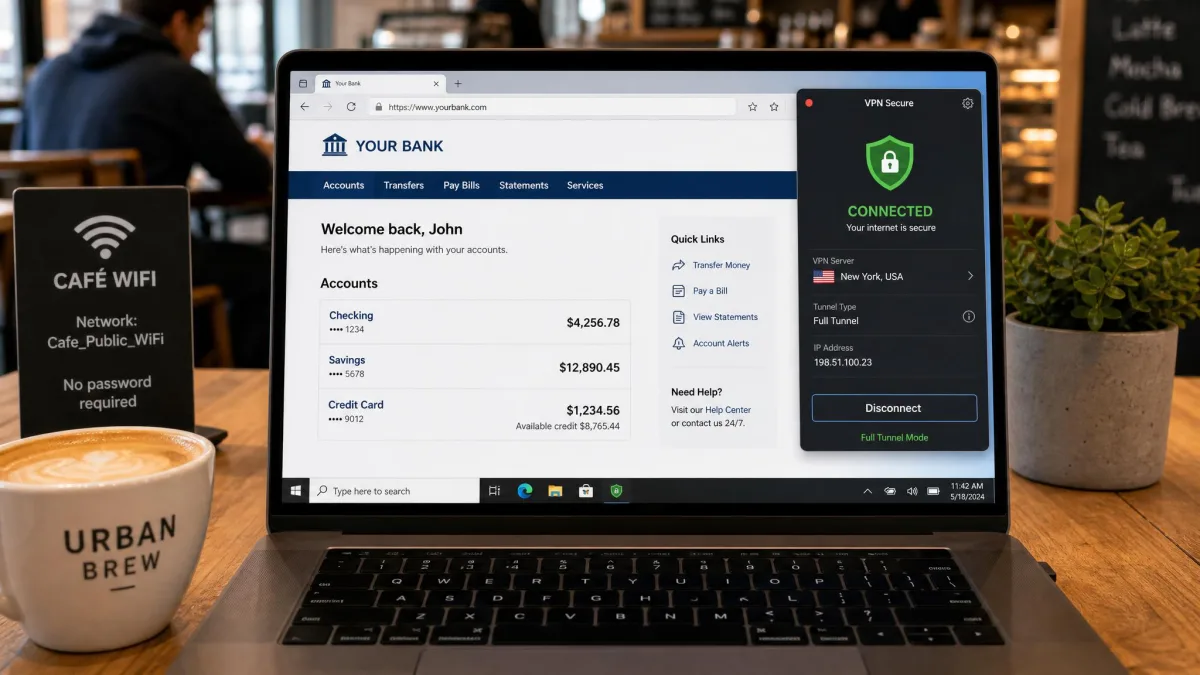
The strength that matters most shows up on untrusted networks. Picture a café: you open a laptop on shared Wi-Fi, and the moment the full tunnel connects, every request leaves the machine sealed, right down to the DNS lookups that would otherwise reveal which sites you visit. We treat that as the only setting worth trusting in a room full of strangers. There is nothing to switch on per app and nothing to forget.
Pros
- Encrypts all traffic on the device with no per-app setup to maintain
- Strongest choice for public Wi-Fi, banking, and regulated or compliance work
- Gives IT complete visibility and monitoring on managed devices
- No routing gap to misconfigure or forget
Cons
- Slower, because every request is capped by the VPN server's upload speed
- Blocks access to local devices like printers, NAS drives, and smart TVs
- Adds CPU load from constant encryption and decryption
- A weak or leaky VPN undermines the whole device at once
Cons of a Full Tunnel VPN
The drawback we run into first is local access. The moment a full tunnel connects, the laptop can no longer see the network printer or the NAS drive on the same LAN. Those requests are now being sent off to the VPN server instead of staying on the local network, so a simple print job just fails. Speed is the other reality: on a busy or distant server, the tunnel's throughput becomes the ceiling for everything you do at once.
A full tunnel only protects you if the VPN itself is sound. We have seen free or poorly configured services leak DNS queries even while claiming to route all traffic, which quietly exposes your browsing despite the "full" label. Verify the tunnel with a DNS and IP leak test before you rely on it.
What Is a Split Tunnel VPN?
A split tunnel VPN works differently. Instead of protecting the whole device, it protects only the traffic you assign to it. You decide which apps or destinations travel through the encrypted tunnel, and everything else connects straight to the internet over your normal local network. This is the mode people reach for when a full tunnel feels too heavy for the task at hand.
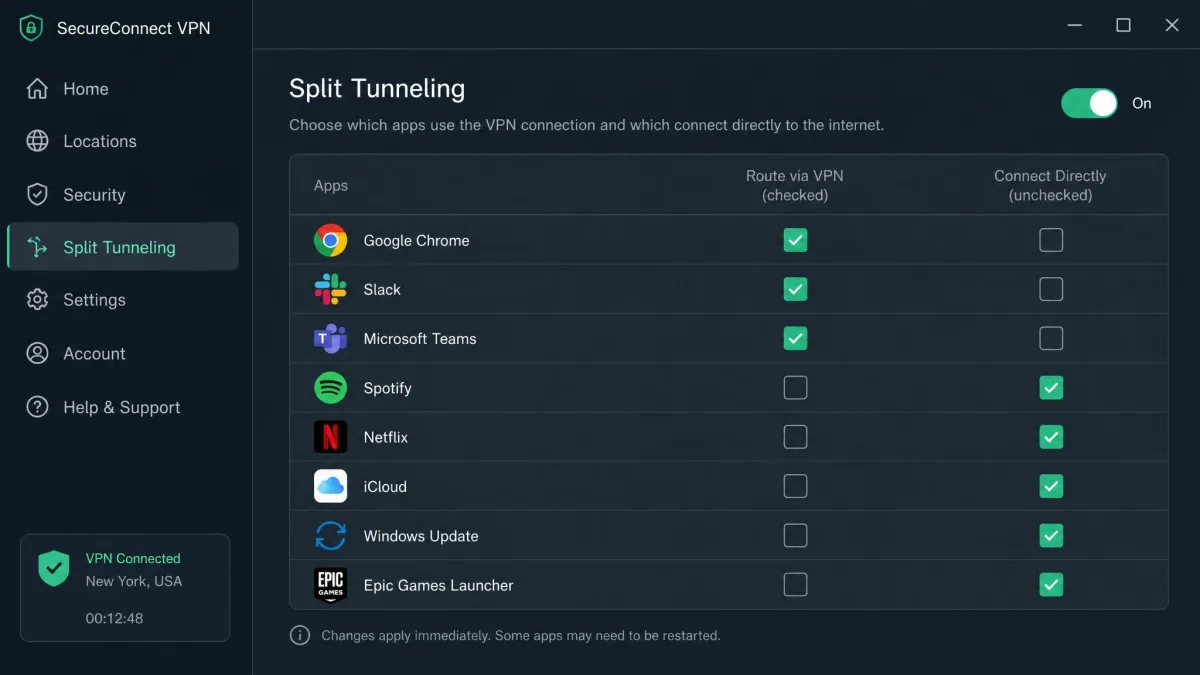
How a Split Tunnel VPN Works
Rather than rewriting the whole routing table, a split tunnel adds selective rules. Traffic that matches your chosen apps or addresses is sent through the VPN interface. Traffic that does not match keeps using the default local route. Your bank's app can ride the encrypted tunnel while a game or a streaming service takes the faster direct path at the same time.
That selectivity is why split tunneling usually feels quicker for everyday browsing. The device is no longer sending every single request out to the VPN server and waiting for it to come back. It also lightens the load, since less traffic passes through the VPN. The price of that flexibility is that the routing rules have to be correct, and correct rules take a little care to set up.
Types of Split Tunneling (app-based, URL-based, inverse, dynamic)
Split tunneling is not one feature but a small family of them. Knowing which type you have changes how you configure it.
App-based split tunneling lets you pick which installed applications use the VPN, which is the most common form on consumer clients. URL-based split tunneling works at the address level, routing specific websites or domains outside the tunnel while the rest stays protected. Inverse split tunneling flips the default: everything is encrypted, and you exclude only the handful of apps you deliberately choose to leave outside. Dynamic split tunneling adjusts routing on the fly based on rules the client resolves at connection time, rather than a fixed list you maintain by hand.
Inverse split tunneling is the safest of the four to reason about. The default is protection, and every exclusion is a conscious decision. When only a couple of apps genuinely need to bypass the VPN, we prefer that "encrypt by default, exclude on purpose" arrangement over a list of apps to include.
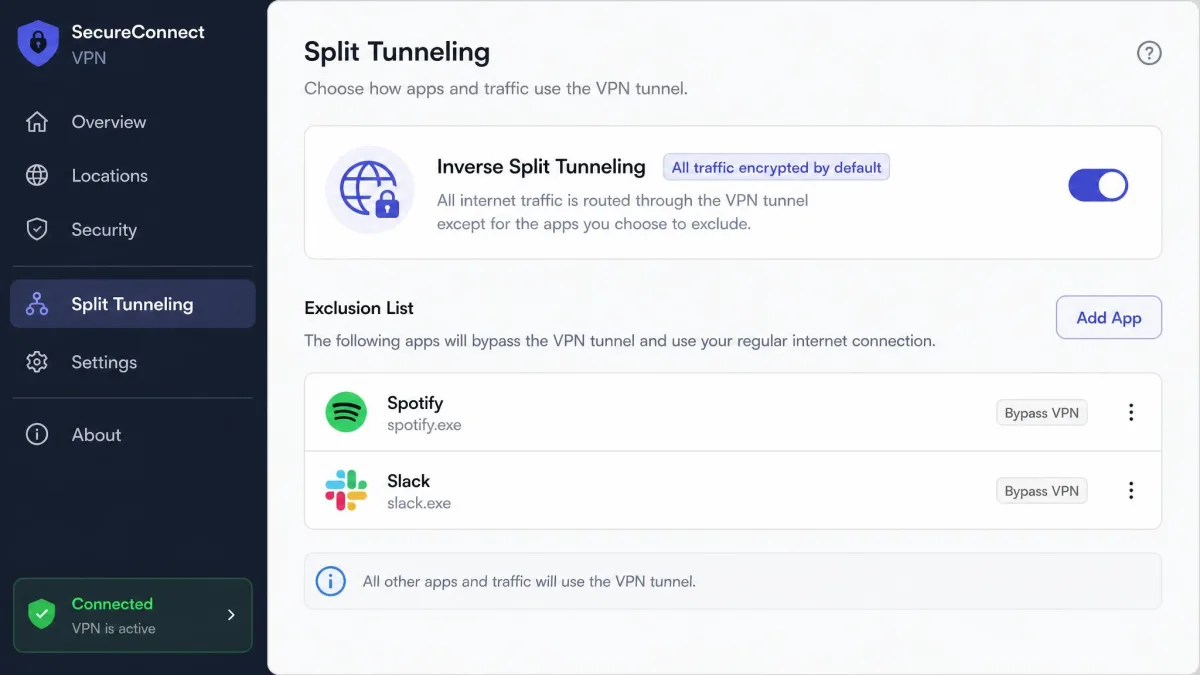
Pros of a Split Tunnel VPN
The benefit we notice most is everyday responsiveness. On a trusted home network, we route the banking app and the work client through the tunnel and leave the rest alone. Pages snap open at local speed while the sensitive apps stay encrypted, and the printer, the NAS, and the smart TV all stay reachable the whole time. Nothing on the LAN goes dark just because the VPN is running.
Pros
- Faster for non-sensitive tasks, since most traffic takes the direct route
- Keeps local-network devices reachable while the VPN is active
- Lighter load and lower bandwidth use on the VPN server
- Fine-grained control over exactly which apps or sites are protected
Cons
- Only the traffic you route is encrypted; everything else is exposed
- Easy to misconfigure and create a monitoring blind spot
- Simple to enable temporarily and then forget to switch back
- Gives IT only partial visibility on managed devices
Cons of a Split Tunnel VPN
The real weakness of split tunneling is not the technology but the person running it. Protection is partial by design, so a single wrong rule can route sensitive data straight past the VPN, and nothing on screen announces the mistake. We have also caught ourselves enabling split tunneling for one quick task and then forgetting to turn it back on. That leaves some apps unprotected while it feels like everything is still encrypted. Any split setup needs its routes and logs reviewed now and then.
A practical habit that has saved us more than once: dedicate one browser to your non-private activities and keep it out of the tunnel, then do anything sensitive in a different browser that always routes through the VPN. Separating the two by app removes most of the "wait, was that protected?" guesswork.
Split Tunnel vs Full Tunnel: Side-by-Side Comparison
The two modes line up cleanly once you put them next to each other. The pattern is consistent. Full tunnel wins on coverage and control. Split tunnel wins on speed and flexibility.
| Feature | Split Tunnel | Full Tunnel |
|---|---|---|
| Security | Partial: only routed apps or sites are encrypted | Comprehensive: all traffic is encrypted |
| Performance / Speed | Faster; direct internet for non-VPN traffic | Slower; capped by the VPN server's upload speed |
| Encryption coverage | Selected apps or URLs only | Entire device by default |
| Bandwidth usage | Lighter load on the VPN | All traffic passes through the VPN |
| IT visibility / control | Partial monitoring, with possible blind spots | Complete traffic monitoring |
| Best use case | Trusted networks needing local access, streaming, SaaS work | Untrusted or public Wi-Fi, banking, regulated industries |
Security vs Performance: Striking the Right Balance
Almost every real decision here is a negotiation between two things you cannot maximize at once. A full tunnel gives you the strongest security posture because there is no unprotected path off the device. That same completeness is what slows you down and cuts off local resources. A split tunnel gives you speed and local access precisely because some traffic skips the encrypted path, which is the same reason it protects less.
The honest way to frame it is exposure versus friction. Full tunnel minimizes exposure and accepts friction. Split tunnel minimizes friction and accepts exposure: some traffic travels in the clear, and the configuration can drift. Neither answer is wrong. What is wrong is choosing split tunnel for convenience and then treating it as though it protects everything.
There is also a reliability angle that rarely gets mentioned. The more selective your routing, the more places it can silently break. When a tunnel connects but a device is unreachable by name, DNS is the first thing we check. A resolver pointed the wrong way is the most common silent failure we see. On WireGuard specifically, split routing can fail with no error at all when the AllowedIPs setting is wrong, sending traffic down a path you did not intend. Full tunnel has fewer of these failure points because there is only one route to get right.
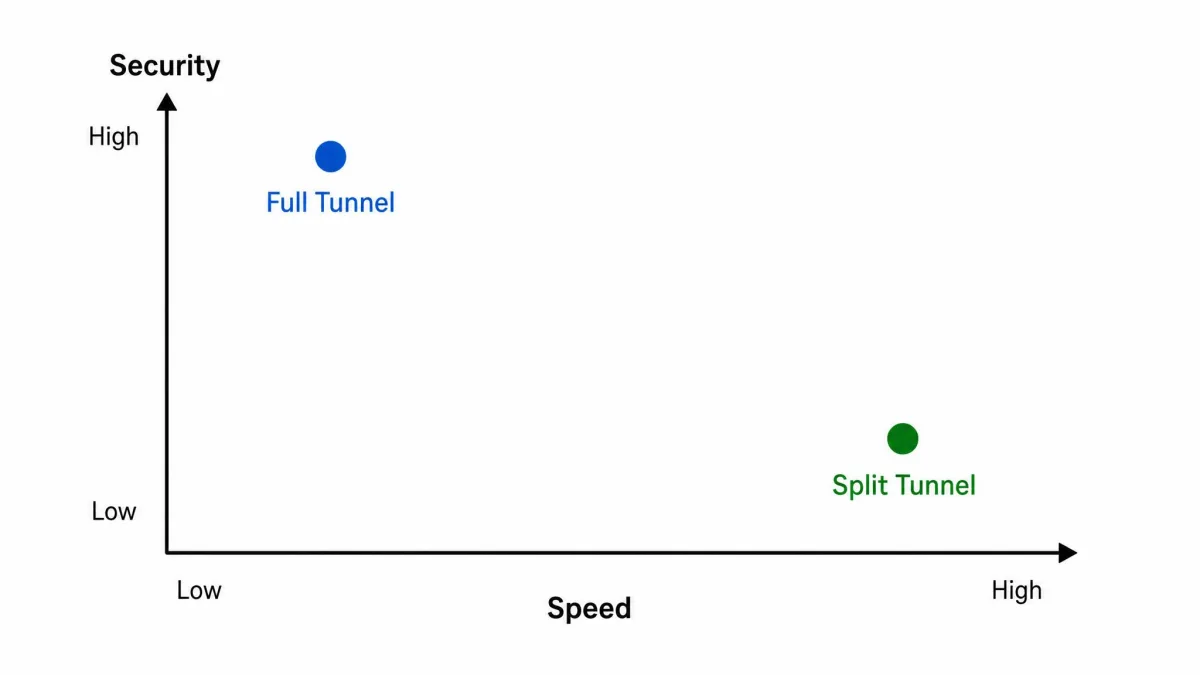
When to Use Each: Real-World Use Cases
The clearest way to choose is by scenario. The same person often wants different modes at different moments, and that is fine.
Remote Work / Corporate Access

For remote work on a company-managed device, full tunnel is usually the right call and often the mandated one. It gives IT the complete traffic visibility that compliance and monitoring depend on. It also removes the risk of an employee accidentally routing sensitive work around the VPN. Where a full tunnel makes internal tools painfully slow, some organizations move to inverse split tunneling. They keep everything encrypted by default and exclude only a few high-bandwidth, low-risk apps. That keeps the security default intact while relieving the worst of the speed penalty.
Streaming and Gaming
Streaming and gaming are where split tunneling earns its keep. Both are bandwidth-hungry and latency-sensitive. Neither usually needs the VPN at all once you are on a trusted network. Routing your game or streaming app directly, while leaving the tunnel available for other tasks, avoids the added latency a full tunnel imposes. This is the everyday case where a direct path simply feels faster.
Public Wi-Fi and Sensitive Tasks (banking)
On public Wi-Fi, and for anything sensitive like banking, the recommendation flips hard back to full tunnel. An untrusted network is exactly where you cannot afford an unprotected app. Split tunneling's partial coverage becomes a liability rather than a convenience. When we are on a network we do not control, we route everything, every time, and only reconsider once we are back on a network we trust.
How to Enable Split Tunneling (step-by-step, per platform)
Most major VPN apps expose split tunneling in their settings, though the wording and support vary by platform. The general flow is the same everywhere, even when the menu names differ.
On Windows, open your VPN client, then go to Settings and find the Split Tunneling section. Turn the feature on. Choose whether you are including apps in the tunnel or excluding them from it, then add the apps you want on that list. Save and reconnect for the rules to take effect.
On macOS, open the VPN app, open Preferences or Settings, then look for Split Tunneling or a similar routing option. Enable it, add your chosen apps or addresses, and reconnect. Support is less consistent here than on Windows, so confirm your specific client offers it.
On Android, open the VPN app, open Settings, and find the split tunneling control. It is sometimes labeled per-app or "Bypass VPN for selected apps." Tick the apps that should skip the tunnel, then save.
On a router, the process is address-based rather than app-based. You define which local IP addresses or destinations use the VPN and which go direct, in the router's VPN or policy-routing panel.
Testing a tunnel from inside your own network does not prove it routes correctly from outside. A rule can look perfect on your home LAN and still send traffic the wrong way once you are on a different network, so verify from an outside connection before you trust it with anything sensitive.
Which One Should You Use?
If you are unsure, default to full tunnel. It is the safer choice, it needs no configuration to get right, and it protects the traffic you would otherwise forget about. The whole-device coverage is worth the speed cost for most people most of the time, especially on any network you do not control yourself.
Reach for split tunnel when you have a specific reason. Maybe you need local-network devices while the VPN runs. Maybe you want full local speed for streaming or gaming on a trusted network. Maybe you are running SaaS and web tools that do not need protection and would only be slowed by the tunnel. Treat it as a deliberate tool for a known task, not a general-purpose setting you leave on. And whichever mode you pick, verify it actually behaves the way you expect before you depend on it, because the failure modes here are quiet ones.
The one rule that has never steered us wrong is to assume a split configuration is protecting less than it looks like until we have tested it from outside our own network. We keep a phone on cellular data purely to check what leaks when we think everything is encrypted.