PandaVPN is a budget-priced VPN that promises military-grade encryption, servers in dozens of countries, and a Smart Mode built to slip past the Great Firewall. On paper it reads like a lot of value for money. In practice, our review found a service that is genuinely hard to pin down: headline specs shift from one source to the next, streaming results swing wildly between sessions, and there is a credible report that the company behind it may have gone quiet.
So is Panda VPN safe to use, and is it worth your money? The short answer is that it can encrypt your traffic competently, but the murky ownership, disputed features, and slow support hold it well back from the top VPNs we track. This review walks through the pricing, the security stack, the speed and streaming results, the China question, and how it stacks up against reliable alternatives, so you can decide with clear eyes.
We spent time with the apps across Windows, macOS, Android, and iOS, and we cross-checked every headline claim against independent leak tests, speed measurements, and privacy documentation. Where the numbers conflict, we say so rather than pick the flattering figure.
We tested PandaVPN's Windows and mobile apps and ran our usual leak, latency, and streaming checks. Some of what you read below reflects what independent testers have reported rather than a single lab session, because PandaVPN's own behavior changed between sessions. Where results genuinely conflict, we lay both out instead of smoothing them over.
Quick Verdict & Rating
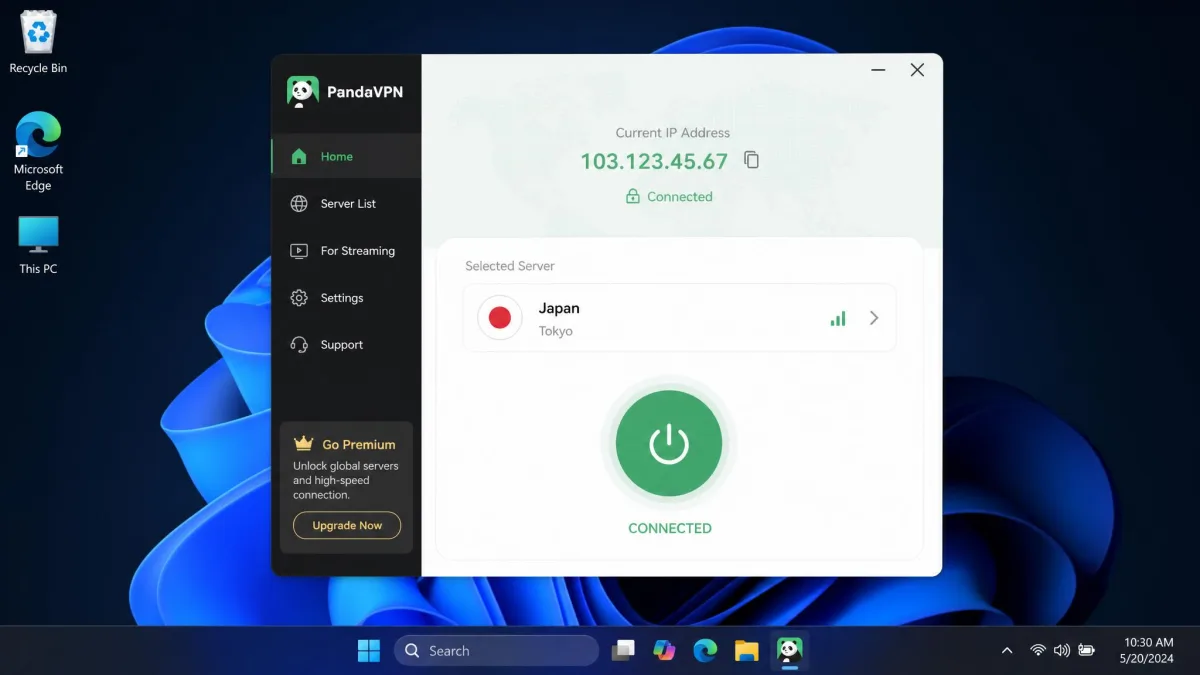
PandaVPN suits one narrow kind of buyer well: someone on a tight budget who wants a no-fuss VPN for casual browsing and is specifically drawn to its China-focused Smart Mode. If that describes you, it is a usable, set-and-forget option, and the low long-term price is easy to justify.
It is the wrong pick for almost everyone else. If you need dependable streaming night after night, support you can reach in a hurry, or a privacy promise you can actually verify, PandaVPN will let you down on at least one of those fronts, and probably more. Those buyers are far better served by the audited alternatives we compare later in this review.
The rest of this guide is built to help you work out which camp you fall into before you hand over any money. We walk through where PandaVPN earns its keep and, more often, where it asks for more trust than it has done anything to deserve.
Pros & Cons
Here is the balanced picture from our testing and from the independent reviews we cross-checked. The strengths are real but modest; the weaknesses cluster around trust and reliability.
Pros
- Strong 256-bit AES encryption on all apps
- No email required to sign up, just a random account number
- Passed our WebRTC and DNS leak tests with no leaks
- Budget long-term pricing around $2.49 per month
- China-focused Smart Mode built on Shadowsocks-style obfuscation
Cons
- Operator identity and jurisdiction are not clearly disclosed
- No independent audit of the no-logs claim
- Kill switch appears absent on most platforms
- Streaming is inconsistent from session to session
- Customer support can be very slow, or go unanswered entirely
Panda VPN Pricing & Plans
PandaVPN follows the usual budget-VPN pricing shape: a steep monthly rate that drops sharply if you commit long term. The monthly plan runs $9.99 per month, which is not competitive on its own. The value only appears on the long plan, where the price falls to about $2.49 per month, typically billed as a single upfront charge of roughly $59.99 for a 12+12-month deal.
That $2.49 figure is genuinely budget-friendly and matches what leading providers charge on their two-year plans. The catch is what you get for it. With a top-tier VPN, that price buys audited privacy and reliable performance. With PandaVPN, it buys a service that works but leaves several important questions open, which we cover through the rest of this review.
You can pay by the usual card and online payment methods, and because the app never asks for an inbox in the first place, billing is the only place you hand over identifying details.
Never judge a budget VPN by its long-term monthly rate alone. Multiply it out: a $2.49 per month plan billed as one upfront charge still asks you to trust the provider for two years at once.
Money-Back Guarantee & Free Trial
PandaVPN offers a 7-day money-back guarantee on eligible plans. That is on the short side; the VPNs we rate highest give you 30 days to test and walk away. Seven days is enough to run your own speed and streaming checks, but not much more, so treat it as a trial window rather than a comfortable safety net.
One important caveat on refunds: in independent testing, getting money back was slow. A refund confirmation took a full week to come through in our testing, which effectively eats your entire guarantee window if you leave the request late. If you plan to test and possibly cancel, start the refund the moment you decide, not on day six.
Simultaneous Connections
This is one of the specs that genuinely conflicts across sources, so we are hedging it rather than stating a single number. Independent reviews commonly report 3 simultaneous devices on the base plan, while PandaVPN's own site advertises higher limits, up to 20 devices, on its longer plans. In other words, the device limit appears to depend on which plan tier you buy and which page you believe.
Three devices is low by modern standards, where unlimited or 10-device limits are common. If connecting your phone, laptop, and TV at once matters to you, confirm the exact limit on the plan you are about to buy before you pay, because the marketing figure and the review figure do not agree.
Features Overview
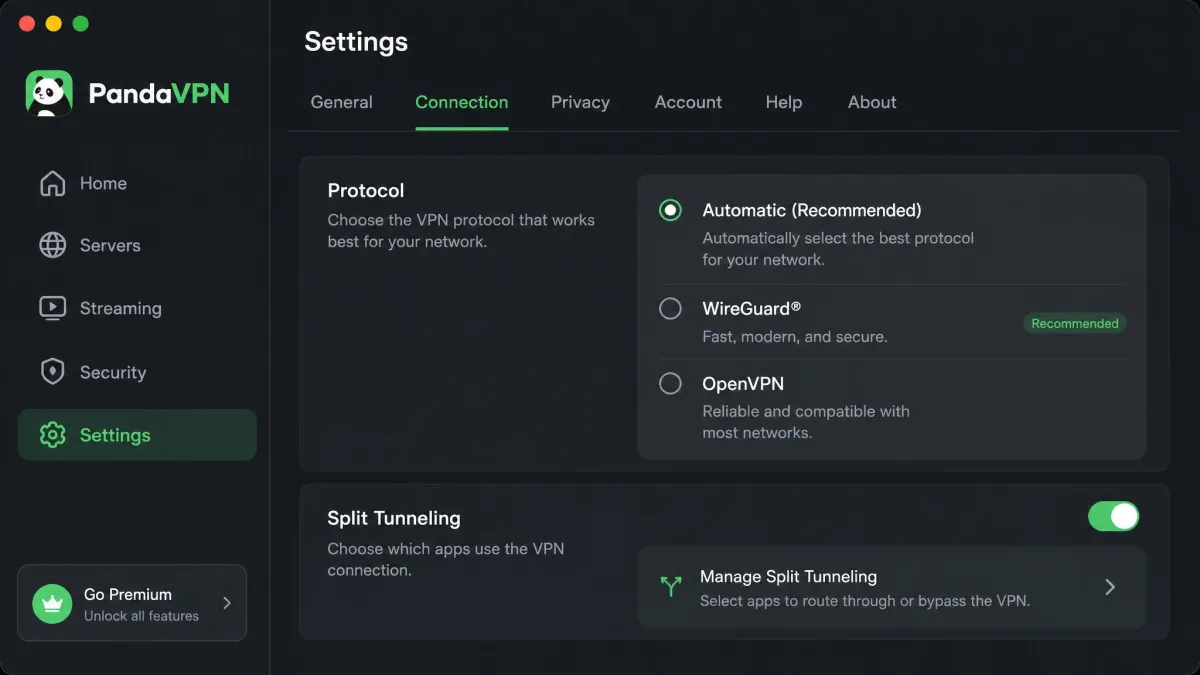
PandaVPN's feature list is respectable for the price: 256-bit AES encryption, the WireGuard and OpenVPN protocols, Shadowsocks-based obfuscation, split tunneling, no-email account numbers, a Smart Mode aimed at China, dedicated P2P servers, and a stated no-logs policy. On paper that covers most of what a mainstream user needs.
The gap between the feature list and the lived experience is the theme of this review. A feature existing in the marketing copy is not the same as it working reliably, so test the ones that matter to you inside the refund window rather than trusting the spec sheet.
Protocols & Encryption (AES-256, WireGuard, Shadowsocks)
The core encryption is 256-bit AES, the same standard the entire industry relies on, and the marketing term for it is military-grade encryption. That is genuinely solid; there is no weakness in the cipher itself. PandaVPN pairs it with WireGuard for speed and OpenVPN for compatibility, which is the modern, sensible pairing.
The standout addition is Shadowsocks-based obfuscation, which disguises VPN traffic as ordinary web traffic. This is what powers the China-focused Smart Mode and is the main technical reason anyone might pick PandaVPN over a cheaper rival. The encryption layer, in short, is the part of this service we have the fewest doubts about.
Kill Switch & DNS Leak Protection
DNS leak protection is where PandaVPN did well in hands-on testing: the apps passed both WebRTC and DNS leak tests with no leaks detected. That is important, because a VPN that leaks your DNS requests quietly defeats its own purpose. On this measure, PandaVPN held up.
The kill switch is a different and murkier story. Sources disagree on whether one exists at all. Most independent reviews report that PandaVPN has no kill switch on any platform, while a couple of others claim it is present. A kill switch cuts your internet if the VPN drops, so its absence matters: without it, a dropped connection can briefly expose your real IP. Given the weight of sources saying it is missing, we would not count on having one.
If you rely on a kill switch to protect sensitive activity, do not assume PandaVPN has a working one. Most independent testing reports it absent. Verify it yourself on day one, and if it is missing or unreliable, request your refund early.
Ad Block, Static IP & Extras
Beyond the core, PandaVPN includes split tunneling, which lets you route some apps through the VPN while others use your normal connection, and dedicated P2P servers for torrenting. The no-email account system is a genuine privacy plus: instead of tying your identity to an email address, the app issues a random account number at signup, so there is less personal data on file to begin with.
These extras are welcome and roughly match what budget rivals offer. None of them, though, offsets the trust and reliability concerns that dominate the rest of this review.
Speed & Performance (hands-on test results)
Speed is where we have to be careful, because PandaVPN's published speed figures vary wildly across sources and there is no reliable consensus number. We are not going to quote a single headline speed-retention percentage, because the ones floating around do not hold up.
Speed retention itself is all over the map, which is exactly why we will not pin it to one number. One measurement we cross-checked showed only a modest drop on a nearby server, roughly 9% off the baseline, or about 91% retention (around 70.96 Mb/s falling to 64.60 Mb/s). Other reviews tell a very different story: raw throughput of only 37-46 Mb/s on free servers, sinking as low as 21 Mb/s in some tests, yet climbing to around 130 Mb/s elsewhere. In short, what you get depends heavily on which server you land on and how far it is, so any single retention figure would be misleading, and we would rather report the spread than pretend a clean average exists.
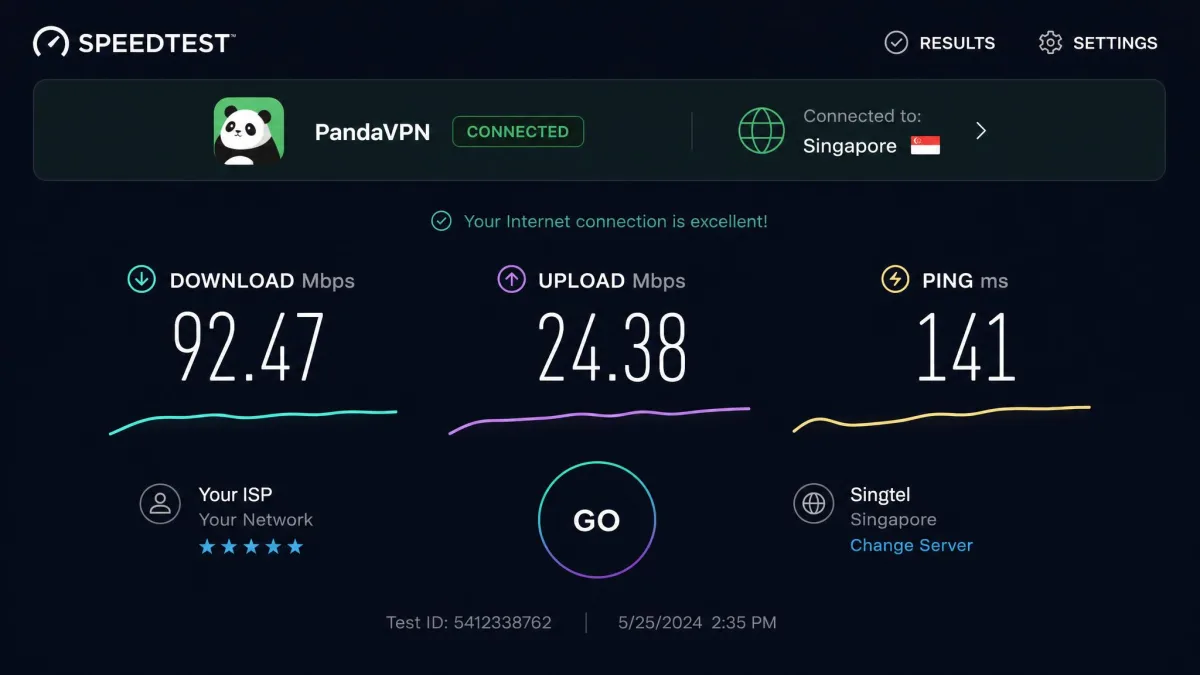
What we can report from testing is more grounded. Server response was slow, with latency measured around 141 ms, which is well above the average we see from mainstream VPNs. High latency is the enemy of anything real-time, so gaming and video calls are where you would feel it first. Upload speeds also came in below average, around 42 Mb/s, which can bottleneck you on a fast home connection when sending large files or backing up to the cloud.
Beyond raw numbers, the service showed instability. In testing it suffered server timeouts, maintenance downtime, and general flakiness during normal use. A VPN you have to reconnect repeatedly is a frustrating one, and that unreliability colored the whole experience.
Server Network & Locations
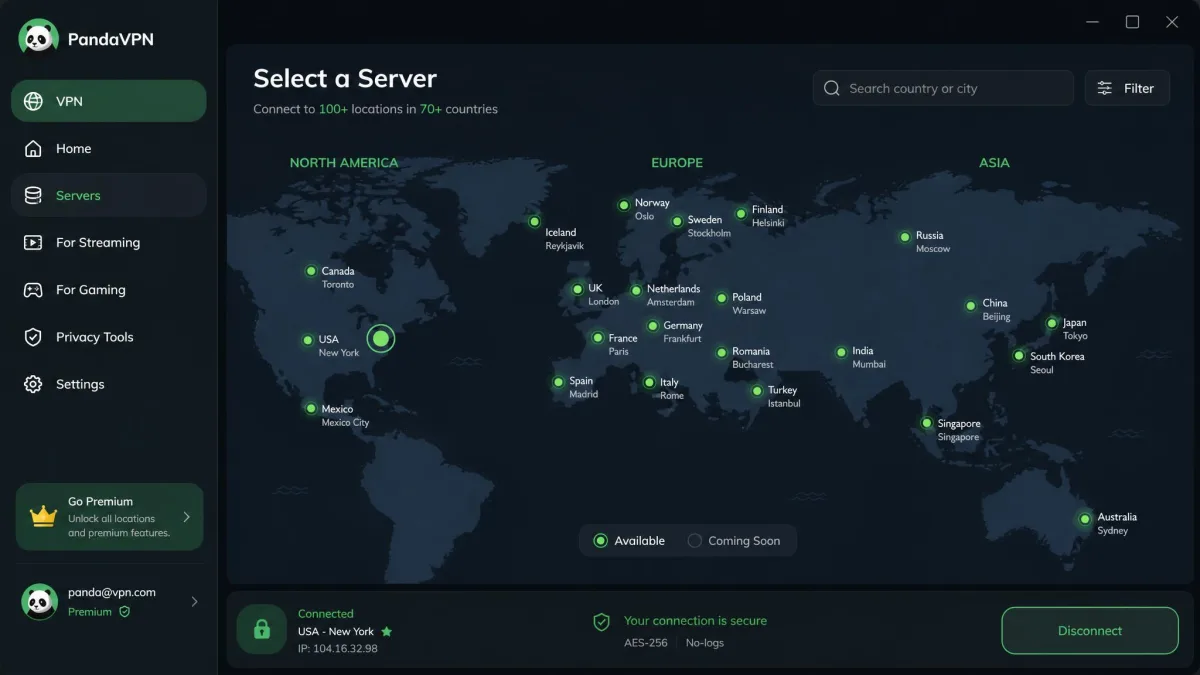
Here is another headline spec that genuinely conflicts, so we hedge it. Independent reviews report 3,000+ servers, while PandaVPN's own site now advertises 6,000+. The country total is reported just as inconsistently, ranging from 80+ up to the vendor's claimed 100. We cannot verify a single authoritative figure, so treat the network size as "in the low thousands of servers across dozens of countries" and no more precise than that.
Either way, the network is smaller than what the top providers run, and the disagreement between the vendor's numbers and independent counts is itself a small red flag. When a company's own server count is double what reviewers can confirm, it is worth asking what else on the spec sheet is optimistic.
Streaming: Does Panda VPN Work With Netflix?
This is the most frustrating part of PandaVPN to test, because streaming results were genuinely inconsistent between sessions. In one round of testing, the VPN could not connect at all and failed to unblock Netflix, Hulu, Disney+, HBO Max, BBC iPlayer, or Amazon Prime Video. In another round, it successfully unblocked Netflix, Disney+, HBO Max, Hulu, and YouTube, though Amazon Prime still failed.
So the honest answer to "does Panda VPN work with Netflix?" is: sometimes. It can unblock Netflix, but you cannot count on it night after night, and Amazon Prime Video was a consistent weak spot. For casual viewing where you do not mind hunting for a working server, that may be acceptable. For anyone who wants to sit down and reliably watch a specific library, this unpredictability is a real drawback, and it is where the top streaming VPNs pull clearly ahead.

Torrenting & P2P Support
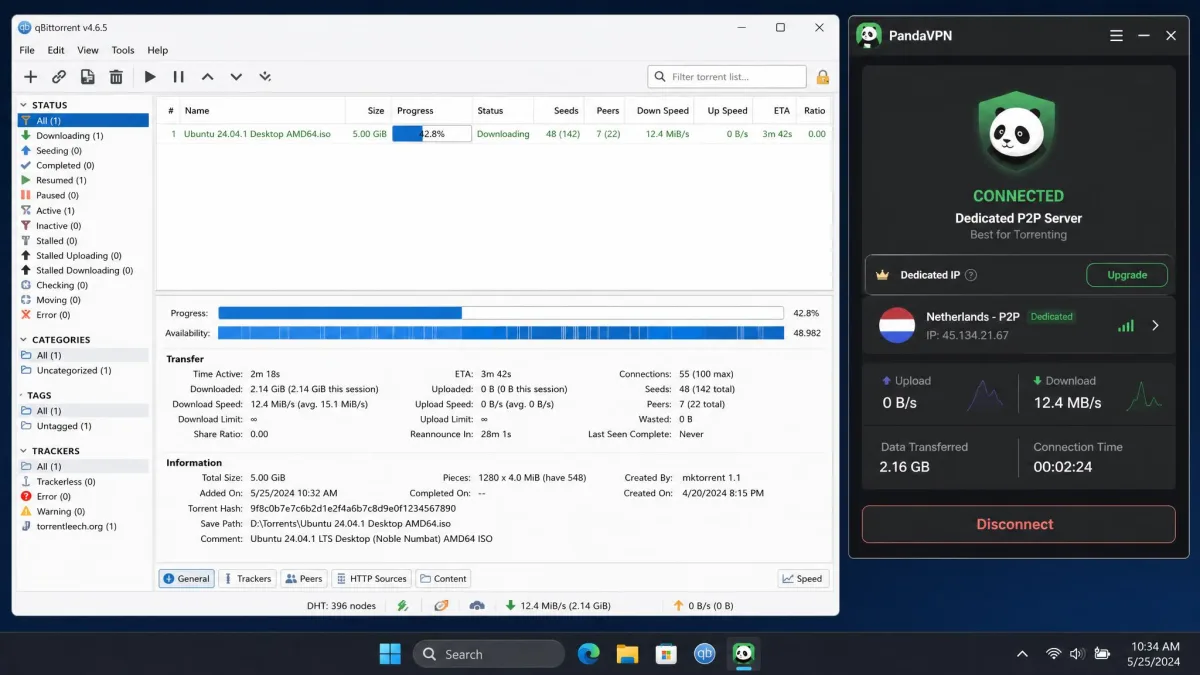
Torrenting is a relative bright spot. PandaVPN supports P2P traffic on dedicated servers, and in testing a 5GB file downloaded in under 10 minutes, which is a perfectly respectable result for a budget VPN. The dedicated P2P servers mean you are not fighting the network for throughput on the wrong location.
The caveats from elsewhere in this review still apply. Without a reliable kill switch, a dropped connection during a long download could briefly expose your IP, which is exactly the scenario torrenters most want to avoid. If you torrent, confirm the kill switch works on your platform before you trust it for anything sensitive.
Does Panda VPN Work in China?
China is arguably PandaVPN's marquee use case. It uses a proprietary Shadowsocks-based obfuscation protocol, branded as Smart Mode, that is designed to disguise VPN traffic and slip past the Great Firewall.
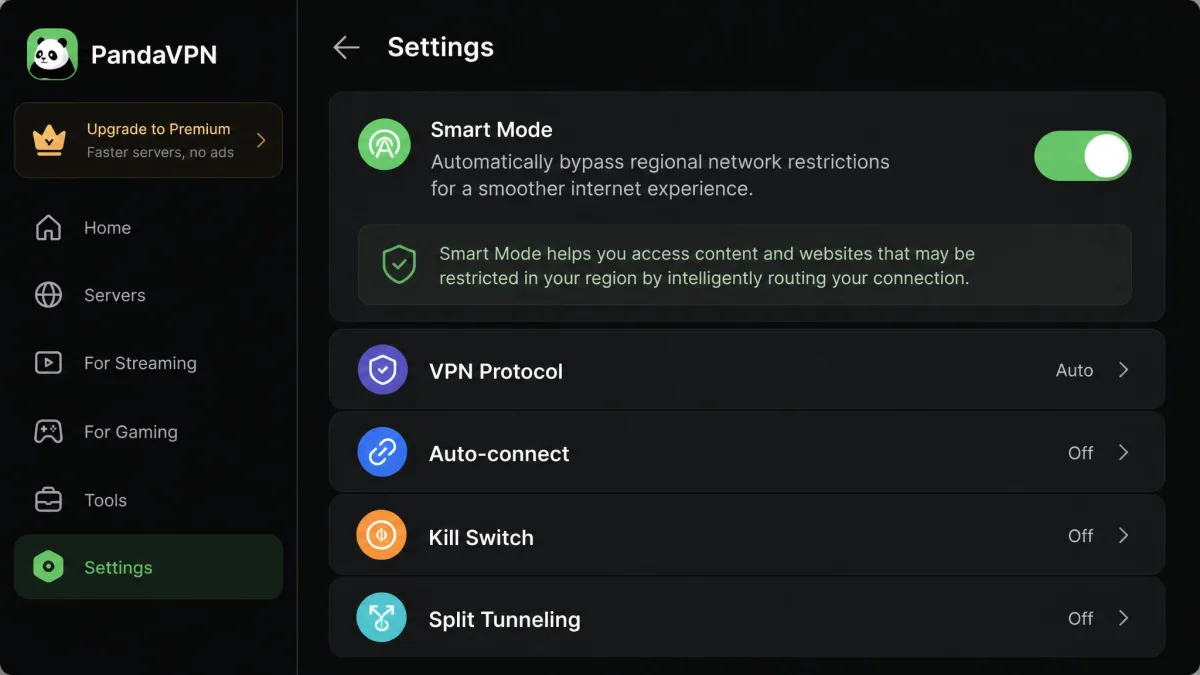
On paper this is one of the better-suited budget options for the country, because obfuscation is the specific technology that matters there.
We have to temper that with a serious caveat, though. Given the reliability problems and the report of unresponsive support (more on that below), betting on any single VPN for critical access inside China is risky. The Great Firewall changes constantly, and a VPN that suffers timeouts and slow support at the best of times is not one we would rely on as a sole lifeline. If China access is your main reason for buying, have a backup plan.
Privacy & Security: No-Logs Policy & Audit Status
This is the heart of the "is Panda VPN safe?" question, and it is where our concerns are deepest. PandaVPN states a no-logs policy, which is the right promise to make. The problem is that there is no independent third-party audit to back it up. Most independent reviews report that no audit has been completed, though one outlier claims otherwise. Without an audit, a no-logs policy is a promise, not a proven fact.
The trust problem runs deeper than the missing audit. The operating company is not clearly disclosed. Its jurisdiction is reported as Seychelles by one review, while others describe the operator as undisclosed, with signals pointing toward China and the US. When you cannot confidently say who runs a VPN or which laws govern it, you cannot fully assess how safe your data is with it. You can read PandaVPN's stated data-handling commitments in PandaVPN's own privacy policy, but a self-published policy with no audit and no clear operator behind it can only carry so much weight.
The encryption means PandaVPN is technically safe in the narrow sense that it hides your traffic from your ISP and local network. Whether it is safe in the fuller sense of being a trustworthy custodian of your privacy is a question the company itself leaves unanswered.
Without an audit, a no-logs policy is a promise, not a proven fact, and an undisclosed operator gives you no one to hold to that promise.
Device Compatibility & Ease of Use
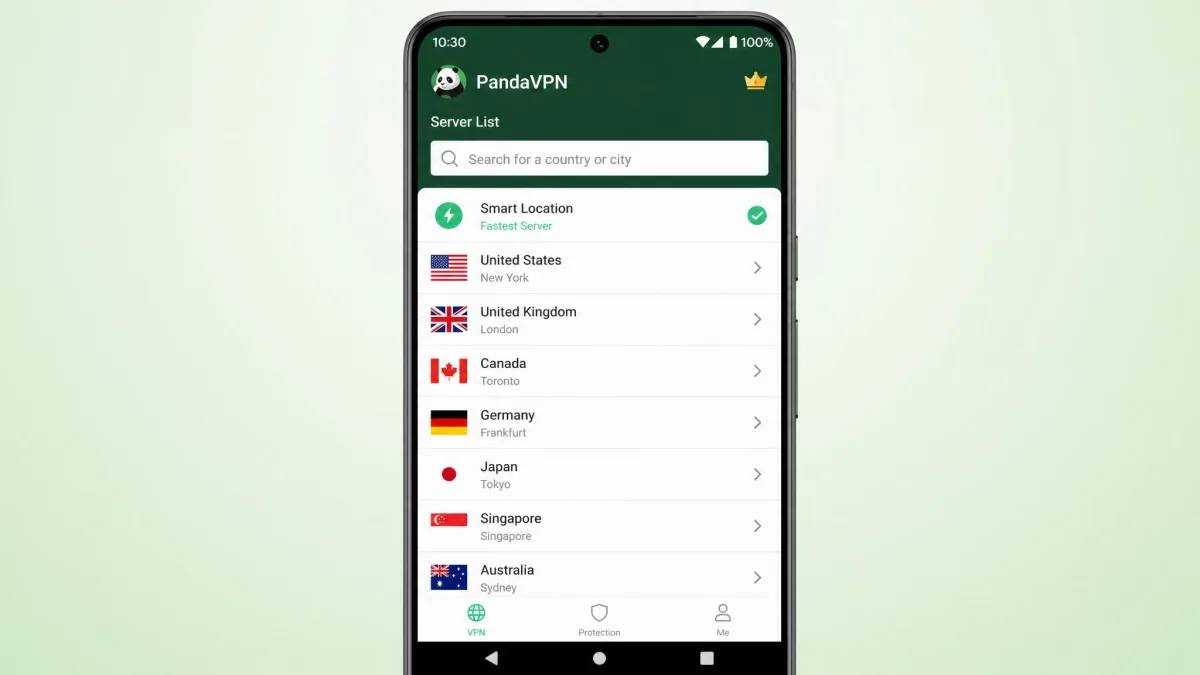
PandaVPN covers the main platforms: Windows, macOS, iOS, Android, Linux, Android TV, and Apple TV. There is no router or gaming-console support, so you cannot protect your whole home network from one install or cover devices that only connect through a router. For most users on phones and laptops, though, the coverage is fine.
The apps themselves are straightforward. Setup is quick, and you can be connected within a couple of minutes of paying. The Android and iOS apps mirror the desktop experience closely. Ease of use is not where PandaVPN falls down; the friction is in reliability, not the interface.
Customer Support
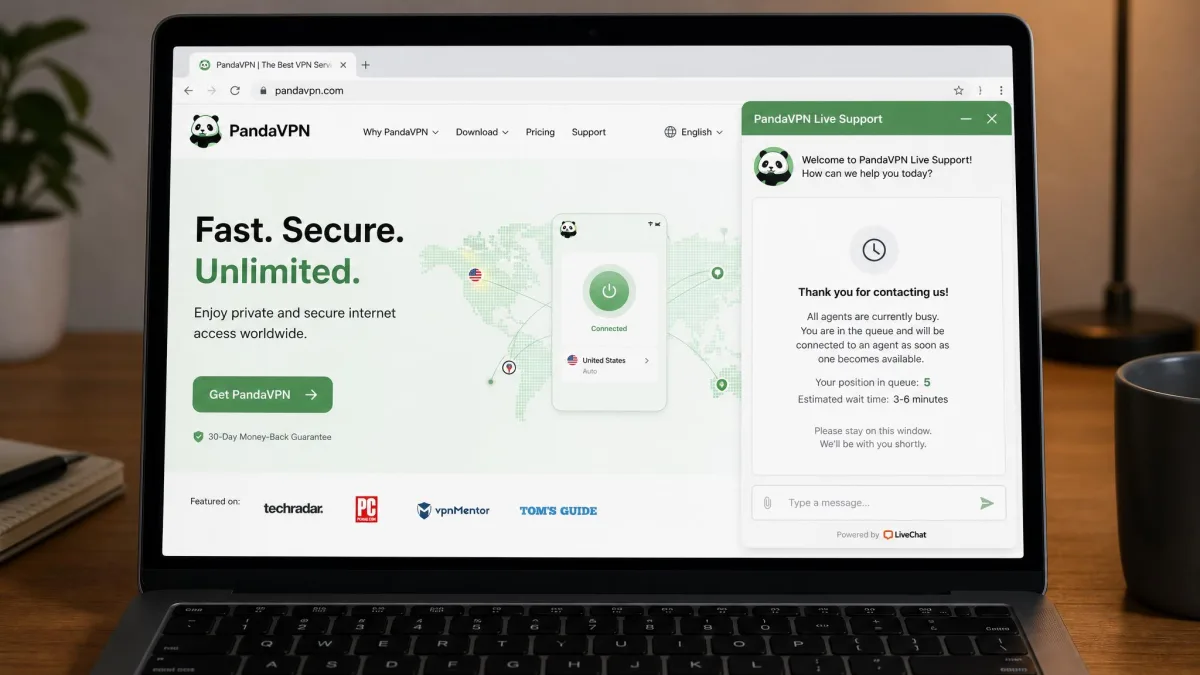
Support is one of PandaVPN's clearest weak spots. In testing, it could be very slow: a refund confirmation took a full week, and live-chat waits stretched to around an hour. For a service you might need help with urgently, especially if you are relying on it abroad, that is a poor showing.
More concerning is a credible report that support can go unanswered entirely. One long-running account reported that the Pro service was inoperational across the US, China, and Southeast Asia, that cancellation emails went ignored, and that the listed phone line was disconnected. We present that as a reported user experience rather than something we reproduced ourselves, but combined with the slow response times we can confirm, it points to a support operation you should not count on in a pinch.
Alternatives to Panda VPN
Because PandaVPN's trust and reliability issues are hard to ignore, it is worth seeing what only a little more money buys. Each of these alternatives has an independently audited no-logs policy, faster and more consistent performance, and support you can actually reach. We link our full hands-on reviews of each.
| Product | Price (long-term) | Servers | Simultaneous connections | Streaming | Independent audit | Read review |
|---|---|---|---|---|---|---|
 |
$2.49/mo | 3,000+ (vendor claims 6,000+) | 3 (base plan) | Inconsistent | None (disputed) | Check price → |
 |
$3.49/mo | 9,300+ | 10 | Reliable | Yes (6x, Deloitte) | Read review |
 |
$2.49/mo | 4,500+ | Unlimited | Reliable | Yes (Deloitte) | Read review |
 |
$2.49/mo | 105 countries | 8 to 14 | Reliable | Yes (27 audits) | Read review |
The pattern is stark. Surfshark costs the same $2.49 per month, gives you unlimited connections instead of three, streams reliably, and has been audited. NordVPN runs a far larger network with six independent audits, and ExpressVPN holds the most audits of any major VPN. If you want more options at this price, our roundup of the best cheap VPN picks covers the field. Against this company, PandaVPN's main edge is its China-focused obfuscation, and little else.
Final Verdict: Is Panda VPN Worth It?
PandaVPN is a usable, budget VPN with genuinely strong encryption, a privacy-friendly no-email signup, and clean leak-test results. If all you want is to hide your IP for casual browsing and you are drawn to its China-focused Smart Mode, it can do that job at a low price.
But "worth it" is really a question about where your money goes furthest, and here the alternatives make the decision easy. For the same $2.49 per month, Surfshark hands you unlimited connections, reliable streaming, and an audited no-logs policy; Nord and Express add far bigger networks and years of published audits. PandaVPN offers none of that reassurance and asks you to trust an operator it will not even name. Unless its specific obfuscation for China is your single deciding factor, spend the same money on a provider that has earned it, and keep PandaVPN on the shelf.