A VPN covers two jobs here. Abroad, it gets you a Uruguayan IP address to watch Teledoce or Canal 10, and in Montevideo it unlocks your home streaming apps and makes café Wi-Fi safer. Uruguay's internet is open and uncensored, and using a VPN there is legal. Our top pick is NordVPN, because its Uruguay location opened local shows from abroad and NordLynx kept our speeds close to the unprotected connection.
None of the six providers below confirms physical hardware inside Uruguay, so we spell out what each one actually offers. Our "How we tested" section explains what we checked and where every number comes from.
The best VPNs for Uruguay at a glance
Here are our six picks, ranked by overall score for use in and around Uruguay.
- NordVPN (9.0/10): best overall
- Surfshark (8.8/10): best value, with unlimited devices
- Proton VPN (8.6/10): best for privacy and the safest free tier
- Private Internet Access (8.4/10): best for customization
- IPVanish (8.3/10): best for unlimited connections
- ExpressVPN (8.2/10): easy apps, Uruguay hosted in Brazil
Best VPNs for Uruguay compared
Prices are introductory rates on each provider's cheapest long-term plan, and they move with promotions.
| Product | Buy | Uruguay server | Server countries | Simultaneous devices | Price/month | Money-back |
|---|---|---|---|---|---|---|
 |
Check price → | Virtual | 150 (totals vary) | 10 | $3.49(27 months) | 30-day |
 |
Check price | 4 servers (Montevideo, virtual per directories) | 100 | Unlimited | $2.49(27 months) | 30-day |
 |
Check price | Virtual via Miami, paid plans only | 140+ | 10 (Free: 1) | $2.99(12 months) | 30-day |
 |
Check price | Virtual (Montevideo IP) | 180 locations | Unlimited | $2.03(40 months) | 30-day |
 |
Check price | Montevideo listed, type not stated | 150+ locations | Unlimited | $2.19(24 months) | 30-day (1- and 2-year plans) |
 |
Check price | Virtual via Brazil | 113 | 10 (Basic) to 14 (Pro) | $2.99(28 months) | 30-day |
The best VPNs for Uruguay, reviewed
1. NordVPN - Best overall for Uruguay
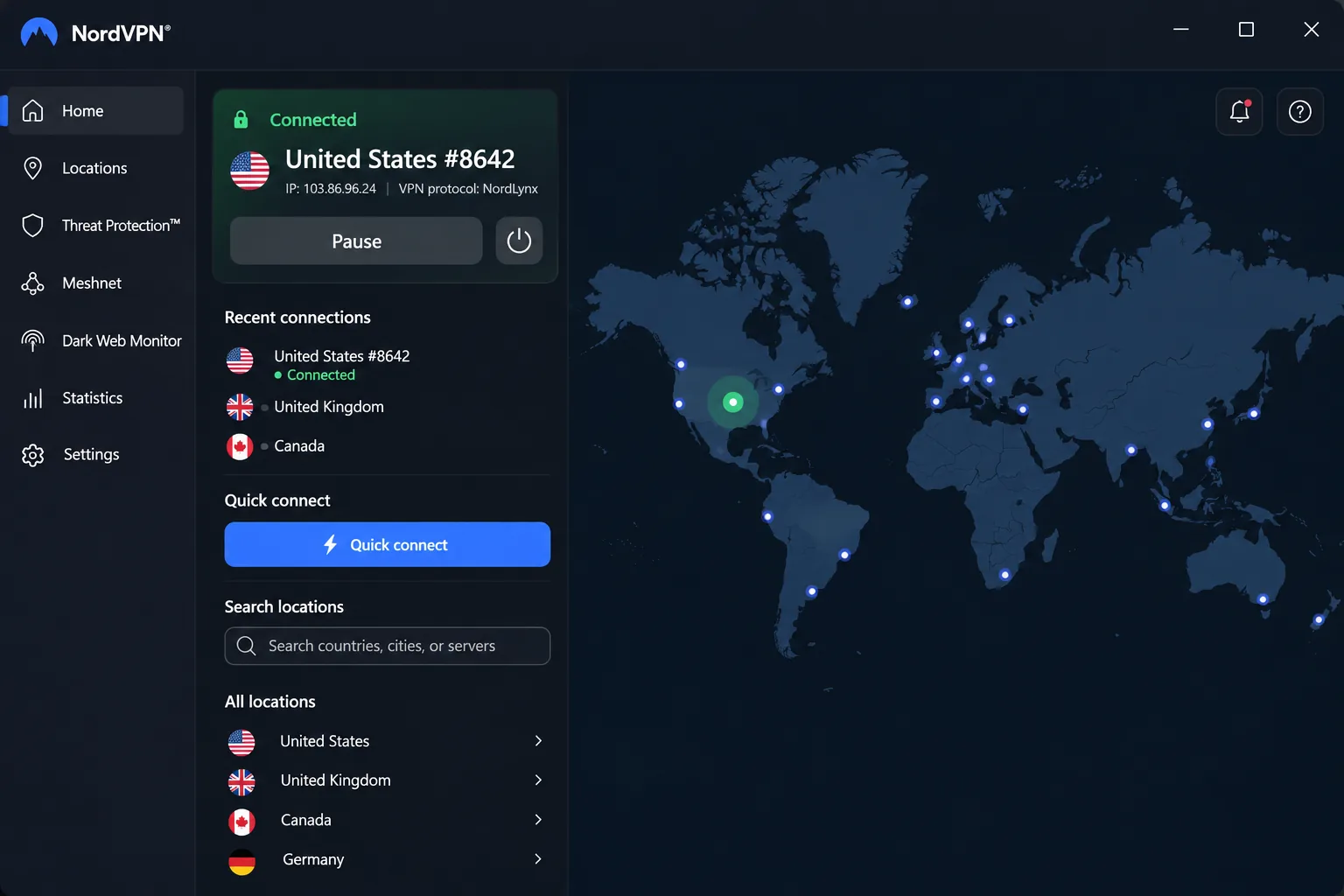
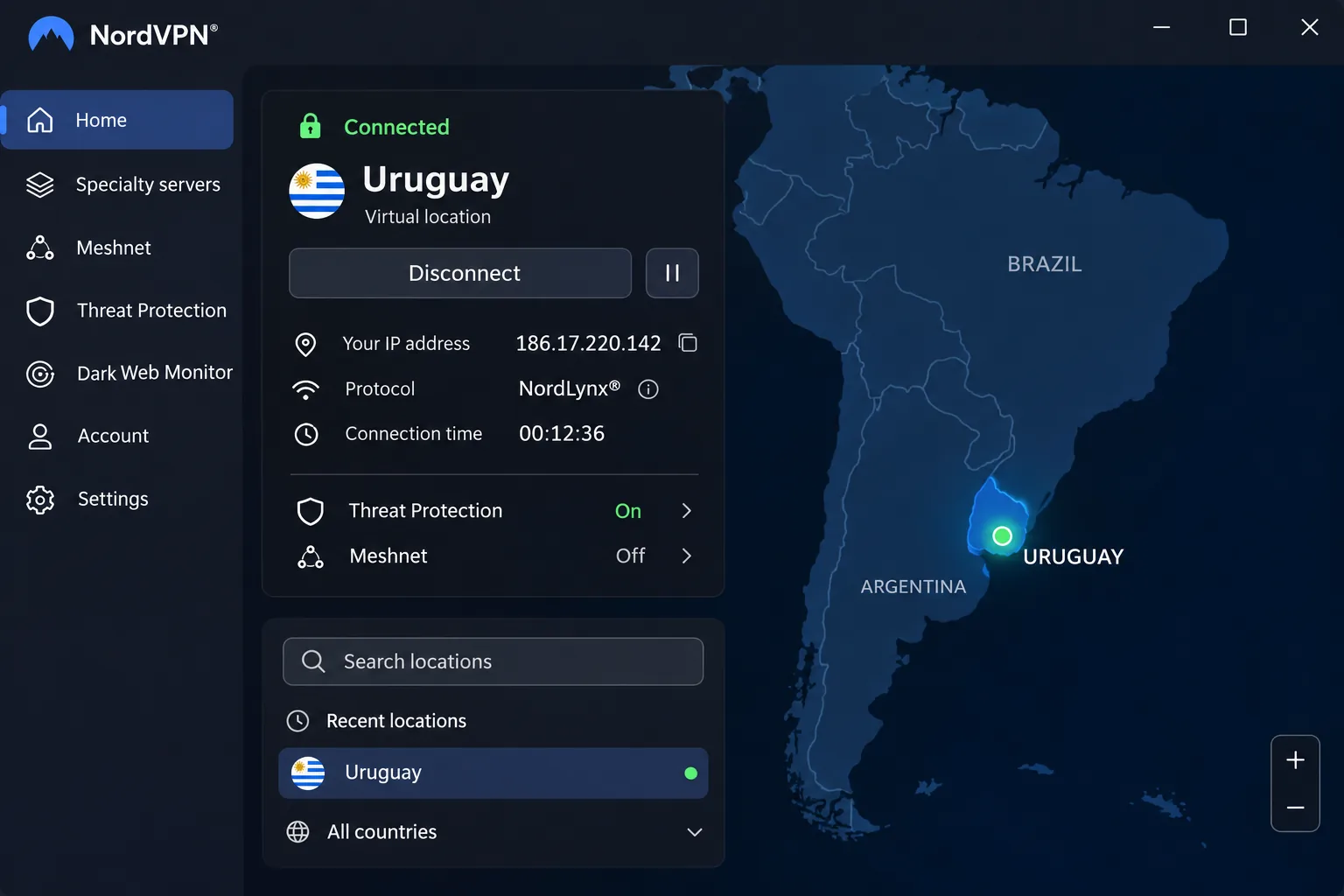
NordVPN earned the top spot because it handled the two jobs most people need in Uruguay without fuss. Its Uruguay location is virtual, so you get a Uruguayan IP while the server hardware sits in another country NordVPN doesn't name. When we connected to it from abroad, Uruguayan shows such as MasterChef Uruguay opened without trouble.
Speed held up just as well. On NordLynx we lost only a few percent against our unprotected connection on nearby servers. On a 100 Mbps line, the Uruguay location measured 83.82 Mbps down and 44.64 Mbps up, though those figures shift with the time of day and the location's real host.
Beyond local TV, NordVPN reached Netflix, Prime Video, Disney+, Max and YouTube TV in our testing, and UK streaming almost always worked. We did hit one quirk. When the connection dropped mid-session, the kill switch cut the stream outright instead of switching regions, so a Netflix episode stopped until we reconnected.
Leave Double VPN off for streaming and video calls, since it cuts speed by about 80% on average. The toolkit also includes obfuscated servers, Threat Protection, Meshnet and DNS leak protection. Manual setup works on over 20 router models. NordVPN cites 7,000+ servers in 150 countries, though its totals shift as virtual locations are added.
Basic costs $3.49/month on the 2-year offer ($94.23 for the first 27 months), then renews at $139.08/year. Rotating promotions move that monthly figure between about $2.91 and $3.49. Tax is added at checkout. Every plan carries a 30-day money-back guarantee.
Pros
- Audited no-logs policy under Panama jurisdiction
- NordLynx speeds close to an unprotected connection
- Dependable access to Netflix, Prime Video, Disney+ and Max
- Live chat answered us within minutes
Cons
- 10-device cap is tight for larger households
- Fire TV app crashed repeatedly, and the desktop app is less approachable than rivals'
- Renewal price rises sharply after the first term
2. Surfshark - Best value with unlimited devices
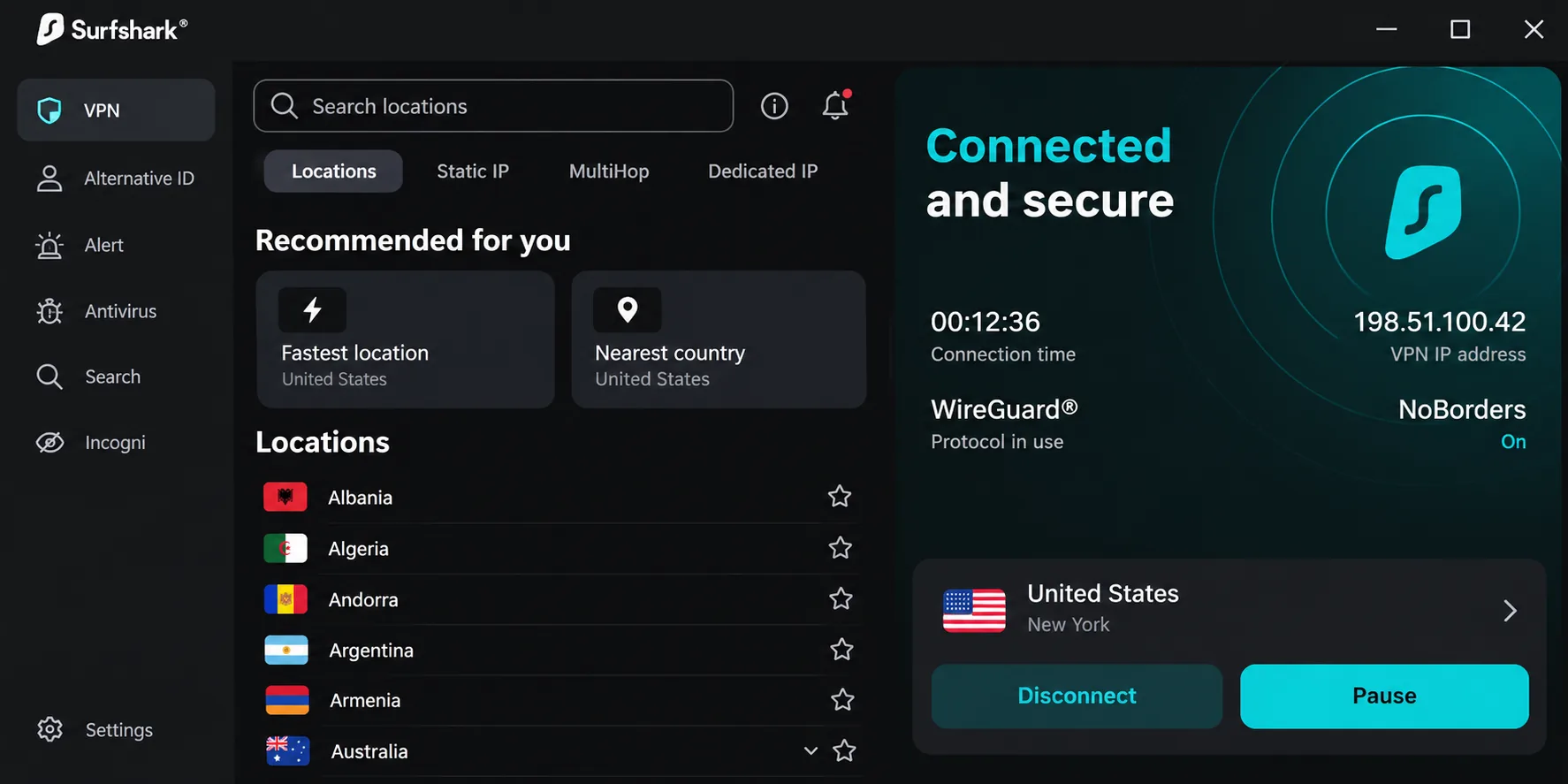
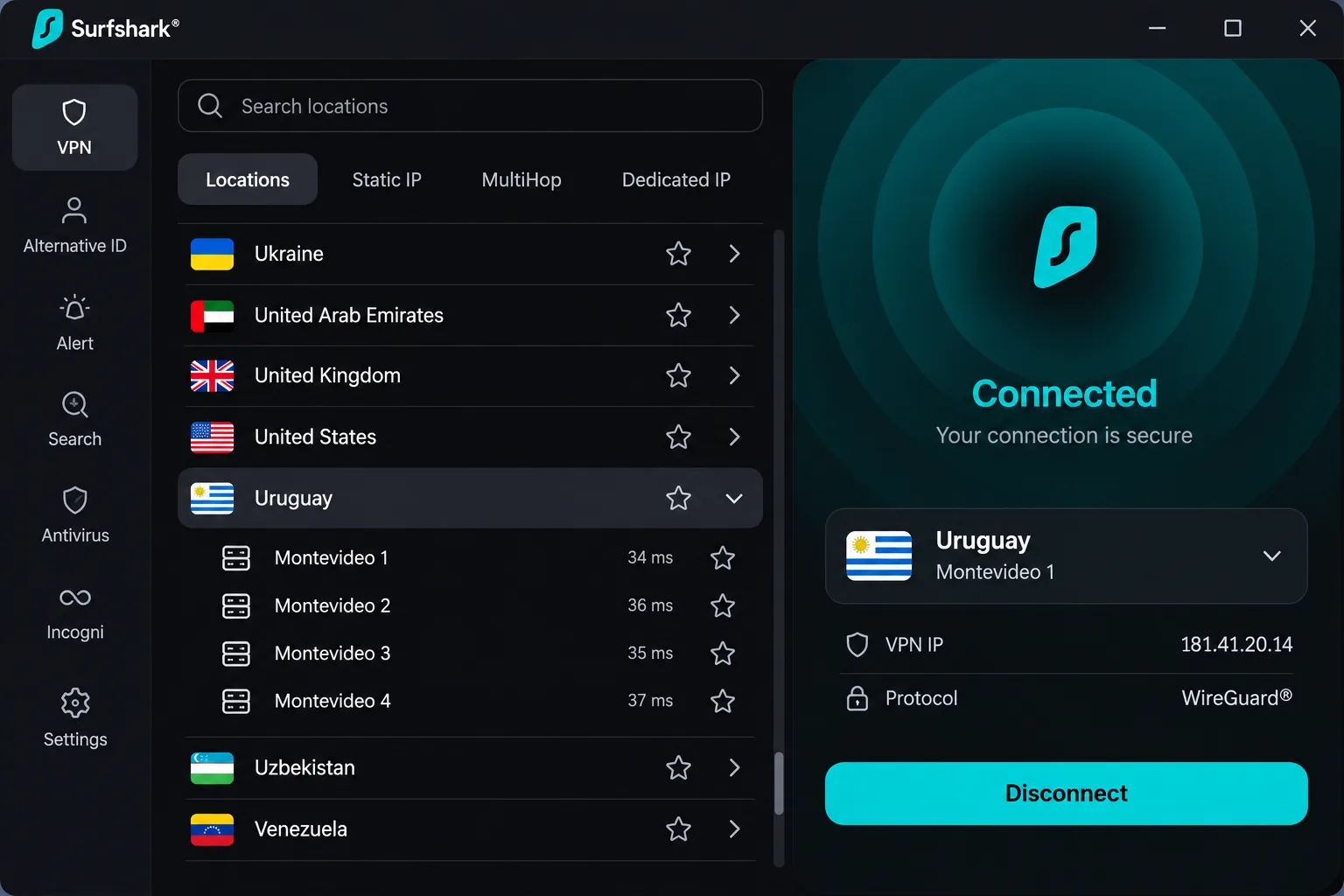
Where NordVPN caps you at 10 devices, Surfshark puts every phone, laptop and TV in the house on one subscription. It also gives you more to choose from in Uruguay, with 4 servers labelled Montevideo in its list. The Uruguay location was easy to find in the app and connected without issues, and Teledoce episodes streamed lag-free over it.
Surfshark doesn't say whether those servers are physical or virtual, and server directories mark the location as virtual. If one Montevideo server feels sluggish, switch to another. On a 45 Mbps Claro connection in Uruguay, Surfshark held 39 Mbps. That's a good result on a slow base line, though faster lines won't mirror it in absolute terms.
Netflix is a strength. Surfshark changed Netflix regions without a hitch in our testing and consistently got past the service's VPN detection. It passed DNS and WebRTC leak tests too, including during active video calls. We noticed it loses more speed on Windows than on Mac, and Dynamic MultiHop slows the connection noticeably.
Apps cover every major platform, including Apple TV and Fire TV. Features include WireGuard, OpenVPN, IKEv2 and Surfshark's Dausos protocol, CleanWeb ad and malware blocking, Camouflage Mode obfuscation and RAM-only servers. The network covers 4,500+ servers in 100 countries under Netherlands jurisdiction. Deloitte's 2025 no-logs audit verified that connection IPs are deleted within 15 minutes of a session ending.
Starter and One cost $2.49/month ($67.23 for the first 27 months). These are introductory prices, and the higher renewal rate isn't shown on the pricing page. A 30-day money-back guarantee applies, plus a 7-day trial on Mac, Android and iOS.
Pros
- Unlimited simultaneous devices on one plan
- Several Montevideo servers to switch between
- Consistent Netflix access across regions
- Bypasser keeps VPN-hostile sites outside the tunnel
Cons
- Kill switch is not enabled by default
- Virtual Uruguay servers can be less dependable than physical ones
- Renewal price is not disclosed upfront
3. Proton VPN - Best for privacy (and the safest free tier)
If Surfshark is about value, Proton VPN is about trust. We ran it through ipleak.net across a wide spread of server countries and saw no IPv6, DNS or WebRTC leaks. It installed and connected in under two minutes, and every setting carries a plain-language explanation of what it does.
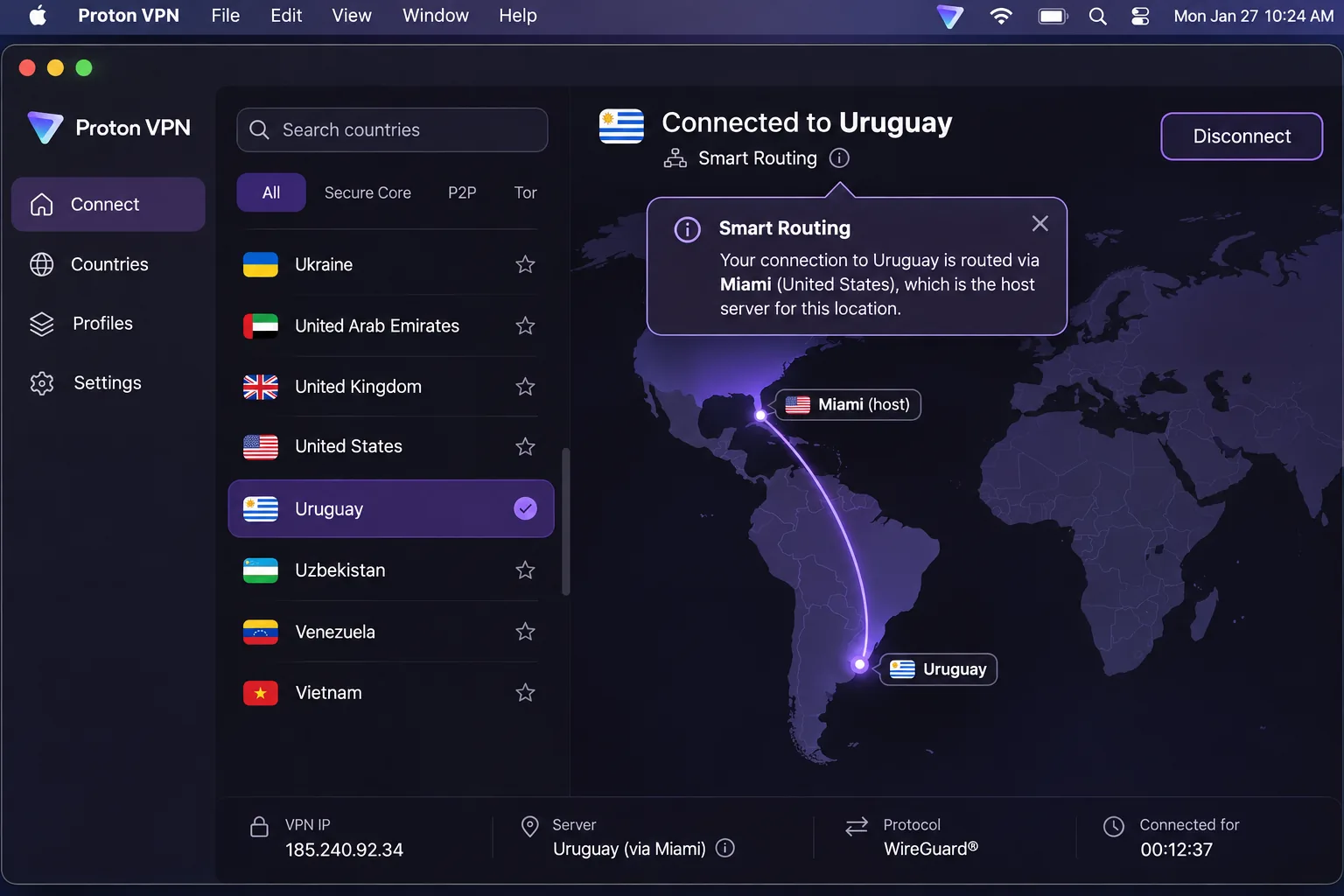
Proton's Uruguay location is a Smart Routing server with its physical host in Miami, and it's on paid plans only. Expect a little more latency than a South American host would give you.
Speed loss was small on WireGuard. In our testing, 4K video loaded in under four seconds without buffering. Download speed fell from 93.7 to 86.1 Mbps, about 8%, while upload dropped about 4%.
The privacy toolkit stands out, with Secure Core multi-hop, Stealth obfuscation, Tor over VPN and a customizable kill switch. The apps are open source and audited. The no-logs policy is independently audited as well, and the network reaches 140+ countries. VPN Plus covers 10 devices.
There are gaps. NetShield blocked most ads for us but missed YouTube ads, and the lack of smart DNS makes consoles and some smart TVs harder to cover. VPN Plus costs $9.99 month to month, or $2.99/month for the first year ($35.88), renewing at $83.88/year. During promotions the $2.99 rate can move between the 1-year and 2-year terms. Proton offers a 30-day money-back guarantee, although its support material differs on whether you get a full or prorated refund.
Pros
- Clean leak tests across many server countries
- Small speed loss on WireGuard
- Swiss jurisdiction with open-source, audited apps
- A free plan with no data cap
Cons
- Uruguay location is hosted in Miami and needs a paid plan
- No smart DNS for consoles and some smart TVs
- Paid plans cost more over the long term than most rivals
4. Private Internet Access - Best for customization
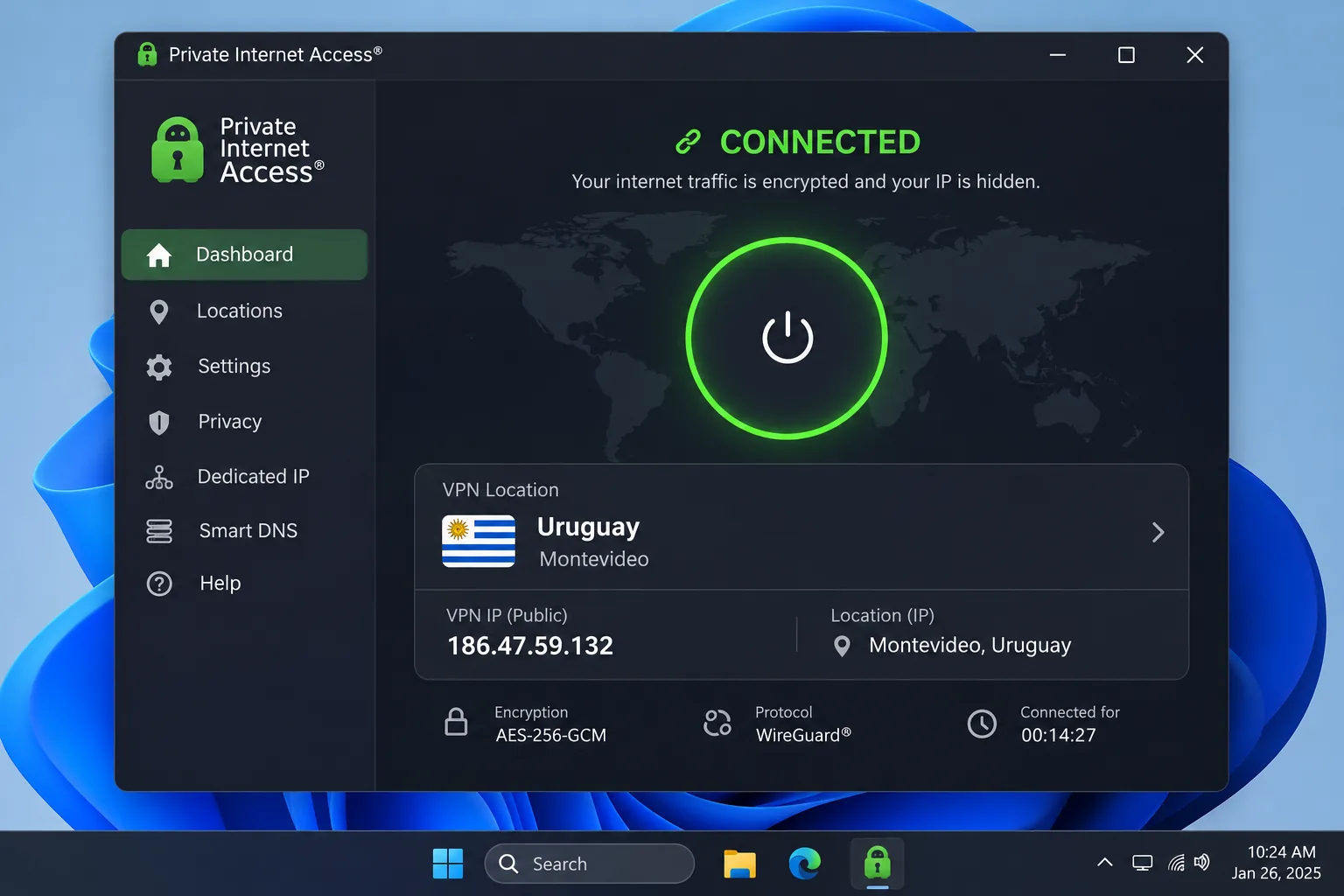
Private Internet Access (PIA) is the VPN for people who like to tune every setting. Its Uruguay server is virtual, so your Montevideo IP comes from hardware outside the country at a host PIA doesn't name. The more interesting result came from its neighbours: PIA's Argentina and Brazil servers reached Uruguayan Canal 10 content for us.
On an unspecified base line, those regional servers ran at 62-72 Mbps, and above 75 Mbps with WireGuard. Across the network, average download slowdown was about 4.84%. Uploads were another story. They dropped by up to 85%, so a large video upload took roughly three times longer than usual.
Streaming takes a little planning. PIA unblocked streaming services only through its dedicated streaming servers in 11 countries, while its regular servers got blocked. The kill switch was more reassuring. It held during server malfunctions, and the Advanced Kill Switch blocked all traffic until a VPN connection was up.
Extras include MACE ad and tracker blocking, port forwarding, split tunneling and Shadowsocks obfuscation, though power-user options such as SOCKS5 multihop take manual setup. The no-logs policy has been tested in court. PIA operates under US jurisdiction and offers servers in 180 locations.
The monthly plan costs $11.95, and the 1-year plan costs $3.99/month. The lowest offer is $2.03/month on a 3-year plan with 4 extra months, renewing at $81.20 every 3 years. PIA moves that price between terms during sales. New subscribers get a 30-day money-back guarantee.
Pros
- Small average download slowdown
- Advanced Kill Switch blocks traffic until the tunnel is up
- Argentina and Brazil servers reached Canal 10 content
- Unlimited connections and deep customization
Cons
- Uploads drop heavily on the VPN
- Streaming only works through dedicated streaming servers
- Live chat sometimes failed to load, and some answers were slow or inaccurate
5. IPVanish - Best for unlimited connections
PIA also offers unlimited connections, but IPVanish is the one we'd hand to a big household that wants simple apps. We ran six devices at once on a single account with no cap and no noticeable slowdown. The map view makes picking a country quick, and the mobile apps mirror the desktop layout.
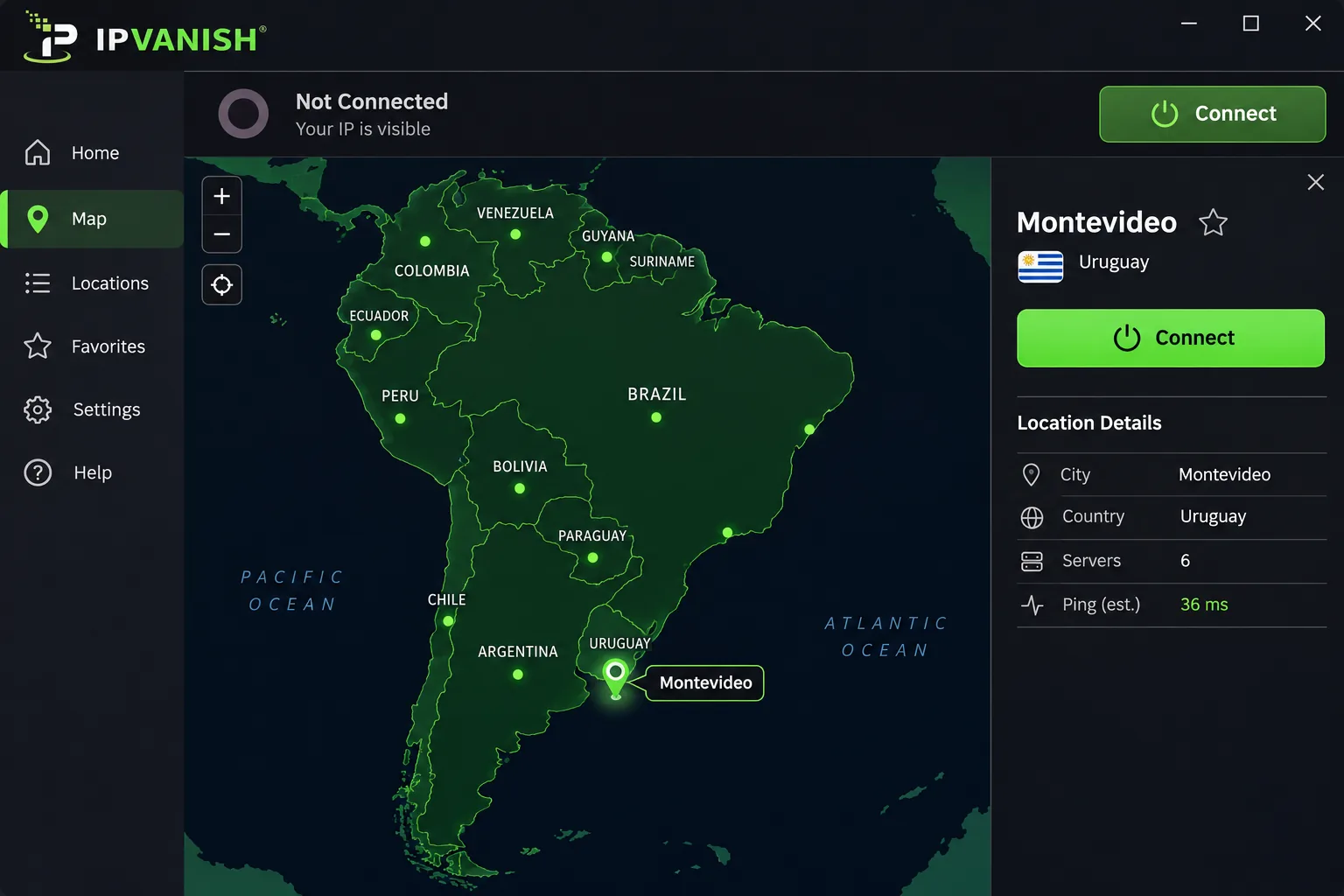
IPVanish's server list includes "Uruguay - Montevideo" under South America, without saying whether it's physical or virtual. The entry is newer than some published roundups, so confirm it in the app before you buy. Its Argentina and Brazil servers reached Canal 10, Canal 4 and Teledoce for us.
Long-distance speed was a pleasant surprise. Downloads stayed near baseline, holding 90.78 Mbps on an Australian server against a 94.6 Mbps baseline, while latency rose from 3 ms to 78 ms. The kill switch cut the connection within a second on forced disconnects, and leak tests came back clean. Note that the kill switch is off by default on Windows and missing on iOS, so turn it on in the Windows app before you connect.
Streaming is weighted toward the US. IPVanish handled US libraries best and international ones less well, and Prime Video sometimes failed. Threat Protection Pro blocked 14 of 15 known malicious test URLs, but it only runs on Windows and macOS. The macOS settings were awkward to reach, and the iOS app is basic.
IPVanish passed a Leviathan Security Group no-logs audit published in April 2022, followed by a later Schellman audit whose published dates differ. It's based in the United States, a Five Eyes country. Essential costs $2.19/month on the 2-year plan ($52.56 for 24 months) and renews at $89.99/year. Plans were restructured in late 2026, so expect these figures to shift. The 30-day money-back guarantee covers 1-year and 2-year plans only.
Pros
- Six devices at once with no slowdown
- Download speeds stay near baseline on distant servers
- Fast kill switch and clean leak tests
- Neighbouring servers reached Uruguayan channels
Cons
- Kill switch is off by default on Windows and missing on iOS
- Weaker on international streaming libraries
- Renewal rate jumps sharply after the promotional term
6. ExpressVPN - Easy apps with a Uruguay server
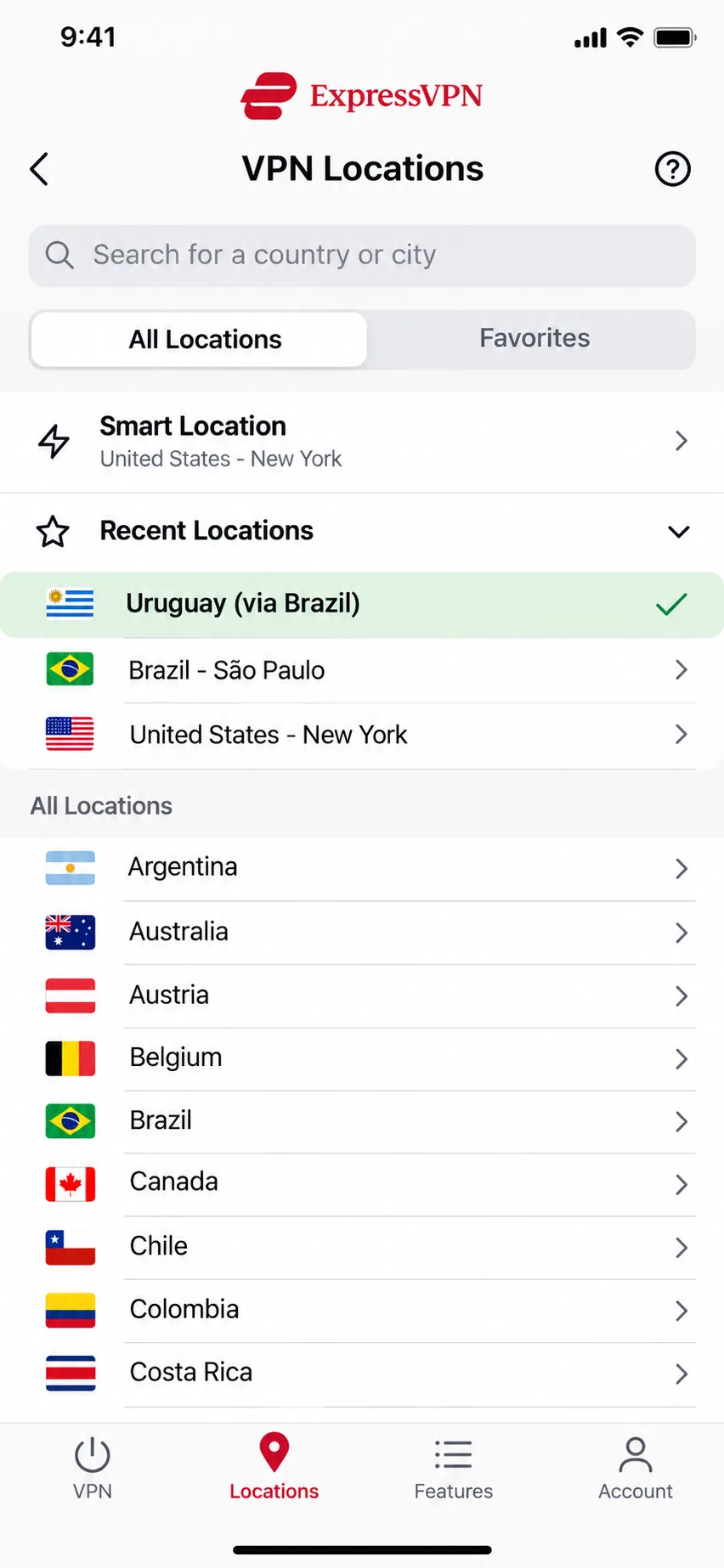
ExpressVPN is the most transparent provider in this lineup about where its Uruguay server lives. The app labels it "Uruguay (via Brazil)", which means a Uruguayan IP running on Brazilian hardware. That server unblocked Teledoce content on the first try after the site had refused us from abroad, and it also opened Canal 10 and Monte Carlo TV.
In heavy day-to-day use, ExpressVPN was rock solid. Network Lock stepped in when a server timed out or the phone switched networks, and the apps passed DNS and WebRTC leak tests. Speed from Uruguay varies widely, though. On 100 Mbps lines, one measurement averaged 33 Mbps over Lightway while another reached 89.42 Mbps down, so results depend heavily on the server and network.
Features include Lightway, private DNS, Threat Manager blocking and RAM-only TrustedServer hardware. KPMG has assessed TrustedServer along with ExpressVPN's privacy-policy claims. The network spans 113 countries under British Virgin Islands jurisdiction.
A few rough edges keep it in sixth place. Email support took almost two days to answer, the app doesn't auto-connect on untrusted Wi-Fi, and split tunneling is missing on newer macOS versions. Basic covers 10 devices and Express Pro 14.
Basic costs $2.99/month ($83.72 for the first 28 months) and renews at $99.95/year. Advanced and Express Pro promo prices changed within a single week, so expect those tiers to keep shifting. New users get a 30-day money-back guarantee.
Pros
- Clear "via Brazil" labelling for the Uruguay server
- Opened Teledoce, Canal 10 and Monte Carlo TV
- Stable connection with Network Lock during network changes
- Obfuscation on every server
Cons
- Costs more than most of this lineup after renewal
- Device cap is limited on the cheaper tiers
- Slow email support
How we tested VPNs for Uruguay
We judged every provider on the questions that matter for Uruguay. Can it give you a Uruguayan IP, how fast is it, does it leak, and does it open the content you care about?
- Uruguay location: whether each provider lists Uruguay, and whether that server is physical or virtual.
- Speed: how much speed each VPN keeps against an unprotected connection, mostly on WireGuard-based protocols.
- Leaks and kill switches: DNS and WebRTC leak tests, plus forced disconnects to see whether traffic escaped.
- Streaming: Uruguayan channels such as Teledoce, Canal 10 and Monte Carlo TV, plus Netflix and other home libraries.
- Value: device limits, refund terms and the renewal price, not only the first-term deal.
Our speed figures come from different base lines, from a 45 Mbps Claro connection in Uruguay to 100 Mbps lines. Read them as how much speed each VPN keeps, not as a number you'll see at home.
Why use a VPN in Uruguay?
You use a VPN in Uruguay for privacy and access, not to get around censorship. It protects your data on shared networks, gets you a Uruguayan IP when you're abroad, and keeps your home streaming apps working while you're in the country.
Public Wi-Fi in Montevideo, Punta del Este, and on the road
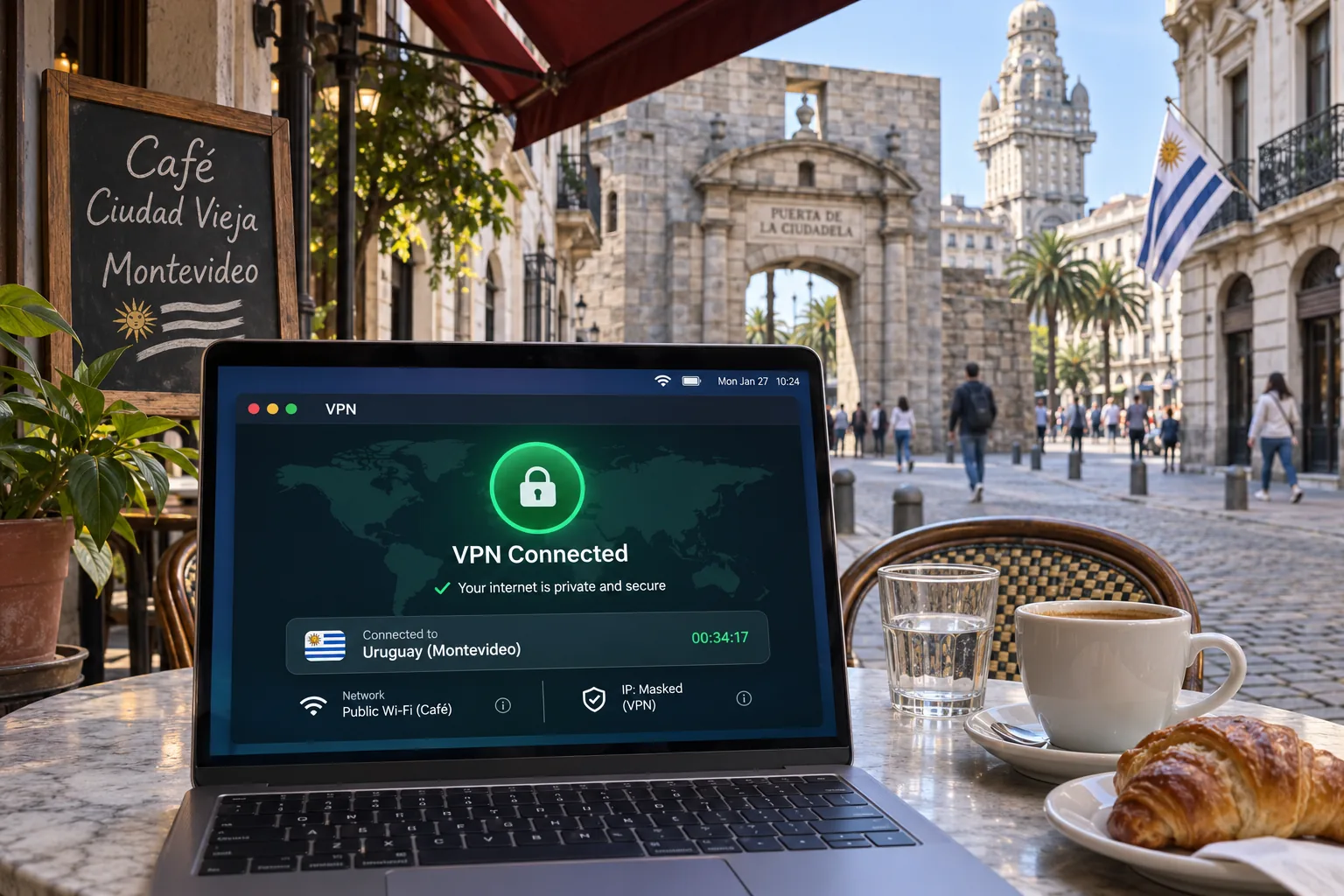
Hotel, airport and café networks are shared with strangers, and you rarely know who runs them. A VPN helps protect you by encrypting your connection with AES-256, so other people on the network can't read what you send. That's the "military-grade encryption" on every marketing page. Choose a VPN that turns itself on for you. PIA can auto-connect on untrusted Wi-Fi, and we cover more options in our guide to the best VPN for public Wi-Fi.
Streaming your home services and Uruguayan TV
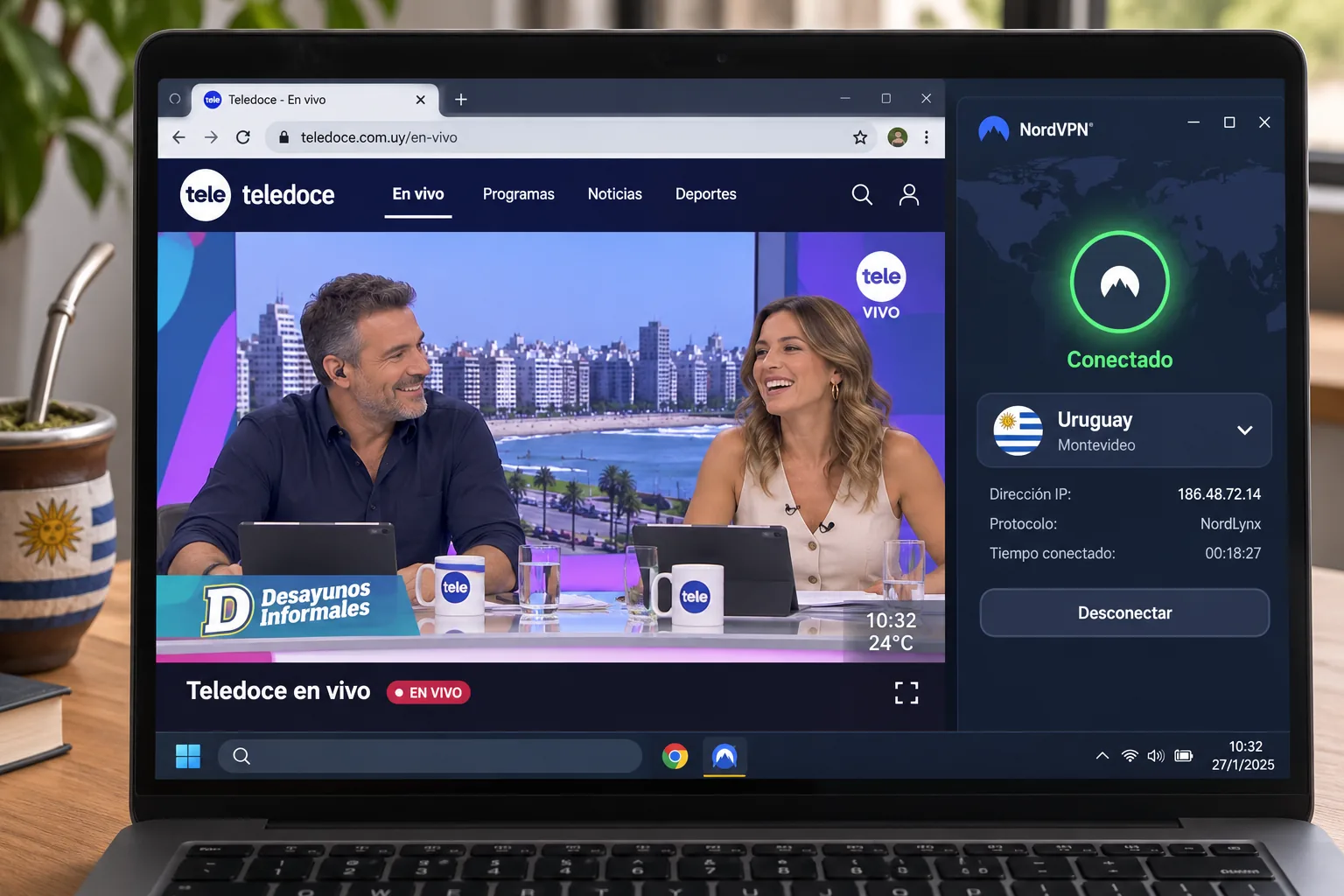
Streaming works in two directions. Abroad, a Uruguayan IP opens local broadcasters such as Teledoce (Canal 12), Canal 10 and Canal 4. Antel's platform, Antel TV (formerly Vera TV), also carries channels 4, 10 and 12, but we haven't confirmed that it plays from abroad through a VPN. Some of its free promotions only work for viewers on Antel's own fixed or mobile network, which a VPN IP can't provide.
In Uruguay, US services such as Hulu, Peacock and CNN Go aren't available without a foreign IP. A VPN lets you connect to a server back home and keep watching what you already pay for. Here's what each of our picks reached during testing:
| Provider | Uruguayan content we reached | Server used |
|---|---|---|
| NordVPN | Shows such as MasterChef Uruguay | Uruguay (virtual) |
| Surfshark | Teledoce, lag-free | Uruguay (Montevideo) |
| ExpressVPN | Teledoce, Canal 10, Monte Carlo TV | Uruguay (via Brazil) |
| IPVanish | Canal 10, Canal 4, Teledoce | Argentina and Brazil |
| Private Internet Access | Canal 10 | Argentina and Brazil |
Unblocking a foreign catalogue can breach a streaming service's terms of service, even though the VPN itself is legal. For a wider list of streaming picks, see our roundup of the best VPNs for streaming.
Remote work, travel, and long stays
Long stays raise a different problem: accounts back home that flag foreign logins. A server in your home country helps with those accounts and with your work tools. Some banking sites block VPN IPs entirely, and split tunneling (Surfshark's Bypasser, for example) lets you keep those sites outside the tunnel. If you move between several countries, our guide to the best VPN for travel covers apps built for life on the road.
How to get a Uruguayan IP address with a VPN
To get a Uruguayan IP, you install a VPN that lists Uruguay, connect to that location, and then confirm the result on a leak-test site. The whole process takes a few minutes.
Setting up the VPN step by step
- Pick a provider from our list that offers Uruguay on your plan. Proton VPN needs a paid plan for Uruguay.
- Download the app from the provider's site or your device's app store, then sign in.
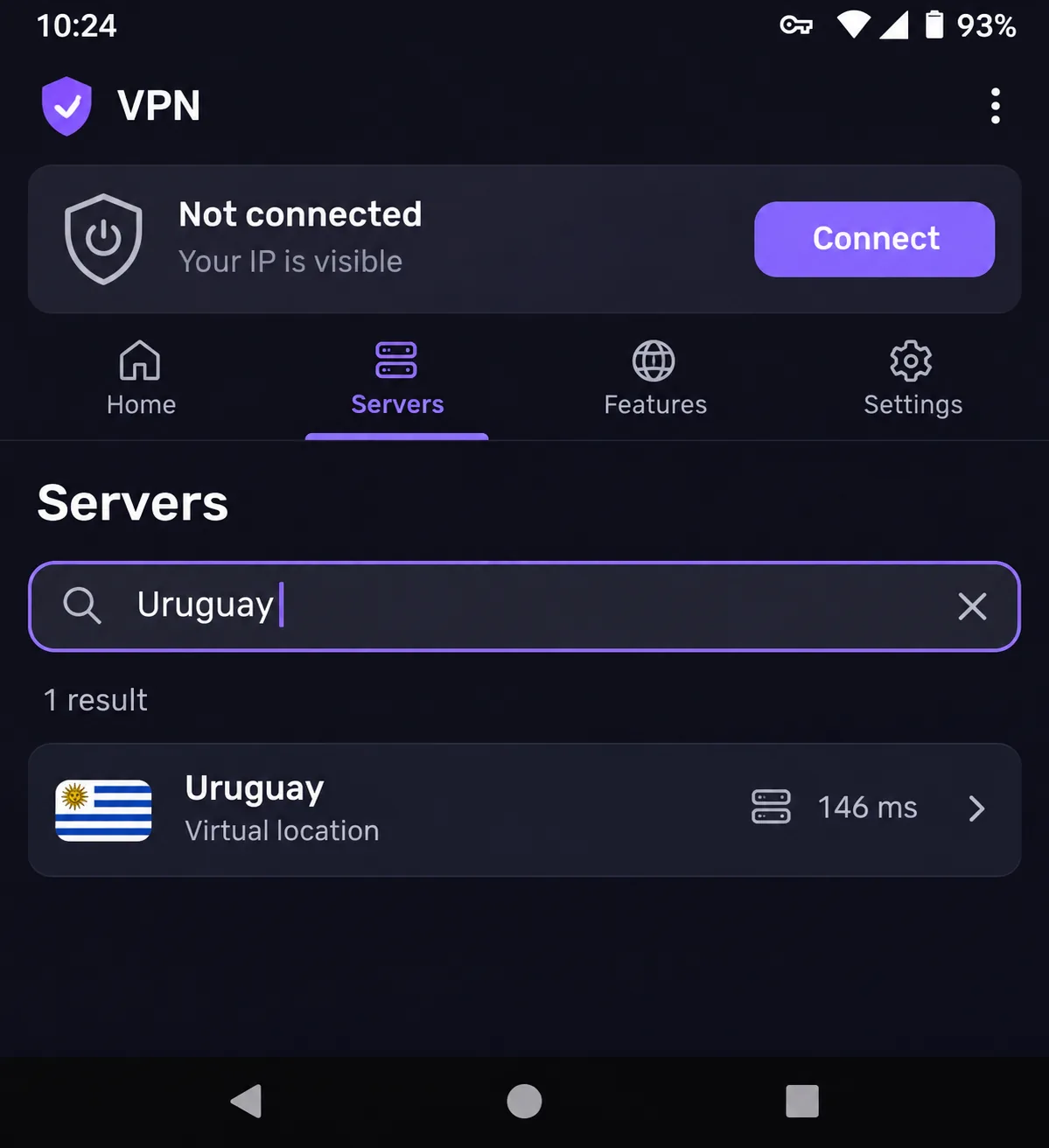
- Open the app's server list and search for "Uruguay".
- Connect to the Uruguay location. PIA and ExpressVPN label it as a virtual location, and Surfshark lists four Montevideo servers.
- Turn on the kill switch before you start streaming. Surfshark and IPVanish (on Windows) ship with it switched off.
- Run a leak test before you rely on the connection.
If a Uruguay server feels slow, try a nearby country first. Argentina and Brazil servers often keep more speed, and on PIA and IPVanish they still reached Uruguayan channels for us.
Checking that your IP and DNS show Uruguay
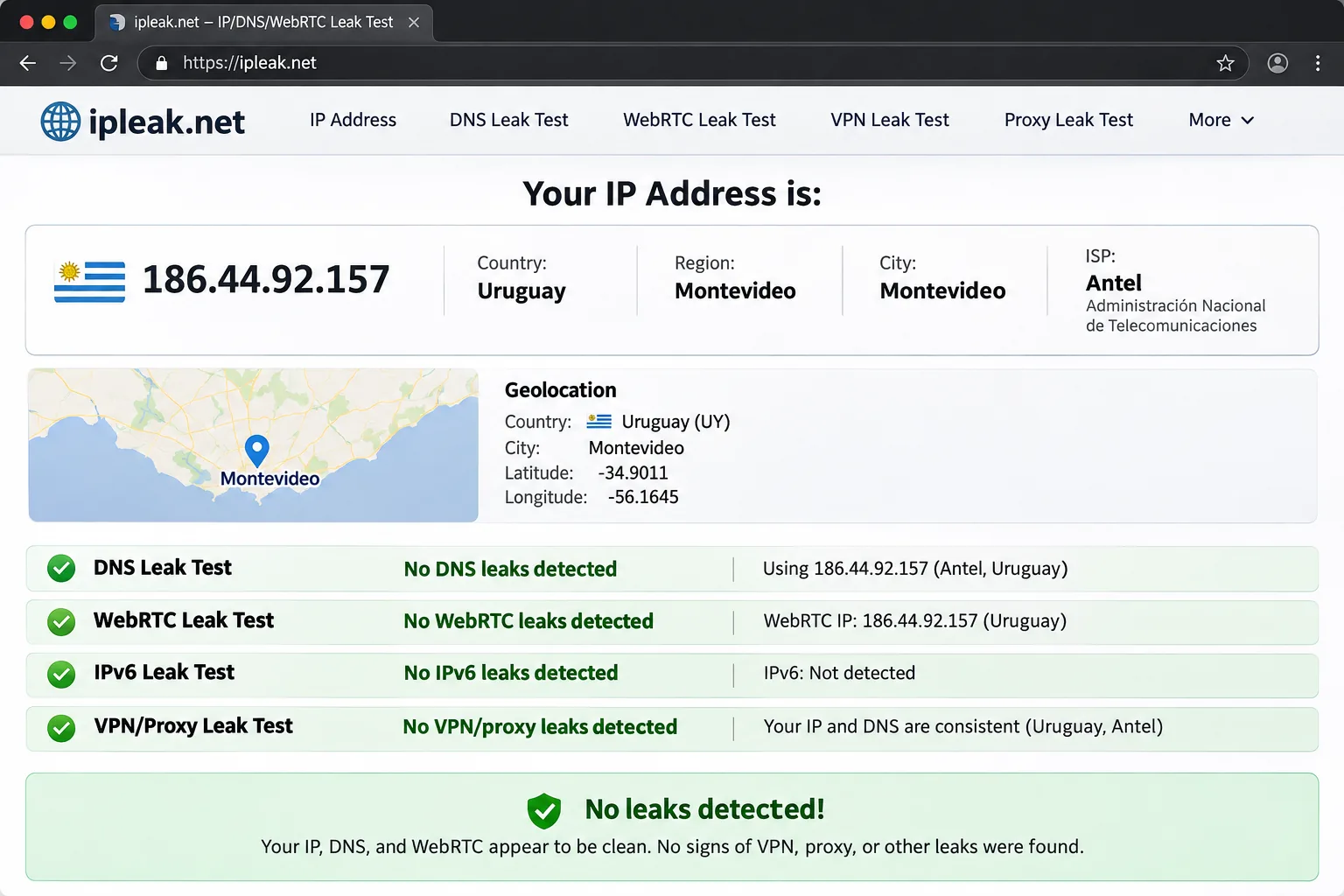
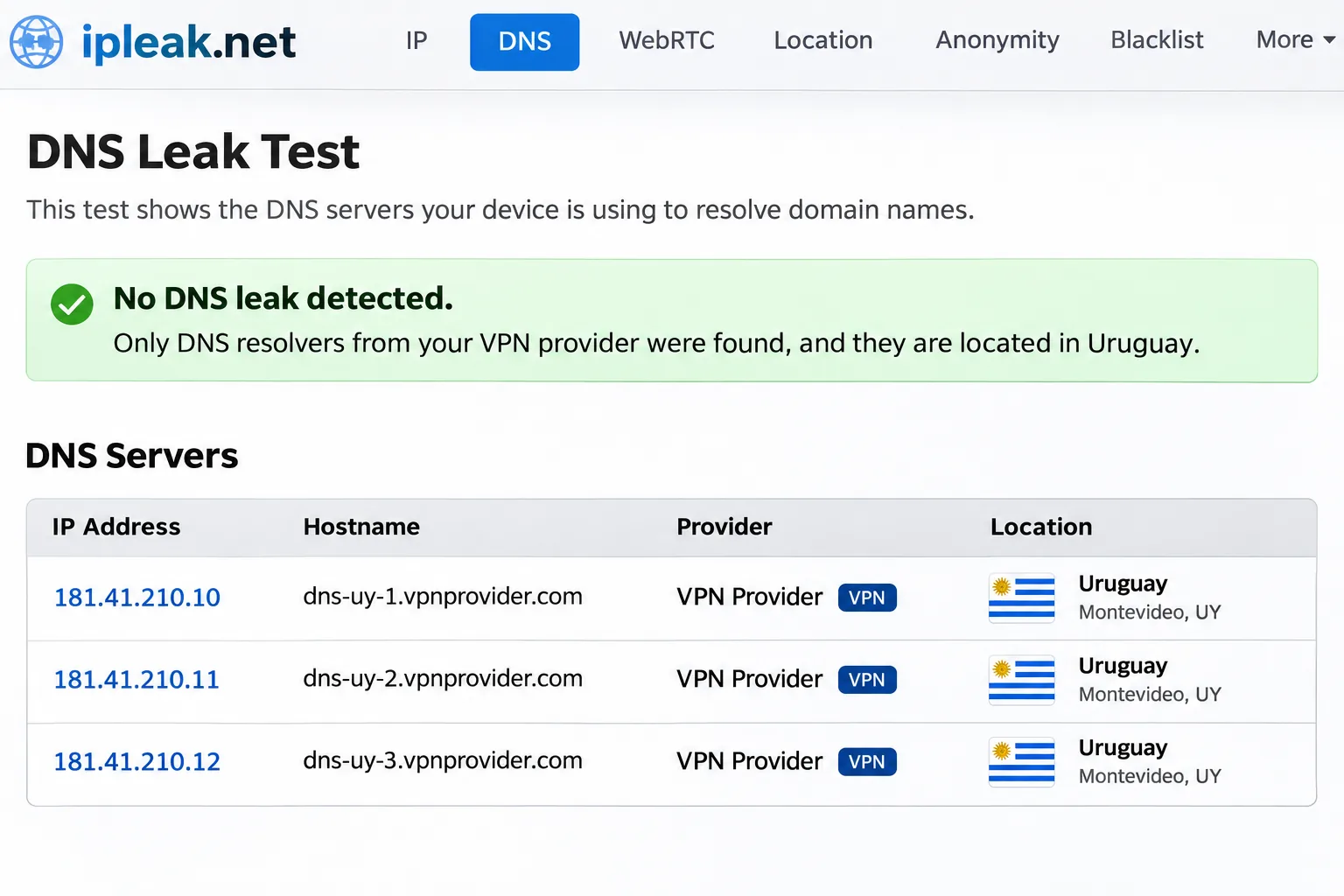
With the VPN connected, run a leak test on ipleak.net. The tool shows your public IP with its ISP and location, then checks WebRTC and the DNS resolvers your browser is using. The IP and the geolocation map should both show Uruguay, and no address from your real ISP should appear in the WebRTC or DNS results.
If your ISP shows up in the DNS list, turn on the app's DNS leak protection and test again. Our guide on how to test for DNS leaks walks through the fixes in more detail.
Is using a VPN legal in Uruguay?
Yes. Using a VPN is legal in Uruguay, and no law prohibits it. Freedom House rates Uruguay as Free, with a score of 97/100 in its 2026 report.
That score covers political rights and civil liberties, not internet freedom specifically. Still, it describes an open country where using privacy tools such as a VPN carries no legal risk.
Internet freedom and privacy in Uruguay
Uruguay's internet is open and uncensored, so the case for a VPN there is about privacy rather than access. Freedom House doesn't track Uruguay in its separate Freedom on the Net report, so there's no internet-freedom score to cite.
Uruguay also has a dedicated privacy law. Uruguay's data protection law (Ley 18.331) dates from 2008 and set up the URCDP, the data protection regulator that sits within the government agency AGESIC. The law governs how organizations handle your personal data, but it can't stop the operator of a public hotspot from seeing your unencrypted traffic. That's the gap a VPN closes.
Should you use a free VPN in Uruguay?
For most people, no. Free VPNs have to pay their bills somehow, and the usual trade-offs are activity logging, ads, slow speeds and data caps. Few offer a Uruguay server, so they rarely solve geo-access either.
Read the privacy policy before you install any free VPN. If it doesn't clearly say it keeps no activity logs, assume your browsing data is part of the deal.
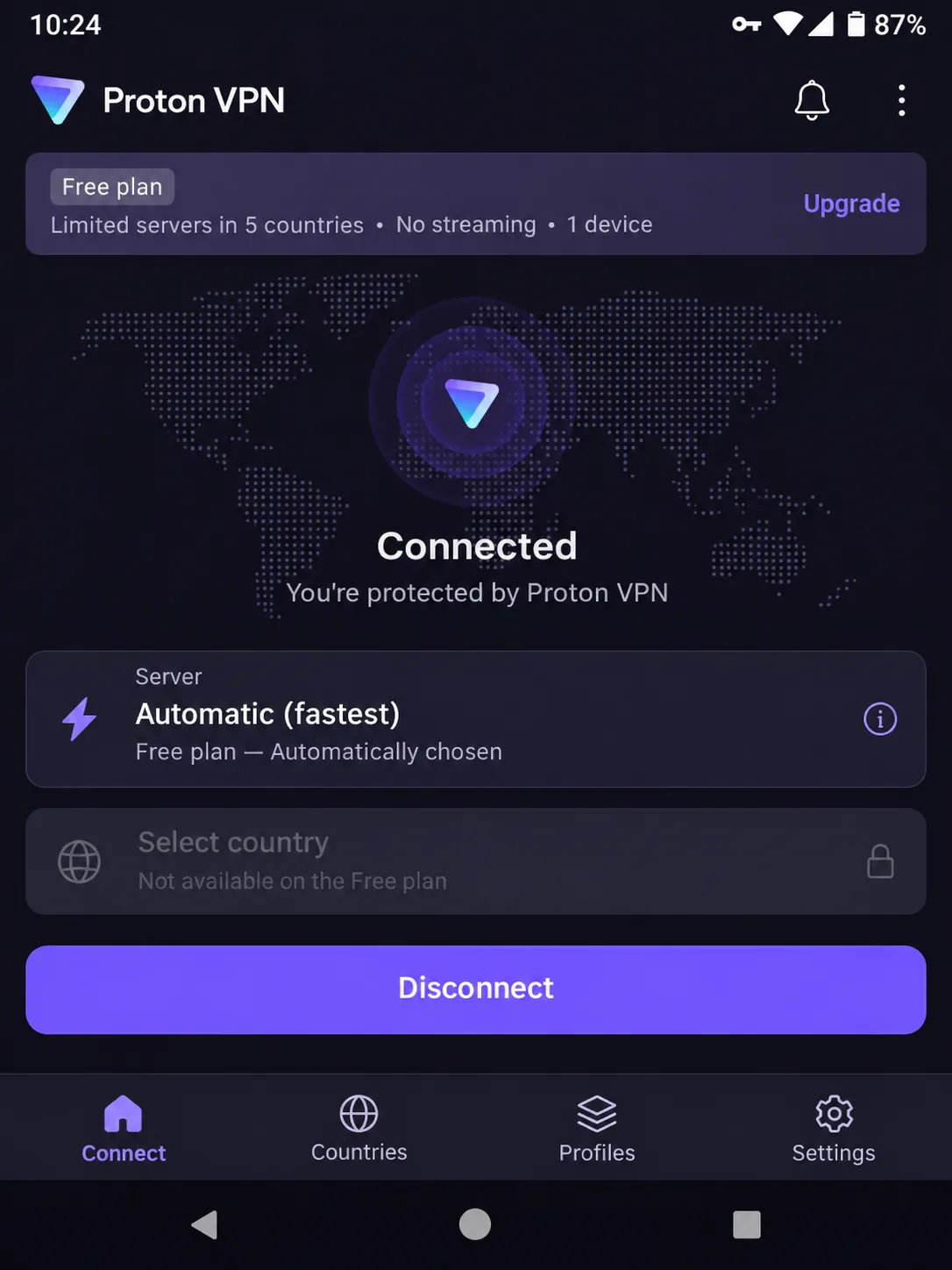
The one free tier we'd use is Proton VPN's. It has no data cap and keeps Proton's no-logs policy. But it picks the server for you, so you can't choose a country or get a Uruguayan IP. Its free servers also slowed down noticeably at busy times. Treat it as public Wi-Fi protection, and pay for a plan if you need Uruguayan TV or reliable streaming.
Frequently asked questions
Is a VPN legal in Uruguay?
Is it safe to use a free VPN in Uruguay?
Should I use a Uruguayan server or one in a nearby country?
Can I use a proxy instead of a VPN in Uruguay?
Does a VPN slow down internet speed in Uruguay?
How do I check my VPN is working and that I have a Uruguayan IP?
Do I need a VPN as a tourist in Uruguay?
Bottom line: which VPN should you use in Uruguay?
NordVPN is the VPN we'd install first for Uruguay. If you need more than 10 devices, Surfshark costs less and covers your whole household. Choose Proton VPN if privacy matters most, PIA if you want to tune every setting, and ExpressVPN if you value a clearly labelled Uruguay server and stable apps over price.