
If you are landing in Lima and plan to work from cafe Wi-Fi, you need a VPN that protects your traffic while you are physically in Peru. If you are abroad and want a Peruvian IP address, you need something different: a server that presents a Peruvian address to the sites you visit. Those are two separate jobs, and the best VPN for one is not always the best for the other.
For most readers, we would start with NordVPN, and the reviews below explain when one of the other four fits you better. Along the way we cover which Peru locations are physical or virtual, what the legal picture looks like, and how to fix the usual connection problems.
Best VPNs for Peru at a glance
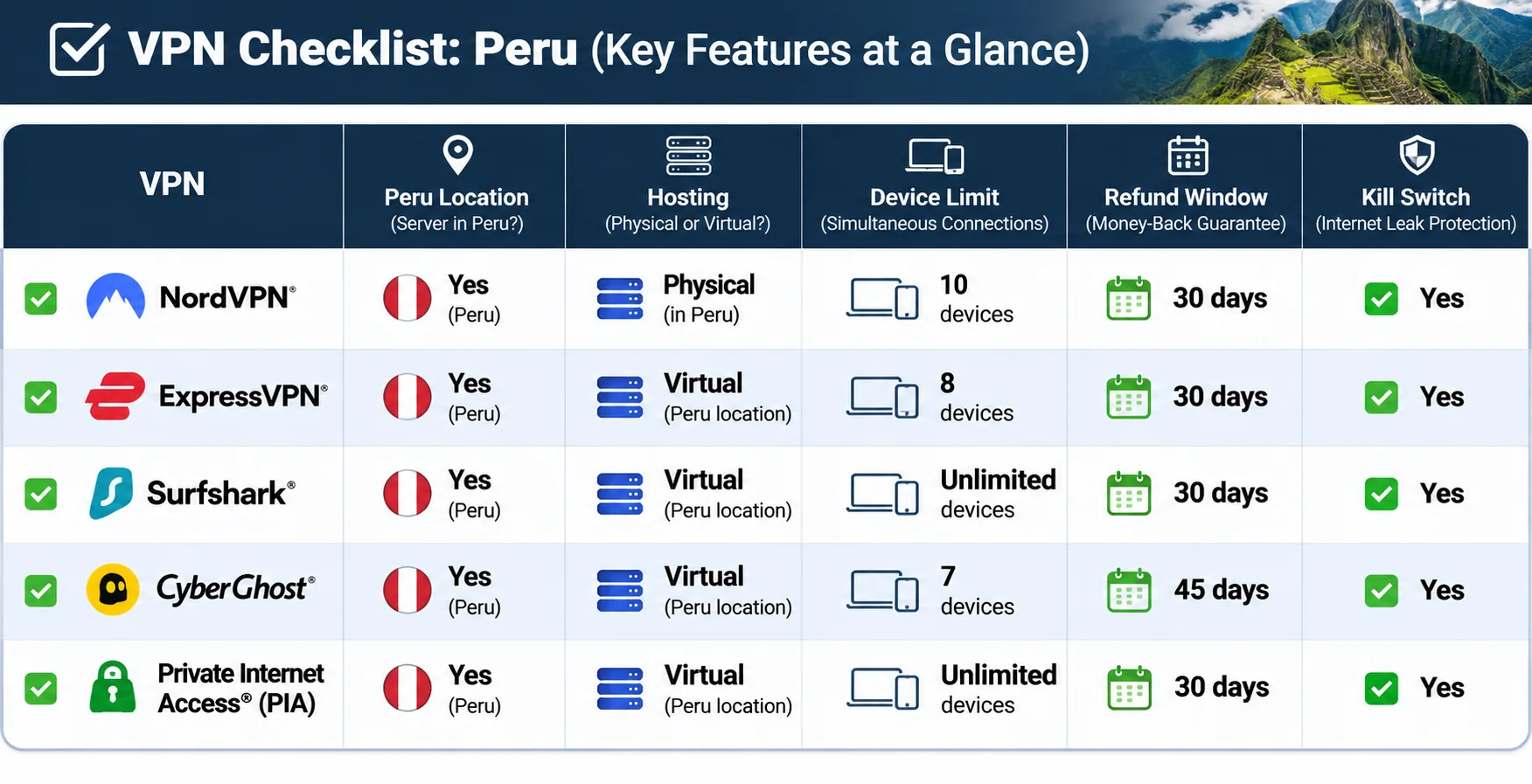
Every provider here lets you choose a Peruvian IP, but the evidence behind that claim differs. Four have official Peru pages. IPVanish does not, because its official pages could not be retrieved, so its Lima endpoint rests on two independent location sources. Hardware location is another point of difference. ExpressVPN's Peru location is virtual and hosted in Brazil, while CyberGhost's Lima servers are virtual with an unstated host country. We could not confirm physical status for the other three.
| Product | Buy | Peru IP support | Physical or virtual | Devices | Streaming use case | Intro price and term | Refund window |
|---|---|---|---|---|---|---|---|
 | Check price → | Current official Peru listing | Not confirmed | 10 | Broad international streaming, some regional failures | Regional EUR 3.49/month equivalent, EUR 94.23 for 27 months | 30-day |
 | Official Peru listing | Not confirmed | Unlimited | Many household devices at once | Regional offer, KRW 2,600/month equivalent for 27 months | 30-day | |
 | Official Peru listing | Virtual, hosted in Brazil | Basic 10, Advanced 12, Pro 14 | Simple setup, major libraries | $2.99/month equivalent, $83.72 for 28 months | 30-day | |
 | Official Lima listing | Virtual, host unverified | 7 | Task-specific server picks | $2.19/month advertised, term labels conflict | 45-day long plans, 14-day monthly | |
 | Lima listed by two third parties | Unspecified | Unlimited | Streaming across many devices | Third-party offers of $2.19 to $2.39/month, checkout unverified | 30-day annual and two-year plans |
Prices are promotional and regional. Renewal pricing is higher, so read the final order summary before you pay.
How we chose the best VPNs for Peru
We compared five well-known paid VPNs on what matters to Peru-bound travelers and expats: whether and how they offer a Peru location, how well they stream and connect, and what you get for the money. We did not test from Lima, and we do not claim Peru-specific speed numbers. What we have are the provider pages, the plan tables, and the app behavior summarized in each review below. We weighed each product on what those support, and we flag anything we could not confirm.
Peru IP availability and physical versus virtual servers
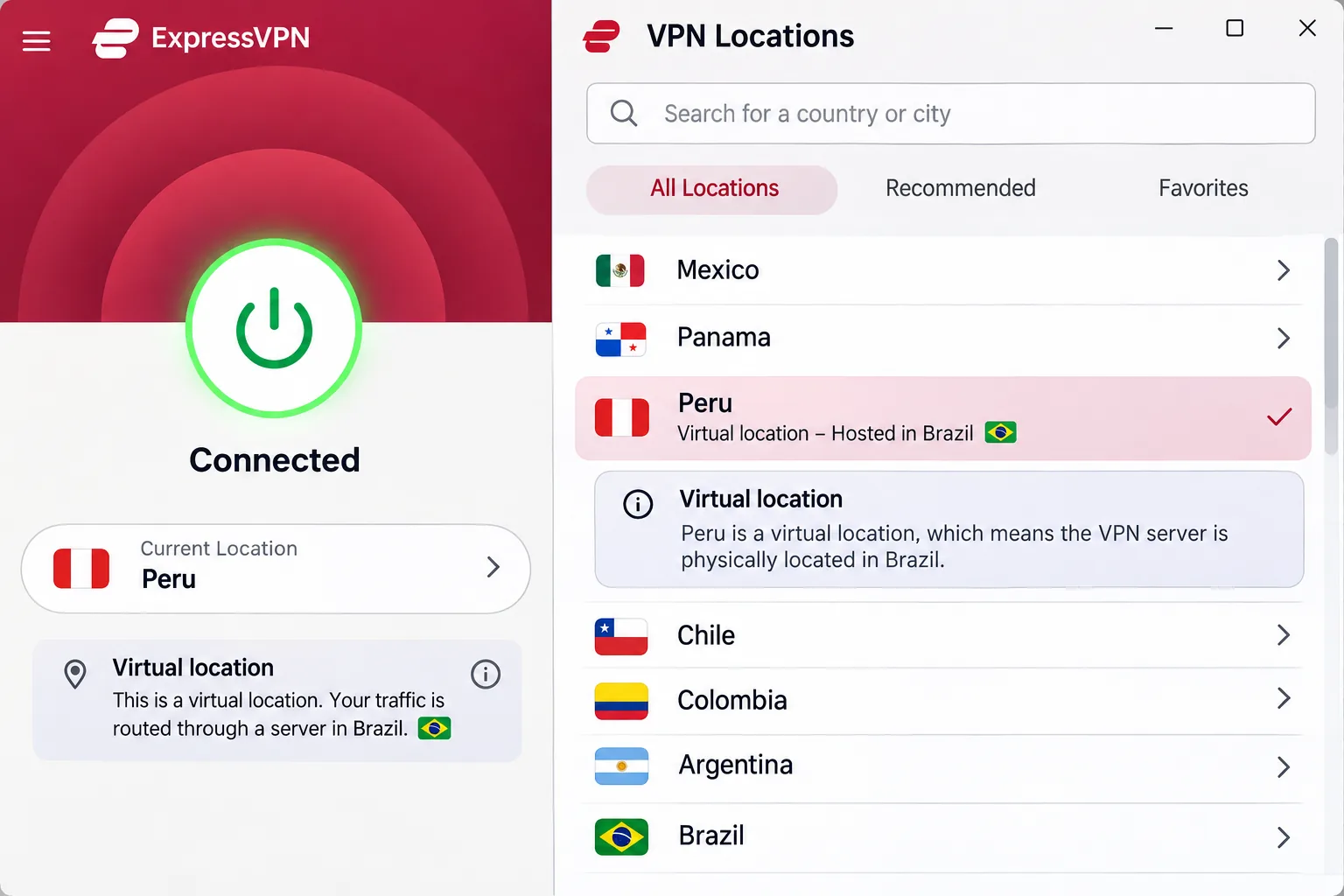
A virtual location supplies an IP for the selected country while the server hardware sits elsewhere, so it can supply a Peruvian IP without a physical Peruvian server. That works for streaming or getting a local-looking IP, but your traffic physically exits in another country. ExpressVPN is explicit that its Peru location is virtual and hosted in Brazil. CyberGhost's Lima servers are virtual, and we do not know the host country. For NordVPN, Surfshark and IPVanish we could not establish physical status, so we do not claim it. If physical location matters to you, ask support before buying.
Connection speed, streaming access and reliability
Speed varies with distance, so we favored providers where nearby endpoints perform well and connections stay stable. We lack a Peru-origin dataset, which means we cannot name a fastest provider for Peru. CyberGhost is enough for streaming but can trail stronger rivals, and IPVanish connections can stay fast and stable for routine streaming and downloads. For streaming, we considered the range of libraries each VPN opens and known failures, such as NordVPN with Netflix Japan and ExpressVPN with US Prime Video.
Privacy, device support and subscription value
We looked at encryption, the kill switch, DNS leak protection, no-activity-tracking policies and device allowances. All five run on Android and iPhone. For value, we compared the refund window and the gap between introductory and renewal pricing. Because the offers we fetched were in euros, won and dollars, we do not convert them or rank on price alone.
The 5 best VPNs for Peru
1. NordVPN
NordVPN is the pick we would hand to most people heading to Peru, and it works for both jobs. NordVPN's Peru page offers a Lima IP through the Peru country selection, and the same app protects you on hotel and airport networks once you are there. Some older review text claims NordVPN has no Peru servers; the current listing shows otherwise, and what you see depends on the live app list. We could not confirm whether the Peru hardware is physical.
Day to day, NordVPN is the calmest of the five to live with. When we started streaming, it usually opened the major libraries without repeated server switching, which saves the tedious cycle of reconnecting until something loads. When we moved from a laptop to a phone, the layout looked familiar enough that we did not have to hunt for settings. We also left its ad blocking on while watching ad-supported streams, and playback did not break. It can still struggle with Netflix Japan and Disney Plus Canada even when other regions work.
On the security side, the app brings a kill switch, DNS leak protection, Double VPN, Onion over VPN, and obfuscated and P2P servers, although feature availability differs by platform. The 30-day refund applies to initial subscriptions. The price we saw was regional (EUR 3.49 a month equivalent over 27 months, renewing at EUR 139.08 a year), so your checkout may differ.
Pros
- Peru location available through the country list
- Streaming libraries usually open without repeated server switching
- Consistent interface across main apps
- 10 simultaneous devices and a 30-day refund window
Cons
- Struggles with Netflix Japan and Disney Plus Canada
- Physical status of the Peru servers is not confirmed
- Renewal price is much higher than the intro offer
2. Surfshark
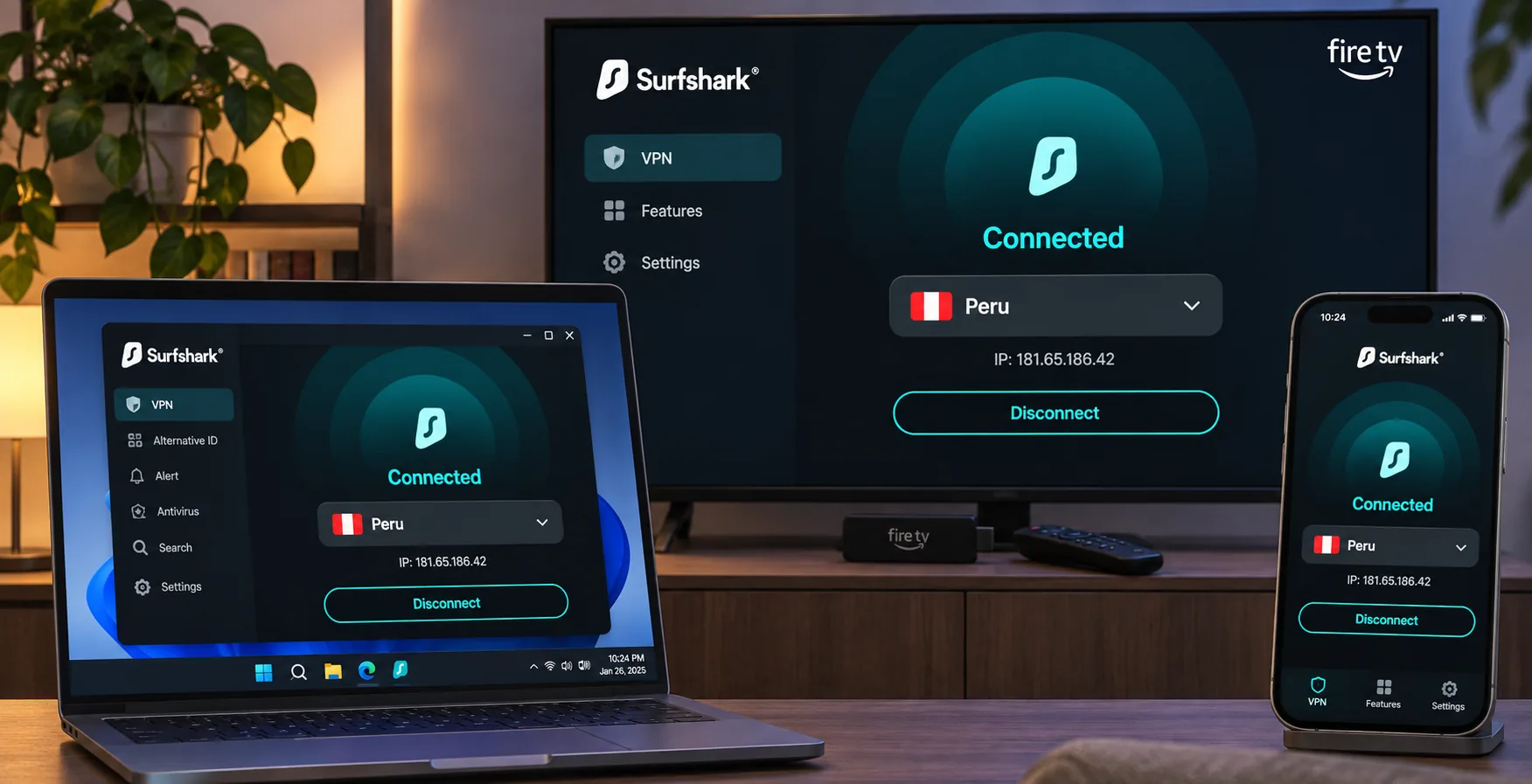
Where NordVPN suits one traveler, Surfshark suits a household or anyone who travels with a pile of devices. Surfshark's Peru page lists Peruvian IP selection, unlimited bandwidth and no cap on simultaneous connections. We ran it on a laptop, a Fire TV and an iPhone at the same time, the way a family shares one account in a rental apartment. All three stayed connected, and we never ran into a limit on simultaneous connections. Whether the Peru servers are physical is not clear from the official table.
The mobile app is the weak spot. VPN controls compete with links to extra paid products, so the menus can feel awkward. The kill switch deserves a careful read too. When we forced a failure on Windows, it kept our IP hidden, but getting the connection back meant restarting the app. In one tested configuration, traffic leaked outside the tunnel after a system reboot. The macOS kill switch can also leak, so behavior differs across desktop platforms. If you rely on the kill switch for sensitive work, test it on your own setup before you travel.
Beyond the VPN itself, Surfshark bundles Bypasser split tunneling, rotating IP, Dynamic MultiHop, ad blocking and Alternative ID, with Antivirus, Alert and Incogni as plan-dependent extras. The 30-day refund is advertised on subscriptions. The regional Korean-won offer we found was equivalent to KRW 2,600 a month for the first 27 months. It was not a Peru quote, so check the price at your own checkout. We could not verify a renewal amount. Surfshark's pricing page shows the current offer for your region.
Pros
- Unlimited simultaneous devices
- Official Peru listing with unlimited bandwidth
- Split tunneling, MultiHop and ad blocking included
Cons
- Kill switch behavior differs between Windows and macOS
- Mobile menus are cluttered with upsells
- Renewal price not verified
3. ExpressVPN
Surfshark suits a crowded household; ExpressVPN suits someone who wants to install the VPN and forget about it. It is also the clearest about how its Peru location works. Its Peruvian IP comes from a virtual Peru location hosted in Brazil. That is fine if you only want a Peruvian address, but it matters if you care about where your traffic physically exits.
Setting it up went smoothly on desktop and mobile. We installed the app, signed in and picked a location, although a laptop restart was needed before the first connection would work. Once we connected, US Netflix and Disney Plus opened reliably, and we had no separate streaming-server list to hunt through. US Prime Video and Australian or Japanese Netflix were another story, since they can fail even when other regions work. The redesigned desktop interface spreads settings across Profile and Add Ons, which makes some controls harder to find than they should be.
The device limit depends on the tier, as the table shows. Its features include the Lightway protocol, kill switch, split tunneling on supported platforms, private DNS, tracker blocking and optional dedicated IP. The USD Basic offer we saw worked out to $2.99 a month, with $83.72 prepaid for 28 months and renewal at $99.95 a year. Taxes may apply. The 30-day refund is for first-time subscribers, and mobile-store purchases follow Apple or Google Play rules.
Pros
- Simple setup on desktop and mobile
- Reliable US Netflix and Disney Plus access
- Honest about its virtual Peru location
Cons
- Peru location is virtual and hosted in Brazil
- Settings are scattered across Profile and Add Ons
- Can fail on US Prime Video and some Netflix regions
4. CyberGhost
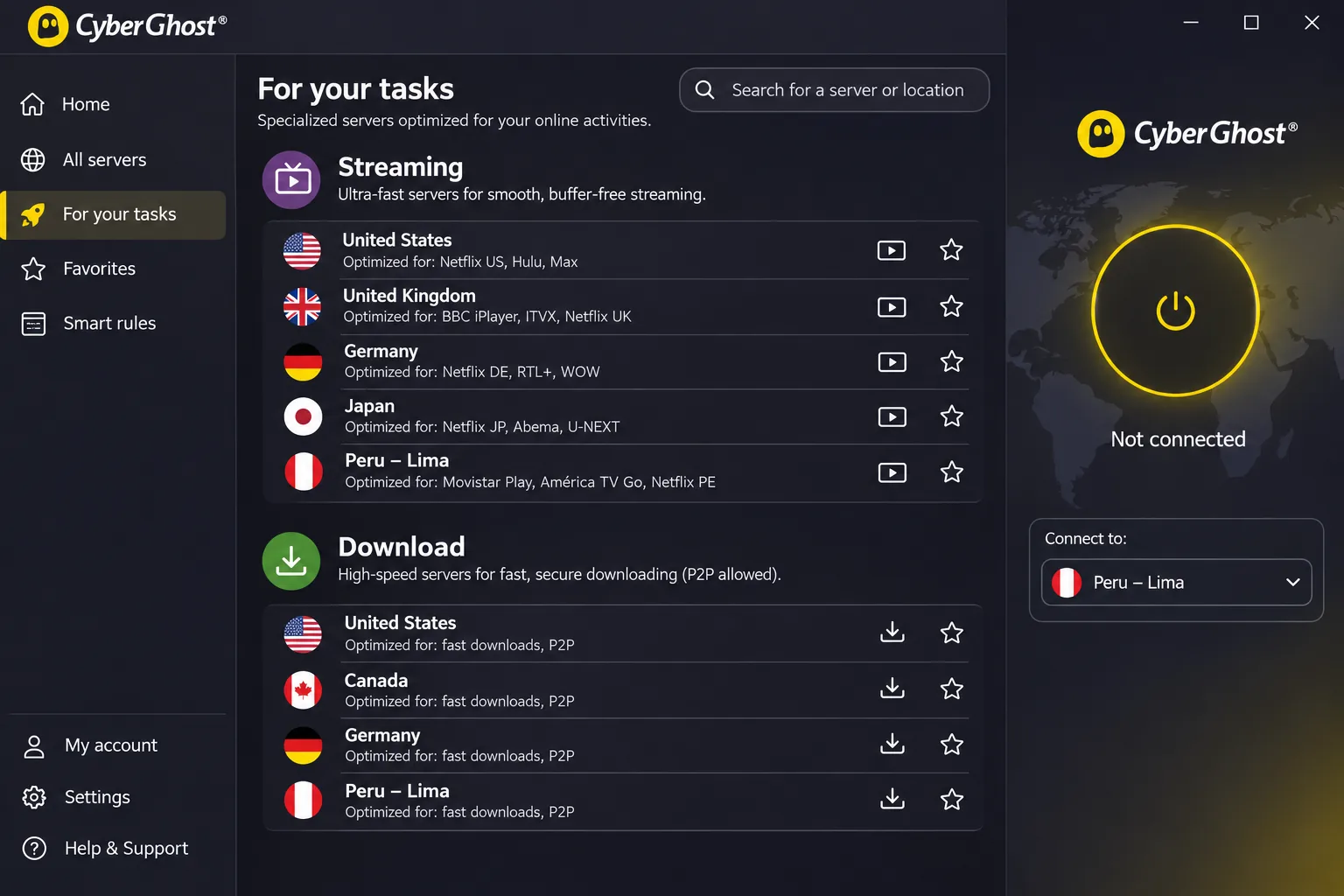
ExpressVPN hides the server list behind a simple screen, while CyberGhost puts it up front and organizes it by task. It is the one to choose if you would rather pick a purpose than hunt through a map. A virtual Lima servers that provide Peruvian IP addresses, with P2P-optimized options and unlimited bandwidth. Because the apps do not clearly label virtual locations, the hardware location is harder to judge from inside the app.
Using the task list to pick an endpoint for streaming or a download was quick, and that is where the app earns its place. Speed is adequate rather than outstanding. It delivers enough for streaming, although performance can fall below the strongest rivals, so we would not call it the fastest option. Swapping between a phone and a laptop was the sore point, because the device-registration system can be frustrating. On Android, split tunneling shows your installed apps, which makes excluding one easy, while Windows uses a more limited domain-exclusion approach. The Windows app needs Windows 10 version 1903 or later, or Windows 11.
CyberGhost has the longest refund window here: 45 days on the six-month and promotional multi-year plans, and 14 days on the monthly plan. The checkout displays $2.19 a month, $61.32 upfront and the same amount at renewal. Its bonus-month labels contradict each other, so confirm the intro term in your order summary.
Pros
- Task-specific server lists
- 45-day refund on long plans
- Easy app exclusion with Android split tunneling
Cons
- Virtual locations are not clearly labeled in apps
- Device registration is awkward when swapping devices
- Speed can trail the strongest rivals
5. IPVanish
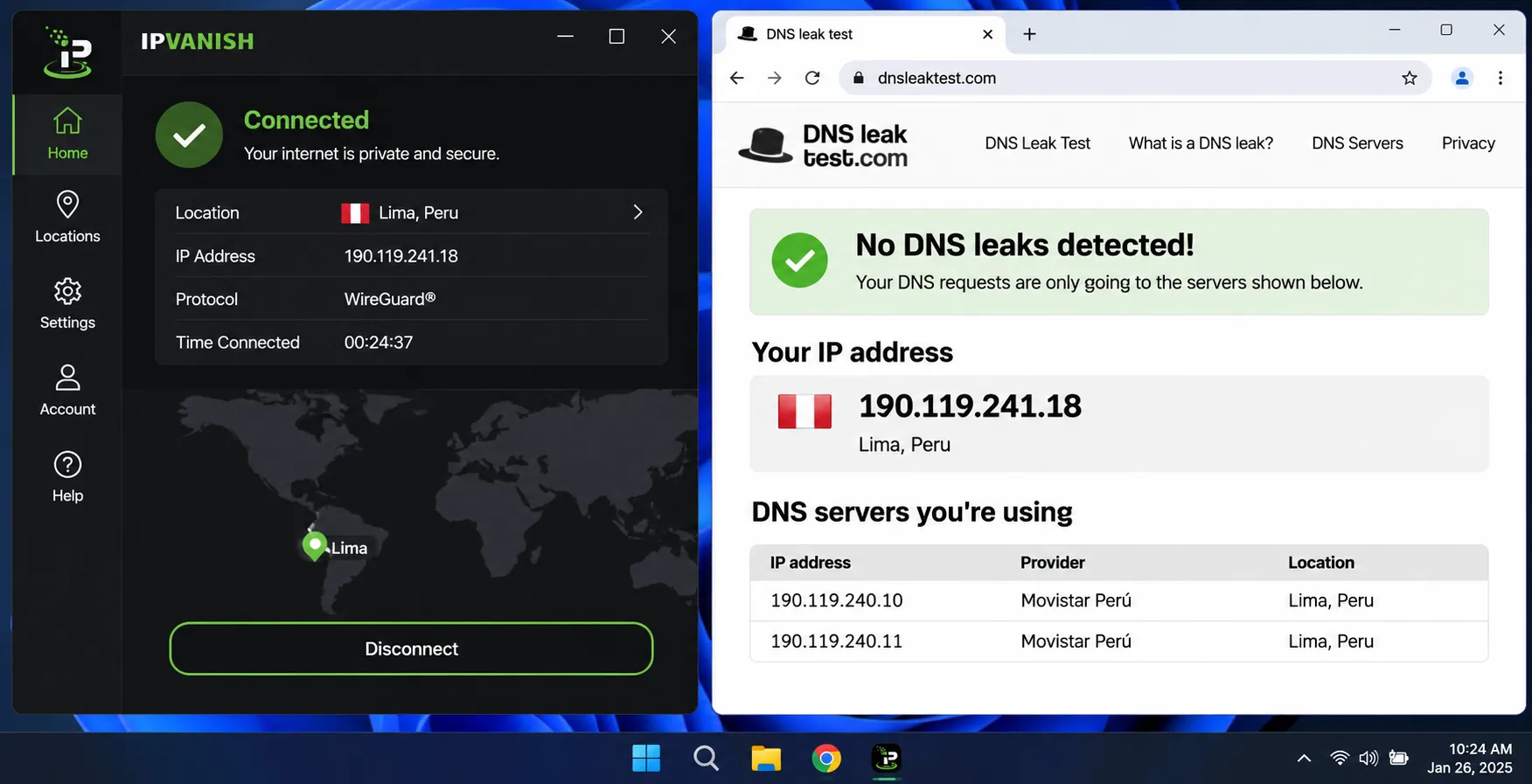
CyberGhost trims the options to a few task lists; IPVanish goes the other way, giving power users control without a cap on connections. It offers split tunneling, a kill switch, WireGuard, OpenVPN and IKEv2 options, and apps for Windows, macOS, Android, iOS, Apple TV and Fire TV, with Linux setup available. A Lima endpoint appears in two independent location sources, but we could not retrieve IPVanish's official pages, so verify the Peru option in the app before paying. Its physical or virtual status is unspecified.
Streaming works well in practice. IPVanish can open Netflix, Hulu, Prime Video, Max, Disney Plus and BBC iPlayer, and nearby endpoints perform better than distant ones. Connections stayed fast and stable for routine streaming and downloads.
The security story is more mixed. We turned the strict kill switch on and then disconnected the VPN deliberately. Internet access stayed blocked until we changed the VPN or kill-switch setting. A manual disconnect can look like an outage if you forget the kill switch is on. On macOS the kill switch cannot be used with split tunneling. We also saw DNS leaks in a tested configuration, despite the advertised leak protection, so run a leak test after setup. The 30-day refund covers annual and two-year plans, not the standard monthly subscription. Third-party offers put the two-year Essential plan at $2.19 to $2.39 a month, renewing around $99.99 a year, but we could not confirm the checkout directly.
Pros
- Unlimited simultaneous connections
- Opens a wide range of streaming services
- Stable for routine streaming and downloads
Cons
- Strict kill switch can lock out the whole connection
- DNS leaks seen in a tested configuration
- Official Peru page could not be verified
Why use a VPN in Peru?
A VPN does two useful things in Peru: it encrypts the traffic between your device and the VPN server, and it lets you choose which country your IP address appears to come from. The right provider depends on which of those functions you need. The first matters while you are physically in the country. The second matters whether you are in Peru or abroad. A Peruvian exit IP and protection on local Wi-Fi are separate uses, and a provider can be good at one without the other.
Public Wi-Fi, travel and remote work
Hostels, cafes and airports are where a VPN earns its keep. Encrypting traffic between your device and the VPN endpoint reduces what the local Wi-Fi operator and your ISP can see. For remote work that means client files and logins are not sent in a readable form across a network you do not control. Pick a nearby or home-country server for this job. You do not need a Peruvian IP to be protected on Peruvian Wi-Fi, and a closer server usually gives a smoother connection.
Turn on the kill switch before you travel and test it by toggling your Wi-Fi off and on. If the app does not block traffic when the tunnel drops, change the setting while you still have a stable home connection.
Peruvian TV abroad and home streaming while in Peru
If you are abroad and want Peruvian channels, you need a Peruvian IP, so you have a reason to choose a Peru server. We could not verify current provider-by-provider access to Latina, America TV, ATV, Movistar or other Peruvian streaming apps, and a Peruvian IP does not prove playback will work. Streaming results change by endpoint, region and time of day. The libraries we describe above, such as US Netflix and Disney Plus, show how each service handles foreign catalogs, not Peruvian television. If Peruvian TV is the main reason you are buying, use the refund window as your test. Our guide to the best VPN for Argentina covers a neighboring market with similar travel questions, and our best VPN for Amazon Prime Video page covers one of the services that blocks VPN traffic most often.
Streaming while you are in Peru is the reverse problem. You may want your home country's library, so you would choose a server in that country, not Peru. Most services geo-block by IP, so the server you pick decides what you see.
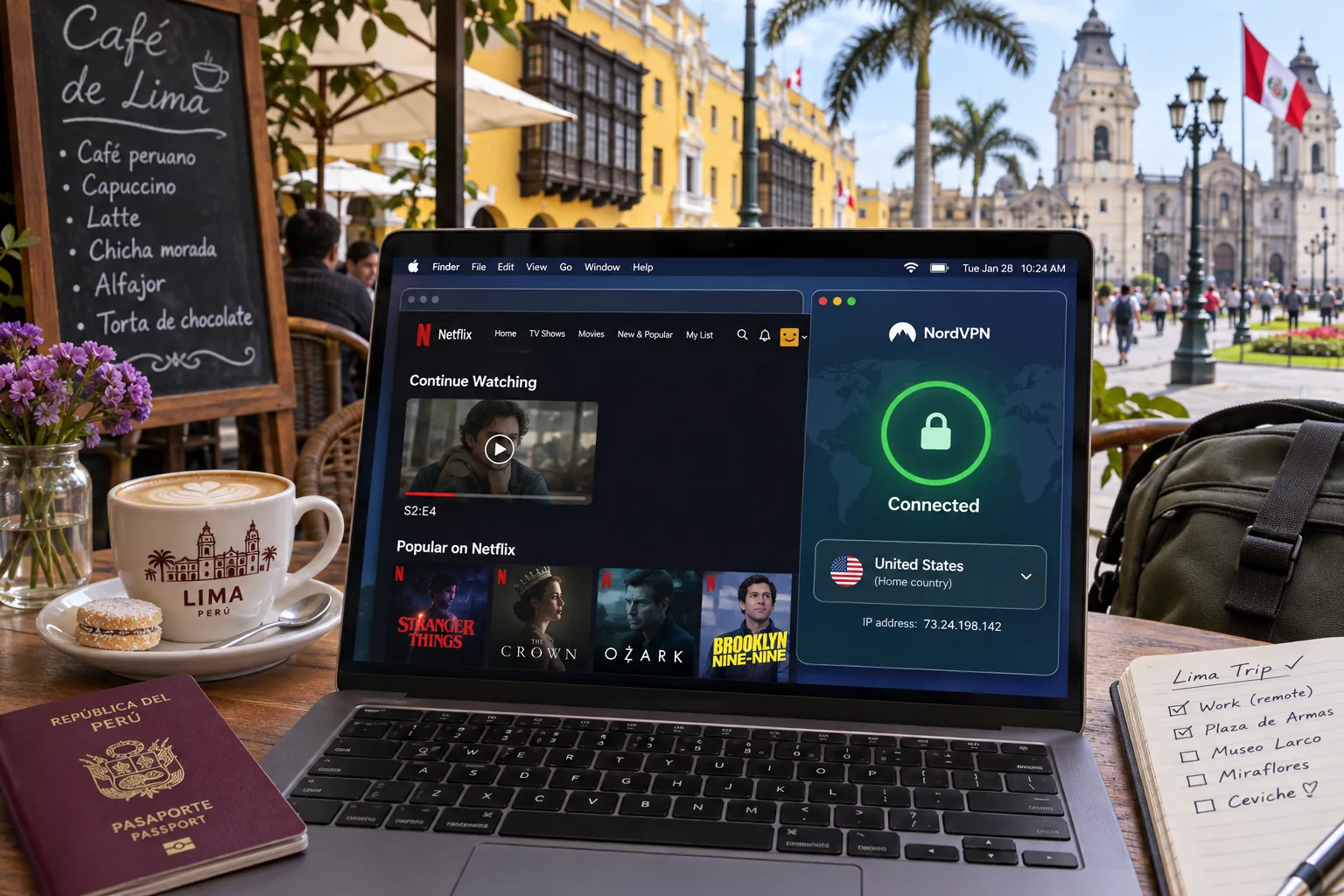
What a VPN cannot protect or fix
A VPN hides your IP address from the sites you visit. It does not make you anonymous. IP masking does not remove account identification or cookies, so a service you are logged in to can still tie your browsing to you. A VPN also does not make an unlawful act lawful, and it will not guarantee access to a blocked stream.
A VPN has limits beyond identity protection: it cannot repair a bad ISP line or stop you from entering a password on a phishing page. It adds a layer of protection to the network path; it does not replace careful habits.
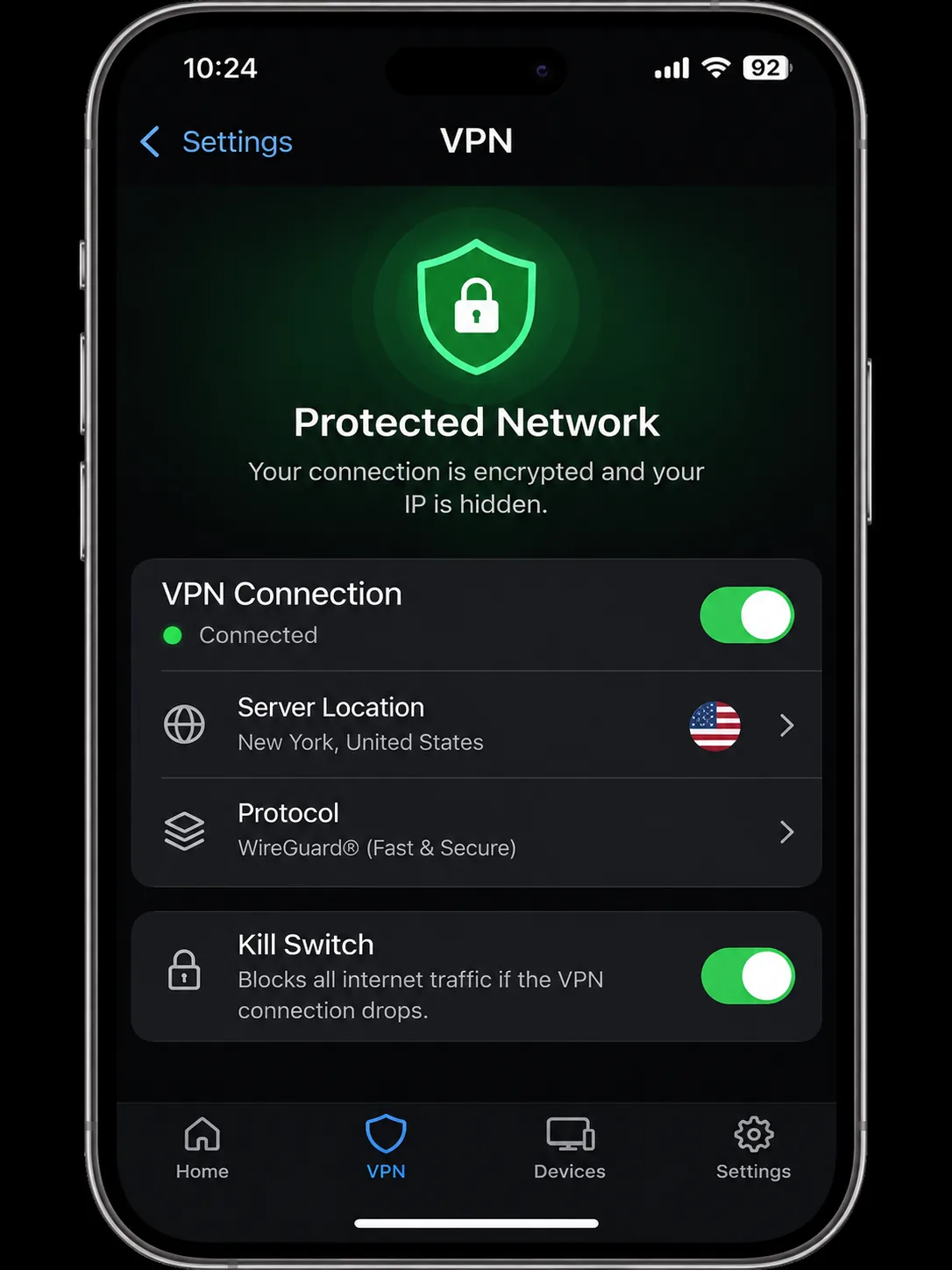
Is a VPN legal in Peru?
Ordinary VPN use is generally legal in Peru. We could not find a primary source that explicitly authorizes everyday consumer VPN use, but treat this as practical guidance, not legal advice. The official context points the same way. OSIPTEL's network neutrality page describes protecting users' freedom to legally choose internet applications, protocols, services and traffic. That is regulatory background, not a consumer VPN authorization. A judicial resolution published in the official bulletin approves VPN deployment for judicial and administrative users, which shows institutional use is lawful.
The limit that matters is the activity itself. Peru's cybercrime law penalizes unlawful conduct affecting computer systems and data. Routing that conduct through a VPN does not make it lawful. Streaming services can also object to VPN use under their own terms, which is a contract matter, not a criminal one.
How to set up and use a VPN in Peru
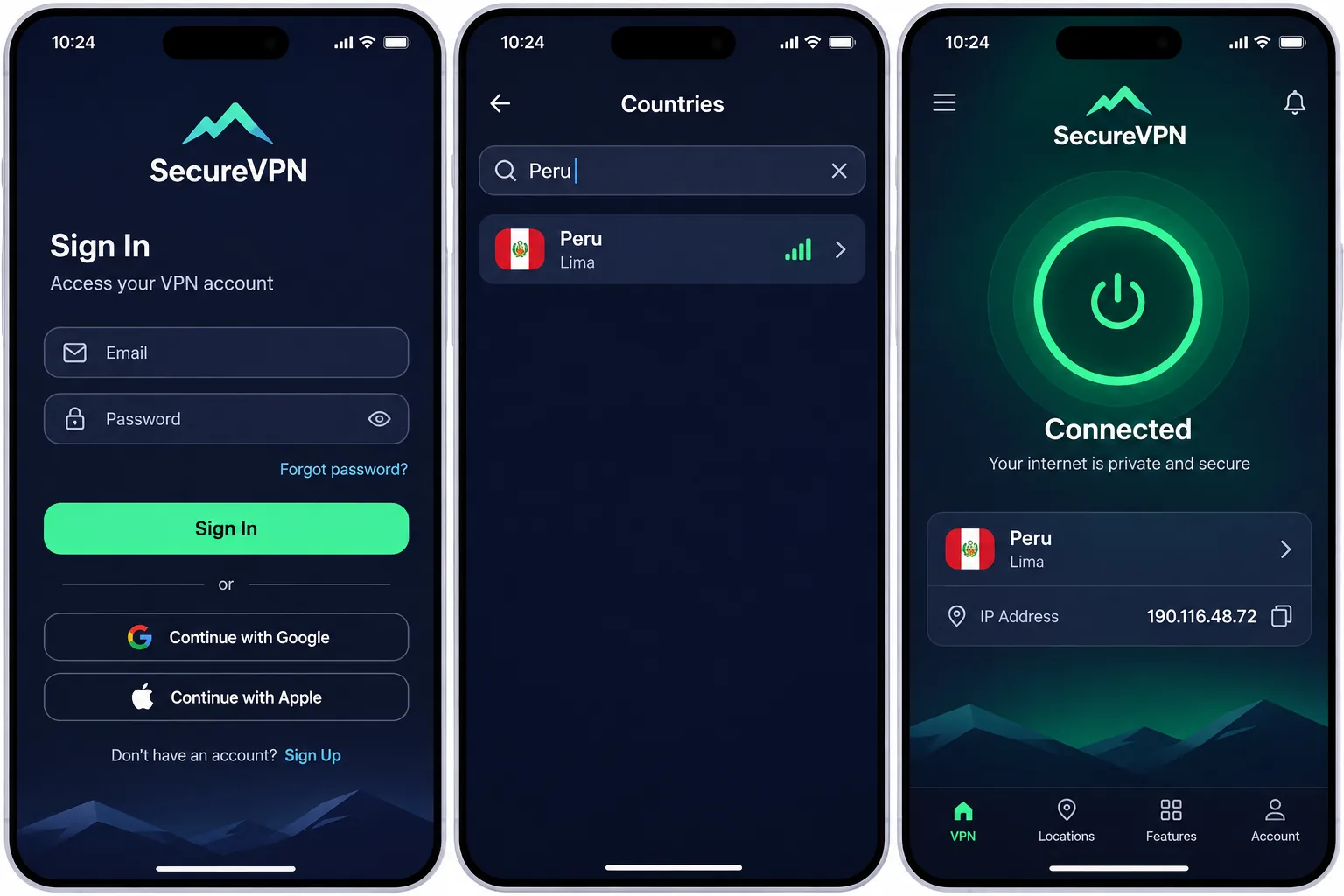
The steps are nearly identical across all five apps: install the app on each device, sign in, choose a server, and connect. The choice of server is what changes between the two jobs.
Connect to Peru for a Peruvian IP address
- Install the app and sign in with your account.
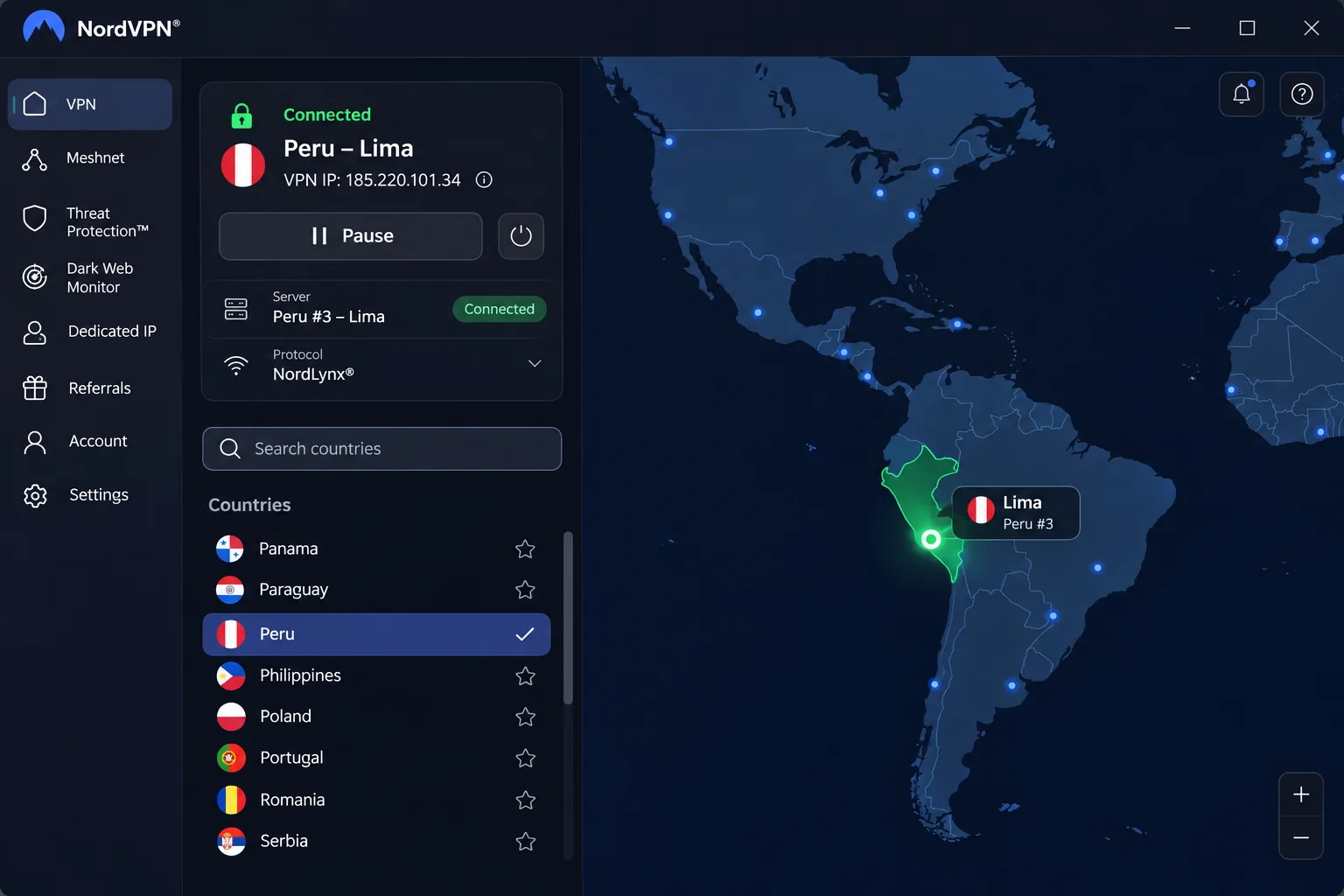
- Search for Peru in the country list, or select the Peru pin on the map.
- Connect, then confirm the new IP with a lookup site.
Choosing Peru selects a Peruvian exit IP. It does not change your device's physical location. Automatic best-location selection considers distance and server load, so a specific country's IP requires choosing that country manually.
Choose a nearby or home-country server for other uses
For protection on public Wi-Fi, use the nearest server for the best speed. For your home streaming library, pick a server in that country. For torrenting or downloads, CyberGhost's task-specific lists and IPVanish's nearby endpoints save time. Skip the Peru server unless you actually need a Peruvian address.
Fix slow connections, blocked streams and login problems
Start with the simple fixes. Switch to a closer server, then try another protocol if the app offers one. For a blocked stream, clear the browser or app cache, restart the streaming app or device, disconnect and reconnect the VPN, and contact support if the problem persists. Recovery is not guaranteed. If you cannot sign in, check that you have not reached your plan's device limit, which differs a lot between providers. On ExpressVPN, a laptop restart may be needed before the first connection.
Can you use a free VPN in Peru?
You can, but a free plan rarely does what a Peru-bound traveler wants. Some free VPNs finance themselves by collecting and selling user data, which defeats the purpose of installing one on a hostel network. Reputable limited free plans and paid plans with refund guarantees are different arrangements.
Proton VPN's free plan is the reputable example: it has unlimited data, no ads and no activity logs, but it covers 1 active device. Free server changes also use random selection with a waiting period, which makes the free tier unsuitable for choosing a specific Peruvian endpoint. Paid tiers add supported streaming, P2P and broader location choice.
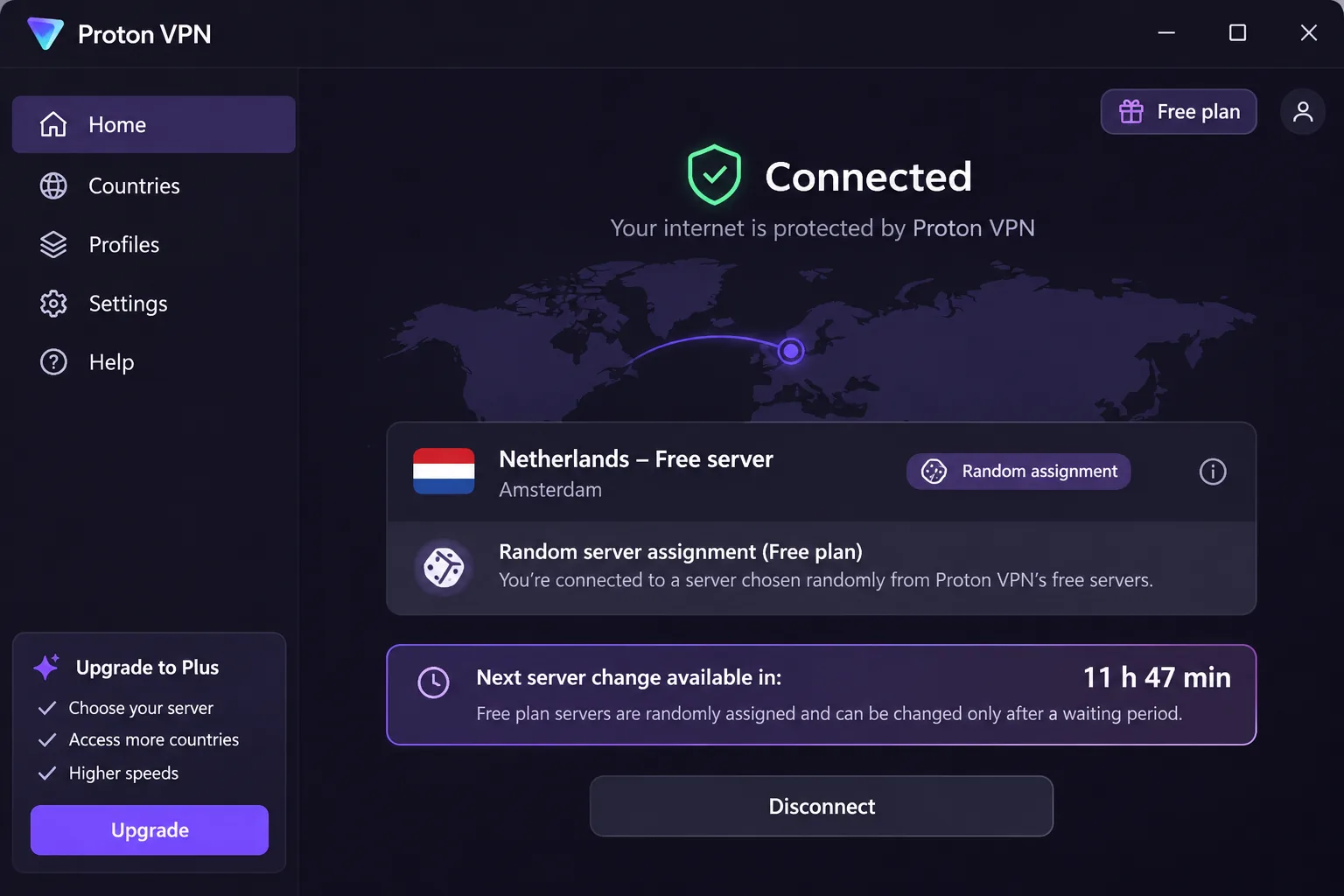
Free-plan limits versus paid plans and refund guarantees
A free plan can protect a single phone on cafe Wi-Fi. It cannot reliably give you a Peruvian IP or a streaming catalog. A refund guarantee gives you a risk-free way to try a paid service instead, with windows running from 30 to 45 days depending on the provider and plan. Renewals and monthly plans have different terms, so read them first.
Which VPN should you choose for Peru?
The opening pick still stands, so this section covers the cases the ranking does not. If you want the lowest-risk way to try a paid service on a short trip, CyberGhost is our budget runner-up. It has the lowest USD price we found and the longest refund window, so a bad fit costs you little. Pair it with a test connection before you fly.
Each pick has a potential dealbreaker. Skip ExpressVPN if you care where your traffic physically exits, since its Peru location is virtual and hosted in Brazil. Skip Surfshark if your work depends on a kill switch you have not tested on macOS. Skip IPVanish if you cannot confirm the Peru endpoint in the live app, and skip CyberGhost if you swap devices often.
If Peru is missing from your app's country list, do not assume it is gone. Older server lists omit it while current provider pages offer it, so update the app first. If Peru is still absent, use a nearby or home-country server for Wi-Fi protection, since that does not require a Peruvian IP. Use the refund window to move to a provider that lists Peru.







