Some people want a VPN for the Netherlands because they live there and want private browsing on café Wi-Fi. Others are abroad and want a Dutch IP address to reach Videoland, NPO or a Dutch bank. Those are two different jobs, and the right provider depends on which one is yours.
Our short answer is NordVPN for most people, with Surfshark as the budget pick and Proton VPN for privacy-first users. We compared all five providers on Dutch server access, privacy evidence, device limits, streaming, and what you actually pay once the promotional price runs out. We work through the VPN apps ourselves on Windows and mobile, and the impressions below come from that hands-on work.
Best VPNs for the Netherlands at a glance
Every provider here has Dutch servers, so the differences come down to evidence, limits and cost over the full term. The table uses the promotional USD prices displayed at the time of writing. Promotions, tax and local currency change, so treat the figures as a snapshot and confirm the renewal amount at checkout.
| Product | Buy | Dutch servers | Devices | Privacy evidence | Commitment price | Renewal | Refund |
|---|---|---|---|---|---|---|---|
 |
Check price → | Yes, Amsterdam IP | 10 | Deloitte 2025 assurance announcement | $94.23for 27 months | $139.08/year | 30-day, with purchase-channel conditions |
 |
Yes, Amsterdam | Unlimited | Deloitte 2023 and 2025 verification | $67.23for 27 months | $79/year reported, unconfirmed | 30-day on first website purchase | |
 |
Yes, manual choice on paid plan | 10 on Plus | Securitum 2026 report linked | $83.76for 24 months | $83.88/year | 30 days in official terms | |
 |
3 cities: Amsterdam, Rotterdam, The Hague | Basic 10, Advanced 12, Pro 14 | PwC and KPMG history, TrustedServer | Basic $83.72for 28 months | Basic $99.95/year | 30-day for new users | |
 |
Yes, Netherlands selection | 7 | Third Deloitte audit announced 2026 | $61.32,bonus months vary | $61.32/year | 45-day on long plans, 14-day monthly |
How we compared these VPNs
We compared the five providers on Dutch server access, privacy evidence, device limits, streaming and renewal cost. The order that follows is an editorial shortlist built on those criteria, not a lab-measured speed ranking.
The 5 best VPNs for the Netherlands
Each section starts with the person we think the provider suits best, then covers Dutch servers, privacy evidence, devices, tradeoffs and what it costs.
1. NordVPN
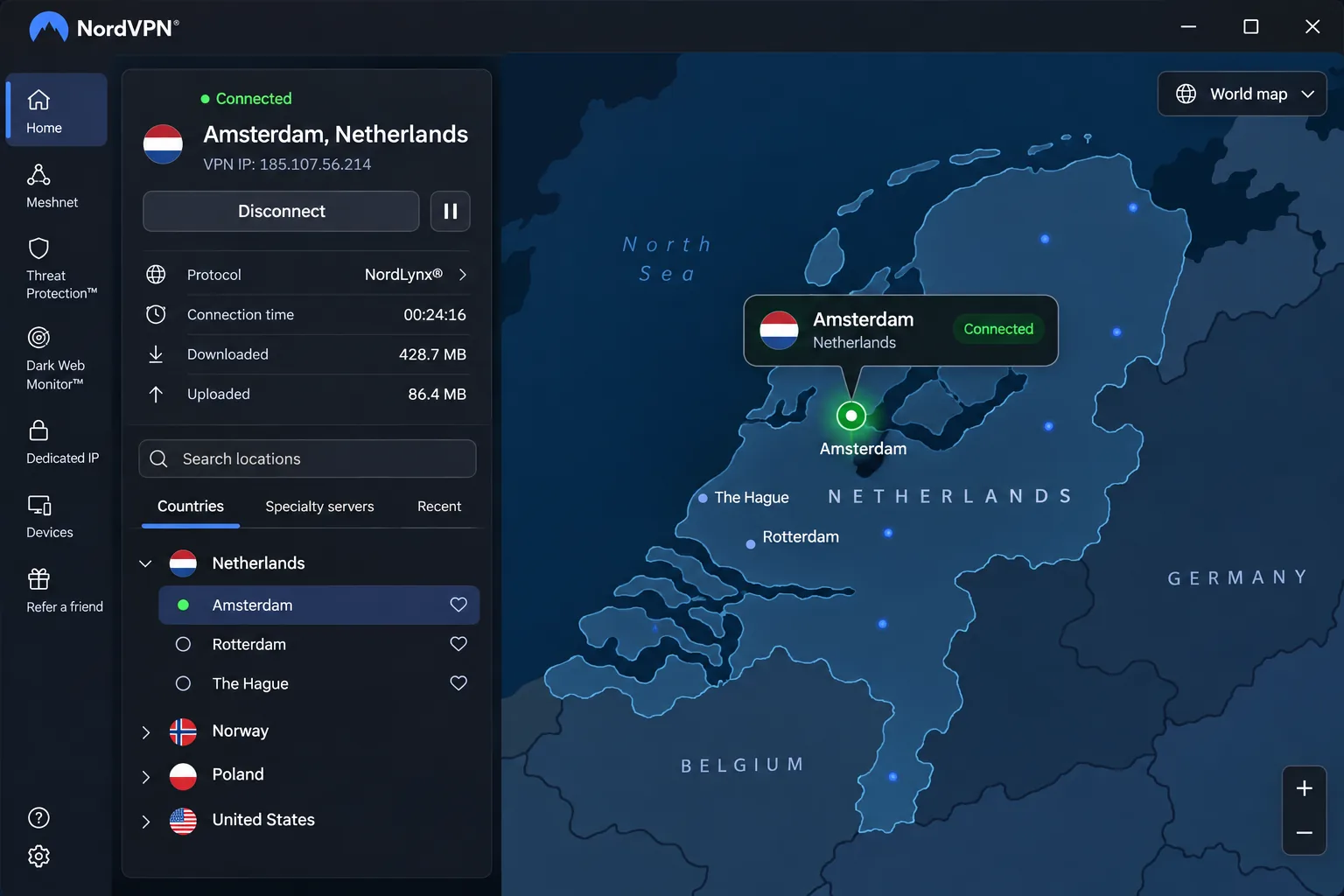
NordVPN is the one we would hand to someone who just wants it to work. The map-based country picker makes choosing the Netherlands straightforward, and Amsterdam IP selection is available through the Netherlands country pin or the server list. The redesigned Windows and Mac interface is also simpler to navigate than the older layout, which matters when you are setting up for a parent or a flatmate.
For people abroad, the Dutch connections let us reach Videoland and RTL XL. That is the main reason NordVPN tops a list aimed at Dutch expats and travelers. The official country page lists a Dutch fleet of 199 servers, but the count changes as capacity is added or retired. Treat it as a rough size rather than a promise.
Privacy evidence is solid. NordVPN's 2025 assurance announcement describes Deloitte Lithuania's sixth no-logs assurance engagement, with the report issued in December 2025. It is a point-in-time review, not a permanent guarantee, and we would not call it the latest audit forever. The feature list includes NordLynx, OpenVPN, NordWhisper, DNS leak protection, a kill switch, SmartPlay and a dedicated IP option. One subscription covers 10 devices, and the Windows app runs on Windows 10 and 11.
The tradeoff is speed on Windows. In our use the app can add noticeable latency there even when downloads stay usable, so it is a better fit for streaming and browsing than for latency-sensitive gaming.
The Basic plan displayed the equivalent of $3.49 a month, which works out to $94.23 upfront for 27 months. After that the displayed renewal is $139.08 a year, and sales tax may apply. A 30-day money-back guarantee is available through support, but purchases made through the Apple App Store follow Apple's own refund process instead.
Pros
- Easy country selection and Amsterdam IP access
- Reaches Videoland and RTL XL through Dutch connections
- 10 simultaneous devices on one subscription
- Deloitte no-logs assurance engagement published in 2025
Cons
- Latency can rise on Windows
- Renewal price is the highest in this group
- Refund path differs for App Store purchases
2. Surfshark
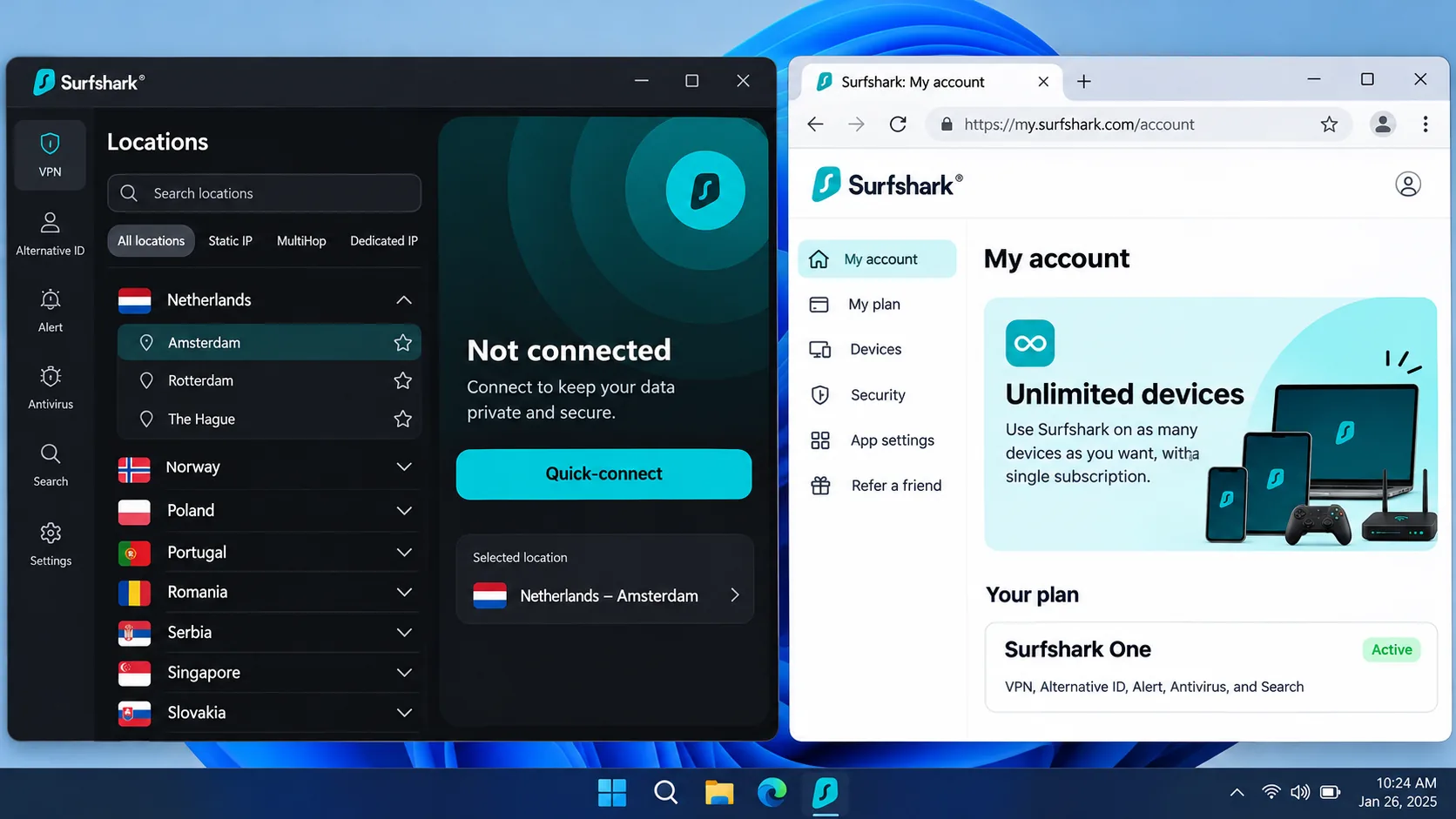
Surfshark is the pick for households and anyone counting every euro. It supports Amsterdam servers and Dutch IP access, and it allows unlimited simultaneous device connections. That means phones, laptops, TVs and a friend's tablet can all sit on one subscription without anyone checking a device counter.
In our experience Surfshark's Dutch connections stay stable during bandwidth-heavy use, and it reaches Netflix NL, Ziggo Go and NPO. The Windows and Mac apps also run steadily, with no noticeable extra battery drain or device slowdown. Distance matters: Surfshark can take longer to establish connections to far-away servers. When you can, connect to the Netherlands from a nearby location.
For privacy, Surfshark's trust center identifies Deloitte no-logs verification in 2023 and 2025. The toolkit includes Dynamic MultiHop, obfuscation, a kill switch, CleanWeb, a static IP and a dedicated IP option, plus Bypasser and Reverse Bypasser for choosing which apps skip the tunnel. Feature availability varies by app. The Windows app supports Windows 11 and Windows 10, while older Windows and x86 builds are legacy versions without current feature parity.
Pricing is where Surfshark looks best. The displayed USD Starter offer is $2.49 a month equivalent, or $67.23 upfront for 27 months. The renewal is reported at $79 a year, but we could not confirm that amount on the official pricing page, so the checkout screen is the only number to trust. Surfshark offers a 30-day refund window on a first purchase through its website.
Pros
- Unlimited simultaneous connections
- Lowest displayed starting price of the five
- Stable Dutch connections and access to NPO and Ziggo Go
- Deloitte no-logs verification in 2023 and 2025
Cons
- Distant servers can be slower to connect
- Exact renewal amount is unconfirmed
- Refund covers first website purchases only
3. Proton VPN
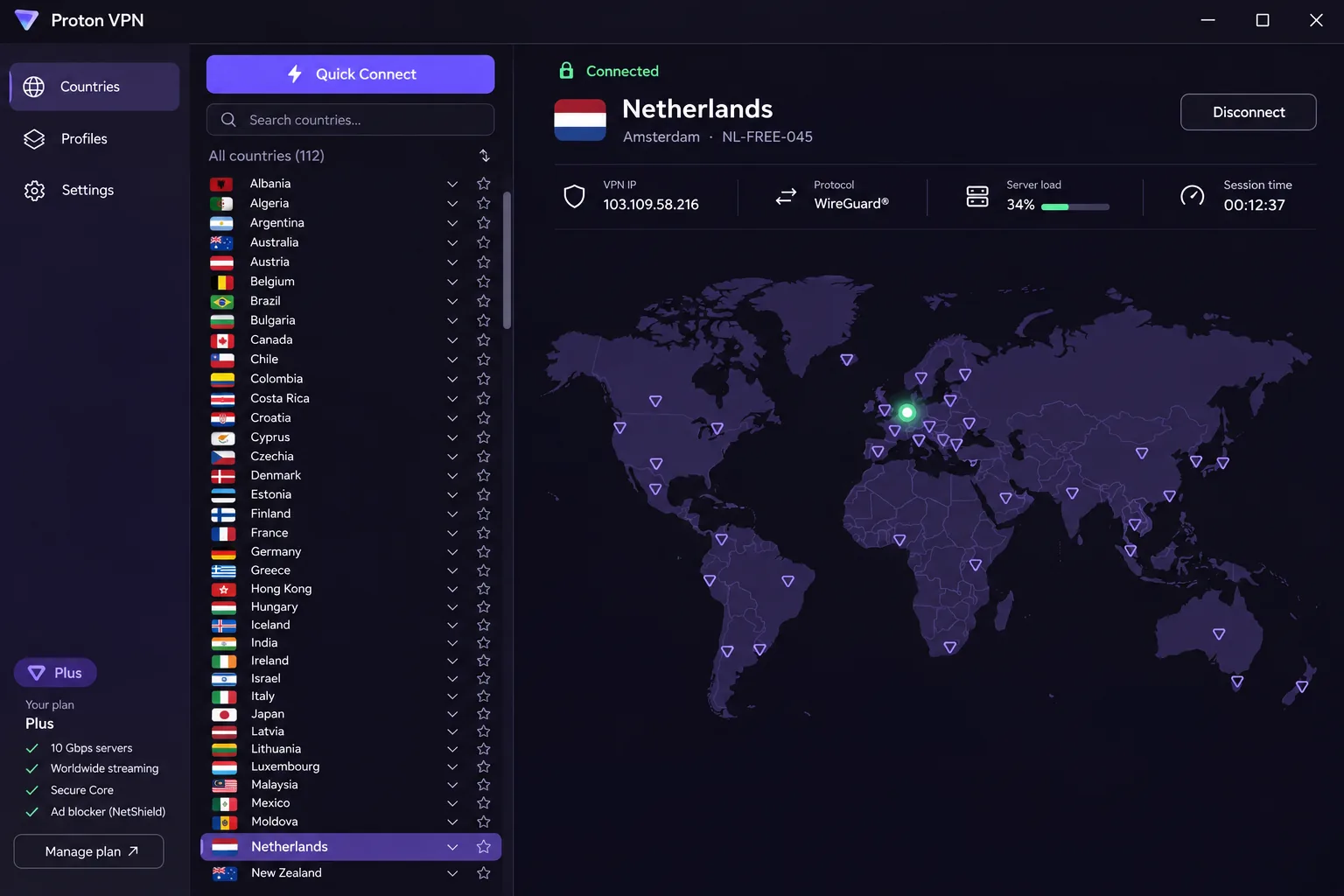
Proton VPN is for people who care more about how the product is built than about streaming libraries. The apps are open source, there are no activity logs, and the feature list includes Secure Core multihop, NetShield DNS filtering, DNS leak protection, a kill switch, Stealth, and Tor over VPN. Paid plans give manual Netherlands server selection and Dutch IP access, with native apps for phones, desktops and TVs.
The country list and quick-connect button are practical, though the map is mostly decorative. On Windows the app permits split tunneling alongside the kill switch, and we tested the kill switch by forcing a connection interruption in the middle of a session. It held up and kept our traffic from leaking out on the open connection. For TV streaming, Dutch connections give enough throughput for smooth playback.
VPN Plus supports 10 simultaneous devices, and the dedicated Windows app supports Windows 10 and later.
Cost sits mid-pack. VPN Plus was displayed at $3.49 a month equivalent, or $83.76 upfront for 24 months, then $83.88 every 12 months. That renewal is the best in this list apart from CyberGhost. Refund descriptions conflict across the web. The official terms allow a full refund once per user, provided both the cancellation and refund request are received within 30 days of the first purchase. Cash and bank-transfer payments are excluded, and purchases through an intermediary follow the intermediary's rules.
Proton VPN's free plan is not a Dutch-IP tool. A free user cannot reliably pick a Netherlands exit, which we explain in the free-VPN section below.
Pros
- Open-source apps and a fifth consecutive Securitum audit
- Secure Core, Stealth and Tor over VPN for stricter threat models
- Kill switch that resists forced interruptions
- Renewal price close to the first-term price
Cons
- Manual Netherlands selection requires a paid plan
- Map is mainly decorative
- Refund terms carry payment-method exclusions
4. ExpressVPN
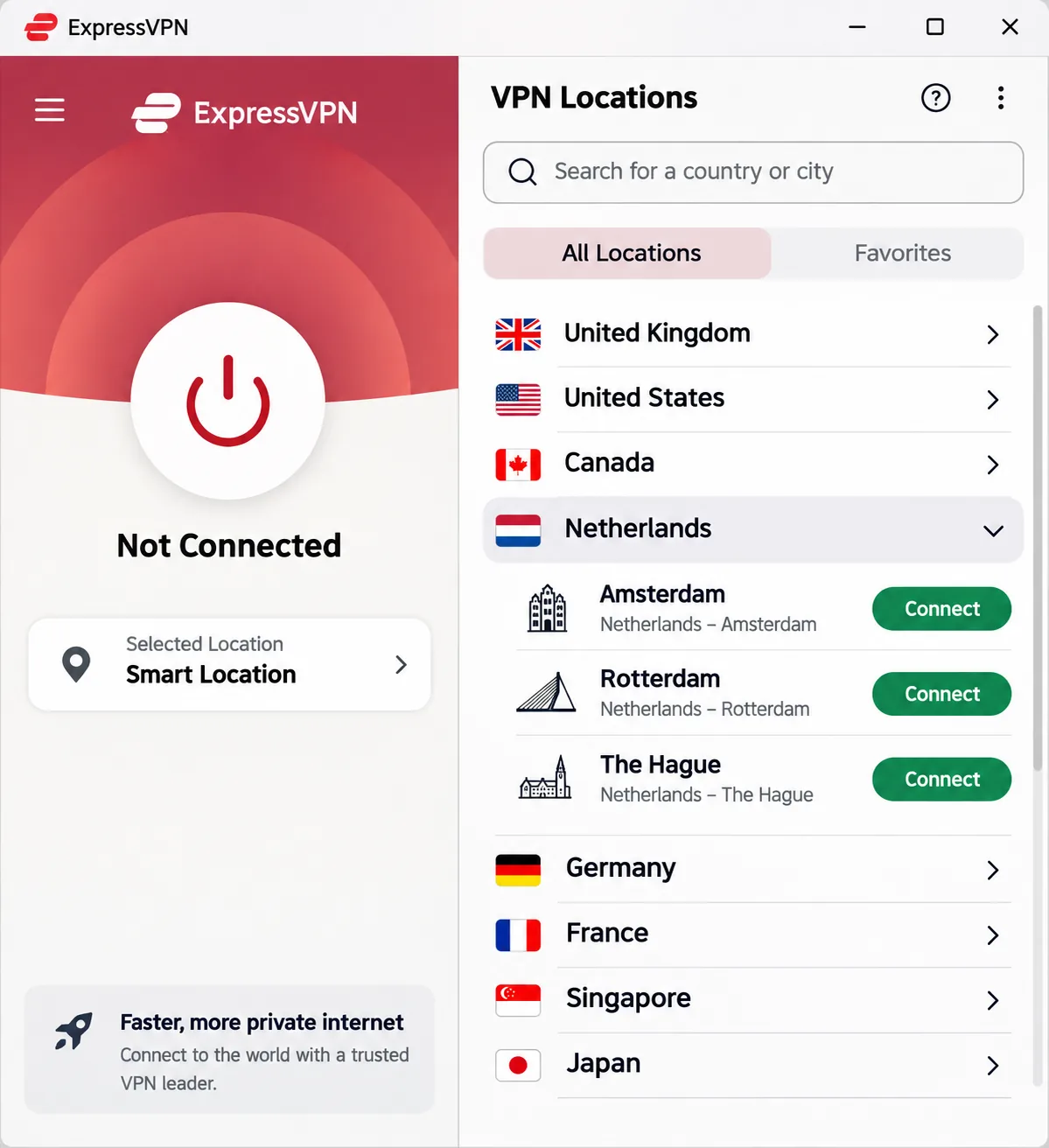
ExpressVPN suits travelers who want finer control over where in the Netherlands they appear. It offers 3 Dutch city choices: Amsterdam, Rotterdam and The Hague. Most competitors give you a single country entry, so city selection is a small but genuine advantage for anyone testing a Dutch service that cares about location.
The app offers an approachable route to Dutch locations, although the redesigned mobile interface has more buttons and feels busier than the older design. We would call it friendly on a laptop and slightly cluttered on a phone. Streaming is mixed: ExpressVPN reaches US, UK and Canadian Netflix libraries, but access to Australian and Japanese Netflix can fail. US Prime Video can also fail even after switching servers. Dutch access to local services was not something we could count on to the same degree, so test your target service during the refund window.
Speed depends on protocol. Lightway Turbo performs particularly well on Windows, while standard Lightway can be substantially slower, so switch protocols if your first connection feels sluggish. The service combines a no-logs policy, a history of audits by PwC and KPMG, TrustedServer RAM-only architecture, and published third-party audit reports. The Windows apps cover Windows 10 and 11, with a separate ARM64 download.
Device limits depend on the plan: Basic supports 10, Advanced 12 and Pro 14 simultaneous connections. Quoting 14 for everyone would misstate Basic's limit. The displayed Basic offer was $2.99 a month equivalent, or $83.72 for 28 months, then $99.95 annually. Advanced and Pro cost more, and the guarantee is a 30-day money-back window for new users.
Pros
- Three Dutch city choices
- Lightway Turbo is fast on Windows
- RAM-only TrustedServer architecture and audit history
- Clear device tiers up to 14 connections
Cons
- Redesigned mobile app feels busier
- Some streaming libraries fail
- Only Pro reaches 14 devices, at a higher price
5. CyberGhost
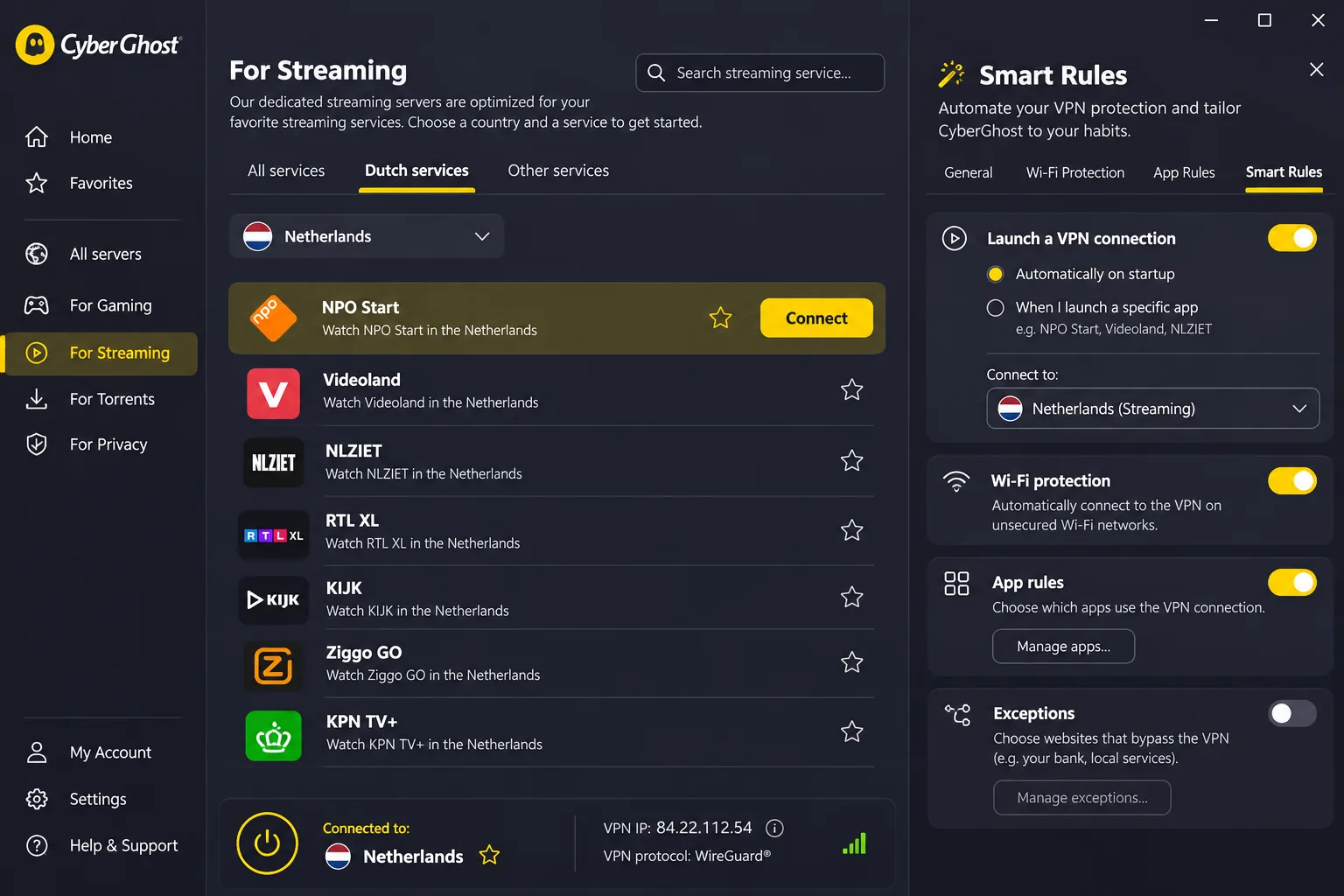
CyberGhost is for people who stream and want the app to do the thinking. Its streaming menu reduces the guesswork of choosing a service-specific server, and Netherlands servers provide a Dutch IP. Smart Rules can automate connections when you join a network or launch an app, which is handy if you want the VPN to switch on at a café without having to remember to connect.
We put CyberGhost through Netflix playback and it sustained the stream without buffering or disconnects, which is what we want from an app built around its streaming menu. The ad and tracker filtering is useful, but its malware-site blocking misses a substantial share of malicious URLs, so do not treat it as a replacement for antivirus. The feature list also includes an automatic kill switch, split tunneling, unlimited bandwidth, leak monitoring, WireGuard, and live chat and email support. It supports 7 simultaneous connections, the lowest limit here. The Windows app requires Windows 10 version 1903 or later, or Windows 11, with ARM-based Snapdragon processors excluded.
CyberGhost's audit announcement, updated in February 2026, describes its third Deloitte Audit Romania no-logs audit, covering server configuration, change management and incident-response controls. An audit is a point-in-time review of the scope Deloitte examined, so weigh it as evidence, not as a guarantee.
Pricing needs care. The USD offer is $2.19 a month equivalent with $61.32 charged at the start and $61.32 annually afterward. The buy page mixes 2 years with 2, 3 and 4 extra months, so confirm exactly how many months you are getting in the final order. Month-to-month costs $12.99, and the six-month plan is $41.94, equal to $6.99 a month. The refund windows are generous: 45-day coverage on six-month and longer offers and a 14-day window on the monthly plan.
Pros
- Cheapest long-term price in the group
- Streaming menu and stable Netflix playback
- 45-day refund on six-month and longer plans
- Smart Rules automate connections
Cons
- Only 7 simultaneous connections
- Malware-site blocking is incomplete
- Promotional months on the buy page are inconsistent
How to choose a VPN for the Netherlands
Start with your job. If you live in the Netherlands, you mostly want a trustworthy no-logs provider and a nearby server for speed. If you travel, you want a provider that holds up for Dutch streaming and banking from abroad, and you should test it before the refund window closes.
Dutch servers, connection speeds, and device support
All five providers give you a Dutch IP, so the question is how much control and speed you get. A nearby endpoint is generally preferable for non-location-specific browsing, and a Dutch server is the right choice only when you need to appear in the Netherlands. Where you connect from matters too: Surfshark can take longer to establish a connection to a distant server, and NordVPN can add latency on Windows.
Protocol choice affects speed more than most people expect. ExpressVPN's Lightway Turbo is quick on Windows while standard Lightway can lag, and NordLynx and WireGuard options exist at NordVPN and CyberGhost. If a first connection feels slow, switch protocol and server before blaming the provider.
Device support is the other practical limit. Surfshark allows unlimited connections, NordVPN and Proton VPN Plus allow 10, ExpressVPN Basic allows 10, and CyberGhost allows 7. A family with phones, laptops and a smart TV will notice that gap quickly. Also confirm your platforms. Windows support was easy to verify for all five, but we did not verify the current minimum macOS, iOS, Android and Linux versions for every provider.
Choose a server in the Netherlands only when you need a Dutch IP. For everyday browsing at home, a nearby server will usually feel faster, and the privacy benefit is the same.
No-logs policies, audits, and leak protection
Audit announcements are useful, but the reviews are point-in-time checks, and each provider describes the scope in its own words. Here is what each one publishes: NordVPN describes a Deloitte Lithuania assurance engagement from 2025, Surfshark names Deloitte verification in 2023 and 2025, Proton VPN links a 2026 Securitum report, ExpressVPN has PwC and KPMG history, and CyberGhost announced a third Deloitte audit in 2026.
An audit tells you what was examined on a given date. It does not tell you what a court can compel, and headquarters location alone does not establish which legal demand or disclosure duty applies to a service. Treat jurisdiction as one input among several.
Leak protection is easier to verify yourself. Every provider here lists DNS leak protection or leak monitoring and a kill switch, though ExpressVPN's kill switch is limited to supported platforms. You can check the result in a minute using the steps in the setup section below.
Subscription costs, renewal prices, and refund terms
The headline monthly price expresses a multi-year upfront promotional payment as a monthly amount. Total commitment is the number that matters. Surfshark's $67.23 and CyberGhost's $61.32 are the lowest upfront charges, while NordVPN's $94.23 is the highest at the 27-month term.
Renewal is where budgets get surprised. NordVPN's displayed renewal is $139.08 a year, ExpressVPN Basic is $99.95, Proton VPN is $83.88, CyberGhost is $61.32 and Surfshark is reported at $79. These are displayed offers, so confirm them in your account before the renewal date. Refund terms also differ: 30-day windows are standard, while CyberGhost offers a 45-day window on long plans. A refund guarantee is not a free trial.
The monthly price on the banner is not what you pay. Compare the upfront commitment, the renewal amount, and the refund window together.
— Our buying rule for every VPN on this list
How to set up a VPN and get a Netherlands IP address
Getting a Dutch IP takes a few minutes on any of these services. The steps are the same across providers, so the notes below apply whichever one you choose.
Install the app and choose a server
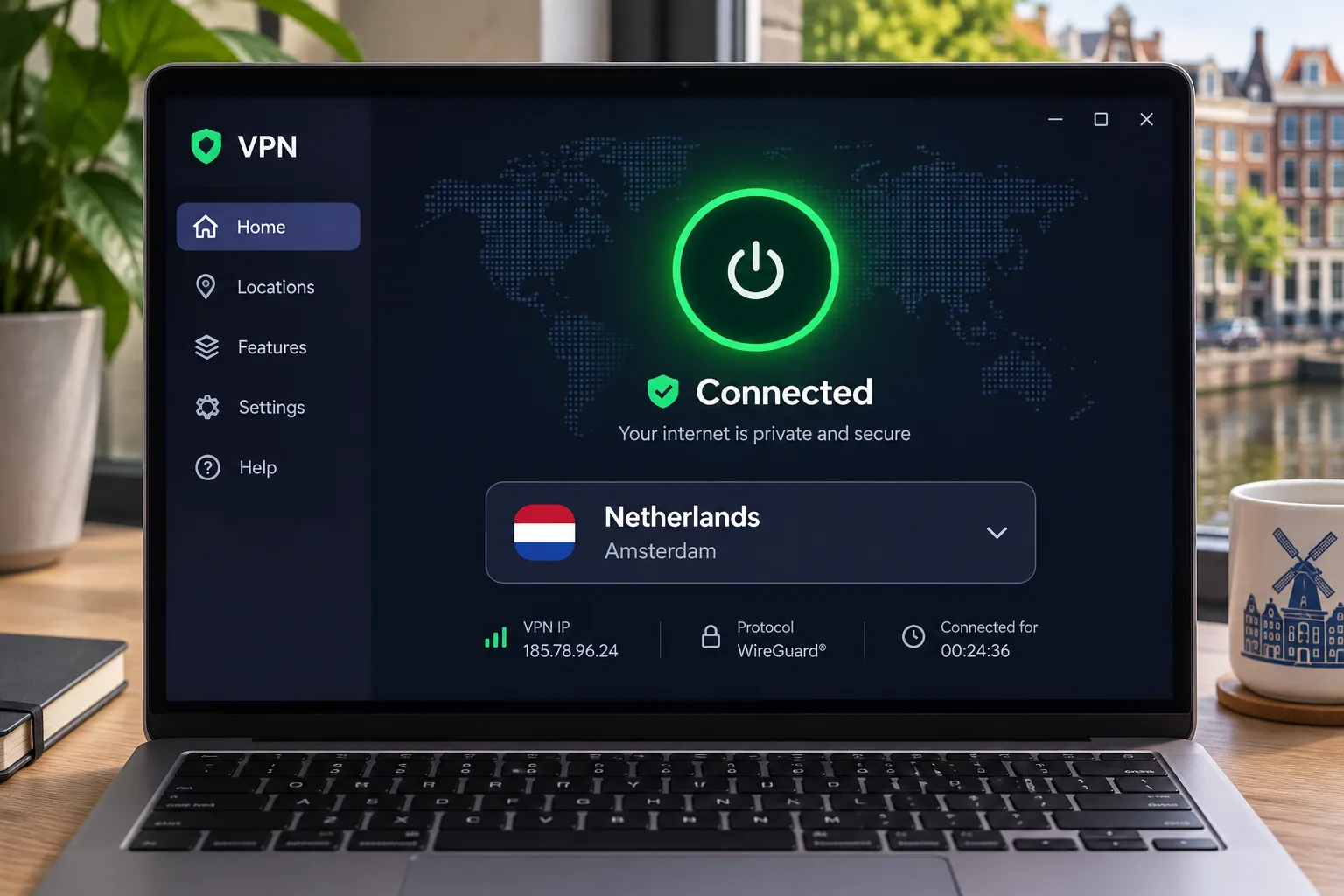
Install the correct app for your device from the provider's official site or app store, sign in, and choose Netherlands from the country list. On NordVPN, click the Netherlands pin on the map; on ExpressVPN, pick Amsterdam, Rotterdam or The Hague. On Proton VPN, a paid plan lets you choose the country manually. If you only want a nearby, fast connection and do not need to appear Dutch, leave the app on its recommended or quick-connect option.
Enable the kill switch and check for leaks
Turn on the kill switch before you do anything sensitive. It cuts your traffic if the tunnel drops, which protects you on café or train Wi-Fi. Our guide on what a VPN kill switch does explains how it works and where it differs between apps.
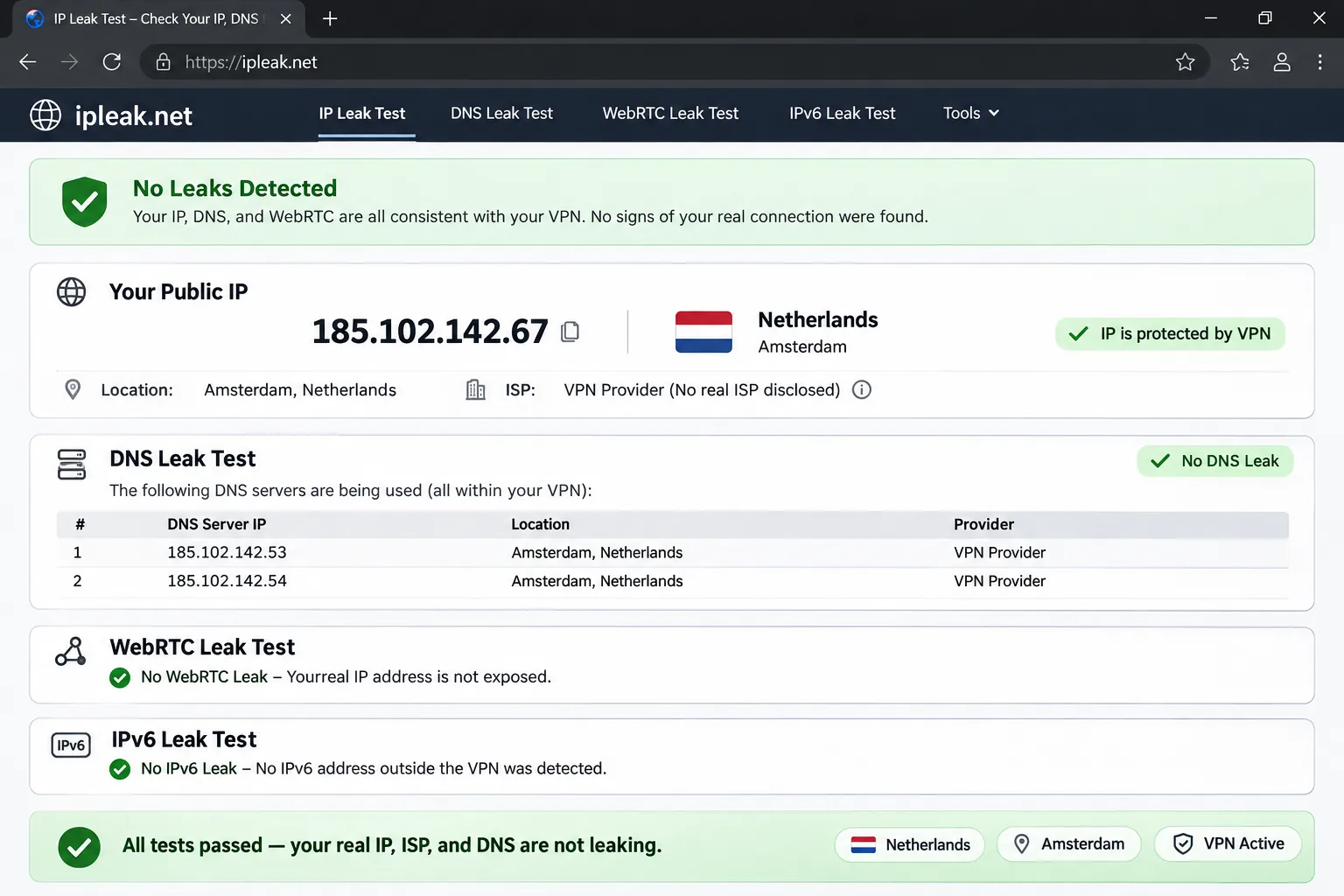
Then connect to a Dutch server and open an IPLeak connection check. It displays your visible IP, WebRTC and DNS information. If your own ISP address appears while the VPN is connected, you may have a WebRTC leak and should check the app's leak-protection setting. For a deeper walkthrough, see our guide to testing for DNS leaks.
A Dutch IP shows you as Dutch to websites. It does not guarantee access to every Dutch service, because streaming and banking platforms can change their rules and block VPN ranges without notice.
Why use a VPN in the Netherlands?
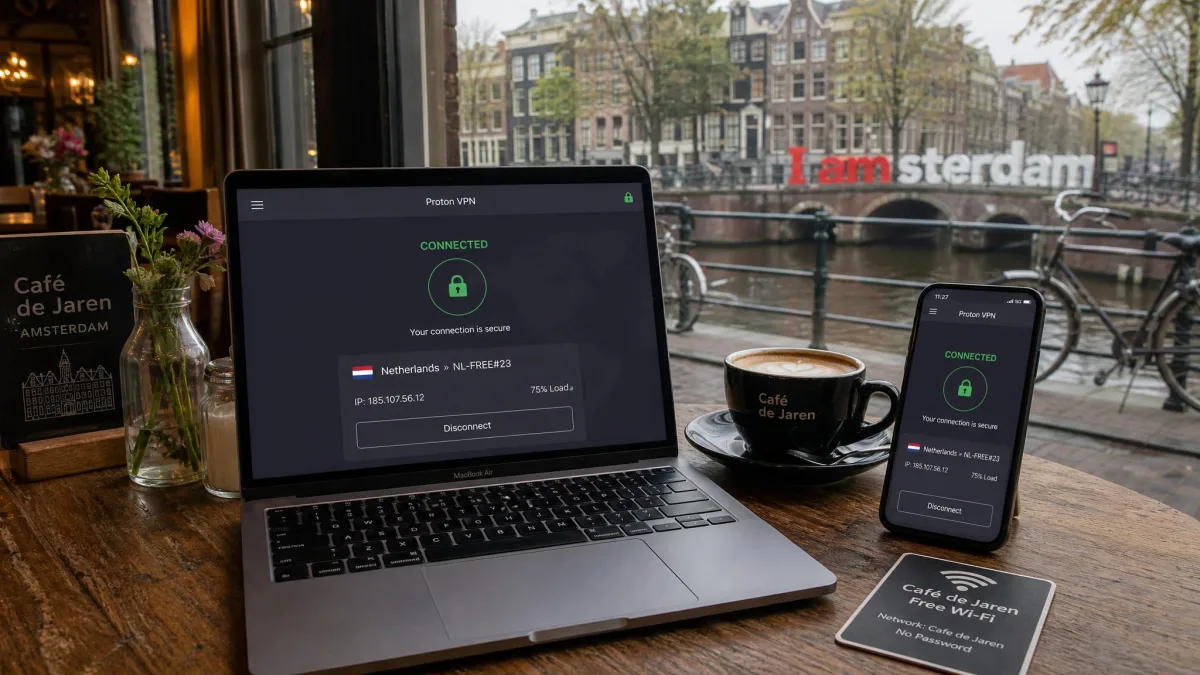
For residents, the case is mostly about the network you use. For travelers, it is about the content and services you want to reach. Neither group should expect a VPN to do more than it does.
Public Wi-Fi and the limits of VPN privacy
Dutch government guidance recommends avoiding public Wi-Fi and using a VPN when it is necessary. That fits our own approach on trains and in cafés. Our deeper look at how a VPN protects you on public Wi-Fi covers what it does and does not stop.
A VPN encrypts traffic between your device and the VPN server, which hides it from other people on the same network. It does not make you anonymous, stop phishing, or hide what you do while logged in to an account. It also does not replace updates or a good password manager.
Streaming at home and accessing Dutch services abroad
Dutch residents mostly use a VPN at home for privacy, and they can choose a server in any country. People abroad use a Dutch server for access. NordVPN reached Videoland and RTL XL through Dutch connections, and Surfshark reached Netflix NL, Ziggo Go and NPO.
Do not treat any of that as permanent. Access that works today is not guaranteed to work later, because services update their blocking methods and your account region still matters. Test your target service during the refund window, and keep your subscription only if it works. Our look at the best VPN for Amazon Prime Video shows how quickly access varies by service.
Are VPNs legal in the Netherlands?
Ordinary VPN use is legal in the Netherlands, and using one does not authorize unlawful activity. Treat that as the practical summary rather than a statute, because we did not find a Dutch primary legal page that states a blanket rule. Dutch government guidance does recommend VPN use for people on public Wi-Fi, which points the same way.
What a VPN cannot do is make an illegal act legal. Copyright is the usual example. The Court of Justice of the EU's ACI Adam ruling in case C-435/12 excludes reproductions from unlawful sources from the private-copying exception addressed in that case. Using a VPN while downloading from an unlawful source does not change that.
Privacy jurisdiction and what a VPN does not change
The Netherlands is an EU member state and its residents are covered by EU privacy rules. A VPN changes who sees your traffic, not the law that applies to you. Your ISP stops seeing your destinations, and the VPN provider sees them instead, which is why the no-logs evidence matters.
Where a provider is headquartered does not by itself tell you whether a specific legal demand or surveillance power applies. Read the audit scope and the provider's published transparency material, not just the country name.
Can you use a free VPN in the Netherlands?
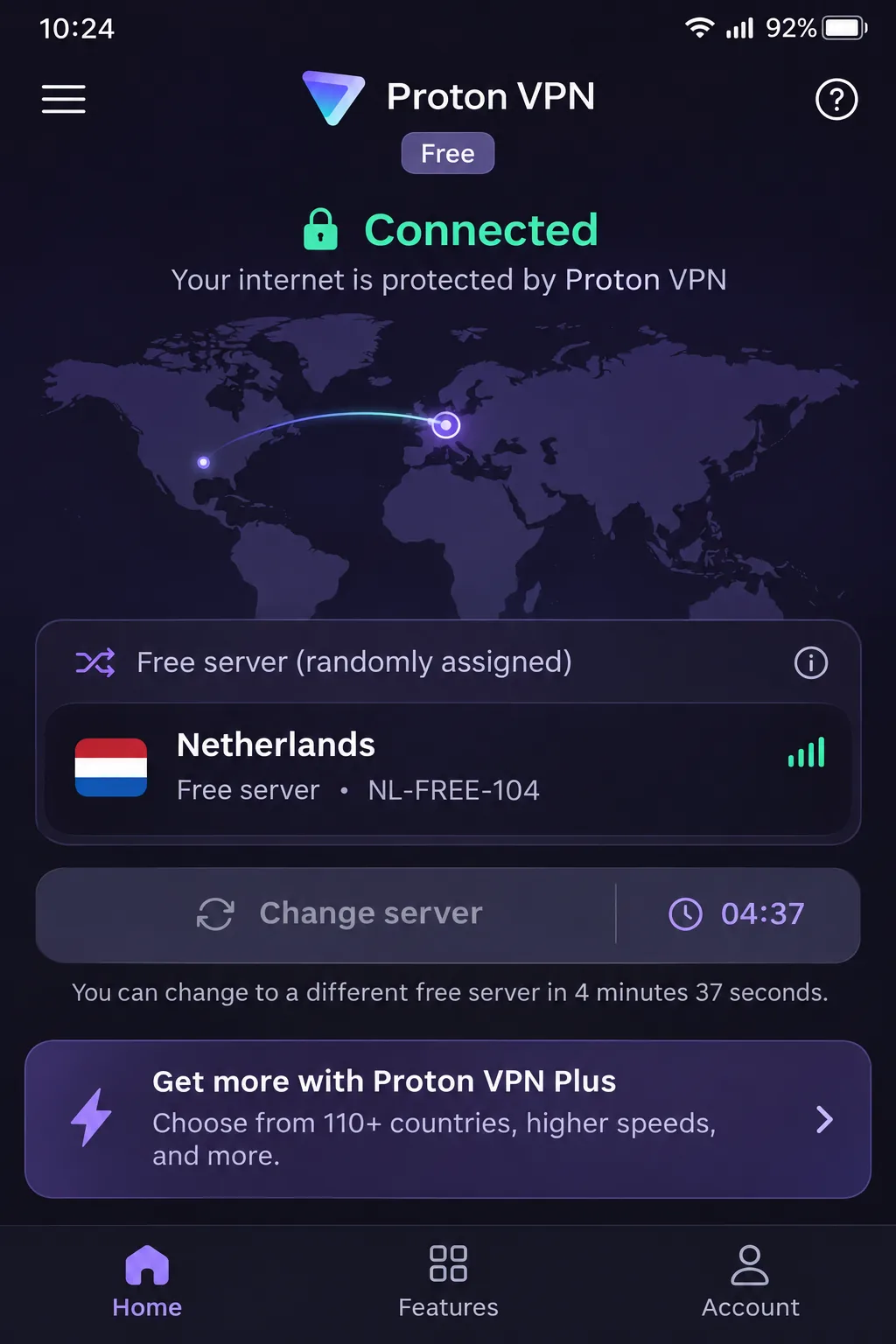
Yes, but a free plan is a poor way to get a Dutch IP. Among the providers here, Proton VPN is the only one with a usable free tier. It has no data cap, and the first connection picks a fast free server.
Free-plan limits and choosing a Dutch server
The Netherlands is in the free location pool, but you cannot select a country manually on the free plan. Change server assigns a different endpoint at random and has a cooldown, so you might land in the Netherlands or you might not. Proton VPN Free cannot reliably connect you to a Dutch exit you choose.
Paid Plus adds streaming, P2P and Secure Core. So if you want a stable Dutch IP for Videoland or a bank, buy a plan and use the refund window as your trial. NordVPN, Surfshark, ExpressVPN and CyberGhost rely on money-back guarantees rather than free plans. These differ from free trials because you pay first and ask for your money back later.
Be careful with unknown free VPN apps. A free VPN has to earn money somewhere, and you should check who owns it and what it collects before you trust it with your traffic.
Final recommendation
NordVPN is our first pick for the Netherlands because it makes Dutch server selection easy and has the clearest recent privacy announcement of the group. Its renewal price is the highest here, so set a reminder before the term ends.
If cost and device count are your priorities, choose Surfshark. If you want open-source apps and the strictest privacy tooling, choose Proton VPN on a paid plan. ExpressVPN is the pick when you want a specific Dutch city, and CyberGhost suits streamers who want the longest refund window.
Whichever you choose, test it on your own connection in the first few days. Check your Dutch IP, run a leak test, try the service you care about, and cancel inside the refund window if it falls short.