In a San José café or a beach-town coworking space, you share Wi-Fi with strangers. A VPN is the simplest way to keep your traffic private on that network. If you are back home and want local Costa Rican sites or TV, you need something different: a Costa Rican exit IP address. Those are two separate jobs, and a few providers handle one better than the other.
For both, we would start with NordVPN. Its apps are consistent across devices, it covers 10 devices on one account, and it offers a Costa Rica entry in its country list. Four other services earned a place, and each fits a slightly different traveler or household. Here is how they compare, what to watch out for, and how to set one up.
Best VPNs for Costa Rica at a glance
The table puts the five services side by side. Prices are the introductory offers we saw on each provider's own pricing page on 30 October 2026, so treat them as a snapshot. Promotions, taxes and renewal rates change what you actually pay, and NordVPN's quote came in euros rather than dollars.
| Product | Buy | Costa Rican IP | Server location | Devices | Introductory offer | Refund |
|---|---|---|---|---|---|---|
 |
Check price → | Yes | Virtual, hosted in the US | 10 at once | EUR 3.49/mo, EUR 94.23 for 27 months | 30-day |
 |
Check price → | Yes | Infrastructure not confirmed | Unlimited on paid plans | USD 2.49/mo, USD 67.23 for 27 months | 30-day |
 |
Check price → | Yes | Virtual, host not confirmed | 10 Basic, 12 Advanced | Basic USD 2.99/mo, USD 83.72 for 28 months | 30-day for new users |
 |
Yes | Virtual, host not confirmed | 7 device slots | USD 2.19/mo, USD 56.94 upfront | 45-day on 6+ months | |
 |
Check price → | Yes | Virtual, hosted in Miami | Unlimited | USD 2.03/mo on a 3-year-plus-3-months term | 30-day for new subscribers |
A "virtual location" means you get a Costa Rican IP address, but the server is physically in another country. That works for local websites and many streaming checks. It does not mean your traffic physically leaves Costa Rica, and a local IP never proves that a given service will play.
The 5 best VPNs for Costa Rica
We ranked these by how well each one handles a Costa Rican IP, everyday speed, streaming, privacy tools and cost. Where a provider has a weakness, we say so, because a list of strengths alone would not help you choose.
1. NordVPN
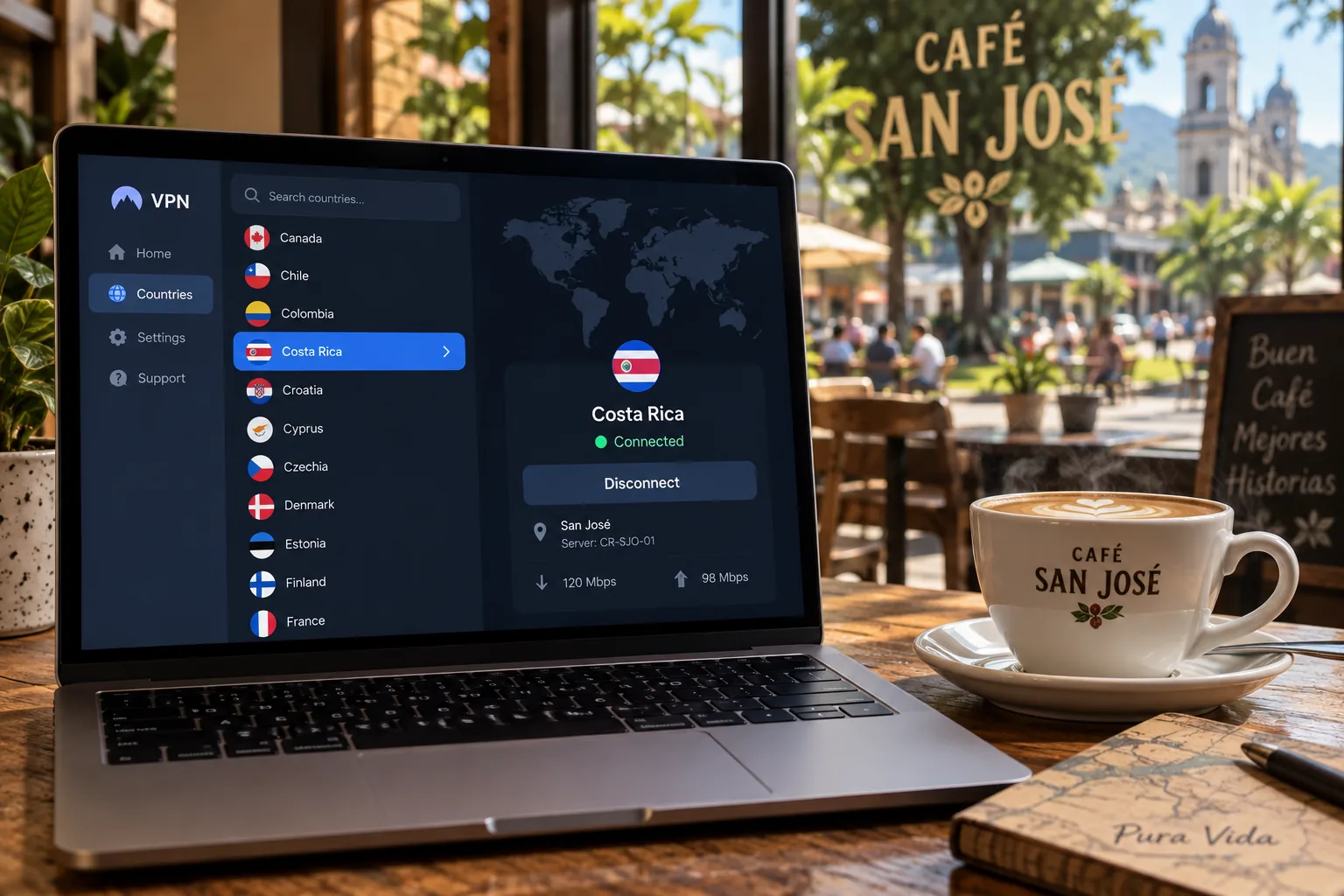
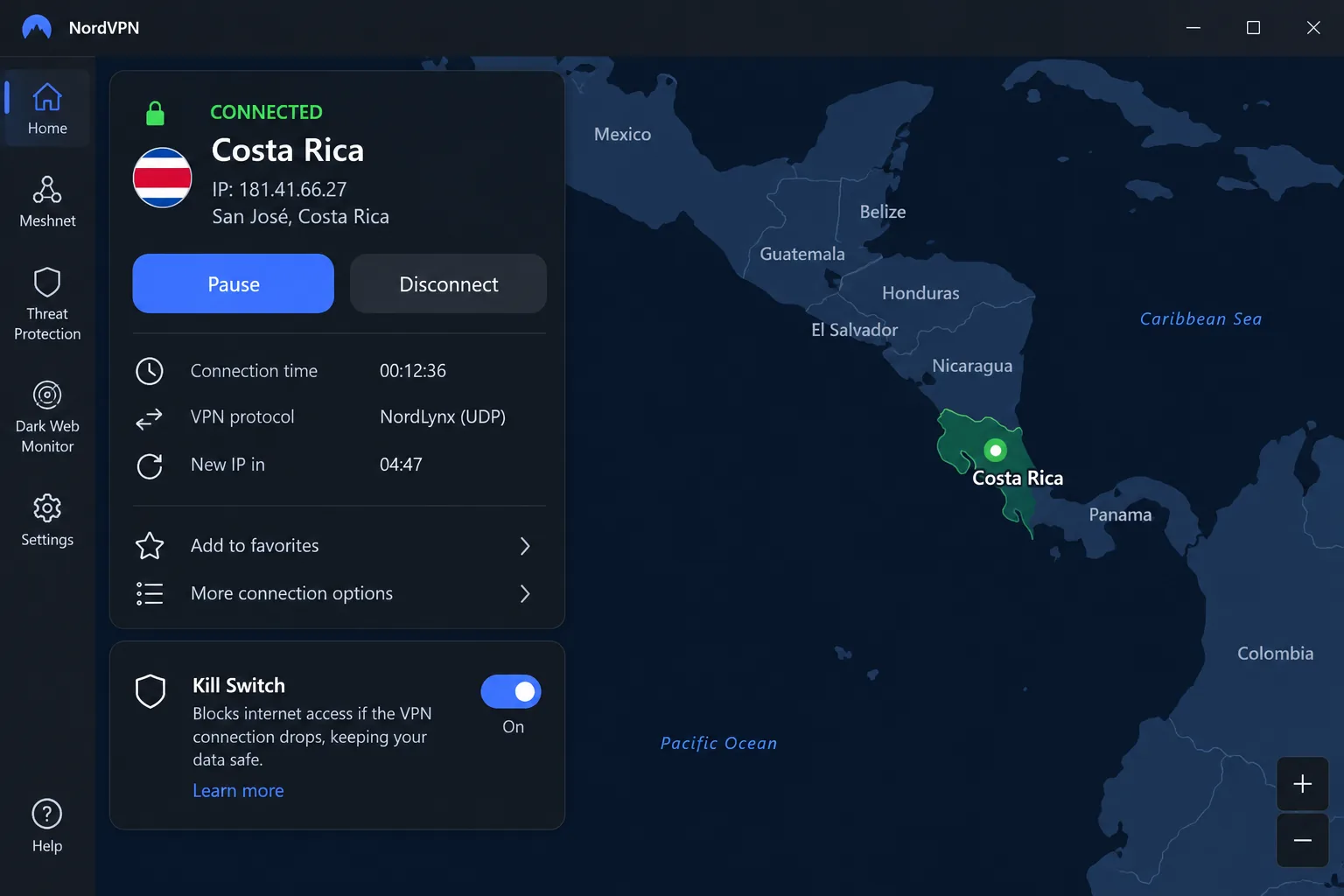
NordVPN gets our top spot because it is easy to live with. The apps feel consistent whether you are on a phone, laptop or tablet, so you spend less time hunting for settings. To get a Costa Rican address, you pick Costa Rica from the country list and connect. NordVPN's own Costa Rica server page describes this as a virtual location with the physical server in the United States.
Streaming ran without buffering or connection dropouts for us. It is not perfect, though. US YouTube and Australian Prime Video stayed out of reach, which is a reminder that no VPN opens every library. NordVPN also does not label separate streaming servers, so you choose by country and try again if a service refuses.
On privacy, the kill switch blocks traffic if the tunnel fails, and the app recovered by itself after we forced a connection failure. You also get split tunneling, Double VPN and a no-tracking policy, along with browser extensions and apps for Windows, macOS, Linux, Android and iOS. One account covers 10 devices, which is plenty for a traveler with a phone, laptop and tablet plus a partner's gear. A 30-day money-back guarantee is advertised on subscription plans, so there is time to test it with your own streaming apps.
The price we saw was EUR 3.49 per month on a 27-month plan. The first 27 months cost EUR 94.23 before the plan renews at EUR 139.08 a year. The month-to-month Basic rate was EUR 14.99. Your checkout currency, taxes and promotion may differ, so treat these as a guide. Antivirus and scam protection depend on the paid tier you choose.
Pros
- Costa Rica appears in the app's country list
- Consistent, simple apps on every platform
- Streaming ran without buffering in our use
- Kill switch plus automatic recovery after a failure
- 10 simultaneous devices and a 30-day refund window
Cons
- Costa Rican location is virtual, hosted in the US
- US YouTube and Australian Prime Video stayed blocked
- No dedicated streaming server labels
- Antivirus and similar extras depend on the paid tier
2. Surfshark
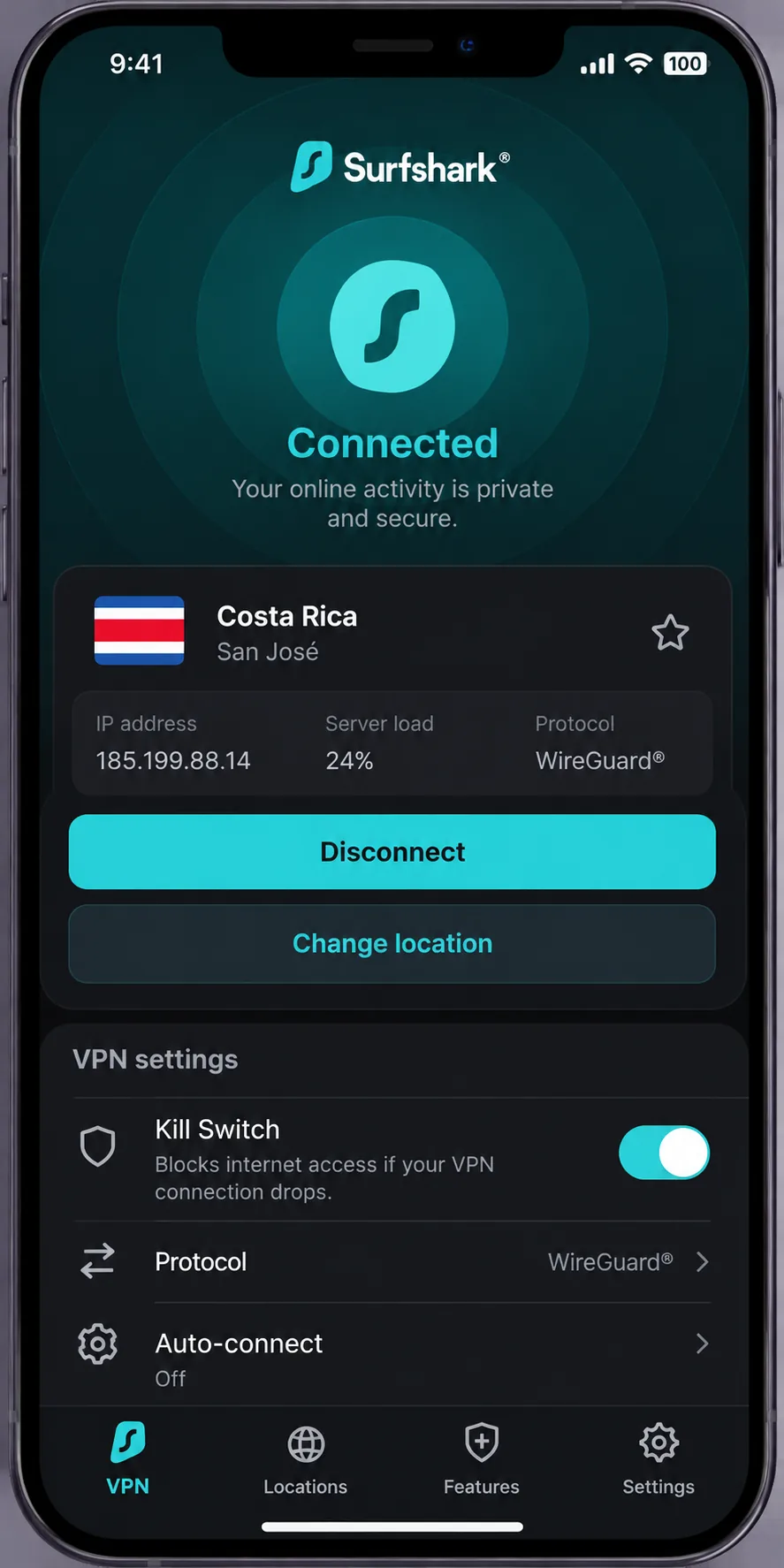
Surfshark is the pick when a whole household needs coverage. Paid subscriptions allow unlimited simultaneous devices, so nobody has to log out of the family tablet. It offers Costa Rican IP addresses and a Costa Rica entry in the country list, although Surfshark does not clearly say where those servers physically sit.
In day-to-day use, it gave us enough speed for uninterrupted browsing and streaming. The interface looks the same on every major platform, so switching from a laptop to a phone does not mean relearning anything. The kill switch is where we found the most to say. When a connection failed, the kill switch blocked internet access as it should. The app did not always reconnect by itself, so you may need to step in. The strict kill-switch mode can also cause friction, including CAPTCHAs and blocked sites. An inactive kill switch is not always shown prominently, so check it before you rely on it on public Wi-Fi.
Beyond the basics, Surfshark includes Dynamic MultiHop, Bypasser and Reverse Bypasser, obfuscation, CleanWeb and a VPN pause option. It also offers TV apps, browser extensions and manual router setups. Feature availability differs by platform. The Starter plan covers the VPN and Alternative ID, and higher tiers add antivirus and other extras. The offer we saw was USD 2.49 per month, with USD 67.23 upfront for 27 months, and the plan then renews annually at the applicable price. We could not confirm the renewal amount, so check it before you pay. A 30-day money-back guarantee applies.
Pros
- Unlimited devices on paid plans
- Costa Rican IPs offered
- Consistent interface across platforms
- Kill switch blocks traffic after failures
- Dynamic MultiHop, Bypasser and router options
Cons
- App may not reconnect on its own after a drop
- Strict kill-switch mode can trigger CAPTCHAs
- Inactive kill switch is not always obvious
- Renewal price not confirmed
3. ExpressVPN
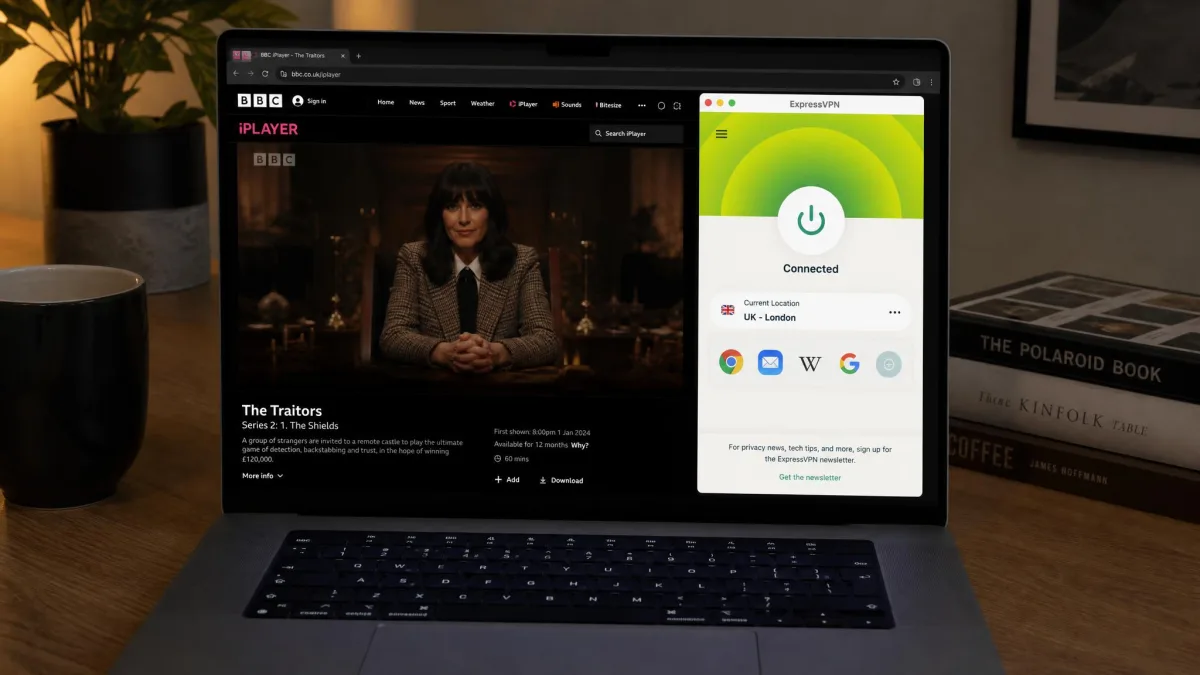
ExpressVPN is the easiest of the five for a first-time VPN user. Its desktop and mobile apps are approachable, and setup takes just a few steps: install, sign in, choose Costa Rica and connect. The official server directory lists Costa Rica as a virtual location, and we could not verify the physical host.
Streaming results were mixed. ExpressVPN opened BBC iPlayer, ITV, Channel 4, 9Now and 10Play without repeated server changes, which is a good sign if you want British or Australian free TV from a rental apartment. It struggled with Australian and Japanese Netflix and with US Prime Video, even after we switched locations. Services that are harder to access sometimes require server hopping, so be patient and try a few servers.
When it comes to privacy infrastructure, ExpressVPN makes the most specific claims of the group. It runs RAM-only TrustedServer machines, publishes independent audits and states that its policy is to log neither activity nor connections. It also has an Internet Kill Switch, leak safeguards, split tunneling and a choice of Lightway, OpenVPN and WireGuard, with some differences by platform. Apps cover Windows, macOS, Linux, Android and iOS, along with Apple TV, Android TV and Fire TV, and supported routers cover everything behind them.
The Basic plan allows 10 devices and Advanced allows 12, while the limit reaches 14 on some plans. Basic showed USD 2.99 per month, with USD 83.72 for the first 28 months, then renewal at USD 99.95 a year. The 30-day guarantee applies to new users. It costs more than the others at renewal, so it works best if you value polish over the cheapest bill.
Pros
- Beginner-friendly desktop and mobile apps
- RAM-only servers and published audits
- Opened several British and Australian free-TV services without repeated switching
- Wide device and router support
Cons
- Costa Rica is a virtual location
- Australian and Japanese Netflix and US Prime Video stayed difficult
- Server hopping is sometimes needed
- Higher renewal price than rivals
4. CyberGhost
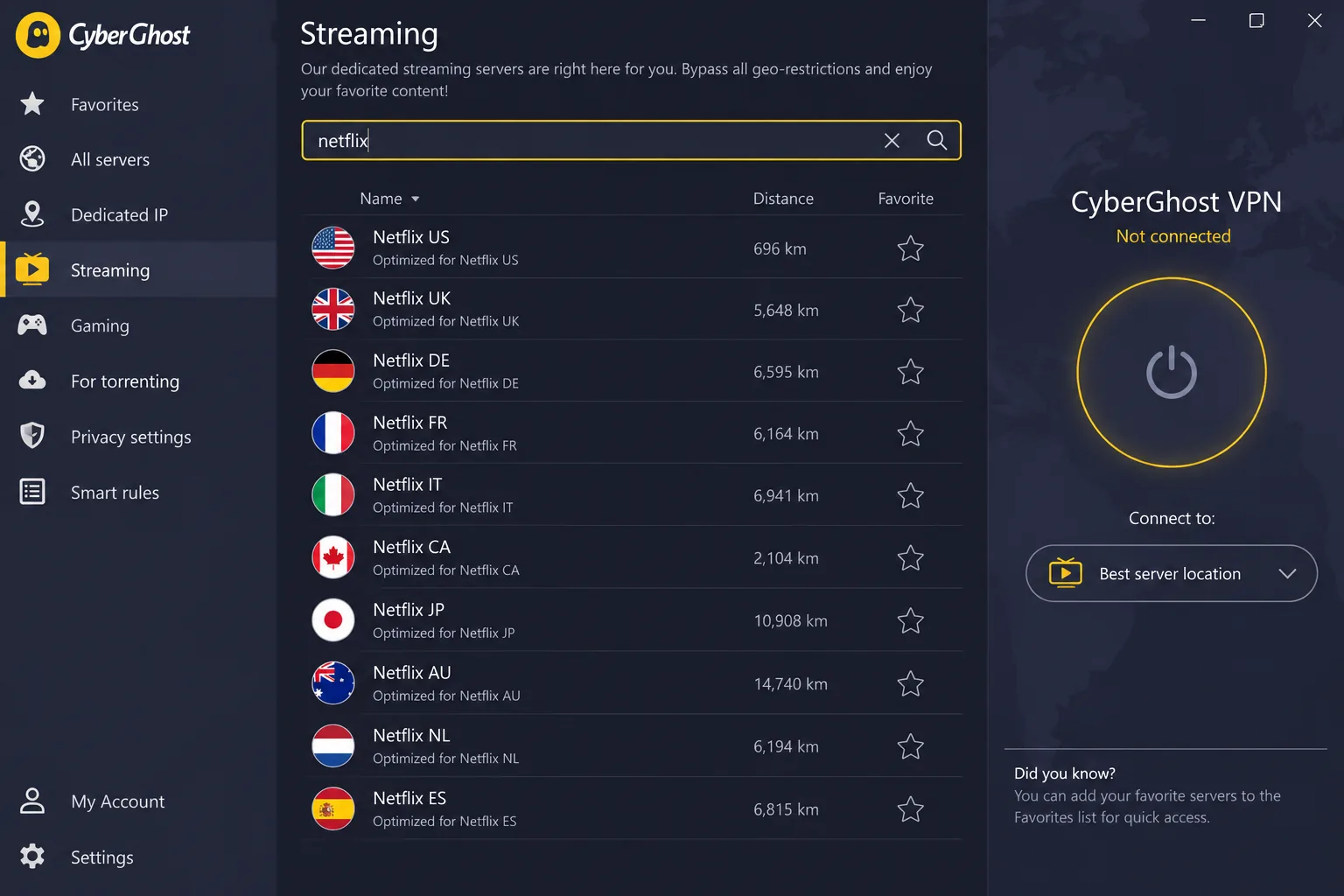
CyberGhost fits people who want the app to do the thinking. Its streaming tab labels servers by streaming library and lets you search by service name, which cut down the guesswork when picking a server. The official directory lists Costa Rica as a virtual location, and the physical host is not confirmed.
Setup is straightforward, and the desktop apps expose more options than the mobile ones. Smart Rules is the feature we liked most for remote work. On the desktop, it can connect the VPN at startup and then launch a chosen browser or work app, so you never open your email on an unprotected hotel network by accident. Other protections include an automatic kill switch, DNS leak protection, Wi-Fi protection, a content blocker and split tunneling, with WireGuard, OpenVPN and IKEv2 on offer.
The catch is device management. CyberGhost covers 7 devices, and moving between them can add friction because an existing device may have to be unlinked first. That matters if you swap laptops or share an account.
CyberGhost has the longest refund policy of the group. You get a 45-day window on plans of six months or longer, and a 14-day window on one-month plans, subject to purchase-channel exclusions. The offer we saw was USD 2.19 per month, with USD 56.94 upfront and then USD 56.94 annually. The checkout page showed several promotional durations, so confirm what you are buying before you pay. The Windows app requires Windows 10 (1903 onward) or Windows 11 and does not support ARM processors.
Pros
- Servers labeled by streaming library and searchable by service
- Smart Rules launches a work app after the VPN connects
- 45-day refund on plans of six months or longer
- Lowest upfront total of the offers we saw
Cons
- Only 7 devices, with unlinking needed to swap
- Mobile apps expose fewer options than desktop
- Costa Rica is a virtual location
- Windows ARM devices are not supported
5. Private Internet Access
Private Internet Access, or PIA, is the tinkerer's choice. It combines intuitive apps with extensive customization, and its advanced kill switch can stop traffic when a VPN connection fails. A single subscription allows unlimited simultaneous connections, so one plan covers every device you own.
For a Costa Rican IP, PIA offers a virtual San José location that is physically hosted in Miami, Florida, according to its Costa Rica server page. The server is close to Costa Rica geographically, but it is still not in the country. Everyday browsing stayed responsive for us, even though its benchmark results are less impressive than those of some rivals. Netflix worked reliably, while some regional Prime Video, YouTube and Disney+ libraries failed.
Upload performance is where PIA is weakest. Upload speeds can suffer substantially more than download speeds, so large outbound transfers such as video uploads or cloud backups may drag. Customer support can also be slow or unresponsive, which matters when you are troubleshooting from another time zone.
PIA includes a no-logs policy, split tunneling, MACE blocking for ads, trackers and malware, WireGuard and OpenVPN, and optional dedicated IP and antivirus. The offer we saw was USD 2.03 per month on a three-years-plus-three-months term, renewing at USD 79 every three years. The annual option was USD 47.88 and the monthly option USD 11.95. The initial total for the long-term plan was not clearly shown, so confirm it at checkout. A 30-day guarantee applies to new subscribers.
Pros
- Unlimited simultaneous connections
- Lots of customization with intuitive apps
- Everyday browsing stays responsive
- Low monthly equivalent on the long term
Cons
- Upload speeds can fall well behind downloads
- Some regional Prime Video, YouTube and Disney+ libraries failed
- Support can be slow
- Costa Rican location is hosted in Miami
How we choose VPNs for Costa Rica
We started with the services that list Costa Rica as a destination, then checked each provider's own server directory and pricing page on 30 October 2026. We combined those checks with hands-on findings from running the apps: how setup felt, how streaming held up, and what happened when a connection dropped. We did not run a Costa Rica-based speed or latency benchmark, so we do not publish speed numbers. Anyone claiming a precise Costa Rican speed figure should show their method.
Costa Rican IP addresses and virtual server locations
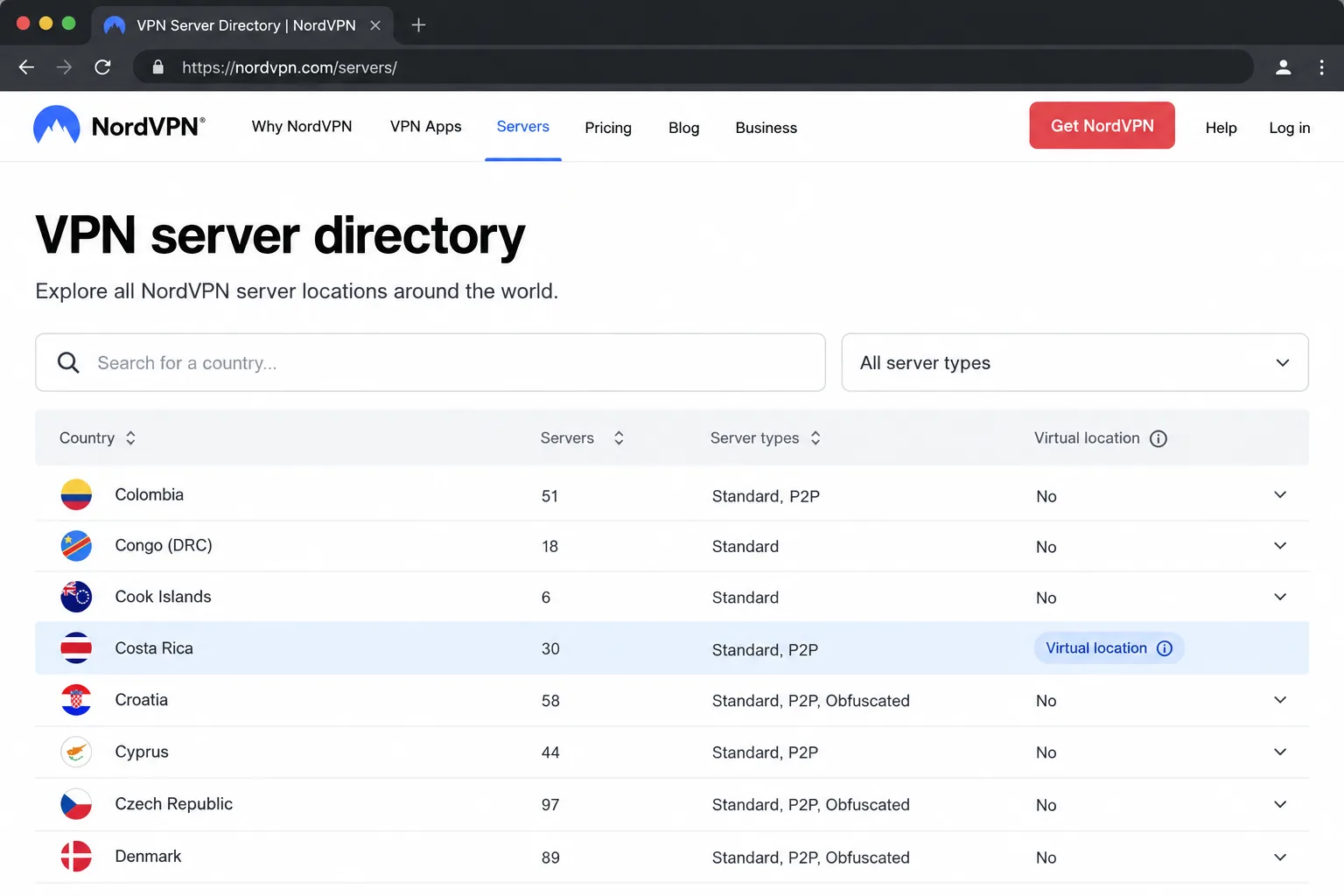
The first question is whether the service gives you a Costa Rican exit IP at all. All five do. The second is how: a physical server in San José, or a virtual one hosted somewhere else. NordVPN and PIA explicitly identify their Costa Rican locations as virtual and say where the servers sit. ExpressVPN and CyberGhost label theirs virtual without naming the host. Surfshark offers Costa Rican IPs but does not clearly classify them.
For most readers, the difference is academic. A virtual location still gives you an address that websites read as Costa Rican. It does matter if you care about legal jurisdiction or latency, because the traffic really exits in another country.
Speed, streaming access and connection reliability
Speed is the thing people feel first, and streaming is where a VPN gets caught out. We looked at whether the apps streamed without buffering, whether they needed server hopping, and which libraries stayed blocked. We also watched what happened when a connection failed, because a kill switch that does not work leaves you exposed.
No provider passed every test. That said, patterns showed up. NordVPN and Surfshark handled everyday streaming smoothly, ExpressVPN shone on British and Australian free TV, and PIA was solid on Netflix. We note the failures for each because a list of successes alone would mislead.
Privacy, device support and total subscription cost
On privacy, we looked for a kill switch, leak protection, a stated no-logs policy and independent audits where they exist. Do not read any of this as complete anonymity. A VPN encrypts the traffic between your device and the provider, and it hides your IP address from the sites you visit, but the provider still handles your connection.
For devices, we checked platform coverage and connection limits, since a family with a dozen gadgets has different needs from a solo traveler. We also compared the real cost. The headline monthly price is a promotional figure tied to a long subscription, so we listed each price alongside its subscription length and flagged renewals. Because the quotes are in different currencies and promotions shift, we do not declare a single cheapest option.
Why use a VPN in Costa Rica?
There are two distinct reasons, and they point to different settings. The first is protection while you are physically in Costa Rica. The second is reaching content or sites that depend on where you appear to be. A secure tunnel from inside the country serves the first, and a Costa Rican IP from abroad serves the second.
Costa Rica's internet environment is relatively open. Freedom House's 2022 Costa Rica internet-freedom report rated the country Free. That is dated context, not a statement about current law, but it suggests most readers use a VPN for privacy and access rather than to get around censorship.
Public Wi-Fi and remote work
At cafés, hostels, airports and coworking spaces, you share networks with strangers. A VPN encrypts your traffic on those networks, which protects logins and work files from anyone snooping on the same Wi-Fi. For remote workers, split tunneling and automation help too. CyberGhost's Smart Rules can launch your work app after the connection is up, and NordVPN, ExpressVPN and PIA all offer split tunneling so a video call can bypass the tunnel if it lags.
Remember what a VPN does not do. It will not stop a phishing email, and it does not make you anonymous. Pair it with strong passwords and two-factor sign-in, especially for work accounts.

Install the app and sign in before you travel. You need sufficient device permissions to install the app. Company-managed laptops may block installs without admin rights, so it is better to find that out at home.
Watching streaming services in Costa Rica and abroad
Streaming libraries change by country, so what you see in Costa Rica can differ from what you see at home. A VPN lets you pick the country whose catalog you want. Be realistic about it, though. Netflix's help page on VPNs says it may restrict VPN sessions to globally licensed titles, and VPN viewing is unsupported for live events and the ad-supported plan. If you are weighing options beyond Costa Rica, our guide to the best VPN for streaming covers that wider question.
How to set up a VPN in Costa Rica
The steps are the same for every service in this list: install the provider's app, sign in, pick the country you need and connect. What changes is which country you choose, and that depends on where you are and what you want.
Connect from Costa Rica to another country
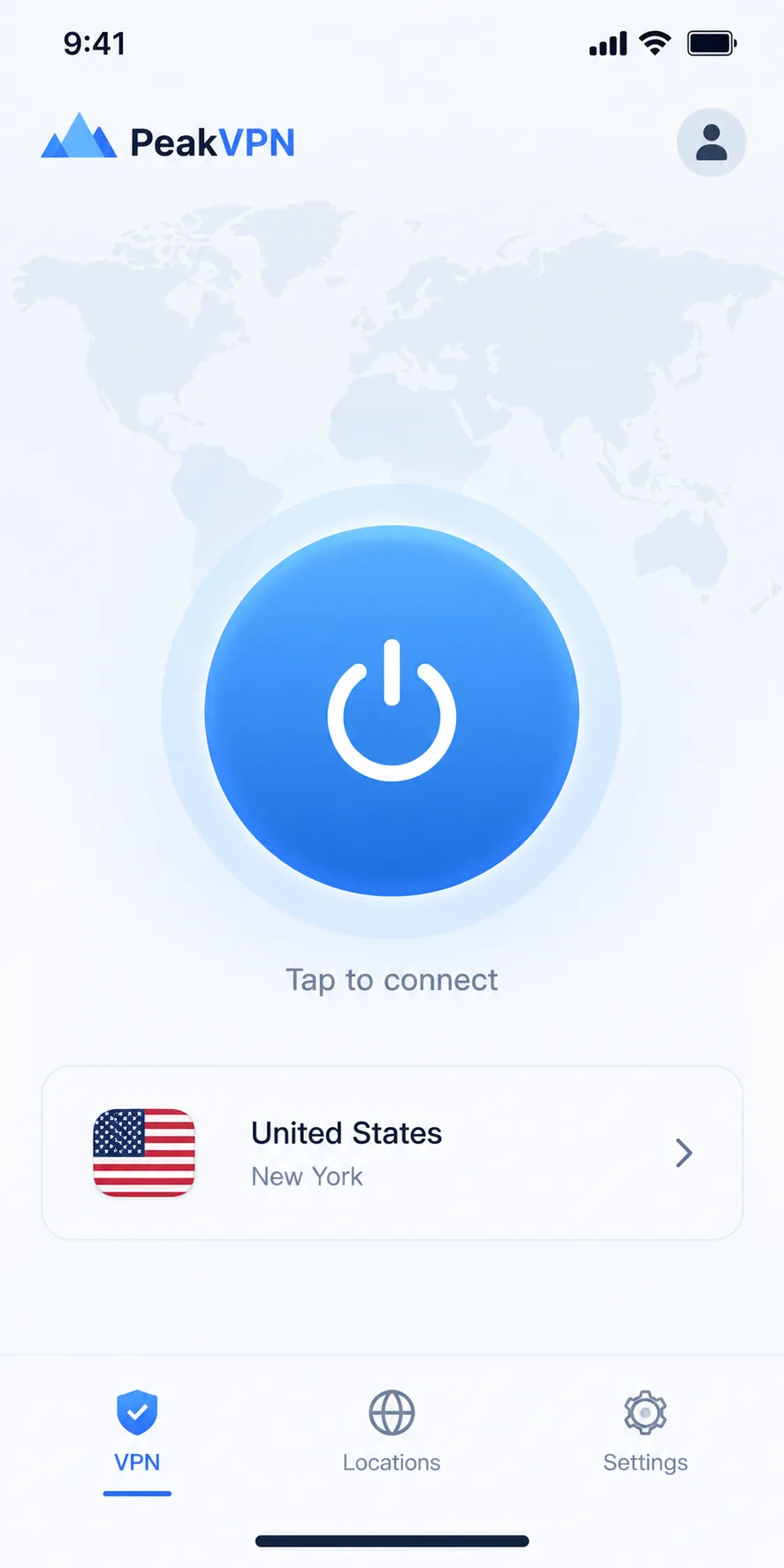
If you are in Costa Rica and want to access a service tied to another country, such as a US or UK streaming library, choose that country in the app. Your traffic then exits there, and the service sees an address from that country.
- Subscribe and download the app for your device. Our walkthrough on how to set up a VPN covers each platform in more detail.
- Sign in, then open the country list.
- Choose the destination country, not Costa Rica.
- Connect and open the service. If it refuses, switch to another server in the same country.
On NordVPN, which does not label separate streaming servers, start with the country and retry. On CyberGhost, use the streaming tab and search for the service by name.
Get a Costa Rican IP address from abroad
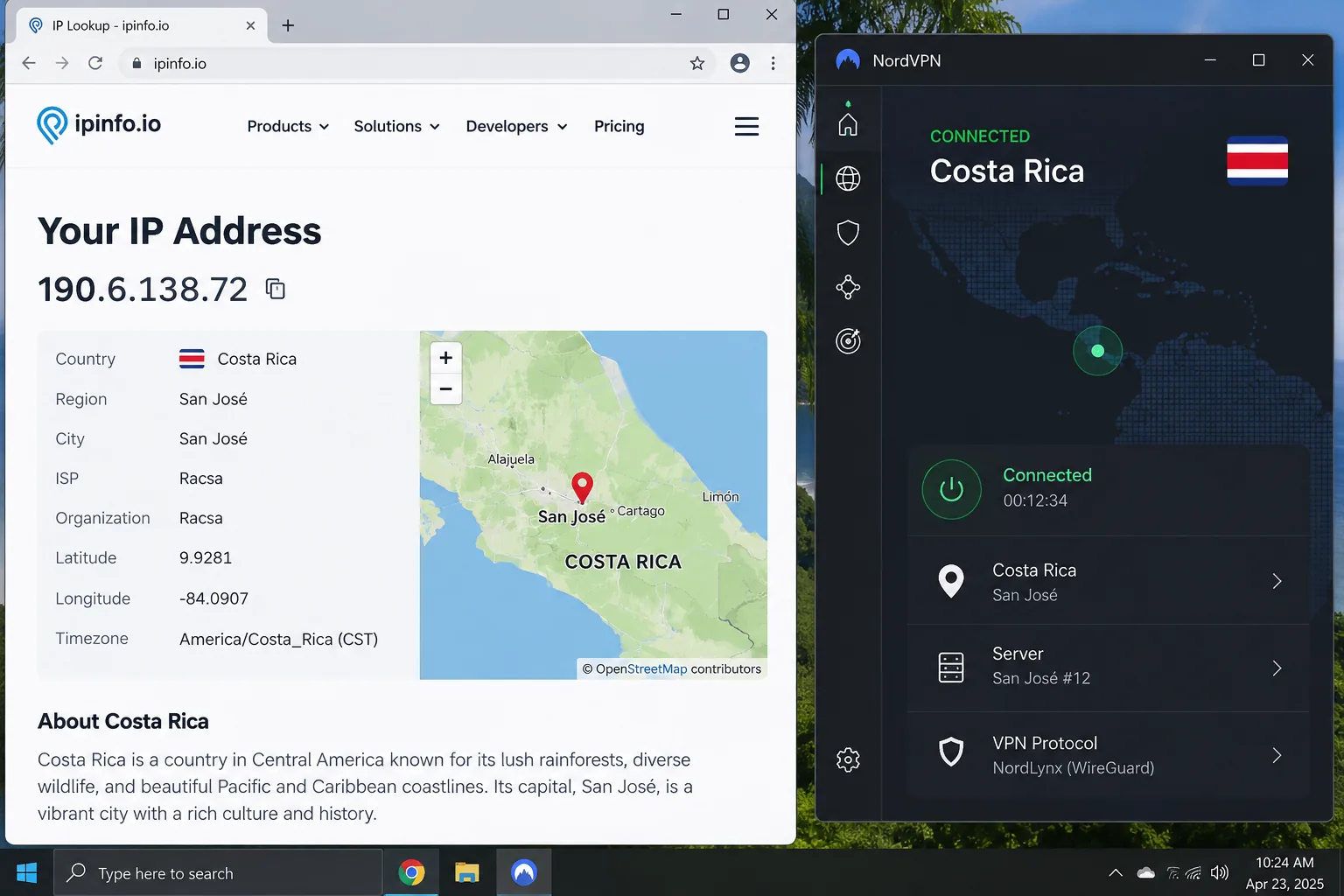
If you are traveling and want Costa Rican sites, banking or TV to see you as local, choose Costa Rica in the country list. The provider supplies a Costa Rican exit IP. With every service in this list, that location is virtual or unclassified, so expect the server to be elsewhere.
- Install the app on the device you will use abroad, ideally before you leave.
- Sign in and choose Costa Rica from the country list.
- Connect, then check your IP on a site that shows your location.
- If a site still sees you elsewhere, clear your browser cache and cookies and try another Costa Rica server.
A local IP gets you through the door. A local IP does not prove that a streaming service will play content, and banks and other sites may add their own checks.
Can you use a free VPN for Costa Rica?
In practice, no. Free plans exist, but they rarely include Costa Rica. Proton VPN's free tier is the best example of a reputable free service. Proton's free VPN page states that it has no data cap, no imposed speed cap and no ads, with a no-activity-logs policy. But streaming support, P2P and wider country selection are reserved for paid plans. The free-account help page lists ten countries: the Netherlands, Japan, Romania, Poland, Norway, Switzerland, Singapore, Mexico, Canada and the United States. Costa Rica is not included. Free server assignment is also random and subject to a waiting interval.
That is the best case. Many free apps cap data, slow your connection, show ads or collect data, and they are a poor fit for a Costa Rican IP. If you only want a safer connection on café Wi-Fi, a reputable free tier is fine. If you want a Costa Rican address, you need a paid service. Each provider here advertises a 30-day or longer refund window, so you can test one without a long commitment. A refund guarantee is not a free trial, though, and eligibility varies by payment method and store.
Which Costa Rica VPN should you choose?
Choose NordVPN if you want one dependable answer. It combines consistent apps, a Costa Rican exit IP, 10 devices and good general streaming access, and it is the one we would install first. Choose Surfshark if the whole household needs coverage with no device limit. Choose ExpressVPN if you are new to VPNs, care about privacy infrastructure and accept the higher renewal price. Choose CyberGhost if you want service-labeled servers, desktop automation and the longest refund window. Choose PIA if you want customization and unlimited devices, and you do not upload large files often.
Whichever you pick, test it in the first few days. Connect to Costa Rica, load the sites and apps you rely on, and ask for a refund if they fail. Android users can narrow the field further with our roundup of the best VPN for Android.
Costa Rica VPN FAQs
Are VPNs legal in Costa Rica?
We did not find a Costa Rican law that bans consumer VPN use, but we also could not locate a current primary legal text explicitly confirming that it is legal. Treat this as a practical reading rather than legal advice. What the official sources do show is institutional VPN use. Government rules for public-sector telework explicitly address VPN access, requiring multifactor authentication and limiting access to connections originating in Costa Rica. MICITT's cybersecurity guidance for telework also says public Wi-Fi must not be used for that work. Those are controls on government staff, not a consumer ban. If your situation is high-stakes, such as a regulated job or a legal dispute, check with a local lawyer. Using a VPN never makes unlawful activity lawful.