A free VPN always asks something of you in return, even when the download costs nothing. Sometimes it is a hard data cap. Sometimes it is a single crowded server location. And sometimes it is your privacy, quietly sold to advertisers. The trade-off is the whole story with free VPNs. Knowing which one you are making is the difference between a tool that protects you and one that puts you at more risk than no VPN at all.
We put the major free plans through the same tests we use on paid services. That means real-world speed runs, DNS and IP leak checks, and a hard look at each provider's logging policy and business model. The goal was simple. We wanted to find the free tiers that are genuinely safe to use, honest about their limits, and still useful enough to be worth your time.
Our testing ran across Windows 11, macOS, and Android over several weeks. We used a 500 Mbps home connection as the baseline. That let us measure each provider's real slowdown rather than guess at it. Every plan below is one we signed up for and used ourselves, on the free tier, with no press account or paid override. Where a claim rests on a provider's own numbers rather than our measurements, we say so.
Quick Answer: The Best Free VPNs at a Glance
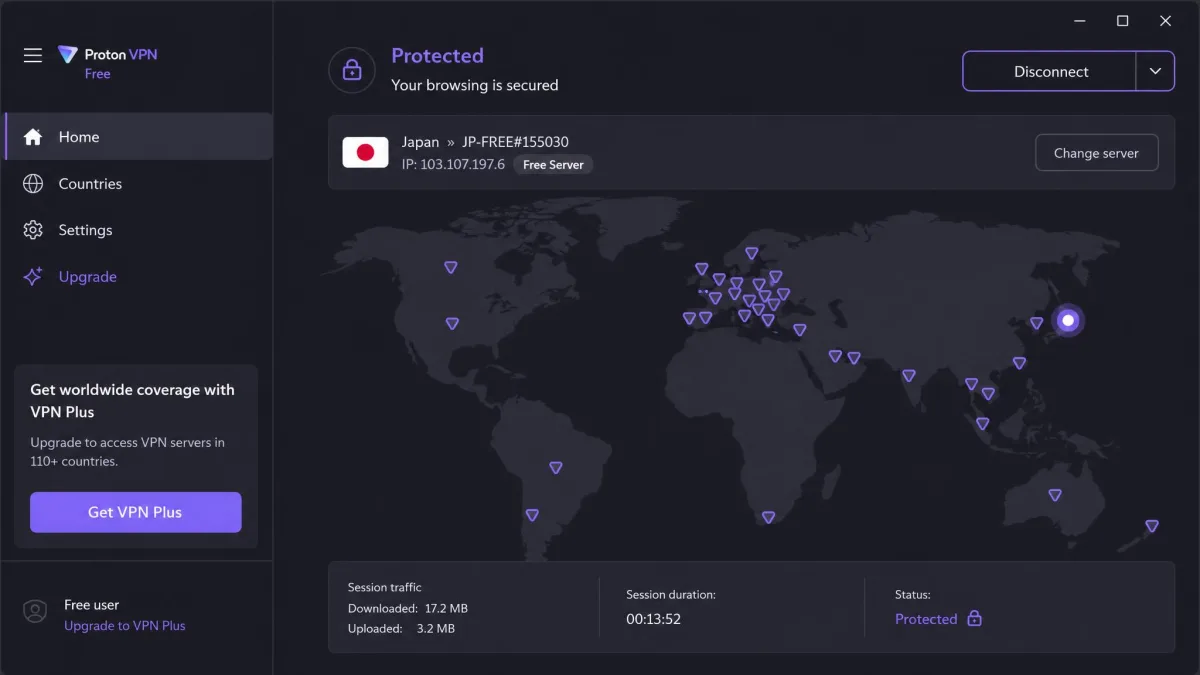
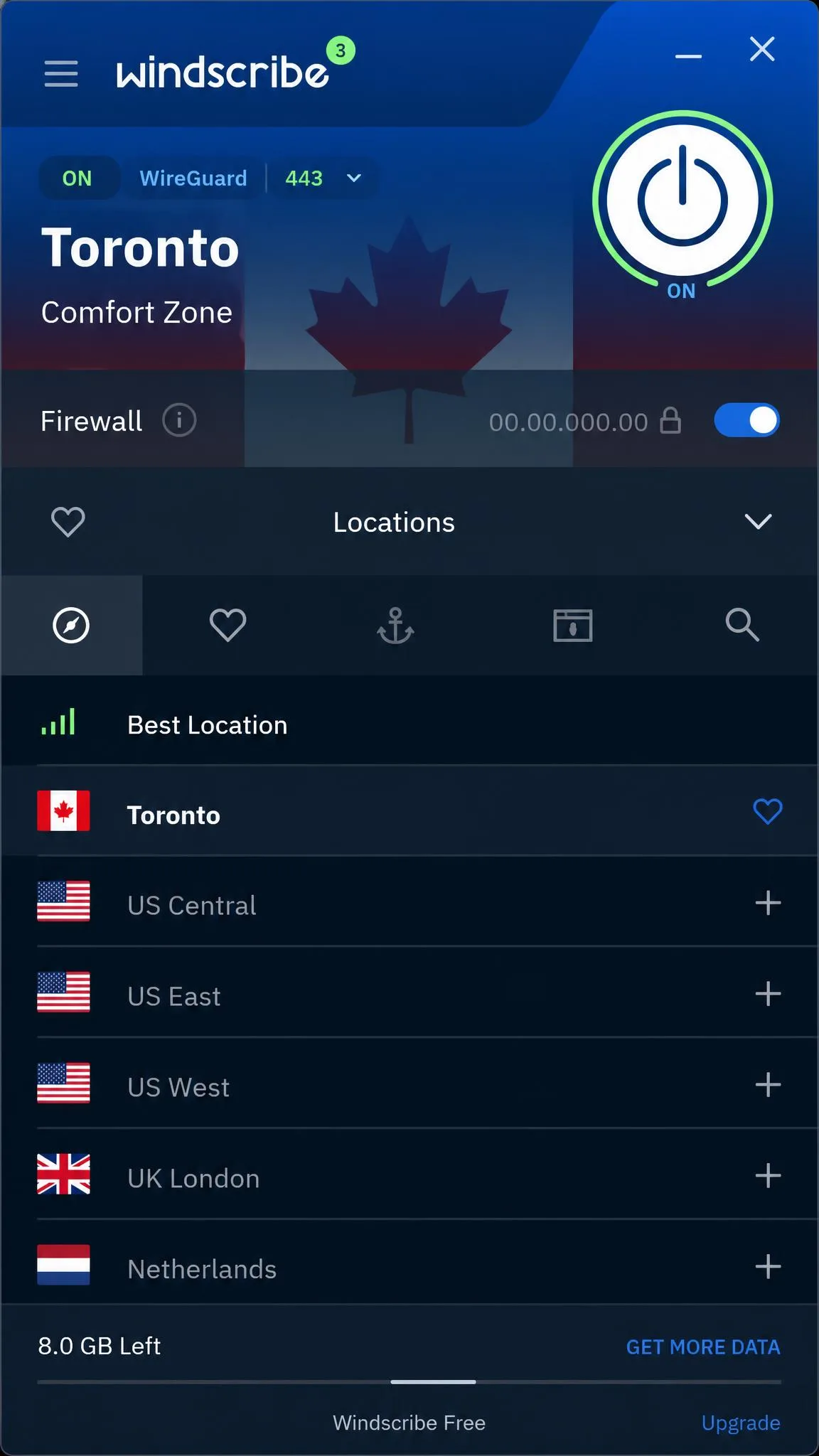
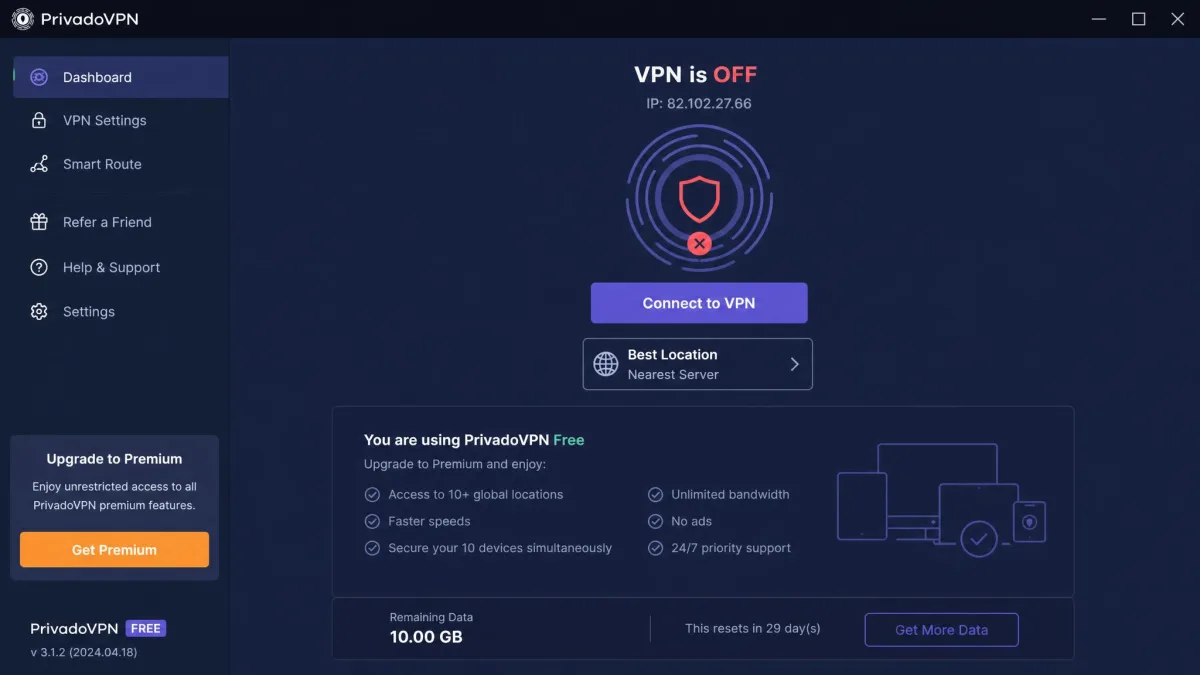
If you only want the short version, here it is. For unlimited data and the cleanest privacy record, use Proton VPN Free. For the best mix of data and features, use Windscribe. For streaming, use PrivadoVPN. Everything else on this list earns a place for a narrower reason. That might be a no-account setup, a beginner-friendly app, or a lightweight footprint.
The picks below are ranked, but the right choice depends on what you need most. A student who just wants encrypted browsing on campus Wi-Fi has different needs than someone trying to watch a show while travelling. So we call out the best fit for each provider. That way you can match the tool to the job.
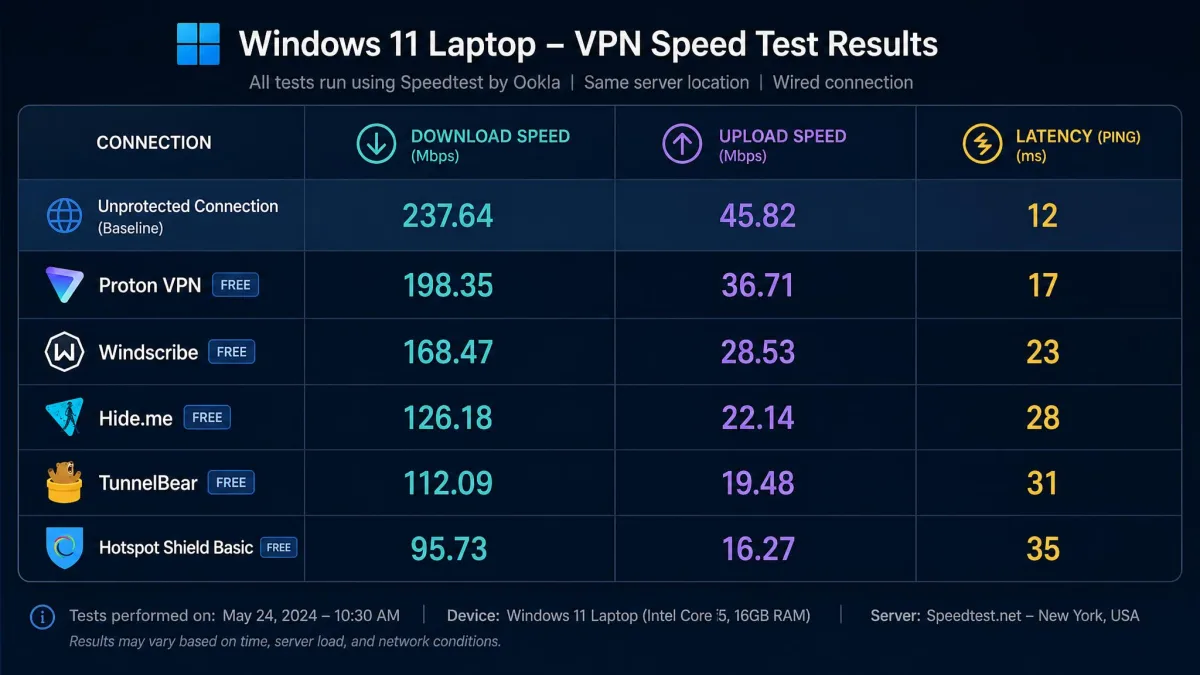
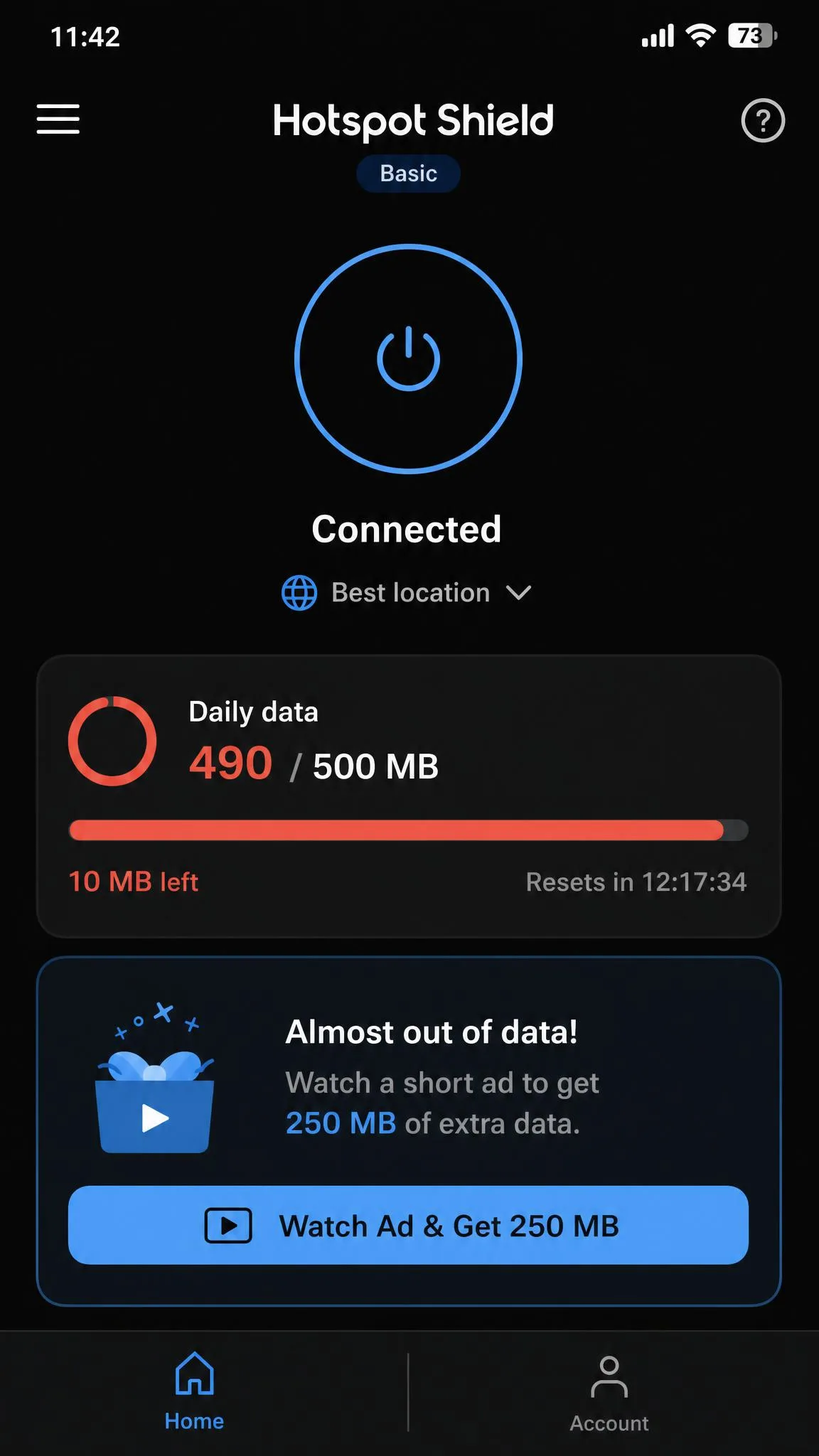
Across several weeks of testing on Windows, macOS, and Android, we measured Proton VPN Free at roughly a 15 percent speed slowdown. PrivadoVPN Free came in far lighter, at around 8 percent. Hotspot Shield's free Basic plan told a different story, burning through its 500MB daily cap in a single half-hour streaming session. Every figure below comes from a plan we set up and used ourselves.
Side-by-Side Comparison of the Best Free VPNs
Before the full reviews, here is how the five headline free plans stack up on the details that matter most. We looked at how much data you get, how many locations you can reach, how many devices you can protect, and whether the provider has been independently audited. Where sources disagree on a number, we flag it in the reviews below. We would rather show the disagreement than pretend there is a single clean figure.
| Product | Buy | Data cap | Free locations | Devices | Audited |
|---|---|---|---|---|---|
 |
Check price → | Unlimited | ~5 to 10 countries | 1 | Yes |
 |
Check price | 10GB/month | ~10 to 11 countries | Unlimited | Yes |
 |
Check price | 10GB/month | ~12 to 13 locations | 1 | Not stated |
 |
Check price | Disputed (10GB or unlimited) | ~7 to 8 locations | 1 | Yes |
 |
Check price | 500MB/day | US only | 1 | Not stated |
A quick note on that table. The data caps and location counts reflect what we saw on each free tier. A few numbers are genuinely disputed, and we flag those in the reviews. The device and audit columns are the most reliable at-a-glance signal of how seriously a provider takes its free users. If two plans look close on paper, the audited one is almost always the safer bet.
The Best Free VPNs in 2026
Here are the seven free plans we would actually recommend, ranked. Each capsule covers what the free tier gives you, where it falls short, and who it suits best. We tested every one on its free plan. So the limits described are the ones you will actually hit.
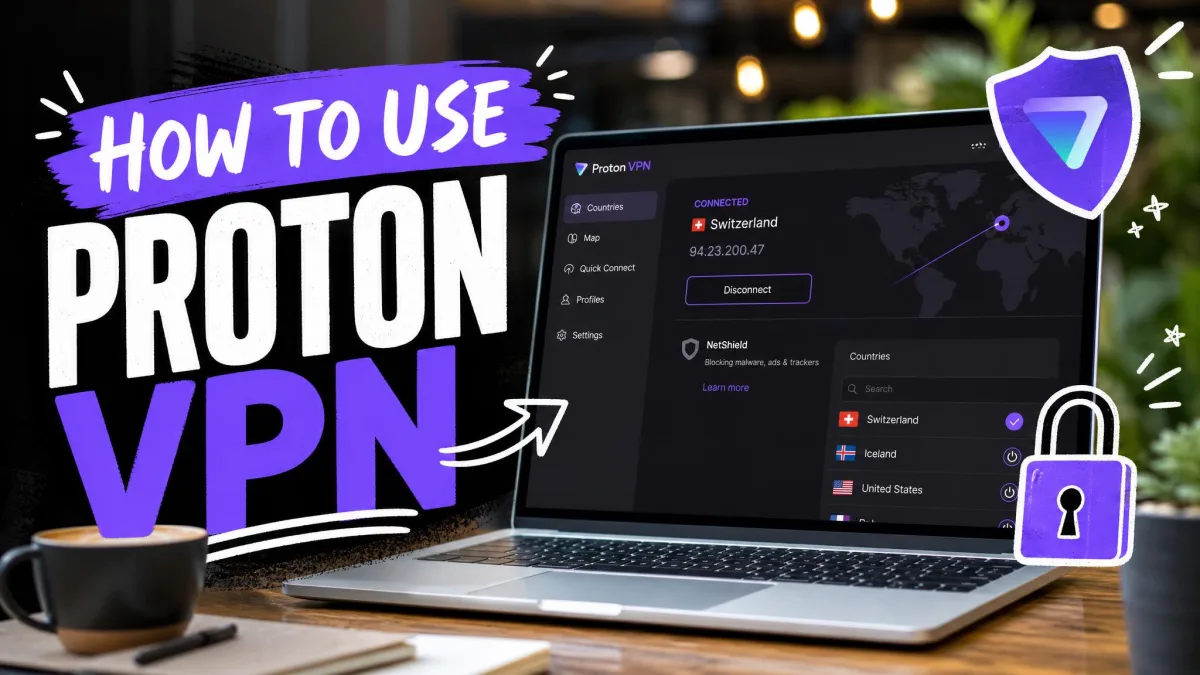
Proton VPN Free
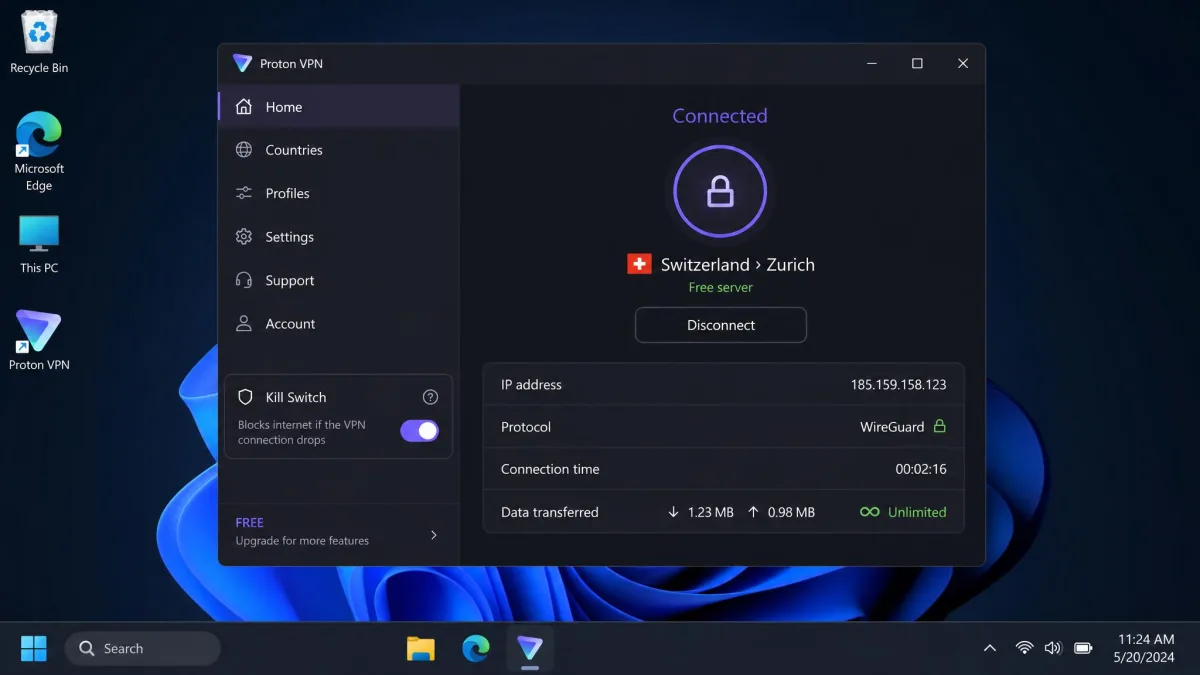
Proton VPN Free is the rare free plan that does not treat your data as the product. In our testing it delivered unlimited data with no throttling. That immediately sets it apart from every capped rival on this list. The global speed slowdown landed around 15 percent. That is fast enough for everyday browsing, video calls, and general use, though not the fastest free option we tried. What earns it the top spot is a combination we could not find anywhere else for free. You get unlimited data, a strict no-logs policy audited by outside firms, a kill switch, and the Stealth protocol for getting around VPN blocks. You do need to create a free account to sign up. The free plan connects one device at a time with no manual server or country selection. Torrenting is blocked on the free servers, and it does not reliably unblock streaming platforms. Treat it as a browsing and privacy tool rather than a Netflix key. The free country list is a restricted subset. It is reported as anywhere from 5 to 10 countries depending on who is counting and when, because Proton changes which locations the free tier can reach.
Pros
- Unlimited data with no speed throttling, unique among free plans
- Strict no-logs policy backed by independent audits
- Kill switch and Stealth protocol included on the free tier
Cons
- No manual server or country selection on free
- One device at a time, and no reliable streaming or torrenting
Best for: Anyone who wants safe, unlimited everyday browsing for free. Skip if: You need to unblock streaming or pick a specific country.
Windscribe Free
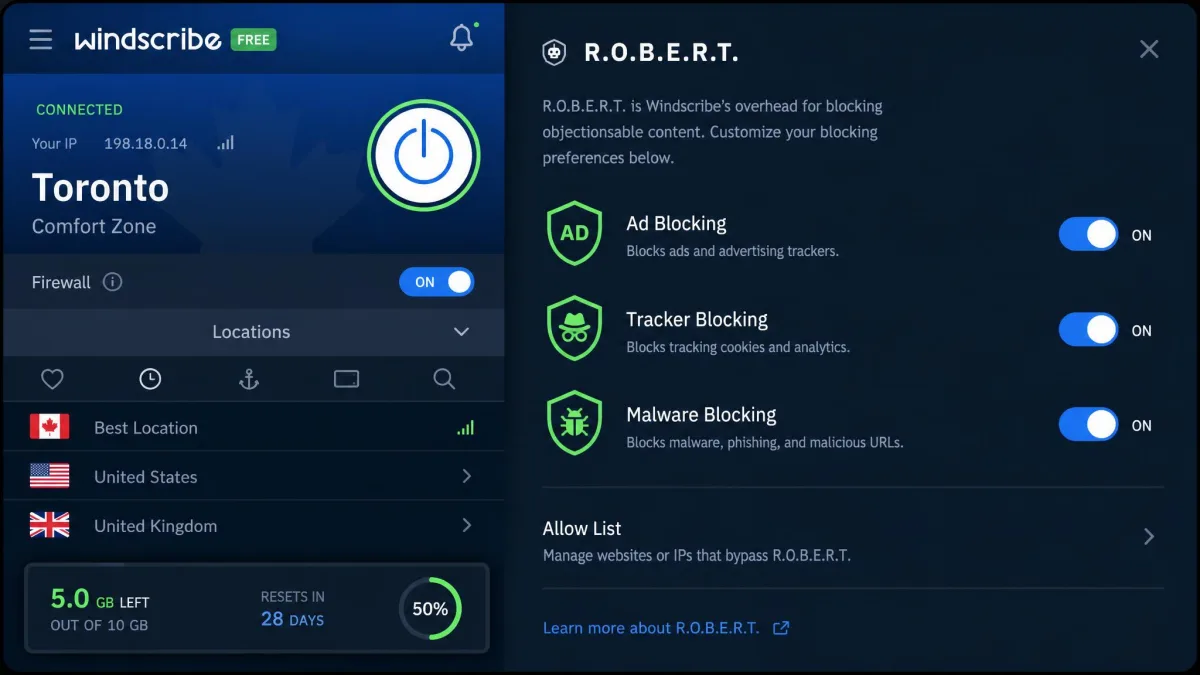
Windscribe gives you 10GB of data a month once you confirm your email address. It pairs that allowance with something no other plan here offers for free: unlimited simultaneous connections. That combination makes it the most flexible free plan on this list. You can cover a laptop, a phone, and a tablet at the same time from one login. The free tier also includes R.O.B.E.R.T., Windscribe's built-in ad, tracker, and malware domain blocker. That is a genuinely useful extra that most free VPNs charge for. In our testing the setup carried one small friction point. The full 10GB only unlocks after you confirm an email, so the first run gives you less until that step is done. Free speeds have gotten slower over time. Free users also lost reliable access to US Netflix, so it is no longer the streaming pick it once was. There is no live chat support on the free plan either, which means help arrives more slowly when you need it. The free network covers roughly 10 to 11 countries depending on the source.
Pros
- Generous 10GB monthly data after email confirmation
- Unlimited simultaneous device connections, unique on this list
- Built-in R.O.B.E.R.T. ad and malware blocker
Cons
- Full data only unlocks after confirming an email
- No live chat support and no reliable Netflix on free
Best for: Covering several devices at once on a solid monthly allowance. Skip if: You need same-day support or reliable US streaming.
PrivadoVPN Free
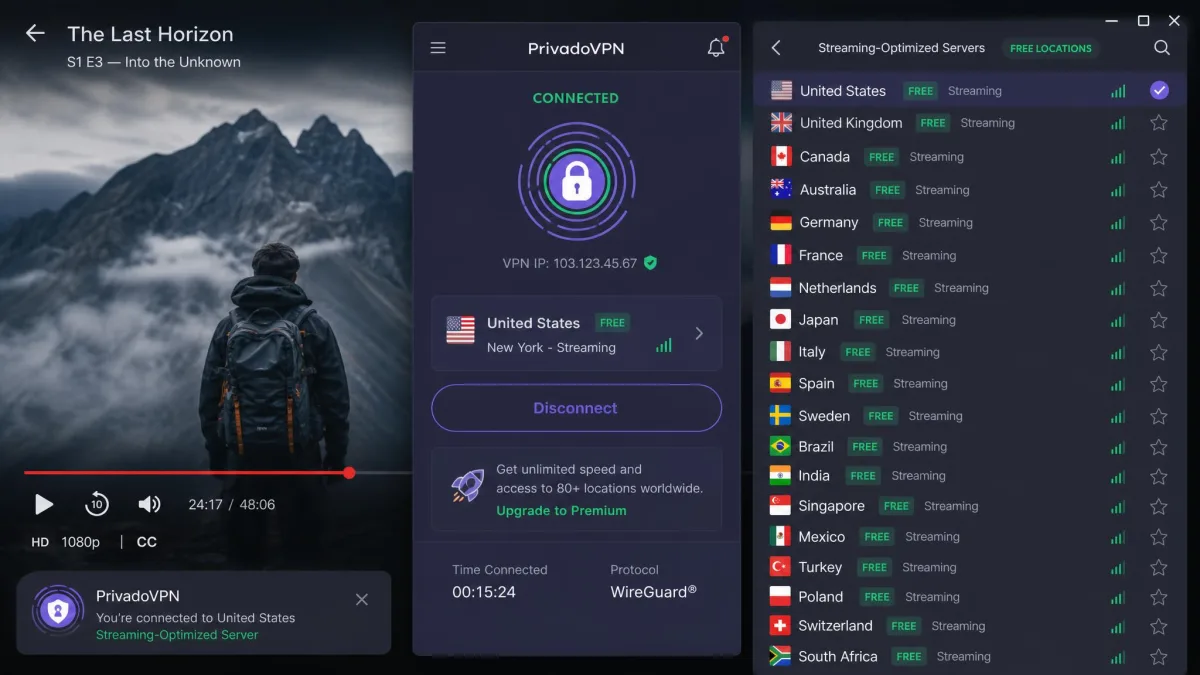
PrivadoVPN Free is the plan we reach for when the job is watching something. It is one of the few free tiers that still unblocks streaming with any consistency. In our testing the speed loss was small, around 8 percent globally, which is low enough that HD playback held up. You get 10GB of data a month and a comparatively wide spread of free locations. That count is reported as somewhere between 12 and 13 depending on the source. Either way, it gives you more choice of where to appear than most free plans allow. The free tier also carries Control Tower customizable options and SOCKS5 support. That is more configurability than you usually see at this price. The catches are familiar for a free plan. It is restricted to a single device, and customization is limited compared with the paid version. Its independent audit status is not clearly documented. So we would not put it in the same audited tier as Proton or Windscribe. Even so, nothing in our testing raised a red flag on privacy.
Pros
- One of the few free plans that reliably unblocks streaming
- Small speed loss of around 8 percent in our tests
- Wide spread of free server locations for the price
Cons
- Limited to a single device on the free tier
- Independent audit status not clearly documented
Best for: Streaming and general use on a single device. Skip if: You need audited privacy credentials or multi-device coverage.
Hotspot Shield Basic
Hotspot Shield's free Basic plan runs on the company's proprietary Hydra protocol, and speed is its calling card. The problem is the allowance. It is one of the most restrictive here. You get 500MB per day. In our testing that was barely enough for a single 30-minute streaming episode before the tap ran dry. You can extend the data limit by sitting through ads, since the free tier is ad-supported. But that turns quick tasks into a stop-start experience. We found ourselves watching a video prompt just to load a few more pages. Free access is limited to a single device. In practice the free servers are US-only, with only occasional access to a couple of extra countries. That US-only reality also means anyone outside North America pays a latency penalty on top of the daily cap. It showed up in our runs as slower first connections. Speed is genuinely fast on paper, but throttling on free is inconsistent. Some sessions hit a hard cap around 2Mbps. Others ran near full speed. So the plan you land on decides what you get. One more thing to watch on Apple hardware: the macOS app lacks a kill switch on the free plan. That is a real privacy gap if your connection drops mid-session.
Pros
- Fast proprietary Hydra protocol
- Option to extend data by watching ads
Cons
- Restrictive 500MB daily cap that runs out fast
- No kill switch on the free macOS app, and mostly US-only servers
Best for: Short, speed-sensitive tasks when you have almost no data to move. Skip if: You stream, or you use a Mac and want a kill switch.
hide.me Free
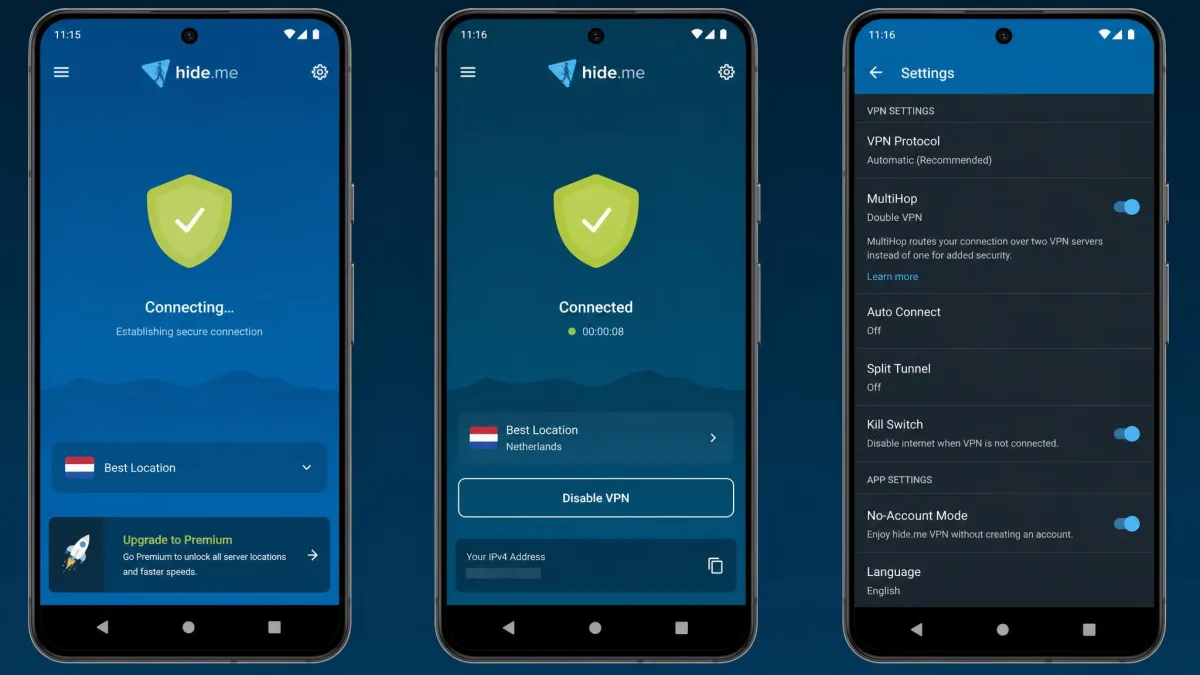
hide.me Free stands out for one reason above all. You can connect without creating an account or handing over an email address. That is about as private as free VPN sign-up gets. It runs a no-logs policy and includes MultiHop Double VPN on the free tier. That routes your traffic through two servers for an extra privacy layer, which most free plans reserve for paying customers. The free data allowance is genuinely disputed. Some sources report 10GB a month, others say unlimited. We could not pin it to a single reliable number, so plan for the lower figure to be safe. Free locations sit around 7 to 8 depending on the source. In our testing, the no-account convenience came with the usual free-tier compromises. Speeds can throttle, and the free servers get congested at peak hours. It does not reliably unblock streaming, and there is no P2P or torrenting on the free servers. Keep it in the privacy-and-browsing lane.
Pros
- No account or email needed to start using it
- MultiHop Double VPN and a no-logs policy on free
Cons
- Free data allowance is genuinely unclear across sources
- Speeds throttle and servers congest at peak hours
Best for: Anonymous setup with no email or account required. Skip if: You want streaming, torrenting, or guaranteed high speeds.

TunnelBear Free
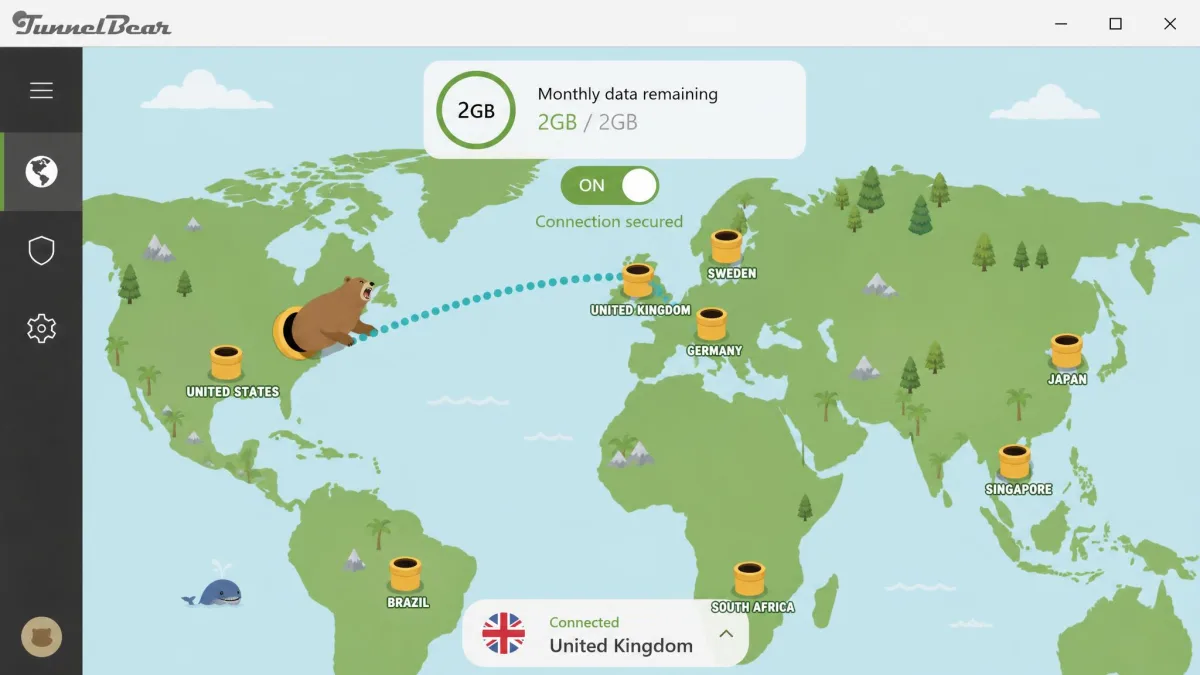
TunnelBear is the friendliest VPN we tested. Its cheerful, simple app makes it the easiest free plan to recommend to someone who has never used a VPN before. It backs that approachability with real substance. You get annual independent security audits, GhostBear obfuscation for restrictive networks, and the VigilantBear kill switch. The catch is the data. The free plan gives you just 2GB a month, the smallest allowance of any major free VPN here. In our testing it ran out fast once we started doing anything beyond light browsing. Speeds stayed consistently good despite the occasional connection drop, and the app remained beginner-friendly throughout. One recent change matters. TunnelBear removed manual country selection on the free plan as of January 2026. So you can no longer pick your server, even though the wider network spans 47 countries. On the plus side, the free tier allows unlimited simultaneous connections. At least the tiny data pool stretches across your devices.
Pros
- The simplest, most beginner-friendly app on this list
- Annual independent audits and unlimited device connections
- Consistently good speeds in testing
Cons
- Tiny 2GB monthly data allowance runs out fast
- No manual country selection on free as of January 2026
Best for: First-time VPN users who want a simple, trustworthy app. Skip if: You need more than a couple of gigabytes a month.

ZoogVPN Free
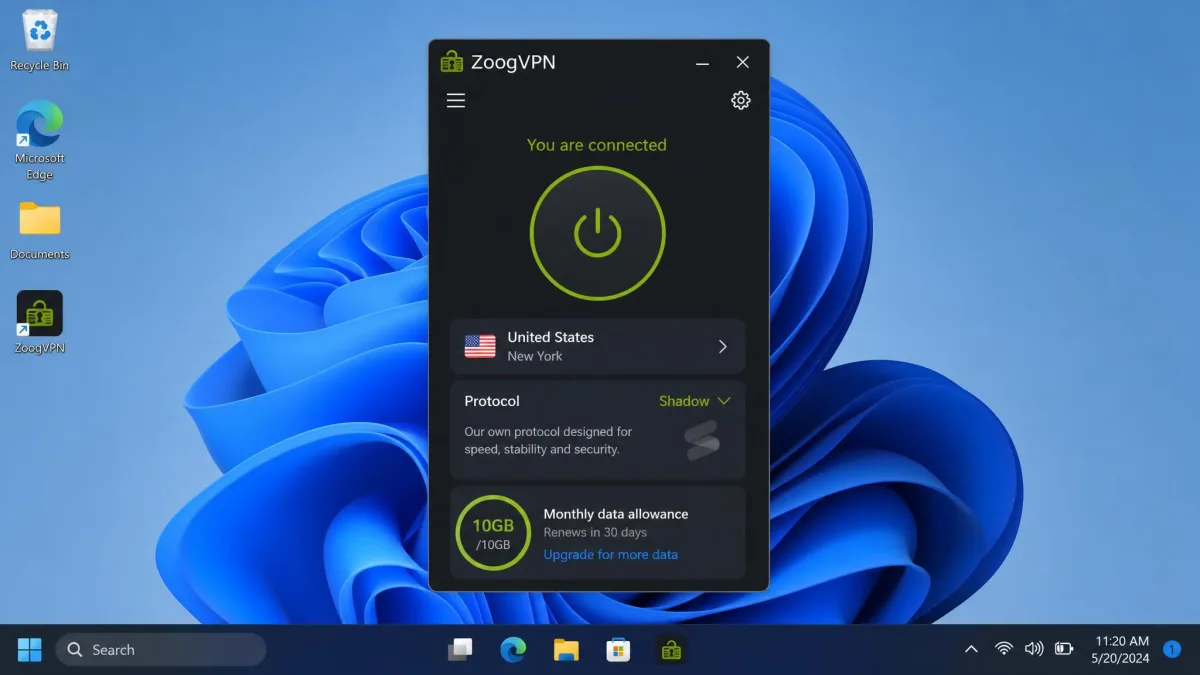
ZoogVPN Free is the quiet, no-drama pick. Its app is lightweight. It is free for life with a 10GB monthly allowance that resets each month, and it has a clean no-logs track record with no history of mishandling user data. It runs the Shadow obfuscation protocol, which helps on networks that try to block VPN traffic. The whole thing stays out of your way. In our testing it installed quickly and connected without the account hoops some rivals throw up. The compact window never got in the way while it sat in the background. The free tier caps you at a single device. The free location list is modest and inconsistently reported. Some sources list five countries (UK, US, Netherlands, Poland, and Singapore) while others list only three. That short list is the real ceiling here. It limits where you can appear and leaves the nearest server busier at peak times. It is the least known name on this list, but nothing in its record gave us pause. The 10GB monthly cap puts it well ahead of TunnelBear and Hotspot Shield on raw allowance.
Pros
- Generous 10GB monthly allowance, free for life
- Lightweight app with a clean no-logs track record
- Shadow obfuscation protocol for restrictive networks
Cons
- Limited to a single device on the free tier
- Small, inconsistently reported free location list
Best for: A low-fuss, lightweight free VPN with a solid data cap. Skip if: You need more locations or multi-device coverage.
How We Tested and Ranked These Free VPNs
We treated every free plan the way we treat a paid one. We signed up for each service on its free tier. We installed the apps on Windows 11, macOS, and Android, and used them over several weeks. That let us judge real behavior rather than launch-day impressions. Nobody handed us a press account or lifted the free limits. So the caps and restrictions we describe are exactly the ones you will run into.
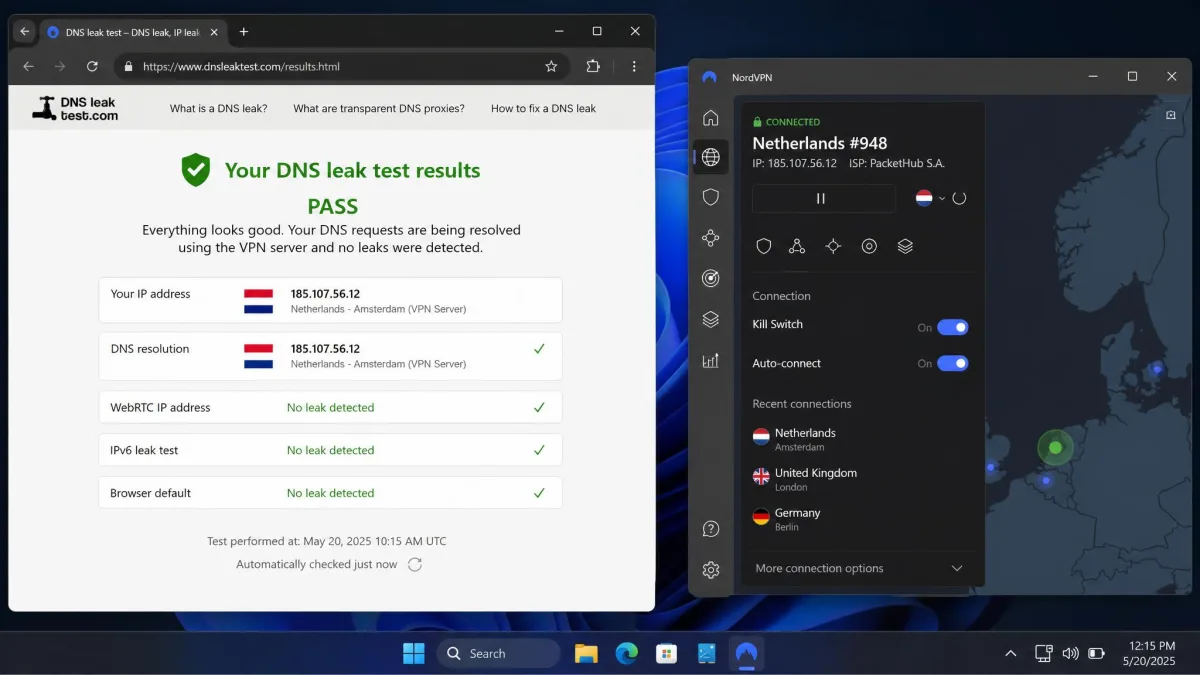
Speed was measured against a 500 Mbps home baseline. We ran each provider multiple times across nearby and distant servers, so a single bad result could not skew the picture. We ran DNS and IP leak checks on every connection to confirm the tunnel actually held. We tested the kill switch by forcing the connection to drop. Where a provider claimed a feature, we tried to use it rather than take the claim on faith.
We also lived with each app the way a normal user would, rather than testing it once and moving on. That meant connecting on different networks and letting sessions run long enough to hit the data caps. We came back on different days to see whether the free servers were consistently reachable or congested at peak times. A free VPN that tests well for ten minutes but chokes every evening is not one we can recommend. Only sustained use surfaces that pattern.
Beyond the numbers, we weighed the things that decide whether a free VPN is worth trusting. That means the logging policy, whether the service has been independently audited, and how the company makes money. A free VPN has to pay for its servers somehow. Understanding how is the single most important step in judging whether it is safe. We ranked the plans on the balance of data allowance, speed, privacy record, features, and honesty about their own limits.
Before you commit to any free VPN, run your own leak test right after connecting. A tunnel that leaks your DNS requests or real IP address gives you a false sense of safety, which is worse than using no VPN at all.
Are Free VPNs Safe? The Risks You Are Actually Taking
Some free VPNs are safe. Many are not. The difference comes down to how honest the provider is about its business model and how seriously it treats your data. The reputable free plans in this guide come from companies that also sell paid subscriptions. That means the free tier is a funnel toward paying customers rather than the product itself. That alignment is what makes them trustworthy. The dangerous free VPNs are the ones with no obvious way of making money. With those, the money is you.
How Free VPNs Make Money
Running a VPN network costs real money. Servers, bandwidth, staff, and audits all have to be paid for. A legitimate free VPN covers that cost by using the free tier as advertising for its paid plan, betting that some free users will upgrade. That is why every provider we recommend also sells a subscription. The moment a free VPN has no paid tier and no clear revenue, you should assume the worst. The revenue then comes from logging your activity, injecting ads, or selling your browsing data to third parties.
It helps to look at the shape of the funnel. Proton uses its free tier as a shop window for Proton VPN Plus and its wider privacy suite. That is why it can afford to give away unlimited data. Windscribe nudges you toward its paid Pro plan and its pay-as-you-go Build-a-Plan option once the 10GB runs low. Hotspot Shield takes a different, more visible route. It shows you ads on the free tier and dangles the ad-free Premium plan as the escape hatch. None of those models is hidden, and that visibility is the point. When you can see exactly how a provider expects to earn from you, you can judge whether the trade is fair. When the money trail is invisible, assume it runs through your data.
If a free VPN cannot tell you plainly how it makes money, treat that silence as your answer. Free VPNs with no visible business model are the ones most likely to be monetizing your data.
Data Caps, Bandwidth, and Speed Limits
Every free plan limits something, and the limit is usually data. The allowances on this list run from Hotspot Shield's 500MB a day and TunnelBear's 2GB a month up to the 10GB monthly caps on Windscribe, PrivadoVPN, and ZoogVPN. Proton is the lone exception at unlimited. Bandwidth and speed are the other levers. Some providers throttle free connections directly. Others simply route free users onto busier, slower servers. Knowing which limit a plan leans on tells you what it is actually good for. A tight data cap is fine for occasional browsing but painful for streaming. A slow but uncapped plan like Proton suits the opposite pattern of use.
The free VPN that is right for you is the one whose single biggest limit is the one you care about least.
— From our hands-on testing
Logging, Ads, and Malware in Free VPN Apps
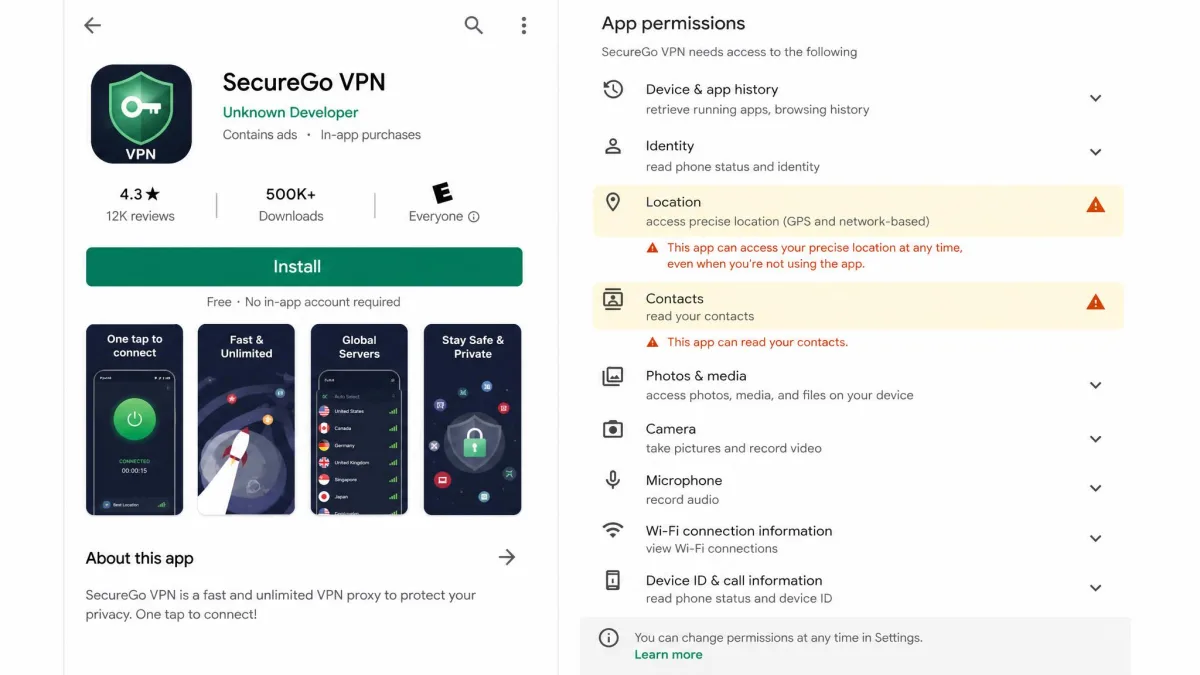
The worst free VPN apps do the opposite of what a VPN is for. Instead of protecting your traffic, they log it, wrap it in ads, or ship with malware bundled in. Independent research has repeatedly found a large share of free VPN apps that leak user data or carry intrusive tracking, particularly on mobile. The common failure patterns are worth naming so you can spot them. DNS requests can escape the tunnel and expose the sites you visit. Embedded advertising trackers can follow you between apps. And permission grants can reach far beyond networking into your contacts, location, or storage. A tool built to hide your activity should never need to read your address book.
This is exactly why the audit column in our comparison matters so much. A provider that submits to outside security audits is putting its claims on the record. One that does not is asking you to take its word. An audit is not a permanent guarantee, since code changes after the auditors leave. But a provider that pays for regular reviews has a reputation to protect and a paper trail you can check. Pair that audit history with a plainly written no-logs policy and a visible parent company. Together those are the three signals that separate a safe free VPN from a risky one.
An independently audited no-logs policy is the strongest safety signal a free VPN can offer. Proton, Windscribe, hide.me, and TunnelBear all point to outside audits; treat unaudited free apps with more caution.
Streaming and Netflix Unblocking
Streaming is where most free VPNs quietly fail. Services like Netflix actively block VPN traffic, and free tiers rarely have the server resources to keep up. In our testing, PrivadoVPN Free was the standout exception, unblocking streaming with reasonable consistency. Proton VPN Free and hide.me Free did not reliably get us in. Windscribe used to be a strong streaming pick, but free users have lost reliable US Netflix access. If watching something is your main goal, set your expectations accordingly and lean on PrivadoVPN.
Torrenting Support
Torrenting is another common casualty of the free tier. Proton VPN Free blocks torrenting on its free servers, and hide.me Free offers no P2P on free either. If P2P is a priority, most free plans will disappoint you. This is one of the clearest cases where a paid plan, or at least a free trial of one, earns its keep.
Free VPNs to Avoid
The free VPNs worth avoiding are the ones you have never heard of. That especially means no-name apps in the mobile stores promising unlimited everything with no catch. A free VPN with unlimited data, unlimited devices, and no visible company behind it is not a gift. Users have repeatedly found data leaks, hidden trackers, and outright malware in free vpn apps.
A few concrete red flags. Avoid any free VPN that cannot name a real company and a real privacy policy. Avoid apps that demand intrusive permissions unrelated to networking. Avoid anything with a flood of ads and no paid tier, since that combination usually means your data is the revenue. And be wary of VPNs based in jurisdictions with a history of data-sharing demands. When in doubt, stick to the audited names in this guide.
Unlimited free data from an unknown app is the single most common trap. The providers that can truly afford to give away unlimited data, like Proton, are the ones with a paid business funding it.
How to Choose a Free VPN
Start with the limit that will bother you least. If you cannot stand a data cap, Proton VPN Free is the only unlimited option, so it wins by default. If you need to cover several devices, Windscribe's unlimited connections make the choice for you. If you want to stream, PrivadoVPN is the pick. Matching the plan's biggest weakness to the thing you care about least is the fastest way to a good decision.
After that, weigh the non-negotiables. A no-logs policy and, ideally, an independent audit should be at the top of the list. A kill switch matters if you ever handle anything sensitive, since it stops your traffic if the connection drops. Then look at locations, because a free plan with only a handful of countries limits where you can appear. Finally, consider the sign-up cost in privacy terms. hide.me needs no account at all, while most others want at least an email.
It is also worth understanding the protocol a free VPN uses, because that is what actually carries your traffic. WireGuard and OpenVPN are the modern, well-audited standards, and most of our picks run one or both. A few providers layer an obfuscation mode on top, such as Proton's Stealth, TunnelBear's GhostBear, or ZoogVPN's Shadow. That mode disguises VPN traffic so it can slip past networks that try to block it. If you connect on a restrictive campus, office, or country network, that obfuscation option is the feature that decides whether the VPN works at all. A proprietary protocol like Hotspot Shield's Hydra can be fast. But a closed protocol is harder for outsiders to inspect, so we weigh it a little more cautiously than the open standards.
Jurisdiction is the next thing to check, and it is easy to overlook. A VPN is bound by the laws of the country it is headquartered in. Some of those countries belong to the Five, Nine, and Fourteen Eyes intelligence-sharing alliances. A no-logs provider in one of those jurisdictions still cannot hand over data it never kept, so a genuine no-logs policy matters more than the flag on the map. Even so, a provider based outside those alliances gives you one less thing to worry about. That is part of why privacy-focused names often headquarter somewhere with strong data-protection law.
Finally, actually read the privacy policy before you install, even if only the top of it. You are looking for plain answers to three questions: what the provider logs, how long it keeps anything, and whether it shares data with third parties. Vague language is a quiet warning. So is a policy that talks up "aggregated" or "anonymized" data collection, or a document that is impossible to find. A trustworthy free VPN states in ordinary words that it does not log your browsing, and it makes that policy easy to reach. There is one more question worth asking before you commit: what happens when you hit the limit? Some plans simply cut you off until the next month. Others drop your speed to a crawl. And a few, like Hotspot Shield, let you trade your attention for more data by watching ads. None of those is wrong, but the one that annoys you least should steer your choice as much as the headline numbers do.
Pick your free VPN around a single primary task rather than trying to find one plan that does everything. No free tier does everything well, but several do one thing very well.
Free vs Paid VPN: What You Give Up
The honest summary is that a free VPN is a compromise, and a paid one removes most of the compromises. Paid plans give you unlimited data across the board, far more server locations, reliable streaming and torrenting, faster speeds, more simultaneous devices, and real customer support. Free plans hand you a slice of that in exchange for nothing. That is a fair deal as long as you know which slice you are getting.
The gap is easiest to see in the paid versions of the same providers you already met above. Proton VPN Plus opens up the full server network across dozens of countries, adds reliable streaming and P2P, and lifts the single-device limit to ten. Windscribe Pro drops the 10GB monthly ceiling entirely and restores the streaming access its free tier lost. Its Build-a-Plan option lets you pay for just the locations you want. PrivadoVPN and TunnelBear both move you from a tight monthly allowance to unlimited data and unrestricted country selection the moment you upgrade. In every case you are paying to remove exactly the limit that defined the free tier. That is why the right free plan is the one whose limit you can live with.
For light, occasional use, a good free VPN is genuinely enough. Encrypting your traffic on public Wi-Fi, hiding your IP from a website, or getting a lightweight privacy layer for everyday browsing are all well within what the plans above can do. The moment your needs grow, the gap becomes hard to ignore. That might be streaming a full series, torrenting, or covering a household of devices at full speed.
It is also worth being realistic about time. Every free tier we tested asked for a little more patience than a paid one. That might be a congested server at 9pm, a data counter you had to keep an eye on, or a setup step to unlock the full allowance. If your time is worth more to you than a few dollars a month, that friction is the real cost of free. It is worth weighing honestly.
Free VPNs by Device: Windows, Mac, Android, and iPhone
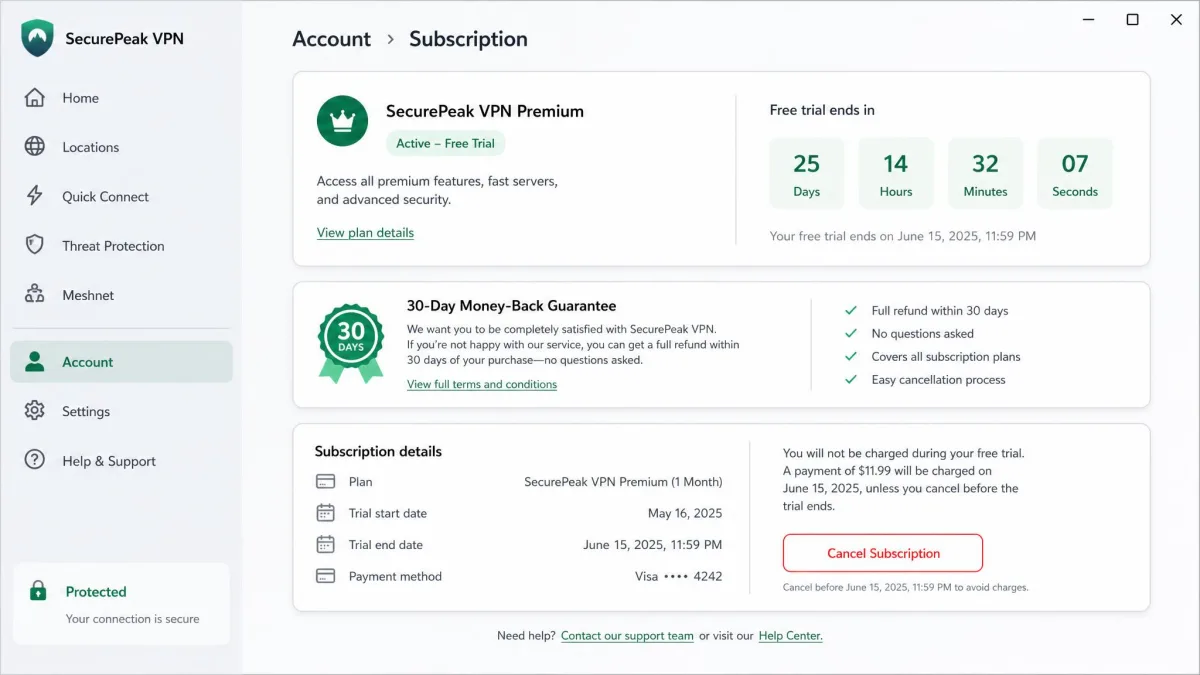
All of our top picks offer apps across Windows, macOS, Android, and iPhone. But the free experience is not identical on every platform. On Windows and Android, the free apps are generally full-featured, and this is where we did most of our testing. Both handle the major providers well. Android in particular is where a free VPN earns its keep on mobile data and public networks.
On macOS and iPhone, watch the details. Hotspot Shield's free macOS app, for instance, lacks a kill switch. That is a meaningful gap on a platform where you might expect one. Apple's own network stack also handles VPN connections a little differently. So test your kill switch and leak protection after install rather than assuming parity with the Windows build. The apps look the same across devices, but the protections underneath do not always match.
Free Trials and Money-Back Guarantees as an Alternative
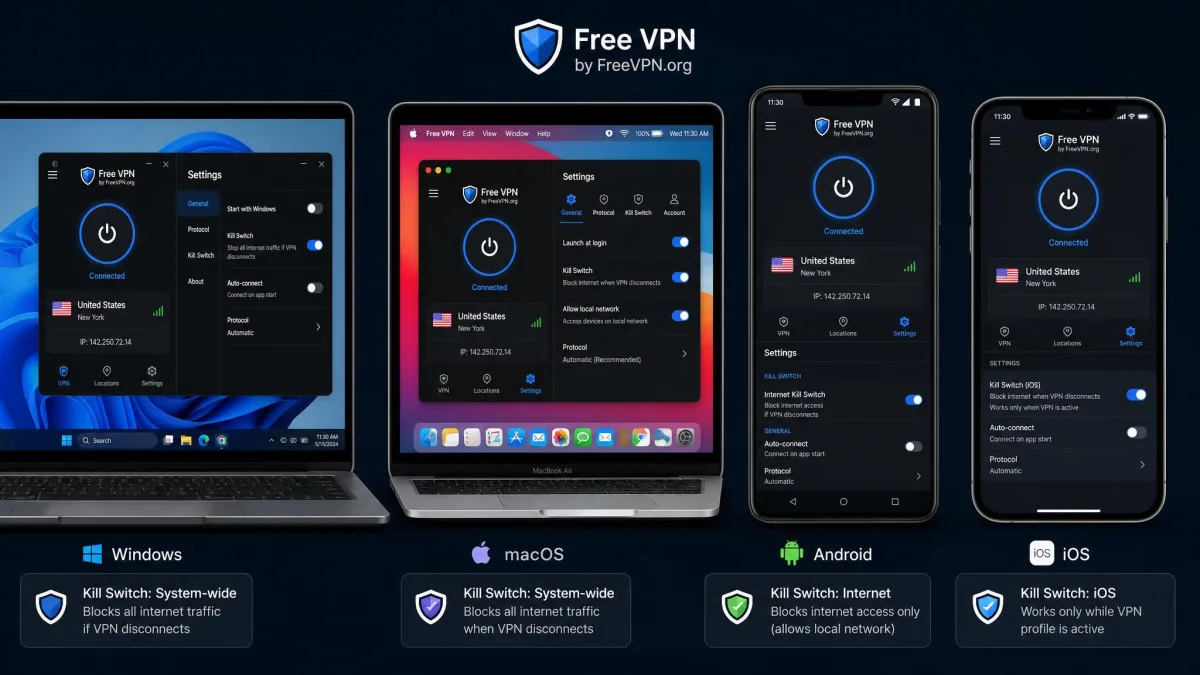
If a free plan's limits keep getting in your way, there is a middle path between free and committing to a subscription. Most major paid VPNs offer a free trial or a 30-day money-back guarantee. That lets you use the full paid service, with all its data, locations, and streaming muscle. If it does not suit you, you get your money back. Used honestly, this gives you weeks of unrestricted access at no real cost.
This route makes the most sense for a specific, time-limited need. That might be a trip, a project, or a show you want to finish. You get unlimited data and full speeds without the free-tier compromises, and you keep your options open. Just set a reminder to cancel within the guarantee window. And read the refund terms first so there are no surprises.
Bottom Line: Which Free VPN Should You Use?
For most people, the answer is Proton VPN Free. It is the only major free plan with unlimited data, and its no-logs policy is independently audited. In our testing it stayed fast enough for everyday use while asking almost nothing of you in return. Its one real trade-off is no streaming and a single device. Most casual users will barely notice it. The full recommendation, and where each runner-up fits, sits in the verdict below.