
If your VPN refuses to connect once you land in Turkey, you have an access problem, and the fix is a VPN built to get past network blocks. If you are abroad and want a Turkish IP address for local sites, you have a different problem, and the fix is a Turkish server location. Those two jobs sound alike, but they call for different features, and a provider can do one well while struggling with the other.
We compared five services for both jobs: NordVPN, ExpressVPN, Proton VPN, Surfshark and Private Internet Access. We looked at how each handles blocking, what it offers for a Turkish IP, and what it costs once the first term ends. No provider is guaranteed to connect on every Turkish network, and we say so wherever it matters.
The order below is editorial, not a performance ranking. We did not run a controlled benchmark from inside Turkey, so we hedge anything that depends on your ISP, your protocol or the day you connect.
Best VPNs for Turkey at a glance
The table below shows what each provider offers for Turkey, taken from vendor documentation and the review sources we compared on 2026-11-08. Prices are introductory offers we retrieved on that date. They vary by region, currency and tax, and they change often, so confirm the total at checkout.
| Product | Buy | Anti-block tools | Turkish IP | Devices | Free-plan limits | Intro price (retrieved 2026-11-08) | Renewal |
|---|---|---|---|---|---|---|---|
 |
Check price → | NordWhisper and migrated Obfuscated Servers | Istanbul selection | 10 | No ongoing free plan established | EUR 94.23for 27 months | EUR 139.08 per year |
 |
Automatic obfuscation on supported apps | Virtual Turkey location | 10 Basic, 12 Advanced, 14 Pro | No ongoing free plan established | USD 84for 28 months (Basic) | USD 99.95 per year (Basic) | |
 |
Stealth and Smart Protocol | Paid plans only | 1 Free, 10 Plus | Ongoing free plan, uncapped data, no Turkish server | USD 83.76for 24 months (Plus) | USD 83.88 per year | |
 |
NoBorders and OpenVPN Camouflage | Istanbul selection | Unlimited on paid plans | 7-day trial, separate from paid plans | CHF 67.23for 27 months (Starter) | Not confirmed | |
 |
Shadowsocks with Multi-Hop on desktop | Virtual Istanbul location | Unlimited | No ongoing free plan established | USD 2.03per month equivalent on the long offer | USD 81.20 every 3 years |
Two cautions apply to every row. A server listed in Turkey does not prove that the connection survives Turkish filtering. And a refund guarantee, which all five advertise as a 30-day window, is not a free plan, because you pay first.
How we chose and tested these VPNs
We chose these five because they combine Turkish IP availability, documented anti-block tools and broad platform support. We took features, prices and policies from vendor pages and support articles, and we compared them with Turkey-focused reviews dated 2026-11-08. The listing order is editorial and does not rank performance.
We did not measure connection success rates, and no comparable success rate exists for these five providers. Where review sources disagreed, as they did for NordVPN and Surfshark, we kept both sides. A favorable report suggests a provider is worth testing but does not guarantee it will work.
The best VPNs for Turkey compared
Each review covers how the service behaves under blocking and what its Turkish servers, device limits and plan costs look like. We describe the vendors' documentation and our findings from using the apps, noting where the evidence conflicts.
1. NordVPN
We point to NordVPN first for its breadth of features, though the Turkey-specific evidence is least settled for this provider. Its apps cover Windows, macOS, Linux, Android and iOS, and it adds browser extensions.
Connection options and limitations in Turkey
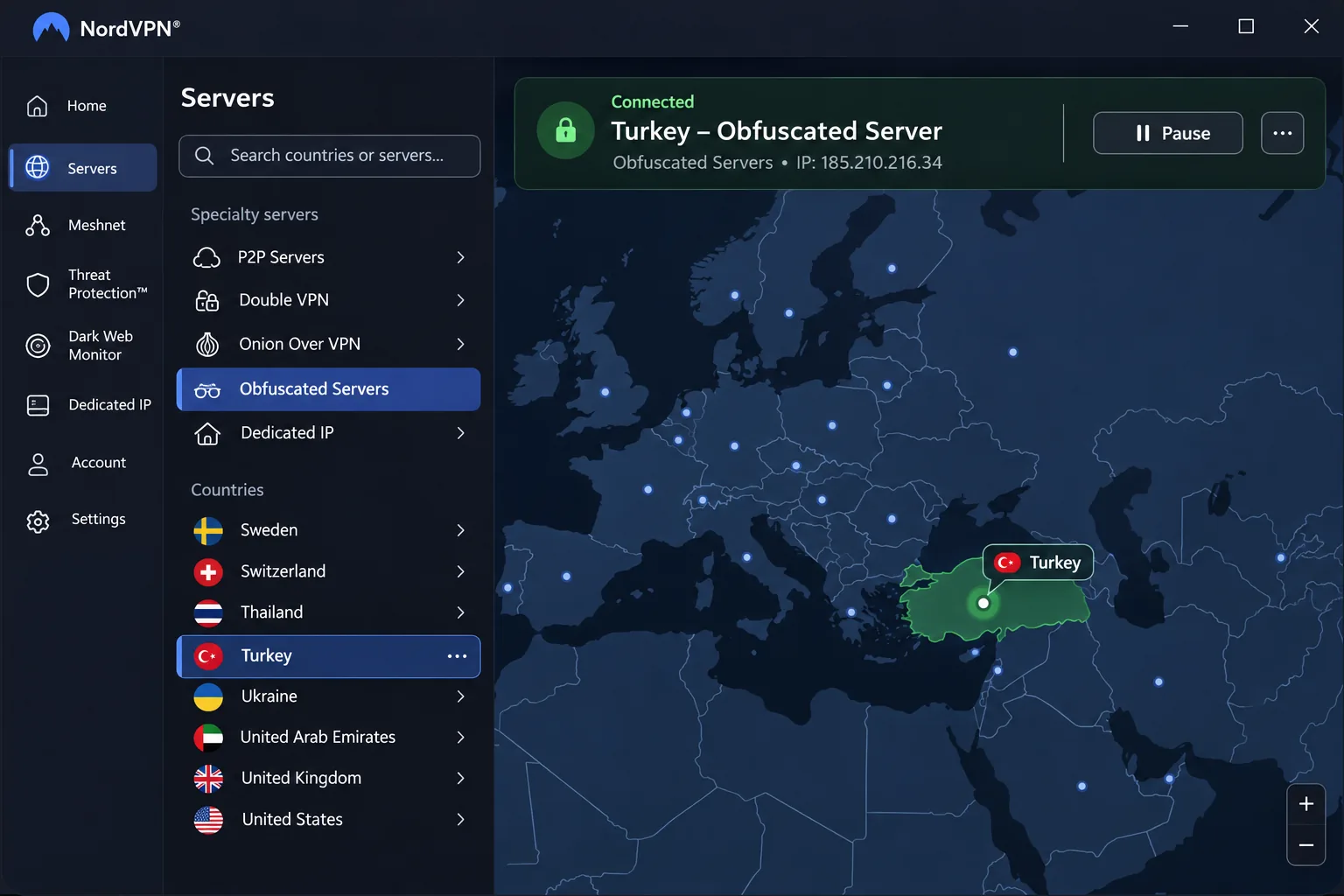
NordVPN's anti-block tool is its Obfuscated Servers category, which the company is moving from OpenVPN to NordWhisper. According to NordVPN's support notice on the obfuscated server upgrade, you select the category inside the app, and manual OpenVPN setups cannot connect to the migrated servers. If you built a manual configuration last year, rebuild it in the app.
The results in Turkey are inconsistent. NordWhisper delivered mixed results on Turkey's restricted networks, and in some attempts it failed to connect at all. Success varies by ISP, protocol and blocking conditions, and obfuscation does not guarantee a connection. We would not rely on NordVPN as your only plan if reaching the internet from inside Turkey is essential.
The app itself is busy, but the descriptions next to each setting make configuration easier than the crowded layout suggests. On mobile the screens feel crowded. Obfuscated connections can also run slower than ordinary ones, which is the usual cost of disguising traffic.
For streaming abroad, Turkish ATV and Kanal D can work through NordVPN. That is a useful sign, though it is not a promise that every Turkish streaming service will accept the connection.
Turkish servers, device support and plan costs
NordVPN lets you pick Istanbul as a location. We could not establish whether the hardware sits physically in Turkey, so treat the label as the Turkish IP you get, not as a statement about server geography.
One account covers up to 10 devices at once. The current support list includes Windows 10 64-bit version 1607 onward, Windows 11, Android 9 and later, iOS 17 and later, and recent macOS versions. Android 7 and 8 use a sideloaded app. Older installers and current releases differ, so check your device before you buy.
The retrieved Basic offer worked out to EUR 3.49 per month, with EUR 94.23 paid upfront for 27 months. Annual renewal costs EUR 139.08 with VAT possibly added. Promotions, currency and tax vary by region, and the introductory term differs from the renewal term. Renewal raises the cost substantially, so set a reminder before the first term ends. NordVPN advertises a 30-day money-back guarantee.
Pros
- Istanbul selection plus Double VPN and Onion Over VPN
- Up to 10 devices on one account
- Clear setting descriptions help with configuration
- Turkish ATV and Kanal D can work through the service
Cons
- Mixed Turkey results, including failures with NordWhisper
- Obfuscated connections can be slower
- Renewal cost is much higher than the introductory term
- Mobile screens feel crowded
Best for: people who will test the anti-block tools before relying on them. Skip if: you need the most dependable connection from inside Turkey and cannot afford a failed first attempt.
2. ExpressVPN
Where NordVPN leaves obfuscation to you, ExpressVPN automates it, which makes it the simplest of the five to use. That does not make it immune to blocking.
How ExpressVPN copes with blocking
ExpressVPN offers Lightway, OpenVPN and WireGuard, with automatic obfuscation on supported platforms. It also includes a kill switch, private DNS and leak safeguards, RAM-only servers and split tunneling, plus some privacy extras that depend on your plan. Because obfuscation is automatic, you do not hunt for a hidden setting. That matters when you are standing in an airport trying to get online.
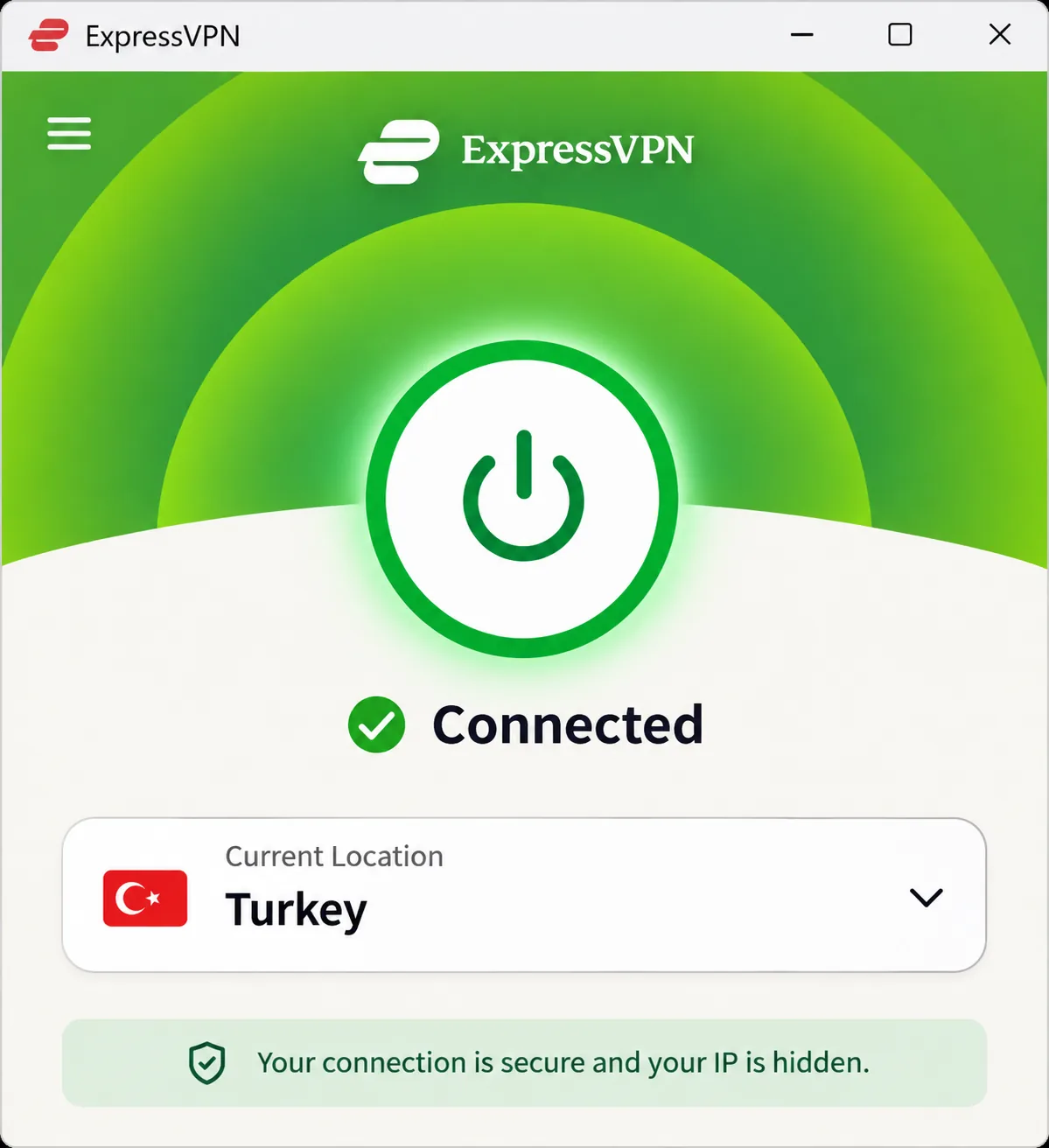
ExpressVPN handles restricted-site access well and is easy to use in Turkey-focused testing. Selecting a location and pressing the main connect button is enough for basic setup, and the interface suits beginners who want few setup decisions. Overseas streaming access is generally responsive and easy to use.
The limit is that no vendor can promise a connection on every network. Turkey has blocked VPN traffic before. Turkey Blocks' December 2016 blocking report documented a restriction on Tor and VPN services. It is a historical incident, not proof about any provider today, but it explains why we advise installing and testing early.
Turkish location, devices and price
ExpressVPN gives you a Turkish IP through a virtual Turkey location, and the machine does not need to be in Turkey. ExpressVPN's virtual server location list places Turkish through servers in Germany, while it previously placed it in the Netherlands. The physical host has changed or differs across published lists, and a Turkish exit IP is distinct from hardware geography.
The Basic plan supports 10 simultaneous devices, Advanced supports 12, and Pro supports up to 14. Apps or configurations cover Windows, macOS, Linux, Android, iOS, routers, Apple TV, Fire TV and Android TV, though the installation method depends on the device.
The retrieved Basic offer was USD 3 per month equivalent, paid as USD 84 for the first 28 months and then USD 99.95 annually. Advanced was USD 126 for 28 months and then USD 119.95 annually. The price varies with your plan tier, purchase channel and checkout region. A 30-day guarantee applies to new customers who buy directly, and purchases through the Apple App Store and Google Play are excluded from the vendor guarantee.
Pros
- Automatic obfuscation on supported apps
- Simple connect flow for beginners
- Strong platform coverage, including routers and TV devices
- Favorable Turkey-focused usability reports
Cons
- Priced above several rivals at renewal
- Turkish IP is a virtual location with disputed host details
- App Store and Google Play purchases fall outside the guarantee
Best for: beginners and travelers. Skip if: you want hands-on control over protocols or the lowest long-term price.
3. Proton VPN
Unlike ExpressVPN, Proton VPN lets you start without paying, and it is the only provider here with an ongoing free plan. The catch for Turkey is that the free plan does not give you a Turkish IP address.
Stealth and Smart Protocol in practice
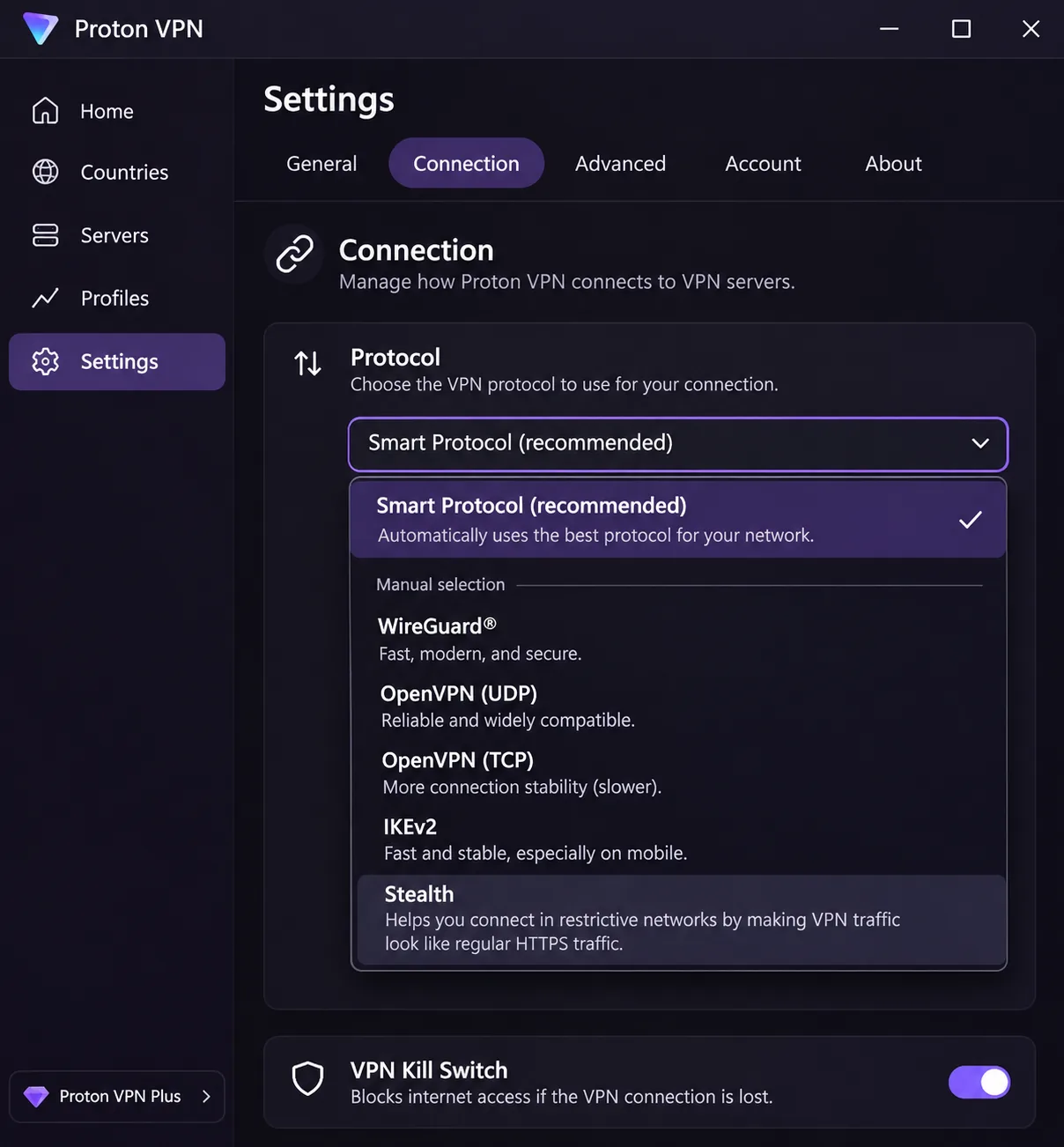
Stealth is included with the Free plan. Smart Protocol chooses a connection protocol automatically, and you can also select Stealth manually. In Proton's documentation, Linux GUI Stealth is enabled through the Proton Protocols toggle and labeled beta, while newer release coverage calls it stable. Menu labels depend on your app version and release channel, so check what your build shows.
The redesigned mobile and Windows apps feel less cluttered than before. Proton's help material can be overwhelming when you want a quick answer, so learn where the protocol setting lives before you travel. Speeds vary from session to session but remain adequate for everyday video calls. Stealth and Secure Core can reduce connection speed, so use them only when a normal connection fails.
Reviews of Proton in Turkey are favorable, but the tools depend on the app version you run. That is a reason to update everything while you still have an open connection.
Free versus paid plans and Turkish server access
Proton's free plan has uncapped data, automatically assigned locations, a kill switch, DNS protection and a no-logs policy. Proton's plan comparison shows that Free allows 1 simultaneous VPN connection, while VPN Plus allows 10. Turkey is excluded from the free locations, so a Turkish IP requires a paid plan.
That split is useful. If you only need to get online from inside Turkey and reach blocked sites, the free plan with Stealth is a reasonable first try on a tight budget. If you want a Turkish IP for local services abroad, you need VPN Plus.
VPN Plus adds paid Turkish IP access, NetShield filtering, Secure Core, streaming support, P2P, split tunneling and a browser extension, with capabilities varying by app. Clients are available for Windows, macOS, Linux, Android, iOS, iPadOS and TV devices. Protocol choices differ across platforms.
VPN Plus displayed USD 3.49 per month equivalent, charged as USD 83.76 for the first 24 months and then USD 83.88 every 12 months. Promotions and billing cycle affect the monthly equivalent, but you pay for the full period upfront. Paid subscriptions advertise a 30-day money-back guarantee, and refund requests must fall within that initial window.
Pros
- Ongoing free plan with uncapped data and Stealth
- Renewal price close to the introductory price
- Cleaner redesigned apps
- Paid plans cover 10 connections
Cons
- No Turkish IP on the free plan
- Free plan allows 1 connection
- Stealth and Secure Core can slow you down
- Help pages can be hard to skim
Best for: people who want a free fallback inside Turkey. Skip if: you need a Turkish IP without paying.
4. Surfshark
Compared with Proton's steadier reports, Surfshark has the most divided Turkey results of the five, despite its dedicated anti-restriction feature.
Where NoBorders succeeds and fails
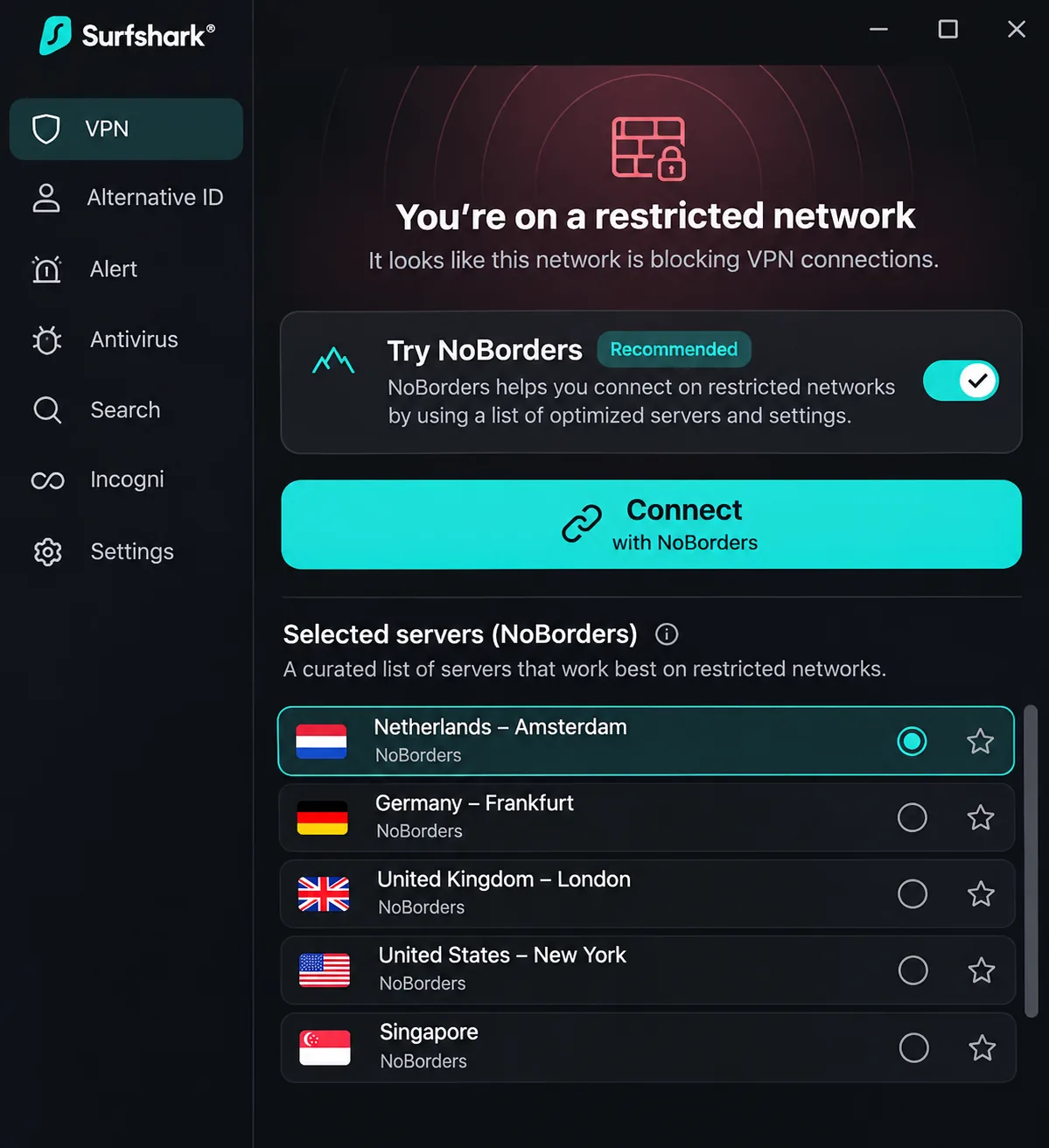
Surfshark's NoBorders detects restrictions and offers a selected server list. It can activate automatically or be turned on manually on Windows, macOS, Android and iOS. Camouflage obfuscation activates with OpenVPN connections, and you cannot toggle it off independently while using OpenVPN.
NoBorders can enable access on Turkish connections, but Turkish filtering can also prevent it from working. Those are both real outcomes, and they depend on your ISP and network conditions. Some tests succeed and others do not.
A practical tip from our notes is that OpenVPN can connect through a restrictive network when WireGuard cannot. If your first attempt fails, switch protocols before you give up on the app. The main screen makes server changes easy, which helps when you are cycling through options.
Istanbul servers, devices and pricing
Surfshark offers an Istanbul selection. The official page lists 10 Istanbul servers, while outside reviews give eight or roughly half a dozen. Sources agree more consistently on the Istanbul location than on the server total, so do not choose by the count. We could not independently establish whether the hardware is physically in Turkey.
Paid subscriptions support unlimited simultaneous devices. Apps cover Windows, macOS, Linux, Android, iOS and TV platforms. The browser extension covers only browser traffic, and router setup requires compatible hardware.
The retrieved Starter offer was CHF 2.49 per month equivalent, paid as CHF 67.23 for the first 27 months, with VAT possibly added. The pricing page did not show the renewal amount, so check it separately. Currency and promotions vary by region. Surfshark advertises a 30-day money-back guarantee. Support also describes a 7-day trial with up to 3 devices. Its eligibility, signup channel and billing when it converts differ from the paid plan. Treat the trial and the refund window as two separate offers.
Pros
- Unlimited simultaneous devices on paid plans
- NoBorders detects restricted networks
- Easy server switching from the main screen
- Low introductory price
Cons
- Turkey results split between success and failure
- Renewal amount was not shown on the pricing page
- Reported Istanbul server counts disagree
Best for: households with many devices. Skip if: you need a predictable renewal figure up front or a proven connection from inside Turkey.
5. Private Internet Access
Private Internet Access, or PIA, takes the opposite approach to ExpressVPN's hands-off design. It is the tinkerer's choice, with more settings than the others and more configuration to match.
Shadowsocks and the settings you manage
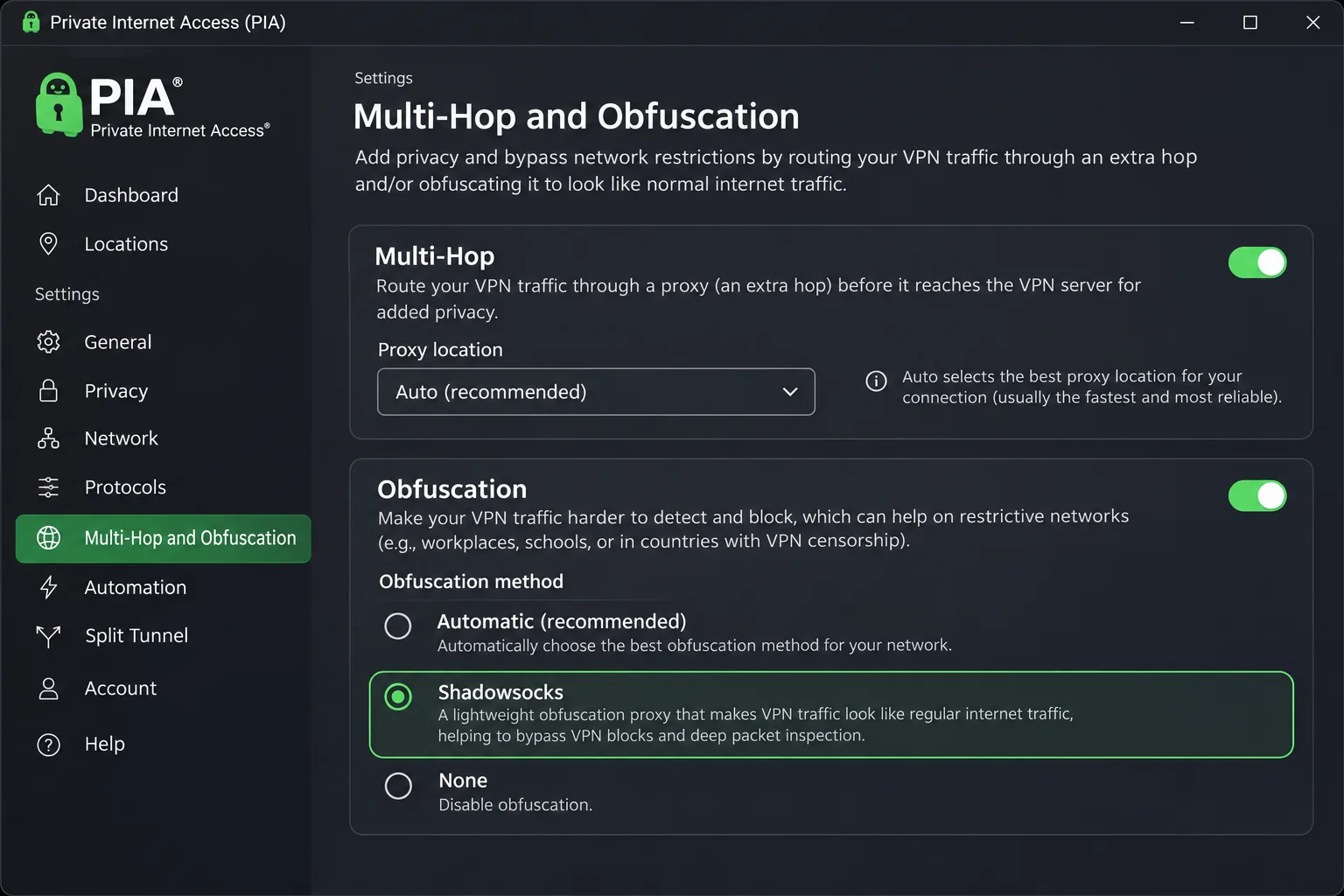
On desktop, find the anti-block setting by opening Settings, followed by Multi-Hop, Multi-Hop and Obfuscation, and finally Shadowsocks. Auto selects a proxy location for you. SOCKS5 is separately configured proxy routing and does not provide equivalent traffic disguise, so do not treat a SOCKS5 proxy as a substitute for Shadowsocks.
Shadowsocks multihop is associated with OpenVPN. Switching to WireGuard can stop multihop without an obvious warning, which is an easy way to think you are protected when you are not. After you change protocols, confirm your setup still shows what you expect.
Turkey-focused testing reports are favorable for PIA, though it requires more configuration than ExpressVPN. Quick-connect is straightforward, and server latency readouts and favorites help you choose locations. Network automation reduces the need to connect manually on familiar networks. MACE ad blocking leaves some advertising unblocked, so do not rely on it as your only filter.
What PIA costs and which devices it supports
Istanbul is a virtual location. It delivers a Turkish IP, with hardware outside Turkey. That is fine for local access abroad, but a Turkish location label does not mean the hardware is in Turkey.
The current official subscription supports unlimited simultaneous devices. Older third-party pages still say 10, so trust the vendor's current page. The current support article lists Windows 10 and 11 64-bit, Android 7 and later, iOS 15 and later, macOS 10.15 or later by direct download or macOS 12 or later through the App Store, and supported Linux distributions. Older documents give different Windows, macOS and iOS requirements, so check the install channel you will use.
The displayed long offer was USD 2.03 per month equivalent for 3 years plus 4 extra months, with a renewal of USD 81.20 every 3 years. The annual option was USD 47.88 initially and on annual renewal, and the monthly option was USD 11.95. The retrieved text did not separately show the initial total for the long-term plan. PIA advertises a 30-day money-back guarantee for new subscribers, and third-party app-store refunds follow the store's conditions.
Speeds can trail competing services while remaining adequate for streaming. If raw speed is your top priority, test PIA during the refund window.
Pros
- Unlimited simultaneous devices
- Long-term plan with a low monthly equivalent
- Customizable settings, split tunneling and encrypted DNS
- Network automation for trusted networks
Cons
- Speeds can trail rivals
- Shadowsocks depends on OpenVPN, and switching to WireGuard can silently stop multihop
- Istanbul is virtual, with hardware outside Turkey
- More settings to learn than ExpressVPN
Best for: budget-minded users who like to configure things. Skip if: you want automatic setup or you are not comfortable checking your own settings.
How to choose a VPN for Turkey
The right choice depends on where you will use it. A traveler inside Turkey has different needs from an expat abroad who wants Turkish sites. Start with that question, then work through the criteria below.
Obfuscation and reliability under ISP restrictions
Obfuscation disguises protocol characteristics to make a VPN connection less recognizable as one. It is not immunity. A 2024 arXiv study of VPN obfuscation is a good reminder that disguised traffic can still be classified, and IP addresses can still be blocked.
For Turkey, that means three practical rules. Pick a provider with at least one anti-block tool, learn where it lives in the app, and know a second protocol to try. Turkish server availability does not prove block resistance, because a server label says nothing about whether your ISP lets the connection through.
Do not assume a VPN that worked last month will work today. Blocking conditions change by ISP, protocol and date, and published test results are snapshots. Install your VPN and run a connection test on a home network before you travel, then keep a backup option ready.
Privacy, leak protection and kill switches
VPN encryption protects the connection between your device and the provider's server. A strong protocol using AES-256 encryption, sometimes marketed as military-grade encryption, protects the traffic in transit. It does not make you anonymous. You still have to trust the provider, which is why we weigh no-logs policies, independent audits and RAM-only servers.
A kill switch blocks traffic after the tunnel drops to limit real-IP exposure. Deliberate split-tunnel exclusions sit outside the protected tunnel, so a kill switch will not protect apps you have excluded. Enable it and check the exclusions list. Private DNS and leak safeguards matter just as much, because a DNS leak reveals which sites you visit even while the tunnel is up.
Speed, device compatibility and total subscription cost
We found no controlled five-provider Turkey benchmark, because published speed figures use different locations, times and test conditions. So we use speed only as a rough guide. Obfuscated connections, Stealth and Secure Core all add overhead, and any of them can slow a connection.
Device count matters more than people expect. Surfshark and PIA give you unlimited devices on paid plans. NordVPN, ExpressVPN and Proton Plus set limits of 10 or more, while Proton's Free plan allows 1. For total cost, compare the renewal price over three years. A cheap first term followed by a steep renewal is the most common way a VPN ends up costing more than planned.
Why use a VPN in Turkey?
People use a VPN in Turkey for three reasons: to reach blocked sites and services, to limit what a local network can see, and to look like a local when they are abroad. Each reason needs a different feature, so decide which one applies to you.
Internet censorship and connection throttling
Freedom House's 2025 Turkey internet-freedom report rates Turkey 31/100, Not Free. The report covers June 2024 through May 2025 and describes protest-related social-media throttling, website blocking and criminal charges over online posts. That is historical context, not a list of what is blocked on your network today.
For a visitor, the practical effect is that some sites and apps may load slowly or not at all, depending on the network and the moment. A VPN with obfuscation can help with blocked sites. It does not change the fact that your online conduct remains subject to the law, which we cover below.
Privacy on public Wi-Fi and the limits of VPN protection
Hotel, airport and cafe networks are where a VPN earns its place. It encrypts the link between your device and the VPN server, which keeps prying eyes on the local network from reading your traffic. That is a real benefit, and it is also the extent of what the tunnel guarantees.
Cookies, browser fingerprinting, identifiable logins and a compromised device can still identify you, even with a VPN running. If you sign in to your personal accounts, the services you use know who you are regardless of your IP address. Treat a VPN as one layer of protection, not as an invisibility cloak.
A VPN protects the path between your device and the VPN server. It does not hide what you do after you sign in to an account, and it does not protect a phone that already has malicious software on it.
How to set up and use a VPN in Turkey
Setup is easy at home and hard inside a restrictive network. Do the work before you go.
Prepare your apps and settings before travel
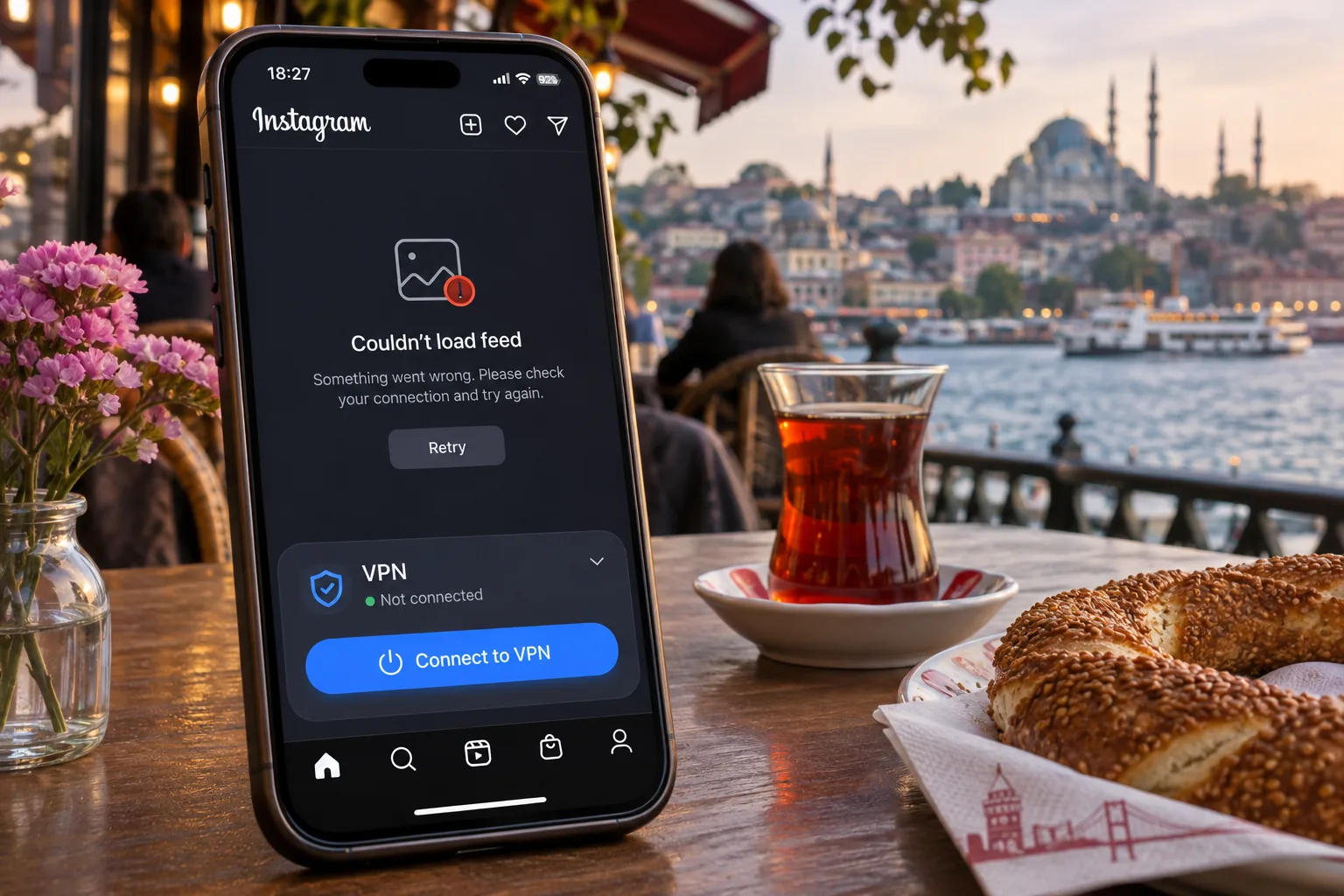
Install the app on every device you will carry, sign in, and run one successful connection at home. Download the app from the official store or the vendor's site while you still have an unrestricted connection. On a restricted network, vendor sites and app downloads can be hard to reach.
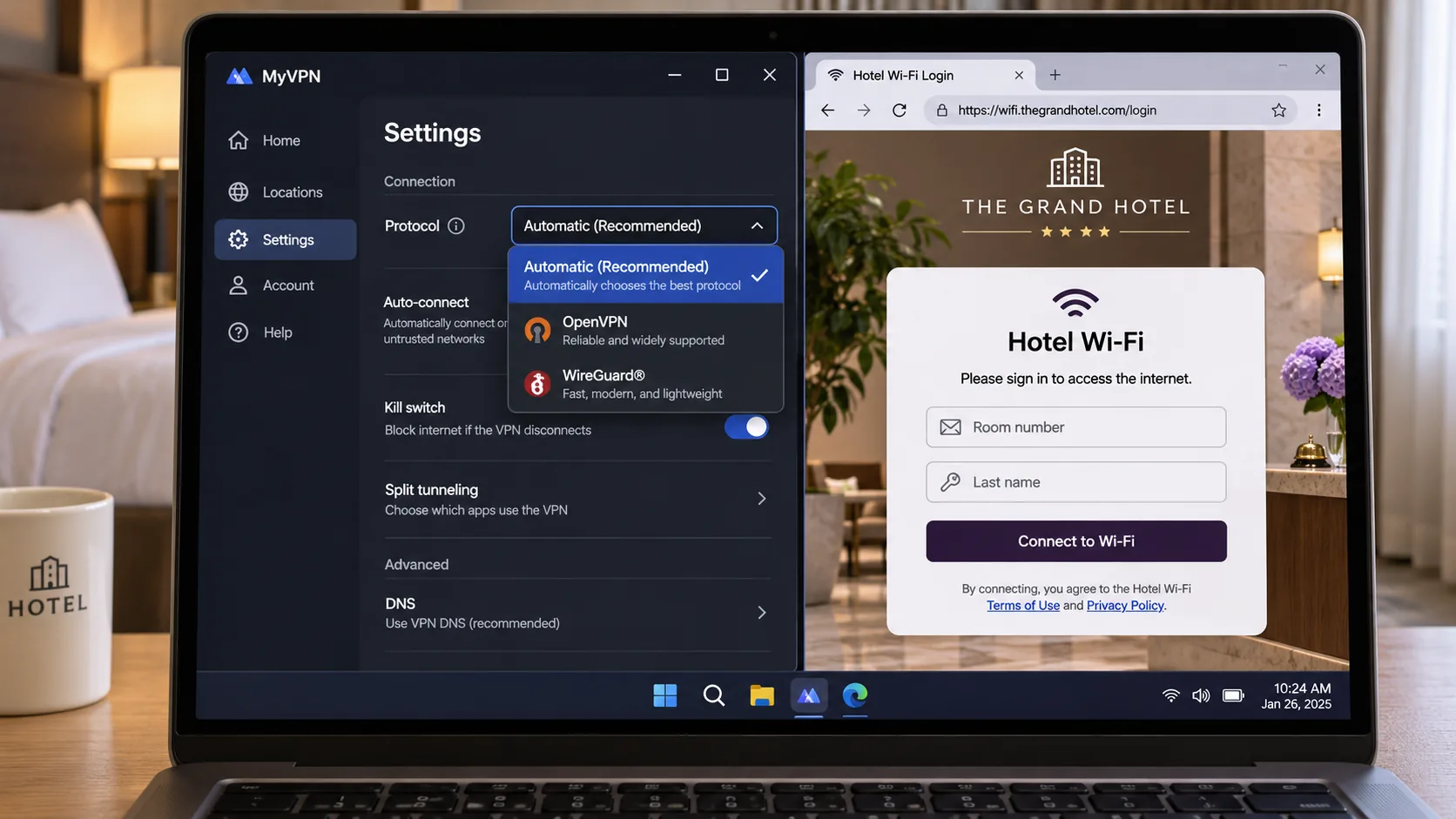
Then open the settings and learn where the anti-block tool lives. For NordVPN, that is the Obfuscated Servers category. For ExpressVPN, obfuscation is automatic on supported apps. For Proton VPN, it is Stealth or Smart Protocol. For Surfshark, it is NoBorders or OpenVPN with Camouflage. For PIA, it is Shadowsocks under Multi-Hop on desktop.
Turn on the kill switch, set the VPN to start with your device, and note a second protocol to try. Keep the setup instructions for your provider saved offline in case the vendor's site is slow or blocked.
Choose a server and verify the connection
Inside Turkey, choose a nearby European location first, because a server outside Turkey is the most direct way to reach blocked content. Choose a Turkish location when you need a Turkish IP for local services. Once connected, visit a what-is-my-IP page and confirm the country matches your choice, then run a DNS leak test.
If you plan to stream abroad, remember that account region, payment details and service rules are separate from your IP address. Turkish ATV and Kanal D can work through NordVPN, but we could not establish universal access to Netflix Turkey, Exxen, beIN or other subscription services. Streaming availability changes, so test before you commit to a trip plan.
What to try if the VPN will not connect
Work through these steps in order.
- Switch protocols. OpenVPN can connect through a restrictive network when WireGuard cannot.
- Turn on the provider's anti-block tool, such as Stealth, NoBorders, an obfuscated server or Shadowsocks.
- Try a different server location, or the provider's automatic option.
- Move to a different network, such as mobile data instead of hotel Wi-Fi, and see whether the result changes.
- Update the app, since tools and menu labels change between versions.
- Contact the provider's support with your ISP name and the protocol you tried.
If nothing works, the network may be blocking the provider's IP ranges, which no setting can fix. In that case a backup provider is more useful than more troubleshooting.
How to get a Turkish IP address abroad
Many readers searching for a Turkey VPN live elsewhere and want Turkish sites and services. This job is separate from getting online inside Turkey. A Turkish IP address is a label that websites read, and it works as long as the provider offers a Turkish location and the service does not block VPN traffic.
Virtual versus physical Turkish servers
A virtual location assigns an IP for one country while hosting equipment elsewhere. It separates IP geography from physical server geography. ExpressVPN's Turkey location is virtual, and PIA's Istanbul location is virtual, with hardware outside Turkey. For NordVPN, Proton VPN and Surfshark, we could not establish whether the Turkish endpoints are physical or virtual.
For most uses abroad, a virtual Turkish IP and a physical one look identical to a website. The difference matters for latency and for how you judge a provider's honesty about its network, not for whether a Turkish site loads.
A virtual server can have an advantage, because it does not require hardware in a country with a restricted network. It can also add distance. If your VPN is hosted in Germany and exits as a Turkish IP, your traffic still travels to Germany first, so expect some added latency.
Turkish streaming services and account access
A Turkish IP is a precondition for Turkish streaming, not a guarantee. Our notes show that NordVPN has worked with ATV and Kanal D, and ExpressVPN's overseas streaming is generally responsive. Beyond that, we did not establish universal access, and subscription services such as Exxen and beIN can require a local payment method or an account created in Turkey.
If a streaming service refuses the connection, try another Turkish server before concluding the provider fails. Servers on the same VPN can behave differently. Using a VPN may also conflict with a service's terms, so read the terms before you sign up.
Are VPNs legal in Turkey?
VPN use itself is generally described as not prohibited in Turkey. Turkey-specific guidance from Proton and Nord says so, while noting that providers are blocked and that online conduct remains subject to law. Those are two different things: blocking a provider is an access restriction, while a criminal prohibition would target the user.
We need to hedge here. Published country summaries disagree about an approved-provider requirement, and we did not retrieve a current consolidated Turkish legal text that settles the question. The law cited in many summaries, Law No. 5651 as listed in WIPO Lex, governs internet publications and blocking, and we do not treat it as a source for a blanket legal answer about VPN use today.
Do not use a VPN to commit a crime, and do not assume that using one makes illegal activity safe. If you are unsure about your situation, particularly if you work as a journalist or an activist, get advice from a Turkish lawyer before you travel. This article is not legal advice.
Can you use a free VPN in Turkey?
You can, with limits. A free plan helps you reach blocked sites, but it rarely delivers a Turkish IP address, and some free VPN apps carry privacy costs of their own. If you are choosing a free VPN in Turkey, pick one with a clear no-logs policy and an ongoing free tier, not an unknown app from a store listing.
Free plans, trials and refund guarantees
Three different things get called free, and they are not interchangeable.
- An ongoing free plan lasts as long as you want it to. Among our five providers, only Proton VPN offers an ongoing free plan, which includes uncapped data, a kill switch, DNS protection and a no-logs policy.
- A trial is time-limited. Surfshark's support describes a 7-day trial with up to 3 devices, which differs from the paid plan.
- A refund guarantee is not free. NordVPN, ExpressVPN, Proton VPN, Surfshark and PIA all advertise a 30-day window, but you pay first and request the money back afterward. Terms differ by purchase channel, and the full payment-method exclusions were not established for every vendor.
If you are on a tight budget and need to test, the refund window is a workable route. Buy, test your connection, and cancel inside the window if it fails on your network.
Which plans provide a Turkish IP address?
Proton's free plan does not, because Turkey is excluded from the free locations. A Turkish IP needs Proton VPN Plus. NordVPN, ExpressVPN, Surfshark and PIA all offer a Turkish location on their paid plans.
So the free plan suits one job: getting online and reaching blocked sites from a location outside Turkey. The Turkish IP job needs a paid plan. If you are looking for free access to Turkish streaming, none of these five delivers it.
Final thoughts: choosing the right Turkey VPN
The best Turkey VPN is the one that connects on your network, and no review can tell you that in advance. What a review can do is narrow the field and help you test sensibly.
The combination we would carry is one provider with automatic or simple anti-block tools and one with a different protocol set, so a single blocked method never leaves you offline. If budget is the constraint, the free Proton plan plus a refund-window purchase of a second service covers both jobs for little outlay, and PIA's long term is the cheapest monthly equivalent in the table. Whichever you pick, check the renewal price, enable the kill switch and keep your expectations realistic about anonymity. Our NordVPN link above is an affiliate link, and we are paid if you buy through it. That does not change the limits of the evidence we describe for NordVPN.