
Two different readers search for a Taiwan VPN, and they need different things. If you live abroad and want a Taiwanese exit IP for home-country apps and streaming sites, you need a provider with a Taiwan location in its server list. If you live in or are traveling through Taiwan, you mostly need privacy on public Wi-Fi and a nearby server that keeps your connection fast. Every provider below covers both jobs, with different strengths.
We put NordVPN first because it balances Taiwan access, privacy controls, and streaming support best on our shortlist. ExpressVPN, Surfshark, Private Internet Access, and CyberGhost each win on something specific, such as setup ease, device limits, configuration control, or labeled streaming servers. This is an editorial shortlist, not a measured speed ranking. Here, "local IP" means a Taiwanese exit IP and does not promise physical hardware in Taiwan.
Best VPNs for Taiwan at a glance
The table below compares all five on the points that decide most purchases. Prices are introductory offers that change by region and over time, so treat them as a starting point and confirm at checkout.
| Product | Buy | Taiwan location evidence | Best use | Devices | Plan and renewal cost | Refund terms |
|---|---|---|---|---|---|---|
 |
Check price → | Official Taiwan location | Streaming plus privacy controls | 10 simultaneous | $94.23 for 27 months, then about $139.08 per year | 30-day guarantee |
 |
Official Taiwan location | Easy setup, broad device support | 10 on Basic, 12 on Advanced, 14 on Pro | $83.72 for 28 months, then $99.95 per year | 30-day guarantee for new direct subscribers | |
 |
Official Taipei City location | Many devices, simple location choice | Unlimited on paid plans | $67.23 for 27 months, then the standard rate | 30-day guarantee | |
 |
Virtual Taipei location | Configurable browsing and torrenting | Unlimited | $2.03 per month for three years plus four months, then $81.20 per three years | 30-day guarantee for new subscribers | |
 |
Official Taiwan location | Labeled streaming servers, automation | 7 simultaneous | Regional quotes vary, so check your checkout | 45-day on long plans, 14-day on monthly |
A refund guarantee is not a free tier. Every guarantee above requires payment first and then lets you cancel within the window. Purchases made through Apple or Google stores follow the store's refund rules instead, so buy direct if you want the vendor's guarantee. CyberGhost also offers a 24-hour Windows and macOS trial that needs no payment details, while its mobile trials ask for them.
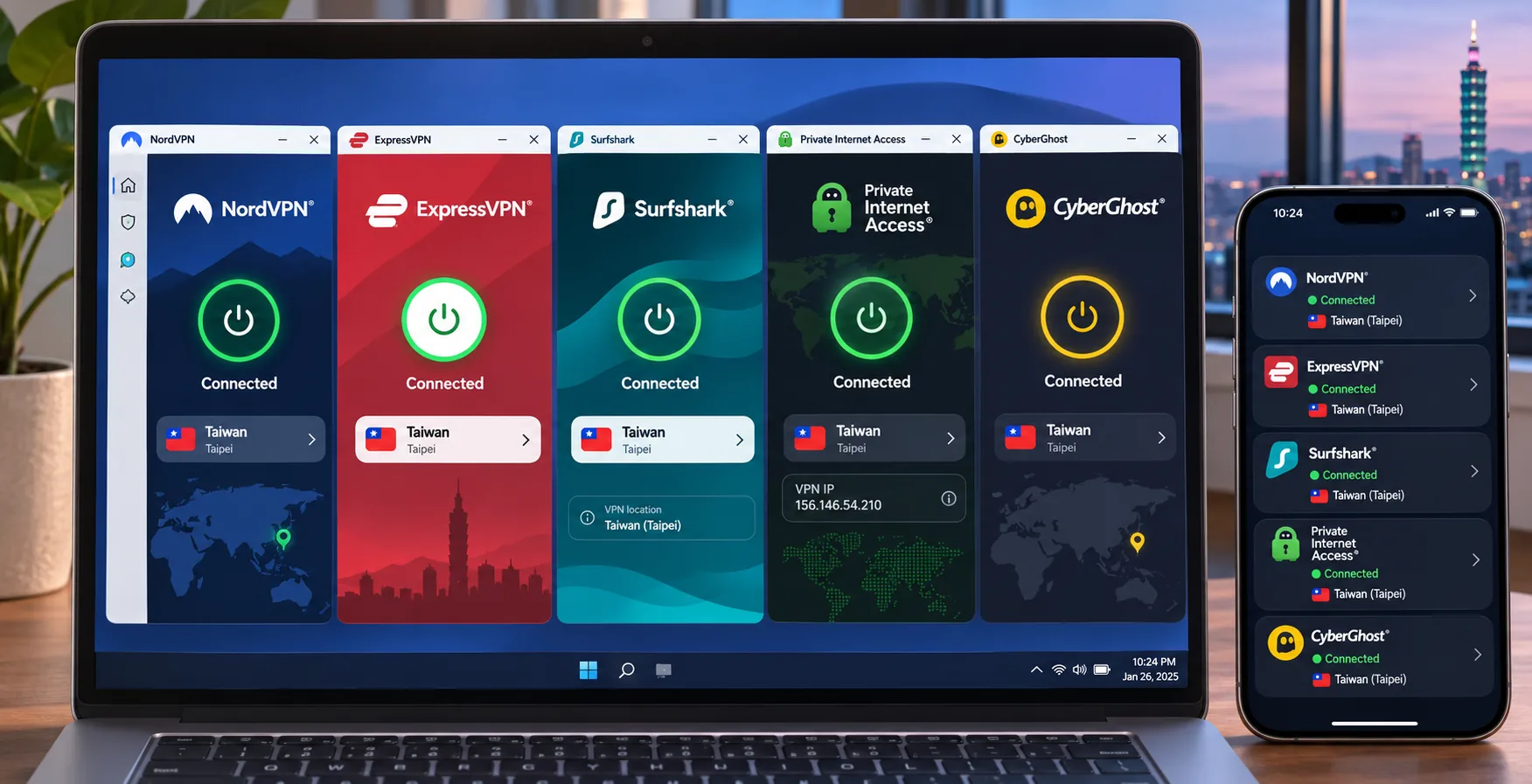
1. NordVPN
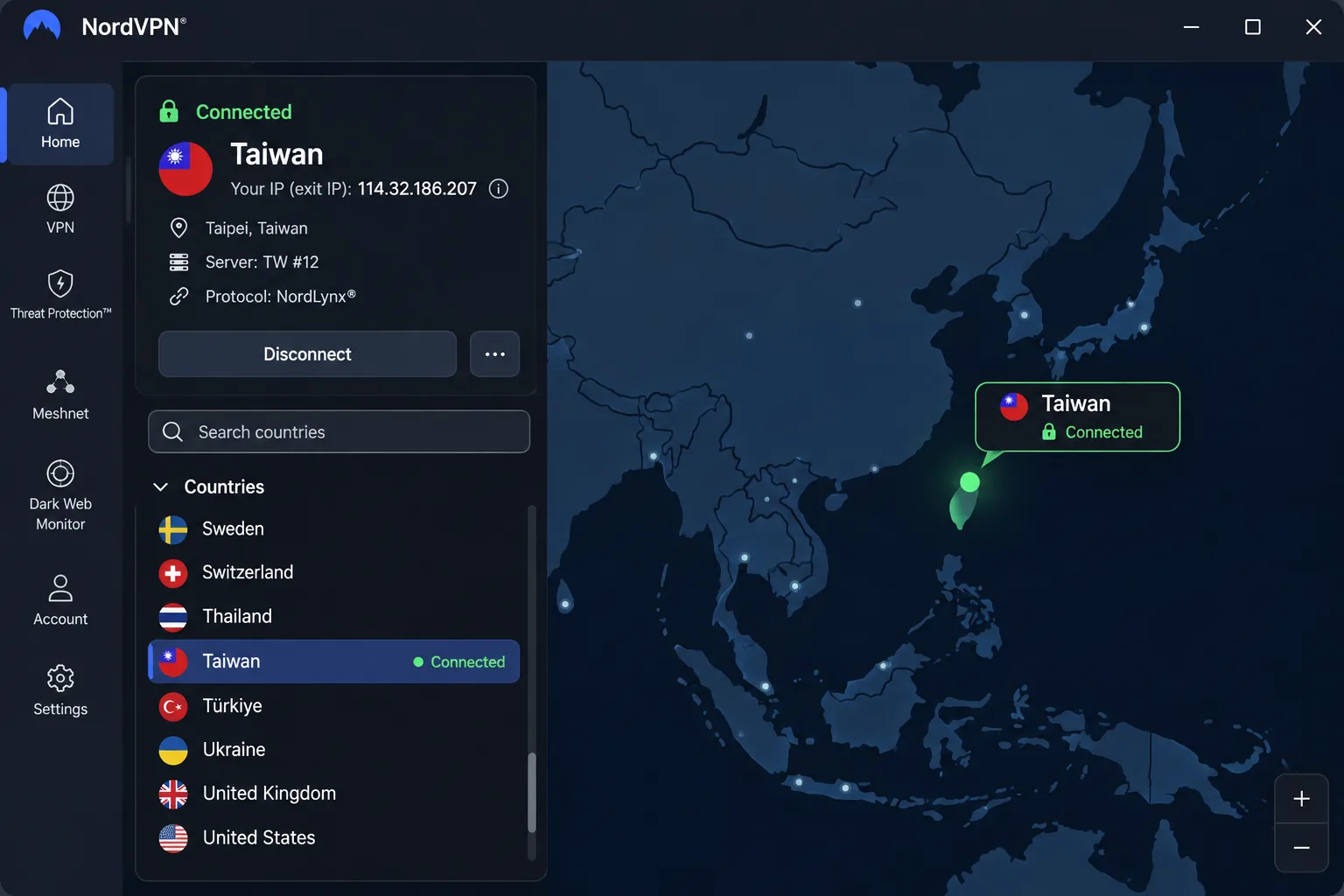
NordVPN is the provider we would install first for a Taiwan exit IP. It offers a Taiwan location with automatic server selection, plus a nearby-server option for shorter routes when you are in Asia. It also carries P2P, Double VPN, Onion Over VPN, and obfuscated-server categories, so one subscription covers torrenting and stricter networks.
Taiwan servers, performance, and privacy
Server totals for Taiwan vary by source and change over time, and the official country page lists 40 servers. Treat that as a snapshot, because inventory counts say little about the speed you will see. What matters is that the Taiwan location is there, and that NordVPN can reach popular international streaming services. In our testing it also reached KKTV and iQiyi, two of the Taiwanese services readers ask about most.
Desktop connections took longer to establish than we expected, though the apps stayed stable once connected. On smaller phone screens the mobile app felt crowded, but it remained straightforward to navigate. Plan selection was the most confusing part of the experience, because feature bundles and subscription lengths overlap.
On privacy, NordVPN has a kill switch, a no-logs policy, NordLynx, and split tunneling on Windows, Android, Android TV, and browser extensions, though not on iOS or macOS. The main Windows app needs Windows 10 64-bit, and the main Android app needs Android 9 or later. A separate sideloaded app covers Android 7 and 8. Current accounts allow 10 devices. A 30-day refund window applies. Unless you cancel, your subscription renews at the rate in effect at that time, so check the price before your first term ends.
Pros
- Taiwan location with nearby-server and automatic selection
- Reached KKTV, iQiyi, and popular international streaming services in our testing
- Kill switch, no-logs policy, and 10 simultaneous devices
- P2P, Double VPN, and obfuscated-server categories
Cons
- Mobile screens feel crowded on smaller displays
- Plan tiers and durations are confusing to compare
- Desktop connections can be slower to establish than expected
2. ExpressVPN
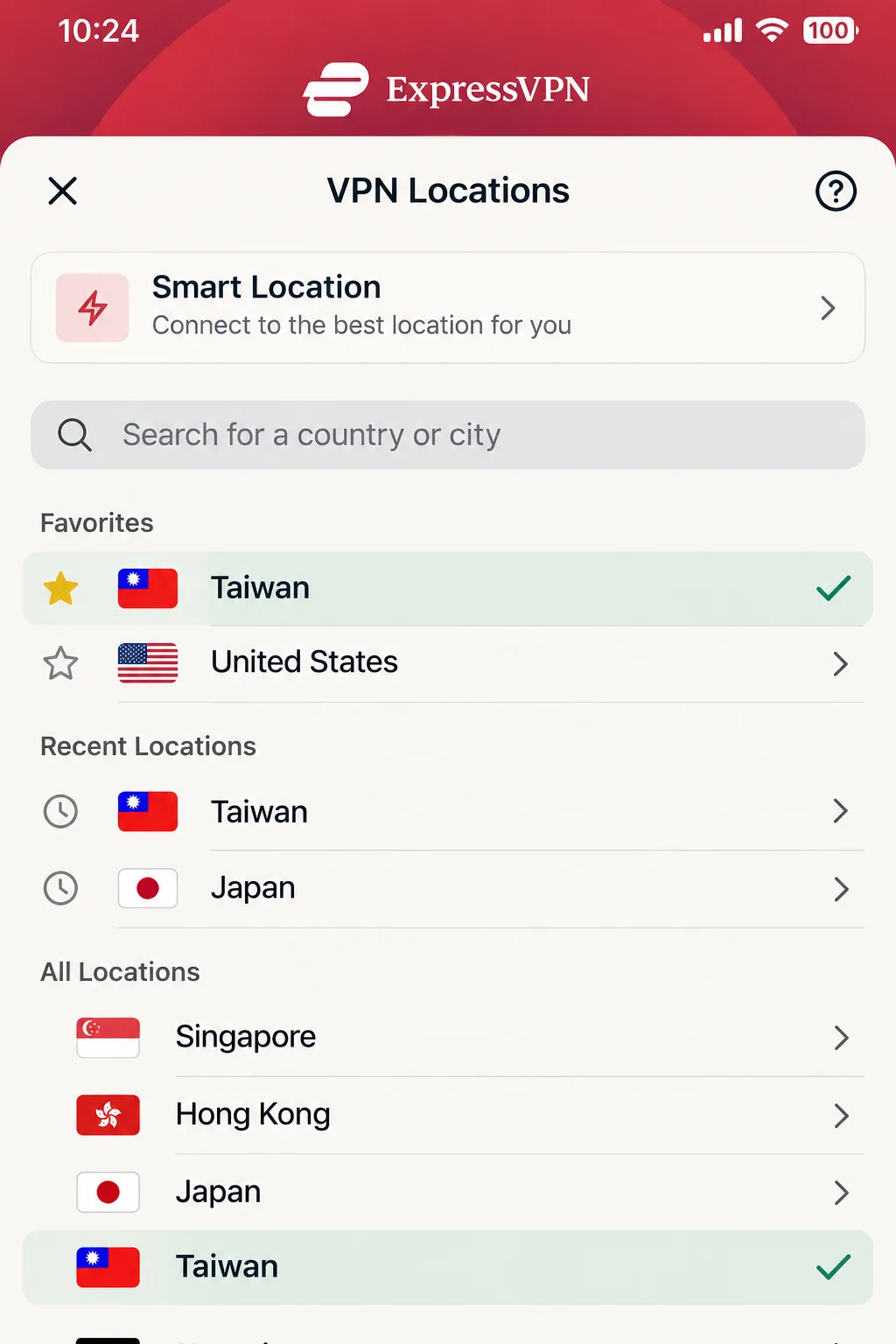
Where NordVPN leans on features, ExpressVPN leans on ease, and it is the easiest setup of the five. Its apps make connecting on common phone and computer platforms simple. You can select Taiwan manually or use Smart Location, which picks a suitable nearby server. A laptop restart may be needed before the first connection, so do not read that as a failure.
Taiwan servers, streaming, and device support
The Basic plan supports 10 simultaneous devices, Advanced supports 12, and Pro supports 14. The Windows app requires Windows 10 or newer. Activation-code login makes it painless to add another device, which suits a family sharing one account. ExpressVPN also supports routers, which covers consoles and smart TVs that cannot run an app.
For streaming, ExpressVPN includes MediaStreamer, a Smart DNS option for devices without VPN apps. It does not encrypt traffic, so use it only for streaming and leave sensitive browsing to the regular app. Taiwanese services are the weak point of every Taiwan guide, and we treat streaming results as account and region dependent for all five.
Privacy features include Lightway, a kill switch, private DNS, TrustedServer, an independently audited no-logs policy, and ad and tracker blocking. Our main annoyance was the redesigned apps, where settings are scattered between Profile and Add Ons and some controls take a minute to find. New direct subscribers have a 30-day refund window. The introductory USD offer was $83.72 for 28 months, then $99.95 per year on Basic, and the promotion varies by region and purchase date.
Pros
- Simple setup on desktop and mobile, with activation-code login for extra devices
- Smart Location and router support
- Independently audited no-logs policy and a kill switch
- MediaStreamer Smart DNS for devices without apps
Cons
- Settings are split between Profile and Add Ons
- Device limits depend on the plan tier
- Higher renewal price than the introductory offer
3. Surfshark
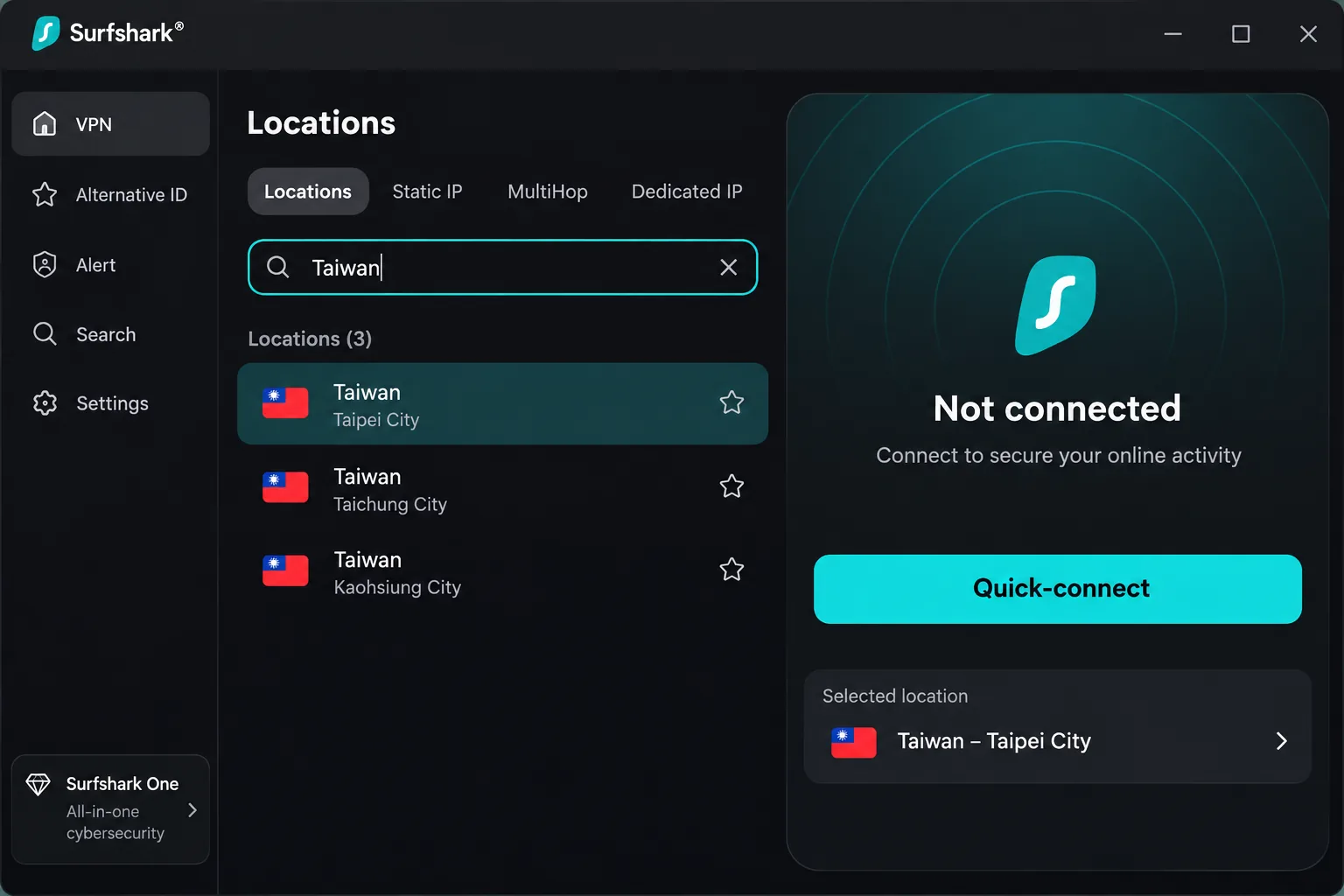
Where ExpressVPN ties device limits to plan tier, Surfshark is the pick for households with many devices. It provides a Taipei City location with a Taiwan exit IP. Paid plans allow unlimited simultaneous connections, so phones, laptops, and a living-room TV share one account without a device count to watch. Its infrastructure is RAM-only, and it includes private DNS and unlimited bandwidth.
Taiwan access, connection limits, and value
Changing location on desktop is straightforward, because country search and alphabetical lists put Taiwan a few clicks away. Surfshark is approachable for first-time users. The official country page lists 82 servers in Taiwan, but that figure moves with the inventory and does not tell you how many independent exit IPs you will see.
Download speeds stayed usable in our checks, and we could access the Netflix libraries we tried through Surfshark. Surfshark also lists Taiwanese streaming services as supported, so test the specific site you want before the refund window closes. The Starter plan includes the VPN, a kill switch, ad blocking, and Alternative ID. Higher tiers add antivirus, breach monitoring, and data removal.
Android support starts at Android 7.0 on Google Play. The introductory price was $67.23 for the first 27 months, with renewal at the standard non-introductory rate. We could not confirm the current renewal price, so verify it at checkout. A 30-day money-back guarantee applies, and in our experience refund requests move faster through live chat than email.
Pros
- Unlimited simultaneous connections on paid plans
- Easy country search on desktop
- RAM-only infrastructure and a kill switch on every plan
- Lowest introductory price of the five
Cons
- Renewal amount needs verifying at checkout
- Antivirus and data-removal tools require a higher tier
- Server count says little about real Taiwan capacity
4. Private Internet Access
Where Surfshark keeps things simple, Private Internet Access is the provider for people who like to tune settings. It gives you a Taiwan exit IP through virtual Taipei servers. The IP looks Taiwanese, but that does not mean the servers are physically hosted in Taiwan. That matters little for browsing and torrenting, and it explains why PIA behaves differently on local streaming.
Taiwan access, torrenting, and privacy controls
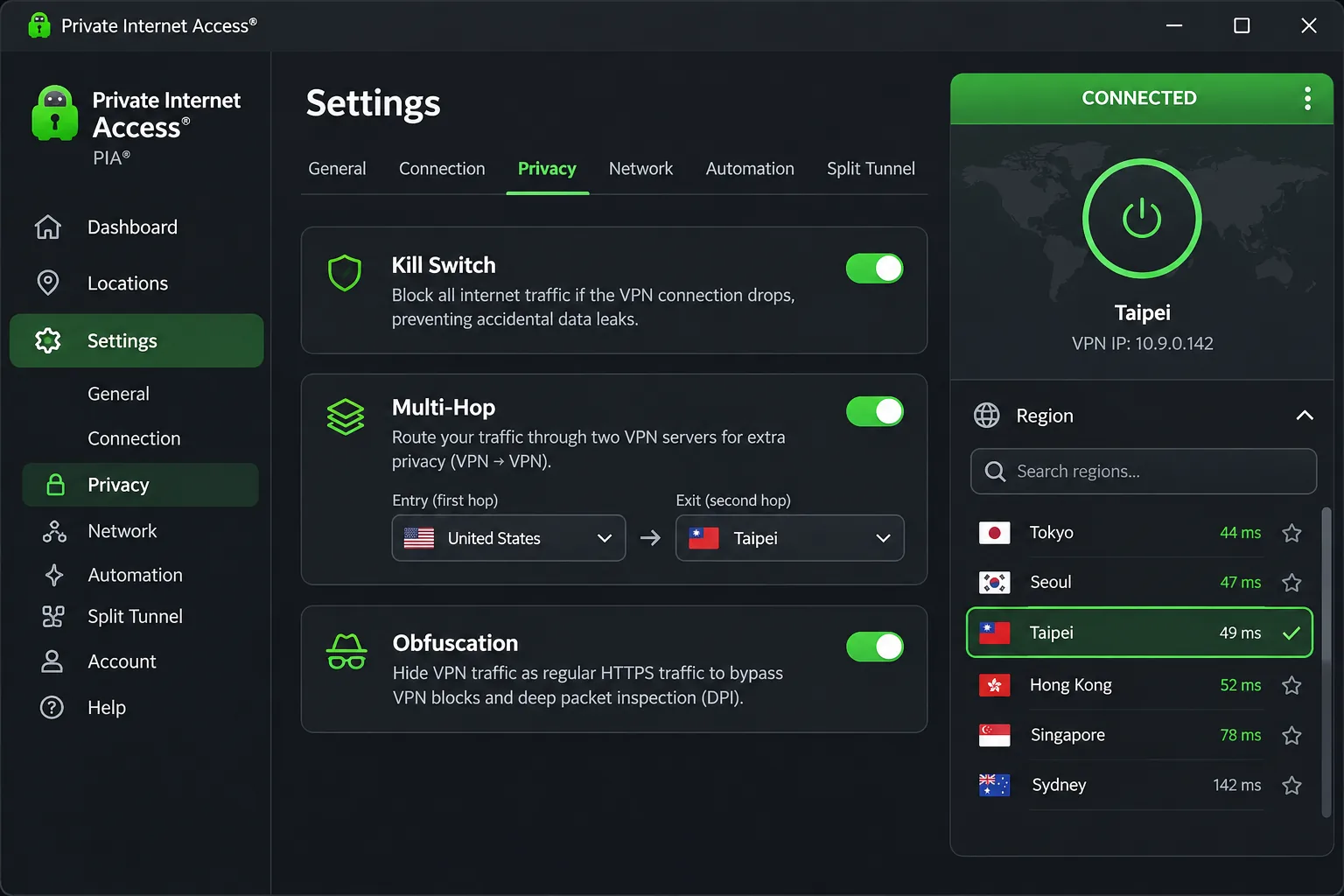
PIA offers open-source apps, a kill switch, split tunneling, obfuscation, multi-hop, port forwarding on supported locations, a SOCKS5 proxy, and an optional dedicated IP. Its MACE filter removed intrusive advertising on the news and social pages we opened. Connections stayed stable through ordinary extended use even though its peak speed trails the leaders.
Streaming is where we would temper expectations. PIA's access is less consistent than its browsing and torrenting performance, and it can be less effective for local Taiwanese streaming than for major international platforms. If KKTV-style services are your main goal, start with one of the other four.
The kill switch needs a caveat. It held up in the interruption scenarios we ran, but unencrypted traffic can leak after a system reboot. After restarting, reconnect the VPN and confirm the kill switch before resuming sensitive browsing. Ordinary connected-session IP and DNS checks passed.
Platform requirements are specific: the direct Mac download needs macOS 10.15 or newer, mobile needs Android 7.0 or newer, and Apple TV needs tvOS 17.0 or newer. Windows 10 and 11 are supported. PIA allows unlimited devices and a 30-day guarantee for new subscribers. The price worked out to $2.03 per month for three years plus four months, with renewal listed at $81.20 every three years.
Pros
- Deep configuration control, including multi-hop and port forwarding
- Unlimited devices and open-source apps
- Stable connections in ordinary extended use
Cons
- Virtual Taipei location only
- Weaker for local Taiwanese streaming
- Traffic can leak after a reboot until the VPN reconnects
5. CyberGhost
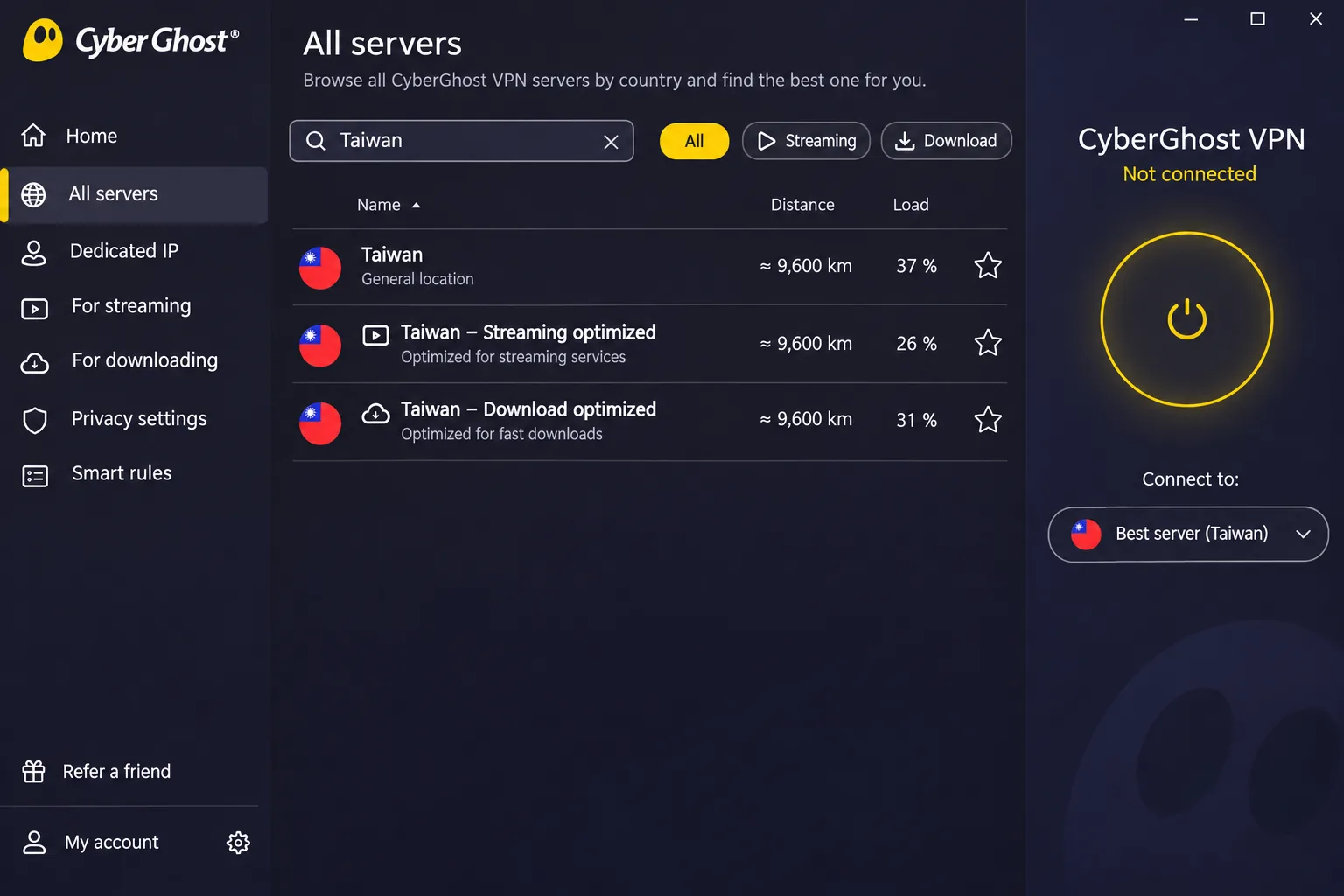
After PIA's tuning-heavy approach, CyberGhost suits viewers who want less trial and error. It offers a Taiwan exit location, and separate optimized server categories for streaming, downloading, and gaming. Those labels make it quicker to find an appropriate streaming endpoint than hopping across ordinary servers.
Taiwan servers, streaming options, and plan limitations
The labels cover international services, not Taiwanese ones. CyberGhost has only a general Taiwan location, with no dedicated Taiwanese streaming category, so you need to test local sites yourself. Connections established quickly and stayed stable in our use. Nearby routes support smooth high-resolution streaming, while long-distance routes can lose substantially more speed, which is a good reason to choose close servers.
Smart Rules can start a chosen app after you connect, or connect automatically when a chosen app opens. CyberGhost also has a no-logs policy, an automatic kill switch, and split tunneling where supported. Linux uses command-line or manual setup, and browser extensions protect only browser traffic.
CyberGhost allows 7 simultaneous connections, the lowest cap of the five. The app needs Windows 10 or later, macOS 10.13 or newer, Android 7.0 or newer, and iOS 15.0 or newer. Long plans have the most generous refund terms, with a 45-day money-back guarantee for subscriptions of six months or more. The monthly plan gets only 14 days. The checkout we saw was regional and its bonus-term labels were inconsistent, so we cannot give a dependable USD price.
Pros
- Labeled streaming, download, and gaming servers
- 45-day refund on six-month and longer plans
- Smart Rules automation
Cons
- Only 7 simultaneous connections
- No dedicated Taiwanese streaming category
- Long-distance routes lose noticeably more speed
- Monthly plan refund window is just 14 days
How to use a VPN for Taiwan
The setup is the same on every provider, and it takes a few minutes. Which server you pick depends on whether you are in Taiwan or abroad.
Connect to Taiwan for a Taiwanese IP address
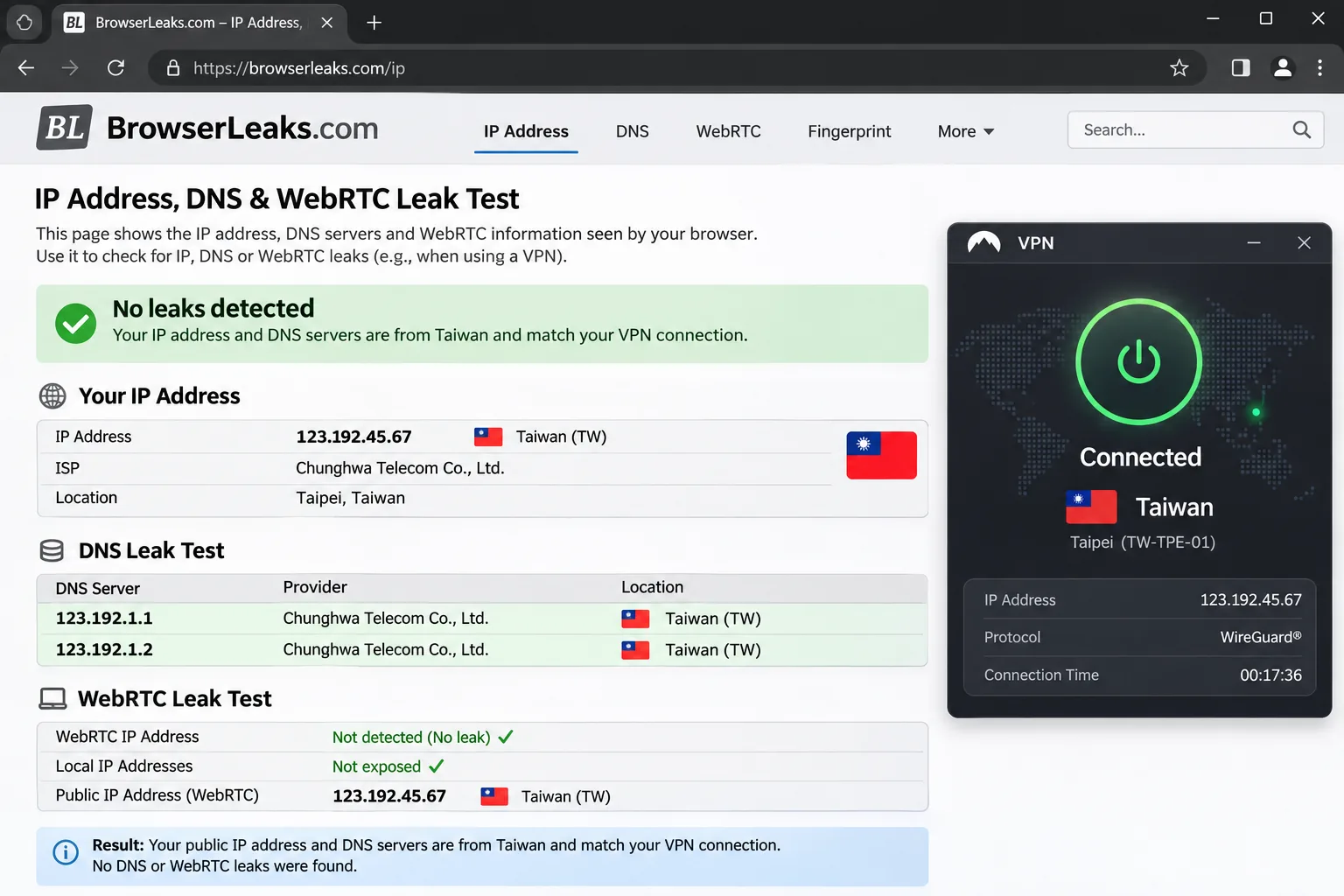
Install the provider's app on your device, sign in, choose Taiwan from the location list, and connect. Your traffic now exits through a Taiwanese IP address. Before you open a streaming or banking site, check for IP and DNS leaks and confirm the address shown is Taiwanese. If it is not, disconnect and retry. Our guide to how to test for DNS leaks walks through reading the results.
Streaming sites change their VPN blocking often and add account and subscription requirements of their own. A Taiwan IP does not guarantee a given catalog will load, so test your target service before you rely on it.
Choose a server while traveling in Taiwan
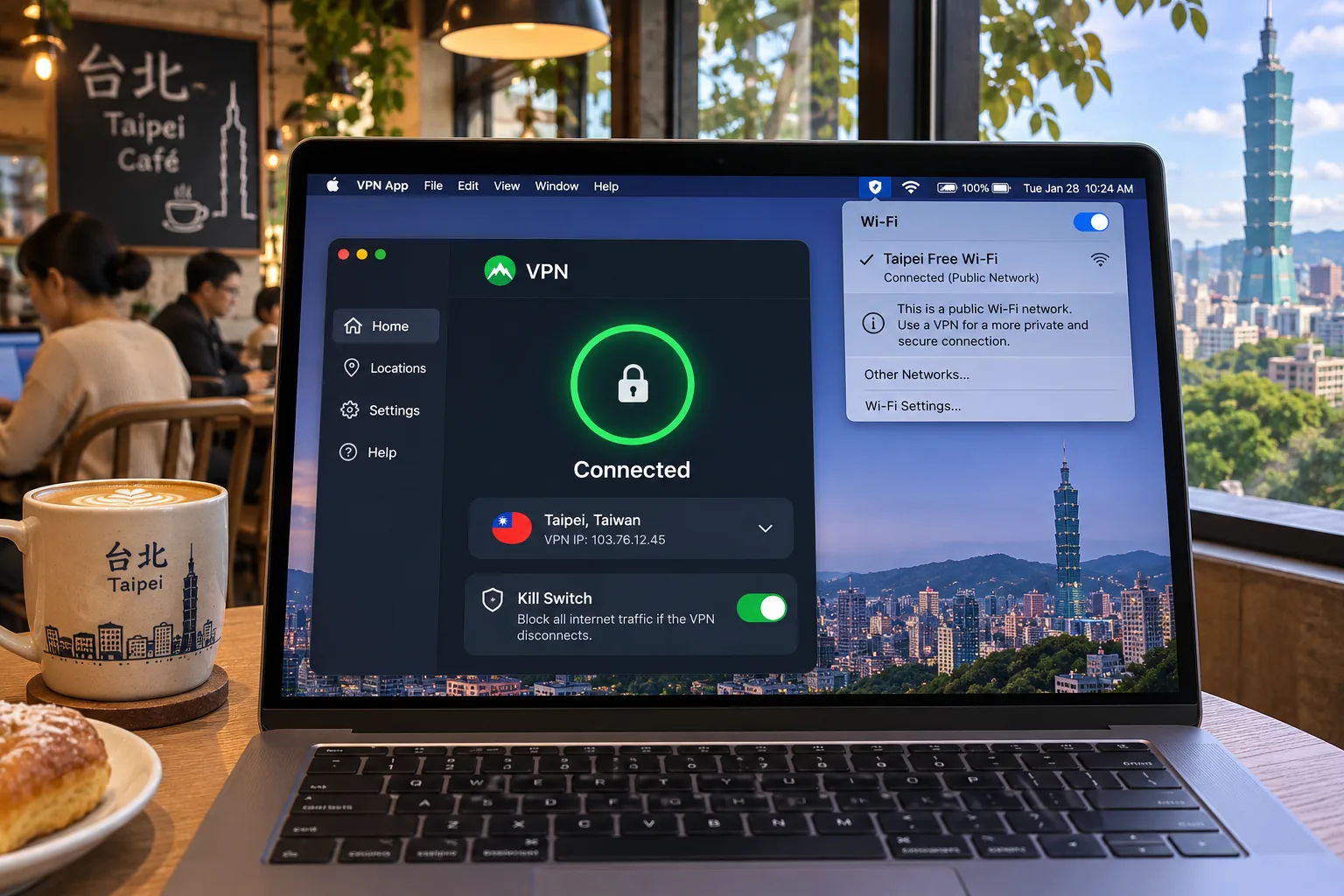
In Taiwan, pick the location that matches the destination. For global sites or a work VPN, a nearby server shortens the route and usually reduces speed less. Choose Taiwan only for services that expect a Taiwanese IP. Where an app offers automatic or nearby selection, such as NordVPN's or ExpressVPN's Smart Location, start there. On a hotel or café network, turn the kill switch on before you connect so a dropped tunnel does not expose traffic.
How we selected the best VPNs for Taiwan
We chose providers that list Taiwan, publish clear refund terms, and cover the devices most readers own. We treated provider pages as the source for features, device limits, and refund terms, and we leaned on hands-on results for setup, apps, and stability. We did not buy accounts for every plan tier, so introductory prices here are quoted offers, not our invoices.
Taiwan IP availability and speed evidence
Every pick has a Taiwan location on its own country page, and that was the first filter. Speed is harder to compare. We have no common Taiwan-based speed test with matched dates, baselines, and protocols across all five, so we make no speed ranking. Network size does not predict Taiwan speed either, because totals vary by source and tell you little about one country. Distance and server choice do. A nearby connection maintains speed far better than a long route.
Privacy, device support, and total subscription cost
We looked for a kill switch, a no-logs policy, and apps that cover the platforms readers use. Total cost matters more than the headline monthly figure, because introductory pricing ends. We compared the initial term, the renewal rate, and the refund window together. Surfshark looks cheapest up front, PIA offers the lowest monthly equivalent over three years, and ExpressVPN has the clearest annual renewal.
Why use a VPN in Taiwan?
A VPN encrypts the connection between your device and the VPN server and substitutes the server's exit IP. That helps in two situations: protecting traffic on networks you do not control, and reaching home-country services from abroad.
Public Wi-Fi privacy and the limits of VPN protection
Public Wi-Fi in cafes, airports, and hotels is where a VPN earns its keep, because it encrypts the traffic between you and the VPN server. It does not make you anonymous. The sites you sign in to still know who you are, and a VPN cannot fix a weak password or a phishing page. Smart DNS and SOCKS5 proxies alone do not provide the same tunnel encryption.
Some providers also collect data from their own apps, so choose one with a published no-logs policy. Research from 2016 on VPN-app privacy risks found tracking and permission problems in many Android VPN apps. Those findings are a reason to avoid unknown providers, not a verdict on the five here.
Taiwanese streaming abroad and home-country services in Taiwan
Expats use a Taiwanese IP to reach services such as KKTV and iQiyi, which can be restricted by region. NordVPN reached popular international services, Surfshark opened the Netflix libraries we tried, and PIA is the least consistent for local Taiwanese services. Results shift as streaming platforms update their VPN blocking, so test before you commit.
Can you use a free VPN in Taiwan?
Mostly no, at least not for a Taiwan IP. Proton's free plan has no data limit, but its restricted country pool excludes Taiwan. When you connect, the app picks a random free location. CyberGhost's free browser proxies list the US, Germany, the Netherlands, and Romania, and they cover only browser traffic.
That makes a free VPN in Taiwan fine for basic privacy on public Wi-Fi and useless for getting a Taiwan exit IP. If Taiwan access is the point, a paid plan with a refund guarantee costs less than most people expect and lets you test properly. Our advice is to confirm any free app's country list and logging policy before you install it.
Final recommendation
Pick NordVPN if you want the strongest all-round choice for a Taiwan IP, streaming, and privacy controls. Pick ExpressVPN if easy setup and router support matter most, and Surfshark if you share one account across many devices. Choose Private Internet Access if you want to tune settings and torrent, and CyberGhost if labeled streaming servers and a long refund window appeal.
Whichever you choose, test your key services inside the refund window, check for leaks, and look up the renewal price before you pay. Prices and device caps change, so treat our quoted figures as a snapshot from November 2026.