
If you live abroad and want Icelandic streaming content, you need a VPN server in Iceland. That server gives you an Icelandic IP address, which is the internet address websites see when your traffic exits the VPN in Reykjavík. If you are visiting Iceland, you need the reverse connection. You connect to your home country to reach your own banking, streaming and work services, and you keep your data private on public Wi-Fi.
We compared five providers for both tasks: NordVPN, Surfshark, ExpressVPN, CyberGhost and Private Internet Access. NordVPN is our top pick for most people, and the sections below explain where each of the other four fits better.
Best VPNs for Iceland at a glance
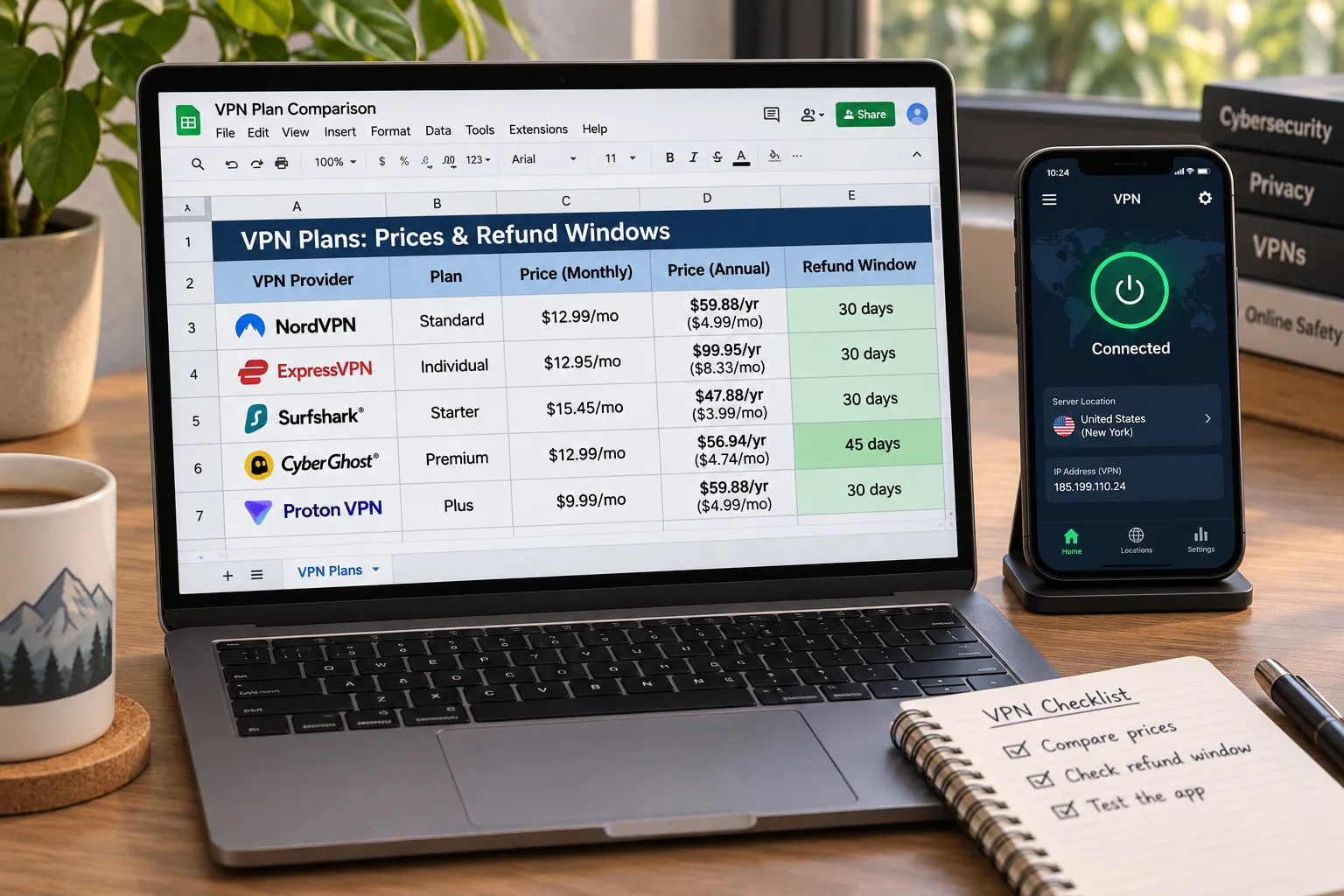
The table lists the five providers in our editorial order. Prices are introductory offers we saw on each provider's checkout page on 6 November 2026. They vary by region, currency and promotion. Every one of them renews at a higher rate, so confirm the figures at checkout.
| Product | Buy | Iceland endpoint | Physical or virtual | Devices | Refund window | Intro price (varies) |
|---|---|---|---|---|---|---|
 | Check price → | Yes, Reykjavík | Not confirmed | 10 | 30-day | US$3.49/mo, US$94.23 for 27 months |
 | Yes | Not confirmed | Unlimited | 30-day | US$2.49/mo, US$67.23 for 27 months | |
 | Yes, Reykjavík | Physical, per its Iceland page | Plan-dependent: 10 Basic, 12 Advanced | 30-day, new users | EUR2.50/mo, EUR70 for 28 months | |
 | Yes | Not confirmed | 7 | 45-day on long plans, 14-day monthly | US$2.19/mo, US$61.32 first charge | |
 | Yes | Not confirmed | Unlimited | 30-day, new users | US$2.03/mo, 3 years plus 4 months |
Selecting "Iceland" gives you an Icelandic IP address, but it does not always mean the server sits in Iceland. Some providers run virtual locations, where the IP is registered to one country and the hardware is in another. Only ExpressVPN labels its Iceland servers as physical on its official page. For the other four, we could not confirm the server type, so we make no claim either way.
How we selected the best VPNs for Iceland
We started with the question a reader actually has. Can this provider give me an Icelandic IP address, or reach my home services while I am in Iceland, without compromising privacy? We then assessed each provider using its official pages and the hands-on findings we gathered about it. Prices and terms were recorded from the checkout pages on 6 November 2026.
Iceland server availability and connection speed
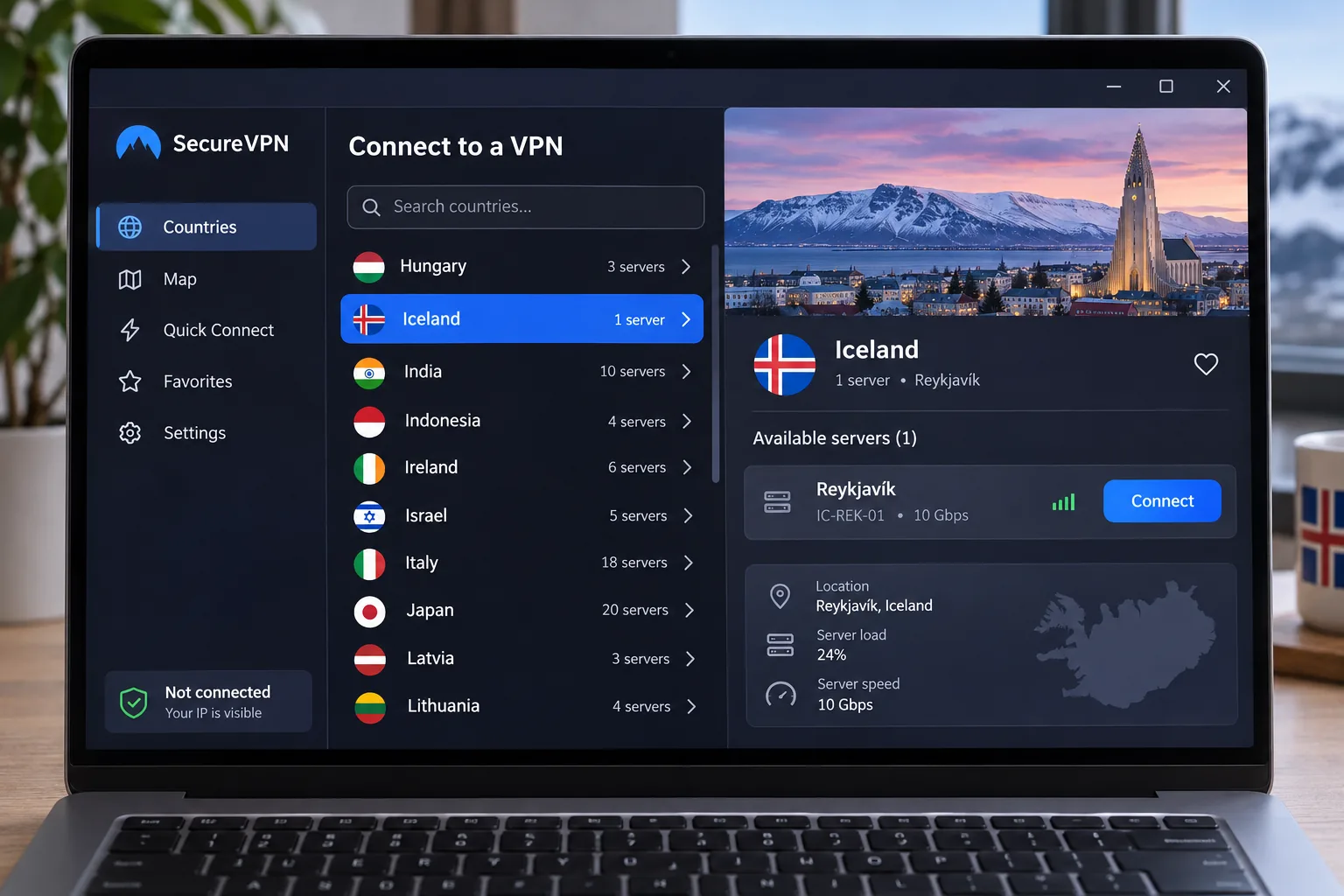
All five providers list an Iceland location. We checked whether the app lets you pick it directly and whether the location is labelled as physical or virtual. We also looked at how the connection behaved once we were on it. Fast is relative here. A server's speed can drop sharply on a distant route compared with a short one, as CyberGhost's Myanmar download showed. We have no comparable, reproducible speed dataset for the Iceland route, so we do not rank providers by a speed number.
Privacy, leak protection and device support
We looked for a kill switch, DNS and IPv6 leak protection, a stated no-logs policy and apps for Windows, macOS, Linux, Android and iOS. We also counted how many devices each plan covers, because a family can use up a 7-device cap faster than expected. Platform support does not prove support for older operating system versions, so check yours before paying.
Streaming access, pricing and refund terms
Our streaming checks covered Netflix, Hulu, Peacock and RÚV, Iceland's public broadcaster, and we report each result under the provider it belongs to. A good session does not guarantee uninterrupted access later, because streaming services change how they detect VPNs. We compared introductory prices, renewal prices and refund windows. The real cost comes when you renew.
The 5 best VPNs for Iceland
1. NordVPN
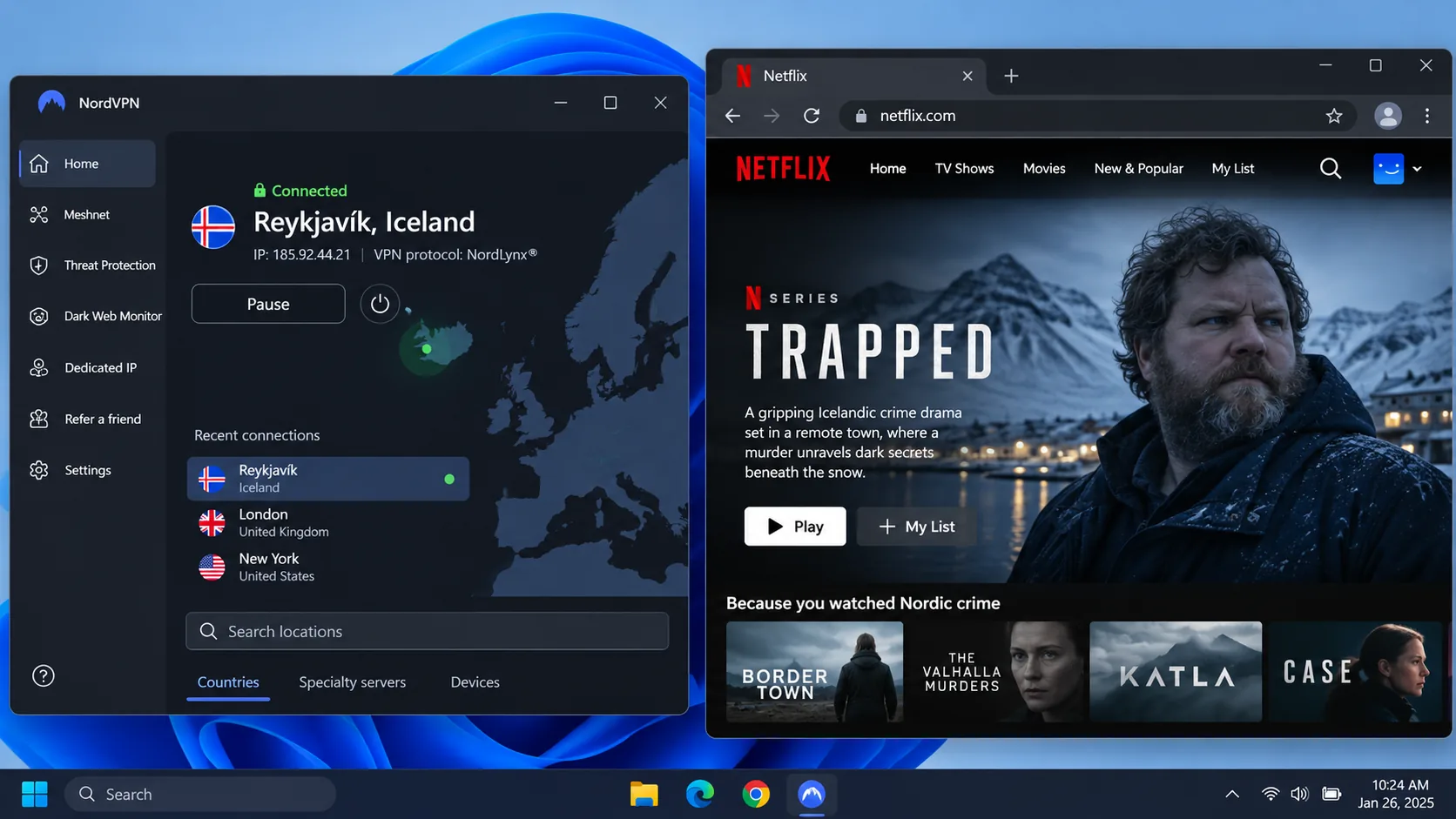
NordVPN is the provider we would pick first for Iceland. You choose the country from a map or a server list, connect to Reykjavík, and you have an Icelandic IP address within seconds. The app keeps country selection simple and puts the extra controls in settings, so a first-time user is not buried in options.
In our streaming checks, several Netflix libraries, Hulu and Peacock all loaded. RÚV access worked alongside the mainstream international services. When we forced a connection failure, the kill switch stopped traffic instead of letting data leak. Its tools include NordLynx, DNS and IPv6 leak protection, obfuscation, Double VPN and Onion Over VPN. Specialty features are not necessarily available on every Iceland server.
You can run NordVPN on up to 10 devices at once, and the apps cover Windows, macOS, Linux, Android and iOS. The 30-day money-back guarantee gives you time to try the Icelandic servers with your own streaming services before you commit. Whether you pick Reykjavík from abroad or your home country from inside Iceland, the steps are identical. That keeps the app easy to live with on a trip. The trade-off is that specialty tools such as Double VPN are not guaranteed on every Iceland endpoint, so test the feature you care about before relying on it. The Basic plan covers the VPN plus DNS-based scam and phishing protection. The Complete plan adds malware protection, a password manager and cloud storage. A dedicated IP costs extra.
The catch is the renewal. The introductory offer works out to US$3.49 a month over 27 months, but the plan renews at US$139.08 a year. Offers differ by region.
Pros
- Easy country selection with a Reykjavík server
- Kill switch held up when we forced a connection failure
- Netflix, Hulu, Peacock and RÚV access in our streaming checks
- 30-day money-back guarantee
Cons
- Higher annual renewal than the introductory price
- Physical or virtual status of the Iceland server not confirmed
2. Surfshark
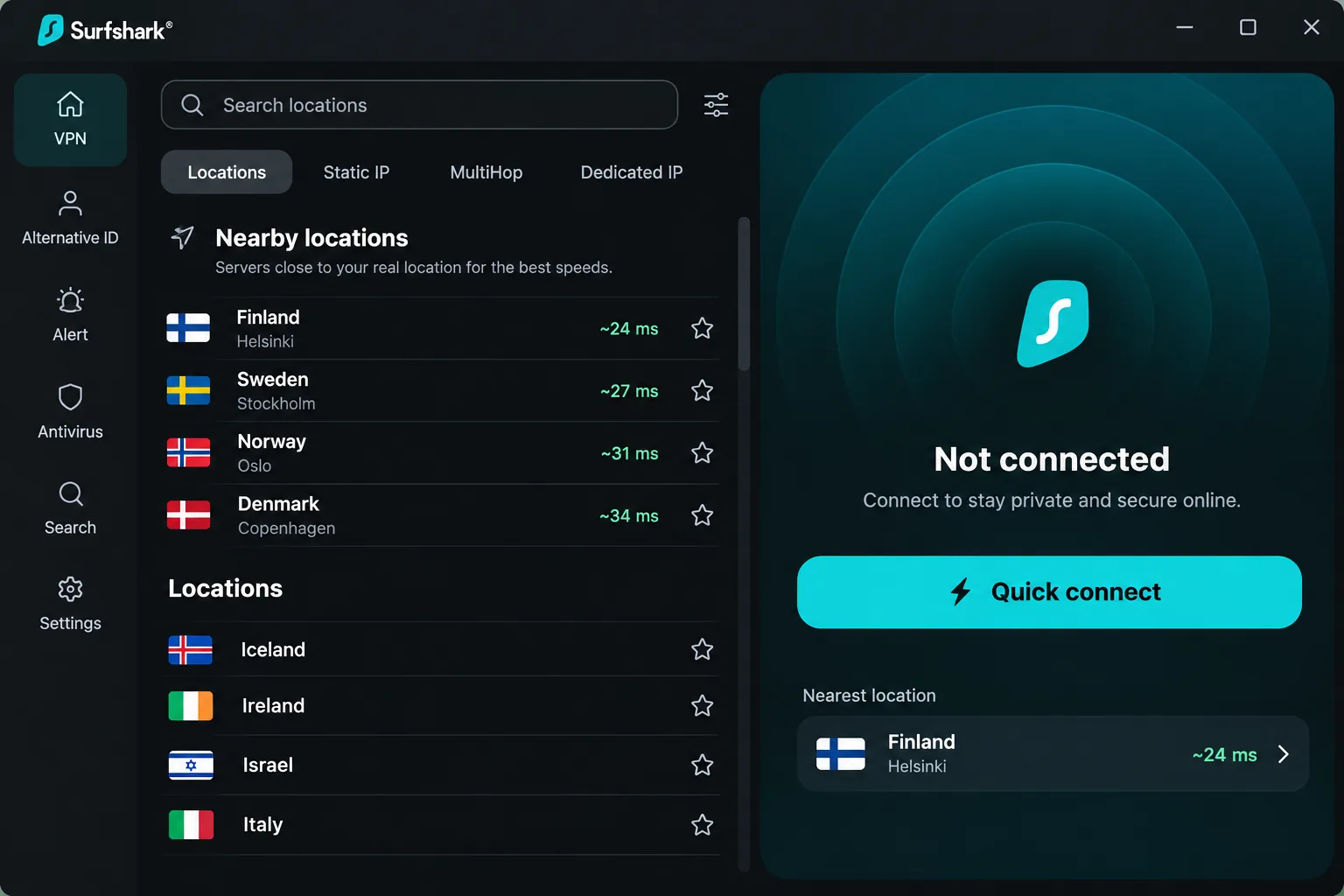
Where NordVPN caps connections at 10 devices, Surfshark has no limit, making it the best choice for a household with many devices. It places no cap on simultaneous connections, so phones, laptops, tablets and a streaming box can all stay protected on one account. It also offers unlimited bandwidth, Quick connect, a kill switch, an ad blocker and Alternative ID. For a family, that means nobody has to decide whose phone gets protected. The same account works for an Icelandic exit address at home and a home-country exit address while travelling.
Surfshark earns its beginner-friendly reputation as soon as you open the app. The main screen suggests nearby servers, which makes the first connection easy for a beginner. Netflix Iceland and other regional libraries then loaded in our streaming checks. When a server ran slower or routed oddly, the app marked virtual locations clearly, and that label explained the behavior instead of leaving us guessing. Further tools include CleanWeb ad and tracker blocking, Bypasser split tunneling and MultiHop. Antivirus and data-removal services depend on the tier.
The 30-day money-back guarantee matches NordVPN's. The promotional price we saw was US$2.49 a month, or US$67.23 for the first 27 months, but renewal is higher. A third-party pricing observation puts the Starter renewal near US$79 a year, though we could not confirm the official amount. One more gap: we could not confirm that Surfshark supports torrenting on its Iceland server.
Pros
- Unlimited simultaneous connections
- Virtual locations are labelled in the app
- Beginner-friendly main screen
- Low introductory price
Cons
- Renewal costs more than the introductory price
- P2P routing through Iceland not confirmed
3. ExpressVPN
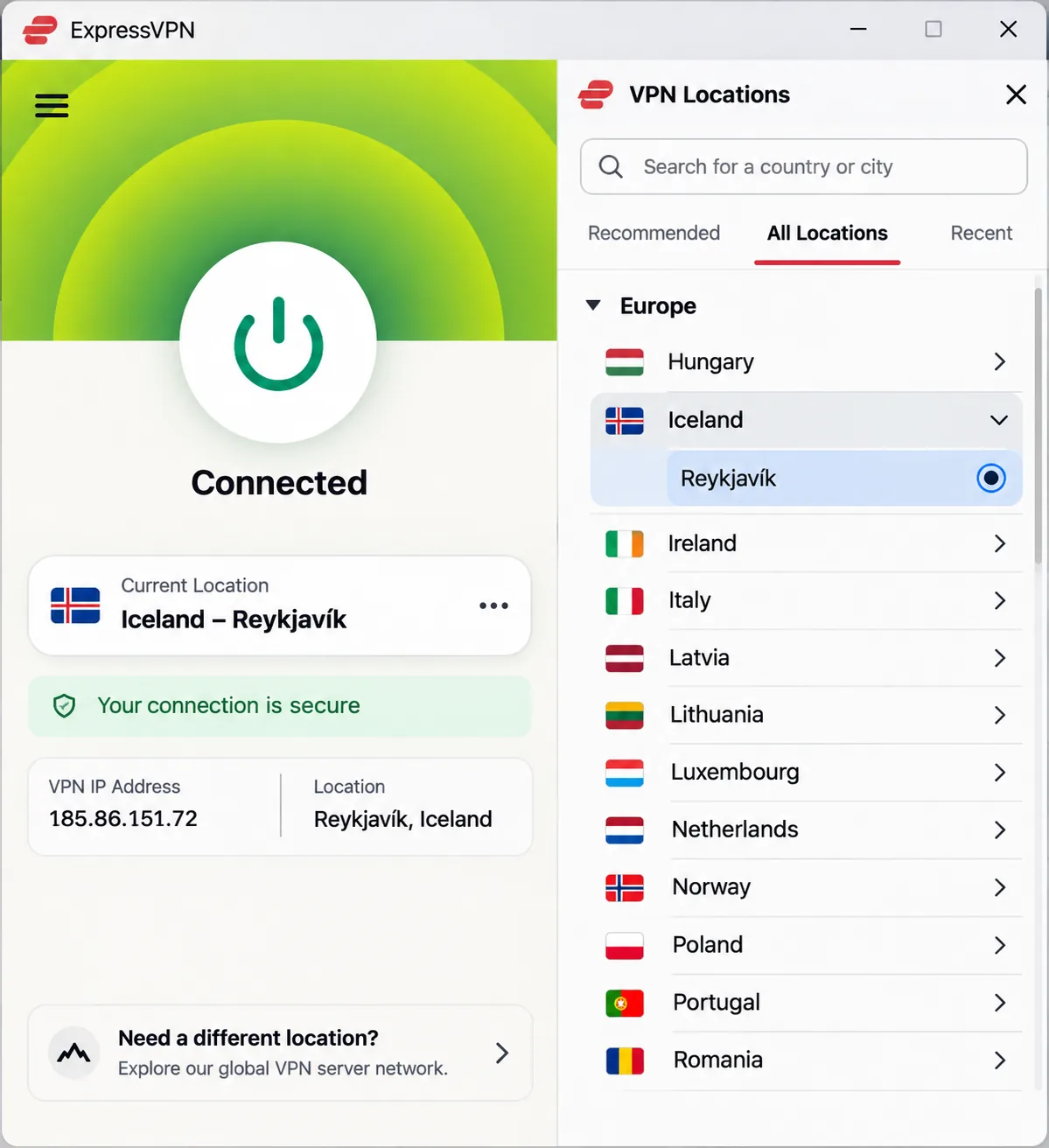
Surfshark wins on device count, but ExpressVPN wins when it comes to knowing the server's actual location. It is the one provider here that states its Reykjavík servers are physical. If a hosting location matters to you, that is a real point in its favor. The security controls are approachable for beginners, and connections stayed steady during everyday streaming. RÚV and international platforms were accessible in our Iceland checks.
It is not flawless. Some streaming targets fail. When we used it for transatlantic viewing, the stream dropped out more often than it did with NordVPN. The pattern was clear enough that we would not pick ExpressVPN for a US-based Icelander who watches mostly American services. The tools include the Lightway protocol, TrustedServer, an audited no-logs policy, a kill switch, private DNS and Advanced Protection.
The Reykjavík servers are listed on its Iceland page. You can choose a local exit address when you want Icelandic services and switch to your home country when you are the one visiting. The trade-off is price and plan structure rather than location. Check the device allowance before you buy. The pricing page gives 10 devices for Basic and 12 for Advanced. The Iceland page advertises up to 14, so the headline number is not the Basic allowance. The 30-day money-back guarantee applies to new users. Our checkout showed euros: EUR2.50 a month for the first 28 months, then EUR79.95 a year.
Pros
- Physical Reykjavík servers, per its Iceland page
- Approachable security controls
- Audited no-logs policy
Cons
- Device allowance depends on the plan
- Some streaming targets fail
4. CyberGhost
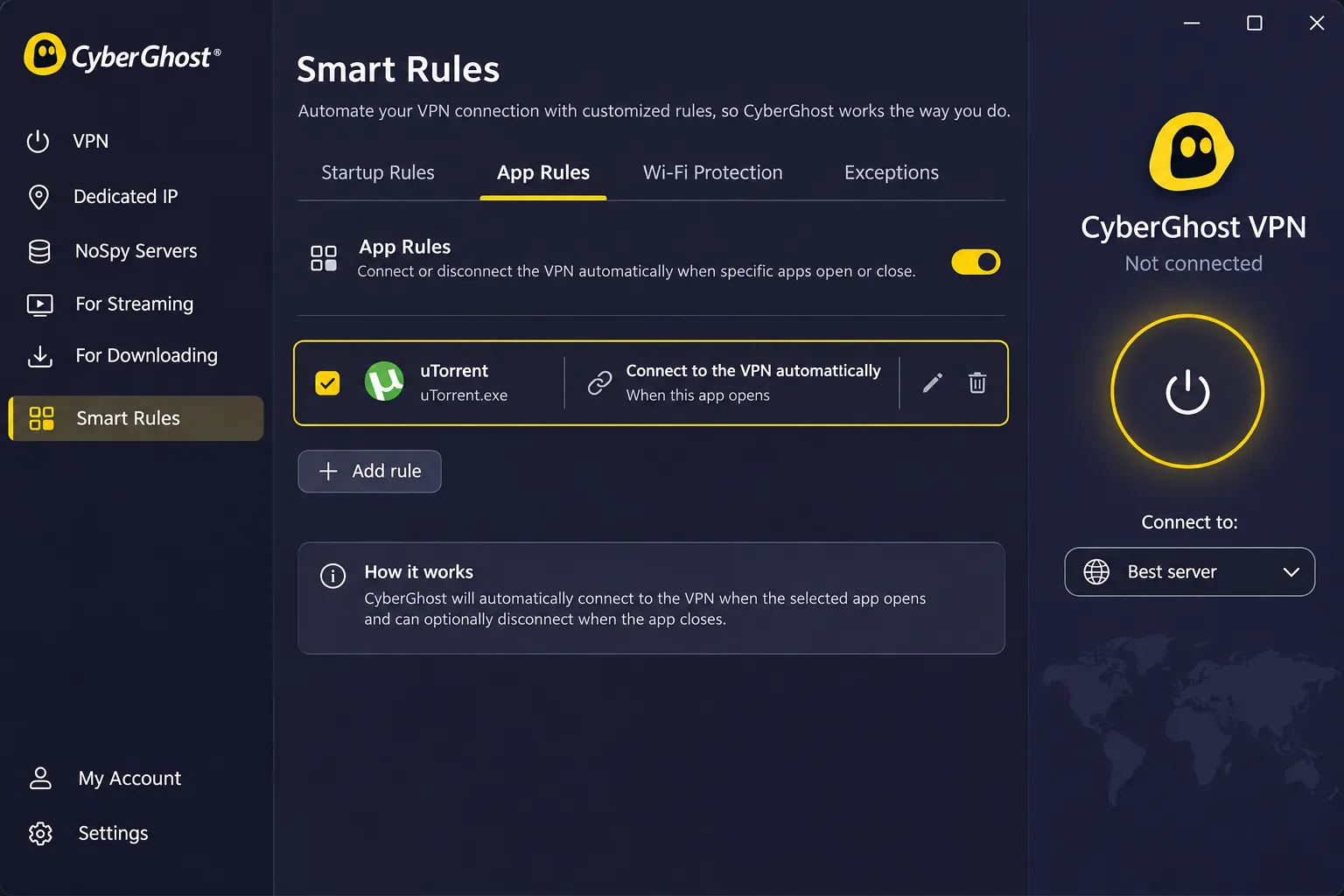
Unlike ExpressVPN, which asks you to pick a location and manage it, CyberGhost suits people who want the app to do the work. Its Smart Rules connect the VPN automatically when you open a chosen app, and you can launch a browser after the connection comes up. Smart Rules cut the setup steps you would otherwise have to repeat in other apps. Streaming and gaming server categories keep the list easy to scan. Country selection gives you an Icelandic IP address, and picking your home country from inside Iceland works the same way.
The app has fewer advanced controls than more configurable alternatives. Its Content Blocker stops trackers but lets some advertisements through. Distance also matters. In one download check, a far-away route to Myanmar was very slow. UK and US downloads worked normally in the same session. So expect speed to drop on far-away servers, and do not judge the app by its worst route.
CyberGhost supports OpenVPN, IKEv2 and WireGuard, with a no-logs policy and encrypted connections. You can use up to 7 devices at once, although installations are not capped at seven. The refund terms are the longest here. Longer subscriptions come with a 45-day money-back guarantee, while month-by-month plans get a 14-day guarantee. The offer page shows US$2.19 a month and a US$61.32 first charge. It carries inconsistent bonus-month labels, so confirm the covered term at checkout.
Pros
- 45-day refund on long plans
- Smart Rules automate the connection
- Streaming-focused server options
Cons
- Fewer advanced controls
- Content Blocker lets some ads through
- Only 7 simultaneous devices
5. Private Internet Access
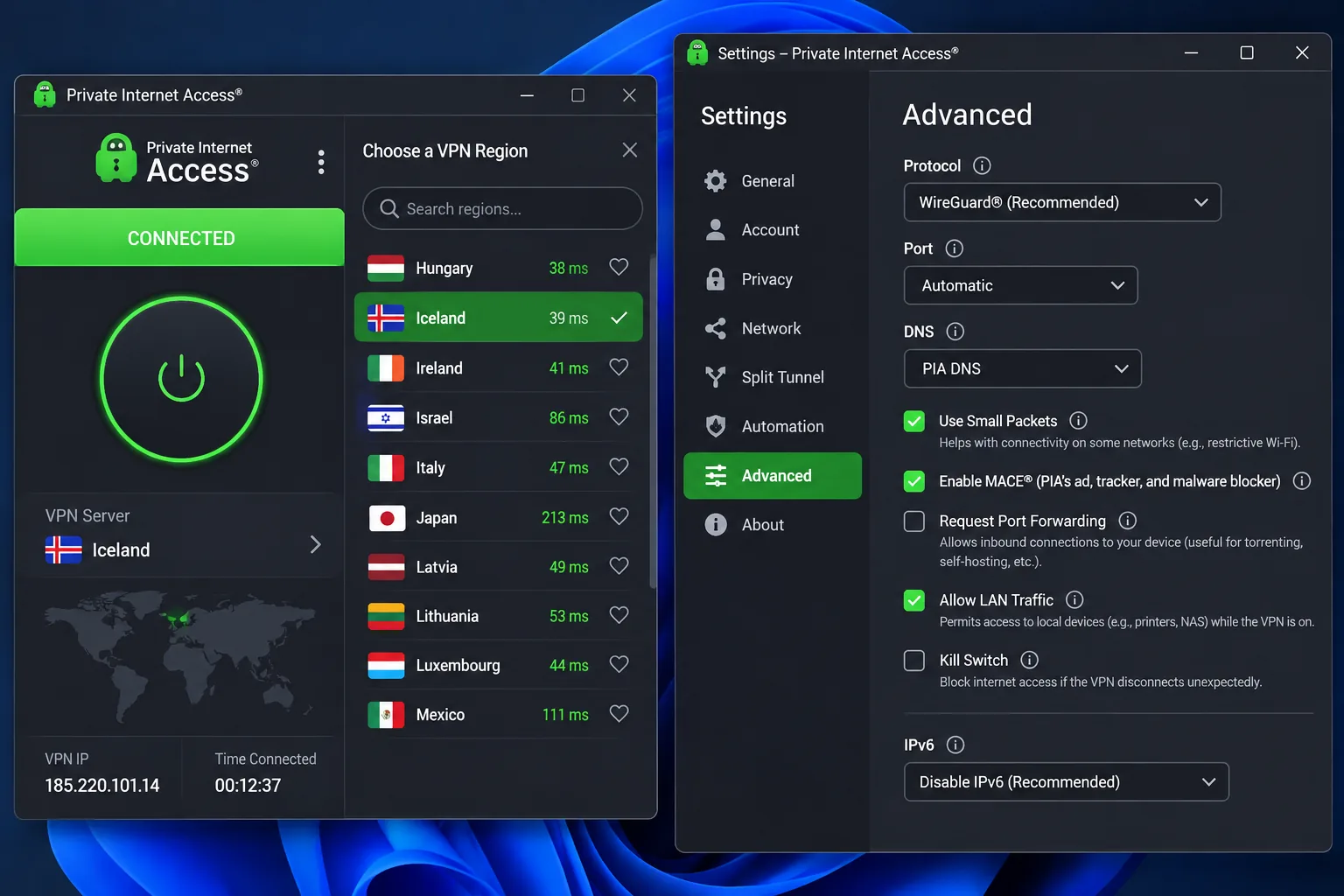
CyberGhost hides the settings, whereas Private Internet Access puts them in front of you. That makes it the pick for tinkerers. It offers unlimited simultaneous devices, open-source apps, a no-logs policy, RAM-only servers, split tunneling and supported-router setup. Port forwarding and SOCKS5 proxy support are there too, but SOCKS5 alone does not encrypt your traffic. Antivirus and a dedicated IP are paid add-ons.
Those configuration options make the apps more complex for beginners. Once configured, though, the connection held up. During a long session of heavy bandwidth use, browsing and video playback stayed responsive without buffering. Peak speeds trail the leading rivals, so we would not buy it for speed alone. It earns its place on stability. Some streaming services remain difficult to unblock, so it is a weaker choice if Icelandic TV is your main goal.
You can select Iceland in a single step in the app or use it to connect to your home country when travelling. We could not confirm whether the Iceland hosting is physical or virtual. The 30-day money-back guarantee applies to new subscribers, and app-store purchases follow the store's own refund terms. The promotion we saw was US$2.03 a month for three years plus four months, renewing at US$81.20 every three years.
Pros
- Unlimited devices
- Stable during long sessions
- Open-source apps and RAM-only servers
Cons
- Apps are more complex for beginners
- Some streaming services are hard to unblock
Why use a VPN in Iceland?
A VPN is worth having in Iceland for three practical reasons: protecting your data on shared networks, reaching services from home, and watching Icelandic content from abroad. Iceland is a free country online. Freedom House rates it Free at 94/100 in Iceland's 2025 internet-freedom assessment, so the case is about privacy and access rather than escaping censorship.
Public Wi-Fi and everyday privacy
Cafes, guesthouses, airports and hotels offer public Wi-Fi, and a trusted VPN encrypts the traffic between your device and the server. That protection has limits. Public wireless use also carries device and Bluetooth risks that sit outside the VPN tunnel. For a closer look, read what a VPN can and cannot do on public Wi-Fi.
Accessing home services while visiting Iceland
Some banks, workplaces and streaming accounts react badly to a login from a new country. Connecting to a server in your home country makes the traffic appear to come from there. Use an existing account and follow the service's terms.
Icelandic streaming services when travelling abroad
If you live elsewhere and want Icelandic broadcasts, you need an Icelandic exit address. RÚV's rights page describes electronic-ID or ID-app login for otherwise Iceland-only content through its web player. Access therefore depends on authentication and programme rights, and a VPN alone may not be enough. NordVPN and ExpressVPN both opened RÚV in our checks. For Stöð 2 we have no verified result.
Is using a VPN legal in Iceland?
We did not find an Icelandic government or legal source that directly addresses ordinary consumer VPN use, so we cannot quote a statute. A high internet-freedom score is not a legal ruling on VPNs. What we can say is that the major providers sell to Icelandic users openly and offer Iceland locations. If you need certainty for business or legal reasons, ask a local lawyer.
How to use a VPN and get an Icelandic IP address
The process is the same for all five apps. For a general walkthrough, see our guide on how to use a VPN, then follow the two cases below.
Connect to Iceland or your home country
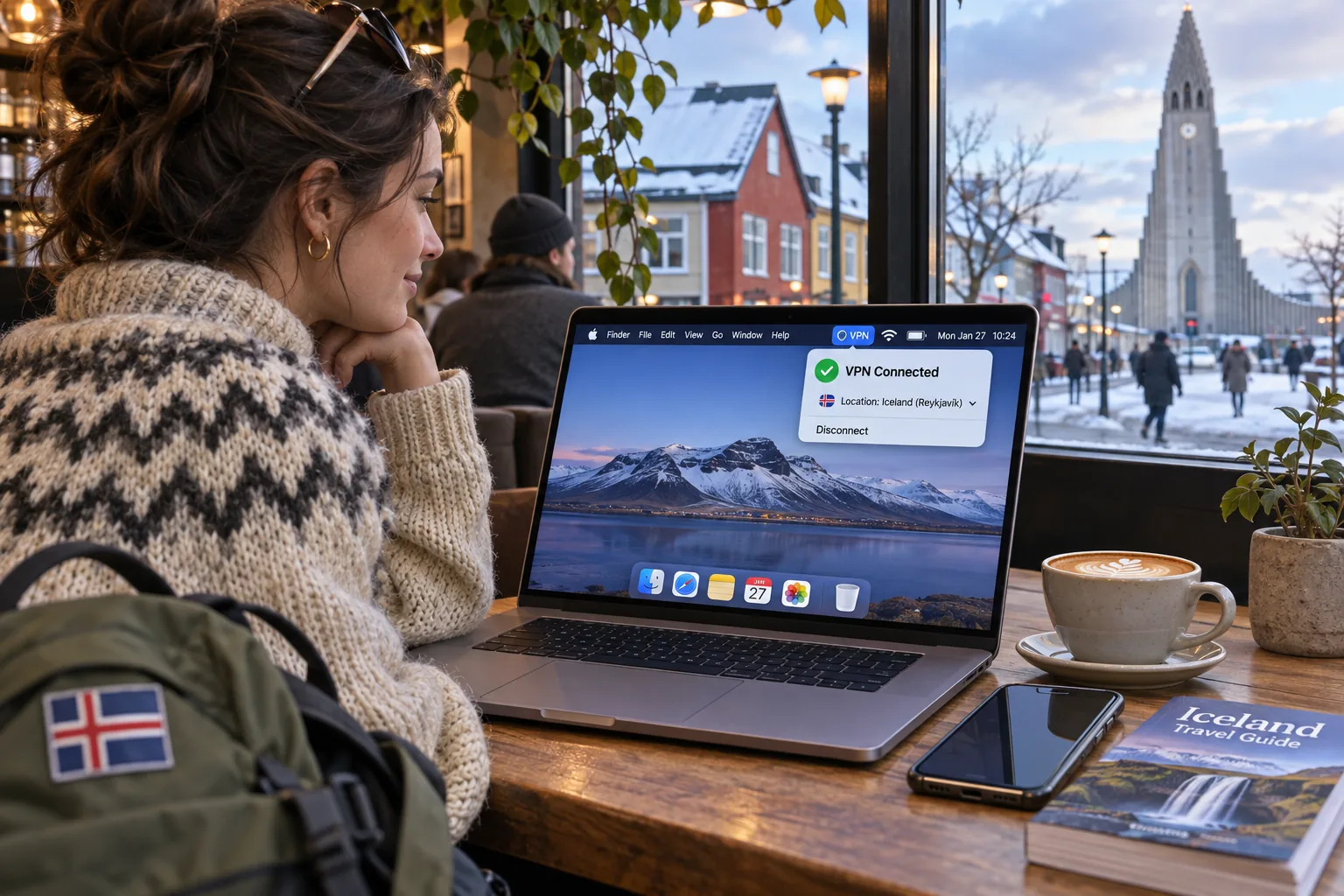
Install the provider's app, sign in and pick a location. Choose Iceland for an Icelandic exit address. Choose your home country when you are in Iceland and need your own services. If you want a hand with that step, here is how to change your VPN location. Turn on the kill switch before you connect so a dropped connection does not expose your real address.
Check your IP address and troubleshoot a blocked stream
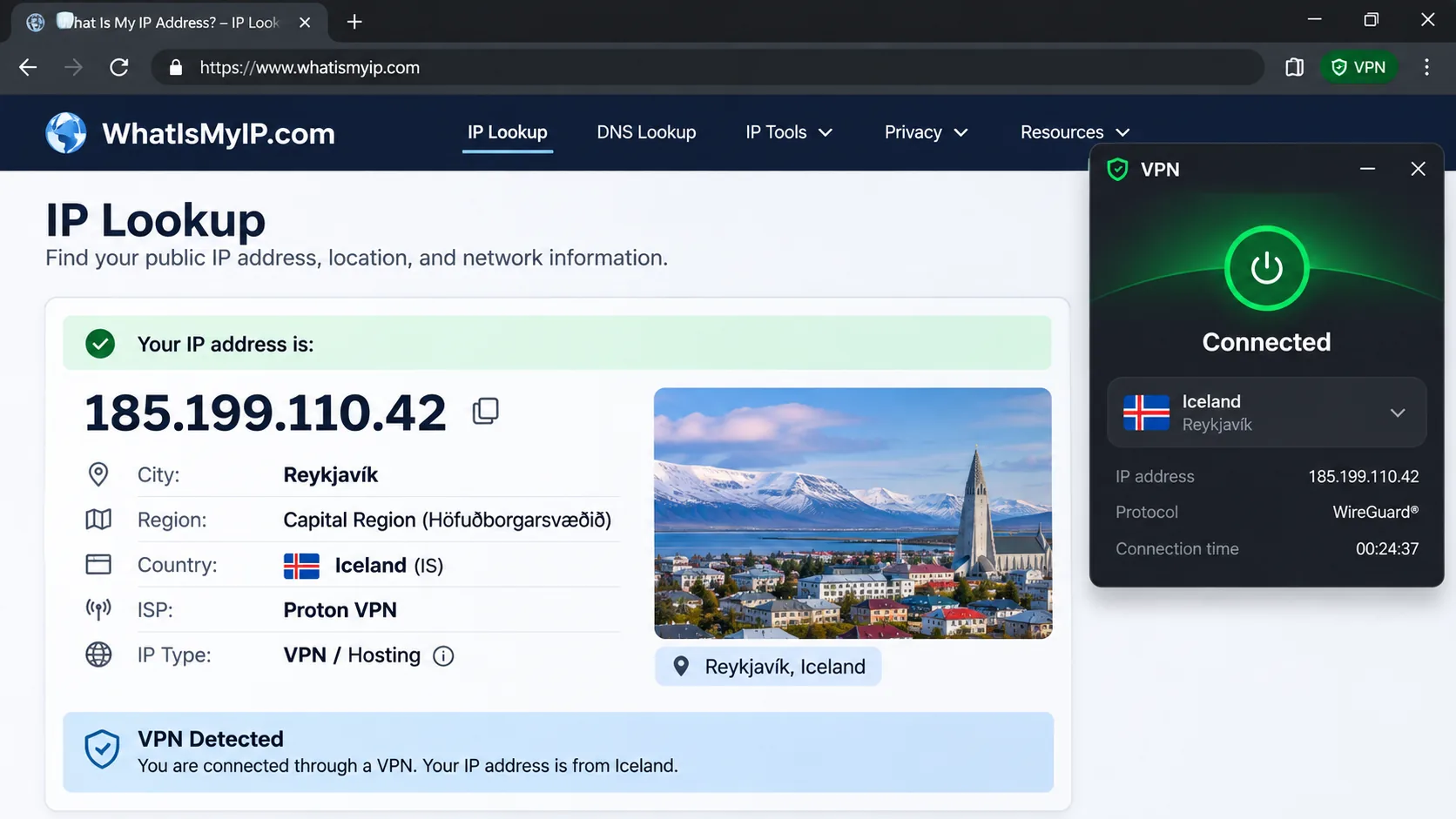
Open an IP-lookup page once you are connected and confirm it shows Iceland. If you suspect a DNS leak, run a leak test as well. Confirm the resolver shown belongs to the VPN rather than your ISP, since mismatched DNS often makes a streaming service detect your location as home. If a stream is blocked, try another server in the same country first. Then disconnect, reconnect and reload the page so the service sees a fresh session. Streaming problems often come from DNS interference or a device timezone that does not match the VPN location, so check both. ExpressVPN's own advice for Netflix errors is to use its app or MediaStreamer, try a different location, and contact support if the problem persists.
Test streaming inside the refund window. Log in to the services you care about on day one, and if the Icelandic content will not load, ask for the money back instead of waiting for a fix.
Can you use a free VPN for Iceland?
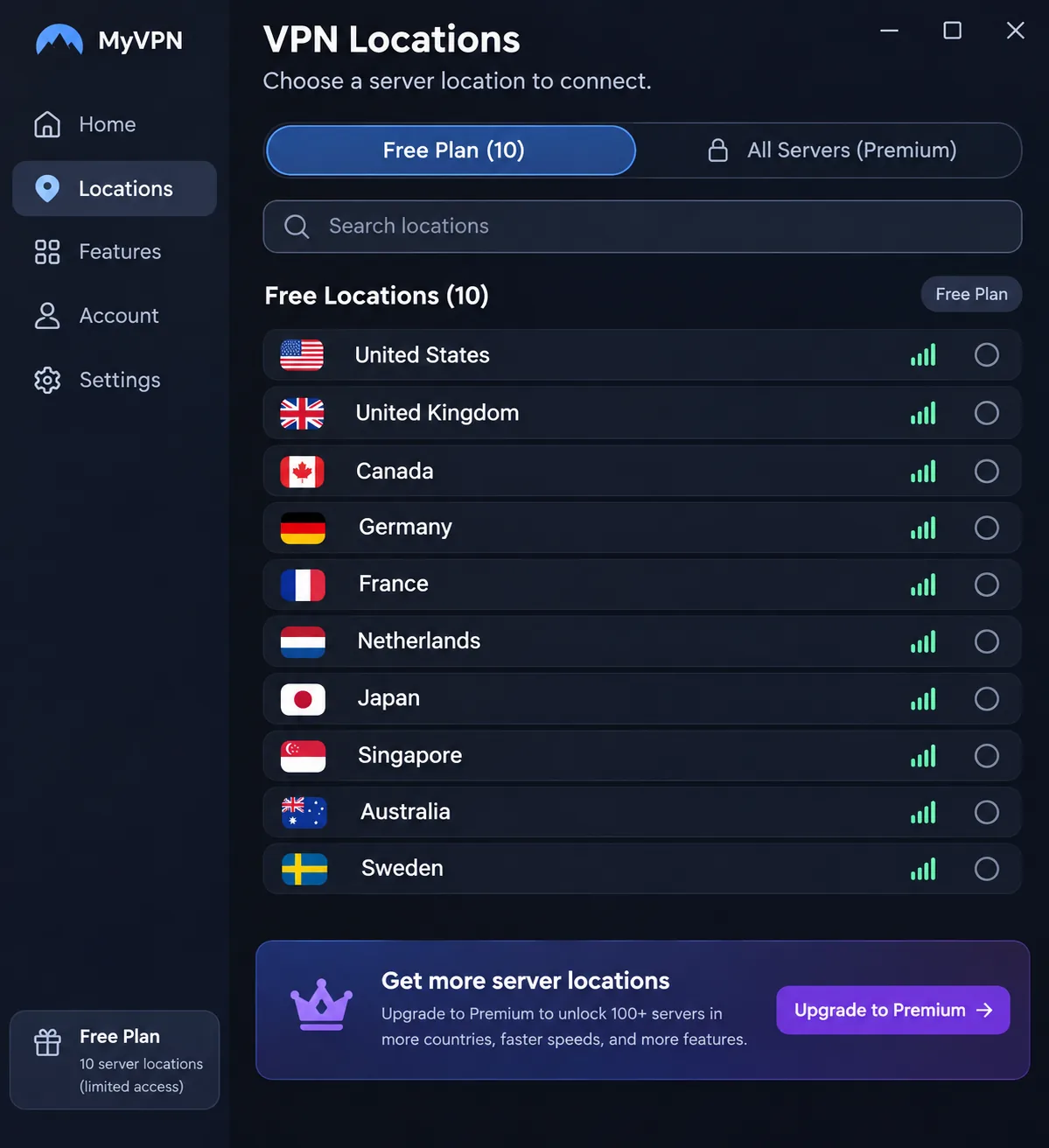
Usually, an Icelandic IP address is unavailable. Proton VPN's free plan is a good example. Its free locations include the Netherlands, Japan, Romania, Poland, Norway, Switzerland, Singapore, Mexico, Canada and the United States, but Iceland is absent. The app picks the fastest free server at first and limits how much you can change it. You cannot simply hunt for a server that suits one streaming service.
A free VPN may also be a poor choice for privacy. A provider that does not charge you has to pay for its servers somehow, so read what it does with your data. A refund guarantee is not a free trial without upfront payment, and we could not confirm store-specific trial terms for these five. We could not confirm data-cap or speed figures for free tiers across these providers, so we do not quote any. If cost is the issue, the 30-day and longer guarantees above are a safer way to test a paid plan.
Iceland VPN FAQs
If I am unsure about the law, what should I check before I travel?
Does Iceland block websites?
Can you torrent with a VPN in Iceland?
How many devices can stream Icelandic TV at once on one plan?
Final thoughts
The verdict box below covers the all-round pick; this section helps you choose an alternative if your needs differ. If you have a large household, Surfshark or Private Internet Access removes the device cap. If you care where the hardware sits, ExpressVPN is the only one that labels its Reykjavík servers physical. If you want the app to automate connections, or you want the longest refund window, CyberGhost offers 45 days on long plans. If you like to configure everything yourself, Private Internet Access gives you the most controls.







