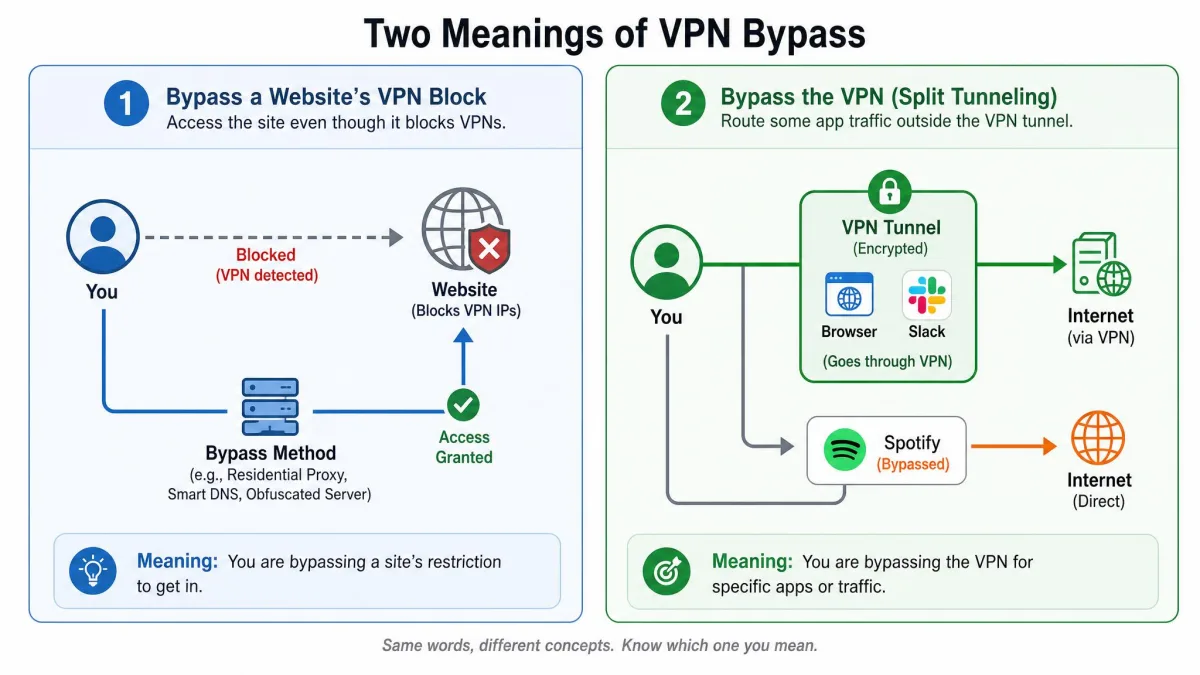
You fire up your VPN, try to load a streaming service or a blocked site, and instead of the content you get an error telling you a proxy has been detected. That moment is where "VPN bypass" comes up, and the phrase actually points in two directions at once. In one sense, VPN bypass means getting around the blocks that stop your VPN from connecting or reaching a site. In the other sense, it means letting some of your traffic bypass the encrypted tunnel on purpose, which is the feature most apps call split tunneling.
Both senses matter because they solve different problems. One is about restoring access when a website or network fights your VPN. The other is about choosing which apps ride inside the encrypted connection and which ones skip it. We test VPNs against real streaming, leak, and speed benchmarks, so we run into both meanings constantly, and this guide walks through each one in plain English.
Here you'll learn what the term covers, why services block VPNs in the first place, the detection methods they use, and the practical steps that get you back online. We'll also look at streaming, split tunneling, and whether any of this is risky.
What "VPN bypass" actually means (the two senses)
The confusion is understandable, because the same two words describe two opposite goals. It helps to separate them before we go further, since the tools and settings involved barely overlap.
Bypassing VPN blocks (getting around restrictions)
In the first sense, VPN bypass means defeating a block. A website, a streaming platform, a school network, or a whole country decides it does not want VPN traffic, so it detects and refuses your connection. Bypassing that block means getting around the restriction so your VPN works again and you can reach the content you wanted. Most people who search for this phrase are chasing exactly this: a way back in.
Traffic bypassing the VPN tunnel (split tunneling)
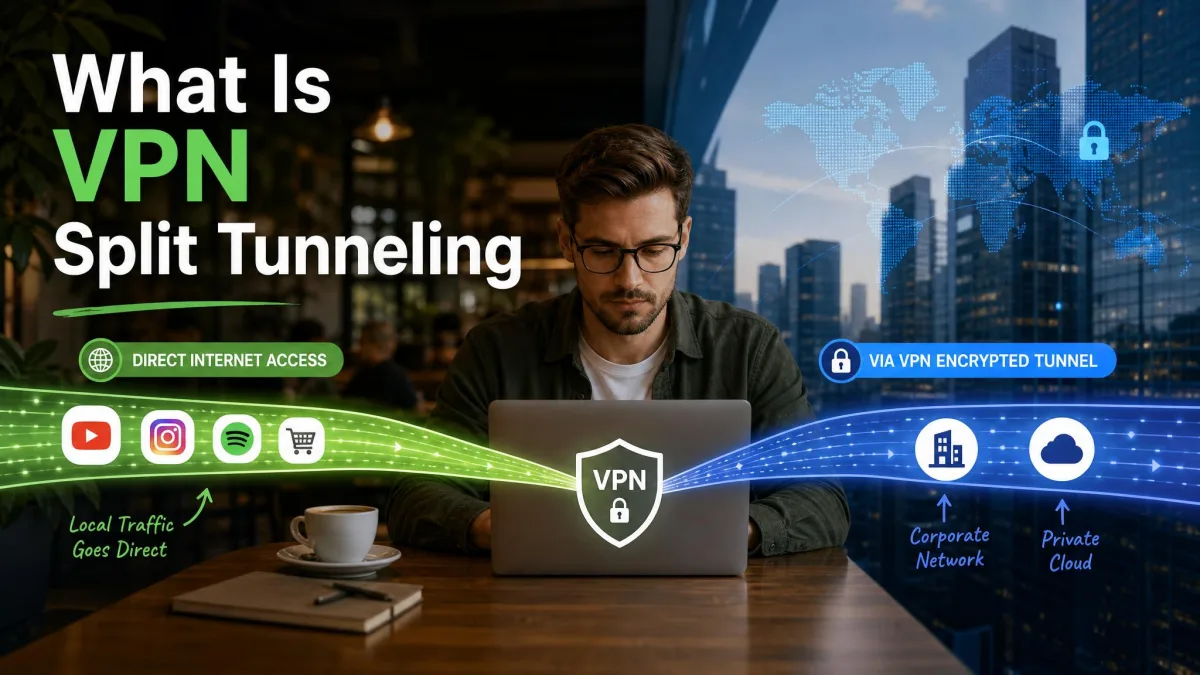
The second sense flips the direction. Here you deliberately send some traffic outside the encrypted tunnel, using your real IP address instead of the VPN server. This is split tunneling, and it creates two paths at once: one through the VPN and one straight to the open internet. You might do this to reach a printer on your home network while the rest of your connection stays protected. We'll cover split tunneling in full later in this guide.
Why websites and services block VPNs
Before you can bypass a block, it helps to know why it exists. Services rarely block VPNs out of spite, and understanding their reasons tells you which fixes will actually work.
The biggest driver is content licensing. A streaming platform buys the rights to show a film in some countries but not others, so it geo-restricts the catalogue and blocks VPNs that hide your real location. Fraud and abuse prevention is another major reason, since banks and shops see traffic from a shared VPN IP as higher risk. Advertising and analytics accuracy plays a part too, because a masked location distorts the data companies rely on. Finally, some governments block VPNs as a form of censorship, which is a different scale of problem from a streaming service protecting its catalogue.
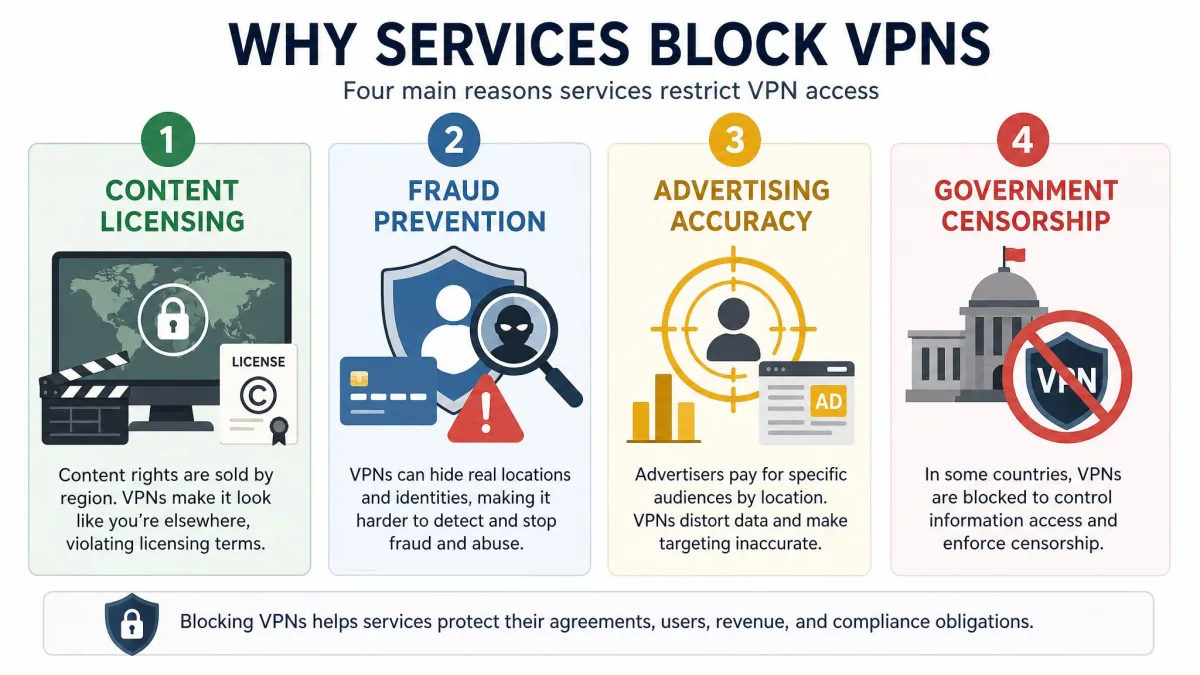
Not every block is aimed at you personally. Most of the time a service is enforcing a licensing deal or a fraud rule, and the block lifts the moment your connection stops looking like shared VPN traffic.
How VPNs get blocked (detection methods)
To block a VPN, a service first has to detect one. There are a handful of detection methods in common use, and each has a matching countermeasure. Here is how they line up.
| Detection method | How it works | How to get around it |
|---|---|---|
| IP blacklisting | Blocks IP addresses known to belong to VPN providers | Switch server, or use a dedicated/static IP |
| Port blocking | Firewalls block the ports VPN protocols use, such as 1194 or 1723 | Change the port, or route traffic over 443 |
| Deep packet inspection | Inspects data packets for patterns that reveal VPN use | Enable obfuscation or stealth mode |
| DNS filtering | Blocks domain lookups routed through VPN DNS servers | Change your DNS to Cloudflare, Google, or OpenDNS |
| GPS check (mobile) | Flags a mismatch between GPS location and IP location | Use a server that matches your GPS region |
IP address blacklisting
This is the most common method by far. VPN providers route many users through a shared pool of IP addresses, and services keep lists of those addresses. When your connection arrives from a known VPN IP, access is denied. Because so many people share each address, a busy server's IP gets flagged and blacklisted quickly, which is why a server that worked yesterday can fail today.
Port blocking
Every VPN protocol communicates over specific network ports. Firewalls can simply block those ports to shut the protocol down. OpenVPN defaults to UDP port 1194, and the older PPTP protocol relies on port 1723, so blocking those numbers stops those connections cold. The clever workaround is to route traffic over TCP port 443, the port normal HTTPS web traffic uses, which is very hard to block without breaking ordinary browsing.
Deep packet inspection (DPI)
Deep packet inspection goes deeper than ports. Instead of looking only at where a packet is going, DPI examines the packets themselves for patterns that give away VPN use. It is mainly a tool of internet service providers and government censors rather than a typical streaming service, but where it is in play, simple tricks like changing servers will not help. Obfuscation is what actually defeats it.
DNS filtering and GPS checks
DNS filtering blocks the domain-name lookups your VPN sends, so websites fail to resolve even though the tunnel itself is up. Changing your DNS provider to a public resolver like Cloudflare or Google often clears it. On phones there is one more trick services use: a GPS check. If your IP says you are in the United States but your phone's GPS says France, that mismatch flags a VPN instantly, so matching your server to your real region matters on mobile.
How to bypass VPN blocks
Now the practical part. When a VPN block stops you, you do not need every technique at once. Work through these in order, because the first two solve the majority of cases in seconds.
Switch server or location
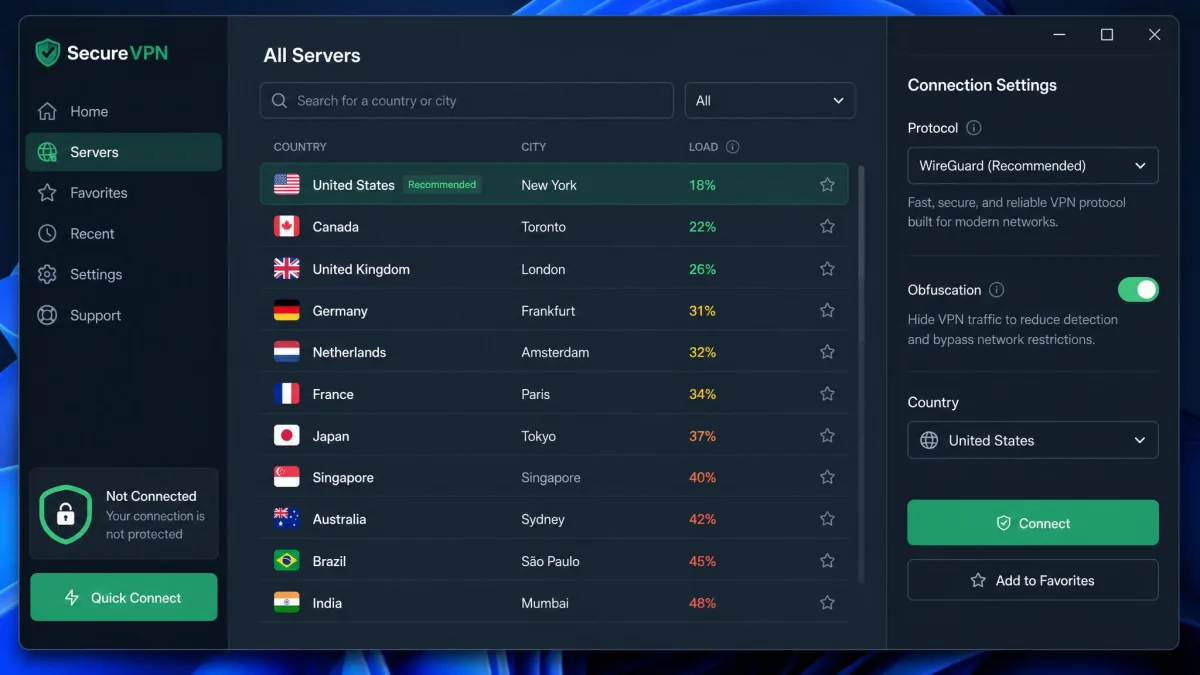
This is the fastest thing to try, and it works surprisingly often. Because IP blacklisting targets specific addresses, simply connecting to a different server, even one in the same or a nearby country, hands you a fresh IP that has not been flagged yet. Whenever a site suddenly stops loading through the VPN, switching servers is the first move we reach for, and it restores access right away more often than not.
Change VPN protocol
If a new server does not help, the block may be aimed at your protocol or its port rather than your IP. Switching the tunneling protocol changes the pathway your traffic takes. Moving from OpenVPN to WireGuard or IKEv2, for example, can restore a connection when one specific protocol is being targeted. Most apps let you change this in a settings menu with a single tap.
Enable obfuscation / stealth mode
Obfuscation is the heavy artillery, and it is the setting that gets past deep packet inspection. It disguises your VPN traffic so it looks like ordinary HTTPS, which means DPI can no longer pick out the tell-tale VPN pattern. Providers brand this feature differently, with names like obfuscated servers, NoBorders, or Chameleon, but they do the same job. If you are dealing with a strict network or a censored region, this is the feature that matters most.
Obfuscation is the one setting worth checking for before you commit to a VPN. It is what actually defeats deep packet inspection, and it is the main thing free VPNs tend to lack.
Change ports or use a dedicated IP
Two more levers help against stubborn blocks. First, change your port: many VPNs default to one or two ports but can be reconfigured, and routing over 443 blends your traffic in with normal secure web browsing. Second, consider a dedicated IP. An address used by only you looks like ordinary consumer traffic rather than a shared VPN pool, so it gets blacklisted far less often, which makes it a reliable option for streaming.
If none of that works, there are heavier alternatives such as the Tor Browser, Shadowsocks, or SSL tunneling with stunnel. These carry real setup friction, though. SSH tunnels need command-line skills, Shadowsocks needs proxy configuration, and Tor is itself blocked in some regions, so none of them is a guaranteed fallback. For most people the easiest reliable route is a capable paid VPN with these countermeasures built in.
Switching from Wi-Fi to mobile data can sidestep a block, but only an institutional one. If your school or office network is blocking the VPN, cellular data avoids that network entirely. It does nothing against government-level censorship, which follows you onto mobile.
Streaming: bypassing geo-blocks on Netflix, BBC iPlayer and others
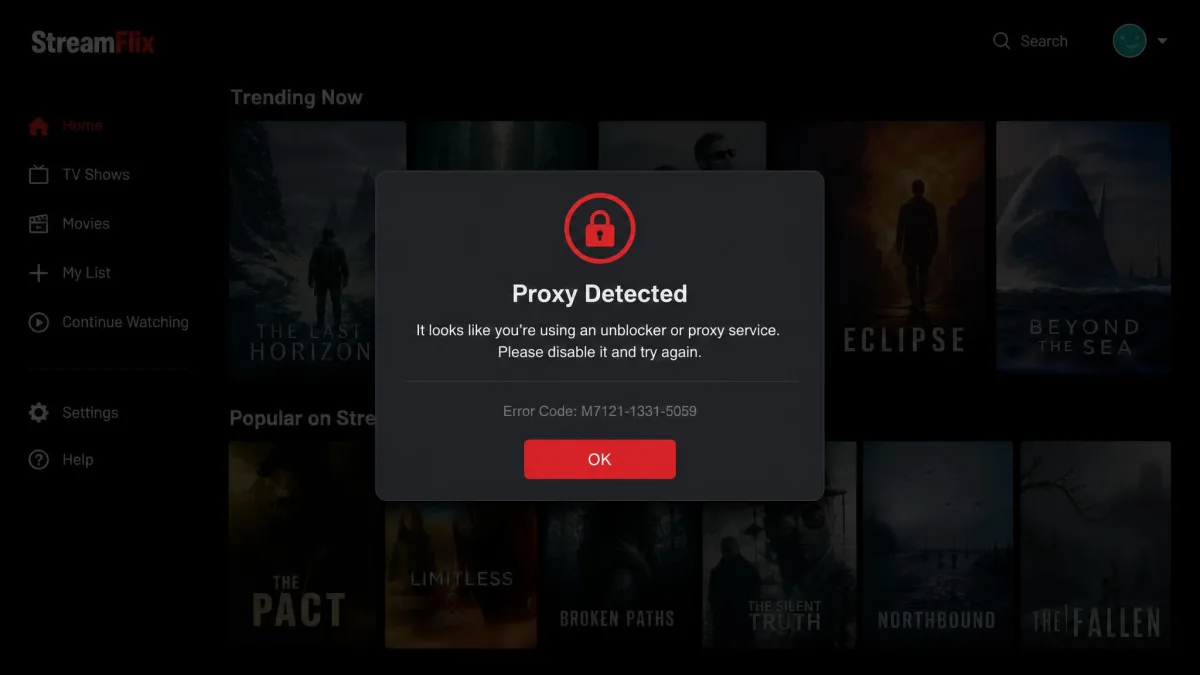
Streaming is where most people meet VPN blocks, because geo-restrictions and licensing sit at the heart of the business. Each service has its own polite way of telling you it has spotted a VPN. Netflix shows "You seem to be using an unblocker or proxy." BBC iPlayer tells out-of-region viewers "BBC iPlayer only works in the UK." Amazon Prime Video reports that "your device is connected to the internet using a VPN or proxy service."
The fixes are the same ones above, applied in order. Switch to a different server in your target country first, since a fresh IP clears most streaming blocks on the spot. If that fails, the server's shared IP has probably been blacklisted, and a dedicated IP is the more durable answer. There is no honest fixed "success rate" for any given service, because the platforms and VPN providers trade moves constantly, so treat any specific percentage you see with caution.
Because shared VPN addresses get blacklisted far faster than a dedicated one, the busiest servers are usually the first to stop working for streaming.
— From our VPN testing notes
What split tunneling is (and how it bypasses the VPN)
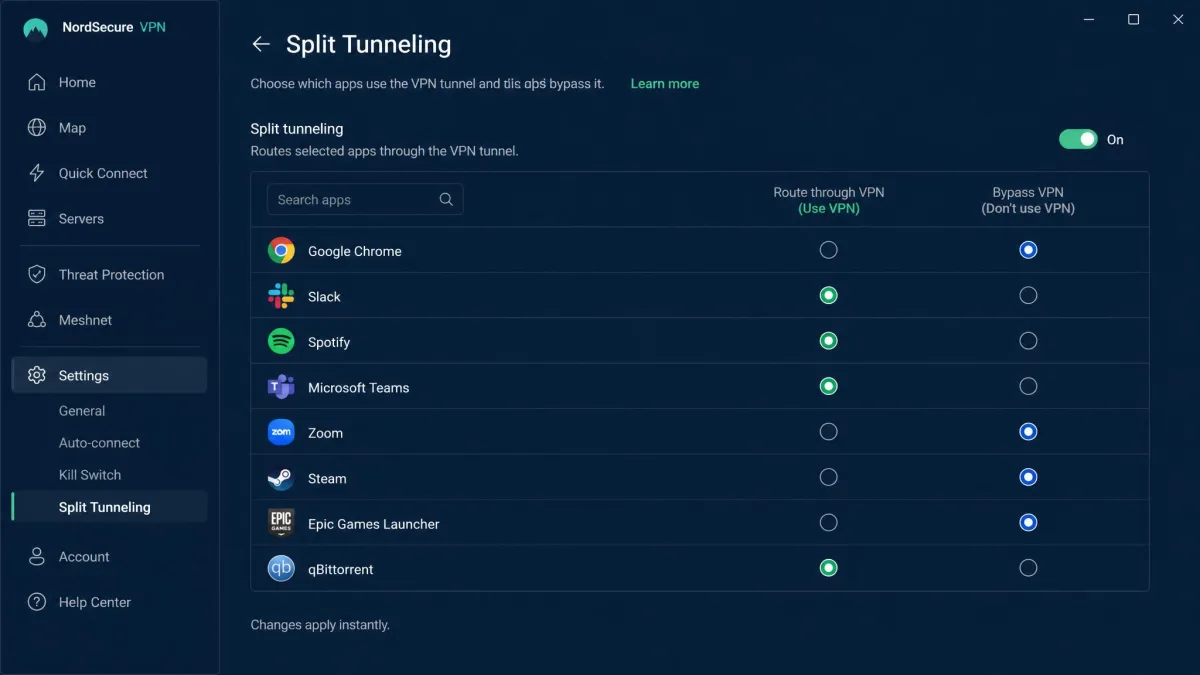
Now back to the second sense of the term. Split tunneling lets chosen traffic bypass the VPN tunnel entirely. Instead of forcing every app through the encrypted connection, it creates two paths at the same time: one through the VPN server and one straight to the open internet on your real IP. You decide which apps or sites take which path in the client's settings.
There are good reasons to want this. Turning on split tunneling for local traffic keeps home-network devices like a printer or a smart TV reachable while the rest of your connection stays on the VPN. It also keeps apps that need a local IP working, and it lets you run data-heavy apps at full speed by excluding them from encryption. The trade-off is simple and worth remembering: any traffic you route outside the tunnel is unencrypted, so it is more exposed than the traffic you keep protected.
Anything you send through split tunneling leaves the encrypted tunnel and travels on your real IP. Keep sensitive activity like banking inside the VPN, and only exclude apps where speed or local access matters more than privacy.
Is bypassing VPN blocks legal or risky?
For most readers in most countries, using a VPN and getting around blocks is perfectly legal, and the practical risk is low. It helps to separate the legal question from the terms-of-service question, because they are not the same thing.
On the legal side, VPN use is lawful in the great majority of countries, but a handful restrict or ban it, and the details shift over time. If you are travelling somewhere with tighter internet rules, it is worth checking the local position before you rely on a VPN. For the broader picture on digital rights and privacy, EFF's privacy basics and the FTC tips on internet privacy are level-headed starting points.
On the terms-of-service side, a streaming platform may reserve the right to close accounts that break its geo-restrictions. In practice, getting caught almost always just triggers the proxy error screen rather than any penalty. An actual account ban for VPN use is highly unlikely, so the real-world risk is closer to "the content will not load" than "you will lose your account."
Frequently asked questions
Is bypassing VPN blocks legal?
Can I bypass blocks with a free VPN?
How do I bypass school or work VPN blocks?
Can Netflix ban you for VPN use?
What is split tunneling?
Does changing my VPN protocol really help?
Conclusion
VPN bypass carries two meanings, and keeping them straight makes everything simpler. Most of the time you are trying to get around a block so your VPN reaches the content you want, and the reliable path is short: switch servers, change protocol or port, and turn on obfuscation to defeat deep packet inspection. The other meaning, split tunneling, is a feature you turn on when you want chosen traffic to skip the tunnel for speed or local access, as long as you accept that it is not encrypted.
Behind both senses sits the same practical truth we keep running into: the tool that makes bypassing easy is a capable, well-configured VPN with these countermeasures built in. Get the settings right, match your server to your goal, and the blocks that felt like walls turn back into minor speed bumps.