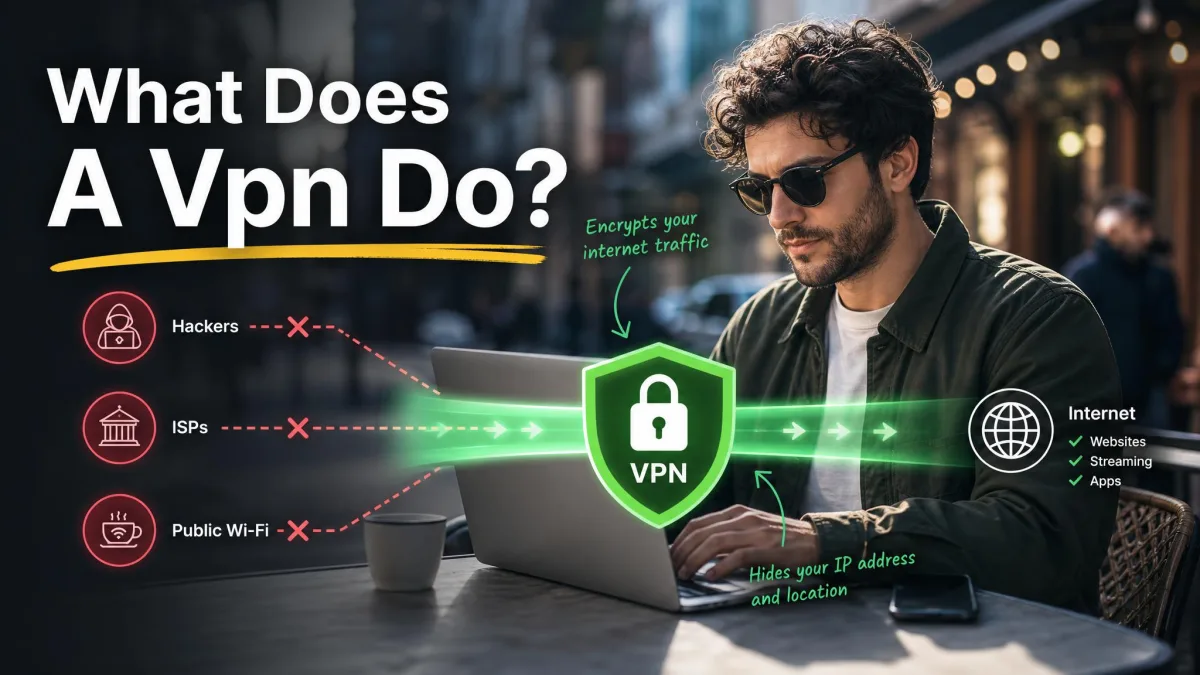
A VPN, or virtual private network, encrypts the internet traffic leaving your device and routes it through a remote server so your real IP address stays hidden. In plain terms, it does two jobs at once: it scrambles your data so no one on the network can read it, and it swaps your visible location for the server's.
Those two functions sit behind almost everything people credit a VPN with, from safer public Wi-Fi to reaching a streaming library in another country. The technology itself is not new, but the one-click apps that put it on every phone and laptop are, which is why the question of what a VPN actually does still comes up so often.
We run VPNs every day across our test machines, on wired connections, hotel Wi-Fi, and mobile data, checking speed, leaks, and how each app behaves when the connection drops. This guide explains what a VPN does, how the encrypted tunnel works, what it protects, and, just as importantly, what it does not.
What is a VPN?
A VPN is an overlay network that extends a private network across a public one, the internet, using encryption and tunneling protocols. That definition sounds abstract, so here is the practical version: a VPN app builds a secure, private connection between your device and a server the provider runs, and then sends all your internet traffic through it.
The formal reference many engineers point to is the NIST glossary entry for a virtual private network, which frames it as a protected network connection built on top of a public infrastructure. The Wikipedia article on the virtual private network traces the same idea back through decades of corporate networking, long before consumer apps existed.
For most people today, though, a VPN is simply an app. You install it, sign in, choose a server, and the software handles the encryption and routing in the background. The private network is virtual because it exists as software over ordinary internet links, not as dedicated physical cabling.
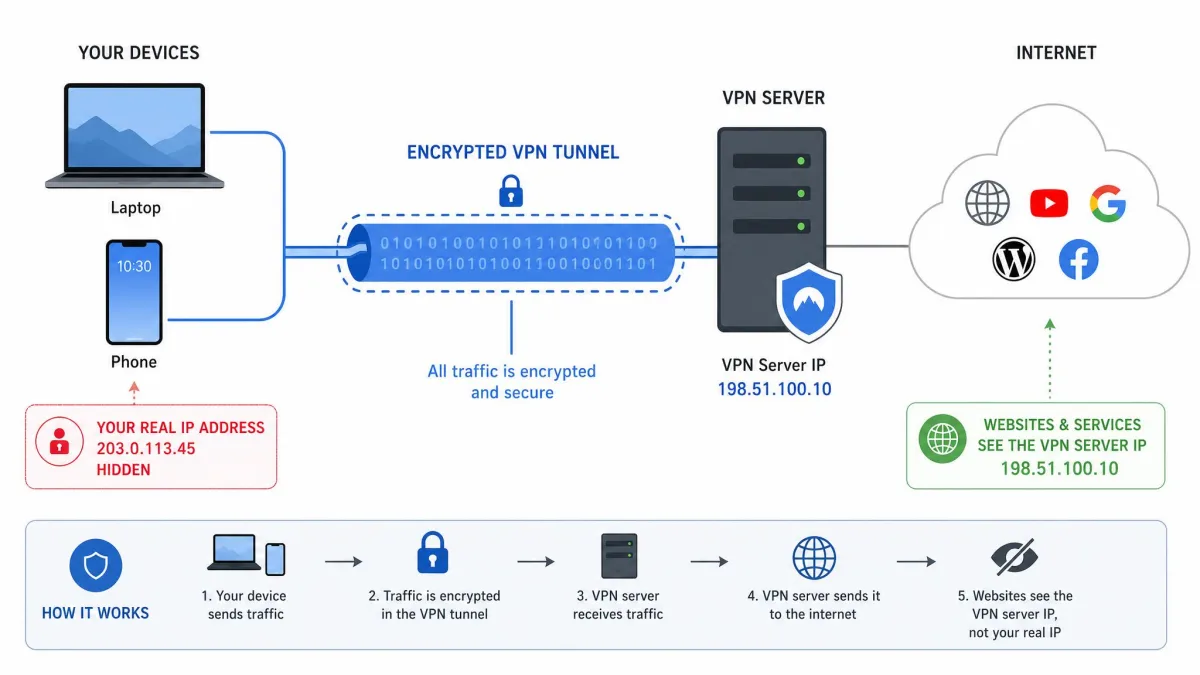
What does a VPN do? (core functions at a glance)
Strip away the marketing and a VPN performs four core functions. Each one is a direct result of encrypting your traffic and routing it through a remote server, and together they explain nearly every benefit people associate with the technology.
Hides your IP address and location
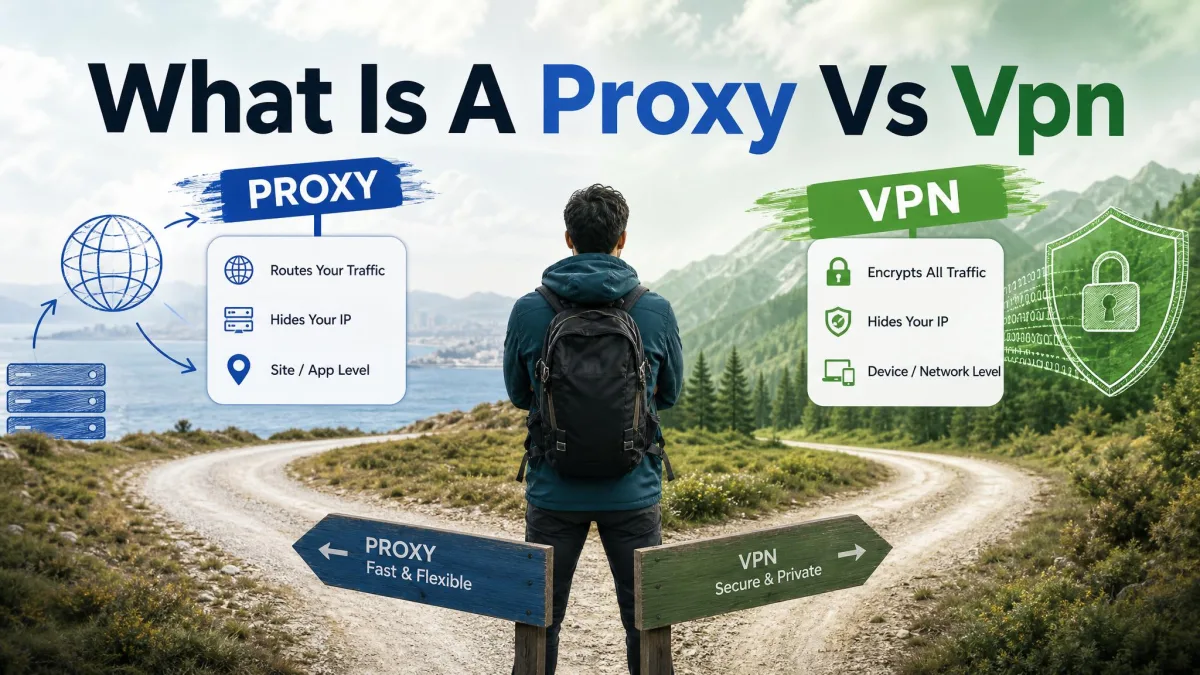
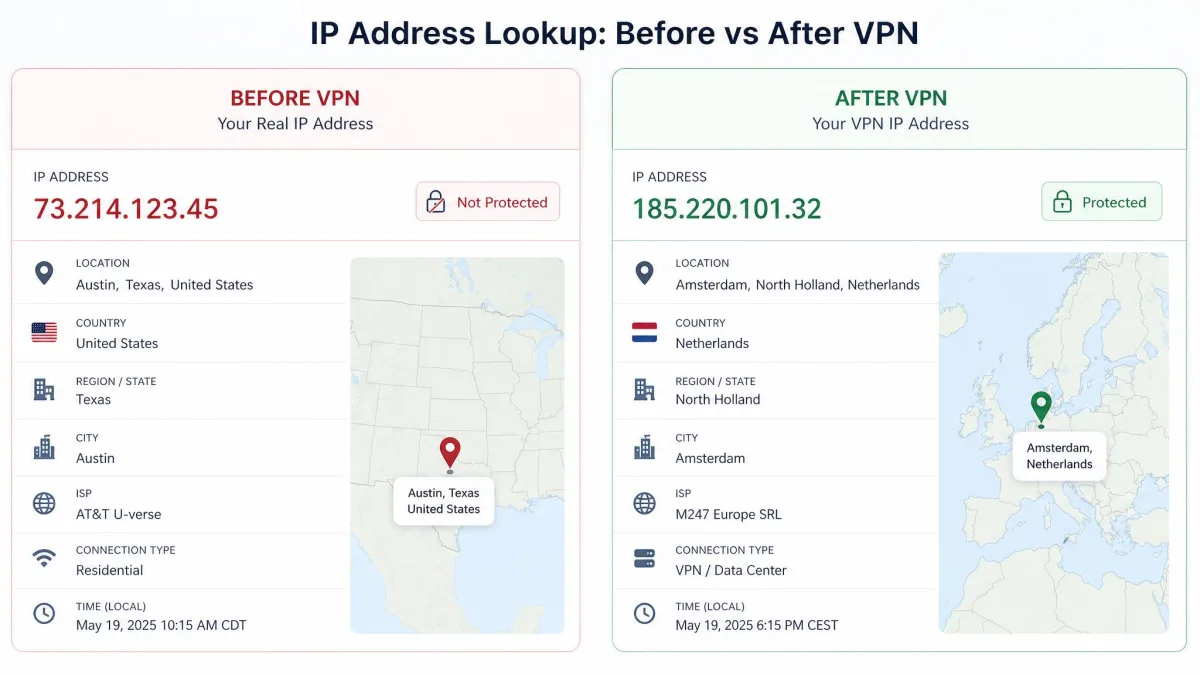
Your IP address is the number your internet provider assigns your connection, and websites use it to see roughly where you are. A VPN hides your real IP by routing your connection through a remote server, so the sites you visit see the server's IP address instead of yours. Connect to a server in another city or country and your apparent location changes to match it.
This is the single most visible thing a VPN does. It is why a site can think you are browsing from London while you sit in Chicago, and why your home address stops being tied to every request you make.
Encrypts your internet traffic
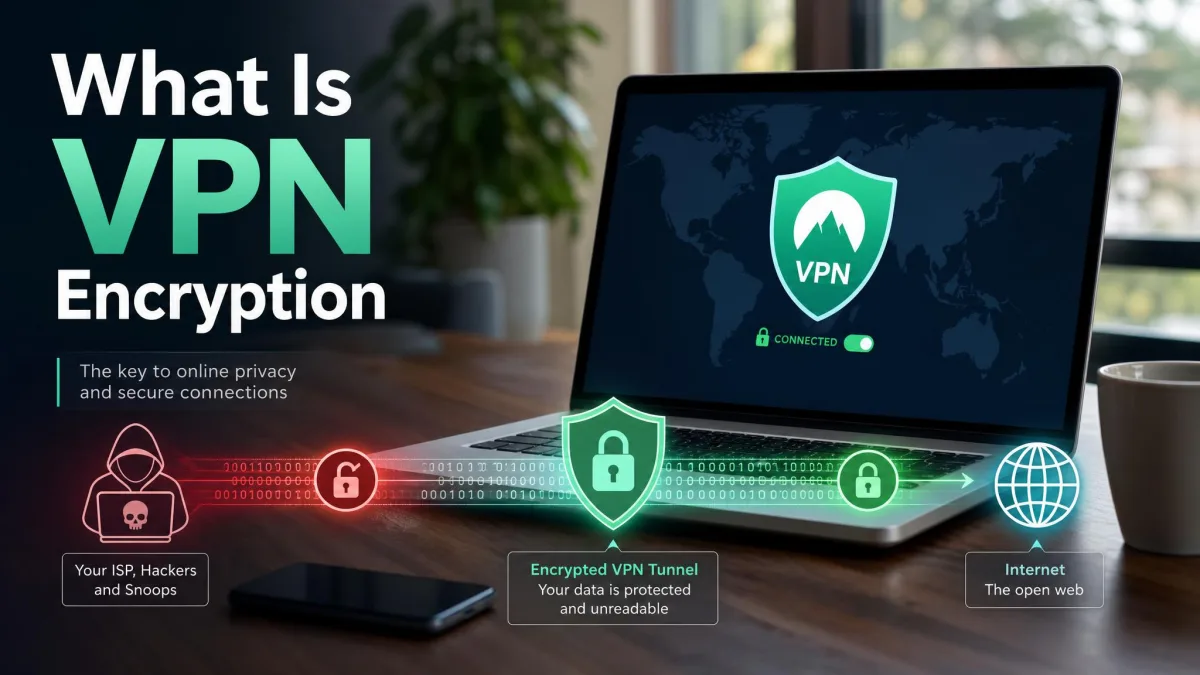
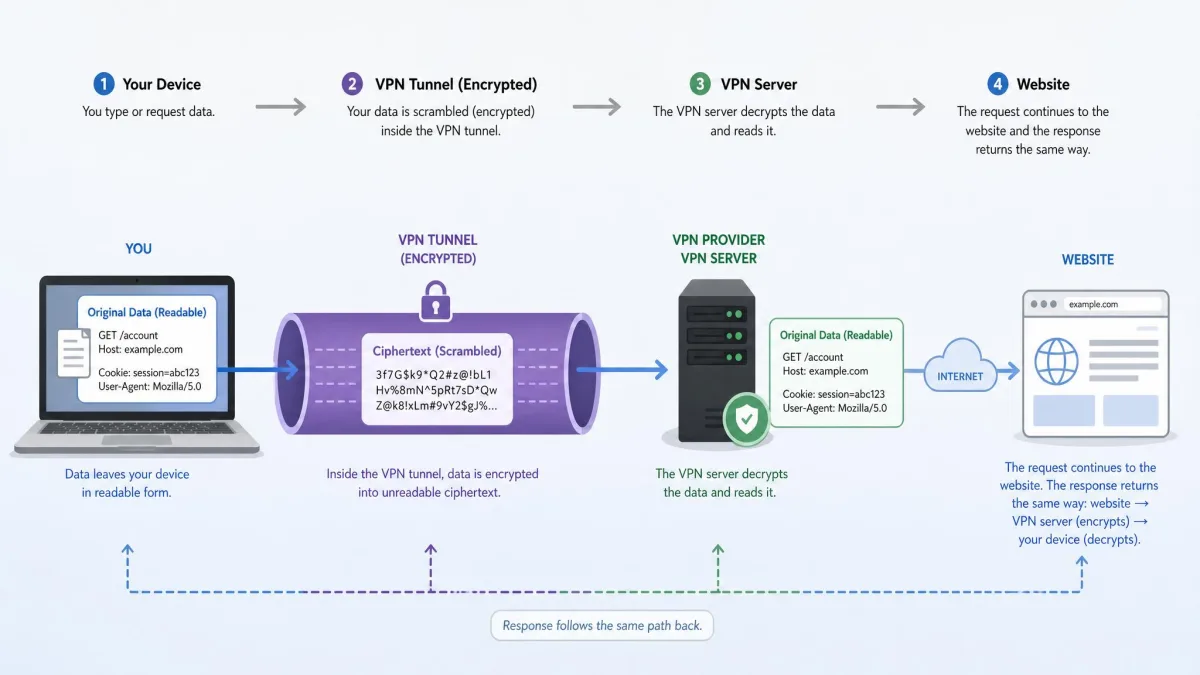
A VPN creates an encrypted tunnel between your device and the server, scrambling your data so anyone who intercepts it sees only unreadable noise. Most leading providers use AES-256 encryption, the same standard used for online banking and government communications. In our testing, that encryption is invisible in daily use; you notice it only if you deliberately inspect the traffic and find it is unreadable.
Shields you on public Wi-Fi
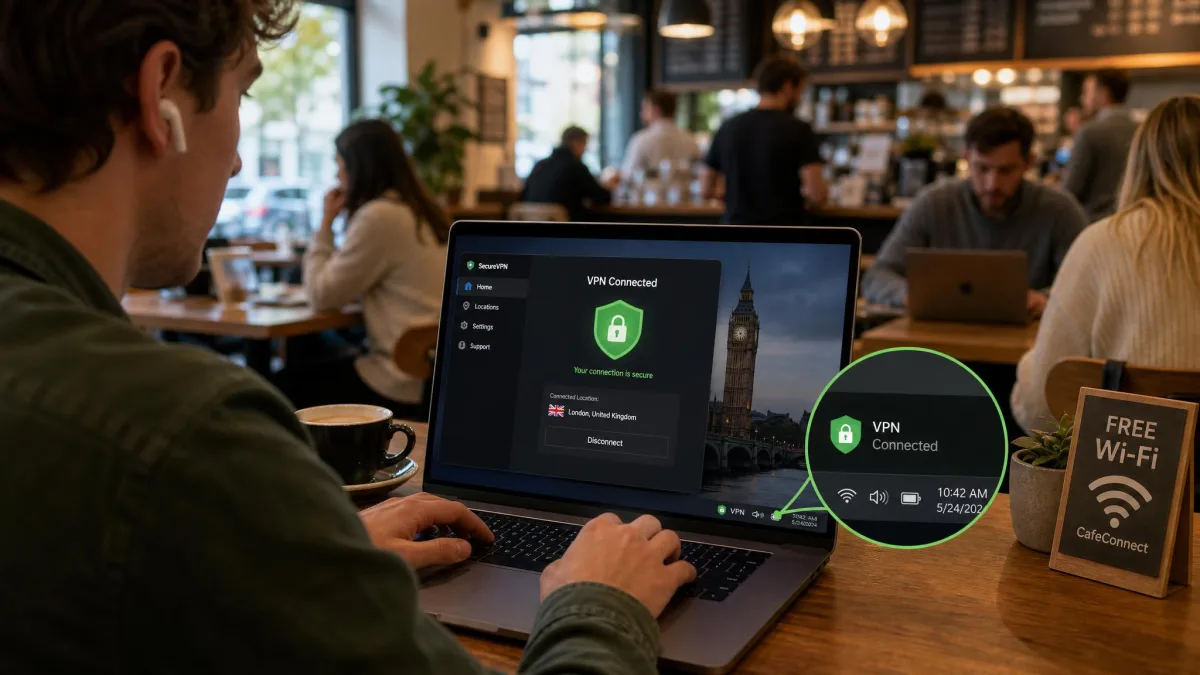
Open networks in cafes, airports, hotels, and libraries are shared, and on non-HTTPS sites your activity is visible to anyone nearby who knows how to look. A VPN encrypts that traffic so local observers on the same network cannot read it. We treat public Wi-Fi as untrusted by default, and a running VPN is what makes those networks safe enough to use.
Keeps your activity private from your ISP
Without a VPN, your internet provider can see the sites you connect to and can log or throttle that traffic. Because a VPN encrypts everything before it leaves your device, your ISP sees only an encrypted connection to a VPN server, not the destinations beyond it. A VPN can also help prevent ISP throttling, which is one reason many people route large or P2P transfers through one.
Your ISP can still tell that you are using a VPN, because it sees the encrypted connection to the VPN server. What it cannot see is what you do inside that tunnel.
How does a VPN work?
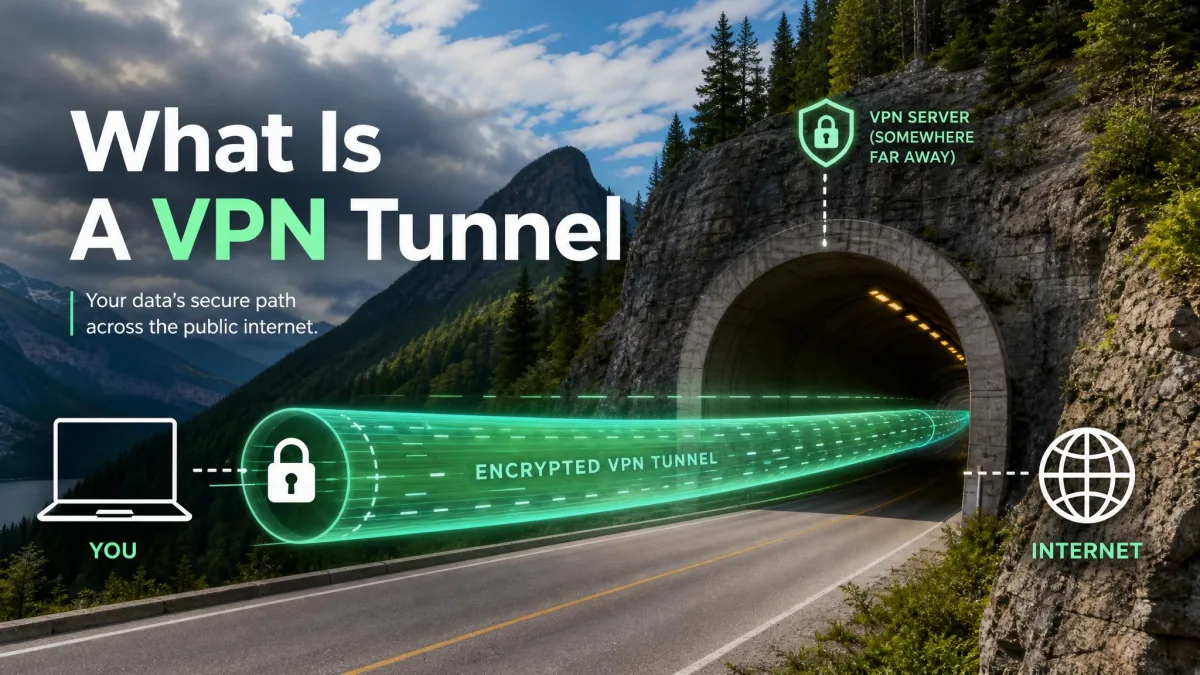
The mechanism behind all four functions is straightforward once you separate it into two parts: the encrypted tunnel that protects your data, and the server that stands in for your identity.
The encrypted tunnel
When you connect, the VPN app negotiates a secure link with the server and wraps your traffic in encryption before it leaves your device. This wrapped connection is the tunnel. Data travels through it scrambled, so an interceptor on your local network, your ISP, or any hop in between sees ciphertext rather than the sites and messages inside.
The encryption is handled by a VPN protocol, which we cover further down. The important point is that the tunnel protects data in transit between two endpoints: your device and the VPN server. Beyond the server, your traffic continues to the wider internet as normal, which is why the server's role matters just as much as the encryption.
VPN servers and IP masking
At the far end of the tunnel sits a server the provider operates. Your traffic exits to the internet from that server, so every site you reach sees the server's IP address and location rather than your own. This is the IP masking half of the equation, and it works in tandem with the encryption.
Choosing which server you connect to is how you control your apparent location. Pick a nearby server for the fastest speeds, or a server in a specific country when you need to appear to be there. In our testing, a nearby server keeps speeds fast enough for streaming, gaming, and video calls, while distant servers cost more speed because the data has farther to travel.
What are the main benefits of using a VPN?
The benefits follow directly from the two mechanisms above. Privacy from your ISP and from network snoops comes from the encryption. A masked location and region access come from the server routing. Security on untrusted networks comes from both working together.
In practical terms, a VPN gives you privacy on shared and public networks, keeps your browsing out of your ISP's logs, lets you reach services tied to a particular region, and adds a layer of security when you work remotely. The Forbes Advisor roundup of VPN usage statistics shows how mainstream these motivations have become; roughly 1.6 billion people, about 30% of the world's internet users, now use a VPN in some form, though survey figures shift year to year.
Pros
- Encrypts traffic so your ISP and network snoops cannot read it
- Hides your IP address and lets you change your apparent location
- Makes public Wi-Fi safe to use for banking and email
- Enables secure remote access to work networks and home resources
Cons
- Adds some speed overhead, especially on distant servers
- Does not make you anonymous or replace antivirus
- A trustworthy provider costs money; free tiers carry tradeoffs
- Some services actively block known VPN servers
Common uses for a VPN
People reach for a VPN for a handful of recurring reasons. Three cover most of what we see in practice.
Streaming and accessing geo-restricted content
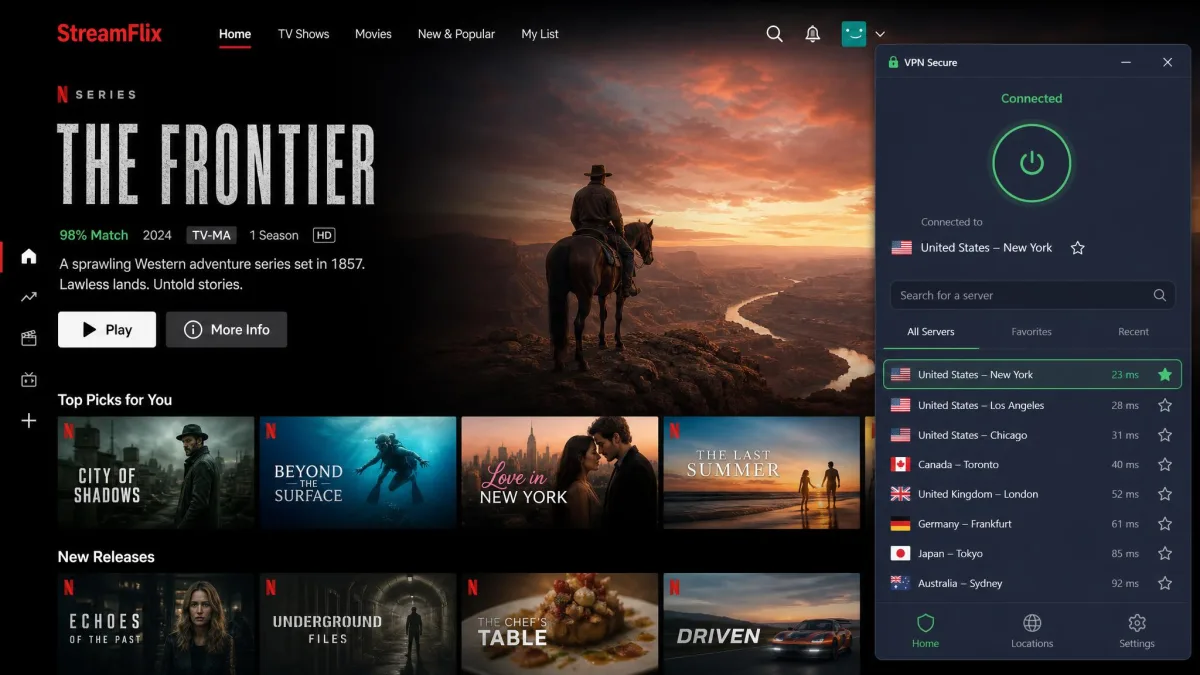
A VPN can bypass geographic restrictions by connecting through a server in another country. Connect to a US server, for example, and a US streaming library becomes reachable from abroad. The same trick applies to sports blackouts, region-locked catalogs, and websites that vary by country. Streaming services do try to detect and block VPN servers, so success depends on the provider keeping its server addresses fresh.
Remote work and secure access
Remote-access VPNs are the original use case. They let an individual securely connect to a private company network over the internet, which is why remote employees rely on them daily. The encrypted tunnel means work traffic stays protected even over a home or hotel connection, and internal systems treat the connection as if it originated inside the office.
Safer public Wi-Fi and travel
Travel puts you on a string of untrusted networks, one hotel or airport at a time. A VPN encrypts your activity on all of them, so shared networks stop being a risk to your logins and banking. We keep a VPN running whenever we work from public Wi-Fi, and it is the single habit we recommend most to anyone who travels with a laptop.
What a VPN does NOT do (limits and myths)
A VPN is a focused tool, and overstating what it does is the most common mistake we see. It protects your connection. It does not protect everything else.
A VPN doesn't make you fully anonymous
A VPN masks your IP address, but it does not make you anonymous. Websites still recognize accounts you log into, cookies keep tracking you, and your ISP can still see that you are connected to a VPN server. Expecting complete anonymity is the classic error; the VPN hides the connection, not the identity you hand over when you sign in to a service.
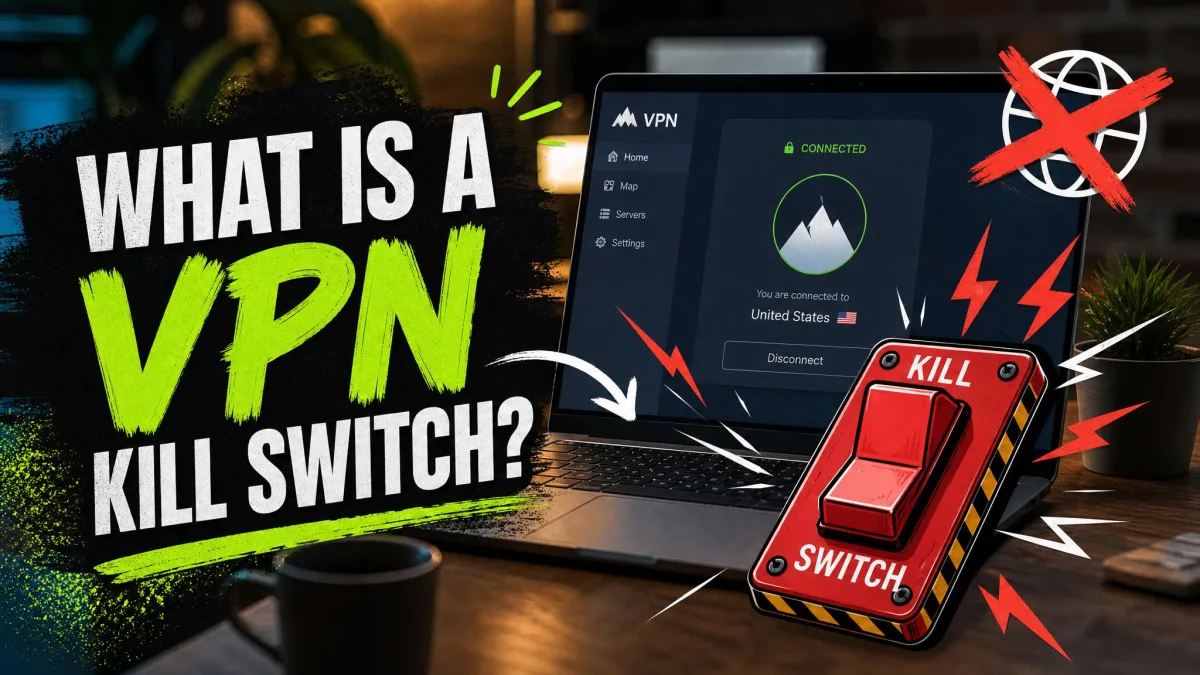
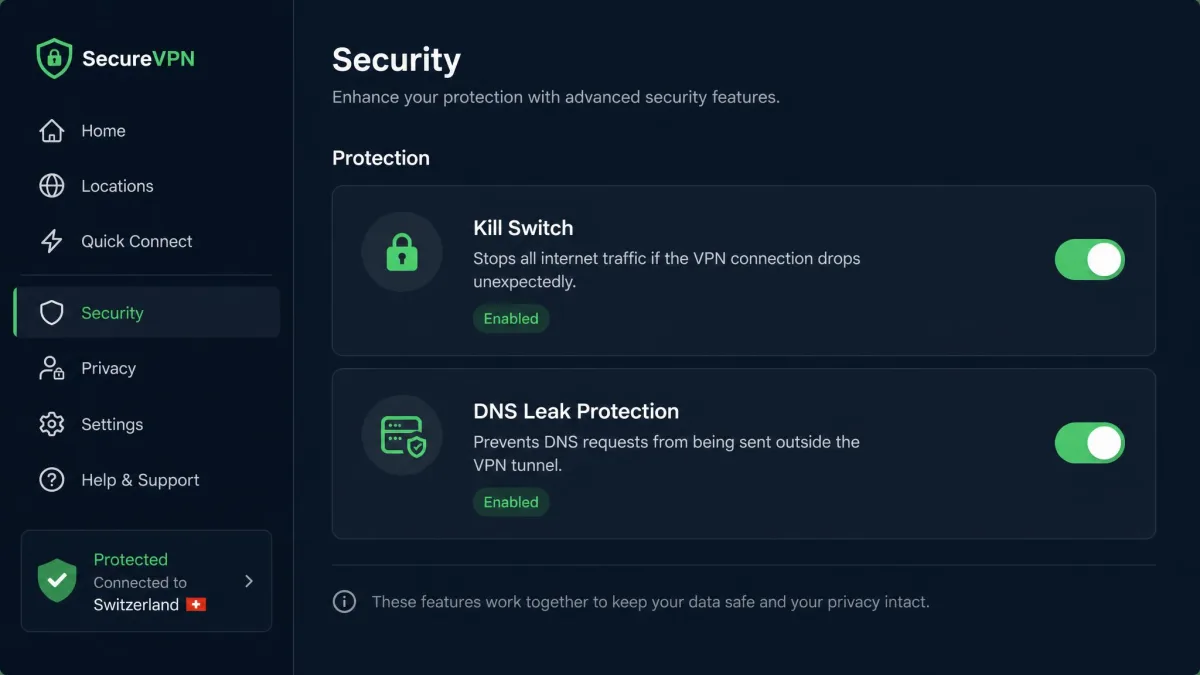
A DNS leak can expose your DNS queries to your ISP even while a VPN is active, quietly undercutting the privacy you think you have. Testing for leaks, and using a VPN with a kill switch that blocks traffic if the tunnel drops, is how you close that gap.
A VPN isn't full malware protection
A VPN does not stop malware. It cannot prevent you from downloading a malicious file, entering your password on a fake site, or block malware already sitting on your device. It is not a substitute for safe browsing habits, and it will not stop phishing. Treat a VPN as one layer alongside antivirus and good judgment, not a replacement for either.
Types of VPNs
Not every VPN is the consumer app people picture. The category covers several designs, each built for a different job.
Personal / remote-access VPN
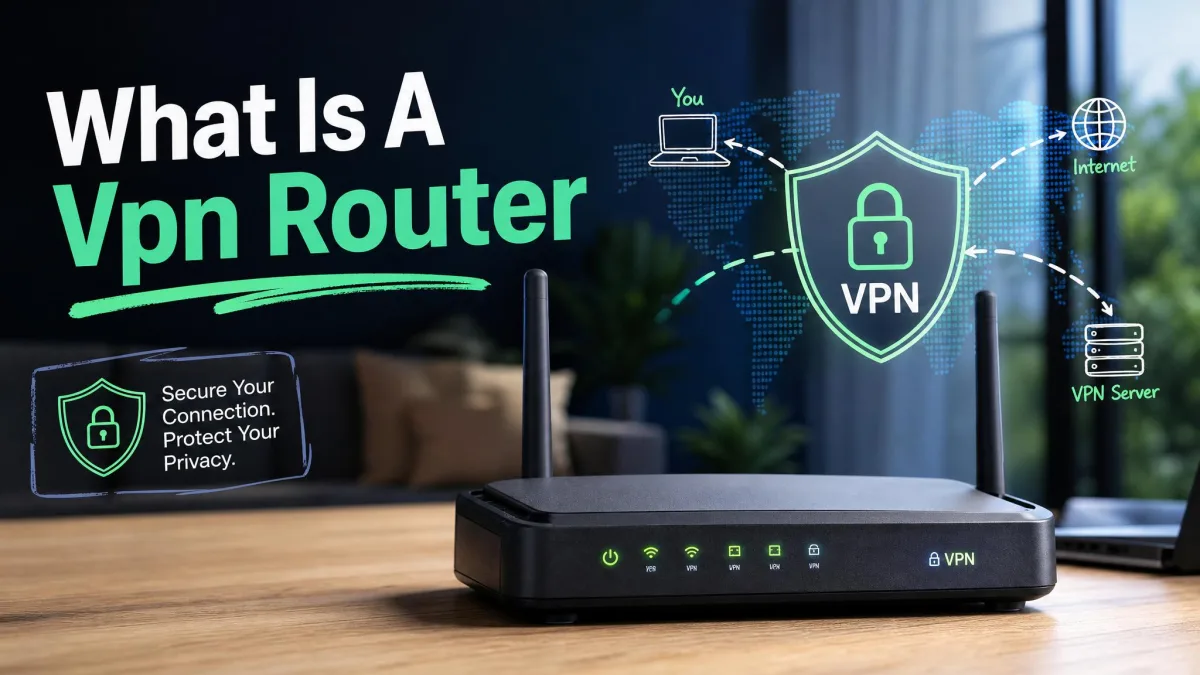
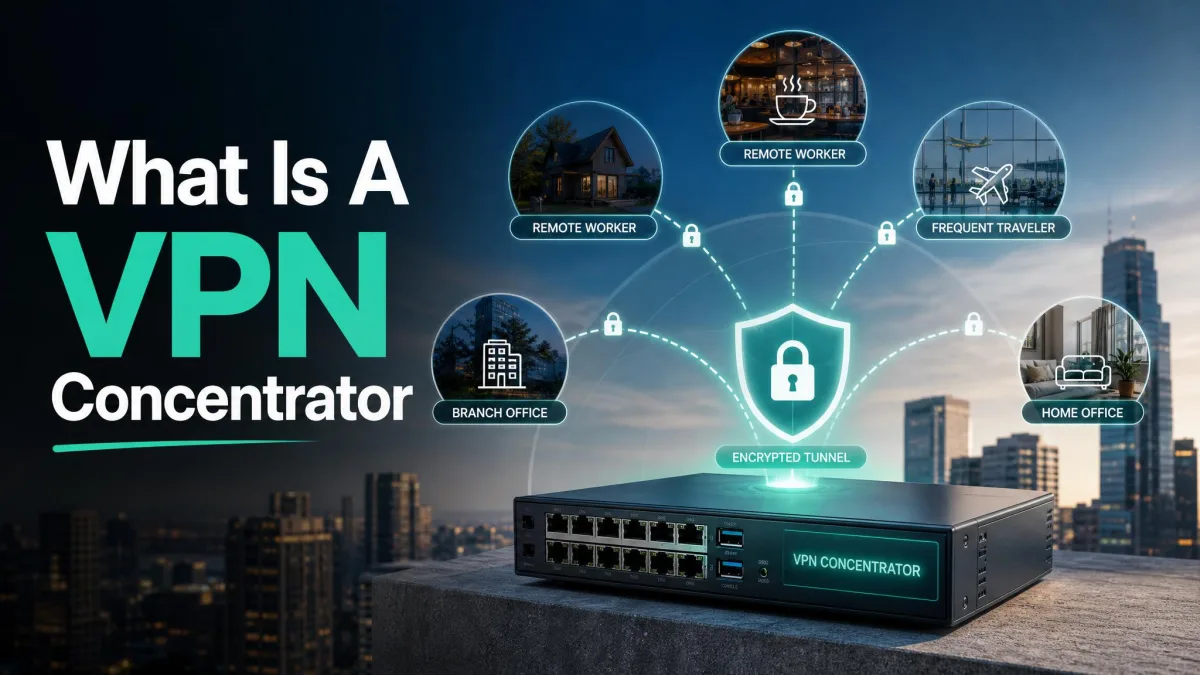
A remote-access VPN, sometimes called client-to-server, connects a single user's device to a private network or a provider's servers over the internet. This is the type behind every consumer VPN app and behind most remote-work setups. You run client software, it connects to a gateway, and your device joins the network securely from wherever you are.
Site-to-site VPN
A site-to-site VPN connects two whole networks rather than a single device, for example linking a branch office to a datacenter or head office. Here the tunneling happens only between gateway devices at each end, and individual users never run VPN software; the connection between locations is simply always on.
Mobile and SSL VPNs
A mobile VPN keeps a secure session alive as your device moves between networks, so switching from Wi-Fi to cellular does not drop the connection, which matters for phones and field devices. An SSL VPN provides browser-based access using HTML5, letting employees reach internal tools without a dedicated company device or a full client install.
VPN protocols in brief (OpenVPN, WireGuard, IKEv2)
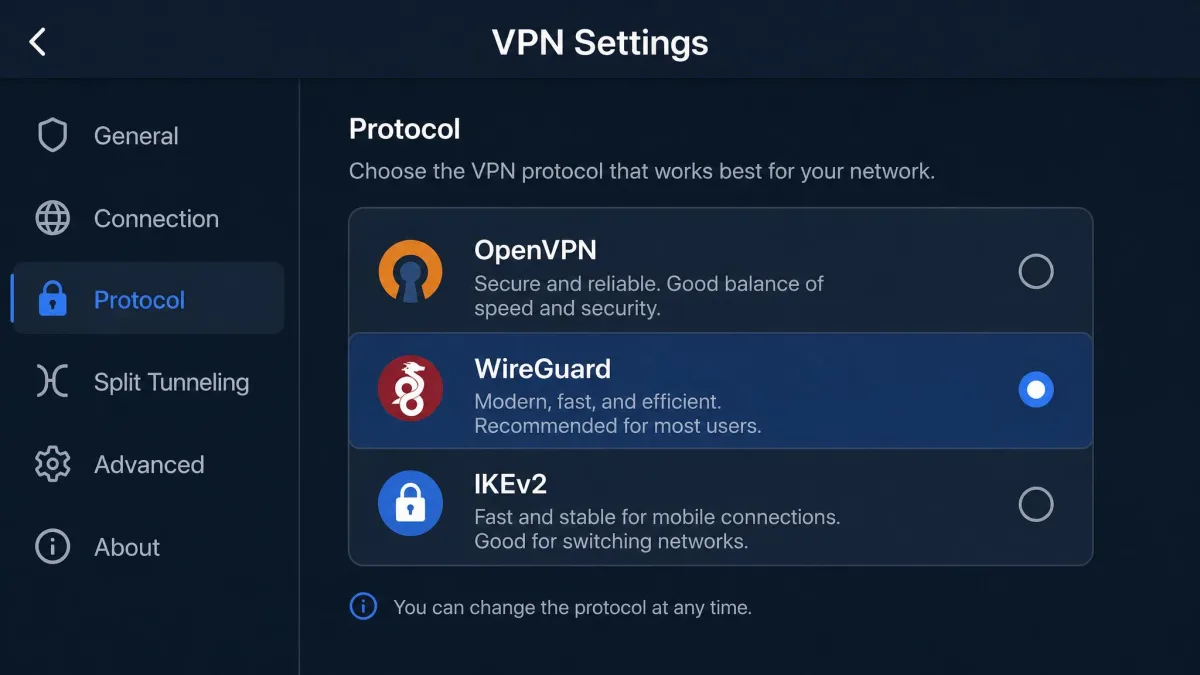
A protocol is the set of rules that builds and secures the tunnel, and it shapes both speed and security. A few dominate today. OpenVPN is a free, open-source protocol released in 2001, built on TLS with forward secrecy; it is mature, widely audited, and the safe default. WireGuard, released in 2015, is far more lightweight and is the one we reach for when speed matters, since its lean codebase tends to connect faster and hold throughput better.
IKEv2, usually paired with IPsec, a standards-based protocol from 1996 that supports hardware acceleration, is the one to pick on phones. It reconnects quickly after a network change, which is why it pairs so well with mobile use. Older options such as L2TP/IPsec, SSTP, and the legacy PPTP still appear in some apps, but PPTP in particular is outdated and best avoided.
Do you need a VPN? Who benefits most
Not everyone needs a VPN running around the clock, but several groups get clear value from one. If you regularly use public Wi-Fi, a VPN turns those untrusted networks into safe ones. If you want your browsing kept out of your ISP's logs, a VPN is the most direct way to do it.
Remote workers benefit whenever they connect to company systems from outside the office. Travelers benefit from both the security and the ability to reach home services from abroad. Anyone who wants region-flexible streaming or who worries about their provider throttling specific traffic will notice the difference too. If you only ever browse HTTPS sites on a trusted home network, the case is weaker, but the privacy from your ISP is still a real gain.
A VPN is worth running for one simple reason: it moves the trust from every network you touch to a single provider you choose.
How to choose a VPN (what to look for)
Choosing a VPN comes down to a short list of things that actually matter, and we weigh each of them the same way on every provider we test.
- Strong encryption and modern protocols. Look for AES-256 and support for OpenVPN or WireGuard. These are table stakes, and any provider missing them is not worth your time.
- A no-logs policy, ideally audited. The whole point is privacy from your provider, so the VPN company itself should not be keeping records of what you do.
- A kill switch. This blocks your internet if the VPN drops, so your traffic is never briefly exposed. We consider it essential, not optional.
- Server network and speed. More servers in more countries means better nearby speeds and more location options. Speed is where we spend most of our testing time.
- Leak protection. DNS and IP leak protection keep the tunnel from quietly failing open.
- Apps for your devices. Confirm there is a proper app for Windows, macOS, iOS, and Android before you commit.
Be wary of fully free VPNs. In our experience they come with real tradeoffs: fewer servers, monthly data caps, slower speeds, ads, and sometimes collection of the very usage data you are trying to protect. A cheap paid plan almost always serves you better.
Are VPNs legal?
In most of the world, using a VPN is completely legal. It is a standard business and privacy tool, legal across the United States, the United Kingdom, and the large majority of countries. A small number of governments restrict or ban VPN use, or allow only government-approved providers, so the rule to remember is simple: VPNs are legal almost everywhere, but a few countries are exceptions worth checking before you travel.
Legality of the tool is separate from what you do with it. A VPN does not make otherwise illegal activity legal, and breaking a streaming service's terms of use is a contract issue rather than a criminal one. For anything sensitive, confirm the local rules where you are.
How to set up and use a VPN
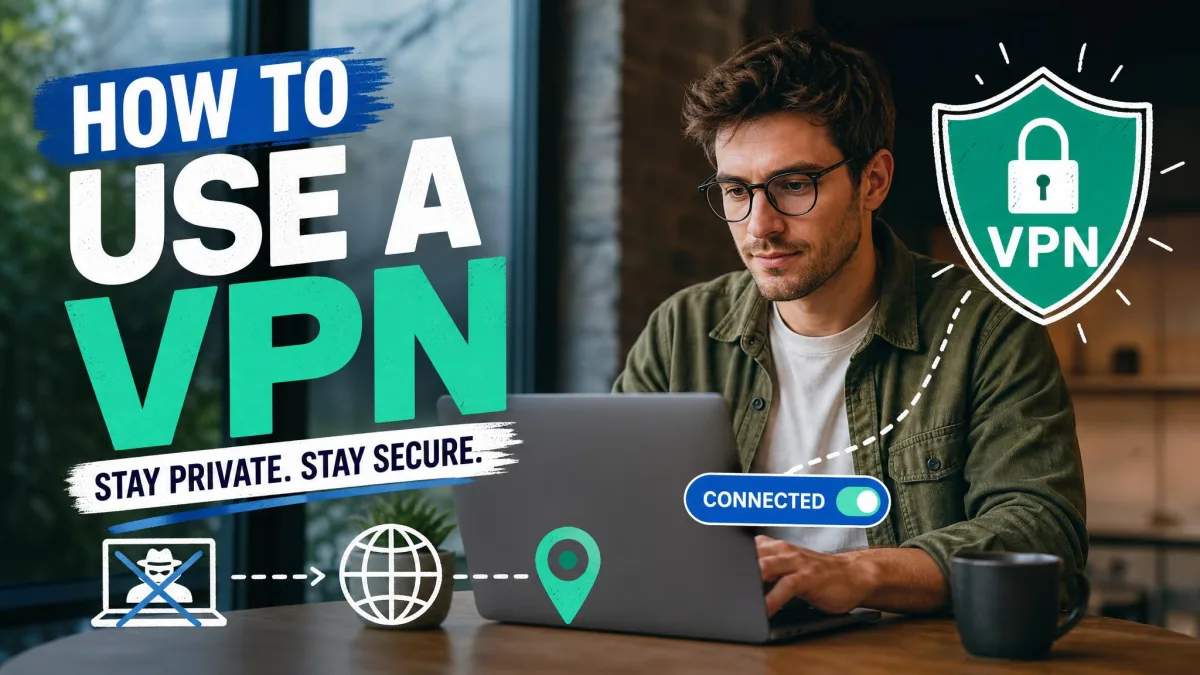
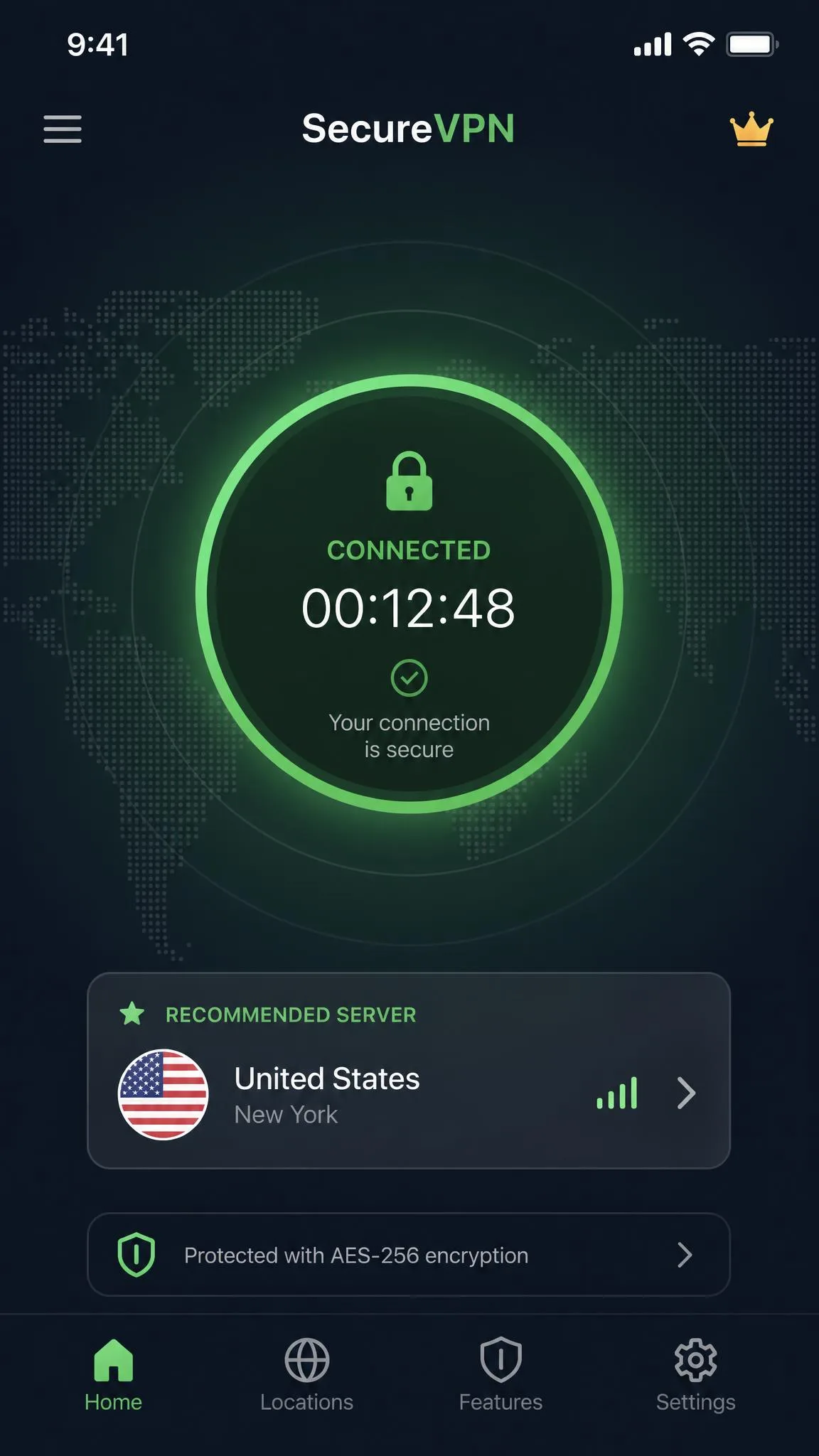
Modern VPN apps are refreshingly simple, and setup takes about a minute. The flow is the same across providers: sign up for a plan, install the app on your device, sign in, pick a server or let the app auto-select the best one, and connect. Everything after that runs in the background.
The apps are genuinely one-click. Install on Windows, macOS, Linux, iOS, or Android, tap connect, and you are protected. On a phone, the process is identical: download the provider's app from the App Store or Google Play, sign in, and connect, and the VPN protects both Wi-Fi and mobile data. For always-on protection, enable the kill switch and set the app to connect automatically on untrusted networks.
Leaving a VPN on all the time is fine and is what we recommend on laptops and phones you carry around. Just know that constant use, especially on a distant server, can slow the connection slightly. With a quality provider on a nearby server, the difference is barely noticeable.
Bottom line
A VPN encrypts your internet traffic and hides your IP address. That is the whole of it, and everything else, safer public Wi-Fi, privacy from your ISP, region access, secure remote work, flows from those two functions. It is one of the highest-value privacy tools you can run, and the modern apps make it effortless.
Keep the limits in view. A VPN protects your connection, not your logged-in identity, and it is no substitute for antivirus and careful browsing. Choose a reputable provider with strong encryption, a no-logs policy, and a kill switch, run it on the networks you do not trust, and you get most of the privacy benefit with almost none of the friction.