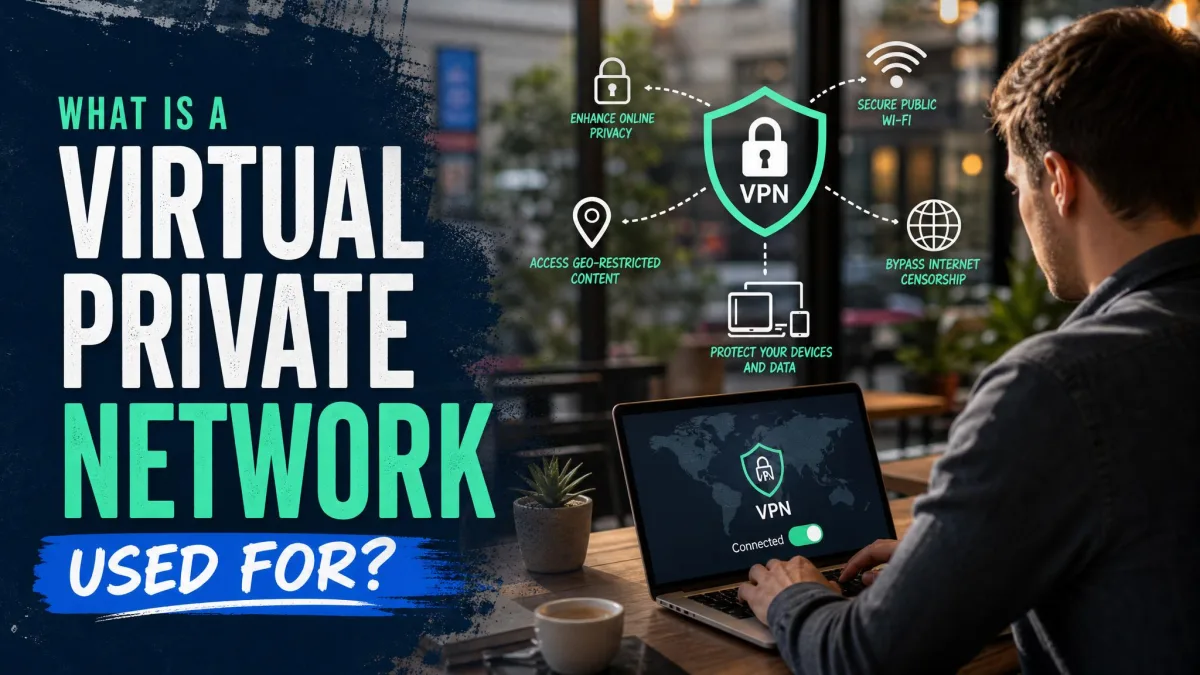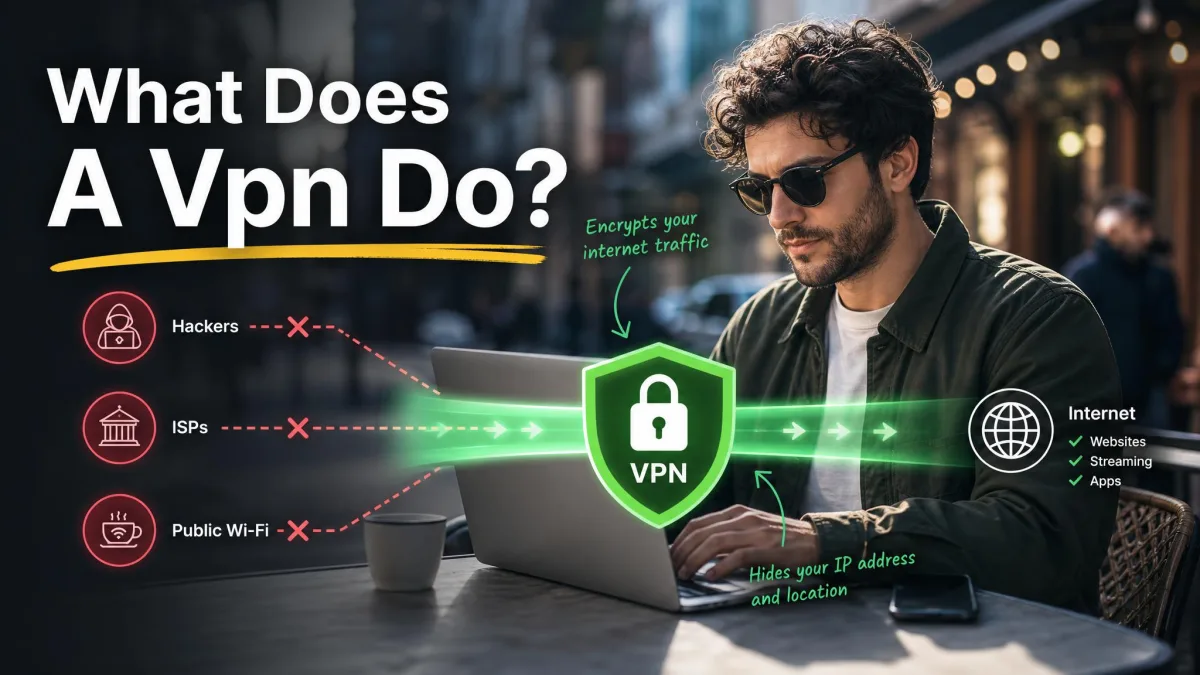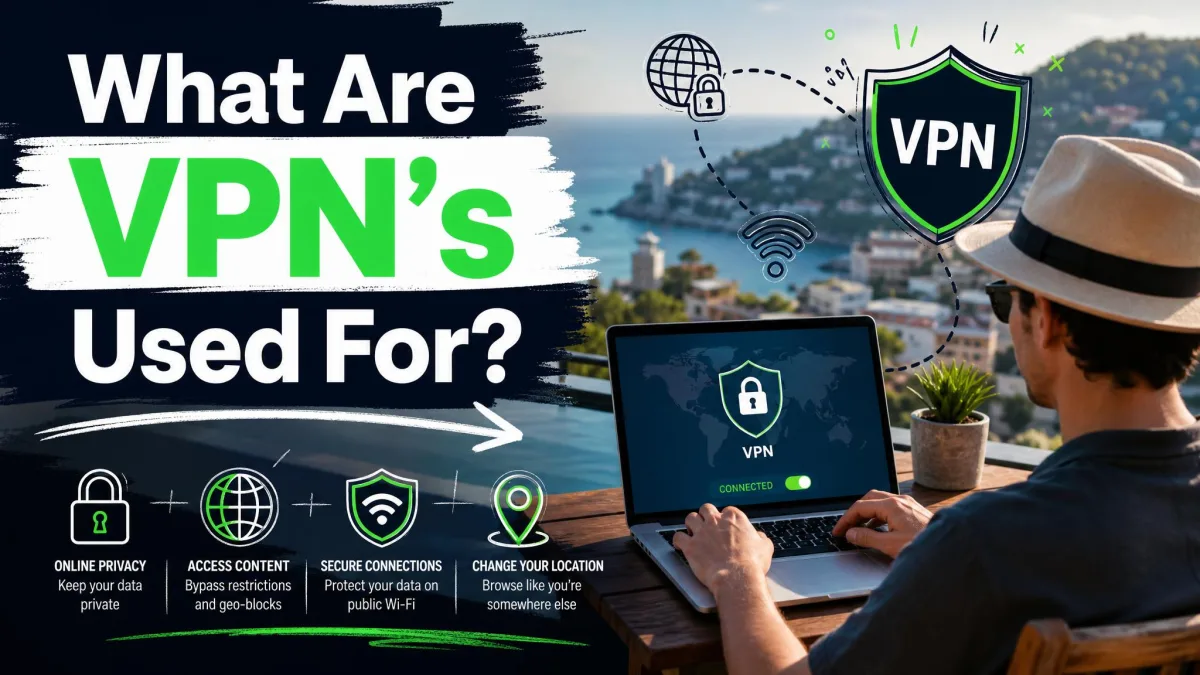
A VPN is a service that encrypts your internet connection and routes it through a private server, hiding what you do online. Once you understand that one idea, the question of what VPNs are used for gets much easier to answer.
Most people install a VPN for a handful of practical reasons: safer browsing on public Wi-Fi, more privacy from their internet provider, and access to content that is blocked where they live. We have tested dozens of these apps against real speed, leak, and streaming benchmarks, and the same core uses come up again and again.
This guide walks through what a VPN actually does, how it works under the hood, and the nine everyday jobs people rely on it for. We will also be honest about what a VPN cannot do, because that matters just as much as the benefits.
What is a VPN? (quick definition)
A VPN, or virtual private network, extends a private, encrypted connection across the public internet. Instead of connecting straight to a website, your device connects to a VPN server first, and that server talks to the website on your behalf.
NIST's definition of a virtual private network describes it as a restricted-use logical network built on top of a physical one using encryption and tunneling. In plainer terms, it is a secure tunnel between you and the wider internet.
The result is twofold. Your data travels in a form nobody nearby can read, and the sites you visit see the VPN server's location rather than yours. That single change is what powers almost every use case in this guide.
VPNs started as a business tool for connecting remote workers to office networks. Today they are a mainstream consumer product, and adoption is broad. According to VPN usage statistics, a large share of internet users now connect through one, though estimates vary widely by how usage is counted.
How does a VPN work?
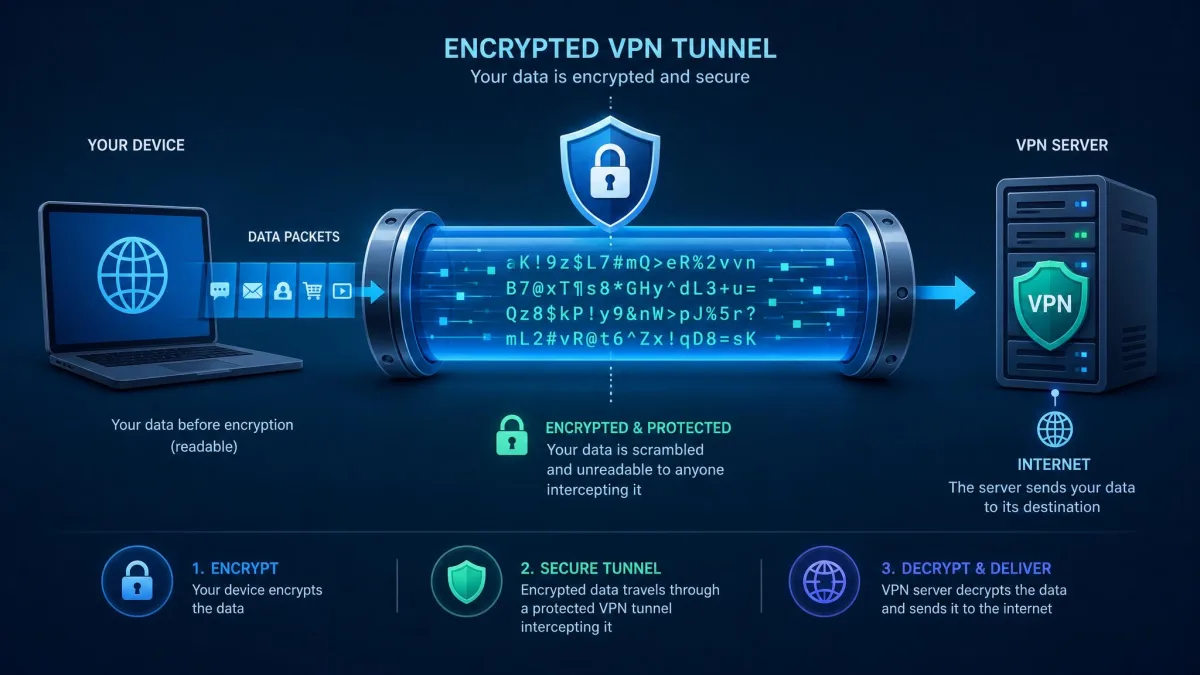
Two mechanisms do the heavy lifting: encryption and tunneling scramble your data, and IP masking swaps your visible address. You do not need to manage either one, since the app handles it, but knowing what happens helps you judge whether a VPN fits your needs.
Encryption and tunneling
When you connect, the VPN app wraps your traffic in a layer of encryption before it leaves your device. This wrapped traffic travels through a tunnel to the VPN server, where it is decrypted and sent on. Anyone watching the network in between, such as a Wi-Fi operator or your internet provider, sees only scrambled data.
The industry standard cipher for this is AES-256, the same class of encryption trusted for sensitive data. It is strong enough that intercepting the traffic is effectively useless without the key.
The tunnel itself is built by a VPN protocol, which sets the rules for how the secure connection forms and behaves. We will cover the common protocols later, since the choice affects both speed and reliability.
Encryption protects data in transit, meaning while it moves between your device and the VPN server. It does not encrypt files sitting on your computer or scan them for threats.
IP address masking
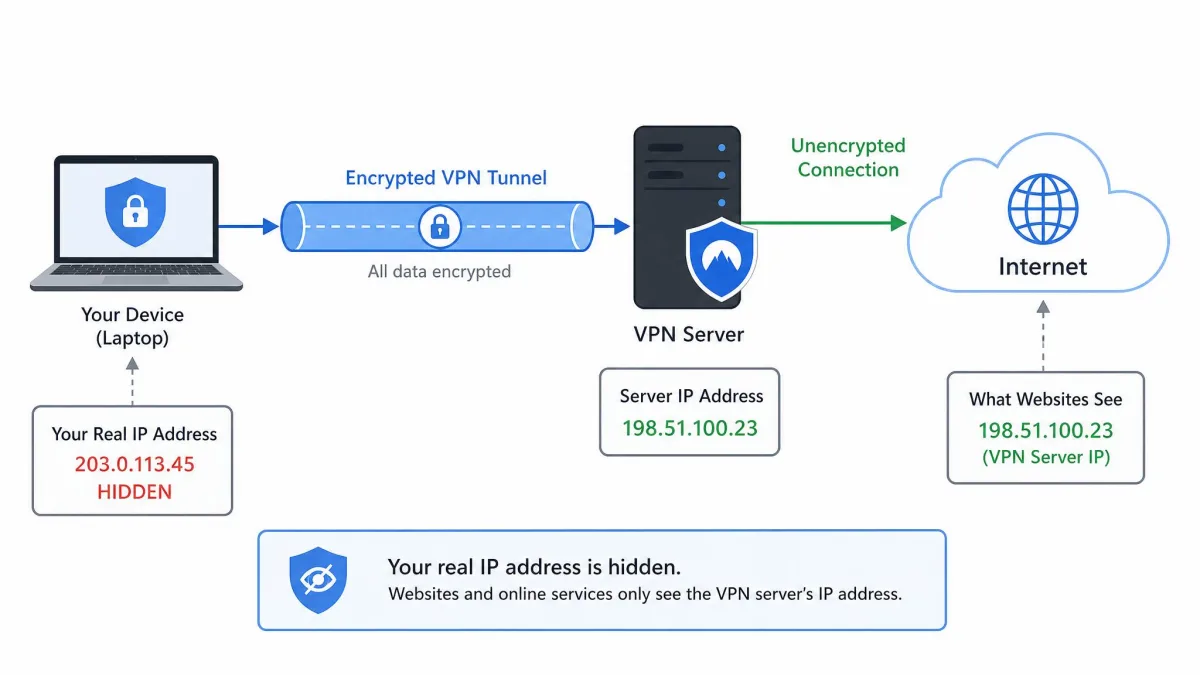
Every device online has an IP address, a number that reveals your rough location and ties your activity together. When you use a VPN, websites see the server's IP instead of yours.
This is what lets a VPN change your apparent location. Connect to a server in another country and, as far as most sites can tell, that is where you are. It is the mechanism behind streaming access, censorship bypass, and much of the privacy benefit.
Masking your IP also makes it harder for advertisers and trackers to build a profile tied to your real address, though it is only one piece of privacy rather than a complete shield.
What are VPNs used for? (main uses)
Here are the nine jobs people reach for a VPN to do. Some are about security, some about privacy, and some are simply about access.
Securing public Wi-Fi
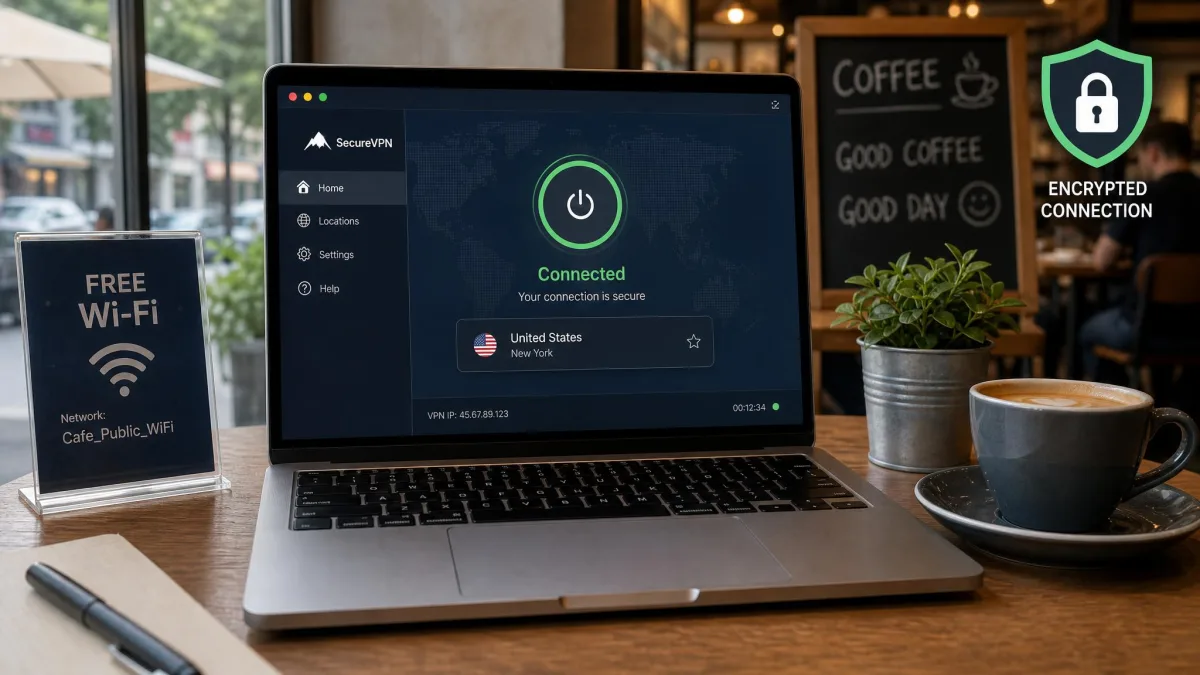
Open Wi-Fi in cafes, airports, and hotels is convenient and risky. On an unsecured network, other people connected to it can potentially intercept unencrypted traffic. A VPN closes that gap by encrypting everything you send.
This is the use we recommend most often, because it protects you exactly where you are most exposed. If you bank, shop, or log in to accounts on public networks, a VPN turns a shared connection into a private one.
The encryption means that even if someone is snooping on the same hotspot, the data they capture is unreadable. For travelers and remote workers, this alone justifies keeping a VPN installed.
Protecting privacy from ISPs and advertisers
Your internet provider can see every site you connect to, and in many places it is allowed to log or sell that data. A VPN hides your browsing from your ISP, since all it sees is an encrypted connection to a single server.
The same masking limits how easily advertisers tie activity back to your real IP address. It does not stop every tracking method, cookies and account logins still identify you, but it removes one persistent signal.
For people who simply dislike being profiled, this is a strong daily reason to connect. Privacy from the network you pay for is a benefit you feel every time you browse.
For everyday privacy, choose a provider with a clear no-logs policy. The VPN itself can see your traffic, so its own logging practices are what you are trusting.
Accessing region-restricted content and streaming
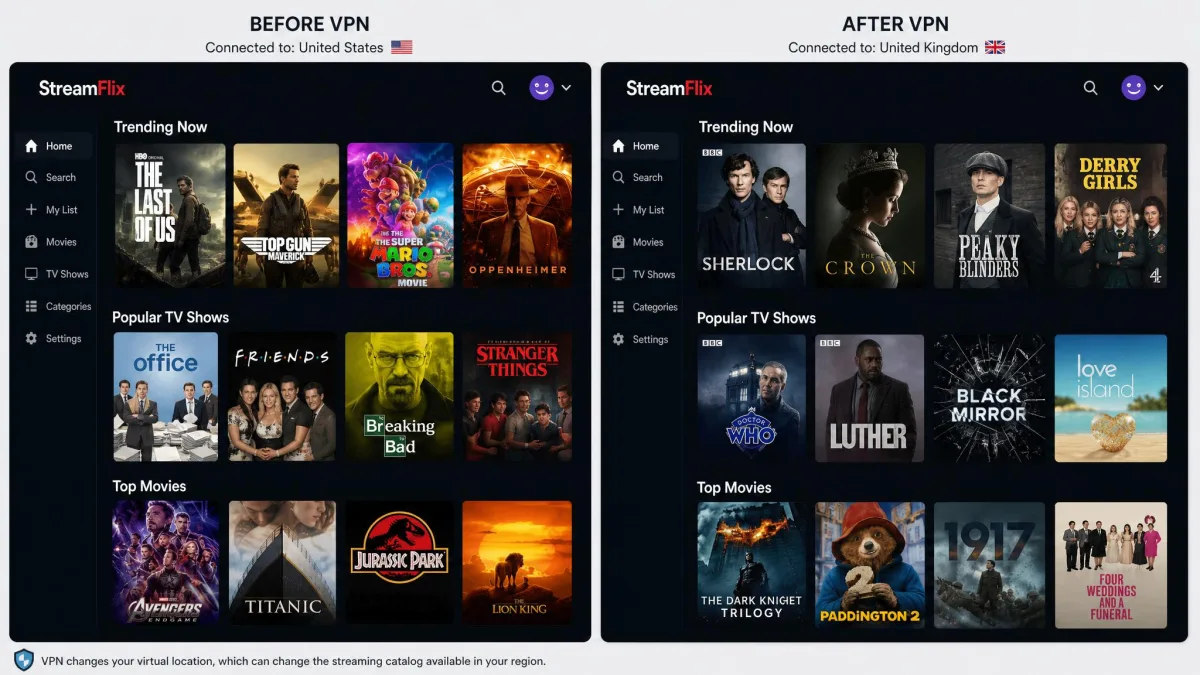
Streaming libraries differ by country, and some shows are exclusive to certain regions. By connecting to a server elsewhere, you can load that region's catalog and watch local-exclusive content.
In our testing, this works, but it is never guaranteed. Netflix actively blocks many VPN servers, and not every VPN reliably unblocks services like Prime Video or Hulu. When a server is flagged, you switch to another and try again.
Because of that cat-and-mouse dynamic, streaming reliability is one of the features we benchmark most closely. A VPN that unblocks smoothly one month can be patchy the next, so consistency matters more than a long marketing list of supported services.
Bypassing censorship and geo-blocks
In countries that filter the internet, a VPN can route your traffic through a server in a freer location, restoring access to blocked sites and services. Journalists, travelers, and residents use this to reach news, social platforms, and communication tools.
The same trick handles softer geo-blocks, like a website or app that is simply unavailable in your country. Because your traffic appears to come from the server, the block no longer applies to you.
This use depends on the destination country's own rules, which we cover in the legality section. Where a government actively hunts for VPN traffic, success is less certain and can change quickly.
Secure remote work and business access
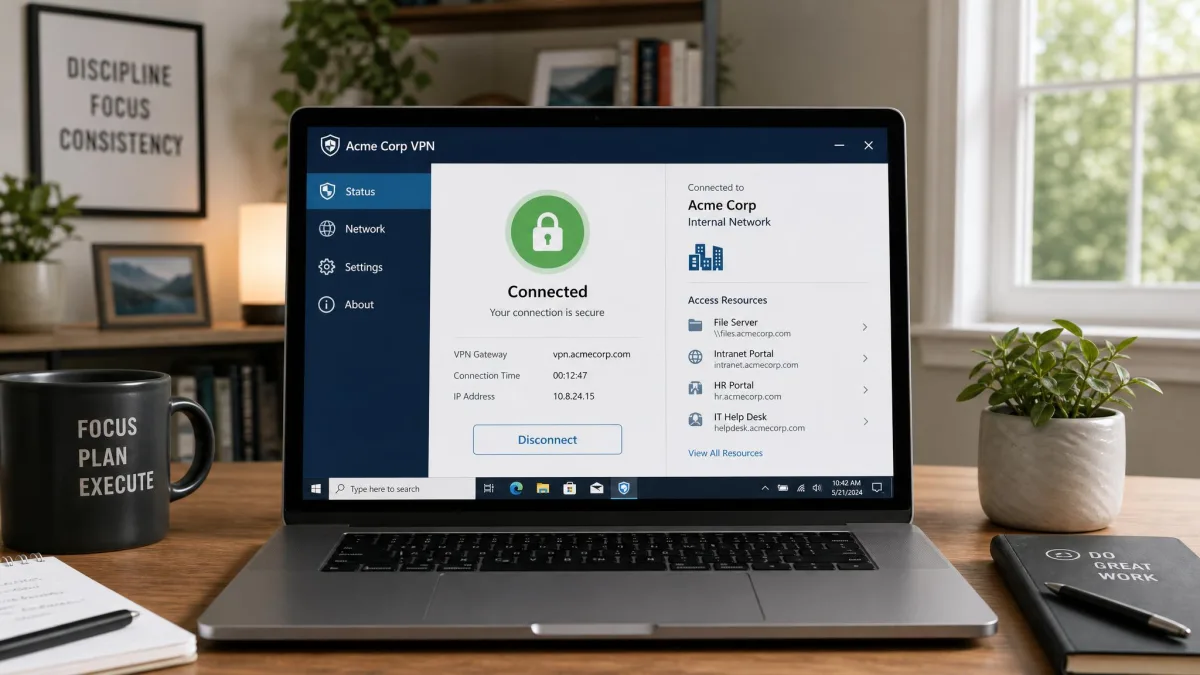
The original purpose of VPNs was connecting employees to a company network from outside the office. That job is still central. A remote-access VPN lets a worker reach internal files, tools, and systems as if they were sitting at their desk.
For businesses, this keeps sensitive company traffic encrypted across the public internet. It is why so many employers require a VPN before you can touch internal resources from home or on the road.
Larger organizations extend the idea with site-to-site VPNs that link entire office networks together, which we cover under types below.
Safer torrenting and file sharing
People who use peer-to-peer file sharing often run a VPN to keep that activity private from their ISP and from other peers in the swarm. The encryption hides what you are transferring, and the masked IP keeps your real address out of the peer list.
In our experience, a VPN can also sidestep an ISP that throttles specific traffic like torrents, sometimes yielding faster speeds for that activity than an unprotected connection. We only ever recommend this for legal file sharing.
Not every VPN allows this traffic on every server, so if it matters to you, look for one that clearly supports peer-to-peer connections.
Avoiding bandwidth throttling
Some internet providers deliberately slow certain kinds of traffic, such as video streaming or large downloads. Because a VPN hides what type of traffic you are sending, your ISP cannot single it out to throttle.
We have seen this produce noticeably better speeds for the throttled activity, even after accounting for the VPN's own overhead. The gain is genuine when throttling is the bottleneck.
It is worth setting expectations, though. A VPN cannot make your connection faster than your plan's ceiling. It only helps when the slowdown is targeted rather than a limit of your line.
Hiding your IP for general privacy
Beyond any single task, many people run a VPN simply to keep their IP address private as a default. A masked address makes casual tracking, location profiling, and IP-based logging harder across everything you do.
This is the quiet, always-on use that ties the others together. Once the habit forms, connecting becomes as routine as locking your front door.
Getting consistent prices and avoiding location-based pricing
Some online services adjust prices based on your detected location. By changing your apparent region, a VPN lets you compare what a service costs elsewhere. Results vary by retailer, and it is more useful for research than a guaranteed discount, but it is a common reason people switch servers.
Benefits of using a VPN
Pulling those uses together, the benefits fall into three buckets. Each is worth weighing against the trade-offs before you commit to a subscription.
Pros
- Encrypts your traffic, protecting data on public and untrusted networks
- Hides your real IP address and limits IP-based tracking
- Unlocks region-restricted streaming, sites, and services
- Secures remote access to work and home networks
- Can bypass ISP throttling and traffic filtering
- One app protects your connection with a single button press
Cons
- Every VPN slows your connection to some degree
- Speed loss grows the farther away the server is
- Streaming access is never guaranteed and can break without warning
- The provider itself can see your traffic, so trust is required
- A good VPN is a paid subscription, and reliable free options are rare
The headline benefit is control. You decide what your network can see, where you appear to be, and which barriers apply to you. In exchange, you accept some speed cost and the need to trust one provider.
A VPN gives you real control over what your network sees and where you appear to be, in exchange for a little speed and your trust in one provider.
— From our hands-on VPN testing
Types of VPN
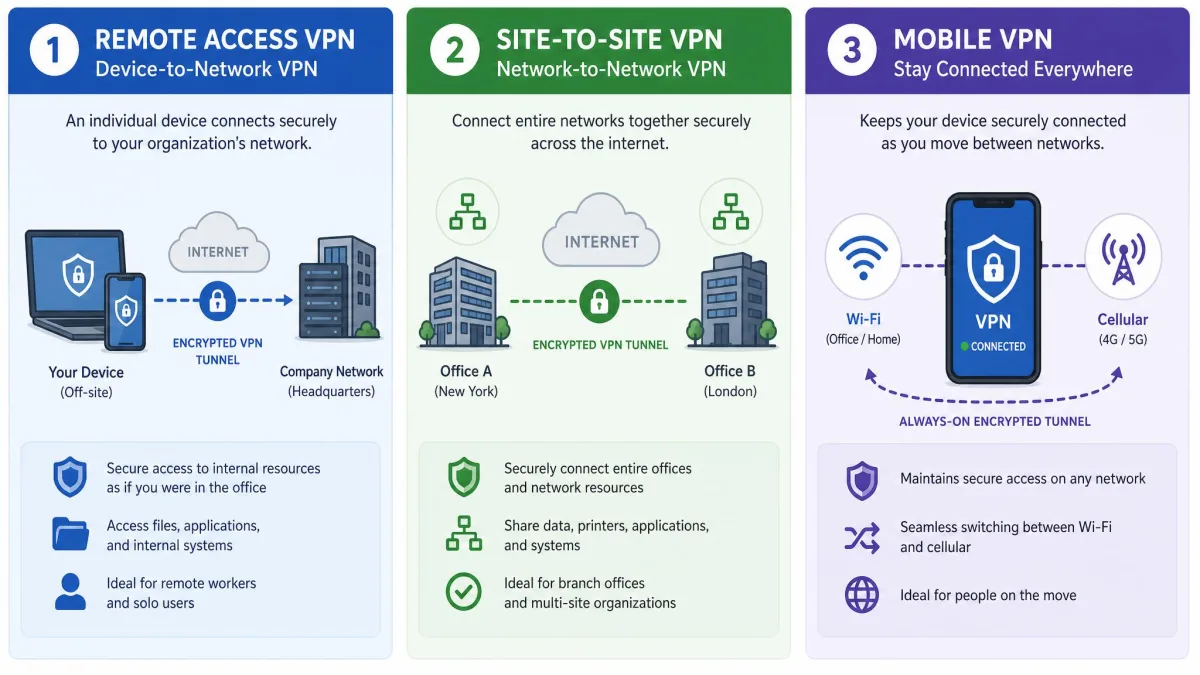
Not every VPN does the same job. The three main types differ by what they connect and who they serve. Knowing which one you actually need saves money and confusion.
| Type | Who uses it | What it connects | Best for |
|---|---|---|---|
| Personal / remote-access | Individuals, remote workers | A device to a network | Everyday privacy and home use |
| Site-to-site | Businesses linking offices | A network to another network | Connecting company locations |
| Mobile | Users on changing networks | A device, kept alive across switches | Staying connected on the move |
Personal / remote access VPN
This is the type most people mean when they say VPN. It connects a single device to a remote network or server, whether that is a commercial VPN service or a company's internal network. It is the consumer product you download as an app.
Site-to-site VPN
A site-to-site VPN links whole networks together, such as two office locations, over the public internet. It runs at the router or gateway level rather than on individual devices, so staff at either site work as if on one shared network. This is a business tool, not something a home user sets up.
Mobile VPN
A mobile VPN is built to stay connected as your network changes, for example when a phone hops between Wi-Fi and cellular data. Instead of dropping the tunnel each time, it holds the session steady. It suits people who need a reliable connection while moving.
Common VPN protocols (OpenVPN, WireGuard, IKEv2/IPsec)
A protocol is the set of rules that builds and secures the tunnel. It shapes how fast, stable, and secure your connection feels. Most apps pick a sensible default, but it helps to know the main players.
| Protocol | Released | Security | Speed | Best for |
|---|---|---|---|---|
| OpenVPN | 2001 | Very strong, TLS-based | Moderate | Reliability and firewall traversal |
| WireGuard | 2015 | Strong, modern crypto | Fastest, lightweight | Speed and modern defaults |
| IKEv2/IPsec | IPsec 1996 | Strong | Fast, great on mobile | Mobile reconnects |
| L2TP/IPsec | 2000s (legacy) | Weaker, aging | Slower | Legacy fallback only |
OpenVPN, released in 2001, is the free and open-source workhorse, valued for reliability and its ability to slip past restrictive firewalls. WireGuard, from 2015, is newer, leaner, and typically the fastest option, which is why many providers now make it the default.
IKEv2/IPsec, built on IPsec standards dating to 1996, reconnects quickly when a network changes, so it shines on phones. L2TP/IPsec still appears in older setups, but its weaker security means we treat it as a fallback rather than a first choice.
If you are unsure which protocol to pick, leave the app on its automatic or WireGuard setting. It balances speed and security well for almost everyone.
What a VPN does NOT protect you from (limitations)
A VPN is a privacy and access tool, not a complete security suite. Being clear about its limits keeps you from a false sense of safety.
It does not make you anonymous. Your VPN provider can see your traffic, and the sites you log in to still know who you are. A masked IP is not a hidden identity.
It does not stop malware, phishing, or scams. If you download a malicious file or hand your password to a fake login page, the encrypted tunnel carries that mistake along faithfully. You still need good habits and, ideally, antivirus.
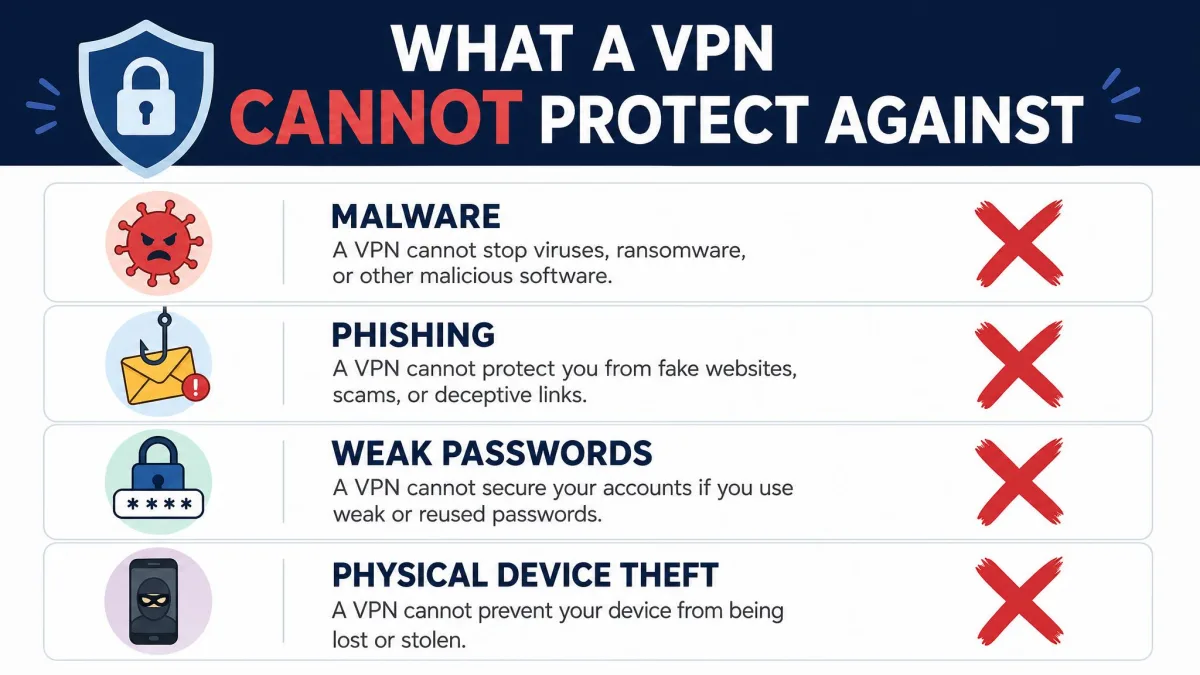
It does not fix weak passwords, oversharing, or a stolen device. And the provider itself is a point of trust. A VPN provider is not immune to breaches, either: NordVPN once disclosed a third-party server breach that went undetected for over a month.
Treat "military-grade encryption" marketing with a level head. Encryption is only as trustworthy as the company holding the keys, so a credible no-logs policy and a clean track record matter more than the slogan.
Are VPNs legal?
In most of the world, including the United States, using a VPN is perfectly legal. Businesses and individuals rely on them every day for legitimate privacy and security. Anything illegal done while connected stays illegal, since a VPN is not a license to break the law.
The exceptions are a handful of countries that restrict or ban VPN use. Russia, for example, has banned popular services including NordVPN and ExpressVPN. Other governments allow only approved providers or block VPN traffic outright.
If you travel, check the local rules before you rely on a VPN abroad. The legality follows where you are physically located, not where your provider is based.
How to choose the right VPN
With the uses and limits clear, choosing comes down to matching a provider to your priorities. These are the factors we weigh in every review.
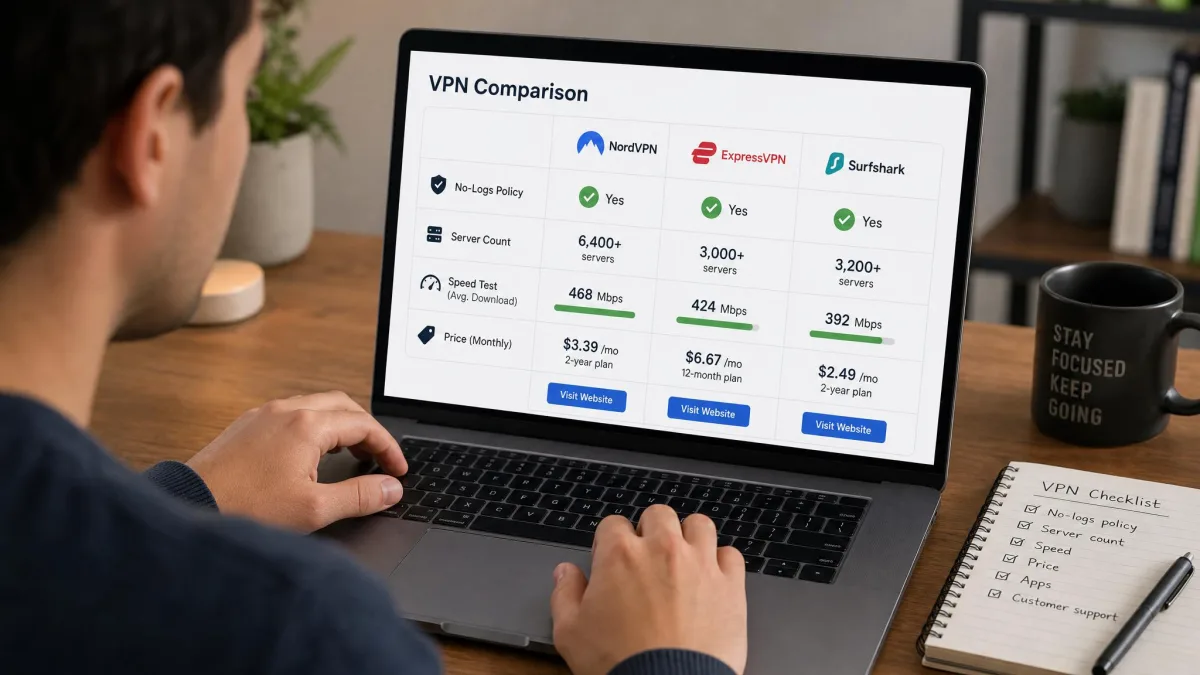
Start with trust. Look for a clear, ideally audited no-logs policy, since the provider can see your traffic. A company's history and transparency tell you more than any feature list.
Then weigh speed and server coverage. Every VPN slows your connection, and the loss grows with distance, so a wide, well-placed server network keeps that cost low. If streaming matters, prioritize proven, consistent unblocking over a long list of claimed services.
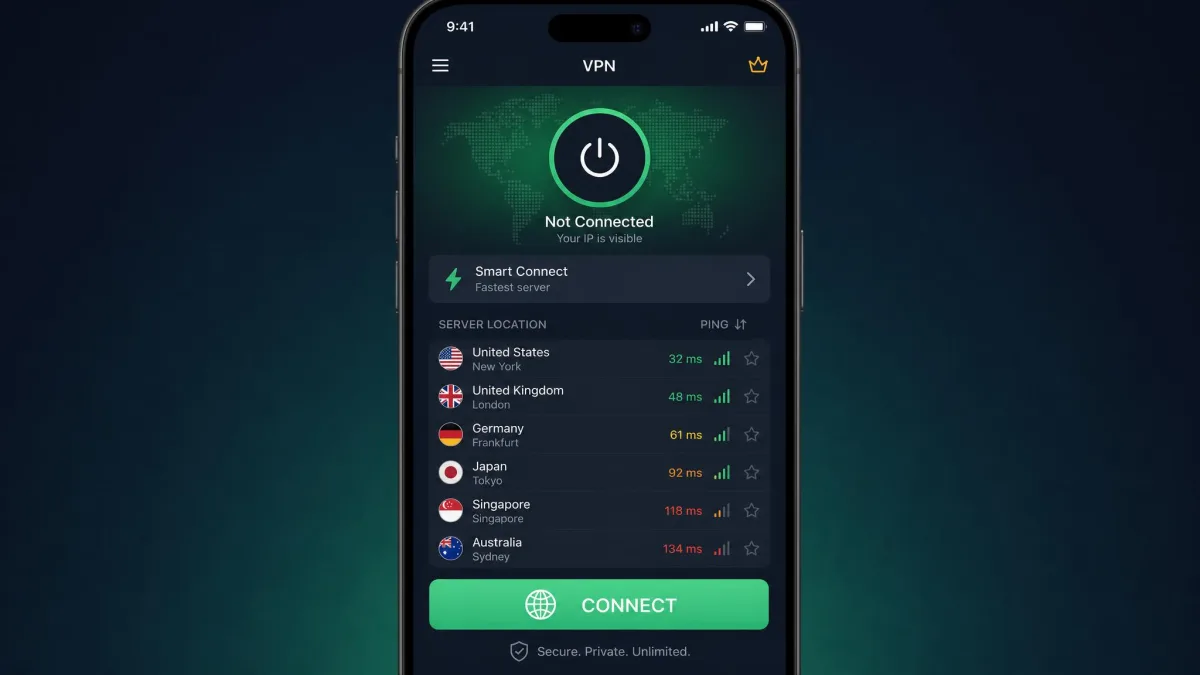
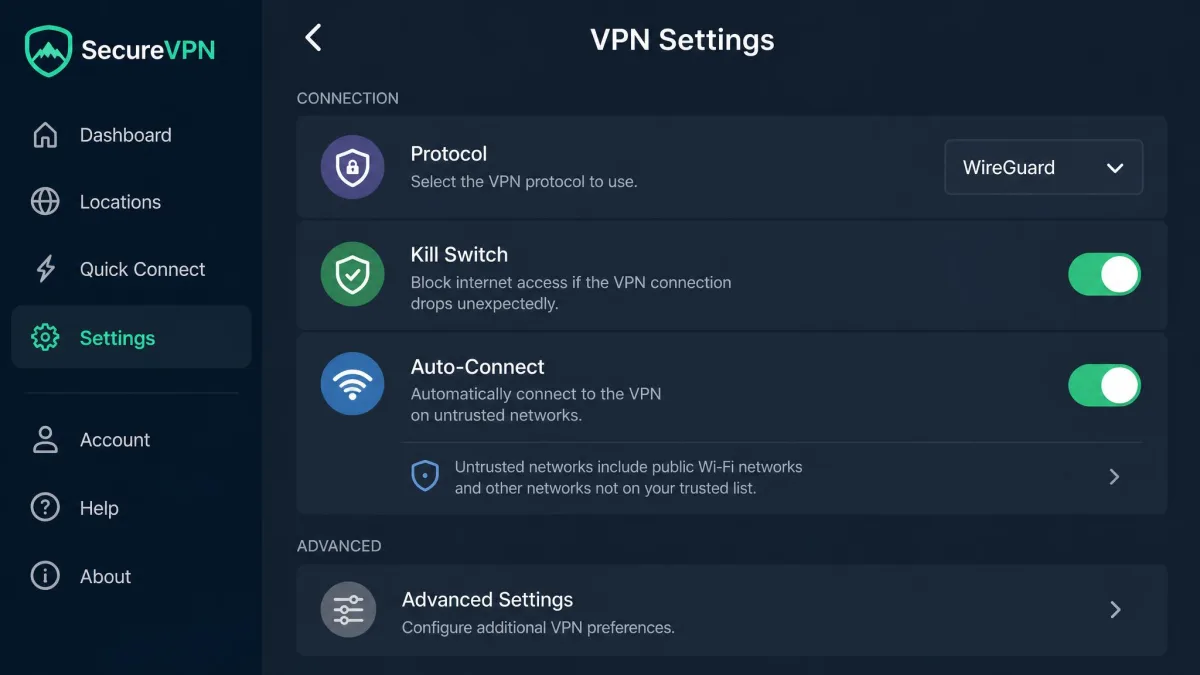
Finally, mind setup and price. App-based setup is nearly frictionless, since on most VPNs you just press one button to connect or disconnect. Manual configuration on a phone is fiddly and involves entering a lot of connection details, so the vendor app is the easier path. As for cost, reliable free VPNs are rare. Free tiers frequently fail to connect or fail to unblock content, which makes a modest paid plan the better value for daily use.
Conclusion
So what are VPNs used for? At heart, they encrypt your connection and hide your IP address, and from those two abilities flow every practical use: safer public Wi-Fi, privacy from your ISP, region-free streaming, censorship bypass, secure remote work, and more.
They are not magic. A VPN slows your connection a little, cannot make you anonymous, and only works as well as the provider you trust. But for the price of one modest subscription, it is one of the simplest ways to take back control of your everyday online privacy. Pick a provider with a solid no-logs record and fast servers, and press connect.