A VPN can mean two different things in the United States. Some readers live here and want privacy from their internet provider and safety on public Wi-Fi. Others are abroad and need a US IP address to reach American apps, banking, and streaming libraries.
The same seven services cover both jobs, but they do not do them equally well. We ranked them by our own review scores first, then checked US server coverage, audit evidence, device limits, and what each one costs after the discount ends.
NordVPN and Proton VPN lead on score. Below you will find our testing method, the full reviews, a comparison table, and the buying advice that matters for US use.
This ranking comes from the HTS review team's own VPN reviews, plus a fresh check of each provider's official pricing, server, audit, and device pages in November 2026. Where a price depends on region, promotion, or tax, we say so instead of guessing.
Best VPNs for the USA at a glance
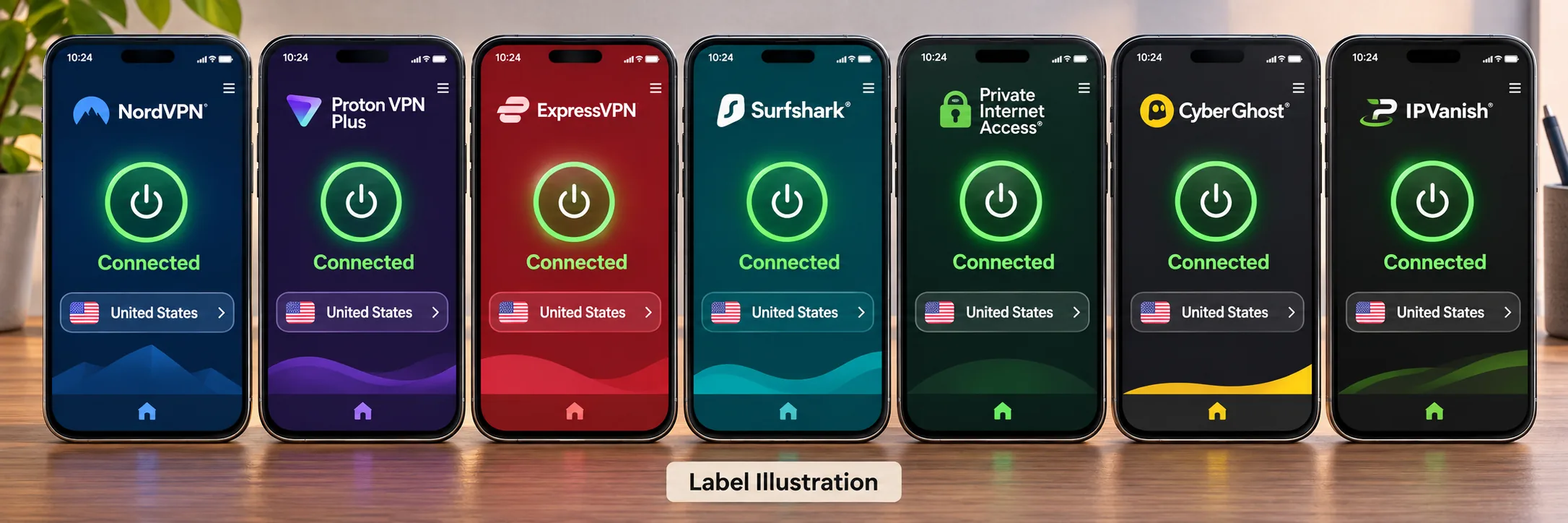
Here is the shortlist in the order we would recommend it. Scores come from our standalone HTS reviews when those reviews include a rating. ExpressVPN and IPVanish are left unrated here because we could not settle on a single current score for either.
- NordVPN (9.0/10): best overall for US use, with all 50 states listed and strong speeds.
- Proton VPN (9.0/10): best for privacy and the best free option.
- ExpressVPN (unrated here): easiest apps, with reliable Netflix and Disney+ access.
- Surfshark (8.6/10): best for unlimited devices on a small budget.
- Private Internet Access (8.4/10): best for settings tinkerers who want all 50 states.
- CyberGhost (8.4/10): best for streaming with the longest refund window.
- IPVanish (unrated here): best for Fire TV and Android TV households.
How we evaluate VPNs for the USA
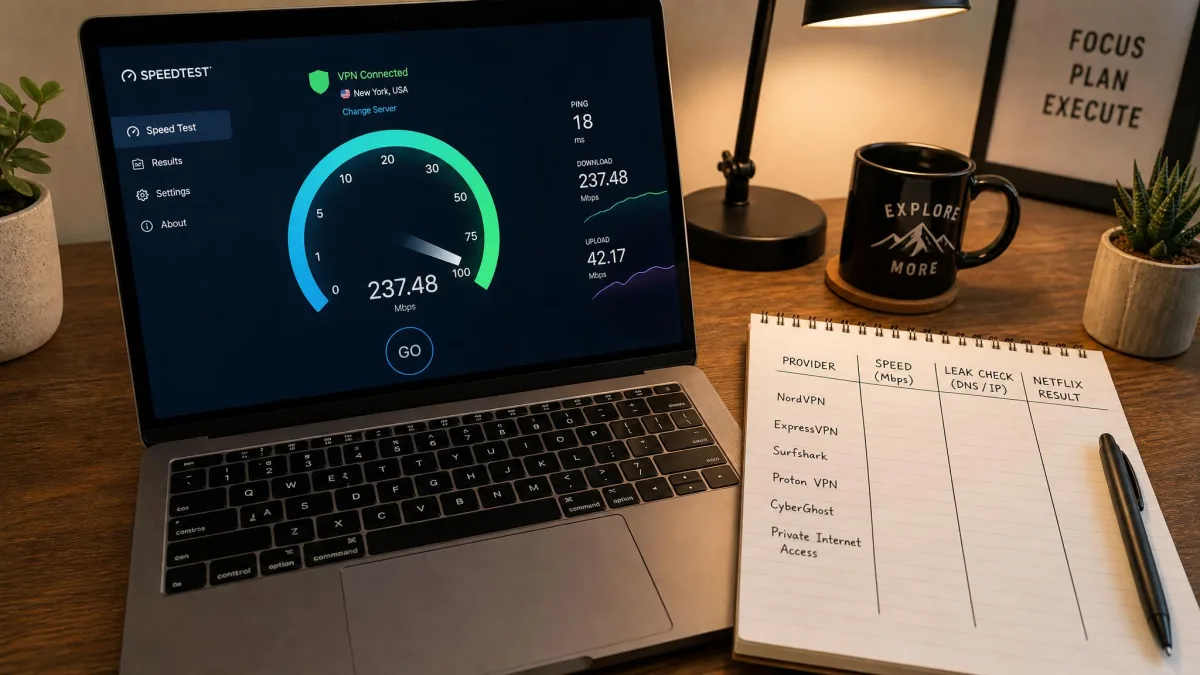
We rank these services the way a network administrator would, starting from what can be verified. Our own review scores come first, then each provider's official pricing, server, audit, and device pages. We then added our hands-on findings from using the apps, including speed behavior, streaming results, and setup friction.
We do not claim a fixed lab protocol or a single speed number for every provider, because test routes and baselines differ. A fast result on a nearby server says little about a long-distance one. Where our findings point in different directions, we say so, as we do for the speed results on Private Internet Access and CyberGhost.
US server coverage, speed, and latency
We looked at how each provider describes its US footprint: all 50 states, a list of cities, or a bare server count. A server near you lowers latency, and a server in a particular state helps with local content. Providers that give no city list score lower here, because you cannot check before you buy.
For speed, we rely on what we observed over nearby and distant connections and on the protocol in use. NordVPN's NordLynx and ExpressVPN's nearby connections performed well, while the highest ExpressVPN throughput was limited to Windows. Distance matters on every service. A New York to Los Angeles hop will always feel slower than a hop within one metro area.
Streaming checks, privacy evidence, and device support
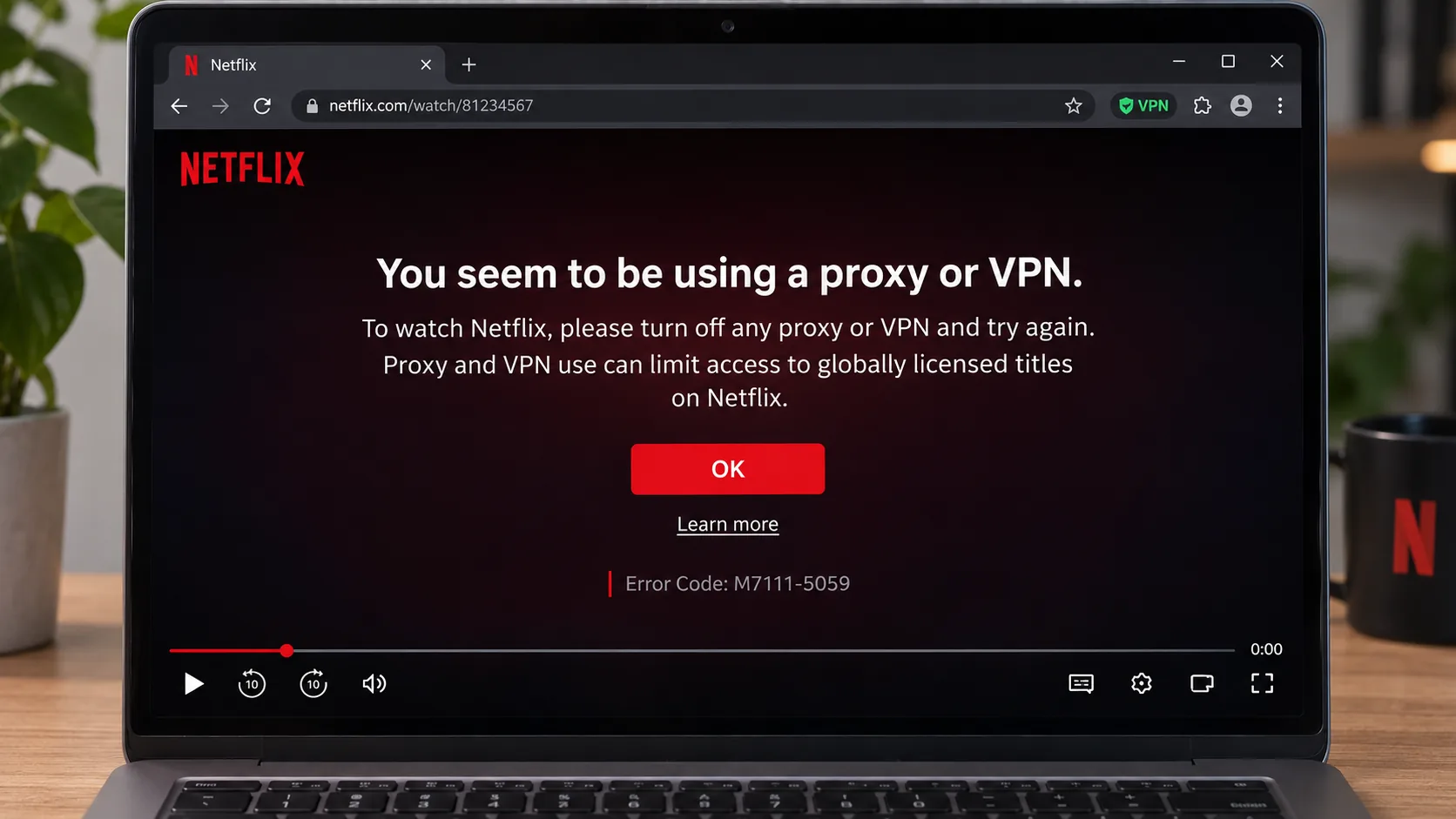
For streaming, we checked whether US Netflix and Disney+ open and whether other services work properly. Netflix itself says it can restrict VPN sessions to globally licensed titles and does not support VPN use for ad-supported viewing or live events, so no VPN can guarantee access. Treat any streaming result as a snapshot.
For privacy, we favor recent independent audits, RAM-only servers, and open-source apps. Audits are limited snapshots rather than guarantees and that privacy depends on trusting the operator. Device support covers simultaneous connections, platforms, TV and router options, and Android minimums.
Pricing, renewal costs, and refund terms
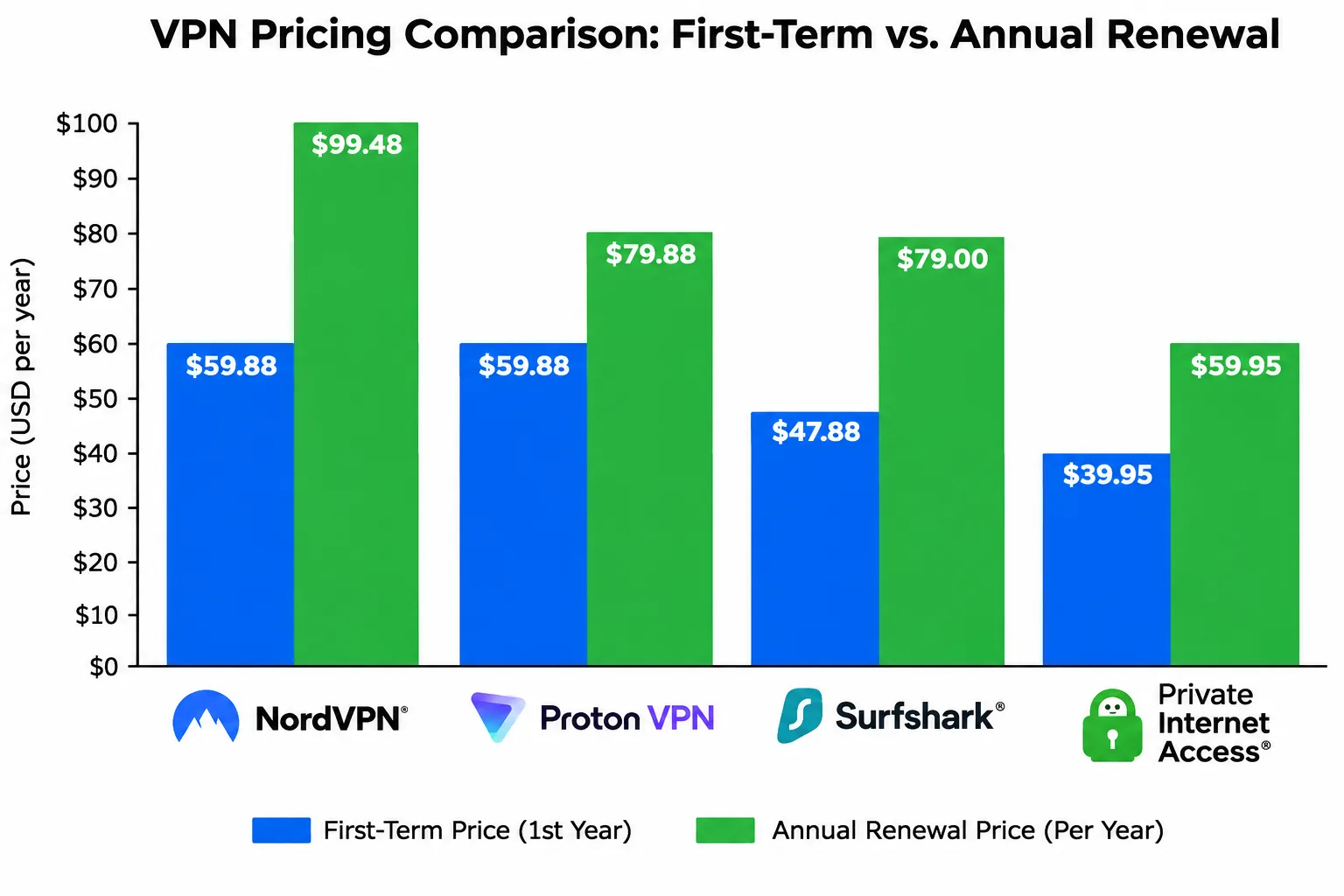
We record the displayed introductory price, the initial bill and its duration, the renewal amount, and the refund window. Intro deals run 24 to 40 months, so you pay the lower rate for a long stretch and then face a much higher renewal. We flag every price that depends on region, tax, or an ongoing promotion.
A refund is not a free plan. Every provider here except Proton's free tier charges you first and refunds later, and some have exclusions for payment method or app-store billing.
A free plan, a free trial, and a refundable purchase are three different things. Proton VPN is the only provider here with a genuinely free plan. The others are paid products with a refund window of 30 days, or 45 days on CyberGhost's multi-month plans. Request the refund through the same channel you paid through.
The best VPNs for the USA in detail
Each review below opens with the trait that defines the service, and the sections that follow are ordered by what mattered most for that product. Our method is described above. Prices are the displayed offers on each vendor's own site in November 2026 and change often.
1. NordVPN
NordVPN is the one we would hand to most people, and its audit trail is the most recent of the seven.
Speed and streaming evidence. NordLynx, NordVPN's own protocol, delivers fast downloads in our testing. US Netflix and Disney+ both opened without trouble. When we tried DAZN Canada through NordVPN, though, the stream would not load. OpenVPN is noticeably slower than the faster protocol options, so switch away from it if speed matters.
US coverage. NordVPN's own US page says its US locations cover all 50 states. That is useful if you want a server near you for lower latency, or a specific state for local content.
Privacy evidence. Deloitte Lithuania completed NordVPN's sixth no-logs assurance engagement, covering November 10 to December 12, 2025, with the report issued on December 12, 2025. An assurance engagement is a snapshot of one period, not a promise about the future.
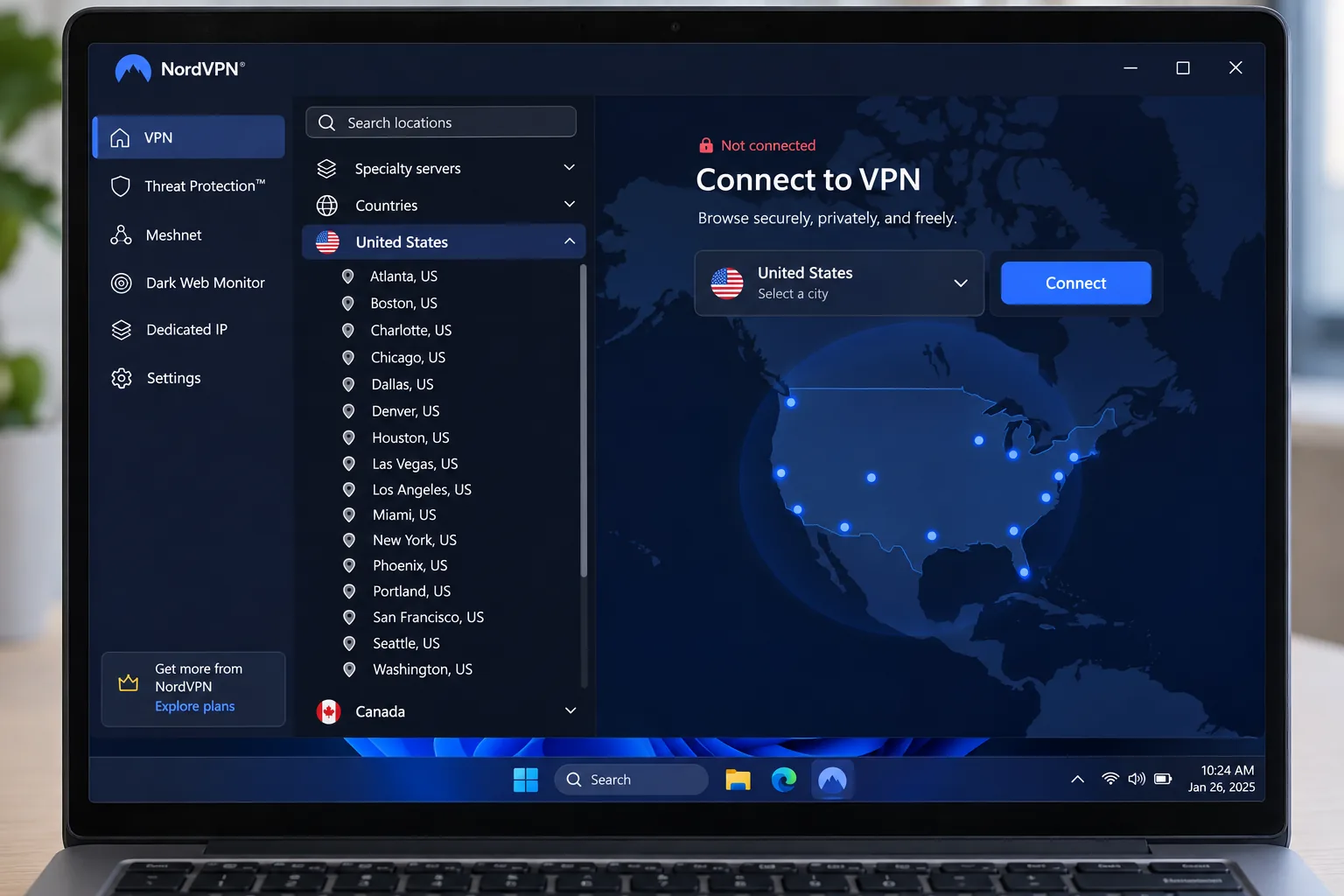
Device support. One account covers 10 simultaneous connections. Apps are available for Windows, macOS, Linux, Android, and iOS, with Chrome, Firefox, and Edge extensions. The main Android app needs Android 9.0 or later.
Price and renewal. The displayed Basic offer is $3.49 per month equivalent, billed as $94.23 for the first 27 months. After that it renews at $139.08 per year, and the monthly plan displays $14.99. Tax and promotions vary by checkout, so treat the intro price as a deal rather than a permanent rate.
Where it falls short. The interface takes more getting used to than the simplest apps, and the mobile screens feel crowded. Many extras, such as the bundled security tools, require a more expensive subscription. If you want the plainest possible app, ExpressVPN is easier.
Pros
- US servers listed in all 50 states
- Fast downloads over NordLynx
- Sixth Deloitte no-logs assurance report issued in December 2025
- Works with US Netflix and Disney+
Cons
- Renewal of $139.08 per year is steep next to the intro offer
- Crowded mobile interface
- Many extras need a pricier plan
2. Proton VPN
Proton VPN ties NordVPN at 9.0/10 in our review, and it is the strongest choice if privacy tooling matters more than a polished streaming setup.
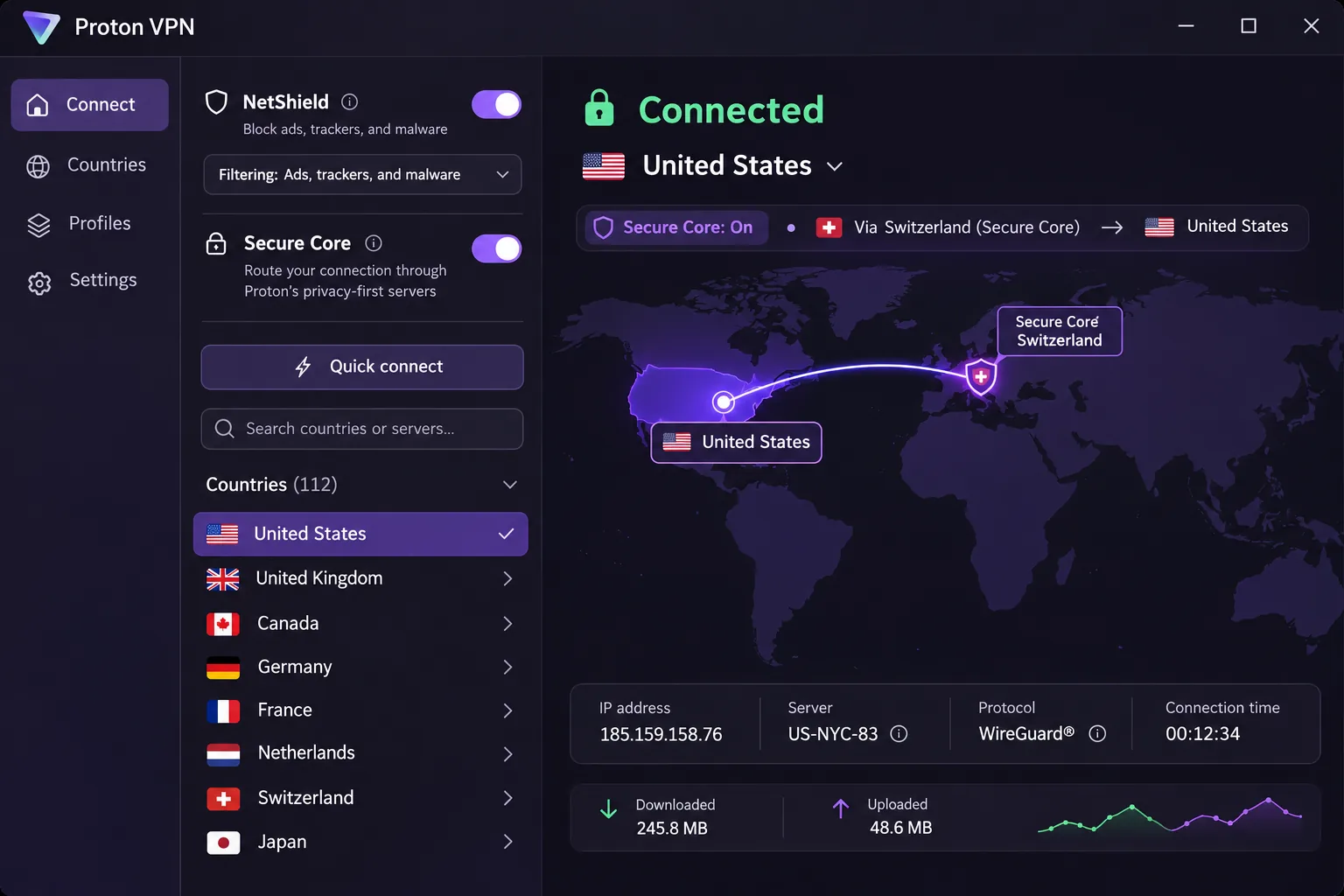
Privacy evidence. Proton publishes its fifth annual Securitum no-logs audit for 2026. Its apps are open source, and its feature set includes Secure Core multi-hop, NetShield DNS filtering, Tor over VPN, and a kill switch.
Speed and streaming evidence. In our testing, connection speeds can fluctuate. Free connections do not reliably unblock streaming services or support torrenting. Proton says paid plans let you choose a server and support streaming, so assess its paid offering for US content.
Price and renewal. VPN Plus displays $3.49 per month, billed as $83.76 for the first 24 months. It then renews at $83.88 every 12 months, which is the gentlest renewal jump of the seven. Taxes can change the final amount. The refund window is 30 days for qualifying first purchases, and bank-transfer and cash payments cannot currently be refunded.
Device support. VPN Plus supports 10 simultaneous devices, and the free plan supports 1. Apps cover Windows, macOS, Linux, Android, iOS, Chromebook, Android TV, Apple TV, and Fire TV, plus Chrome and Firefox extensions. The Android app needs Android 6.0 or newer, the lowest requirement on this list.
US coverage. The paid plan offers US servers, and the USA landing page advertises more than 400 servers. It does not give a clear current count of US cities, so we will not quote one. Check the app's location list before you pay if you need a particular city.
Who it will frustrate. The extensive controls can feel complicated to a newcomer, and the large FAQ collection makes it harder to find a simple answer. If you want to open the app and connect, look at ExpressVPN or Surfshark first.
Pros
- Free plan with no data cap and no ads
- Open-source apps and an annual Securitum no-logs audit
- Mildest renewal increase on the list
- Secure Core multi-hop and Tor over VPN
Cons
- Speeds can fluctuate
- Controls can overwhelm newcomers
- No clear current US city count
- Free plan does not reliably unblock streaming
3. ExpressVPN
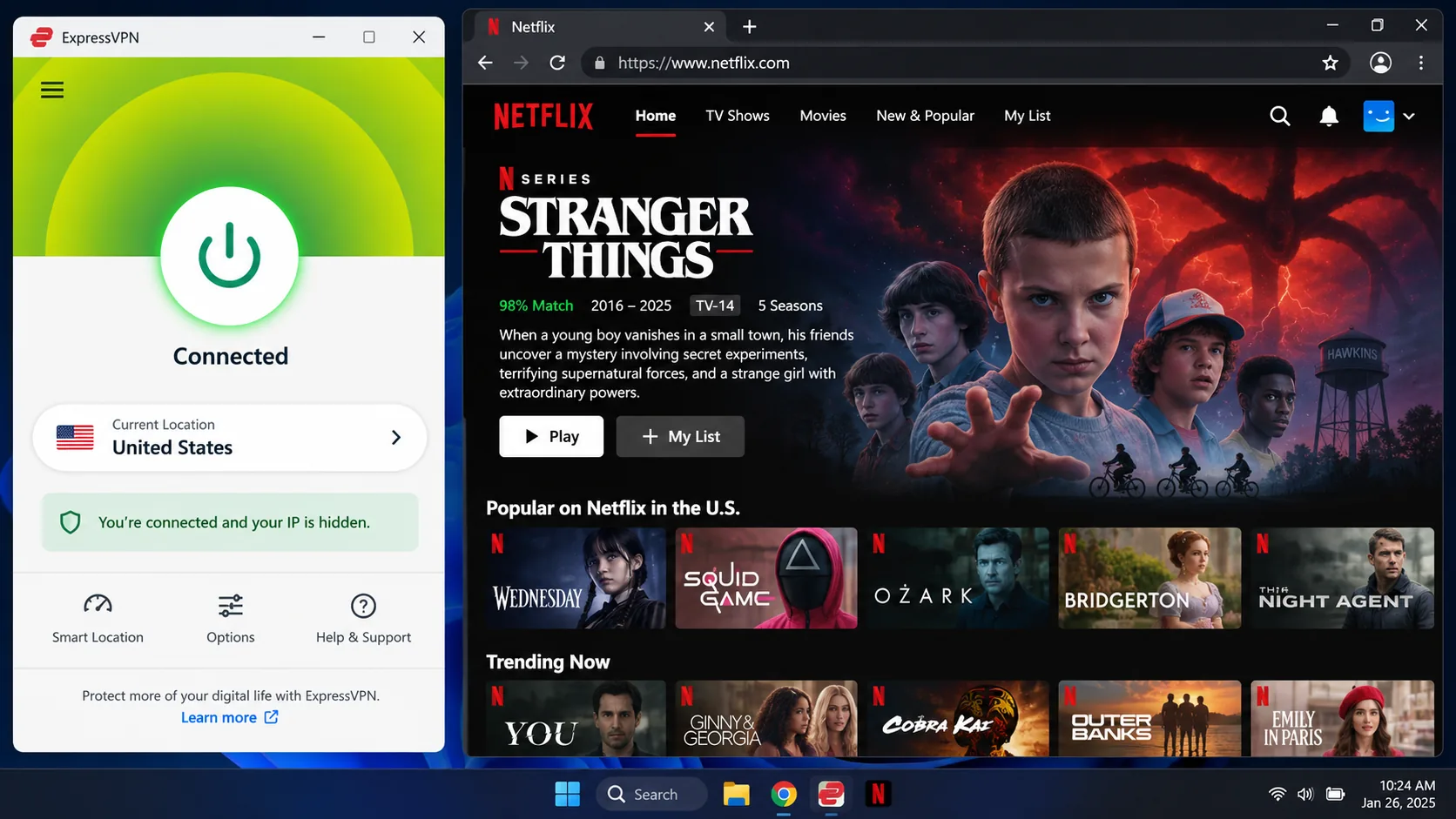
ExpressVPN is the easiest of the seven to live with. The apps are simple to navigate, setup friction is low, and Netflix and Disney+ open without fuss.
Speed and streaming evidence. Nearby connections maintain strong download speeds in our testing. The catch is that the highest throughput is confined to Windows, and other platforms do not reproduce that peak. Netflix and Disney+ both open through the VPN.
Device support. The Basic plan permits 10 simultaneous connections, Advanced 12, and Pro 14. Apps cover Windows, macOS, Linux, Android, iOS, Apple TV, Android TV, and Fire TV, with MediaStreamer and router setup for other devices. Android needs Android 7.0 or newer. iOS lacks split tunneling and an auto-connect option.
US coverage. The ExpressVPN US page says its US locations cover all 50 states.
Privacy evidence. KPMG examined ExpressVPN's TrustedServer and privacy-policy claims as of February 28, 2025. The vendor's own title calls it a third audit, while the body calls it a second assessment. Its numbering is unclear, but the dates are consistent. Servers run on RAM-only TrustedServer technology.
Price and renewal. The offer we fetched was in euros: EUR 2.50 per month, EUR 70 for 28 months, renewing at EUR 79.95 annually on Basic. Your US checkout currency, promotion, and taxes can change the amount, so confirm the dollar price on the pricing page. A 30-day money-back guarantee covers new users on the displayed plans.
What it leaves out. The simpler toolkit offers fewer advanced controls than some competitors. Dedicated IP is an add-on on Basic and Advanced and is only included in Pro. If you want deep customization, Proton VPN or Private Internet Access give you more.
Pros
- Apps are easy to navigate with little setup friction
- US servers listed in all 50 states
- Netflix and Disney+ open successfully
- 2025 KPMG assessment and RAM-only servers
Cons
- Fewer advanced controls than some rivals
- Peak speeds are limited to Windows
- iOS has no split tunneling or auto-connect
- Our fetched price was in euros, so the US price needs checking
4. Surfshark
Surfshark is the budget pick for big households, with a layout that is pleasant to use.
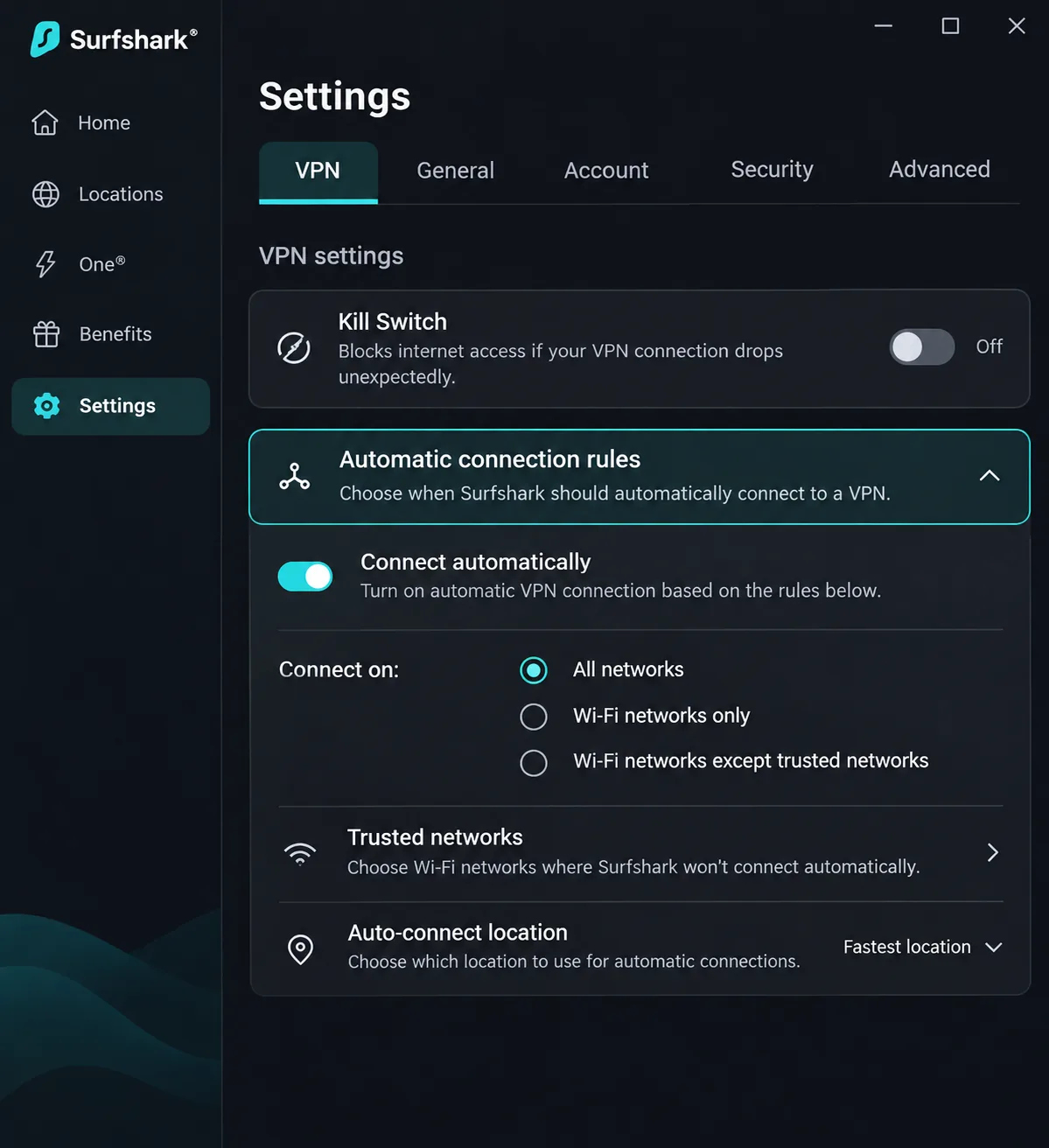
First launch and streaming. Streaming access is broad but does not match the strongest alternatives, so expect an occasional library that will not load. We also found some issues worth knowing about. On first launch the kill switch is off by default, so a dropped connection would expose your traffic until you turn it on. The macOS kill switch can leak traffic under failure conditions. Automatic connection rules can exclude trusted networks and connect on unfamiliar Wi-Fi, so set those rules deliberately.
Device support. Paid plans allow unlimited simultaneous connections. Features include CleanWeb ad and tracker blocking, NoBorders, static IP locations, an optional dedicated IP, and a cookie pop-up blocker. The Google Play app supports Android 7.0 and newer.
US coverage. Surfshark's US page lists 24 cities in 19 states. That is a good spread, though it does not cover all 50 states. If you need a server in a specific small state, check the list first.
Privacy evidence. Surfshark's trust center lists Deloitte no-logs assurance for 2023 and 2025. App and infrastructure security assessments are separate engagements, so do not read them as part of the no-logs result.
Price and renewal. The Starter and promotional One offers both display $2.49 per month equivalent, billed as $67.23 for the first 27 months. The One discount is a Black Friday promotion, so it may not be there when you read this. The Starter plan renews at about $79 per year, but Surfshark's pricing page shows no renewal figure, so confirm the amount in your account. A 30-day money-back guarantee applies.
Mac users and mobile. Mobile navigation has small usability irritations, and the kill switch settings need attention on first launch. Mac users who rely on the kill switch should test it before trusting it.
Pros
- Unlimited paid connections
- Lowest intro monthly rate among the big-name picks
- Pleasant, easy app layout
- Deloitte no-logs assurance for 2023 and 2025
Cons
- Kill switch is off by default
- macOS kill switch can leak traffic under failure conditions
- US locations cover 19 states, not all 50
- Streaming access trails the strongest alternatives
5. Private Internet Access
Private Internet Access, or PIA, suits people who like to tune settings. It lists all 50 states and gives you unlimited devices, but it asks more of you than the first four picks.
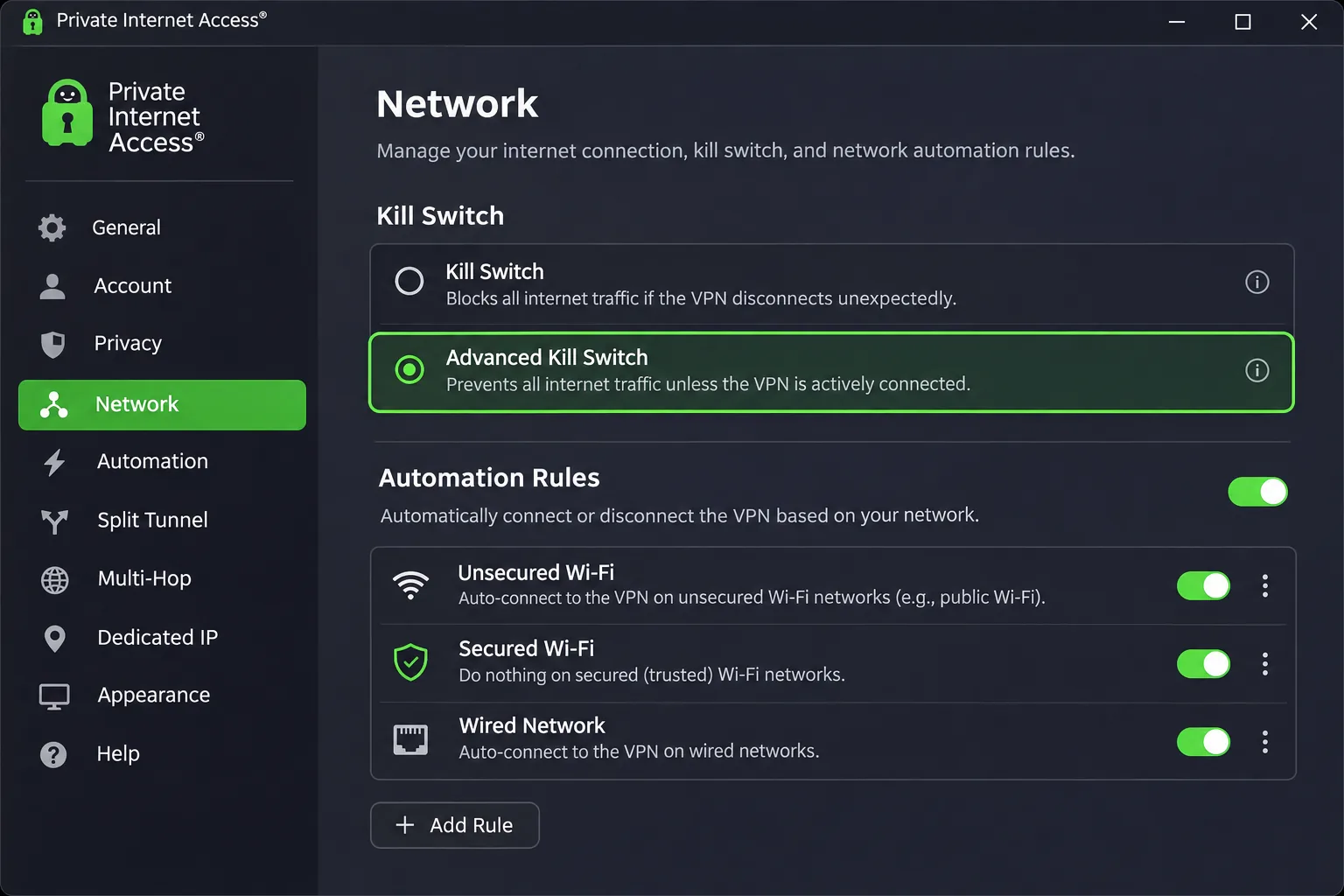
Device support. PIA allows unlimited simultaneous devices. Its feature list includes WireGuard, OpenVPN, an advanced kill switch, network automation, DNS filtering, leak protection, proxy-based multi-hop, obfuscation, port forwarding, and router configuration. The Android app needs Android 7.0 or newer; iOS 15, Fire OS 6, and tvOS 17.0 are the minimums for the other platforms.
Speed and streaming evidence. Connections can deliver strong download speeds, although a separate check showed throughput trailing the fastest competing services. We therefore do not claim a clear speed rank. Streaming is the weak spot. Global streaming access is weaker than its browsing and torrenting performance, and the Smart DNS tool failed to unblock streaming apps in our testing.
US coverage. PIA's purchase page says its US server locations cover all 50 states.
Privacy evidence. PIA's official announcement, updated February 24, 2026, describes a third Deloitte Audit Romania review covering its infrastructure and token-based dedicated IP. Its apps are open source, and its infrastructure is RAM-only.
Price and renewal. The official multi-year offer shows $2.03 per month for 3 years plus 4 months, renewing at $81.20 every 3 years. The annual plan is $47.88 initially and on annual renewal, and monthly is $11.95. Go by the official checkout for the exact term. A 30-day guarantee covers new subscribers, and app-store purchases follow the store's refund rules.
The learning curve. The desktop settings take time to learn, and the apps are complex enough to overwhelm casual users. If your main goal is watching US streaming from abroad, pick NordVPN, ExpressVPN, or CyberGhost instead.
Pros
- US servers listed in all 50 states
- Unlimited simultaneous devices
- Open-source apps and RAM-only infrastructure
- Cheap multi-year and annual pricing
Cons
- Streaming access is weaker than its browsing performance
- Smart DNS failed to unblock streaming apps
- Settings have a learning curve
- Throughput trails the fastest services
6. CyberGhost
CyberGhost is the streaming-first pick, and it carries the longest refund window of the group. It works well for newcomers who want a server labeled for the job.
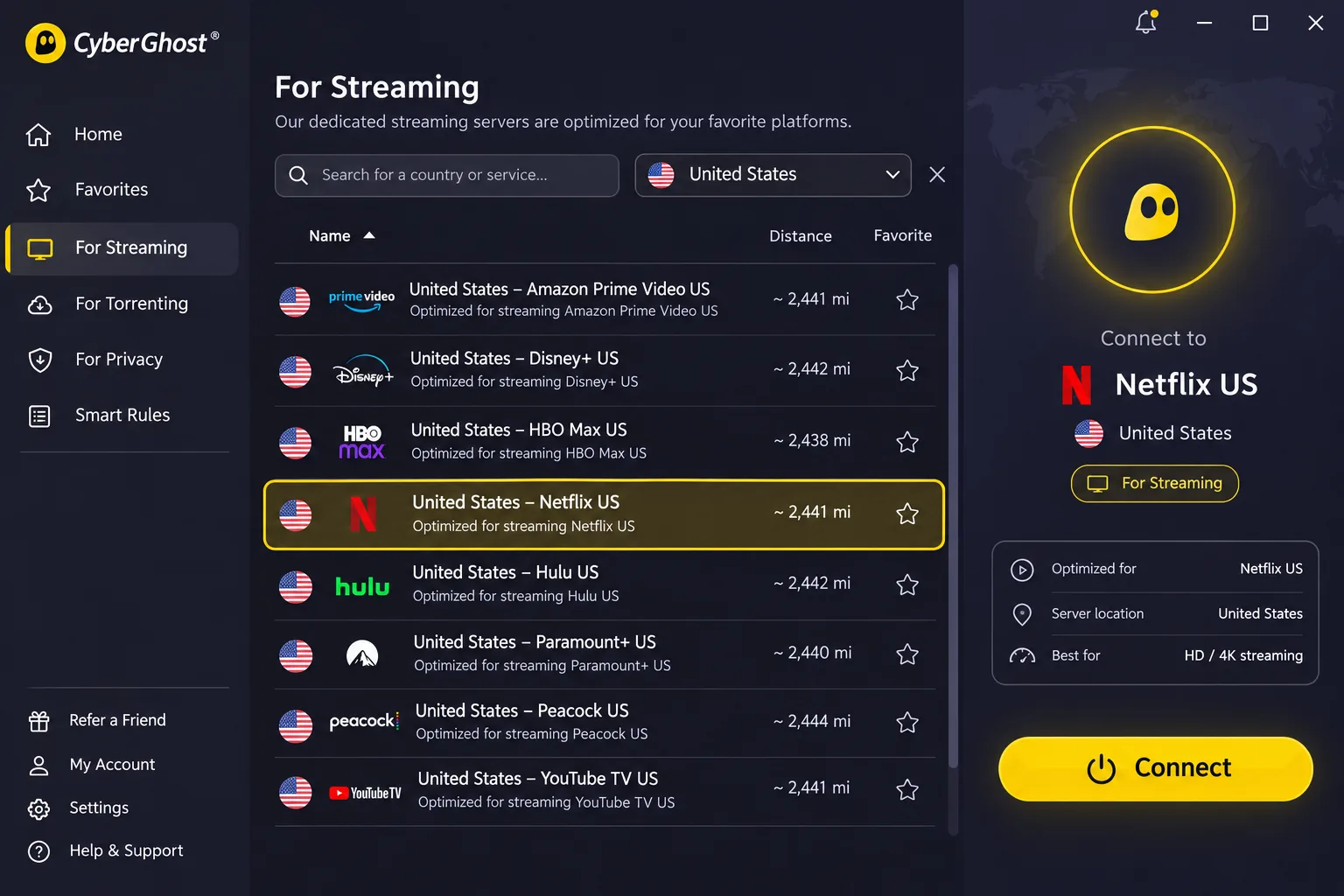
Speed and streaming evidence. Streaming works well overall, though performance is not uniformly strong. Launch automation can connect to a US server and open Netflix together in a single step, and unblocking succeeded across the services we tried. Download speeds can be high enough for demanding streaming and gaming, although they fluctuate over long distances. If you are abroad connecting to a US city, expect some variation.
Price and renewal. The page we fetched was localized to pounds: GBP 1.92 per month and GBP 53.76 initially, then GBP 53.76 annually. The page labeled the promotional bonus months inconsistently, so we cannot pin down the dollar price or exact term. Refunds run 45 days on the multi-month plans and 14 days on monthly billing.
US coverage. CyberGhost's US page lists 10 or more cities, including Atlanta, Chicago, Dallas, Las Vegas, Los Angeles, Miami, New York, Phoenix, San Francisco, Seattle, and Washington DC. That covers the big population centers but not all 50 states.
Privacy evidence. CyberGhost's official announcement, dated February 24, 2026, describes its third Deloitte Audit Romania no-logs review.
Device support. One subscription covers 7 simultaneous connections, the lowest limit on this list. Managing the limit on registered devices is frustrating. Features include a kill switch, split tunneling on supported platforms, email leak monitoring, unlimited bandwidth, and a dedicated IP option. Streaming, gaming, and torrenting server categories help you pick, but there is no port forwarding. We could not confirm the current Android minimum.
Weak spots. The interface feels dated, and homes with more than seven devices will hit the limit. If you need unlimited connections, Surfshark, Private Internet Access, or IPVanish fit better.
Pros
- 45-day refund window on multi-month plans
- Streaming server category and launch automation
- Lists Atlanta, Chicago, Dallas, Los Angeles, New York, and more
- Third Deloitte no-logs review announced in 2026
Cons
- Only 7 simultaneous connections
- Dated interface
- Long-distance speeds fluctuate
- Dollar price not confirmed
7. IPVanish
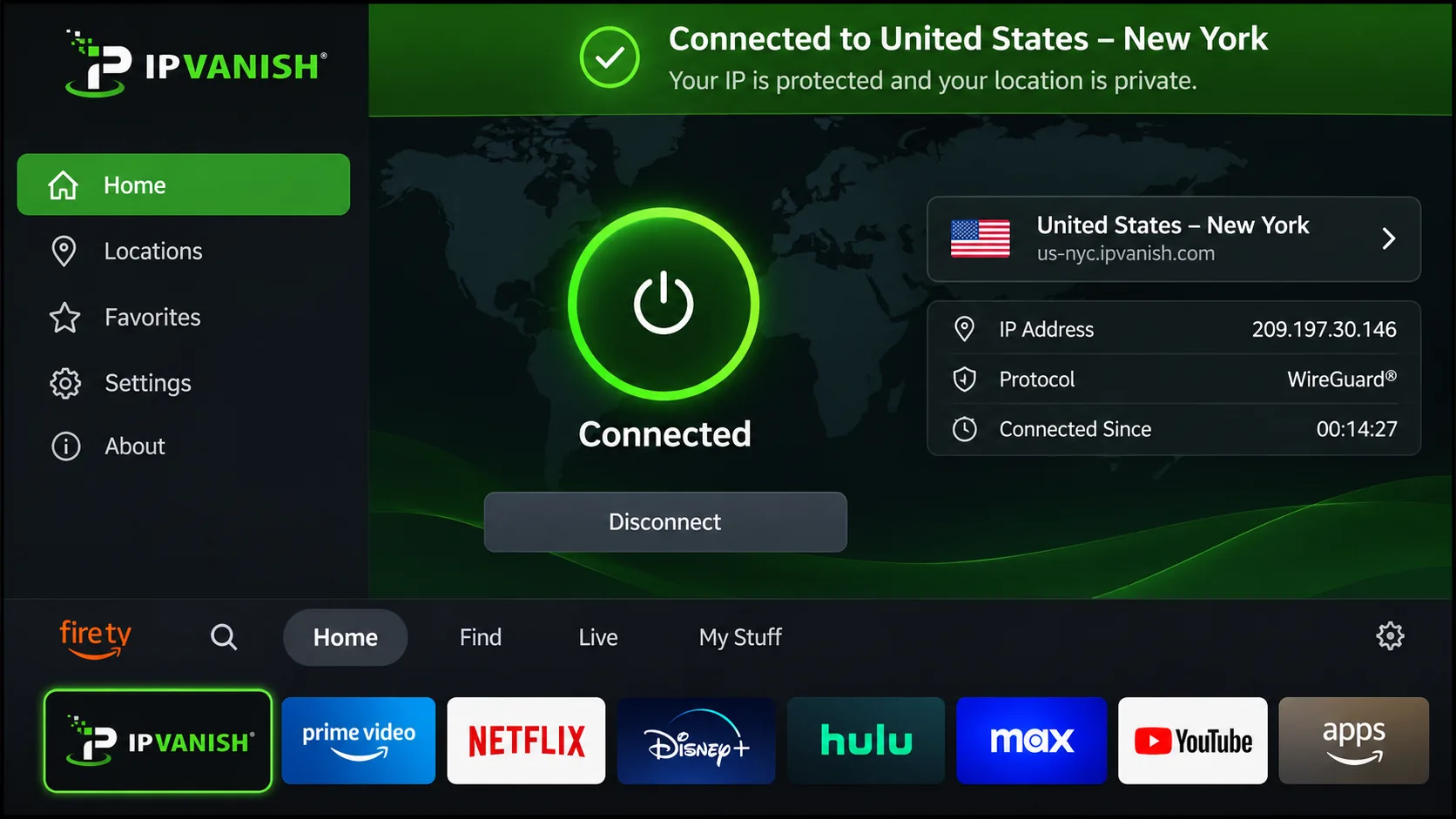
IPVanish is the best fit for television-heavy households. Its Fire TV and Android TV apps suit that use well, and downloads are fast across the network.
Device support. Paid plans allow unlimited simultaneous connections, with apps for Windows, macOS, Linux, Android, iOS, Apple TV, and Fire TV. Features include WireGuard and OpenVPN, split tunneling, a kill switch, and threat-blocking tools with platform and protocol restrictions. There is no Smart DNS proxy or conventional browser extension. Desktop windows feel bulky. We could not confirm OS minimums.
Speed and streaming evidence. Downloads are fast across the network. Streaming sometimes requires changing locations, and foreign-language services can be difficult to access. The strict kill switch blocks internet access after a manual disconnection too, and forced VPN interruptions trigger immediate traffic blocking and reconnection attempts. That is safe, but it can surprise you.
Privacy evidence. A third Schellman audit was announced in November 2026, following its completion on September 25, 2026. Audit totals differ between that announcement and older reviews, and the customer-only final report was not accessible to us, so treat it as vendor-stated. The RAM-only server migration is still in progress, with completion targeted for the end of 2027.
US coverage. We could not find a usable official US location inventory, so we will not claim a city or state count. Check the in-app list before subscribing.
Price and renewal. Recent deal pages show $2.19 per month for 24 months, while standard Essential pricing runs about $2.99 per month with a $90 annual renewal. The vendor's own pricing page failed to load for us, so confirm the plan, price, and renewal at checkout. A 30-day guarantee is described for new yearly or two-year subscriptions, while monthly purchases and app-store trials follow separate terms.
Skip it if. Skip it if you need a dependable Smart DNS or browser extension, or if you want fully verified US city coverage. Readers who prize a bulletproof streaming record should look at NordVPN or ExpressVPN.
Pros
- Fast downloads across the network
- TV apps suit Fire TV and Android TV use
- Unlimited simultaneous connections
- Strict kill switch
Cons
- Streaming sometimes needs a location change
- No Smart DNS proxy or standard browser extension
- Bulky desktop windows
- RAM-only migration unfinished, and US coverage and prices are not fully verified
Compare the best US VPNs
This table puts the verified figures side by side. Introductory prices are conditional offers, and "unverified" means we could not confirm the figure from an official page.
| Product | Buy | US locations | Audit evidence | Connections | Intro price | Renewal | Refund |
|---|---|---|---|---|---|---|---|
|
Check price → | All 50 states | Deloitte, issued Dec 2025 | 10 | $3.49/mo | $139.08/yr | 30-day |
 |
US servers, city total unverified | Securitum, 2026 | 10 paid, 1 free | $3.49/mo | $83.88/yr | 30-day, payment exclusions | |
 |
All 50 states | KPMG, Feb 2025 assessment | 10 Basic, 12 Advanced, 14 Pro | EUR 2.50/mo, US price unverified | EUR 79.95/yr Basic | 30-day, new users | |
 |
24 cities, 19 states | Deloitte, 2025 | Unlimited | $2.49/mo | $79/yr Starter, official unverified | 30-day | |
 |
All 50 states | Deloitte, updated Feb 2026 | Unlimited | $2.03/mo | $81.20 per 3 years | 30-day, new users | |
 |
10+ cities | Deloitte, announced Feb 2026 | 7 | GBP 1.92/mo, US price unverified | GBP 53.76/yr | 45-day long plans, 14-day monthly | |
 |
Inventory unverified | Schellman, announced Nov 2026, report unverified | Unlimited | $2.19/mo deal | $90/yr Essential | 30-day long plans, channel dependent |
Two patterns stand out. NordVPN, ExpressVPN, and Private Internet Access all list servers in all 50 states. Their streaming and speed evidence is also the strongest or most mixed, so coverage alone does not predict quality. And the renewal column matters more than the intro column: NordVPN's $139.08 per year is about 66% more than Proton's $83.88.
Why use a VPN in the USA?
The honest case for a VPN here is narrower than the marketing suggests. A VPN encrypts the tunnel between your device and the VPN server and masks your IP address. That prevents the local network and your internet provider from seeing which sites you visit. It does not make you anonymous, and it does not replace HTTPS, which already encrypts page contents.
ISP privacy and public Wi-Fi protection
Your internet provider sees the domains you connect to unless you route traffic through a VPN. The FTC's staff report on ISP privacy practices examined what six major providers collect and use, and it is a good reference for the historical picture. It is not evidence of current law, and a VPN does not stop every kind of collection by your carrier.
On public Wi-Fi, a VPN encrypts everything between your laptop or phone and the VPN server, so other people on the same network cannot see your browsing. That matters at airports, cafes, and hotels. Pair it with the kill switch so a dropped connection does not expose traffic.
Accessing US services while traveling
If you are abroad, a US server gives you a US IP address, which can restore access to American banking apps, streaming libraries, and news content that block foreign addresses. NordVPN, ExpressVPN, and CyberGhost gave us the most consistent results for US streaming. Remember that services set their own rules, and Netflix says VPN use limits you to titles licensed everywhere.
What a VPN cannot protect you from
A VPN does not remove cookies, GPS data, browser fingerprints, or tracking tied to accounts you are logged into. It does not protect you if you hand over data to a site willingly or get phished. Audits are snapshots, and a no-logs audit does not show that a provider keeps no account, billing, or support data.
Ordinary VPN use is generally legal in the United States, according to Security.org, but that does not legalize prohibited conduct or override a service's contract terms. Rules depend on the activity and jurisdiction, and a streaming service blocking VPNs is a service restriction rather than a VPN ban.
A VPN moves your trust from your internet provider to the VPN operator, so the operator's audits, policies, and track record matter more than its server count.
— Our buying advice for US readers
How to choose the right US VPN
Start with the job. If you live in the US and want privacy on public Wi-Fi, you care about audits, a reliable kill switch, and renewal price. If you are abroad, you care about US city choice, streaming results, and how the app behaves on a long-distance connection.
US locations and dedicated IP options
All 50 states sounds impressive, but most readers need two or three cities. Check that the provider lists the metro areas you actually want, then see how many listed locations are near you. NordVPN, ExpressVPN, and PIA say they cover all 50 states, Surfshark lists 24 cities in 19 states, and CyberGhost lists more than 10 cities.
A dedicated IP gives you an address only you use, which helps with sites that flag shared VPN addresses and with services that trust a fixed address. ExpressVPN includes it in Pro and sells it as an add-on on Basic and Advanced. NordVPN, Surfshark, PIA, and CyberGhost offer a dedicated IP as an option. We could not verify a consumer dedicated IP option for Proton VPN or IPVanish.
Privacy policies, audits, and security features
Read the audit announcement, not just the badge. Ask who did the audit, what period it covered, and whether the full report is public. NordVPN's December 2025 Deloitte report and Proton's 2026 Securitum audit are the most recent we could verify directly. IPVanish's third audit is vendor-announced and the full report is customer-only.
Look for a kill switch, DNS leak protection, and encryption you do not have to configure. Open-source apps, as on Proton VPN and PIA, let outsiders inspect the code. RAM-only servers, as on ExpressVPN and PIA, wipe data on reboot.
Check the kill switch before you rely on it. Surfshark's is off by default and its macOS version can leak under failure conditions, while IPVanish's strict version blocks the internet even after a manual disconnect. Know how yours behaves.
Devices, simultaneous connections, and total cost
Count your devices first. NordVPN and Proton VPN Plus allow 10, CyberGhost allows 7, and Surfshark, PIA, and IPVanish are unlimited. ExpressVPN allows 10 on Basic, 12 on Advanced, and 14 on Pro.
Older phones matter too. The Android minimums we verified are Android 6.0 for Proton VPN, Android 7.0 for ExpressVPN, Surfshark, and PIA, and Android 9.0 for NordVPN. We could not verify CyberGhost's or IPVanish's current minimum.
For total cost, multiply the renewal rate by the years you expect to stay. A cheaper intro offer can end up costing more over three years than a plan with a mild renewal. Proton's $83.88 per year and PIA's $81.20 every three years are gentle, while NordVPN's $139.08 per year is the highest we recorded.
Can you use a free VPN for the USA?
Yes, but only one provider on our list offers a free plan worth considering, and it comes with a limit that matters for US use. Everything else here is a paid subscription backed by a refund window.
Free US servers, data caps, and location selection
Proton VPN's free plan has unlimited data, no ads, and no payment-card requirement. In our testing, the free app provided fast browsing without a data cap. The free plan lists 10 countries including the US, and US servers are in the free pool.
The catch is selection. Free locations are assigned automatically, a US connection is not guaranteed on demand, and changing servers triggers a countdown. If you need a US IP address on command, the free plan will not give it to you. Paid plans let you choose a server and support streaming.
Free plans also offer no reliable streaming access and no support for torrenting in our testing. For banking from abroad, free browsing can work. For US Netflix, it will not.
Free plans versus trials and money-back guarantees
A money-back guarantee is not a free plan. You pay first and cancel inside the window, and the refund rules differ. Proton, PIA, and ExpressVPN limit their refunds to new customers or qualifying purchases. CyberGhost gives 45 days on long plans and 14 on monthly billing, and IPVanish's 30-day window is described for yearly or two-year subscriptions.
Trial terms for app-store purchases are separate from these web refunds, and we did not confirm them equally across all seven providers. If you want to test a provider cheaply, buy on the vendor's own site and note the refund date on your calendar.
How to get a US IP address with a VPN
Getting a US IP address takes a few minutes. The steps are the same for every provider here, and ExpressVPN makes setup easiest with apps that are simple to navigate.
Install the app and connect to a US server
Install the official app from the vendor's site or your device's app store, sign in, and choose United States or a specific US city. Then connect. Do not rely on automatic fastest-server selection, because it can pick a server in another country. On phones, enable the kill switch before you start.
For TV use, ExpressVPN, Proton VPN, and IPVanish offer apps for Fire TV and Android TV. For devices without an app, ExpressVPN offers MediaStreamer and router setup, and PIA supports router configuration.
Check your IP address and troubleshoot connection problems
Once connected, load an IP lookup page and confirm that the country is the United States. If it shows your real location, disconnect and reconnect, or choose a different US city. If apps still behave as if you are home, clear the app cache or restart the device, because some apps remember the last location.
If the connection is slow, switch protocols and pick a nearer city. NordVPN's OpenVPN is slower than NordLynx, and Proton's speeds fluctuate. If one city is crowded, another may be much faster.
Using a VPN for US streaming
Streaming is where VPN marketing and reality diverge most. No provider can promise that every service will always work; results depend on the library, the city, and the day.
Netflix, Hulu, and other US services
In our testing, ExpressVPN and NordVPN both opened US Netflix and Disney+. CyberGhost successfully unblocked every streaming service we tried, and its launch automation can connect to a US server and open Netflix in one step. Surfshark's access is broad but trails the strongest alternatives, and IPVanish sometimes needs a location change. Private Internet Access has the weakest streaming record of the seven, and its Smart DNS tool failed.
Netflix's own help center says VPN sessions can be limited to globally licensed titles and that its troubleshooting checks your country on fast.com. If you want that check, do it with your VPN connected. Our list of the best VPN for Amazon Prime Video covers another service that blocks VPN traffic.
What to try when a streaming service blocks the VPN
Switch to a different US city first, since a specific address may be blocked while its neighbors work. Then close the app fully, clear its cache, and reconnect. Try a different protocol, and if you are on a mobile device, switch between Wi-Fi and cellular.
If none of that works, use the provider's live chat or email support. CyberGhost and others list live chat. Ad-supported plans and live events are not supported by Netflix over a VPN, so those failures are not a fault of the VPN.
Which US VPN should you choose?
Match the service to your situation. If privacy tooling and a free fallback matter most, Proton VPN fits. If you want the simplest apps, ExpressVPN is the easy choice. A large household on a modest budget should look at Surfshark, and a settings tinkerer will enjoy Private Internet Access.
A streaming-first buyer who wants a long refund window can start with CyberGhost, while IPVanish suits a living room built around Fire TV. Whichever you buy, use the refund window to test it on your own connection.