If you need a VPN in Uganda, you probably want three things: a private connection on public Wi-Fi, a way around blocked sites and apps, and a price that does not sting. Only one provider in our group has a verified Ugandan IP address. This guide compares five services on privacy, mobile apps, server locations, refund terms and free options, and it separates real free plans from trials and money-back offers.
We used each service on phones and laptops while building this roundup. We focused on details that matter on a mobile-first network: whether African-server performance stayed steady through the day, how each app is laid out, and how streaming behaved. Prices and offers below reflect what each vendor displayed on 8 November 2026.
Best VPNs for Uganda at a glance
The table compares what each vendor displayed at the time of writing. Prices are introductory totals or monthly equivalents, and they differ from what you pay at renewal. Each price keeps the currency the vendor displayed: euros for NordVPN and Surfshark, US dollars for the other three.
| Product | Buy | Ugandan IP | Devices | Refund or free offer | Price |
|---|---|---|---|---|---|
 |
Check price → | Not verified; Kenya listed | 10 | 30-day money-back | EUR 3.49/mo intro |
 |
Check price | Not verified; South Africa listed | Unlimited on paid plans | 30-day money-back, 7-day trial | EUR 2.49/mo intro |
 |
Check price | Yes, paid plans only | 1 free, 10 paid | $0.00 free plan, 30-day money-back | USD 3.49/mo intro |
 |
Not verified; Nairobi listed | 7 | 45-day money-back on long plans | USD 2.19/mo intro | |
 |
Not verified; Kenya virtual | 10 on Basic | 30-day money-back | USD 2.99/mo intro |
How we choose VPNs for Uganda
We shortlisted services that publish clear pricing, offer refunds, and run native apps for both Android and iPhone, since phones are how most people in Uganda get online. Then we compared what we found when using each service, focusing on African-server consistency, app layout and streaming behavior.
Privacy, speed, connection reliability, and mobile apps
Privacy features come first: a kill switch, a published no-logs policy, protocol options and, where offered, tools for restricted networks such as NoBorders or Stealth. Next we looked at whether performance held up on African servers and across repeated connections, because a VPN that is fast once and slow later is no use to anyone. We also looked at how each mobile app is laid out, how easy it is to find a country, and whether the controls shrink on a phone.
Server locations, plan costs, and refund terms
Server lists were checked against the vendors' own pages. We distinguished nearby countries from Uganda and counted a Ugandan IP only where a vendor explicitly offers it. For cost, we recorded the displayed introductory price, the billing period and the renewal amount where one was shown, and we noted that taxes and promotions vary by region. We scored refund terms separately from trials and free plans, because they protect you in different ways.
The 5 best VPNs for Uganda
Our ranking rests on the criteria above. A note on locations before you read further: a server in Kenya or South Africa gives you an IP address from that country, not from Uganda. If you specifically need a Ugandan IP, Proton VPN is the one provider where we verified it.
1. NordVPN
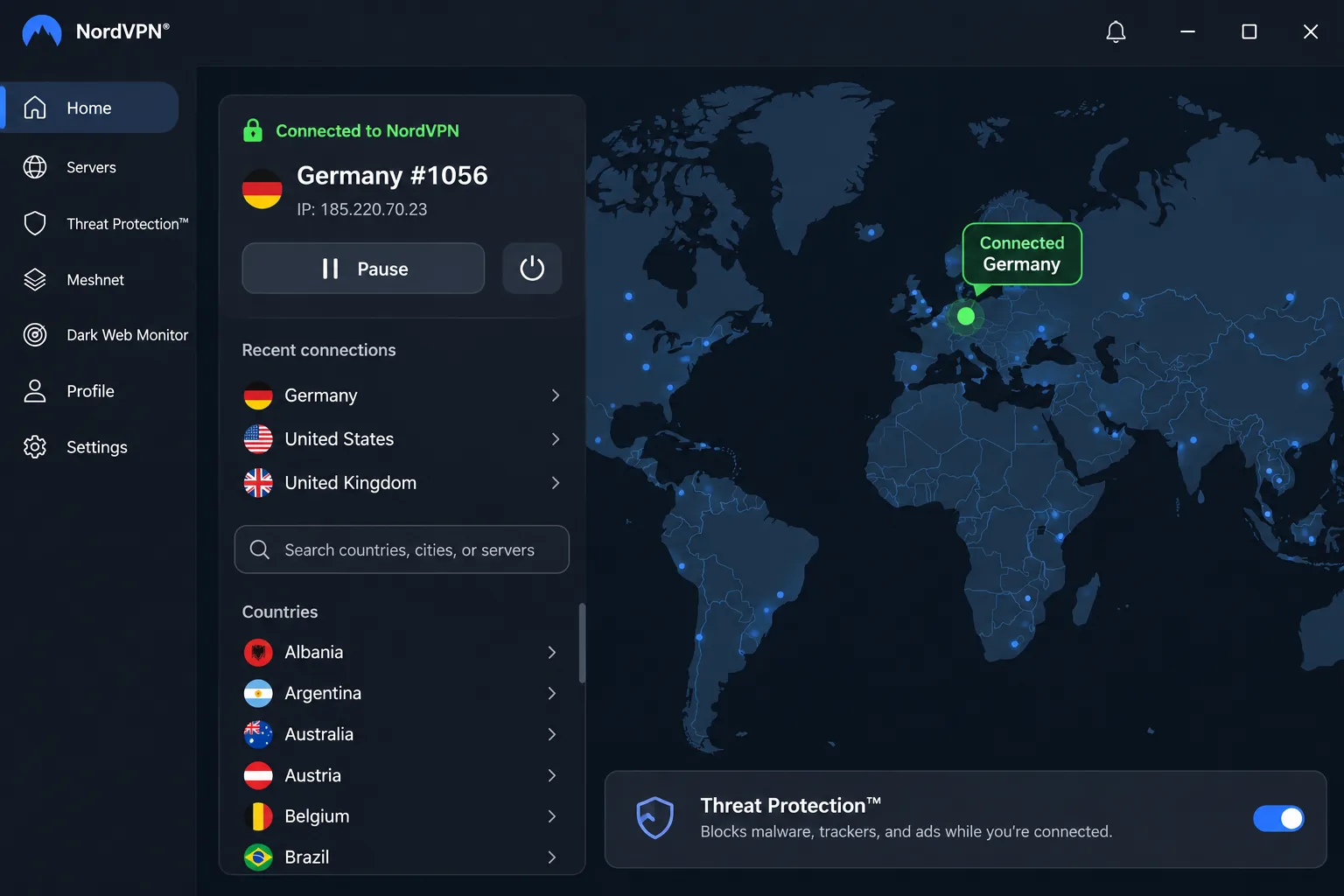
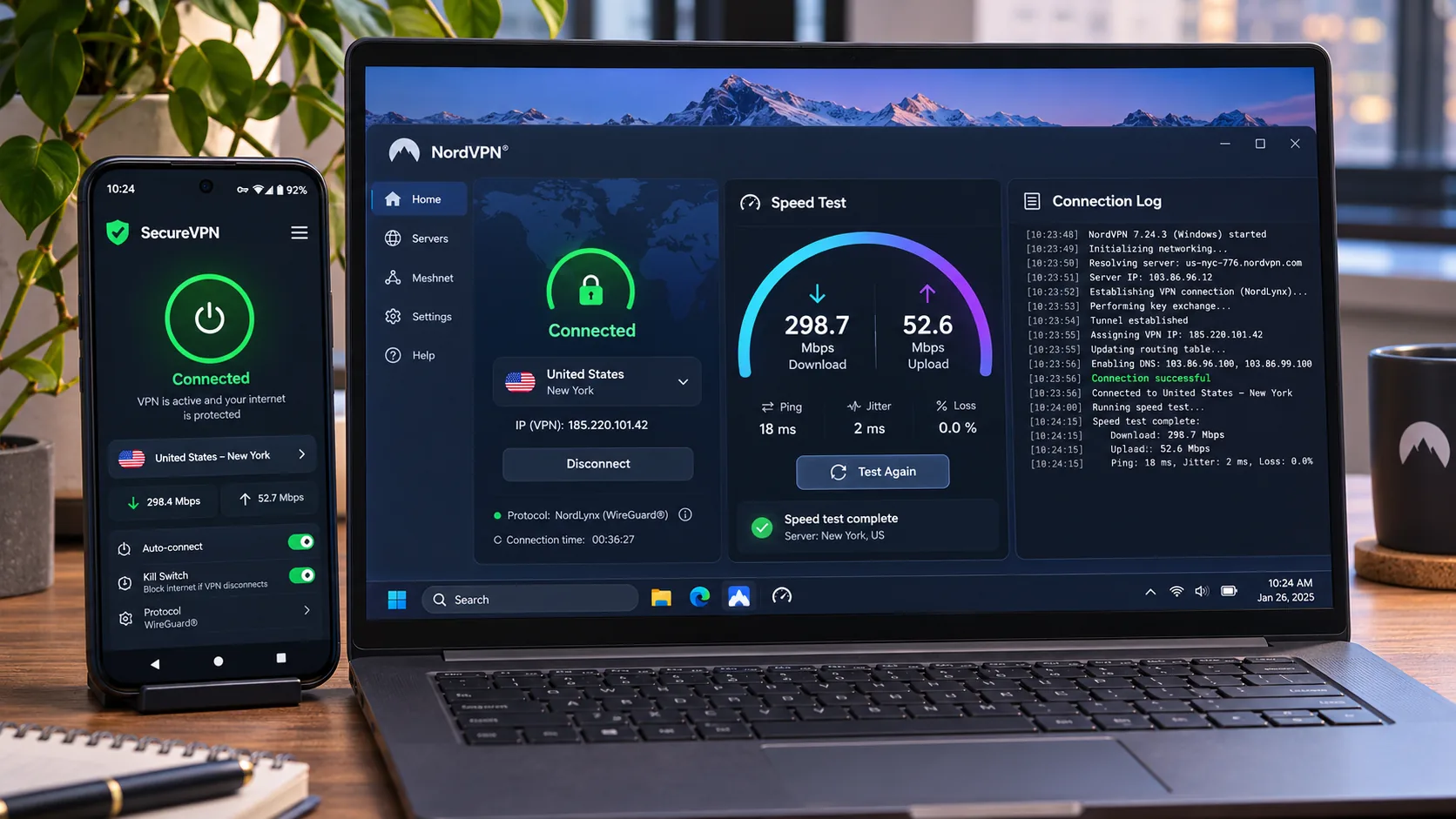
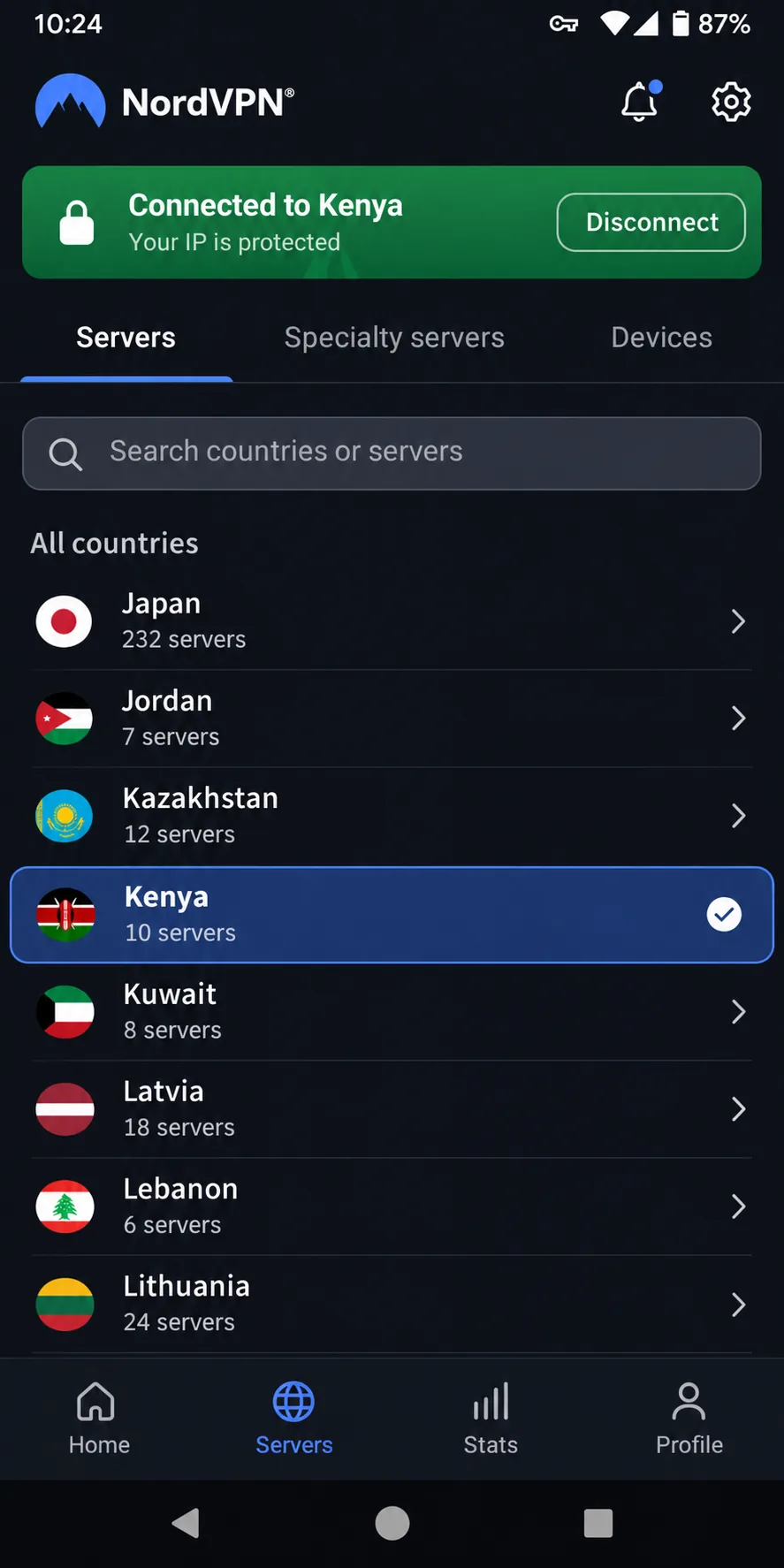
NordVPN was the provider we kept returning to. Its apps are clean and efficient, and its connection speeds stayed consistently strong across our sessions. African-server performance stayed consistent across different times of day, which matters on a network where evening congestion can slow everything down. Streaming access was reliable, so media and social platforms that sit behind regional blocks opened without much coaxing.
The mobile interface can feel cramped on a small screen. Features also vary by platform, making it harder to move from a phone to a laptop. Under the hood you get NordLynx, NordWhisper and OpenVPN connection options, plus a kill switch, split tunneling, Double VPN, private DNS and SmartPlay. Security bundles add antivirus, password management and cloud storage depending on the plan you choose.
NordVPN displayed its Basic plan at the equivalent of EUR 3.49 a month, with EUR 94.23 charged upfront for 27 months and renewal at EUR 139.08 a year. Taxes may apply, and the introductory figure is not a monthly payment. One subscription covers 10 simultaneous devices, and the 30-day money-back guarantee applies to eligible initial payments (renewals are excluded).
Pros
- Strong, consistent speeds, including on African servers at different times of day
- Kill switch, split tunneling, Double VPN and private DNS
- 10 devices per subscription and a 30-day refund window
Cons
- No verified Ugandan IP; Kenya is the closest listed location
- Cramped mobile interface and uneven feature support across platforms
- Renewal price is far above the introductory rate
2. Surfshark
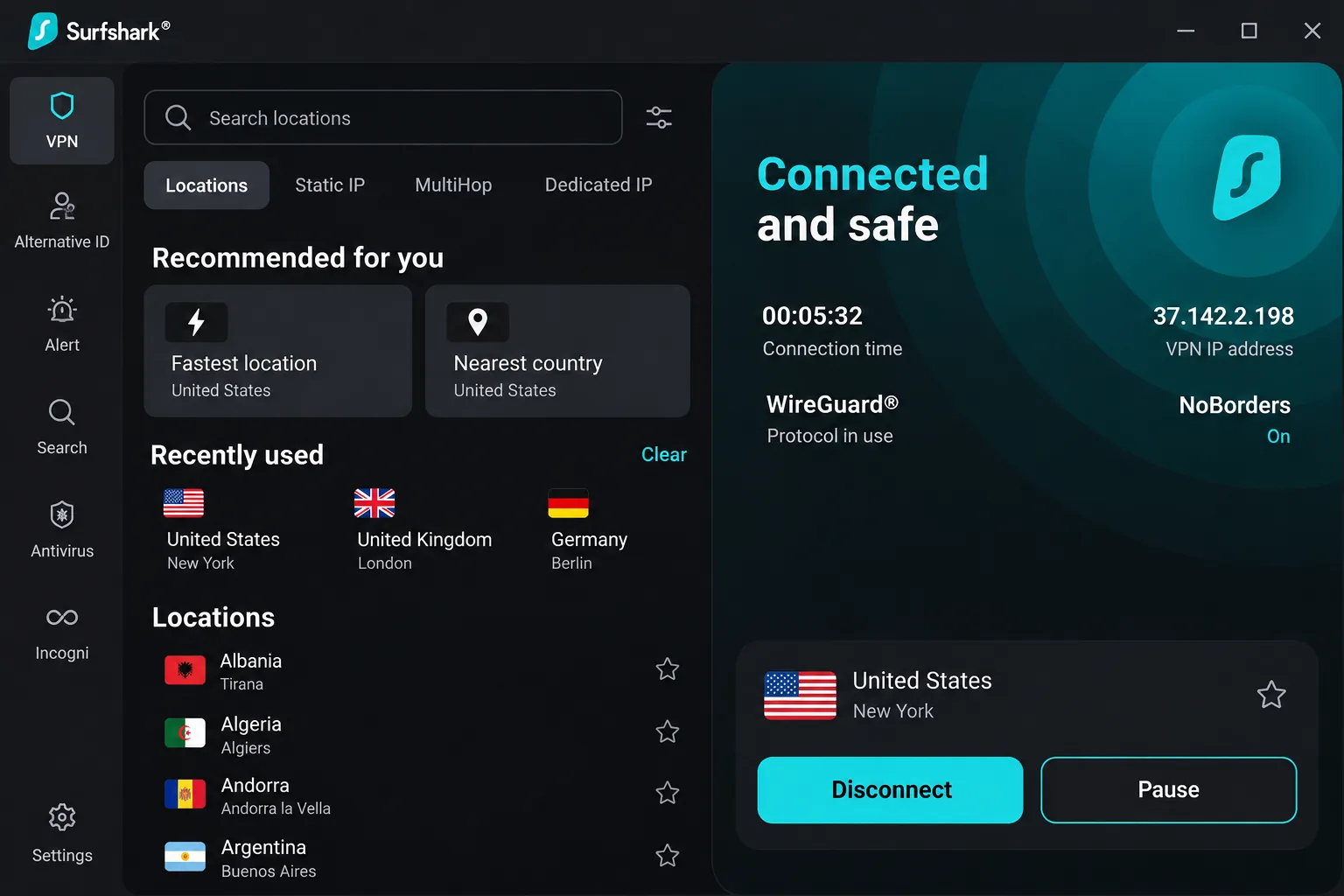
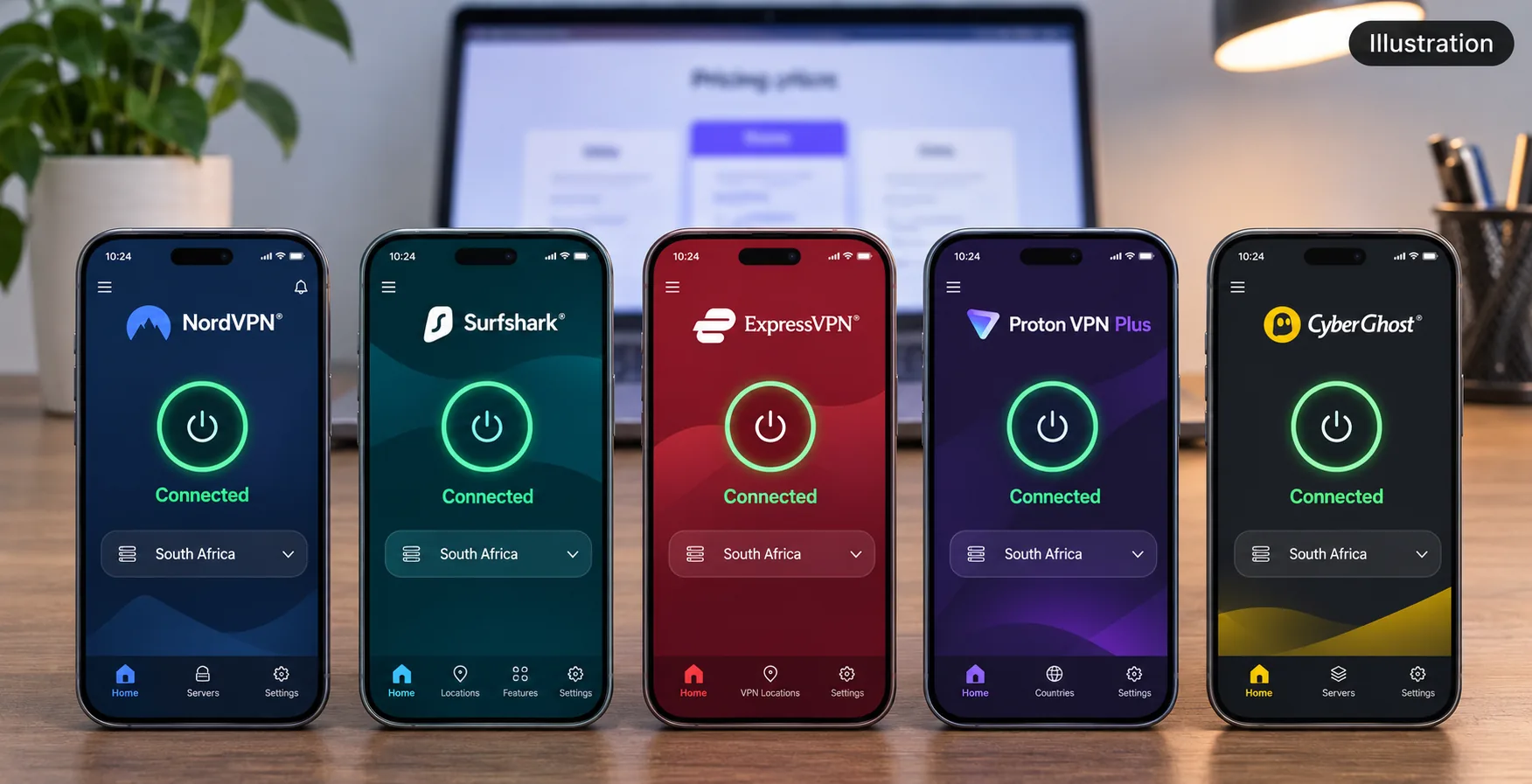
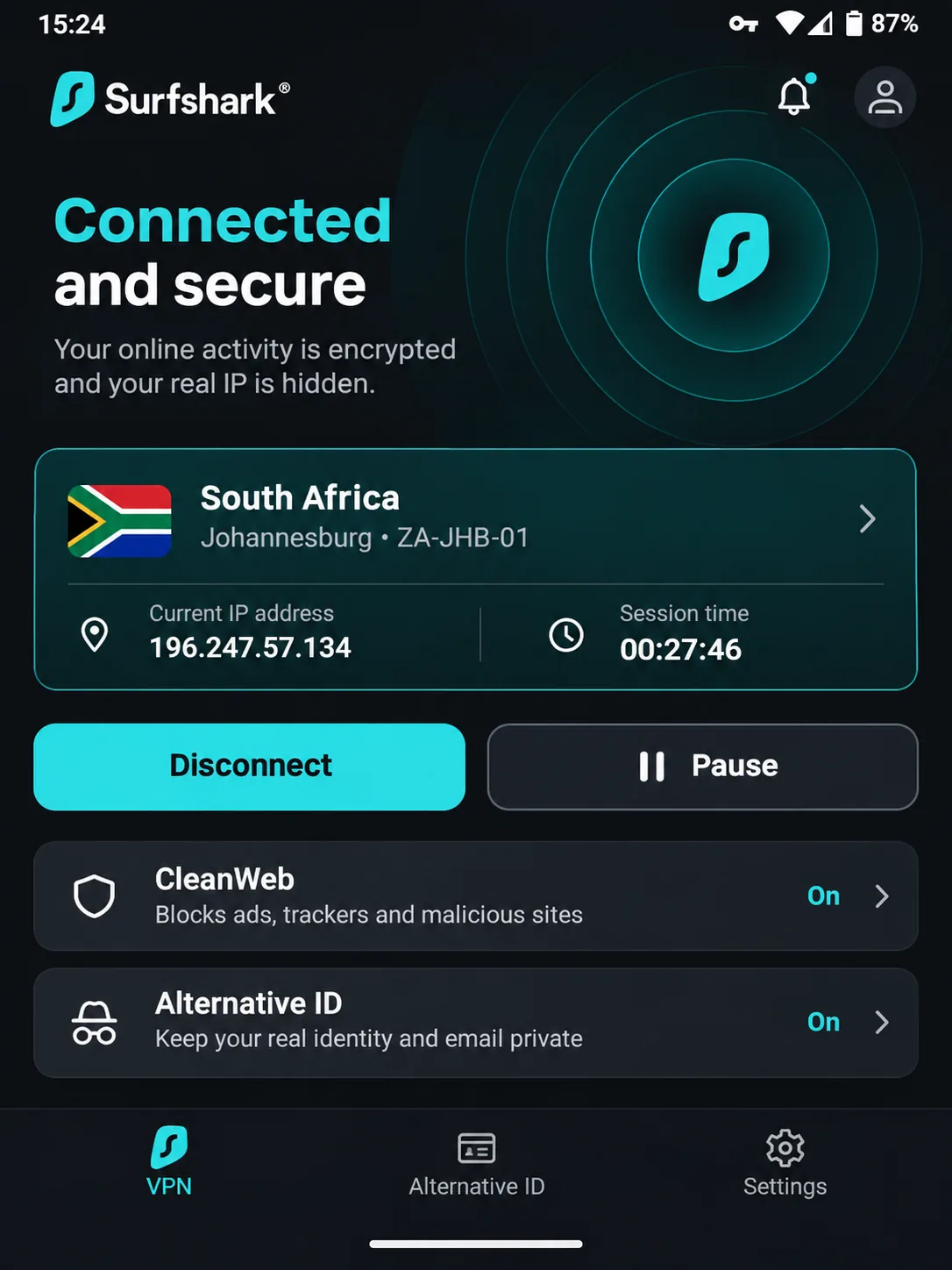
Where NordVPN wins on polish, Surfshark is the pick for households with a lot of devices. Paid plans allow unlimited simultaneous personal-use connections across Windows, macOS, Linux, Android, iOS, TV and routers, so one subscription can cover every phone in a family. The connection overview makes your current IP address and session length easy to check, saving a little time when you confirm that the tunnel actually works.
For Uganda, the location to know is South Africa. Our South African connections gave stable performance across repeated tests. As with NordVPN, the regional server does not provide a Ugandan IP, and we could not verify a Uganda option.
Streaming is mixed. Some Netflix libraries opened without changing servers, while others needed a server change, and some Amazon destinations failed to open. The one that caught us out was CleanWeb, the built-in ad, tracker and malicious-site filter. Playback on an ad-funded streaming site stalled with it switched on. We turned CleanWeb off in the settings and reloaded the page, which restored playback. The NoBorders feature, which selects settings suited to restricted networks, and Bypasser split tunneling are the two extras most relevant if you hit blocks.
Surfshark displayed its Starter plan at the equivalent of EUR 2.49 a month, or EUR 67.23 for the first 27 months, possibly plus VAT. We could not confirm the renewal amount, so check it at checkout. A 30-day money-back guarantee is advertised on the plan page, and new users can start a 7-day trial on eligible annual or two-year plans through the website. The trial is limited to three devices and converts to a paid subscription, so it is a trial and not a free plan.
Pros
- Unlimited simultaneous devices on paid plans
- NoBorders and Bypasser split tunneling for restricted networks
- Unlimited devices at a low introductory price
Cons
- No verified Ugandan IP; South Africa is the nearest listed destination
- CleanWeb can interfere with some streaming until you turn it off
- Renewal price not shown on the plan page
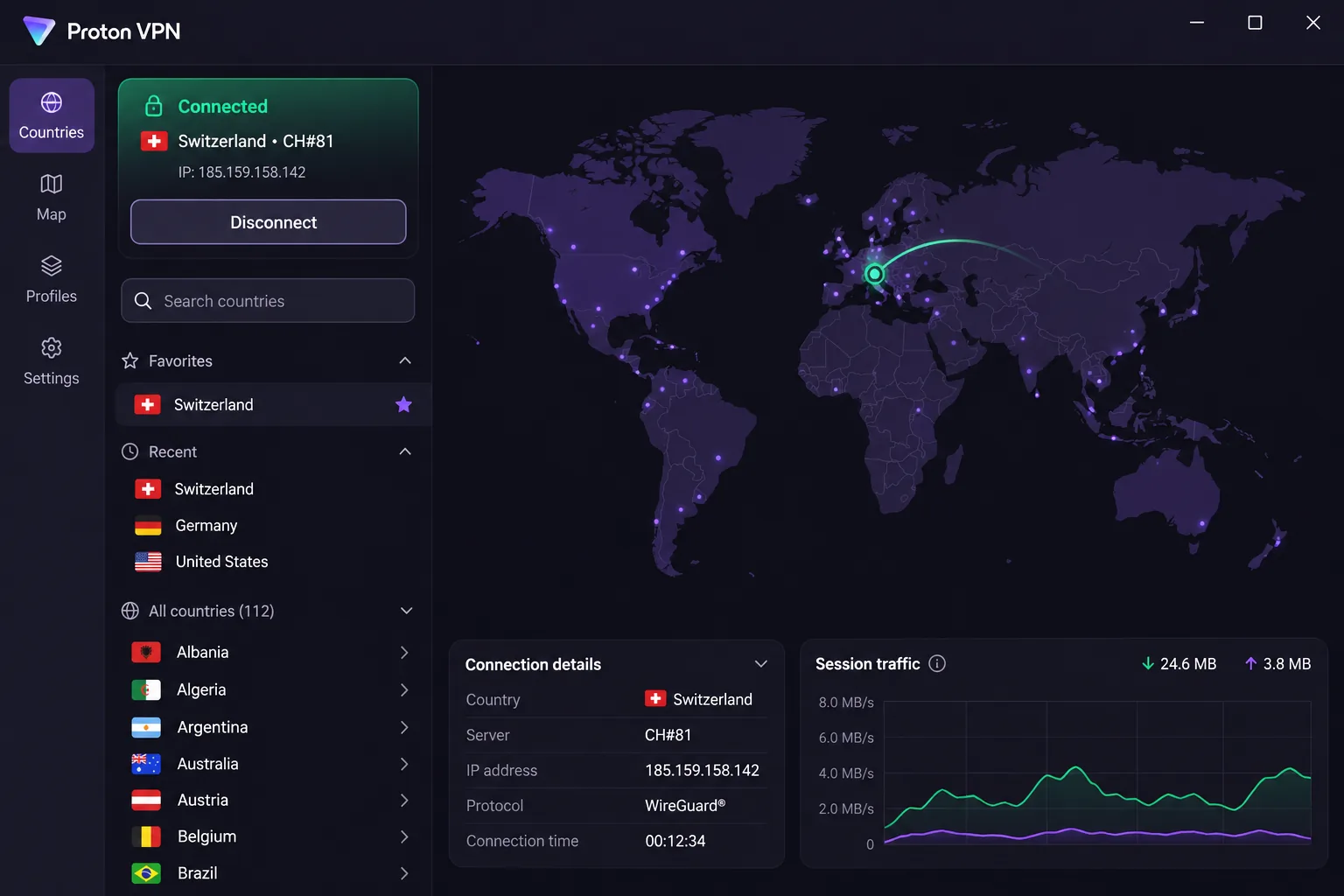
3. Proton VPN
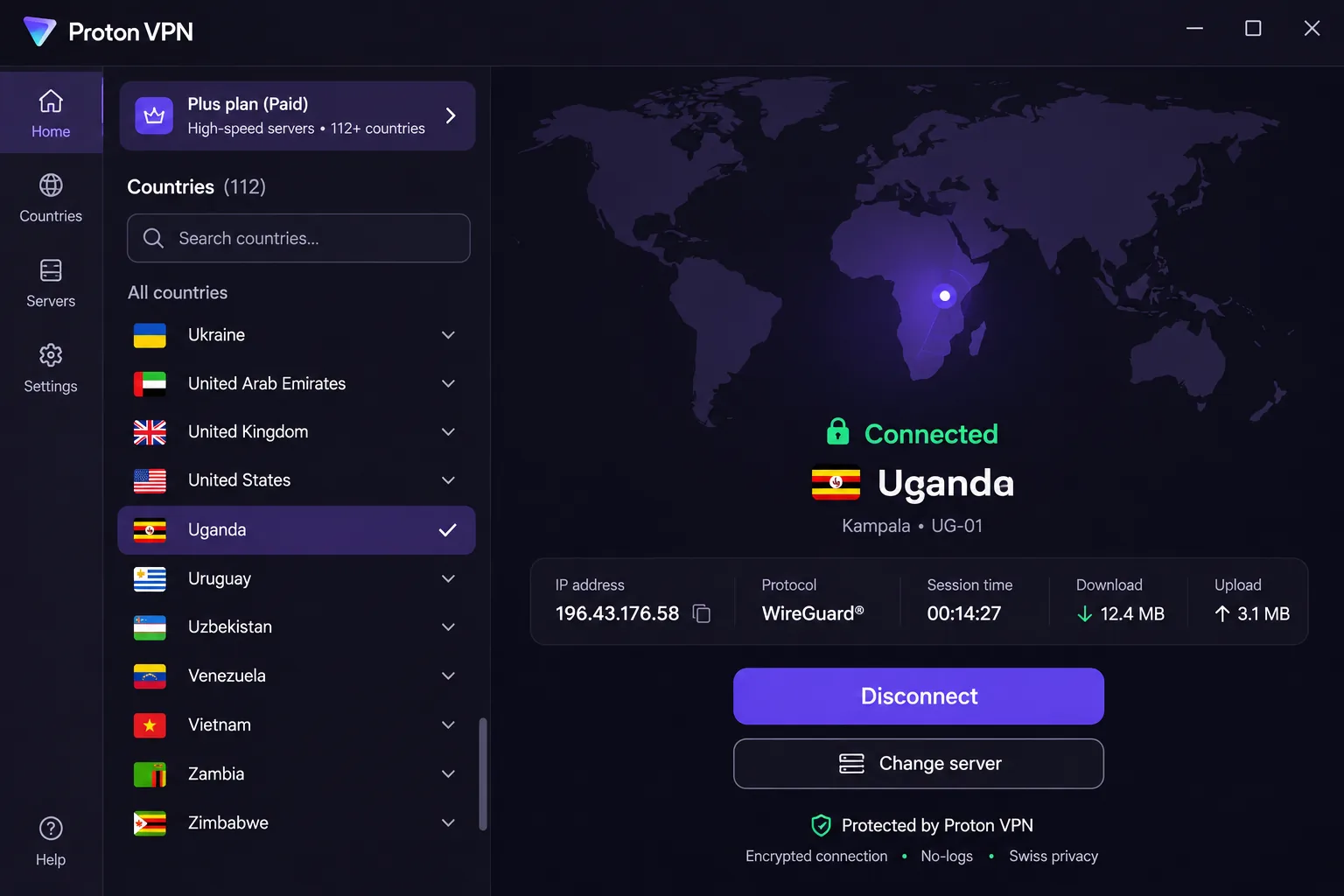
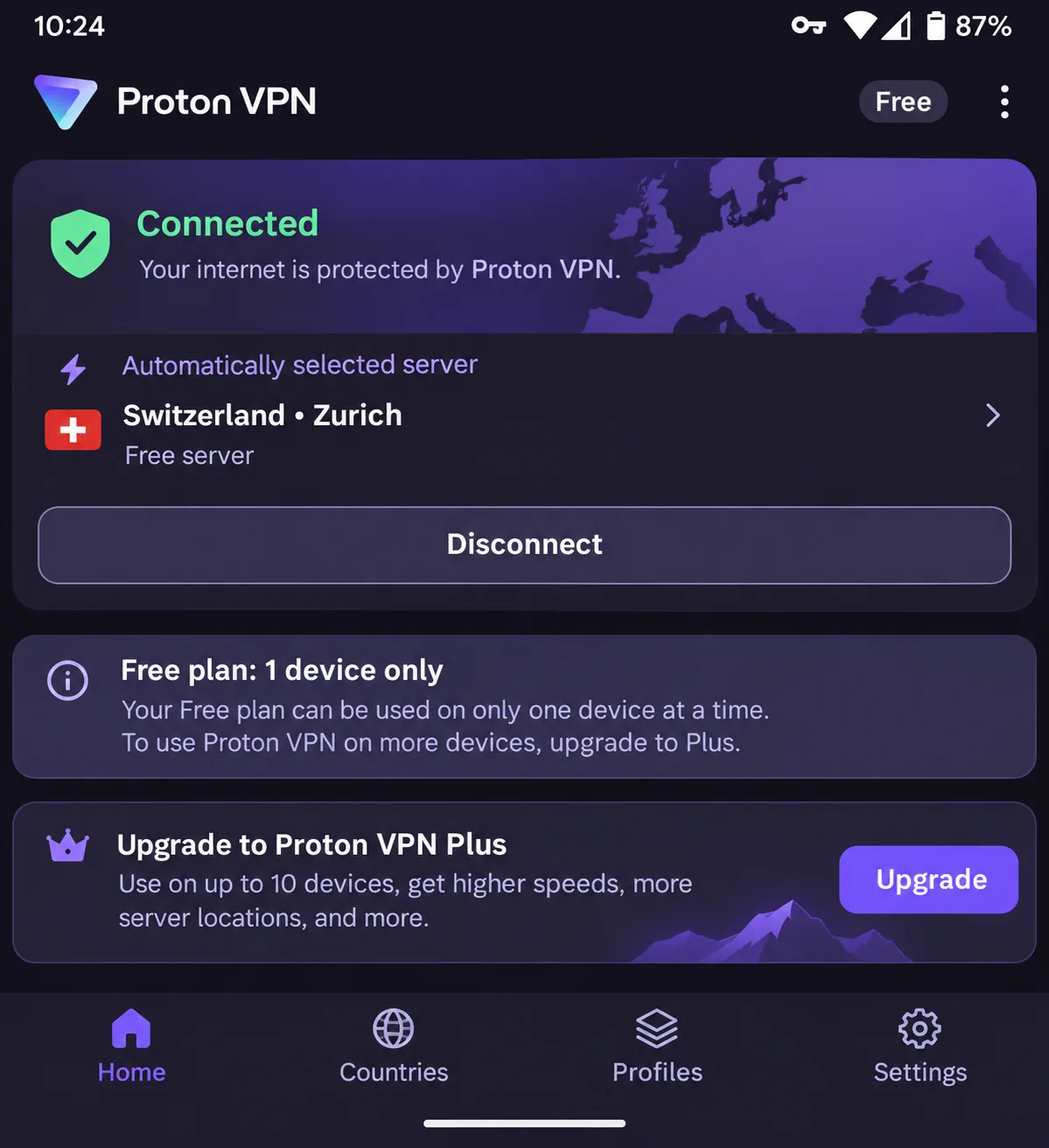
Unlike the first two, Proton VPN is the best answer to the question most Ugandan searchers actually ask: can I get a Ugandan IP and use a free plan? Paid plans provide Ugandan IP addresses through the Uganda country selection. Uganda is not a free-plan destination, so you cannot reach it without paying.
The free plan itself is genuine. It costs $0.00 a month, asks for no credit card, and has no data cap or artificial speed cap. The plan limits you to 1 device at a time and chooses your server automatically. We found that automatic selection frustrating when you want a particular country, and major streaming services can remain inaccessible on it. Paid VPN Plus protects 10 devices.
The app's main screen groups quick connect, server selection and key settings together. The mobile layout makes location selection more prominent than the desktop map does. OpenVPN performs slowly, so stay on WireGuard where you can. NetShield filtering can also cause streaming problems. The apps are open source and audited, with a no-logs policy, Secure Core, a kill switch, split tunneling and Stealth. Stealth works on Windows, macOS, Android and iOS but not on Linux or routers, and split tunneling is absent on iOS.
VPN Plus was listed at the equivalent of USD 3.49 a month, or USD 83.76 for 24 months, then USD 83.88 every 12 months. Paid plans advertise a 30-day money-back guarantee. Prices can change with promotions and checkout currency.
Pros
- Verified Ugandan IP addresses on paid plans
- A real free plan with no data cap and no credit card
- Open-source, audited apps with Secure Core and Stealth
Cons
- Free plan covers one device and picks the server for you
- OpenVPN is slow and NetShield can disrupt streaming
- Stealth and split tunneling are not available on every platform
4. CyberGhost
Where Proton VPN wins on location, CyberGhost is the easiest service on this list to understand if you are new to VPNs. Its streaming labels help you pick a suitable server, and favorites make it simple to return to an African destination. Desktop navigation is clear and readable, though the mobile apps offer fewer controls. That limitation matters because most Ugandan users will connect from a phone. It lists a Kenya and Nairobi destination, and we could not verify a Ugandan IP.
It has the best refund terms here: a 45-day money-back guarantee on six-month and longer plans, and 14 days on the monthly plan. It also has the most generous trials, although they come with conditions. There is a 24-hour Windows and macOS trial without payment details. Mobile trials last 3 days on Android and 7 days on iOS. They require a payment method, and you must cancel in time to avoid a charge.
Two rough edges stood out. A subscription covers 7 simultaneous connections, and adding a replacement device can require unlinking an old one from your account first. The automatic kill switch also lacks customization for advanced users. CyberGhost displayed USD 2.19 a month and USD 61.32 for the introductory term, with the same figure on annual renewal. The checkout showed conflicting promotional term labels, so confirm the initial length before you pay. The free Chrome and Firefox extensions are proxies that cover browser traffic only, not the whole device.
Pros
- 45-day refund on longer plans and a short trial on every major platform
- Streaming labels and favorites make server choice easy
- Clear desktop apps with a no-logs policy and split tunneling
Cons
- Mobile apps offer fewer controls
- Seven connections, and replacing a device means unlinking an old one
- Kill switch has little customization
5. ExpressVPN
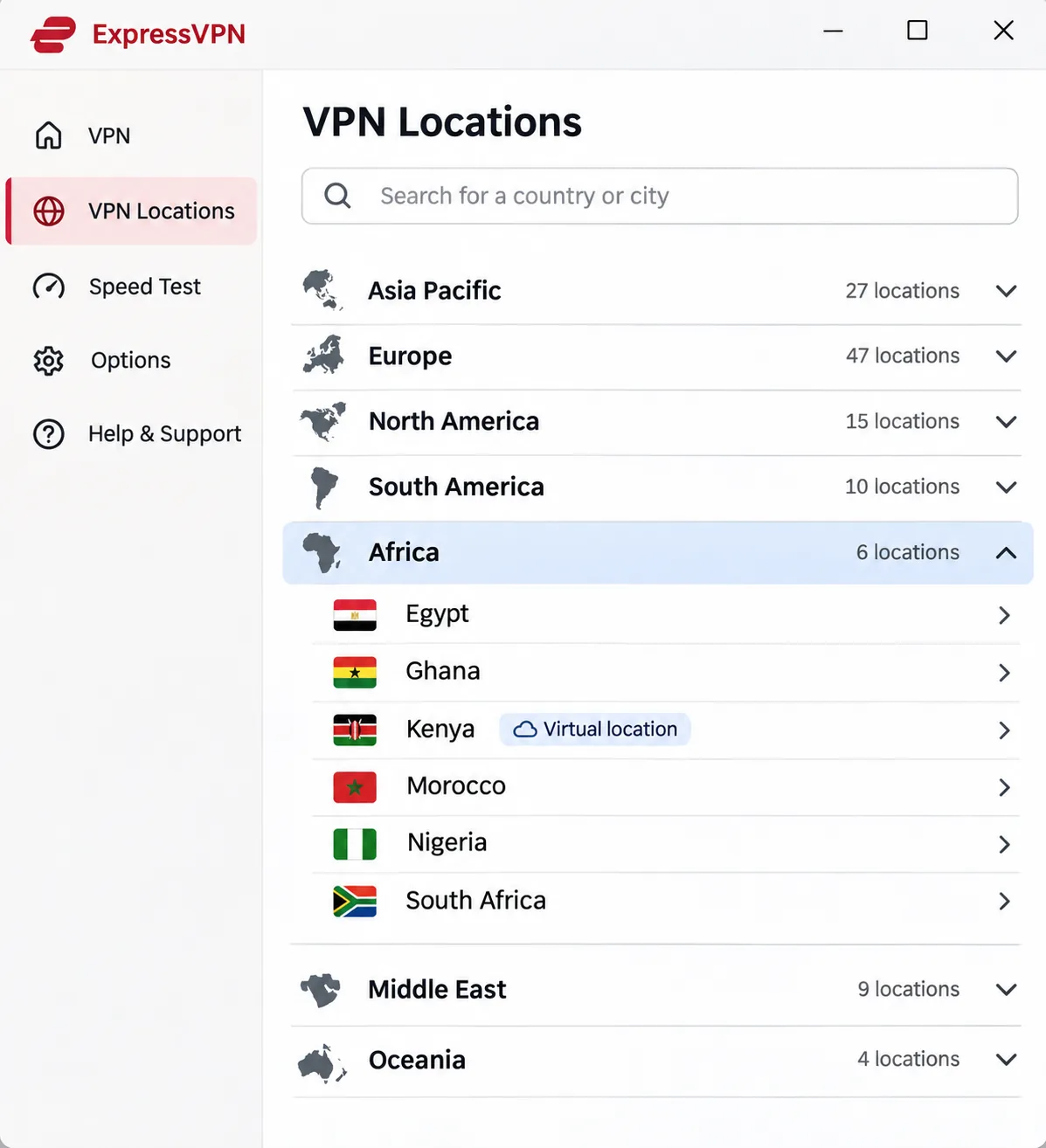
ExpressVPN trades extras for simplicity, and it earns a place for ease of use and support. Installation is straightforward across major platforms. On a laptop, though, we were asked to restart before first use, so do that before you rely on it for anything urgent. Grouping servers by continent makes African destinations easier to locate, and connection speeds varied little across repeated tests. Live chat supplies prompt, specific troubleshooting advice, which is valuable when you are stuck on a flaky connection. Support guides use clear screenshots and simple steps, though the longer pages can be awkward to navigate.
It sits last because it costs the most to renew and offers the fewest extras for Uganda. Kenya is labeled a virtual location, so it is not a physical server in the country, and we could not verify a Ugandan IP. The apps cover Windows, macOS, Linux, Android and iOS, with selected routers supported through manual setup, and the server table lists Lightway and OpenVPN options. Android 7 or newer is supported.
ExpressVPN displayed its Basic plan at USD 2.99 a month equivalent, USD 83.72 for the first 28 months, then USD 99.95 a year. Device limits depend on the tier: Basic allows 10, Advanced 12 and Pro 14. Advanced Protection blocks ads, trackers, malicious sites and adult sites. Basic and Advanced plans offer a dedicated IP as an add-on. New users get a 30-day money-back guarantee.
Pros
- Easy installation and fast live-chat help
- Continent grouping makes African servers simple to find
- Consistent speeds across repeated tests
Cons
- Kenya is a virtual location and no Ugandan IP is verified
- Device allowance rises only on pricier tiers
- Renewal costs more than most rivals here
Why use a VPN in Uganda?
A VPN does three jobs well. It encrypts traffic between your device and the VPN server, it hides your real IP address from the sites you visit, and it can make your traffic appear to come from another country. Whether that is useful depends on what you worry about.
Website restrictions, public Wi-Fi, and privacy
The first reason is access. Freedom House scored Uganda 52/100 and Partly Free in Freedom House's 2025 Uganda internet-freedom report, which covers June 2024 through May 2025. Social media and messaging platforms have been blocked in Uganda before, and a VPN is the standard tool for reaching blocked content when the network is still running. Our reasoning is simple: if a site is blocked at the network level and the internet is up, an encrypted tunnel to a server in another country can often get you through.
The second reason is public Wi-Fi. Cafes, hotels, campuses and co-working spaces often run open networks where other users on the same network can watch unencrypted traffic. A VPN encrypts it, so a stranger on the same Wi-Fi sees scrambled data instead of your logins. The third reason is privacy from your own provider: a VPN stops your internet provider from seeing which sites you visit. The VPN company can see that traffic instead, so a credible no-logs policy and independent audits matter.
A VPN is also useful for streaming and media from services that restrict content by country, though no provider can guarantee access. We found that streaming behaves differently from service to service and even from server to server.
What a VPN cannot do during an internet shutdown
A VPN needs a working internet connection to build its tunnel. When a network is shut down completely, it cannot bring you back online. Uganda's regulator issued its full internet-restoration notice on 26 January 2026, after a period of disruption. Events like this show why you should prepare offline plans and alternative ways to communicate before you need them.
Circumvention tools address blocked access, not a dead network. If you work in a role where an outage is a safety issue, a VPN is one layer, not the whole plan. Download your VPN app and sign in while connectivity is normal, because app stores and login pages may not load later.
The legal question needs care. We did not find a current primary legal text that establishes an unrestricted right to consumer VPN use in Uganda, and we did not find one that bans it either. Digital-rights groups have documented regulator warnings about bypassing blocked platforms. Read the Is it legal question in the FAQ below, and consider local advice if your use case is sensitive.
How to set up and use a VPN in Uganda
Setup takes a few minutes on a phone and the same steps apply to every service here. Subscribe on the vendor's website, then install the official app from the Google Play Store, the Apple App Store or the vendor's own download page.
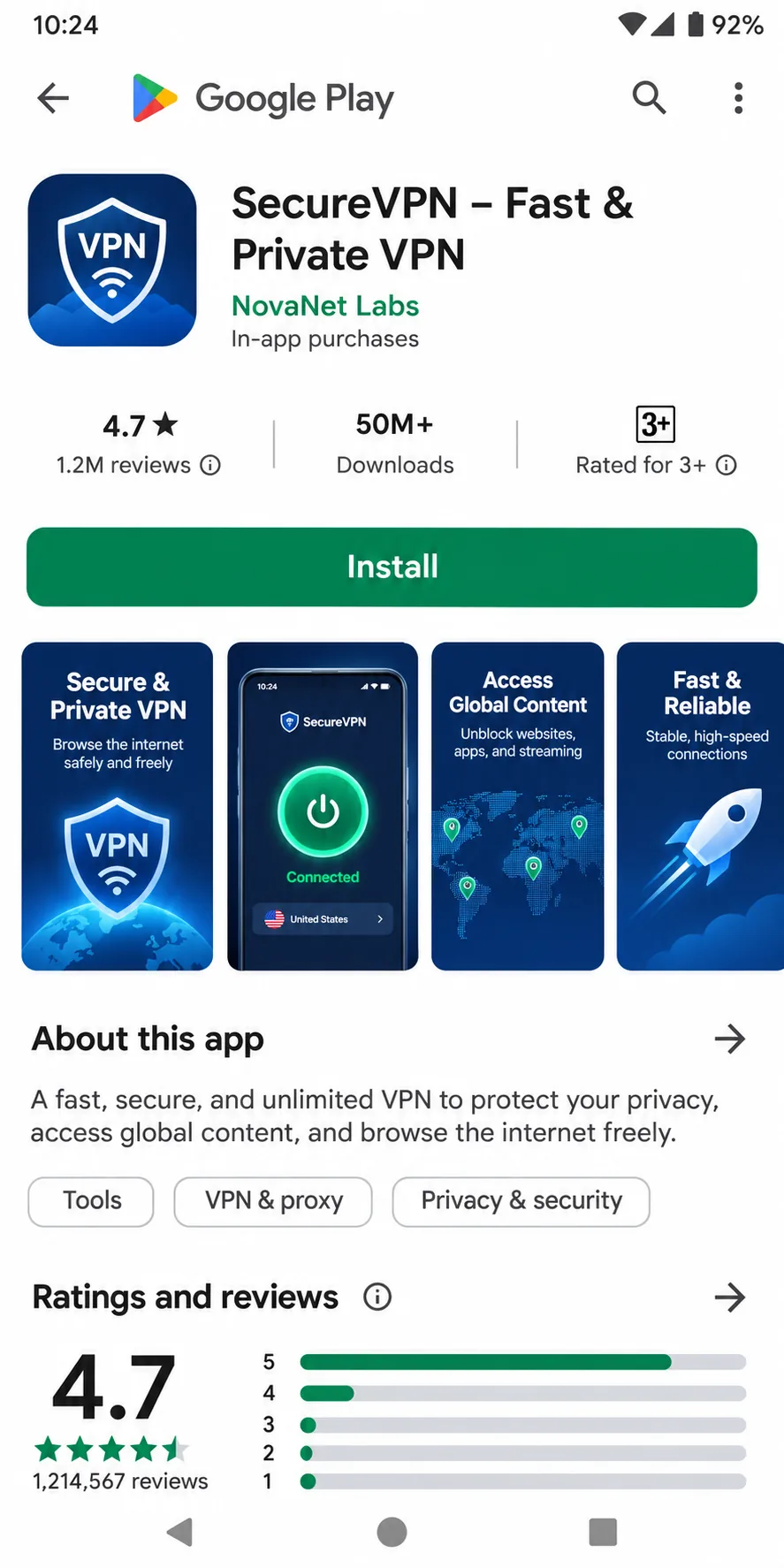
Install the app and configure connection protection
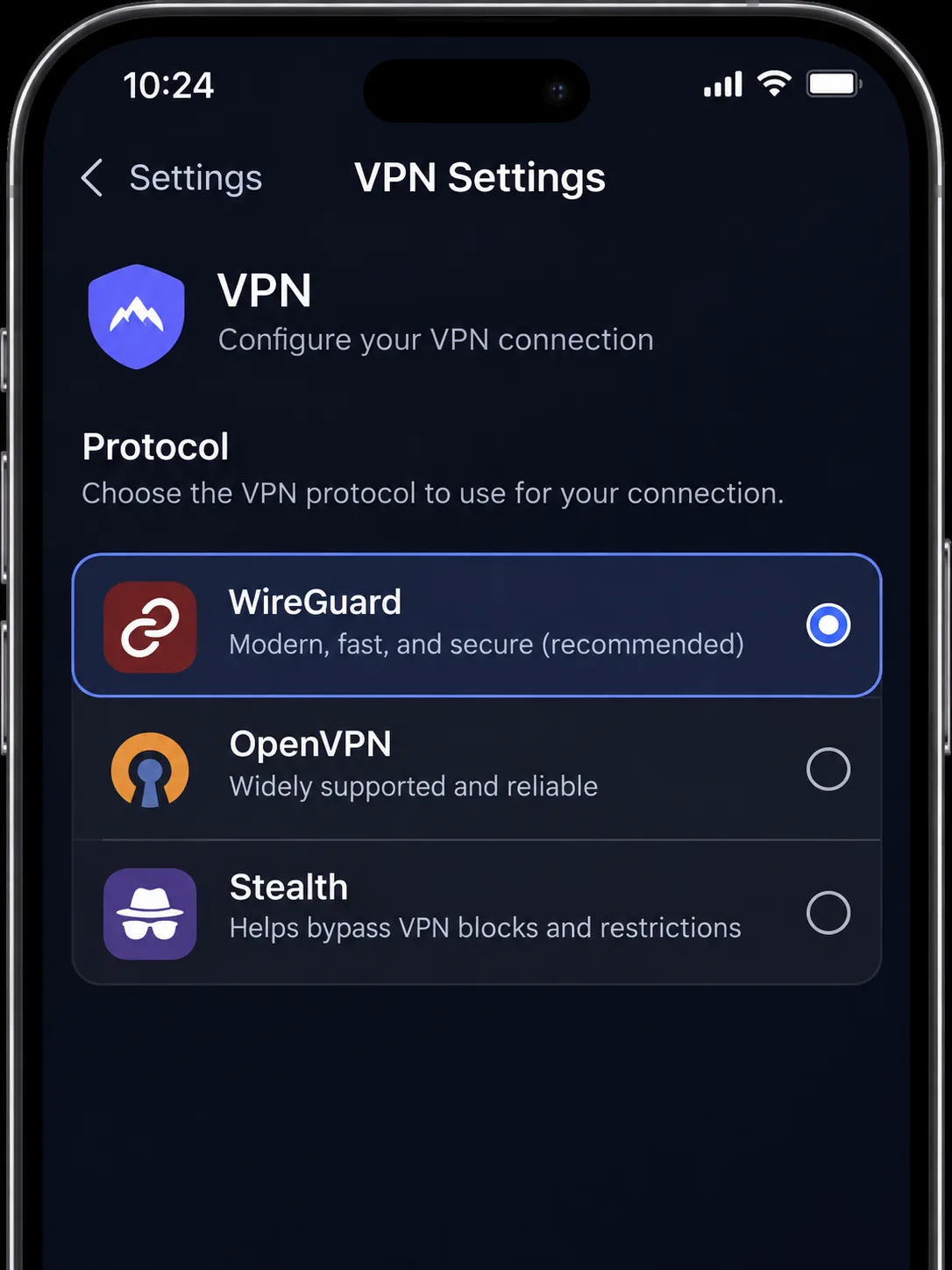
Open the app, sign in, and accept the VPN permission request your phone shows. Android and iOS both ask before an app can set up a VPN profile, and you need to say yes. Then open Settings and turn on the kill switch to block internet traffic if the tunnel drops. Enable any auto-connect option so the VPN starts on untrusted Wi-Fi. If your service offers a protocol choice, open Settings, then Protocol, and pick WireGuard or NordLynx for speed.
Check your phone's version first. NordVPN's current app needs Android 9 or newer, with a separate sideloaded app for Android 7 and 8, and the iPhone app needs iOS 17.0 or later. ExpressVPN supports Android 7 or newer. CyberGhost needs Android 7.0 or newer and iOS 15.0 or later. Proton VPN needs iOS 17+ to keep receiving updates, and its Android support is tied to Google-supported versions even though its download page advertises older ones. We could not confirm Surfshark's exact minimums, so check the app-store listing.
Choose a server and check your connection
Tap quick connect for the fastest nearby server, or pick a country. For access to a blocked site, choose a nearby country such as Kenya or South Africa for lower latency, and use a European server only if the nearby ones fail. A nearby server is not the same as a Ugandan IP. If you want a Ugandan IP address for a local banking site or a service that expects a domestic visitor, use a paid Proton VPN plan and select Uganda.
To confirm the tunnel works, open a what-is-my-IP site before and after connecting. The address and country should change. Surfshark's connection overview shows the current IP and session length in the app itself, and that makes the check easier. Run a DNS leak test too if privacy is the goal.
Do not choose the farthest server by default. Distance adds latency, which hurts video calls and browsing on mobile data. Start close, then move only if the content you want is blocked.
What to try if your VPN will not connect
Work through these steps in order.
- Check the plain connection first. Turn the VPN off and confirm that a normal page loads. A VPN needs an existing internet connection, and it does not remove data charges or provide free data.
- Switch the protocol. In app settings, try another option such as WireGuard, OpenVPN, or Stealth where it is offered. Support differs by platform.
- Try another server or country. A crowded server can fail while its neighbor works.
- Look for conflicts. On Android, another app set as an always-on VPN can prevent your VPN from connecting. You also need to grant Proton VPN network permission.
- Restart the app, then the device. On a laptop, we found ExpressVPN may need a restart before first use.
- Contact support. Live chat is the quickest route with ExpressVPN and CyberGhost.
Should you use a free VPN in Uganda?
A free VPN is fine for light, occasional protection on public Wi-Fi. It is a poor choice when you rely on a specific country or consistent speed. Of the five services here, only Proton VPN offers an ongoing free plan that protects a full device, and it has the clear limits described above: one device, an automatically chosen server and no Uganda option.
Free plans versus paid subscriptions and refund offers
These three things get mixed up in search results, so here is how they differ.
- A free plan costs nothing and does not expire. Proton VPN is the example, at $0.00 a month with no credit card.
- A trial is a short free window that converts to a paid subscription unless you cancel. Surfshark offers 7 days on eligible plans through its website, and CyberGhost offers 24 hours on desktop, 3 days on Android and 7 days on iOS.
- A money-back guarantee means you pay first and ask for a refund later. NordVPN, Surfshark, ExpressVPN and Proton VPN advertise 30 days, and CyberGhost gives 45 days on long plans.
Cancelling a renewal and requesting a refund are separate actions, so do both. Mobile trials are cancelled through the app store, not the vendor's site. Be wary of unknown free apps with no company behind them, because a service that does not charge you may earn money from your data. If you only need a VPN occasionally, Proton VPN's free plan is the safest start. If you need a Ugandan IP, streaming or several devices, a paid plan with a refund guarantee is the lower-risk way to test.
Which Uganda VPN should you choose?
The verdict box below carries our top pick. For the other four, choose Surfshark if you have many devices and want unlimited connections at a low introductory price. Choose Proton VPN if you need a Ugandan IP address or a free plan with no data cap. Choose CyberGhost if refund length and easy server labels matter most, and choose ExpressVPN if you value live chat and a simple install.