If you are traveling to or living in Turkmenistan, a VPN that works on an ordinary home connection may stall on a heavily filtered network. Apps hang on "Connecting", servers time out, and some connections show as active while no pages load. This guide helps you pick a VPN with the features that matter on restrictive networks and configure it before you rely on it.
We compare NordVPN, Surfshark and ExpressVPN on obfuscation, privacy controls, app support and refund terms. One limitation needs explaining first. We found no recent, dated, reproducible connection tests from inside Turkmenistan for any of the three, so none of them comes with a promise of access.
Best VPNs for Turkmenistan at a glance
We ordered this shortlist by editorial judgment, not local test results. Each provider offers obfuscation tools and a 30-day refund window on a first purchase, and that refund is the cheapest way to try one before committing.
| Product | Buy | Platform | Price | Key spec |
|---|---|---|---|---|
 | Windows, macOS, Android, iOS, Linux | From $3.49/moequivalent (27-month plan) | NordWhisper and Obfuscated servers; 10 devices | |
 | Windows, macOS, Android, iOS, Linux | From $2.49/moequivalent (27-month plan) | NoBorders and Camouflage; unlimited devices | |
 | Windows, macOS, Android, iOS, Linux | From $2.99/moequivalent (28-month plan) | Automatic obfuscation; 10 devices on Basic |
Prices are introductory monthly equivalents of prepaid plans and change often. Renewal rates are higher, so check the checkout page before you pay.
1. NordVPN
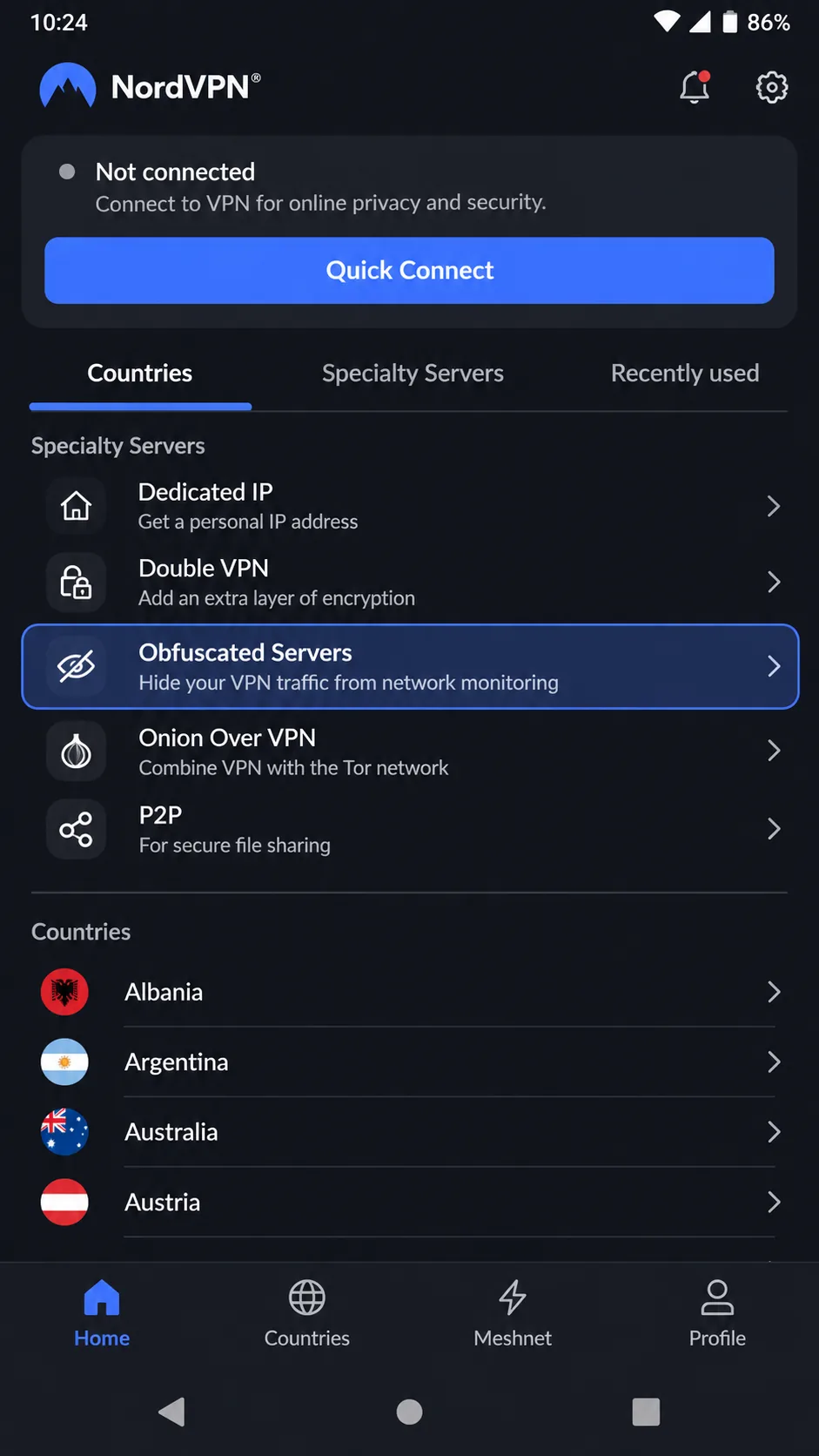
NordVPN is our first pick because its support documentation speaks directly to restricted countries. Its troubleshooting guide for countries with internet restrictions gives a clear order to follow: start with NordWhisper, then try Obfuscated servers, then fall back to OpenVPN TCP. The guide lists the symptoms we described above, including stuck connections, timeouts and a connected state with no internet. Manual connection alternatives are documented as well.
Features relevant to restrictive networks
NordVPN's current support pages describe a move from OpenVPN to NordWhisper for Obfuscated Servers. On Windows, macOS, Android and iOS, the category sits under Specialty Servers. Linux supports NordWhisper through both the graphical app and the command line. You also get a kill switch, split tunneling, private DNS and Double VPN, and one subscription covers up to 10 devices.
The documentation is not fully consistent. Some older instructions, and some reviews, still say obfuscated servers need OpenVPN, so the app version you install matters. We would check the specialty list in your own app instead of following an older guide.
We liked the Windows and Mac setup wizards, which are straightforward. The extra security panels demand more exploration than an app with just a connect button. On Windows, the kill switch and auto-connect are easy to find. The mobile app can feel crowded, and Disconnect sits beneath Pause, which adds a needless tap when you want to switch off.
Speed results are mixed. OpenVPN throughput looked modest in one review environment and strong and consistent in another. The two environments differ in routes and conditions, and neither tells you anything about Turkmenistan.
Pros
- Documented troubleshooting order for countries with internet restrictions
- Obfuscation available on desktop, mobile and Linux
- Kill switch, split tunneling and private DNS included
- Up to 10 devices and 24/7 live chat
Cons
- No Turkmenistan server confirmed in the official directory
- Obfuscation instructions differ between app versions
- Renewal costs more than the introductory price
- Crowded mobile interface
2. Surfshark
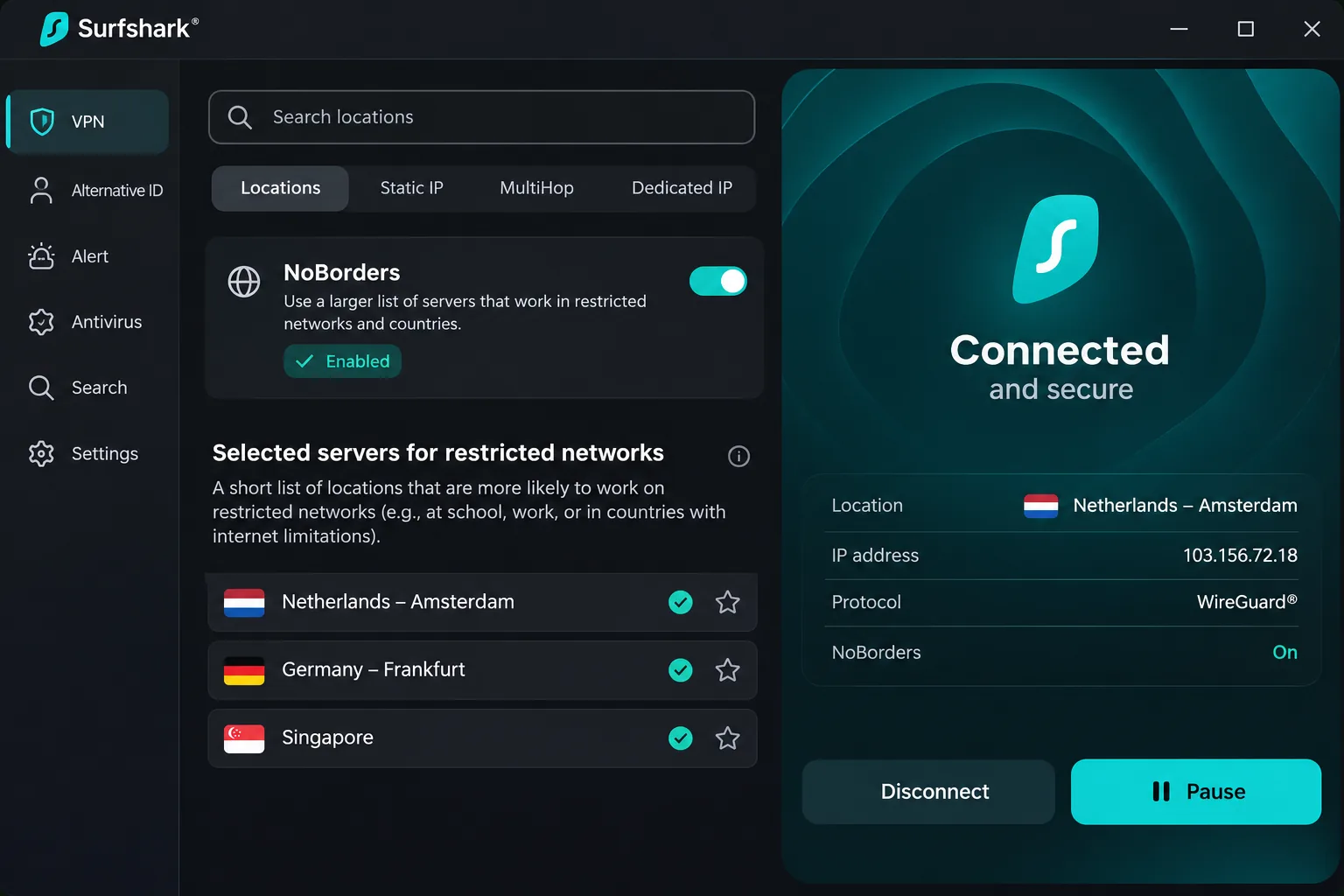
Where NordVPN gives you a step-by-step order, Surfshark leans on automation. Its NoBorders feature detects network restrictions and supplies a selected server list. NoBorders can activate automatically, or you can turn it on manually; the official instructions cover Windows, macOS, Android and iOS.
Features relevant to restrictive networks
Camouflage is Surfshark's obfuscation feature, enabled by default for OpenVPN connections on desktop and mobile. NoBorders is a separate layer that picks servers for restricted networks. Paid plans allow unlimited simultaneous connections, which suits a family or a mix of phones, laptops and a travel router. Dynamic MultiHop, a kill switch and Bypasser split tunneling round out the privacy controls.
One observation is loosely relevant here. Surfshark's OpenVPN mode connected through a restrictive office network where ordinary WireGuard connections failed. That was an office filter, not a national one, so we treat it as a hint about protocol choice and nothing more.
Some friction is worth knowing about. After a forced failure, the app sometimes needed a restart to reconnect, though the kill switch kept protecting the IP address. Ordinary Wi-Fi drops were handled cleanly. The rotating IP can log you out of sites that expect a stable address. CleanWeb can interfere with streaming, and changing its setting requires reconnecting. Turning it off also removes its web-malware filtering. An inactive kill switch is less obvious than an active one, so confirm the state before you browse.
Router setups lack several app features, including Bypasser and CleanWeb. A browser extension protects only browser traffic, and running it alongside the desktop app can interrupt your connection.
Surfshark also offers a 7-day trial on eligible 12 and 24-month website purchases paid through PayPal, Apple Pay or a card. Eligibility depends on payment method and term, so confirm it at checkout. The refund window is separate and runs 30 days from the first website purchase.
Pros
- NoBorders picks servers for restricted networks
- Unlimited simultaneous paid connections
- 24/7 live chat support
- Lowest introductory price of the three
Cons
- No Turkmenistan server confirmed in the official directory
- Restart can be needed after a forced connection failure
- Exact renewal price was not confirmed
- Router setups lose several app features
3. ExpressVPN
ExpressVPN takes the opposite approach to Surfshark's menu of tools: it tries to remove the choice. Its feature page describes automatic obfuscation on every server, activated without user intervention on supported platforms. That suits a traveler who wants one button. It also means you have less to adjust when a connection fails.
Features relevant to restrictive networks
The official page does not publish a protocol-by-platform compatibility table, so we cannot tell you which apps apply obfuscation in every case. Treat "supported platforms" as something to confirm with support before you leave. ExpressVPN also offers Lightway, RAM-only TrustedServer, a no-activity-logs policy, private DNS and leak protection. Bandwidth is unlimited.
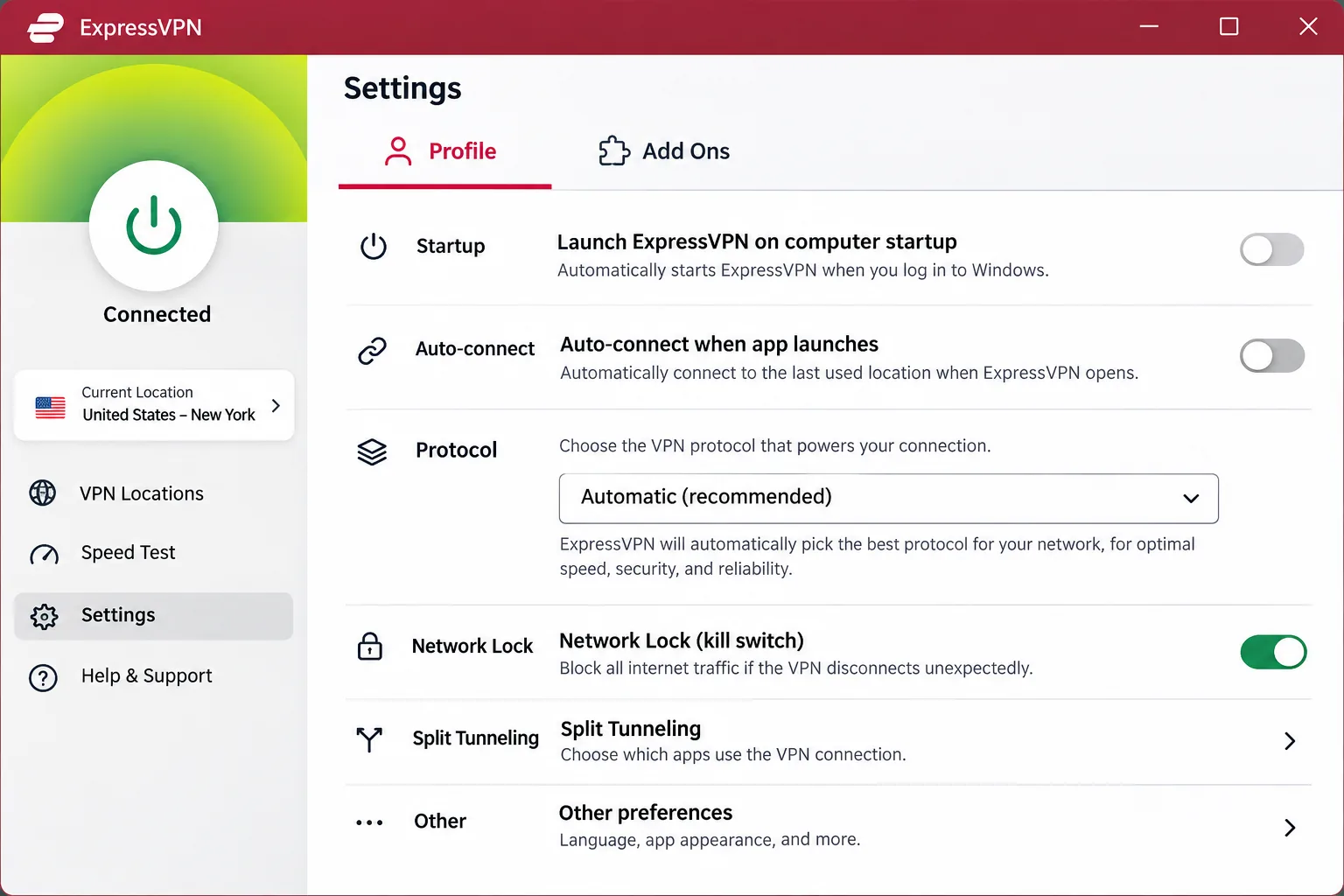
Installation was generally straightforward, though a laptop restart may be needed before the first connection. The redesigned desktop app stays approachable, but controls are split between Profile and Add Ons, so some settings take longer to find. Setup guides are detailed for each platform, and an activation code makes adding devices simple.
The kill switch held up during induced router, Wi-Fi and process failures. Its notifications did not always explain why internet access had stopped, which can alarm someone who is already nervous. A manual server reconnection may also be needed afterward. Speed depends on protocol and platform, with Windows Lightway Turbo fast in review tests and ordinary Lightway less so.
Device limits depend on the tier: 10 on Basic, 12 on Advanced and 14 on Pro. Mobile in-app purchases follow store rules instead of the vendor's refund policy, so buy on the website if you want the guarantee. Previous refund recipients are not eligible.
Pros
- Automatic obfuscation, with nothing to configure
- Detailed platform guides and an activation code for adding devices
- Kill switch blocked traffic in induced failure tests
- RAM-only servers and a no-activity-logs policy
Cons
- No Turkmenistan server confirmed in the official directory
- Obfuscation compatibility by platform is not fully published
- Official iOS minimum versions disagree
- Higher renewal price than the others' introductory rates
How we assess VPNs for Turkmenistan
We read each vendor's own support pages first, then compared them with published review testing. We kept documented features separate from evidence of local access. A feature list tells you what a VPN is built to do. It does not tell you what connects from a Turkmen network today.
For that reason we did not run or claim local Turkmenistan connection tests, and we avoid success percentages. We also did not score these three with a numeric rating.
Obfuscation and evidence of connection reliability
We looked for three things in each product: an obfuscation feature, a documented fallback when a connection fails, and honest platform limits. NordVPN scored well on the second point, Surfshark on automatic server selection, and ExpressVPN on simplicity.
Obfuscation is no guarantee, though. Protocol-fingerprinting research shows that some commercial obfuscation setups remain identifiable. Measurement work on the country itself found large-scale domain blocking and overblocking, but its historical data cannot tell us which VPN connects on a given network now.
Privacy, app support and refund terms
We compared kill switches, DNS handling, split tunneling and logging claims, then checked which platforms each vendor supports. All three cover Windows, macOS, Android, iOS and Linux. Minimum versions vary by build, so check them against your device before you buy.
Refunds matter more here than usual. Each vendor offers a 30-day window, but it starts at purchase and says nothing about reliability in Turkmenistan. Refund terms also carry exclusions for renewals, repeat claimants and mobile store billing, as covered above.
A money-back guarantee tells you what happens to your payment. It does not tell you whether the VPN will connect from inside Turkmenistan.
How to set up a VPN for Turkmenistan
Most of the work happens before you travel. Once you are on a filtered network, vendor websites, app stores and payment pages may not load at all. We could not verify what is reachable from inside the country, so plan as if none of it is.
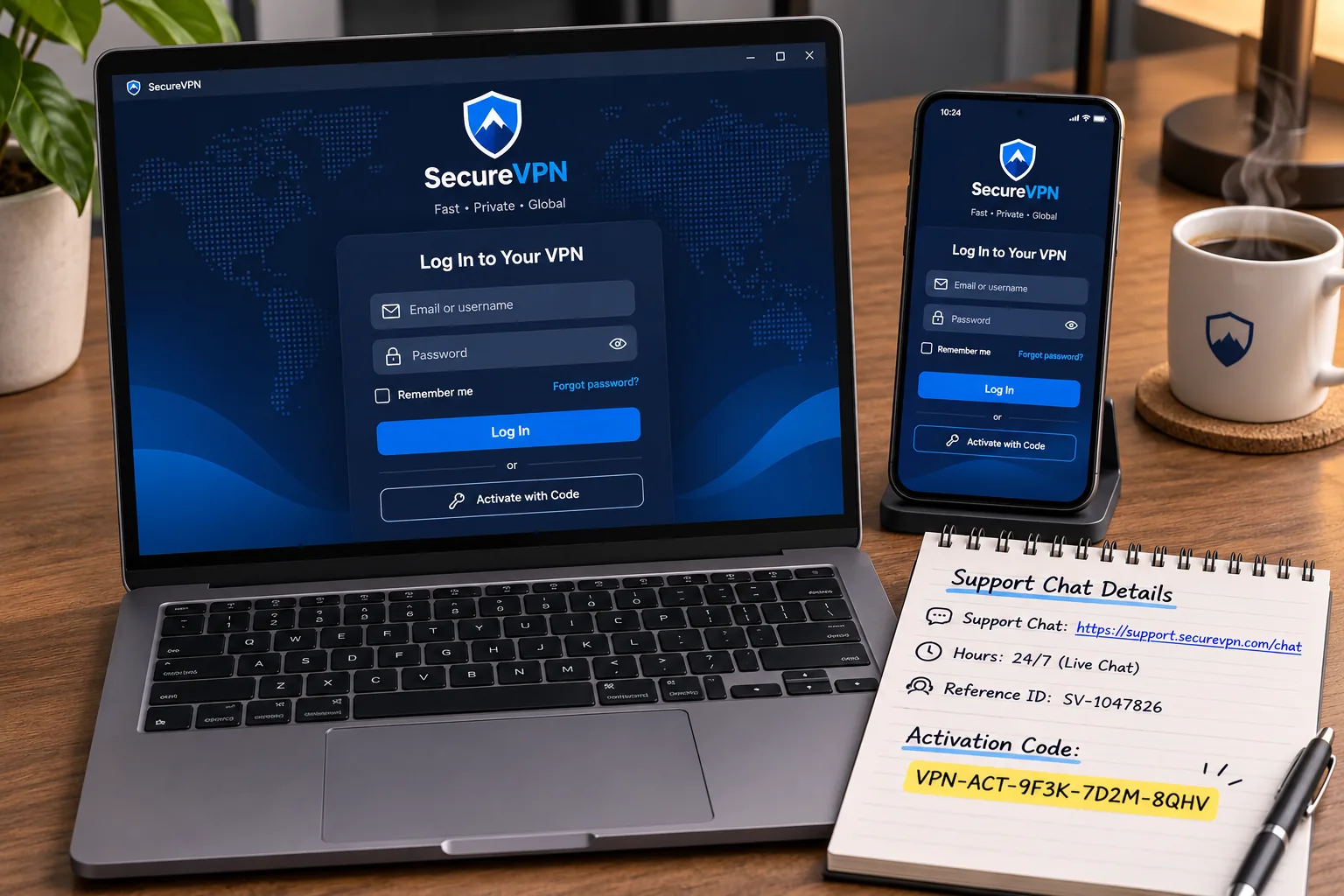
Prepare the apps and support information before travel
Buy on the vendor's website, since refund terms are clearer there than through a mobile store. Then install the app on every device you will carry and sign in while you still have a normal connection. Check your operating system against the vendor's current minimum version.
Save the support chat details, the manual connection guides and any account activation code somewhere offline. Support runs around the clock at NordVPN and Surfshark, and ExpressVPN provides live support and setup guides. Download the restricted-network troubleshooting page for NordVPN or the NoBorders instructions for Surfshark, depending on your pick.
Configure protection and check the connection
Turn on the kill switch first so a dropped tunnel does not expose your traffic. Then enable the restricted-network option for your VPN: NordWhisper or Obfuscated servers on NordVPN, NoBorders on Surfshark, or the automatic setting on ExpressVPN. If the first attempt stalls, move to the next fallback in the vendor's order instead of reconnecting repeatedly.
When you connect, run an IP, DNS and WebRTC leak check. ExpressVPN includes these checks in its support tools, and any independent test site works for the others. Surfshark users should skip the browser extension and desktop app combination, which can interrupt connectivity.
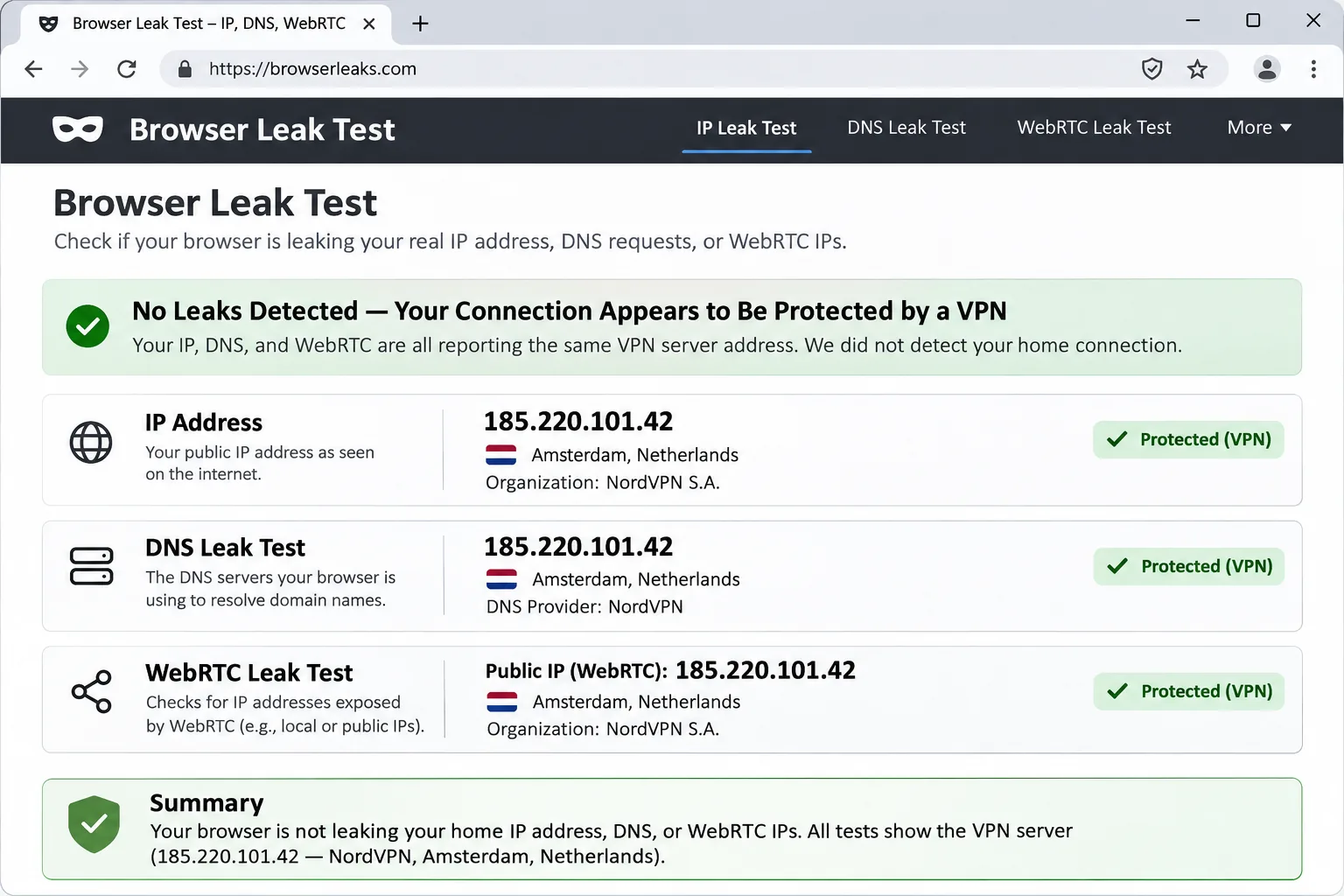
Do a full practice run at home. Connect through the restricted-network option, confirm a leak check passes, and learn where Disconnect and the kill switch live before you need them.
Why VPN connections can fail in Turkmenistan
The country has a long record of blocking and monitoring. Human Rights Watch describes systematic internet blocking and reports the promotion of state-controlled VPNs. Amnesty International describes censorship of independent-information websites and tight control of VPN services. Older coverage of reported blocking of VPN services is dated, so we use it as background and not as a statement of what connects today.
Filtering, blocked servers and connection instability
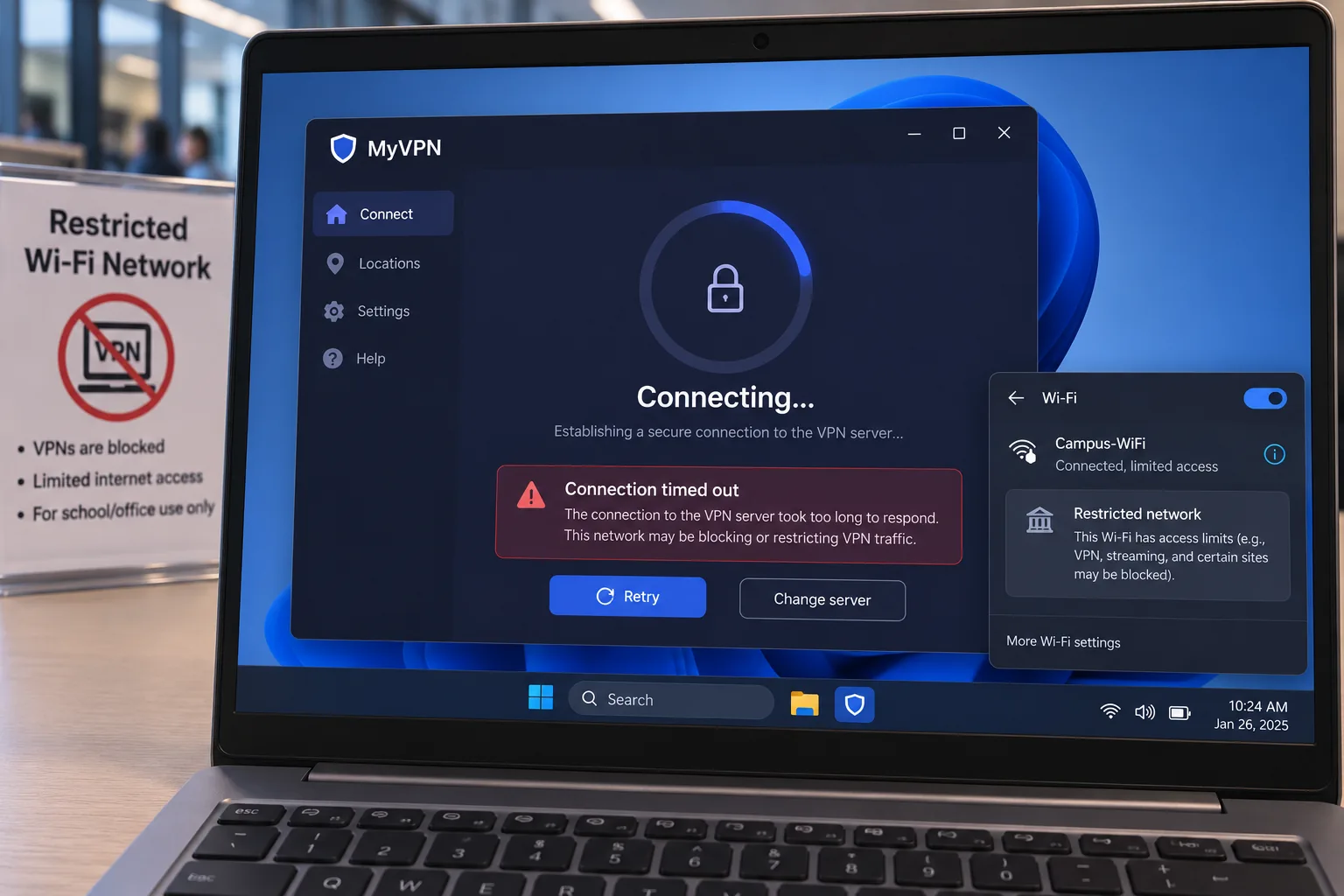
A VPN can fail in several ways on a filtered network. The vendor's servers can be blocked by address, the protocol can be recognized and cut, or the connection can be throttled until it times out. The failure appears as a stuck "Connecting" screen, an unreachable server, or an active tunnel with no internet access.
This is why a fallback order matters more than raw speed. Switching protocol or server type is the standard answer, and each vendor documents its own version. Expect to try more than one option, and expect the working choice to change over time.
What a VPN can and cannot protect
A VPN encrypts traffic between your device and the VPN server, which hides page contents and destinations from the local network. It cannot hide the fact that a VPN connection exists if the protocol is recognized. It does not protect an account you log into with your real name, and it cannot undo malware already on your device.
Treat it as one layer. Keep apps updated, use strong unique passwords, and avoid carrying sensitive files you do not need. Nothing here is a promise of anonymity or of uninterrupted access.
Frequently asked questions
Is it legal to use a VPN in Turkmenistan?
Can I use a free VPN in Turkmenistan?
Can I get a Turkmenistan IP address or an Ashgabat server?
Is streaming Turkmen TV a realistic goal?
What should I do if every server fails to connect?
Conclusion
Choose NordVPN if you want a documented fallback order, Surfshark if you need unlimited devices or the lowest entry price, and ExpressVPN if you prefer automatic obfuscation with minimal tinkering. Whichever you pick, buy on the vendor's website, install before you travel, and use the 30-day refund window as your safety net. None of them comes with verified proof of access from inside Turkmenistan.