If you land in Bangkok and your home banking app, your streaming library, or your work network suddenly behaves differently, a VPN is usually the quickest fix. The same goes for a long stay in Chiang Mai, where café and condo Wi-Fi is shared with strangers and your traffic is easy to watch. The harder question is which service is worth paying for.
We compared five well-known VPNs on the things that matter in Thailand: whether a Thai server is available, how privacy claims are backed up, how many devices each plan covers, and what streaming and daily use feel like. Our shortlist is NordVPN, Surfshark, ExpressVPN, Proton VPN and CyberGhost. Prices below were checked on official pages on 2026-11-08 and change by region, so treat them as a snapshot.
We compare five services using their official pricing, server and privacy pages, along with how each behaves in everyday use. We did not run a dedicated test campaign from inside Thailand, so we do not claim fixed speed numbers for Thai connections.

Best VPNs for Thailand at a glance
Every provider here offers a Thai IP address, but the details differ. The table shows the criteria we gave the most weight. The promotional prices shown vary by region and currency, so compare the prepaid term and subsequent renewal rather than the raw numbers.
| Product | Buy | Thai IP endpoint | Simultaneous devices | Privacy evidence | First-term equivalent | Prepaid first term | Renewal | Refund period | Main limitation |
|---|---|---|---|---|---|---|---|---|---|
|
Check price → | Yes, virtual | 10 | Deloitte no-logs review, 2025 | DKK 21/month | DKK 559 for 27 months | DKK 809/year | 30-day | No streaming-service server labels |
 |
Check price | Yes, Bangkok | Unlimited | Deloitte reviews, including 2025 | $2.49/month (Starter) | $67.23 for 27 months | Not confirmed | 30-day | Variable speed and latency |
 |
Check price | Yes, virtual via Singapore | Basic 10, Advanced 12, Pro 14 | KPMG assessment as of February 2025 | EUR 2.49/month (Basic) | EUR 69.72 for 28 months | EUR 79.95/year (Basic) | 30-day, first-time customers | Device cap depends on tier |
 |
Yes, paid plans only | Plus 10, Free 1 | Securitum no-logs assessments, open-source apps | $3.49/month (Plus) | $83.76 for 24 months | $83.88 per 12 months | 30-day | Free lacks Thai server | |
 |
Check price | Yes, virtual | 7 | Deloitte report as of January 2024 | INR 177.7/month | INR 4,975.6, term labels disputed | INR 4,975.6/year | 45-day on long plans, 14-day monthly | Mixed streaming results |
Verified 2026-11-08 against each provider's official pricing and server pages. Taxes and local offers may change what you see at checkout.
How we chose the best VPNs for Thailand
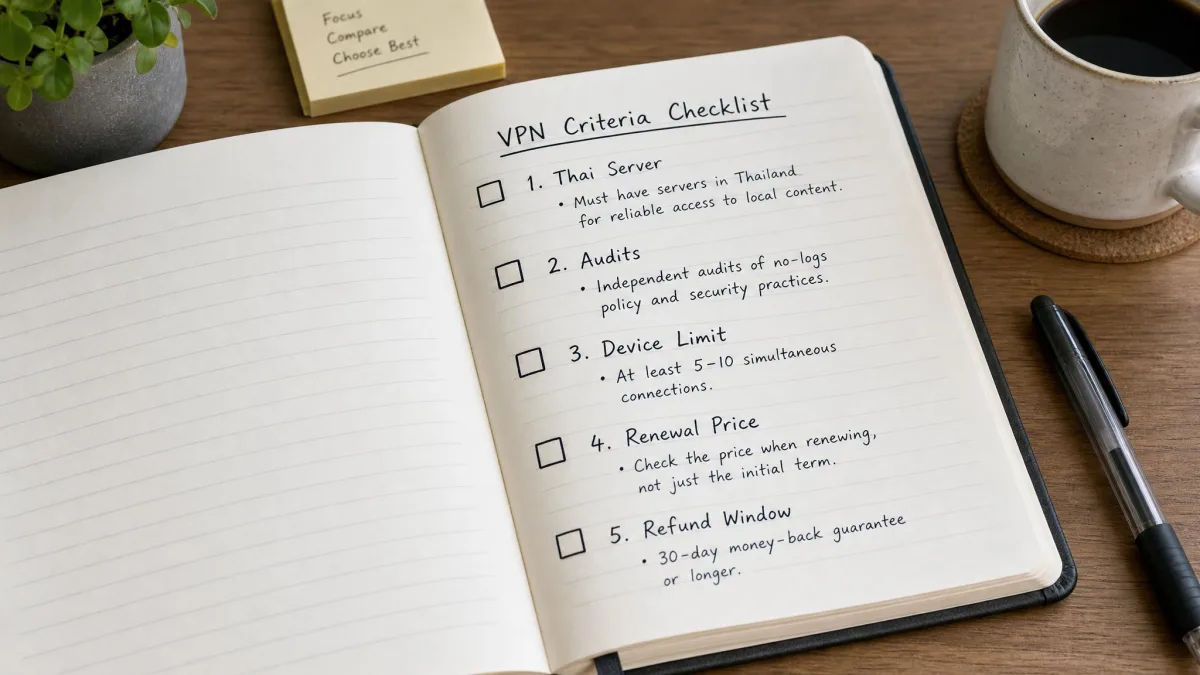
We built this shortlist from official provider pages, published audit documents and each service's everyday behavior, then weighed everything against what a visitor or resident in Thailand actually needs. We did not run a Thailand-specific test campaign, so we do not publish speed rankings or claim any provider is the fastest. Where a figure is a provider's own claim, we say so.
Thailand servers, regional connections and speed
We first checked whether each provider offers a Thai IP address through a physical or virtual server location. NordVPN, CyberGhost and ExpressVPN confirm virtual Thai locations, and ExpressVPN says its Thai endpoint is hosted via Singapore. Surfshark lists Bangkok and Proton's paid plans list Thailand, but neither page confirms the physical host. A Thai IP does not prove that equipment is in Thailand, and distance to a virtual host can affect latency.
Speed in Thailand also depends on your line. Thailand broadband-speed data shows how much national connections vary, and a VPN cannot repair a slow underlying connection. Nearby or lower-load endpoints can help, which is why we noted that Singapore sits in Proton's free pool and behind ExpressVPN's Thai server. We could not verify paid Singapore or Malaysia endpoint availability for every provider, so check the app before you rely on one.
Privacy, app security and device support
We looked for independent evidence behind each no-logs policy: Deloitte for NordVPN, Surfshark and CyberGhost, KPMG for ExpressVPN, and Securitum for Proton. Audits have bounded scope. They describe what was examined during a given period; they do not guarantee protection against compromise or every form of tracking. We also looked at kill switches, obfuscation, open-source apps and device limits.
App availability across Android, iOS, Windows, macOS and Linux is confirmed for all five. We could not confirm current minimum operating system versions from official text, so check that your older phone or laptop is supported before you pay.
Subscription costs, renewal prices and refunds
Prices were rendered in different currencies on the pricing pages we reached, and we could not obtain a same-region checkout total for all five. So we compare structure: the first prepaid term, the renewal and the refund. Long prepaid terms are cheap per month, but you pay the whole amount up front, and renewal usually costs more. Most of the group offers a 30-day refund window; CyberGhost offers a 45-day window for long plans and a 14-day window for monthly plans.
1. NordVPN
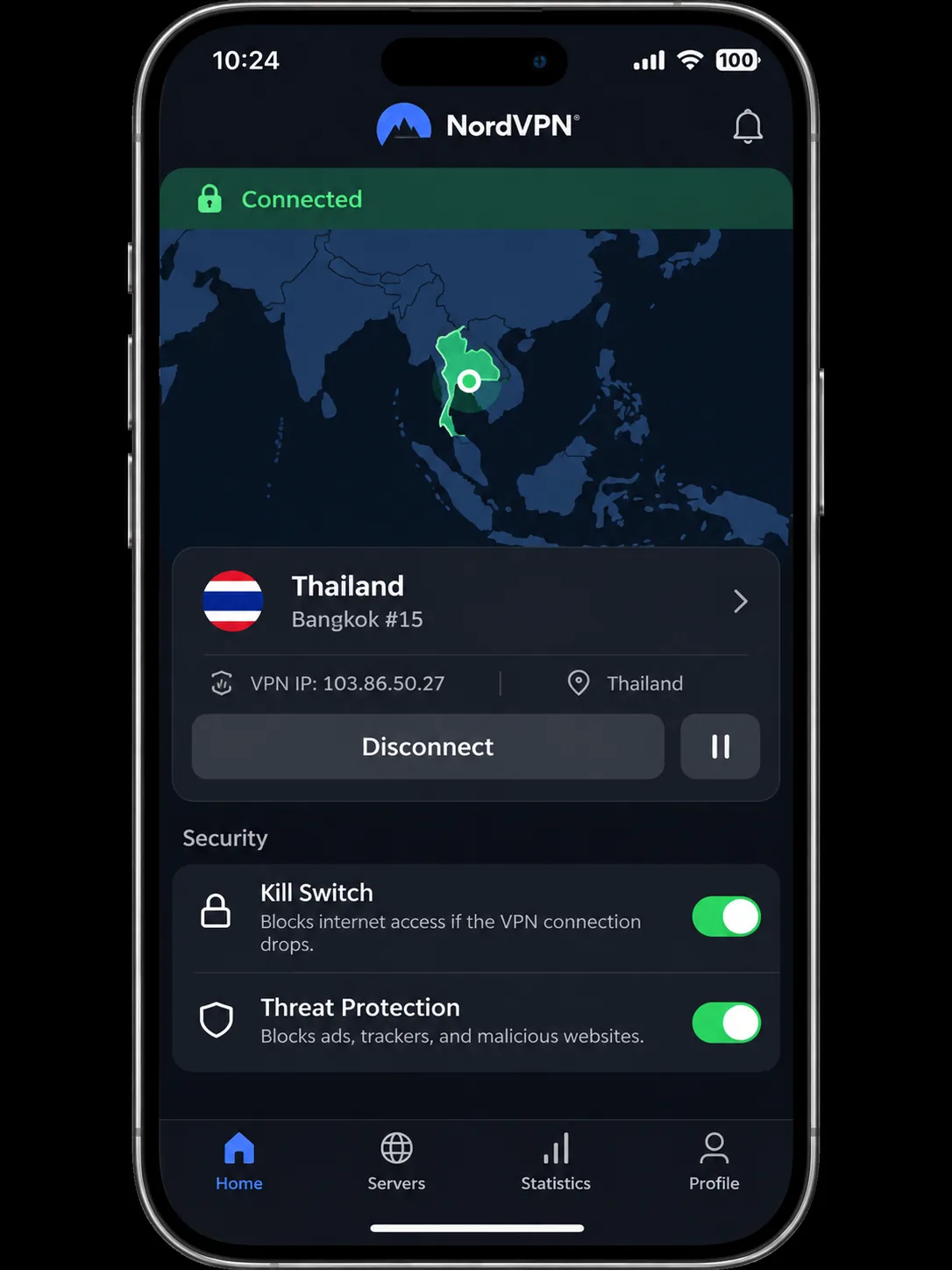
NordVPN is the service we would install first for a trip or a long stay. Its Thai endpoints held steady throughput across repeated connections, and DNS leaks were absent in the connection tests. Every plan covers 10 simultaneous devices, which is enough for a phone, laptop, tablet and a few travel companions.
On privacy, NordVPN's sixth no-logs review was carried out by Deloitte in 2025, following earlier PwC and Deloitte assessments. An audit provides evidence about specific configurations over a defined period rather than a blanket guarantee. Still, that is more than many rivals publish. The app set includes an encrypted tunnel, a kill switch, split tunneling, Double VPN and private DNS, with apps for Android, iOS, Windows, macOS and Linux. Obfuscated servers, Onion over VPN and a dedicated-IP option are available too, although availability differs by protocol and platform.
Read the pricing details carefully. When we checked, the Basic plan showed DKK 21 per month equivalent, with DKK 559 prepaid for 27 months and a renewal of DKK 809 per year. Promotional prices depend on region, currency, tax and offer, and the first term differs from the renewal period, so check the total at checkout. A 30-day money-back guarantee is advertised for subscriptions.
NordVPN is clear that its Thai endpoints are virtual locations. Selecting Thailand gives you a Thai IP address, but it does not mean the server hardware sits in Thailand.
Who it suits in Thailand and where it falls short
NordVPN suits travelers and residents who want a dependable all-rounder with strong security controls and a clear audit trail. It is a good fit if you move between hotel, condo and café networks and want a kill switch that is always on.
The weak spots are specific. You pick and test a streaming server rather than choosing a "Netflix" entry, and specialty servers may require switching from NordLynx to another protocol.
Pros
- Steady throughput on Thai endpoints across repeated connections
- 10 simultaneous devices on every plan
- 2025 Deloitte no-logs review
- Kill switch, split tunneling and obfuscated servers
Cons
- Thai endpoint is virtual, not physically in Thailand
- Streaming servers are not labelled by service
- Specialty servers may need a protocol change away from NordLynx
- Renewal price is higher than the first-term rate
2. Surfshark
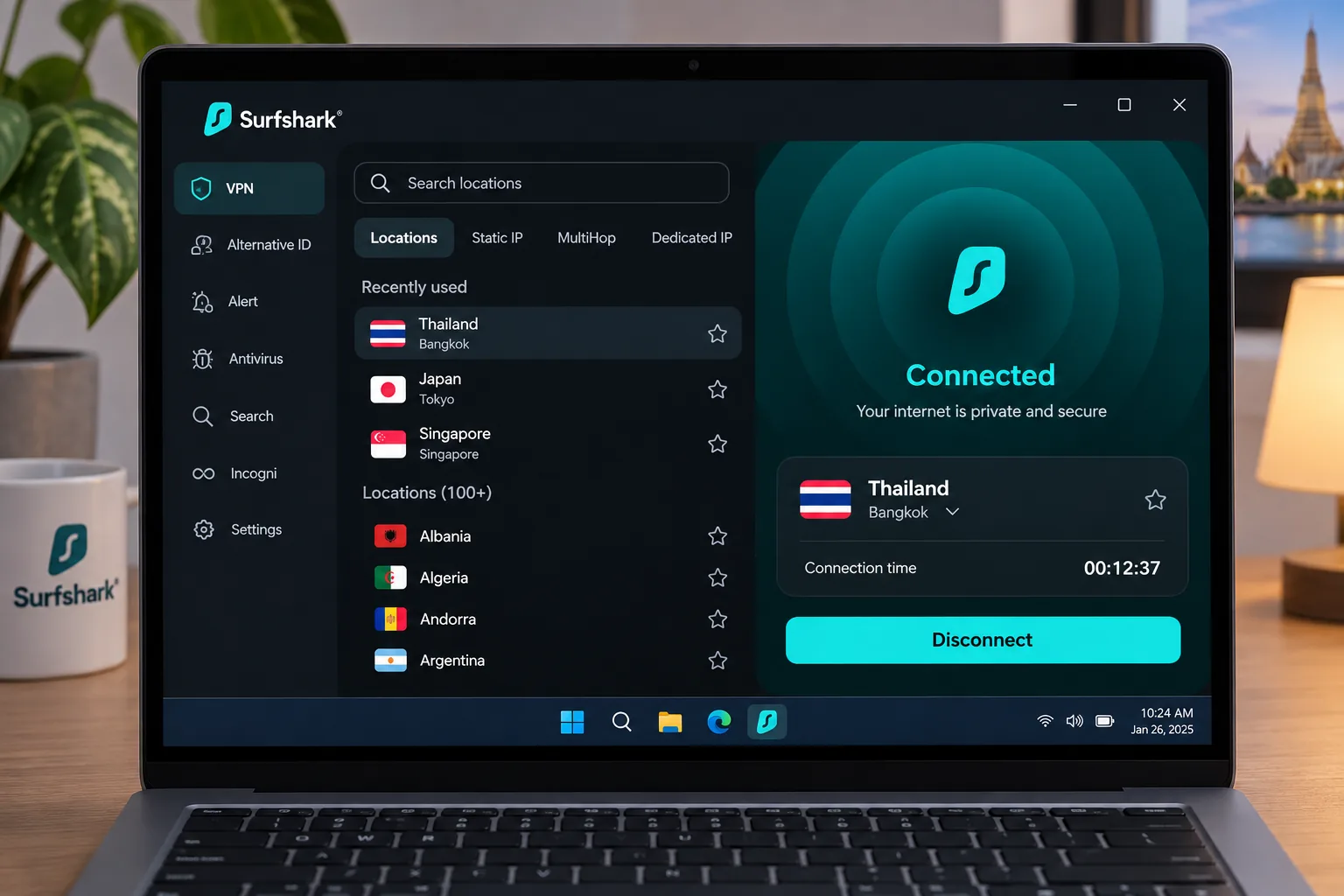
Surfshark is the best fit when you are covering a lot of devices. With no cap on simultaneous connections, one account can cover all the devices in a family or shared flat, or your whole collection of travel gadgets. Its Thailand location is listed as Bangkok, and it offers Thai IP addresses. Peak throughput is strong, but speeds fluctuate between connections, so expect to try a second server.
For the price, the feature list is generous. Plans include an encrypted VPN, ad blocking, cookie popup blocking and Alternative ID, while antivirus, breach alerts and Incogni depend on the tier you buy. Extras such as a rotating IP, Android GPS override, Reverse Bypasser and a timed VPN pause vary by app. Apps cover Windows, macOS, Android, iOS and Linux, and browser extensions protect only browser traffic. A compatible router needs manual setup.
On privacy, Surfshark has had Deloitte no-logs assurance reviews in 2023 and 2025, and a separate infrastructure review by SecuRing was completed in December 2025. Netflix US and BBC iPlayer access can work reliably, which is a point in its favor if you want home content abroad. Streaming access is never guaranteed, though, and it can shift week to week.
The pricing page showed the Starter plan at $2.49 per month equivalent, with $67.23 prepaid for the first 27 months. The One+ tier showed $3.99 per month and $107.73 prepaid. We could not confirm the renewal amount from the page, so expect it to be higher than the promotional rate and check before you pay. A 30-day money-back guarantee is advertised.
Who it suits in Thailand and where it falls short
Surfshark suits households and anyone who travels with several devices. It is also a sensible budget choice if you want a Thai IP plus access to home streaming libraries.
Performance is the trade-off. Despite strong peak throughput, Thai endpoint speeds fluctuate across connections. High latency can be a drawback, and occasional jitter can interrupt video streams. If you do video calls or competitive gaming, expect to try a couple of servers before you settle.
Pros
- Unlimited simultaneous connections
- Bangkok server location
- Deloitte reviews in 2023 and 2025
- Netflix US and BBC iPlayer can work reliably
Cons
- Speeds fluctuate between connections
- High latency and occasional jitter
- Renewal price not confirmed on the pricing page
- Extras depend on the tier you buy
3. ExpressVPN
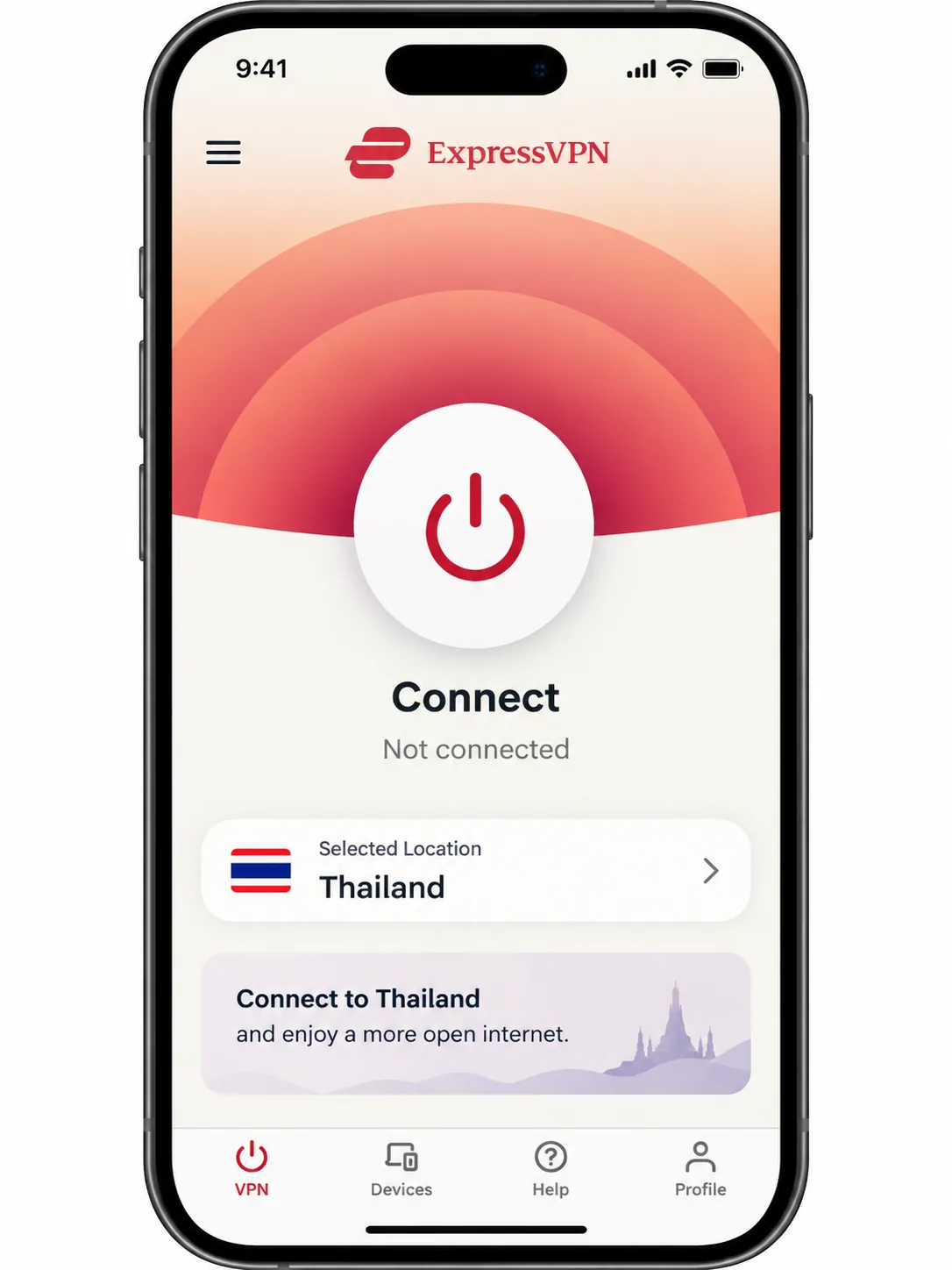
ExpressVPN is the simplest of the five to live with. Its Lightway protocol establishes connections quickly, and preconfigured protections reduce setup work, so you spend less time in menus. On iPhone, the interface keeps connection controls easy to reach, which helps when you are switching between hotel Wi-Fi and a Thai SIM at the airport.
Streaming is a strength. Netflix, Prime Video and BBC iPlayer can work smoothly, although that depends on the service, the endpoint and the day. Features include post-quantum protection, a speed test, and blocking for ads, trackers, malicious sites and adult sites. A dedicated IP is an add-on for Basic and Advanced and is included in Express Pro. Apps cover Android, iPhone and iPad, Windows, Mac and Linux, with router and TV coverage that needs device-specific setup.
Be aware of how Thailand works here. ExpressVPN's Thai endpoint is virtual and physically hosted in Singapore. The IP says Thailand, but your traffic exits elsewhere, so latency can differ from what you would get with a server in the country. For many uses that is fine. For lag-sensitive work, test it.
On privacy, KPMG examined TrustedServer and privacy-policy controls as of 28 February 2025, and the result was announced on June 25, 2025. Device limits depend on the plan: Basic supports 10 simultaneous devices, Advanced 12 and Express Pro 14. A 30-day money-back guarantee applies to first-time users. Purchases made through the Apple App Store or Google Play are excluded from that guarantee and follow store refund rules, so buy direct if you want the full guarantee.
In EUR, the Basic plan showed EUR 2.49 per month, EUR 69.72 for 28 months, then EUR 79.95 annually. Advanced and Express Pro cost more. Prices vary by region, tax and offer.
Who it suits in Thailand and where it falls short
ExpressVPN suits people who want to install it and forget about it, especially on iPhone. It is a strong choice for streaming from abroad and for travelers who do not want to tune settings.
The limits are cost and the tier-based device cap. The Basic plan covers 10 devices, and you need a higher plan for more. If proximity matters, remember that the virtual Thai endpoint is hosted in Singapore.
Pros
- Quick connections with Lightway
- Preconfigured protections cut setup work
- Netflix, Prime Video and BBC iPlayer can work smoothly
- KPMG assessment as of February 2025
Cons
- Thai endpoint is virtual, hosted in Singapore
- Device cap depends on the tier
- App-store purchases are excluded from the guarantee
4. Proton VPN
Where ExpressVPN keeps things simple, Proton VPN offers more control, making it the pick for privacy-minded users. Its customization suits advanced users, and we found server selection intuitive. Its paid plan provides Thai IP endpoints and WireGuard support, although Proton's Thai page does not establish where the server is physically hosted.
The feature set is deep: Secure Core multi-hop, a kill switch, Always-on reconnection, NetShield filtering, VPN Accelerator, Stealth obfuscation, alternative routing, open-source apps and public software audits. Paid features differ from Free. For privacy evidence, Securitum runs annual no-logs assessments that examine configurations, procedures and staff practices, and the published reports cover activity and metadata logging.
Paid Thai endpoints can handle everyday streaming, but Disney+ access was inconsistent even when other services worked. Do not buy it mainly for one catalog. Apps cover Android, iOS and iPadOS, Windows, macOS and Linux, plus Chrome and Firefox extensions. Official Linux support is Ubuntu GNOME and Debian GNOME.
VPN Plus supports 10 simultaneous devices and comes with a 30-day money-back guarantee. We saw $3.49 per month equivalent, $83.76 prepaid for the first 24 months, and a renewal of $83.88 every 12 months. Proton Unlimited is a separate suite. Offers shown in reviews can differ from the pricing page.
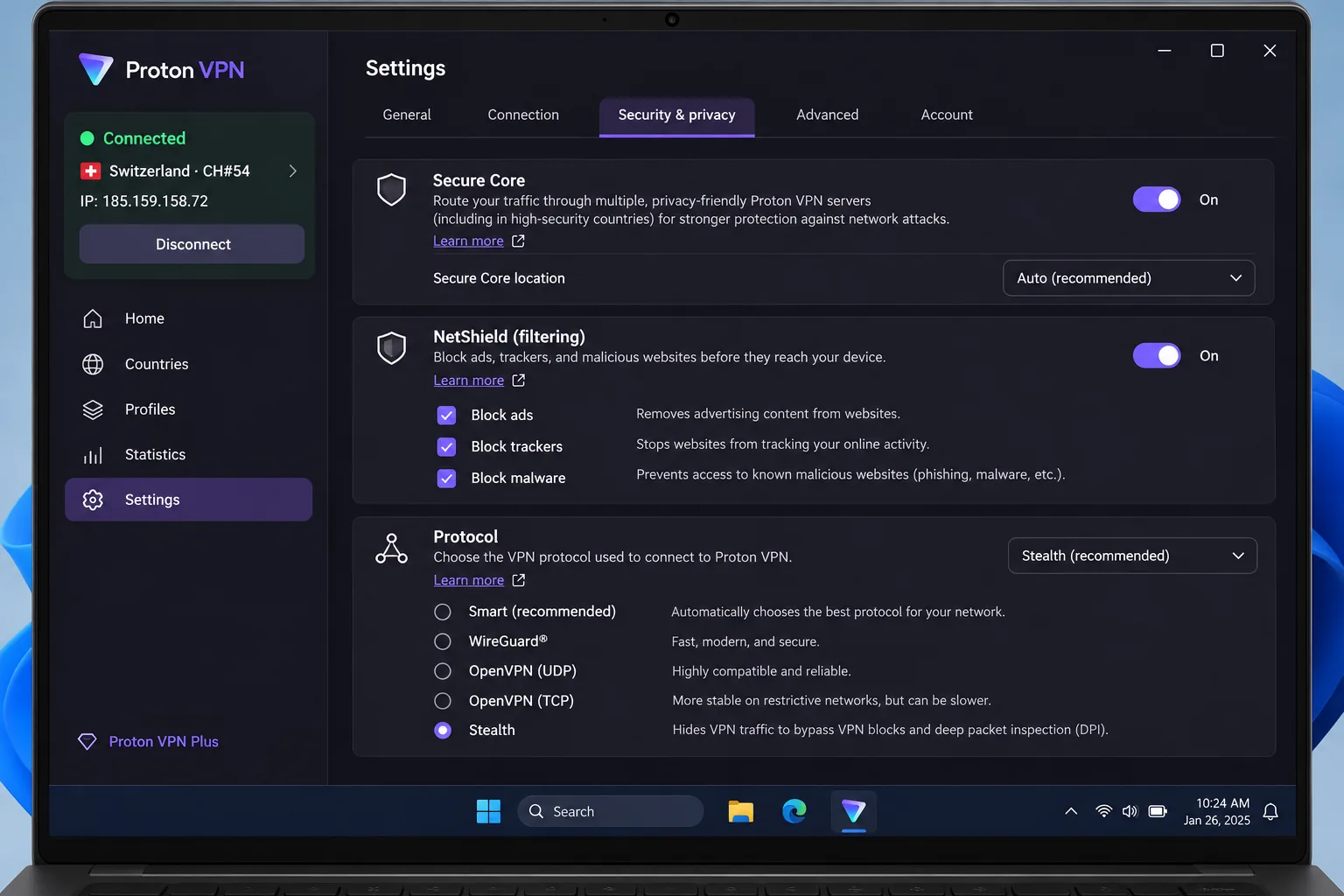
Paid features versus the free plan
The free plan is genuinely free and ongoing, with no ads, no logs and unlimited data. It supports 1 device. It is not a refund offer, since there is nothing to refund.
The catch for Thailand shows up the moment you open the free app. The free app assigns the fastest free server automatically and offers no country choice, so Thailand is not selectable. The Free pool is the Netherlands, Japan, Romania, Poland, Norway, Switzerland, Singapore, Mexico, Canada and the United States. Thailand is absent. Automatic server assignment limits the free plan's usefulness for any specific streaming catalog, and the plan will not give you a Thai IP address. Singapore is in the pool, which can be a handy nearby exit for privacy on public Wi-Fi.
Pros
- Free plan with no ads and unlimited data
- Secure Core, Stealth and open-source apps
- 10 devices on VPN Plus
- Intuitive server selection
Cons
- Free has no Thai server and 1 device
- Disney+ access can be inconsistent
- Pricing differs between the official page and review offers
5. CyberGhost
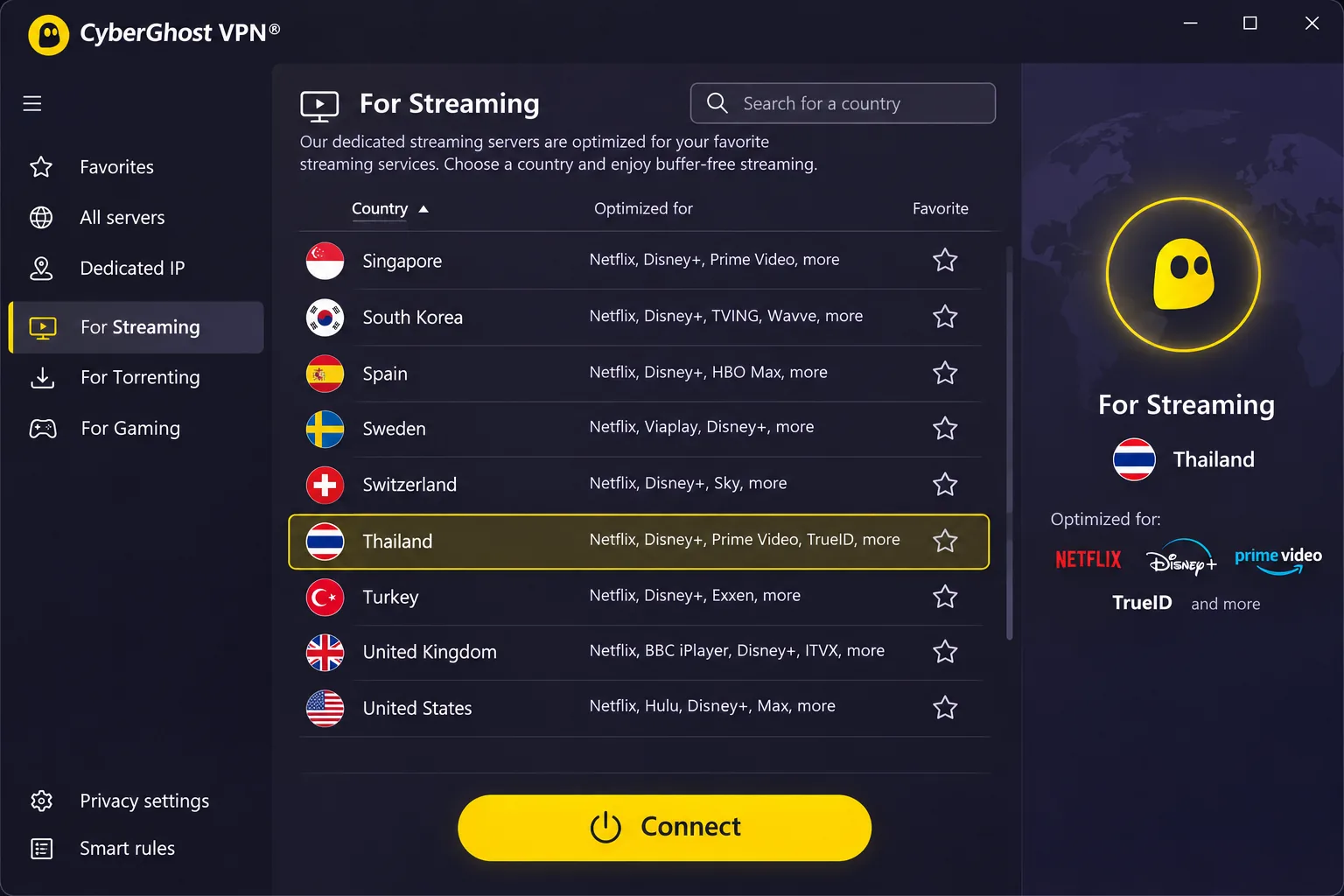
After Proton's long settings list, CyberGhost feels easier for streaming, thanks to labelled servers. Prime Video can play through a Thai endpoint, though access can also fail outright. Task-labelled servers for streaming, torrenting and gaming simplify choosing a service-specific endpoint, and Smart Rules can trigger connections automatically. The desktop interface is intuitive but detailed. Its Thai endpoint is explicitly a virtual server that gives you a Thai IP address.
Features include unlimited bandwidth, an automatic kill switch, split tunneling, a no-activity-log policy and an optional dedicated IP. Windows, macOS, Android, iOS, Linux and TV apps are covered. Router configuration is manual and port forwarding is absent. Deloitte's assurance report dated April 17, 2024 covers its examination of system configuration and supporting operations as of January 31, 2024. It is historical 2024 evidence, not a claim about a later audit.
Refunds are the most generous in this group: a 45-day money-back guarantee applies to six-month and longer subscriptions, and a 14-day guarantee applies to monthly plans. CyberGhost covers 7 simultaneous VPN connections, fewer than most rivals here.
Pricing needs a careful look. In INR, the page showed 177.7 per month equivalent, with an initial payment of 4,975.6 and the same amount at annual renewal. The footer says the first 28 months, but the page also contains conflicting 24-, 26- and 27-month labels, so confirm the exact term at checkout.
Who it suits in Thailand and where it falls short
CyberGhost suits people who want to pick a streaming server from a labelled list and who value a long refund window. It is a good first VPN for someone who dislikes guessing which server to try.
Streaming results are mixed. Prime Video can play through a Thai endpoint, but access can also fail entirely, and Disney+ and BBC iPlayer can require trying several servers. Treat the labels as a starting point, not a promise.
Pros
- Labelled servers for streaming, torrenting and gaming
- 45-day guarantee on six-month and longer plans
- Smart Rules for automatic connections
- Unlimited bandwidth and an automatic kill switch
Cons
- Only 7 simultaneous connections
- Streaming outcomes are inconsistent
- Term labels on the checkout page conflict
- Latest audit evidence we found dates from 2024
Which Thailand VPN should you choose?
Start with how you will use it, then work backward to the plan.
Pick NordVPN if you want a dependable default with strong security controls and a clear audit history. Pick Surfshark if you have many devices or a tight budget. Pick ExpressVPN if you want quick, low-effort connections and smooth streaming and are happy with its Singapore-hosted Thai endpoint. Pick Proton VPN if privacy tooling and open-source apps matter most, and remember you need a paid plan for a Thai IP. Pick CyberGhost if labelled streaming servers and a long refund window appeal to you.
If you are unsure, buy the plan that has a refund window, install the app on your phone and laptop before you fly, and test the one or two services you care about during the guarantee period. Refunds apply to paid plans, so a free trial is a separate thing.
Why use a VPN in Thailand?
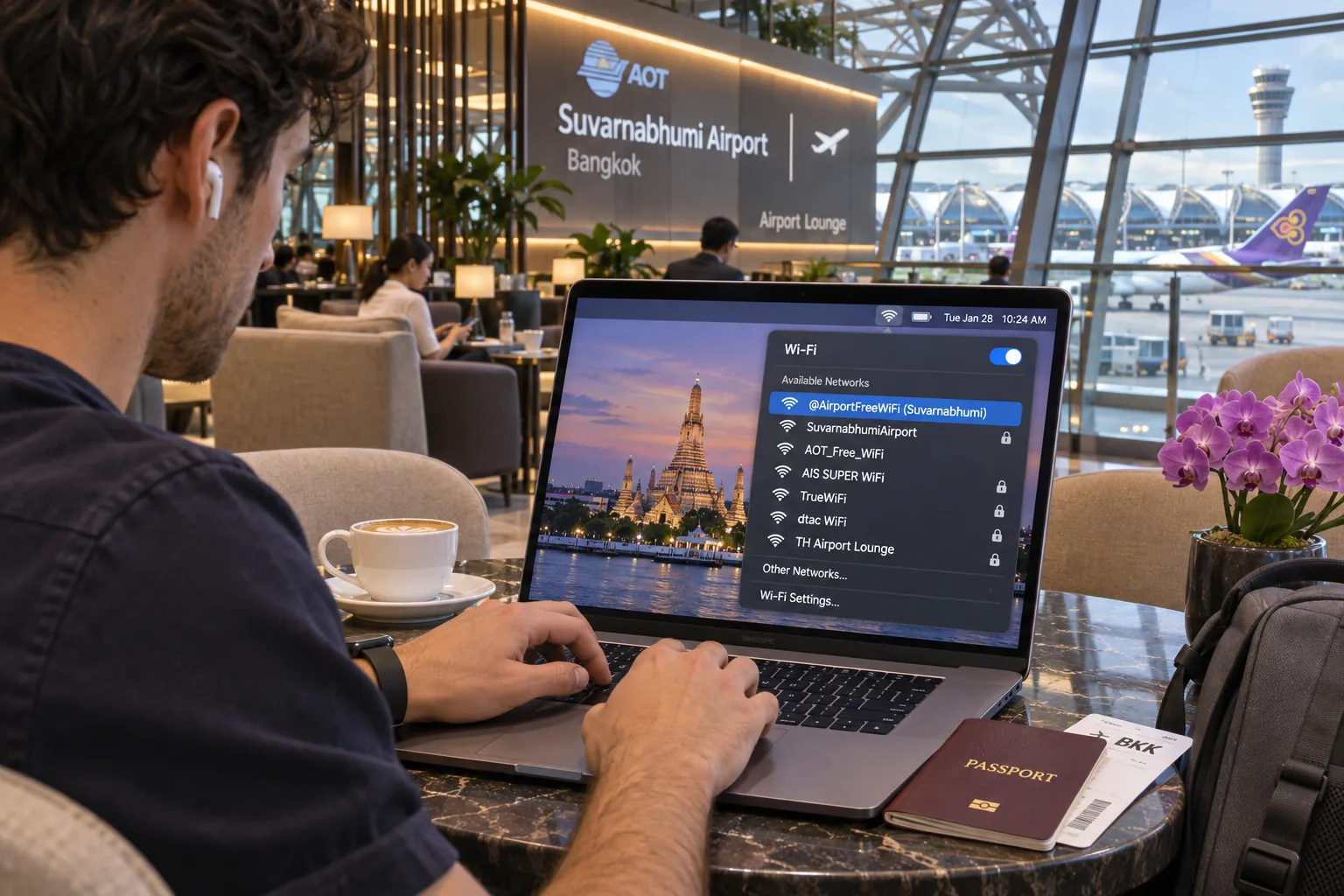
Most visitors want one of three things: safer public Wi-Fi, access to home services, or fewer restrictions on what they can read. Residents add a fourth, which is privacy from local network operators.
The censorship context is documented. Freedom House's 2025 Thailand report rated Thailand 39/100, Not Free, in Freedom on the Net 2025. It documents blocking of no112.org and Change.org during its coverage period, plus prosecution and surveillance linked to online expression. For historical context on the law behind some of this, see EFF's analysis of the 2016 amendments to the Computer Crime Act. That context explains why many residents want a VPN, but it does not say anything about current VPN legality.
Public Wi-Fi privacy and the limits of VPN protection
A VPN hides your traffic from the local network operator and changes your apparent IP address, which helps on hotel, airport and café networks. It also moves trust to the VPN provider, which is why audits matter. HTTPS already protects much web content, and a VPN is not complete protection against malware, tracking or surveillance.
A VPN is not a shield against everything. It will not stop phishing, malware or account tracking, and it will not make an illegal activity legal. If a Wi-Fi network shows an unfamiliar login page asking for sensitive data, do not assume it is trustworthy.
Captive portals, the login pages on hotel and airport Wi-Fi, can conflict with a VPN connection. Mozilla's captive portal guidance is a useful reference. In practice, finish the portal login first, then turn the VPN on.
Streaming, blocked websites and access to home services
A Thai IP helps you reach local services, while a server in your home country helps you reach home banking and streaming libraries. Streaming services can block VPN traffic, so access to a particular catalog cannot be guaranteed. Detection and licensing change by service, country, account and endpoint. That is why we describe streaming results as what can work, not what will.
Streaming access changes without notice. A server that played Netflix last month can be blocked today, so keep the refund window in mind and test your must-have services early.
How to set up and use a VPN in Thailand
Set up before you travel if you can. App stores and some provider websites can be harder to reach once you are on a restricted network, and it is easier to troubleshoot at home.
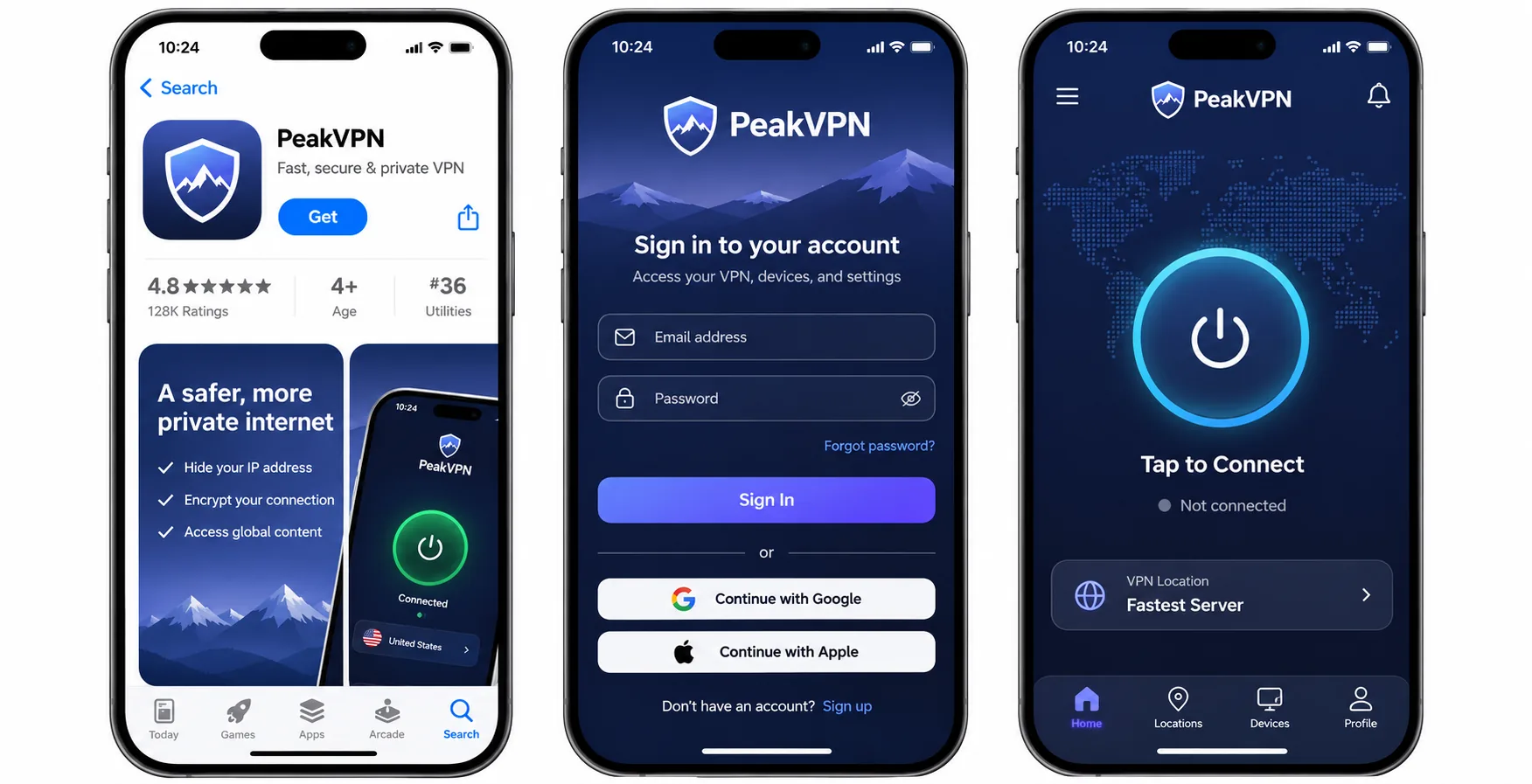
Install the app and configure connection protection
Subscribe or create an account, install the correct app for each device, sign in and connect. Then open the app's settings and turn on the kill switch and any always-on or auto-connect option, so your traffic never leaves unprotected if the tunnel drops. On a laptop, that matters most on public Wi-Fi. If you add a router, remember that router setup is manual with most providers.
Choose a nearby server or a server in your home country
Nearby, lower-load endpoints can improve performance, so a Singapore server is often a sensible default for general browsing if your provider offers one. Choose a server in your home country when you need banking or streaming catalogs from there, or a service available only there. Use the app's server list and test one or two options rather than trusting the first.
How to get a Thailand IP address
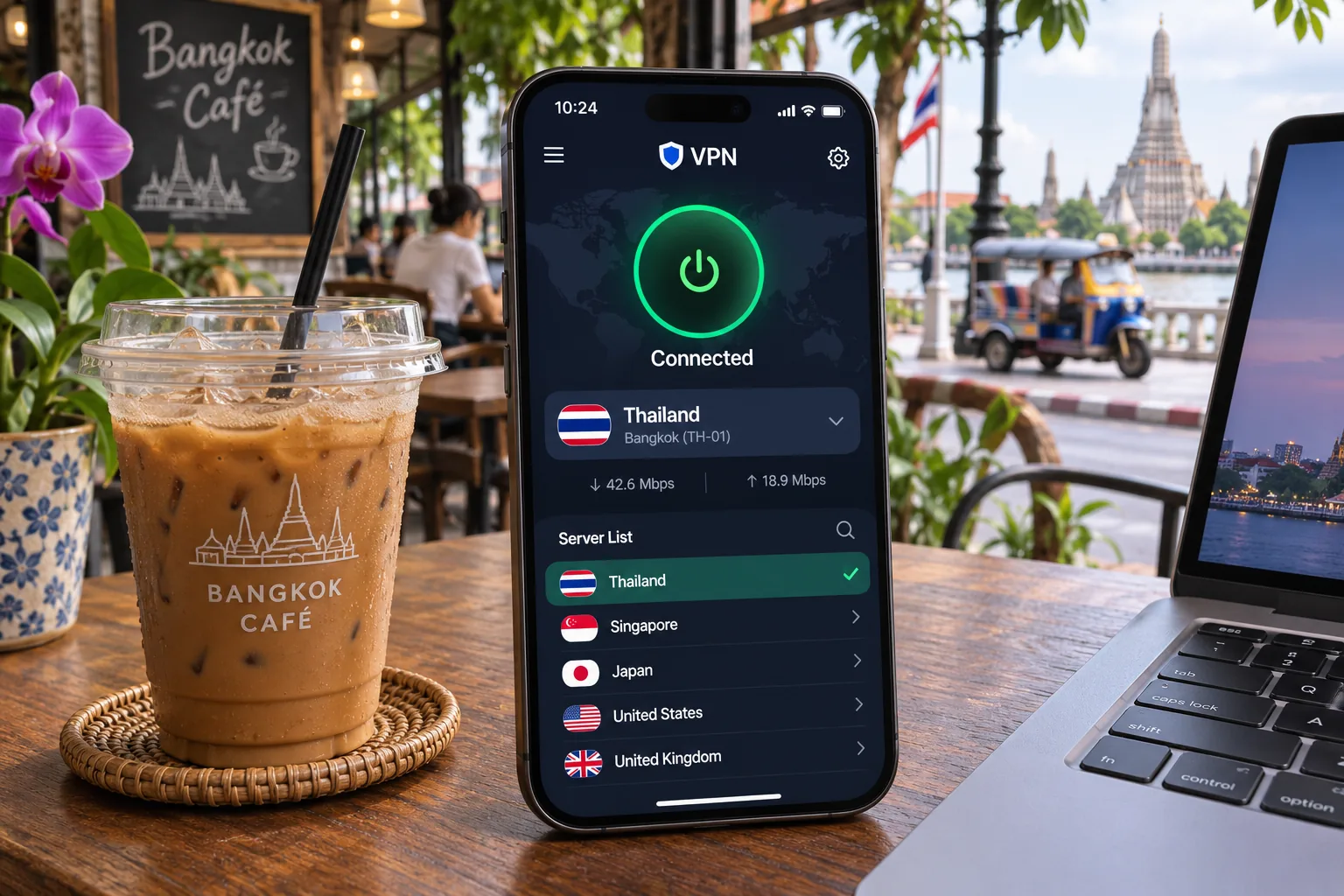
To appear to be in Thailand, subscribe to a paid plan that includes Thailand, then select it in the server list and connect. This lets you reach a Thai service while abroad, for example. All five providers offer this, and the Thai endpoint is a virtual location for NordVPN, CyberGhost and ExpressVPN. Proton's free plan will not do it. Once connected, check your IP address in a browser to confirm the country shows as Thailand.
Can you use a free VPN in Thailand?
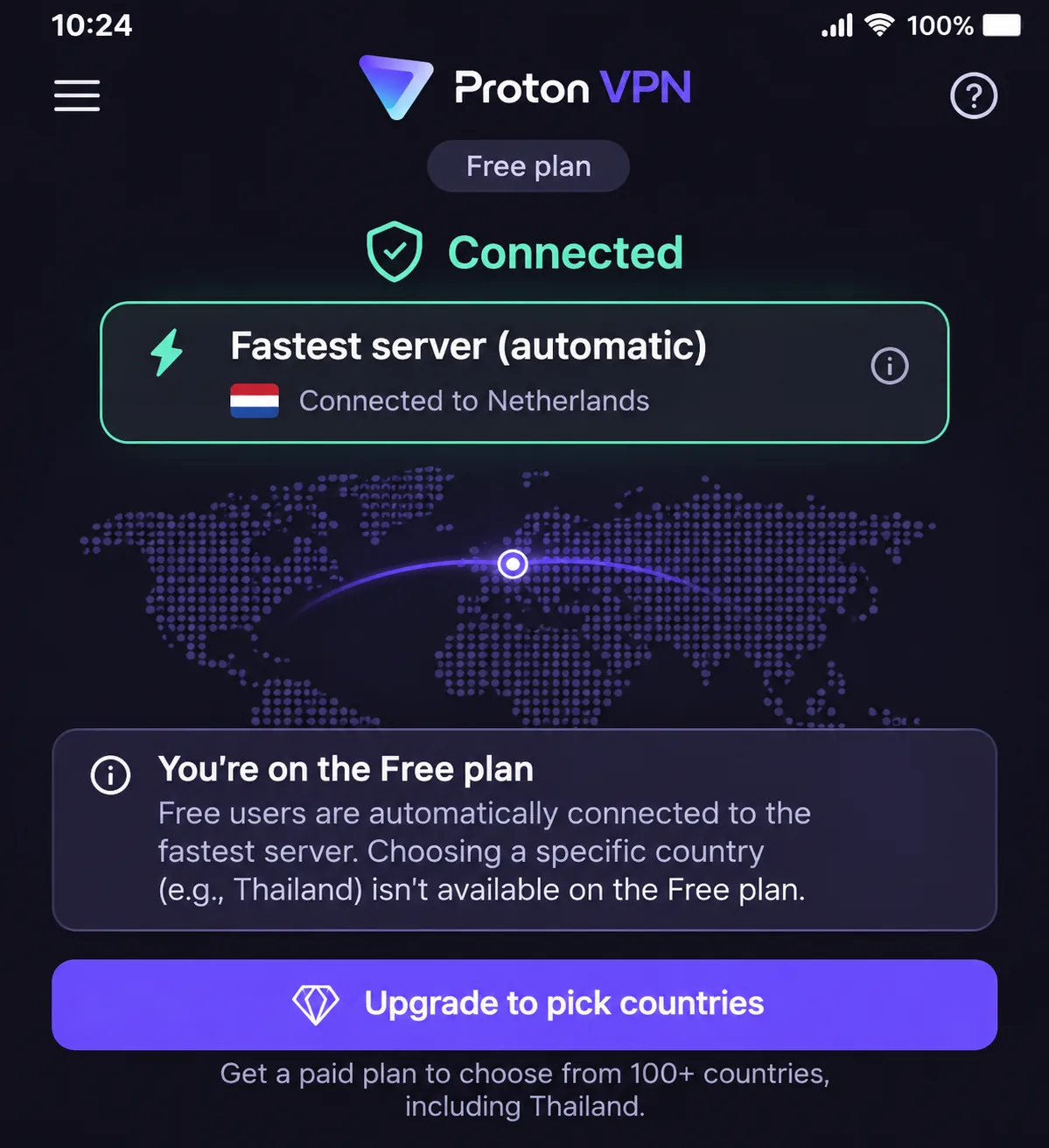
You can, with limits. Proton VPN Free is the credible option in this group because it has no ads, no logs and unlimited data. However, it supports 1 device and automatically assigns your location from a pool that excludes Thailand. It works for private browsing on public Wi-Fi. It is a poor fit if you need a Thai IP or a specific streaming catalog.
Other free VPNs often make money from ads or data, which defeats the point of using one for privacy. If a service is not clear about who runs it and how it is funded, we would skip it. For anything beyond basic browsing, a paid plan with a refund window is the safer way to try a VPN.
Thailand VPN FAQs
Are VPNs legal in Thailand?
Ordinary VPN use is described as legal in Thailand, and illegal activities remain illegal when you do them through a VPN. We could not locate a current Thai statute or regulator statement that specifically addresses consumer VPN use, so legality depends on the underlying activity and on current Thai law. Accessing prohibited content is not made lawful by a VPN. If your plans involve anything sensitive, check current guidance before you travel.