If you live in Sweden and want a VPN for public Wi-Fi or travel, you need strong encryption and a service that keeps its promises about logs. If you live abroad and want a Swedish IP address for SVT Play or a Swedish banking app, you need a provider with real servers in Stockholm and a way to choose them on demand. Those are two different jobs, and the best VPN for one is not always the best for the other.
NordVPN is our top pick for both. It has Stockholm servers, a broad set of apps, a no-logs policy checked by Deloitte, and mostly reliable streaming without repeated server hunting. Surfshark, ExpressVPN, CyberGhost and PrivateVPN each win in a narrower case, and we explain where below.
Best VPNs for Sweden at a glance
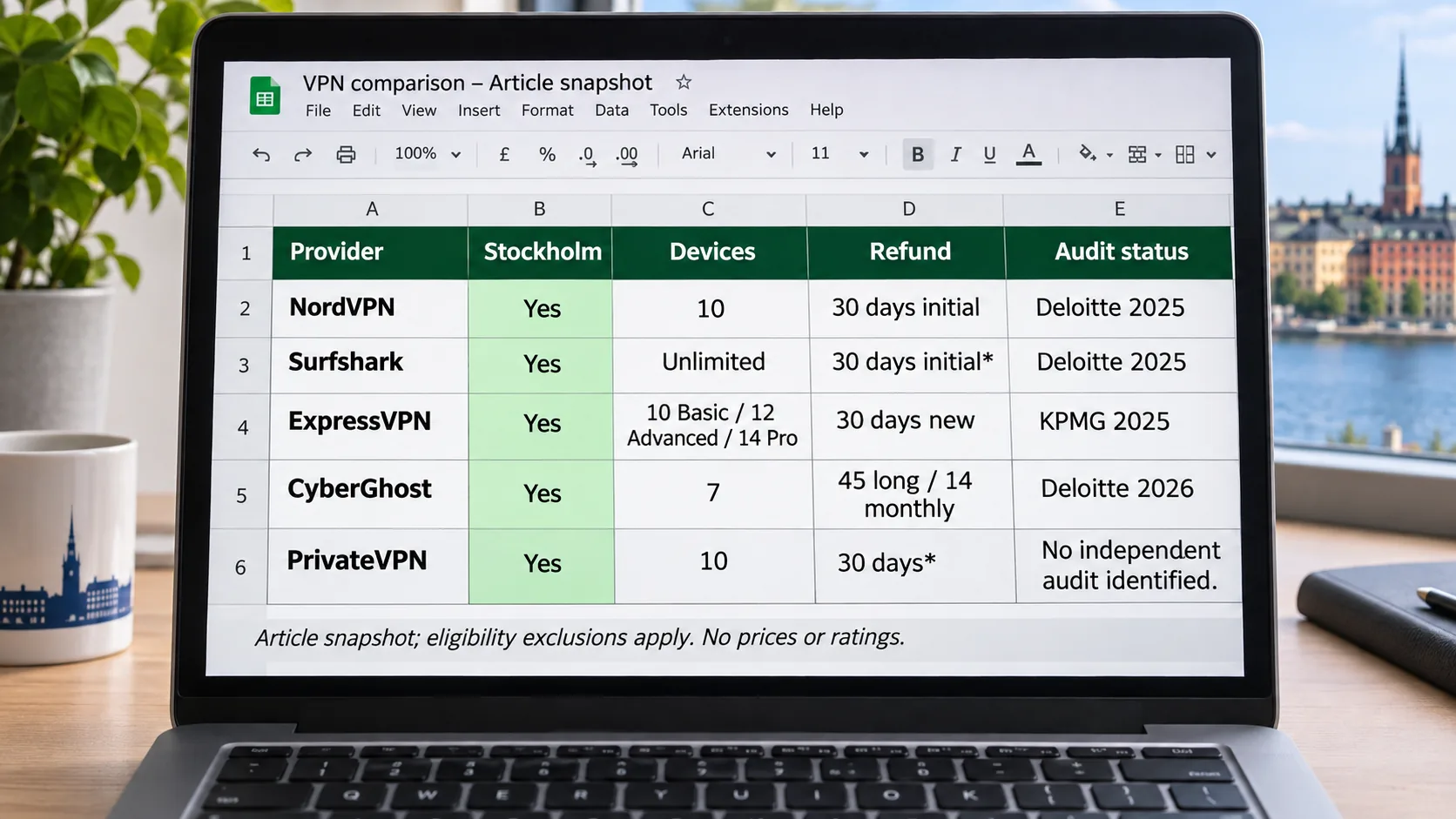
All five services below offer Stockholm servers and apps for Windows, macOS, Android and iOS. The table shows the details that separate them: privacy evidence, device limits, refund terms and the price snapshots we captured. Prices are promotional and change often, so confirm the figure at checkout. If you mainly connect from a phone, our roundup of the best VPN for Android goes deeper on mobile apps.
| Product | Buy | Swedish access | Apps and connections | Privacy evidence | Intro price snapshot | Refund |
|---|---|---|---|---|---|---|
| Check price → | Stockholm | Windows, Mac, Linux, Android, iOS; 10 devices | Deloitte assurance, 2025 systems | $94.23 for 27 months, then $139.08/year | 30-day, initial purchase |
 | Stockholm | Windows, Mac, Linux, Android, iOS; unlimited devices | Deloitte assurance, 2025 | $67.23 for 27 months, Starter | 30-day, eligible first purchase | |
 | Physical Stockholm servers | Windows, Mac, Linux, Android, iOS; 10 to 14 devices by tier | KPMG assessment, February 2025 | $83.72 for 28 months, then $99.95/year | 30-day, first-time users | |
 | Stockholm | Windows, Mac, Linux, Android, iOS; 7 devices | Third Deloitte audit announced 2026 | Swedish price unverified | 45-day on long plans, 14-day monthly | |
 | Gothenburg, Kista, Stockholm | Windows, Mac, Android, iOS; Linux manual; 10 devices | No independent audit identified | $72 for 36 months, third-party snapshot | 30-day headline, many exclusions |
How to choose a VPN for Sweden
Start by deciding which of the two Sweden-related needs you have. A resident cares most about privacy, kill switch behaviour and speed on a nearby server. Someone abroad cares about whether Swedish locations are available and whether the service lets you select Sweden by name instead of auto-picking the fastest server. The three checks below cover both.
Swedish servers and reliable connection speeds
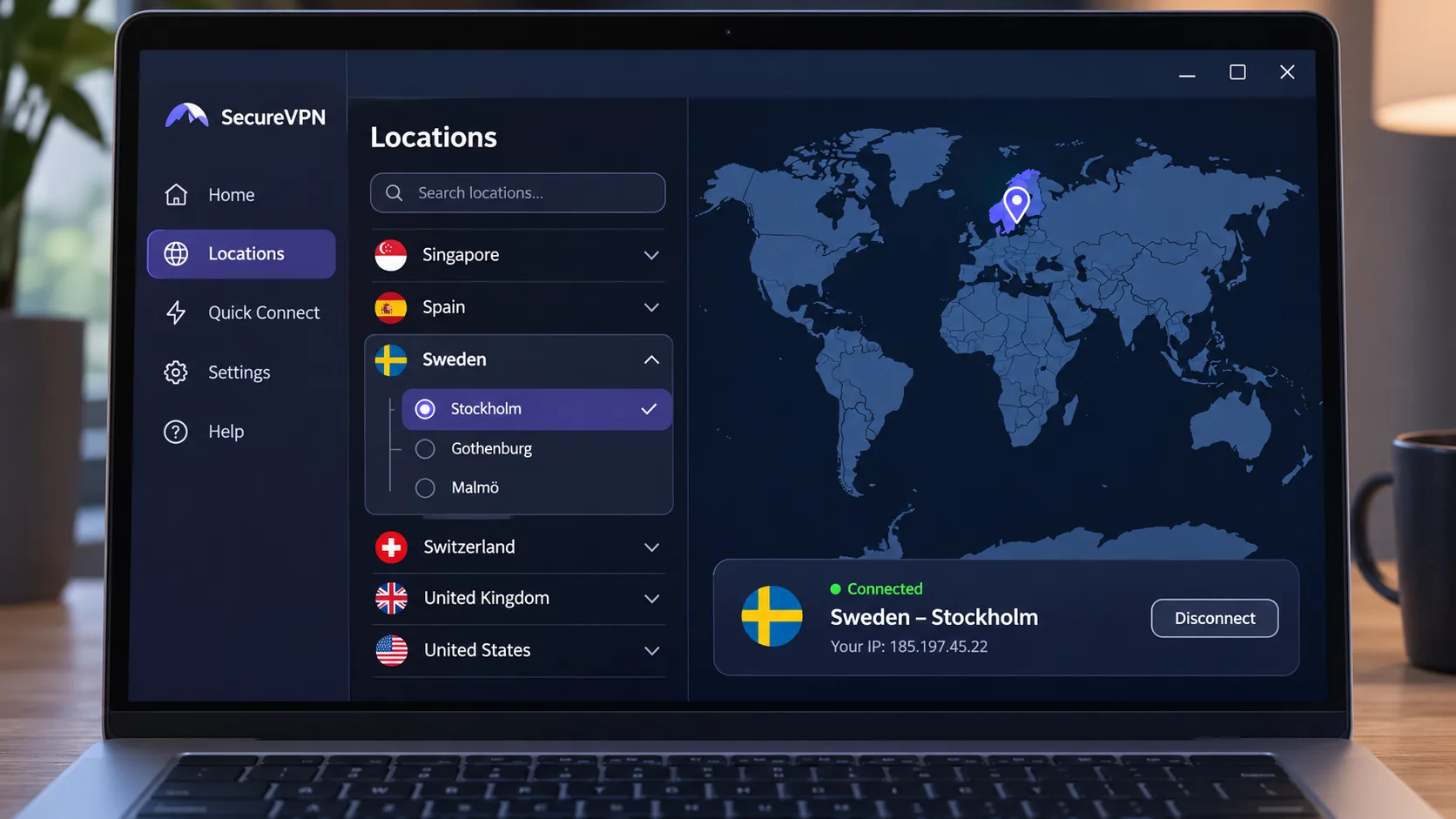
A VPN only gives you a Swedish IP if it has a server there, so check the provider's own location page first. NordVPN's Sweden page lists 174 servers, though published inventories differ and server totals change. Surfshark lists 16 servers in one Swedish location, and PrivateVPN lists three entries: Gothenburg, Kista and Stockholm. ExpressVPN says its Stockholm servers are physical, and CyberGhost offers a Stockholm page with a Swedish IP.
Speed depends mostly on distance. In our testing, NordVPN's nearby NordLynx connections were fast and consistent, and longer international routes lost speed. If you are in Sweden and connect to Stockholm, you are likely to get any provider's best performance. If you are in Australia and connect to Stockholm, expect a slower experience whichever service you pick. We found no Sweden-to-Sweden benchmark that covered all five services, so we do not publish speed figures for them.
Privacy, no-logs policies and security features
A no-logs policy is a promise, and an audit is the only outside check on it. All five services state a no-logs policy, but only four have published independent assurance work. NordVPN's sixth no-logs assurance engagement by Deloitte Lithuania examined systems in late 2025, and the report is available through a Nord Account. ExpressVPN has an assessment by KPMG of its TrustedServer and privacy-policy claims as of February 2025. Surfshark lists Deloitte work in 2023 and 2025 in its trust center, and CyberGhost announced a third Deloitte Audit Romania assessment in 2026.
Audits are point-in-time. They show what an auditor saw during the engagement but offer no guarantee about the future. We also looked for a kill switch, leak protection, modern protocols and strong encryption, because those decide whether your traffic is protected when a connection drops. The audit reports themselves sit behind vendor accounts or summaries, and we did not read the full documents.
A VPN encrypts the tunnel and replaces the public IP that websites see. It does not make you anonymous, it does not give you legal immunity, and it cannot stop you from logging into an account that identifies you. Free plans add more limits, which we cover further down.
Streaming support, device limits and total subscription cost
Streaming support is the least predictable part of any VPN. Services change their blocking rules without notice, so a server that worked last month can fail today. Pick a provider with many servers and an app that lets you switch quickly.
Device limits matter for households. NordVPN and PrivateVPN allow 10 simultaneous devices, CyberGhost allows 7, ExpressVPN allows 10 on Basic, 12 on Advanced and 14 on Pro, and Surfshark paid plans have no limit. The headline monthly price is a promotional rate calculated over a long term that you pay for upfront. NordVPN's Basic offer is $94.23 upfront for 27 months, which is about $3.49 a month, and renewal is $139.08 a year, with tax possibly extra. Compare the first charge and the renewal, because they differ for every service on this list.
How we assess VPNs for Sweden
We compared the five services against the same checklist: Swedish availability, privacy evidence, streaming behaviour, apps and device limits, and the price after the introductory term. The hands-on observations in this article, such as streaming behaviour, interface quirks and speed patterns, are what we found for each service. Product facts come from the providers' own pricing, location, support and audit pages, checked on 8 November 2026.
Server availability, speed and streaming evidence
For availability, we used each provider's official Sweden or Stockholm page and noted where published server counts disagree. For streaming, we looked at whether BBC iPlayer, Netflix and the Swedish broadcasters loaded. On speed, we looked at how performance changed with distance and protocol. We did not find a Sweden-to-Sweden benchmark that fairly covers all five services, so we compare behaviour and patterns instead of publishing throughput numbers that could mislead you.
Privacy checks, pricing and limitations of the comparison
For privacy, we checked each provider's published no-logs policy, audit announcements and trust pages. For pricing, we recorded the introductory term and the renewal, and we flag every figure that could be regional. This comparison has limits. Streaming results change quickly, promotions expire, and we did not read the full audit reports, since NordVPN's sits behind an account and others are summarised on vendor pages. Treat the rankings as a well-informed starting point, then use the refund window to test the service on your own connection.
The 5 best VPNs for Sweden
We ranked these on Swedish availability, evidence of privacy, how well streaming worked, apps and device limits, and the price you pay after the introductory term. Each entry names one limitation, because none of them is perfect.
1. NordVPN
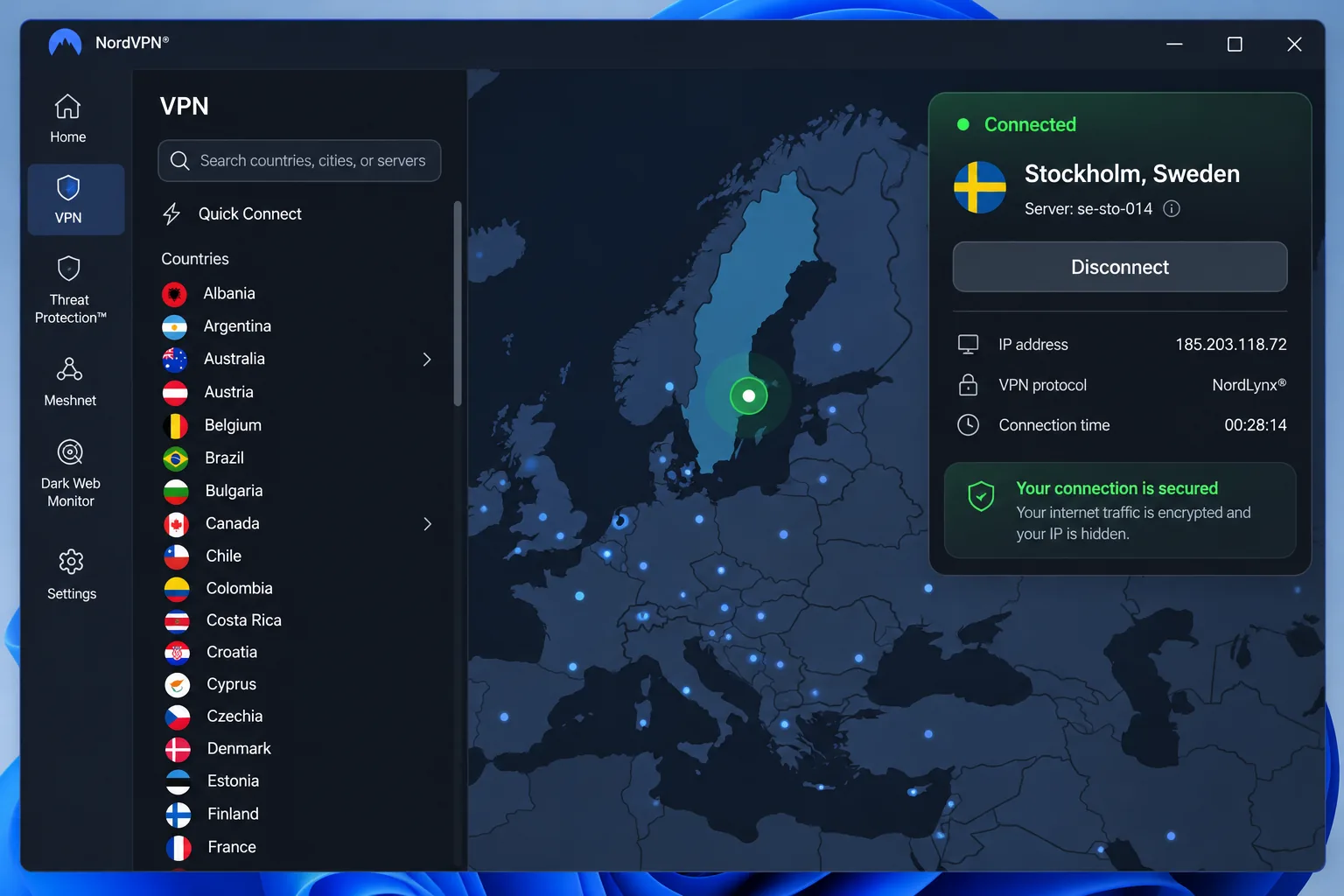
NordVPN is the service we would pick for most people connecting from Sweden or seeking a Swedish connection from abroad. You can choose Stockholm from the country map or the server list, and the same account gives you Double VPN, Onion Over VPN and P2P categories if you need them. Apps cover Windows, macOS, Linux, Android and iOS, with browser extensions as well, and an account supports 10 simultaneous devices. A dedicated IP is available as an add-on.
Streaming was the strongest part of our experience. Most connections opened without repeated server hunting. When we pointed it at BBC iPlayer, ITV and Channel 4, access was smooth, and we never had to cycle through servers to get a stream to load. Swedish servers can reach SVT Play and TV4 Play, though blocks remain service-dependent. Not everything unblocks, because Netflix Japan and Disney Plus Canada can resist even when other regional libraries work. Speed followed the usual pattern: nearby NordLynx connections were quick and consistent, while longer international routes were somewhat slower.
The limitation is the desktop app, which can feel awkward to navigate until you learn where things sit. The Basic plan includes only the VPN, while the Complete tier adds antivirus, scam and spam protection, ad and tracker blocking, a password manager and cloud storage. The offer we captured was $3.49 a month equivalent on a 27-month term, with a $139.08 yearly renewal. The 30-day guarantee covers the initial subscription purchase, and renewed subscriptions are excluded unless law requires otherwise. Refund requests go through support, and retailers handle their own purchases.
Pros
- Stockholm access with country-map and server-list selection
- Deloitte-assured no-logs policy, with a late-2025 engagement
- Smooth BBC iPlayer, ITV and Channel 4 access
- Double VPN, Onion Over VPN and P2P server categories
Cons
- Desktop interface can feel awkward to navigate
- Netflix Japan and Disney Plus Canada can resist unblocking
- Renewal price is well above the introductory rate
2. Surfshark
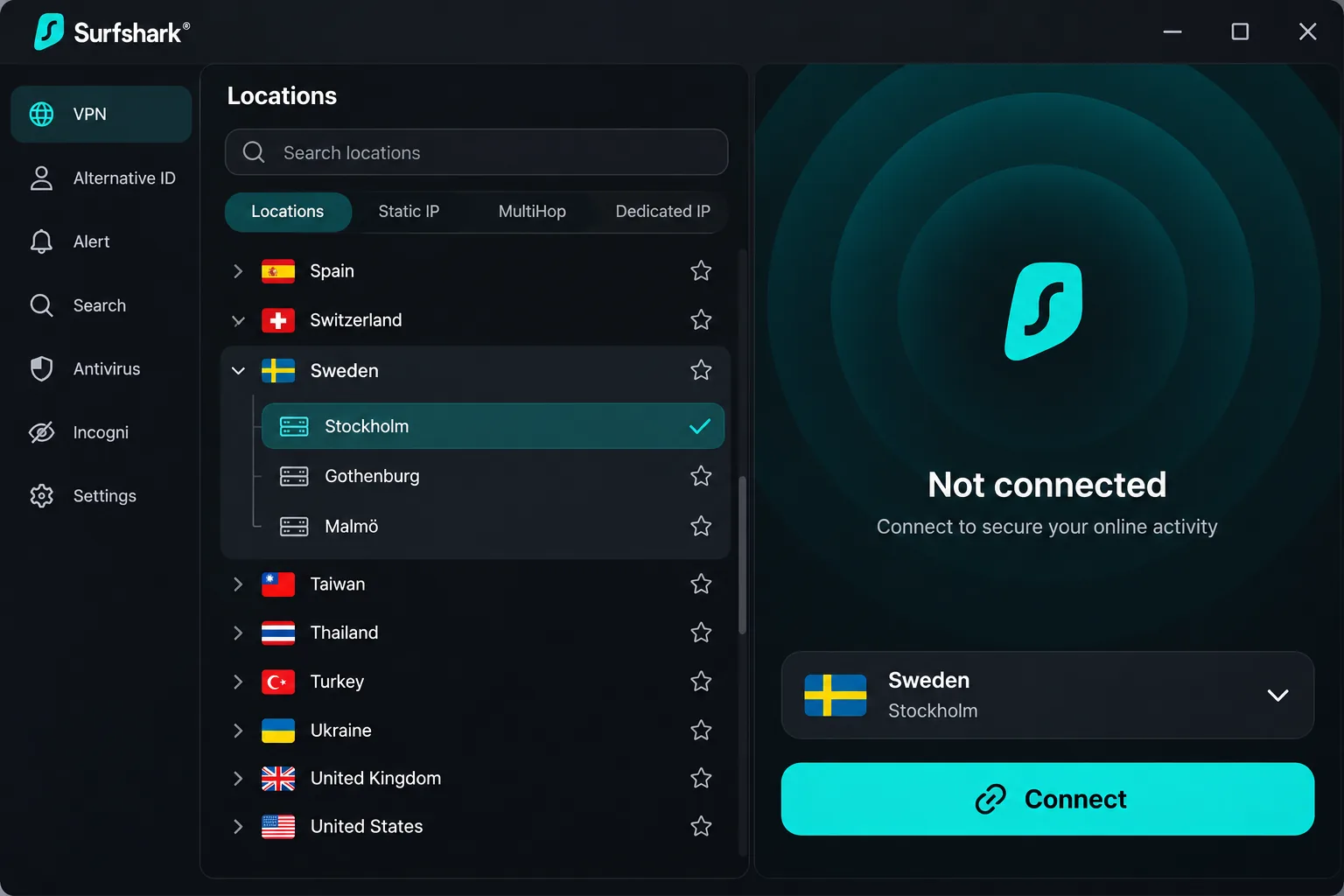
Where NordVPN caps you at 10 devices, Surfshark's paid plans allow unlimited simultaneous connections. That makes Surfshark the best fit for a home with many devices. Its Swedish server page identifies Stockholm and a Swedish endpoint, and the official location list shows 16 Swedish servers in one location. Apps run on Windows, macOS, Linux, Android and iOS, plus browser extensions. Useful extras include ad and cookie-pop-up blocking, Bypasser split tunneling, rotating IP, Dynamic MultiHop and Alternative ID, though some extra security products depend on the plan tier.
The apps keep most features easy to find, but advanced configuration is mostly limited to on and off choices. If you fine-tune your VPN settings, those choices will feel limited. On restrictive networks, such as some school or workplace connections, switching from WireGuard to obfuscated OpenVPN can restore connectivity. On Windows, a severe process-level interruption left the app needing a restart. The moment that mattered came during that restart: the kill switch kept holding, so the real IP stayed hidden until the app was back up. IP rotation is a nice privacy feature, but it can interrupt website sessions or trigger logouts.
Streaming access is broad across major platforms. BBC iPlayer and regional UK services work readily, while UK and Australian Netflix and several Prime Video regions can fail. That uneven record is the limitation to keep in mind if a single Netflix library is your main goal. If Prime Video is your main goal, our guide to the best VPN for Amazon Prime Video covers which services handle it more reliably.
The offer we captured on the Starter plan was $67.23 for the first 27 months, about $2.49 a month, with VAT potentially added. Renewal depends on the tier and your account terms, and the benchmark we found for Starter was $79 a year. The temporary promotion that puts One at the Starter price will not last. A 30-day guarantee covers eligible first purchases, and renewals and already-refunded subscriptions are excluded. Apple and Amazon refunds go through those stores, and some add-ons cannot be refunded. For privacy, Deloitte no-logs assurance work is listed for 2023 and 2025 on the official trust center.
Pros
- Unlimited simultaneous devices on paid plans
- Lowest introductory price of the five in our snapshot
- Bypasser split tunneling, MultiHop and ad blocking
- Obfuscated OpenVPN as a fallback on restrictive networks
Cons
- UK and Australian Netflix and some Prime Video regions can fail
- Windows app may need a restart after a severe interruption
- IP rotation can log you out of websites
3. ExpressVPN
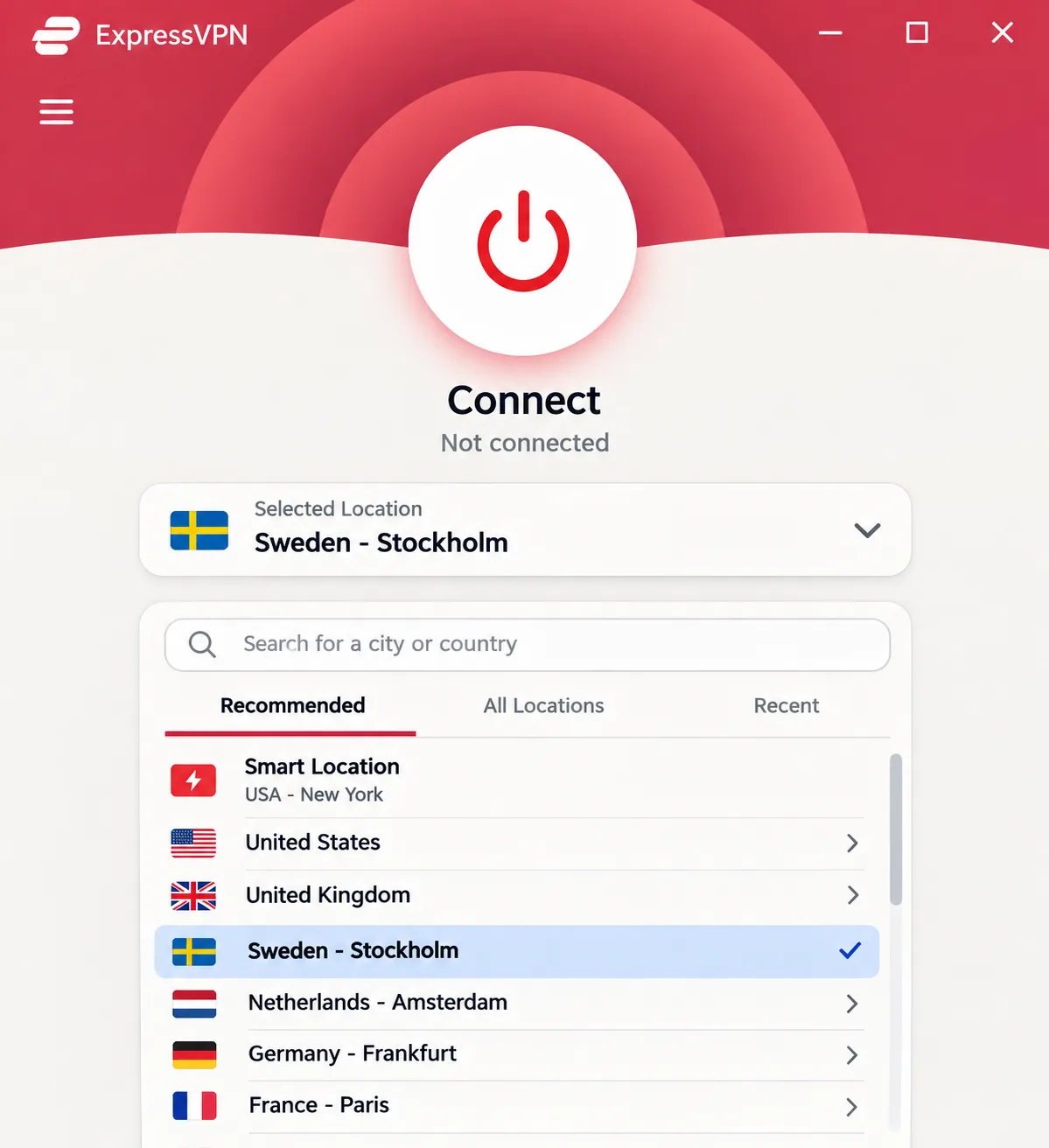
Surfshark offers more settings than ExpressVPN. That makes ExpressVPN the one to try if you want to make as few decisions as possible when connecting. It runs physical servers in Stockholm and gives you a Swedish IP, and it offers a dedicated Swedish IP as an add-on. Features include Lightway, WireGuard and OpenVPN support, a kill switch, DNS, IP and WebRTC leak protection, and RAM-only TrustedServer infrastructure. Apps cover Windows, Mac, iOS, Android and Linux, with router and TV options as well.
Connecting and starting a stream is straightforward, with few advanced controls to work through. Lightway connects quickly, although standard Lightway delivers lower throughput than the Windows Turbo option. Most major streaming services unblock successfully. When we forced a disconnection, the kill switch blocked traffic as it should. The status feedback and automatic reconnection were less dependable, so confirm in the app that it has recovered after a drop.
The limitation is feature compatibility. Windows Lightway Turbo cannot be combined with split tunneling, and OpenVPN cannot be combined with Advanced Protection. If you plan to stack several options at once, you will hit those walls.
Basic costs $2.99 a month equivalent, which is $83.72 for 28 months, then $99.95 a year. Advanced is $4.49 a month equivalent, $125.72 for 28 months, then $119.95 a year. Promotions, bonus months and taxes can differ by market and tier. A 30-day money-back guarantee applies for first-time users. The KPMG assessment we mentioned earlier has an assessment date of February 28, 2025.
Pros
- Physical Stockholm servers and an optional dedicated Swedish IP
- Simple connection flow with few settings to manage
- Lightway protocol connects quickly
- Most major streaming services unblock
Cons
- Turbo and split tunneling cannot run together on Windows
- Kill switch feedback and reconnection can be imperfect
- Renewal at $99.95 a year on Basic is higher than Surfshark's benchmark
4. CyberGhost
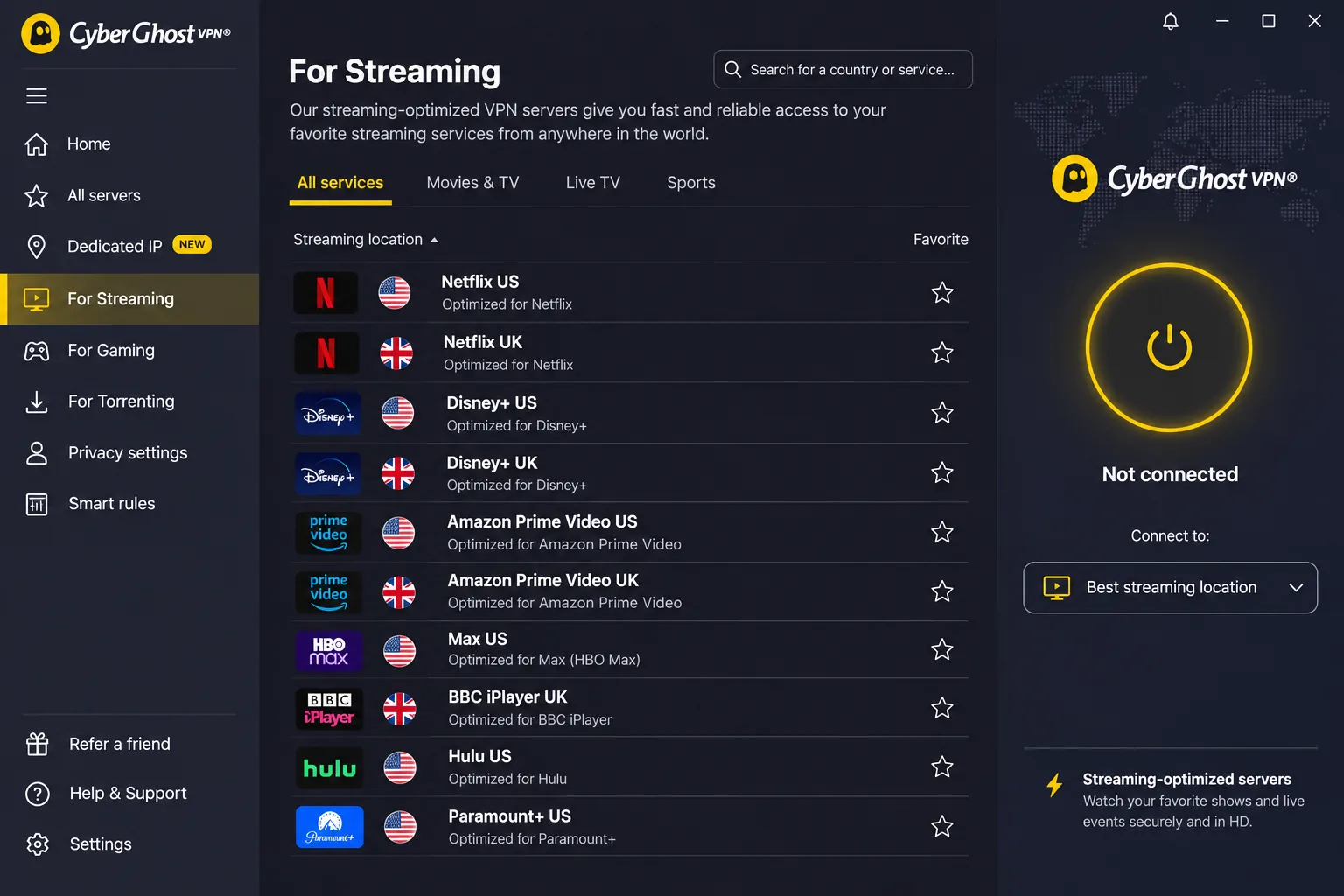
CyberGhost takes ExpressVPN's approach of minimising choices even further, suiting beginners and anyone who wants the app to do the choosing. The interface is approachable and setup is simple. Its official Stockholm page offers Stockholm server access and a Swedish IP. Streaming-optimized servers, torrenting servers, a kill switch, DNS leak protection and Smart Rules automation are all part of the package, and the desktop app exposes helpful server-selection information. Smart Rules make it convenient to start the VPN when you open a particular app. Apps cover Windows, macOS, Android, iOS and Linux, though availability and the setup method differ by platform. The Windows app needs Windows 10 version 1903 or later, or Windows 11, and it does not list support for ARM-based SQ and Snapdragon processors.
Selecting a streaming-optimized server helps, but the server named for a service is not always the one that works. When BBC iPlayer or Australian 10 Play would not load on its designated server, switching to another streaming server in the same country got the service to load. Once connected, streams can play without buffering and WireGuard can deliver strong throughput. Connection performance can still lag behind competing services, and results change with protocol and location.
An account allows 7 simultaneous devices, fewer than the other services on this list, though you can use account device management to remove a device and revoke its access. CyberGhost has the most generous refund terms here. Subscriptions longer than a month have a 45-day refund window, and the monthly plan has a 14-day window. Purchases billed through the App Store, iTunes, Google Play or Amazon are excluded from the direct guarantee, so buy on the website if you want that protection. We could not confirm a Swedish or USD checkout price. The captured Australian checkout showed AU$3.27 a month, AU$91.56 upfront and the same amount yearly, with conflicting bonus-month labels, so check your own checkout. The audit evidence is a third Deloitte Audit Romania no-logs assessment announced on a page updated in 2026, covering server configuration, change management and dedicated-IP tokens.
Pros
- 45-day refund window on longer plans
- Streaming-specific and torrenting servers
- Smart Rules start the VPN when you open an app
- Approachable interface for beginners
Cons
- The server named for a streaming service sometimes needs switching
- Only 7 simultaneous devices
- Connection performance can lag behind rivals
5. PrivateVPN
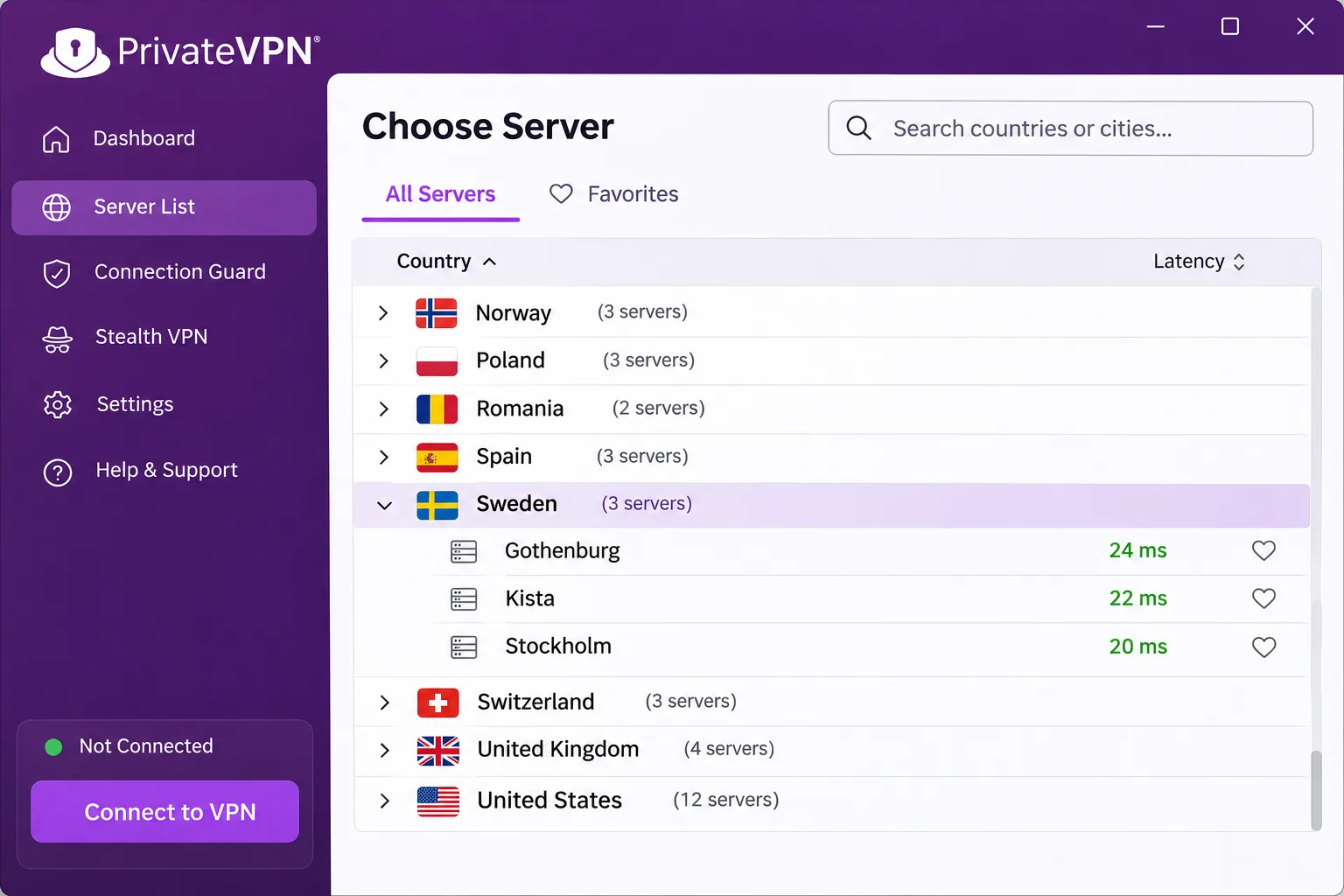
After CyberGhost's long server menus, we come to PrivateVPN, the smallest service here and the one that lets you choose a Swedish city. The server list has 3 Swedish entries: Gothenburg, Kista and Stockholm. Apps are available for Windows, Mac, iOS and Android, with Linux and router support through setup instructions, and one account covers 10 simultaneous devices. Features include OpenVPN, a kill switch, P2P support, port forwarding and a no-logs policy.
Nearby servers deliver strong download performance, but speeds vary between locations and can trail larger competitors. Streaming access works with major services, although the smaller network leaves fewer alternative endpoints if one server is blocked. Support is helpful and responsive when you can reach it.
PrivateVPN has a longer list of limitations than the other services. WireGuard requires manual setup, which adds friction compared with an in-app protocol switch. Split tunneling and multi-hop are absent in the apps we looked at, and the apps lack Smart DNS and browser extensions, which narrows convenient TV and browser setups. Linux connections can expose IPv6 addresses without additional protection, so Linux users should add their own leak prevention. We also found no independent no-logs audit for PrivateVPN, so its policy rests on the company's word.
The price snapshot we found was $2 a month equivalent, or $72 for 36 months, with a benchmark renewal of $72 a year. The official pricing page returned an error when we checked, so these figures come from regional promotional pages and may not match your checkout. The headline guarantee is 30 days for new customers, but the terms of use exclude renewals, in-app Apple purchases and amounts below SEK 400 or USD 45, and some later purchase changes remove eligibility. Read them before you pay.
Pros
- Choice of Gothenburg, Kista or Stockholm
- 10 simultaneous devices
- Port forwarding and P2P support
- Strong nearby download speeds
Cons
- WireGuard needs manual setup
- No independent no-logs audit identified
- Smaller network, with variable speeds and Linux IPv6 caveat
Why use a VPN in Sweden?
With the five services reviewed, it is fair to ask whether you need one at all. Sweden has fast broadband and strong consumer protections, so a VPN is not a requirement for everyone. It earns its place in a few specific situations, and it is worth being honest about the ones where it does not help.
Privacy on public Wi-Fi and limits of VPN protection
On a cafe, airport or hotel network, a VPN encrypts the traffic between your device and the VPN server, so other people on that network cannot read it. A kill switch stops traffic when the tunnel fails. These are network protections. A VPN does not make you anonymous, and it does not change what a website learns when you log in.
It also does not replace your legal data-protection rights. The Swedish data protection authority's GDPR guidance defines personal data as information linked to an identified or identifiable person. Organisations must meet their GDPR obligations regardless of whether you use a VPN. The two address different problems.
Watching Swedish TV abroad and international streaming in Sweden
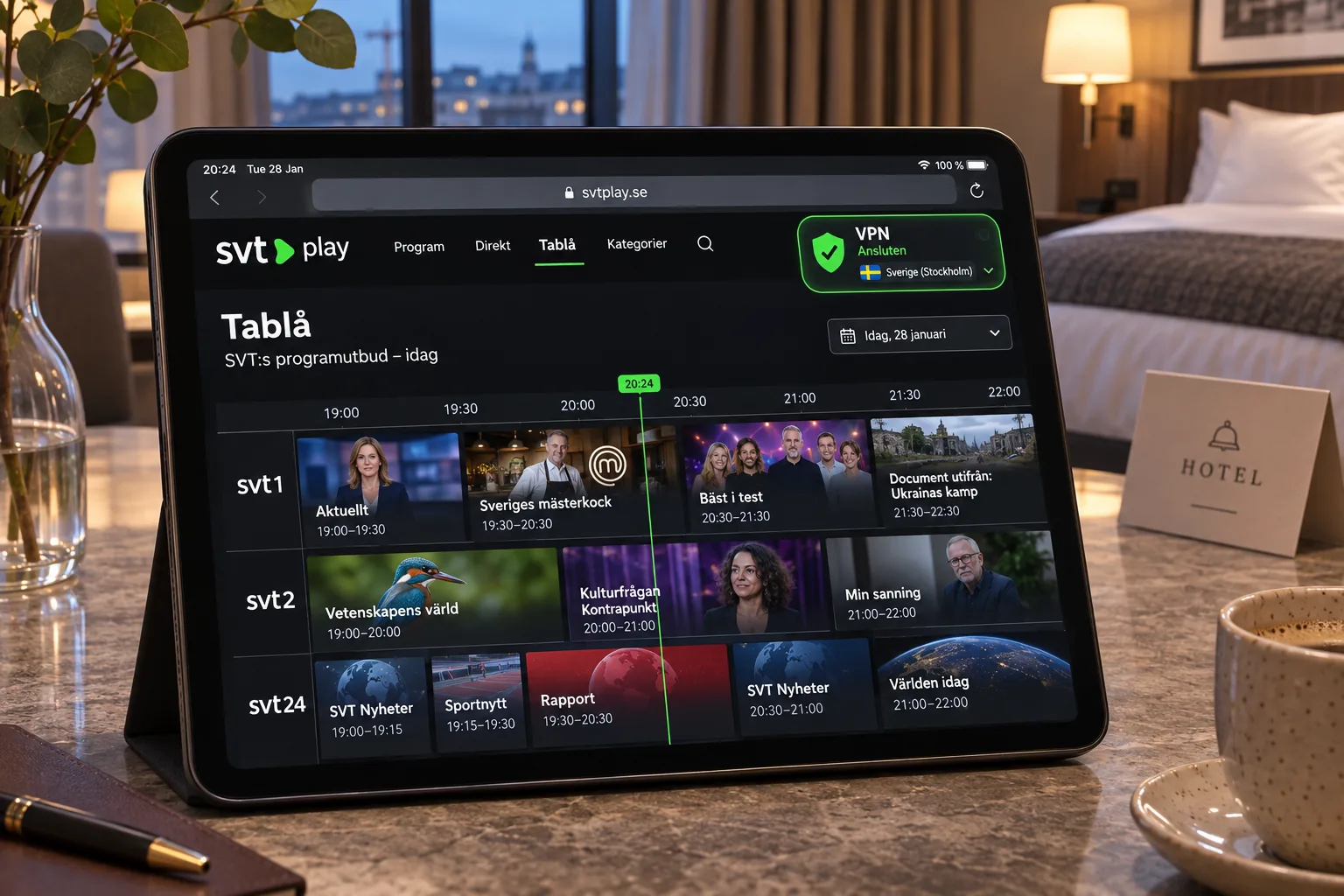
If you are outside Sweden, a Swedish IP can help you reach local services, but the rules differ by broadcaster. Programs are available abroad only where rights allow, live channels are restricted to Sweden, and a web filter called Kan ses utomlands shows which programmes you can watch. SVT also says it does not support VPN use and does not guarantee that it will work. As a public-service broadcaster, it is not subject to the same EU portability requirement as paid services such as Netflix and TV4 Play.
In practice, a Swedish server from NordVPN worked with SVT Play and TV4 Play, but treat that access as a bonus that can disappear. If you are in Sweden and want other countries' libraries, the picture is the usual one. BBC iPlayer worked smoothly on NordVPN and Surfshark, while Netflix libraries are the likeliest to fail, so a provider with many servers gives you more choices when one is blocked.
Torrenting, gaming and access to services while traveling
For torrenting, choose a provider with P2P support. NordVPN has P2P server categories, CyberGhost has torrenting servers, and PrivateVPN supports P2P and port forwarding. A VPN does not change the copyright rules. Sweden's patent and registration office explains that downloading creates a copy, including a partial download, and that private-use downloading requires a legally uploaded original.
For gaming, expect no boost. A VPN adds a hop, which may raise latency, and only an unusually good route can reduce it. When traveling, a VPN helps you reach your usual Swedish services from abroad, provided the service allows it.
How to set up a VPN and get a Swedish IP address
The process is the same on every service. Choosing Sweden yourself is the step that matters, because an automatic fastest-server choice is not the same as picking Sweden.
Install the app and connect to a Swedish server
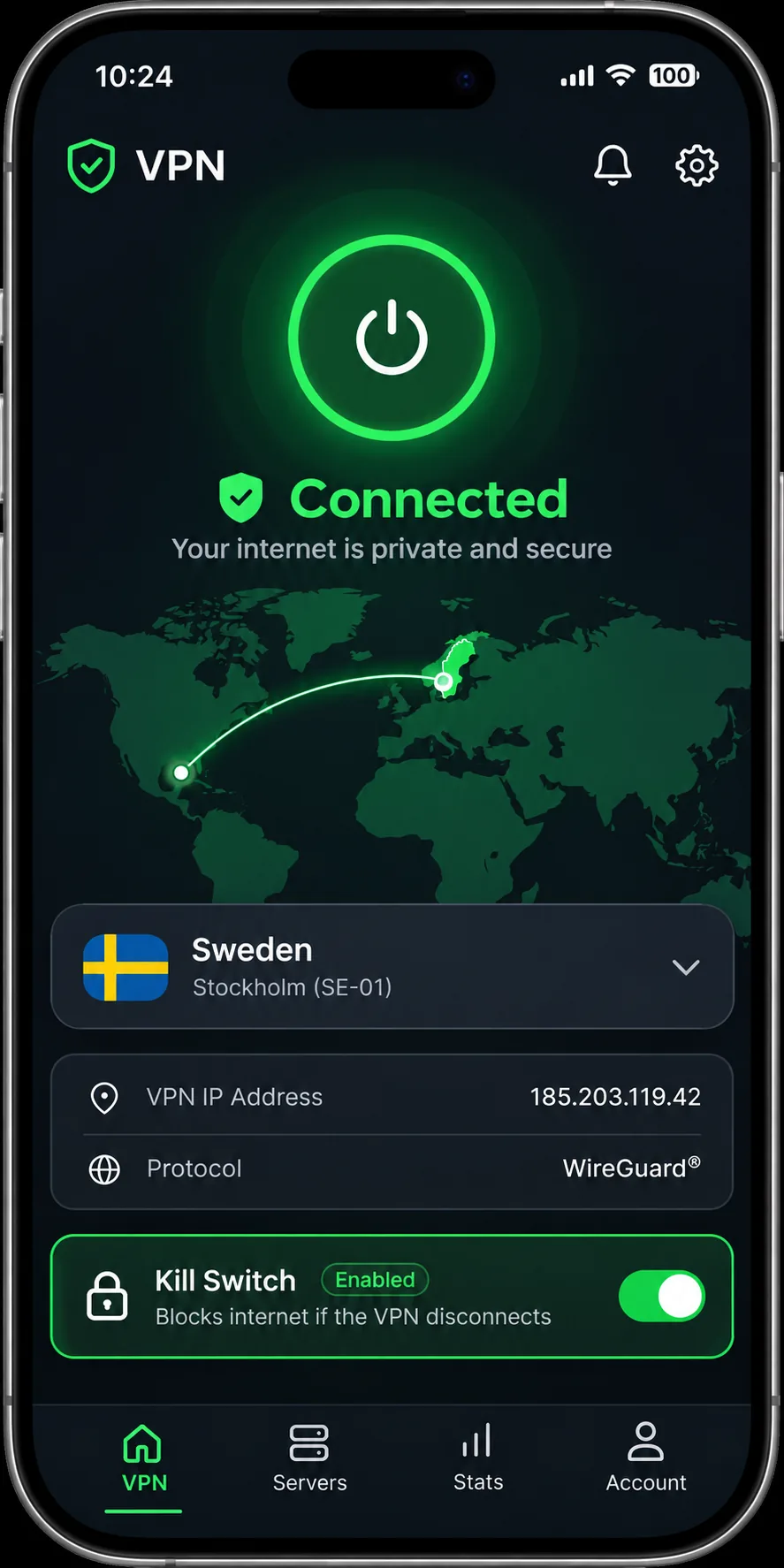
- Create an account with the provider and buy a plan, ideally through the provider's website so the money-back guarantee applies in full.
- Install the supported app on your device and sign in.
- Open the location list and select Sweden, or a Swedish city if the service offers one, such as Stockholm.
- Connect and wait for the status to show that the tunnel is active.
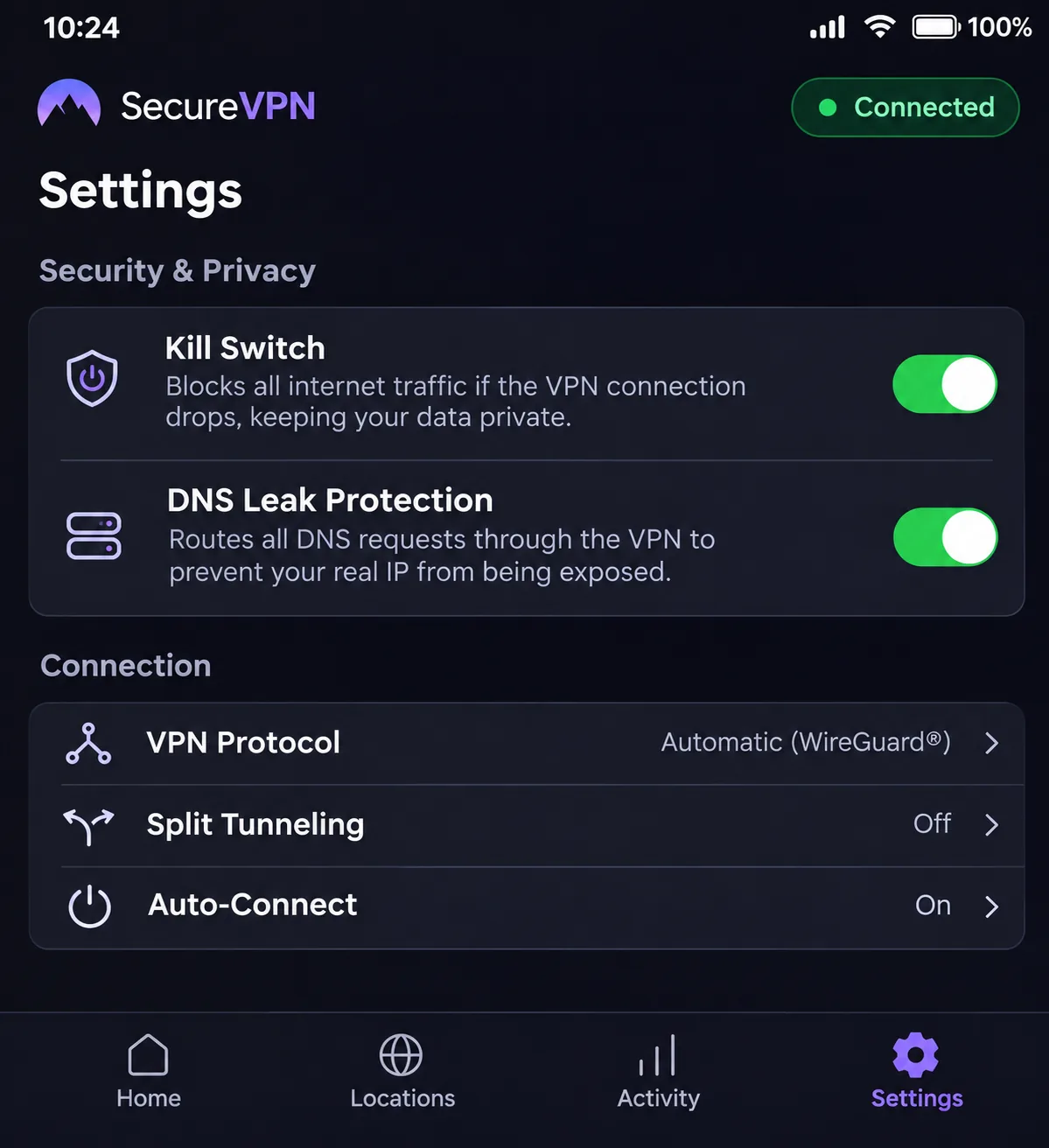
- Turn on the kill switch in settings so traffic stops if the connection drops.
Surfshark notes that installation on an employer- or school-managed computer can be blocked without administrative permission. The same is likely with other services.
Check your IP address and troubleshoot connection problems
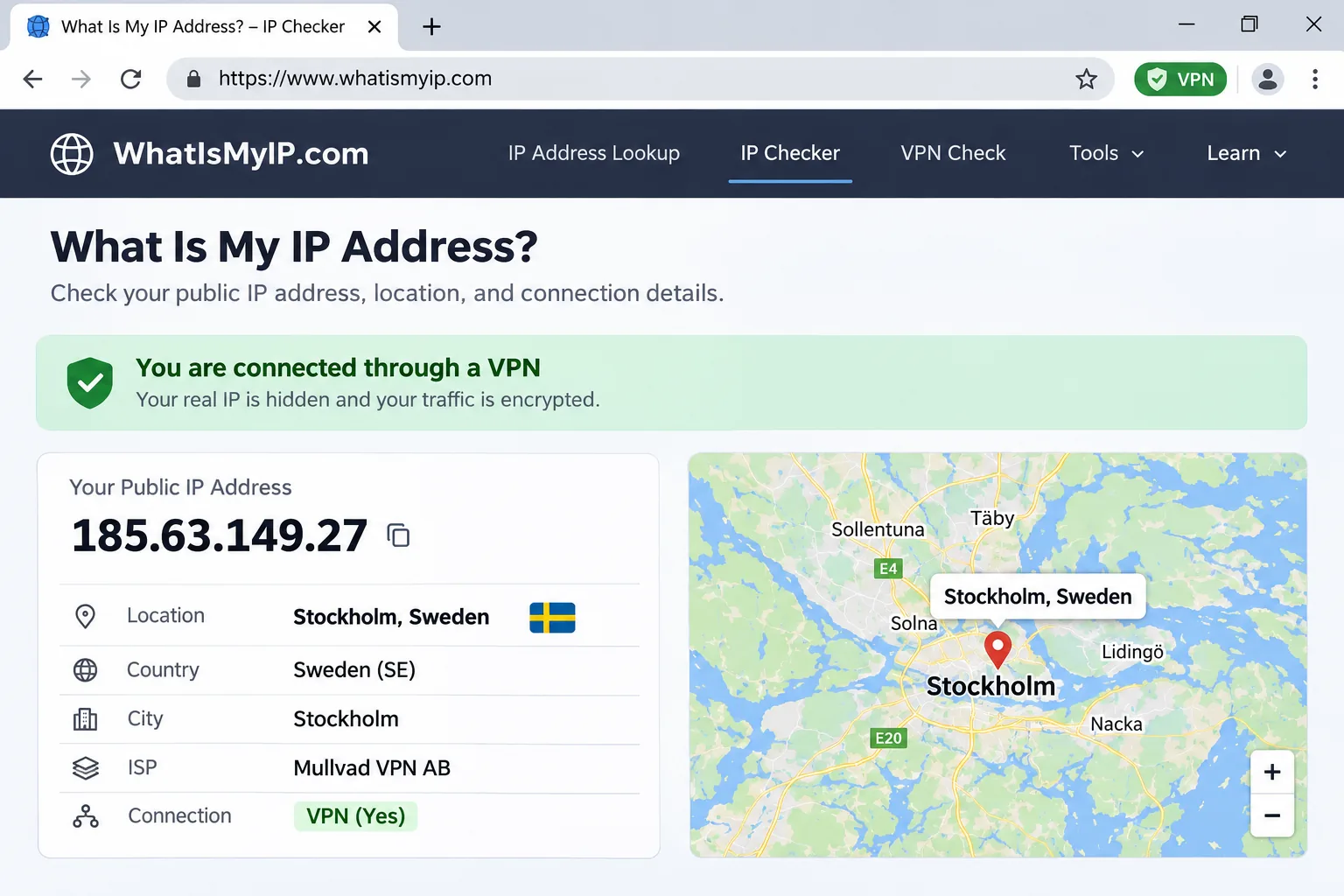
Open a site that shows your IP address and confirm that it reports Sweden. If it does not, disconnect, make sure you picked Sweden rather than the fastest location, and connect again. If a streaming service still blocks you, try another Swedish server, then another protocol. On a network that blocks VPNs, an obfuscated option such as Surfshark's OpenVPN setting can restore the connection. CyberGhost users may need to switch to a different streaming server in the same country.
If the app will not install, check the system requirements. NordVPN's current apps list Windows 10 64-bit version 1607 or later or Windows 11, Android 9 or later, iOS 17 or later and macOS Sonoma 14 or later. The support page also lists separate legacy builds, so use the installer that matches your device.
Can you use a free VPN in Sweden?
For a Swedish IP on demand, a free VPN is the wrong tool. The better free services protect your traffic but limit what you can do with it.
The paid providers here advertise money-back guarantees, but those are not free subscriptions. You buy first, then request a refund if you want out. NordVPN's refund policy is an example, because it covers the initial purchase and requires a request through support.
Free-plan server access, data limits and privacy trade-offs
Proton VPN Free, the free VPN many people trust most, has no data cap. However, its free plan chooses a server for you, and the published list of free countries excludes Sweden. That means it cannot give you on-demand Swedish location selection. Other free services usually add data caps, fewer locations and slower speeds, and some make money in ways that reduce your privacy. If your goal is a Swedish IP, a free service is unlikely to deliver it.
Free trials versus money-back guarantees
We did not verify the free-trial length, card requirements and cancellation rules equally for all five services, so we do not rank them on trials. The refund windows are clearer. CyberGhost gives 45 days on longer plans and 14 days on monthly plans, while NordVPN, Surfshark and ExpressVPN give 30 days to eligible first purchases. PrivateVPN advertises 30 days, with exclusions. All of them require you to pay first, and renewals are generally excluded, so test the service thoroughly during the refund window.
Are VPNs legal in Sweden?
Yes, using a VPN for ordinary purposes is legal in Sweden. The official CyberGhost Stockholm page describes ordinary VPN use there as legal, and we found no Sweden-wide ban on VPNs. We did not find a Swedish government page that states the rule for consumers in so many words, so this rests on vendor guidance and the absence of any prohibition. It does not describe the detail of interception or data-retention law.
Swedish privacy laws and what a VPN does not change
Illegal activity remains illegal when you do it through a VPN. Copyright law still applies to downloading, as the PRV guidance above explains, and GDPR still governs how organisations handle your personal data. A VPN changes what the destination site sees and what your local network can read. It does not change your legal position, and it does not hide your activity from the VPN company itself, which is why a checked no-logs policy matters.
Sweden VPN FAQs
Will a VPN work on a Swedish mobile connection?
Can I use a Swedish VPN for banking apps like BankID while abroad?
Does Sweden's data-retention law affect VPN use?
Is a VPN based in Sweden better for privacy?
Conclusion: Which Sweden VPN should you choose?
Your choice comes down to which drawbacks you would find unacceptable. Skip NordVPN if the renewal jump from $3.49 a month equivalent to $139.08 a year would bother you, and skip PrivateVPN if you want an independently audited no-logs policy. Skip ExpressVPN if you need Windows Turbo and split tunneling together, and skip CyberGhost if you share an account across more than seven devices. Whichever you buy, select Sweden by name, confirm your IP, and use the refund window to test it on your own connection.