Our shortlist for South Korea is NordVPN, Surfshark, ExpressVPN, Proton VPN and CyberGhost, and NordVPN is where most readers should start. The other four each win a narrower case, which the reviews below lay out one by one.
Before you pick, decide which problem you are solving. A VPN used from inside Korea protects your traffic on public Wi-Fi and reaches overseas services. A VPN used from abroad gives you a Korean IP address so you can reach Korean banking, streaming and shopping from home. The best choice differs, and this guide covers both. We read vendor pricing and policy pages, audit announcements and published test results for each provider, and we flag where those sources disagree.
We write this guide as the HTS review team, and we keep two limits in view. Prices, server counts and streaming results change often, so we quote vendor pages as they stood on 2026-11-08 and say so when a figure varies. We also do not claim a single ranked winner on speed or latency, because the available data uses different baselines and routes.
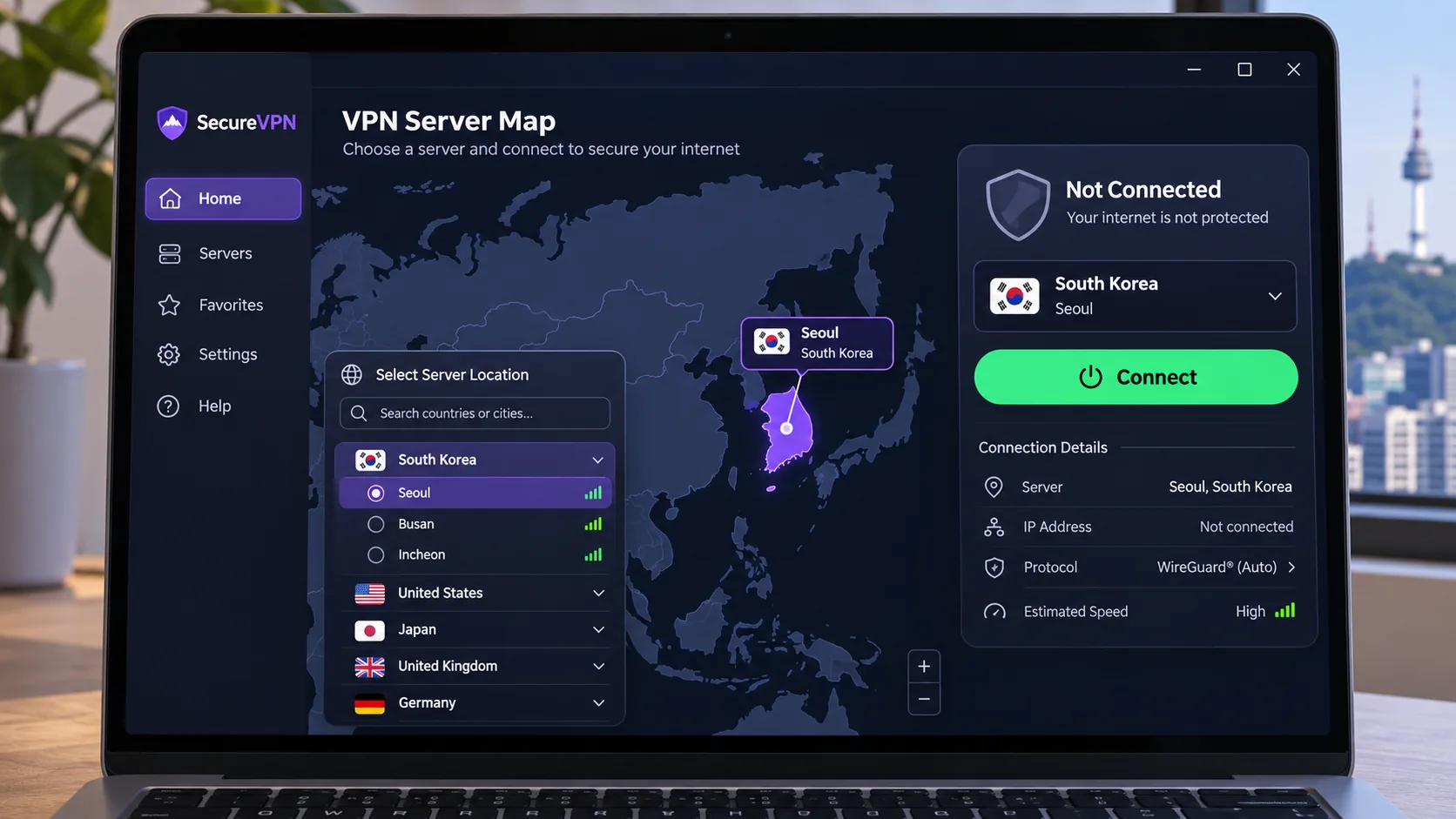
Compare the best VPNs for South Korea
The table lays the five providers side by side on the points that matter for Korea: where you can connect, how many devices you can cover, what independent evidence backs the no-logs claims, how streaming has gone, and what you pay. Prices are promotional offers in US dollars and shift with sales, currency and tax.
| Product | Buy | Korean locations | Devices | Security evidence | Streaming status | Plan term | Renewal | Refund |
|---|---|---|---|---|---|---|---|---|
 |
Check price → | Seoul | 10 | Deloitte no-logs examination, 2025 | Broad streaming; Netflix Korea can fail | $94.23 for 27 months (Basic) | $139.08/year | 30-day, initial purchase |
 |
Check price | 1 location, 12 servers | Unlimited | Deloitte no-logs verification, 2025 | Netflix Korea varies by connection | $67.23 for 27 months (Starter) | Exact renewal not verified | 30-day, exclusions apply |
 |
Check price | Seoul | 10 on Basic | KPMG privacy assessment, 2025 | Netflix Korea and Coupang Play work; some overseas gaps | $84 for 28 months (Basic) | $99.95/year | 30-day, new users |
 |
Check price | South Korea (paid Plus only) | 10 on Plus | Securitum annual no-logs audit, 2026 | Stable; Disney Plus inconsistent | $83.76 for 24 months (Plus) | $83.88/year | 30-day, initial purchase |
 |
Seoul (virtual location) | 7 | Deloitte no-logs audit, third assessment | Korean channels work; Netflix Korea varies | Only a localized INR quote verified | Not verified in USD | 45-day long plans, 14-day monthly |
Two details in the table are worth a second look. Device allowances decide your cost per household, and renewal prices decide what you actually pay after year one. NordVPN's first offer looks cheap, then renews at $139.08 a year, while Proton VPN's renewal is nearly the same as its introductory total.
How we evaluate VPNs for South Korea
We started from how people use a VPN around Korea: staying safe on public networks, keeping Korean services reachable from abroad, and streaming or gaming without a visible slowdown. Then we read each provider's official server, pricing, refund and audit pages, and compared them with published tests from independent review sites. Where two sources disagreed, we say so in the text and use the vendor's own page for specs and prices.
Korean servers and international server coverage
We check whether a provider lists a South Korean endpoint, how that endpoint is labeled, and whether the vendor states a server count. Counts often disagree. NordVPN, Proton VPN and CyberGhost all have official numbers that differ from reviewer inventories, so we treat them as ranges and not as a ranking. We also note that CyberGhost labels Seoul as a virtual location, and we have not established whether the other four use physical or virtual hardware in Korea.
International coverage matters just as much when you are inside Korea. You may want a Japanese or US server for an overseas service, so a provider with solid routes to other countries gives you more room than one tuned only for Seoul.
Speed, streaming and gaming performance
Reviewer speed datasets use different baselines and routes, and generic download throughput is not a gaming-latency benchmark. We therefore describe observed behavior, such as which providers keep video calls and live streaming smooth, and we avoid declaring a fastest provider. For streaming, we use documented playback results and note when sources conflict. Playback is a snapshot. VPN detection and licensing change, and Netflix officially limits VPN viewing.
Privacy, security, devices and total subscription cost
We look at the most recent no-logs audit, who performed it, and what the scope was. We count the simultaneous connections and note tier differences, as with ExpressVPN. For cost, we add up the first term, the renewal, the refund window and any exclusions, because the monthly equivalent shown in an advert is not what you pay after the introductory term.
An audit is a point-in-time check of policy and configuration. It is useful evidence, yet it does not show what happens on every server every day, and we have not independently confirmed any provider's no-logs claim.
The 5 best VPNs for South Korea reviewed
Each review covers the Korean endpoint, useful overseas routes, security evidence, device support, streaming limits, cost and who should skip it. We describe results as they stand in the sources we checked, and we do not rank any provider as the fastest, because no common Korean baseline exists.
1. NordVPN
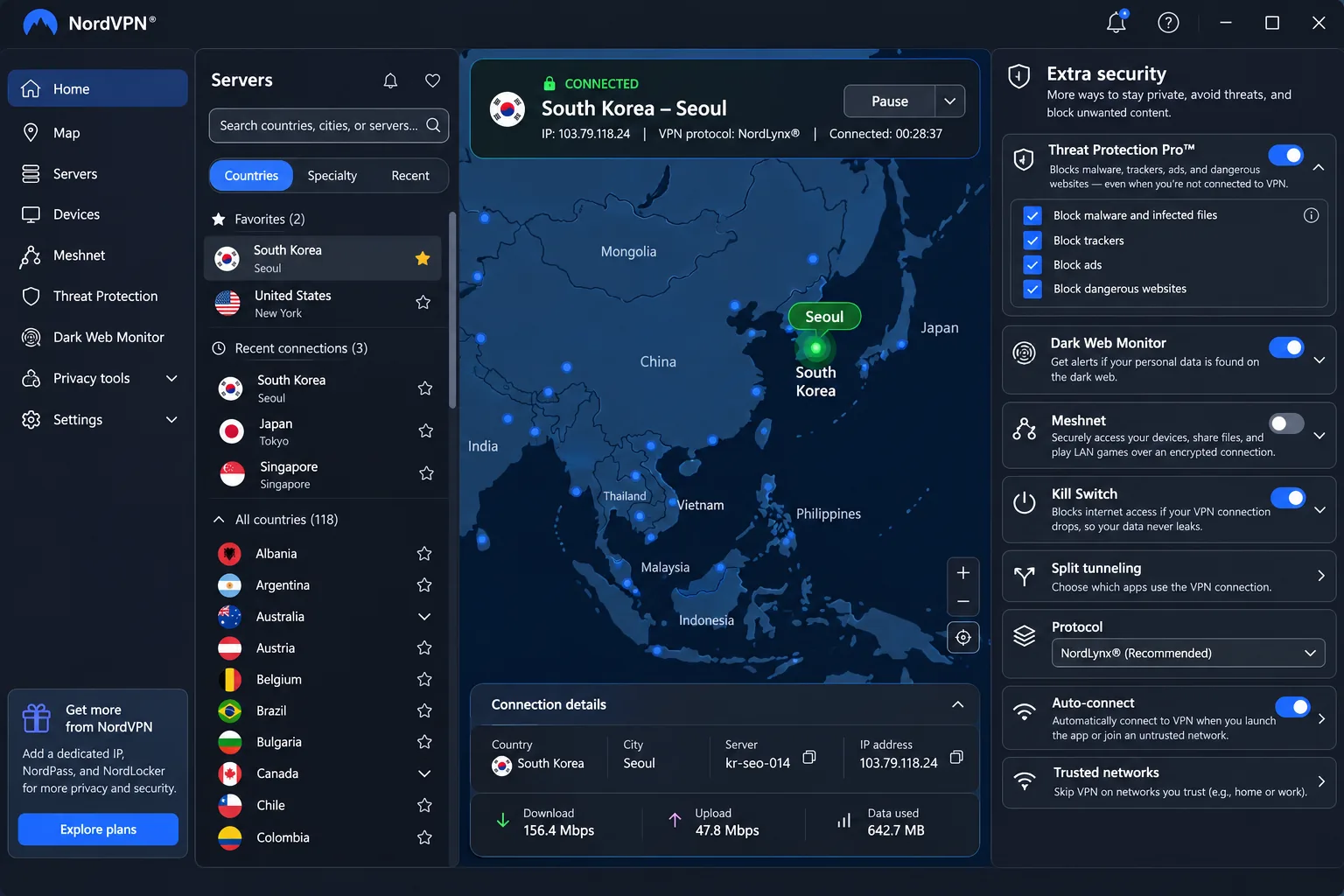
NordVPN is the provider we would try first. It offers a South Korean endpoint with Seoul selection through the map or the server list, and the desktop and mobile apps handle it the same way. The official country page lists 60 South Korean servers, while published test inventories list far fewer, so treat the exact count as a moving figure that varies by update.
For travel and overseas use, NordVPN's international connections are fast and stable, which is what matters when you route a video call or a work session through a distant country. Beyond the tunnel, the product offers a no-logs policy, a dedicated IP option, dark-web monitoring and browser extensions, and higher bundles add antivirus, password management and cloud storage. Plan inclusion differs, so check the tier before you pay.
On security evidence, Deloitte conducted the sixth no-logs examination in 2025, and earlier reviews included PwC. That is a long audit record, though an audit confirms policy and configuration at a point in time and does not prove what happens on every server.
Streaming is where we would temper expectations. Picture the evening you connect to Seoul and open Netflix Korea. In our testing the connection could fail, and the app gave us no clear sign of which servers suit streaming, so finding a working one was a matter of trying again. Korean library availability changes by server and service, so a Korean IP is not a guarantee of the Korean catalog. The desktop apps can also feel cluttered with additional security settings, which slows down a first setup.
On cost, the Basic offer was $3.49 a month equivalent, or $94.23 prepaid for 27 months, renewing at $139.08 a year. VAT may apply. The 30-day money-back guarantee covers the initial subscription purchase only, and renewals are excluded unless local law says otherwise.
Pros
- Seoul endpoint on both desktop and mobile apps
- 10 simultaneous connections on one plan
- Deloitte no-logs examination in 2025
- Fast, stable international connections
Cons
- Netflix Korea connections can fail
- Desktop app can feel cluttered
- Renewal is much higher than the introductory offer
Skip it if Korean streaming is your only goal and you want a provider with documented Korean library success, or if you dislike busy app interfaces.
2. Surfshark
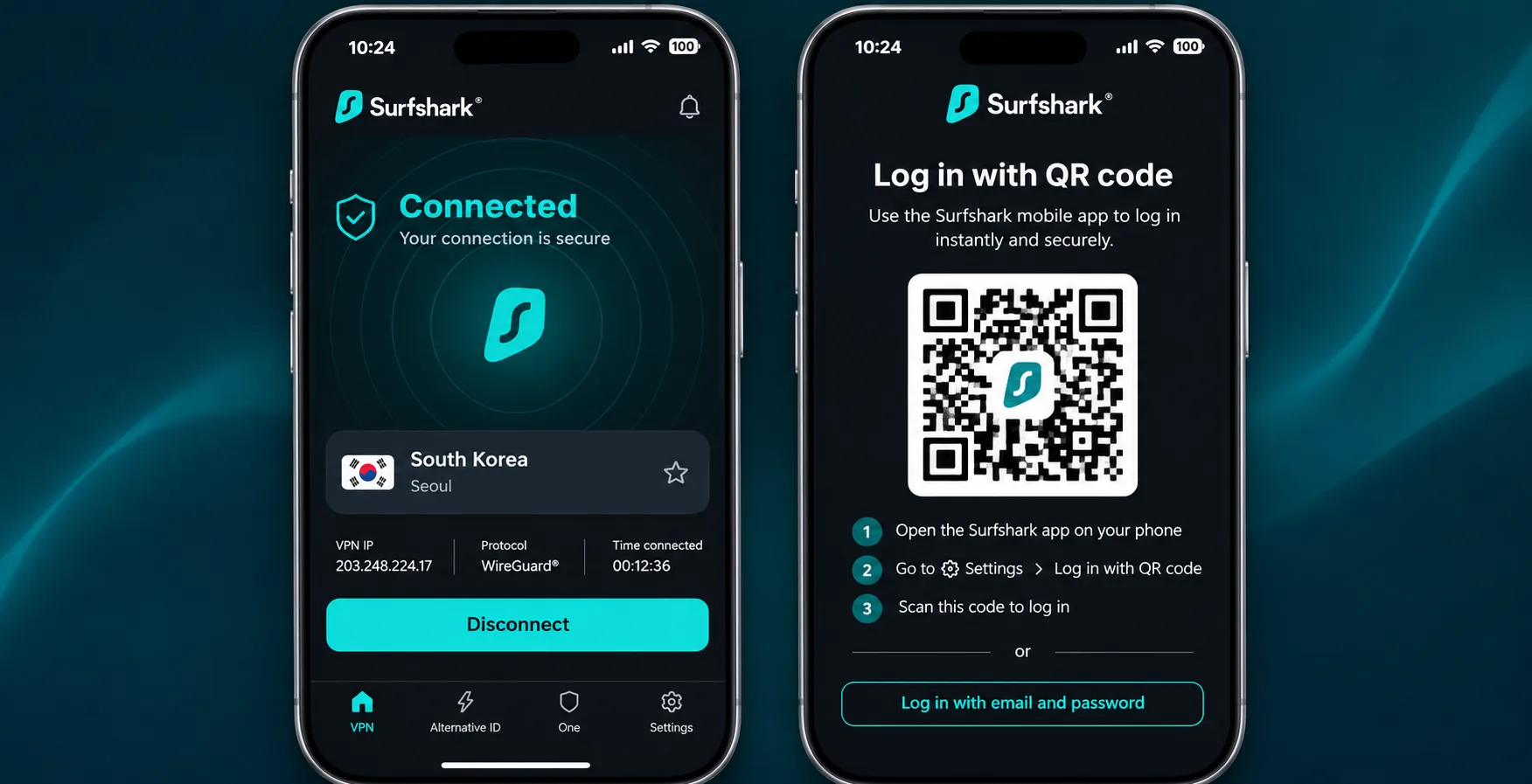
Where NordVPN caps you at 10 connections, Surfshark does not, and that makes it the pick when device count matters. It offers 1 South Korean server location with 12 servers, and it supports unlimited simultaneous connections on compatible devices, across computers, phones, smart TVs and routers. For a household with a drawer of old tablets and a smart TV in every room, that allowance removes the usual juggling.
Surfshark preserves enough throughput for routine household browsing and streaming, which fits what most people do from a Korean apartment or a hotel room. Mobile connections occasionally take longer to establish, so give the app a few seconds after you switch networks. Mobile setup is easier when you log in with a QR code from a device that is already signed in, which saves typing a long password on a small screen. In practice that means signing in on the phone by scanning the code from your laptop, then letting the app finish connecting.
For security evidence, Deloitte verified the no-logs policy in 2023 and 2025, and the trust center also lists infrastructure security audits. The feature set includes CleanWeb, which blocks ads, trackers and malicious sites, plus Alternative ID. Applicable plans bundle Antivirus, Alert and Incogni.
Korean streaming is inconsistent. Surfshark can access the South Korean Netflix library on some connections and fail on others, so a Korean IP does not guarantee the Korean catalog. If Netflix Korea is the reason you are buying, plan to test the refund window in your first week.
On cost, the Starter offer was $2.49 a month equivalent, or $67.23 for the first 27 months, and during the current Black Friday offer the One plan displays at the same introductory price. Auto-renewal brings a substantial price increase over that introductory offer, and we did not verify the exact renewal total, so check it at checkout. The 30-day refund covers initial purchases. Recurring payments are excluded, and reseller, prepaid-card and certain add-on exclusions apply.
Pros
- Unlimited simultaneous connections
- Lowest introductory price of the five
- Deloitte no-logs verification in 2023 and 2025
- CleanWeb blocks ads, trackers and malicious sites
Cons
- Netflix Korea access varies by connection
- Mobile connections can take longer to establish
- Large renewal increase after the promotional term
Skip it if you need a guaranteed Korean streaming result, or if you cannot confirm the renewal price before you commit.
3. ExpressVPN
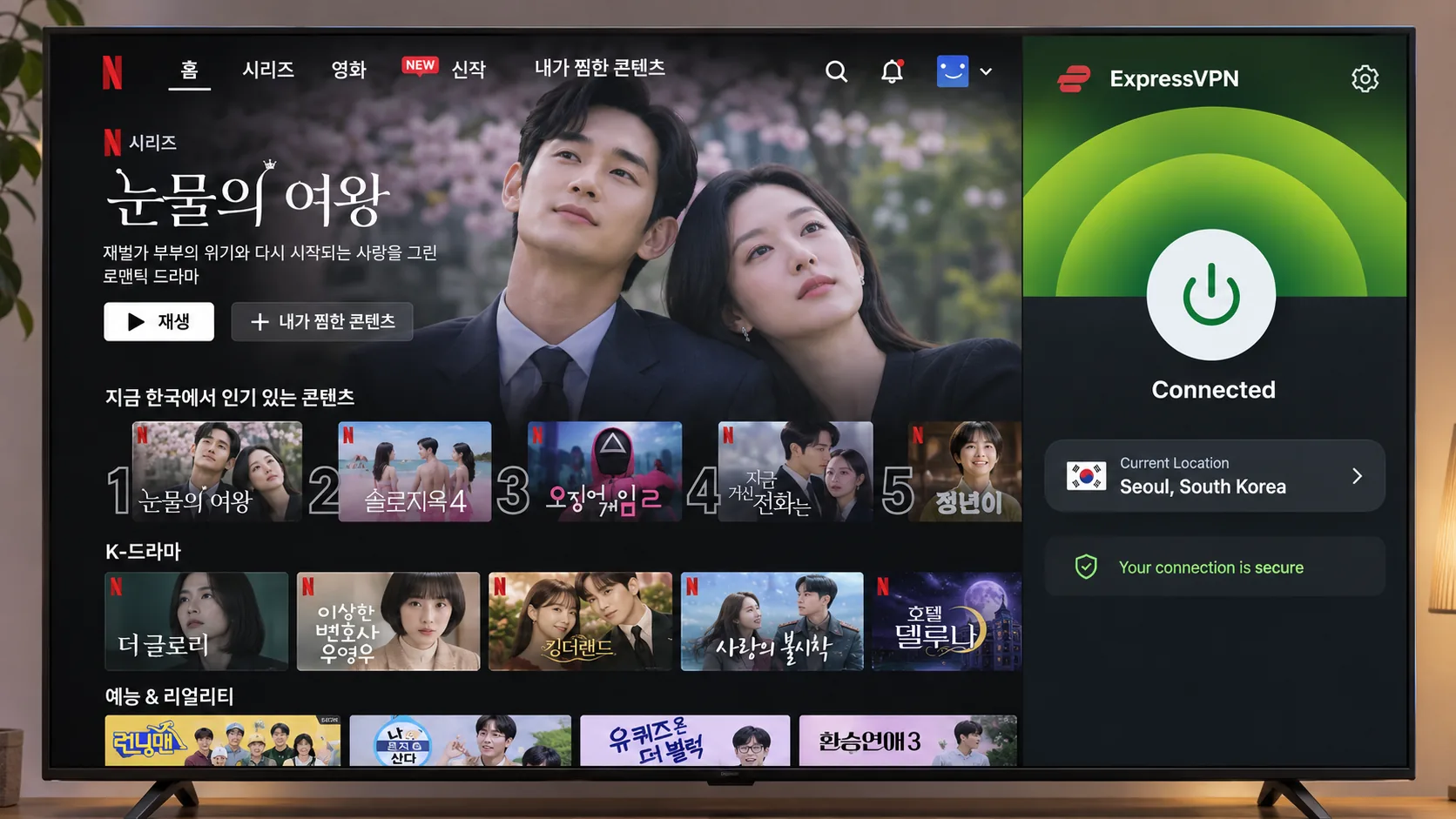
Smart DNS is the shortcut that sends many people down a dead end with ExpressVPN. In our testing it did not unlock Korean content platforms, and the fix was to use the full app and pick a Seoul server instead. Where Surfshark struggles to hold a Korean Netflix library, ExpressVPN is the strongest fit for people who want Korean streaming from abroad. Choosing Seoul in the server list supplies a South Korean IP, and the Lightway protocol keeps the connection encrypted. In the sources we checked, Seoul connections can unlock Netflix Korea and Coupang Play, a better documented result than most rivals manage on this list.
The apps are straightforward on computers, phones and smart TVs, and server selection is easier because the app suggests recent, popular and fast locations.
Overseas catalog access is not universal either: Japanese Prime Video and Canadian or Japanese Netflix failed in separate tests.
Pricing for Basic was $3 a month equivalent, or $84 for the first 28 months, then $99.95 annually before sales tax. A 30-day money-back guarantee applies to new users. We could not confirm the size of the Korean server fleet from the official country page, so we do not quote a number.
Device limits depend on the tier. Basic supports 10 simultaneous devices, Advanced supports 12 and Pro supports 14, so the advertised maximum on the country page does not apply to Basic. Basic includes Advanced Protection and an optional dedicated IP, and higher tiers add ancillary tools.
For security evidence, KPMG assessed TrustedServer and privacy-policy claims as of 28 February 2025, with the announcement published in June 2025. We did not use the older 2019 audit as evidence. The vendor's own announcement calls this both the second and the third KPMG assessment, so we avoid numbering it.
Pros
- Documented Netflix Korea and Coupang Play success from Seoul
- Straightforward apps on computers, phones and smart TVs
- KPMG assessment of privacy claims in 2025
- Moderate renewal price compared with NordVPN
Cons
- Smart DNS does not unlock Korean platforms
- Some overseas services fail
- Basic is limited to 10 devices
Skip it if you need more than 10 devices on the cheapest tier, or if your target is a specific overseas catalog that has failed in tests.
4. Proton VPN
Unlike ExpressVPN, which leads on streaming, Proton VPN is the privacy-first option. Its apps are open source, it keeps a no-logs policy, and Secure Core routing sends traffic through an extra hop. The no-logs audit page identifies a fifth annual external audit by Securitum and links the 2026 report, which is the most recent audit date among the five.
Skip it if you want a free Korean IP, or if raw speed to Korean servers is your top priority.
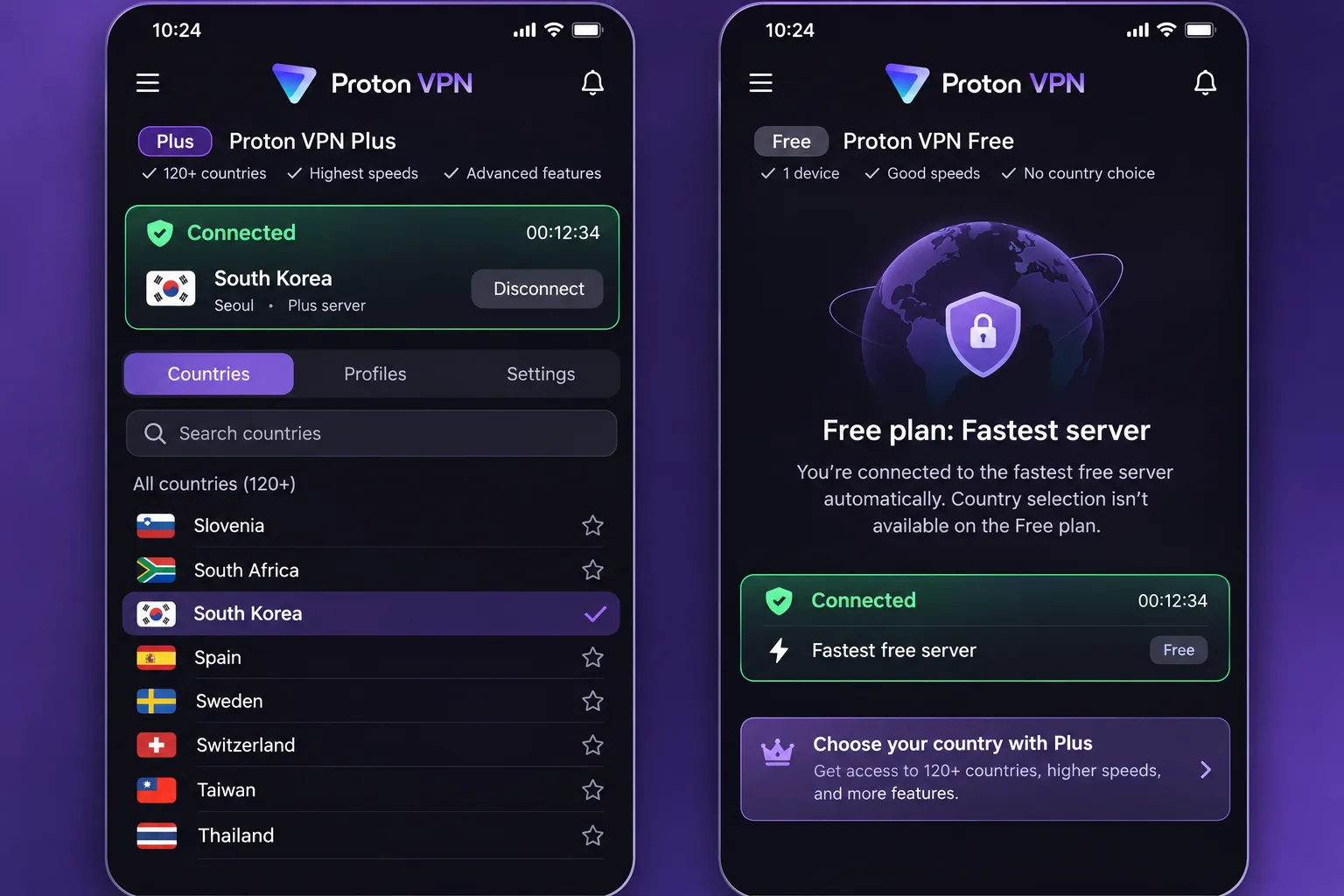
Imagine opening the free app and looking for South Korea. It is not there. Free servers are in the Netherlands, Japan, Romania, Poland, Norway, Switzerland, Singapore, Mexico, Canada and the United States, and manual country selection is unavailable, so you cannot choose a country at all. Free supports 1 device at a time. Korea requires the paid VPN Plus plan, which provides selectable South Korean endpoints in the country list or on the map and supports 10 simultaneous devices. The official server list shows 66 South Korean servers in one city, while older reviews published smaller inventories, so the number is a moving target.
Performance is steady rather than flashy. In our testing Proton VPN maintained stable throughput across repeated speed measurements, and Korean connections handled video calling and live streaming despite trailing faster rivals. Streaming is supported on paid plans, but Disney Plus access can be inconsistent, so test your own service before relying on it.
Pricing for VPN Plus was $3.49 a month equivalent, or $83.76 for the first 24 months, then $83.88 every 12 months. The renewal charge covers one year rather than two, which keeps year-two costs predictable. A 30-day full-refund window applies after the initial purchase under Proton's terms. Ad, tracker and malware blocking, plus desktop, mobile, browser and TV clients, round out the feature set.
Pros
- Open-source apps and a 2026 audit report
- Predictable renewal price
- Secure Core routing for extra privacy
- Stable throughput across repeated measurements
Cons
- South Korea is not available on the free plan
- Trails faster rivals on Korean speed
- Disney Plus access can be inconsistent
5. CyberGhost
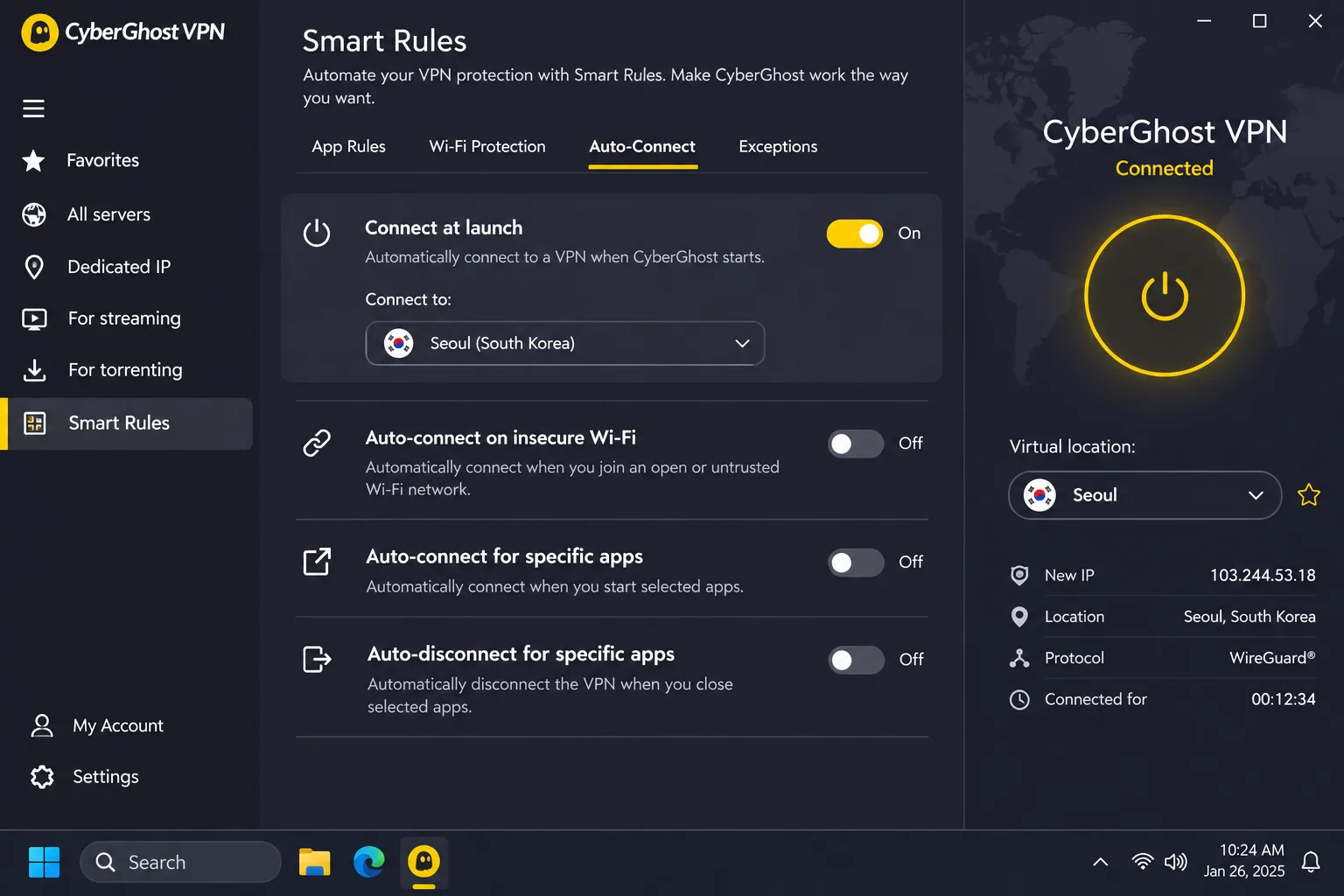
CyberGhost cannot do two things the others can. It allows only seven simultaneous connections, and its Seoul location is virtual, which means a Korean IP endpoint does not establish physical server hardware in Korea. For streaming and browsing that rarely matters, though it is worth knowing if latency matters to you. The official list shows 84 Seoul servers, while published test inventories count far fewer, so the numbers differ.
Once the seven-device allowance is full, you must remove an existing device through the website to add a new one. What CyberGhost does well is let you try it cheaply: a 24-hour Windows and macOS free trial runs without a credit card, long subscriptions carry a 45-day money-back guarantee, and the monthly plan has a 14-day guarantee.
Streaming has gone better here than the Netflix headline suggests. In our testing CyberGhost could access MBC, SBS, Wavve and TVING, and it streamed Korean channels smoothly on a fast home line. The slowdown was more noticeable on slower mobile connections. Netflix Korea is mixed: optimized Korean servers can play it successfully, while some connections fail. So a sensible plan is to use the free trial on a desktop, open the Korean channel you care about, and only then decide.
The product includes an automated kill switch, split tunneling, unlimited bandwidth, streaming, gaming and P2P server categories, a dedicated IP option and live support. Platform implementation differs, so confirm that your device has the feature you want. Smart Rules can connect to a preferred location at launch and start an app after the tunnel connects, which is handy if you open the same Korean service every evening.
Security evidence is a third Deloitte no-logs audit, following the earlier 2022 and 2024 assessments, with a scope that includes server configuration and operational controls. We could not verify a USD price. The checkout we fetched displayed Indian-rupee pricing with inconsistent bonus-month labels, so confirm the term and the renewal at checkout in your own currency.
Skip it if you have more than 7 devices, or if you need a physical server in Korea for latency reasons.
Pros
- 24-hour desktop trial with no credit card
- 45-day refund on long plans
- Reaches MBC, SBS, Wavve and TVING
- Smart Rules automate the connection
Cons
- Only 7 simultaneous connections
- Seoul is a virtual location
- Netflix Korea results vary
- Price could not be verified in USD
Why use a VPN in South Korea?
South Korea has fast, widely available internet, so the reasons for a VPN are less about speed and more about privacy, access and a few local quirks.
Public Wi-Fi and ISP visibility
Cafes, hotels and airports offer open networks, and a VPN encrypts your traffic between your device and the VPN server on them. It also stops your internet provider from seeing which sites you visit, although it then shifts that visibility to the VPN company. That tradeoff is the reason the audit record matters so much when you pick a provider.
Website filtering and the limits of VPN protection
Freedom House recorded 220,403 blocked websites or web pages in 2023 in Freedom House's 2024 South Korea internet-freedom report. A VPN can change your apparent location and route around some blocks, but the report does not establish that VPN use is legal or that any specific site will load. A VPN also does not make you anonymous. Your accounts, payment methods and device identifiers still identify you to the services you sign in to.
Accessing services from home while traveling
The second use is the reverse of the first. If you are a Korean resident or an expatriate traveling, a Korean IP lets you reach domestic banking, streaming and shopping from abroad. Selecting a South Korean endpoint changes your apparent IP location. Many services also check your account, payment method and phone number, so a Korean IP alone may not be enough.
A VPN does not replace Korean identity or payment verification. If a service asks for a Korean phone number or card, connecting through Seoul will not satisfy that check.
How to get a South Korean IP address with a VPN
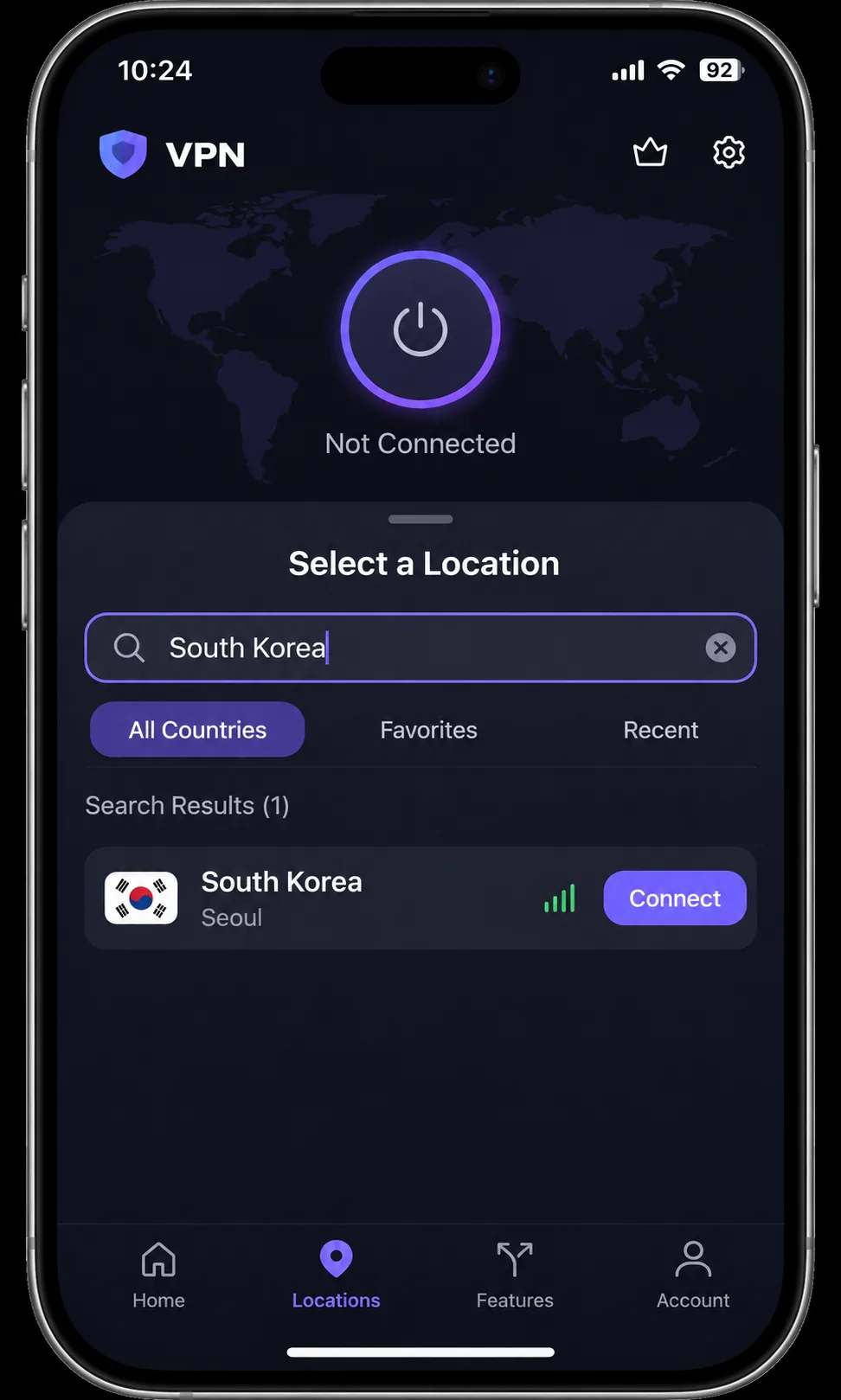
The steps are the same on every provider here. Install the app, sign in, pick a country, and connect. The order matters, because app installation and account sign-in come before endpoint selection.
Install the app and choose the right server country
Download the app for your device from the provider's site and sign in with the account you bought. Open the country list or the map and choose South Korea, or Seoul where the app lists cities. If you connect to a different country, the app selects that destination instead, which is a common reason a Korean site still says you are abroad. On Proton VPN, make sure you are on the paid plan, since the free plan does not offer a Korean server.
Enable protection and check your connection
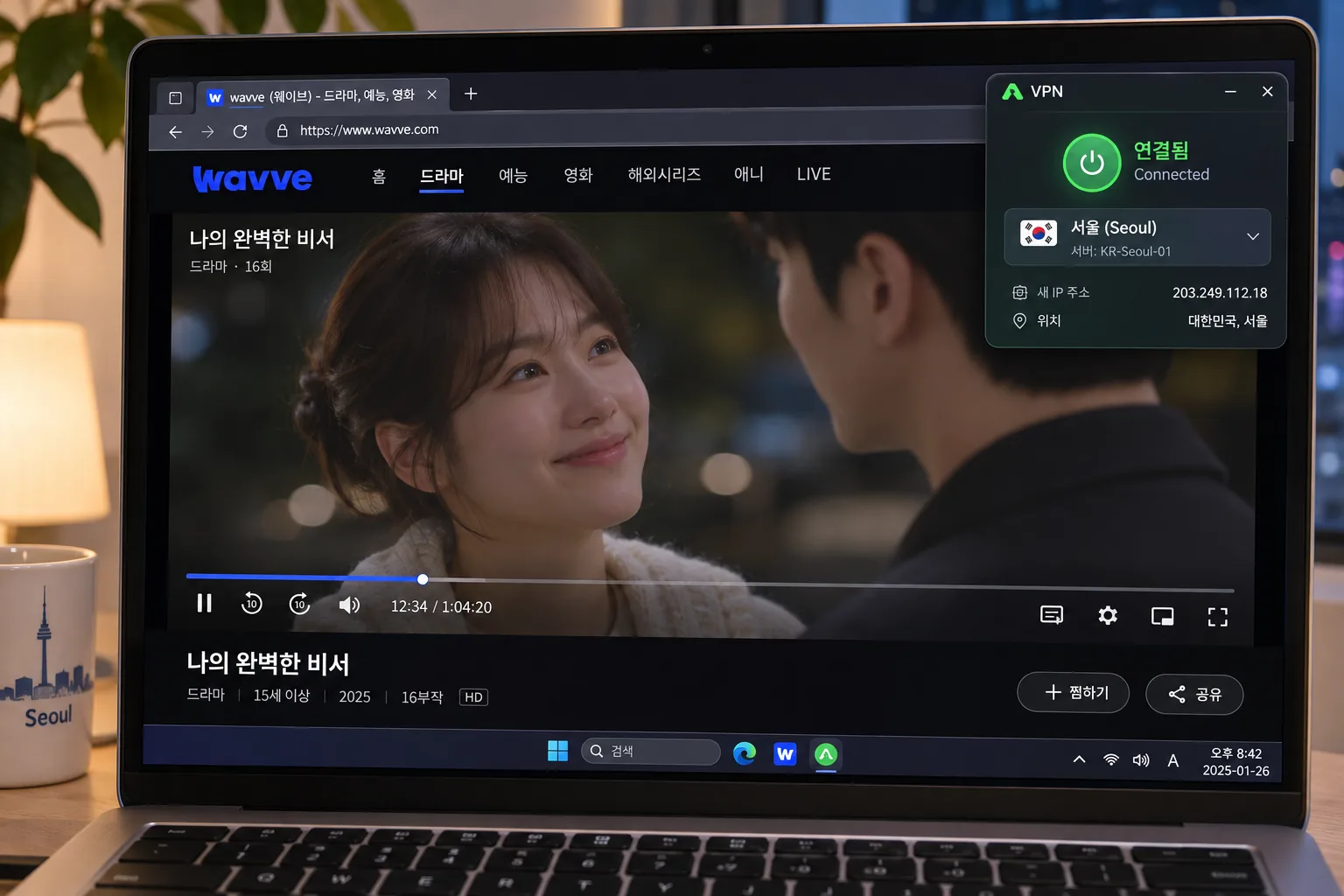
Turn on the kill switch if your app offers one, then connect. Open a site that shows your IP address and confirm it reports South Korea. For Netflix, the troubleshooting page checks your client country through fast.com, so a quick test there tells you what Netflix sees. If the service still treats you as foreign, try another Seoul server or restart the app.
Switch servers inside the same country before you contact support. A single blocked Seoul server does not mean the whole location is blocked, and a fresh server often restores playback in under a minute.
Streaming and gaming with a South Korea VPN
Korean streaming services and account requirements
For Korean streaming from abroad, ExpressVPN has the clearest record, since Seoul connections can unlock Netflix Korea and Coupang Play. CyberGhost can reach MBC, SBS, Wavve and TVING. The catch is the account side. Many Korean services ask for local identity or payment details that a VPN cannot supply, and we have not verified the current terms for TVING, Wavve or Coupang, so check each service's sign-up rules before you pay for a VPN on its account.
Overseas streaming and troubleshooting blocked VPN connections
Inside Korea, a VPN also reaches overseas libraries. Success varies by service and destination. ExpressVPN failed on Japanese Prime Video and on Canadian and Japanese Netflix in separate tests, and Proton VPN's Disney Plus access can be inconsistent. Netflix may restrict VPN connections to globally licensed titles, and it does not support VPN viewing for live events or ad-supported plans.
When a stream is blocked, work through this list:
- Switch to another server in the same country.
- Close and reopen the app, then clear the streaming app's cache.
- Try a different protocol if your VPN offers one.
- Use the provider's live chat, or run a refund inside the guarantee window if nothing works.
Gaming latency, nearby servers and split tunneling
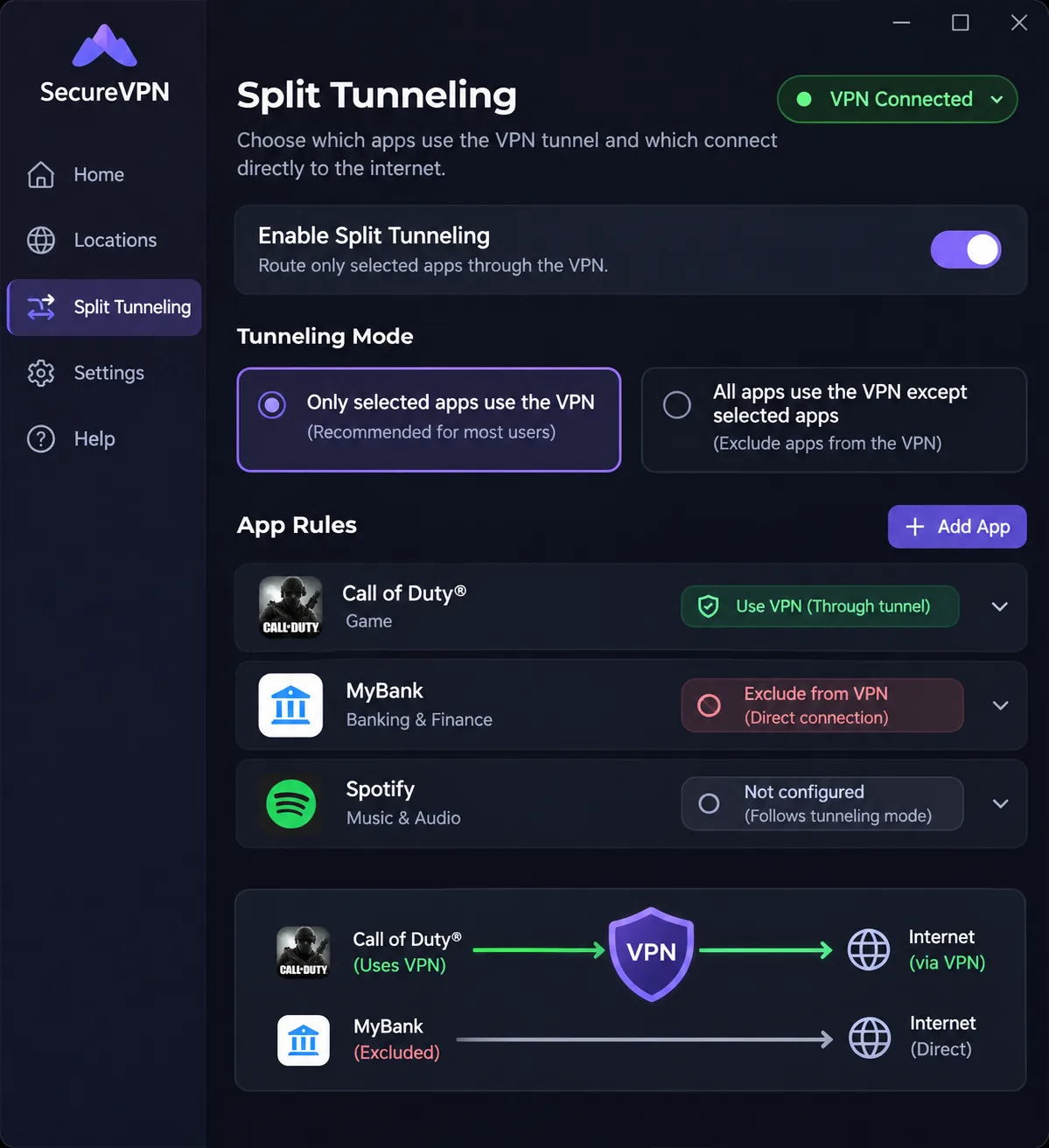
For gaming, distance to the game server matters more than your VPN's headline speed. A Seoul endpoint is the natural choice for Korean servers, and a nearby route such as Japan can work when your game hosts there. We found no common dataset that proves a fastest VPN or a guaranteed latency improvement for Korea, so we do not promise one. Split tunneling can send only the game or only the browser through the VPN. CyberGhost lists it, and Smart Rules can start an app after the tunnel connects, but full per-system split-tunneling behavior differs between clients, so confirm the feature on your own device.
Can you use a free VPN for South Korea?
Usually not for a Korean IP. A free plan can protect you on public Wi-Fi, but it rarely gives you the country control a Korean address needs.
Free plans versus free trials and refund guarantees
Proton VPN Free is the only ongoing free plan in our shortlist, and it supports 1 device at a time. CyberGhost offers a 24-hour desktop trial without a card. The others rely on refund guarantees, which means you pay first and ask for money back later. A 30-day window is generous, yet refunds have conditions, such as the initial-purchase limit on NordVPN and the reseller exclusions at Surfshark. We did not verify current mobile trial eligibility for any of the five.
Korean server access, data caps and privacy tradeoffs
On Proton VPN Free, the first connection selects a fast free server and later changes are random with a cooldown, which does not suit a Korean IP. Data is unlimited, but you do not get manual country choice or the paid streaming feature set. For privacy, a free service has to be funded somehow, so look closely at the policy and audit record before you trust it. If you want a Korean IP, a short trial and a refund on a paid plan is the safer route.
Are VPNs legal in South Korea?
The providers we reviewed describe personal VPN use as legal in Korea. We did not locate a Korean legal text that sets out the scope, and government results we found discuss business VPNs or technical circumvention, so we cannot confirm a blanket conclusion. Treat this as general information, not legal advice, and check current rules if you plan to use a VPN for business or to bypass a specific restriction. Using a VPN to break a service's terms or a law remains your responsibility.