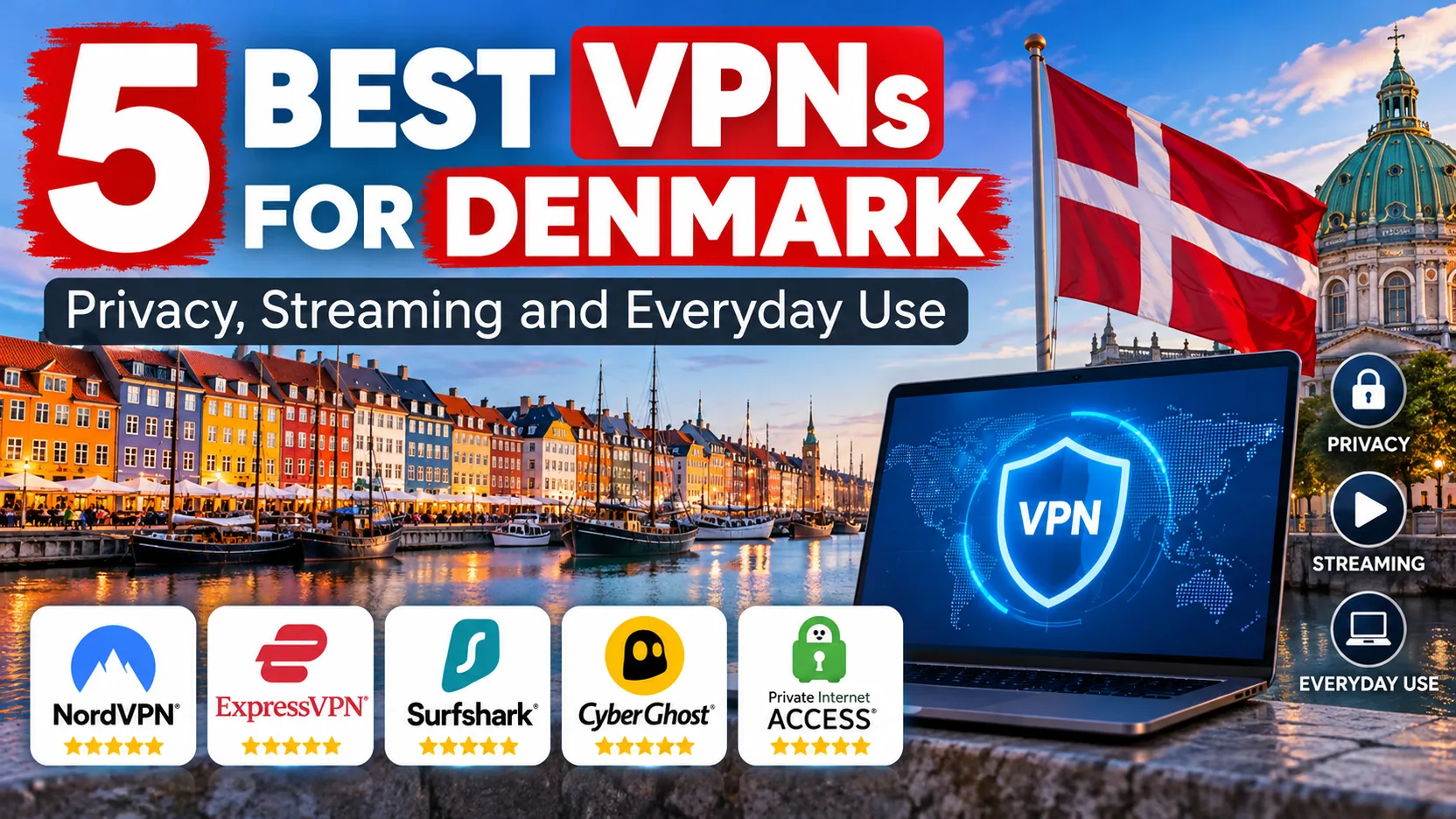
If your favorite Danish shows vanish the moment you leave the country, or the café Wi-Fi in Copenhagen makes you uneasy, a VPN is the fix. It hides your real location behind a server you pick. Choose a Danish server and sites treat you as a local. Stay in Denmark and the same tool encrypts your traffic on networks you do not control.
The catch is that not every VPN handles both jobs equally well. Some have fast apps but patchy streaming. Others are cheap but fiddly. We went through all five picks below and noted what held up and what did not, so you can match a service to your own situation.
Best VPNs for Denmark at a glance
Here is the short version. Prices reflect introductory USD offers on each provider's checkout page and vary with currency, tax and promotion.
We judged each service on four things: whether it offers a Danish server, how its apps behaved during setup, how well streaming worked, and what the refund terms allow. Scores are our editorial ratings, not user averages.
| Product | Buy | Danish servers | Devices | Intro price |
|---|---|---|---|---|
|
Check price → | Copenhagen | 10 | $3.49/moequivalent |
 |
Check price | Copenhagen | Unlimited, fair use | $2.49/moequivalent |
 |
Check price | Denmark | 7 | $2.19/moequivalent |
 |
Check price | Denmark | Unlimited | $3.99/moequivalent |
 |
Check price | Denmark | 10 on Basic | $2.99/moequivalent |
The 5 best VPNs for Denmark
All five give you a Danish IP and cover the main platforms. They differ in how pleasant they are to use day to day, and in where each one stumbles. Start with the review that best matches your situation.
1. NordVPN
NordVPN
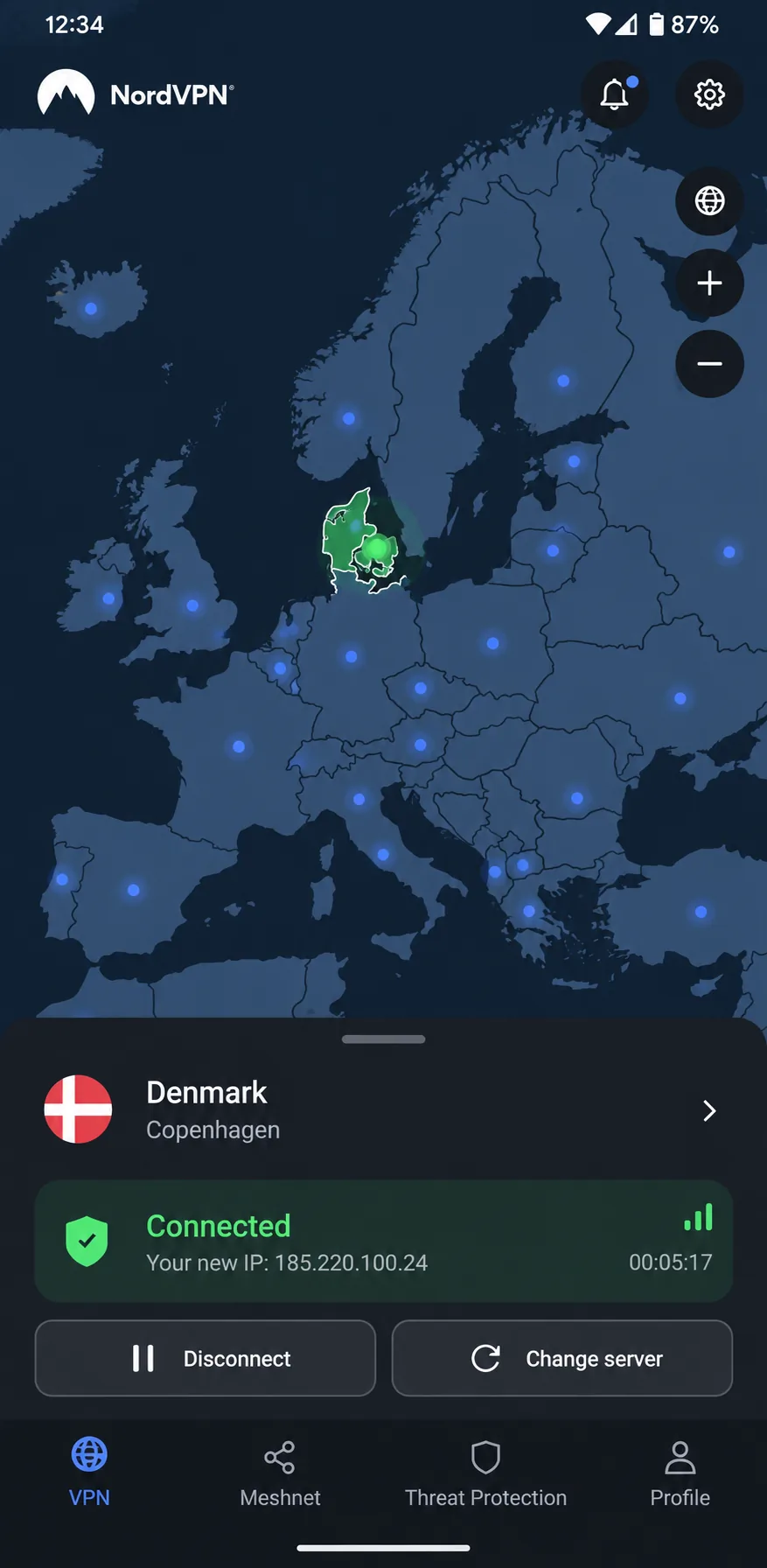
NordVPN is the one we would hand to a friend moving to Copenhagen. You pick Denmark from the country list or the map and the app gives you a Danish IP. NordVPN's Denmark page lists 74 Danish servers, though inventories change over time. We started a streaming session and let it run. Playback stayed free of buffering, CAPTCHA interruptions and unexpected disconnects on every service that opened. Then we tried Prime Video Australia and US YouTube content, but neither loaded. Do not treat NordVPN as a master key. Afterward we went into the specialized server list and found the P2P locations easy to spot, which helps if you torrent.
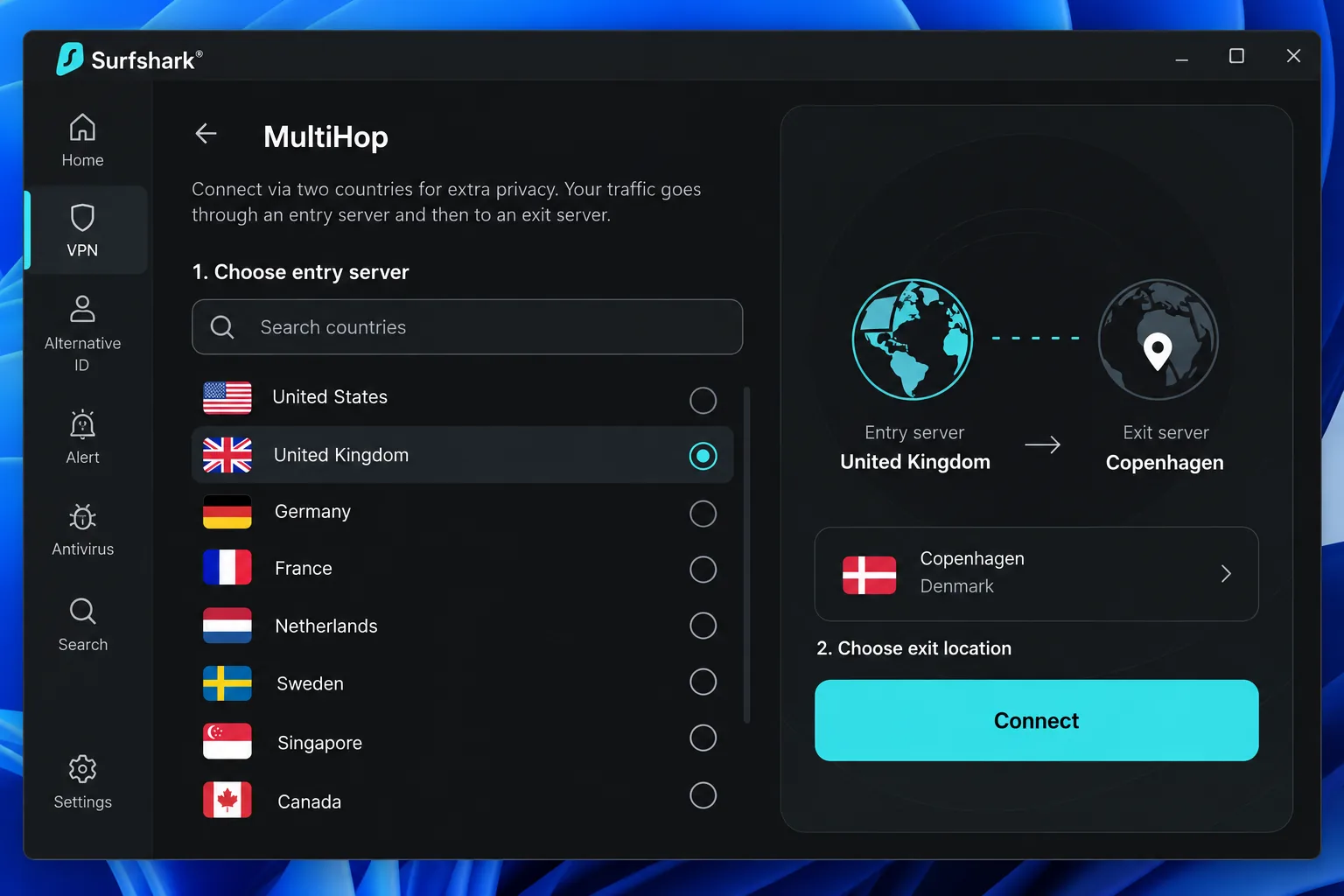
Android needs version 9 or later, and the iPhone and iPad app needs iOS 17.0 or later. Double VPN, which routes traffic through two servers, is there for anyone who wants an extra layer.
Pros
- Streaming held up without buffering on services that opened
- P2P servers are easy to find
- 10 simultaneous devices on one plan
- Kill switch, split tunneling and Double VPN
Cons
- Prime Video Australia and US YouTube still failed
- Renewal costs far more than the intro price
Best for: Streaming Danish and international content on up to 10 devices. Skip if: You want the lowest possible monthly price.
Its introductory offer works out to $3.49 a month, with $94.23 prepaid for 27 months. Renewal runs $139.08 a year, and tax may apply. That introductory USD price is a promotional offer, not a monthly charge, so confirm the currency at checkout. The 30-day guarantee covers initial subscriptions, but renewals are excluded unless local law says otherwise.
2. Surfshark
Surfshark
NordVPN is the safe all-round choice, while Surfshark suits a crowded household with phones, tablets and a smart TV because device caps are not an issue. Surfshark offers a Copenhagen location, and its apps stay approachable despite a long feature list.
The moment that stuck with us came when we changed server locations. The app paused noticeably before reconnecting, so we settled on Denmark and left it there. Once we connected, WireGuard downloads from nearby servers were strong, though elevated latency and jitter can hurt gaming. CleanWeb adds useful filtering without replacing a real antivirus program.
Pros
- Unlimited devices under fair use
- Approachable apps despite many features
- Strong nearby WireGuard downloads
- Lowest intro price of the top three
Cons
- Noticeable pause when switching servers
- Latency and jitter can hurt gaming
Best for: Households with many devices. Skip if: You switch locations constantly through the day.
The Starter offer is $2.49 a month, or $67.23 prepaid for 27 months. After that it renews at the standard rate rather than the introductory one, so check the renewal figure at checkout. Surfshark's 30-day guarantee covers initial purchases, with exclusions for resellers, gift cards and some add-ons. Current terms exclude recurring payments, so do not count on a refund after a renewal. Android needs 7.0 or newer for Google Play updates, and iOS needs version 17 or later.
3. CyberGhost
CyberGhost
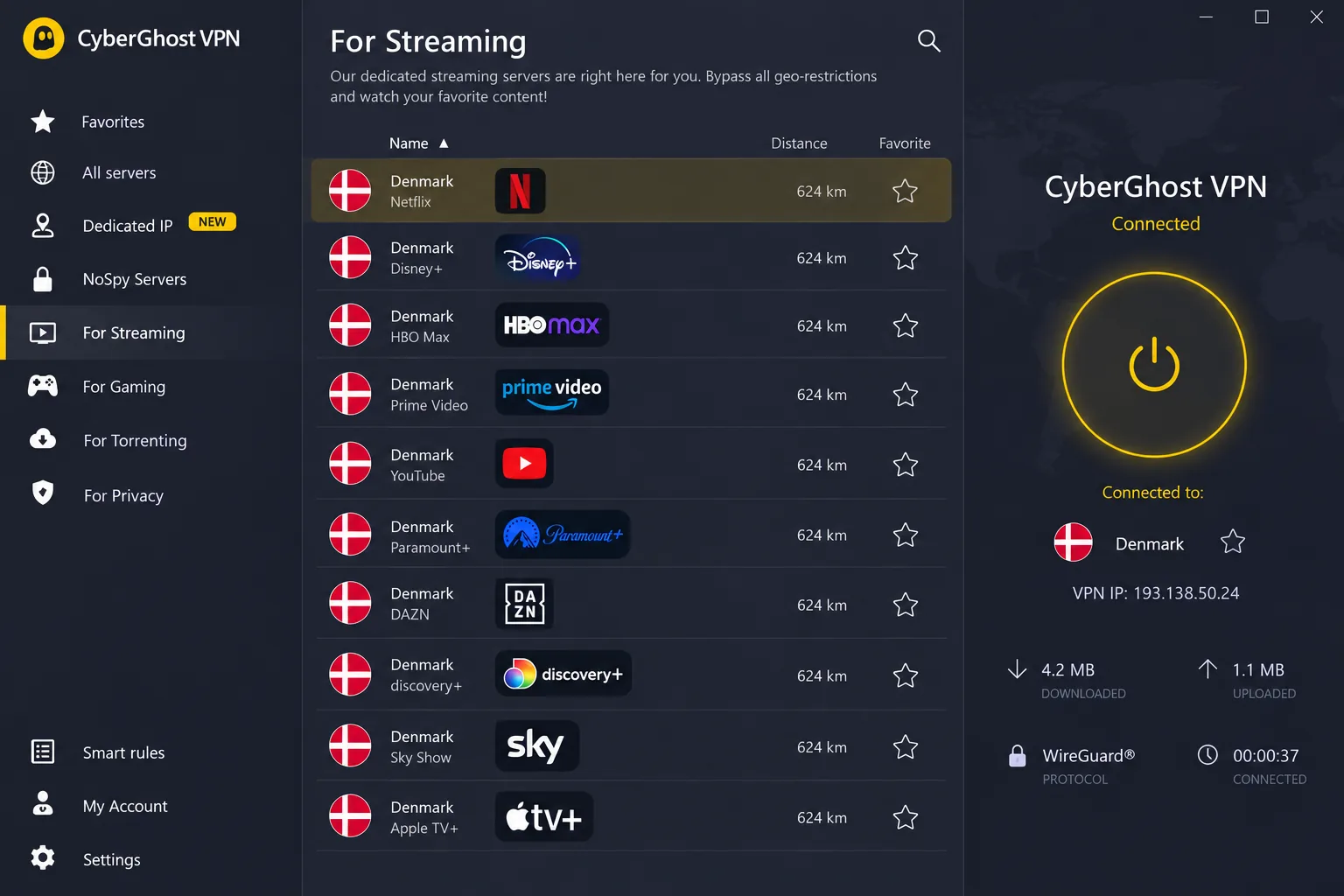
CyberGhost is the budget pick with the best refund terms. Its labeled streaming endpoints take the guesswork out of choosing a server for a particular service, which helps when you want a Danish IP for a specific app. The connect screen is simple, and connections were brisk and steady for us.
Windows took more patience. The installer failed on the first attempt and worked on a retry, and then we hunted through separate menus for settings. We forced a disconnection to see what the kill switch would do. It safely blocked traffic, but the app did not clearly update its connection status. That left us unsure of the connection's state. Connections on Windows and iOS can also take longer than on competing apps. Once you reach the device limit, you must unlink an existing device before adding another.
Pros
- Labeled streaming and P2P servers
- Long 45-day refund window on long plans
- Lowest intro price in this group
Cons
- Windows settings are scattered
- Kill switch behavior differs by platform
- Only 7 devices
Best for: Budget buyers who want a labeled server for each service. Skip if: You mainly use Windows and want a polished app.
The offer shows $2.19 a month, with $56.94 upfront and $56.94 for each annual renewal. The first term is two years plus bonus months. The billing text abbreviates that duration, so read the checkout page closely. The refund window is 45 days for eligible plans of six months or longer, and 14 days for monthly plans. Cancelling renewal does not request a refund. Mobile apps need Android 7.0 or newer and iOS 15.0 or newer, while Windows needs Windows 10 version 1903 or later.
4. Private Internet Access
Private Internet Access
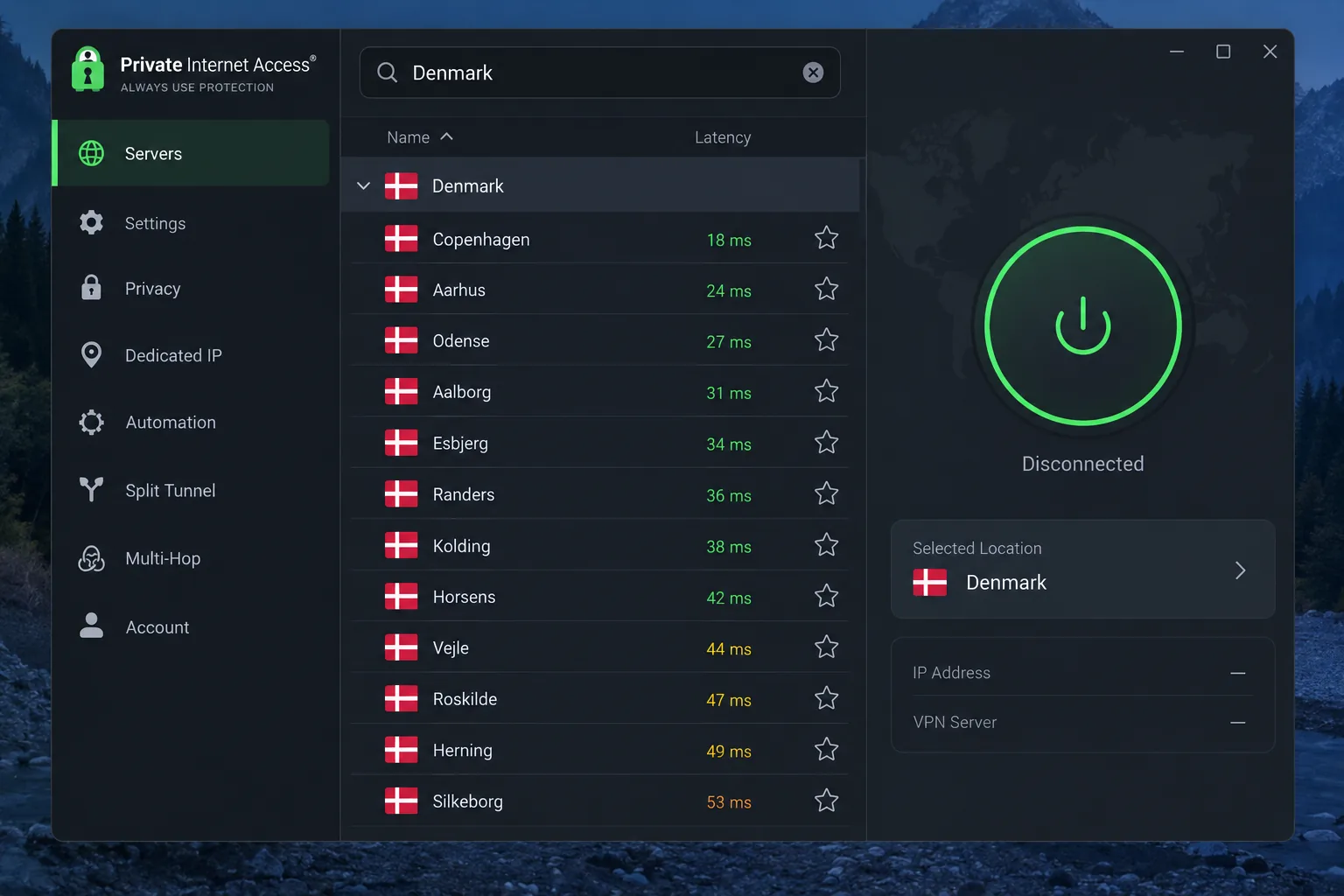
CyberGhost hands you labels, while Private Internet Access, or PIA, hands you controls, which makes it the tinkerer's choice. We began on the simplified dashboard, which was easy to operate, then opened the detailed view for more settings and connection information. Favorites and recent-location shortcuts made switching between familiar servers easier. Since distant or busy servers can slow streaming, latency labels helped us find a responsive Danish endpoint.
PIA reached Danish streaming platforms for us, but the expanded interface felt cluttered once we switched to it. Its MACE filtering does not block every advertisement, so keep your browser's own blocker on. It suits anyone who prefers a strict, hands-on setup.
Pros
- Unlimited simultaneous devices
- Latency labels and favorites speed up server choice
- P2P on every server
- Open-source app code
Cons
- Expanded interface feels busy
- MACE does not block every ad
Best for: People who like adjusting settings. Skip if: You want the cleanest, simplest interface.
The annual plan is $47.88 for the first year and $47.88 on renewal. A longer offer drops to $2.03 a month for three years plus three months, renewing at $79 every three years. Bonus months belong to the first term, so confirm the exact first charge at checkout. New subscribers get a 30-day guarantee, and app-store refunds follow the store's own terms. Current support lists Android 7.0 and iOS 15.0 as the minimums.
5. ExpressVPN
ExpressVPN
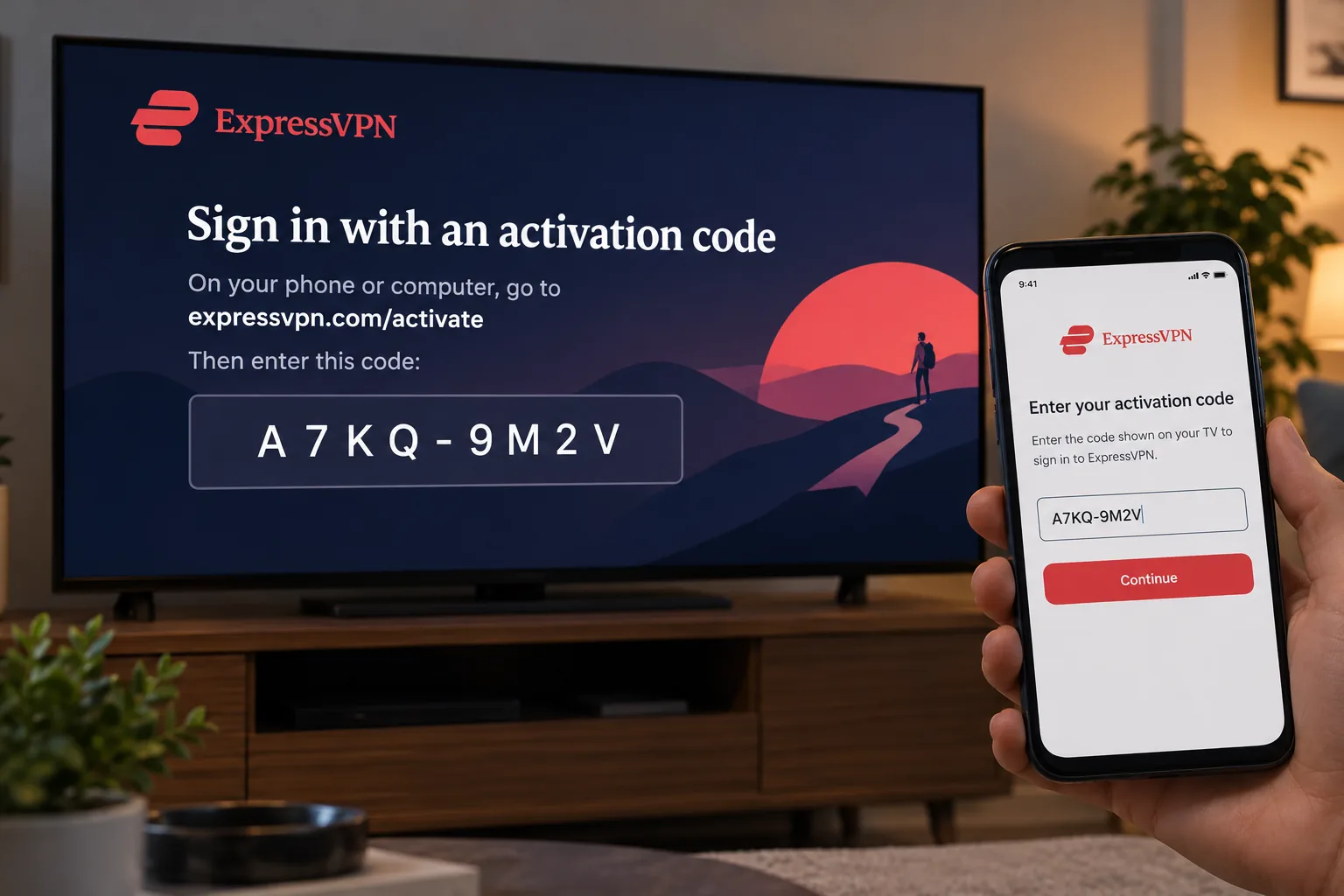
ExpressVPN is the one that rewards you for getting started. It is the easiest to add to a new device. The activation-code login saves you from typing credentials on a TV or tablet, and the guides explain each platform clearly. On one laptop the install needed a restart before the first connection, so allow a few minutes. Even after the restart, the first server connection was slow to come up.
Streaming was mixed. In successful sessions it worked with US Netflix, Prime Video and BBC iPlayer, yet US Prime Video blocked us even after we changed US server locations. Lightway Turbo sustained strong long-distance Windows throughput. For Denmark, that long-distance strength matters less than you might think, because a nearby server is usually the better choice anyway.
Pros
- Activation-code login simplifies new devices
- Clear platform-specific setup guides
- Audited no-logs policy and RAM-only servers
- Kill switch and private DNS
Cons
- US Prime Video blocks, even after switching servers
- First connection can be slow
Best for: Anyone who wants the simplest possible setup. Skip if: US Prime Video is your main reason for buying.
Pricing depends on the page you land on. The Danish-language USD offer was $2.99 a month, $83.72 for 28 months, then $99.95 a year. A differently localized page showed kr29 a month with a kr799 annual renewal. These are different offers, not currency conversions, so the checkout page determines what you will pay. Basic allows 10 devices, Advanced 12 and Pro 14. New users get a 30-day money-back guarantee. Mobile apps need Android 7 or above and iOS 15 or above.
Which Denmark VPN should you choose?
Start with where you will be. If you live in Denmark and mainly want safer public Wi-Fi, any of the five works, and the nearest server is the one to use. A labeled streaming server saves time if you travel and want Danish content from abroad. CyberGhost's labels and PIA's latency hints help here.
Then think about who sets the VPN up. ExpressVPN's activation code suits setup on a relative's tablet or a living-room TV, while PIA is the runner-up for those who like to tinker. Whichever you buy, test it inside the refund window with your actual apps.
How to choose a VPN for Denmark
Most buying mistakes come from judging a VPN by its headline price alone. These four checks matter more.
Danish servers and international coverage
Check that the provider lists Denmark, then look at what else you need. All five here have Copenhagen or Danish endpoints. Server counts differ between provider pages and third-party reviews, so treat any number as a snapshot. If you are already in Denmark, a nearby server in a neighboring country can serve general privacy needs. Greater distance to a server adds latency and more network hops, so closer is usually faster.
Privacy, encryption, DNS leak protection and a kill switch
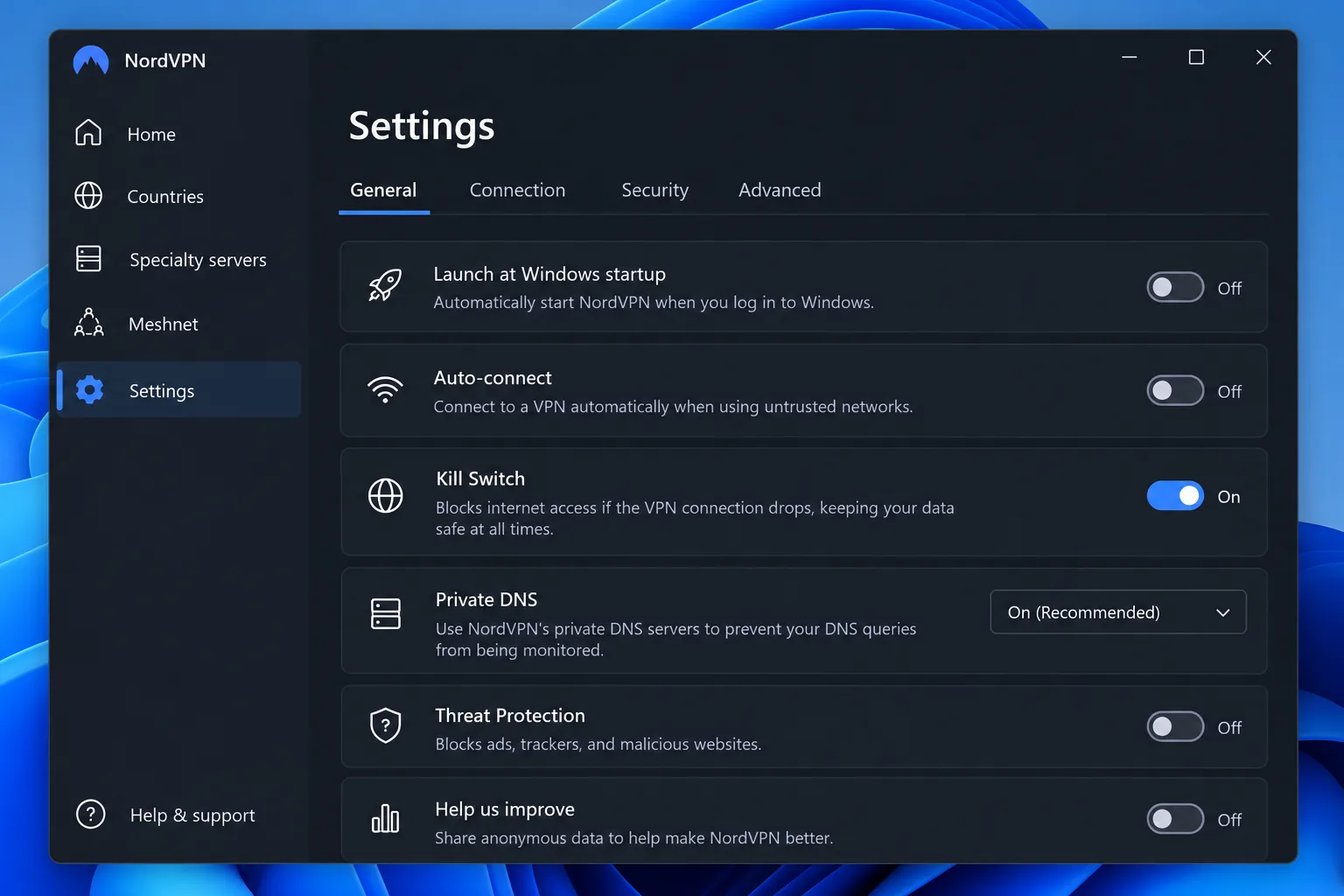
A kill switch cuts your internet if the tunnel drops, so your real IP never leaks. Private DNS handles a different leak path, because it keeps your lookups inside the tunnel. Look for both, plus modern protocols such as WireGuard and standard AES encryption. Ignore marketing slogans about encryption grades and ask what the app actually protects. CyberGhost's kill switch behaved differently across platforms, so test it on the device you use most.
A VPN's value in Denmark depends on the server you pick, not the logo on the app.
— Our view after comparing all five
Connection speeds, streaming and torrenting support
Speed depends on distance, server load and protocol. We found that the first connection sometimes lags even on fast services, so judge a VPN over several sessions. For streaming, labeled servers save time. For torrenting, look for P2P support. NordVPN and CyberGhost label P2P servers, and PIA allows P2P on every server. For Amazon-specific advice, see our guide to the best VPN for Amazon Prime Video.
Apps, simultaneous connections and total subscription cost
Count your devices first. A limit of ten connections is enough for most people, but you can reach a lower limit, like CyberGhost's seven, faster than expected. Then check platform minimums, since older phones may not run current apps. Our guide to the best VPN for Android covers that side in more depth. Finally, compare the renewal price, not just the intro price. The cheapest first-term offer is often the most expensive after year one.
A VPN encrypts your connection and changes the IP address services see. It does not make you anonymous, stop phishing or replace antivirus software.
Why use a VPN in Denmark?
Two situations come up again and again. One is using a VPN while you are physically in Denmark. The other is getting a Danish IP while you are abroad. Each situation calls for different features, so decide which applies to you.
Protecting traffic on public Wi-Fi and while traveling
On hotel, airport and café networks, a VPN encrypts traffic between your device and the VPN server. It also replaces the public IP address that sites see. A kill switch and private DNS close the leak paths that a tunnel alone leaves open. If you are already in Denmark, you do not need a Danish server for this, and the closest one is usually quickest.
Accessing Danish content abroad and home services in Denmark
Here you do need a Danish server. Connect to it and streaming sites see a Danish IP address. Banks and government portals may still flag logins from unusual locations, and some services check your account details rather than your IP. Home services in Denmark can also have limits of their own, so a VPN is one piece of the puzzle and not a guarantee.
How to use a VPN and get a Danish IP address
The steps are the same for every service in this list.
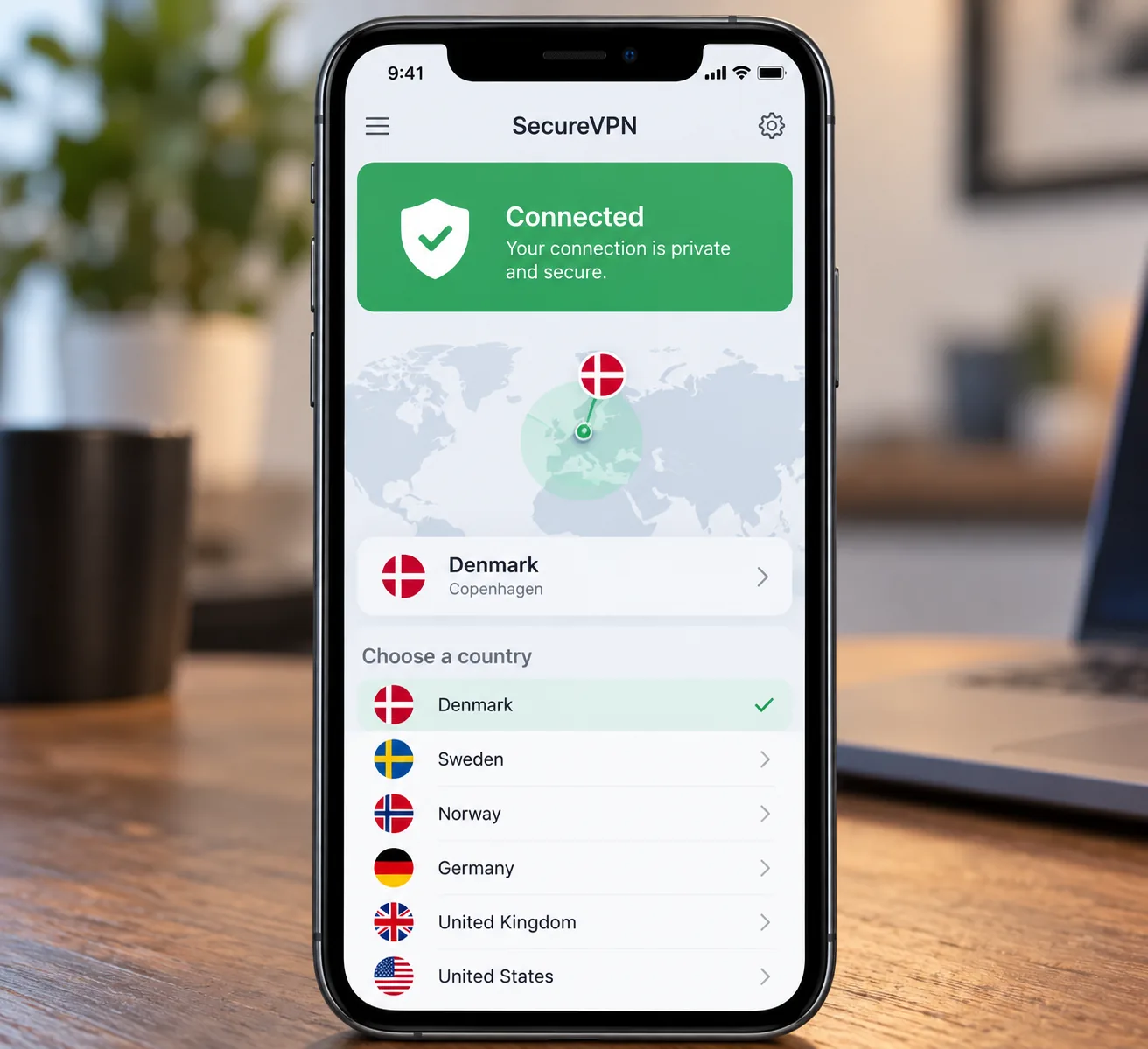
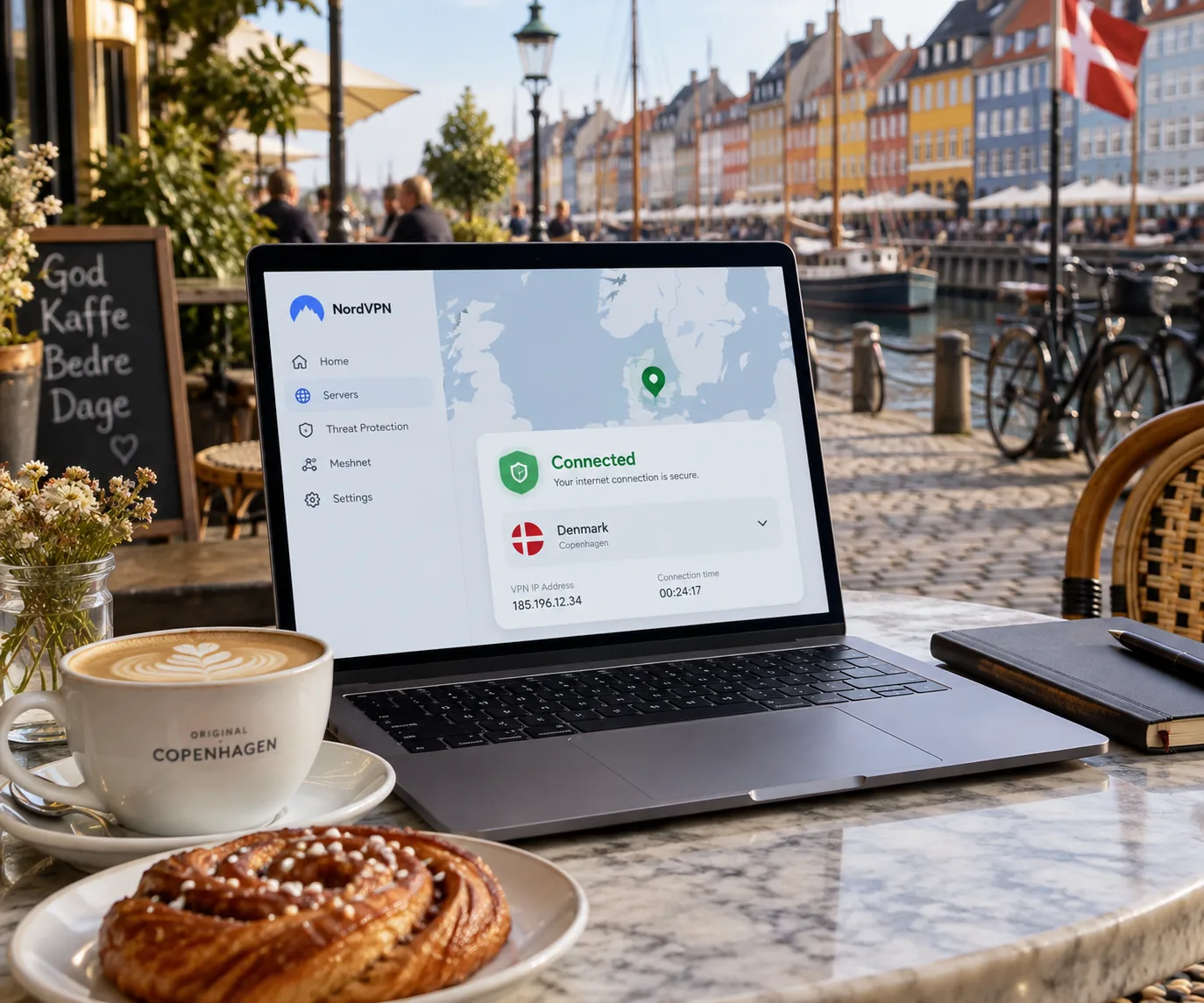
- Subscribe to a provider and install its app on your device.
- Sign in with your account details.
- Open the country list or map and choose Denmark.
- Wait for the app to show Connected, then confirm your IP has changed.
- Open your streaming or banking app and check access.
Your public IP now belongs to the Danish endpoint. Turn on the kill switch before you start, and enable any auto-connect option for untrusted Wi-Fi networks. If you plan to stream, pick a labeled streaming server where the app offers one. ExpressVPN's activation code makes steps 1 and 2 faster on a TV.
Are free VPNs suitable for Denmark?
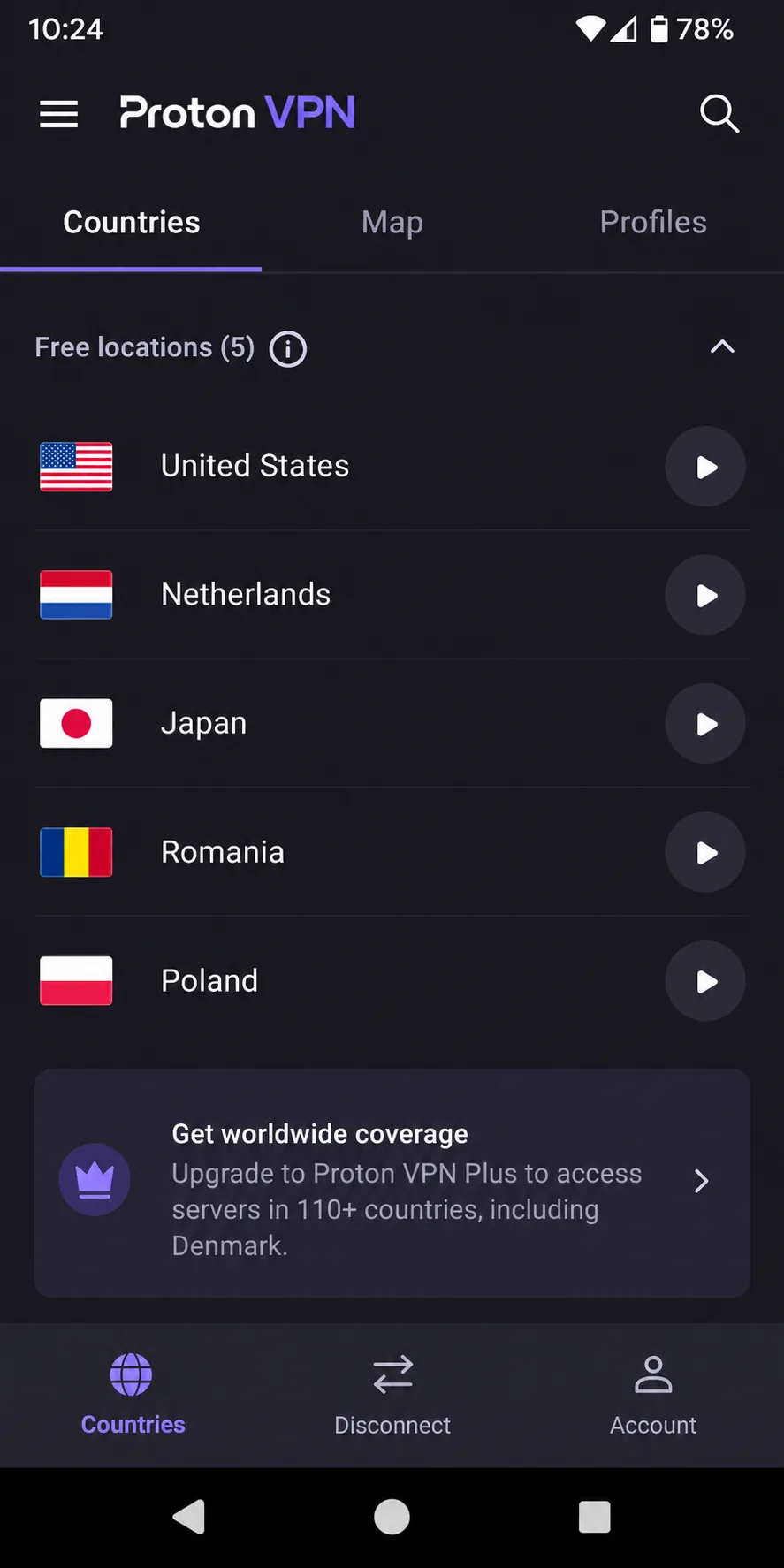
Rarely. Free plans usually restrict locations, and the ones we checked do not offer Denmark. Proton VPN Free has uncapped data, but its free locations exclude Denmark. Automatic country selection also makes it less useful when you need a specific national IP. CyberGhost's free browser extensions are proxies that cover browser traffic only, and the locations are the US, Germany, the Netherlands and Romania.
A free plan can still protect your traffic on public Wi-Fi in Denmark. It just will not give you a Danish IP, so it cannot unlock Danish content from abroad.
If you only need privacy at home, a free plan may be enough. For Danish content abroad, you need a paid service with a real Danish endpoint, and the 30-day refund windows make trying one low-risk.
Denmark VPN FAQs
Are VPNs legal in Denmark?
Yes. On 15 December 2025, Denmark's Culture Ministry announced it was removing the VPN section from its anti-piracy proposal. The minister rejected a general ban on ordinary lawful VPN use. The question had come up before. EDRi's analysis of the 2017 Danish blocking proposal raised similar worries about internet censorship at the time. That proposal does not describe current law.
Can I watch Danish TV abroad with a VPN?
Often, but it depends on the service and where you live. DRTV requires Danish residence verification with MitID. TV 2 Play normally restricts access outside the EU and EEA. A Danish server gives you a Danish IP, but it does not replace a login the service demands. Living abroad permanently is different from taking a trip, so check the service's own terms if you live overseas.
Can I access another Netflix library while in Denmark?
Sometimes. When Netflix detects a VPN, it may limit you to titles it licenses globally. A server in another country can change what you see, but there is no permanent access to any library. Blocking varies by server, so try a few endpoints before giving up.