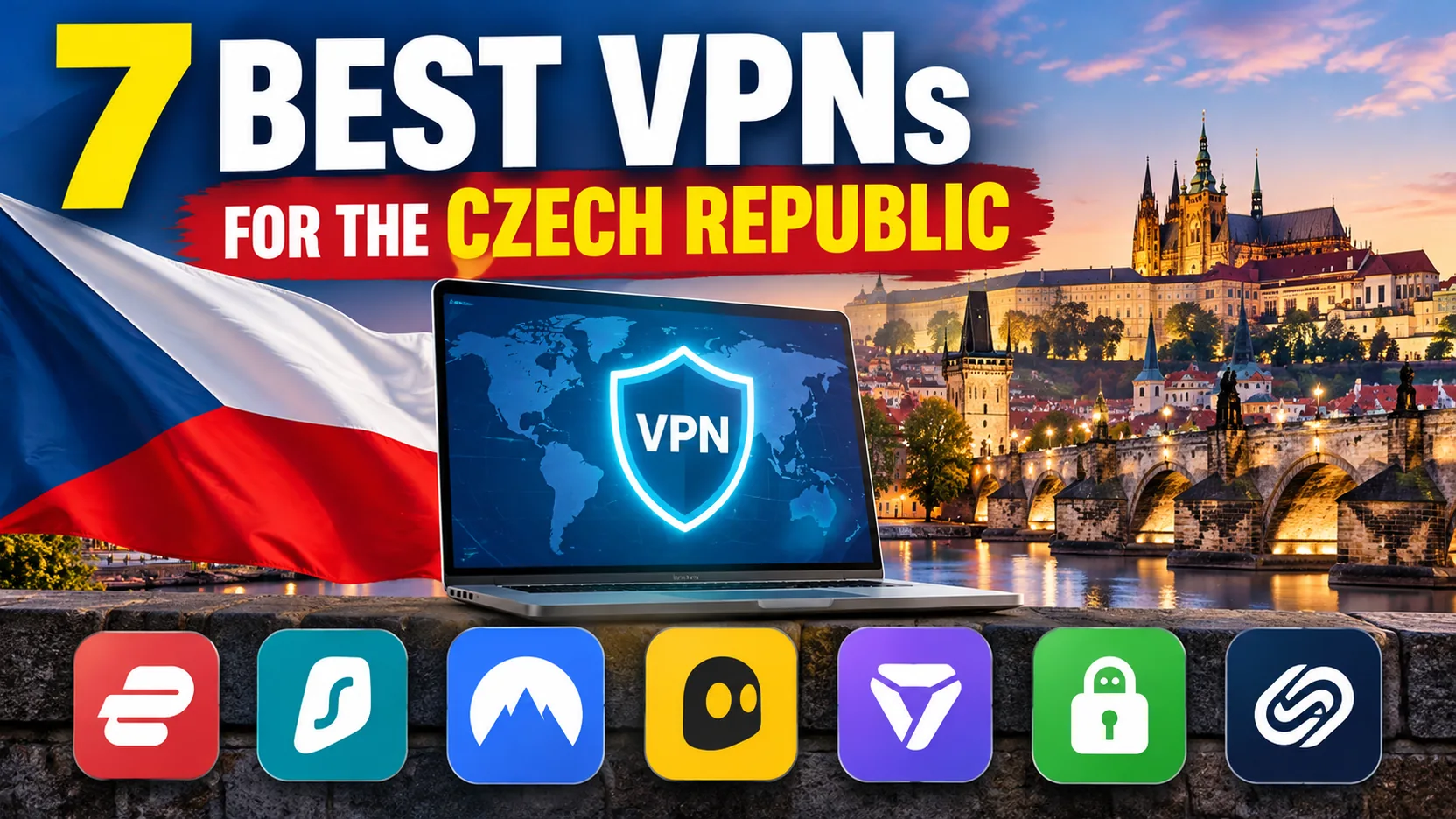
If you need a Czech IP address while you are abroad, or you plan to use shared Wi-Fi in a Prague cafe, a VPN does two practical jobs. It encrypts the traffic between your device and the VPN server, and it lets websites see the location of that server instead of your own. Neither job comes with a guarantee that every Czech service will load. We compared seven providers on their Czech locations, apps, privacy evidence and real prices, and NordVPN is the one we would start with for most people. The rest of this guide explains where each alternative is stronger, and where each one falls short.
Best Czech Republic VPNs at a glance
All seven providers below list a Czech exit location. Proton VPN is the only provider that reserves it for paid plans. IPVanish is the only provider whose location we could not confirm on its official site. The table shows the introductory price per month on the long prepaid plan. Treat those figures as promotional, because tax, region and renewal terms change them.
| Product | Buy | Czech access | Devices | Privacy evidence | Intro price (per month) | Best for |
|---|---|---|---|---|---|---|
 |
Check price → | Czech location | 10 | Deloitte no-logs audit | EUR 3.49 (27 months) | General use and fast connections |
 |
Check price | Prague/Czech location | Unlimited | Deloitte audit, SecuRing infrastructure audit | EUR 2.49 (27 months) | Many devices on a budget |
 |
Check price | Prague servers | 7 | Deloitte no-logs audit | EUR 2.19 (bonus term) | App automation, long refund window |
 |
Check price | Czech location | Unlimited | Public Deloitte report | $2.03 (3 years + 3 months) | Configuration and P2P |
 |
Check price | Czechia, paid only | 10 on Plus | Open-source apps, independent audits | $3.49 (two-year plan) | Privacy tools |
 |
Czech location in third-party review | Unlimited | Independent assurance described in reviews | $2.19 to $2.39 (differing offers) | Many devices, detailed controls | |
 |
Check price | Czech location | 10 on Basic | KPMG assessment, TrustedServer | $2.99 (28 months) | Simple setup |
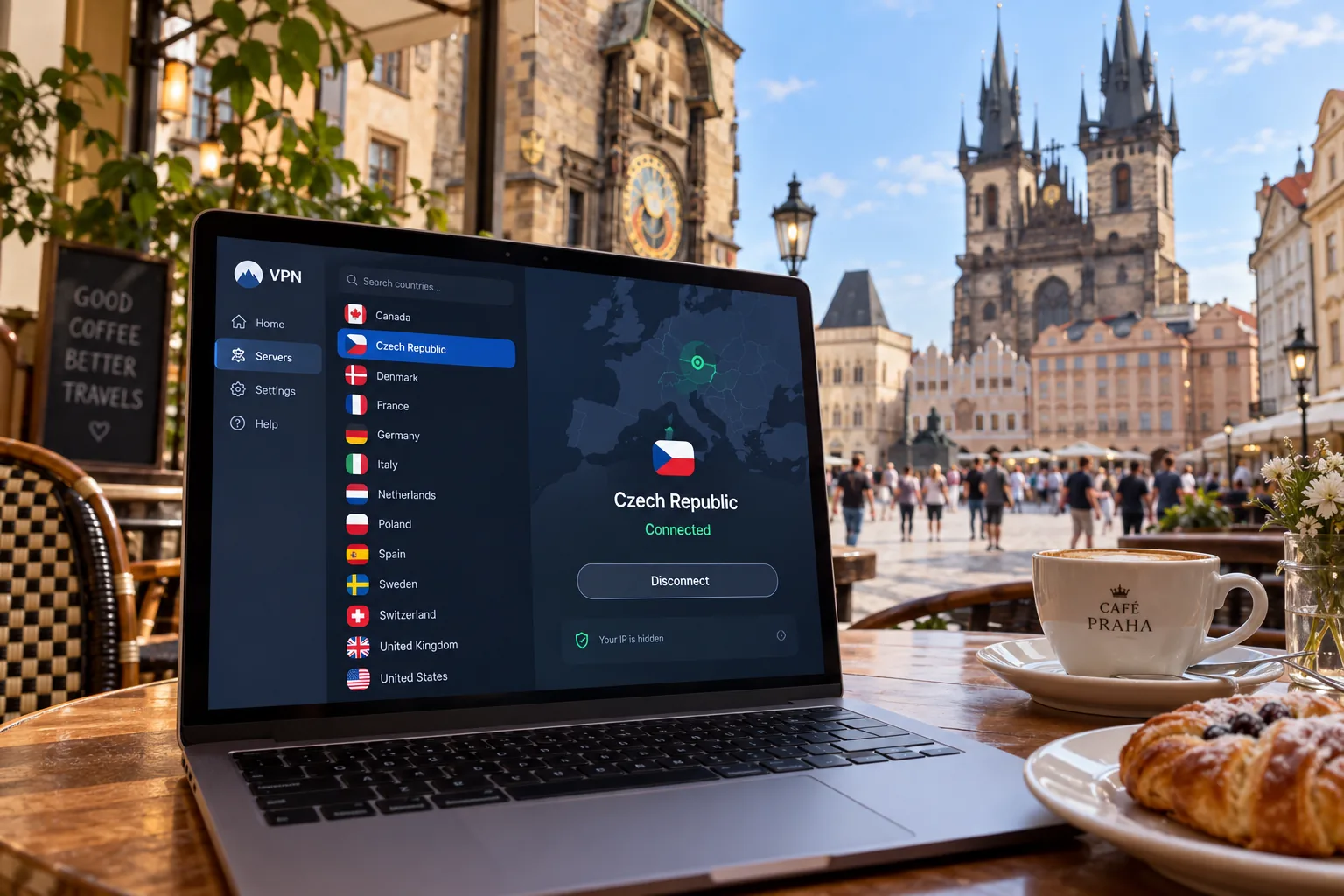
Compare VPNs with Czech servers
A Czech server location tells you where your traffic appears to exit. It does not tell you that the server is physically in Prague, and it does not tell you how many Czech servers a provider runs. Providers can host a location virtually, so we treat the Czech entry in each app as the thing you are buying and leave server counts out of the ranking.
A Czech IP address does not unlock everything. Streaming access depends on the title, your region and the specific server you land on, and we could not establish a title-by-title success list for all seven providers.
Three things separated these providers in practice. The first is device policy: Surfshark, Private Internet Access and IPVanish allow unlimited connections, while NordVPN, ExpressVPN and Proton VPN allow 10 on their entry tiers and CyberGhost allows 7. The second is how openly a provider documents its privacy claims, which we cover in the evaluation section. The third is price honesty. Every provider here advertises a low monthly figure that depends on a long prepaid term, so we show the renewal amount wherever the vendor publishes one.
The best VPNs for the Czech Republic
1. NordVPN
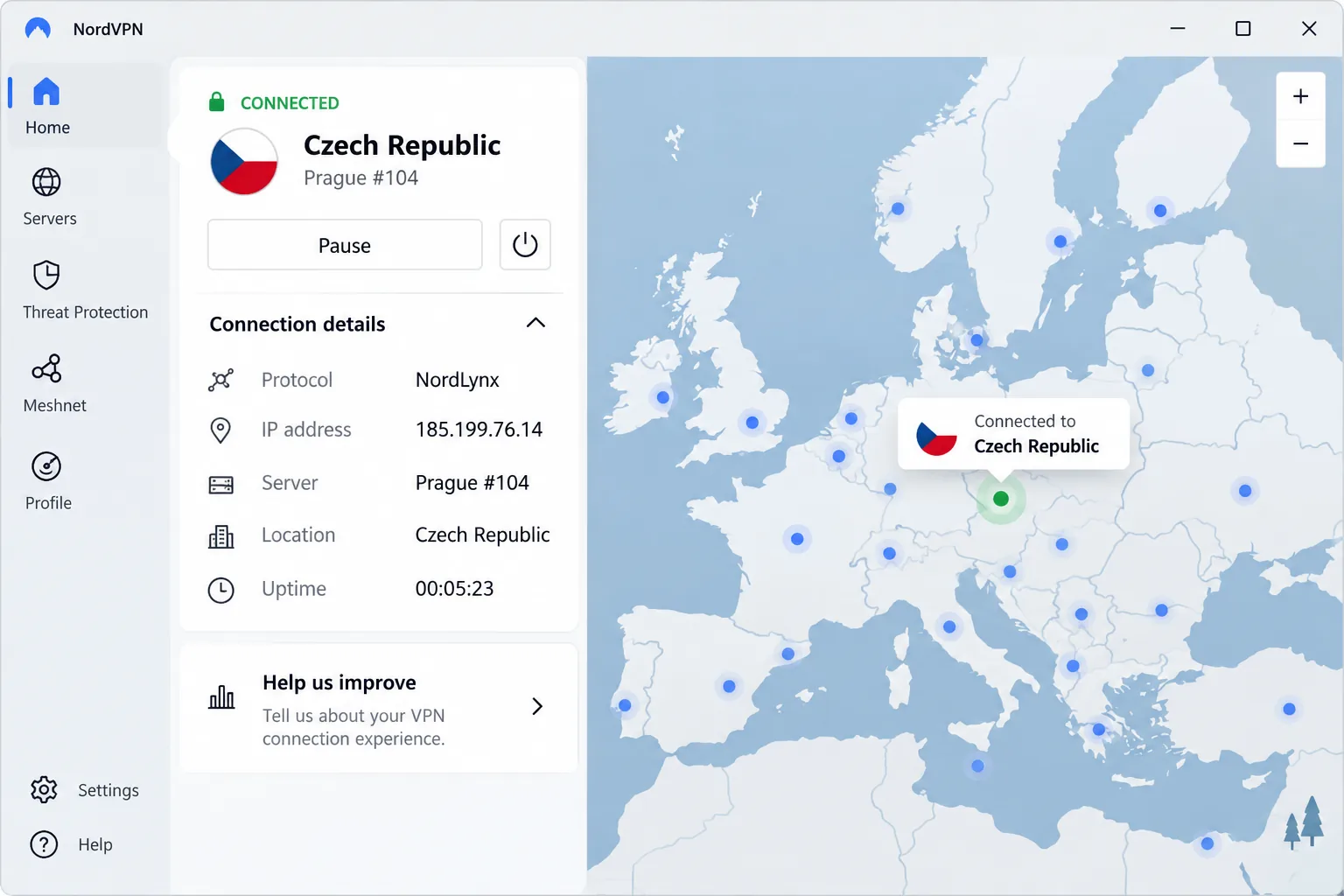
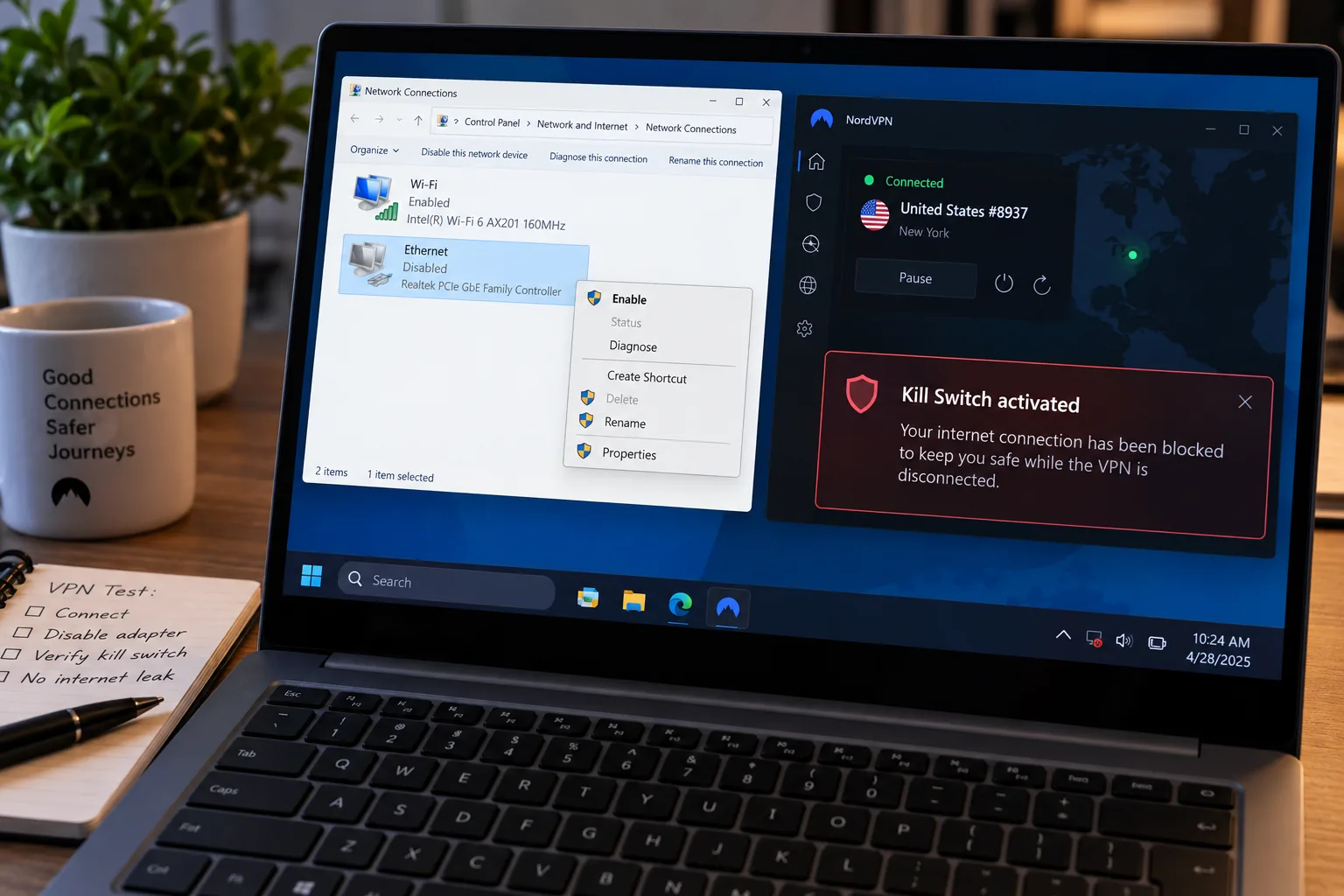
NordVPN gives you the most balanced package for Czech use. It lists a Czech exit location (more in our NordVPN review), NordLynx, unlimited bandwidth and apps for Windows, macOS, Linux, Android and iOS, plus browser extensions and a kill switch. In our use, local NordLynx downloads stayed fast and consistent, while long-distance connections lost more speed. A nearby Czech or European server is therefore the sensible default. The desktop interface felt slow at times, and the obfuscated options disappeared until we switched the protocol to OpenVPN.
On privacy, Deloitte Audit Lithuania examined its IT configuration and operations for no-logs assurance, and NordVPN published that 2024 audit. Current accounts allow 10 devices, even though some older guides still say six. The Basic offer shows EUR 3.49 a month on a 27-month prepaid plan, then EUR 139.08 a year, and a 30-day money-back guarantee applies. It supports Windows 10 and Windows 11.
Pros
- Czech location with NordLynx for fast local connections
- Ten simultaneous devices on current accounts
- Published third-party no-logs audit
Cons
- Desktop app can feel sluggish
- Obfuscated servers hidden until OpenVPN is chosen
2. Surfshark
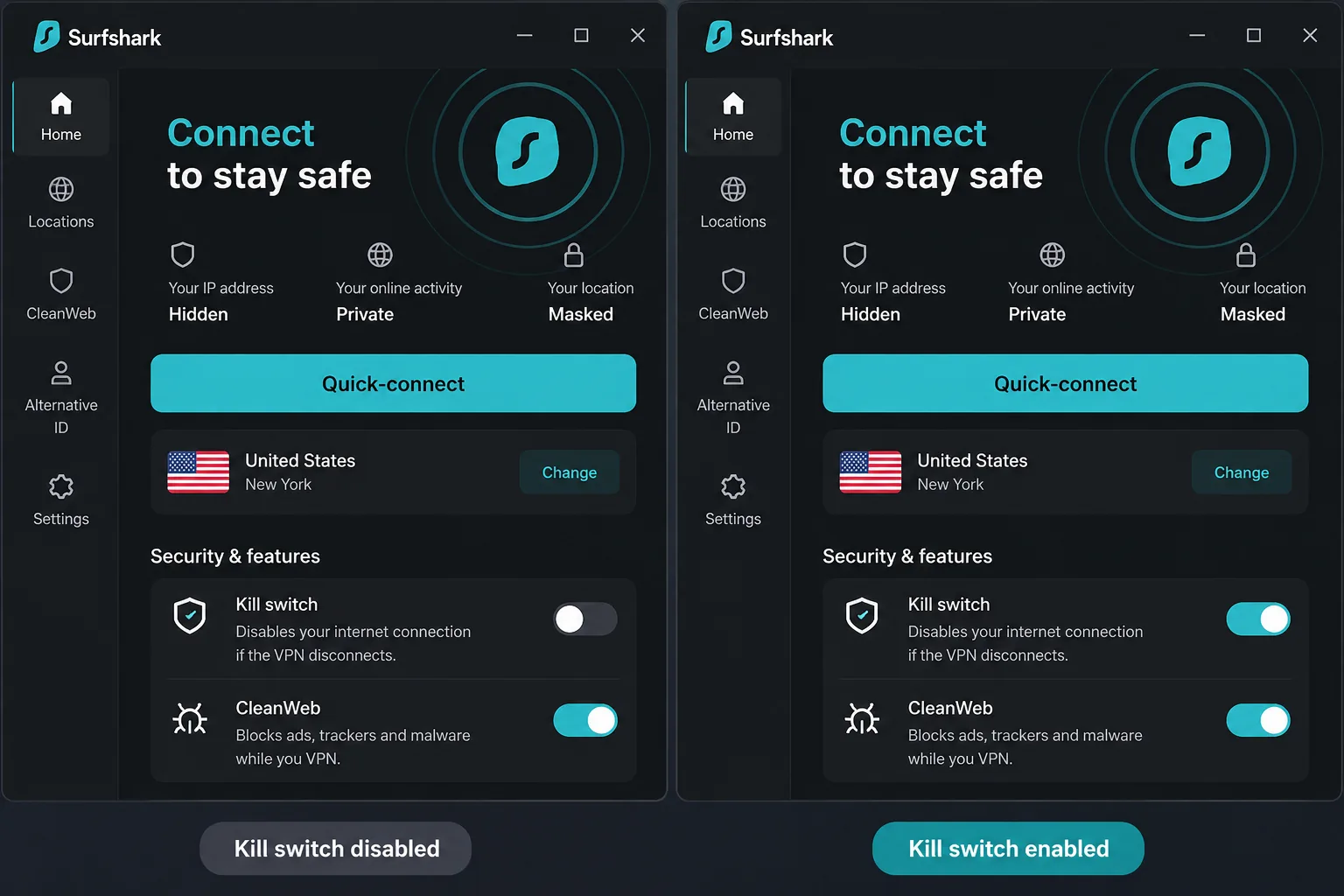
Where NordVPN limits you to 10 devices, Surfshark removes the cap. It lists Prague and Czech IP access, unlimited simultaneous connections, Dynamic MultiHop, Bypasser split tunneling, a kill switch, CleanWeb ad blocking, obfuscation and optional static or dedicated IPs. That makes it our pick for a household that shares one account across phones, laptops and a TV.
The app is easy to move around in. One quirk we noticed on Windows is that the home screen makes a disabled kill switch less obvious than an enabled one, so check it after install. In our use, it handled the major streaming services well but struggled more with smaller platforms. We also hit the occasional slow server. When we interrupted the connection aggressively, the Windows interface could crash while the kill switch kept shielding the real IP.
Deloitte verified the no-logs policy in 2023 and 2025, and Surfshark's trust center lists a SecuRing infrastructure audit completed in December 2025. The starter offer shows EUR 2.49 a month on a 27-month prepaid plan, and a 30-day refund applies. We could not confirm the renewal price. Windows 10 and 11 are supported.
Pros
- Unlimited simultaneous connections
- Low introductory price
- Audited no-logs policy plus infrastructure audit
Cons
- Renewal price not shown on the pricing page
- Occasional slow servers
3. CyberGhost
CyberGhost is the budget option with the longest refund window. It lists Prague servers, WireGuard, streaming, P2P and gaming server categories, Wi-Fi automation and website exceptions. In our use, the launch automation could connect to a chosen server and start a selected app together, which saves a step if you always open the same streaming app after connecting.
The trade-off is the app's own speed. Windows and iOS connections started slowly for us, and disconnecting on iOS felt cumbersome. The blocker removed a fair amount of ads and tracking, but it did not replace a dedicated ad blocker, and in ordinary use it disappointed us.
The account allows 7 devices, though vendor support describes seven concurrent connections while other accounts describe registered-device slots, so confirm how yours behaves. Pricing is EUR 2.19 a month, with EUR 56.94 charged up front and again each year. The headline mentions two years plus bonus months, while billing text says two years. A 45-day guarantee applies on plans of six months or longer, and a 14-day guarantee on monthly plans. Purchases through app stores are excluded. Deloitte Audit Romania completed its third no-logs audit, following assessments in 2022 and 2024. The Windows app needs Windows 10 version 1903 or later.
Pros
- Prague servers and a 45-day refund window on long plans
- Automation connects a server and launches an app together
- Third Deloitte no-logs audit
Cons
- Slow connection starts on Windows and iOS
- Ad blocker is no substitute for a dedicated one
4. Private Internet Access
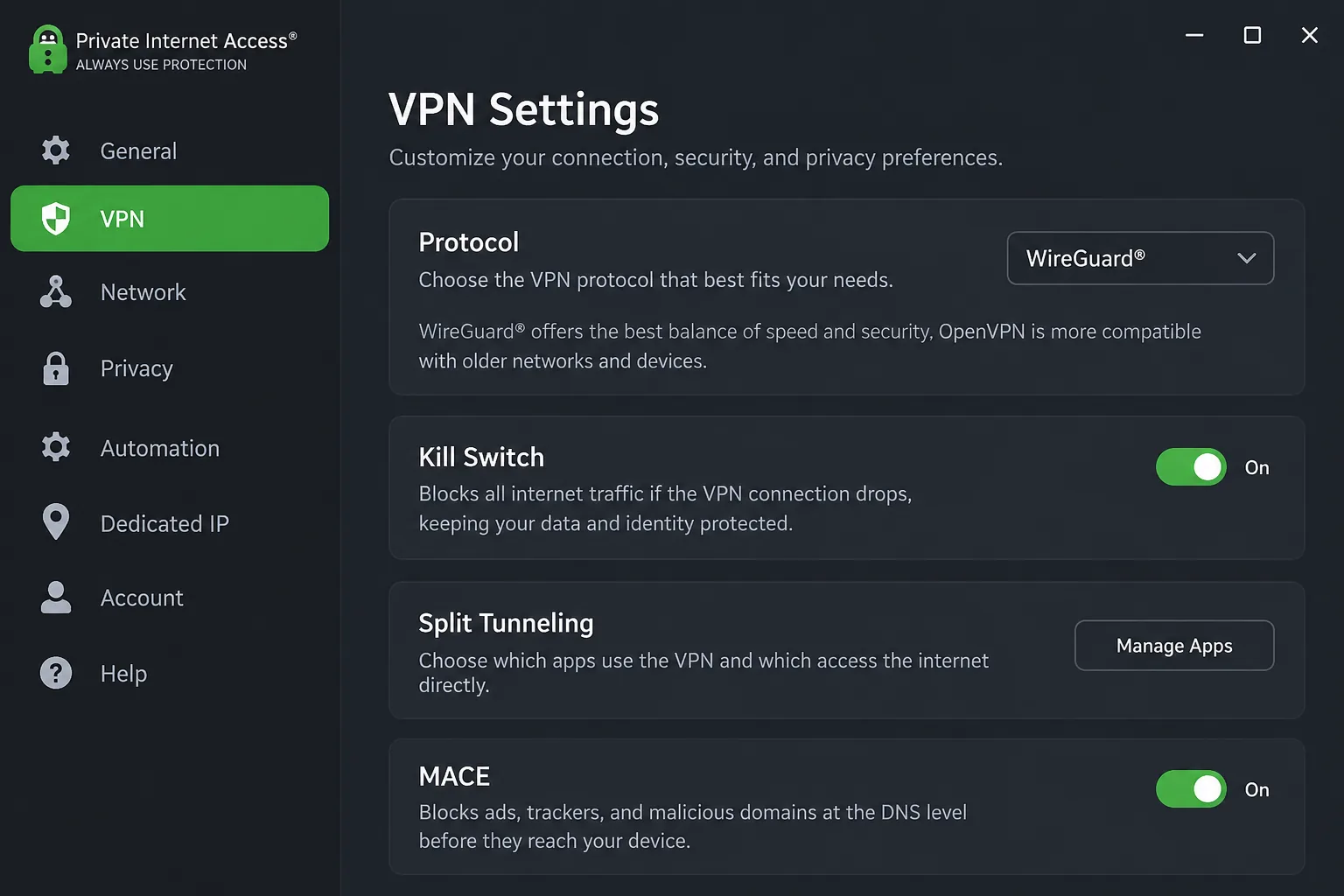
Private Internet Access sits between a simple VPN and a toolkit. Its apps for Windows, macOS, Linux, Android and iOS are open source, and it offers WireGuard and OpenVPN, split tunneling on supported platforms, the MACE blocker, P2P, port forwarding on eligible locations and a dedicated IP add-on. It lists a Czech exit location and allows unlimited connections.
That depth suits people who like configuring things but is less welcoming to beginners. Its kill switch and leak protection held up in our checks. Speeds trail the leading providers, and streaming access was less consistent than the privacy controls. Netflix worked better than some Prime Video and YouTube regions, and picking a streaming-optimized location improved access.
The long plan shows $2.03 a month for three years plus three months, renewing at $79 every three years. The annual option is $47.88 and renews at the same amount. Monthly billing is $11.95. A 30-day guarantee covers new subscribers, though app-store purchases follow the store's own refund rules. Support lists Windows 10 and 11, Android 7.0 or newer, and iOS 12.1 or newer. A public Deloitte no-logs report from April 2024 is available.
Pros
- Open-source apps and a public Deloitte report
- Unlimited connections and deep configuration
- Kill switch and leak protection held up
Cons
- Speeds trail the leaders
- Streaming access is inconsistent
5. Proton VPN
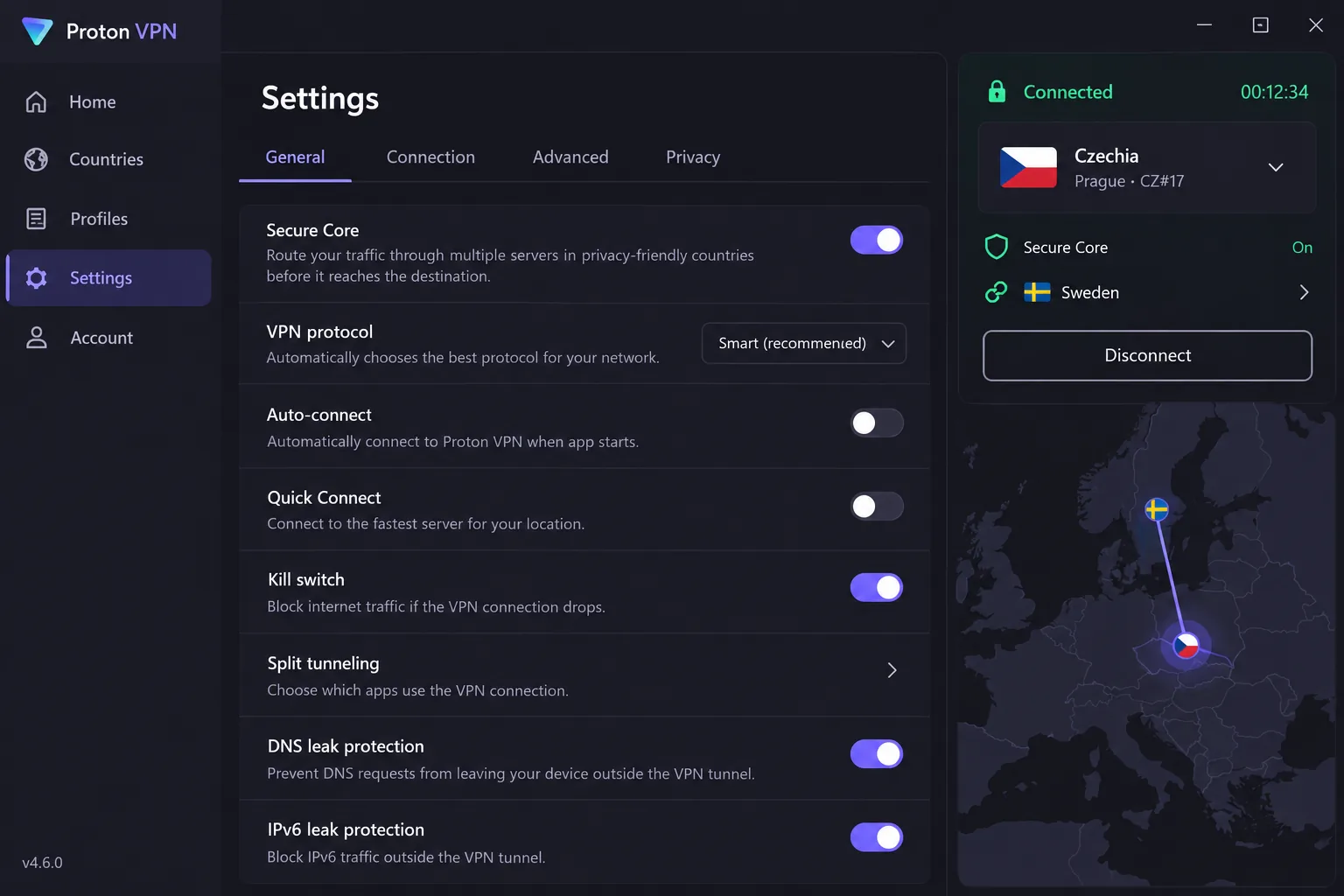
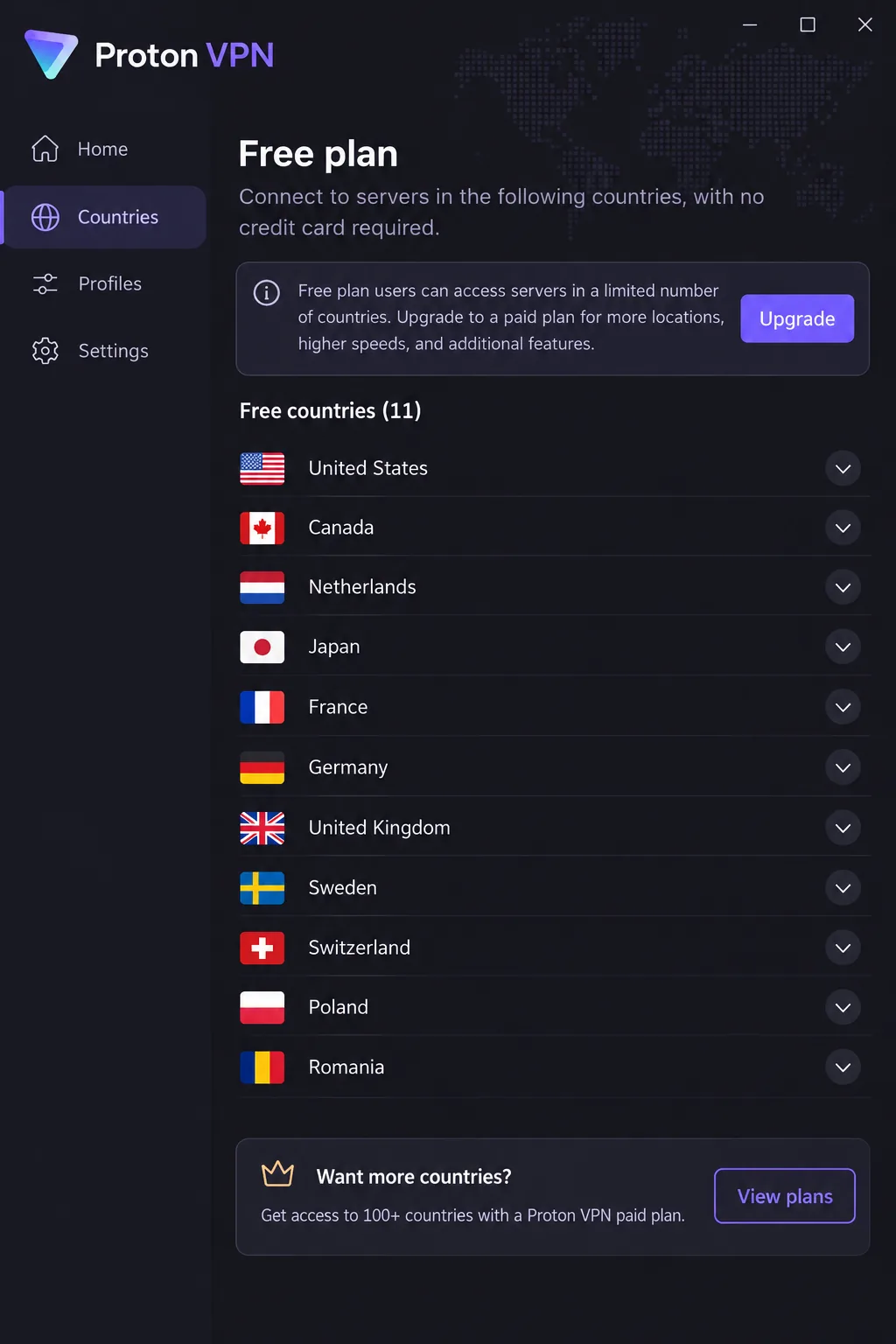
Proton VPN is the choice if you want strong privacy tools and are willing to pay for Czech access. The free plan has no data limit and no activity logs, but Czechia is absent from its country list. Free servers are assigned automatically and change at random with cooldowns, which we found frustrating whenever a particular country mattered. To get a Czech IP you need a paid plan.
Paid Proton VPN adds Czechia, Secure Core multihop (an extra hardened entry location), NetShield, an always-on kill switch, Stealth, WireGuard and open-source apps for Windows, macOS, Linux, Android, iOS and TV. In our use, the explainers and reusable profiles made advanced options easier to manage, though newcomers can still find them cluttered. The Mac app also looks older than the refreshed ones. The Windows kill switch worked alongside split tunneling and resisted deliberate failure testing.
Plus shows $3.49 a month with a two-year plan selected, supports 10 devices and carries a 30-day guarantee. We could not confirm the renewal price. Windows 11 and Windows 10 64-bit build 19045 are supported.
Pros
- Secure Core and strong privacy features
- Free plan with no data cap
- Kill switch resisted failure testing
Cons
- Czechia needs a paid plan
- Interface can feel cluttered at first
6. IPVanish
IPVanish sits near the bottom of the list because our confidence in its details is lowest. Its official homepage, pricing and Czech server pages were not reachable when we checked, so we relied on current third-party coverage for the Czech location, unlimited connections, WireGuard, double-hop, SOCKS5 and P2P support. Apps cover Windows, macOS, Linux, Android, iOS and Fire TV.
Everyday connections were fast and app support is broad. The mobile apps are easier to navigate than the detailed desktop interface. On some configurations, the Windows interface could freeze while connecting, leaving menus briefly unresponsive. For streaming, we needed several server changes, because the list does not label locations by platform. Monthly membership is relatively expensive.
Prices we found ranged from $2.19 to $2.39 a month on two-year offers, and we could not verify the renewal charge. The refund appears to be limited to longer subscriptions, so check eligibility before you pay. Independent no-logs assurance is described, with Schellman named as a recent assessor.
Pros
- Fast everyday connections
- Unlimited connections and wide app support
Cons
- Streaming can need several server changes
- Desktop app can freeze while connecting
7. ExpressVPN
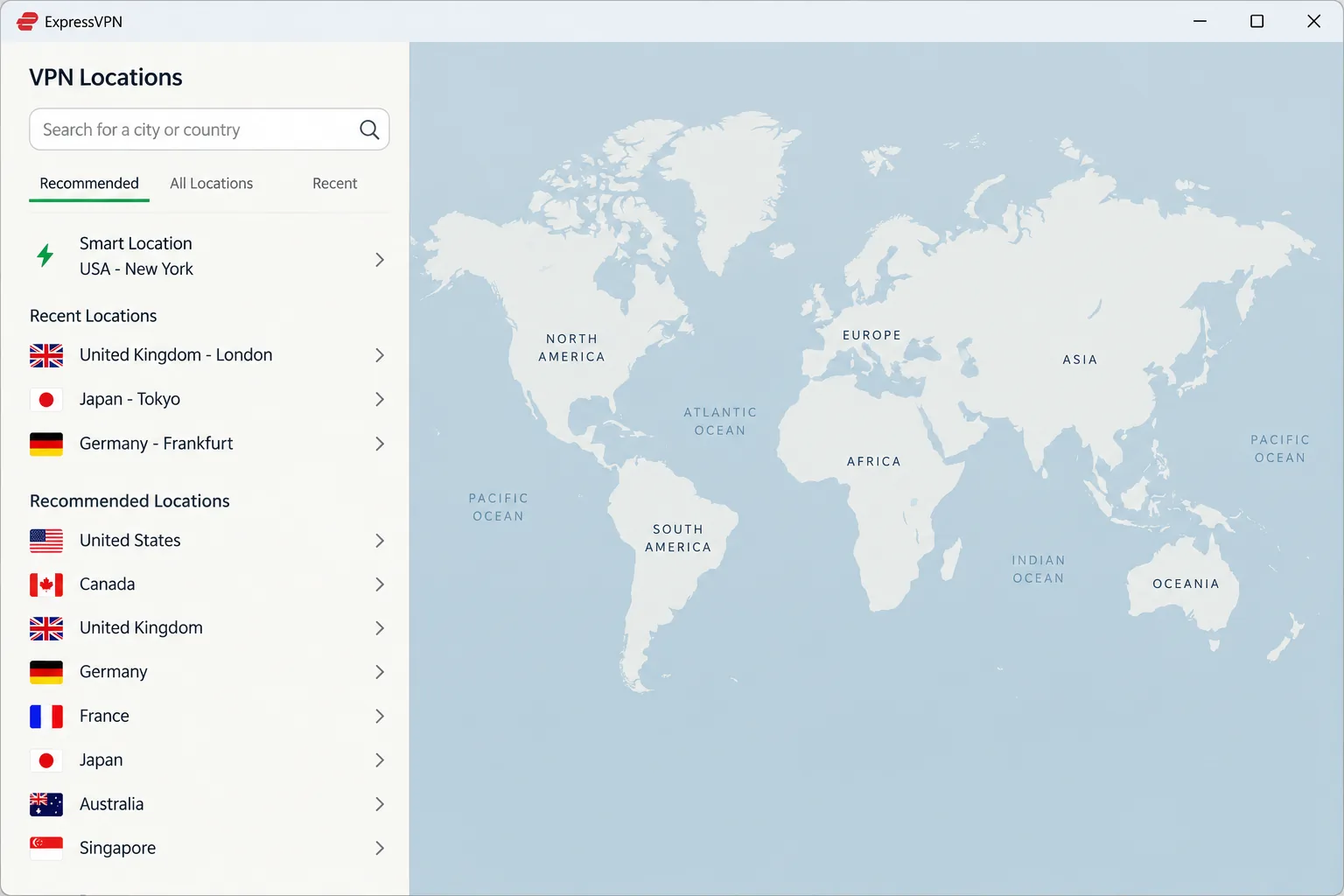
ExpressVPN closes the list. It is the easiest of the seven to use without opening settings, but it costs more over time than Surfshark or CyberGhost. Choosing a location and connecting takes a few clicks, and the KPMG assessment of its TrustedServer and privacy claims is dated February 28, 2025. It lists a Czech exit location, the Lightway protocol, a kill switch, split tunneling on supported platforms, router support and RAM-only servers.
Setup was not perfectly smooth for us. We had to restart the laptop before it worked properly, though the activation code in the account dashboard made adding our other devices quick. The newer desktop layout is usable, but it gives a lot of space to a map you cannot interact with.
Basic covers 10 devices, Advanced 12 and Pro 14. The Basic offer is $2.99 a month on a 28-month prepaid plan at $83.72, then $99.95 a year, with tax added at checkout. A 30-day guarantee applies to new users. ExpressVPN costs more over time than Surfshark or CyberGhost, so it suits people who value a no-fuss app over the lowest price.
Pros
- Location choice and connection are easy
- Dashboard activation code simplifies new devices
- KPMG assessment of TrustedServer
Cons
- Higher renewal price than the cheapest options
- Desktop map takes up space
How we evaluate VPNs for the Czech Republic
We judged each provider the way a network administrator would: does the Czech location exist on the official site, do the apps behave, and does the vendor back up its privacy claims? Prices and policies come from official pages where we could reach them, and we say so when we could not. The observations in each review come from our own hands-on use of these apps, and we did not base rankings on any benchmark we could not repeat.
Czech server access, speed and connection reliability
We checked that each vendor lists a Czech exit location, then looked at how the apps connected, reconnected and recovered when we interrupted them. We did not establish comparable throughput or latency figures for Czech endpoints across all seven providers, so we do not publish speed rankings. For speed, use a nearby server and a modern protocol such as WireGuard, NordLynx or Lightway, and try a lower-load server if one is slow. Routing through Tor adds overhead on top of that.
Privacy policies, security features, apps and value
Independent audits carried the most weight. NordVPN, Surfshark, CyberGhost and Private Internet Access have Deloitte reports, ExpressVPN has a KPMG assessment, and Proton VPN publishes open-source apps and audits. We also looked at kill switch behavior, supported platforms, device limits, refund periods and the renewal price. A cheap first term that triples at renewal is poor value, so we flagged any provider that does not publish its renewal amount.
Why use a VPN in the Czech Republic?
Most people choose a VPN here for one of three reasons: safer connections on the road, access to Czech content from abroad, or ordinary privacy at home. Each has limits, and the sections below take them in turn.
Public Wi-Fi in Prague and travel security
The Czech cybersecurity authority's travel guidance recommends using mobile data combined with a VPN, and notes that VPN availability differs by destination. On a hotel or cafe network, a VPN keeps other users on that network from reading your traffic. Switch on the kill switch before you travel, and install the app at home, since vendor sites can be hard to reach from restrictive networks.
Czech TV abroad and international streaming at home
Czech Television says that overseas availability of its iVysilani content depends on programme-specific licensing, and some programmes stay restricted to Czech territory. A Czech IP can help, but it cannot override a rights holder's rules, and a server that works one week may be blocked the next. Streaming from inside the Czech Republic works in reverse: connecting to a foreign server may unlock another library, subject to the same limits.
VPN legality, data retention and privacy limits
NordVPN's Czech page says VPN use is legal, but permission to use a VPN does not remove legal or contractual limits on what you do with it. On data retention, the Czech Supreme Court has described litigation over blanket collection of communications metadata and six-month storage, and compatibility with EU law is contested. That case concerns telecom metadata, not a rule that every VPN must store your browsing history. A VPN also does not make you anonymous: your account, payment details and logins still identify you.
How to connect to a Czech VPN server
The process is brief and follows the same pattern for every provider on this list.
Install the app and choose the right server location
Install the vendor's app on your device, sign in, select Czech Republic when you need a Czech IP, and connect. If you only want protection on public Wi-Fi, a nearby server will usually be faster than a distant one. For Proton VPN, remember that Czechia is paid only. For NordVPN, choose OpenVPN if you want obfuscated servers to appear.
Check your IP address and troubleshoot the connection
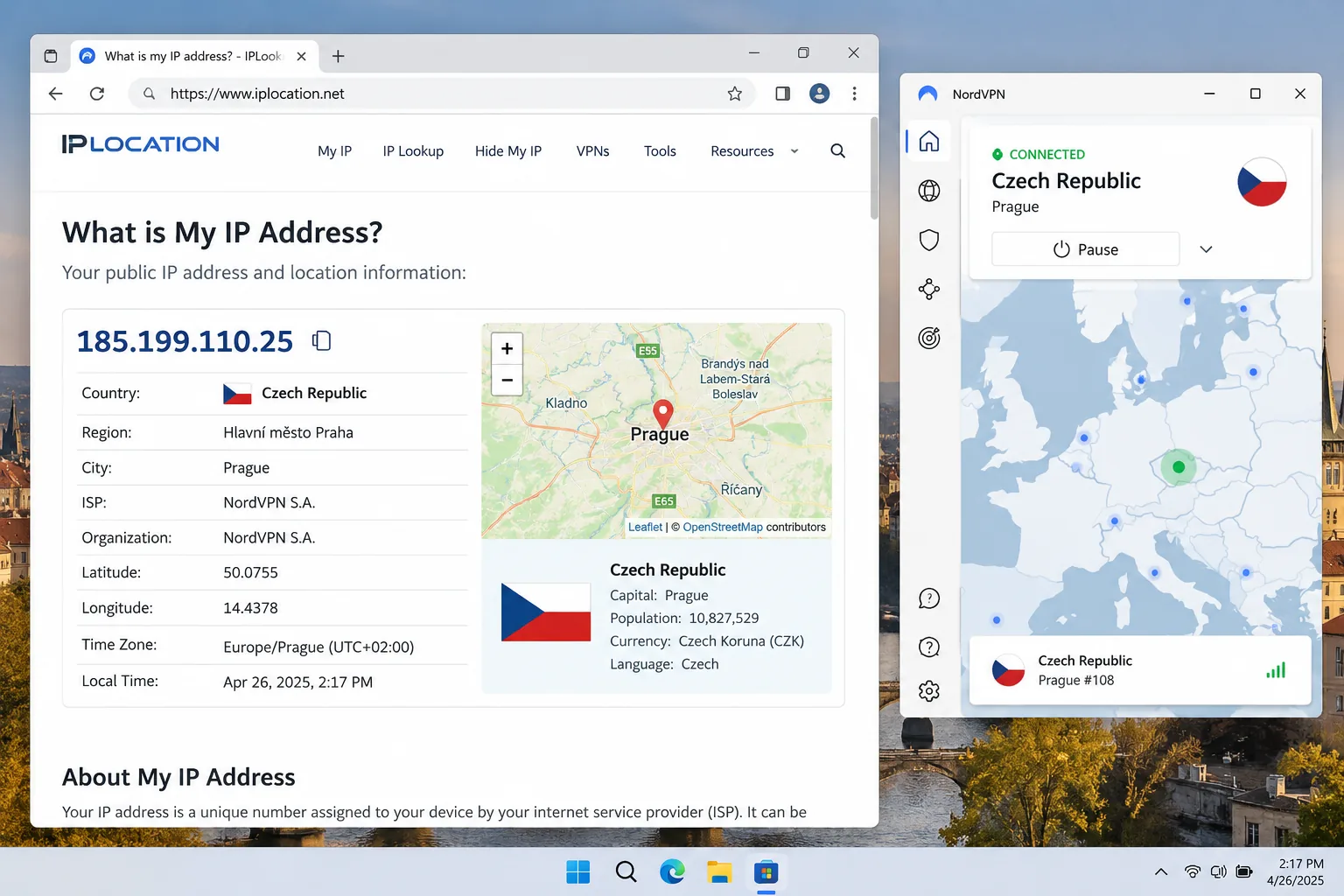
Once connected, open an IP-lookup page and confirm that it shows a Czech location. If it does not, disconnect and reconnect, or pick a different Czech server. A site that still blocks you may be flagging that server's address, so a different one often helps. If speed drops, try a lower-load server or a faster protocol, and restart the app before you contact support.
Are free VPNs suitable for the Czech Republic?
For Czech access, mostly not. Proton VPN is the only provider here with a genuine free tier, which has no data limit and no activity logs. It does not offer a Czech location, however, and picks servers for you. Free apps from unknown vendors carry bigger risks. The safer route is a long-term paid plan from any provider above, with the refund window in mind.
Frequently asked questions
Which VPN should I choose for the Czech Republic?
Do I need a Czech IP address when travelling?
Can a VPN guarantee access to Czech streaming services?
Will a VPN slow down my connection?
Can I pay for a VPN with a Czech or euro card?
Conclusion
NordVPN is the best starting point for the Czech Republic, with a Czech location, fast local connections and a published Deloitte audit. Surfshark is the better fit if you need many devices or the lowest introductory price. Choose Proton VPN when privacy tools matter and a paid plan is acceptable, and use CyberGhost if the 45-day refund window appeals. Private Internet Access and IPVanish are the tinkerer's options with trade-offs, and ExpressVPN suits people who want the simplest app. Whichever you pick, use the refund period to check that the Czech server works for the service you care about.
Our related VPN guides cover other destinations, though conditions differ by country: Best VPN for Albania, Best VPN for Andorra and Best VPN for Amazon Prime Video.