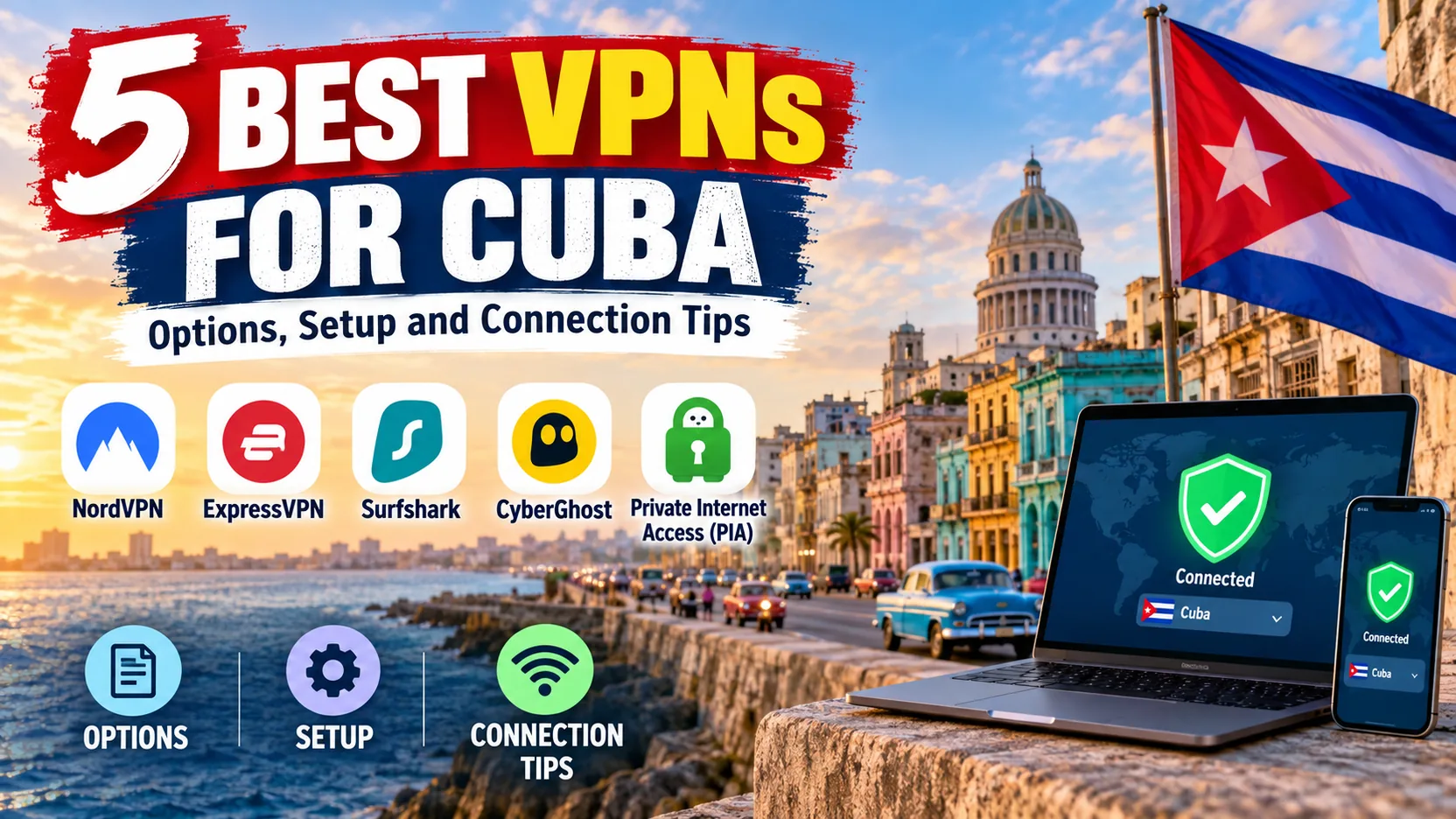
If your hotel Wi-Fi drops every few minutes, or your bank app locks you out the moment you land, a VPN is the tool you want already installed. The catch is that you need to set it up before you arrive, because VPN websites and app stores can be hard to reach once you are on the island. We compared five services on the features that matter for Cuba: obfuscation, reconnection after a dropped signal, mobile app support, and cost. NordVPN is the one we would install first. Surfshark, Proton VPN, CyberGhost and ExpressVPN meet specific needs, from a free plan to a bigger device allowance to support for older phones. Below you will find the shortlist, what a VPN cannot do for you, and a setup routine to finish at home.
Best VPNs for Cuba at a glance
The table below puts the five services side by side. Prices are promotional and change often, so treat them as a snapshot of what we saw on each vendor's pricing page on 30 October 2026.
| Product | Buy | Suitable use | Restriction tools | Free-tier limits | Subscription caveat |
|---|---|---|---|---|---|
| Check price → | Reconnection on shaky networks | NordWhisper, obfuscated servers | No ongoing free plan verified | Quote seen in Australian dollars; A$187.08 a year to renew |
 | Check price | Many devices on one plan | NoBorders, OpenVPN stealth setup | No ongoing free plan verified | $67.23 for 27 months; renewal price not shown |
 | Check price | Free option, paid location control | Stealth on Windows, macOS, Android, iOS | No data cap, 1 device, random server | $3.49 a month shown on two-year plan; renewal not shown |
 | Basic connections on desktop | Port randomization only | 24-hour desktop trial | $56.94 upfront; term labels conflict on the page | |
 | Check price | Simple setup, smooth network switching | Automatic obfuscation on supported platforms | No ongoing free plan verified | $83.72 for 28 months, then $99.95 a year |
Evidence limit: we did not run timed connection tests inside Cuba, and nobody has published reproducible success rates for named Cuban hotels or ETECSA networks. Our picks rest on vendor documentation, the platform requirements we checked, and qualitative reports of how each app behaves on Cuban Wi-Fi and mobile data. None of this guarantees access.
The 5 best VPNs for Cuba
We ordered the list by our overall assessment, weighing how well each service handles the two problems that matter most in Cuba: an unstable connection, and networks that may interfere with VPN traffic. Each entry covers fit, limits and the platform versions you need.
1. NordVPN
NordVPN is our first pick because it recovers quickly when the signal wobbles. It reconnects well on fluctuating Cuban public Wi-Fi and mobile data connections. That is what you want when a hotel router drops out every few minutes. That matters more than raw speed on an island where the underlying connection sets the ceiling.
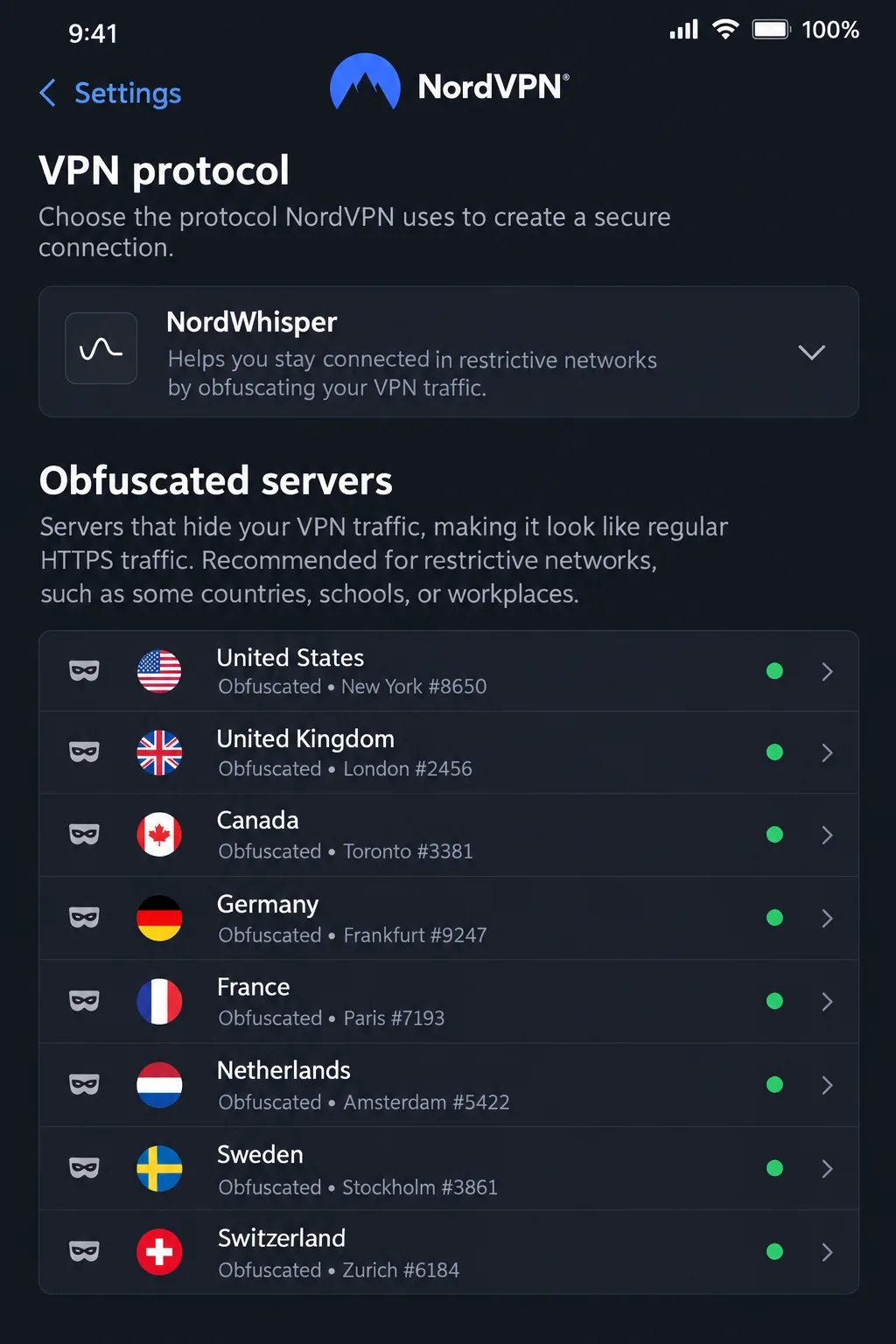
For restricted networks, NordVPN offers NordWhisper, obfuscated servers and OpenVPN, plus NordLynx for normal conditions. Obfuscation simply means the app disguises VPN traffic so it looks like ordinary web traffic. Current NordVPN support guidance for countries with internet restrictions suggests trying NordWhisper first, then obfuscated servers, then OpenVPN over TCP. Those obfuscated servers appear when you choose Auto or NordWhisper in the protocol settings.
Setup is easy. The basic install is straightforward, though the app offers extra products alongside the VPN. The layout is familiar across most platforms, so you do not need to relearn it when moving between phone and laptop. The weak spot is the phone: mobile screens can feel cramped, and expert customization is more limited than in some rivals.
Check your devices first. The main Android app needs Android 9 onward, and iPhones need iOS 17.0 or later. Android 7 and 8 owners must use a separate sideloaded app, which is awkward to arrange once you are abroad. One account covers 10 simultaneous devices, and there is a 30-day money-back guarantee.
Pricing is the part to double check. The page we retrieved quoted an Australian-dollar offer of A$4.79 a month equivalent, which works out to A$129.33 for 27 months, then A$187.08 a year to renew. US pricing was not established, so confirm the amount at checkout.
Pros
- Reconnects well on unstable Cuban Wi-Fi and mobile data
- NordWhisper and obfuscated servers for restricted networks
- 10 devices on one account
Cons
- Mobile screens feel cramped
- Android 7 and 8 need a separate sideloaded app
- Renewal costs more than the introductory offer
Best for: travelers who want one app that keeps reconnecting. Skip if: your phone runs an older Android release and you cannot sideload apps.
2. Surfshark
Surfshark connects on Cuban hotspots and mobile data, but heavy congestion makes it less consistent than NordVPN and ExpressVPN. When the network is busy, expect more retries. The apps are easy to navigate, but long-distance performance is a weaker point. Keep that in mind if you plan to connect to a distant server.
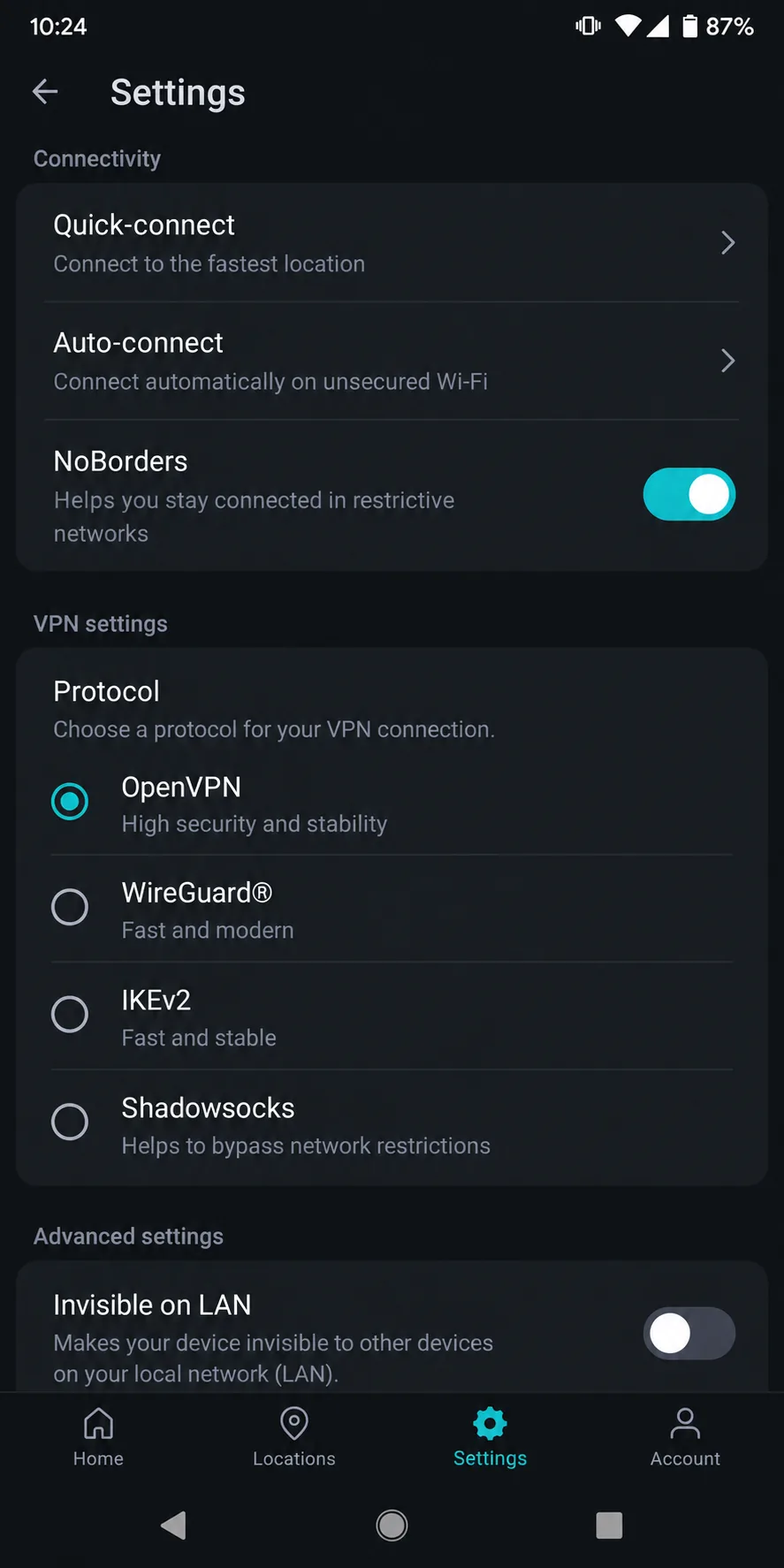
What Surfshark does well is capacity. Surfshark's pricing page lists unlimited simultaneous devices on Starter, One and One+, so a family with several phones and laptops can share one account. For restricted networks it offers NoBorders, which detects limits and picks suitable servers. Its official stealth guidance also points to OpenVPN under Settings, then VPN settings, then Protocol. It supports WireGuard, OpenVPN and IKEv2, depending on the platform, and changing protocol is an official troubleshooting step.
On mobile, the current Google Play app supports Android 7.0 and newer. Its iOS requirement is unclear, because the vendor's own page says iOS 17 onward in one place and lists iOS 16 as fully supported in a table. Check your iPhone against the current app listing before you leave. There is a 30-day money-back guarantee.
Surfshark's pricing calls for a warning. The Starter plan showed $2.49 a month equivalent, or $67.23 for 27 months. Introductory prices like this can jump at renewal, and the retrieved page did not show the renewal amount, so read the checkout screen. The Chrome extension can also cut CAPTCHA interruptions while searching, a small bonus.
Best for: households with many devices. Skip if: you expect it to match NordVPN on a busy ETECSA connection.
3. Proton VPN
Proton VPN is the only service on this list that gives you a free plan worth installing. Proton's free plan page lists a no-logs policy and Stealth access, with no data cap or ads and automatic server assignment. Stealth is Proton's obfuscated protocol, and it runs on Android, Windows, macOS and iOS. Proton's documentation excludes Linux and router setups.
The tradeoffs are real. Free covers 1 device at a time, and you cannot pick a country. Proton connects you to the fastest free server first; subsequent server choices are random, with a cooldown between changes. The official rule is 45 seconds after the first change and 10-minute gaps after that, but the countdown in the app is what actually counts. Reaching a specific country is frustrating, and speeds can drop during heavy downloads while the VPN stays connected. Unlimited data does not mean constant speed.
The paid Plus plan fixes most of that. It lets you choose locations and protects 10 devices at once. It adds Secure Core, NetShield, a kill switch, split tunneling and port forwarding, with availability that varies by platform. The apps are open source and the privacy claims are audited. Proton showed $3.49 a month on the two-year option, though other current offers show $2.99, and the renewal price was not visible. There is a 30-day money-back guarantee, with some exclusions based on how you pay.
Two usability notes. The busy screens and technical support articles are harder for beginners to follow. Live chat is harder to find than the in-app issue report. The native iPhone app needs iOS 17.0 or later, and its Android support is murky: the marketing page lists Android 6.0 and above, but official support follows Google-supported releases.
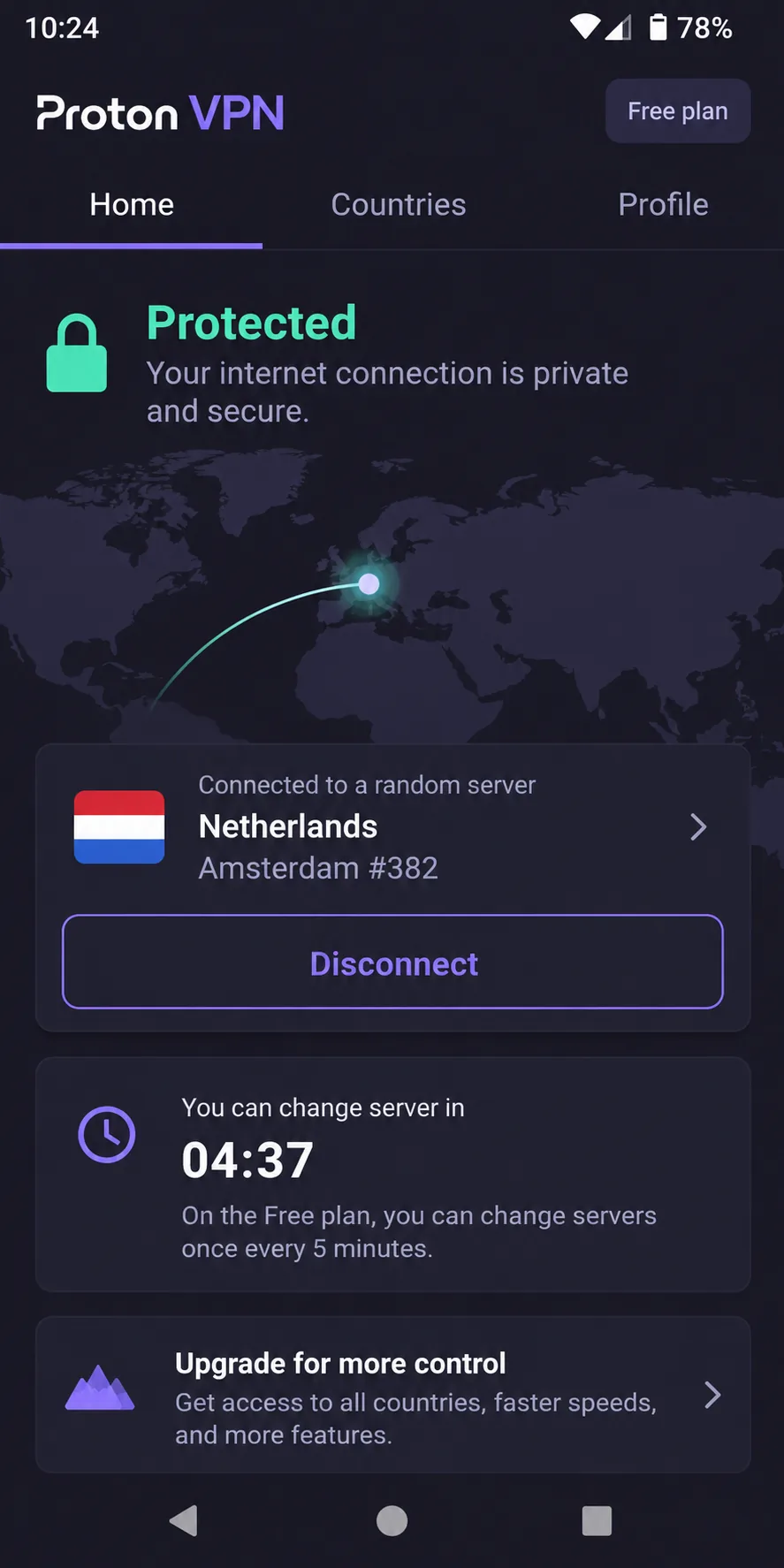
Best for: travelers who want a free backup in addition to a paid VPN. Skip if: you need a particular country or several devices at once on the free plan.
4. CyberGhost
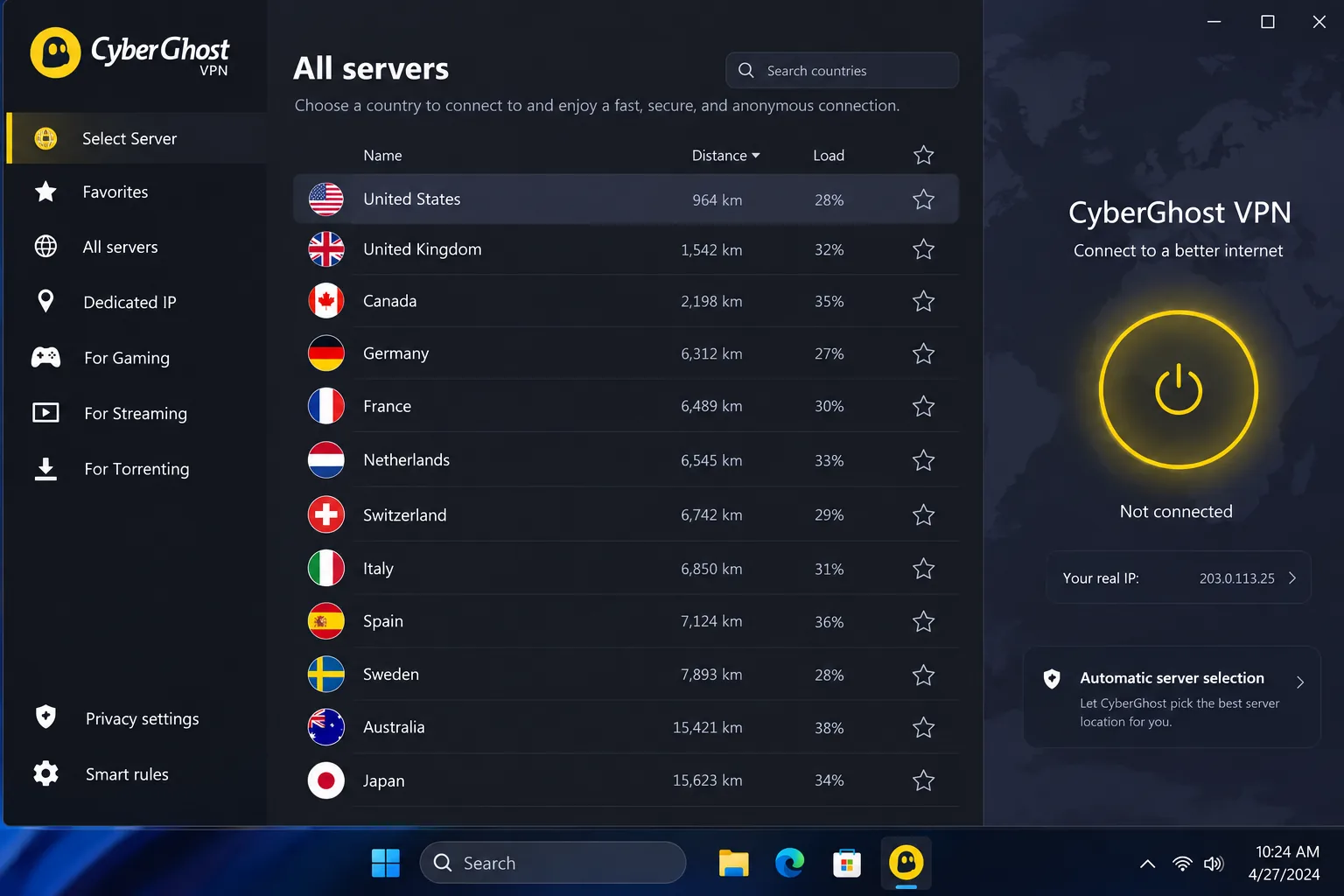
CyberGhost has the most limited tools for Cuba. Its own obfuscation explanation highlights port randomization and leak protection. We could not verify a dedicated stealth protocol, so we cannot say how it holds up if a network blocks VPN traffic.
The basics are fine. The desktop layout is clean and makes connecting easy, while mobile apps offer fewer advanced controls. It can take longer to connect than competing apps on Windows and iOS, and iOS disconnections can behave unpredictably. On Windows, adding a website to the Exclusions list can force OpenVPN even when you picked another protocol. The app does not make this odd quirk obvious.
You have 7 slots for registered devices. When they are full, you must unlink an old device before adding a new one, which is annoying if you are changing phones before a trip. You need Android 7.0 or up, or iOS 15.0 or later. The browser proxies only cover browser traffic, so do not mistake them for a full VPN.
CyberGhost's guarantees are generous, though. Long plans carry a 45-day money-back guarantee, and the monthly plan carries 14 days. There is also a 24-hour desktop trial without a card, which is a low-risk way to test it at home. Mobile trials need payment details and timely cancellation. The page shows $2.19 a month and $56.94 upfront with the same amount at renewal, but its term labels conflict, so confirm the term at checkout.
Best for: people who want a trial before paying and use mostly a laptop. Skip if: you need a proven stealth option for restricted networks.
5. ExpressVPN
ExpressVPN is the one we would pick if you want the least fiddling. It handles network switching smoothly and reconnects consistently on Cuban hotel Wi-Fi and mobile devices. Walk from your room to the lobby, hop onto mobile data, and the tunnel usually comes back without a manual tap.
Obfuscation switches on automatically on supported platforms, so there is no menu to hunt through while you are troubleshooting. The app uses Lightway by default, and the Automatic setting picks a suitable protocol for you. If a connection is slow, the official first steps are to change the location or protocol. Support tutorials are clear, which helps when you set up an unfamiliar device.
Installation is quick on desktop and mobile. One small quirk: you may need to restart your laptop on first use. The browser controls also drive the installed desktop VPN, which is different from a browser-only proxy, so you stay protected beyond that one browser.
Version requirements are lenient: Android 7 or above, and iOS 15 or above. That makes it the better choice for an older phone. The Basic plan covers 10 devices, with 12 on Advanced and 14 on Express Pro. New users get a 30-day money-back guarantee. ExpressVPN's pricing page showed a US introductory offer of $2.99 a month equivalent, billed as $83.72 for 28 months, then $99.95 a year. Sales tax may apply, and the monthly figure is not monthly billing.
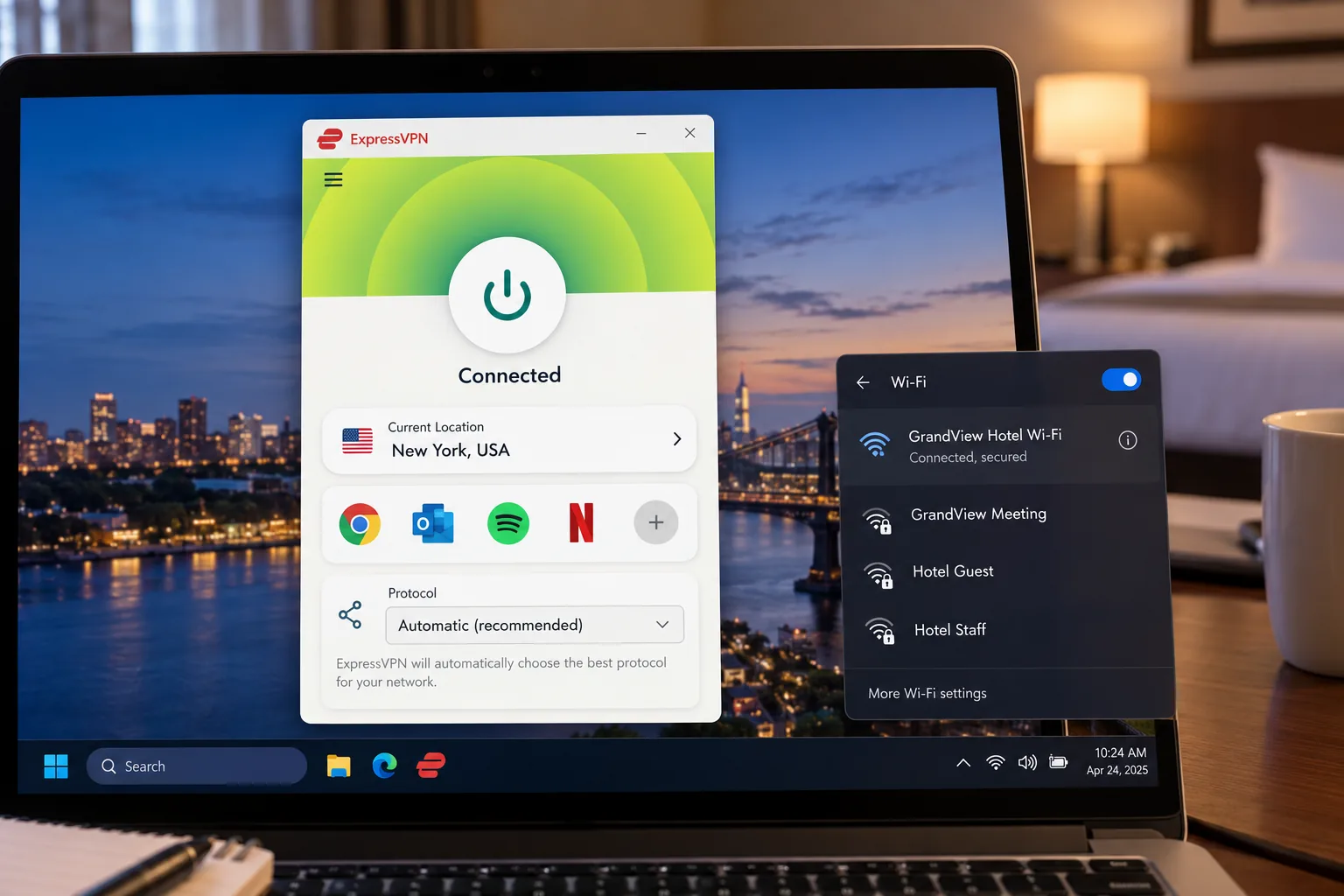
Best for: first-time VPN users and older phones. Skip if: you want the cheapest long-term price.
Why you may need a VPN in Cuba
Public Wi-Fi, account privacy and blocked services
Most visitors reach the internet through hotel Wi-Fi, public hotspots, or ETECSA mobile data. These are shared networks, and a VPN encrypts your traffic before it leaves your device, so other people on the same hotspot cannot read it. That is useful when you log into email, banking or booking accounts.
A VPN also changes the IP address that websites see. That can help when a service restricts access from your location or when a streaming site blocks one endpoint. Switching to another city in the same country can often restore access, a handy trick on Proton VPN. Some services block VPN traffic entirely, so no tool wins every time.
Canadian government travel advice for Cuba also notes that telecommunications can be unreliable and that internet and social media may be restricted during unrest. The same page recommends subscribing to and installing a VPN before departure. Availability varies by location, power supply and political conditions, so one working connection does not predict the next.
What a VPN cannot fix
A VPN does not create bandwidth. If the underlying connection is poor, the tunnel will be poor too. Throughput depends on your original connection, server load and distance, and the VPN adds some overhead.
It also does not make you anonymous. Encryption and a changed IP protect the connection, while obfuscation disguises traffic patterns. None of these makes you completely anonymous or guarantees access. Logging into a personal account still identifies you to that service.
Power outages are another limit. Telecommunications can drop when the grid does, and no app can fix a dead tower. Keep a charged power bank and offline copies of your bookings and contacts.
A working VPN is not a legal opinion. We could not verify a current Cuban statute on VPN use, and Canadian advice to install one is not a Cuban ruling. Check your own government's travel guidance before you go.
How to choose a VPN for Cuba
Obfuscation, reconnection and mobile app support
Start with reconnection. In Cuba you will move between hotel Wi-Fi, a lobby hotspot and mobile data, and each switch can drop the tunnel. A VPN that reconnects on its own saves you from reopening the app. NordVPN and ExpressVPN were the strongest here.
Next comes obfuscation, the feature that hides the fact you are using a VPN. Look for a named stealth mode or protocol, not just a claim. NordVPN has NordWhisper and obfuscated servers, ExpressVPN applies obfuscation automatically on supported platforms, Surfshark uses NoBorders and OpenVPN, and Proton uses Stealth.
In Cuba, a VPN that reconnects on its own matters more than the one with the longest feature list.
— Our takeaway from comparing the five services
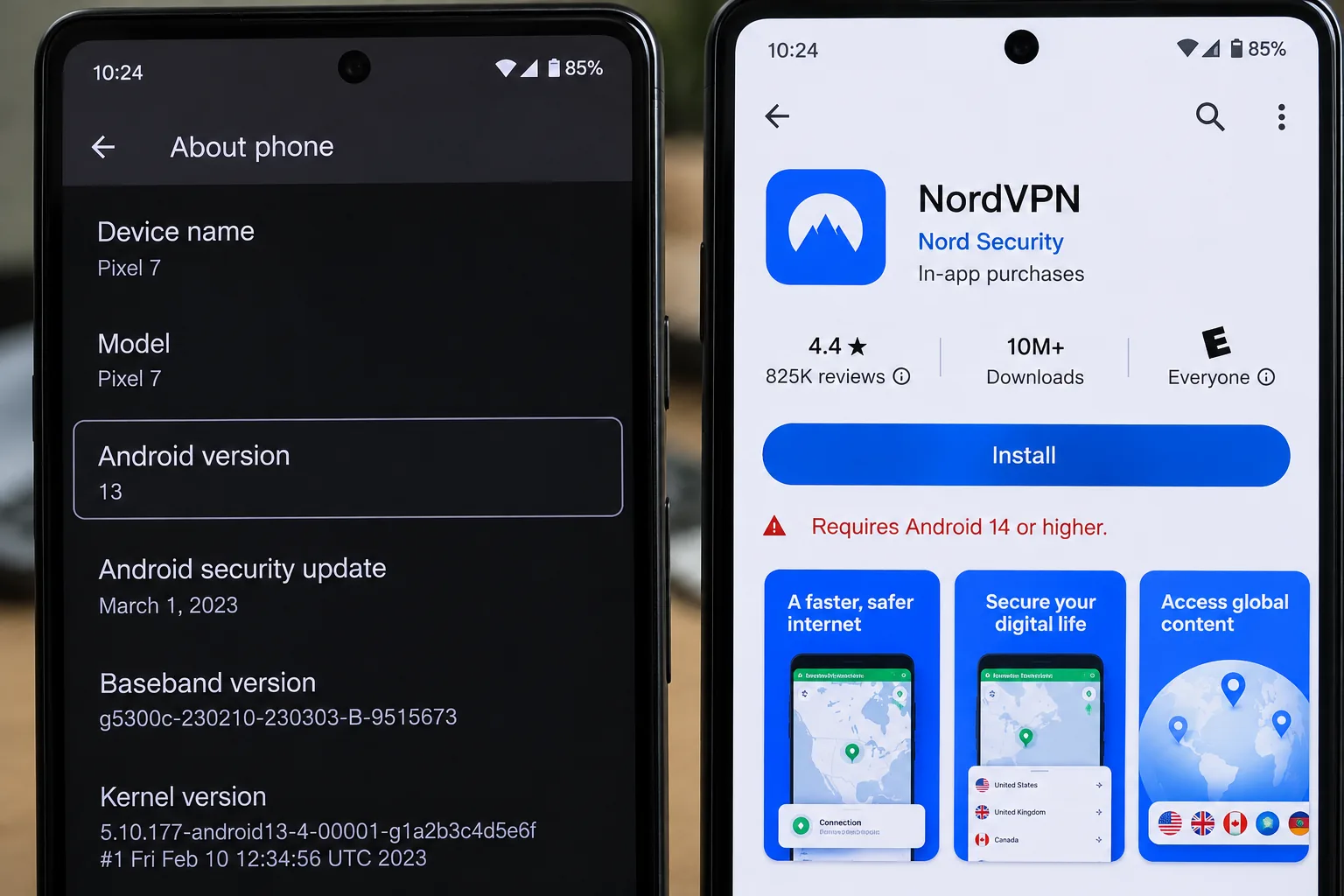
Finally, check your phone. App requirements differ widely: Android 7 is enough for ExpressVPN, Surfshark and CyberGhost, but NordVPN's main app wants Android 9. On iPhone, NordVPN and Proton need iOS 17.0, while ExpressVPN and CyberGhost accept iOS 15.
Server locations, speeds and subscription costs
Do not chase the biggest server count. No comparison of latency measured from Cuba shows which country or city is fastest. Distance does not guarantee a good route. A nearby, lightly loaded server reduces avoidable delay, so try a few locations and keep the one that feels stable.
Plans are where buyers get caught. Most of the offers above are multi-year prepaid deals quoted as a monthly equivalent. The renewal then bills annually, often at a higher rate. A reliable rule: look at the checkout total and the renewal line, not the headline per-month price. Every service here has a money-back window, from 14 to 45 days, so test it at home within that window.
Device allowances matter too. Surfshark allows unlimited devices; NordVPN and ExpressVPN Basic allow 10, Proton Plus allows 10, and CyberGhost allows 7.
How to set up your VPN before traveling to Cuba
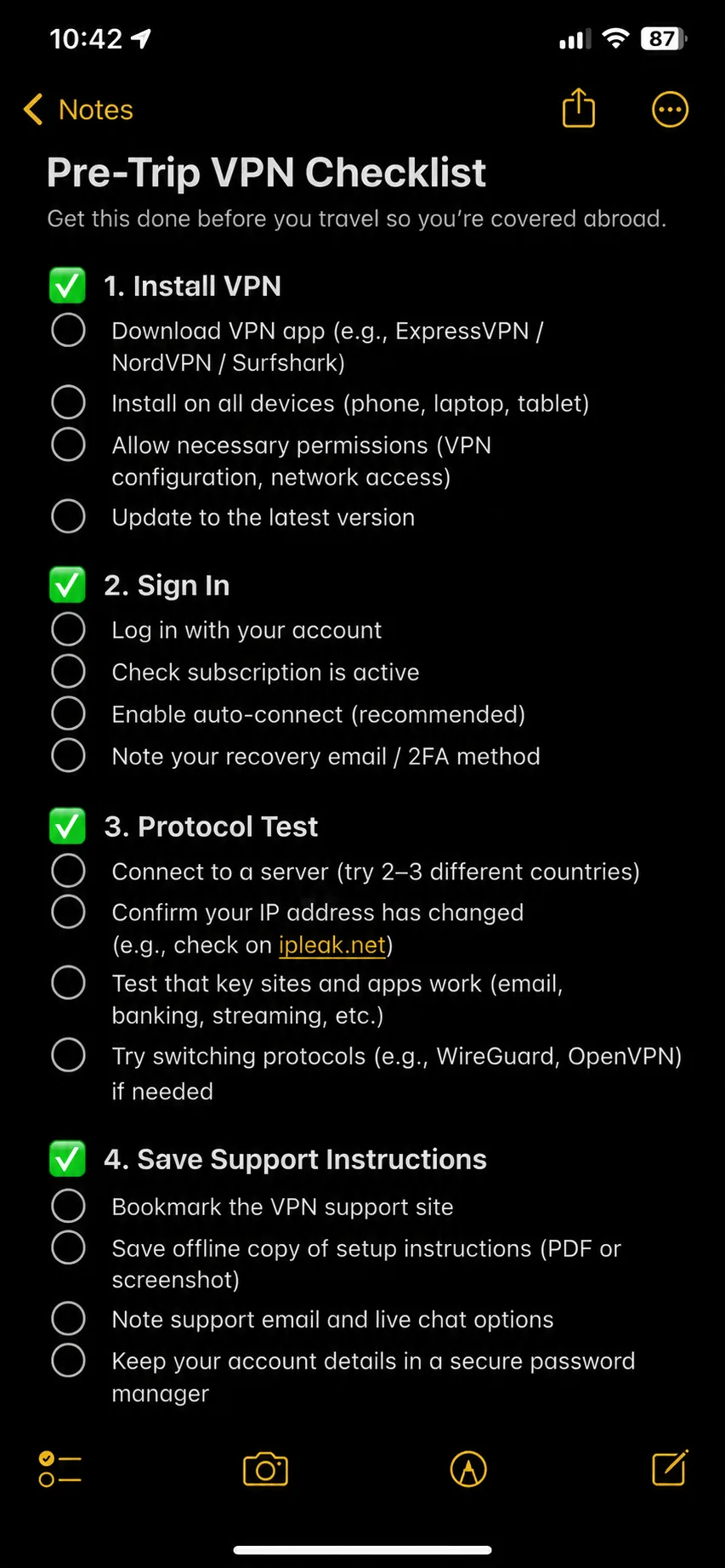
Do this at home, on your home network, with time to fix problems.
- Subscribe and install the app on every device you will carry, including your phone, laptop and tablet.
- Sign in, run a first connection and confirm your IP address changes.
- Download the protocol or server options you may need, then switch to each option once to confirm it works.
- Save the vendor's support instructions as screenshots or PDFs, so you can read them offline.
- Turn on the kill switch where one is available.
- Keep a second option ready. A free Proton VPN account on your phone is a cheap backup.
- Write down your account email and recovery details. Do not rely on a password manager you cannot reach.
Install your VPN on a second device, not just your main phone. If one app fails on a strange network, the other may still connect.
Using a VPN on hotel Wi-Fi and ETECSA mobile data
ETECSA runs Cuba's mobile services, Nauta accounts and a Nauta app for connecting to Wi-Fi sites. We could not confirm the exact login flow, APN settings, balance requirements or tourist data tariffs from the operator, so check those with your hotel or carrier. We can explain the order in which to connect.
On hotel Wi-Fi, connect to the network and finish any login page first. Then open the VPN. A captive portal can block the VPN until you are signed in. On mobile data, make sure data is working before you blame the VPN.
When the connection drops, let the app reconnect before you change anything. If it does not, switch to a different server or protocol. NordVPN and ExpressVPN usually recover on their own, while Surfshark may need another tap when the network is busy.
What to try when your VPN will not connect
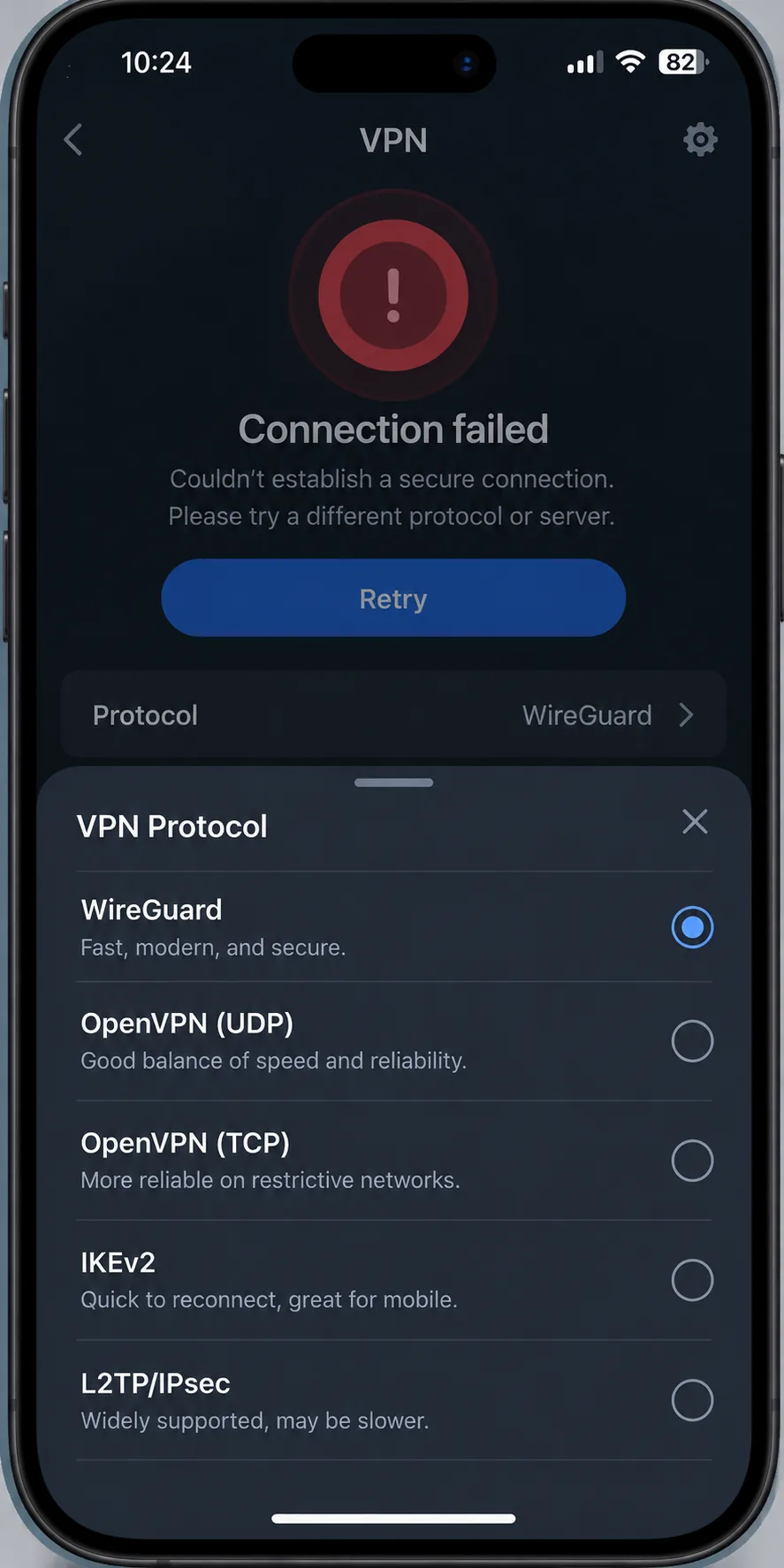
First, check whether the problem is your local connection or the VPN. Turn the VPN off and try to load an ordinary website. If that fails, the problem is the hotel router, your mobile balance or the network, and no VPN setting will help.
If the plain connection works, try these in order:
- Pick another server in a different city or country.
- Change protocol. With NordVPN, try NordWhisper, then obfuscated servers, then OpenVPN TCP. With Surfshark, try OpenVPN or switch on NoBorders. With Proton, make sure Stealth is on.
- Check that your subscription has not expired.
- Confirm your device clock and time zone are correct.
- Restart the app, then the device.
If nothing works, the network may be blocking VPN traffic. Keep calm, work offline where you can, and try again later or on a different network.
Cuba VPN FAQs
Are VPNs legal in Cuba?
Can I use a free VPN in Cuba?
Can I get a Cuban IP address?
Will a VPN make Cuba's internet faster?
Final verdict: Which VPN should you choose?
For most travelers, choose NordVPN. It reconnects reliably on unstable Cuban Wi-Fi and mobile data and gives you protocol choices and obfuscation for restricted networks, as long as your phone runs a recent Android or iOS. Pick ExpressVPN if you want automatic settings and an older phone. Add a free Proton VPN account as a backup, and install everything before you leave home.