Switching from Android to an iPhone is easy until you remember your WhatsApp chats. Those messages do not follow you across platforms, and years of photos, voice notes, and group threads can vanish the moment you power up the new phone. WhatsApp ties backups to Google Drive on Android and iCloud on iOS, and the two do not talk. That gap is what iToolab WatsGo promises to close, moving your history between phones without the usual data loss.
We put WatsGo through a real switch, testing how it performs, what it costs, its pros and cons, and whether it earns your money in 2026.
What Is iToolab WatsGo?
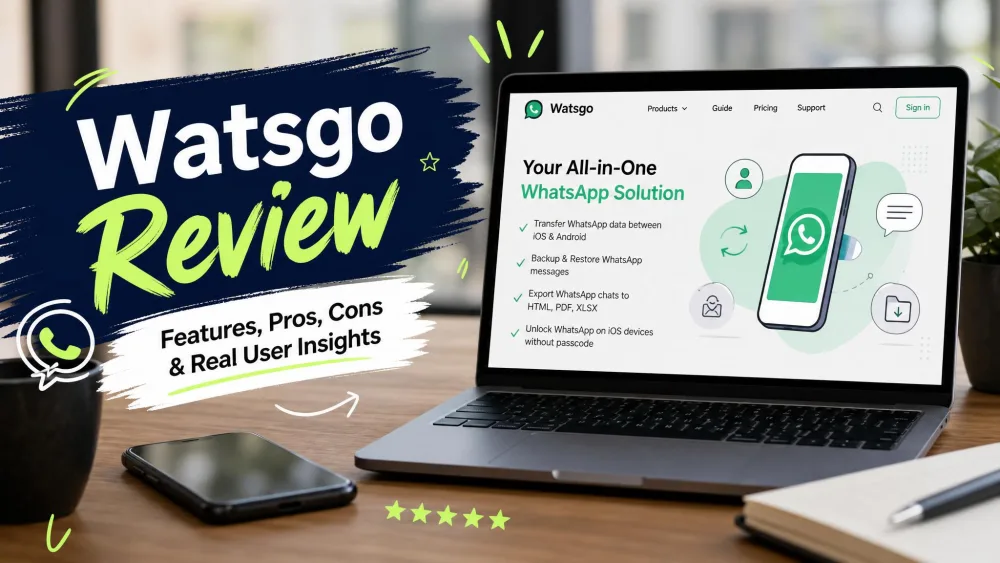
iToolab WatsGo is a desktop app for Windows and Mac that transfers WhatsApp and WhatsApp Business data between phones. You install it, connect both devices, and it copies chats across.
The main draw is cross-platform freedom: WhatsApp has no built-in way to carry your history from Android to iPhone intact. WatsGo fills that gap, and also backs up and restores from iCloud, Google Drive, and iTunes. You can read the full feature set on the official iToolab WatsGo product page.
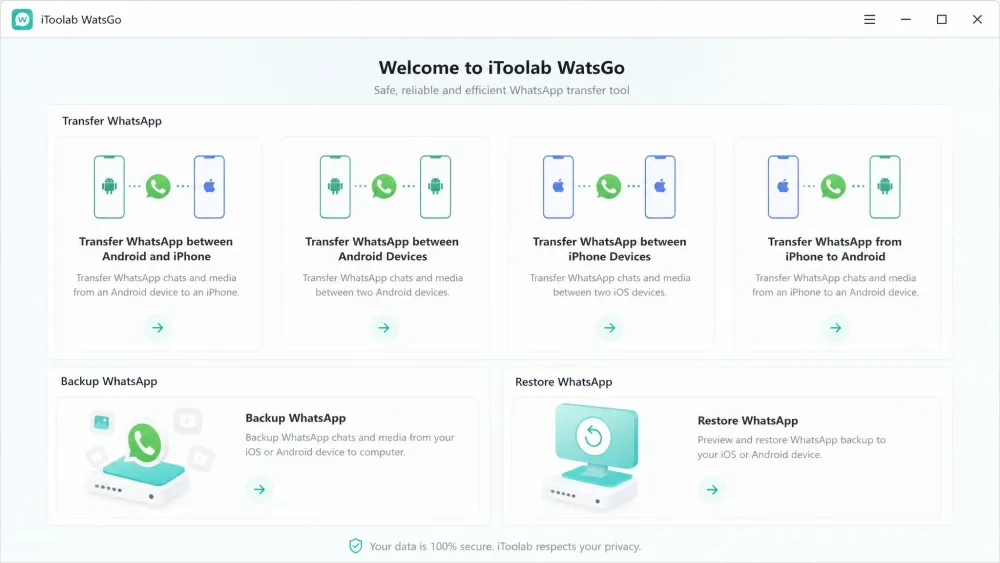
Supported Transfer Directions and Data Types
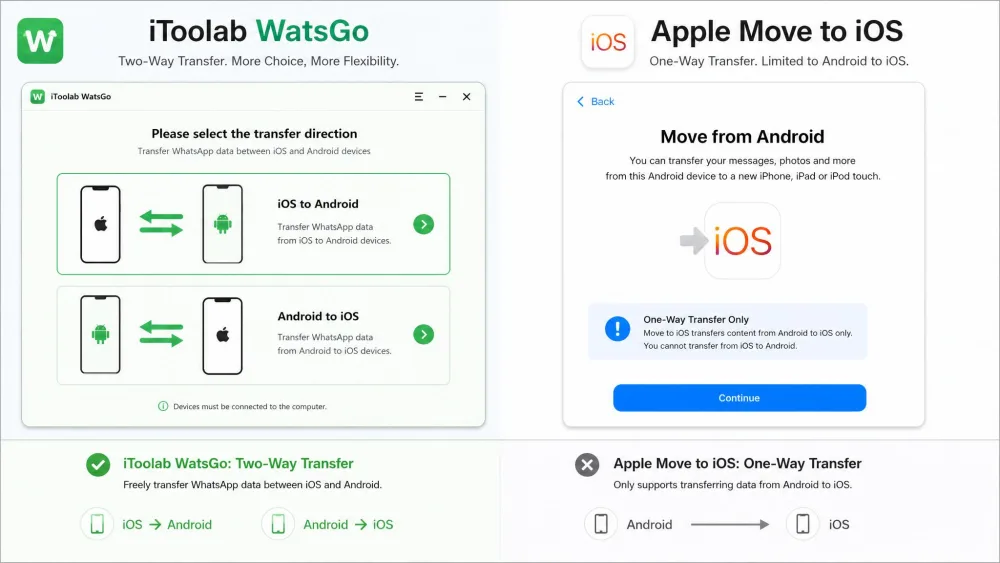
WatsGo runs four directions: Android to iPhone, iPhone to Android, iPhone to iPhone, and Android to Android. That two-way support is the headline feature, since most free tools only manage one-way Android to iPhone.
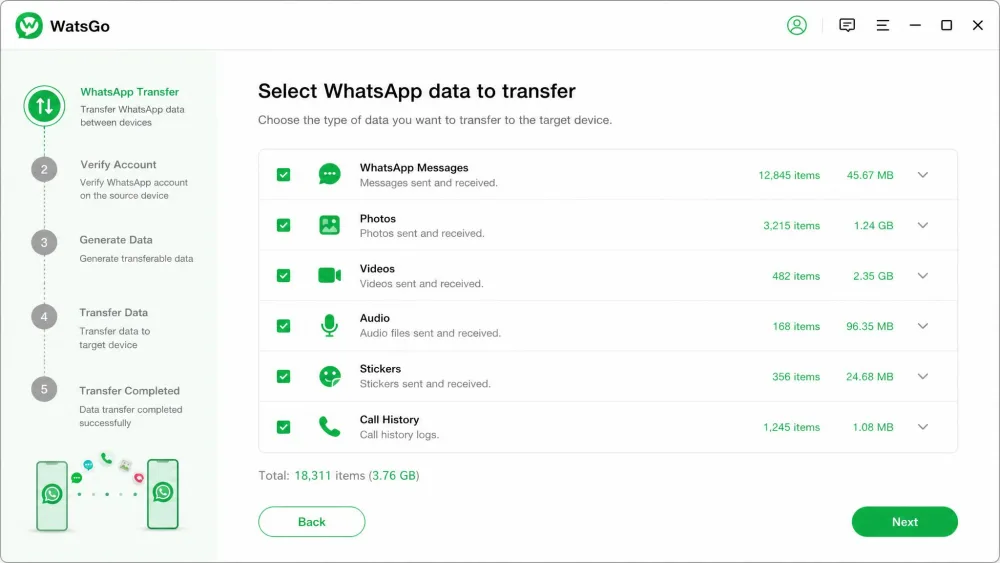
On data types it is thorough, covering messages, contacts, photos, videos, audio, stickers, call history, and status across more than 20 data types. It also supports WhatsApp Business, so business owners keep their customer threads.
The system requirements are modest: iOS 10 or later on iPhone, Android 5 or later on Android, and a computer running Windows 7 or newer, or macOS 10.11 and up.
Key Features of iToolab WatsGo
The multi-directional transfer is why most people find WatsGo. Going both ways sets it apart from Apple's tool and the phone's own backup.
Speed is the second selling point. iToolab markets WatsGo as roughly 3X faster than rivals, but that is a vendor claim we could not benchmark; real speed depends on how much data you move.
Data breadth matters too. Full WhatsApp Business support is genuinely useful, keeping media, call history, and stickers, not just plain text. Restore pulls from iCloud, Google Drive, iTunes, or a WatsGo backup.
WatsGo handles your chats with local encryption and no cloud middle-step, a genuine privacy plus. It is still a third-party tool touching private WhatsApp data, so weigh that against the convenience before you install.
One limit is worth flagging early: WatsGo has no wireless mode. Both phones stay wired for the whole transfer, so this is a sit-at-the-desk job.
Is iToolab WatsGo Free? Pricing and Plans
Here is where you need clear eyes. WatsGo offers a free download, but the free tier only scans and previews your data. The actual transfer is locked behind a purchase, so treat it as paid software with a preview mode.
On Windows the pricing runs in three tiers: $16.95 for a month, $29.95 for a year, and $39.95 for a Lifetime license. Each covers 5 mobile devices plus one PC, with a 30-Day money-back guarantee.
Mac pricing sits higher across the board, with the Lifetime tier reaching $45.95. iToolab also runs limited-time promotions, but those promo prices fluctuate and may expire by the time you read this, so check the live WatsGo pricing and buy page.
If you only need to move WhatsApp once, the 1-Month plan at $16.95 does the job. There is no reason to pay for Lifetime unless you switch phones often.

Is iToolab WatsGo Safe and Does It Actually Work?
On safety, WatsGo checks out. It processes data locally with encryption and does not route your history through a cloud server, which answers the obvious privacy worry.
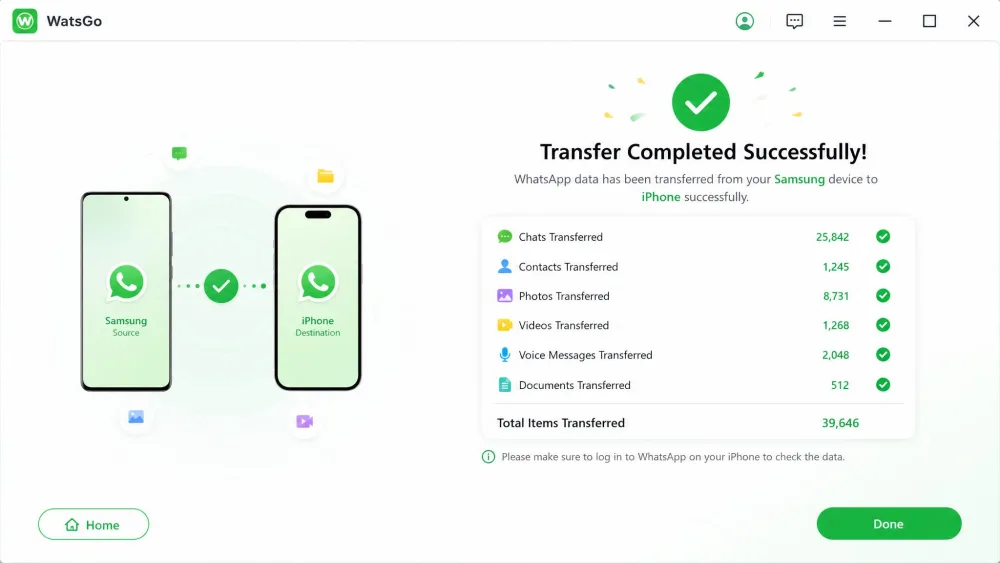
Does it actually work? In our testing, yes, with caveats. A full Samsung-to-iPhone 15 migration finished in under 20 minutes, with every chat and all media preserved and nothing scrambled. The vendor advertises a success rate of up to 90%, but that is an iToolab figure we cannot verify; our transfers completed, though not without the occasional need to reconnect a device.
The most common failure we ran into was a connection drop. If a cable loosens or a phone locks mid-transfer, the process can halt partway, so use good cables and do not touch the phones until it finishes.
iToolab WatsGo Pros and Cons
Here is our honest read on the pros and cons after putting WatsGo to work.
Pros
- True cross-platform transfer in all four directions, including iPhone to Android
- Full WhatsApp Business support, not just personal chats
- No factory reset required on the receiving iPhone
- Fast in practice, with our test transfer done in under 20 minutes
- Local encryption with no cloud step, plus a 30-Day money-back guarantee
Cons
- Paid software, and the free version only previews rather than transfers
- Occasional connection drops can interrupt a large transfer
- USB-only setup, with no wireless option and both phones tethered throughout
- Mac pricing runs notably higher than Windows, up to $45.95
- Customer support can be slow to respond
How to Use iToolab WatsGo (Step by Step)
The interface is user-friendly, so the process is easier than the wiring suggests. Here is the flow we followed for an Android-to-iPhone transfer.
Step 1: Download and Install
Download WatsGo and install it on your Windows PC or Mac, then launch it and pick the WhatsApp transfer feature. The free install lets you preview your data before you commit.
Step 2: Select Transfer Mode
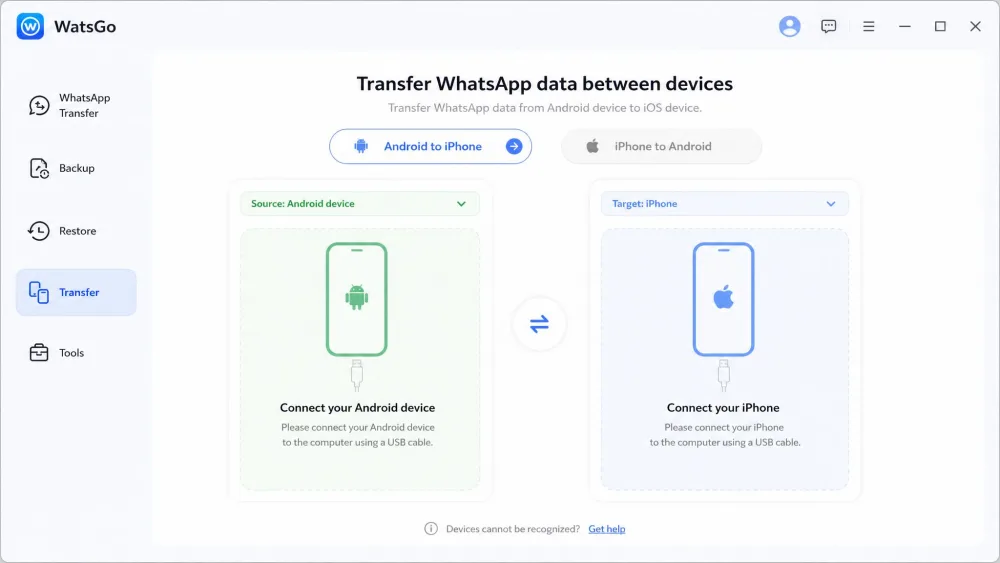
Choose your direction, such as Android to iPhone. WatsGo shows source and target slots so you know which phone goes where.
Step 3: Connect Your Devices
Plug both phones in with USB cables and leave them connected. On Android you enable USB debugging; on iPhone you tap to trust the computer. You may also set an encrypted-backup password here, so note it down.
Step 4: Start the Transfer
Hit start and let WatsGo work. Transfer time scales with data size, typically landing between 10 and 30 minutes. Keep both phones still until the app confirms completion, then open WhatsApp on the new phone to check.
What Real Users Say About iToolab WatsGo
We weighed our results against wider user feedback, and the picture is broadly positive with a few consistent gripes.
Positive Feedback
On Trustpilot, reviewers across 128 reviews most often praise the support team for professional, quick, and helpful responses. Review sites are warm too, with MobileAppDaily scoring WatsGo 4.6/5.
Negative Feedback
The criticisms are steady rather than damning. WatsGo runs pricey, especially the Mac version, and connection drops crop up on larger transfers. Support replies can lag, too. None are dealbreakers, but they are worth knowing.
iToolab WatsGo vs Alternatives (Comparison Table)
WatsGo is not the only option. Apple's Move to iOS is free but one-way and limited, while Wondershare MobileTrans and Tenorshare iCareFone are closer paid rivals.
| Product | Buy | Cross-platform | WhatsApp Business | No factory reset | Speed | Price |
|---|---|---|---|---|---|---|
|
Check price → | Yes, 4 directions | Yes | Yes | 10 to 30 min by size | $16.95/mo, $39.95 lifetime |
 |
Learn more → | Android to iPhone only | No | No, needs erased iPhone | Wi-Fi during setup | Free |
 |
Yes, both ways | Yes | Yes | Comparable, computer-based | $29.99/yr; $19.95/mo, $49.95 lifetime |
Apple's tool wins on price at Free, but it only runs Android to iPhone and demands a factory-reset iPhone. MobileTrans and iCareFone match WatsGo's both-ways transfer; iCareFone lists $39.95 for a year and $49.95 lifetime, and MobileTrans runs $39.99 perpetual. WatsGo's edge is its four-direction range and simpler pricing.
A quick reality check from our bench: no transfer tool is magic. Before you start, make a fresh WhatsApp backup on your old phone, so you have a fallback if a transfer stumbles.
FAQs About iToolab WatsGo
What phones and operating systems does WatsGo support?
What happens to my data in the free preview version?
Does one license cover all my devices at once?
Is a Windows license valid on a Mac?
Does WatsGo support WhatsApp Business?
Verdict: Is iToolab WatsGo Worth It?
WatsGo does the one hard job it promises. It moves your WhatsApp history between Android and iPhone, both ways, quickly and cleanly in our testing. For anyone switching phones with years of chats at stake, that is worth real money. The honest downsides are the paywall behind the free preview, the USB-only setup, and the odd connection drop on big transfers. Switch phones once and the 1-Month plan is the smart buy; frequent switchers get more from Lifetime.