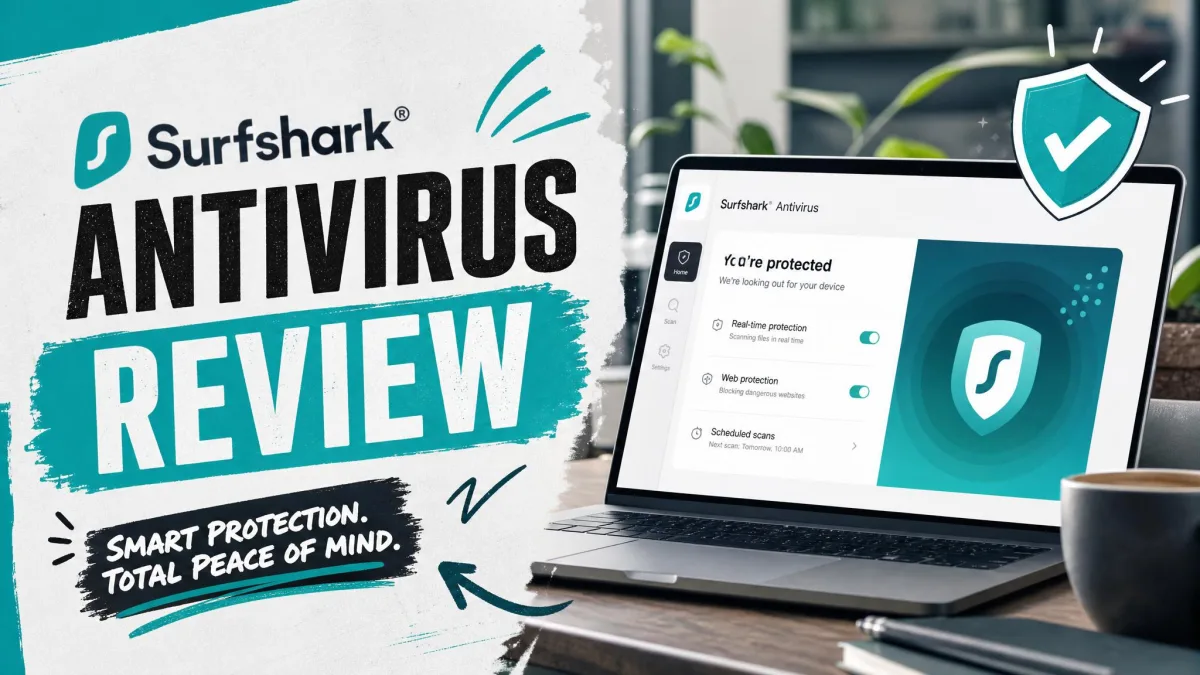
If you already pay for Surfshark's VPN, the antivirus in Surfshark One looks like a cheap upgrade you'd be silly to skip. It handles the core job well, with lab-grade malware detection and a light background load. But it has no firewall and no parental controls, so it won't replace a full security suite in every household. Is that trade-off fine for you?
We approached Surfshark Antivirus the way we approach any security app: install it, hit it with malware test files, EICAR samples and drive-by downloads, and watch what it does to the machine. That meant running quick and full scans on Windows, testing real-time blocking against malware test files, trying the webcam guard, and checking the Android and macOS apps for setup friction.
Surfshark Antivirus at a Glance
Surfshark Antivirus is a lightweight malware scanner that lives inside the Surfshark app, next to the VPN. It covers up to 5 devices per subscription on Windows, macOS and Android.
Pros
- Perfect protection score in AV-TEST's June 2026 Windows test
- Real-time scanner barely touches everyday performance
- Webcam guard blocks and flags camera access by websites
- Precise scan scheduling, down to the day and minute
- Bundled with a strong VPN, breach alerts and private search
Cons
- No firewall
- No parental controls
- No password manager, backup or tune-up tools
- No iOS version, and only 5 antivirus devices per plan
- Phishing protection let a scam page through
What Is Surfshark Antivirus?
Before we get to the features, it helps to know where the antivirus came from. Surfshark launched its antivirus in 2021 as part of the Surfshark One bundle, turning a VPN company into a small security provider. Surfshark is based in the Netherlands and belongs to Nord Security, the group that also owns NordVPN.
The antivirus handles the classic threat list: viruses, worms, Trojans, adware, spyware and ransomware. It scans files as you download, install and open them, and it watches app behavior for anything suspicious.
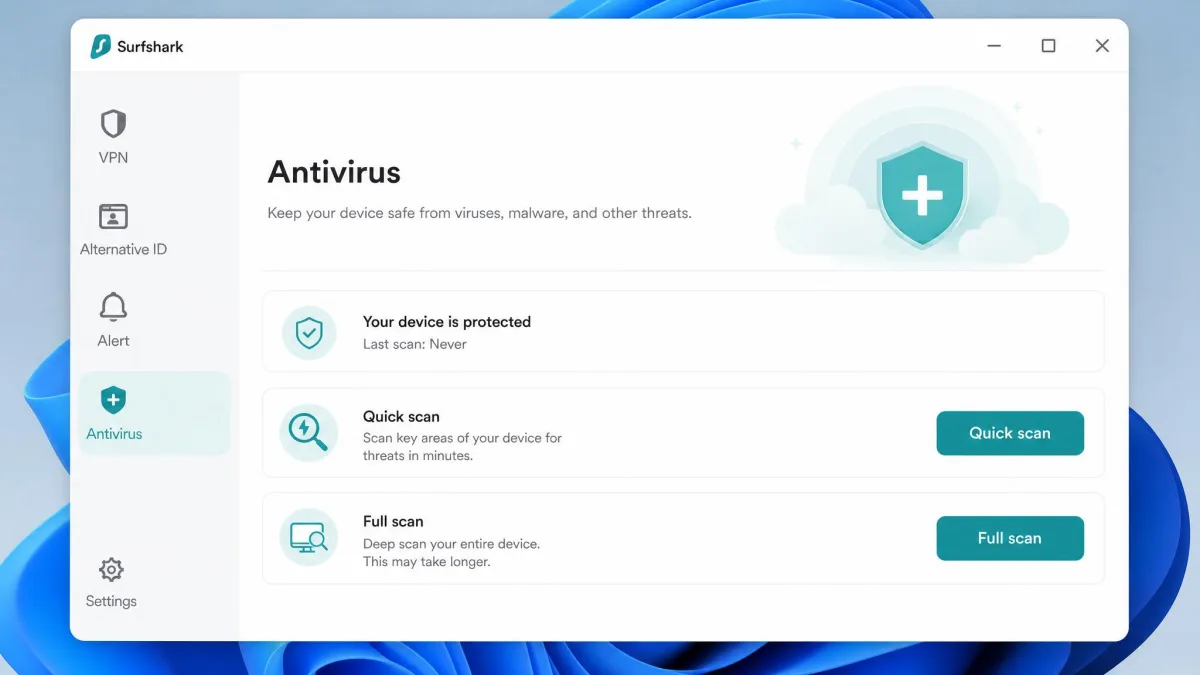
The app itself makes the pecking order clear. It opens on the VPN and lists Antivirus fourth in the left navigation bar, after VPN, Alternative ID and Alert. In daily use, the antivirus feels like a solid add-on to a privacy service rather than the main event.
Surfshark Antivirus Pricing
Because the antivirus is a bundle add-on, you never pay for it alone. You buy a bundle, and the antivirus comes along with the VPN and several privacy tools.
| Plan | Surfshark One | Surfshark One+ |
|---|---|---|
| 2-year plan (per month, 27 months) | $2.79 | $4.49 |
| 2-year plan billed up front | $75.33 | $121.23 |
| 1-year plan (per month) | $3.59 | $7.49(promo price, changes often) |
| 1-month plan | $18.95 | $21.85 |
| Antivirus (up to 5 devices) | Yes | Yes |
| Surfshark VPN (unlimited devices) | Yes | Yes |
| Alert, Search and Alternative ID | Yes | Yes |
| Incogni data removal | No | Yes |
| Identity theft insurance (US only) | No | Yes |
Surfshark One
Surfshark One is the plan most people should look at. The 2-year plan works out to $2.79 a month over 27 months, billed as $75.33 up front. The 1-year plan costs $3.59 a month, and a single month costs $18.95, which is steep for what amounts to an antivirus trial.
Watch the renewal. After the intro term, Surfshark One renews at about $99 a year, and 2-year plans renew as 1-year plans. The renewal rate depends on your currency, tax and the rate in force when you renew, and that rate has changed during 2026. Auto-renewal is on by default, and the charge lands 30 days before the term refreshes, so set a reminder if you plan to switch.
Surfshark One+
Surfshark One+ costs $4.49 a month on the 2-year plan, or $121.23 up front for the first 27 months. A single month is $21.85. The 1-year plan was listed at $7.49 a month when we checked, but Surfshark runs rotating promotions on it, so this figure has moved several times in 2026. One+ renews at roughly $119 a year, although that rate varies by region and promotion and isn't shown on Surfshark's own pricing page.
The extra money buys Incogni data removal and, for new US customers, up to $1 million in identity theft restoration expense reimbursement. New York residents can't get the insurance.
Can You Buy Surfshark Antivirus on Its Own?
No. Surfshark doesn't sell the antivirus as a standalone product, and its cheapest plan, Surfshark Starter (VPN plus Alternative ID), leaves it out entirely. There's no free trial either, so the 30-day money-back guarantee on every plan is your only way to try it first. You can pay by card, PayPal, Google Pay or cryptocurrency, with other options depending on your region.

Surfshark Antivirus Features
The feature list is short and focused on detection. Here's how each piece held up when we put it to work.
Real-Time Protection
Real-time protection is what you'll rely on 24/7, and it's the strongest part of the product. It runs quietly in the background and rarely asks for attention.
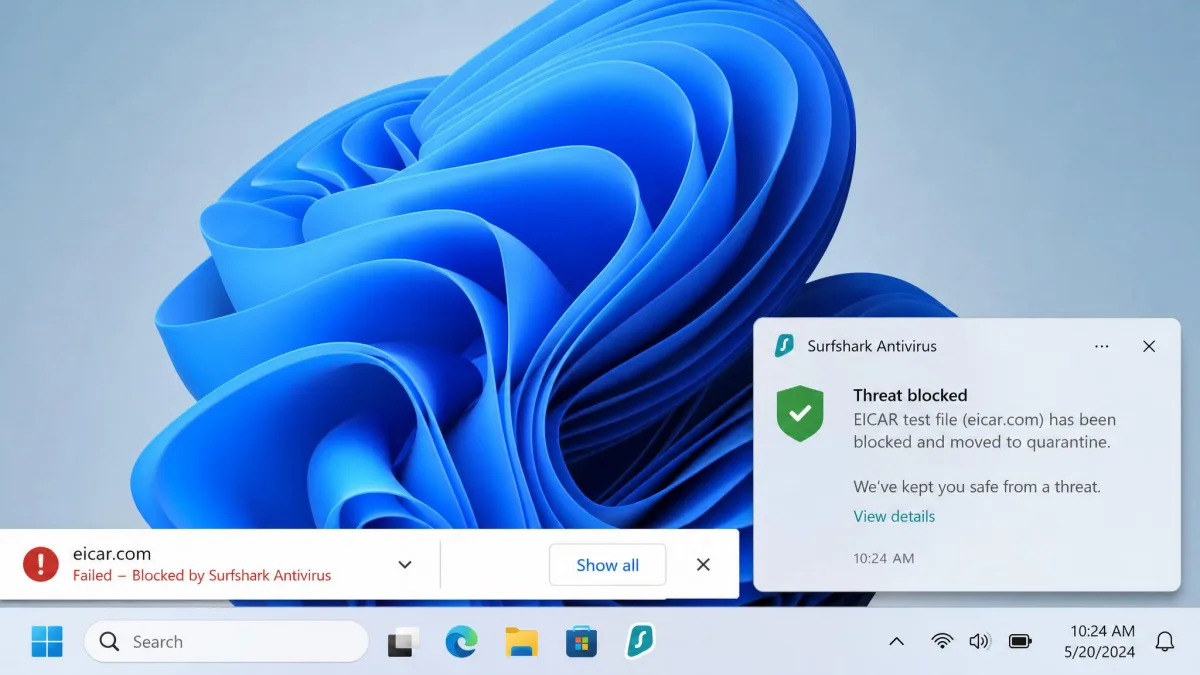
We threw the standard EICAR malware test files at it through the browser, and real-time protection blocked every download before the file could land. It also stopped our drive-by download tests. Threats caught during a scan went into quarantine automatically, without a pop-up for each one, and we reviewed the list afterward to delete or restore items.
Quarantined items can be set to delete automatically after 60 days. If the app can't copy an infected file into quarantine, it renames the file with a .infected extension so it can't run by accident. The virus database updates every 3 hours and at the start of every scan.
On Windows only, a Web Protection layer scans links and blocks malicious and phishing pages, and it installs a root certificate to do this. On our three-site phishing check, it blocked two pages and let one through, so treat it as a helpful extra rather than your main defense. macOS gets a ransomware shield instead.
Quick, Full, and Scheduled Scans
Surfshark gives you a Quick scan, a Full scan and a custom scan for specific files or folders, with drag and drop. Quick and full scans check registry items, network settings, the Windows boot sector, drivers and commonly targeted folders such as Downloads, Documents and Desktop.
Our quick scans usually finished in one to two minutes. Full-scan time depended heavily on the machine: one PC needed about 40 minutes for roughly 640,000 files, while another finished 557,698 files in 9 minutes 21 seconds.
The quick scan also turned out less thorough than its name suggests. It missed malware test files that a full scan then caught and quarantined, so don't treat the fast daily scan as a complete sweep.
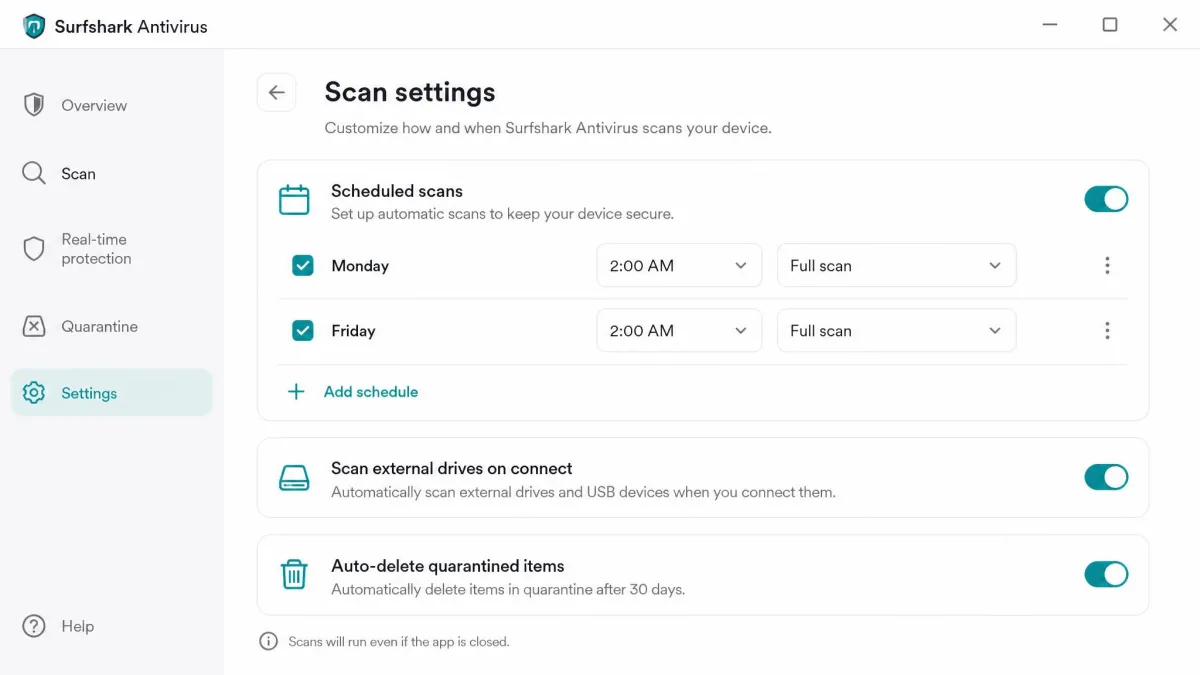
By default the app schedules a scan every day at the time you installed it, with a quick scan on six days and a full scan on the seventh. You can reschedule to a specific day and minute, such as 2 AM on Mondays and Fridays, but you can't change what each scan covers. Settings are otherwise sparse: the only other options are scanning external drives when you plug them in, including them in quick and full scans, and auto-deleting quarantined items.
Webcam Protection
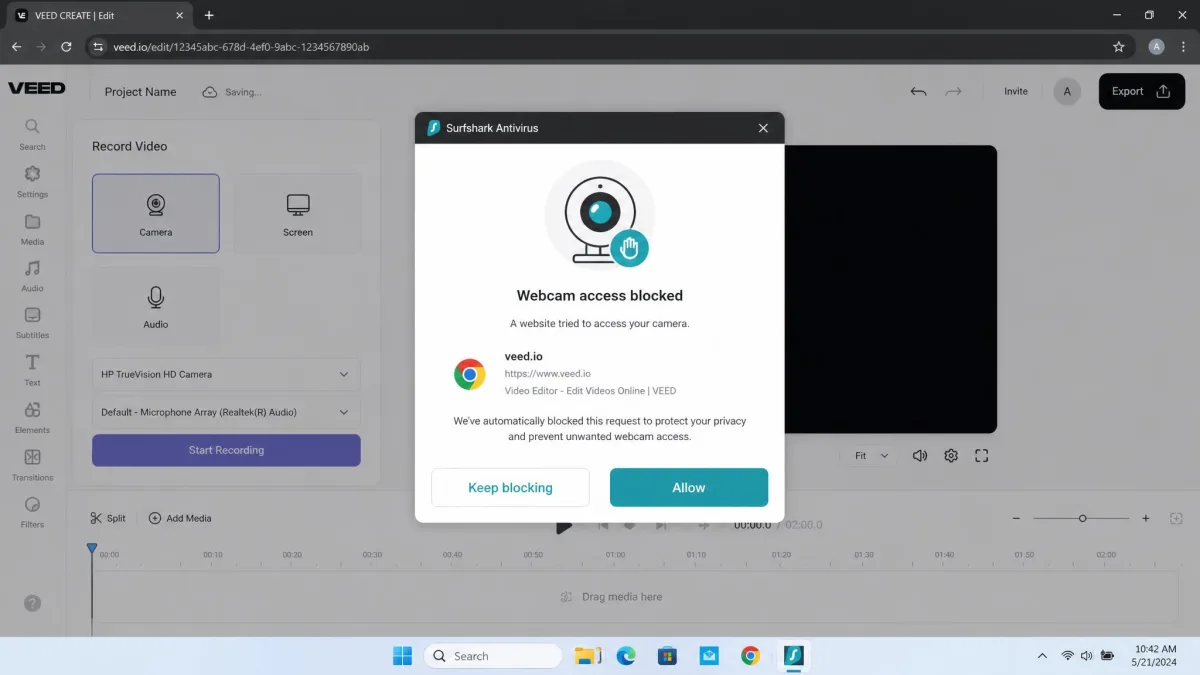
Webcam protection arrived in December 2022 and works on Windows and macOS only. You have to switch it on manually, and the app still labels it as a beta feature.
Once enabled, it did its job. When we opened VEED, a browser-based video tool, and the site tried to use the camera, Surfshark blocked it and raised a notification. The prompt offered two choices: keep blocking the site or whitelist it. If camera access from a sketchy page worries you, that prompt is reassuring.
Cloud Protect and Heuristic Detection
Signature matching only catches malware somebody has already seen. For new threats, Cloud Protect sends the hashes of unknown files to a machine-learning system in the cloud that checks for zero-day behavior. Heuristic detection judges what a file does rather than what it matches, which helps with variants that slip past the signature list. Neither needs any configuration.
Supported Devices and Platforms
Surfshark Antivirus runs on Windows, macOS and Android. Surfshark's own platform list confirms there's no iOS or Linux version, which is a gap for iPhone owners even though the VPN covers iOS.
On Windows you need Windows 10 or later, and on Mac you need macOS Big Sur 11 or later. The Android minimum is less clear, because Surfshark's product page says Android 10 while its Android help article says Android 7.0.
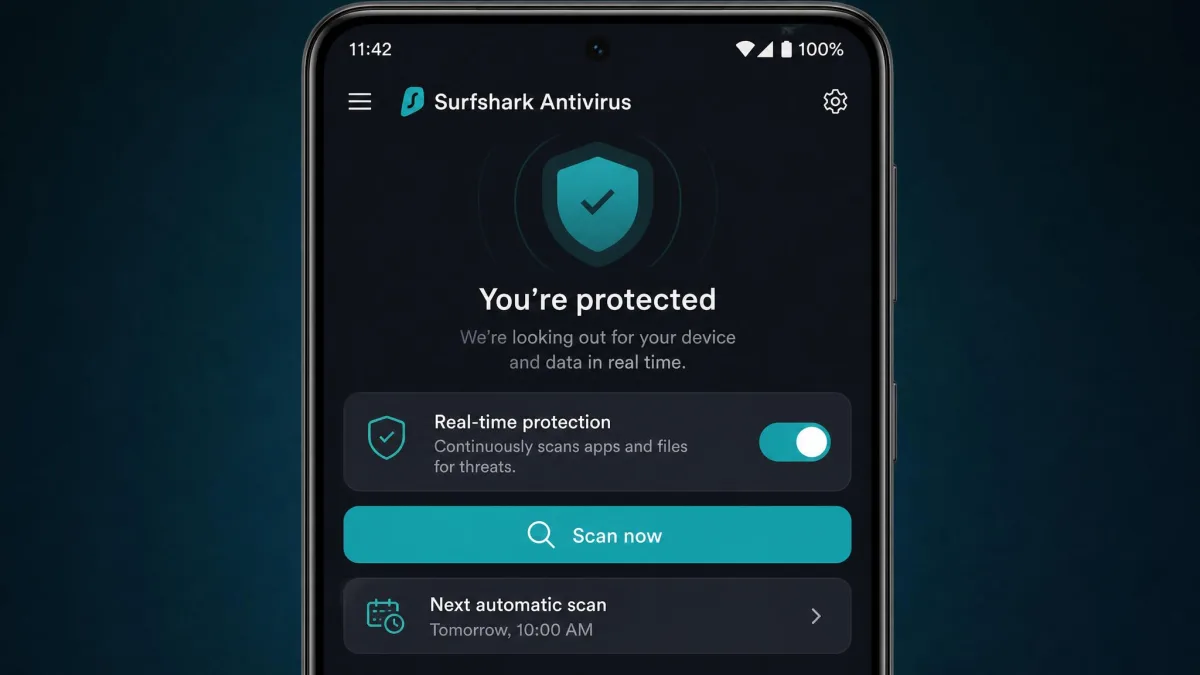
Features differ by platform too. Webcam protection and quarantine are Windows and macOS only. The Android app offers a real-time protection toggle, manual scans, an automatic daily scan, a storage scan and excluded apps, but it deletes threats rather than quarantining them. You manage all protected devices from your Surfshark web profile page.
What Surfshark Antivirus Is Missing
The detection engine is solid, so the real question is what else your security software needs to do.
No Firewall
There's no firewall of any kind. For most home users on Windows, the built-in Windows Firewall already handles inbound blocking, so this gap is smaller than it sounds. It matters more if you want per-app outbound rules or alerts when a program phones home, which full suites provide.
No Parental Controls
There's no content filtering, no screen-time limits and no activity reports. Families who want to manage a child's device will need a dedicated parental control app on top of Surfshark.
No Password Manager, Backup, or Tune-Up Tools
You also won't find a password manager, a vulnerability scanner, PC tune-up tools, or backup and cloud storage. If you already use a password manager and a backup service you like, you won't miss these. If you want everything in one subscription, look at a traditional suite instead.
Bundled Extras in Surfshark One
The extras are the real reason to consider Surfshark One, and they explain why the antivirus feels secondary in the app.
Surfshark VPN
The Surfshark VPN runs on unlimited devices across Windows, macOS, Linux, Android and iOS, plus Chrome, Firefox and Edge extensions. It adds AES-256 encryption, a kill switch, split tunneling (Surfshark calls it Bypasser), multi-hop routes and CleanWeb, which blocks ads, malware domains and cookie pop-ups. We cover speeds, leaks and streaming in our full Surfshark VPN review. One practical note: the VPN can fail to connect on restrictive public Wi-Fi, such as hotel networks, where firewall rules or DNS filtering block its servers.
Surfshark Alert
Surfshark Alert monitors unlimited email addresses, plus credit card and ID numbers such as a Social Security number, for breach exposure. You manage it through the web interface and get reports when your data turns up. It checks breach databases only and doesn't scan the dark web more broadly, so it's lighter than dedicated identity monitoring.
Surfshark Search and Alternative ID
Surfshark Search is an ad-free, tracker-free search engine built on third-party APIs, with Web, Images and Videos tabs. It only works while you're logged in to your Surfshark account. In our searches it sometimes returned "Failed to load results" errors, and the results felt bare-bones next to Google or Bing.
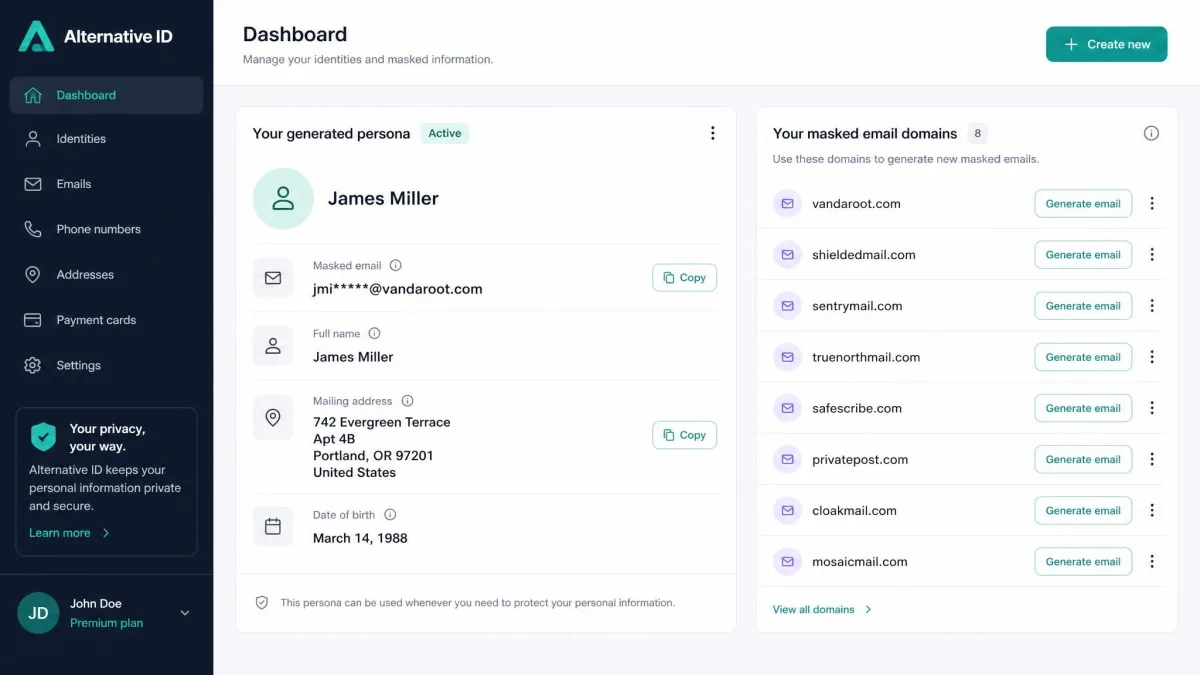
Alternative ID is more useful for everyday privacy online. It generates a masked email address plus a full persona with a name, address and birth date, which is handy for sign-ups you don't trust. Email masks use 10 domains, and personas are limited to six countries: the US, Denmark, Australia, Germany, Portugal and Brazil. A masked US phone number costs $2.50 a month extra; it receives calls and texts but can only reply to texts.
Incogni (Surfshark One+ Only)
Incogni is a data-removal service that Surfshark owns. It sends removal requests to data brokers on your behalf, which cuts down how many people-search sites list your personal details. It comes only with One+, alongside the identity theft insurance.
Detection and Independent Test Results
Our own results pointed one way: every EICAR and drive-by download blocked, planted test files caught by full scans, and one phishing page missed out of three. Independent lab results back up the malware side.
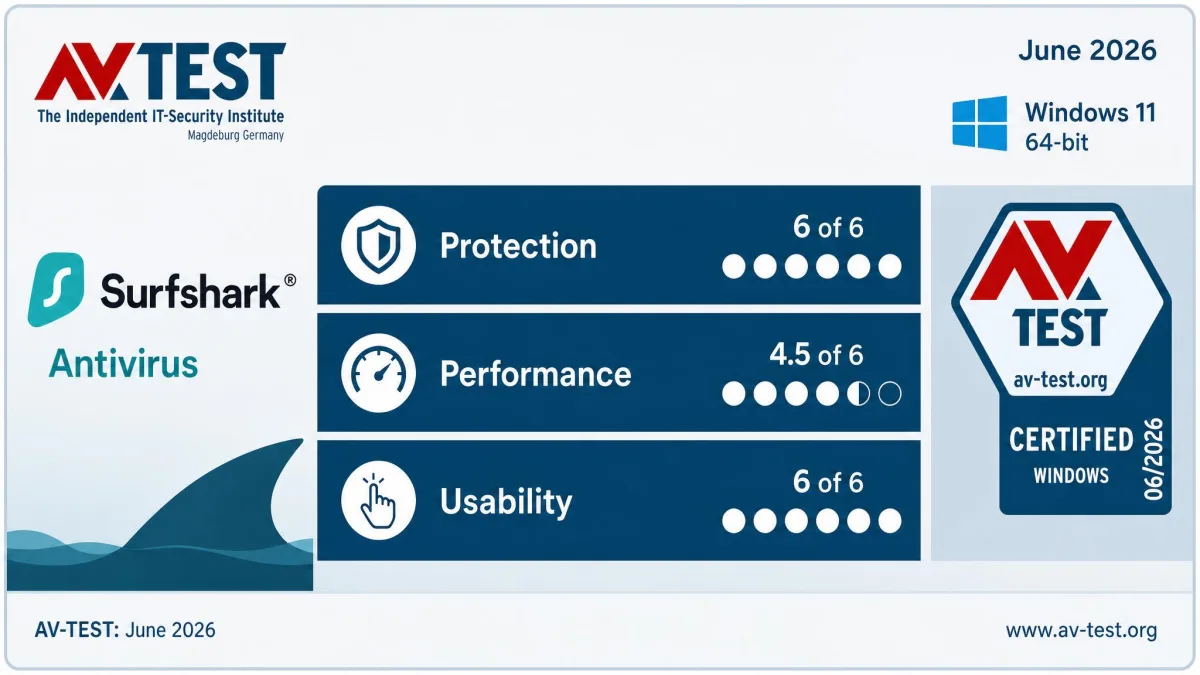
In the June 2026 AV-TEST results on Windows 11 (versions 6.9 and 6.11), Surfshark scored 6/6 for protection, 4.5 for performance and 6/6 for usability. That's 16.5 out of 18 points and a Certified rating. It caught 99.9% of zero-day malware in May and 100% in June across 224 samples, plus 100% of 11,772 widespread samples. It produced zero false warnings on websites and zero false detections of legitimate software.
Performance is the lab's soft spot. AV-TEST's timing tests measure individual actions on a standard PC, such as opening a page or installing an app, and they recorded app installs 30% slower, website loading 14% slower, app launches 12% slower and file copying 4% slower, with no effect on downloads.
The longer record is steady. AV-TEST's Windows history for Surfshark shows a Top Product award in June 2024 and a Certified result in June 2025, when it caught 100% of 407 zero-day samples. Surfshark says it enters AV-TEST only when the malware landscape changes or it wants to verify a new backend feature, which explains the gaps. There are no AV-TEST results for the macOS or Android apps.
Other labs are less glowing. Surfshark earned VB100 certification in January 2023, with the January 23, 2023 report showing 100.00% certification-set detection and 0.000% false alarms, but that result is historical now. In AVLab's Advanced In-The-Wild Malware test in March 2026, it blocked 70.78% of samples before launch and 28.74% after launch, missed two samples, and didn't earn an Excellent rating.
Setup and Ease of Use
All of that detection only matters once the app is installed, and setup is a two-step job that caught us out at first. You install the main Surfshark app, then open the Antivirus tab and install the antivirus component separately. Nothing protects you until that second step finishes. Once it did, the app prompted us to run a first scan, and every feature unlocked after that.
Account creation was the most awkward part. A plain multi-word passphrase was rejected until we added a special character, and the password field appears only once, so a typo is easy to miss. After a password reset, the new password triggered a "too many attempts to log in" error and only worked after a wait of a few minutes.
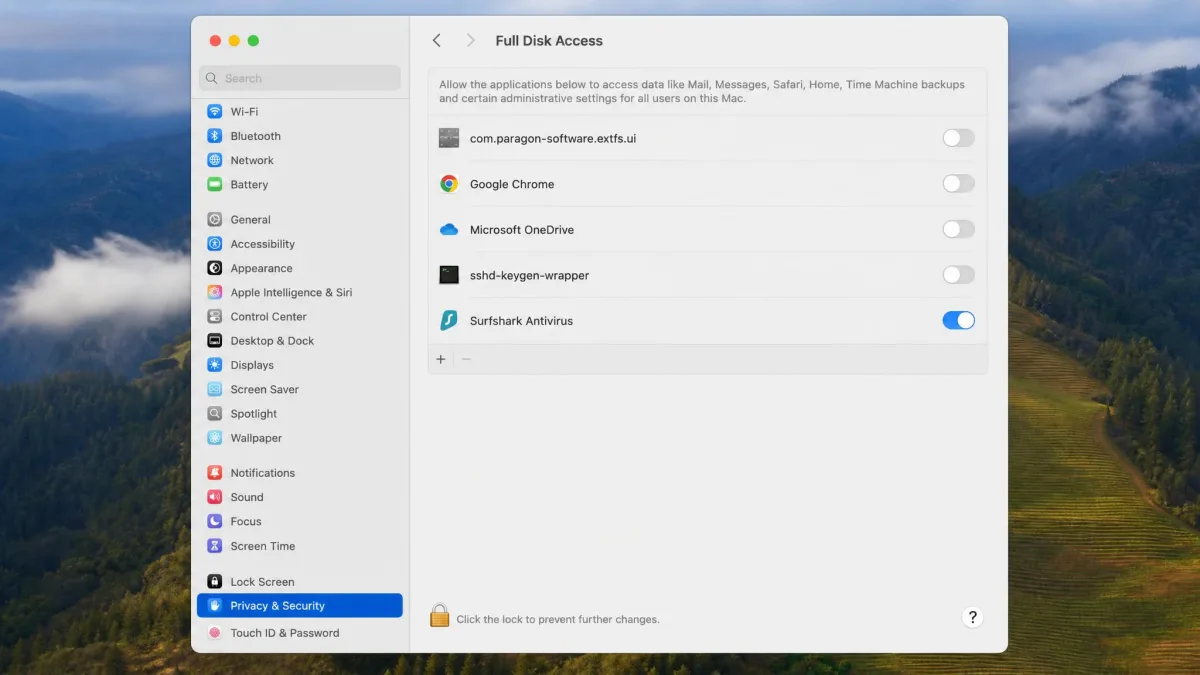
Each platform has its own quirk. On Windows, installation can fail if another antivirus is present or has left traces behind, and Surfshark's fix is a PowerShell command that clears stale Security Center entries before you reinstall. On macOS the antivirus needs Full Disk Access, and on Ventura the permission prompt can loop. If that happens, remove Surfshark Antivirus from Privacy settings, add it back, and relaunch the app. On Android, the app needs the "Allow access to manage files" permission before it can scan stored files.
Once it's running, the interface is clean and minimal. Each feature screen splits into a main pane with the options and a right sidebar showing status and scan progress, with no separate dashboard. Every setting carries a short explanation, so beginners aren't left guessing. The Android app was the quickest to use: the antivirus tab is seconds away, and we could run a scan immediately and schedule another for later.
The split between the web dashboard and the desktop app takes some getting used to. Manual VPN options, antivirus device management, Alert and Alternative ID all live on the web. It confused us at first, but it's quick to learn.
We always check what a background service costs the machine, because security software that slows you down tends to get switched off. In whole-workload benchmarks the picture is gentler than AV-TEST's per-action timings. The real-time scanner was barely noticeable in browsing, video calls or video encoding, costing under 2% in PCMark 10 and under 2% on Handbrake encodes. Office work in Word, Excel and PowerPoint slowed slightly, with the UL Procyon Office score down about 9%.
Full scans are the exception. On a budget laptop, a full scan dragged performance down hard: PCMark 10 dropped 36%, Procyon dropped 53% and encodes took 72% longer. On a mid-range PC, full scans ran without slowdowns or crashes. If you're on modest hardware, move the weekly full scan to off-hours.
Customer Support
If setup does go wrong, help is easy to reach. Surfshark offers 24/7 live chat and email through a help request form, but no phone line. Inside the app, go to Settings > Get help to reach support, along with Collect Diagnostics, Reset network and Restore original settings tools.
Live chat was easy to reach and answered quickly. Email replies usually arrived within a day, although the first reply was often an automated pointer to the knowledge base. Surfshark's step-by-step installation guides include screenshots and are easy to follow. Trustpilot rates Surfshark "Excellent" across more than 31,000 reviews, with 75% five-star and 9% one-star, though most of those come from VPN customers.
Surfshark Antivirus vs Free Antivirus (and Do You Need It With a VPN?)
Because Surfshark sells the antivirus alongside its VPN, the question we hear most is whether you need both. A VPN and an antivirus protect different things. The VPN encrypts your traffic and hides your IP address, which protects your privacy on public Wi-Fi. It does nothing about a malicious file you download and open, and CleanWeb's domain blocking can't scan a file already on your device.
So yes, you still need antivirus protection with a VPN. The harder question is whether to pay for it. On Windows, Microsoft Defender is free and built in, and Windows also ships with a firewall. Surfshark adds webcam protection, precise scheduling and a strong AV-TEST protection record. Once it's installed, it takes over as the active antivirus, and Windows Firewall keeps running alongside it.
If you'd buy Surfshark VPN anyway, Surfshark One adds the antivirus and the privacy extras for a small premium. If you don't want a VPN, free antivirus plus good habits is a reasonable choice.
Is Surfshark Antivirus Worth It?
Who Surfshark Antivirus Suits
Surfshark One suits people who want a VPN first and solid malware protection second, on Windows, macOS or Android. It fits a single user or a couple with up to 5 computers and phones who already have a password manager and a backup routine, and who like a simple app they can set once and ignore.
When to Choose a Different Antivirus
Families, and anyone who wants one subscription for every security job, will do better with a full suite that bundles the tools Surfshark leaves out. Our guide to the best antivirus with VPN bundles compares options that include those extras, and our Bitdefender vs Kaspersky comparison covers two suites with deeper feature sets.