

Whether you are landing in Lisbon and want protection on hotel or cafe Wi-Fi, or living abroad and want a Portuguese IP address to reach your home streaming apps, you need a VPN suited to that job. Those are two different needs. One is about using a VPN inside Portugal. The other is about connecting to a Portuguese server from somewhere else.
Our top pick is NordVPN, with Surfshark close behind for households that connect a lot of devices. We also tested ExpressVPN, CyberGhost and Proton VPN, and each earns a place for a specific kind of user. Below you will find a comparison table, a short review of each provider with its main limitation, and practical setup, legality and free-plan advice.
Best VPNs for Portugal at a glance
The table separates what each vendor advertises for Portugal from what we observed. Prices come from regional checkout pages and change by currency, tax and campaign, so confirm the final amount in your own order summary.
| Product | Buy | Portuguese endpoints | Best use | Devices | Price and commitment | Refund |
|---|---|---|---|---|---|---|
 | Check price → | Lisbon | International streaming and specialty privacy tools | 10 | Regional offer, annual renewal after initial term | 30-day |
 | Lisbon and Porto | Household coverage | Unlimited on paid plans | Regional offer, annual renewal after initial term | 30 days from first purchase | |
 | Portugal | Beginner-friendly interface | 10 on Basic, more on higher tiers | $84 for 28 months, then $99.95 a year | 30-day for new users | |
 | Lisbon | Connection automation | 7 | EUR 61.32 initial charge, initial term labels conflict | 45-day on long plans, 14-day monthly | |
 | Lisbon, paid plans only | Open-source apps and privacy controls | 10 paid, 1 free | Check current checkout | 30 days from initial direct purchase |
The 5 best VPNs for Portugal
Each section covers who the provider suits, why we back it, and one real limitation. Streaming results describe what we saw when we tried a service. They are not guarantees, because a stream depends on the provider's endpoint, how your IP is geolocated, your account and the program's licensing.
1. NordVPN
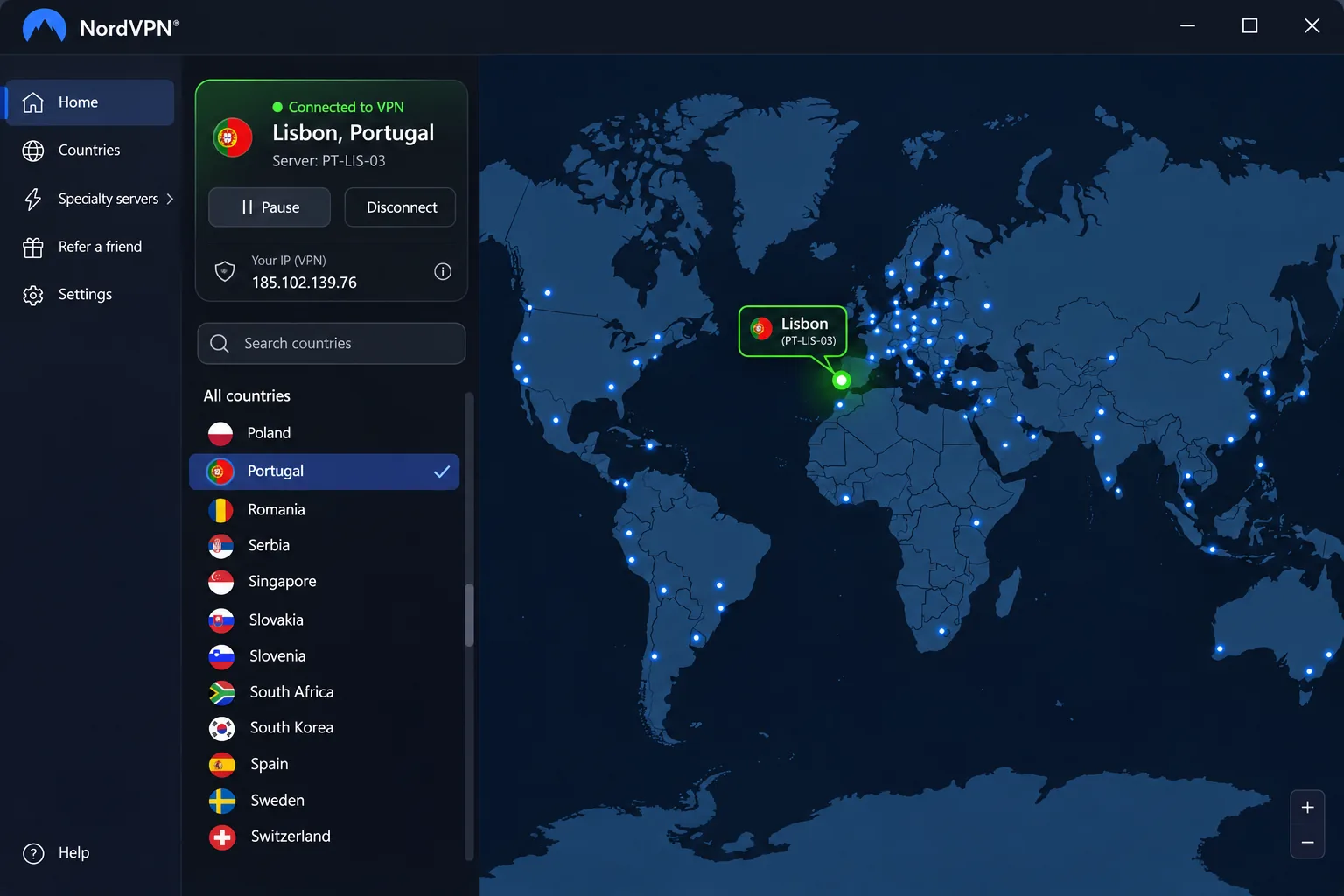
NordVPN is our pick for most people, particularly if you want one subscription that covers both a Portuguese IP and international streaming content. It offers Portuguese endpoint selection in Lisbon, and you can pick the country from the map or the server list.
In our testing, NordVPN's OpenVPN connection passed the DNS-leak check, and its international endpoints streamed Netflix, Prime Video and Disney+. The feature set goes further than most rivals, with NordLynx, Double VPN, Onion Over VPN and obfuscated connections for networks that try to block VPN traffic. Extras such as threat protection and password management depend on the plan tier you buy.
Android users need Android 9 or later for the main app, though a separate sideloaded app is offered for Android 7 and 8. The Portugal page showed 36 servers next to a "more than 20" headline when we looked, but server counts shift, so treat that as a snapshot rather than a capacity promise.
The limitation is the desktop interface. It takes some getting used to, although the redesigned desktop apps are easier to navigate than the earlier layout. If you have not used a VPN before, expect a short learning curve in the first session.
Pros
- Lisbon servers with country selection by map or list
- Passed our DNS-leak check and streams international services
- Specialty privacy tools such as Double VPN and obfuscation
Cons
- Desktop interface takes some familiarization
- Extra security and password tools depend on plan tier
2. Surfshark
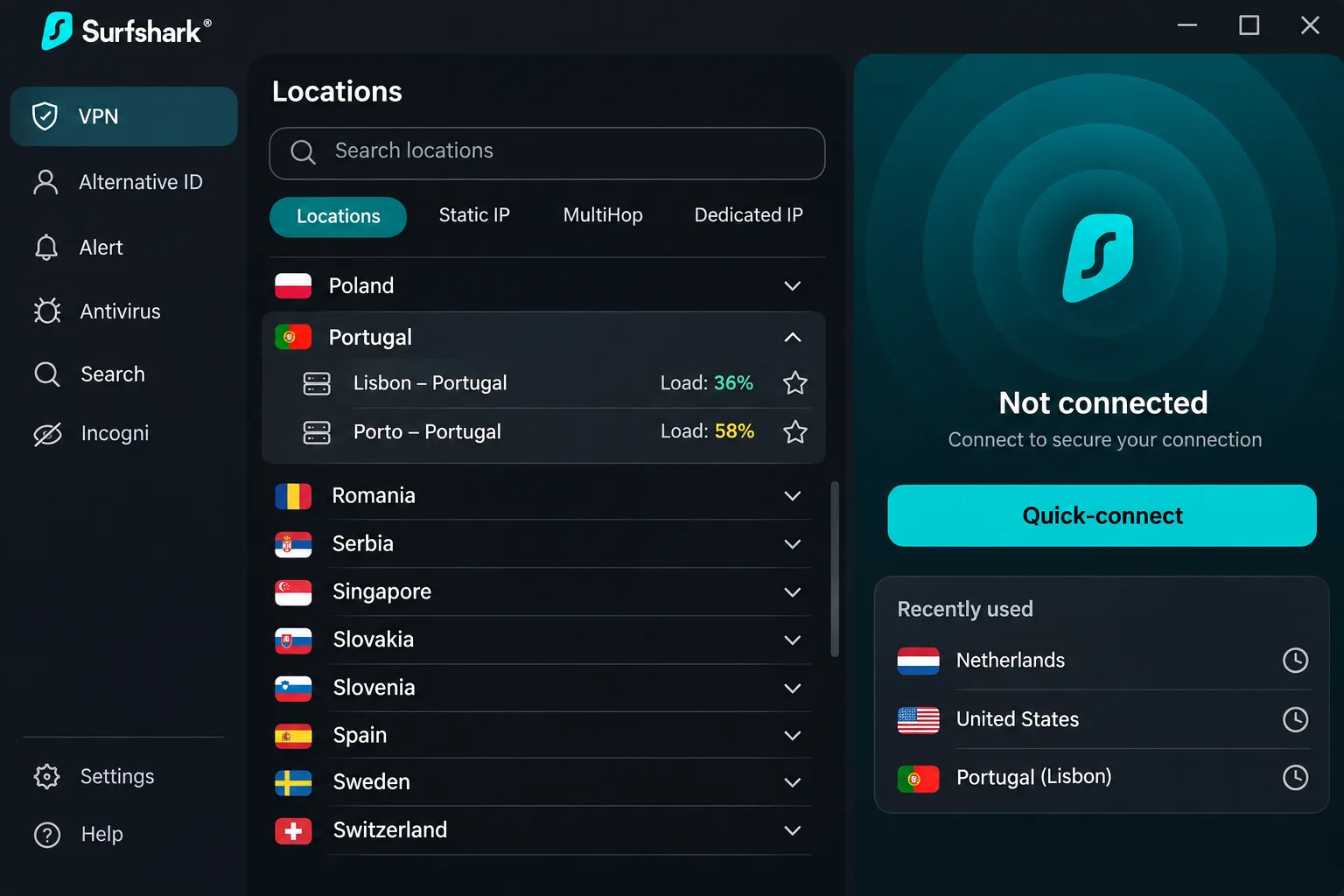
Surfshark is the best fit for a household. Paid plans allow unlimited simultaneous connections, with apps for Windows, macOS, Linux, Android, iOS and TV platforms, plus browser extensions and manual router setups. If a family or a shared flat in Porto has phones, laptops and a television all needing protection, this is the cheapest way to cover all of them without counting devices.
Surfshark lists Portuguese endpoints in Lisbon and Porto, and its page displayed 46 Portuguese servers across those two locations, though inventories change. In our testing it played high-definition streaming content without noticeable lag, and it unblocked RTP1 and TVI Player as well as Netflix and BBC iPlayer. We accessed those services during our sessions, but cannot promise continued access.
Useful extras include CleanWeb ad blocking, Bypasser split tunneling, rotating IP, Dynamic MultiHop and Alternative ID. Antivirus and breach alerts sit in higher bundles. You can request a refund within 30 days of your first purchase directly through Surfshark.
The limitation is the fastest-server shortcut, which does not always pick the quickest connection. If speed matters, choose a Lisbon or Porto server yourself and test it, instead of trusting the automatic option.
Pros
- Servers in both Lisbon and Porto
- CleanWeb ad blocking and split tunneling included
- Smooth HD streaming and RTP1 and TVI Player access in our sessions
Cons
- Fastest-server shortcut can miss the best option
- Long initial terms renew annually at a different price
3. ExpressVPN
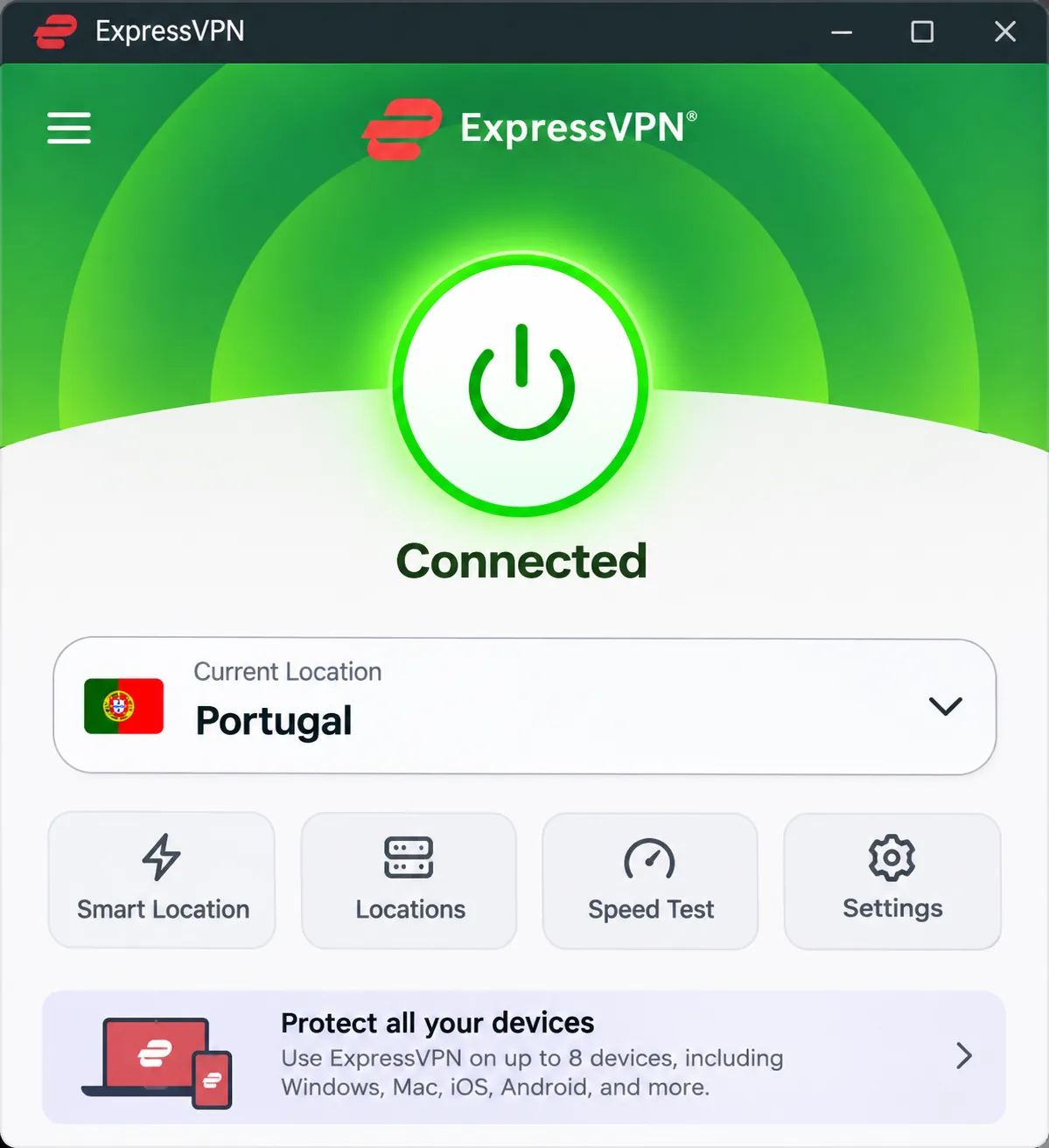
ExpressVPN suits beginners who want a clean, compact interface and minimal fuss. We found the compact app approachable, and the ExpressVPN Portuguese endpoint passed the DNS-leak check in our testing. ExpressVPN advertises Portugal endpoints with Portuguese IP access, along with the Lightway protocol, RAM-only servers, an audited no-logs policy and an Internet Kill Switch.
It handled SIC and TVI alongside international services, although the availability of individual streams changes from week to week. Basic allows 10 simultaneous devices, and it includes ad, tracker, malicious-site and adult-site blocking. A dedicated IP is available as an add-on, and higher tiers add password management and other services. The current iPhone app requires iOS 15 or later.
The Basic offer we saw cost $84 for the first 28 months, or about $3 a month. After that, it cost $99.95 annually before tax. Introductory offers vary by currency and campaign, and that monthly equivalent does not carry into renewal. New users get a 30-day money-back guarantee.
The limitation is the device allowance. Advanced permits 12 devices and Pro permits 14, so a larger household has to pay for a higher tier, while Surfshark has no device limit.
Pros
- Compact interface suits first-time VPN users
- Portuguese endpoint passed our DNS-leak check
- RAM-only servers and an audited no-logs policy
Cons
- Device allowance depends on subscription tier
- Introductory price rises at renewal
4. CyberGhost
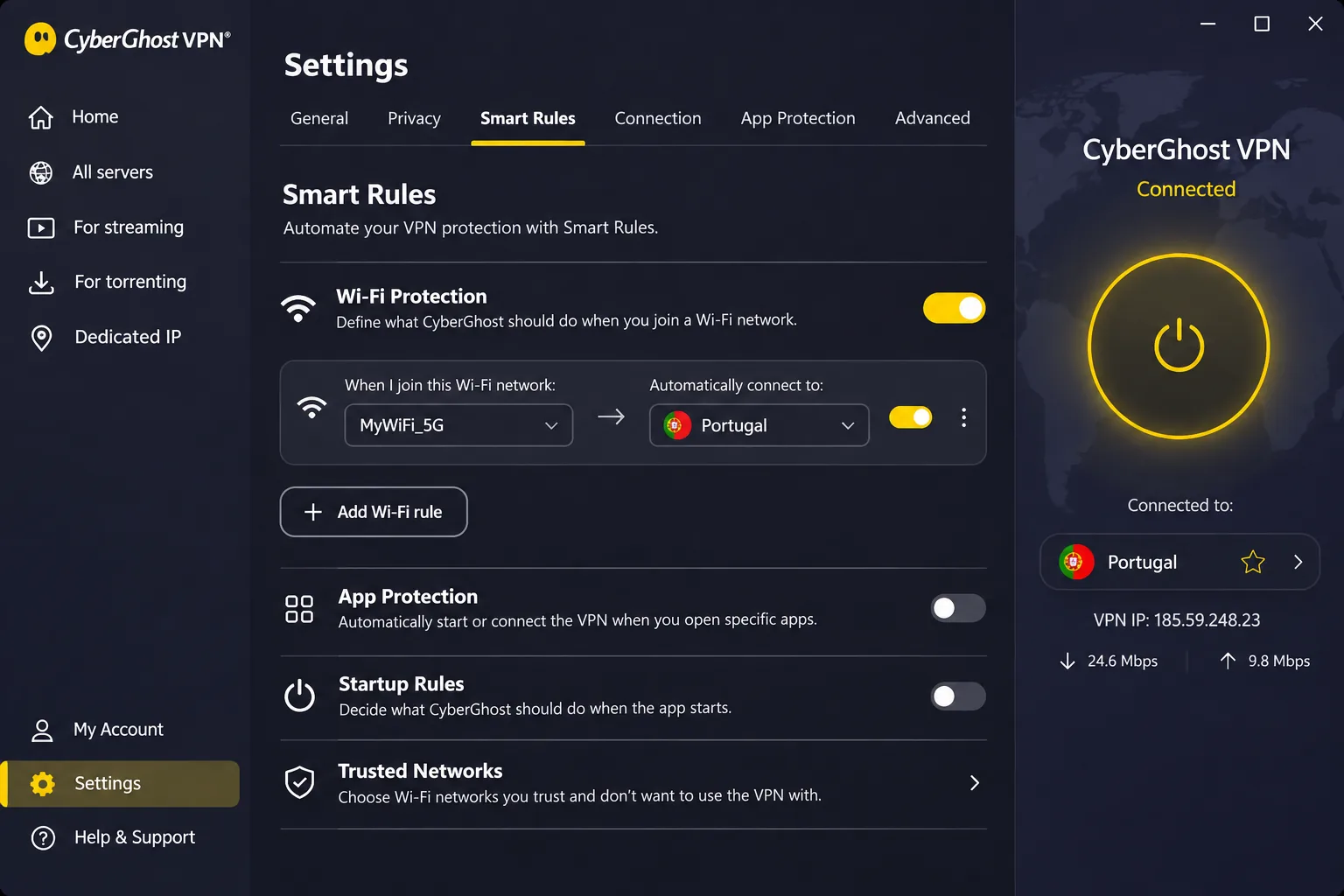
CyberGhost is the pick for people who want the app to do the repeating work. Its interface is intuitive, and Smart Rules reduce repetitive connection steps by, for example, automatically connecting on a particular Wi-Fi network. It offers Lisbon routing and Portuguese IP selection, with apps for Windows, macOS, Android, iOS, Linux and TVs. It also lists a streaming server picker, an automatic kill switch, compatible-router support and an optional dedicated IP.
The refund terms are the most generous here: 45 days on six-month and longer plans, and 14 days on the monthly plan. A 45-day window gives you real time to test Portuguese streaming before you commit. The euro checkout we saw showed EUR 2.19 a month and a EUR 61.32 initial charge, then EUR 61.32 annually. The checkout mixed two-, three- and four-extra-month labels, so check how long the initial term lasts in the final order summary.
CyberGhost allows 7 simultaneous devices, the lowest device limit among the five providers. When you reach the cap, the account dashboard lets you remove a device and revoke its access. Windows users need Windows 10 version 1903 or later, or Windows 11, and the listed requirements exclude ARM processors.
The limitation is speed and streaming consistency. In our testing it could feel slower than the other shortlisted providers, though WireGuard connections can deliver fast streaming without buffering. Its optimized streaming list simplifies platform choice, but BBC iPlayer and 10 Play can require switching servers.
Pros
- Smart Rules automate connection steps
- 45-day refund on long plans
- Streaming server list simplifies platform choice
Cons
- 7 devices is the lowest limit of the five
- Speed can lag, and some streams need a server switch
5. Proton VPN
Proton VPN is the choice if open-source apps and privacy controls matter more to you than raw convenience. Its paid plans give access to a Lisbon endpoint, and its page advertised 20 Lisbon servers when we checked. The apps are open source, the no-logs policy is audited, and connections can be P2P-capable. Secure Core multihop, NetShield DNS filtering, a kill switch, WireGuard and Stealth are available, though feature availability depends on platform and plan.
Proton VPN's WireGuard connection passed the DNS-leak check in our testing. Proton VPN Plus reached US and UK Netflix libraries and BBC iPlayer. We also had trouble accessing Australian Disney+, 9Now and 10 Play at first, but eventually connected to them. We did not confirm Portuguese TV success, so do not choose Proton VPN mainly for RTP Play or TVI Player.
The paid plan protects 10 devices at once. Refunds apply when you cancel and request one within 30 days of an initial direct purchase, while third-party subscriptions follow the intermediary's policy. We could not confirm a current Portuguese price for the paid plan, so verify it at checkout.
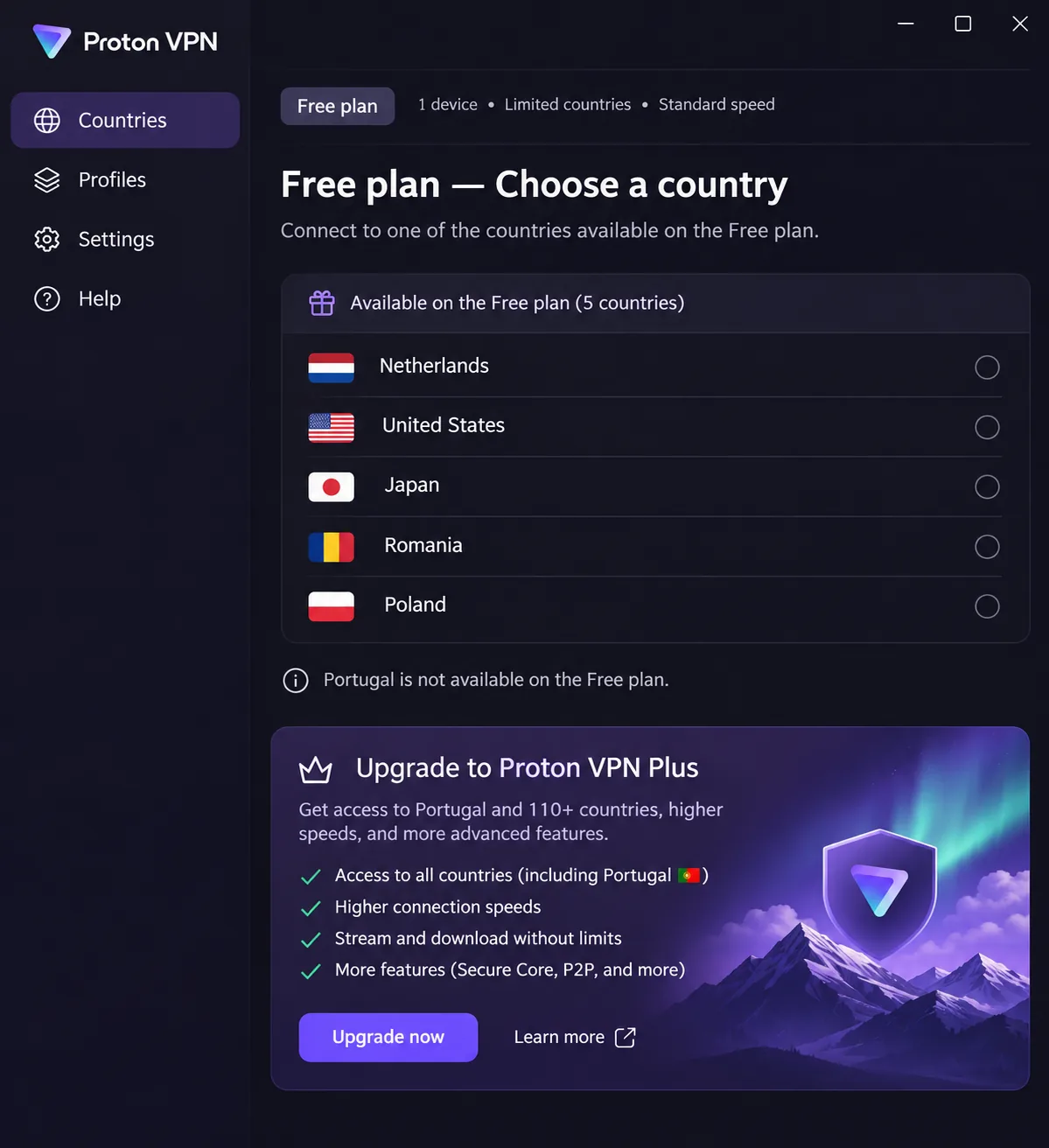
The limitation is that the free plan excludes Portugal. The interface can also feel busy at first, though the interactive tutorial helps explain the controls.
Pros
- Open-source apps and an audited no-logs policy
- Secure Core multihop and NetShield DNS filtering
- Unlimited data on the free plan
Cons
- Free plan has no Portugal option
- Interface feels busy at first
How we evaluate VPNs for Portugal
We judge each provider the way a reader would actually use it, then separate three kinds of evidence. Vendor-advertised coverage is what the provider's own Portugal page claims. Verified IP assignment is whether a connection really shows a Portuguese exit address. Observed streaming results are what we saw when we opened a specific service. Mixing those three is how most roundups end up overpromising.
Portuguese servers, connection speed, and streaming access
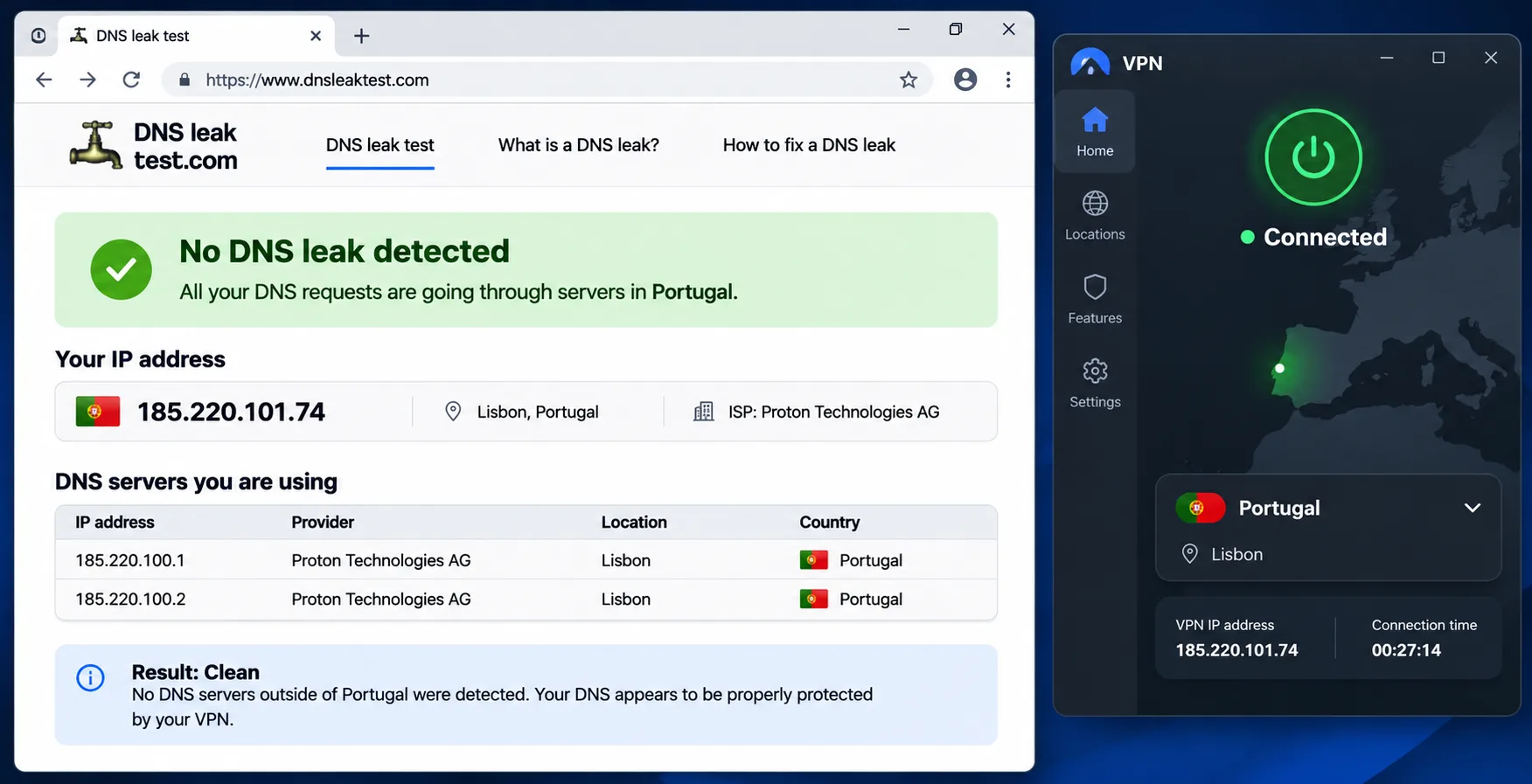
A sound check starts with the Portugal server page and the country list inside each app. Then you connect, check the visible exit address, and run a DNS-leak check. Proton publishes a public IP scanner that makes this check quick by showing the visible exit address and its geolocation. Vendor listings do not independently prove where a server physically sits, so a Portuguese address check is the real test.
For speed, we compare how a connection feels on HD streaming and ordinary browsing. We do not publish a Portugal throughput ranking, because conditions differ by protocol, route and time of day. Server counts are shown only as a snapshot, since they drift and are not a performance measure.
For streaming, we separate four conditions: endpoint availability, IP geolocation, account entitlement and program rights. Failing any one of them blocks a stream, which is why a service that worked once may not work the next time.
Privacy, device support, and total subscription cost
On privacy, we look at the audited no-logs claims, encryption and protocol options, kill switch behavior and whether the apps are open source. On device support, we count simultaneous connections and check minimum OS versions for the apps most readers use.
On cost, we compare the long initial term and the renewal price, not only the headline monthly figure. Long plans advertise a low monthly equivalent without billing monthly, and renewal periods can be shorter than the initial term. We also keep refund windows separate from free plans.
How to set up a VPN and get a Portuguese IP address
The steps are nearly identical for all five providers. Your location and intended destination determine the server you pick. If you are in Portugal, a nearby endpoint suits local browsing and keeps the connection fast. If you are abroad and want to see Portuguese content, you connect to Portugal specifically to request a Portuguese exit IP.
Connect to Portugal and check your IP address
- Install the provider's app on your phone or computer and sign in.
- Choose Portugal from the country list or the map.
- Connect, then open an IP-check page to confirm the address and location look Portuguese.
- Run a DNS-leak check before you trust the connection for anything private.
- Turn on the kill switch so traffic stops if the tunnel drops.
Do this at home before you travel. Discovering a problem at an airport gate is much more annoying than fixing it at your desk.
Troubleshoot blocked streams or slow connections
If a stream is blocked, try switching to another Portuguese server before you contact support. Lisbon and Porto endpoints do not always behave identically, and a second server can sometimes help: CyberGhost can require a server switch for BBC iPlayer, and Proton VPN can need a retry before a service connects. Clear the app's cache or restart the browser, since a stale location cookie can hold up a refresh.
If the connection is slow, try WireGuard or the provider's fastest protocol instead of the default. Pick a server yourself instead of using the automatic option. As we found with Surfshark, it does not always choose the quickest one. If the problem continues, ask the provider's support for a recommended endpoint, or use the refund window to move to a different service.
Why use a VPN in Portugal?
A VPN adds encryption between your device and the VPN server, so people on the same network cannot read your traffic. It also changes the address websites see, which is the part that matters for streaming and for travel.
Public Wi-Fi, travel, and remote work
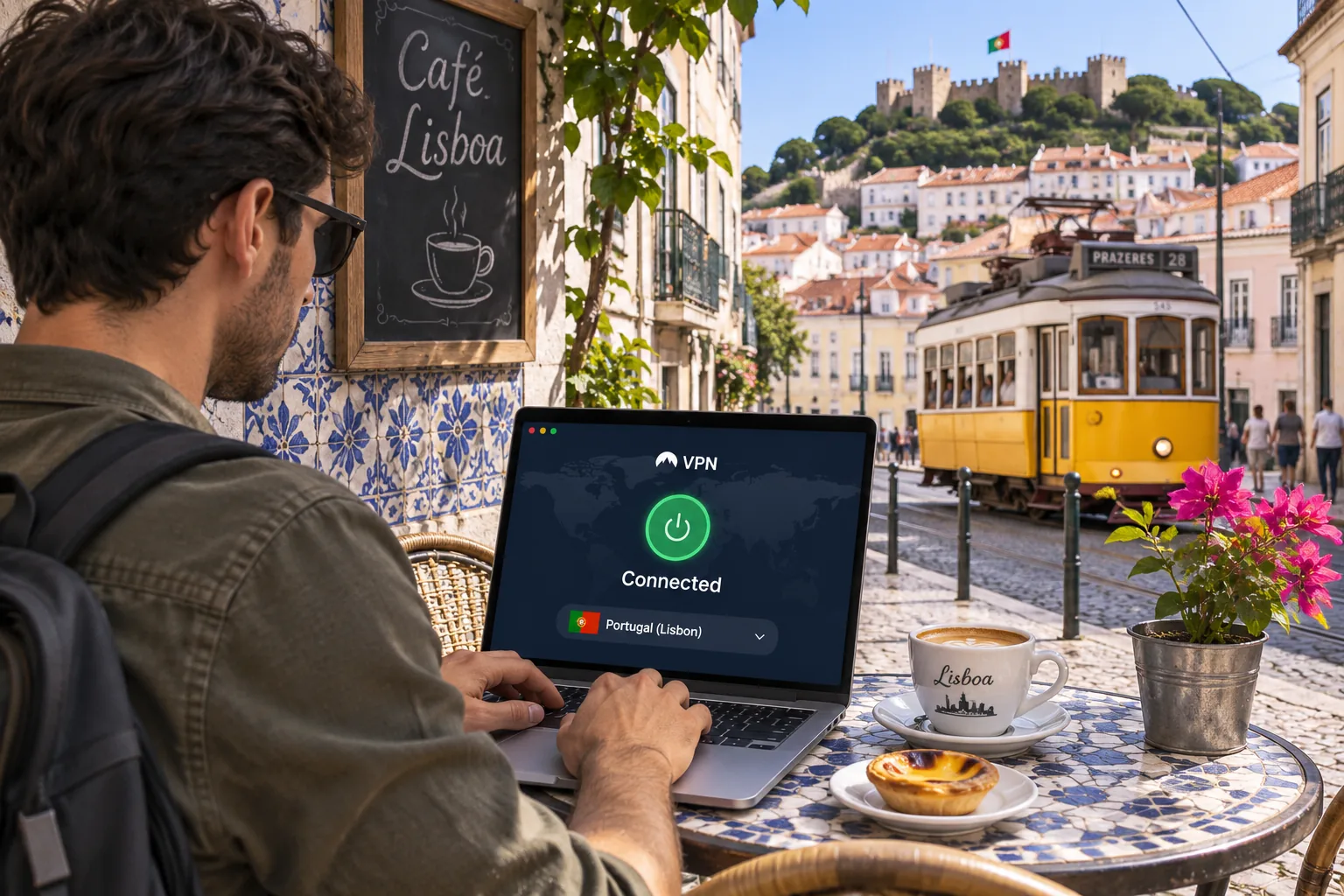
Portugal's cybersecurity authority recommends organizational VPN use on public Wi-Fi in its good-practice guidance from the national cybersecurity centre. That fits what remote workers and visitors do every day: log into email from a cafe in Lisbon, check a bank app in an airport, or join a video call from a hotel. A VPN gives you extra protection on those networks, although it does not replace sensible habits like keeping your devices updated.
For remote workers and digital nomads, the practical value is a stable connection to work tools with the same encrypted tunnel on every network. Households also benefit when one subscription covers every device. That is also where a low device cap can pinch.
Portuguese TV abroad and overseas streaming in Portugal
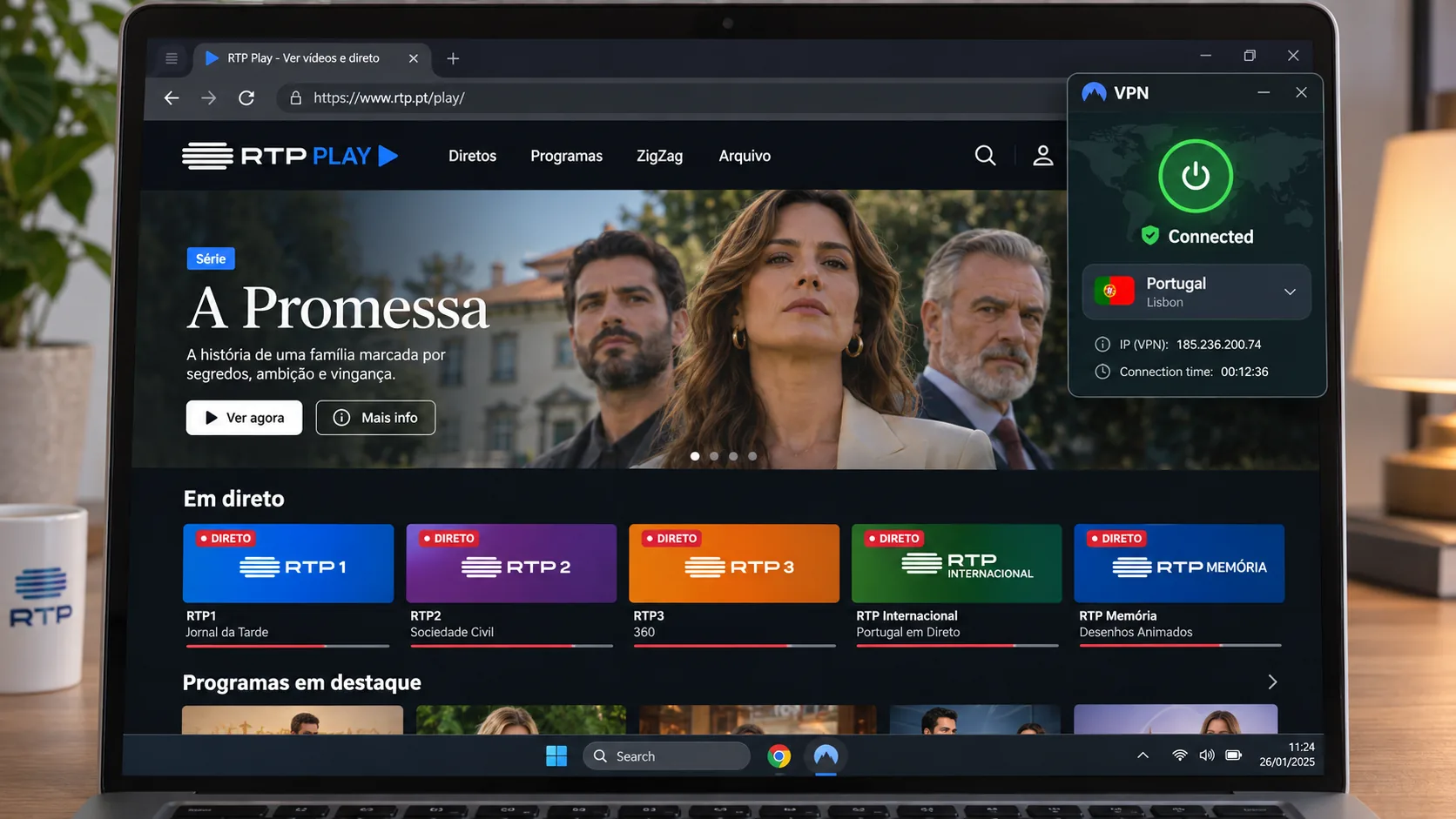
If you are away from Portugal and want Portuguese TV, you need a Portuguese IP address. Surfshark unblocked RTP1 and TVI Player for us, and ExpressVPN handled SIC and TVI, though individual streams change availability. RTP Play is accessible abroad, but some live broadcasts, films, series and programs lack transmission rights outside Portugal, so a VPN cannot unlock everything even when the connection works.
If you are in Portugal and want US or UK services, the direction reverses. You connect to a server in the United States or the United Kingdom. NordVPN streamed Netflix, Prime Video and Disney+ through its international endpoints, and Proton VPN Plus reached US and UK Netflix libraries and BBC iPlayer. Streaming terms of service often prohibit using a VPN to switch regions, and a provider can block your account or a stream at any time.
Are VPNs legal in Portugal?
Yes, using a VPN for privacy and security is widely treated as normal in Portugal, but we could not locate a current statute that resolves every possible VPN use. Article 34 of the Portuguese Constitution protects the privacy of communications, with legal exceptions for criminal procedure, as set out in the Constitution of the Portuguese Republic. That protects your communications. It does not make every activity conducted through a VPN lawful, and illegal acts stay illegal with or without one.
Internet restrictions and streaming service terms
We did not find current primary evidence of nationwide website blocking, but we also could not confirm the exact scope of any restrictions, so we make no claim either way. The practical constraint is commercial instead: streaming services can limit access by region in their terms, and breaking those terms can cost you an account. If you have a specific legal question, for example about a workplace or a regulated profession, ask a Portuguese lawyer.
Can you use a free VPN in Portugal?
Yes, but a free plan rarely provides a Portuguese IP address. Free plans usually limit countries, speed or features, and the countries on offer often exclude Portugal. A VPN that logs and sells your data is worse than no VPN at all, so privacy matters more on a free tier, not less.
A refund is not a free plan. A money-back guarantee protects a paid purchase, and an ongoing free tier is a different product with different country and feature access.
Free plans, Portuguese servers, and refund policies
Proton VPN is the only provider here with an ongoing free tier. Its free plan has unlimited data and automatic free-country connections, but the country list excludes Portugal, and the free plan protects 1 device at a time. Portuguese servers, country selection, streaming support and P2P all require a paid plan. So the free tier is useful for basic encryption on public Wi-Fi, but not for getting a Portuguese IP address.
For the other four, the realistic free route is the refund window. NordVPN and ExpressVPN offer a 30-day money-back guarantee, Surfshark gives 30 days from first purchase, and CyberGhost offers 45 days on long plans and 14 days on the monthly plan. Trial lengths and payment prerequisites vary by app store, and we have not confirmed them for all five, so rely on the refund terms we list. Buy directly from the provider, because third-party purchases follow the reseller's policy.
Which Portugal VPN should you choose?
If NordVPN is not the right fit, let your main need decide. Choose Surfshark if you have many devices and want to stop counting connections. Choose ExpressVPN if you want the simplest interface, CyberGhost if you want automation and the longest refund window, and Proton VPN if open-source apps and privacy controls come first.







