
If you want to protect your traffic on shared networks, or watch home-country content from abroad, the right VPN depends on which of those jobs you need done. NordVPN is our top pick for most people in or from the Philippines, because it pairs a Philippine virtual location with strong privacy features, 10 simultaneous devices and a 30-day money-back guarantee. The other five providers below win on price, device count, simplicity or a usable free plan, and each comes with limits you should know before paying.
Two questions get mixed up in almost every Philippines VPN guide, so we keep them apart here. Using a VPN while you are physically in the Philippines is a privacy question. Getting a Philippine IP address from abroad is a location question. Free-plan eligibility is a third question, and the answer is less friendly than most roundups suggest.
We built this list by checking each provider's official pages for Philippine locations, device limits, refund terms and prices as of 2026-11-08. We also worked from the hands-on streaming, speed and usability findings we collected for each service. We did not run our own tests from a Manila connection, so you will not find invented PLDT or Globe speed numbers in this article.
Best VPNs for the Philippines at a glance
The table below pulls together the facts that matter most for a Philippines buyer. Prices reflect the introductory offers we saw on 2026-11-08, but they are not guaranteed at your checkout and none is quoted in pesos.
| Product | Buy | Philippine IP | Free option | Devices | Entry offer | Renewal observed | Refund |
|---|---|---|---|---|---|---|---|
 |
Check price → | Yes, virtual | No permanent free tier | 10 | US$3.49/mo equivalent | US$139.08/yr | 30-day |
 |
Check price | Yes, virtual | No permanent free tier | Unlimited | US$2.49/mo equivalent | Not verified | 30-day |
 |
Check price | Yes, virtual via Singapore | No permanent free tier | 10 Basic, 12 Advanced, 14 Pro | US$2.99/mo equivalent | US$99.95/yr | 30-day, new users |
 |
Check price | Yes, paid plan only | Free plan, no Philippine location | 1 Free, 10 Plus | US$3.49/mo equivalent | US$83.88/yr | 30-day |
 |
Check price | Yes, hosting unverified | No permanent free tier | Unlimited | US$2.19/mo equivalent, conflicting | US$89.99 or US$99.99/yr | 30-day, annual and two-year only |
 |
Yes, virtual Manila | Free browser proxy only | 7 | EUR 2.19/mo equivalent | EUR 61.32/yr | 45-day long plans, 14-day monthly |
How we evaluate VPNs for the Philippines
We separate what we checked in official sources from the hands-on observations we draw on, and we are specific about what we did not do. We did not benchmark these services from a Manila home or on a Philippine ISP, and our ranking does not claim to reflect a large head-to-head speed test.
Local connections, speed and latency
For each provider we checked the official server or location page for a Philippine option, noted whether the vendor describes the location as virtual, and recorded device limits and supported operating systems. For speed, we relied on route-specific observations, such as consistent transfers on IPVanish and a noticeable slowdown on Proton's Philippine connections. We treat those observations as pointers for your own tests, not results you should expect to reproduce.
Streaming access, privacy checks and value
For streaming, we looked at whether Netflix, Prime Video, BBC iPlayer, Disney+ and HBO Max access worked, and where server switching was needed. For privacy, we looked at published no-logs policies, audits, kill switches and leak-check results. For value, we recorded introductory prices, renewals, billing terms and refund windows as displayed on 2026-11-08, and flagged every conflict instead of picking a number. When sources gave conflicting figures, we noted the discrepancy in the provider section.
1. NordVPN
NordVPN is the best all-round choice here because it covers the two things most Philippines readers want, privacy and streaming, without asking you to give up much on either. The vendor lists a Philippine virtual location. NordVPN's Philippines server page confirms it, but the location is virtual, so a Philippine IP does not prove the hardware sits inside the country.
On features, NordVPN includes NordLynx, unlimited bandwidth, desktop and mobile apps, and browser extensions. The security set is broad: a kill switch, leak protection, Double VPN, Onion over VPN and obfuscation. Which threat-blocking extras you get depends on the subscription tier, so check what your plan includes. It allows 10 simultaneous devices, which is enough for a household phone-and-laptop mix but fewer than Surfshark or IPVanish allow.
As evidence of its privacy practices, the company announced its sixth no-logs assurance engagement, performed by Deloitte Lithuania in late 2025. That is a vendor announcement of an audit, and the report is available through your Nord Account. It is a useful signal, not a guarantee of anything beyond what the auditors examined.
For streaming, Netflix, Hulu and BBC iPlayer access works well, and Philippine Netflix playback can run smoothly. The redesigned desktop app is easier to navigate than older versions, which matters if you are new to VPNs. On Windows, NordVPN lists Windows 10 64-bit version 1607 or newer and Windows 11 as supported.
On cost, the displayed Basic offer was US$3.49 per month equivalent, paid as US$94.23 upfront for 27 months. The renewal then shows as US$139.08 per year, and sales tax may apply. That introductory price is a prepaid promotion, so the effective cost changes once your first term ends. A 30-day money-back guarantee gives you a month to test it from your own connection.
Best for: people who want one VPN for private browsing and mainstream streaming. Skip it if you want unlimited devices or the lowest renewal bill.
2. Surfshark
Surfshark is the value pick for households with a lot of gadgets. Its unlimited simultaneous connections and unlimited bandwidth make it easy to cover every phone, laptop, tablet and streaming box in a Filipino home or a family abroad. There is no need to count devices.
Surfshark's Philippines server page lists Philippine IP support, and the location runs on virtual infrastructure. The same page lists Windows, macOS, Android, iOS and Linux apps, Chrome, Firefox and Edge extensions, and Fire TV and Apple TV support. Features include a kill switch, ad blocking and Alternative ID. Higher tiers add antivirus, leak monitoring and data-removal services, so the cheapest plan does not include everything in the marketing copy.
Our streaming findings are mixed in a useful way. Prime Video and BBC iPlayer playback works readily. Philippine Netflix may need some server switching before playback works. Once a working Philippine server is selected, HD playback can stay uninterrupted. In practice that means you should expect to try a second server and treat the first failure as a nudge, not a verdict.
On cost, the displayed Starter offer was US$2.49 per month equivalent, which is US$67.23 for the first 27 months, and VAT may apply. That monthly equivalent requires multi-year prepayment; it does not represent the renewal price. We could not find a renewal amount on the retrieved pricing page, so check it before you commit. A 30-day money-back guarantee applies. On older systems, Windows 7 or 8 requires a legacy app instead of the regular installer, which is a separate question from whether those systems still receive security updates.
Best for: large households and budget-minded buyers. Skip it if you need Philippine Netflix to work on the first try, or you want a confirmed renewal price in advance.
3. ExpressVPN
ExpressVPN is the simplest option to set up across several devices, and it provides a Philippine IP. Its own virtual server locations page states that the Philippines location is hosted through Singapore. That is not a problem for most streaming and privacy uses, but it is worth knowing if you care about where your traffic actually exits.
Under the hood, ExpressVPN uses the Lightway protocol, a kill switch, split tunneling, private DNS, RAM-only TrustedServer infrastructure and an audited no-logs policy. It has desktop and mobile apps plus browser support. The simultaneous device limit depends on the tier: Basic allows 10 devices, Advanced 12 and Pro 14.
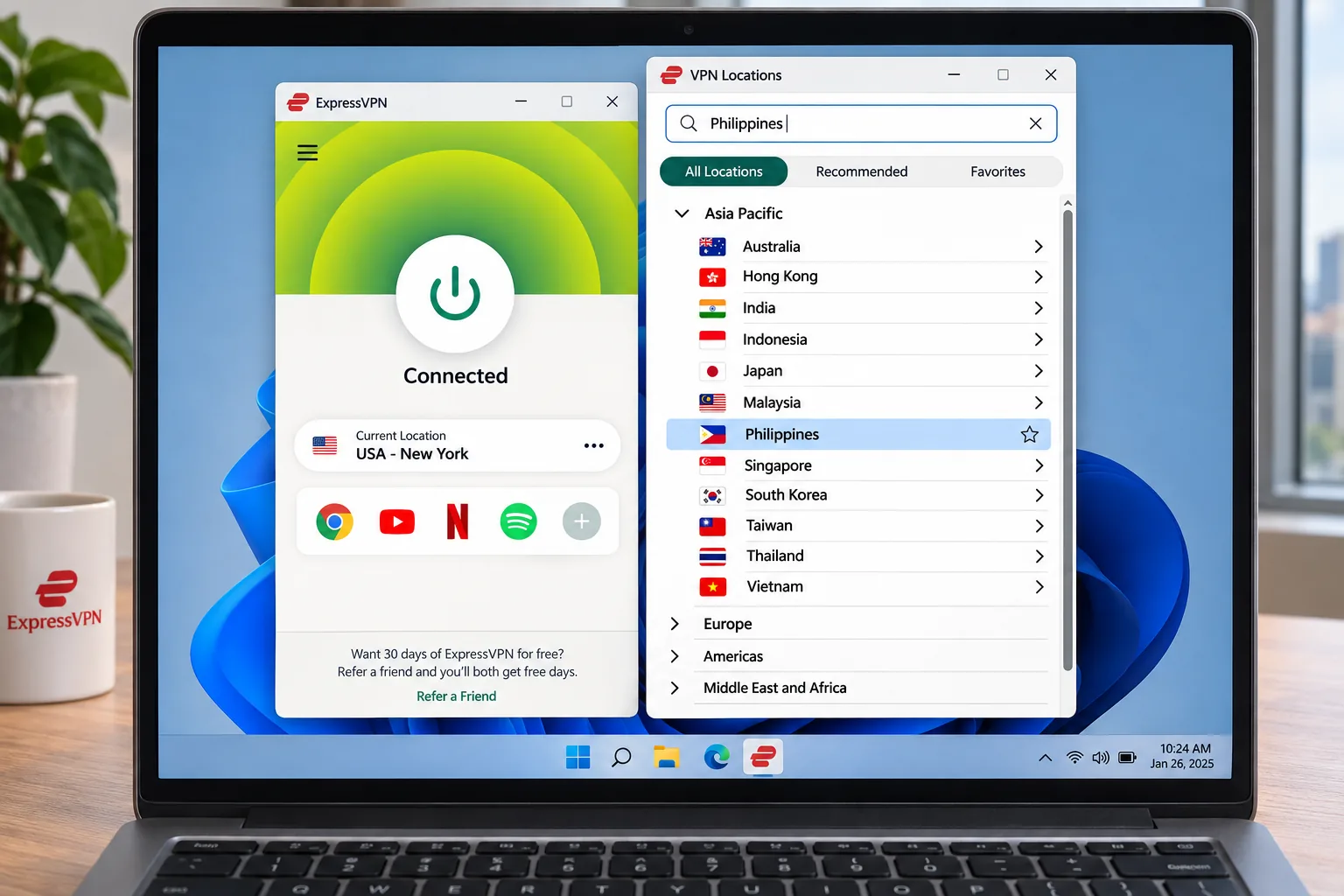
Netflix and Prime Video access works well. Two small usability points came up. To find less-prominent countries such as the Philippines, you need to scroll or search the complete location list rather than select a favorite on the home screen. Installation can also require a laptop restart before the first connection, so do not panic if the first launch does nothing. Activation-code sign-in makes adding devices easy, though the large non-interactive map wastes desktop space.
On cost, the Basic offer showed US$2.99 per month equivalent, with US$83.72 prepaid for 28 months and then US$99.95 annually. Checkout tax may apply. The 30-day money-back guarantee is for new users. The latest Windows app requires Windows 10 or later, and an ARM64 version is available for Windows 11 ARM64.
Best for: people who want a polished, low-fuss app on several devices. Skip it if you want to save the Philippines as a favorite or need the most connections per plan.
4. Proton VPN
Proton VPN is the pick if privacy details and a free plan both matter. It is the only provider on this list with a permanent free plan that has unlimited data and time, no advertising, a no-logs policy, a kill switch and Stealth. For Philippines users, the trade-off is clear: Proton's free VPN page lists streaming support and P2P as paid-plan features. The free plan connects you to one of the fastest available servers instead of letting you choose a country. The published free country list excludes the Philippines, so a free account will not give you a Philippine IP.
A paid plan changes that. Proton's Philippines server page lists paid Philippine IP access, along with open-source audited apps, Secure Core multihop and alternate routing. VPN Plus protects 10 devices at once, while the free plan protects 1 device at a time.
In use, the advanced options can make the app intimidating for beginners, because there are more settings than casual users need. Philippine connections can also produce a noticeable speed reduction, so test during your usual evening hours inside the refund window. On the free plan, automatic server selection makes targeting a particular Netflix library impractical, although some Netflix playback can work despite generally weak streaming access.
On cost, the official Plus offer showed US$3.49 per month equivalent, which is US$83.76 for 24 months, with a renewal of US$83.88 every 12 months. Other listings advertise different first-term prices, and the offer you select at checkout determines the charge. Among the providers whose renewal prices we could verify, Proton has the lowest, giving it an understated advantage over services with heavily discounted introductory offers. Paid VPN Plus advertises a 30-day money-back guarantee. Supported Windows versions include Windows 11 and Windows 10 64-bit build 19045, and older builds have deprecated or end-of-life status.
Best for: privacy-focused users who may want a free plan as a fallback. Skip it if you need a Philippine IP without paying or want an interface that beginners can easily use.
5. IPVanish
IPVanish is a good fit for families with many devices and for people who care about steady transfer speeds. It offers unlimited simultaneous connections, WireGuard, a kill switch, leak protection, Double Hop and threat blocking, and higher plans bundle extra security and storage services. It has Windows, macOS, Android and iOS apps, while users of Linux and compatible routers must follow setup instructions.
The Philippine location needs a careful reading. There is Philippine IP access with physical Manila servers, but IPVanish's own pages did not confirm the physical inventory. Offering a Philippine IP is different from physically hosting a server in Manila, and we could not confirm where the servers are hosted. Official IPVanish pages returned errors when we tried to retrieve them, so we have less direct vendor evidence here than for the other five.
The results are positive. Transfer speeds remain consistent across repeated connections, and Philippine Netflix can play smoothly in HD. Long-distance streaming and mid-distance video calls can also run smoothly. IP, DNS and WebRTC checks showed no exposed connection details, which is the leak result you want from a privacy tool.
Pricing is the weak spot for clarity. Essential is advertised at US$2.19 per month equivalent on a two-year promotion, while some price listings still show US$2.39, and one lists US$52.56 upfront. Renewal appears as US$89.99 per year in some listings and US$99.99 in others. Since these are prepaid introductory rates and not guaranteed Philippine checkout prices, confirm the amount on your order page. A 30-day money-back guarantee applies to annual and two-year plans, excluding monthly subscriptions. We also could not retrieve readable information about IPVanish's minimum operating-system versions.
Best for: households that want unlimited connections and consistent speeds. Skip it if you need a confirmed physical Manila server or a settled renewal price.
6. CyberGhost
CyberGhost is the beginner pick, mainly because it labels its servers by purpose. It offers a virtual Manila location for Philippine IPs and server categories for streaming, gaming and downloads. It also includes desktop and mobile support, a kill switch, a no-logs policy, content blocking and connection automation. It allows 7 simultaneous VPN connections, the lowest limit on this list for a standard paid plan.
We found the streaming labels reduce the effort of choosing a suitable server, and preconfigured protections keep initial setup simple. Having fewer advanced controls makes the apps easier to learn, though power users may find the controls too limited. Netflix, Disney+, Prime Video and HBO Max playback can work without buffering. CyberGhost has CPU and OS requirements worth checking: the Windows app needs Windows 10 version 1903 or above, or Windows 11, and the setup page excludes ARM processors. The Android app requires Android 7.0 or newer.
Refunds are the most generous here. CyberGhost advertises a 45-day money-back guarantee on the displayed multi-year and six-month plans, and 14 days on the one-month plan. Pricing is harder to pin down. The rendered checkout shows EUR 2.19 per month, EUR 61.32 upfront and EUR 61.32 as the annual renewal, but it labels the introductory duration inconsistently as 24 months plus 2, 3 or 4 extra months. The monthly plan is EUR 11.99 and the six-month plan EUR 41.94. Because the page mixes promotional durations and shows euros, check the final term, currency and tax before comparing it with the others.
Best for: first-time VPN users who want labeled servers and a long refund window. Skip it if you want unlimited devices or fine-grained controls.
How to choose a VPN for the Philippines
Start with the job you need done, because the best provider for private browsing on café Wi-Fi is not automatically the best for watching Philippine TV from Dubai. The four checks below cover most of what separates these services in practice.
Philippine IP addresses, physical servers and virtual locations
A Philippine IP address makes websites see you as browsing from the Philippines. A physical server is hardware located in the country, while a virtual location uses a server elsewhere with an IP address assigned to the Philippines. For ordinary streaming and browsing, the difference rarely matters. It can matter for latency, since a virtual server may sit in another country, as ExpressVPN's Singapore hosting shows.
Of our six providers, NordVPN, Surfshark, ExpressVPN and CyberGhost have Philippine locations described as virtual. Cybernews describes IPVanish with Manila servers, which IPVanish's own pages did not confirm, and Proton lists Philippine access only on paid plans. Do not assume every VPN has Philippine servers, and treat the vendor's location page as the source of truth.
Privacy, logging policies and leak protection
Look for a published no-logs policy, an independent audit or assurance report, and a kill switch that blocks traffic if the tunnel drops. NordVPN points to a 2025 assurance engagement, ExpressVPN to an audited policy and RAM-only servers, and Proton to open-source audited apps. An audit confirms what was examined at a point in time. It does not make a provider immune to legal requests or user mistakes.
Leak protection matters because a VPN that leaks your real IP or DNS queries defeats the point. IPVanish's IP, DNS and WebRTC checks came back clean in the findings we gathered. Run the same checks yourself during your refund window, since results can change by device and network.
Speed, streaming and device support
Speed depends on distance, protocol and your own connection more than on the brand. The evidence we have is route-specific, so throughput on a US server does not predict yours on a Philippine ISP. Pick a provider with a modern protocol such as NordLynx, Lightway or WireGuard, test a few servers, and keep a refund window open while you do. Gaming latency falls under the same advice: nearer servers help, and a heavily discounted plan does not change physics.
Count your devices honestly. Ten connections are enough for most people, but a household with consoles, smart TVs, phones and laptops can quickly exceed that limit. Surfshark and IPVanish offer unlimited connections, and CyberGhost's 7 is the tightest of the group.
Subscription costs, renewal prices and payment options
Introductory prices on this list range from about US$2.19 to US$3.49 per month equivalent, but each one assumes a prepaid term of two years or more. The renewal figures run from roughly US$84 to US$139 per year where we could verify them. We could not verify peso pricing, current exchange conversions, or whether GCash or Maya are accepted for any of the six, so what you see at checkout can differ from the dollar and euro figures here.
Headline monthly prices are prepaid multi-year promotions. Your first invoice is a lump sum, and renewal charges are often higher than the equivalent monthly rate. Before you pay, read the renewal amount, the billing currency and any tax line on the checkout page, and set a reminder before the first term ends.
How to get a Philippine IP address with a VPN
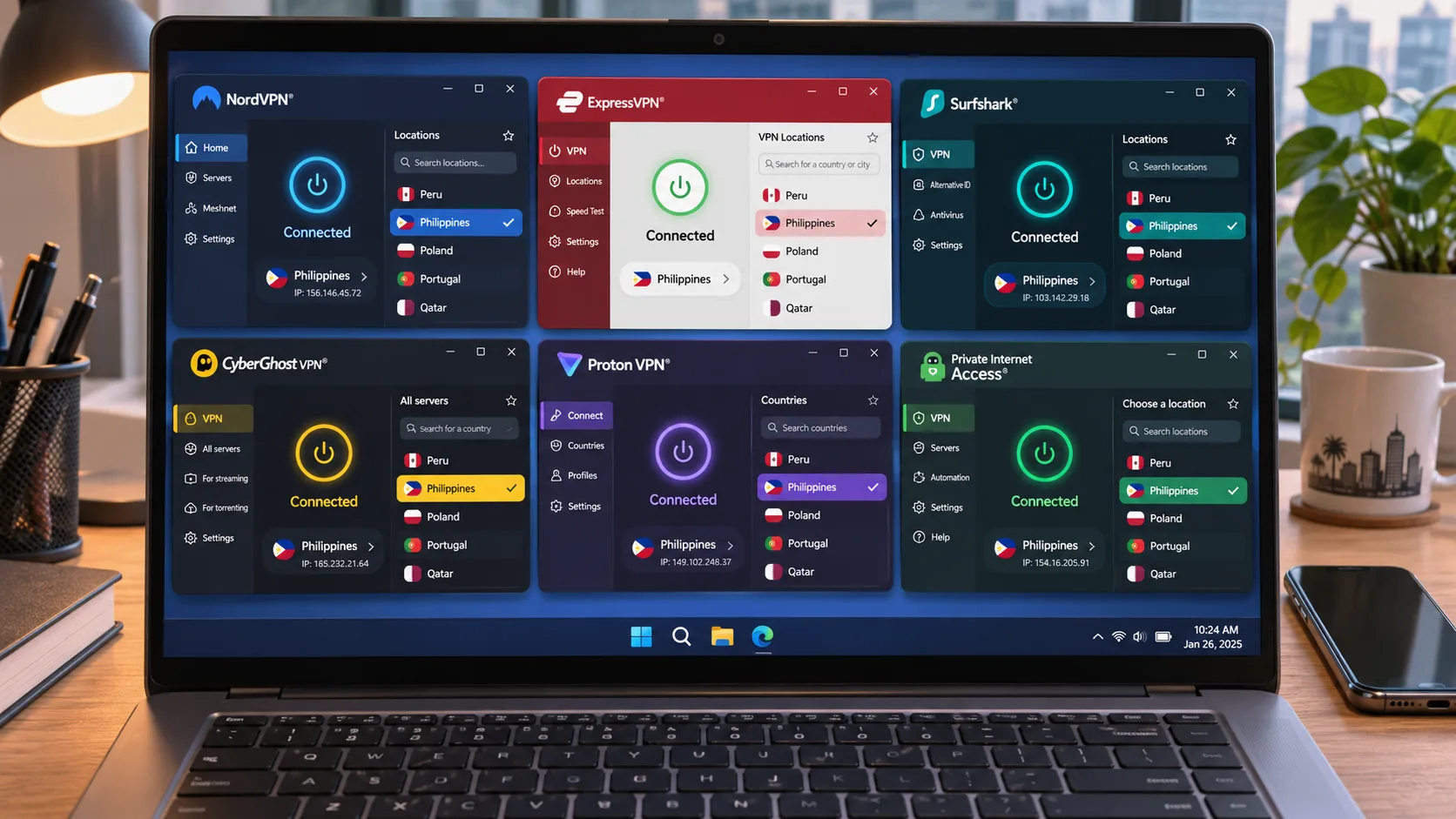
If you are abroad and want a Philippine IP, the process is the same on every paid provider here. Install the app on the device you will actually use, sign in, open the full location list and search for the Philippines or Manila. In ExpressVPN, open the complete location list to find less-prominent countries. In Surfshark, you may need to try a second server if the first does not unblock what you want.
Connect, then confirm the change with an IP lookup before opening any app. If a streaming service still treats you as outside the Philippines, switch servers or clear the app's cached location data and try again. Use the refund window to test every service you care about, because streaming access changes without notice.
Keep this separate from the free-plan question. A permanent free plan will not reliably give you a Philippine IP. Refund windows are not free plans either, since they require payment and an eligible refund request.
Watching Philippine TV from abroad
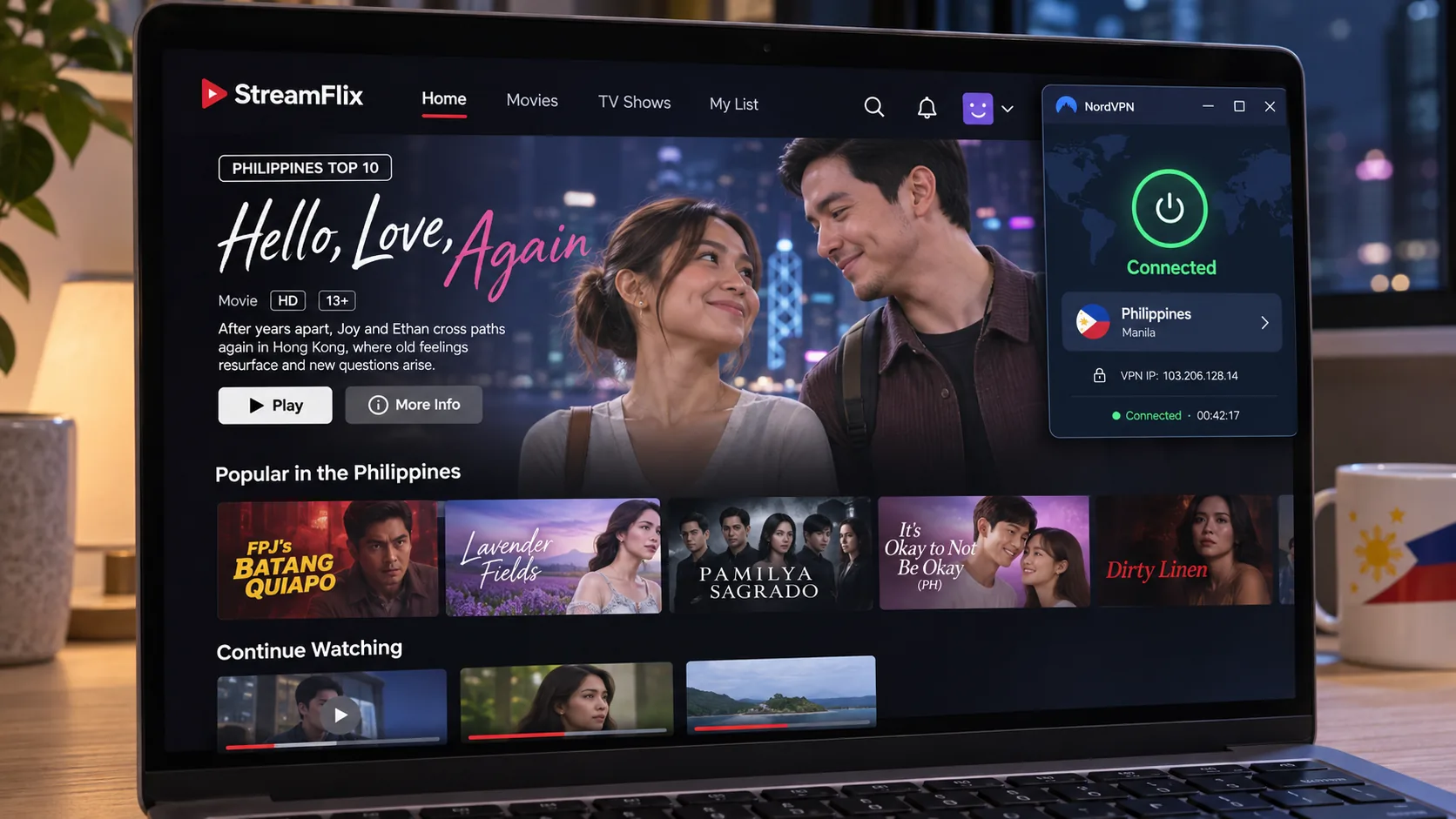
Our research did not retrieve current, service-by-service checks for Philippine TV platforms such as iWant, Cignal or Viu, so we cannot promise that any of the six unlocks a specific channel. What we can say is that a Philippine IP is a necessary starting point, not a guarantee. Subscription entitlements, regional rules and each platform's own VPN detection all play a part.
Our findings on general streaming access favor NordVPN, ExpressVPN and CyberGhost, with Surfshark close behind once you select the right server. Test your exact platform during the refund window before you commit to a long plan. Many Philippine broadcasters also publish content on global platforms, which is often an easier route than a geo-restricted app.
Why use a VPN in the Philippines?
A VPN encrypts the traffic between your device and the VPN server, hides your IP address from the sites you visit, and masks your activity from the local network. It will not make you anonymous, but it does close several common gaps.
Privacy on public Wi-Fi and shared networks
Cafés, malls, coworking spaces and dorms all share networks with strangers. A VPN encrypts your traffic on those connections so other users on the same network cannot read it easily. The National Privacy Commission's work-from-home guidance recommends a reliable VPN when office computers must connect to public Wi-Fi. That recommendation provides legitimate official backing for this use. It is guidance, not a legal ruling on VPNs in general.
Accessing home-country services while traveling
Filipinos working or studying abroad often lose access to banking sites, streaming libraries and local news. A Philippine IP can restore some of that. Remember that banks may flag unusual logins, so tell your bank before you connect through a VPN, and read each service's terms first.
What a VPN cannot protect you from
A VPN does not stop phishing, malware you install yourself, or accounts you log into while connected. It cannot hide you from a service you sign in to, and it does not defeat browser fingerprinting. Freedom House's 2025 Philippines report rates the country Partly Free with a Freedom on the Net score of 61/100, and its coverage includes online-expression prosecutions. That context is a reminder that what you post under your real name still carries consequences, with or without a VPN.
Are VPNs legal in the Philippines?
We did not find a current primary legal text that explicitly settles whether ordinary consumers may use a VPN in the Philippines. What we did find is official guidance that recommends a VPN for secure remote work, which suggests that standard privacy use is not treated as a problem. That is not the same as a legal determination.
Be careful with blanket claims. We found no Philippine legal provision that makes using a VPN to reach censored content illegal, so treat such claims as unverified. Using a VPN to commit a crime stays illegal regardless of the tool, and breaking a streaming service's terms of use is a contract issue, not a criminal one. If you have a specific legal concern, ask a licensed Philippine lawyer, and do not treat this article as legal advice.
Can you use a free VPN in the Philippines?
You can use one, but a free plan will rarely give you what you want from this specific list. Free plans suit light browsing on a trusted device. They do not suit reliable access to Philippine content from abroad.
Free plans versus paid subscriptions
The clearest free option here is Proton VPN's free plan, which has unlimited data and time and no ads, but protects only 1 device and treats streaming and P2P as paid features. CyberGhost's free offering is limited to Chrome and Firefox proxy extensions that cover browser traffic only. NordVPN, Surfshark, ExpressVPN and IPVanish have no permanent free tier we could verify. Their money-back guarantees are not free plans, because you must pay first and then request a refund.
Paid plans add country choice, streaming support, more devices and typically better speeds. If you only need occasional private browsing on café Wi-Fi, a free plan can be enough. If you need a specific location or stable streaming, plan to pay.
Getting a Philippine IP address on a free plan
We could not establish a reliable way to get a Philippine IP for free. Proton's free servers are chosen automatically and the published free list excludes the Philippines. CyberGhost's free proxy locations are the US, Germany, the Netherlands and Romania.
TunnelBear is the interesting edge case. Do not count on it for a free Philippine IP.
Final thoughts: choosing the right Philippines VPN
Pick NordVPN if you want one dependable service for privacy and mainstream streaming. Choose Surfshark or IPVanish if device count and entry price matter most, or ExpressVPN for simple setup. Pick Proton VPN if audited privacy and a flat renewal matter more than convenience, or CyberGhost if you are new to VPNs and want a long refund window.
Whatever you choose, use the refund window as a real test. Connect to the Philippines location from your own network, check for leaks, try the streaming platform you actually care about, and read the renewal line before you pay.







