
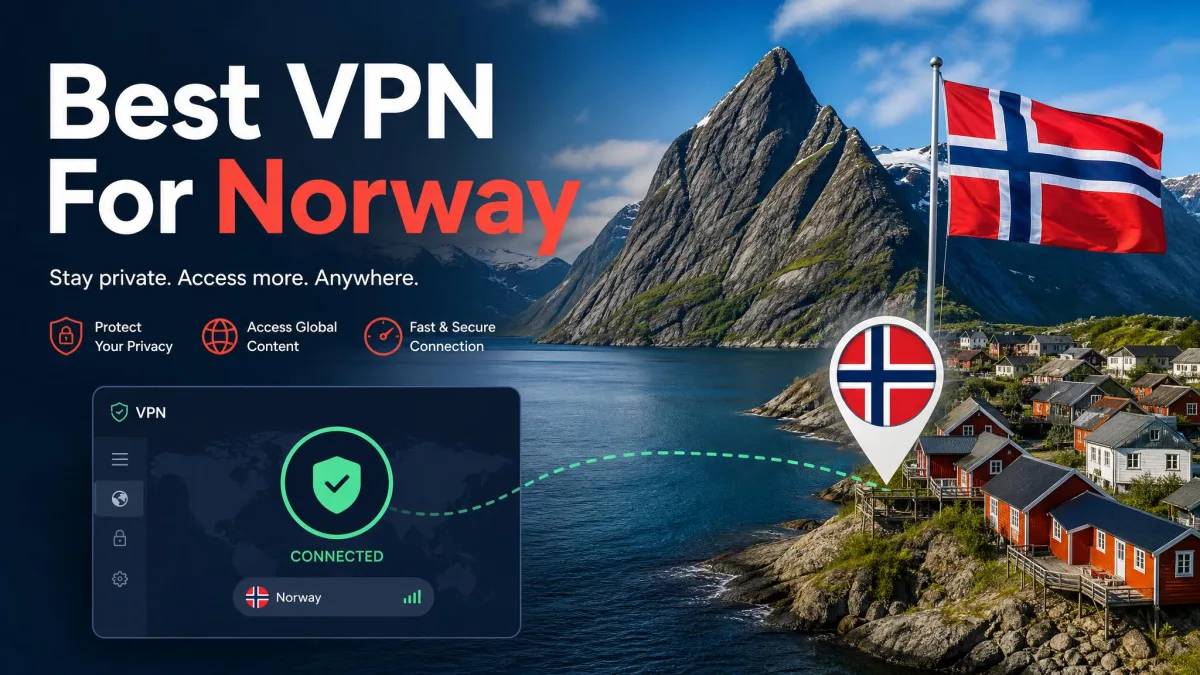
If you live in Norway and want privacy on cafe Wi-Fi, you need a VPN with strong protection and a fast connection. If you are abroad and want a Norwegian IP address, you need something different: a provider with real Norway servers that you can pick yourself. These are two separate jobs, and the best VPN for one is not always the best for the other.
Our starting recommendation is NordVPN, because it gives you selectable Oslo servers, a clear no-logs audit and room for 10 devices. Surfshark, Proton VPN, ExpressVPN, Private Internet Access and CyberGhost each win in a narrower situation, and we explain where below. This is an editorial shortlist based on our hands-on use and published provider documentation, not a Norway-only speed ranking.
Best VPNs for Norway at a glance
The table below separates three things that roundups often blur: whether a provider has Norwegian servers, whether you can use Norway for free, and what you will actually be billed. Prices reflect the offers and currencies shown at each provider's checkout when we checked. Treat them as quotes with those limitations, not as a ranking in a single currency.
| Product | Buy | Norway location | Device limit | Free-plan Norway access | Billed cost and renewal | Refund |
|---|---|---|---|---|---|---|
 | Norway, Oslo IP | 10 | No ongoing free plan, limited trial | $94.23 for 27 months, renews at $139.08/year | 30 days | |
 | Norway, city not shown | Unlimited | No ongoing free plan, limited trial | CHF 67.23 for 27 months, renewal varies | 30-day guarantee | |
 | Norway | 10 on Plus, 1 on Free | In the free pool, not selectable | $83.76 for 24 months, then $83.88/year | 30 days | |
 | Norway, Oslo IP | 10 on Basic, up to 14 | No ongoing free plan | US$84 for 28 months, then US$99.95/year | 30-day guarantee | |
 | Oslo | Unlimited | No ongoing free plan | US$47.88 first year, same on renewal | 30-day guarantee | |
 | Physical Oslo servers | 7 | Free proxy excludes Norway, app trials only | EUR 61.32, bonus-month labels conflict | 45-day on long plans |
The 6 best VPNs for Norway
We ranked these by how well they cover a broad range of needs in Norway, accounting for use at home and abroad. Each review names one real limitation, because none of these is perfect.
1. NordVPN
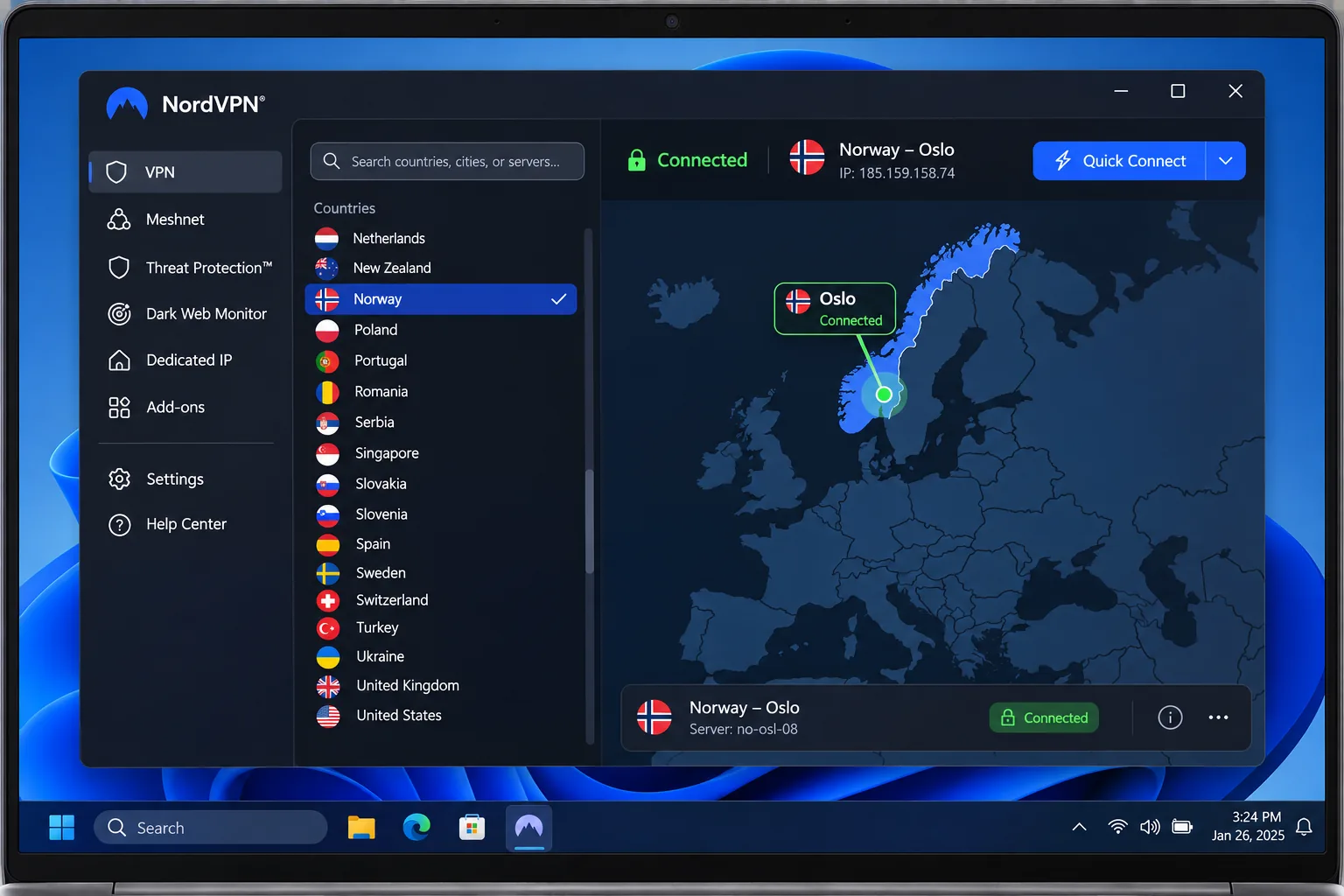
NordVPN is the one we would install first for Norway. The official Norway server page lets you pick Norway from a country list or a map and gives you an Oslo IP address, and it showed 92 servers when we checked, though server counts move over time. Because you choose the location yourself, getting a Norwegian IP abroad takes a few taps.
On privacy, the company says it keeps no online activity logs, and Deloitte's assurance review of its no-logs claims examined its configuration and infrastructure. As with every audit in this article, that describes the setup at the time of assessment and is not a promise of permanent immunity. You also get a kill switch, split tunneling and Double VPN. The Double VPN, Onion over VPN and obfuscated modes are separate options, so do not assume every Norway server supports each one.
Setup is straightforward: download the app, install it and log in. Starting quick connect is easy too. The interface takes longer to learn than those of ExpressVPN or Surfshark. OpenVPN speeds can fluctuate, so we would keep the default protocol unless you have a reason to change it. The Windows app supports Windows 10 and Windows 11, and the current mobile apps need Android 9 or iOS 17.0 and newer.
On cost, the displayed Basic offer was $3.49 a month equivalent, billed upfront at $94.23 for 27 months. It then renews at $139.08 a year, and local tax may apply, so check the checkout for your market. A refund request must go through customer support within 30 days of the first purchase, and canceling the renewal alone does not trigger one. The website advertises a 7-day trial, while Google Play has a separate Android trial, so the rules differ by where you sign up.
Pros
- Selectable Norway location with Oslo IP addresses
- Independent assurance of the no-logs claims
- Kill switch, split tunneling and 10 devices
- Straightforward install and quick connect
Cons
- Interface takes longer to learn than rivals
- OpenVPN speeds can fluctuate
- Renewal costs more than the intro price
Best for: most people who want one VPN for Norway at home and abroad. Skip if: you want unlimited device connections.
2. Surfshark
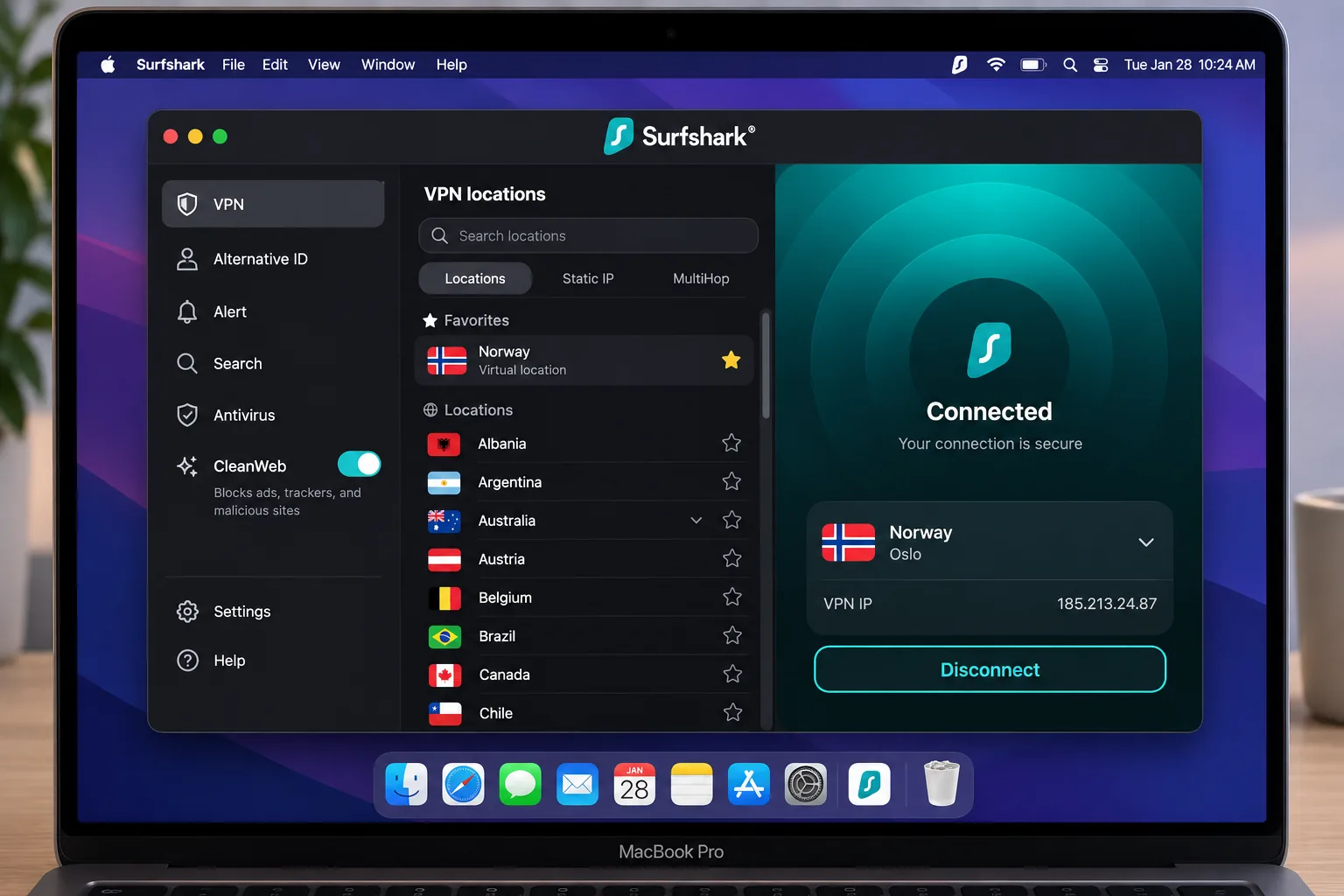
Surfshark is the pick for households with a lot of gadgets. A paid subscription permits unlimited simultaneous connections, where NordVPN stops at 10, so a family with phones, tablets, a TV box and two laptops will not run into a device cap. The official Norway page offers Norwegian IP addresses, although it did not name a specific city.
The main controls are approachable because the settings are clearly labeled. Windows and Mac apps ran without noticeable device slowdown or extra battery drain. In daily use, some servers are noticeably slower than others, and connections can take time to establish. The interface can also feel crowded once you open the extras. If a Norway server drags, switching to another one in the list usually fixes it.
Privacy evidence is solid. Surfshark's trust center says Deloitte verified the no-logs policy and describes a separate SecuRing infrastructure assessment. Features include CleanWeb ad and tracker blocking, a kill switch, and Bypasser split tunneling. Antivirus, Alert and Incogni belong to plan-dependent bundles, so check which tier you are buying.
The offer appeared in Swiss francs for us: the equivalent of CHF 2.49 a month, billed CHF 67.23 for the first 27 months. It renews at the applicable renewal price. We could not confirm the exact renewal amount, so look before you commit. There is a 30-day money-back guarantee, and a 7-day direct trial for first-time users on eligible annual or biennial plans. The trial needs payment details and converts to a paid plan unless you cancel. The Norwegian App Store listing requires iOS 17.0 or later.
Pros
- Unlimited simultaneous connections on paid plans
- Deloitte-verified no-logs policy
- Clearly labeled settings and ad blocking
Cons
- Some servers and connections are slow
- Norway city not exposed on the official page
- Renewal price not confirmed
Best for: large households and anyone with many devices. Skip if: you need a confirmed Oslo location.
3. Proton VPN
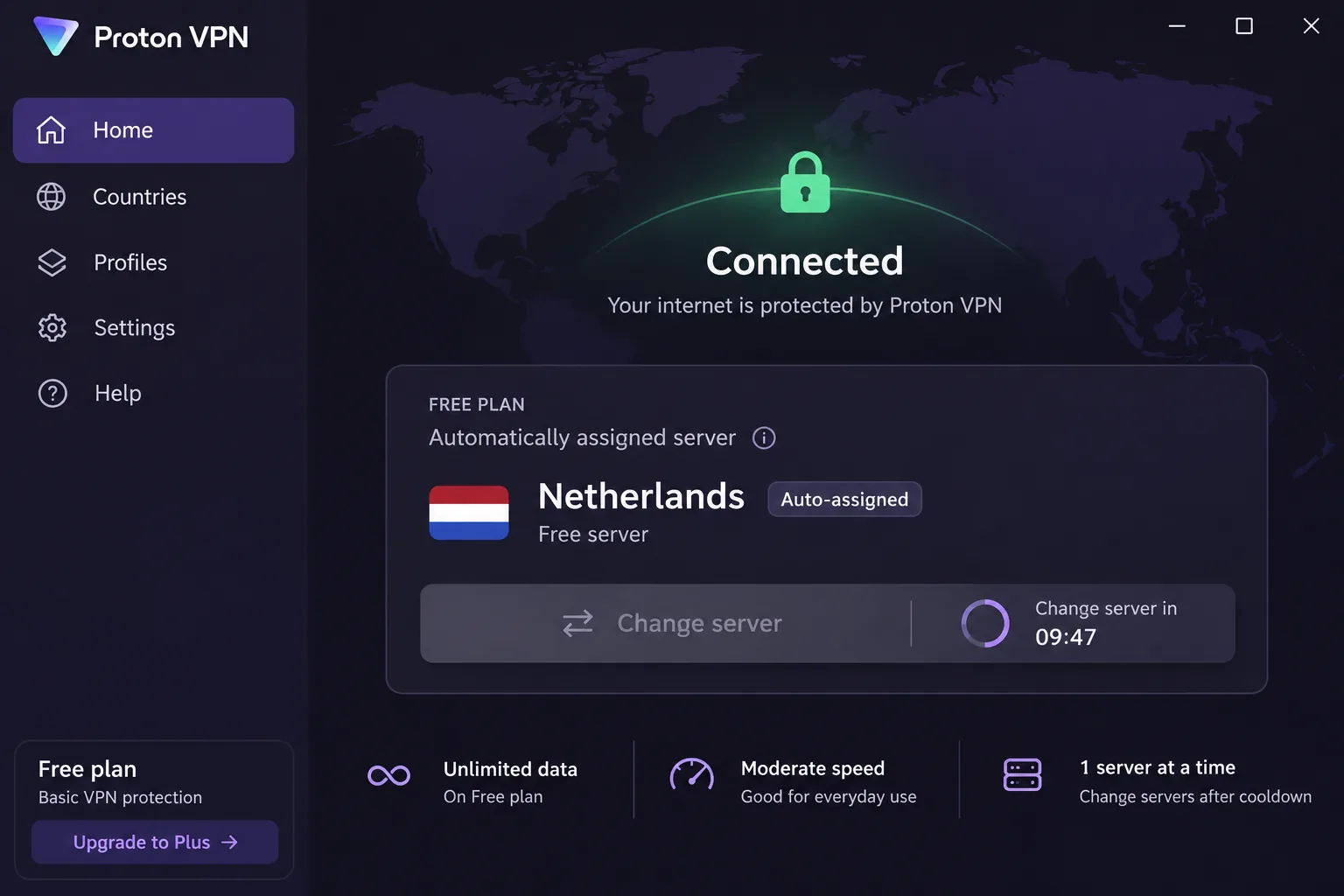
Proton VPN is the only provider here with a free tier that includes Norway, and that detail needs care. Proton's free account guide lists Norway among ten free countries, but the app assigns your country automatically. You cannot choose Norway on demand, and switching servers gives you another one at random. Free protects 1 device at a time, with unlimited data.
In practice, the free plan can connect you far away even when nearer free countries are available. Finding another location means trying random assignments repeatedly, with a short cooldown between changes. If you specifically need a Norwegian IP, the free plan is a gamble. The paid plan fixes that: Proton's Norway server page says paid subscriptions allow selecting locations, and VPN Plus covers 10 devices and adds streaming, P2P and Secure Core.
Speeds stayed stable during ordinary use, and the initial setup is approachable while the advanced controls are never far away. On the privacy side, the apps are open source, Securitum verified the no-logs policy, and server disks are encrypted. Windows 10 and newer is supported. The Mac app lacks some features available on other platforms, and its split tunneling is still experimental.
The displayed Plus offer was $3.49 a month equivalent, billed $83.76 upfront for the first 24 months, then $83.88 every 12 months. Refund requests are accepted within the first 30 days, subject to the service terms.
Pros
- Norway sits in the free server pool
- Open-source apps and an independent no-logs audit
- Stable speeds and approachable setup
Cons
- Free tier cannot select Norway
- Mac app lags other platforms
- Free plan covers 1 device only
Best for: privacy-minded users who want to try before paying. Skip if: you rely on the free tier for a Norwegian IP.
4. ExpressVPN
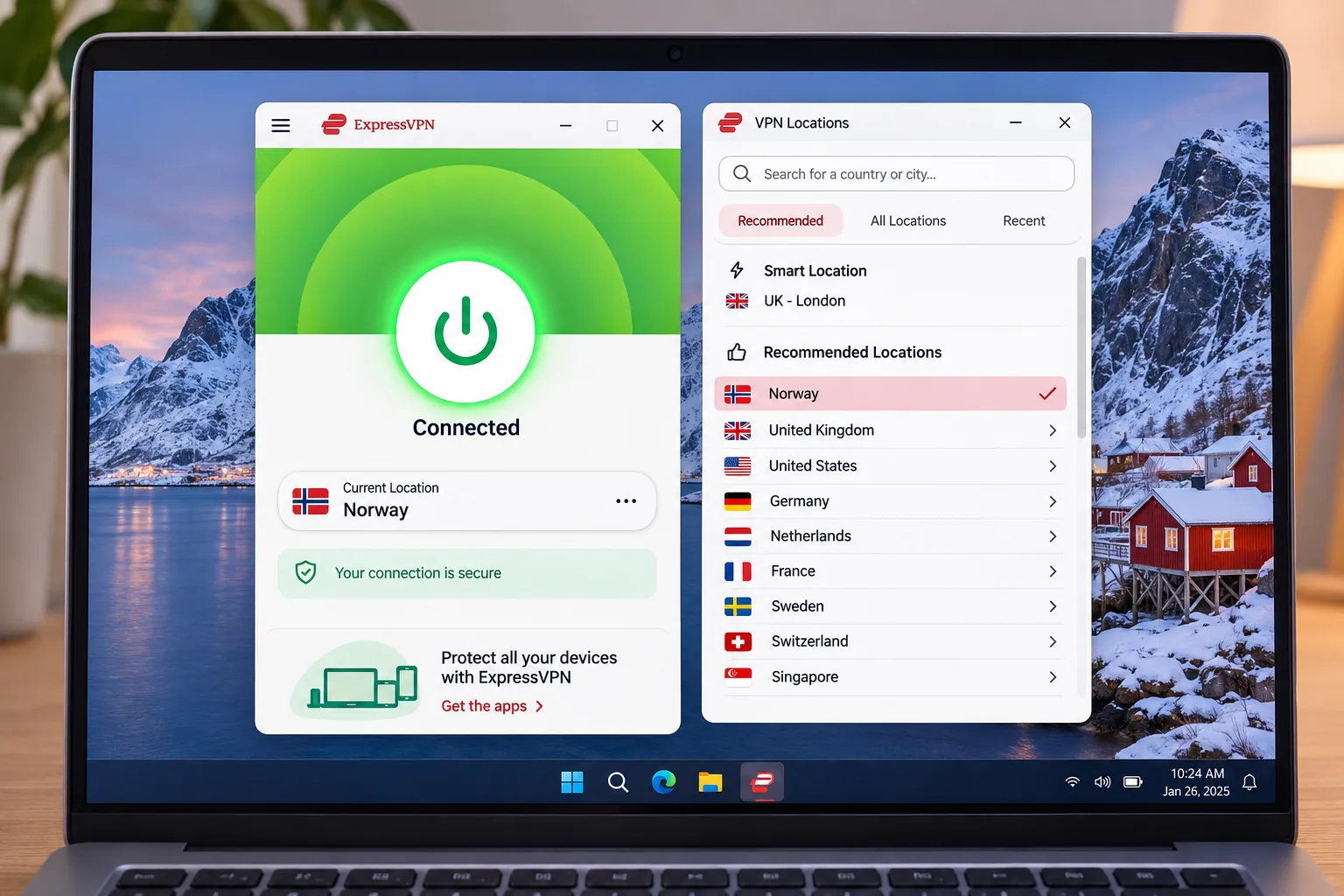
ExpressVPN suits people who want the least fuss. The apps are straightforward to navigate, and ExpressVPN's Norway page shows selectable Norway servers with Oslo IP addresses. A Norway dedicated IP is offered separately for an extra cost, which helps if a site keeps flagging shared addresses.
Streaming can work smoothly at high speeds, but results depend on the service. Amazon Prime Video Japan and Netflix Canada and Japan stayed blocked even after we tried different servers. That is a reminder that no VPN unblocks everything. If Netflix matters, test a few servers during the refund window. On a laptop, the first connection may need a restart after installation.
Under the hood you get the Lightway protocol, RAM-based TrustedServer, DNS leak protection, a kill switch and split tunneling. KPMG's 2025 review of TrustedServer reported reasonable assurance without identified issues in the technical safeguards against activity logging. The current Windows app requires Windows 10 or newer. The mobile apps need Android 7 or newer, or iOS 15.
The device cap depends on the tier: Basic supports 10, Advanced 12 and Pro 14. The Basic offer displayed US$3 a month equivalent, billed US$84 for the first 28 months, then US$99.95 a year, plus sales tax where applicable. New subscribers get a 30-day money-back guarantee, while Apple and Google Play purchases follow store refund rules.
Pros
- Selectable Norway servers with Oslo IPs
- Easy apps and fast streaming when it works
- KPMG-examined TrustedServer design
Cons
- Some Netflix and Prime regions stay blocked
- Device cap rises only on pricier tiers
- Higher renewal price than rivals
Best for: beginners who value simple apps and fast streaming. Skip if: you want the cheapest long-term renewal.
5. Private Internet Access
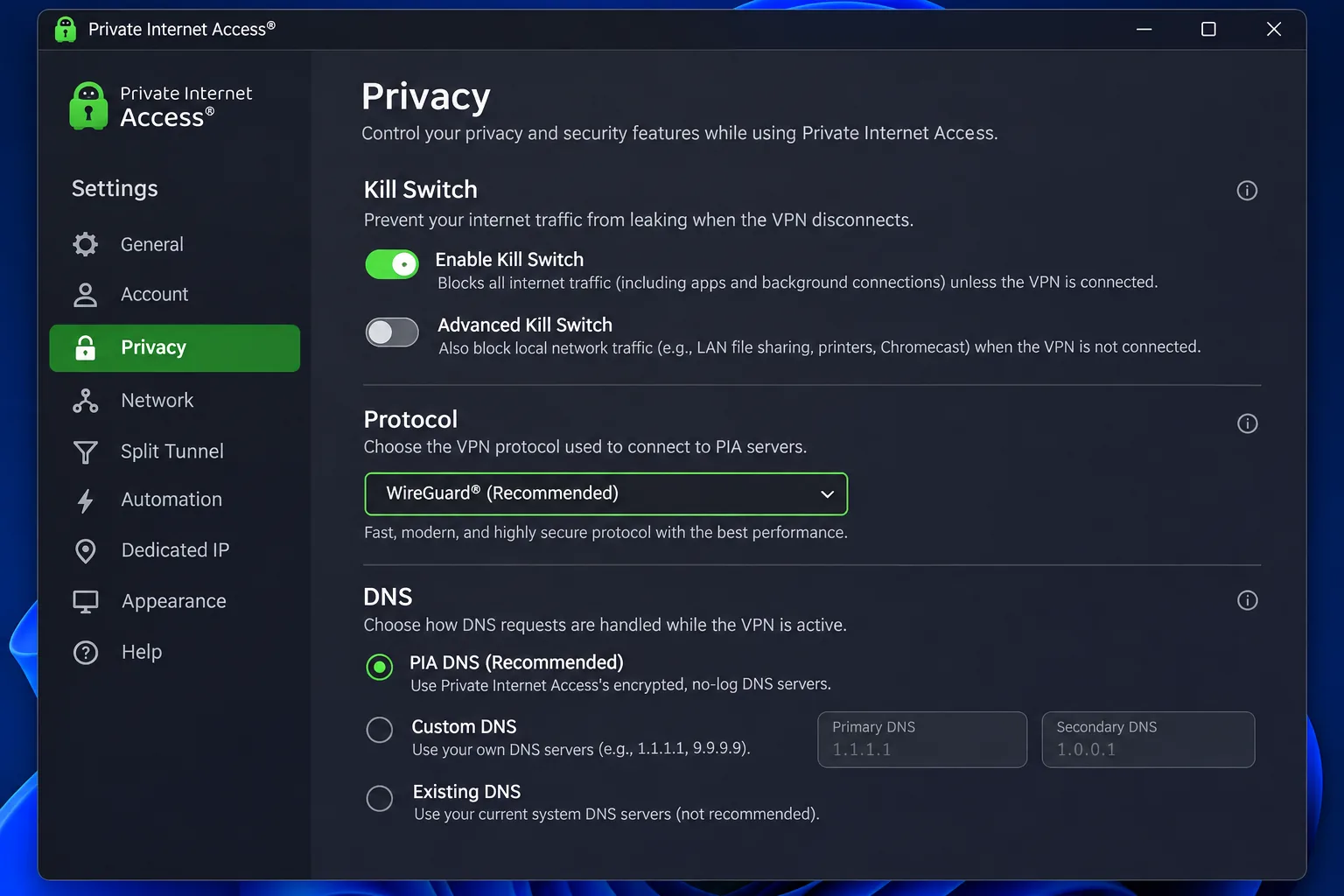
Private Internet Access, or PIA, is the budget pick with no device limit. A subscription gives you unlimited simultaneous connections, and the PIA Norway page lists Oslo servers with selectable Norwegian IP access. The apps are open source, and Deloitte has examined the server network and operational controls against the no-logs policy.
The extensive settings menu suits tinkerers who want to customize their VPN. DNS requests also remained protected in our leak checks. The cost is consistency. Connection speeds can be inconsistent, and support responses can be slow, so expect to troubleshoot some things yourself. Desktop support covers Windows 10 and 11 in 64-bit plus Windows ARM64, and mobile needs Android 7.0 or iOS 15.0 and newer.
The one-year offer cost US$47.88, with renewal unchanged at US$47.88, putting the monthly equivalent at US$3.99. A long-term offer card showed US$2.03 a month for three years plus four months, renewing at US$81.20 every three years. It did not state the initial total, so confirm that at checkout. New subscribers get a 30-day money-back guarantee, and app-store purchases follow store terms. Dedicated IP and antivirus are sold as add-ons.
Pros
- Unlimited simultaneous devices
- Low and steady renewal on the annual plan
- Deep settings and open-source apps
Cons
- Speeds can be inconsistent
- Support can be slow
- Extras cost more
Best for: budget shoppers with many devices. Skip if: you want consistent speed for daily streaming.
6. CyberGhost
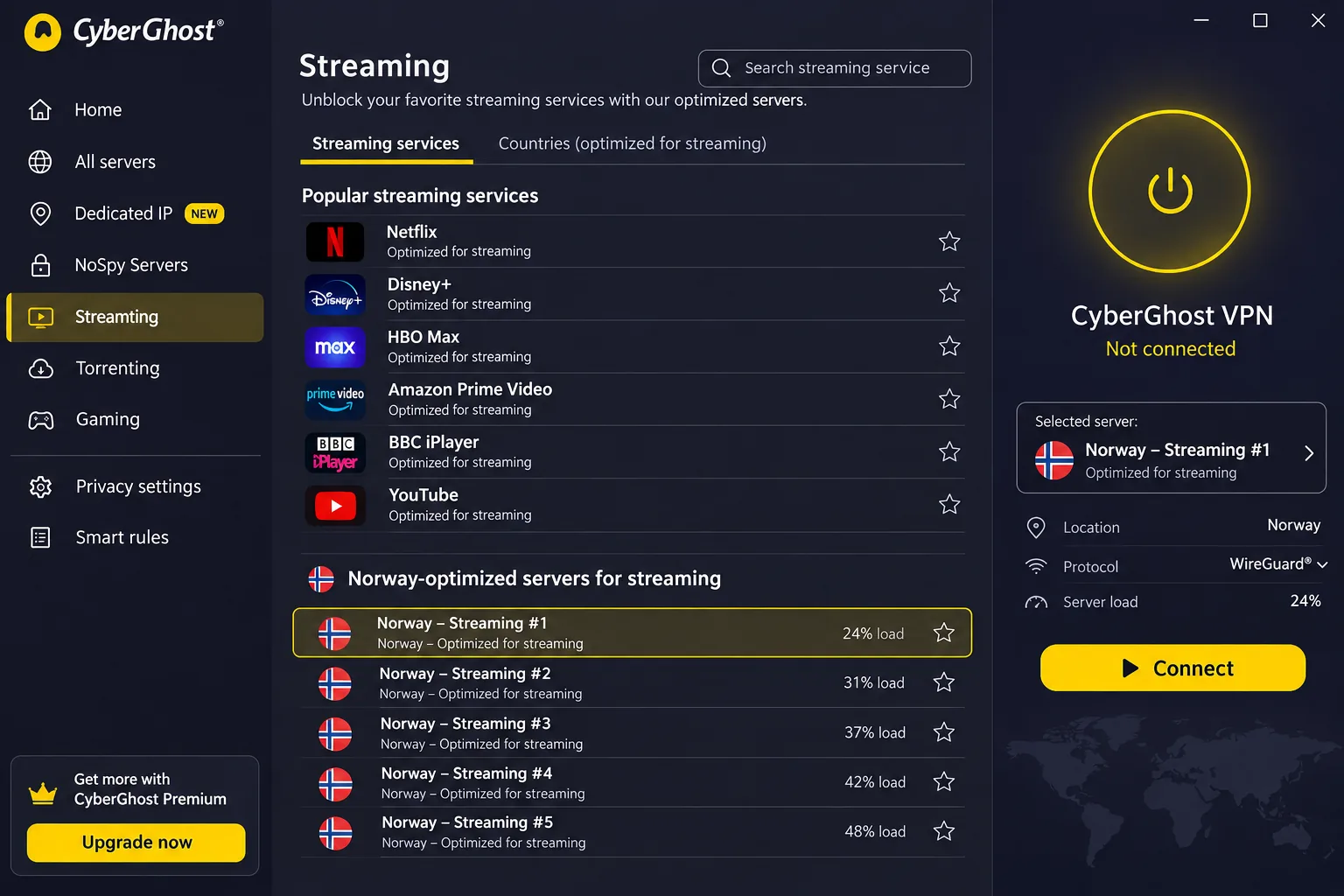
CyberGhost works well if you want the app to point you at the right server. CyberGhost's Norway page describes servers physically located in Oslo, with streaming and download optimization options. You can select Norway to get a Norwegian IP. The streaming server menu helps you narrow the choice to a particular service, which saves guessing.
Basic setup is easy, but advanced configuration control is limited, and the mobile apps offer fewer controls than more customizable rivals. The Windows installer failed to initialize on the first attempt and worked on a retry. The subscription offers 7 device slots. Replacing a registered device can require unlinking the old one first, adding work if you swap phones often.
To try it for free, you can use the 24-hour Windows or macOS trial without providing card details. Mobile trials need a payment method: Android gets three days and iOS seven days, and you must cancel to avoid billing. The free browser proxy extensions cover the US, Germany, the Netherlands and Romania, not Norway, and they protect only browser traffic. Deloitte examined the infrastructure and operational controls designed to prevent activity and connection logging.
The money-back guarantee gives you a 45-day refund window on six-month and longer plans and a 14-day window on the monthly plan. The euro checkout displayed EUR 2.19 a month and EUR 61.32 billed upfront, then EUR 61.32 annually, though the page's bonus-month labels contradicted each other, so confirm the term before paying. Windows 10 or later is required, with Android 7.0 or iOS 15.0 and newer on mobile.
Pros
- Physical Oslo servers
- Streaming server menu
- Long refund window on longer plans
Cons
- Only 7 device slots
- Limited advanced and mobile controls
- Conflicting bonus-month labels at checkout
Best for: casual streamers who want guided server choice. Skip if: you share one account across many devices.
How we selected the best VPNs for Norway
We started with six providers that publish a dedicated Norway location and then checked each against its own documentation: server pages, pricing pages, audit reports and support articles. Where our own use and published pages agreed, we state it plainly. Where they did not, we say what is uncertain. We did not collect a controlled, Norway-only speed or latency dataset for all six, so nothing here is a numerical speed ranking.
Our hands-on notes cover install flow, daily interface use, server switching and leak checks. They do not replace a long-term speed study, so we leave out any Mbps claims.
Norwegian servers and local IP addresses
The first filter was simple: can you choose Norway, and do you get a Norwegian IP address when you connect? Every provider here passes that on a paid plan. We then checked whether the provider named a city, since Oslo servers matter if you want local latency. We also checked whether any free tier lets you select Norway. Server counts moved between the pages we read, so we treat them as a snapshot and not a quality score.
Privacy, no-logs policies and leak protection
Next came evidence for the no-logs claim. All six point to an outside examiner: Deloitte for NordVPN, Surfshark, PIA and CyberGhost, Securitum for Proton, and KPMG for ExpressVPN. These reviews describe specific controls on the date of assessment, so they support a policy but never prove a provider cannot be breached. We also looked for a kill switch, DNS leak protection and open-source apps.
Speed, streaming, device support and total subscription cost
We checked speed and streaming in practice rather than benchmarking them, looking at how quickly the app connects, whether it stays connected and whether the streaming tools help. Device limits and renewal pricing round out the criteria. A cheap intro price can hide a renewal that is nearly twice as high, so the table shows both. Note that refund guarantees and free trials are different things, and a refundable purchase is not a free plan.
Why use a VPN in Norway?
A VPN does three useful things in Norway: it hides your traffic from local network observers, it moves your apparent location, and it helps when you travel. Norway has strong internet access and good broadband, so you rarely need a VPN just to get online. You use one for privacy on shared networks or for location control.
Privacy on public Wi-Fi and the limits of VPN protection
On cafe, hotel or airport Wi-Fi, a VPN hides your traffic metadata from other people on that network and from your ISP. That is real protection, but it moves trust to the VPN operator instead of removing it. The EFF's VPN guide points out that HTTPS already protects page contents and credentials, and that cookies, GPS and browser fingerprinting can still identify you. A VPN is not complete anonymity, and it offers peace of mind only if you pair it with sensible habits.
A VPN does not make downloading unauthorized content legal. Norway's public youth-information service states that illegal downloading remains punishable even when you use a VPN.
Norwegian streaming abroad and international content in Norway
If you are inside Norway, a VPN lets you try other countries' catalogs, though Netflix can restrict VPN users to globally licensed titles and does not support VPNs for live events or ad-supported viewing. Netflix's help page recommends turning the VPN off if it interferes with regional access. If you are abroad, you may want Norwegian broadcasters, and that is where the rules get strict, as the FAQ explains.
How to get a Norwegian IP address with a VPN
The process takes a few minutes on any of the six providers, and the steps barely differ between them.
Install the app, connect to Norway and check your IP
- Buy a paid plan, or start a trial where one is offered, and install the app on your device.
- Sign in, open the location list and select Norway. Pick Oslo if the app offers it.
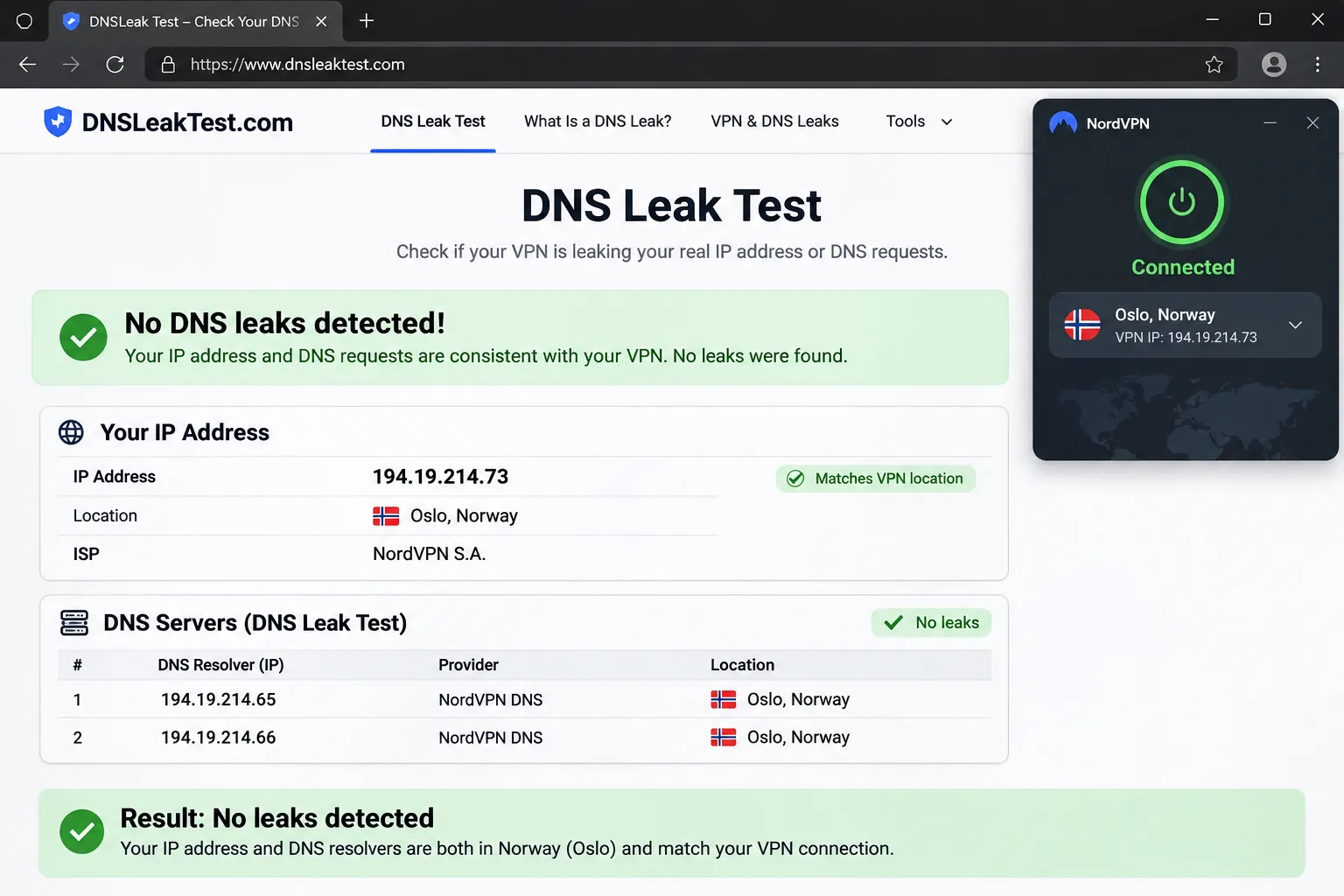
- Connect, then visit an IP-lookup site and confirm the country shows Norway.
- For streaming, open Netflix's fast.com and check the client country listed there.
Run the IP check before you open any streaming app, and do it again after switching servers. A kill switch protects you if the tunnel drops mid-session.
What to try if streaming or a website still blocks you
Switch to another Norway server first, since some servers get flagged more often than others. Then clear cookies and restart the app. If you are on CyberGhost, use the streaming server menu. If a site still blocks you, use the refund window to test a second provider, or ask support which server they recommend. Some services block VPN traffic completely, and no setting changes that.
Can you use a free VPN for Norway?
Only in a narrow sense. Proton VPN Free includes Norway in its pool, but you cannot choose it, and the free tier covers a single device. CyberGhost's free proxy extensions leave Norway out, and NordVPN, ExpressVPN and PIA have no ongoing free Norway plan that we could establish. Trials and money-back guarantees let you test a paid plan, but they are not free plans.
Having a free tier does not mean you can select Norway. If you need a Norwegian IP on demand, plan on paying for one month or using a refund window to test.
Free services also tend to push upgrades and cap features, so they suit light browsing and not streaming or torrenting. If privacy is your reason for a VPN, remember that you are trusting the operator with your traffic, and a free provider has to fund itself somehow.
Which Norway VPN should you choose?
Match the provider to your situation:
- Best all-round for Norway at home and abroad: NordVPN.
- Most devices on one account: Surfshark or Private Internet Access, both unlimited.
- Try a free tier first: Proton VPN, knowing Norway is assigned automatically.
- Easiest apps and strong streaming: ExpressVPN.
- Guided streaming servers: CyberGhost.
- Lowest steady renewal: Private Internet Access.
Whatever you pick, use the refund window as a trial: connect to Norway, run an IP and DNS leak check, and try the services you care about before the guarantee expires.







