
You might be sitting in Lagos on café Wi-Fi and want your traffic kept private. Or you might be abroad and need a Nigerian IP address to reach a local service. Those are two different jobs, and most VPN advice blurs them together. To use a VPN while you are in Nigeria, you only need a good app and a reliable connection. Getting a Nigerian exit IP needs a provider that lists Nigeria as a location, and the free plans mostly do not.
We checked five services against both jobs, and NordVPN is the one we would start with. Surfshark, Proton VPN, ExpressVPN and CyberGhost each win on a narrower point, and we spell out where each one falls short.
Best VPNs for Nigeria at a glance
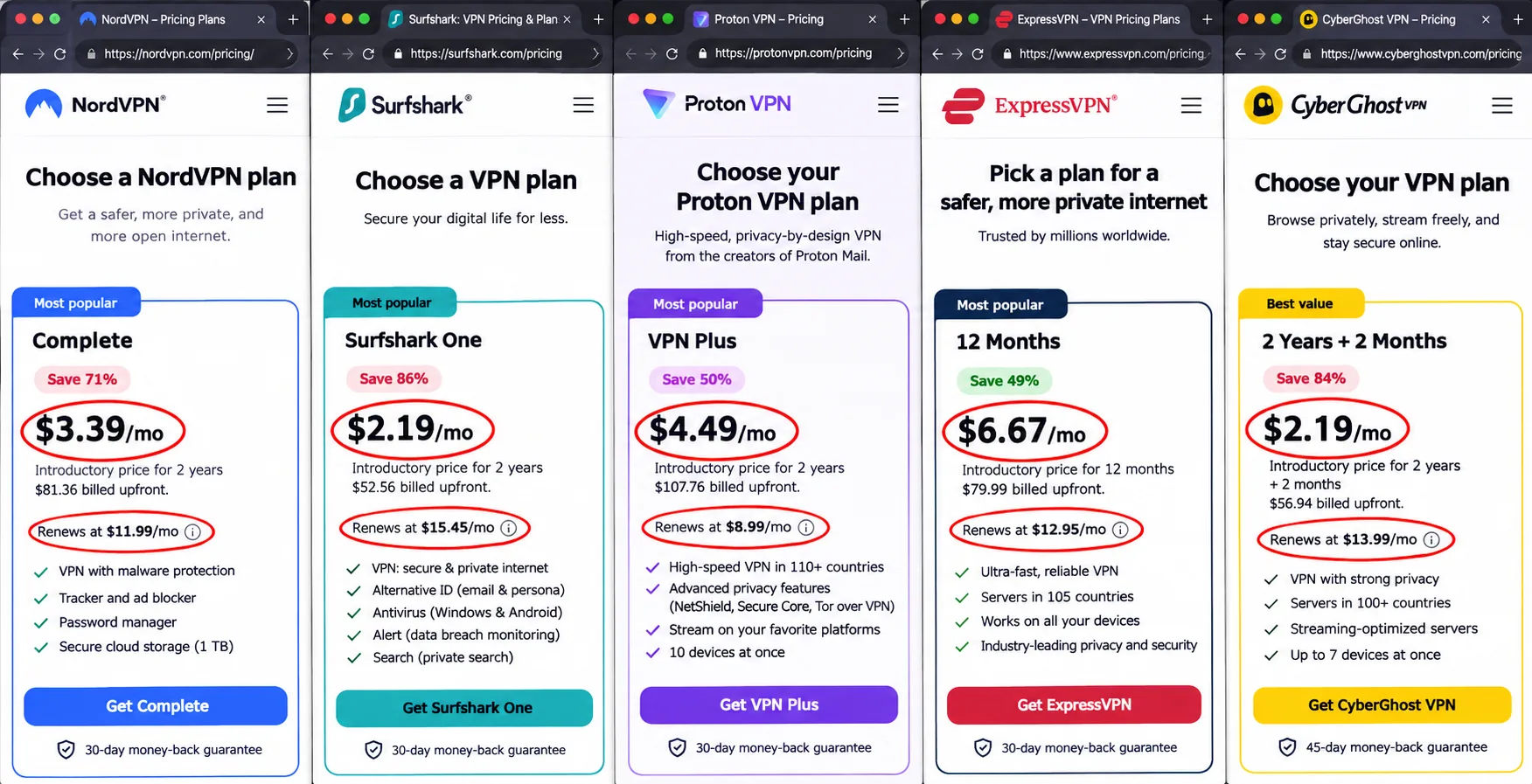
All five providers list a Nigerian exit location, so the real differences are device limits, how the Nigerian server is hosted, and what you pay after the first term. Prices below are the public USD offers we observed on 2026-11-07. Your checkout may differ with region, tax and promotion.
| Product | Buy | Nigerian exit IP | Physical or virtual | Devices | Free plan | Intro price | Renewal |
|---|---|---|---|---|---|---|---|
 |
Check price → | Yes | Virtual, host country unconfirmed | 10 | None established | $3.49/month, $94.23 for 27 months | $139.08/year |
 |
Yes | Hosting type unconfirmed | Unlimited | None established | $2.49/month, $67.23 for 27 months | About $79/year, checkout-specific | |
 |
Check price | Yes, paid plans | Physical plus Smart Routing via Madrid | 10 paid | Unlimited data, but no Nigeria | $3.49/month, $83.76 for 24 months | $83.88/year |
 |
Yes, on the official list | Virtual via Spain | 10 Basic, 12 Advanced, 14 Pro | None established | $3/month, $84 for 28 months | $99.95/year | |
 |
Yes | Virtual, host country unconfirmed | 7 | None established | $1.99/month, $51.74 for 26 months | $51.74/year |
A Nigerian exit IP is not the same as a server physically sitting in Nigeria. Many providers run "virtual" locations, where the IP address is registered to Nigeria but the hardware is in another country. ExpressVPN says so plainly: its Nigeria location is served from Spain. Proton VPN documents both kinds, with physical servers inside Nigeria and Smart Routing servers in Madrid. For most users the IP is what matters. For latency, physical location can matter more.
How we selected the best VPNs for Nigeria
We scored every service on practical concerns for readers in or from Nigeria. We considered Nigerian exit IP availability, how well the app holds up on a phone, how the first-term cost compares with renewal, and whether the privacy claims are specific enough to take seriously. We worked from each vendor's own pricing and server pages, then added hands-on findings on app behavior, streaming access and failure handling. Where a vendor page and an older review disagreed, as with ExpressVPN's Nigeria location, we trusted the vendor page and said so.
We avoided ranking by raw speed. We have no independently corroborated figures for MTN, Airtel, Glo or 9mobile, and a speed measured on one network at one particular time would mislead more than it would help. Nothing here claims one provider is fastest in Nigeria.
Privacy, security and logging policies
All five publish a no-logs policy, and all five include a kill switch. Beyond that, the strongest signals were specific: leak protection for DNS and IP traffic, the choice of modern protocols such as WireGuard or NordLynx, and how the kill switch behaved when we forced a failure. Surfshark's restart leak and ExpressVPN's unclear kill switch indicator both cost them points. We did not accept marketing phrases such as "military-grade encryption" as evidence. What matters is the protocol and whether traffic stays inside the tunnel when the connection drops.
Speed, mobile reliability and server locations
Most Nigerian users are on a phone, so mobile reliability weighed heavily. We looked at app stability, reconnection after a dropout, and how easy it is to choose a server on a small screen. Server location counts too. A physical Nigerian server can lower latency, while a virtual one gives you the right IP but routes traffic through another country. Only Proton VPN documents physical servers in Nigeria.
Price, payment options and device limits
We compared the introductory price, the renewal price and the device cap, because the cheapest first term is rarely the cheapest second year. Refund guarantees range from 14 days to 45 days, and we treated them as a safety net rather than a free trial.
We listed the public USD prices we observed rather than averaging them. Promotional figures vary, so we used each vendor's own page and flagged every number as variable.
1. NordVPN
NordVPN is our first pick because it covers the widest range of what Nigerian users ask of a VPN. It lists a Nigerian virtual exit location, runs the NordLynx protocol, and offers unlimited bandwidth. Apps are available for Android, iOS, Windows, macOS and Linux, and one subscription covers up to 10 devices at once. The security basics are in place: a no-logs policy, a kill switch, and DNS and IP leak protection. Ad and tracker defenses and the extra security tools vary by package and platform, so check what your plan includes.
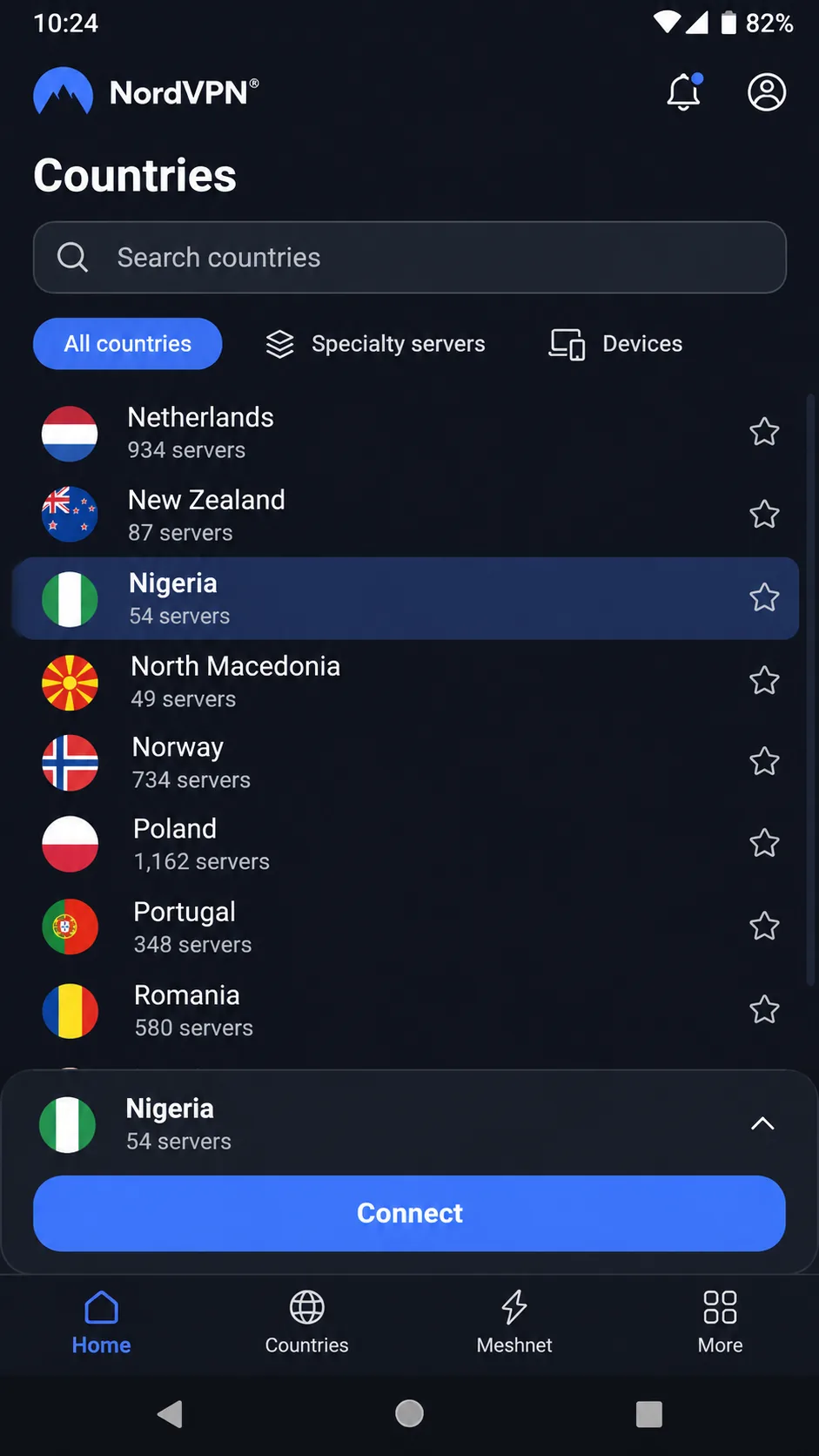
The mobile apps are stable and straightforward to navigate, although the screens can feel cramped on a smaller phone. On Android we found the country list more practical than the map, so we used it to pick Nigeria. For streaming, NordVPN opened Hulu, BBC iPlayer and Disney+ without repeated server changes, which matters if you are abroad and want your usual content.
Pricing needs a careful read. The USD Basic offer works out to $3.49 a month, paid as $94.23 upfront for 27 months, and it renews at $139.08 a year. Sales tax may apply. That renewal is annual rather than another introductory term, so the second year costs noticeably more than the first. There is a 30-day money-back guarantee, which gives you time to confirm the Nigerian location works for your purpose before the window closes. NordVPN lists cards, cryptocurrency, PayPal, selected bank transfers, mobile wallets and app-store billing. Which options appear at checkout depends on your region.
The Nigerian location is virtual, and we could not confirm which country hosts it. That is fine for reaching local services, but do not expect a nearby server to cut your latency.
Pros
- Nigerian exit location with NordLynx and unlimited bandwidth
- Stable apps on Android and iOS, with a practical country list
- Opens Hulu, BBC iPlayer and Disney+ without repeated server changes
Cons
- Renewal is well above the introductory rate
- Virtual Nigerian location with an unconfirmed host country
- Mobile screens can feel cramped
Best for: Most users who want one dependable app on phone and laptop. Skip if: Renewal cost is your main worry, because Surfshark and CyberGhost cost less per year.
2. Surfshark
Where NordVPN caps you at 10 devices, Surfshark does not, which makes it the pick for households. It offers a Nigerian IP option, unlimited simultaneous devices, Android and iOS apps, a kill switch and unlimited bandwidth. If you have a phone, a laptop, a smart TV and a few relatives' devices to cover, the unlimited device count removes the usual juggling.
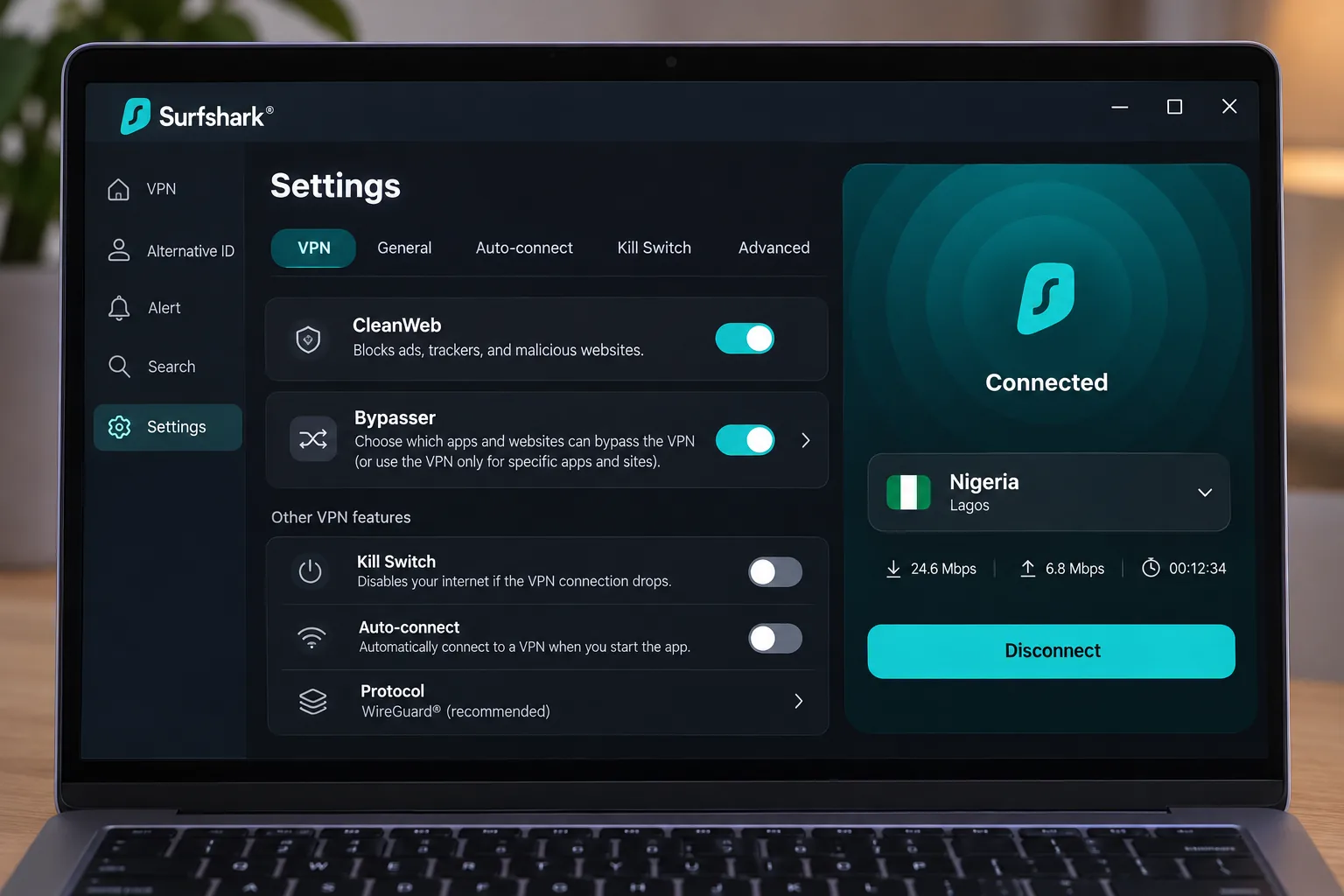
The extras are useful. CleanWeb blocks ads, Bypasser handles split tunneling, and the feature list includes a rotating IP, Dynamic MultiHop and Alternative ID. Antivirus and Alert come only in upgraded bundles, so do not assume they are in the base plan.
Day-to-day behavior was mostly good. Surfshark handles ordinary Wi-Fi dropouts well, and the apps are approachable. Two cautions showed up. Severe disruption to the app's processes can require a restart to reconnect. Long-distance performance can trail its short-distance speeds, which is worth knowing if the Nigerian exit is far from the services you use. On the kill switch, results were mixed. IP protection held during forced connection failures, but traffic leaked during a system restart or software crash in a different test configuration. If you depend on a kill switch, restart your device with the VPN off and reconnect manually.
Streaming was strong with most services, but Surfshark can fail to open Amazon Prime Video. If Prime Video is your main reason for needing a VPN, another provider here is a safer bet.
The USD Starter offer is $2.49 a month, paid as $67.23 upfront for 27 months, with VAT possible. The renewal benchmark is $79.00 a year, but renewal prices are subject to price testing, billing currency and taxes, so your checkout decides the charge. The 30-day money-back guarantee applies. Surfshark processes payments in USD for countries outside its listed currency regions. Nigeria falls into that group because it is not listed. Your bank can add conversion fees on top, so confirm with your card issuer before you pay.
We could not confirm whether the Nigerian server is physical or virtual. The official page confirms the exit IP only.
Pros
- CleanWeb ad blocking and Bypasser split tunneling
- Nigerian IP option, kill switch and unlimited bandwidth
- Handles ordinary Wi-Fi dropouts well
Cons
- Can leak traffic on a restart or crash in some configurations
- Can fail to open Amazon Prime Video
- Long-distance speeds can trail short-distance ones
- Hosting type of the Nigerian server is unconfirmed
Best for: Families and anyone with many devices. Skip if: You need a Prime Video unblock or a guaranteed kill switch across restarts.
3. Proton VPN
Unlike Surfshark, whose hosting type is unconfirmed, Proton VPN documents both physical and virtual Nigerian options, the only provider here to do so. It is also the pick if free access matters. Nigeria has physical servers inside the country and Smart Routing servers in Madrid, Spain. An asterisk in the official routing list marks locations that have both. That transparency is rare, and it is the reason Proton earns a place for readers who care where their traffic exits.
Paid plans bring Nigerian IP access, Android, iOS, Windows, macOS and Linux apps, a no-logs policy, streaming support, NetShield ad, tracker and malware blocking, Secure Core and P2P support. VPN Plus protects 10 devices at a time. Paid connections can reach Netflix, Prime Video, DStv and BBC iPlayer, and DStv is a useful inclusion for Nigerian viewers abroad.
Setup is simple. Installing the app and using quick-connect take little time, and the redesigned country list feels less cluttered than the old map view. Saved profiles make it convenient to switch between protocol and server combinations.
The USD VPN Plus offer is $3.49 a month, paid as $83.76 for the first 24 months and then $83.88 every 12 months. Promotions differ across landing pages and referral offers, so treat this as the public pricing-page offer we observed. Paid plans advertise a 30-day money-back guarantee.
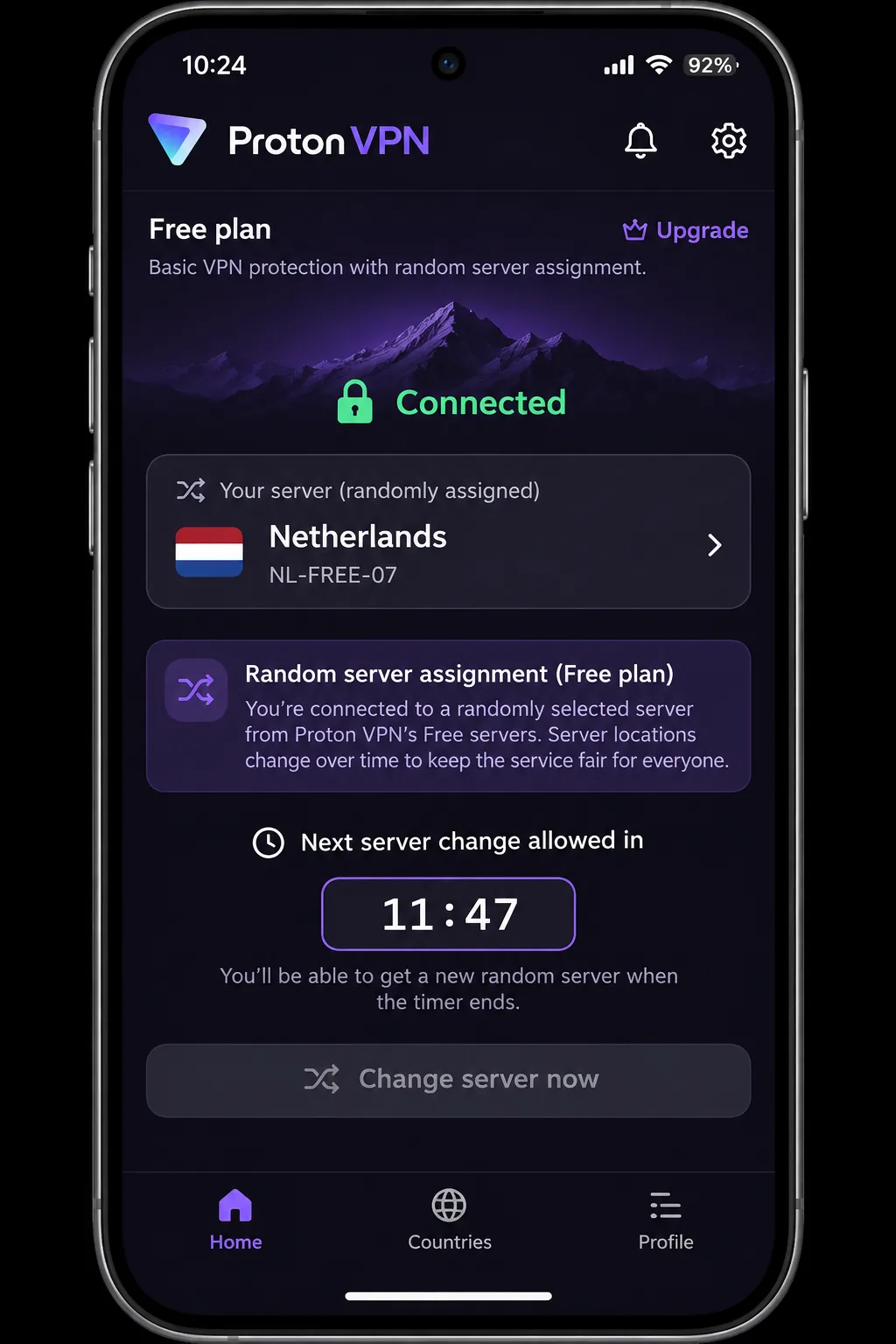
The free plan is where Nigeria readers should pause. It has no data cap, no artificial speed limit, no ads and no logs, but free locations exclude Nigeria. The free plan connects you to the fastest available free server first, and later changes pick randomly. Targeting a particular country is frustrating because each change still selects a server randomly and requires a cooldown. Official support lists 45 seconds for the first change and 10 minutes after that, though we saw at least 90 seconds and sometimes much longer. Free is a safe privacy tool for public Wi-Fi, but it will not give you a Nigerian IP.
Pros
- Physical Nigerian servers plus Smart Routing via Madrid, documented officially
- Free plan with no data cap and no ads
- Clean apps with convenient saved profiles
- Paid plans reach Netflix, Prime Video, DStv and BBC iPlayer
Cons
- No Nigeria location on the free plan
- Free server changes are random and slow
- Free plan allows only one connection at a time, depending on account type
Best for: Privacy-minded users who want a documented physical server or a no-cost option for public Wi-Fi. Skip if: You want to pick a country for free.
4. ExpressVPN
After Proton's free-plan juggling, ExpressVPN is the polished option for beginners, though it is not the cheapest to renew. It uses the Lightway protocol and includes a kill switch, split tunneling, private DNS and a no-logs policy. Basic adds blocking for ads, trackers, malicious sites and adult sites, and apps run on all major platforms.
Connecting is approachable for first-time users, and the service can open Sling TV and Peacock. There are two catches. It may not reconnect automatically after a forced interruption. The interface can also fail to show that the kill switch is active, so do not take the absence of a warning as proof of protection. It can also fail with Japanese Prime Video and with Canadian or Japanese Netflix libraries.
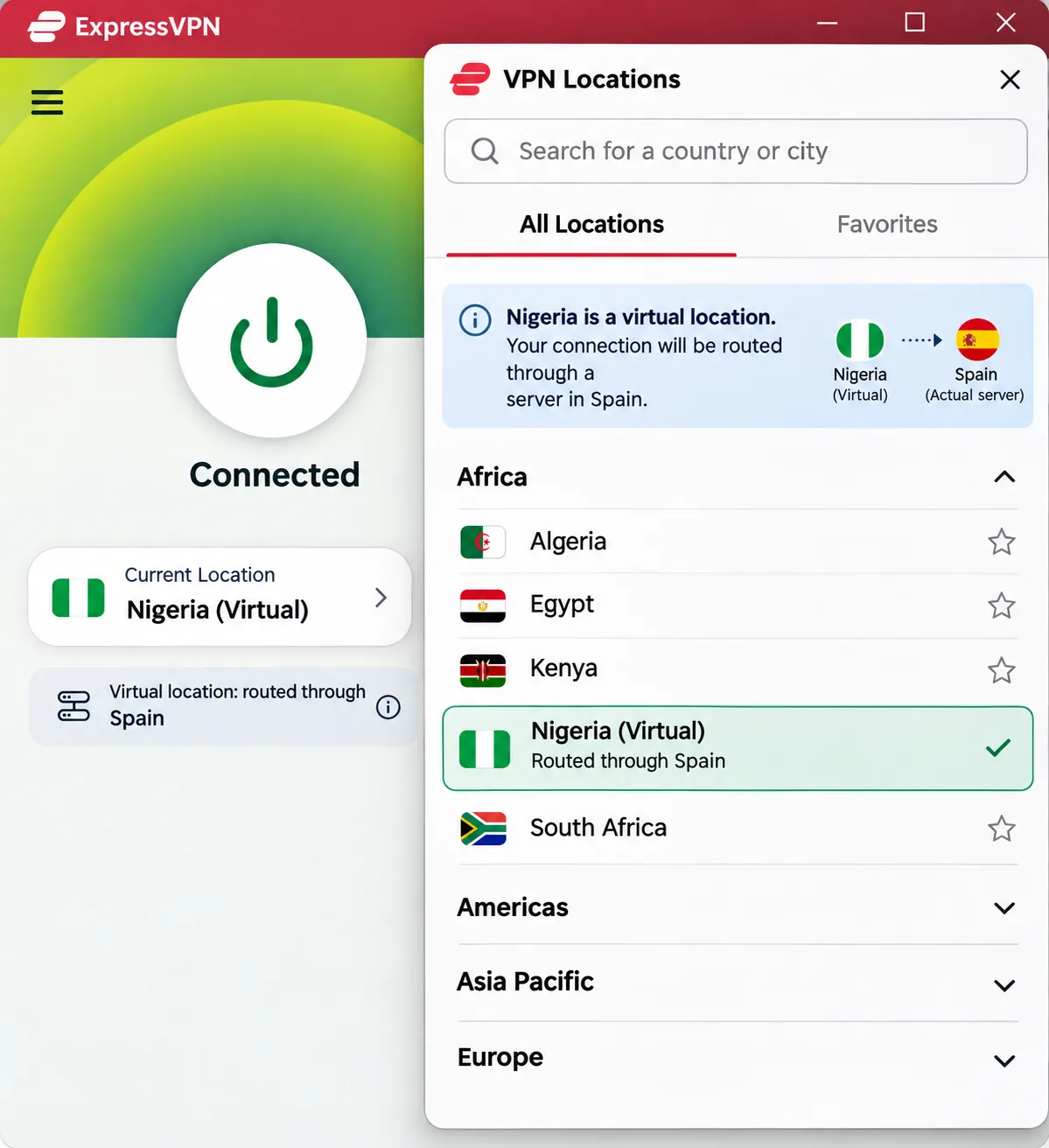
The Nigerian location needs an honest caveat. The official virtual-server list offers Nigeria via Spain. A Nigerian exit IP does not mean the hardware is in Nigeria. ExpressVPN's official virtual-server list includes Nigeria, via Spain, and we treat that list as the authoritative source.
Device limits scale by plan: 10 simultaneous devices on Basic, 12 on Advanced and 14 on Pro. The USD Basic offer shows as $3 a month, paid as $84 upfront for the first 28 months, then $99.95 annually, plus sales tax at checkout. Live offers can differ from review-page promotions, and the initial term and renewal depend on the offer you accept. Two-year introductory offers renew yearly, and the vendor can change the renewal rate with advance notice. A 30-day money-back guarantee applies to new users.
Pros
- Beginner-friendly connection flow
- Lightway protocol, kill switch, split tunneling and private DNS
- Opens Sling TV and Peacock
Cons
- Nigeria is a virtual location served from Spain
- May not reconnect automatically after interruptions
- Kill switch status may not display clearly
- Fails with some Japanese and Canadian streaming libraries
Best for: Beginners who want the simplest app and are comfortable with a Spain-routed Nigerian IP. Skip if: Latency to a local server matters, or you want the cheapest long-term plan.
5. CyberGhost
Where ExpressVPN costs more to renew, CyberGhost is the budget pick, and it comes with the longest refund window. It offers a virtual Nigerian exit location, a no-logs policy, an automatic kill switch, DNS and IP leak protection, and support for OpenVPN, IKEv2 and WireGuard. Traffic is unlimited, and apps cover Android, iOS, Windows and macOS. One plan protects up to 7 devices simultaneously, the lowest limit in this group.
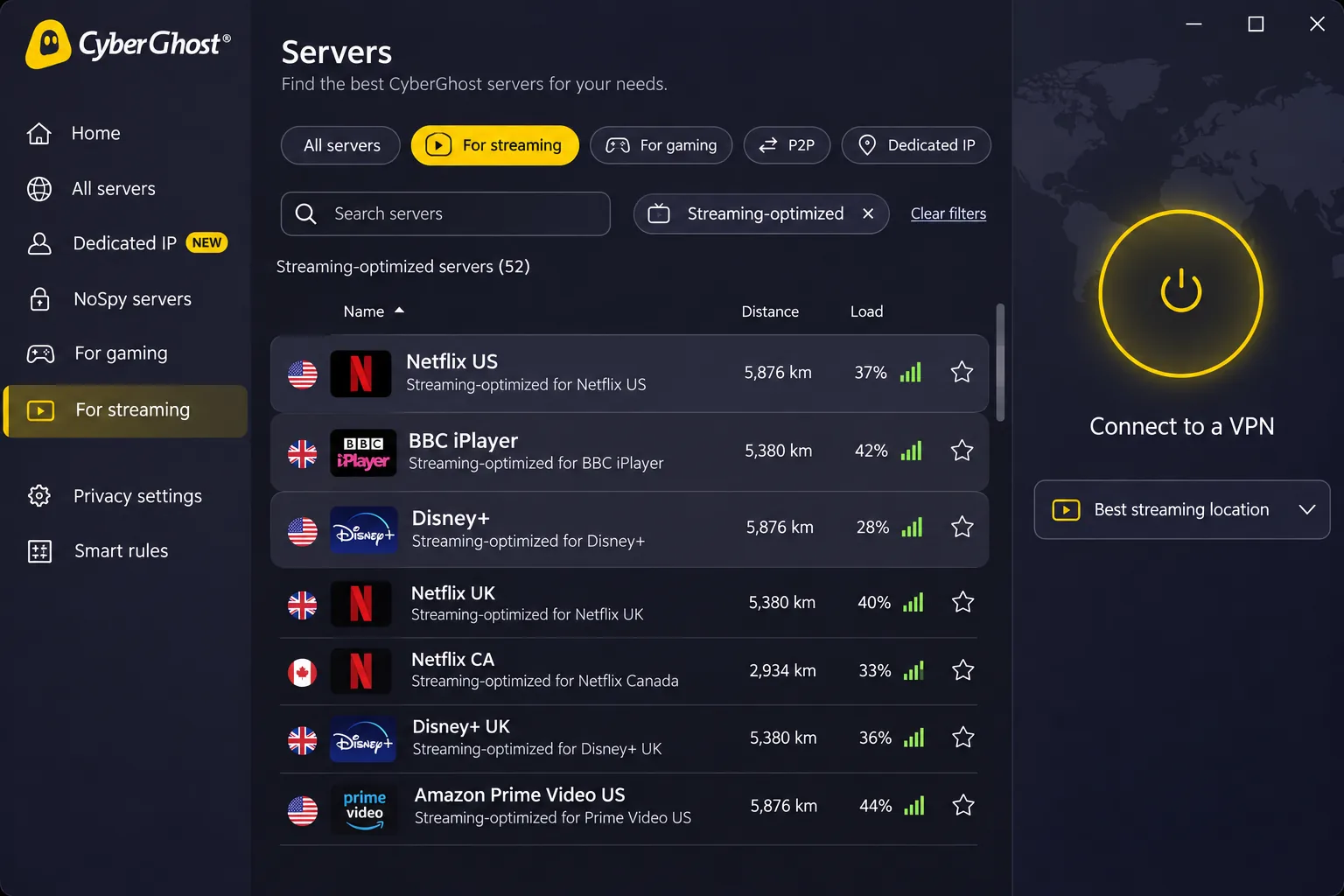
Its best feature for newer users is task-labeled servers. Instead of guessing which endpoint will work, you pick a streaming-focused server. These servers opened Netflix US, BBC iPlayer, Disney+ and Prime Video without trial-and-error switching. That removes a lot of the frustration that shows up with other services.
Performance depends on distance. Long-distance connections to Australia and South Africa can be substantially slower than local ones. If you are in Nigeria, pick a nearby server first and move farther only if you need a specific library.
The iOS app offers fewer useful controls than the desktop apps, and ad blocking is weak. Live chat replies quickly, but the support website is less helpful, so go straight to chat when something breaks.
The starting price is the best. The USD long-term offer is $1.99 a month, billed as $51.74 for the first 26 months and then $51.74 annually. The monthly offer is $12.99, renewing monthly, and the six-month offer is $41.94, renewing every six months. These prices apply to the displayed USD offer and can change with region or promotion. Refunds are generous: a 45-day refund on six-month and longer plans, and a 14-day guarantee on the monthly plan. A refund guarantee is not a free trial, and eligibility rules can apply, so read the terms before you rely on it.
Pros
- Cheapest long-term plan in this group
- Longest refund window in this group
- Task-labeled servers that remove streaming guesswork
- Choice of WireGuard, OpenVPN and IKEv2
Cons
- Lowest device cap in this group
- Nigerian location is virtual with an unconfirmed host country
- iOS app has fewer controls and weak ad blocking
- Long-distance connections can be much slower
Best for: Budget-conscious users and streamers who want pre-labeled servers. Skip if: You have more than seven devices or you mostly use an iPhone.
Paying for a VPN from Nigeria
Payment is the part most guides skip, and it is where plans can fail. NordVPN lists cards, cryptocurrency, PayPal, selected bank transfers, mobile wallets and app-store billing, but your region determines which options show at checkout. Surfshark bills in USD for Nigeria, so display currency can differ from the charge, and your bank may add conversion fees.
We could not confirm whether individual Nigerian bank cards, naira billing or local transfers will go through for any of the five. Global payment lists do not guarantee that. Check three things before you commit. First, confirm with your bank that international USD card payments are enabled. Second, ask what conversion fee applies. Third, pay inside the refund window so a failed or unwanted charge is easy to reverse.
If your card is declined, try an app-store billing option or PayPal where the provider offers it, and keep the checkout receipt. The refund clock starts at purchase, so test the connection the same day.
Why use a VPN in Nigeria?
A VPN encrypts the traffic between your device and the VPN server, so anyone sharing your network sees scrambled data instead of the sites you visit. That is useful at home, and it matters more on networks you do not control. The encryption also hides your traffic from your internet provider. The VPN company can see it instead, though, so the logging policy matters.
Public Wi-Fi privacy and access to your usual content
Public Wi-Fi in cafés, hotels and offices is the clearest case. A VPN stops other users on the same network from reading your traffic. The second case is access. If you are abroad and need Nigerian banking, news or streaming, a Nigerian exit IP can make your connection appear local. We cannot promise any particular bank or streaming service will accept that IP. Location labels show where the IP is registered, not where the hardware is, and services run their own checks.
Internet restrictions and what a VPN cannot fix
Nigeria has used access restrictions before. The 2025 Freedom on the Net report classifies Nigeria as Partly Free, and a documented Twitter block ran from June 2021 to January 2022. A VPN can sometimes help you reach a blocked service, but it cannot fix everything. It does not provide an internet subscription, and it does not erase carrier data caps. If the underlying internet service is cut, we found no evidence that any of these five restores connectivity.
A VPN cannot make a slow network fast. Extra routing can add latency, and a connection capped by total data use or blanket bandwidth limits stays capped, whichever app you run.
How to set up a VPN in Nigeria
Setup takes a few minutes on any of the five. Install the provider's app on your phone, sign in, choose Nigeria or another location, and connect. Proton supports country quick-connect and individual server selection on paid access.
Choose a server for your location and purpose
If you are in Nigeria and want privacy only, pick the nearest or fastest server rather than a Nigerian one. A closer route usually means lower latency. If you are abroad and need Nigerian services, choose the Nigeria location. If you want to stream foreign libraries, choose the country that library belongs to.
How to get a Nigerian IP address
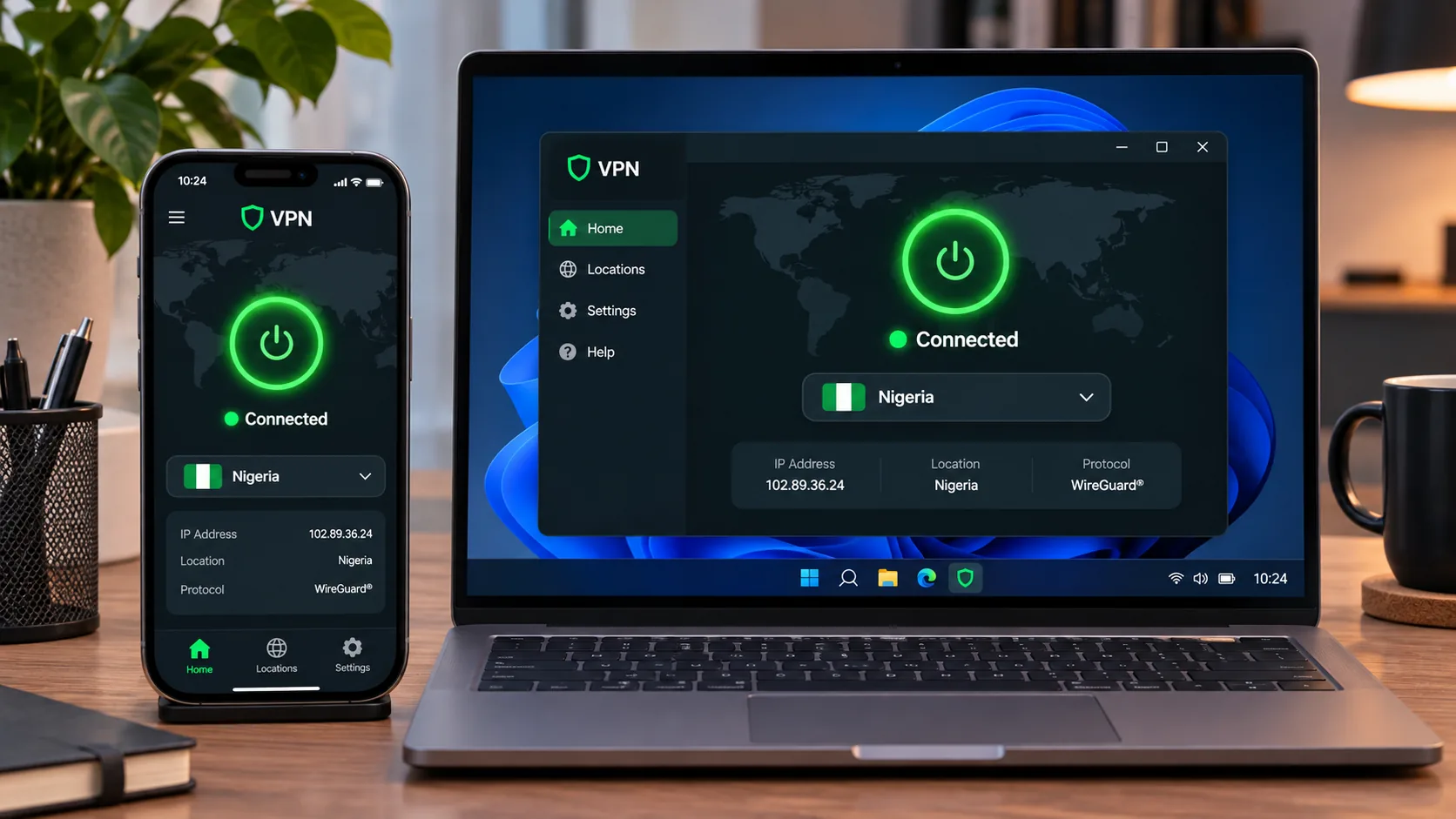
Install the app, sign in, pick Nigeria from the country list and connect. Then check your IP on a lookup site to confirm it shows Nigeria. Only paid plans offer this. Proton VPN Free does not include Nigeria, and we found no permanent free tier at the other four. Remember that a Nigerian IP from a virtual location is registered to Nigeria while the hardware may sit in Spain or elsewhere.
Troubleshoot slow or failed mobile connections
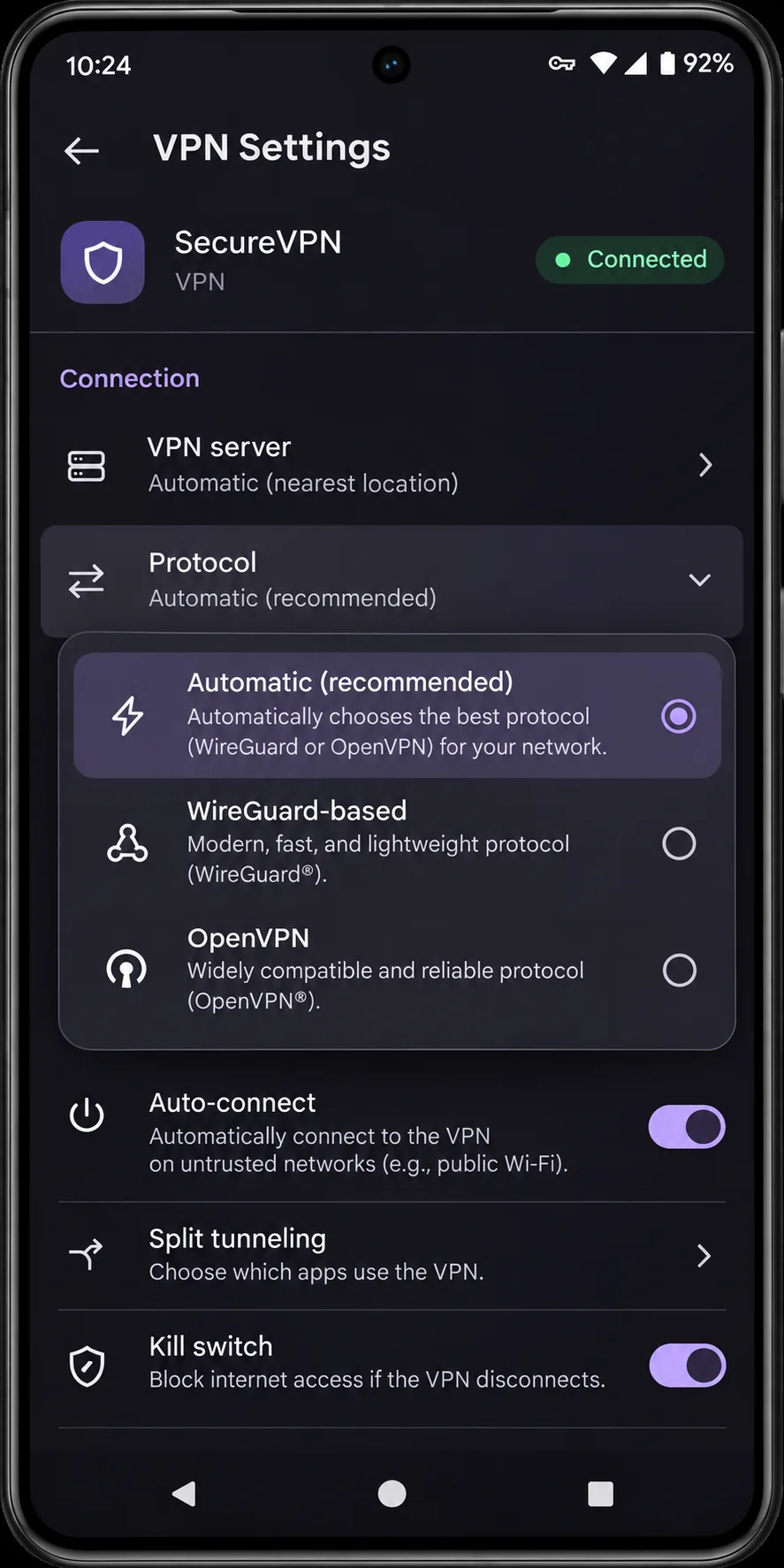
Work through the problem one step at a time and retest after each change. First, measure your speed without the VPN to get a baseline. Second, try a closer server location. Third, switch to another available protocol. Fourth, compare Wi-Fi with mobile data to see which one is failing. If nothing helps, resetting network settings can clear a stuck configuration. It also removes stored Wi-Fi, VPN and APN settings, so note those first.
Are VPNs legal in Nigeria?
We found no current authoritative source establishing a blanket nationwide rule that either bans or permits VPN use. The historical Twitter restrictions and the court disputes around them do not settle the question. So we will not say a VPN is simply legal or illegal here.
What we can say is practical. Using a VPN for privacy on public Wi-Fi is a common, ordinary use. A VPN does not make an otherwise unlawful act lawful, and platform and content rules still apply to you. The NITDA Code of Practice for Interactive Computer Service Platforms governs platforms, and we do not read it as a rule about individual VPN use. If your situation carries legal risk, such as work in journalism or activism, get advice from a Nigerian lawyer before relying on a VPN.
Can you use a free VPN in Nigeria?
You can, with limits. Of the five services here, only Proton VPN has an ongoing free plan, and it has no data cap, no artificial speed limit, no ads and no logs. It excludes Nigeria, offers random server changes with a cooldown, and may allow only one connection at a time depending on the account. That makes it a sound choice for public Wi-Fi privacy and a poor choice for getting a Nigerian IP.
We found no permanent free tier for NordVPN, Surfshark, ExpressVPN or CyberGhost. Their refund guarantees let you try them for 14 to 45 days, but a guarantee is not a trial. Be wary of unknown free apps. A service that does not charge you has to earn money somehow, and a VPN may earn it from your data.
The cheapest route to a Nigerian IP is not a free app but a paid plan you test early. Run your IP lookup and one real login on the first day, while the refund window is wide open.







