
Whether you want private browsing on café Wi-Fi in Malaysia or a Malaysian IP address for local streaming while abroad, you need a VPN suited to that specific job. Those are two different jobs, and they call for different checks. Using a VPN inside Malaysia mostly depends on strong encryption, reliable apps and a nearby server. Getting a Malaysian IP from overseas depends on whether the provider offers a Kuala Lumpur location at all.
NordVPN is our top pick for most people. It covers the full set of needs: a Malaysian location, apps for every major platform, a 30-day refund window and streaming access that held up in our hands-on use. Below we explain who each of the five services suits, what the trade-offs are, and where the free options fall short.
Best VPNs for Malaysia at a glance
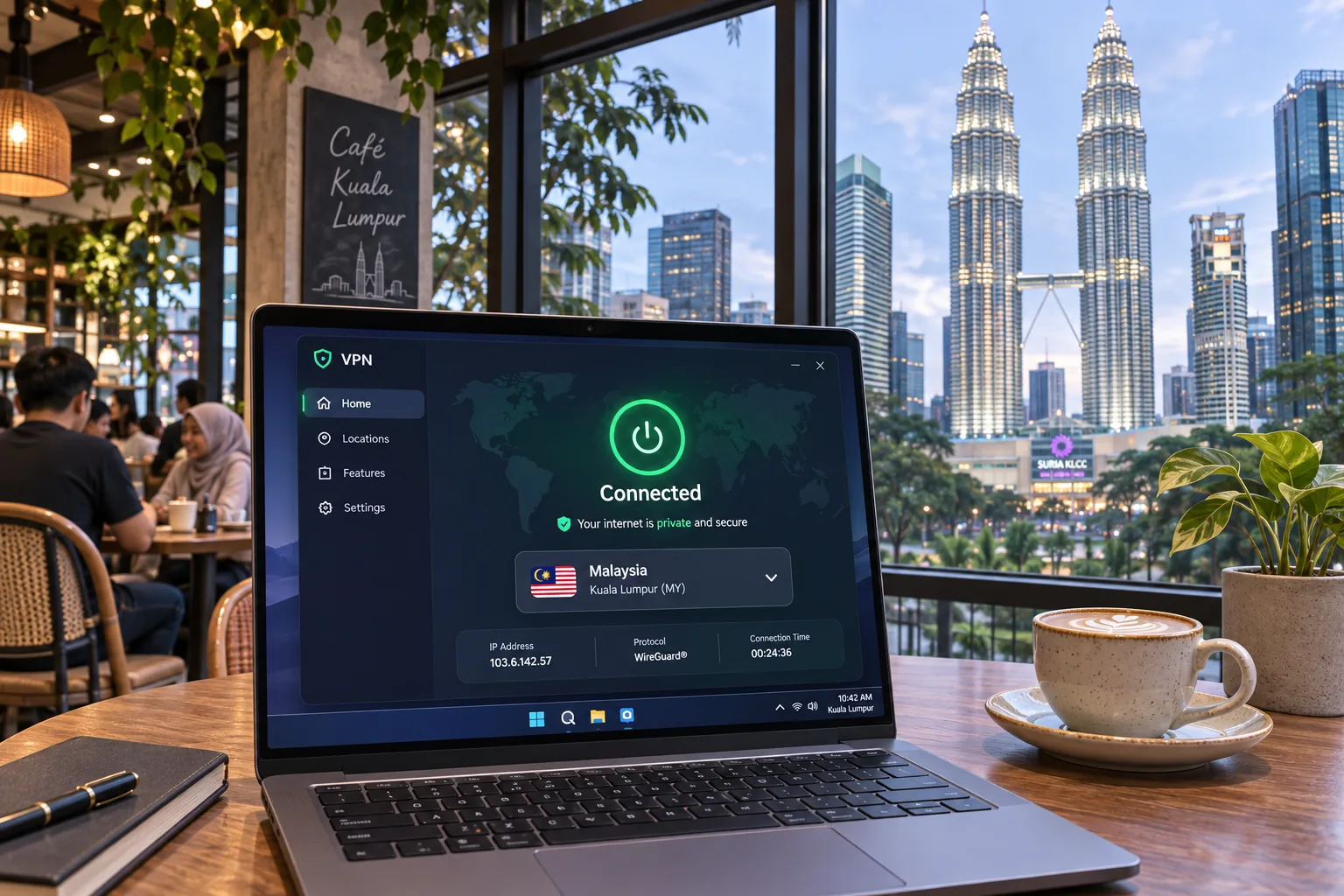
Every price in this article is a US dollar snapshot from November 2026. Introductory offers, taxes and renewal charges vary with the campaign shown at checkout, so confirm the total before you pay.
Malaysia VPN comparison: servers, privacy and price
The table below puts the five services side by side on what matters for Malaysia: whether you get a Malaysian IP, how many devices one account covers, the privacy tools on offer, streaming evidence, introductory pricing and refund terms. The introductory prices shown are monthly equivalents, but you must pay for a long-term subscription upfront.
| Product | Buy | Malaysian IP | Devices | Privacy tools | Streaming evidence | Intro price (USD/month) | Refund |
|---|---|---|---|---|---|---|---|
 | Check price → | Yes, local servers | 10 | Kill switch, Double VPN, NordLynx | Netflix, Disney+, BBC iPlayer | $3.49 | 30-day |
 | Yes, Kuala Lumpur | Unlimited | Kill switch, MultiHop, Bypasser | Opens services without repeated server changes | $2.49 | 30-day | |
 | Yes, virtual location | 10 Basic, 12 Advanced | Lightway, TrustedServer | HD Netflix, BBC iPlayer, Hulu | $2.99 | 30-day | |
 | Yes, paid plan only | 10 paid, 1 Free | Kill switch, Secure Core, Stealth | Paid plan streams | $3.49 | 30-day | |
 | Yes | 7 | Kill switch, Wi-Fi and startup rules | Hulu worked; Prime Video was inconsistent | $2.19 | 45-day long plans |
Renewal is where the gap between these services opens up, so this is the one place we list the numbers. As of November 2026, NordVPN's Basic plan costs $94.23 upfront for 27 months and renews at $139.08 a year. Surfshark's Starter plan costs $67.23 upfront for 27 months and lists a renewal near $79 for 12 months. ExpressVPN's Basic plan costs $83.72 for 28 months and renews at $99.95 a year. Proton VPN's signup snapshot lists $83.88 for 12 months excluding tax, though we couldn't match that to a single checkout. CyberGhost's initial bill is $61.32, and it renews annually for the same amount. Confirm the initial term, because its purchase page labels bonus months inconsistently. VAT may apply to all of them. Treat the low monthly figure as an entry price, not the long-term cost.
How we evaluate VPNs for Malaysia
We compare these services by asking the questions that matter to Malaysian users and anyone who wants a Malaysian IP. Does the service offer a Malaysian location? Do the apps run on the devices you own? Is the privacy policy clear? Do streaming services load? What does it cost on day one and at renewal? We weigh our hands-on findings alongside each vendor's published specifications, and we say so when a figure is a vendor-listed snapshot instead of something we measured.
Speed is where that distinction matters most. We don't name a single fastest provider for Malaysia, because we haven't established one common Malaysian residential or mobile baseline across all five services. Any speed result we describe, such as NordVPN's consistent throughput, is tied to the route it was measured on. Streaming works the same way: we note which services loaded for us and treat everything else as unproven, because access changes by server, session and service. We haven't established a repeatable success rate for Netflix Malaysia, Astro GO, RTM, TV3 or Tonton across all five VPNs, so we guarantee none of them.
For privacy, we look for a published no-logs policy, independent audits, a kill switch, DNS leak protection and modern protocols such as NordLynx, Lightway and WireGuard. For apps, we check which platforms are covered, how many devices one account allows and whether the service supports a router for hardware that can't run an app. For refunds, we compare windows and conditions. We also keep in mind that a money-back guarantee is not a free trial, since you still pay up front.
Virtual and physical servers both give you a Malaysian IP address, but only a physical server puts your traffic through hardware in Malaysia. If that distinction matters for latency or for your own preferences, check the provider's location notes before you commit.
The 5 best VPNs for Malaysia
1. NordVPN
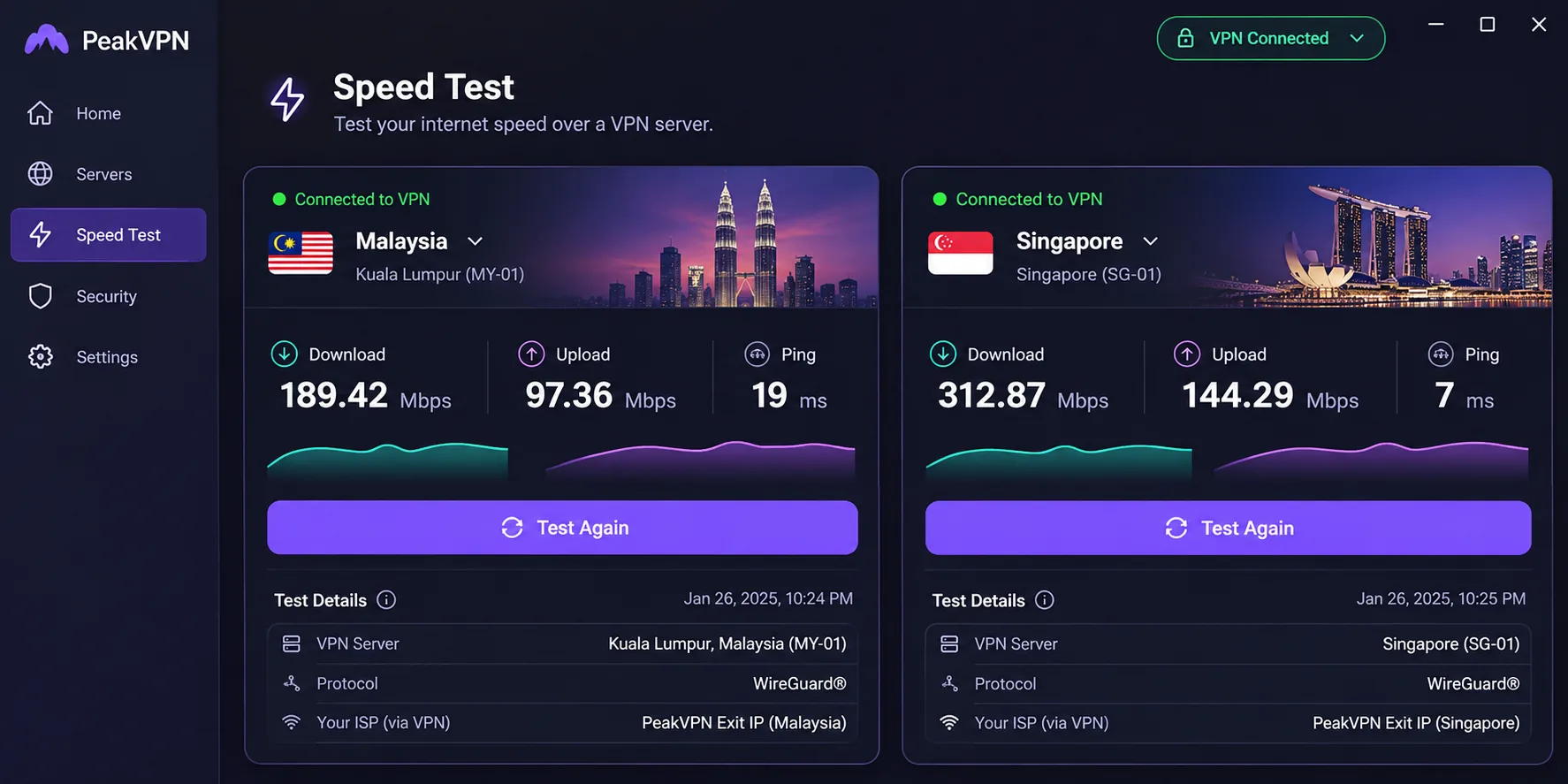
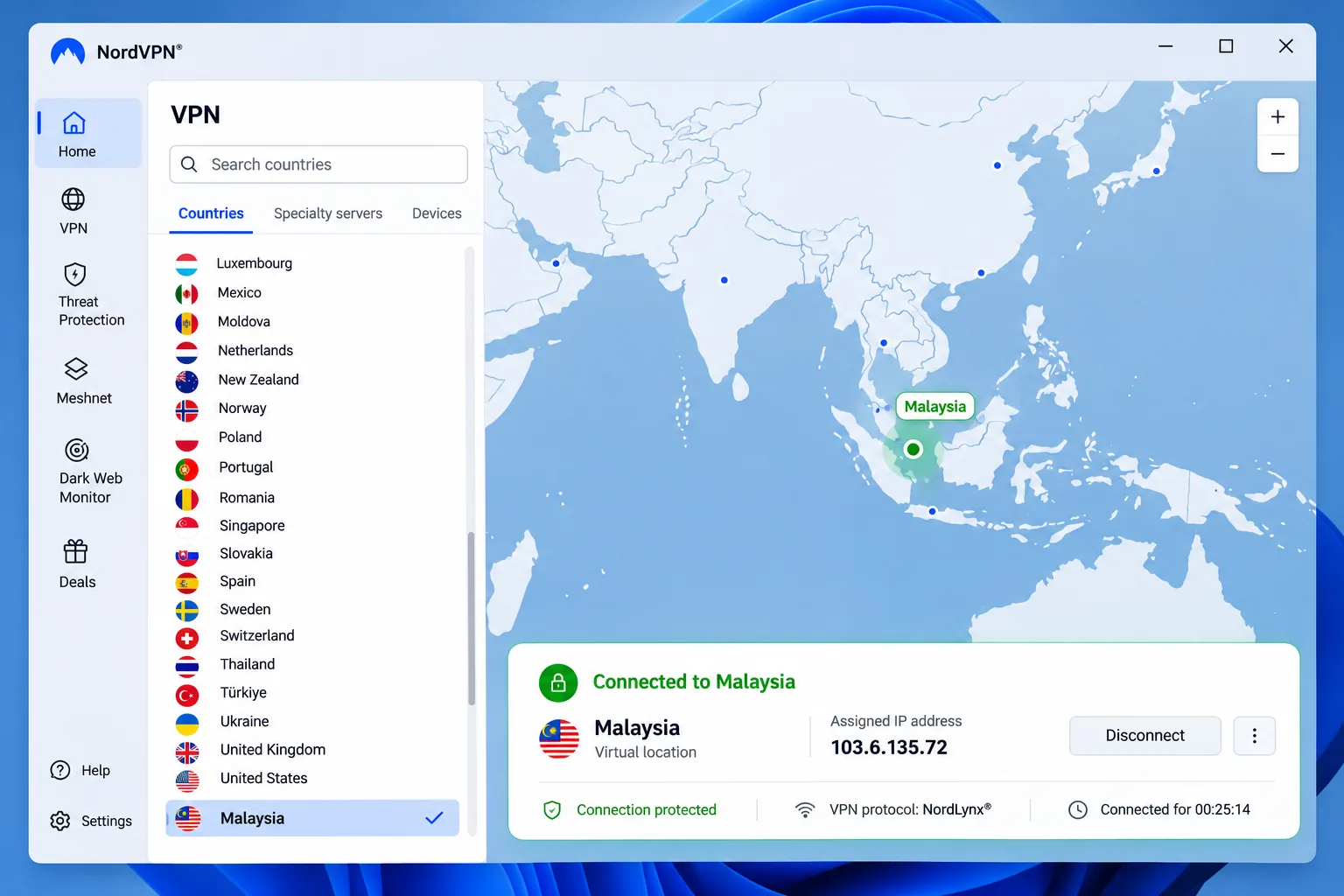
Our most relevant finding for Malaysian users is that NordVPN's local Malaysian route can be slower than a nearby Singapore route. If speed is your only goal, try both locations and keep whichever feels quicker. That caveat aside, NordVPN is the service we'd point most readers to first, because it removes the usual compromises. It offers Malaysian exit servers, apps for Windows, macOS, Linux, Android and iOS, browser extensions, and a single account that covers 10 devices at once. The NordLynx protocol and unlimited bandwidth come with every plan.
In our hands-on use, NordVPN handled Netflix, Disney+ and BBC iPlayer reliably, which matters if you want content from your home catalog while traveling or want to reach other regions from Malaysia. Throughput was consistent on US exit connections. We didn't establish a Malaysian residential baseline, so our throughput finding describes a long-distance route, not a connection from a Malaysian ISP.
The extras are useful rather than gimmicky. A kill switch and split tunneling are included, with Double VPN and Dark Web Monitor available if you want them. Feature availability depends on the app and your subscription. The weak spot is the mobile interface, which can feel cramped on a small phone screen. New subscriptions get a 30-day money-back guarantee, but renewed periods are excluded, and purchases through a reseller follow the reseller's procedures. NordVPN's Malaysia page lists 10 local servers, though network totals change and the figures published across sites don't match.
Pros
- Malaysian servers plus apps on every major platform
- 10 simultaneous devices on one account
- Streaming worked reliably on Netflix, Disney+ and BBC iPlayer
- 30-day refund window on new subscriptions
Cons
- Mobile interface can feel cramped
- Malaysian local route can trail a nearby Singapore route
- Capped at 10 devices
Best for: Most people who want one VPN for private browsing in Malaysia and streaming from abroad.
Skip if: You want the lowest long-term cost.
2. Surfshark
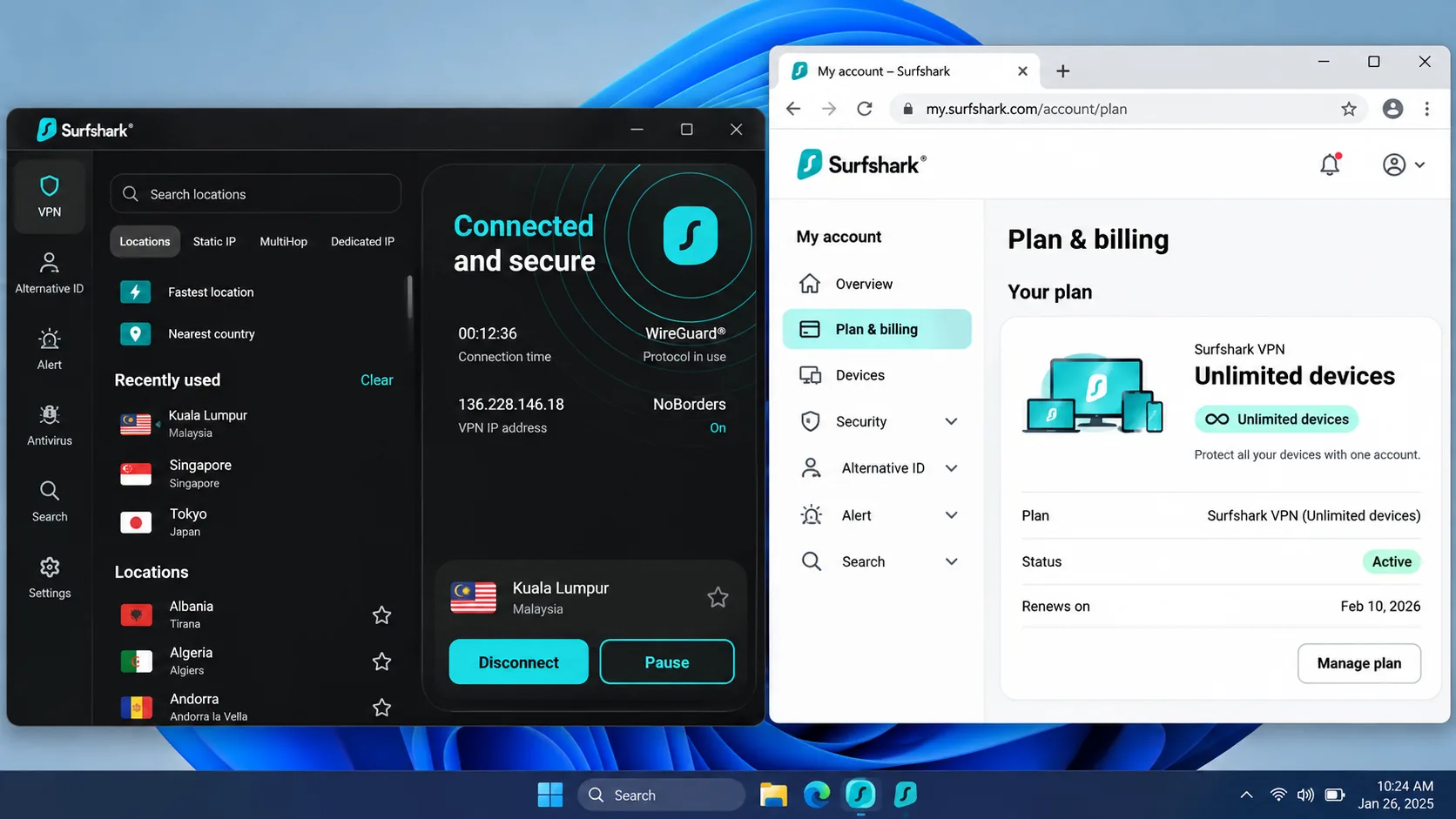
Where NordVPN caps you at 10 devices, Surfshark does not, and that is the reason to pick it. One account allows unlimited simultaneous connections, so a household with phones, laptops, a tablet and a smart TV doesn't have to juggle sign-outs. It is the choice for large households and for anyone who wants the most devices per account. The Malaysian location is Kuala Lumpur, the infrastructure is RAM-only, and the service says it doesn't log activity. Apps cover Windows, macOS, Linux, iOS and Android, and a router setup handles devices that can't run an app.
Speed is where results get less tidy. In one of our setups, Surfshark maintained steady download performance across a day of connections. In others, we were disappointed by its speed consistency and nearby-server latency. If you game or take video calls over the VPN, try a nearby location first and run a speed check at different times of day. The Malaysia page lists 12 Kuala Lumpur servers, while other sources give 25, so published totals differ by network snapshot.
The feature set is generous for the price: a kill switch, Bypasser split tunneling, Dynamic MultiHop with a selectable entry and exit, CleanWeb, NoBorders and a rotating IP. We found the rotating-IP controls easy to reach from the main interface, and Surfshark opened streaming services without repeated server changes. Pricing is the catch: as the figures above show, the renewal bill is noticeably larger than the low introductory cost. The 30-day money-back guarantee gives you time to judge it before that matters.
Pros
- Unlimited simultaneous connections
- Kuala Lumpur location and RAM-only infrastructure
- Easy rotating-IP controls and MultiHop
- Lowest entry price among the premium picks except CyberGhost
Cons
- Speed and latency results varied between setups
- Renewal price jumps noticeably
- Legacy Android versions are no longer a safe bet
Skip if: Consistent low latency matters more to you than device count.
3. ExpressVPN
After Surfshark's mixed speed results, ExpressVPN is the calmer option: its uncluttered interface is approachable, and connections stayed stable across the device types we used. That makes it the easiest of the five to hand to a beginner, and the one we'd suggest to anyone who wants something that just works. It sustained uninterrupted HD playback on Netflix, BBC iPlayer and Hulu. Support covers desktop, mobile, Linux, routers and smart TVs.
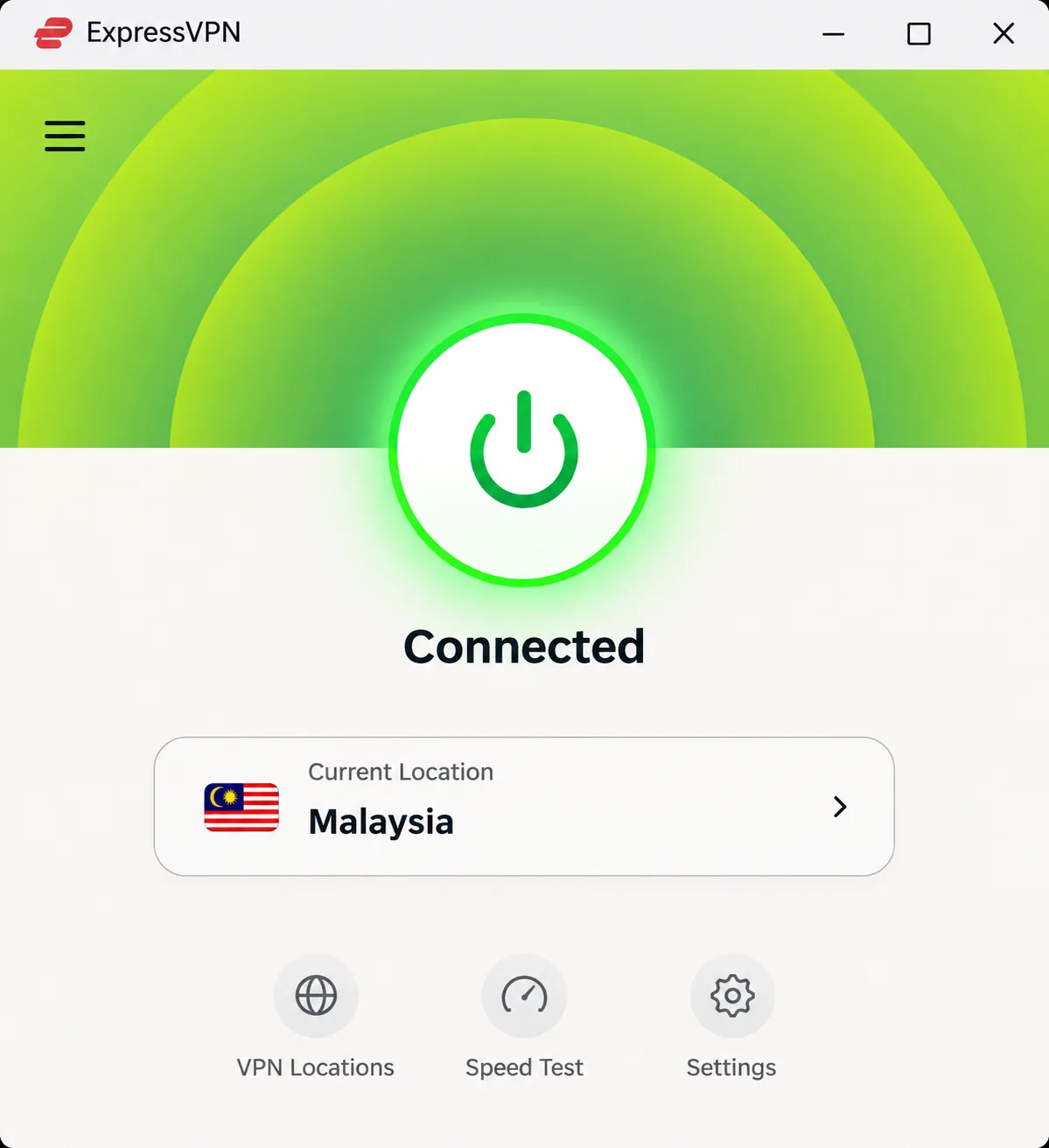
The important Malaysia detail is that you get a Malaysian IP through a virtual location. The server hardware sits in a nearby country, not necessarily in Malaysia. For streaming and everyday browsing that rarely matters, and the IP still reads as Malaysian. If you specifically want physical servers inside the country, check the provider's current location notes before you buy.
On privacy, ExpressVPN pairs the Lightway protocol with an audited no-logs policy and its TrustedServer technology. ExpressVPN's October 2022 KPMG and Cure53 audit announcement describes how KPMG examined the privacy controls and Cure53 assessed the TrustedServer source code and security. That is a 2022 attestation, so it tells you how the service was built then, not what has happened since. Basic supports 10 devices and Advanced supports 12. The prices we found vary slightly in rounding between page versions, so use the checkout screen to confirm the amount. New users get a 30-day money-back guarantee.
Pros
- Clean, beginner-friendly apps
- Stable connections across device types
- Audited privacy claims and Lightway protocol
- Smooth HD streaming on Netflix, BBC iPlayer and Hulu
Cons
- Malaysian IP is a virtual location, not local hardware
- Higher entry price than Surfshark and CyberGhost
Best for: Beginners who want good streaming reliability without tuning anything.
Skip if: You want the lowest entry price.
4. Proton VPN
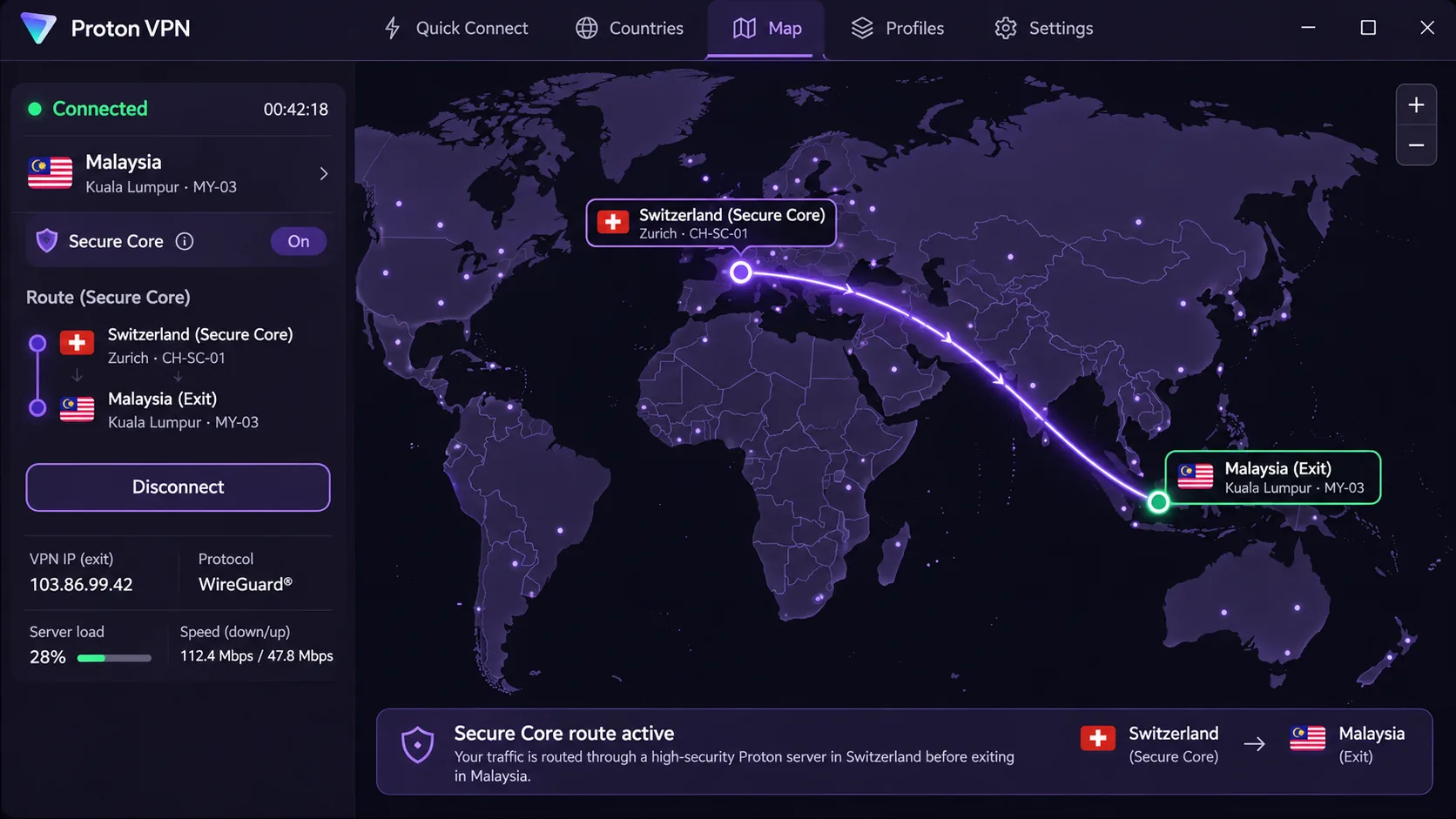
Proton VPN trades ExpressVPN's simplicity for privacy depth, and it is the one to pick if you want multi-hop routing and open-source apps. On Windows, we found the kill switch can remain enabled while split tunneling is active, which is the combination privacy-minded users want. The revised mobile layout also reduces the accidental disconnections that came from the old central disconnect button.
Best for: Privacy-focused users who will pay for a plan.
Skip if: You want unlimited devices on one account.
The apps are open source and audited, with that scrutiny backing the no-logs policy. The paid plan adds Secure Core, which routes your traffic through Switzerland before it exits in Malaysia. Stealth helps when a network tries to block VPN traffic, and NetShield blocks ads, trackers and malware. The paid plan also gives a kill switch, DNS leak protection, split tunneling on supported platforms, always-on VPN, and apps for Windows, macOS, Linux, Android and iOS. The modern interface makes country selection straightforward on the paid plan.
Support is the one sticking point: help articles can be too technical for beginners, and live chat is harder to find and available only on the website. VPN Plus supports 10 simultaneous devices and carries a 30-day money-back guarantee. The official two-year Plus tab shows $3.49 a month, though promotional links have shown $2.99. We cover the free plan, and why it can't pick Malaysia, in the free VPN section below.
Pros
- Open-source, audited apps and no-logs policy
- Secure Core and Stealth for restrictive networks
- Easy country selection on the paid plan
- Free plan has unlimited data
Cons
- Free plan can't select Malaysia
- Support articles lean technical
- Checkout total was unclear in our pricing check
5. CyberGhost
Proton VPN asks you to learn its tools, while CyberGhost asks for patience on speed. Its apps look dated, but their uncluttered design helps newcomers. That makes CyberGhost a good choice for beginners on a budget who want a long refund window. It covers a Malaysian exit location with automatic Wi-Fi protection, a kill switch and encryption, and the apps run on Windows, Mac, Android and iOS, with router and smart-TV options. Extras include WireGuard, streaming, P2P and gaming-optimized servers, a DNS content blocker, startup and Wi-Fi automation, and Identity Guard email exposure monitoring.
Performance is where we'd temper expectations. CyberGhost's long-distance routes can slow enough to cause occasional streaming buffering, and download speeds can be inconsistent. In a different setup it kept steady throughput during busier periods, so results depend on the route you pick. Streaming access is mixed as well: CyberGhost played Hulu and Prime Video without noticeable playback issues in some sessions, yet in other sessions it failed to unblock Prime Video. Access varies with the server, session and streaming service, so don't buy CyberGhost expecting guaranteed access to a single catalog.
You can connect 7 devices simultaneously, but you may need to remove an old device from your account before connecting a new one. Subscriptions of six months or longer have a 45-day refund window, while one-month plans have a 14-day window. App-store purchases follow the store's policy.
Pros
- Lowest price of the five
- 45-day refund on long plans
- Simple apps for beginners
- Streaming, P2P and gaming-optimized servers
Cons
- Long-distance routes can slow and buffer
- Prime Video access was inconsistent
- Only 7 devices, and the apps look dated
Best for: Budget-minded beginners who value a long refund window.
Skip if: You need steady Prime Video streaming.
How to use a VPN and get a Malaysian IP address
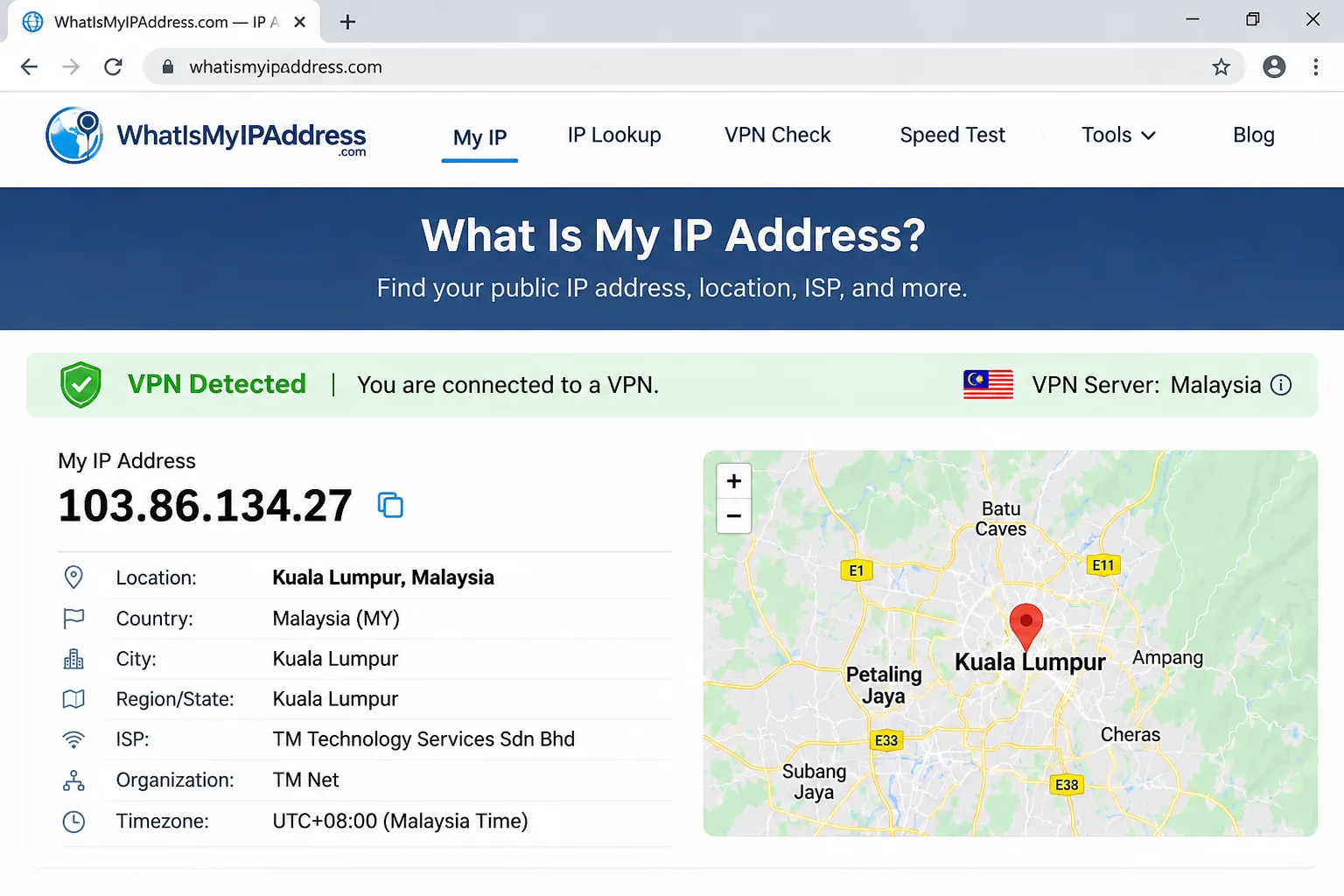
Setup is similar across all five services, and it takes a few minutes.
- Choose a plan and create an account on the vendor's site, then review the refund terms.
- Install the vendor app on your device. Check the minimum operating system first.
- Sign in to your account and open the location list.
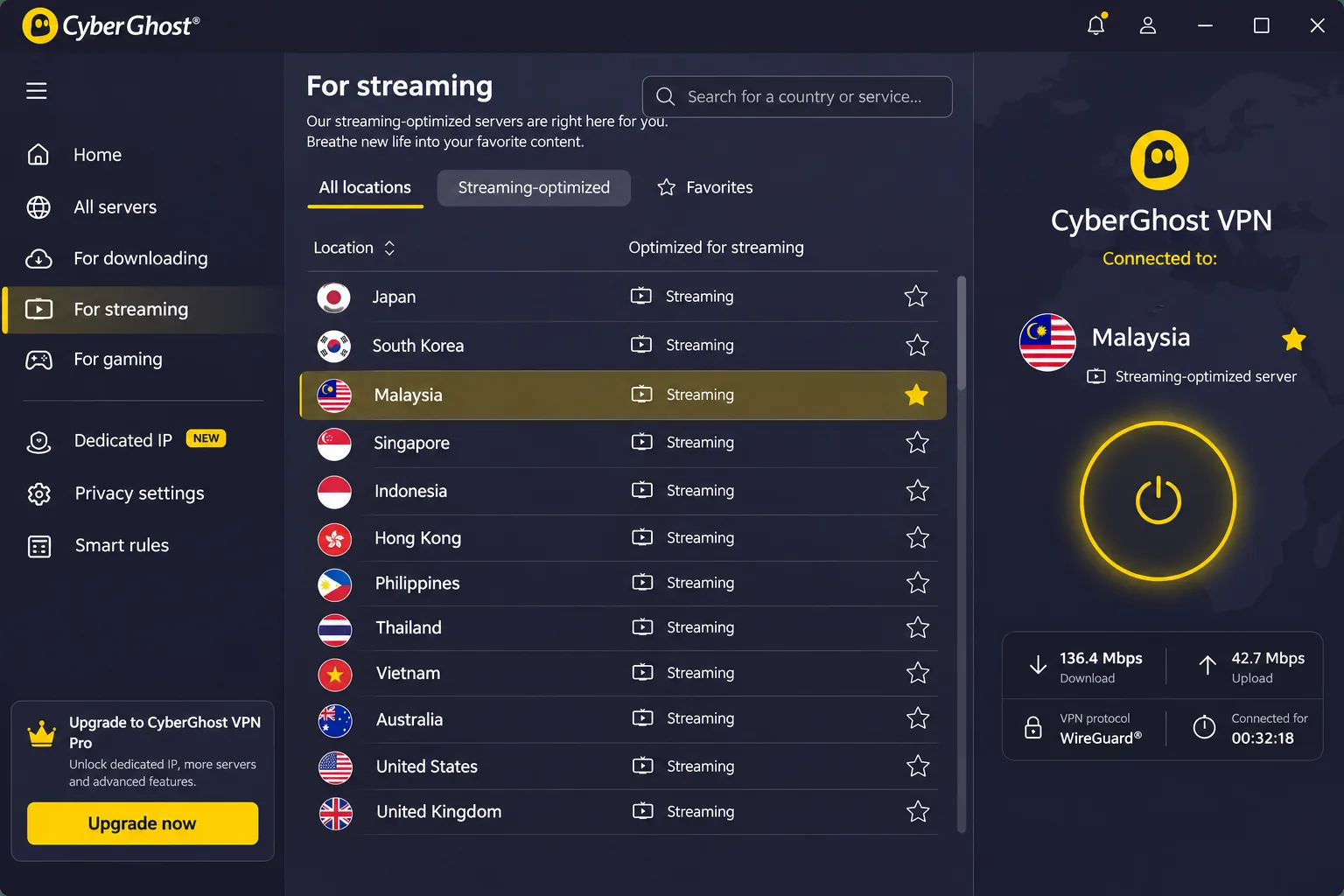
- Search for Malaysia and pick Kuala Lumpur when the app offers it.
- Connect, then check your IP address in a browser to confirm it shows a Malaysian location.
Encryption protects traffic between your device and the VPN service, so the network operator on public Wi-Fi sees only an encrypted connection. If you're in Malaysia, you can also connect to a nearby location such as Singapore for a different route. If you're abroad, pick Malaysia to get a Malaysian IP.
If one Malaysian server is slow or a streaming app blocks it, disconnect and try another server in the same location before you switch services. Streaming access can change from one server to the next.
Why use a VPN in Malaysia?
People use a VPN in Malaysia for two main reasons: privacy on shared networks, and access to content when a site or service is limited by location.
Website restrictions and privacy on public Wi-Fi
Public Wi-Fi in airports, malls and cafés lets the network operator see which sites you visit. A VPN encrypts that traffic so your browsing activity stays private on the same network. That protection is the most practical everyday benefit for most users.
Online content controls are a broader consideration. Freedom House's 2025 Freedom on the Net assessment of Malaysia rates the country Partly Free at 60/100, and documents expanded online-content controls and arrests over online political commentary. A VPN can help with network-level blocks and keep your browsing from being read on a shared connection. It doesn't make you anonymous to the services you log in to, and it doesn't shield you from legal consequences for what you post.
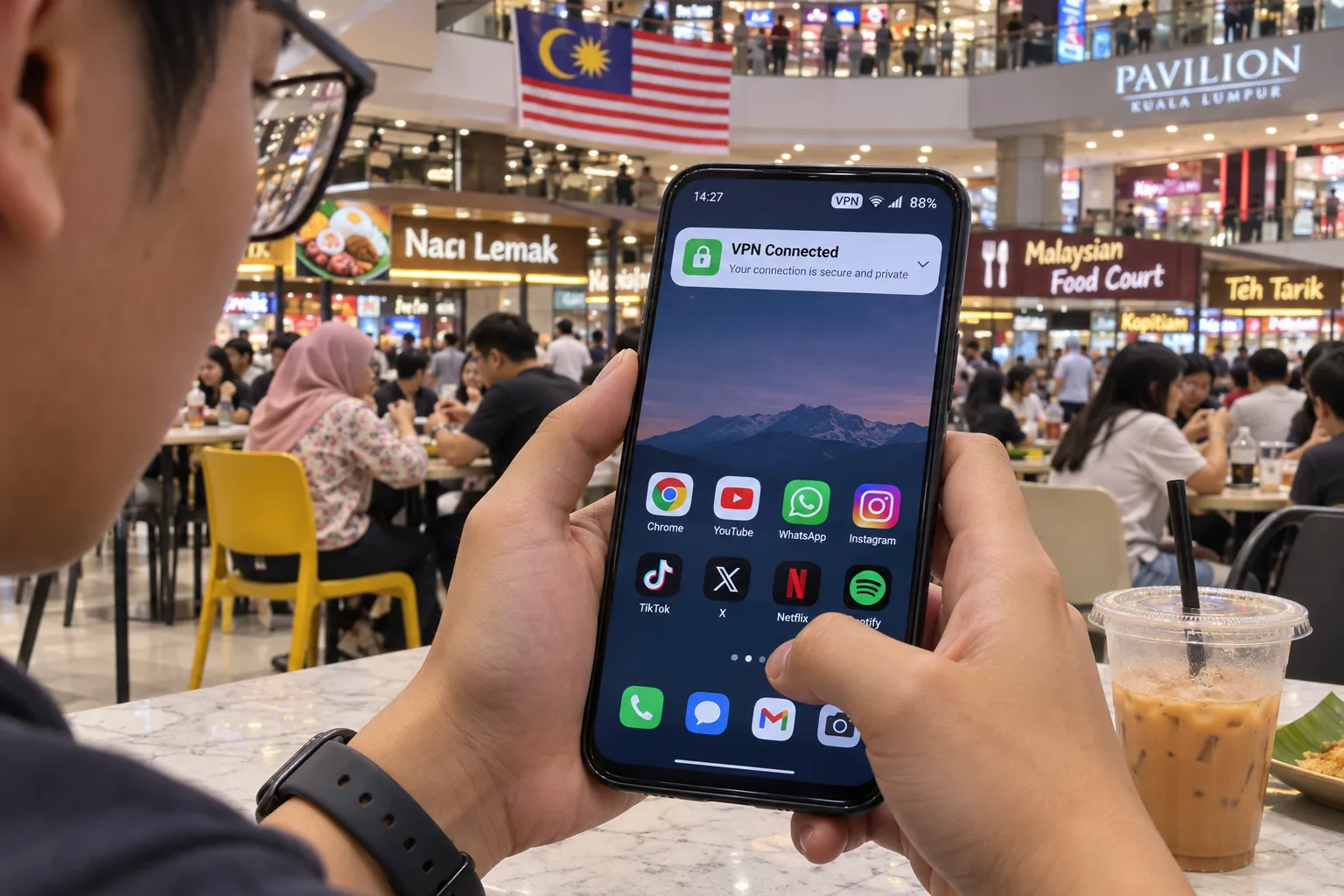
Malaysian streaming services and access from abroad
If you're a Malaysian living or traveling overseas, a Malaysian IP address can help you reach local services that limit access to viewers in the country. NordVPN, ExpressVPN and Surfshark gave us the most dependable general streaming, and CyberGhost was the least predictable. If Prime Video is your main service, our guide to the best VPN for Amazon Prime Video goes deeper on which providers hold up.
Be careful with expectations, though. General streaming success on Netflix, BBC iPlayer or Hulu doesn't prove that a given Malaysian app or catalog will open, so test the specific service during your refund window before you rely on it. Some services also block known VPN addresses, which is why switching servers sometimes fixes a failed connection.
Are VPNs legal in Malaysia?
VPN use is generally permitted. The legal overview we consulted, ICLG's Malaysia telecoms, media and internet laws chapter, doesn't show consumer VPN services being specifically regulated or blocked, and it separates ordinary VPN use from illegal activity. A Bernama news report on the subject points the same way.
The important qualifier is that legality depends on what you do through the VPN. Privacy software doesn't exempt conduct from Malaysian law, so anything illegal without a VPN stays illegal with one. Employers, schools and other networks may also set their own rules about VPN use. This isn't legal advice, so if your situation is unusual, ask a Malaysian lawyer.
Can you use a free VPN in Malaysia?
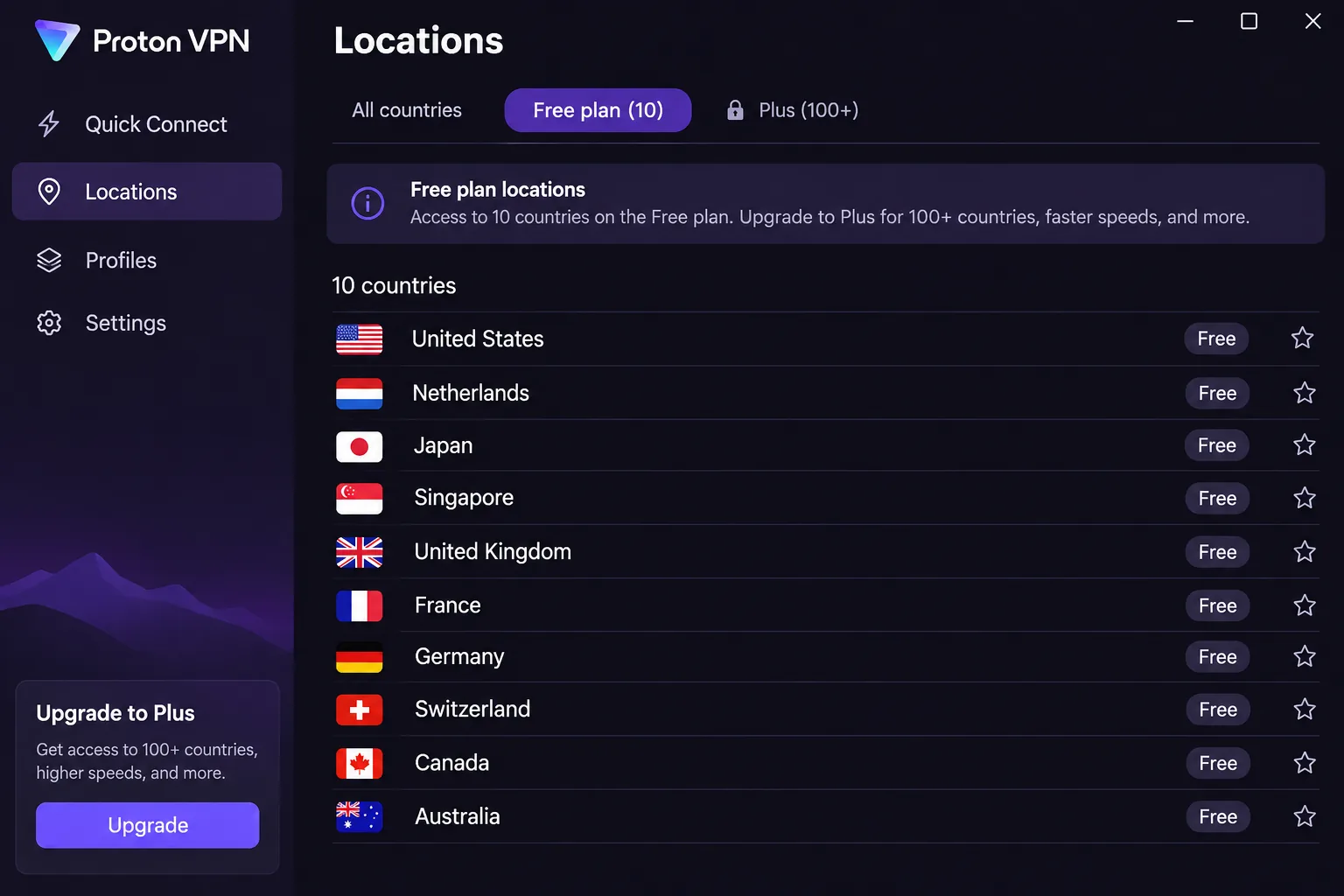
Yes, you can install and use a free VPN while in Malaysia, but a free plan rarely gives you the Malaysian IP address or the streaming access that paid plans do. The question usually involves two separate goals: using a VPN for privacy while in the country, and connecting to a Malaysian server so you appear as a local user. Free plans often handle the first and fail the second.
Free VPNs cut features and speed to push you toward a paid plan, and many cap data or devices. Choose a free plan from a provider with a published no-logs policy, and don't use an unknown free app for banking or logins.
Free plans versus trials and money-back guarantees
Proton VPN's free plan is the clearest example. The free tier has unlimited data, an audited no-logs policy, DNS leak protection and a kill switch, but it permits only 1 device. It assigns you 10 randomly selected countries: the Netherlands, Japan, Romania, Poland, Norway, Switzerland, Singapore, Mexico, Canada and the United States. Malaysia is absent. We found Proton VPN Free frustrating when we needed a particular country, because it selects servers automatically.
Money-back guarantees are not free trials. Every paid service here lets you try it and get your money back: NordVPN, Surfshark, ExpressVPN and Proton VPN offer 30-day refund windows, while CyberGhost offers a 45-day window on long plans. You pay first and request a refund later. We haven't confirmed current trial durations and eligibility for each provider, so don't assume a no-payment trial exists.
Using a VPN in Malaysia versus getting a Malaysian server
A free plan that works inside Malaysia is a different thing from a plan that provides a Malaysian exit IP. Proton's free plan works fine for privacy at a Malaysian café, because it encrypts your traffic and can use a Singapore or Japan location. It will not give you a Malaysian address. For that, you need a paid plan from a provider with a Malaysian location, which is why the five services above are paid picks.
Which Malaysia VPN should you choose?
Start with NordVPN unless one of its limits rules it out, and use the refund window as your test bench instead of trusting any ranking, ours included. For the single most useful experiment, connect to both the Malaysian location and Singapore in the same app. Run a speed check at a busy hour and a quiet one, then open the one streaming service you care about. Whichever combination passes is the one to keep.
If NordVPN fails that test, the runner-up depends on your constraint. A big household should move to Surfshark's unlimited connections, and a budget buyer should look at CyberGhost's 45-day window on a long plan. Buy a long plan only after the first week of testing has gone well, and set a calendar reminder before the guarantee ends.







