You may want a Latvian IP address while you are abroad, or a safer connection while you are in Riga on hotel and café networks. Those are different jobs. The first needs a Latvian server. The second mostly needs a trustworthy provider and good apps. All five VPNs below offer a Latvian exit, and NordVPN is our best overall pick.
Best VPNs for Latvia at a glance
Our evidence date is November 2026. Prices change often, so treat the figures below as a snapshot and check the checkout page before you pay.
| Product | Buy | Latvian exit | Devices | Privacy evidence | Cost note |
|---|---|---|---|---|---|
|
Check price → | Latvia in country list | 10 | Deloitte 2025 no-logs assurance | Renewal price is account-specific |
 |
Riga exit IP | 10 on Basic | KPMG assessment, February 2025 | Basic $83.72 for 28 months, then $99.95 a year | |
 |
Latvia location | Unlimited | Deloitte 2025, SecuRing infrastructure audit | Starter $67.23 for 27 months, VAT may apply | |
 |
Riga in server list | 7 | Deloitte 2025 no-logs assurance | Current totals unverified | |
 |
Riga servers | Unlimited | Deloitte assurance, 2025 | $47.88 a year on the annual plan |
The 5 best VPNs for Latvia
1. NordVPN
NordVPN is the one we would install first for Latvia. Latvia is selectable in the app country list, and connecting gives you a Latvian exit IP. The apps cover Windows, macOS, Linux, Android and iOS. One subscription covers up to 10 devices.
In our testing, torrent downloads were fast and reliable. The apps are easy for beginners, though the busier layout takes more exploring than ExpressVPN's. When we went looking for obfuscated servers, they had vanished from the list until we selected OpenVPN. That mode cost us speed. When the kill switch blocked our traffic, the app restored the tunnel on its own.
Security history matters here. A rented server in Finland was compromised in 2018, and the company disclosed it in 2019. The latest no-logs assurance engagement came from Deloitte in late 2025. It is a point-in-time assessment, not a permanent guarantee. The current Android app needs Android 9 or newer, and iOS needs iOS 17.0 or newer. A 30-day money-back guarantee is advertised. The subscription renews at the applicable renewal price unless you cancel. That amount can change, so read the renewal email.
The limitations are the busy interface and lack of port forwarding.
2. ExpressVPN
Where NordVPN is busier, ExpressVPN is the simplest app of the five. It lists Latvia as an exit and says the IP address corresponds to Riga. The stripped-down desktop and mobile interfaces made a basic connection straightforward. Nearby servers stayed close to our unprotected connection speed.
Streaming with ExpressVPN takes some care. Some Netflix regions and other regional services needed a server switch before playback worked. Even so, a broad range of services was reachable. The browser-based router interface also makes changing locations easier than editing router settings by hand.
Basic covers 10 devices, while higher tiers allow more. The current Android app needs Android 7, and iOS needs iOS 15. KPMG examined the TrustedServer and privacy-policy claims as of February 2025. You get a 30-day refund as a new user. The limitation is price. The Basic offer is $83.72 for the first 28 months, then $99.95 a year.
3. Surfshark
Surfshark costs less than ExpressVPN and drops the device cap entirely. It has a Latvian location and allows unlimited simultaneous devices on paid plans, which suits a household with many phones and laptops. Its apps share a consistent layout across platforms. The desktop interface makes an inactive kill switch less obvious than an active one, so check it before you rely on it.
We forced connection failures to see what the kill switch would do, and it blocked traffic as it should. Automatic reconnection sometimes needed a manual nudge afterward. For streaming, US, Canadian and Japanese Netflix libraries loaded smoothly. UK and Australian Netflix failed on automatically assigned servers. Amazon Prime Video varies by region too.
Deloitte verified the no-logs policy in 2025, and SecuRing audited the infrastructure. A 30-day refund is advertised. The 7-day trial is limited to three devices, and you must cancel it to avoid billing. The Starter offer is $67.23 for 27 months, with VAT possible. The renewal amount is not published in a form we could verify, so expect it to change.
4. CyberGhost
CyberGhost is the easiest of the five to read at a glance. Its official server list includes Riga, with P2P support, and the row is not marked virtual. That is the clearest Latvian-location evidence of the five. The compact app has a prominent connect button, so a first connection takes seconds.
The limitations are practical. Seven device slots are included. Once all device slots are full, moving to a new device means unlinking an old one. Server speed varies enough that some locations are less useful than others. The extra security tools are thinner than in some suites. Test a few Latvian servers before you trust one.
Refunds are generous on longer plans. You get 45 days on subscriptions of six months or more, and 14 days on monthly plans. Store purchases follow the store's own rules. Cancelling auto-renewal does not trigger a refund. A 2025 Deloitte no-logs report covers its infrastructure. We could not verify current pricing, so check the checkout page.
5. Private Internet Access
Private Internet Access (PIA) is the budget pick after CyberGhost's shorter device list. It lists Riga servers and unlimited devices. The annual plan is $47.88 for the first year and renews at the same figure. Multi-year offers are cheaper per month but renew at $79 every three years. The apps are open source, the servers are RAM-only, and split tunneling is available on desktop.
Streaming was mixed. Streaming-optimized locations loaded services more reliably than ordinary ones. Netflix worked across the regions we tried, but Disney Plus failed in Canada and Hulu can fail. Some sites buffered heavily even while UK and German Netflix played in HD.
The iOS app lacks the split-tunneling and obfuscation controls found elsewhere. Android 7.0 and iOS 15.0 are the current minimums. PIA documents a third Deloitte assurance engagement in its 2025 audit article. A 30-day refund applies to new subscribers.
Why use a VPN in Latvia?
Privacy and public Wi-Fi
A VPN encrypts the traffic between your device and the VPN server, so other people on the same network cannot read it. That matters on hotel, airport and café networks. Latvia's CERT.LV also recommends a VPN or another closed encrypted connection when remote access to equipment is necessary. It pairs that advice with strong passwords and two-factor authentication. A VPN will not stop phishing or fix weak passwords.
Latvian streaming abroad and international content in Latvia
A Latvian IP can help you reach local content from another country, but it does not guarantee playback. We have no verified playback results for Latvian platforms such as Go3, Tet TV+ or LTV. Test your own service during the refund window. A VPN can also help users in Latvia reach international libraries, though the same caveats about switching servers apply.
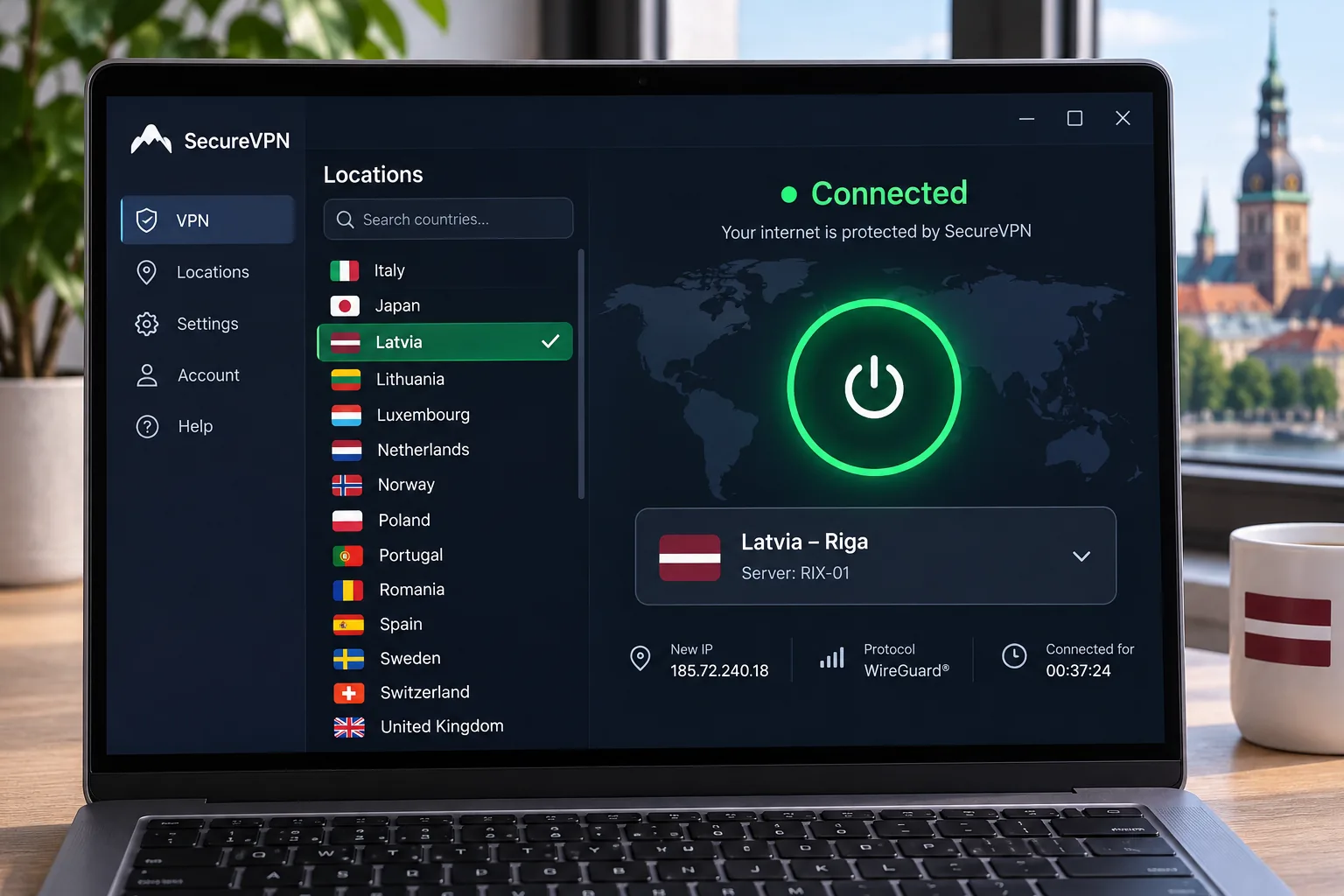
How to get a Latvian IP address
- Install your chosen VPN app on each device.
- Sign in, then open the location list.
- Select Latvia, or Riga where listed, and connect.
- Check your IP on a lookup site and confirm it shows Latvia.
- Switch on the kill switch and DNS leak protection if the app offers them.
If you are physically in Latvia and only want privacy, you do not need a Latvian server. A nearby country usually gives lower latency because greater distance increases ping. Pick Latvia only when a site needs a Latvian IP.
How to choose a VPN for Latvia
Latvian servers, regional speeds, and streaming access
All five advertise a Latvian exit. Be careful with the word "Latvian", though. An IP that geolocates to Latvia does not prove the hardware sits inside the country. Only CyberGhost's Riga row is unmarked as virtual. We found no comparable Latvia-specific speed dataset for all five, so we do not name a fastest provider. Use the refund period to compare speeds on your own internet connection.
Privacy evidence, device support, and total subscription cost
Look for a recent third-party audit and read its scope, because an audit is a snapshot. Then match the device limit to your household. Compare the renewal price, not just the first-term offer. No provider here works as a free option for Latvia. A refund guarantee is not a free tier.