
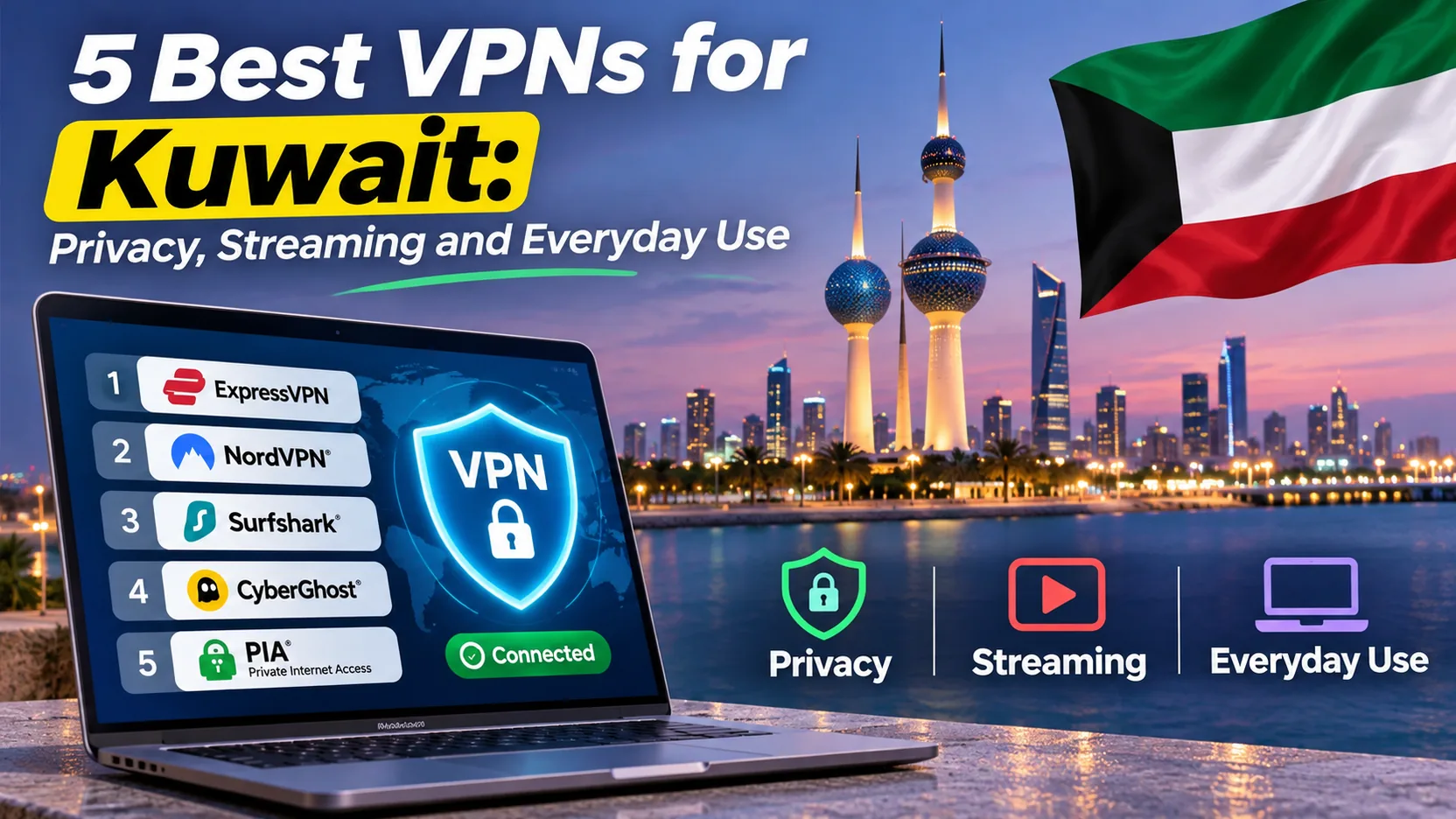
Whether you want to keep your banking app private on a café or hotel network in Kuwait City or load a familiar streaming library as you would at home, you need a VPN that connects quickly and stays connected. Picking one is harder than it looks, because most providers advertise the same headline features and differ in the details that matter day to day.
We compared five providers on the points a Kuwait user cares about: privacy tools, obfuscation, server locations, device limits, refund terms and how each app behaves in daily use. NordVPN is our top pick, and the final recommendation explains who should choose it. Surfshark, ExpressVPN, CyberGhost and Proton VPN each win in a narrower situation.
Best VPNs for Kuwait at a glance
The table below puts the five providers side by side. Prices reflect promotional offers we saw on each vendor's pricing page and change often. The monthly figure usually represents an upfront multi-year payment rather than monthly billing. We did not run a Kuwait-specific speed test, so this order reflects feature fit and hands-on behavior, not a measured Kuwait speed ranking.
| Product | Buy | Best for | Obfuscation | Kuwait / nearby servers | Simultaneous connections | Refund |
|---|---|---|---|---|---|---|
 | Check price → | Broad privacy and streaming tools | Obfuscated Servers (NordWhisper) | Kuwait virtual location; UAE, Bahrain, Qatar | 10 | 30-day |
 | Many devices, lower upfront spend | OpenVPN obfuscation; NoBorders | No Kuwait listed; UAE | Unlimited | 30-day | |
 | Simple setup | Automatic on supported platforms | No Kuwait listed; virtual Lebanon | 10 on Basic | 30-day | |
 | Streaming server categories | No dedicated mode confirmed | No Kuwait listed; UAE, Saudi Arabia | 7 | 45-day long plans | |
 | Check price | Free tier or paid privacy controls | Stealth, also on Free | Paid Kuwait location | 10 on Plus; 1 on Free | 30-day on Plus |
Using a VPN while you are in Kuwait and getting a Kuwaiti IP address are two separate things. A VPN encrypts your connection and swaps your public IP for the server's. Only a provider with a Kuwait exit location can give you an IP that looks Kuwaiti, and a few of our picks do not offer one.
How we compared
We judged each provider on five points. The first was whether it lists a Kuwait exit. The second was how it handles restrictive networks through obfuscation. The third was the device limit. The fourth was the refund window. The fifth was how the app behaved in daily use, including kill-switch behavior and streaming. The table above lists the specs, and each review below covers behavior and price. We did not collect Kuwait-specific speed data, so we do not rank by speed.
The 5 best VPNs for Kuwait
1. NordVPN
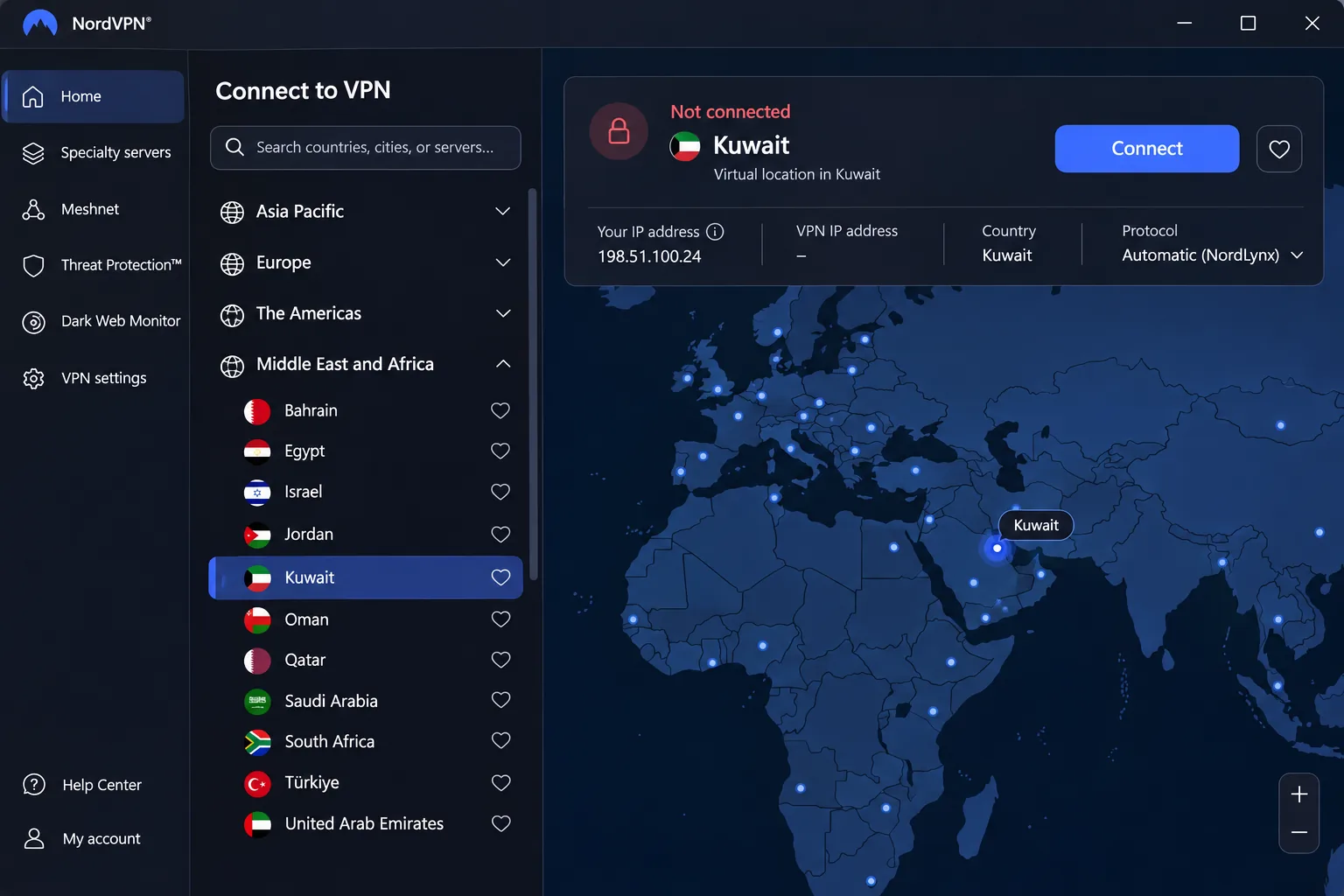
NordVPN is the pick we would install first if you want a Kuwaiti-looking IP. Kuwait is a virtual location, so the exit IP reads Kuwaiti while the hardware may sit elsewhere.
In our testing, NordVPN delivered fast connections on both ordinary and long-distance routes, and its OpenVPN performance stayed consistent across locations. On the services we could open, streams played smoothly without buffering, CAPTCHA prompts or dropped connections. It does not open everything: US YouTube and Australian Prime Video still failed for us. The apps are logically arranged, but they feel busier than the Surfshark and ExpressVPN interfaces.
On restrictive networks, the Obfuscated Servers category now runs on NordWhisper, which disguises VPN traffic as ordinary web traffic. Manual OpenVPN connections cannot use those upgraded servers, so pick them inside the app. Other tools include a kill switch, private DNS, split tunneling on supported platforms, Double VPN and Onion Over VPN.
The Basic offer we saw worked out to $3.49 per month. It was billed as $94.23 for the first 27 months. It renews at $139.08 per year, and sales tax may apply. Promotions and bonus months vary by region, so check the final checkout total.
Pros
- Kuwait virtual location plus UAE, Bahrain and Qatar
- Obfuscated Servers for restrictive networks
- 10 simultaneous devices and a 30-day refund window
Cons
- Busier interface than Surfshark or ExpressVPN
- Some regional streams, such as US YouTube, still fail
- Renewal price is much higher than the intro offer
2. Surfshark
Surfshark is the best fit when you have a lot of devices or want the lowest upfront price. It advertises unlimited simultaneous device connections, so a family sharing one account in a Kuwaiti household does not hit a cap. The Starter offer we saw was a $2.49 monthly equivalent. It was billed as $67.23 for the first 27 months, and VAT may apply. We could not confirm an official renewal figure, so budget for a higher price after the intro term.
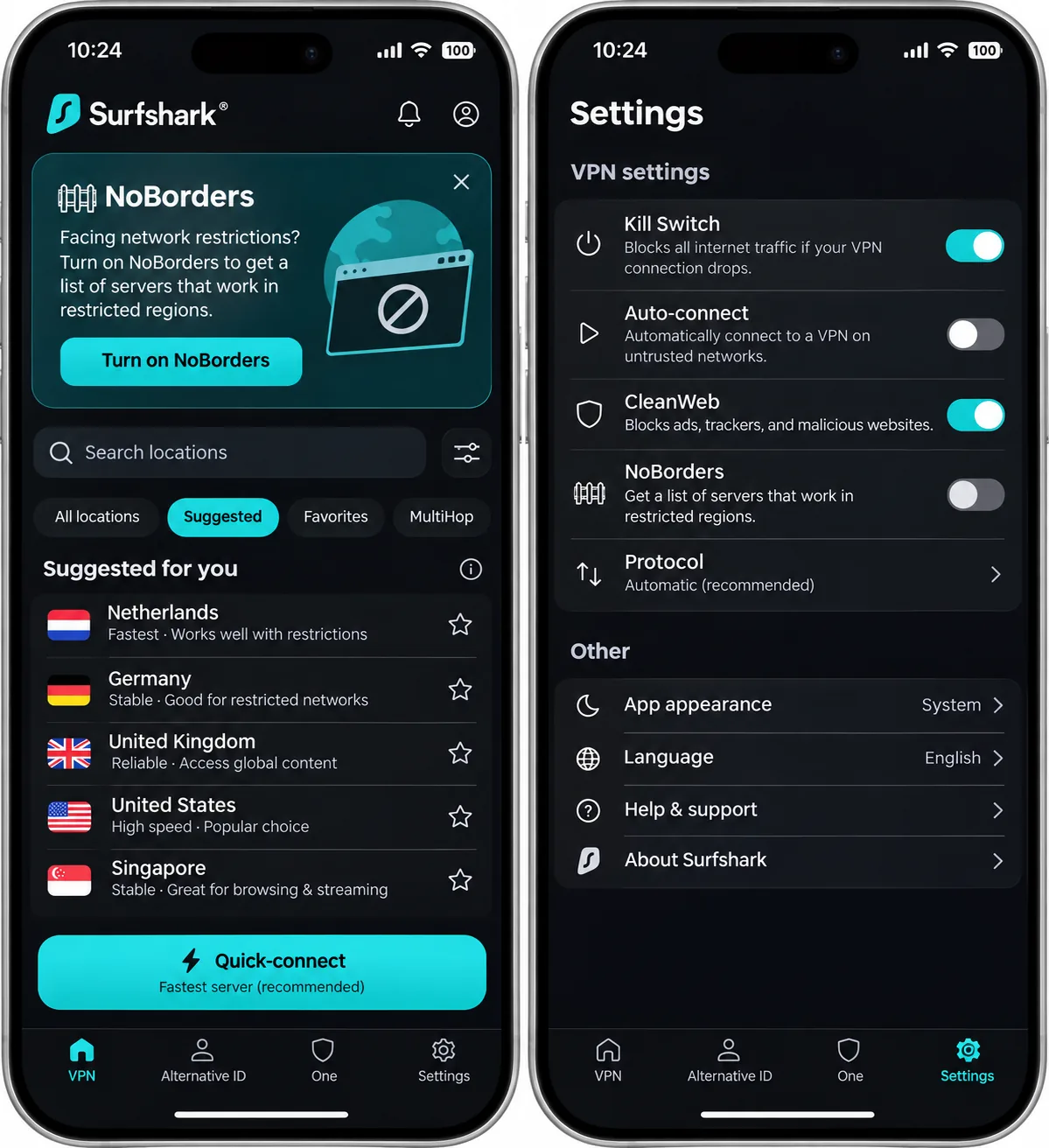
Surfshark does not list a Kuwait server in its official inventory. The closest listed location is Dubai in the United Arab Emirates, so you get a regional IP rather than a Kuwaiti one. For restrictive networks, it offers OpenVPN obfuscation, MultiHop and NoBorders, which detects network restrictions and suggests suitable servers. MultiHop adds routing hops but does not hide the VPN protocol on its own.
In use, the app layout is clear and consistent across platforms. We noticed the disabled kill-switch state is easy to overlook, so check it after install. Switching on the strict kill-switch mode brought more CAPTCHA challenges, blocked websites and app compatibility problems during daily browsing. Surfshark streamed several Netflix regions smoothly without proxy errors, though ABC's US streams stayed blocked even after we switched among several US locations. A 30-day money-back guarantee is advertised on its subscription plans.
Pros
- Unlimited simultaneous device connections
- Lowest introductory price of the five
- CleanWeb ad and tracker blocking, plus NoBorders
Cons
- No Kuwait location in the official server list
- Strict kill-switch mode adds CAPTCHAs and blocked sites
- No renewal price confirmed
3. ExpressVPN
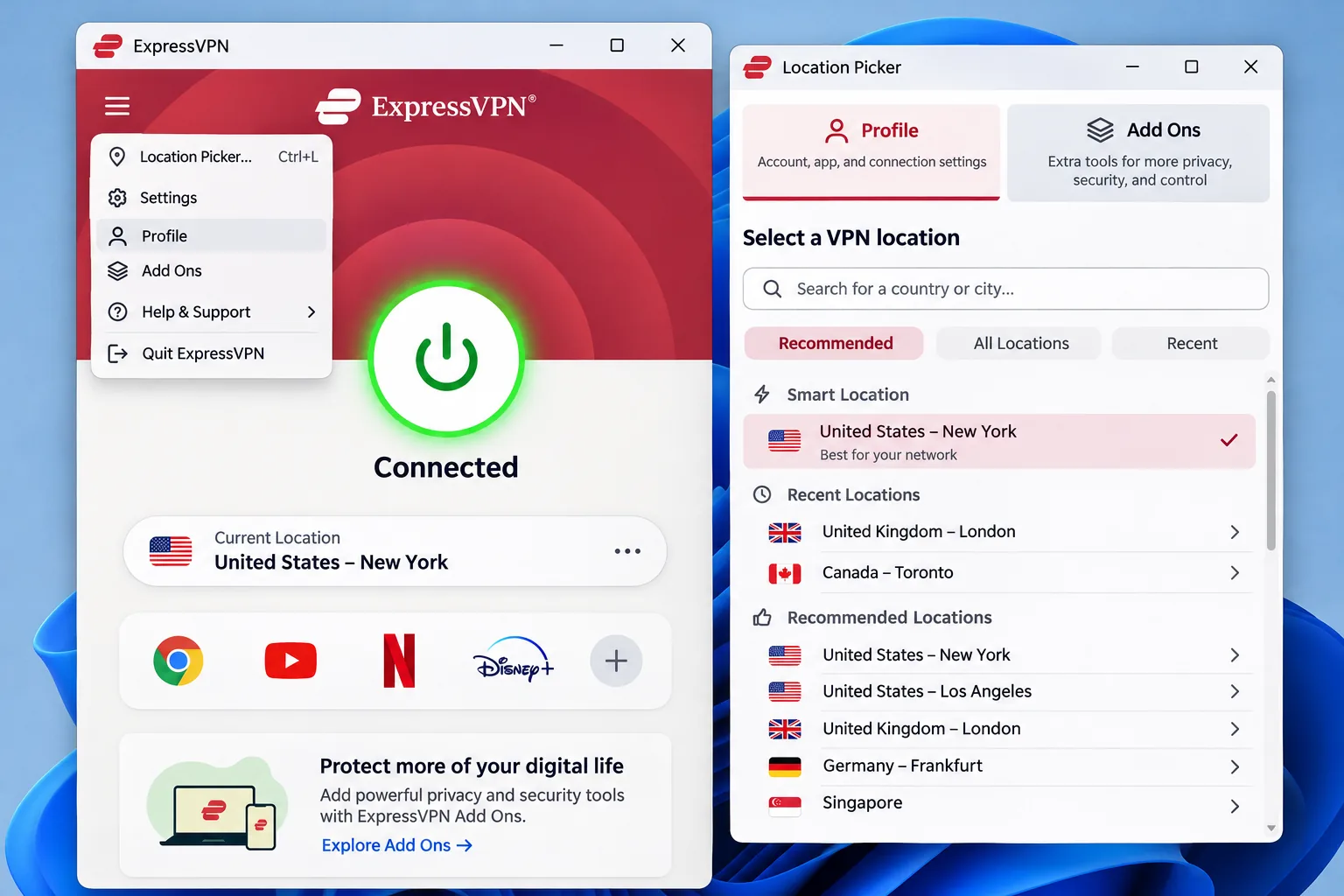
Where Surfshark accommodates many devices, ExpressVPN focuses on simplicity. It is the easiest of the five to set up and forget. It installs smoothly across desktop and mobile, although a desktop restart may be needed before the first connection. Obfuscation is automatic on supported platforms, which suits users who do not want to hunt through settings. It also offers Lightway, a kill switch, private DNS and leak safeguards, split tunneling on supported platforms, unlimited bandwidth and RAM-only TrustedServer infrastructure.
There is no Kuwait location in the official server list. ExpressVPN offers a virtual Lebanon location instead, so a Kuwaiti IP is not available. Streaming results were mixed. It opened BBC iPlayer, ITV, Channel 4 and Australian free TV services without repeated server changes, yet it struggled with Australian and Japanese Netflix libraries and US Prime Video even after we changed locations.
The redesigned desktop app is usable, but settings are spread between Profile and Add Ons, which made some controls harder to find. Device limits depend on tier: Basic covers 10 simultaneous devices, Advanced 12 and Pro 14. The Basic offer we saw was a $3 monthly equivalent. It was billed as $84 for the first 28 months, then $99.95 per year, with tax added at checkout. A 30-day money-back guarantee applies for new users on direct-purchase plans.
Pros
- Simple setup on desktop and mobile
- Automatic obfuscation on supported platforms
- Clear annual renewal price
Cons
- No Kuwait location
- Settings are scattered between Profile and Add Ons
- Some Netflix and Prime Video libraries failed
4. CyberGhost
Where ExpressVPN hides its controls, CyberGhost labels its servers openly. It suits you if you want a long refund window and clearly marked streaming categories. Long plans carry a 45-day money-back guarantee, while the monthly plan has a 14-day guarantee. The monthly plan costs $12.99. The long offer shows $2.19 per month and $61.32 up front. The checkout page mixes several bonus-month labels, so confirm the final term and total before you pay.
Kuwait is not on its official server list. Dubai in the UAE and Riyadh in Saudi Arabia are listed, which gives you nearby exits without a Kuwaiti IP. The app has no dedicated obfuscation mode that we could confirm, only an OpenVPN port-changing option that can address simple port blocks. If you expect a restrictive network, CyberGhost is the weakest fit of the five.
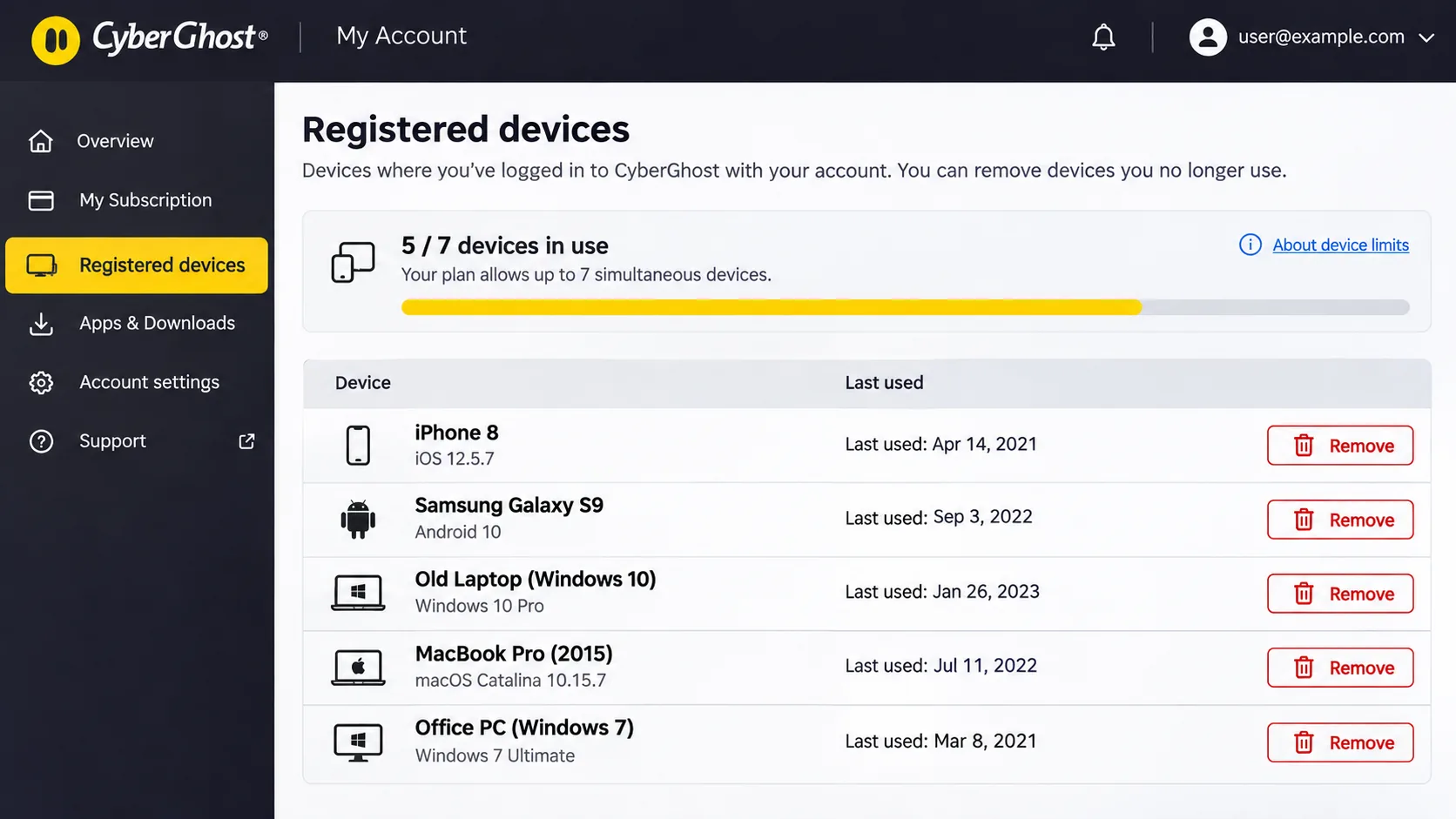
Speed and streaming access were useful strengths for us, and the desktop app has more controls than the mobile apps. Two quirks stood out. The registered-device system allows 7 simultaneous connections but becomes inconvenient when you switch among many phones, computers and televisions. You must remove old entries through the website. After a forced disconnect, the Windows kill switch can also block traffic without the app clearly showing that the connection has dropped. This makes the problem harder to diagnose.
Pros
- 45-day refund on long plans
- Streaming, P2P and gaming server categories
- Good speed and streaming access
Cons
- No Kuwait location and no dedicated obfuscation mode
- Only 7 connections, with device registration friction
- Windows kill switch can leave you offline without a clear warning
5. Proton VPN
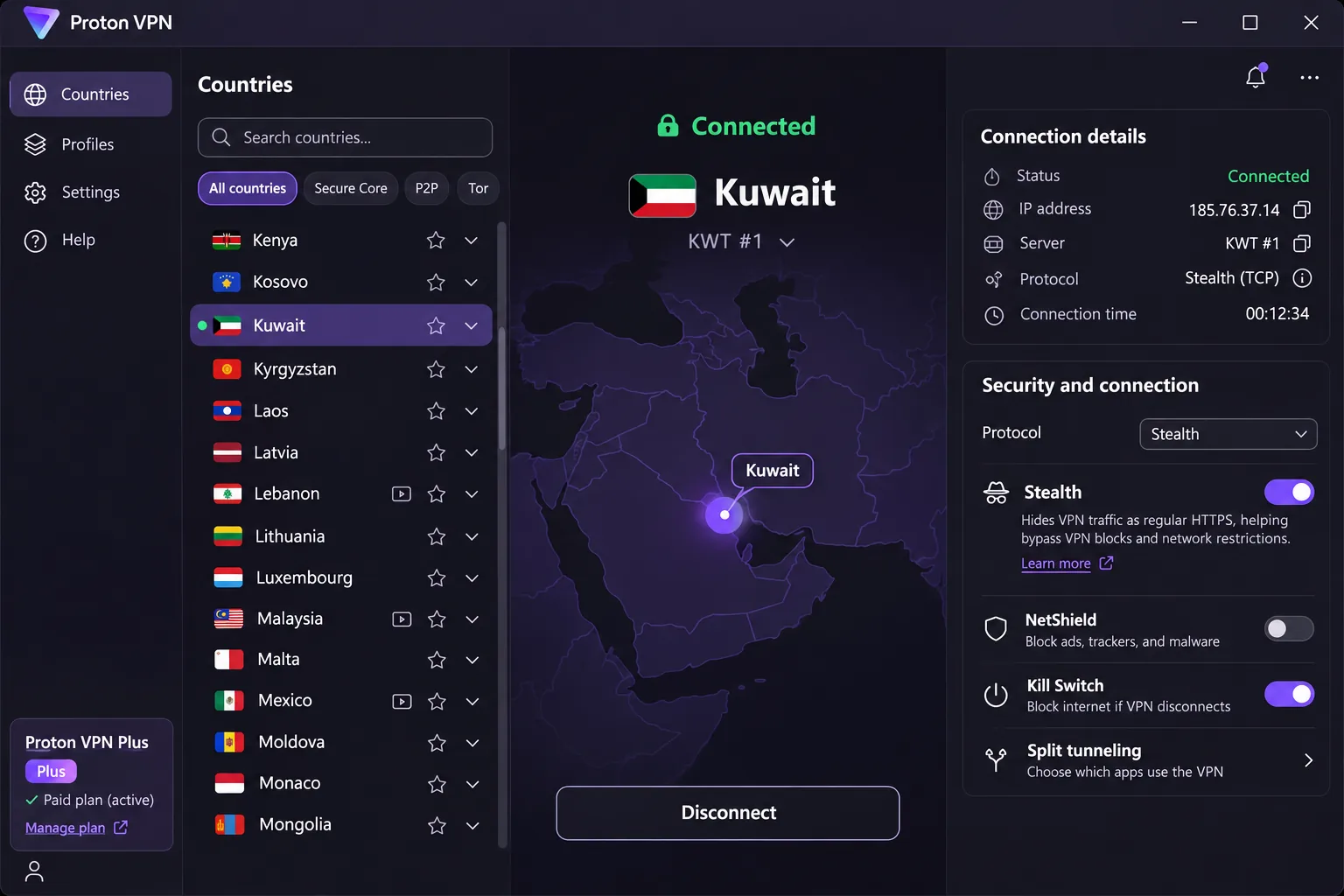
Proton VPN is the only provider here with both a Kuwait exit location on paid plans and a permanent free tier. Paid plans provide a Kuwaiti IP, according to Proton's Kuwait server page, and Kuwait is excluded from the Free plan. The apps are open source and audited, and the core tools include a no-logs policy, a kill switch with Always-on reconnection, DNS leak prevention, Secure Core multihop and Stealth for restrictive networks.
The extensive controls can feel complicated to a beginner, even though the core tools are comprehensive. Secure Core adds latency and lowered our download performance because traffic passes through an extra server, so leave it off unless you need it. Streaming results were uneven. Proton opened Netflix libraries across major regions, while Prime Video worked in some tests but failed with some libraries. Australian Disney+ and local Australian services needed retries.
VPN Plus supports 10 simultaneous devices and carries a 30-day money-back guarantee. The two-year Plus offer we saw works out to a $3.49 monthly equivalent against a $9.99 ordinary monthly price. We could not see a renewal total, so confirm it at checkout.
Pros
- Paid Kuwait location with a Kuwaiti IP
- Open-source, audited apps with Stealth built in
- Permanent free tier with unlimited data
Cons
- Controls can overwhelm beginners
- Secure Core adds latency
- Some streaming libraries need retries
How to set up and use a VPN in Kuwait
Sign up, install the app for each device, sign in, choose a location and connect. The steps are nearly identical across the five apps, and each provider also covers Windows 10 and Windows 11 on current builds.
Check your Windows version first. NordVPN supports Windows 10 64-bit from version 1607 onward, Surfshark needs Windows 10 or 11 on x64, ExpressVPN supports 64-bit Windows 10 and 11 including ARM PCs through a separate installer, CyberGhost needs Windows 10 version 1903 or later, and Proton VPN needs Windows 10 64-bit build 19045 or later.
Choose a server and check the connection
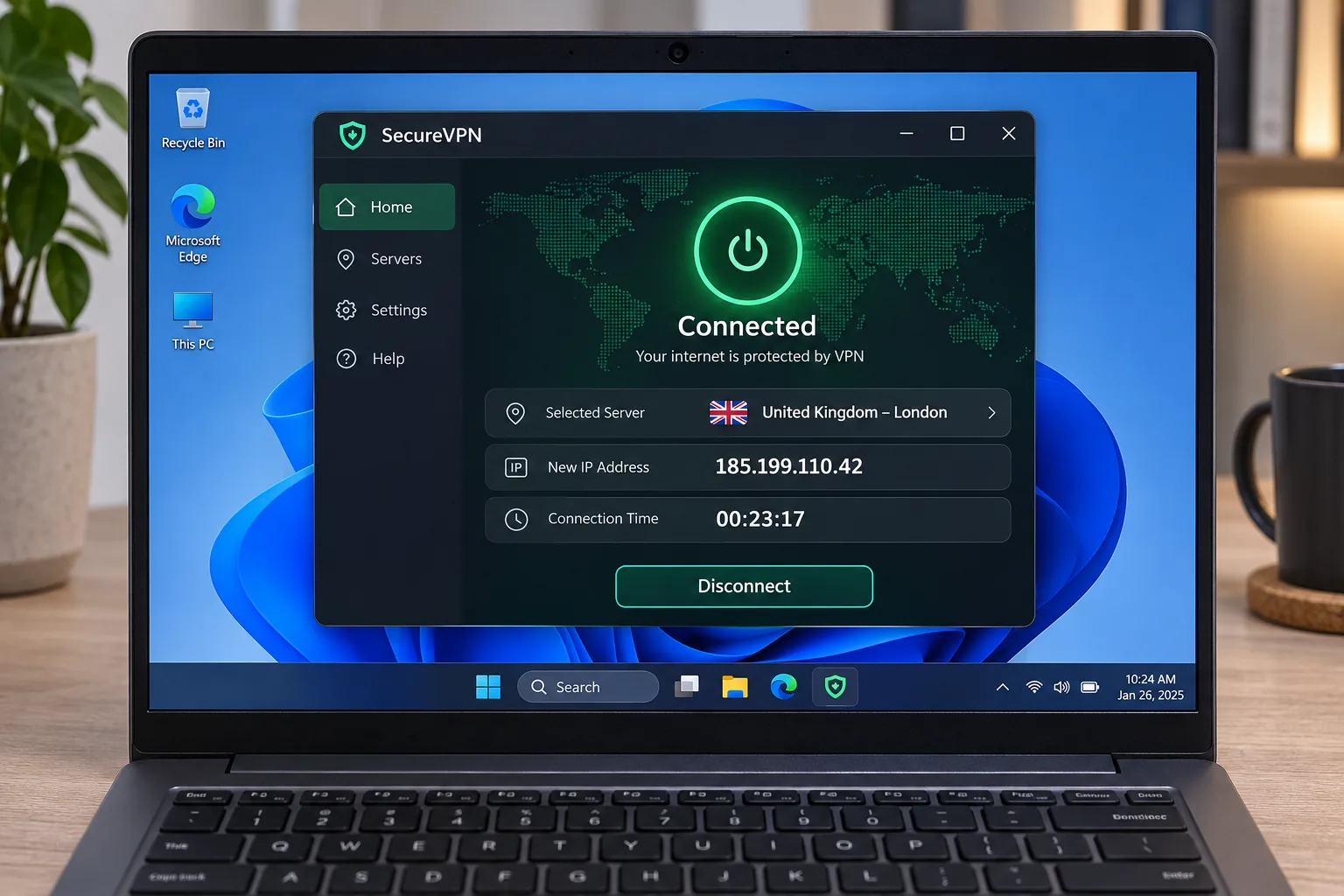
Open the app, choose a location and press connect. If you want a Kuwaiti IP, pick Kuwait in NordVPN or in a paid Proton VPN plan, because the other three do not list it. If you only want privacy on public Wi-Fi, a nearby server in the UAE or Bahrain is usually enough.
After connecting, open the app's status screen and confirm it shows a new IP and server. Then run an IP and DNS leak test in your browser. Turn on the kill switch before you start, and check that it is enabled, since Surfshark's disabled state is easy to miss.
What to try if your VPN does not connect
Work through these in order and test after each change.
- Switch protocol, for example from the default to OpenVPN, where the app allows it.
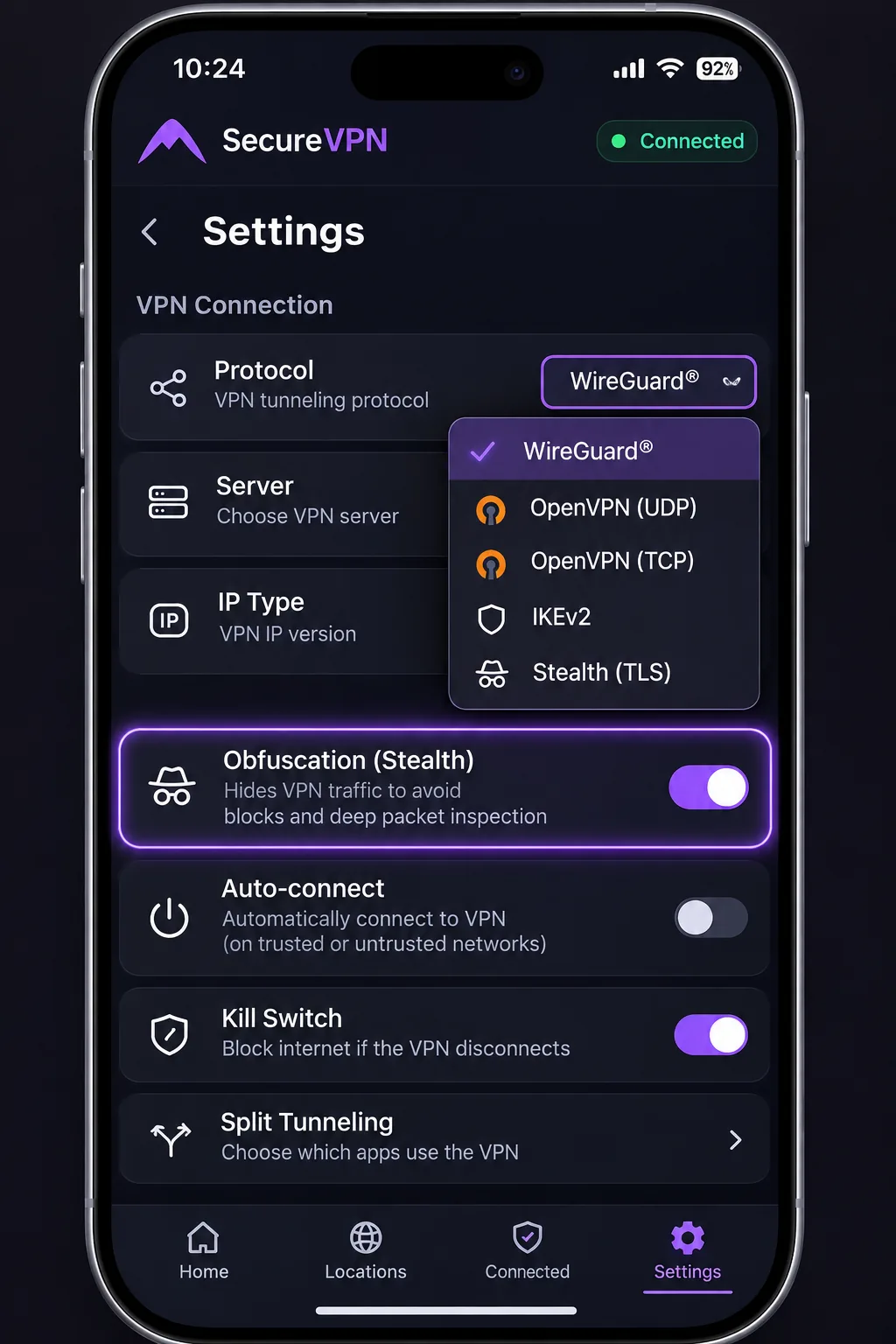
- Turn on the provider's obfuscated or Stealth mode, such as NordVPN's Obfuscated Servers or Proton's Stealth.
- Try a different server or country. Success depends on the network and the blocking method, so no mode is guaranteed.
- Restart the app or device. ExpressVPN may need a desktop restart before the first connection.
- Run the installer as an administrator, since Surfshark's desktop app may require admin permission.
- If you were disconnected and have no internet, check whether the kill switch is blocking traffic. CyberGhost's Windows app can block traffic this way after a forced disconnect.
How to choose a VPN for Kuwait
Start with how you will use it, then compare the details below. Each of the five covers the basics, so the differences come from edge cases.
Privacy, leak protection and connection reliability
Look for a kill switch, private DNS and a clear no-logs policy. A VPN encrypts the link between your device and the VPN server and changes the public IP that services see. Reliability matters just as much, because a VPN that drops or blocks traffic without telling you is worse than none. Our CyberGhost and Surfshark notes above show how kill-switch behavior affects daily use, so test yours early.
If you expect a restrictive network, prefer a provider with a dedicated obfuscation or Stealth mode. NordVPN, ExpressVPN and Proton VPN lead here. Surfshark is a step behind with OpenVPN obfuscation and NoBorders, while CyberGhost has nothing dedicated.
A foreign exit can protect you in Kuwait without giving you a Kuwaiti IP, so choose your provider by what you need the connection to do.
— Our takeaway from comparing five providers
Server locations, device limits and subscription costs
Decide whether you need a Kuwaiti IP at all. If you do, only NordVPN and the paid Proton VPN plans list Kuwait. Next count your devices: Surfshark is unlimited, NordVPN and Proton Plus allow 10, ExpressVPN scales from 10 to 14 by tier, and CyberGhost caps at 7.
Then read the price terms. Every low monthly figure we saw required a multi-year upfront payment, and renewal prices were often higher. A money-back guarantee is not a free trial, and refund processing details vary by purchase channel, so buy on the provider's own site if the refund matters to you.
Why use a VPN in Kuwait?
A VPN protects your traffic on networks you do not control and widens what you can reach online. The rest of this section covers the situations where it helps, and where it does not.
Public Wi-Fi, streaming and communication apps
On hotel, airport and mall Wi-Fi, a VPN stops other users on the network from reading your traffic. It also stops the network operator from seeing which sites you visit beyond the VPN connection itself. For streaming, a VPN changes the country a service sees. That helps with home libraries while you travel, though no provider opened every service for us. For messaging and calling apps, an encrypted tunnel keeps those apps' traffic away from prying eyes on shared networks, but access is never guaranteed.
What a VPN cannot protect you from
A VPN does not make you anonymous. Account logins, cookies and browser fingerprinting can still identify you. Obfuscation does not guarantee a VPN will go undetected. Kuwait's online environment is also worth knowing about. Freedom House's 2025 Kuwait report describes broad powers to monitor, block and censor online material, along with penalties and prosecutions for certain online expression. A VPN cannot protect you from consequences for what you post under your own name.
Can you use a free VPN in Kuwait?
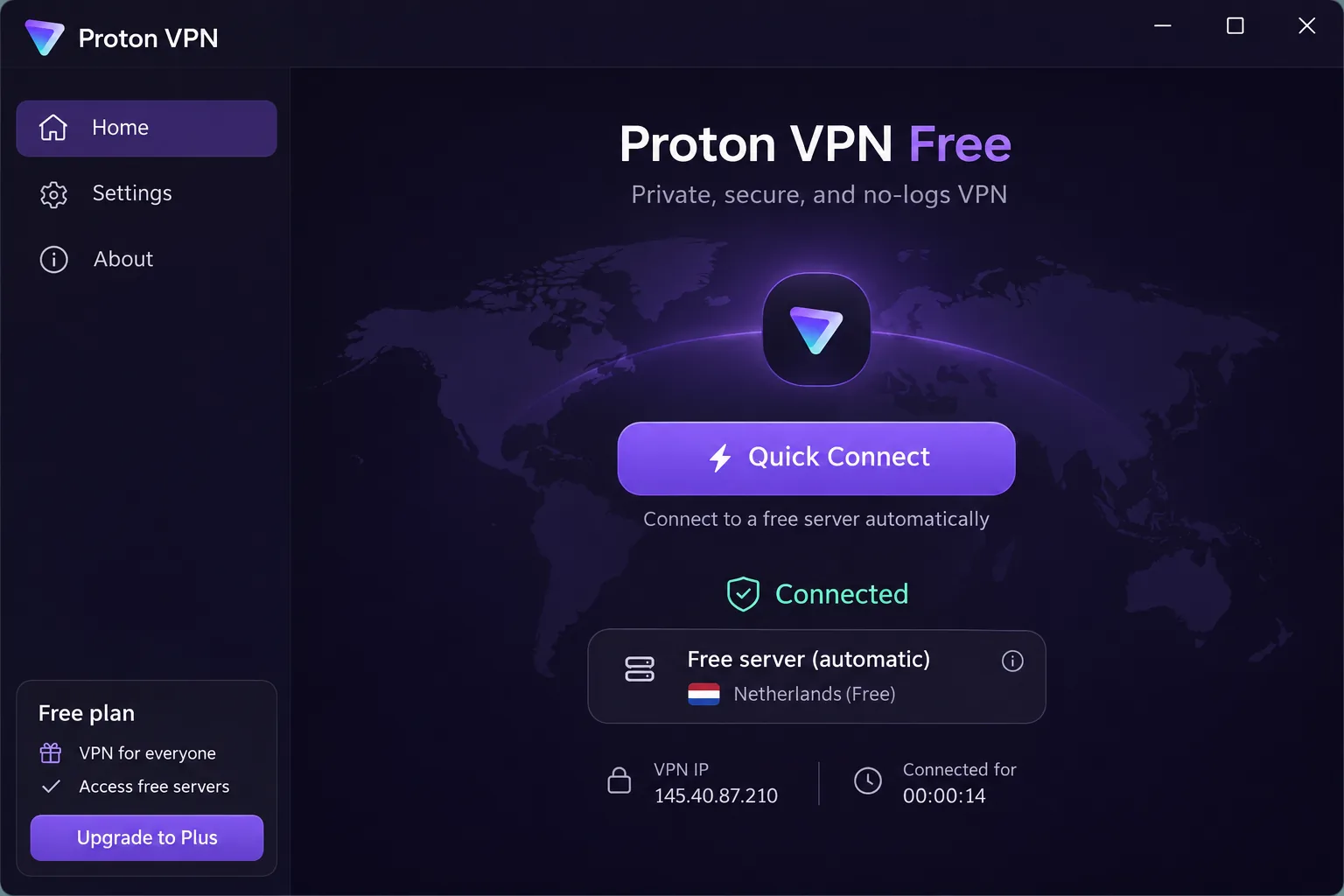
You can, with limits. Of our five picks, only Proton VPN offers a permanent free tier with unlimited data, no ads and no logs, and it includes Stealth. The catch is that the Free plan covers 1 device and picks the server for you. You can switch to a random country after a cooldown, but repeated changes did not let us select a country directly. Kuwait is excluded from the free plan, so you cannot get a Kuwaiti IP without paying.
NordVPN, Surfshark, ExpressVPN and CyberGhost advertise paid plans with money-back guarantees, not an ongoing free tier. Treat unknown free VPN apps with caution, because a service with no subscription has to earn money somewhere. If budget is the issue, the Surfshark or Proton introductory offers cost less per month than most people expect, and the refund period lets you test before committing.
Final recommendation
If you only need privacy on public Wi-Fi, skip the Kuwaiti-IP question and buy on price and device count. If you want a Kuwaiti IP and the broadest toolset, choose NordVPN. Pick Surfshark for a large household or the lowest upfront cost, ExpressVPN for the simplest setup, CyberGhost for streaming categories and the longest refund window, and Proton VPN if you want a free fallback or a paid Kuwaiti IP with Stealth.
None of them guarantees access on every network or to every service, so test on your own connection while you are still within the refund window.







