
If you live in Jordan, work remotely from Amman, or are landing at Queen Alia with a laptop and a phone, you probably want one thing from a VPN. You want your connection protected on hotel, cafe, and shared Wi-Fi, and you want your apps to keep working while it runs. Not every provider handles that equally well.
Our top pick is NordVPN. It is the only provider on our shortlist whose official server directory lists Jordan alongside a broad set of security tools and streaming support. ExpressVPN, Surfshark, CyberGhost, and Proton VPN each fit a narrower need, and we explain which below.
We compared these five on privacy features, device support, server coverage, refund terms, and how their apps behaved during setup and everyday use. We did not measure Jordan-local connection success, so no provider here carries a guarantee for every Jordanian network.
Best VPNs for Jordan at a glance
The table below puts the five providers side by side. Prices are introductory offers that require prepayment, so treat them as starting points rather than monthly billing rates.
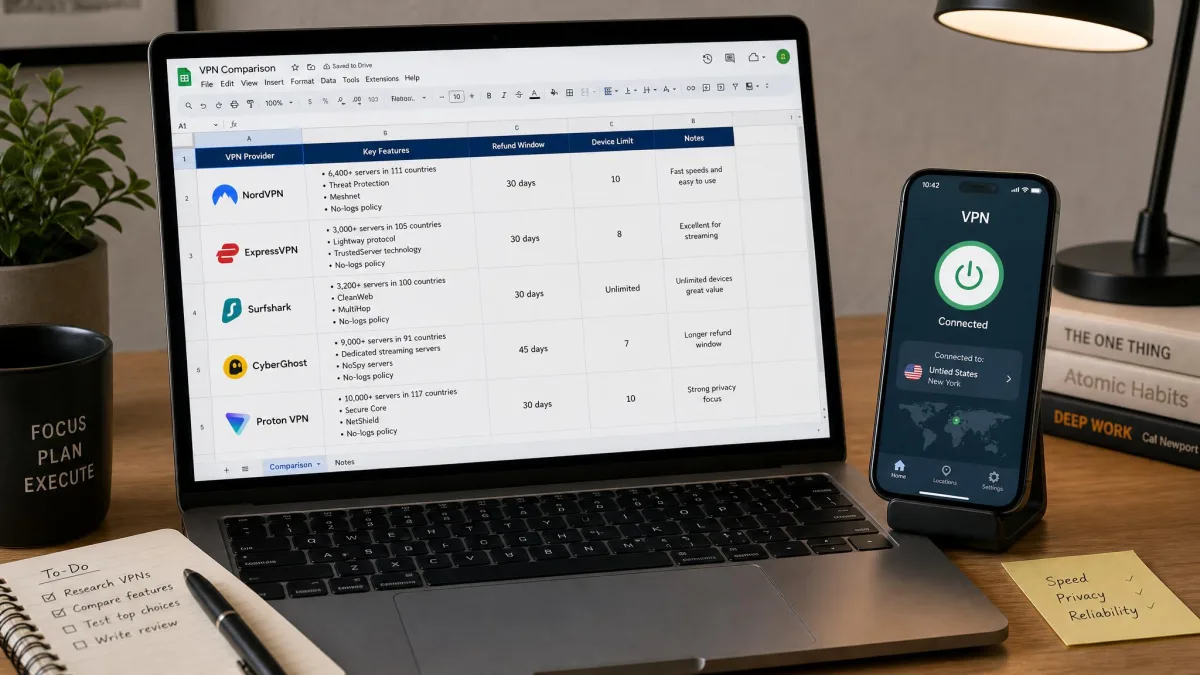
| Product | Buy | Best fit | Jordan exit location | Devices | Price and renewal | Key limitation |
|---|---|---|---|---|---|---|
 |
Check price → | Overall security and streaming | Listed in official directory | 10 simultaneous | From $3.49/month equivalent; $139.08/year displayed renewal | Some TV interfaces feel basic |
 |
Approachable apps and clear setup help | Not listed | Basic 10, Advanced 12, Pro 14 | From $2.99/month equivalent; $99.95/year displayed renewal (Basic) | Manual router setup takes effort | |
 |
Households with many devices | Not listed | Unlimited personal use | From $2.49/month equivalent; renewal not disclosed | Streaming results vary by service | |
 |
Activity-based server categories | Not listed | 7 | From $2.19/month displayed; $61.32/year displayed renewal | Slower connections and device-slot management | |
 |
Jordanian IP and a free tier | Available on paid plans | Paid 10, free 1 | Paid price varies; permanent free tier | Free plan cannot select Jordan |
The 5 best VPNs for Jordan
We ordered these by how well each one covers the typical Jordan scenario: protecting everyday browsing, keeping streaming and calls usable, and giving you a refund window if your local network disagrees with the app. The order reflects our editorial judgment, not measurements identifying a winner for Jordan.
1. NordVPN
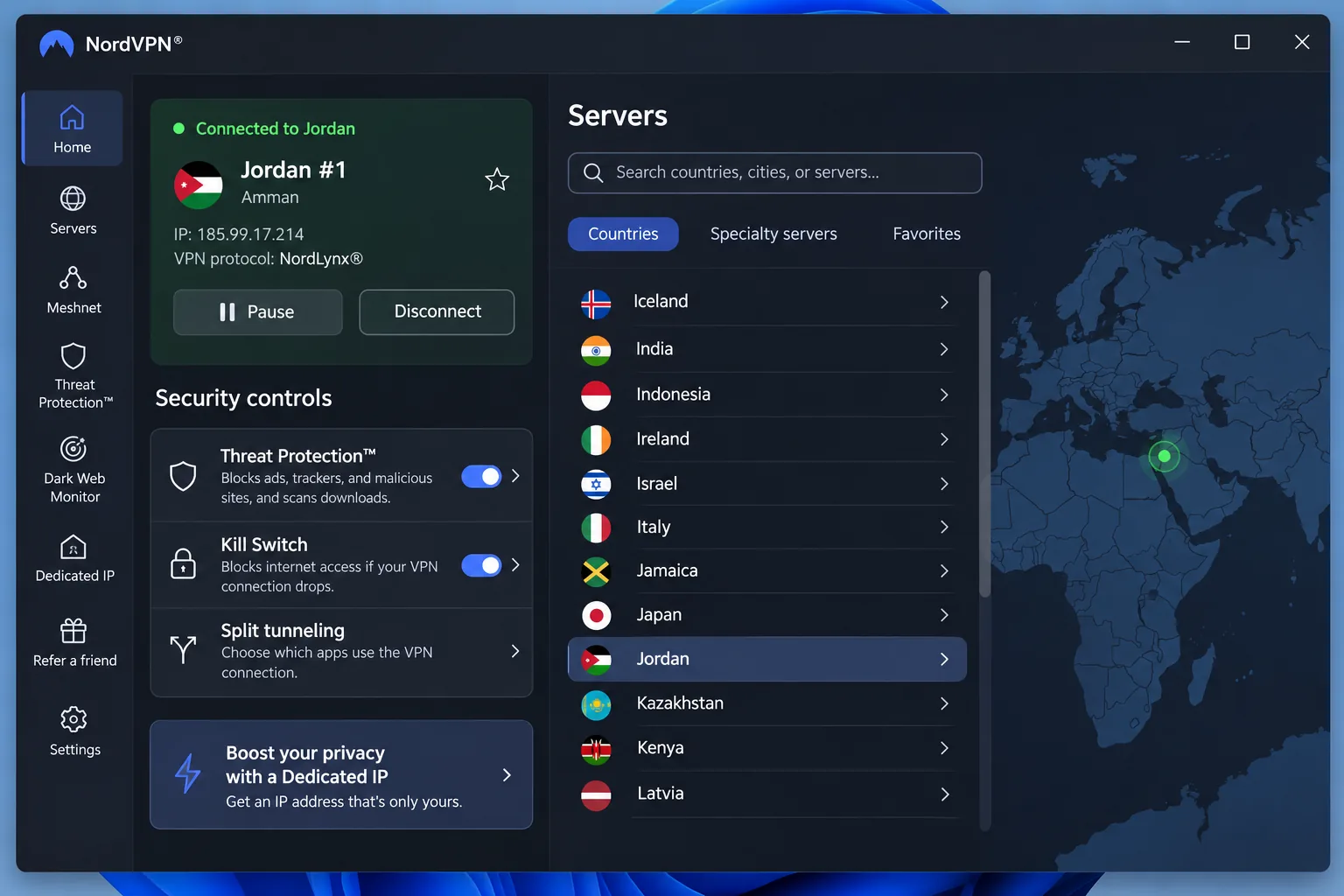
NordVPN earns first place because it combines the widest set of security tools with the only Jordan listing among our four mainstream picks. Its official server directory shows Jordan as an available country with a city location. We could not establish whether those servers are physically hosted in Jordan, so treat the label as a route choice rather than a promise about latency.
Desktop installation was straightforward in our testing. The setup wizard walked us through the install, and the security controls sat in a side panel where we expected them. Netflix and other major streaming services played without buffering or VPN-detection interruptions across the desktop, mobile, and Fire TV apps.
The Fire TV interface felt less polished than the desktop and mobile apps. Even so, QR-code sign-in and scrollable server choices spared us awkward typing with the remote. The block-based layout looks basic but works well for streaming.
NordVPN offers kill switch, split tunneling, Double VPN, a dedicated IP option, and dark-web monitoring. Protocol choices include NordLynx, OpenVPN, obfuscated servers, and Onion over VPN, though availability differs by platform and server type. One subscription covers 10 simultaneous connections. The standard Android app needs Android 9 or above. Desktop support covers Windows 10 (64-bit version 1607 or newer) and Windows 11, while the current iPhone app needs iOS 17.0 or later.
The basic offer works out to $3.49 per month equivalent, with $94.23 paid for the first 27 months. Renewal is advertised at $139.08 per year, and sales tax may apply, so offers and bonus months can change by region. There is a 30-day money-back guarantee on the initial purchase, but renewed subscriptions are excluded.
Pros
- Jordan appears in the official server directory
- Broad security feature set with 10 simultaneous connections
- Streaming played smoothly in our testing across desktop, mobile, and Fire TV
Cons
- The Fire TV interface feels less polished
- Renewal costs far more than the introductory offer
2. ExpressVPN
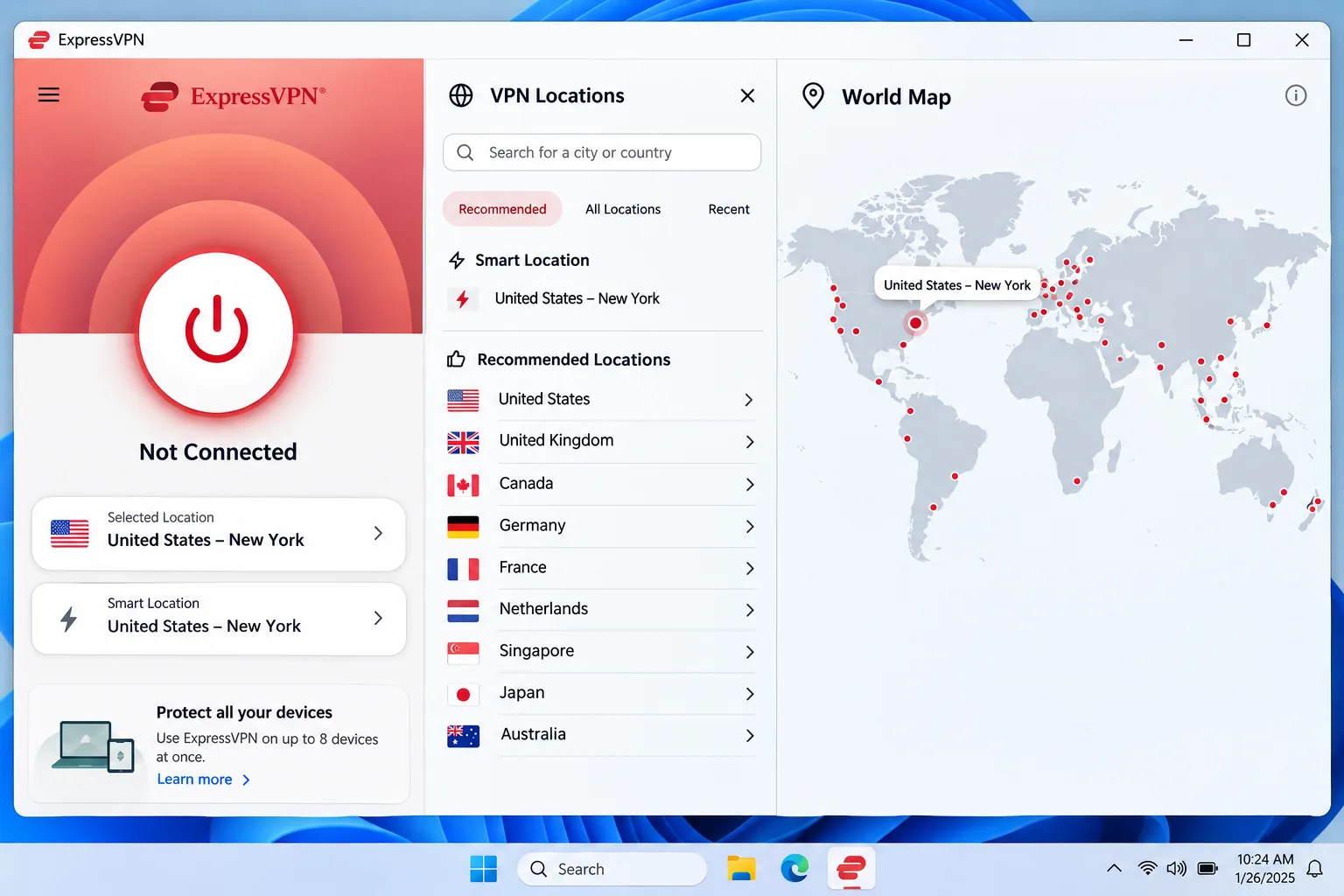
ExpressVPN is the one we would hand to a friend who dislikes configuring things. Installation was straightforward across desktop and mobile, although our laptop needed a restart before the first connection worked. The redesigned desktop app stays approachable, even if its large noninteractive map takes up more room than it deserves.
Its support instructions use annotated screenshots and are easy to follow, though long guides need extra scrolling. Manual router setup is another matter. It took more time and technical confidence than installing the ordinary apps, so budget an evening if you want whole-home coverage.
ExpressVPN runs the Lightway protocol on TrustedServer RAM-only infrastructure and follows a no-logs policy with published audits. It also offers a kill switch, split tunneling on supported platforms, and Advanced Protection blocking. The Basic plan allows 10 simultaneous devices, Advanced allows 12, and Pro allows 14. The Android app requires Android 7 or newer, and the iOS app requires iOS 15 or newer.
Jordan is not listed in the official country directory we checked, so a Jordanian exit IP is not verified. The Basic offer works out to $2.99 per month: $83.72 for the first 28 months, then $99.95 annually. Currency, tax, and renewal amounts vary with the offer you pick. New users get a 30-day money-back guarantee.
Pros
- Approachable apps and easy-to-follow support guides
- RAM-only servers and published no-logs audits
- Higher device tiers for larger households
Cons
- No verified Jordanian exit location
- Router setup takes more technical effort
3. Surfshark
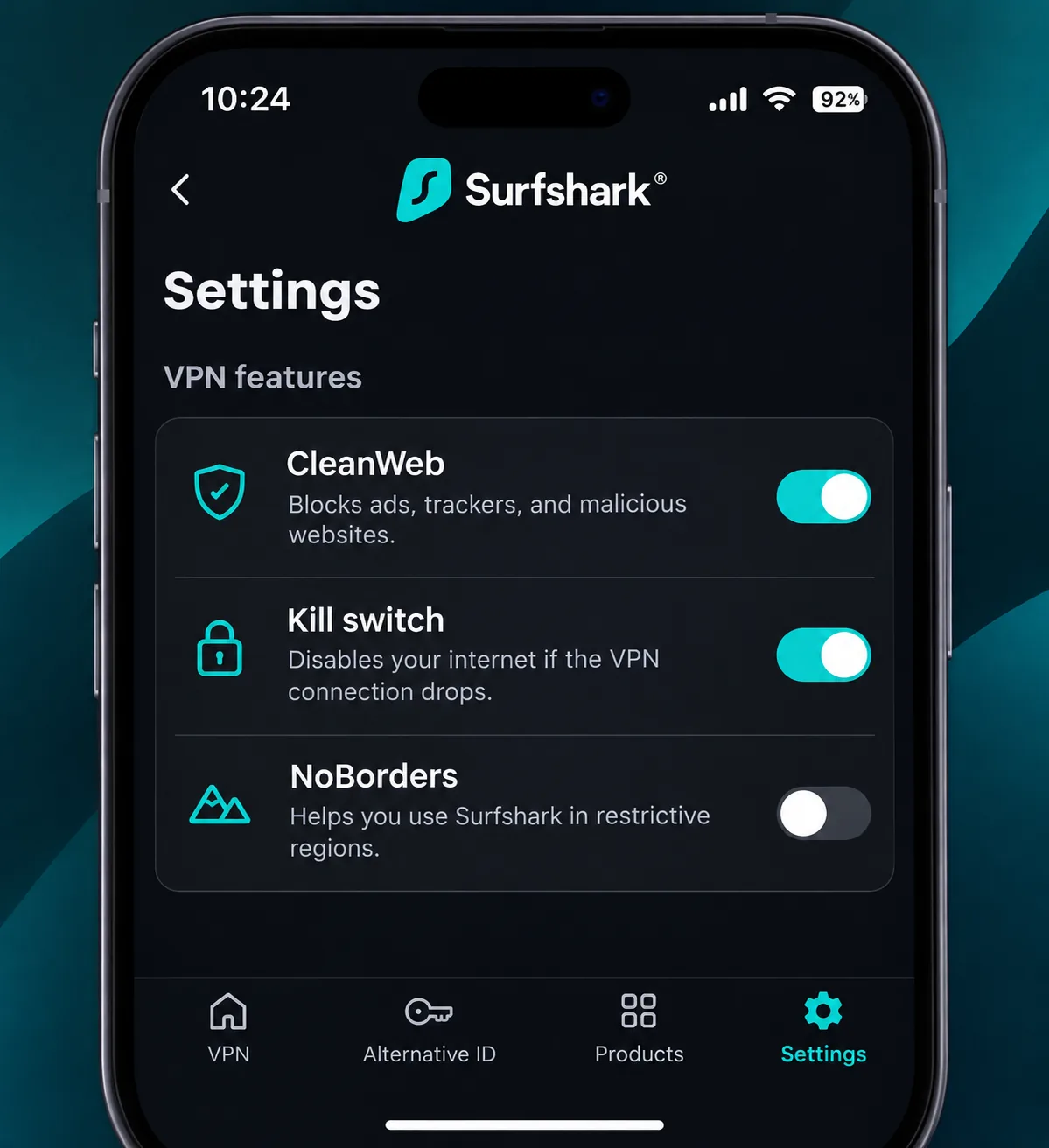
Surfshark is the value pick for crowded households. It allows unlimited simultaneous connections for personal use, so one subscription can cover every phone, laptop, and TV in the house. The feature list includes CleanWeb ad, tracker, and malicious-site blocking, multihop, a kill switch, split tunneling, and an optional dedicated IP. Its NoBorders mode recommends servers for restricted networks, which is useful if a network blocks VPN traffic.
Streaming was the weak spot in our testing. Netflix and Prime Video access was inconsistent. Some Netflix locations needed repeat attempts, while certain country libraries failed to open. Regional services such as BBC iPlayer and 10Play stayed accessible. Peacock could drop out even after the site opened, and CleanWeb interfered with advertising-funded streaming until we disabled it.
Speed was uneven. Nearby connections felt fast, while long-distance latency varied substantially by route. From Jordan, that means you should test a couple of servers rather than assume the closest one wins.
Jordan is absent from the official server directory we reviewed, so a Jordanian exit IP is not verified. The Starter offer is $2.49 per month equivalent, with $67.23 upfront for the first 27 months. The public pricing page did not disclose a renewal amount, so confirm it at checkout. The 30-day refund window covers first purchases made through the website or an eligible reseller. Current Windows support covers Windows 10 and Windows 11.
Pros
- Unlimited personal-use connections
- CleanWeb blocking and NoBorders server recommendations
- Lowest introductory price on our list
Cons
- Netflix and Prime Video access was inconsistent
- Renewal amount is not published on the pricing page
4. CyberGhost
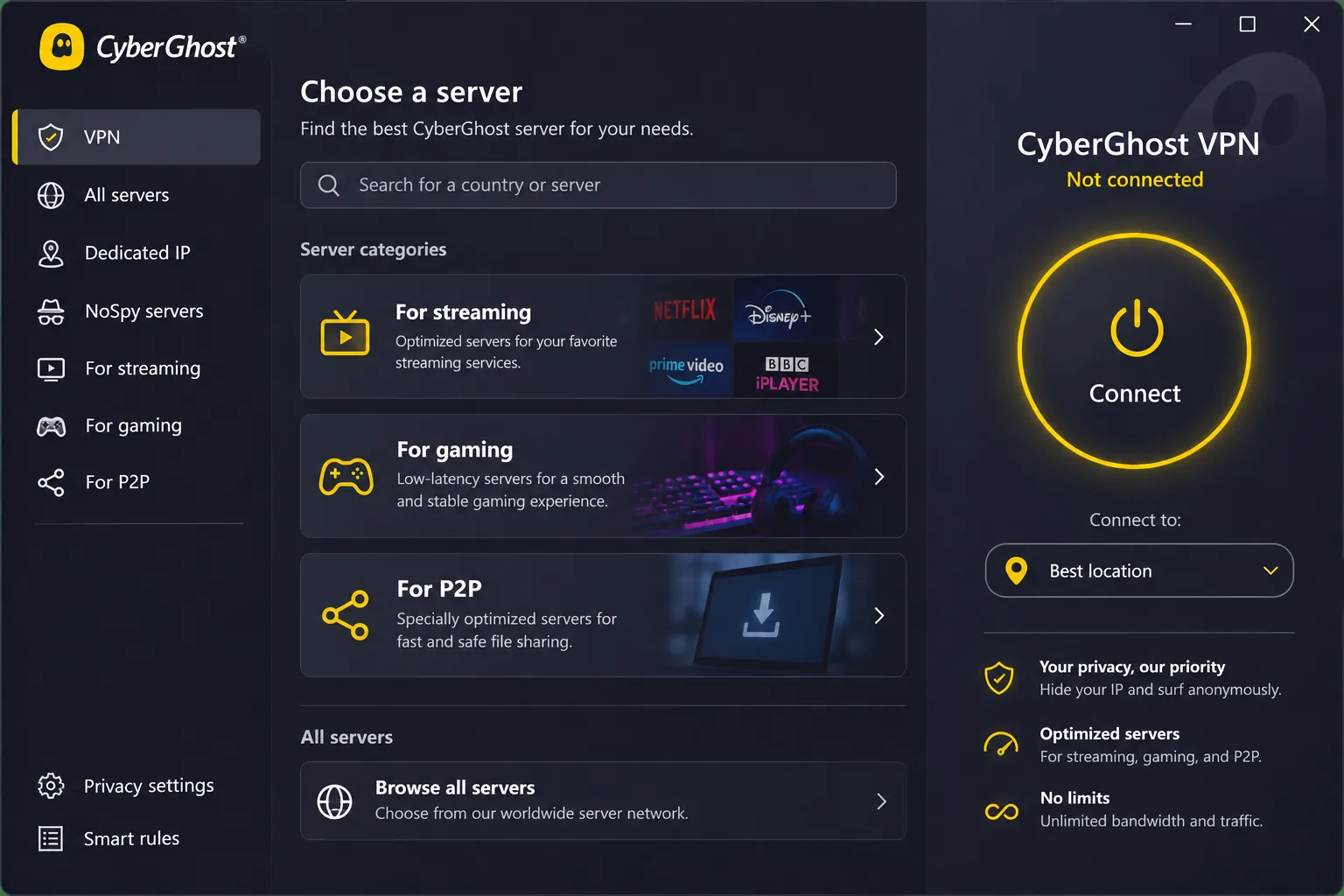
CyberGhost is built around simple choices. The prominent connect button makes the basic apps easy to use, and servers are sorted into streaming, gaming, and P2P categories. Windows users also get Smart Rules and Wi-Fi auto-connect, which helps when you move between hotel and cafe networks. Servers run on RAM only, and a DNS content blocker is included.
The rough edges showed up in daily use. Windows and iOS connections took longer to establish than those in competing apps. On iOS, trying to disconnect occasionally produced unexpected behavior or connected us to a different server. On Windows, adding a website exclusion forced OpenVPN even though we had selected another protocol.
Virtual locations are not clearly flagged inside the apps, which makes physical server placement hard to judge. Rotating between devices also made the registration slots inconvenient, because we had to clear old registrations. The plan covers 7 devices.
Jordan is absent from the official server directory we reviewed, so a Jordanian exit IP is not verified. The purchase page shows $2.19 per month and $61.32 initially, then $61.32 annually. Its labels contradict each other about the initial term, so confirm the actual length at checkout. Refund terms are the best of the five: a 45-day money-back guarantee on subscriptions of six months or longer, and a 14-day guarantee on the monthly plan. You must contact support to get the refund, because cancelling auto-renewal alone does not trigger one. A 24-hour free Windows trial also exists, separate from those guarantees.
Pros
- Longest refund window of the five
- Server categories for streaming, gaming, and P2P
- Low displayed annual renewal rate
Cons
- Windows and iOS connections were slower to establish
- Device registrations need manual clearing
5. Proton VPN
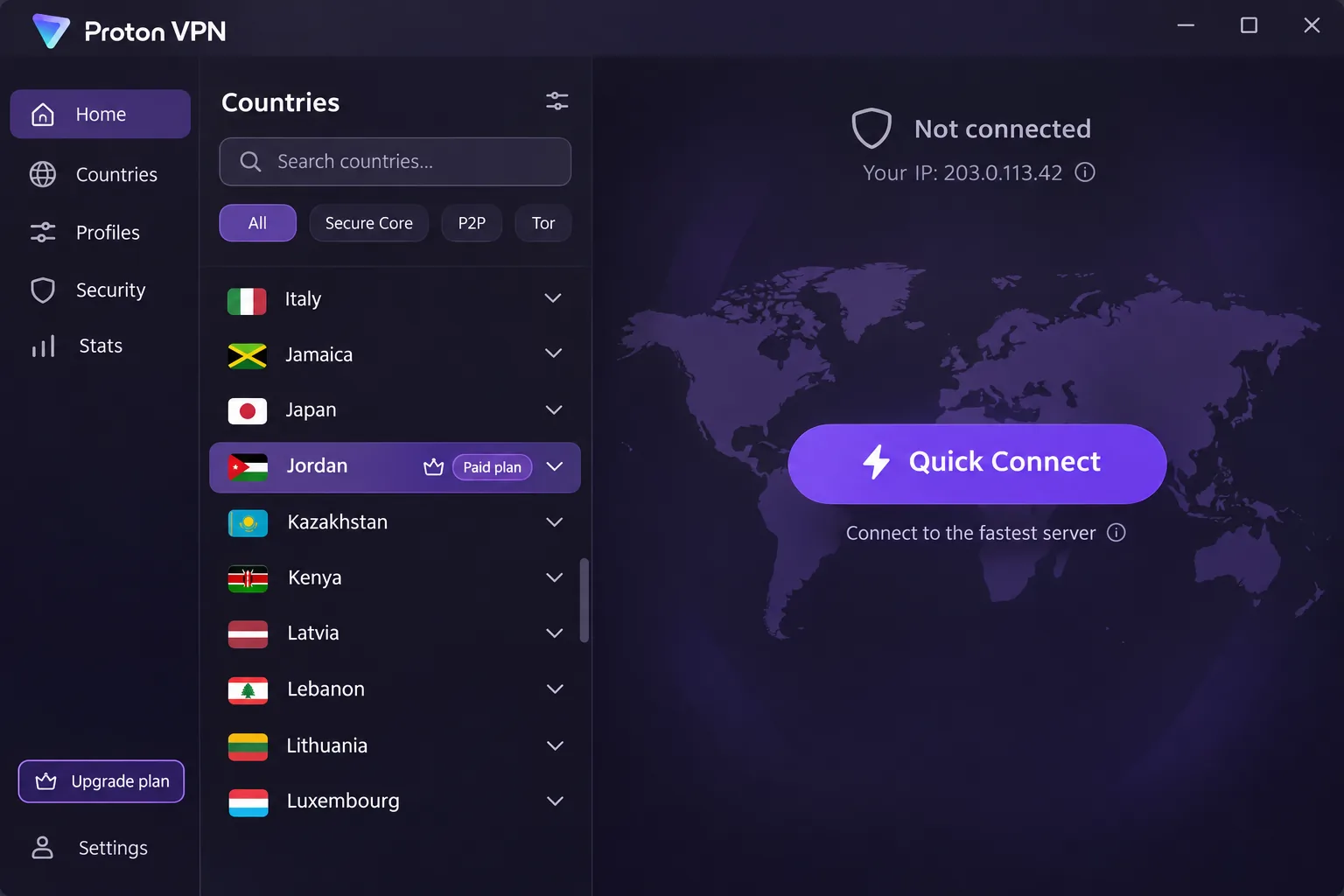
Proton VPN is the exception to the Jordan rule. According to Proton's Jordan server page, paid subscribers can select Jordan and obtain a Jordanian IP. The free plan does not offer Jordanian servers. If a Jordanian exit is the point, this is the clearest route.
Installation was quick, and Quick Connect made basic use easy despite the more advanced controls underneath. Saved profiles made repeat connections convenient, since they remember a chosen server, protocol, and Secure Core setting. The iOS app lacks split tunneling that other platforms have.
Streaming needed more tinkering. NetShield interfered with ad-funded services such as Channel 4, and turning it off restored playback. Getting past some blocks required trying another city or server within the same country.
The apps are open source and independently audited. Features include Secure Core multihop, NetShield, a kill switch, WireGuard and OpenVPN, Stealth obfuscation, and Smart Protocol with alternative routing. Paid plans protect 10 devices at once, while the free plan protects 1 device at a time and offers unlimited browsing with no ads and no activity logs. The 30-day money-back guarantee applies to VPN Plus. We could not confirm a current paid price, so check Proton's pricing page before you buy.
Pros
- Jordanian IP available on paid plans
- Open-source apps, audits, and Stealth obfuscation
- Permanent free tier with unlimited data
Cons
- Free plan cannot select Jordan
- Streaming sometimes needs another city or server
Why use a VPN in Jordan?
A VPN makes sense in Jordan for the same reasons it does elsewhere: protecting traffic on shared networks and keeping some control over what your connection reveals. Local context adds a second reason. Freedom House's 2025 country report rates Jordan Partly Free, with an internet-freedom score of 47/100.
Privacy on public Wi-Fi and local networks
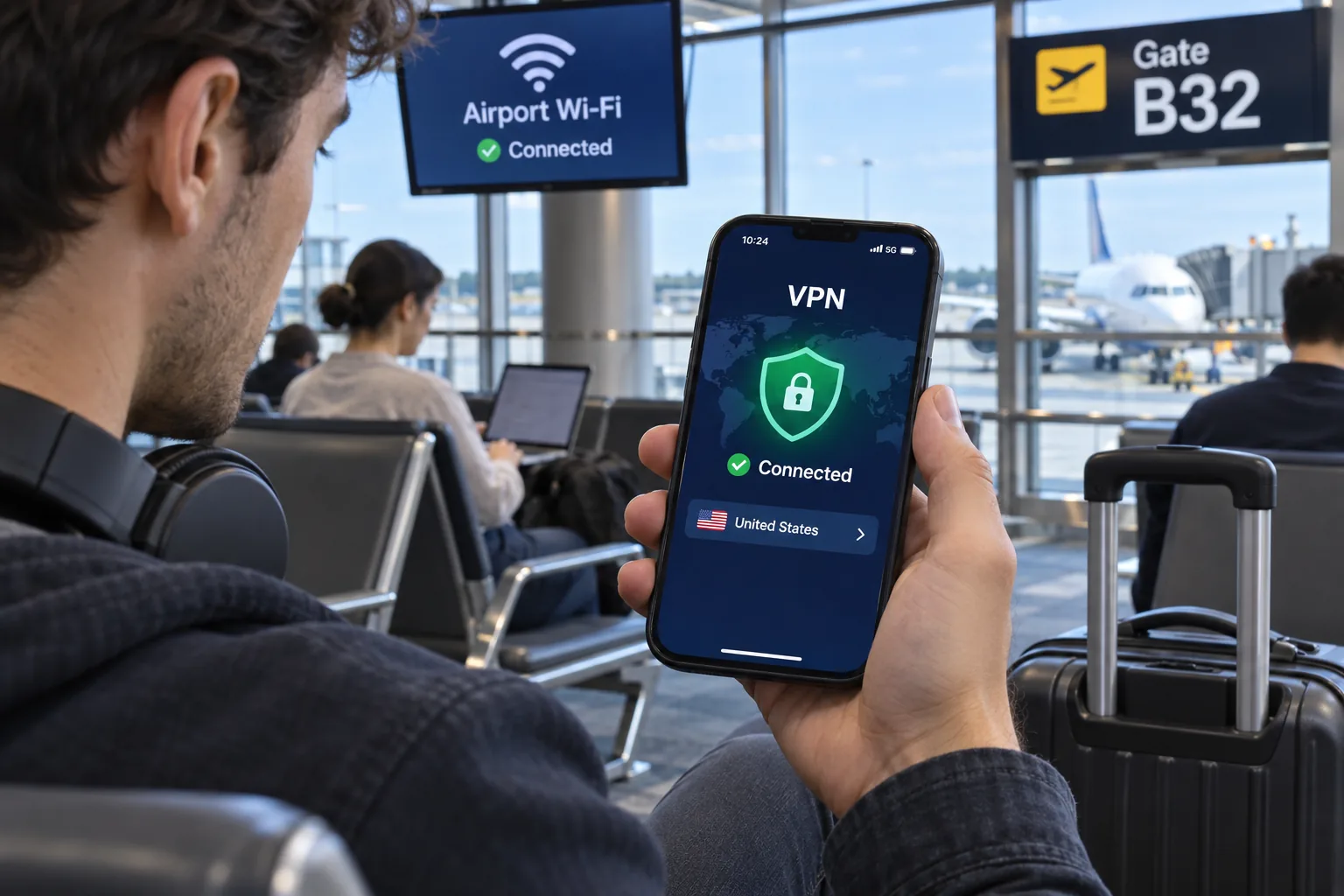
At hotels, airports, cafes, and coworking spaces, you use shared networks you do not control. A VPN encrypts the connection between your device and the VPN server, so other people on the same network cannot read your traffic. It also changes the IP address that websites see. That is the core benefit, and every provider in this guide delivers it.
Streaming, voice calls, and access restrictions
Restrictions in Jordan have varied by service and by internet provider. Some ISPs restrict WhatsApp and Viber voice calls while Messenger, Telegram, and Skype stayed accessible. It also records earlier Clubhouse blocking, followed by blocking of VPN tools.
That reporting is historical. We found no current carrier-by-carrier confirmation, so we cannot tell you which calling apps work on your network today. For streaming, outcomes depend on the service, your region, and the time you try. NordVPN played Netflix smoothly for us, while Surfshark needed repeat attempts on some libraries. If Prime Video is your main use, our guide to VPNs for Amazon Prime Video covers that service in more depth.
What a VPN cannot protect or guarantee
A VPN does not stop phishing, credential theft, or malware. It cannot make illegal activity lawful, and it cannot promise that your provider's servers will connect on every network in the country.
Jordan has a history of inaccessible VPN services and complaints about VPN connections. That is historical context, not a current map of which provider works on which carrier. Install and test before you rely on any app.
How to choose a VPN for Jordan
Start with the problem you need solved, then check the cost and the refund terms before the features. The sections below cover what separates these providers in practice.
Privacy policies, security features, and device support
Look for a kill switch, leak protection, and a clear no-logs policy. Published audits add confidence, and RAM-only servers limit what can be stored. Then count your devices. Surfshark allows unlimited personal-use connections, NordVPN and Proton paid plans allow 10, ExpressVPN tiers run from 10 to 14, and CyberGhost allows 7. All five offer apps for Windows, Mac, Linux, Android, and iOS, with the OS minimums listed in the reviews above.
Server locations, protocols, and connection reliability
Server counts across countries differ between vendors and reviews, so they tell you little about your route from Jordan. A server labeled with a nearer location does not guarantee the fastest path either. Distance, server load, and protocol all matter.
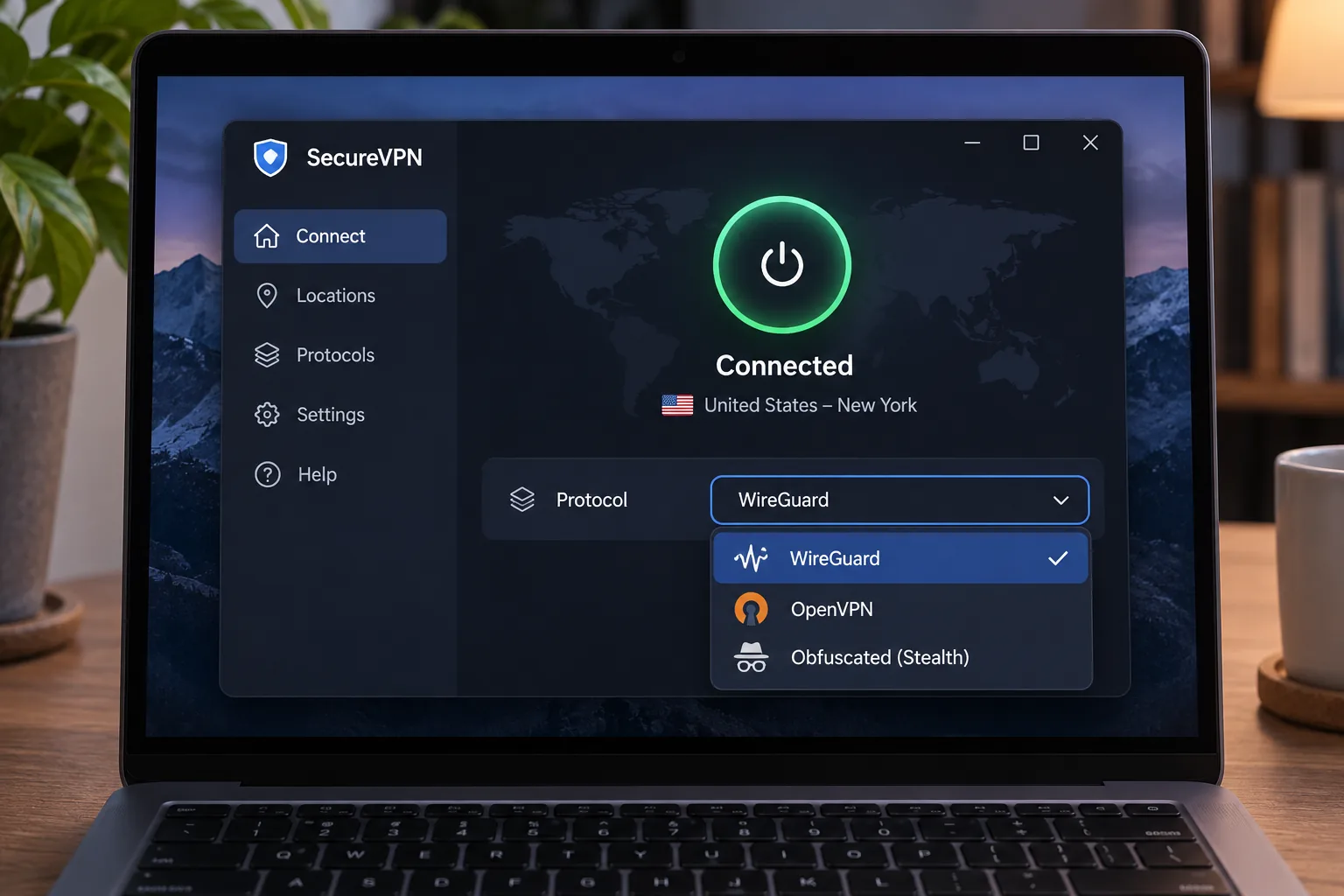
If an app is slow or refuses to connect, switch protocol before you switch provider. WireGuard-based options such as NordLynx tend to connect quickly, while obfuscated or Stealth modes are worth trying when a network seems to block VPN traffic.
For speeds, pick a nearby server first and then test one or two alternatives at different times of day. If you want a Jordanian IP for local services, choose Proton on a paid plan or NordVPN's listed Jordan location, and remember that an exit label does not confirm physical hosting.
Subscription costs, renewal prices, and refund terms
Introductory prices look low because they require prepayment for two years or more. Costs rise at renewal, so check the renewal price before you pay. NordVPN displays $139.08 per year, ExpressVPN Basic $99.95, and CyberGhost $61.32. Surfshark and Proton did not publish renewal amounts we could confirm. Refund windows range from 14 days on CyberGhost's monthly plan to 45 days on its longer plans, with 30-day windows at the other four.
How we compared the providers
We compared the five on the criteria above: privacy features, device support, Jordan exit availability, refund terms, and how the apps behaved in setup and streaming. Our hands-on findings come from installing and using the apps on desktop, mobile, and TV. We did not run Jordan-local speed or connection-success tests, and we did not score the providers numerically. The ranking is an editorial judgment backed by the findings above.
How to set up and use a VPN in Jordan
Setup takes about as long as installing any other app. Install the VPN before you travel, because provider websites and app stores can be harder to reach from some networks.
Install the app and choose a server for your needs
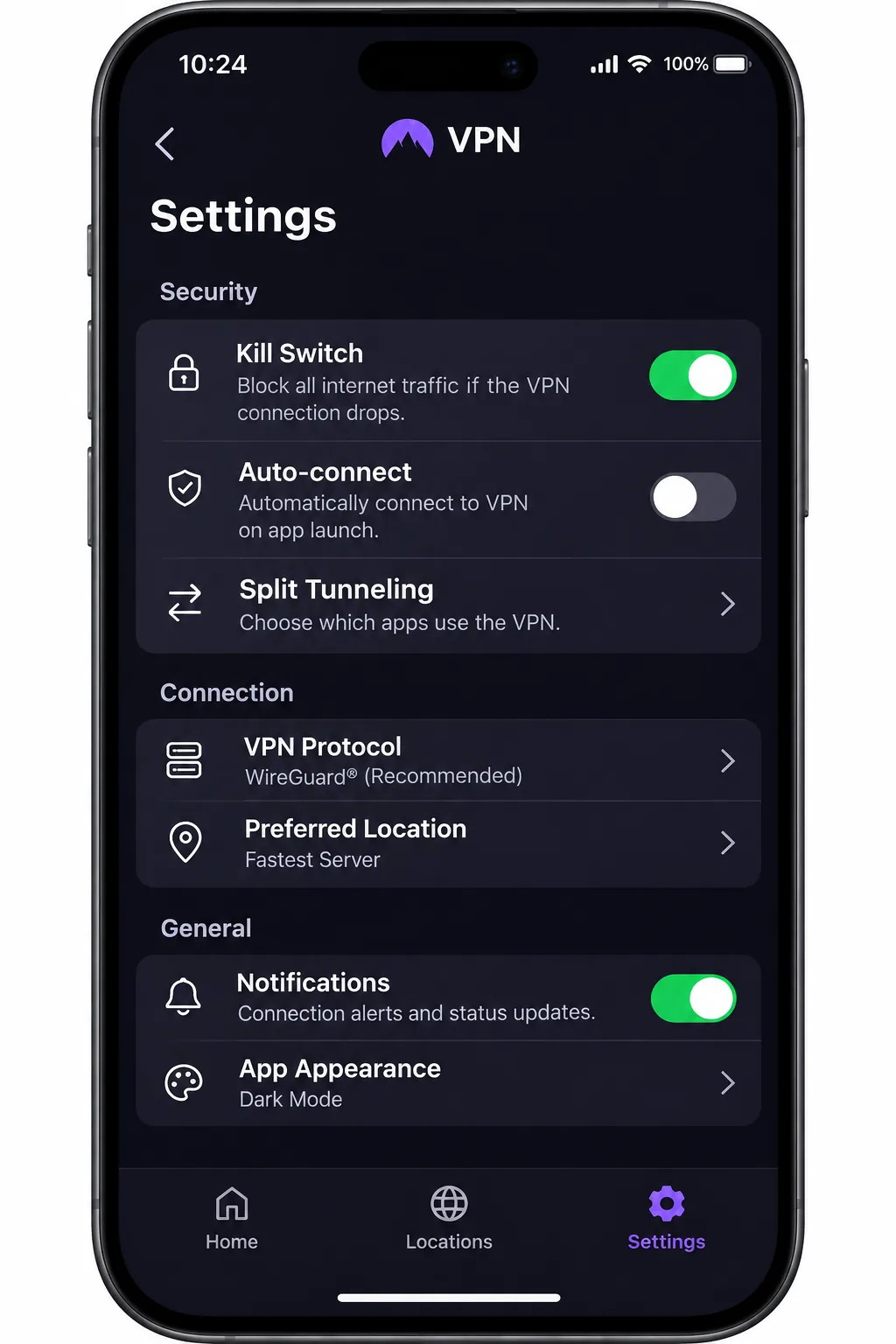
Download the official app, sign in, and pick a server. Open the app, choose a nearby country for speed, or choose a specific country for a streaming library. For calls and browsing, start with the fastest recommended option. If you want a Jordanian IP, select Jordan in Proton VPN with a paid account, or in NordVPN. Then turn on the kill switch in Settings so traffic stops if the tunnel drops.
What to try if your VPN will not connect
Work through these in order:
- Pick a different server in the same country.
- Change the protocol in Settings.
- Restart the app, then restart the device.
- Reinstall the app from the official source.
- Allow the app through your firewall.
- Try an obfuscated option such as NordVPN's obfuscated servers or Proton's Stealth protocol.
If none of that helps, contact support and use your refund window while it is still open.
Can you get a Jordanian IP address?
Using a VPN from Jordan and getting a Jordanian exit IP are separate things. The first protects your connection while you are in the country. The second makes websites think you are in Jordan, which matters if you are abroad and want local services.
Proton VPN is the verified route, with Jordan available on paid plans only. NordVPN lists Jordan in its official directory, although we could not establish physical hosting. ExpressVPN, Surfshark, and CyberGhost do not list Jordan in the directories we checked.
Are free VPNs suitable for Jordan?
Mostly not. Free services usually limit speed, data, or locations, and some earn money in ways that undermine the privacy you wanted. The exception is Proton VPN's free tier. It offers unlimited browsing and data with no ads and no activity logs, and it protects 1 device at a time. It also picks a country for you, with no option to select Jordan. It is fine for light privacy on public Wi-Fi, but not for a Jordanian IP or dependable streaming.







