
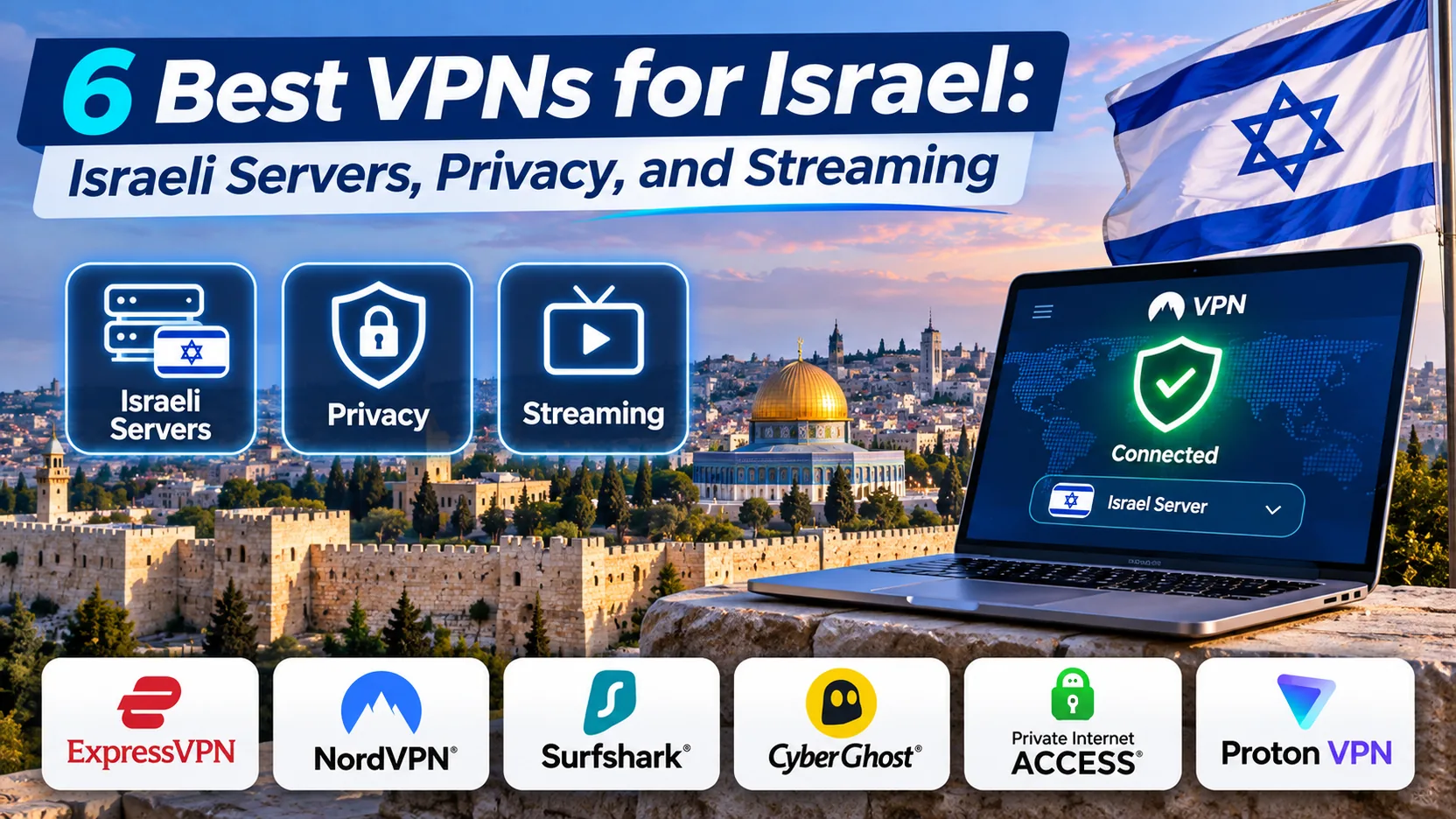
If you need an Israeli IP address while you are abroad, or a safer connection while you are in Israel, the VPN you pick matters. Those are two different jobs. The first depends on whether a provider has a server inside Israel. The second depends on privacy features, device support and how the service handles your data.
Our top pick is NordVPN, with Surfshark close behind as the value choice. ExpressVPN, Proton VPN, CyberGhost and Private Internet Access (PIA) each suit a narrower kind of user. Below, we compare all six by Israeli server availability, privacy design, streaming support and price terms.
We built this roundup from each provider's own server, pricing and refund pages, checked against our hands-on notes on how each app behaves. Where a fact could not be confirmed, we say so instead of guessing.
Best VPNs for Israel at a glance
All six providers list an Israeli location, and all six offer a refund window that lets you test the service. The differences show up in device limits, privacy extras and how clearly each company explains where its Israeli servers actually sit.
| Product | Buy | Israel endpoint and type | Devices | Privacy features | Price commitment | Refund |
|---|---|---|---|---|---|---|
 | Check price → | Tel Aviv; physical | 10 | No-logs, Double VPN, Onion Over VPN | 27-month intro offer, renews yearly | 30-day |
 | Check price | Tel Aviv; type not confirmed | Unlimited | RAM-only servers, kill switch, NoBorders | 27-month intro offer, renewal not verified | 30-day, first purchase only |
 | Tel Aviv; physical inferred | 10 to 14 by tier | RAM-only, audited no-logs, Lightway | 28-month intro offer on Basic | 30-day | |
 | Tel Aviv and Petah Tikva, paid only; type not confirmed | 10 paid, 1 free | Open source, Secure Core, NetShield | 24-month intro offer | 30-day | |
 | Jerusalem; physical inferred | 7 | RAM-only, no-logs, kill switch | 26 to 28-month offer, terms vary | 45-day long plans, 14-day monthly | |
 | Tel Aviv; physical, confirmed | Unlimited | Open source, RAM-only, no-logs | Multi-year offer | 30-day |
Introductory prices are tied to long commitments and renew at a different rate. Currency, tax and bonus months also change by market and checkout. Read the renewal line before you pay, and treat any price we quote as a snapshot rather than a promise.
How we choose VPNs for Israel
We start with the question every reader has to answer first: do you want to use a VPN while you are in Israel, or do you want to reach Israeli services from abroad? That choice changes which features count. We then score each provider on two groups of criteria.
Israeli IP addresses, server locations, and connection speeds
The first test is whether a provider lists an Israeli server at all. All six do. The next question is whether that server is physical or virtual. A virtual location supplies the selected country's IP while the hardware is hosted elsewhere. For most people the difference is small, but a physical server tends to sit closer to local network paths and is easier to trust.
We record the evidence level for each provider rather than assume. PIA states its physical server plainly. NordVPN is identified as physical by a third-party source. We infer physical hosting for ExpressVPN and CyberGhost from how their official lists treat virtual locations. Surfshark and Proton are unconfirmed.
Speed is the second part. Our notes cover perceived download speed, each app's responsiveness during browsing and latency in gaming-style use. We do not publish a universal slowdown percentage, because route, baseline speed, protocol and server load all change the result.
Privacy policies, security features, and value
We look at the logging policy, whether servers are RAM-only, whether the no-logs claim has been independently audited, kill switch behavior, leak protection and open-source code. We also weigh device limits, platform coverage and how fast you can reach support.
Value means the full cost, not the headline. We compare the introductory term, the renewal rate and the refund window together. A cheap two-year offer that renews at triple the price is not a bargain, and we say so in each review.
1. NordVPN
NordVPN is the one we would hand to most people who ask how to get an Israeli IP address. It lists a Tel Aviv endpoint, and Comparitech identifies the Israeli servers as physical. That matters if you want a connection that behaves like a local one. In our streaming checks it reached Netflix, Hulu, BBC iPlayer, Disney Plus and Prime Video reliably, and downloads were fast enough for streaming.
The official Israel page lists 14 servers, while other published counts run above 20. Server counts change as the network is updated, so use the location, not the number, as your guide.
On privacy, NordVPN runs a no-logs policy and offers NordLynx. It covers Windows, macOS, Linux, Android and iOS, adds browser extensions, and supports Android TV, Apple TV and routers. One subscription covers 10 devices at the same time. Security extras such as antivirus depend on the plan tier you buy.
The main drawback is the Android app. We found its interface less immediately approachable than Surfshark's, so newcomers may need a few minutes to find the controls they want. You can claim the 30-day money-back guarantee through support. If you bought through the Apple App Store, you have to go through Apple instead.
When we checked, a localized Basic offer cost the equivalent of EUR 3.49 a month, payable as EUR 94.23 upfront for 27 months. Renewal was EUR 139.08 a year. Monthly Basic was EUR 14.99. Currency, tax and promotions vary, and the introductory rate is not the renewal rate.
Pros
- Tel Aviv server identified as physical
- Reliable on Netflix, Hulu, Disney Plus and Prime Video
- Double VPN and Onion Over VPN for extra privacy
Cons
- Android interface takes longer to learn than Surfshark's
- Renewal price is much higher than the intro offer
Best for: Anyone who wants one dependable all-round pick for Israeli access. Skip if: You want unlimited devices or the lowest renewal bill.
2. Surfshark
Where NordVPN caps you at 10 devices, Surfshark is the value pick because of its device policy. It allows unlimited simultaneous devices and unlimited bandwidth, so a whole household can share one subscription. The official country page advertises 8 Israeli servers, with a Tel Aviv endpoint.
The apps cover Linux, Windows, macOS, Android and iOS. The Bypasser feature lets you decide which apps or sites use the VPN and which go direct. That is handy when you want an Israeli IP for one streaming app but a normal connection for your banking app. Starter includes ad blocking, a kill switch and Alternative ID. Antivirus, breach monitoring and personal-data removal sit in higher tiers.
Surfshark's servers run entirely on RAM, which means nothing is written to disk. We could not confirm from the official pages whether the Tel Aviv endpoint is physical or virtual, so we do not claim it either way.
In streaming, Surfshark handled Netflix US and Prime Video well. Its downloads are quick, but latency can be high, so download speed alone is a poor guide to how responsive it feels for gaming or video calls. If you play online, test the connection before you commit to a long plan.
Surfshark requires manual setup on compatible routers, so it is not a plug-and-play option for your home router. The refund window is 30 days on the initial purchase, limited to one refund per service. Recurring payments, prepaid or gift-card payments and certain add-ons are excluded, and reseller rules apply.
The Starter offer cost the equivalent of EUR 2.49 a month, or EUR 67.23 for the first 27 months. That first-term total does not tell you the renewal charge, and we could not verify it. Check the checkout screen for the exact figure.
Pros
- Unlimited simultaneous devices and bandwidth
- Clear labels for physical and virtual locations in the app
- Bypasser lets you split traffic app by app
Cons
- Physical hosting of the Tel Aviv server is unconfirmed
- Latency can be high even when downloads are quick
- Router setup is manual
Best for: Households and travelers covering many devices. Skip if: You need an explicit statement that your Israeli server is physical.
3. ExpressVPN
Surfshark rewards tinkering with split traffic, while ExpressVPN is the easiest VPN to live with. Its Israeli connections were consistent when we used it, and the apps were straightforward to operate. We connected, forgot about it and got on with the evening, which is the whole pitch.
It lists a Tel Aviv endpoint and markets it as an in-country server location. Israel is absent from ExpressVPN's published list of virtual locations, so we infer that the hardware is physical. That is an inference from two official pages, not an explicit Israel-specific declaration.
On security, ExpressVPN adds private encrypted DNS and tracker and ad blocking. A dedicated IP depends on your plan or add-on. Apps cover Windows, macOS, Linux, iOS and Android, and a router product is supported.
Device limits depend on your tier. Basic supports 10 simultaneous devices, Advanced 12 and Pro 14. Older summaries that list eight devices no longer describe the current offers. The money-back guarantee is 30 days for new users.
ExpressVPN's prices are higher than those of most rivals. Basic cost the equivalent of USD 2.99 a month, payable as USD 83.72 upfront for 28 months. After that, it cost USD 99.95 a year. Advanced was USD 125.72 for 28 months, then USD 119.95 a year. Pro was USD 209.72, then USD 199.95 a year. Sales tax is added, and these are introductory offers, not month-to-month prices.
Pros
- Consistent Israeli connections and a simple interface
- RAM-only servers and an independently audited no-logs policy
- Lightway, kill switch and split tunneling included
Cons
- Higher renewal cost than most rivals
- Physical hosting in Tel Aviv is inferred, not declared
Best for: People who want to set it up once and not think about it. Skip if: Budget is your first filter, or you need unlimited devices.
4. Proton VPN
ExpressVPN sells simplicity, but Proton VPN suits people for whom privacy comes first. Beyond the open-source apps and Secure Core multihop, it offers NetShield filtering and VPN Accelerator, with DNS leak protection built in. Apps cover Windows, macOS, Linux, Android, iOS, Android TV, Apple TV and Fire TV.
The Israeli footprint is paid only. Proton advertises 14 servers across Tel Aviv and Petah Tikva, and Tel Aviv also supports P2P. The vendor lists access to Makan 33, Kan 11, Keshet 12 and Reshet 13 through Israeli servers. That marketing lists supported services without measuring success rates, and we have not verified how reliably each channel loads. Official pages do not state whether the Israeli servers are physical or virtual, so we leave that open.
Streaming on a paid plan reached Prime Video, Hulu and Sling TV for us, but unblocking can be inconsistent. If you rely on one specific service, test it during the refund window. The interface also takes more learning than the simplest beginner apps, so expect a short adjustment period.
VPN Plus covers 10 devices at once, while the free plan covers one. The refund window is 30 days on the initial purchase. You must cancel and request the refund within that window, and each user can claim it once. Cash and bank transfers are excluded, while third-party purchases follow the intermediary's policy.
On price, the VPN Plus pricing page showed USD 3.49 a month equivalent, or USD 83.76 for 24 months, then USD 83.88 a year. An official signup offer showed USD 2.99 a month and USD 71.76 for 24 months with the same renewal. The offer at checkout and tax determine your actual initial charge.
Pros
- Open-source apps with Secure Core multihop
- Israeli servers in two cities, including P2P in Tel Aviv
- Renewal stays close to the intro price
Cons
- Israeli servers are not available on the free plan
- Streaming unblocking can be inconsistent
- Interface takes more learning than beginner apps
Best for: Privacy-first users who will pay for it. Skip if: You depend on one specific streaming service working every time.
5. CyberGhost
Proton VPN asks you to learn its interface, whereas CyberGhost is the best fit for people who like automation and clear on-screen controls. Its desktop interface makes detailed connection settings approachable, and Smart Rules can tie an app launch to a selected VPN server. When we set a rule for an Israeli streaming app, launching that app was enough to bring up the matching server. We never had to open the VPN window and pick a location, which saved us from repeating the manual setup.
Its Israeli endpoint is listed as Jerusalem. The official server table does not mark it as virtual, while it marks virtual locations elsewhere, so we infer physical hosting. The table showed 123 Jerusalem servers, while older coverage gave 51 or more. Counts reflect different snapshots. Israel-specific streaming entries include Amazon Prime IL, Disney Plus IL and Netflix IL, and the optimized streaming connections handled high-resolution video without buffering.
The weak spot is raw speed. CyberGhost download speeds can lag behind competing VPNs, though that gap matters less once your video stream is smooth. On the privacy side it offers a no-logs policy, RAM-only servers, a kill switch, DNS and IP leak protection and Wi-Fi protection. Protocols include WireGuard, OpenVPN and IKEv2, with availability depending on platform. Apps cover Windows, macOS, Linux, Android, iOS and TV platforms. One plan covers 7 devices at once.
CyberGhost has the most flexible refund terms in this group. Plans of six months or longer carry a 45-day money-back guarantee, and the monthly plan carries a 14-day guarantee. It also offers a 24-hour desktop trial without payment-card details. The trial lasts 3 days on Android and 7 days on iOS. Both require mobile payment details, but you will not be charged if you cancel during the trial.
Pricing is the muddiest of the six. Monthly was USD 12.99 and six months was USD 41.94. The Israel country page offered USD 56.94 for 26 months with the same annual renewal, while checkout promoted 28 months at USD 61.32. Checkout labels also mixed 26-month and 27-month wording. Confirm the commitment and renewal price on the checkout screen before you pay.
Pros
- Smart Rules launch apps on a chosen server
- Israel-specific Netflix, Disney Plus and Prime Video entries
- 45-day refund on long plans and a no-card desktop trial
Cons
- Download speeds can lag behind faster rivals
- Pricing pages disagree on term and total
- Only 7 simultaneous connections
Best for: People who like automation and a long test period. Skip if: Top download speed is your priority.
6. Private Internet Access
CyberGhost automates the choices for you, and PIA is the opposite: the customizer's VPN. It offers extensive settings, unlimited simultaneous connections and open-source apps. Its kill switch works reliably, and it adds leak protection, multi-hop through an additional proxy and obfuscation. Infrastructure is RAM-only with a no-logs policy, and apps cover Windows, macOS, Linux, Android and iOS, plus routers.
It is also the clearest about its Israeli hardware. The official Israel IP page explicitly identifies a physical server in Tel Aviv, and the broader country page mentions Jerusalem as well. The app location list includes Israel and an "IL Streaming Optimized" option. PIA does not sell a dedicated Israeli IP product.
The tradeoffs involve usability and streaming. When we first opened the app, the number of settings slowed our initial setup, and we spent longer in the menus than with the simpler apps. PIA can also struggle to unblock streaming services and trails faster rivals in connection speed. In ordinary browsing it stayed responsive, and it had enough throughput for HD streaming despite middling benchmark speeds. That makes it a better privacy tool than a streaming tool.
Support can also be slow over both chat and email. The ticket workflow sometimes involves extra email verification and confusing navigation. Plan on solving small problems yourself.
New subscribers get a 30-day money-back guarantee, while app-store purchases follow their own refund terms. On price, monthly was USD 11.95. The annual offer was USD 47.88 initially and at renewal. The long offer was three years plus four months at USD 2.03 a month equivalent, renewing at USD 81.20 every three years. Bonus months apply only to the introductory term, and other offer links may show different discounts.
Pros
- Physical Tel Aviv server explicitly confirmed
- Unlimited simultaneous connections
- Open-source apps and a reliable kill switch
Cons
- Complex apps slow down first-time setup
- Can struggle to unblock streaming services
- Slow support responses
Best for: Tinkerers who want control over every setting. Skip if: Streaming Israeli TV is your main goal.
How to get an Israeli IP address and watch Israeli TV abroad
The process is the same for all six providers. Install the provider's app, sign in, select Israel and connect. Your traffic then exits from an Israeli IP address, and Israeli sites see you as a local visitor.
Keep one rule in mind. A VPN subscription does not include streaming subscriptions. Kan 11, Keshet 12 and Reshet 13 still apply their own terms of service, and some services restrict viewing outside Israel. Check the rules for the service you want before you rely on a VPN.
Open the app's location list and look for any label that separates physical from virtual servers. Surfshark labels them inside the app, and PIA also offers an "IL Streaming Optimized" entry. Start there if you want to watch Israeli TV.
Connect to an Israeli server and check your IP address
Follow these steps on a laptop or phone.
- Before you connect, search "what is my IP" in a browser and note the country shown.
- Open the VPN app and sign in.
- Search for Israel in the location list and pick a city if one is offered.
- Select Connect and wait for the status to turn green.
- Reload the IP-check page. It should now show an Israeli address.
- Check DNS results as well. If your DNS still points to your home provider, the connection is leaking, and you should turn on leak protection in the app.
If you are on a smart TV or streaming box, install the provider's TV app where one exists. NordVPN has Android TV and Apple TV apps, and Proton VPN adds Fire TV. Otherwise, set up the VPN on a router.
Fix streaming errors and slow connections
When a streaming app says it cannot play in your region, work through the fixes from the top.
- Switch to another Israeli server. A single server can be blocked while its neighbor works.
- Clear your browser cookies and cache, or open the page in a private window.
- Restart the app and update it to the latest version.
- Check that your subscription to the streaming service is active.
- Turn off browser extensions that might conflict with the VPN.
- Change the VPN protocol. WireGuard-based options are usually faster, and OpenVPN is often the fallback when a network blocks the first choice.
- Compare your public IP and DNS results with what the VPN app reports.
For slow connections, try a closer server first, then switch protocols. Keep in mind that fast downloads can still come with high latency, so a fast test result does not guarantee smooth calls or gaming.
Why use a VPN in Israel?
Most readers search this phrase for one of two reasons. Either they live in or are visiting Israel and want a safer connection, or they live elsewhere and want Israeli content. Both are legitimate uses.
Israel's National Cyber Directorate itself recommends VPN or ZTNA with multi-factor authentication as options for isolating access to sensitive organizational interfaces. That shows VPNs are an accepted security tool, though it is not a legal opinion on every consumer use.
Privacy on public Wi-Fi and access while traveling
Cafes, hotels, airports and hostels all offer open Wi-Fi where other users share your network. A VPN encrypts your traffic between your device and the VPN server, so people on the same network cannot read it. This is the strongest everyday reason to run one while you travel in Israel.
A VPN also helps when you travel the other way. Many home-country services, such as banking apps and streaming libraries, behave differently when they see a foreign IP address. Connect to a server in your home country and they see you as local again. Use a provider with a kill switch so your real address never shows if the tunnel drops.
Internet restrictions and what a VPN cannot protect against
Israel's website-blocking law passed in July 2017, and the Israel Internet Association describes court-authorized blocking for specified serious offenses, along with concerns about safeguards. A VPN can route around a site-level block, but it does not change what the law allows.
Freedom House's 2025 assessment of Israel looks at political rights and civil liberties, with Gaza and the West Bank assessed separately. It is not an internet-freedom score and it does not rule on VPN legality.
A VPN protects the connection between your device and its server. It does not make you anonymous. It cannot stop you from signing in to accounts that identify you, it does not stop malware, and it does not remove tracking by sites you log in to. Treat it as one layer of protection, not a guarantee.
Can you use a free VPN for Israel?
Short answer: you can use a free VPN for privacy, but you usually cannot choose an Israeli server on it. Those are separate questions, and mixing them up is the most common mistake we see.
Free privacy protection versus free Israeli server access
Proton VPN is the clearest example. Its free plan has no data cap and no artificial speed cap, and it picks the fastest free server for you. After that first connection, further location changes are random. Free countries are the Netherlands, Japan, Romania, Poland, Norway, Switzerland, Singapore, Mexico, Canada and the United States. Proton's free plan location list excludes Israel, and the free plan covers 1 device at a time.
So a free Proton account protects your traffic on public Wi-Fi, but it will not give you an Israeli IP address. Streaming coverage also requires a paid plan.
Free VPNs from unknown developers often fund themselves with ads or data sales. A free plan from an established paid provider is a safer starting point than an unfamiliar app.
Free plans, trials, and money-back guarantees
A refund window is not a free plan. You still pay up front and claim your money back inside the window. Here is how the six compare.
- NordVPN: 30-day guarantee, requested through support. Apple purchases go through Apple.
- Surfshark: 30-day window on the initial purchase, one refund per service.
- ExpressVPN: 30-day guarantee for new users.
- Proton VPN: 30-day window, with cancellation and request both inside it.
- CyberGhost: 45 days on long plans, 14 days on monthly, plus a 24-hour desktop trial with no card.
- PIA: 30 days for new subscribers only.
If you want to test Israeli access without paying anything, CyberGhost's no-card desktop trial is the closest option among these six. We did not establish current store-specific trial eligibility for NordVPN, Surfshark, ExpressVPN or PIA, so check the store listing for your device.
Common mistakes
A few errors come up again and again when people shop for an Israeli VPN.
Buying on the introductory price alone is the first. Several of these offers renew at a much higher rate, and we could not find a published renewal rate for Surfshark.
The second is assuming that any country list means a physical server. Ask whether the provider marks virtual locations, and favor those that do.
The third is trusting speed numbers on their own. Download speed, latency and streaming reliability are different measures, and a VPN can win one while losing another.
The fourth is skipping the refund window. Test the exact service you care about in the first few days, on the device you will really use, and cancel inside the window if it fails.
Where we would deviate from the ranking
If budget is the first filter, we would start with Surfshark instead of NordVPN, since its first term costs less and it removes the device cap. If you only care about the clearest evidence that your Israeli server is physical, PIA is the one to buy, even though it ranks last for streaming. And if you have never used a VPN, spend your refund window on ExpressVPN or CyberGhost first, because both ask the least of a newcomer.







